


Review Summary
Expert Rating
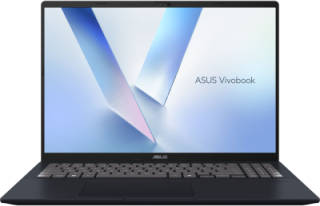
With AI PCs still being relatively new, one would be forgiven for thinking that these machines are still pretty expensive. Yet that is precisely the territory ASUS tries to stake out with the Vivobook 16 M1607KA.
The machine lists at Rs 75,990 and relies on AMD’s Ryzen AI 7 350 processor, a chip built on a 4 nm process that fuses eight Zen 5 cores with an RDNA 3-based Radeon 860M integrated GPU and a dedicated XDNA neural-processing engine. ASUS pairs that silicon with 16 GB LPDDR5-5600 memory, a 528GB PCIe 4.0 solid-state drive, and a 16-inch WUXGA display.
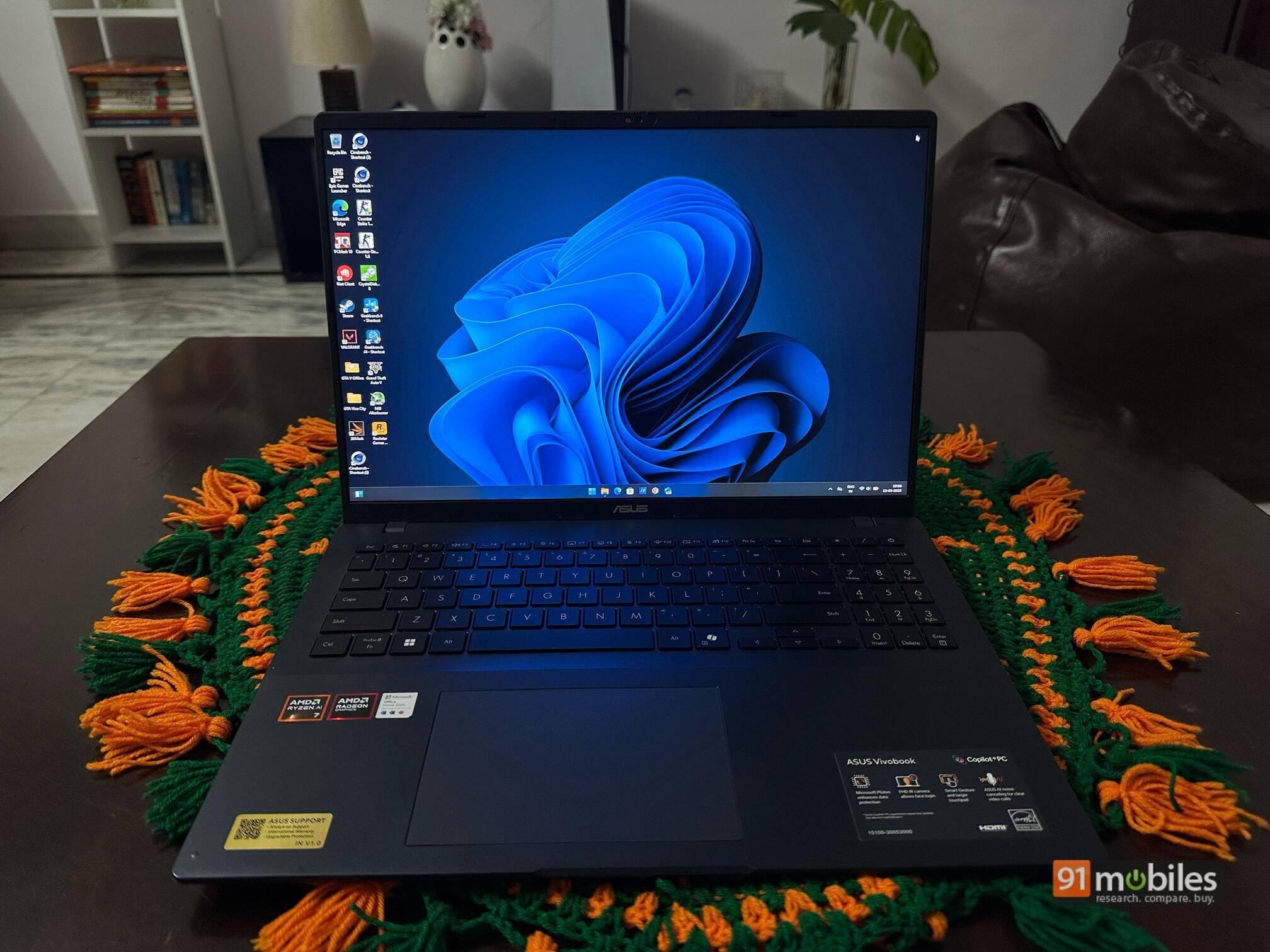
The result is a notebook that aims to satisfy students, hybrid workers, and casual creators who want more screen real estate and stamina than a typical 14-inch thin-and-light can provide while still costing far less than the aspirational Zenbooks and MacBooks that dominate coffee-shop tables. Here’s how the laptop performed in our testing.
Table of Contents
Design and build
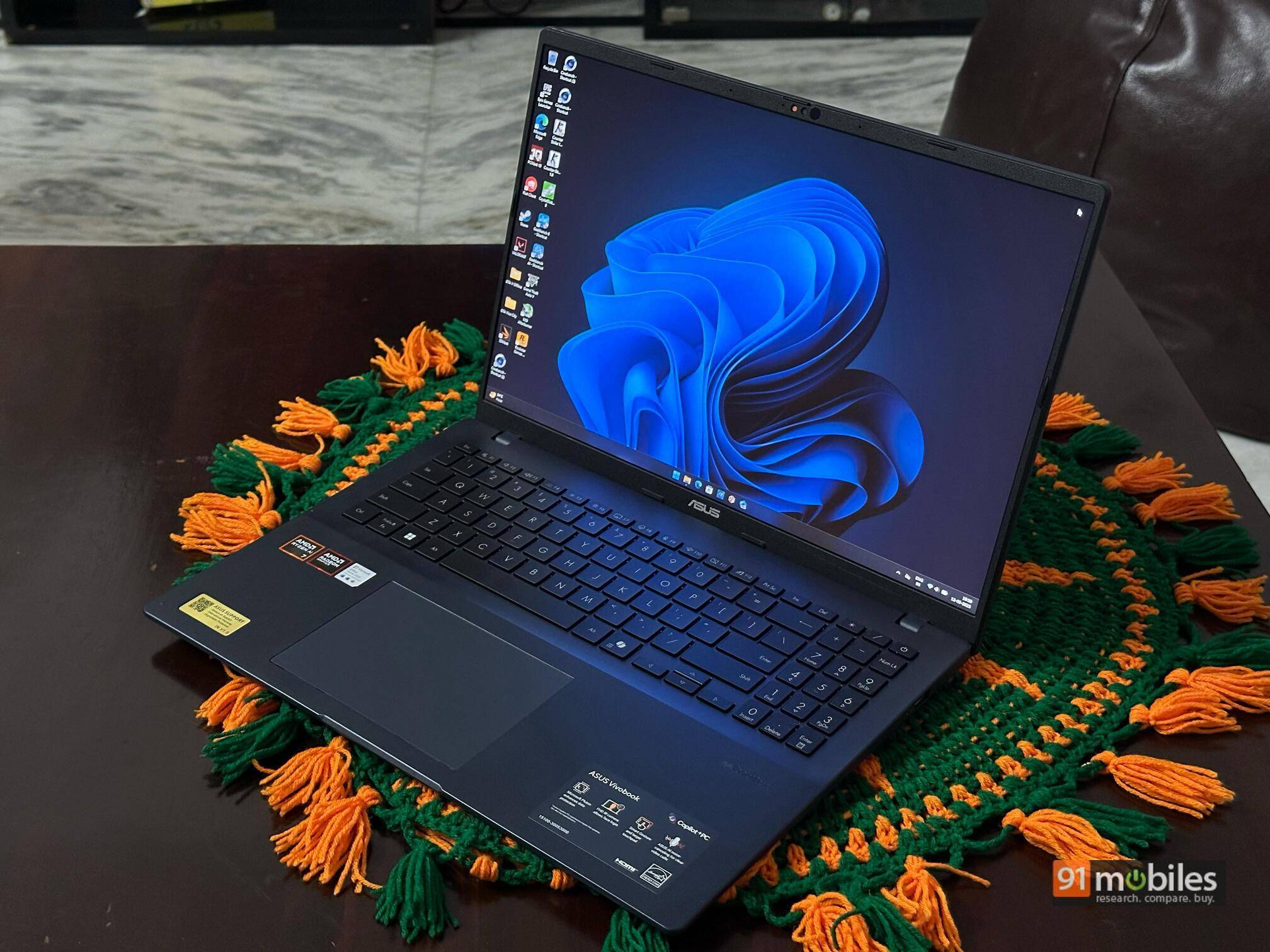
ASUS has not reinvented industrial design here. Instead, it has refined the understated aesthetic introduced across the Vivobook family in recent years. The lid and base are moulded from sturdy polycarbonate that carries a soft-touch matte coating.
Only a discreet Vivobook wordmark breaks the otherwise plain surface. The Indie Black colourway appears deep grey under bright light but takes on a more charcoal tone in dimmer lighting, giving the chassis an unassuming, professional attitude.
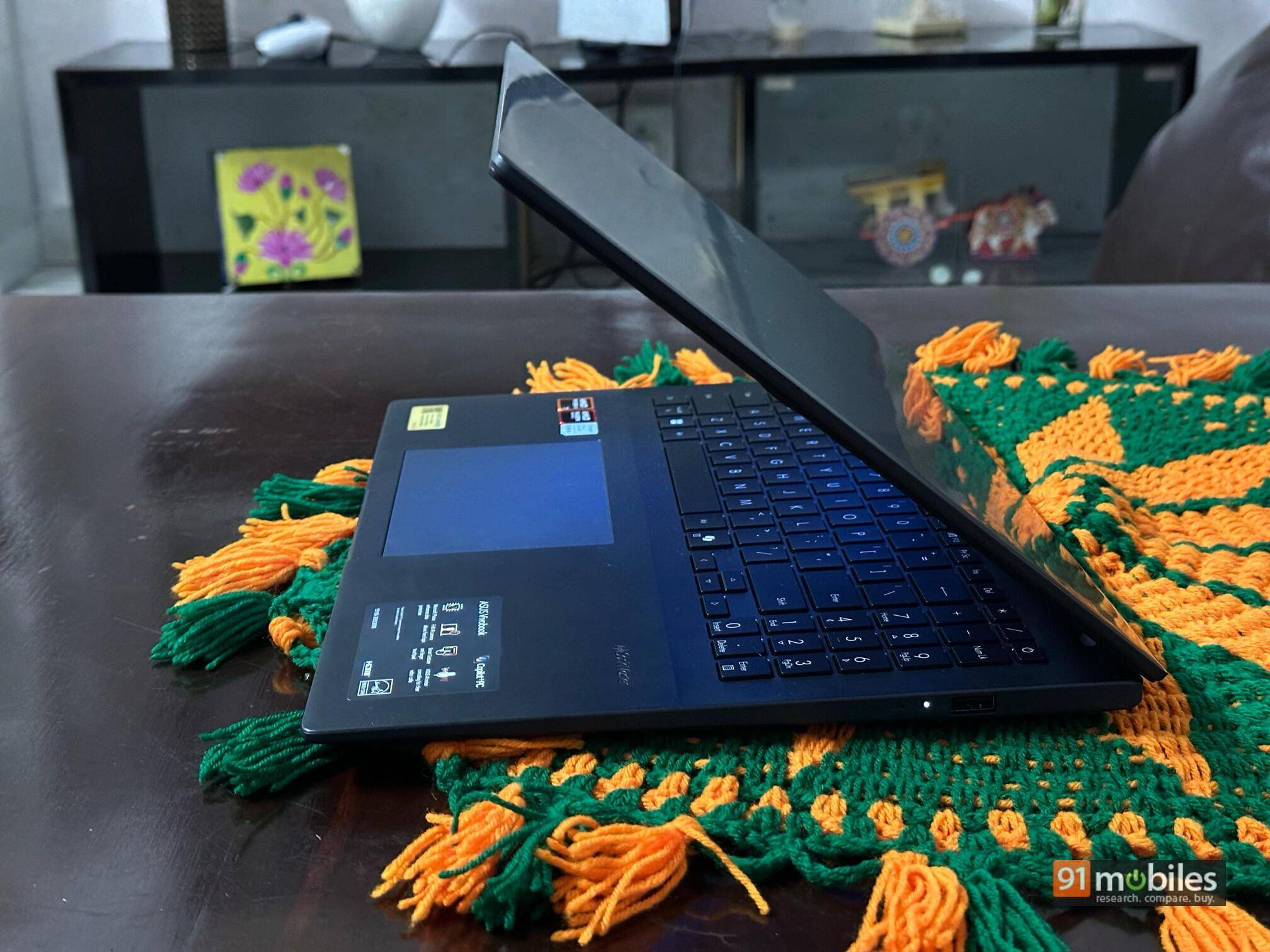
At 1.89kg the laptop is not featherlight, yet when one remembers that a 16-inch panel sits inside the frame, the weight feels more than acceptable. We also feel that the Structural rigidity is respectable. The keyboard deck flexes if pressed hard in the centre but not during furious typing, and the lid resists twisting better than most plastic competitors.
The display hinge opens to roughly 140 degrees. That range stops short of a tablet-style flat position, yet it still accommodates desk work, sofa browsing, or propping the notebook on a lap without forcing awkward neck angles.
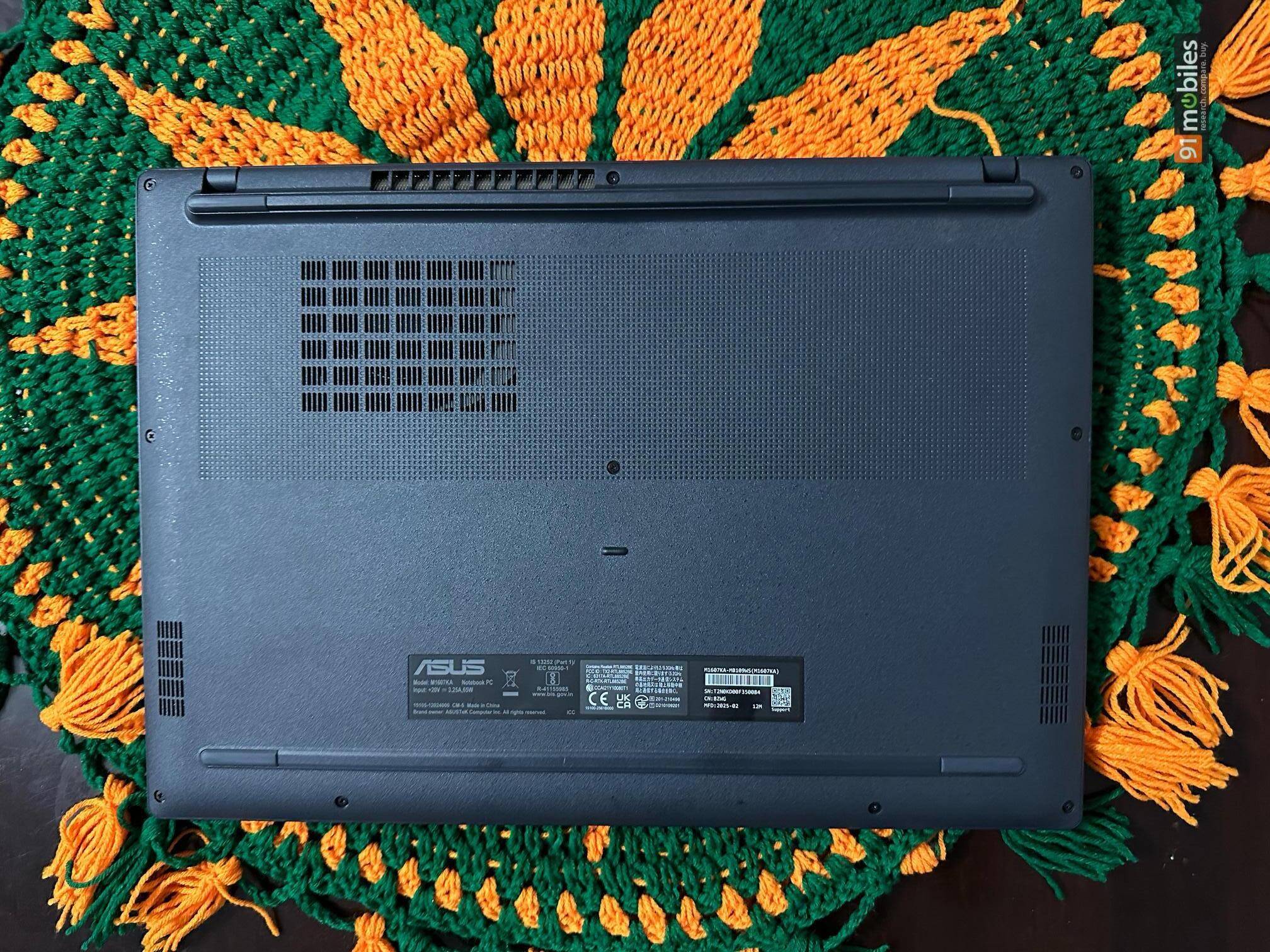
Resistance is even, so the lid can be raised with one hand. Further, it does not wobble excessively even during some intense typing sessions. Ventilation slots line the rear edge and the left flank, ensuring that warm air flows out the back and left side rather than onto our hand.
Display
With a 16-inch laptop, you expect a good display to make most of the expansive real estate, and the Vivobook obliges with a WUXGA panel that uses a 16:10 aspect ratio. That extra vertical space grants more lines of code, longer Word pages, and taller browser windows, all of which translate directly into productivity. The resolution of 1920x1200p delivers a respectable 141 pixels per inch, allowing text to look crisp while still enabling the GPU to drive the interface efficiently.
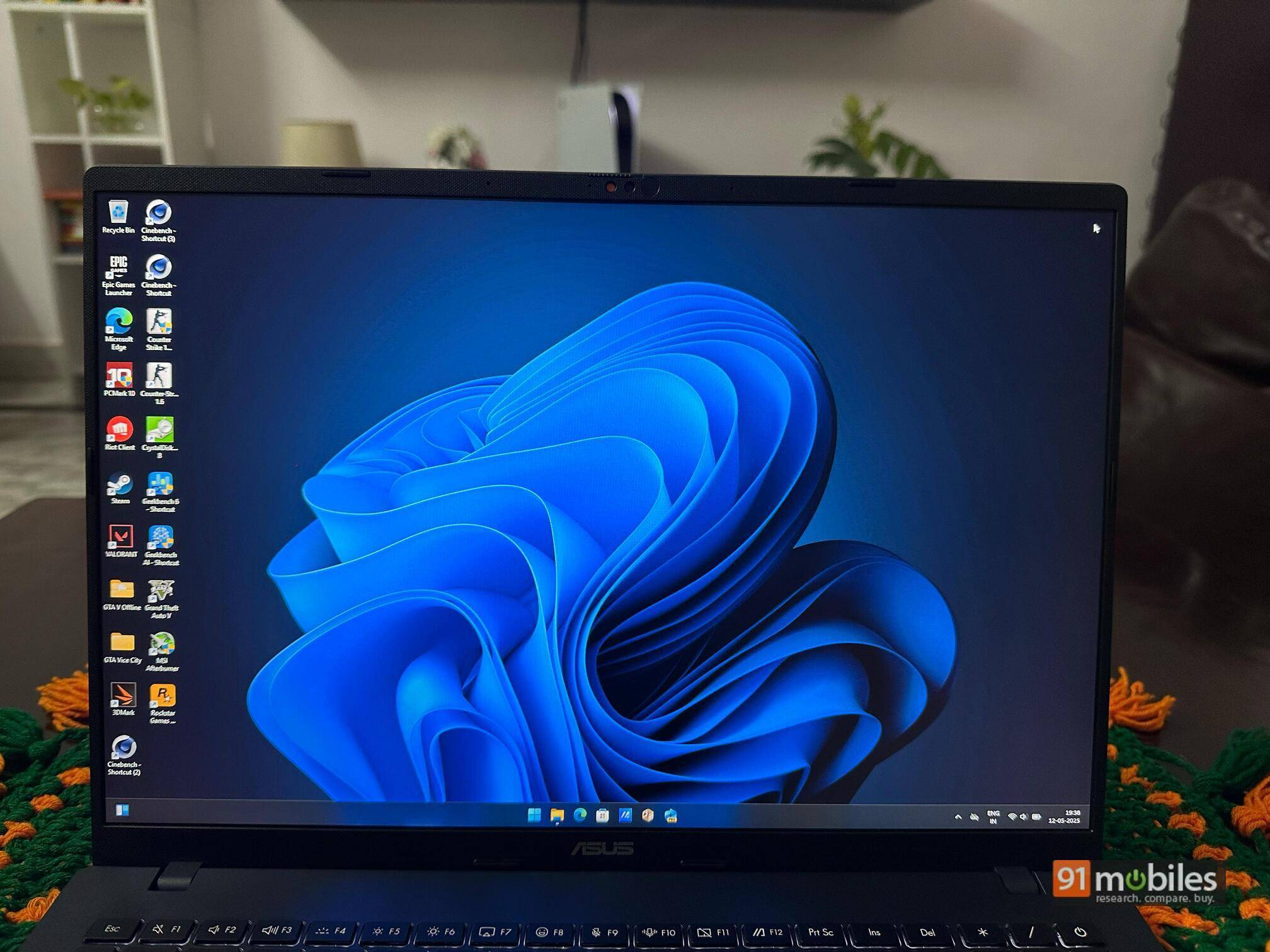
During our testing, colour reproduction looked natural enough for social-media work but, like so many machines in this price range, fell short of professional creative accuracy. Outdoors or beneath harsh overhead lighting, the matte anti-glare coating keeps reflections low, but at the cost of the screen occasionally appearing dull. Contrast sits around 1000:1, which is typical for an IPS panel in this class.
Port selection
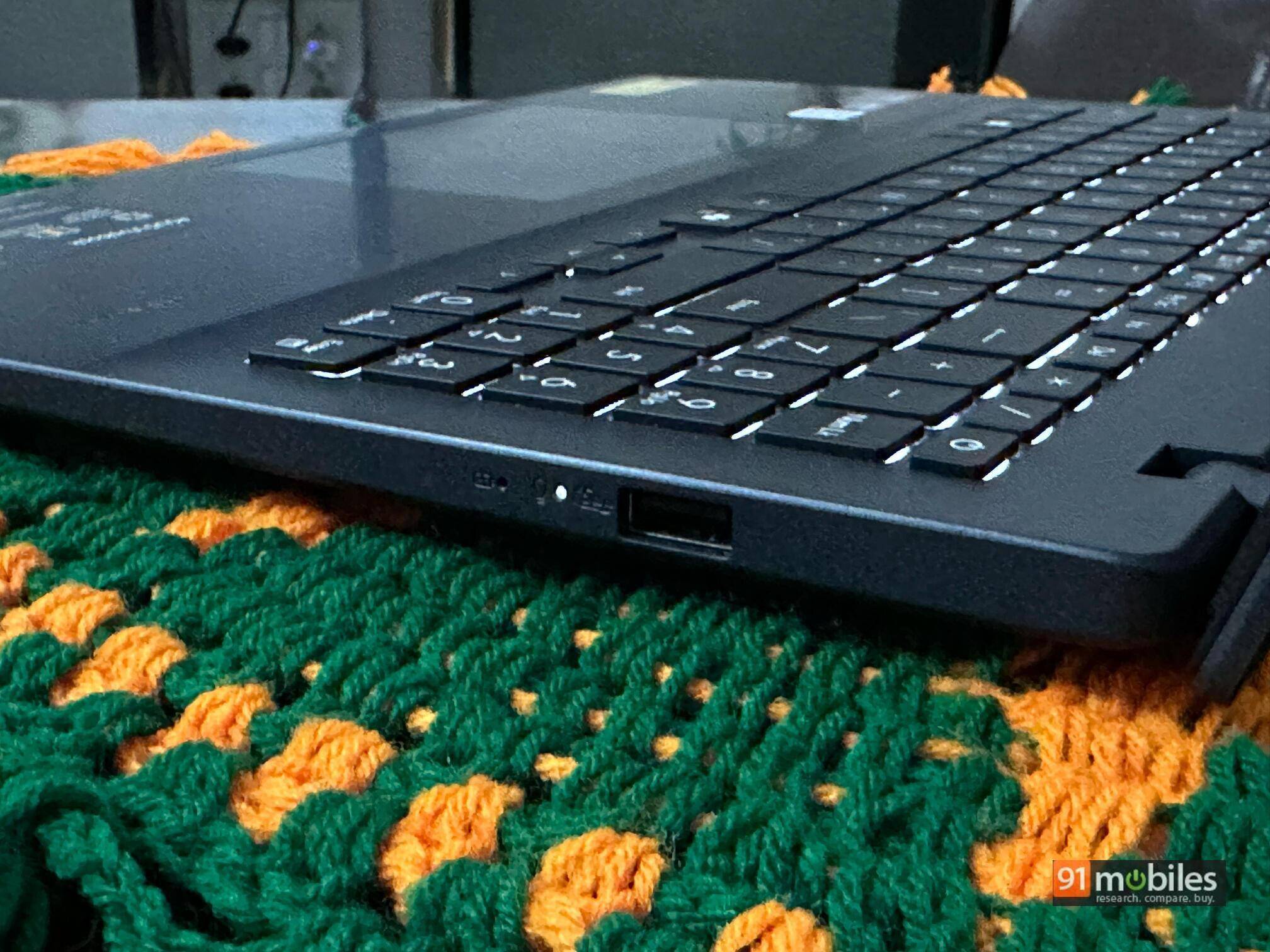
Connectivity proves serviceable rather than forward-looking. The left side features a single USB 2.0 Type-A port, which is ideal for a wireless mouse dongle. The right edge features two 5Gbps USB 3.2 Gen 1 Type-A ports, a 10Gbps USB 3.2 Gen 1 Type-C port that’s limited to data duties, a full-size HDMI 1.4 connector, the 3.5mm audio jack, and the proprietary barrel-pin charging socket.
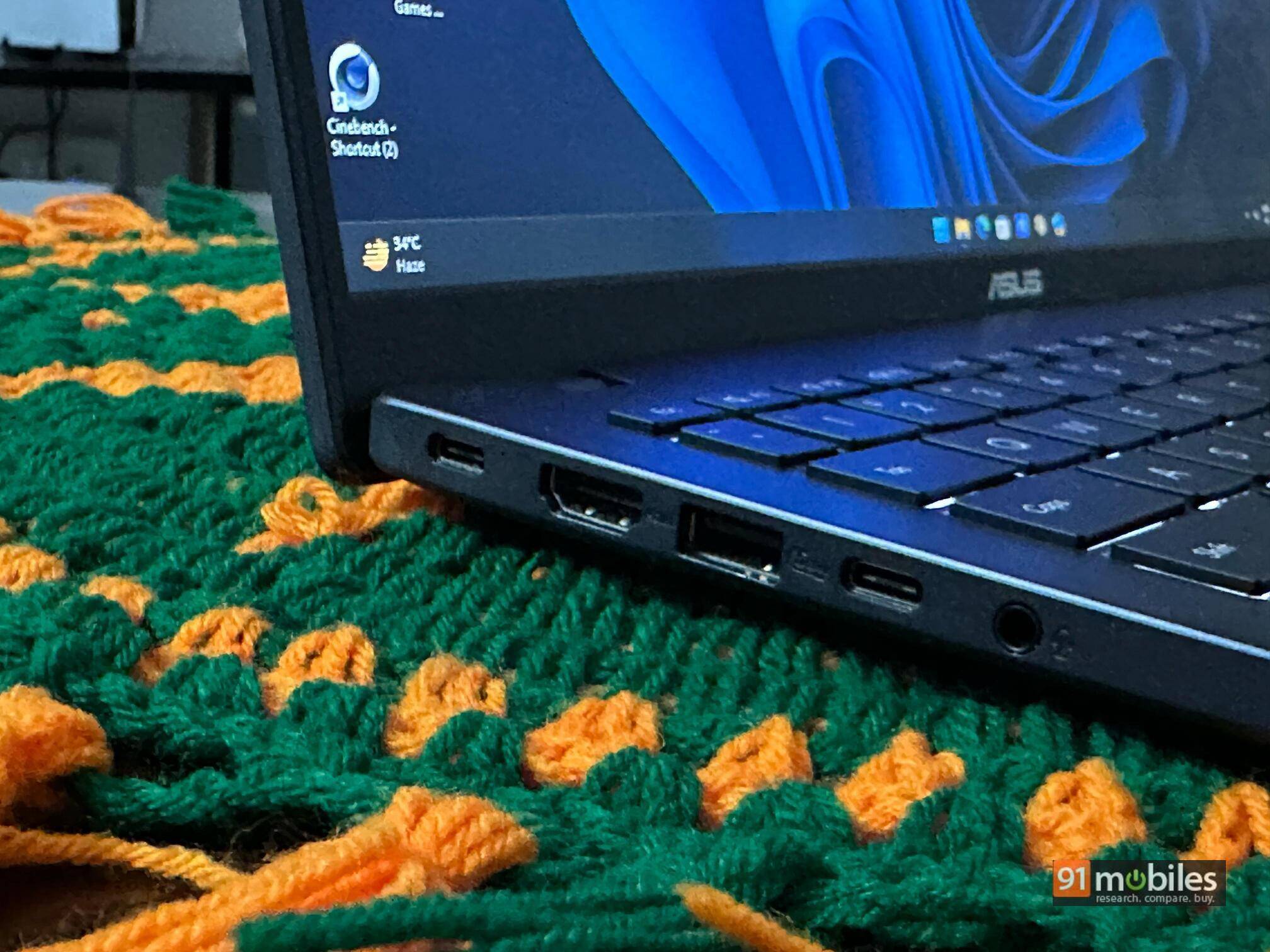
External displays can run through HDMI at up to 4K 30Hz, and external SSDs saturate the Type-C link. The absence of USB-C charging or DisplayPort alt-mode is a disappointment because modern users increasingly expect a single-cable solution for docking. An SD-card slot and Ethernet jack are also missing, so photographers and wired-network devotees must carry adapters.
Keyboard and trackpad
Inside the chassis, ASUS has a spacious chiclet keyboard that covers the full width of the deck and includes a separate numeric keypad. Keycaps have a slightly concave feel and offer 1.4mm of travel. The action is neither mushy nor clicky and lands in a sweet spot that should satisfy users coming from desktop boards.
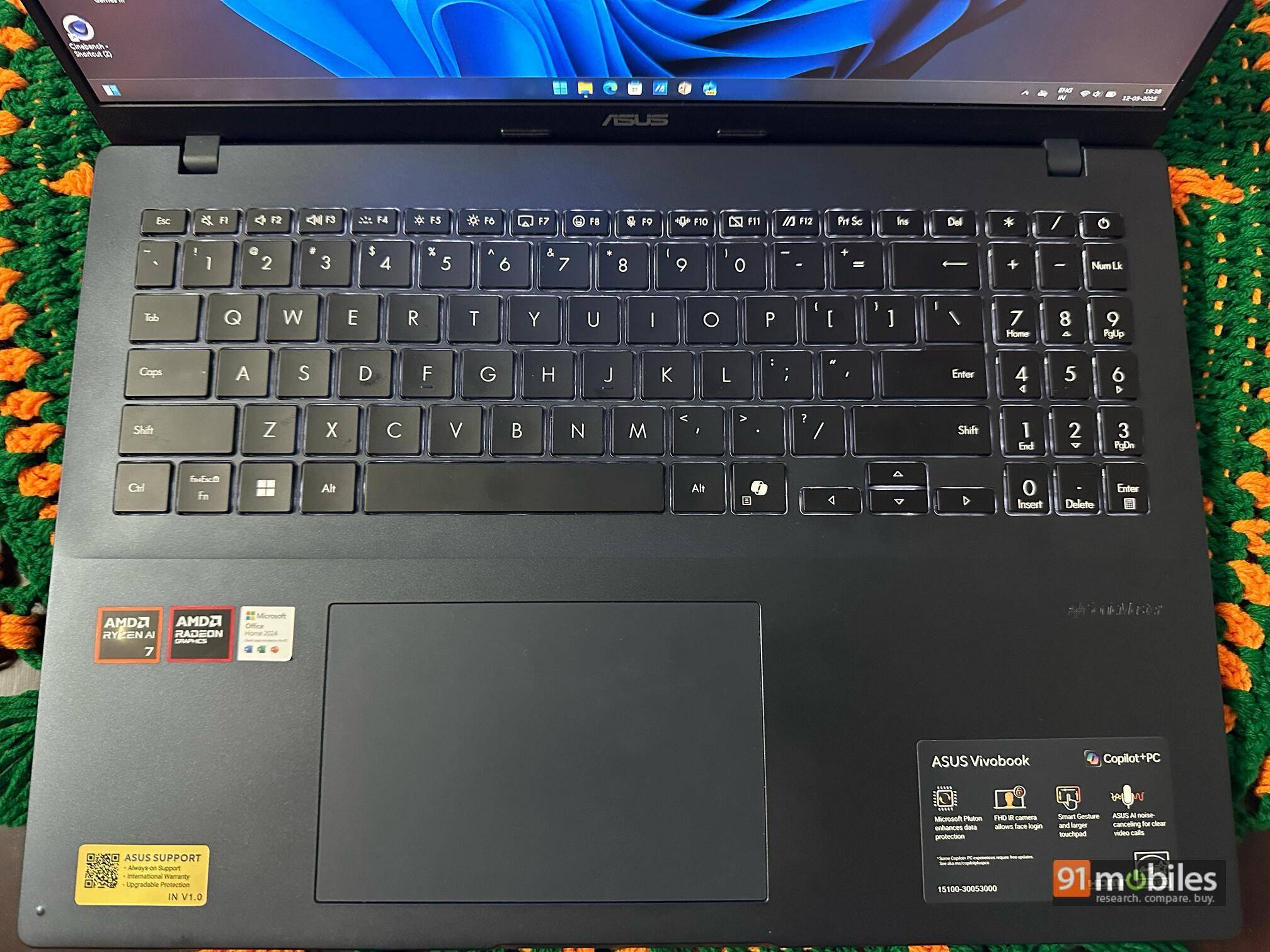
Three-level white backlighting illuminates legends evenly, and the top row doubles as shortcuts for volume, mic mute, and MyASUS system tools.
The touchpad measures about 13cm across and 7cm tall, giving ample real estate for four-finger gestures. Its Mylar surface is smoother than bare plastic yet not quite glass-like.
Integrated buttons register with a gentle thud and require moderate force, reducing the likelihood of accidental clicks when dragging files across the desktop. Also, the Precision driver support ensures gestures feel quite responsive.
Performance
The heart of the Vivobook 16 is AMD’s Ryzen AI 7 350. At its core sit four Zen 5 performance cores and four Zen 5c efficiency cores for a total of 8 physical cores that present 16 threads. Base frequency hovers at 2.0GHz, but the chip boosts near 5.0 GHz under single-thread loads.
A 16MB shared L3 cache feeds the cores, and a Radeon 860M iGPU supplies graphical muscle with 768 shading units clocked at up to 2.1 GHz. What we found most intriguing was the built-in XDNA neural-processing unit, capable of 17 TOPS for on-device AI tasks like background-blur video calls and Windows Recall indexing.
In day-to-day life, those specifications translate into snappy responsiveness. Windows boots to the desktop in under 13 seconds. Edge opens a dozen tabs without stutter, and Office files launch nearly instantaneously. During a full week of usage, we continuously kept Slack, Spotify, Outlook, and an IDE running while researching in Chrome; the machine never felt bogged down.
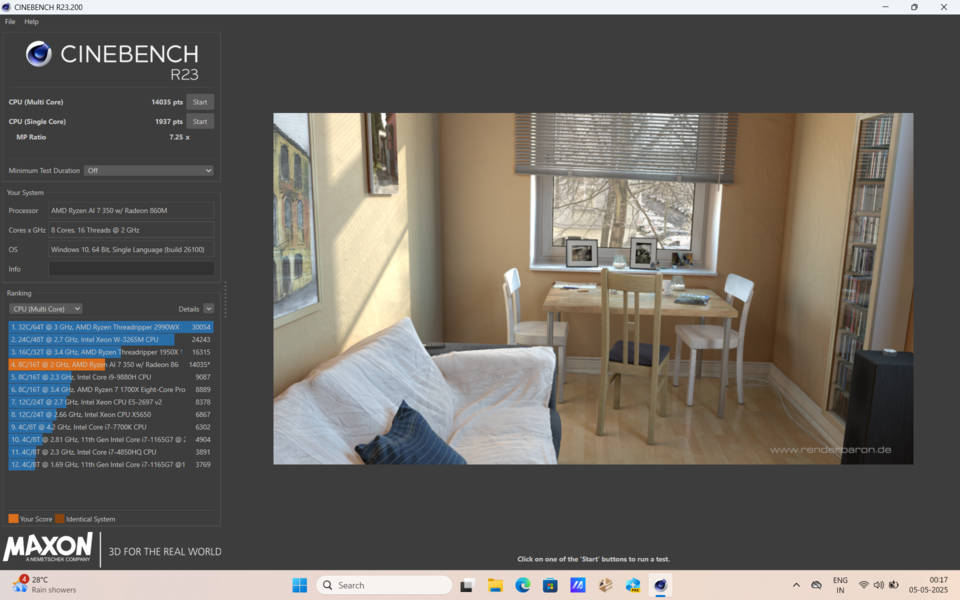
As far as the synthetic benchmarks go, Cinebench R23 logs 14,035 points in multi-core mode and 1,937 in single-core, ranking the chip alongside last-generation Intel Core i7-12700H processors but with far lower heat output.
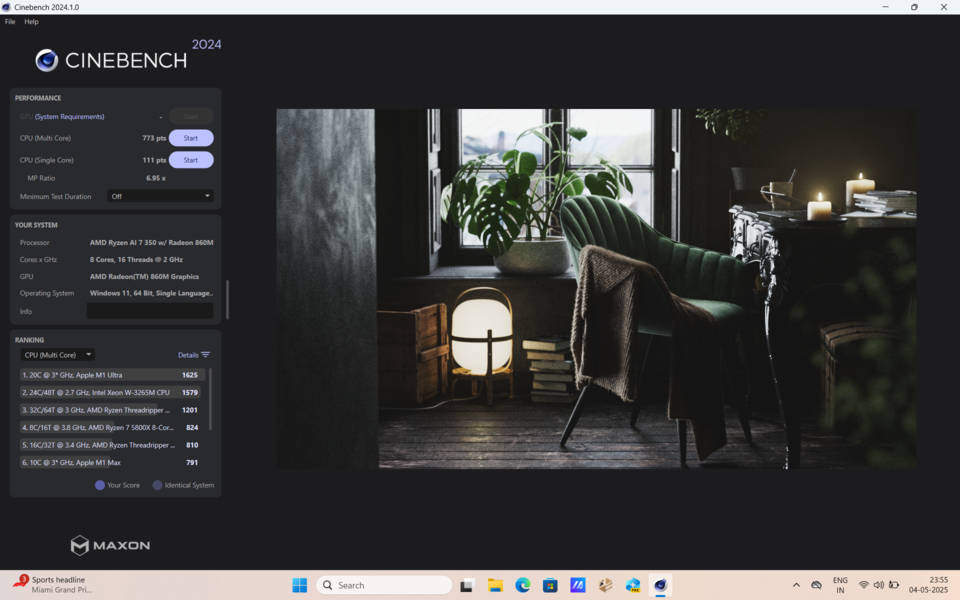
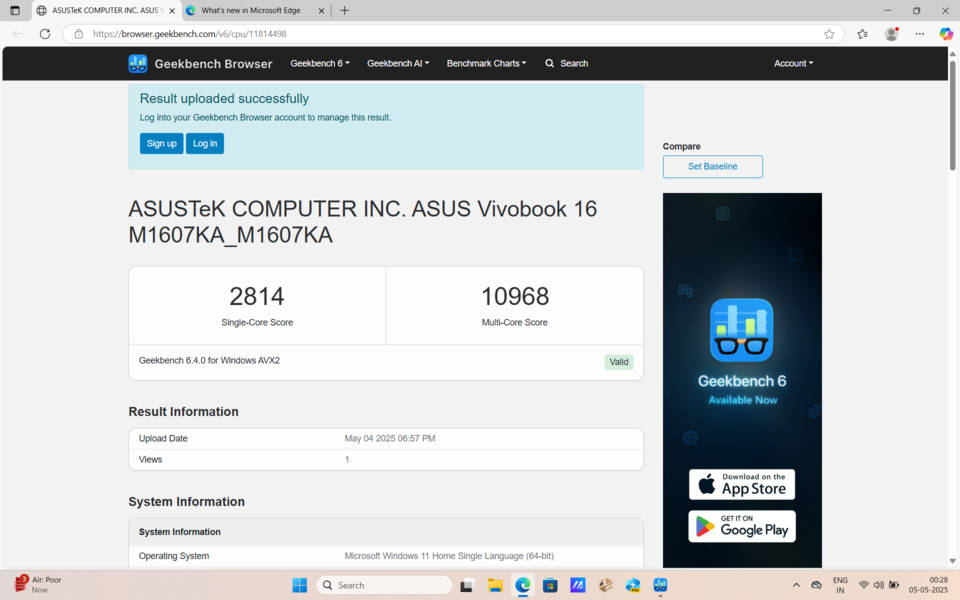


The newer Cinebench 2024 run produces 773 multi-core points and 111 single-core, consistent with expectations for 8 Zen 5 cores at modest base clocks. Geekbench 6 records 2,814 in single-core and 10,968 in multi-core, again demonstrating that the processor keeps pace with costlier silicon.
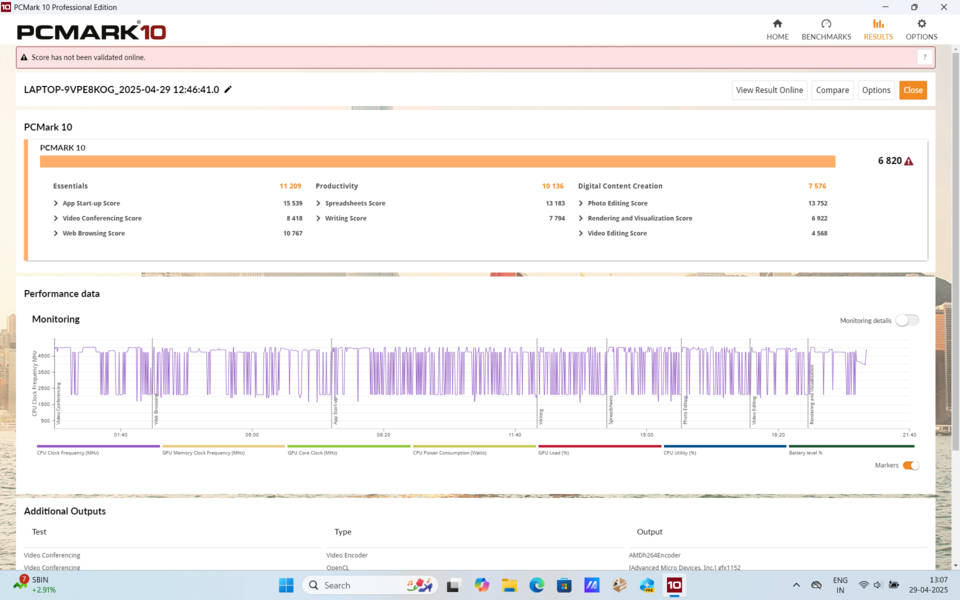
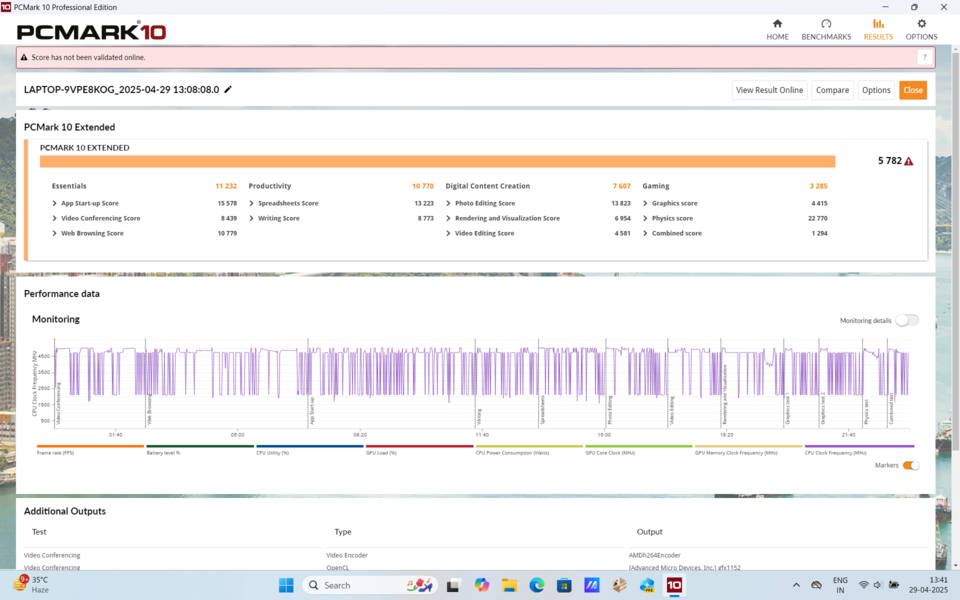
Whole-system testing via PCMark 10 Extended yields an aggregate of 5,782. Breaking that figure apart shows the laptop excels at everyday essentials, where it scores 11,232, and traditional office productivity, where it posts 10,770. Digital-content creation lands at 7,607, respectable for an integrated-graphics machine, while the gaming subset sits at 3,285. Realistically, that means the Vivobook chews through spreadsheets, presentations, and coding tasks, which mirrors quite accurately our real-world usage.
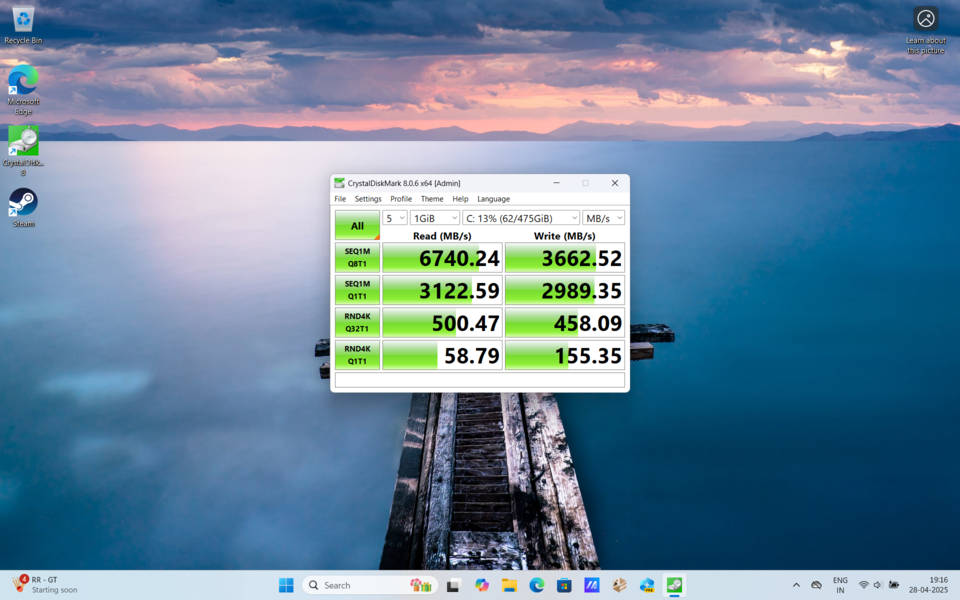
Storage never becomes a bottleneck thanks to the Western Digital SN560 PCIe 4.0 drive inside the review unit. CrystalDiskMark shows sequential reads of 6,740 MBps and writes of 3,662, which match many flagship ultrabooks.
Graphics and gaming
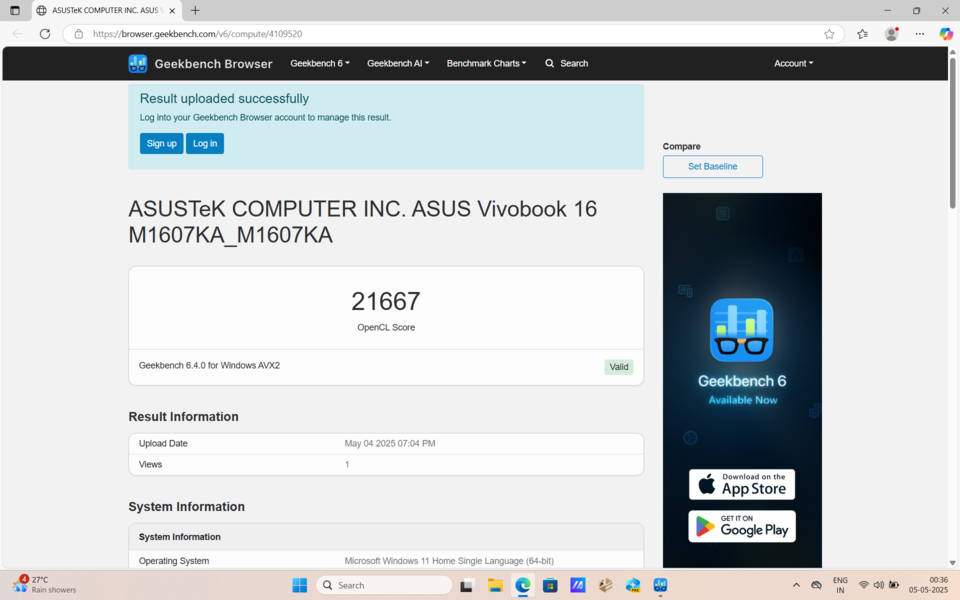
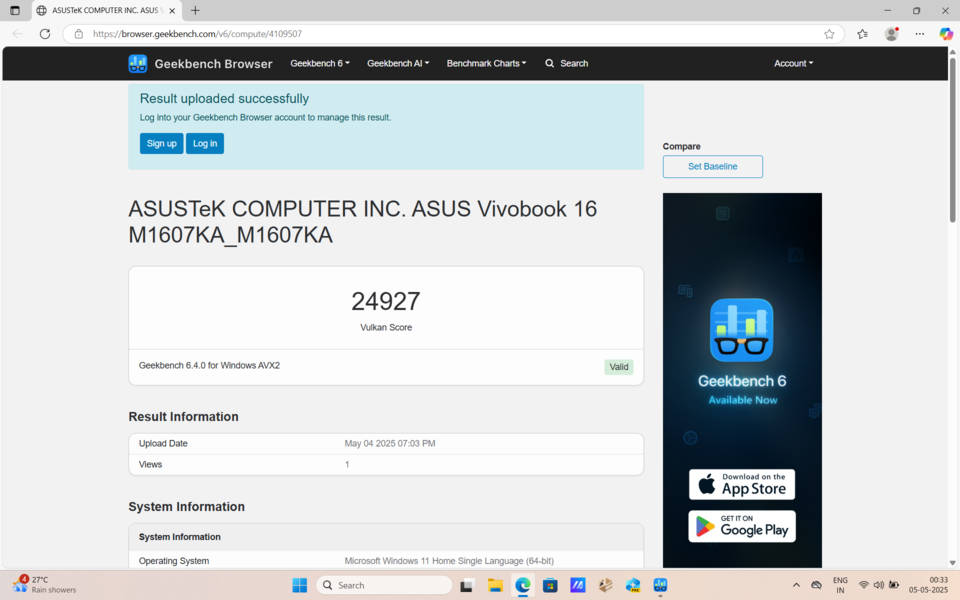
The Radeon 860M cannot rival discrete RTX GPUs, yet it surprises in synthetic compute tests. Geekbench 6 Compute assigns it 24,927 points in Vulkan and 21,667 in OpenCL, double the throughput of older Vega-based integrated GPUs.
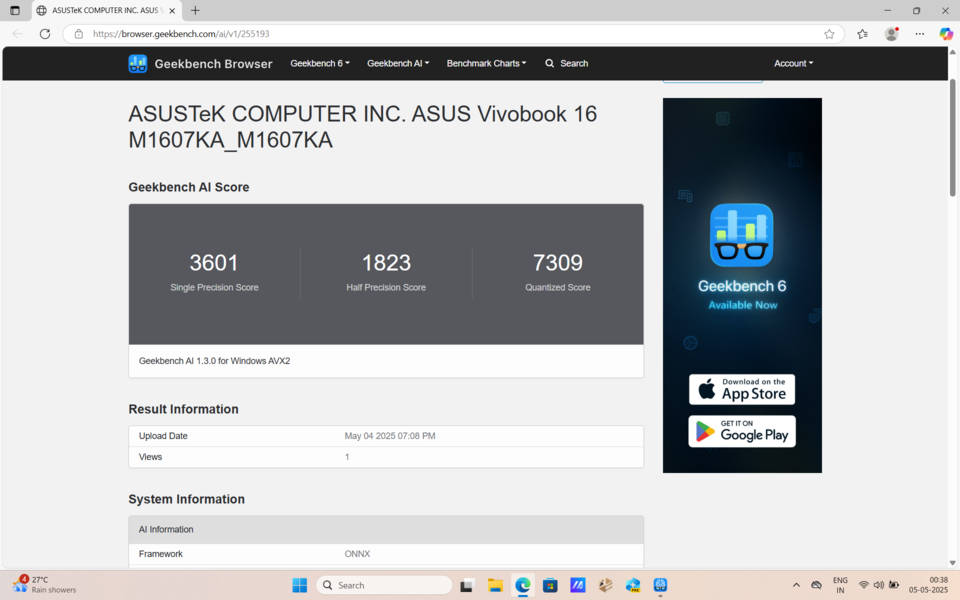
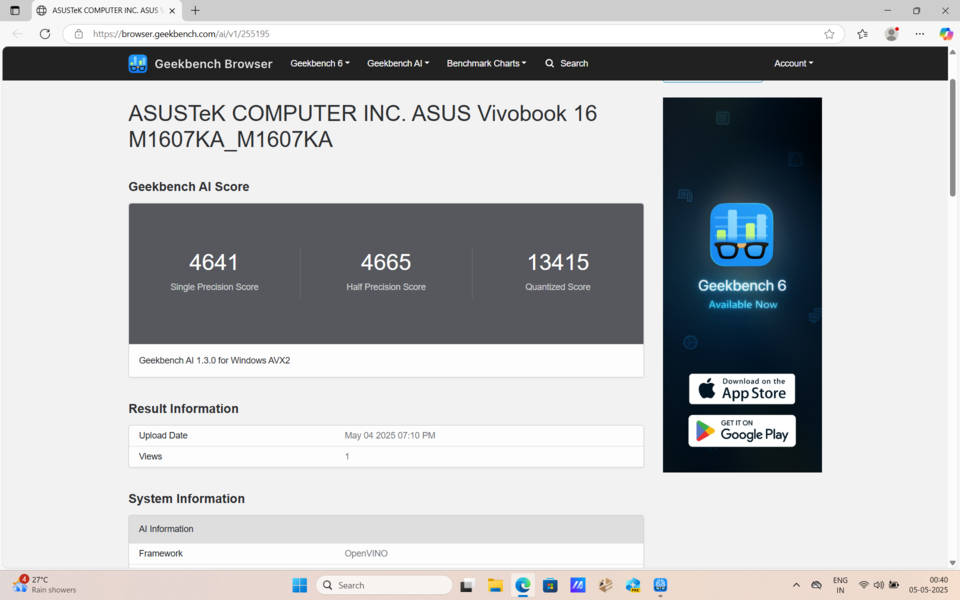
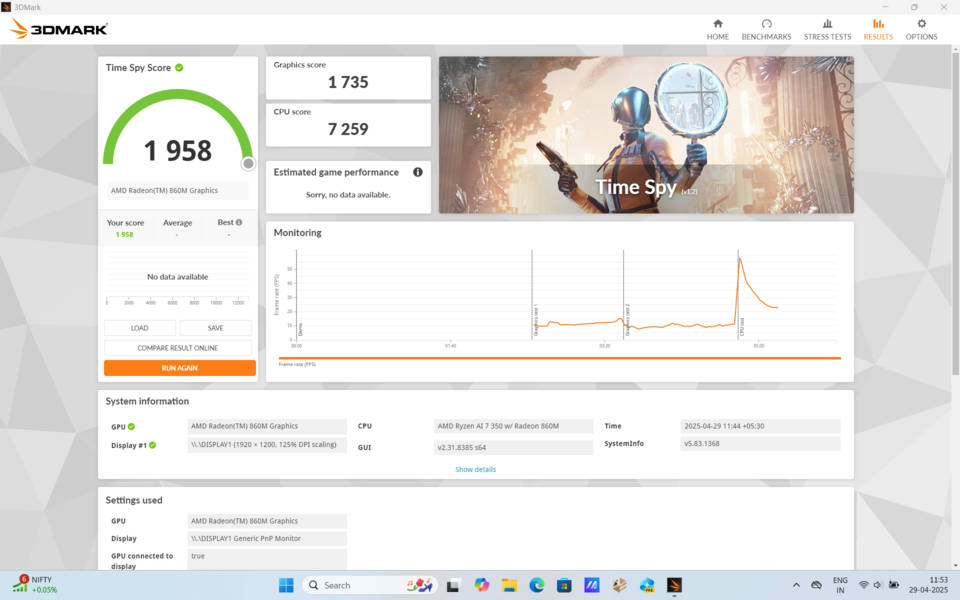
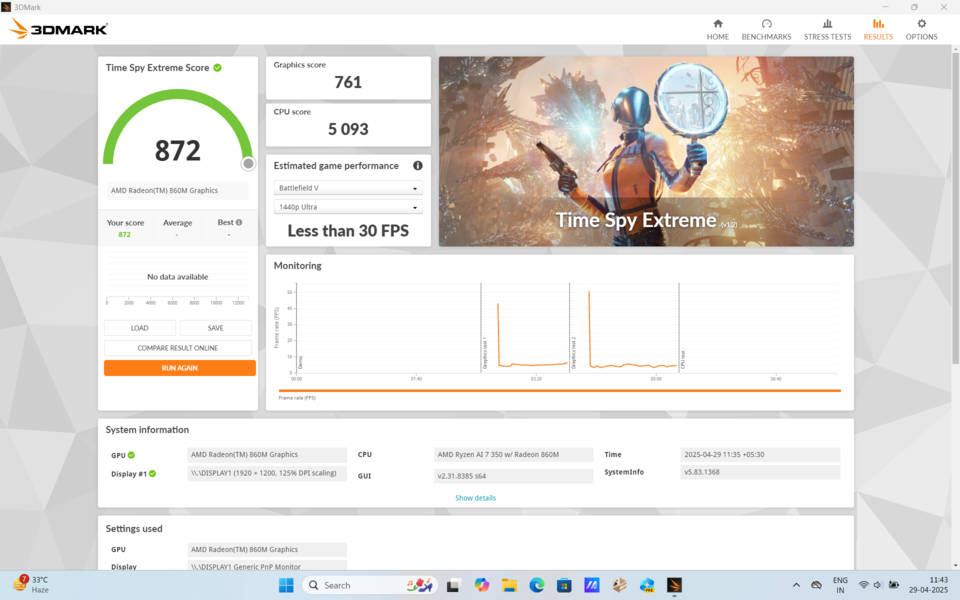
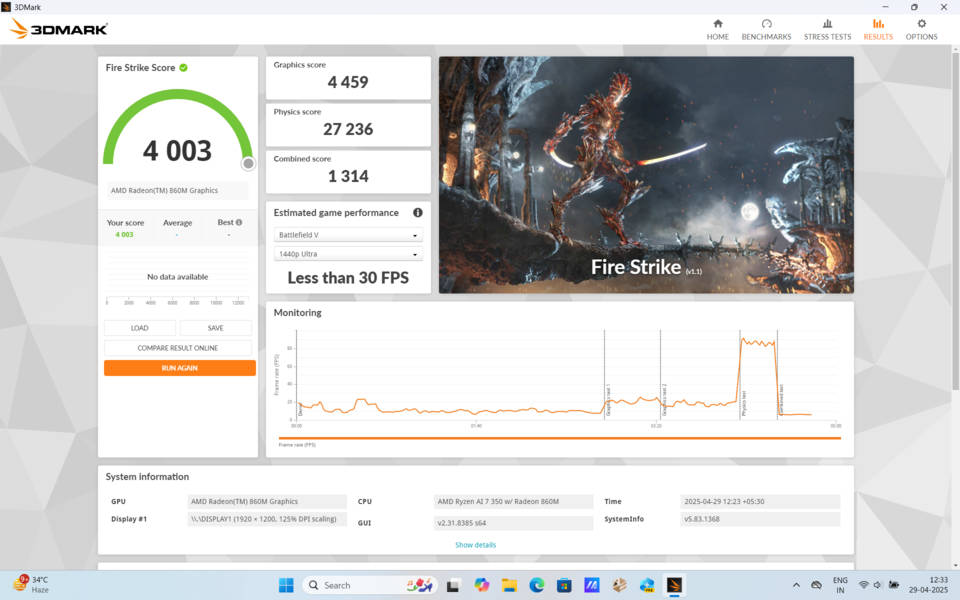
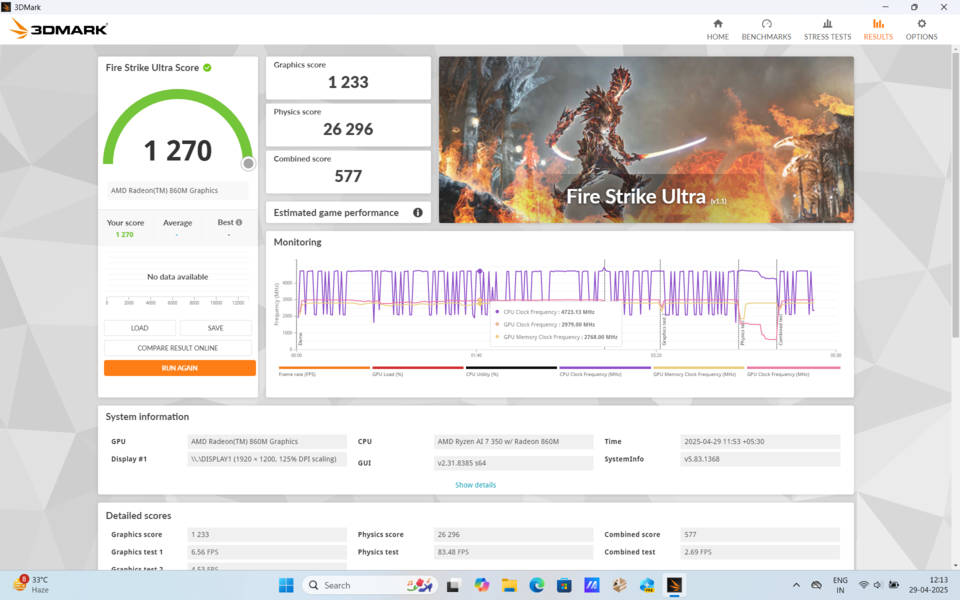
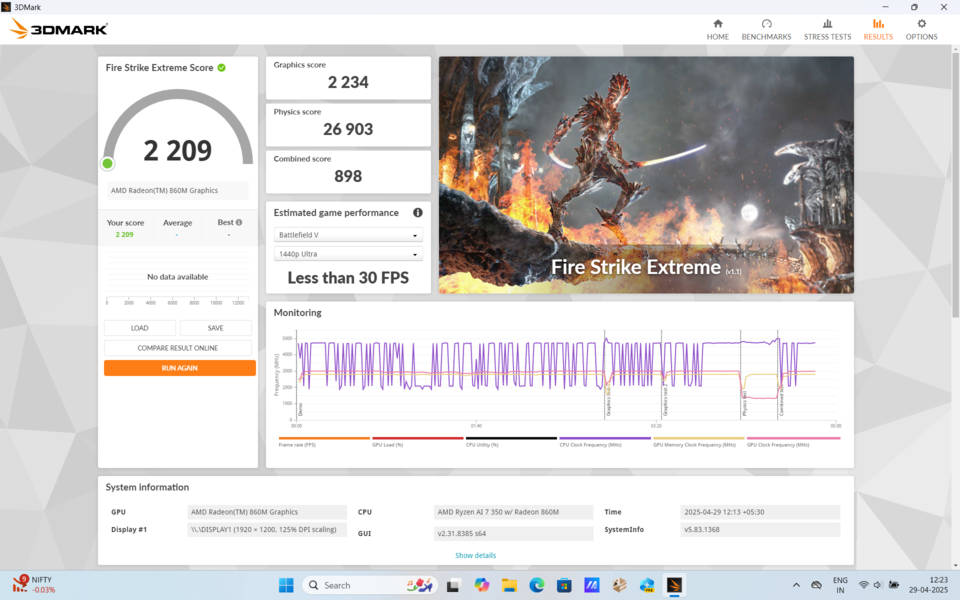
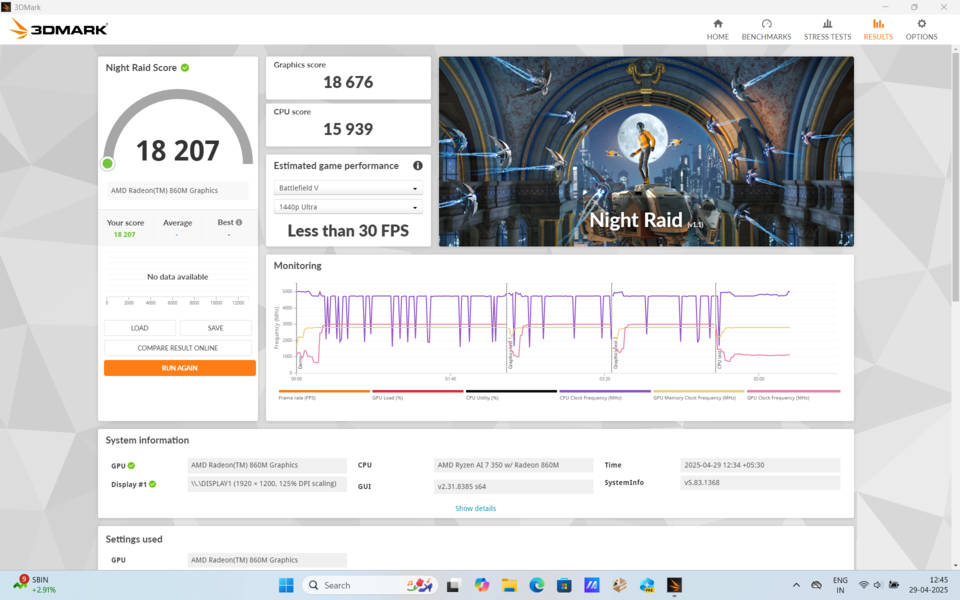
Geekbench AI also reports strong numbers, especially when running through Intel’s OpenVINO backend, where the quantised tally climbs beyond 13,000. Those figures translate into tangible wins for GPU-accelerated workloads such as Premiere Pro editing.
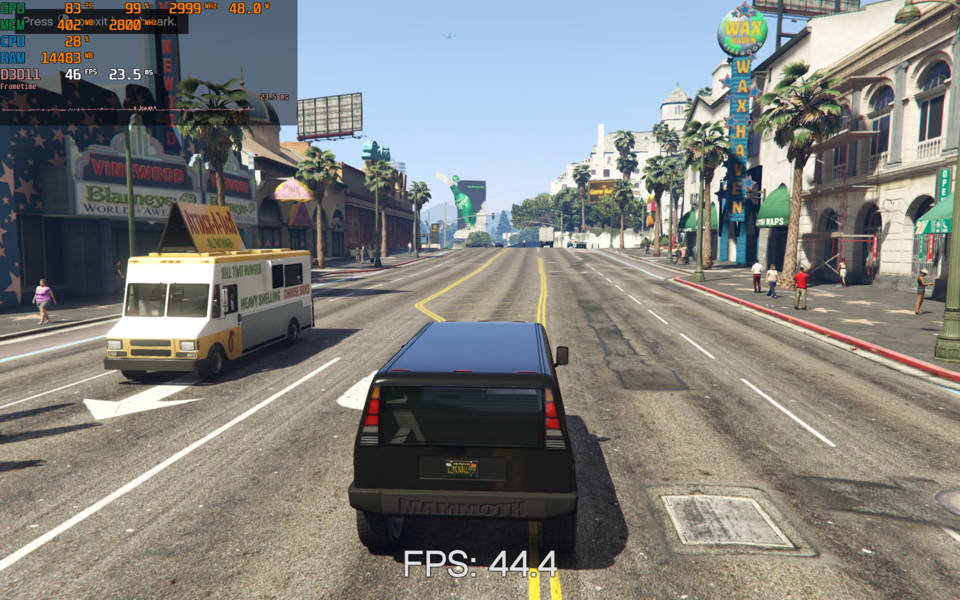
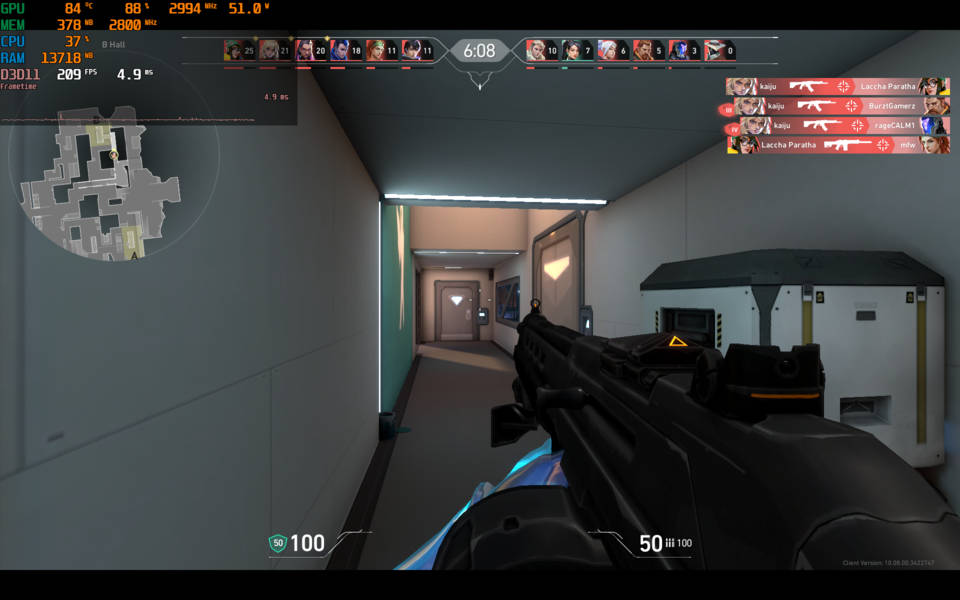
Casual gaming is certainly possible. Esports staples like Valorant and CS:GO sail comfortably past 60fps at full HD with medium presets. Grand Theft Auto V manages a playable 40+fps on normal settings, though newer blockbuster titles require low settings and resolution scaling.
Thermal performance remained under control throughout. Even after an hour of gameplay, the keyboard never got warm under our palm, and the single cooling fan spins with a soft whoosh rather than a high-pitched whine.
Audio and webcam
Because the chassis funnels speaker drivers downward, sound bounces off desks or laps rather than firing directly at the ears. Midrange clarity is commendable for dialogue and webinars, but bass is thin, and maximum volume will not fill a party. Headphone users, however, will find the 3.5 mm jack delivers a clean output, and Bluetooth latency with modern earbuds stays low enough for streaming video.

The integrated webcam sticks to an HD resolution of 720p. Under daylight, it captures faces with neutral colour and acceptable sharpness, but after sunset, the image turns grainy.
A sliding privacy shutter blocks the lens entirely, a reassuring addition for privacy-minded users. Dual microphones flank the camera and leverage AMD’s NPU for noise suppression during calls, minimising key clicks and ambient chatter.
Battery life and charging
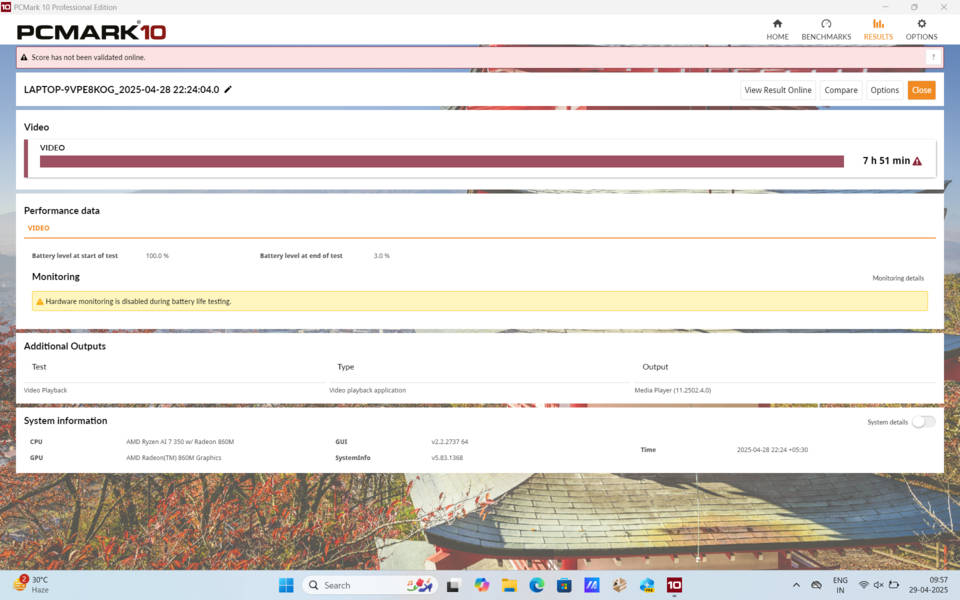
ASUS fits a 3-cell 42Whr battery, and the efficiency of the Ryzen AI processor stretches that capacity further than expected for a 16-inch notebook. On PCMark 10’s battery test at 50% brightness, the machine stayed on for 7 hours and 51 minutes.
For heavier bursts of compilation or Lightroom exports, the runtime obviously shrinks, yet the system still manages 5 hours before demanding power.
Recharging uses a 65W barrel-pin adapter. A full top-up from a nearly empty tank takes about 1 hour and 50 minutes. The lack of USB-C charging is the single notable omission, because carrying a proprietary brick feels dated in an era of universal Power Delivery chargers.
Final verdict
The VivoBook 16 M1607KA is not a statement piece. It is instead a sensible, large-screen laptop that quietly leverages AMD’s most advanced mainstream processor to deliver the kind of balanced experience most buyers actually need.
For students who juggle research, coding projects, and Netflix, for remote workers who crave a bigger canvas than a 13-inch ultrabook can provide, and for families who want one machine that handles homework by day and light gaming by night, the Vivobook 16 M1607KA represents strong value.
Editor’s Rating: 8/10
Pros
- Reasonable powerful AI processor
- Backlit full-size keyboard feels great
- Battery easily covers a workday
Cons
- USB-C port does not support power delivery
- No SD card reader
- Plastic lid is slightly wobbly