


Review Summary
Expert Rating

Lenovo’s Legion lineup has become a preferable choice amongst gamers since it offers excellent performance without costing a lot. The same is the case with the Lenovo Legion 5i (2024). For a little over 1.5 lakh, this laptop combines the Intel Core i7-14650HX CPU with a 140W NVIDIA RTX 4060 GPU.
But that’s not all. There’s a nice design, a 240Hz display, good thermals, room for upgradability, and Lenovo’s excellent customer service. But how well does this combination really work? Is Lenovo cutting corners somewhere? And last but not least, should you form an allegiance with the Legion Pro 5i? We put the laptop to the test, and read on to find out what we think.
Table of Contents
Design and display
Starting with the design, the Legion Pro 5i features pretty much the same design as its previous generations, and for two good reasons. One, it basically is its signature design now, and why change it when it works? And secondly, most gamers prefer gaming when they’re back home, but they still need their laptop for their college or work. As such, the Legion’s design is minimalistic, in the sense that it will not attract any unnecessary eyeballs its way. There’s subtle Legion branding on the rear side, and that’s about it. The lid itself is built quite well too, with no flex and very minimal wobbling.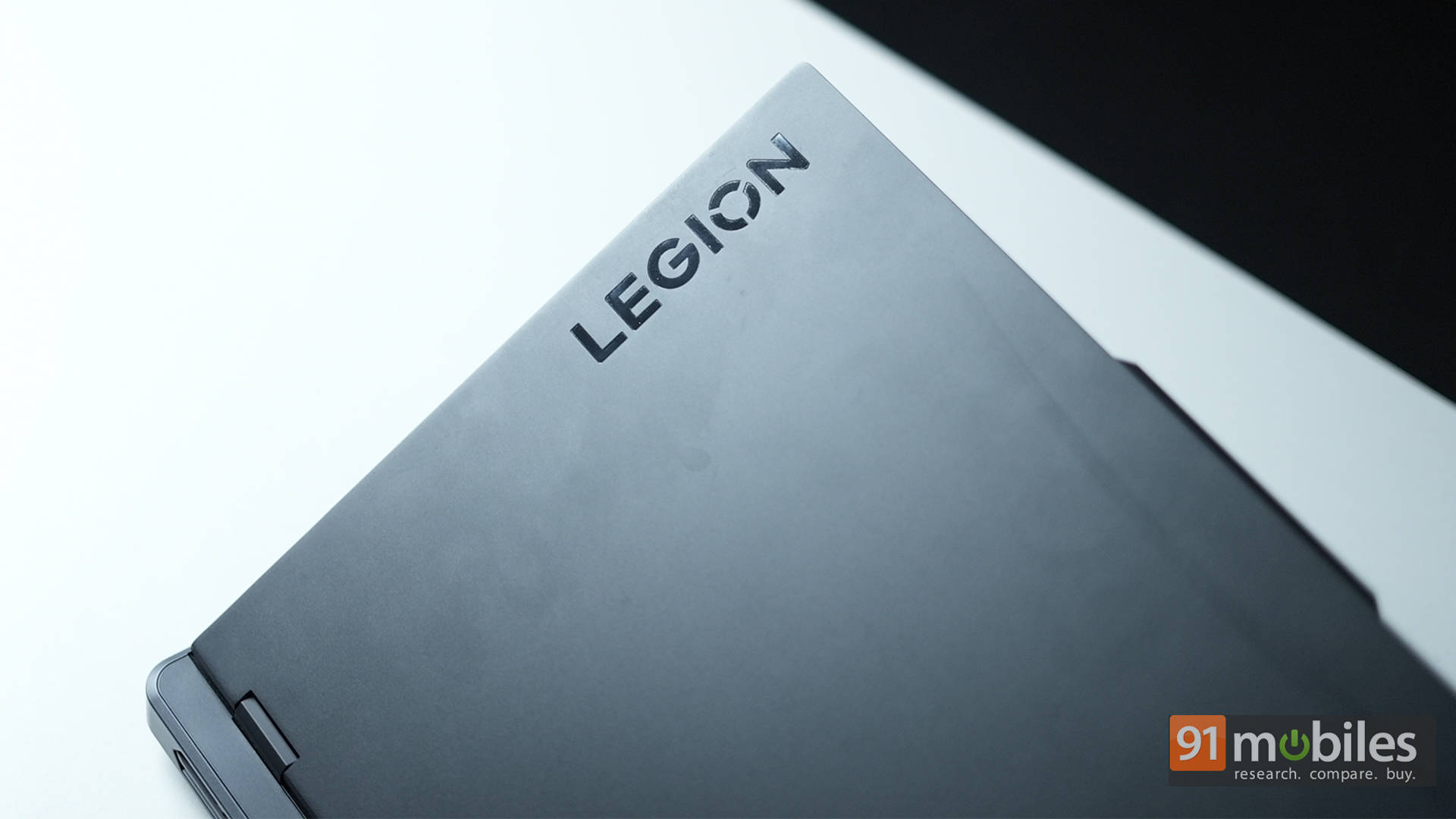
Moving to the chassis, the plastic build doesn’t feel cheap in any way, and while there is some flex to the keyboard deck, it’s only evident when one puts a lot of pressure. The reverse-notch design at the top houses the webcam, which also doubles up as an added area for opening the lid. The laptop easily passes the one-handed opening test, and the design feels rigid and durable.
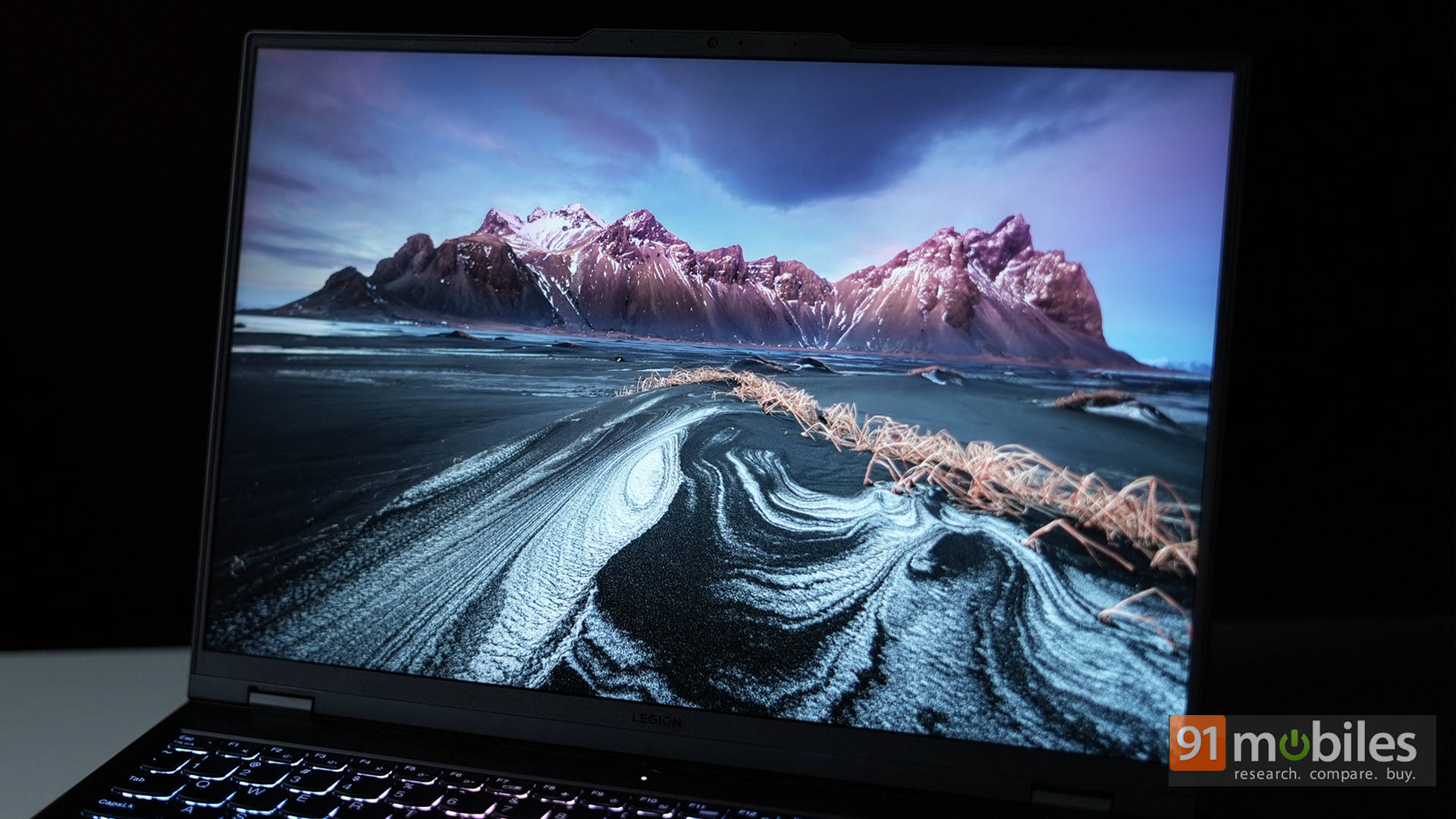
While the body is plastic, the lid is made from aluminium, which houses the 16-inch WQXGA display. It’s an IPS panel with support for HDR 400 and a peak brightness of 500 nits. Additionally, the panel sports 100 percent DCI-P3 coverage. The colours look absolutely amazing on this display, and you can even fine-tune the image to make things pop. The high brightness coupled with an anti-glare coating on top helps one easily use this laptop even in outdoor conditions.
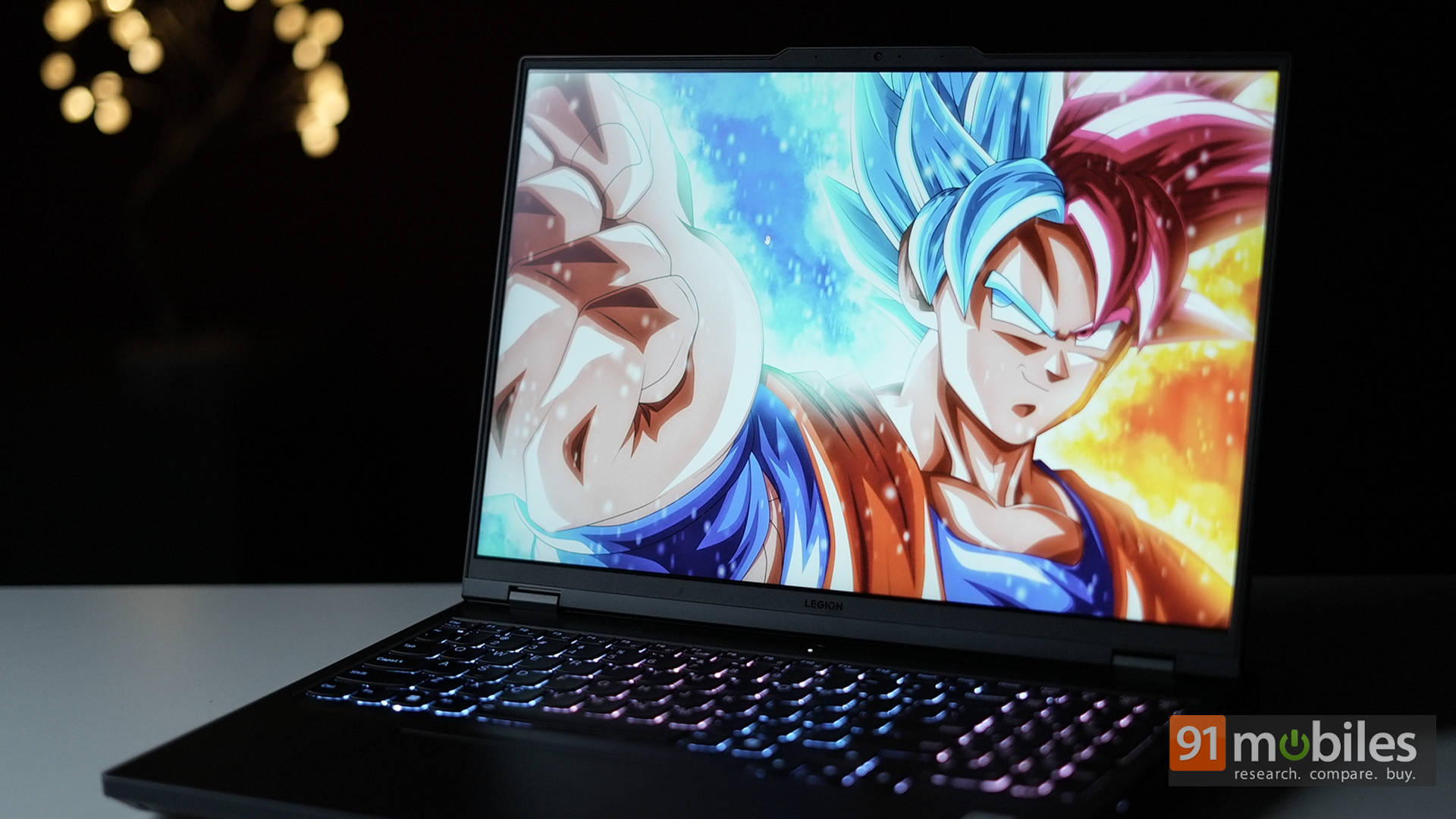
As for gaming, the 240Hz high refresh rate is stunning, especially when combined with the 2,560 x 1,600 resolution. There aren’t a ton of games that the RTX 4060 can run at 240FPS on this resolution, more on that later, but the ones that do run look phenomenal.
Ports, Audio and I/O
In terms of connectivity, Lenovo hasn’t compromised even a tad bit. On the left side, there’s a USB 3.2 Gen 1 Type-A and a USB 3.2 Gen 2 Type-C port. Over to the right side, there’s another USB 3.2 Gen 1 Type-A port coupled with a physical webcam switch, and a 3.5mm headphone jack. Finally, on the back, you can find a 2.5 Gbps Ethernet jack, a USB 3.2 Gen 2 Type-C with DisplayPort and 140W power delivery, HDMI 2.1 video output, dual USB 3.2 Gen 1 Type-A ports, and a DC Charging port.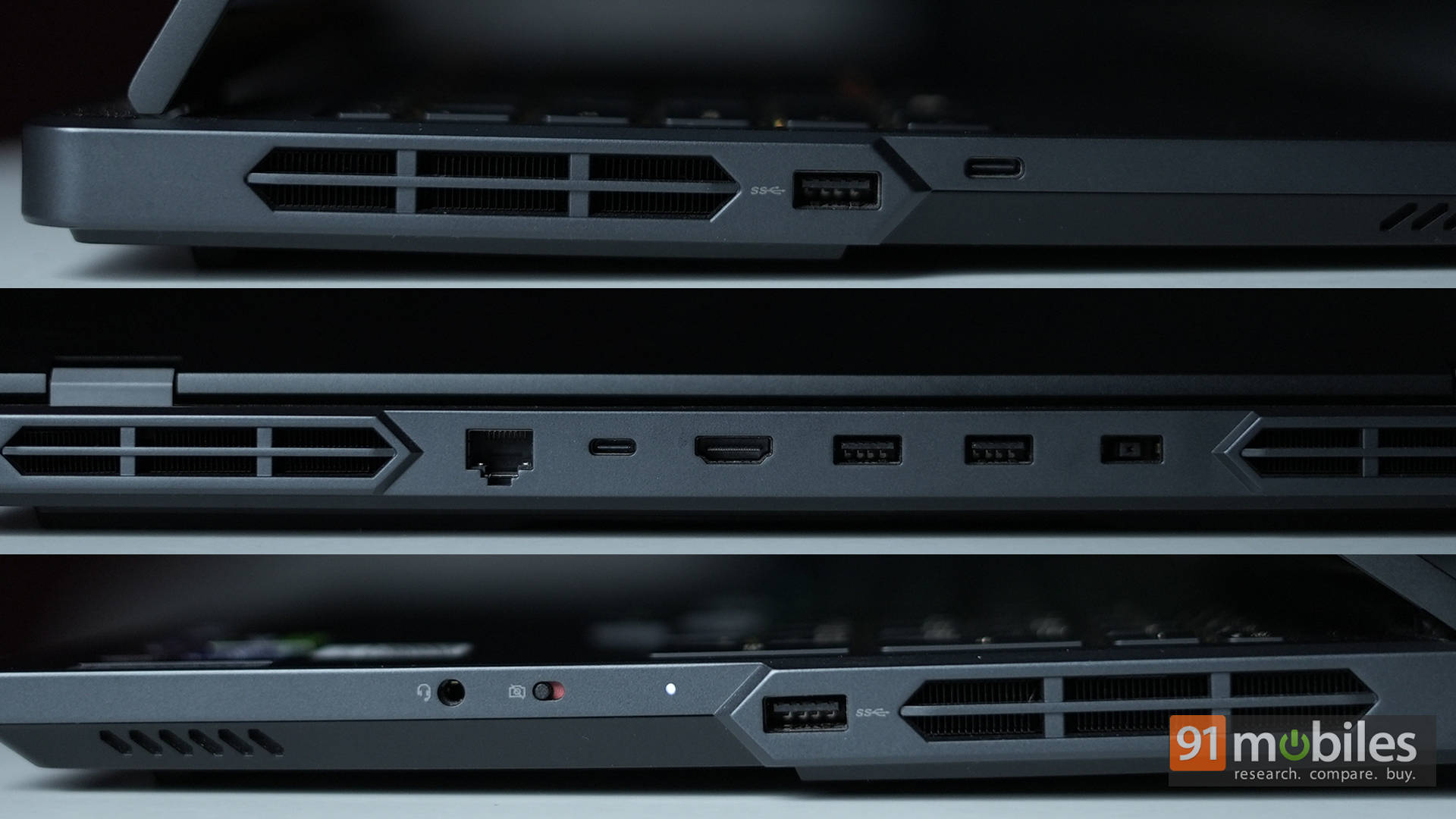
For those of you keeping count, that’s four USB-A ports, and two USB-C ports, while still featuring all the other ports one would need. The only thing you’d probably be asking for is an SD card reader if you’re a content creator.
As for the speakers, they’re fine. They get the job done, offer decent volume, and can suffice for personal listening in an average-sized room. There’s also the Nahimic app for better tuning the audio experience. Then again, you need to keep your expectations real from this pair of bottom-firing speakers.
The 5i also packs in a decent 1080p webcam that works well, as long as you have enough light on your face. There’s still going to be a certain amount of graininess, and since Lenovo has opted for a wider frame, you’d want to keep your background clean as well.
Keyboard and Trackpad
I have gone on record to say that Lenovo’s keyboards are my second favourite on a gaming laptop, only behind MSI’s mechanical keyboards made in collaboration with SteelSeries. And that’s for good reason too. The Legion basically uses the same switches as the one in the ThinkPad lineup, ensuring excellent typing feedback. There’s good stability, the keys are well spaced out despite having a number pad, and unlike other gaming laptops, it has full-sized arrow keys too.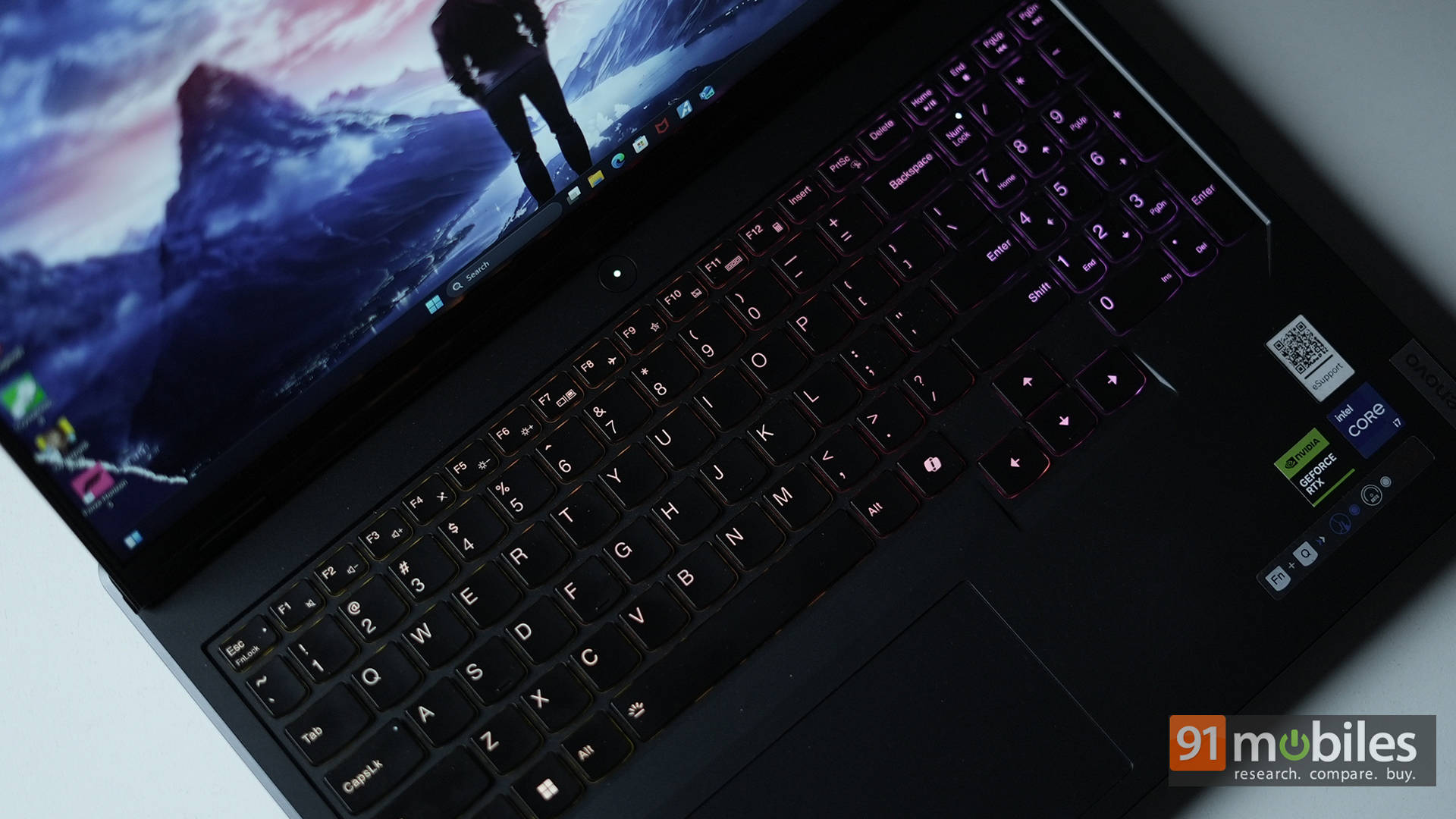
It’s worth noting that there’s four-zone RGB lighting underneath and not per-key RGB. Then again, that’s not a big deal. What is a big deal though is the animations look sluggish, something that we’ve seen in previous Legion laptops as well. It almost makes the keyboard look like it’s lagging, if that even makes any sense. As such, you’re just better off with static colours, at least in my opinion.
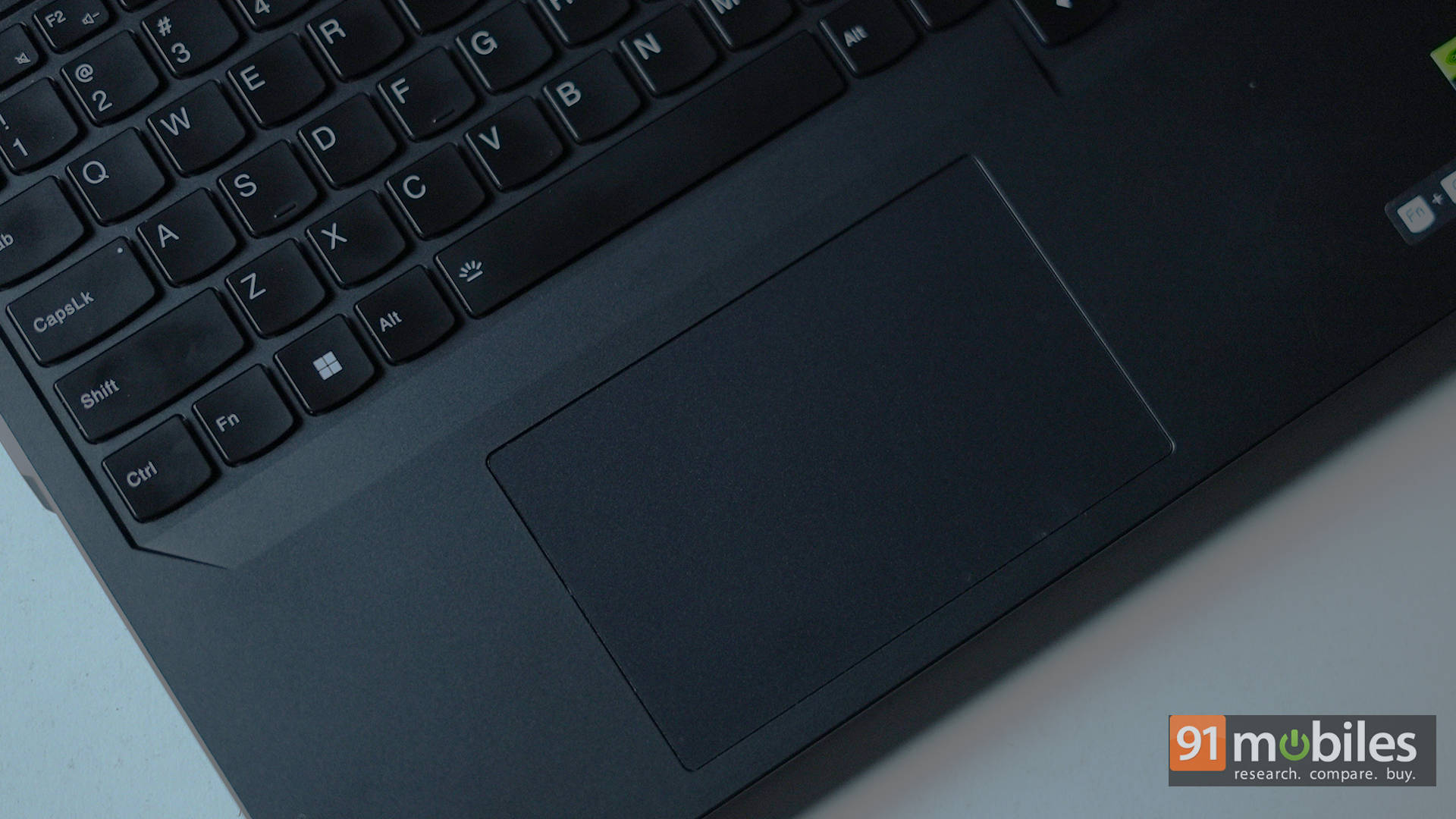
Below the keyboard, the touchpad offers a capable surface that gets the job done. There’s nothing to complain about here, but nothing to praise much either. You are going to be using a gaming mouse at the end of the day, and when you do need the touchpad, it’s not going to let you down. Will it be a great experience? Not really. But again, it won’t leave you complaining either.
Software
The laptop ships with a copy of Windows 11 Home, alongside 3 months of Xbox Game Pass. There’s the aforementioned Nahimic app for audio tuning, and a couple of Lenovo’s software like Legion Arena, which is essentially Lenovo’s version of the Playnite launcher. It’s a one-stop to access your entire game library. Of course, the software that you’ll end up using the most is Lenovo Vantage.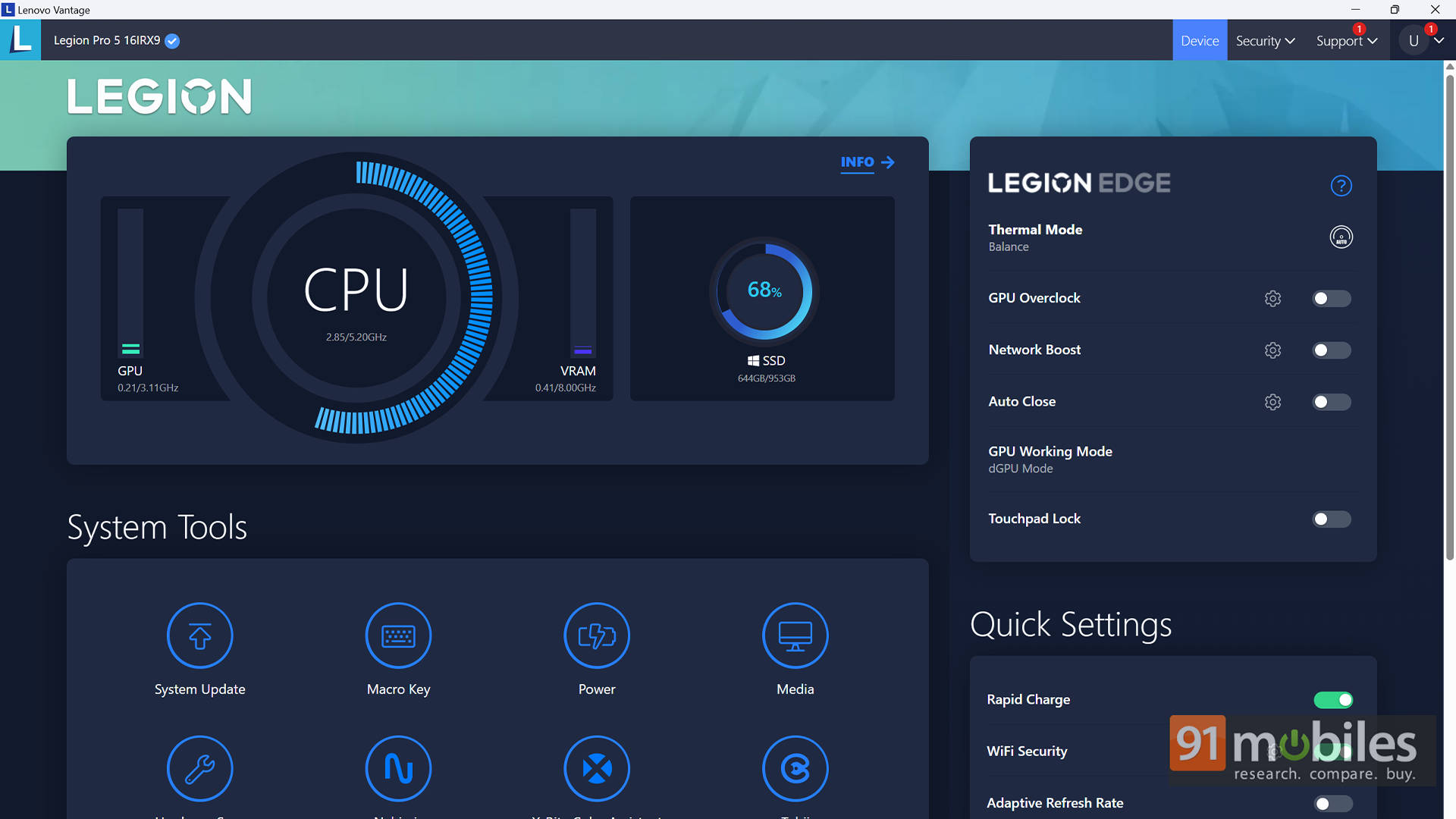
Compared to other brands like ASUS ROG and MSI, Lenovo’s software utility feels a bit lackluster in terms of features. Then again, it features a simple UI with easy access to profiles, system tools, and one-click GPU overclocking. It’s far more intuitive and doesn’t hog up on a ton of resources either, which is always a nice thing to have.
Performance and Battery Life
Alright, let’s talk about the performance now, shall we? Our unit, as configured, comes with an Intel Core i7-14650HX processor coupled with 16GB of DDR5-5600MHz RAM. There’s the NVIDIA GeForce RTX 4060 Laptop GPU with a max TGP of 140W and a 1TB Gen4 SSD from Samsung. As you can see, the disk performs just as expected, though Lenovo has added another M.2 slot for future upgradability.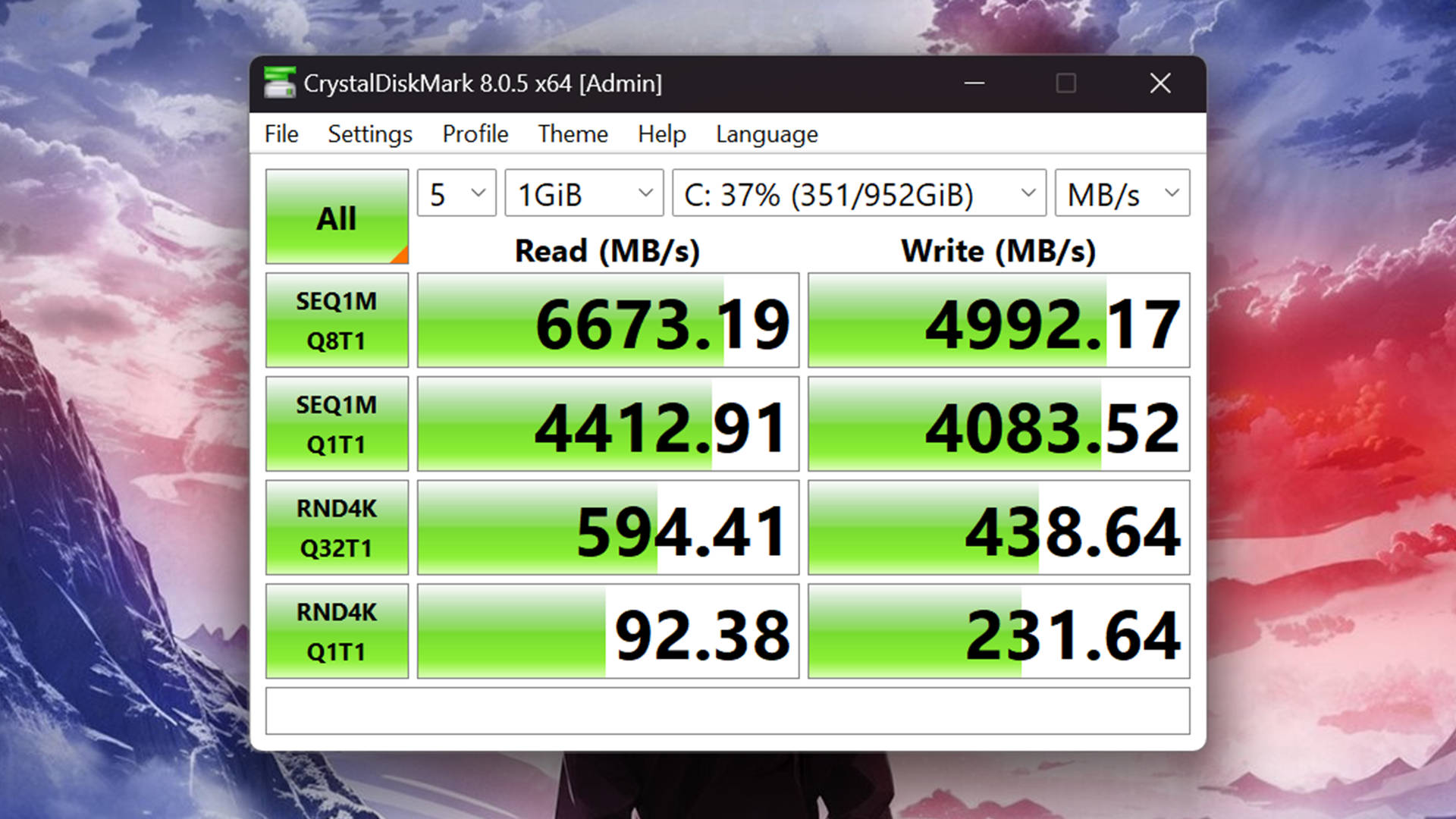
Speaking of upgradability, the RAM is also upgradeable, with the internals being super easy to access. Also, as you can see, Lenovo has installed a total of 4 heatpipes, that do an excellent job of taming the hardware underneath. In fact, in my testing, the temps never crossed the 75-degree Celsius mark, which is quite a feat. That too without any thermal throttling.
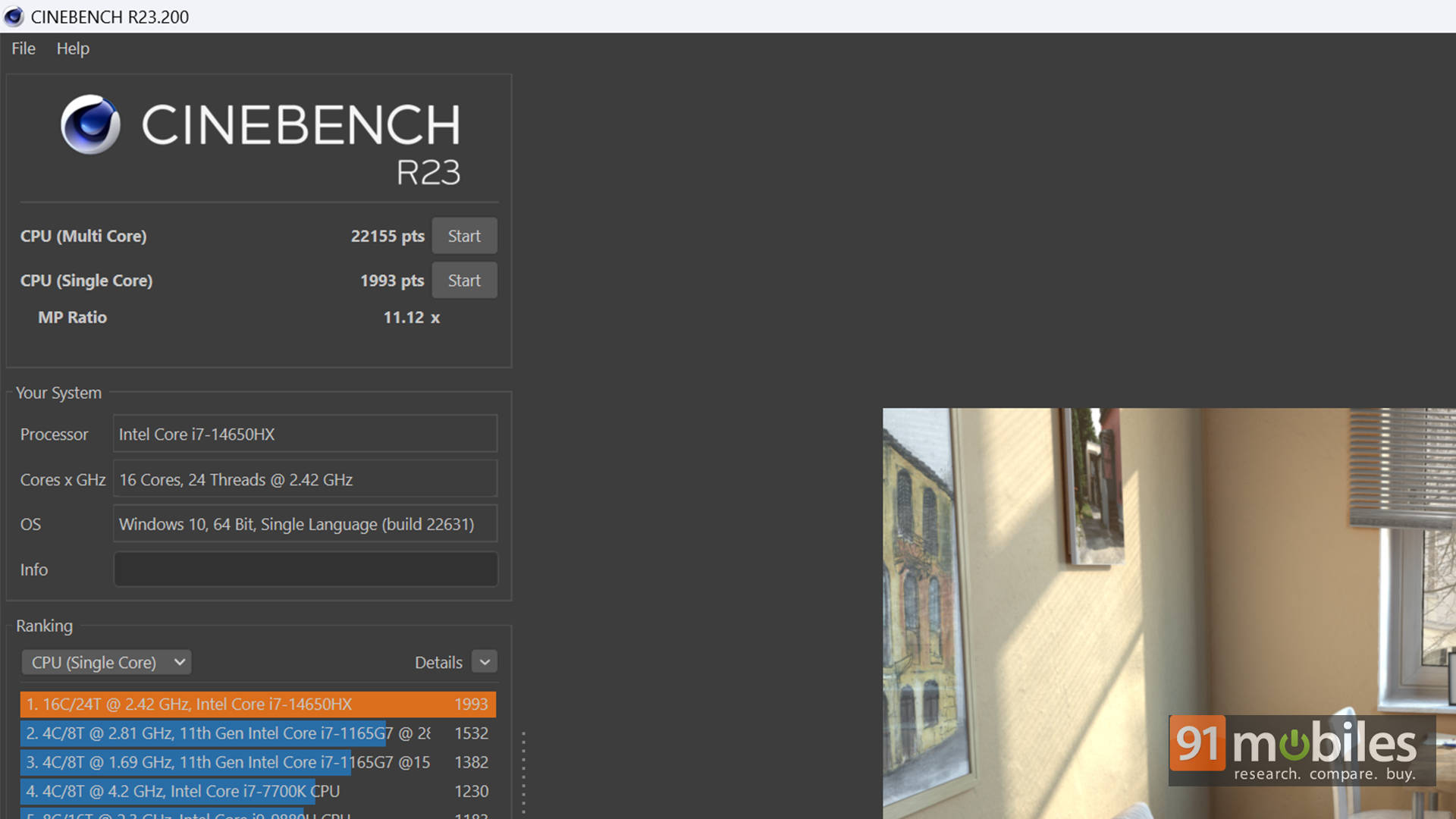
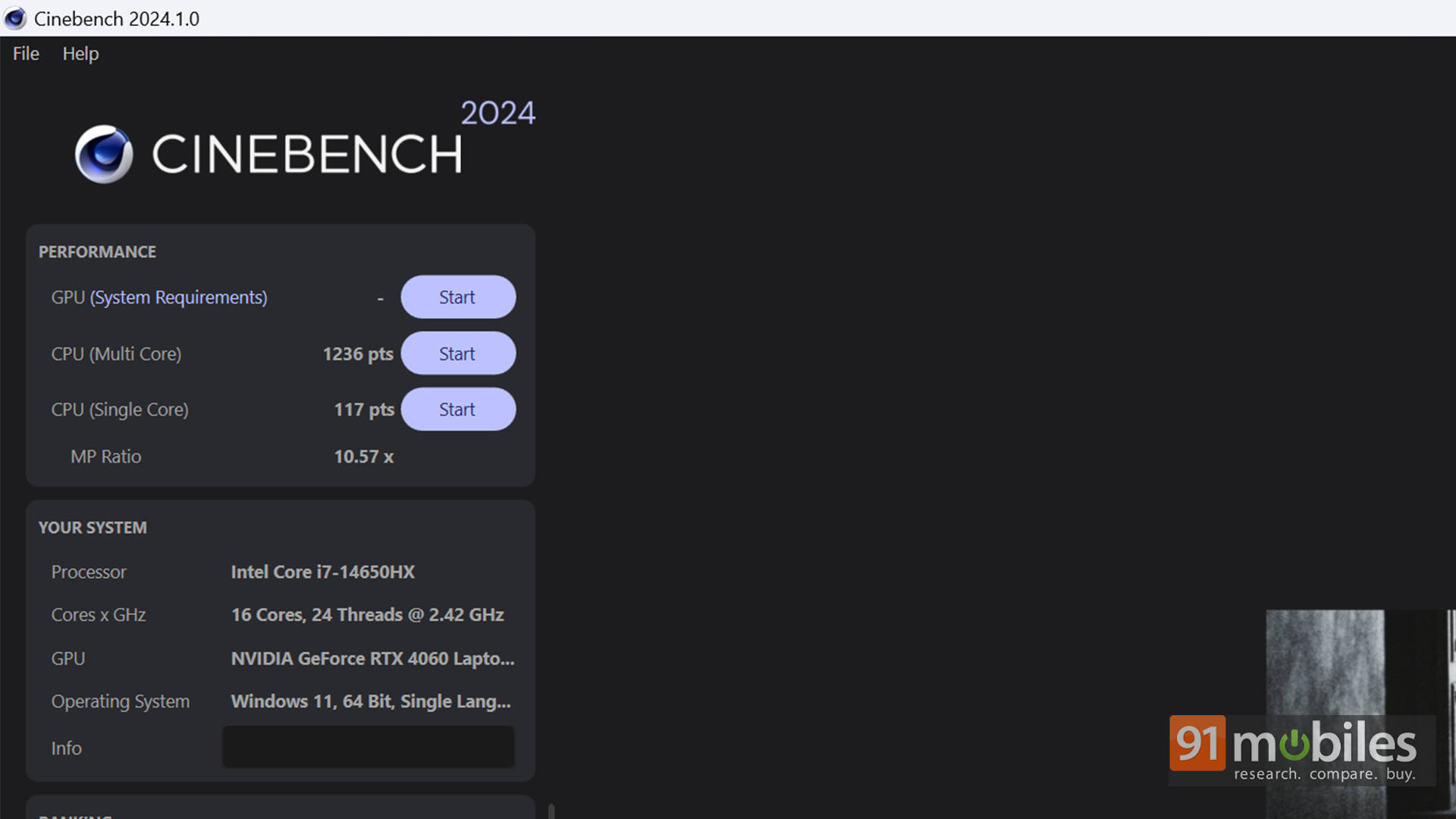
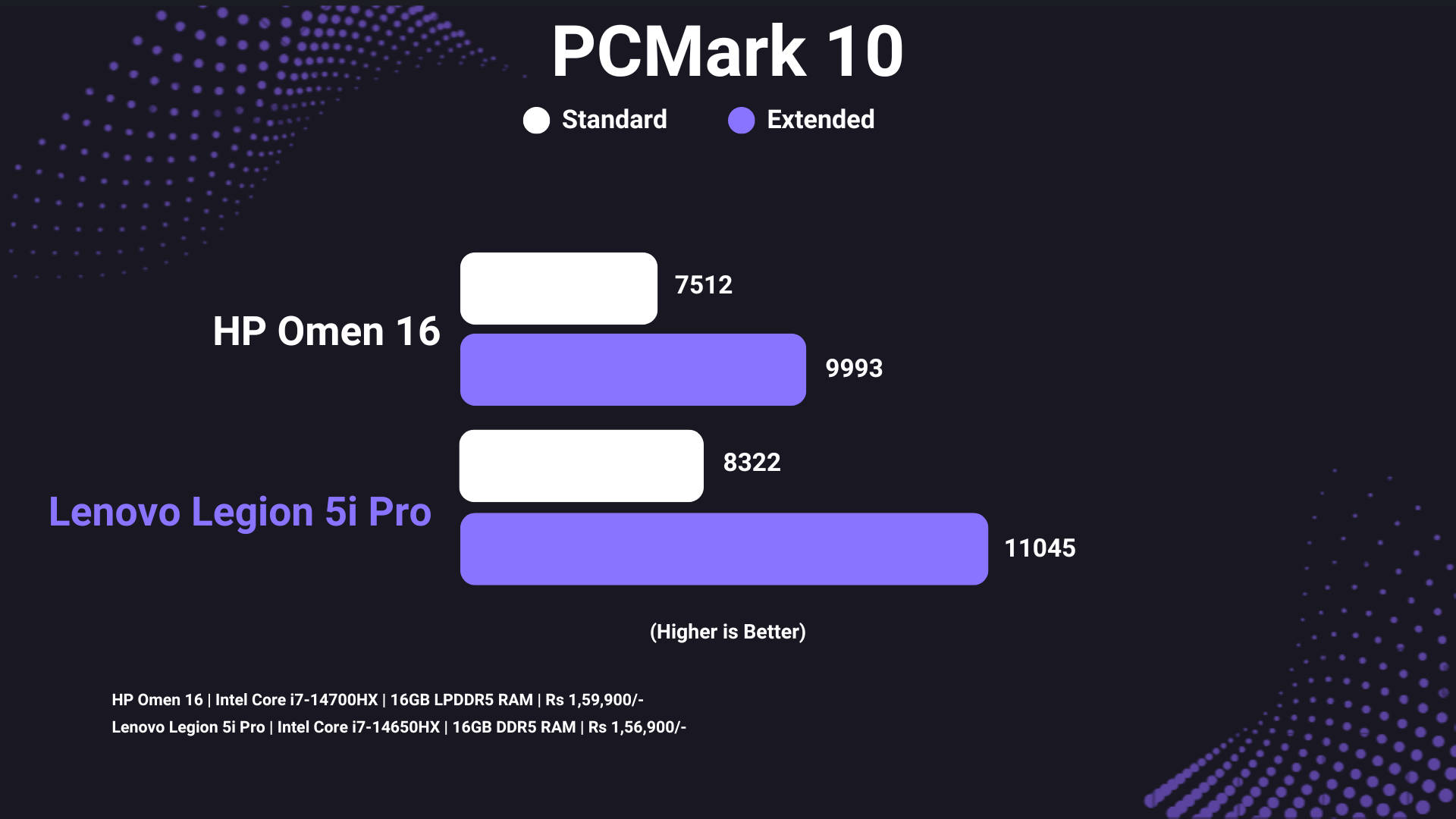
So if the cooling is nice, and there wasn’t any thermal throttling, then the performance should be quite stellar, no? You bet! In synthetic benchmarks, the Intel Core i7-14650HX performs really well, achieving a score of 22,155 in Cinebench R23, and 1,236 in Cinebench R24, both multi-core. For simulated work scenarios, a score of over 11,000 in PCMark 10 Extended is also very good.
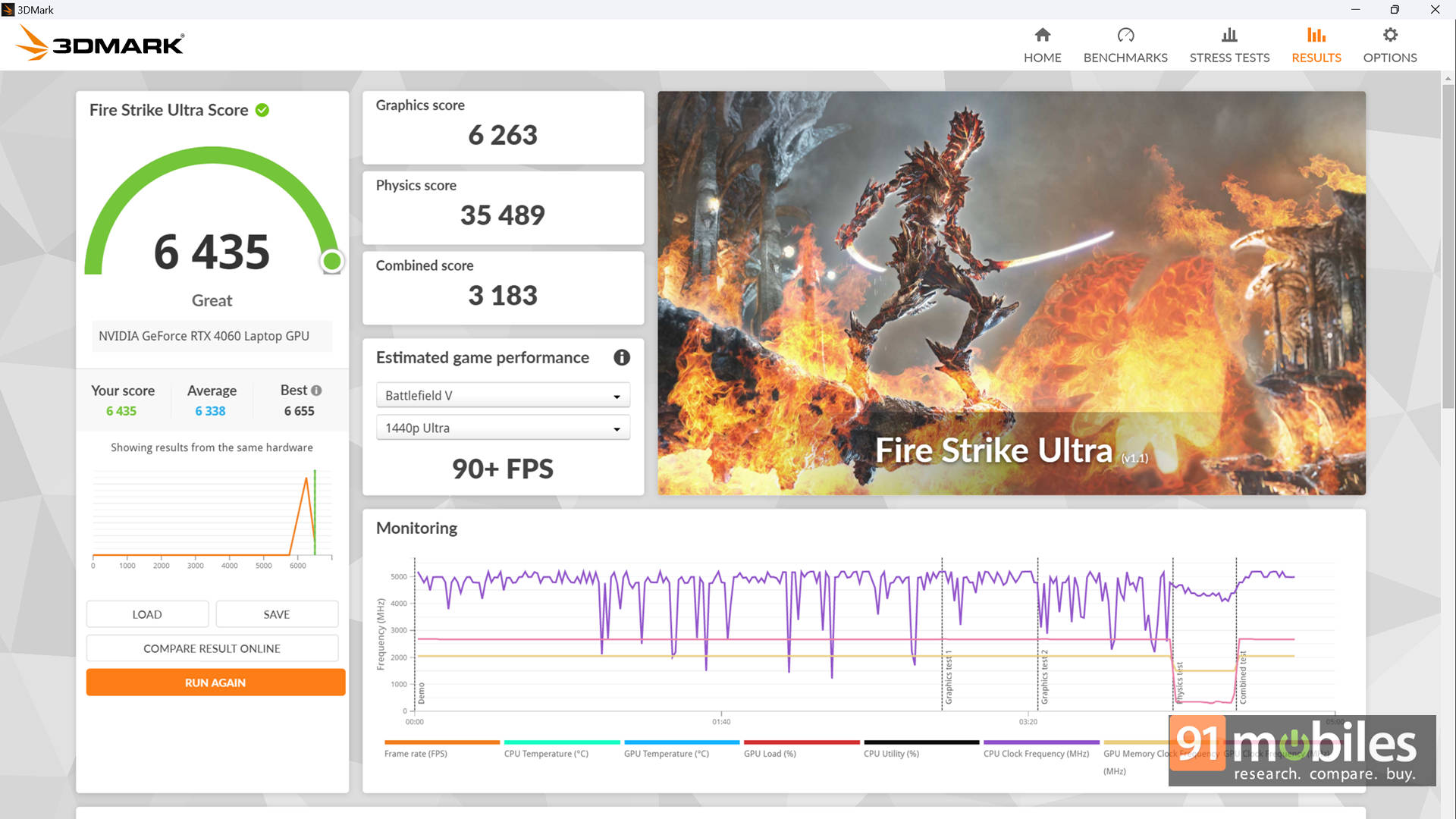
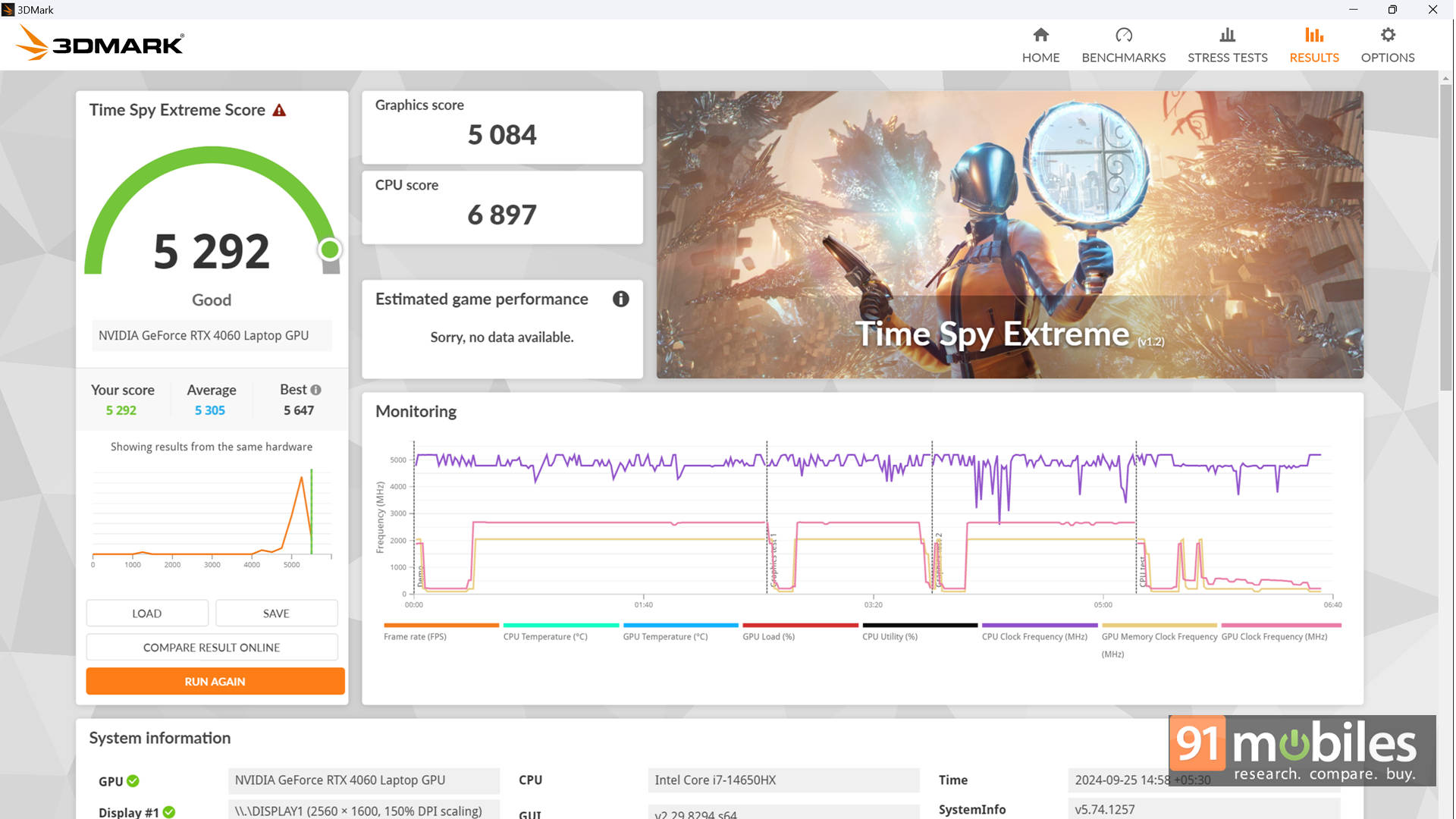
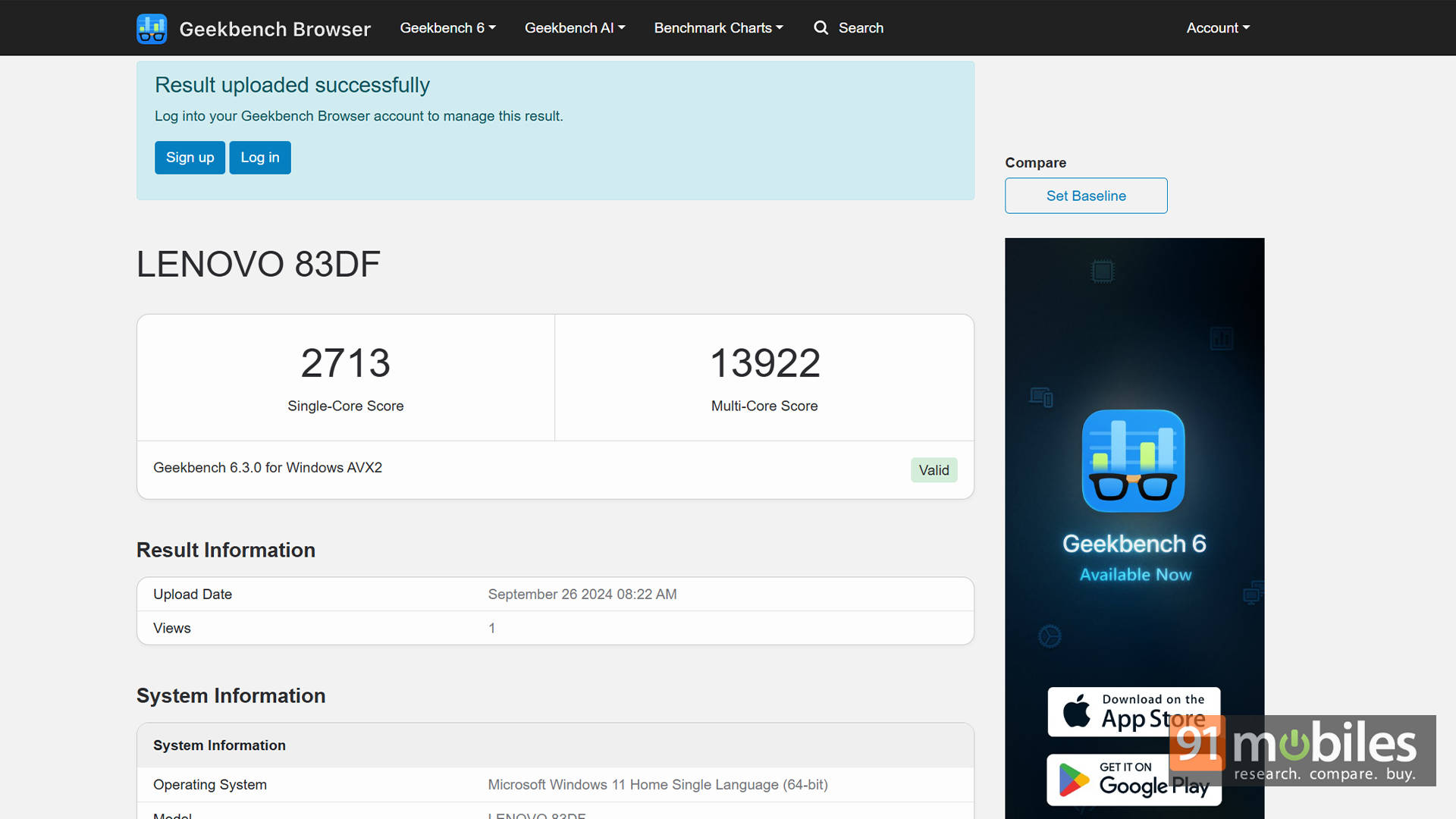
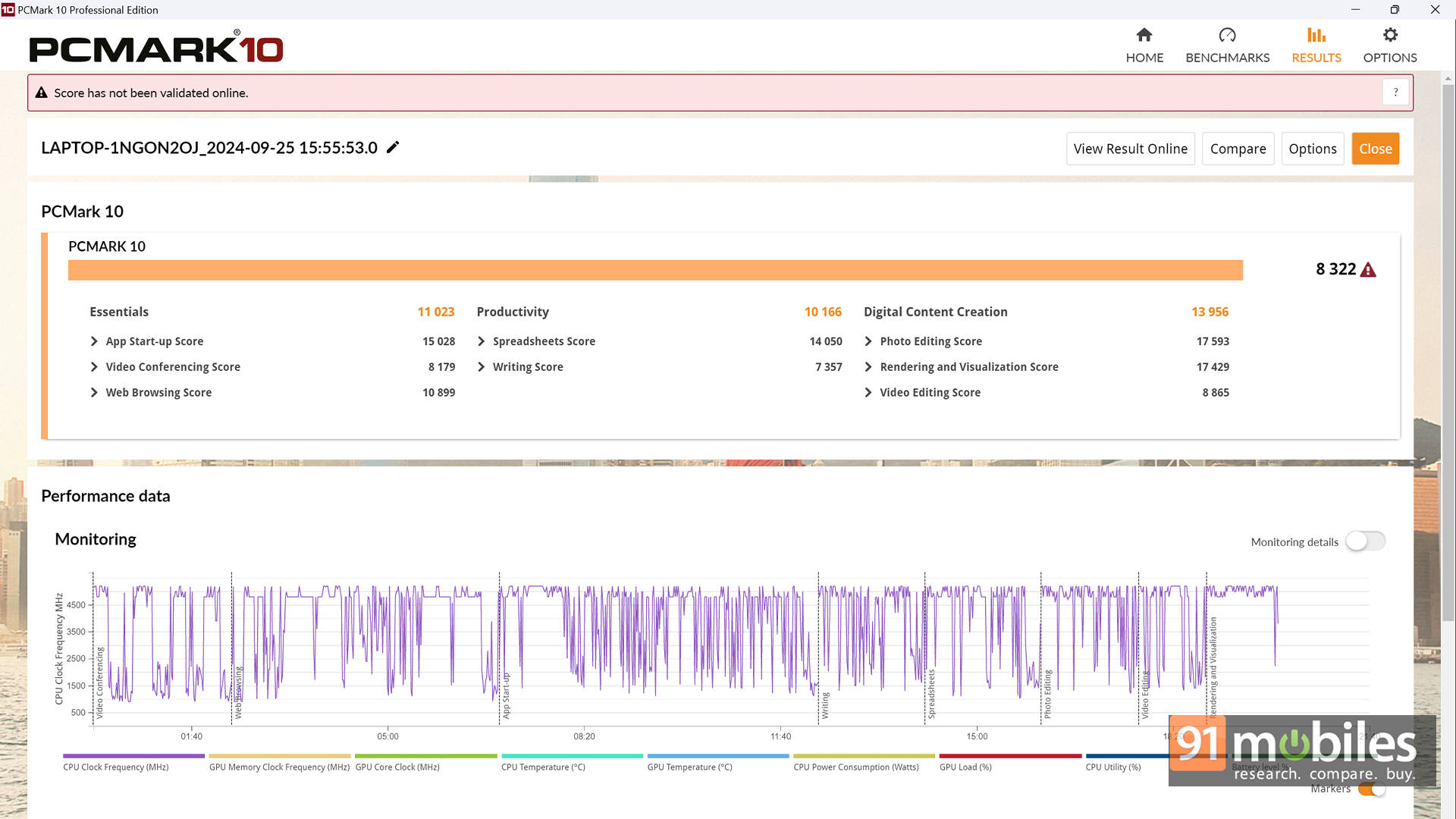


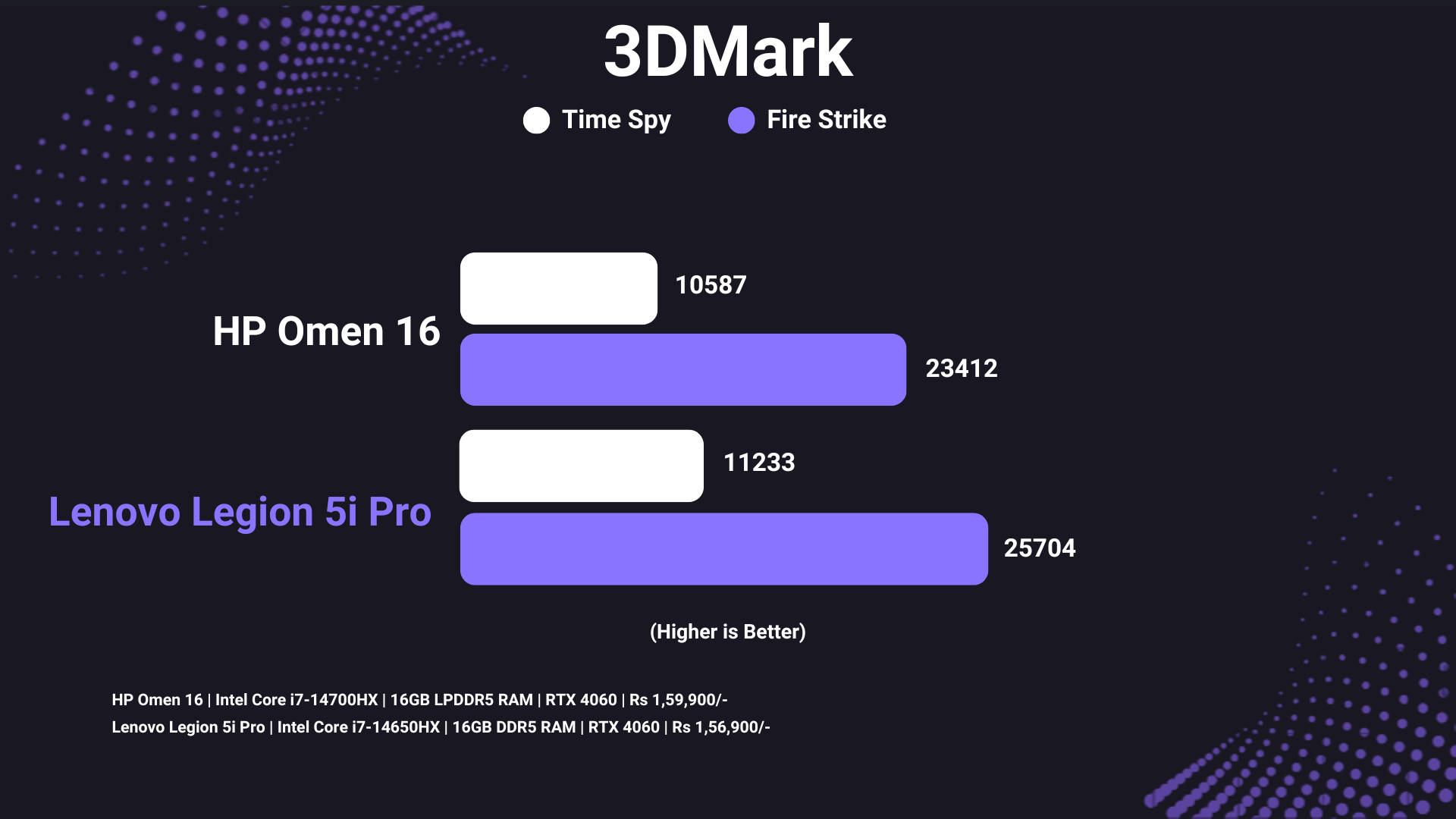
A lot of users also have this doubt whether the i7-14650HX is inferior to the i7-14700HX processor. Well, compared to the HP OMEN 16, which pairs the same 4060 GPU with a supposedly better processor, the Legion Pro 5i comes out shining with a better score. That’s not to say that the 14700HX isn’t a superior processor. Instead, this is to highlight that there’s a lot more that counts in terms of performance, including the laptop’s cooling design, which lets a processor reach its peaks. The same is the case in terms of GPU performance, where the same GPU performs better in 3DMark Time Spy and Fire Strike tests.
The excellent performance carries forward into gaming as well, with the Legion Pro 5i managing close to 60FPS in AAA titles like Cyberpunk 2077, Alan Wake 2, and Red Dead Redemption 2. Keep in mind that this is 1600p with everything at Ultra settings. You can fine-tune a couple of settings with a combination of High and Ultra, and easily reach a stable 60 FPS on the most demanding titles.

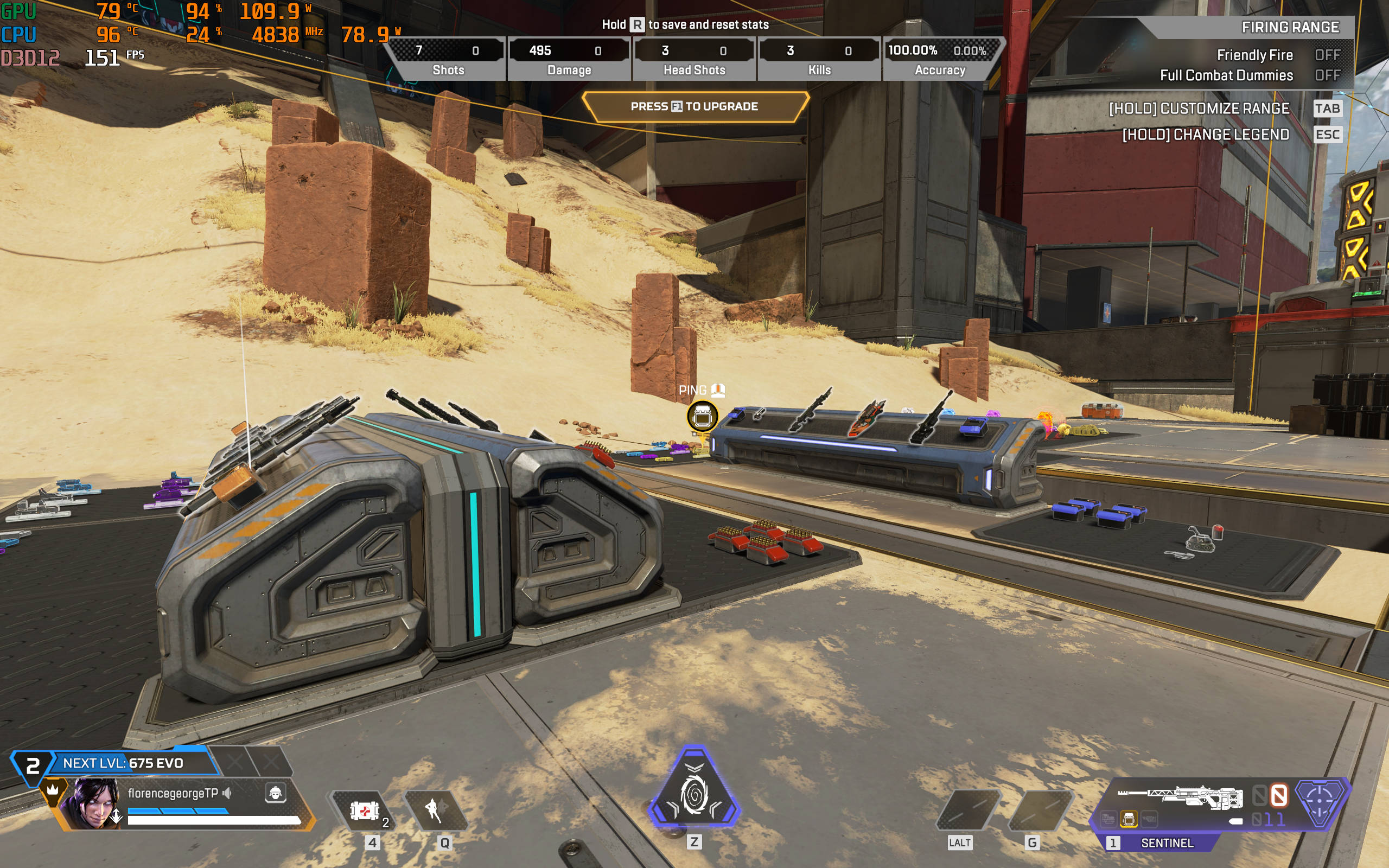


For higher refresh rate gaming, eSports titles like Valorant easily cross the 240Hz mark. Even Apex Legends manages to soar above 200FPS for the most part, though you will have to dial down the settings a bit. Then again, for eSports gaming, 1080p is the preferred resolution, in which case you shouldn’t have any issues breaching the panel’s refresh rate. Thankfully, there’s support for NVIDIA G-Sync, to ensure there’s no screen tearing.
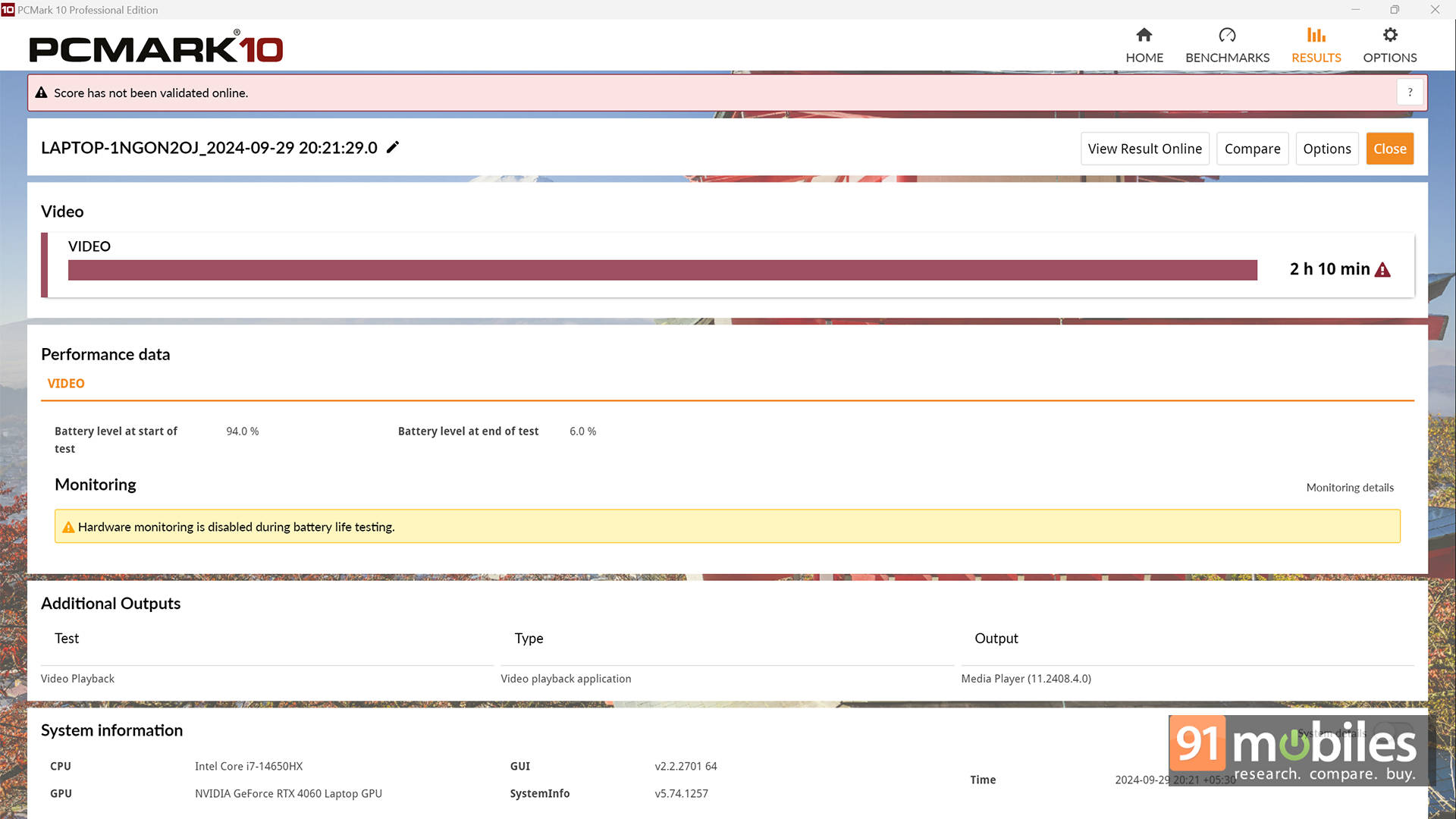
Lastly, there’s the battery life. The Legion Pro 5i packs in an 80Wh battery, which managed to last a little over 2 hours in PCMark 10’s battery video loop test. That’s not a lot, especially for content creators who’d want to use this laptop for work on-the-go. Thankfully, there’s support for USB PD up to 100W, which means you can easily use a power bank to juice this up while working. Of course, for gaming, you will need to use the beefy 300W power brick.
Verdict
As configured, the Legion Pro 5i costs Rs 1,58,000 in India. Considering the overall package, when combined with the price tag, there’s hardly anything here to complain about. The laptop has great performance, runs cool, has a nice colour-accurate display with a 240Hz refresh rate, the keyboard is nice to type, and Lenovo is one of the most reliable laptop brands on the market. While the speakers and battery life could have been better, I don’t think that’s a deal breaker for anyone.Editor’s Rating: 8 / 10
Pros:
- Excellent performance
- Professional design
- 240Hz Display with 100% DCI-P3 coverage
- Ample connectivity options
Cons:
- Average battery life
- Sub-par speakers