


Review Summary
Expert Rating
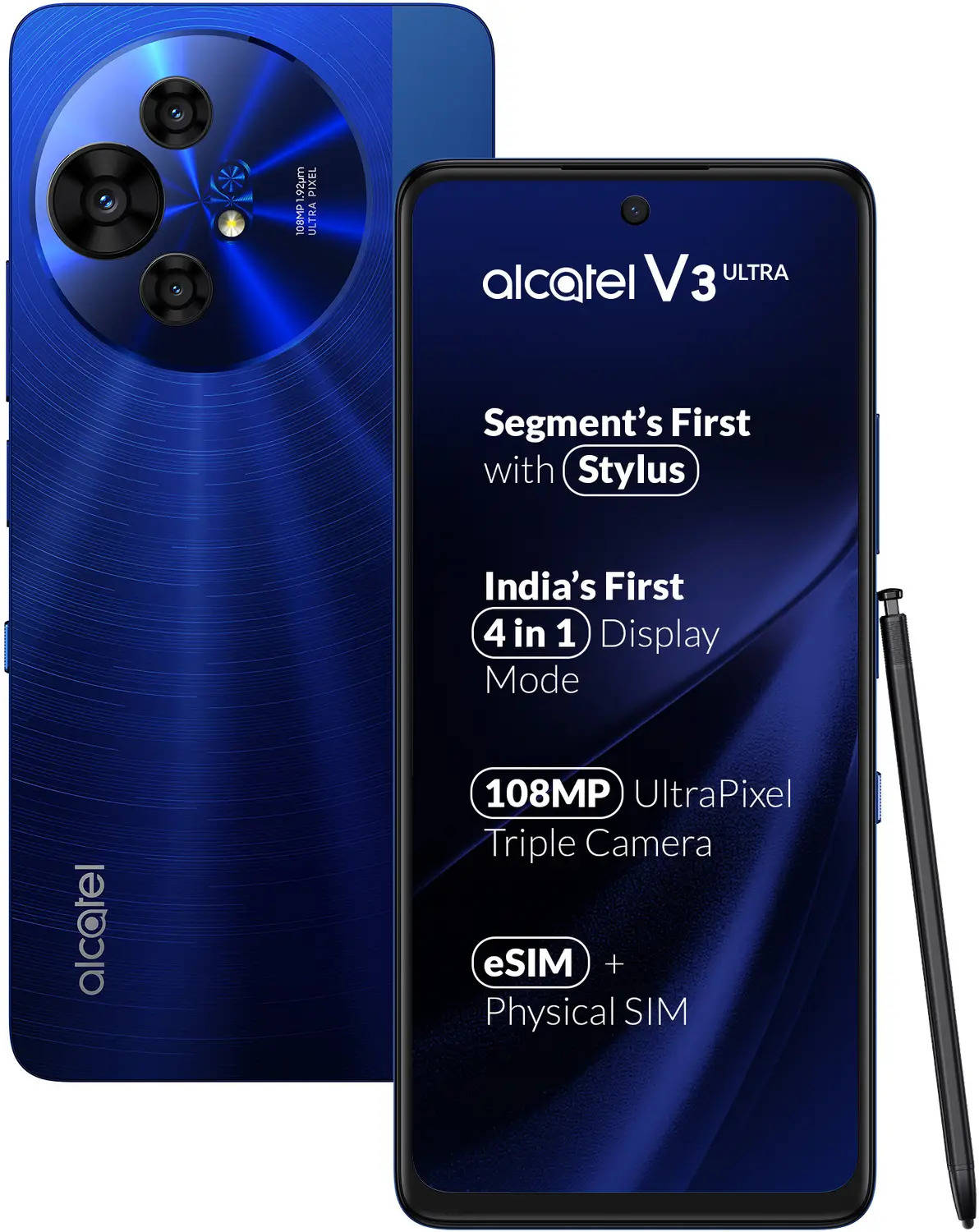
Among the sea of new smartphones we encounter regularly, only a select few manage to stand out in terms of what they bring to the table. The Alcatel V3 Ultra, one among the trio of new smartphones that mark the brand’s comeback into India, is quite a special device. The specs it brings with it are quite modest, especially considering its asking price of Rs 19,999, but its unique NxtPaper display is what makes it so special. On one level, it’s a feature that converts the phone into a Kindle e-book reader, but it makes the screen easier on the eyes too. Another aspect which stands out in favour of the V3 Ultra is eSIM support, which is unheard of at this price point. Not stopping there, the smartphone even supports a stylus, and Alcatel includes one in the box. Let me get into more details… read on.

Table of Contents
Verdict
The Alcatel V3 Ultra is a special phone. While it doesn’t impress much in terms of performance and cameras, its reading-friendly Nxtpaper display is unique and useful. Features like support for eSIM and stylus at this price point also help the phone stand tall in its segment. Worth a look for those who read a lot or are looking for a secondary phone for travel.
Design: par for the course
| Smartphone | Thickness | Weight | IP Rating |
| Alcatel V3 Ultra | 7.99 mm | 196 grams | IP54 |
| realme 14T | 7.97 mm | 196 grams | IP68 +IP66 +IP69 |
| Samsung Galaxy M36 | 7.7 mm | 197 grams | NA |
| Moto G96 5G | 7.93 mm | 178.10 grams | IP68 |

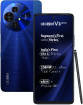
The review unit I have with me features a blocky polycarbonate body with a glossy blue rear, sporting a large, circular camera module on the top left. The glossy portion features a concentric circle pattern and Alcatel branding on one corner, while there’s a matte-finished strip on the right. The placement of ports and controls is fairly standard, with a fingerprint scanner integrated into the power button on the right spine. A couple of aspects do stand out, though — the availability of a 3.5mm audio jack (located on the bottom), and a physical slider on the right side that switches display modes. More on that later, but overall, I wouldn’t call the V3 Ultra’s design outstanding — it’s a bit too glossy for my taste, frankly, but you’re free to form your own opinion.
Display: the true superpower
| Smartphone | Display | Peak Brightness |
| Alcatel V3 Ultra | 6.78 inches - IPS LCD | 650 nits |
| realme 14T | 6.67 inches - AMOLED | 2100 nits |
| Samsung Galaxy M36 | 6.7 inches - Super AMOLED | 1000 nits |
| Moto G96 5G | 6.67 inches - P-OLED (Curved Display) | 1600 nits |

The headlining feature of the Alcatel V3 Ultra is its so-called NxtPaper display. Specs-wise, the V3 Ultra uses an LCD display with FHD resolution, 120Hz refresh rate and up to 650 nits brightness. The first thing you’d notice about it, the moment you lay eyes on it, is the matte finish. The smooth, matte look not only stands out, but it also appears fairly scratch-resistant. Turn it on and it comes alive with a burst of colours. The NxtPaper modes, accessible via the slider key on the right spine and via display settings, allow you to choose between Colour Paper, Ink Paper and Max Ink modes. They’re all suited for reading, with the Ink Paper mode effectively converting the phone into a Kindle e-book reader, and getting rid of all the colour. The matte screen with its non-glare attribute makes things easier on the eyes, too. The Max Ink mode is about the same as Ink paper, except that it acts as a battery saver option by restricting access to apps. The Colour Paper mode retains colour, but in a subdued manner to keep the visuals easy on the eyes.

The NxtPaper feature might seem a bit gimmicky at first, but it can be incredibly useful in real life, especially if you read a lot of content on your phone — documents, emails, news, online articles, etc. The Ink Paper mode makes it seem like you’re reading from a book or printed paper, and if you feel it looks too bland, devoid of colour, you can switch to Colour Paper mode. One of the first apps I installed on the V3 Ultra was the Kindle app, which gave me access to my eBook library on Amazon. After a long time, I found myself getting back to reading, since thanks to the Alcatel V3 Ultra, I had a perfectly serviceable eBook reader in my pocket during my office commutes.

Then there’s the stylus support. If it looks like paper and reads like paper, why not give you the ability to write like paper too? And that’s exactly what it does. The bundled stylus doesn’t have any battery or Bluetooth connectivity, and there’s no silo in the phone to store the stylus either. Handily, the included transparent case has a slot that can accommodate the stylus on the back. The stylus comes in useful for making notes, doodling, annotating or signing documents, etc, and works smoothly for the most part.
The NxtPaper and stylus functionality apart, the screen is a regular LCD, except that with its matte coating, the colours can look somewhat less vibrant as compared to conventional phone screens.
Cameras: not very impressive
| Smartphone | Primary Sensor | Secondary Sensor | Tertiary Sensor |
| Alcatel V3 Ultra | 108 MP Wide Angle(83° field-of-view) | 8 MP Ultra-Wide Angle | 2 MP Macro |
| realme 14T | 50 MP Wide Angle(76° field-of-view) | 2 MP Mono | NA |
| Samsung Galaxy M36 | 50 MP Wide Angle | 8 MP Ultra-Wide Angle | 2 MP Macro |
| Moto G96 5G | 50 MP | 8 MP Ultra-Wide Angle | NA |

On paper, the Alcatel V3 Ultra has respectable camera specs — a 108MP main shooter, complemented by an 8MP ultrawide and a 2MP macro. Selfie duties are assigned to a 32MP camera on the front. The camera app is also quite feature-rich, offering a set of colour filters in addition to the usual ones, as well as NxtPaper filters that include sketch, nostalgia, mono, and a few others. The results, however, aren’t impressive, especially considering what other phones in the sub-Rs 20k phones offer in terms of photography capabilities these days. Daylight shots are generally fine, but can feel lacking in terms of detail and dynamic range. Low-light photography is a hit-or-miss affair, and oftentimes, it’s the matte display that can be blamed for the photos appearing softer than they are. Comparing the photos with those shot using the Moto G96, we can see a few of these niggles.
Daylight
The photo shot using the Moto G96 looks better in terms of a few key aspects, including dynamic range, detail and clarity.


Portrait
Edge detection and skin tones are handled well by the Moto G96, while the Alcatel phone tends to muddle up the colours.


Selfie
Selfies shot using the Moto G86 look more natural and lifelike, while the V3 Ultra does a reasonable job as well. That said, the colour science seems off.


Performance: does the job
| Smartphone | Chipset | RAM |
| Alcatel V3 Ultra | MediaTek Dimensity 6300 | 6 GB / 8 GB LPDDR4X |
| realme 14T | MediaTek Dimensity 6300 | 8 GB LPDDR4X |
| Samsung Galaxy M36 | Samsung Exynos 1380 | 6 GB / 8 GB LPDDR4X |
| Moto G96 5G | Qualcomm Snapdragon 7s Gen 2 SM7435 | 8 GB LPDDR4X |

The V3 Ultra isn’t a performance-focused phone. Its choice of SoC is the MediaTek Dimensity 6300, which is a functional, solid chip, but it pales in comparison to what rivals offer in the same price range. You also get 128GB of storage and 6GB of RAM, which are unimpressive specs too. The Alcatel V3 Ultra runs most apps fine, and manages thermals well. That said, there’s some lag while scrolling lists and jumping between apps. Suffice it to say that if your usage involves heavy tasks and gaming, or if you’re lookigng for a high-performance daily driver, you should consider alternatives. There are plenty of other phones in the sub-Rs 20k segment that offer better performance, but more specifically, options like the Moto G96, Tecno Pova Curve, Infinix Note 50s, and even the CMF Phone 2 Pro can be considered for that.
Software: clean and sans bloat
| Smartphone | Pre-Installed Apps | Software Support |
| Alcatel V3 Ultra | 27 | 3 Years OS Updates + 4 Years Security Updates |
| realme 14T | 71 | 3 Years OS Updates + 4 Years Security Updates |
| Samsung Galaxy M36 | 51 | 6 Year OS Updates + 6 Year Security Updates |
| Moto G96 5G | 44 | 1 Year OS Updates + 3 Year Security Updates |
On the software front, things are mostly clean and straightforward. The device runs a customised platform based on the dated Android 14, but the UI is close to stock and there aren’t too many preloaded apps to clutter the interface. The software features include a customisable sidebar that gives you quick access to notes, e-signature and a few other utilities, and you also get a full-fledged note-taking app with support for handwritten notes using the bundled stylus.
Battery and Charging: unremarkable
| Smartphone | Battery Capacity | Charging Support | Charging time (20% to 100% ) |
| Alcatel V3 Ultra | 5010 mAh | 33W Fast Charging | 1h 21m |
| realme 14T | 6000 mAh | 45W Super VOOC Charging | 1h 5m |
| Samsung Galaxy M36 | 5000 mAh | 25W Fast Charging | 1h 6m |
| Moto G96 5G | 5500 mAh | 33W Turbo Power Charging | 1h 7m |

The 5,010mAh battery supports 33W charging, and Alcatel includes a charger in the box. Interestingly, the included charger is PD-capable, and a Type-C to Type-C cable is also included, which is a nice touch. In daily usage, the phone delivers a day’s worth with medium to heavy usage, and battery life can also vary depending on how extensively you use the NxtPaper modes like Ink Paper. It takes about an hour and a half to charge the phone fully using the bundled charger.
Final Verdict

Like I said in the beginning, the Alcatel V3 Ultra is a special device. It can’t match its rivals in terms of raw performance and camera capabilities, but it still manages to carve out a niche for itself in a crowded marketplace, all thanks to its NxtPaper display. While the eSIM support and stylus are great to have at this price point, the NxtPaper display is the biggest feather on its cap. The phone might not appeal to everyone, but if you read a lot of text content on your phone, are a bibliophile who has been eyeing a Kindle for a while but sitting on the fence, or just want a no-frills smartphone that’s easy on the eyes, the Alcatel V3 Ultra is the answer.
Editor’s rating: 7.5 / 10
Reasons to buy:
- The NxtPaper display modes are useful and make the screen eye-friendly, and suitable for reading eBooks.
- Support for eSIM and stylus is great to have, especially at this price point.
- The UI is clean and bloat-free.
- A PD charger is included in the box.
Reasons not to buy:
- The performance can’t match rivals.
- Camera quality is so-so.
- Runs dated Android 14.
 | vs |  |
| vs |  |