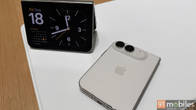
Review Summary
Expert Rating
As Apple’s first foldable, the iPhone Duo has a lot riding on its shoulders. Android-powered foldable smartphones have been around for a while now, available in flip-style, book-style and (more recently) passport-style form factors, while Apple enthusiasts have been waiting for an iOS-running foldable. That wait ends with the iPhone Duo, a passport-style, wide form factor foldable that has been grabbing headlines ever since it was announced in September. And now, when it’s finally here, many of those headlines haven’t exactly painted a rosy picture about its real-life usage. After using it for a few days, I think there are two sides to this device (no pun intended), just like any other phone out there. I’ll get deeper into that, and if you’ve been mulling over getting one, hopefully I can help you make a decision as well. Before I get into the specifics, though, let’s address the niggles that have been doing the rounds first.
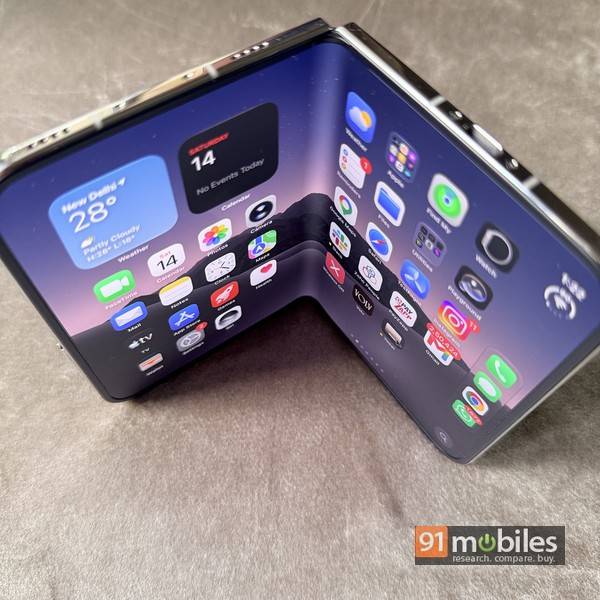
- First, the iPhone Duo is bulky. Weighing 254 grams and 11.3mm thick when folded, it’s not a lightweight device. There’s no getting around this one, though you must note that the iPhone 18 Pro Max at 249 grams isn’t featherweight either.
- Next, the nano-texture coating on the Duo’s inner display. It does take a little from the vibrancy of the colours when compared to glossy screens, but it also cuts down significantly on reflections and helps make the crease disappear.
- As far as the dual camera system is concerned, it isn’t surprising that it can’t match up to the 18 Pro series — most foldables, in fact, aren’t known to be amazing camera phones.
- Next, the missing Face ID is a bummer, and that’s something I missed during my usage. However, Apple has just issued an update in beta, which has added a face unlock option. While it’s not as secure as Face ID and doesn’t work for Apple Pay, it does help in unlocking the phone quickly.
- Moving on to the app experience, many third-party ones, such as those from Google, aren’t optimised for the iPhone Duo’s displays yet. Hopefully, that’s just a matter of time, and this should be a non-issue in a matter of weeks, if not days.
- And yes, I heard there have been reports of inner screens cracking on a few Duo units. Apple seems to have acknowledged it quickly, provided replacements, and as far as I can make out, it’s not a widespread issue. My unit is fine, and hopefully, most of the others out there in the wild are fine too.
Now that I have that out of the way, let me get into some more detail. The thing is, there’s a lot to like here. And I’ll get into some more details on the niggles I mentioned above too.
Table of Contents
What you see and touch
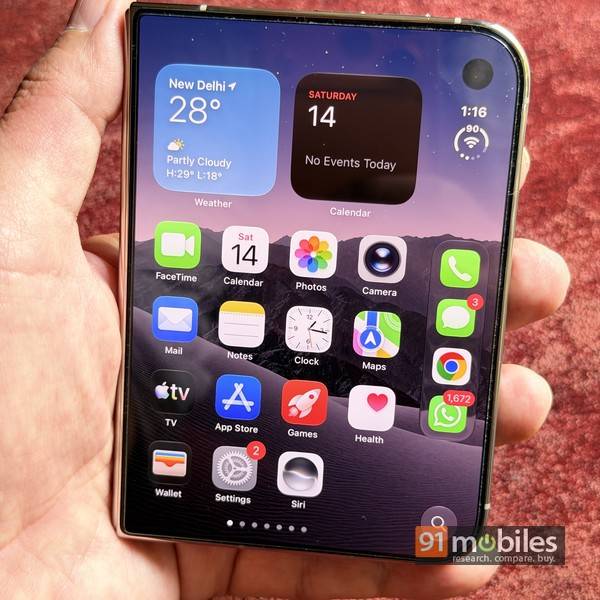
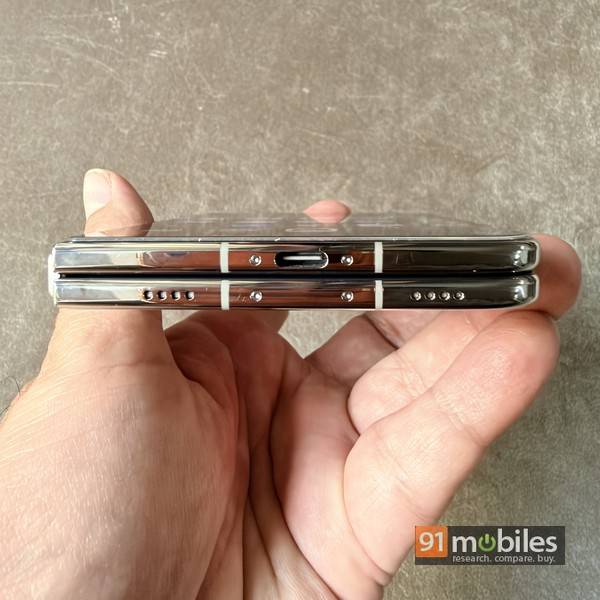
Folded, it’s a D-shaped device, with a compact 5.4-inch outer display. The polished frame and smooth rear, combined with the heft, give it a premium look and feel. The Duo is not the lightest or slimmest foldable around, and if you choose to carry it around in your pocket, do remember it can result in a thickish bulge. And if that pocket is in your jeans or trousers, you should also wear a belt. That’s just how it is. Worth noting that the Duo sports an IP68 rating, which is rare among foldables, and the Google Pixel 11 Pro Fold is the only other foldable smartphone that boasts the same certification in India. Another thing you should keep in mind is that the Duo doesn’t have a physical SIM slot and is an eSIM-only device. You can have up to two eSIMs active at a time, so using two mobile numbers isn’t a problem.
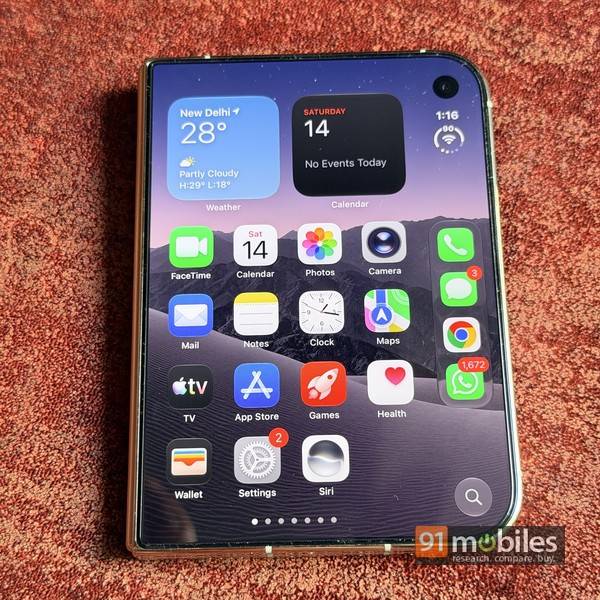
The front camera is placed in a notch towards the top right of the outer display, with a small pill-shaped Dynamic Island around it, implemented using software. There’s no Face ID hardware on the Duo, and user authentication is handled instead by a Touch ID fingerprint sensor integrated into the power/side button on the right frame. In my usage, a couple of things became apparent. One, using Touch ID on the iPhone Duo feels a bit slow, since by default, you need to rest your finger on the sensor for a couple of seconds before it unlocks. There’s an option called “rest finger to open” under Touch ID settings, and turning that off helps make the process work a tad bit faster. And two, the lack of Face ID on the iPhone Duo is a bigger deal than I thought initially, and I missed it quite a bit during my usage.
However, Apple has just issued an update (in beta) that had added a few unlock option which uses the front camera on the outer screen. While it’s not Face ID in the truest sense, it helps immensely. Over the years, iPhone users have become accustomed to the convenience, speed and accuracy offered by Face ID, and the Duo’s issue experience does get affected without that. So the addition of the new face unlock option is more than welcome.
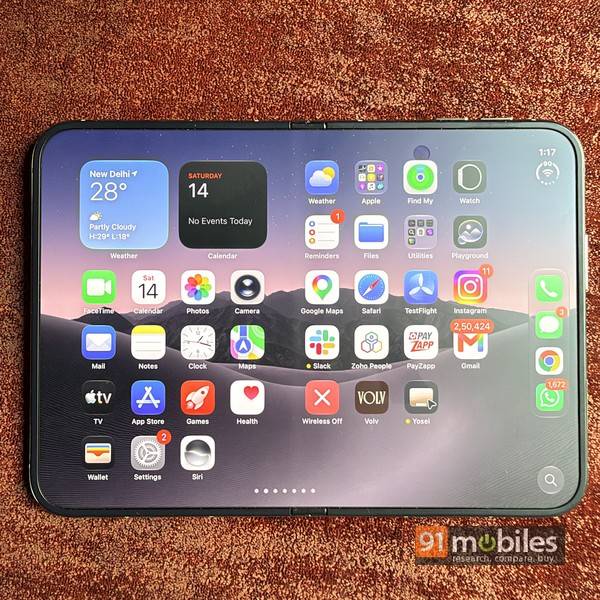
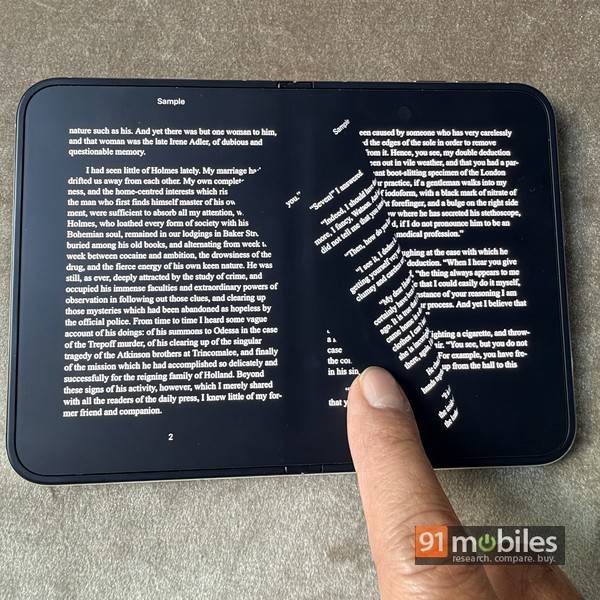
Up front, the 5.4-inch LTPO Super Retina XDR OLED display looks gorgeous. It refreshes at up to 120Hz, goes up to 3000 nits in terms of peak brightness, and supports HDR10 and Dolby Vision. Opening the phone reveals the 7.6-inch inner display, and the first thing you’d notice is the matte finish it sports. Its nano texture coating eliminates glare effectively and is also responsible for hiding any signs of the crease, which is barely there to begin with. Sure, the nano texture coating does mean that the colours don’t look as vibrant as they do on the outer display, but I think that’s a small price to pay. The inner screen works well for viewing videos or reading books in landscape, scrolling web pages in portrait and running two apps side by side (more on this later). Apple has even hidden the front camera on the inner screen by using an under-display snapper, so the view isn’t marred by any obstructions. The Duo opens smoothly and closes with a satisfying click, with the hinge keeping the device open at whatever angle you prefer. Apple has even added support for the Pencil, which should make the Duo appeal to the creative folks who’d appreciate a pocketable device to draw/doodle on. Unfortunately, I didn’t have an Apple Pencil to try, so i can’t comment on how well it works.
Oh shoot
Let’s face it. You’re not going to buy the Duo for its cameras. The Duo sports a pair of 48MP shooters on the back, comprising a wide and an ultra-wide sensor. It misses out on a dedicated telephoto, much like a base iPhone. So if photography is top priority for you, the iPhone 18 Pro or 18 Pro Max should be your choice. As far as the Duo is concerned, its 48MP primary shooter churns out very good shots in most lighting conditions — good enough to please most casual users.
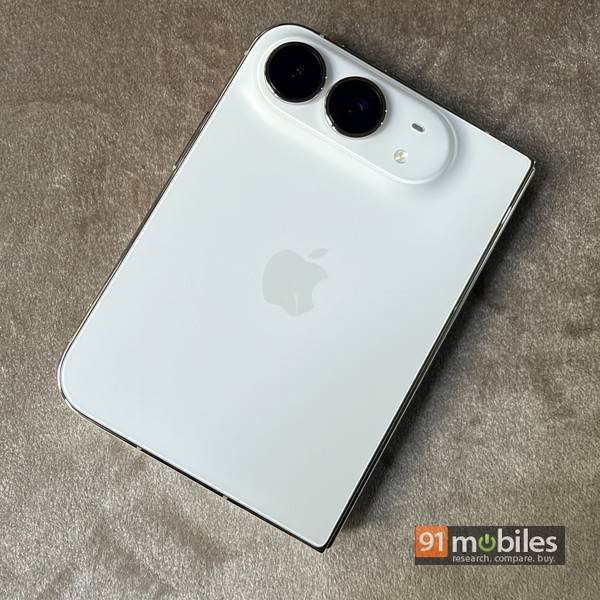
It features f/1.6 aperture and sensor-shift OIS, and by crossing the middle 12MP portion of the image, can give you 2x optical-quality zoom. The wide-angle results are fine for the most part too, albeit with some distortion visible. I also like the low-light shots — they’re nice, warm and eye-pleasing with ample detail. Moving on to the front cameras, the 12MP sensor on the outer screen is pretty decent and shoots good self-portraits, but the one on the inner display just about does the job for FaceTime and WhatsApp video calls.














Worth mentioning are the foldable-specific features Apple has added to the Duo. Thanks to its foldable form factor, you can get a preview of the shot on the outer screen while shooting, which works well for capturing selfies using the rear cameras, or for the subject to see themselves framed in the shot. Another feature is called Kids Cue, which shows cartoons on the outer screen to hold kids’ attention while you shoot them, very similar to the feature seen on the Google Pixel 11 Pro Fold. Then there’s Smart Take, which, when enabled, shoots pictures automatically when the camera detects you posing, with the Duo propped up in laptop mode. It’s a bit of a hit and miss frankly — I prefer the palm gesture available on Android foldables myself.
Here’s a quick comparison of how the Duo fares against the Galaxy Z Fold8 in terms of camera quality.
Daylight

A quick daylight comparison shows that the Duo’s image is a tad bit more saturated, with the Galaxy Z Fold8’s image looking more natural and balanced.
Seflie

For the front shooter, the Duo’s output isn’t drastically different from the iPhone 18 Pro Max’s image, which shoots a marginally better, more balanced photo.
The software side of things, and how usable it is
When I first tried the iPhone Duo last month, I felt it was more to do with software than hardware. And now, after using it for a few days, I still feel the same. Except that now, I realise there are many layers to this. I’d categorise the software aspects under Apple’s own and third-party apps, and both of these have their pluses and minuses.
The minuses first.
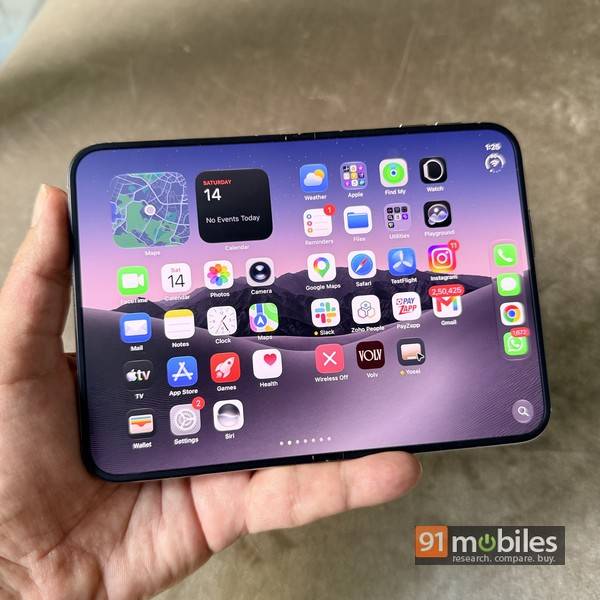
First up, the UI. On the Duo, Apple has tweaked iOS to adapt to the unique form factor by moving a few things around. The dock, usually found at the bottom, has been relocated to the right of the outer display. Network and status bar icons have also moved to the right, and bear a new look too. Many apps have relocated their controls, so you’d need some time to get the hang of things.

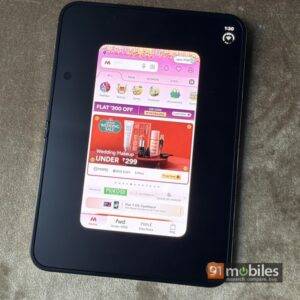
Regarding third-party apps, there’s this big brouhaha about many of them not being optimised for the Duo, and that is a real issue at the moment. iOS apps that have not been specifically optimised for the aspect ratios of the outer and inner displays don’t render well. When you launch one of these apps, a black band is visible on the right on the outer display, and the app doesn’t use the full display. On the inner display, these apps leave large empty spaces on either side in landscape mode, while rotating the display to portrait gives you an option to magnify the view, which isn’t a great experience either. However, I genuinely feel that most, if not all, of these software-related niggles should be resolved very soon, and even during my usage, many of the apps that weren’t optimised initially received updates and were made Duo-friendly by their developers.
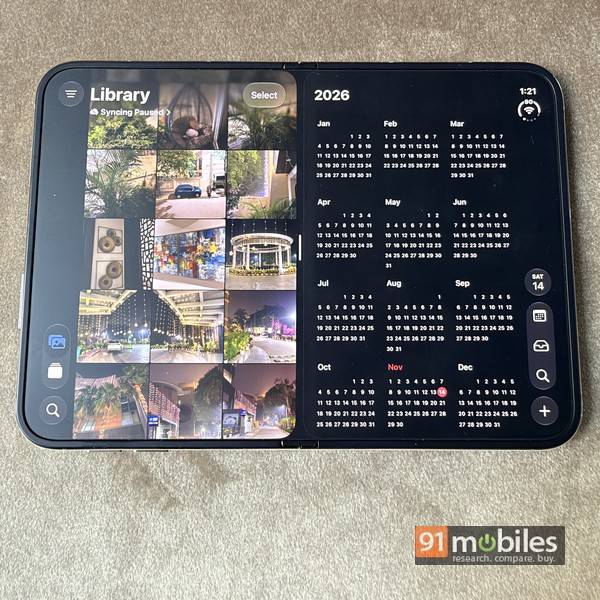
And now, the pluses. And there are lots of them, believe me. The Duo allows you to run two apps side-by-side on the inner display, and it works well for the most part. It’s almost like holding two iPhones together side by side, except that in the Duo’s case, both have exactly the same apps and data, and you can easily drag and drop content from one side to the other as long as the apps support it. You can even create app pairs by long-pressing on the separator bar between two running apps, and the next time you launch either of the two, the pair launches together.
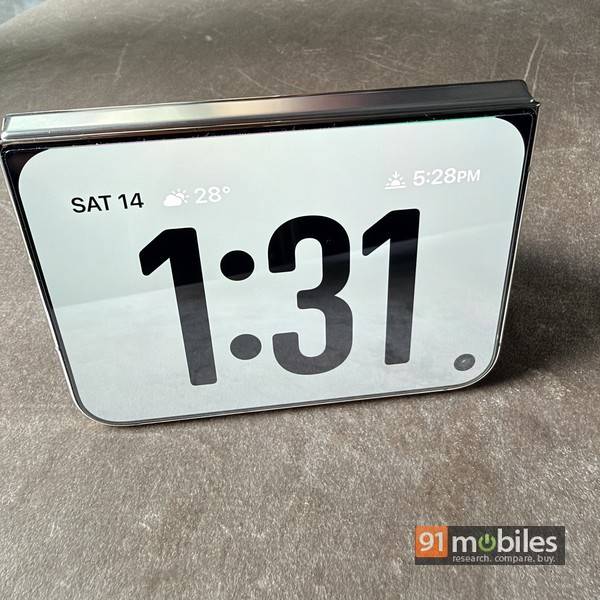
Next, some of the unique software experiences Apple has offered on the Duo are truly a delight to use, not to mention extremely useful and/or great fun. The Standby mode, for instance, gets instantly activated as soon as you lock the Duo and prop it up in tent mode. And if you keep your phone in that mode at your bedside and set an alarm, it’ll wake you up with the inner screen glowing gently. Apple has also made great use of screen animations — the fade-in/fade-out effect while folding and unfolding the Duo is a good example. Moving on to third-party apps, some of them truly stand out for the way they make use of the folding form factor, combining amazing UI with functionality.
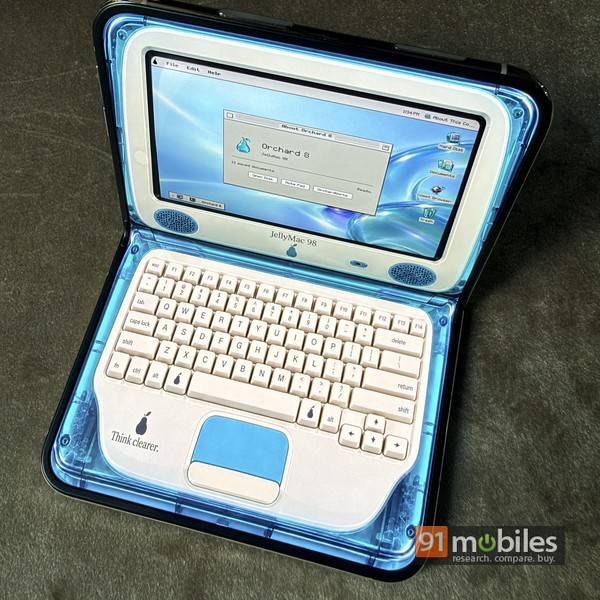
A few examples of this include Deck-Man, a music app that revives the good ol’ Walkman and uses cassette tapes in its UI, Tiny Computers (pictured above), which converts the iPhone Duo into a laptop and emulates everything from the iconic iMac to a Windows 11-running mini laptop; games like Battlefleet Duo, Penalty Area, PianoFold, Foldgami, etc that use the folding form factor to enhance gameplay; MD Vinyl (below), a music app that lets you play virtual vinyl discs; and many others.
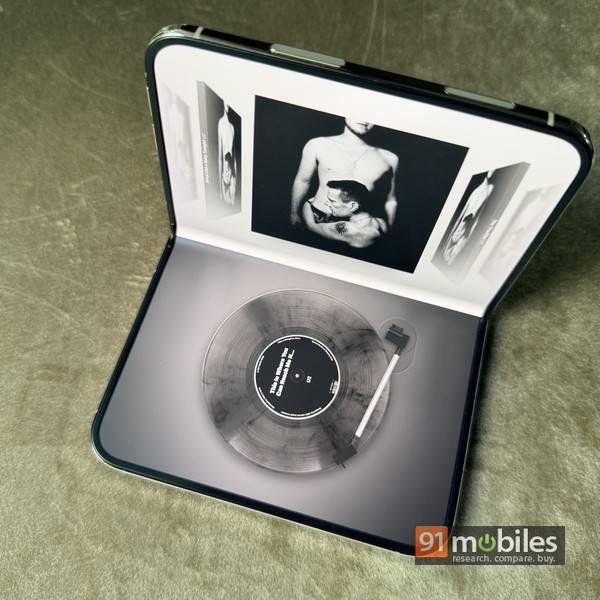
Overall, when it comes to the software experience on the iPhone Duo, I feel that while you need to get the hang of the UI adjustments, the other niggles such as those related to app optimisation are only temporary and should get resolved with time. For me, the unique and fun experiences stand out… the ones Apple has cooked up, and the ones apps like Deck-Man, Tiny Computers, MD Vinyl etc offer. Strangely, the foldable form factor has been around for a while, and yet, we’re only seeing these unique experiences on iOS now, while the Android side of the coin seems lacking. So app developers working on iOS apps definitely deserve a pat on the back.
Number crunching and battery
Thanks to the A20 Pro chip at the helm, performance is top-notch. The 2nm chip is super efficient and churns out solid, smooth performance. Benchmarks validate what’s already very evident in real-life usage — as the overall performance matches foldable flagships on the Android side. In day-to-day usage, the iPhone Duo didn’t show any slowdowns or signs of jitter whatsoever, and this includes running two apps side by side. The phone does get a bit warm when stressed, but not to alarming levels.


Moving to the battery life, I must say I was pleasantly surprised. Given that it’s Apple’s first foldable and a passport-sized one, I wasn’t expecting it to score high in terms of battery life, but as it turns out, it easily lasts a full day on a single charge. This is with medium usage and intermittent use of the inner display for web browsing, watching videos, etc, so your mileage will vary depending on usage. It juices up reasonably fast, going from 20 to 100 percent in about an hour and 30 minutes. With a 45W charger, it can reach about 60 percent in just half an hour or so. Wireless charging is supported up to 25W, and the Duo even has built-in magnets that enable MagSafe. That’s quite handy, though you should know that if you unfold it while it’s mounted on a MagSafe stand or charger that props it up, it tends to tilt towards the left because of the uneven weight distribution. Not a deal-breaker, but it does affect usage if you use it that way.
Verdict: is it for you?
Now this is a tricky one to answer. In terms of competition, the most direct one is the Galaxy Z Fold8, and despite the fact that Samsung’s latest foldable isn’t IP68-rated and doesn’t support a stylus, it’s still a more usable phone, I think, mainly because of how slim and lightweight it is. However, feel the real competition for the iPhone Duo comes from its own siblings, the iPhone 18 Pro and 18 Pro Max.
Next is the question of the asking price. At a starting price of Rs 2,99,900 for the 256GB model, going up to Rs 4,49,900 for the 2TB storage variant, the iPhone Duo commands a premium. I must admit that given how smartphone prices have increased in the past few months, these price tags hardly surprise me anymore. So provided you can afford the asking price or at least the EMIs for the iPhone Duo, here’s my take on whether it’s for you:
Don’t buy if:
- You’re migrating from Android. (Better you stick to that side of the fence.)
- Camera quality is a high priority. (The iPhone 18 Pro and 18 Pro Max are better.)
- The apps you use regularly aren’t optimised for the Duo yet. (Just wait it out a little bit.)
- A lightweight, easy-to-carry daily driver is what you want.
- You’ve been waiting with bated breath for Apple to launch its first foldable.
- The idea of split-screen multitasking on an iPhone appeals to you.
- You want an iPad mini you can fold and squeeze into your pocket, for productivity or getting creative with the Apple Pencil.
- The unique software experiences that Apple and optimised third-party apps can offer on the Duo seem exciting.
- You want to flaunt one.
That last point is important, I think, since there are quite a few folks who might just want one so they can flaunt it. I also genuinely believe that with the next generation of the Duo (the Duo 2?), Apple will trim the thickness and weight, and there won’t be any optimisation issues with apps by then… in case you’re prepared to wait. For the here and now, I think the iPhone Duo is a good showcase of what the foldable form factor is capable of delivering, as proven by the unique software experiences I’ve seen on it. And thanks to that, the overall user experience delivered by foldable phones in general will only improve further.
Editor’s rating: 7.7 / 10
Pros
- Premium build & IP68 rating
- Smooth performance & good battery life
- Crease-free inner screen
- Unique software experiences
Cons
- UI has a learning curve
- Third-party apps need optimisation
- No proper Face ID
- Pricey, but not unexpectedly so