


Review Summary
Expert Rating

Landing at a time when the PC industry is under pressure amid memory shortage and rising costs, the Apple Macbook Neo aims to shake up the laptop segment in a big, big way. Apple calls it “an amazing Mac at a surprising price”, and given it a tagline of ‘Love at first Mac”. It’s clear that the device is aimed at a specific audience, and isn’t really for everyone. While students are at the top of the list, early jobbers, working execs, and those performing typical everyday tasks also make the cut. I switched to the MacBook Neo as my daily driver to see how well it can meet my requirements, and based on my experience, navigate you through a decision if you’re contemplating buying one.
How are the MacBook Neo design and build quality like?

In one word, excellent. Clad in aluminium, the Neo features signature MacBook build which feels super premium and sturdy as well. The corners are rounded, the fit and finish is great, and there are no creaks or any flex on the body. I wouldn’t call it thin (it’s about half an inch thick), but the 1.23kg weight makes it quite portable, while the smooth body combined with the rounded corners mean it slips into backpacks easily. It can however, be a tad bit slippery, so you need to be a bit careful when handling it.

The lid opens with one hand, and the iconic Apple logo is visible up front. The laptop sports a fanless design and there are no vents anywhere. You will find two USB-C ports on the left, and a pair of speakers… one placed one either side. A 3.5mm headset jack is also available on the left. To entice the younger lot, Apple is offering the MacBook Neo in four colours — blush, indigo, silver, and citrus. The keyboard in each one is colour-matched, featuring a hue a couple of shades lighter than the main body. My review unit is the silver one with a white keyboard, but I’ve seen all four colours and I must tell you that the citrus is my personal favourite… it looks super cool.
How is the MacBook Neo’s display?
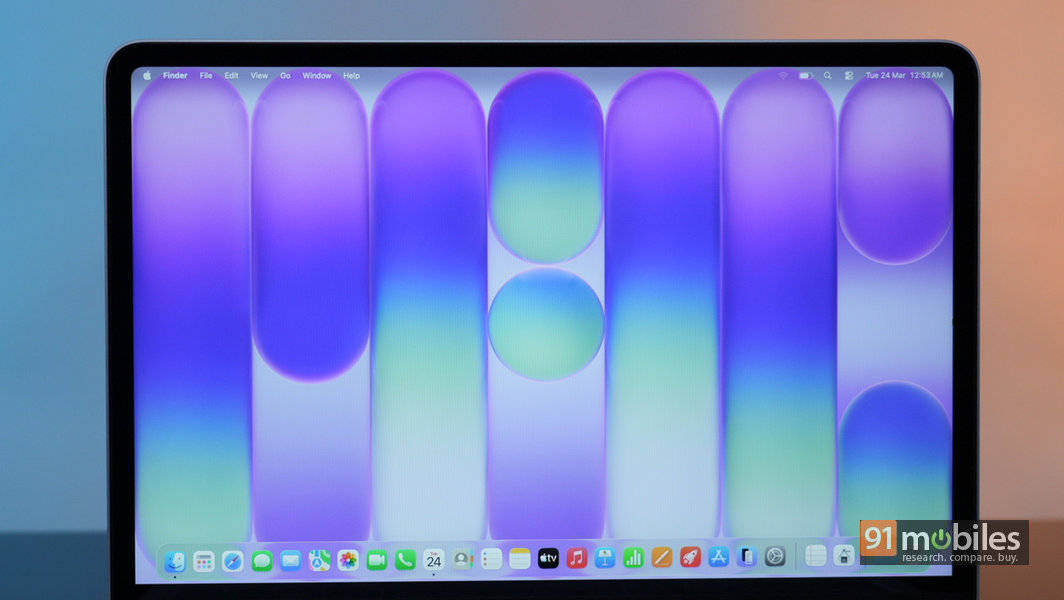
The 13-inch Liquid Retina display is gorgeous, offering a resolution of 2,408 x 1,506 pixels, and 500 nits brightness. It’s vibrant, bright and reproduces text and images very well, making it a visual delight. There’s an anti-reflective coating as well, but on the downside, the bezels are wide-ish and noticeable. However, that (and the fact that it’s 60Hz) doesn’t take anything away from the overall usage experience.
What connectivity options does the MacBook Neo offer?

The wireless connectivity options on offer include Wi-Fi 6E and Bluetooth 6. For wired connections, there’s a pair of Type-C ports on the left — with one of them being USB 3 and the other USB 2. In comparison, the MacBook Air and Pro models offer the latest Wi-Fi 7 for wireless and Thunderbolt 4-compliant Type-C ports.
What are the compromises involved if I buy the MacBook Neo?

From a specs and features perspective, the MacBook Neo misses out on a few things which you should be aware of. First and foremost, you’re stuck with 8GB of RAM. As far as storage is concerned, you can choose between 256GB and 512GB models. Also, the TouchID fingerprint scanner is only available on the 512GB model. The Neo misses out on the newer Wi-Fi 7 and faster ThunderBolt connectivity too. There’s no True Tone display tech either, which helps adjust the colour tone of the screen in real time based on ambient lighting conditions.The real compromise in my opinion though, is the missing keyboard backlight. This makes using your MacBook Neo in the dark a bit problematic. You can get a cheap USB-powered LED light, but most of these have Type-A connectors, and can’t be connected directly to the Neo. You’d need a Type-A to Type-C adapter as well. It sounds more complicated than it is, but just something you should be aware of.
If I’m a first-time Mac user, what ecosystem benefits can I look forward to if I buy the MacBook Neo?
Apple rules the roost when it comes to ecosystem, so if the MacBook Neo is your first Apple device, you’re in for a treat if you choose to get yourself an iPhone, an iPad or a pair of AirPods later. With just the Neo though, you get 5GB of free iCloud space via your Apple ID, which isn’t much but lets you back up your documents. You also get free access to Pages, Numbers and Keynote, which are Apple’s answers to Microsoft’s popular Office suite of apps (Word, Excel and PowerPoint).If I’m a first-time Mac user and use an Android phone as my daily driver, will I face any issues if I buy the MacBook Neo?

Not really. While a MacBook and an iPhone play well together and allow seamless syncing, you won’t face any problems if you have an Android phone. Third-party apps like Localsend and others allow quick, wireless data transfers, and there are options and workarounds available for whatever else you want to do on the devices.
I’m a Windows user and haven’t used Mac OS before. Will I face any problems using the MacBook Neo?
No. Nope. Not at all. Using Mac OS is a breeze, and you shouldn’t face any problems even if you’re a first-timer user. Coming from Windows, there’s a bit of a learning curve involved, but you can get the hang of it pretty quickly.How is the MacBook Neo in terms of its keyboard, trackpad, audio and webcam?

The typing experience on the MacBook Neo’s keyboard is great, and barring the missing backlight, there’s no other downside. I’m not really a big fan of the white keyboard (on the silver MacBook Neo I’m using) though, as I think it might turn yellow-ish over time. The trackpad is superb, and offers all the multi-touch gestures MacBooks are known for. Believe you me, once you get used to this trackpad, you’ll have a hard time using anything else. The side-firing dual speakers output rich sound, while the 1080p webcam does its job fairly well — no complaints there.
How is the MacBook Neo’s performance? Can it handle everyday usage? Can I play games on the MacBook Neo?
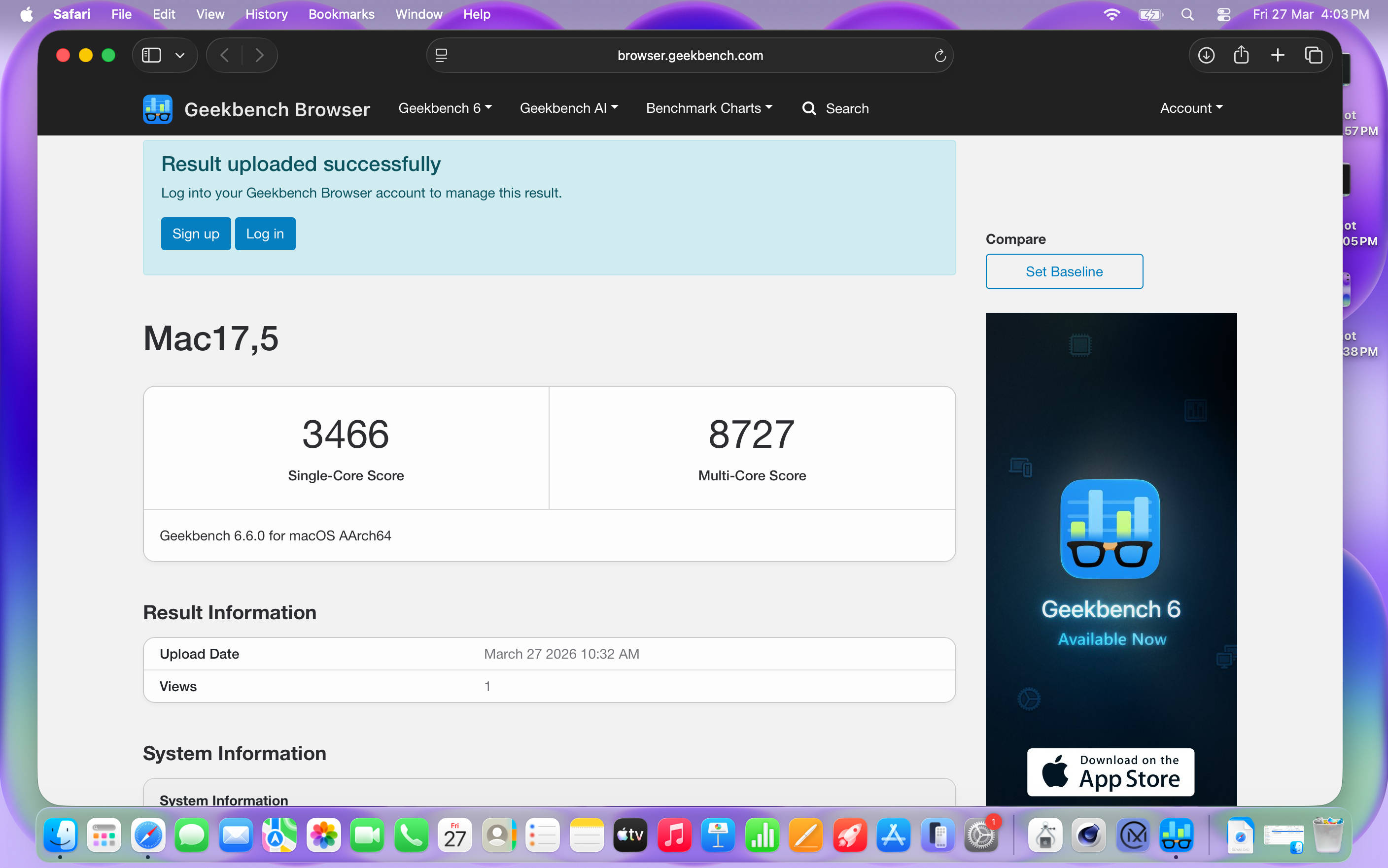
The MacBook Neo marks the first time Apple has used a smartphone chip in a laptop. The Neo comes powered by the A18 Pro, the same chip that powered the iPhone 16 Pro. This isn’t something to be concerned about though, as the chip is quite powerful and handles most tasks with ease. The 8GB RAM however, could be a potential bottleneck, depending on what you want to use the laptop for. The MacBook Neo delivers on the basics, and works extremely well for most productivity-based tasks — web browsing, documents, spreadsheets, presentations, AI tools, what have you. It can handle even basic 4K video editing for short videos, for Instagram reels and the like. It’s not really made for gaming, but titles available via Apple Arcade work fine. The emphasis here is “everyday tasks”, which would apply to a large majority of laptop users out there, and cover the key target audience nicely — including students and working professionals. If you consider yourself a power user, work with heavy workloads such as serious video editing or indulge in gaming, the MacBook Neo isn’t for you.
What is the MacBook Neo’s battery life? What about charging?
Excellent. The Neo can deliver a full workday’s worth of usage on a single charge easily, and this is one of its key strengths. Apple includes a 30W charger and a Type-C to Type-C cable in the box, which juices up the laptop from 0 to 50 percent levels in about an hour and 15 minutes. Full charge takes a little over 2.5 hours.
How much does the MacBook Neo cost?
The base model with 8GB RAM and 256GB storage will cost you Rs 69,900, while the higher model, which gives you 8GB RAM, double the storage (512GB) and a TouchID fingerprint scanner, will set you back by Rs 79,900. Students can avail a discount of Rs 10,000, bringing the starting price down to Rs 59,900.
Is the MacBook Neo worth buying?

Yes. That’s the short answer. I’ll elaborate.
If you’re a student or a working professional looking to buy a laptop for basic, everyday tasks, buy it with your eyes closed. (Okay, maybe you can open your eyes to choose the colour). If you’re a content creator or someone who dabbles with image and video editing, you can buy it with one eye closed. (Use the other eye to consider alternatives that might suit your specific use case better). And if you’re a power user or need a powerful machine for gaming or heavy work, there are other fish in the ocean. Speaking of, similarly-priced options on the Windows side of the fence include the likes of the ASUS Vivobook S16, the Motorola MotoBook 60 and the Acer Swift Neo, with all of them offering OLED displays, 16 gigs of RAM and 512GB storage. The Neo’s IPS display, however, is so good that it can almost match those OLED screens in terms of visuals. The Neo also beats those rivals in Geekbench single-thread performance, not to mention the solid battery life and ecosystem benefits it can offer.
At the end of the day, the MacBook Neo is solid value for money, delivers the core MacBook experience without breaking the bank, and makes a very strong case for itself as a laptop worth considering not just by students, but anyone who covets a reliable computing device for everyday use. A low-hanging Apple, if you will.
Editor’s rating: 8.5 / 10
Pros:
- Compact, lightweight, and well-built
- Good display, performance & battery life
- Delivers the core MacBook experience
- Value for money
Cons:
- Can’t handle heavy workloads
- No keyboard backlight
- Limited ports