CP-Plus recently grabbed headlines when it announced a partnership with Qualcomm to introduce AI-driven video security solutions. While those offerings are still in the pipeline, CP-Plus is already an established brand in the security and surveillance industry, and stands out with its STQC-certified products. STQC stands for Standardisation Testing and Quality Certification, and its stamp of approval adds a strong element of trust. This is especially important for CP-Plus products, which involve video surveillance… and help it stand out in a sea of rivals, many of which come from unheard of brands. Recently, I got to try out the CP-Z43Q from CP-Plus, a pan and tilt Wi-Fi security camera that’s priced affordably and comes packed with tons of useful features. Here’s how my experience went.
Table of Contents
Design
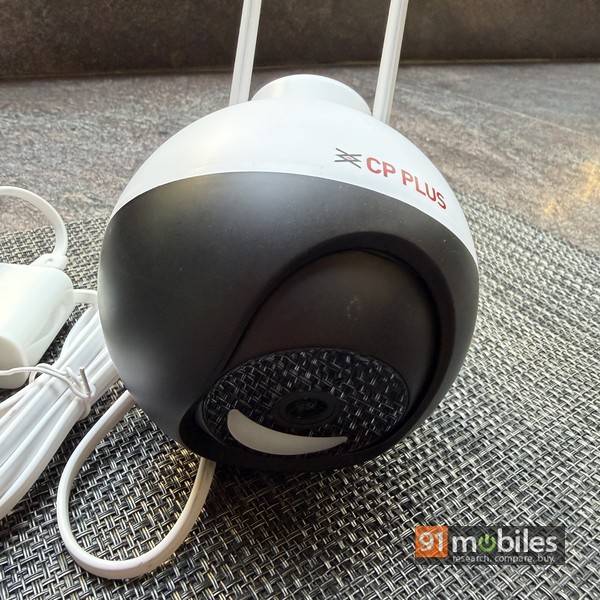
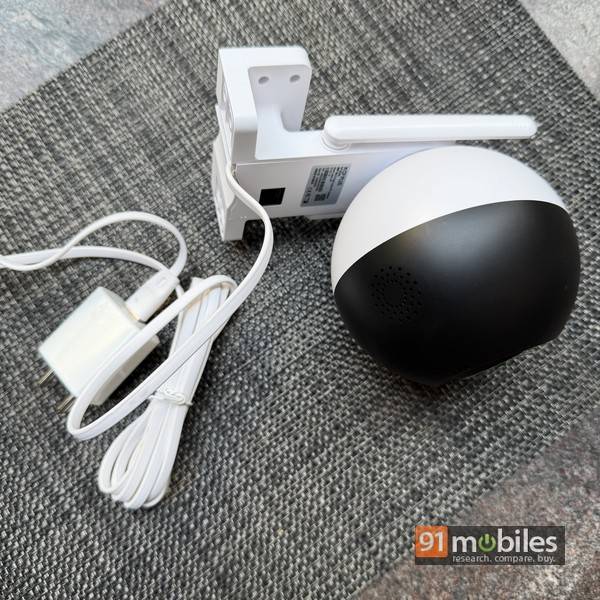
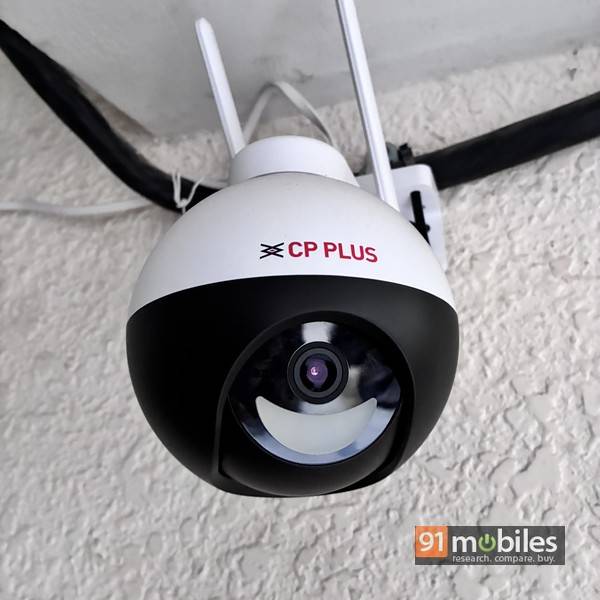
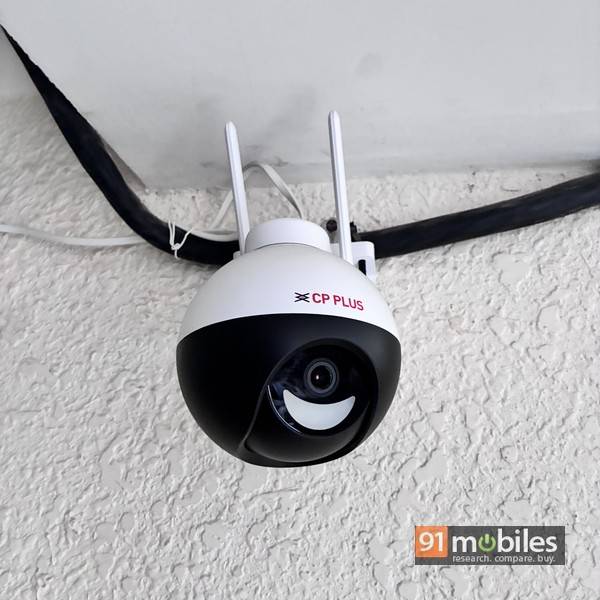
The CP-Z43Q is a spherical device with dual-toned black and white exteriors. It features a fixed power cable that has a standard USB Type-A connector at one end, a removable power adapter, a pair of Wi-Fi antennas that can be swiveled, and an L-shaped mount to install the device on to a wall or the ceiling. The camera also has an Ethernet port in case you don’t have Wi-Fi available or prefer a wired connection instead. A microSD card slot is hidden behind the rotating portion of the device.
Specs and features
The CP-Z43Q brings along a healthy list of strong specs and handy features. Here’s a look:- 4MP CMOS sensor
- 8 pcs IR LEDs
- Pan/tilt angle: 345 degrees / 70 degrees
- Human body detection
- 2-way talk, built-in speaker
- Ethernet port
- IP65 weatherproof
- Support for Amazon Alexa and Google Home
App
 While the hardware capabilities and features are vital, the app acts as the gateway and main point of interaction for users once the camera is installed and set up. And this is one more area where CP-Plus shines. The ezykam+ app is available on both Android and iOS, and setup is a simple process. The ezykam+ app supports multiple cameras, and you can use it to view the live video feed, configure settings, and set up notification alerts, etc. The app interface does feel a bit cluttered and overwhelming at first glance, but once you know where everything is, things become simpler.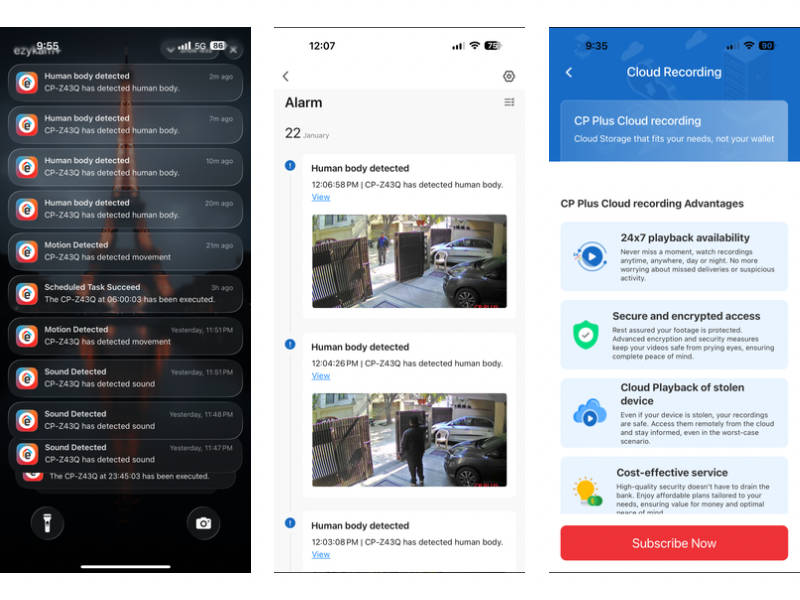
There’s one issue with the app that’s worth mentioning, however. It keeps prompting you to subscribe to the cloud recording feature, and a persistent message for this is prominently visible up front, highlighted in bright red. You can dismiss it to hide it from view, but it pops up again each time you open the app. In case you don’t want to subscribe to cloud storage, you can pop in a microSD card like I did, and make use of the recording features. And in case you don’t subscribe to cloud storage or insert a memory card, you can still use the camera to view live feed and receive motion detection alerts.
The app has a tabbed interface, with the live feed displayed on top. Using the app, you can save stills or video feed to your phone gallery, control the pan and tilt direction, change video resolution etc. The settings are tucked away in a corner, and this is where you can see various options to configure the camera and set up alerts. For the latter, you get the option of enabling motion detection, motion tracking and sound detection, and even set up schedules where these options can be enabled or disabled as per the set days and timings. This is useful if you want to just enable motion detection at nighttime and keep it disabled during the day, for instance. For motion detection, you even have the option of marking an activity area within the frame, and that will be monitored for activity. Further, you can also enable human body filtering, wherein the camera will only alert you if it detects a human moving across the frame or the specified activity area. All of this put together means you have significant control over things as far as the operation and capabilities of the CP-Z43Q are concerned.
Performance
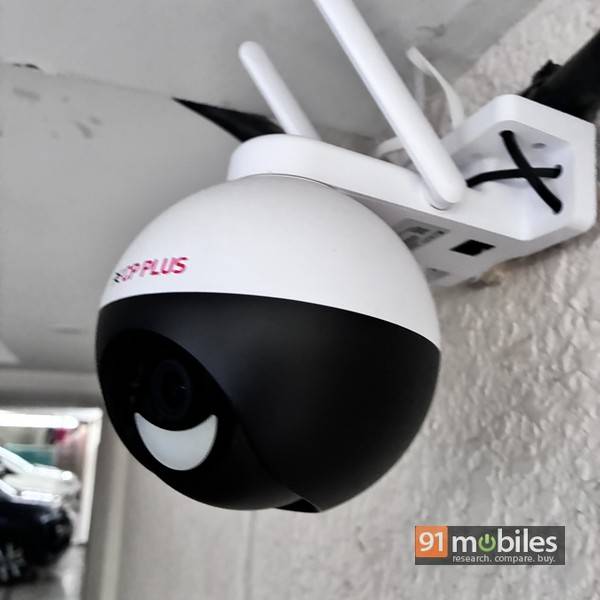
The CP-Z43Q impresses right off the bat with its image quality. While most security cameras can deliver decent image quality and clear footage in daylight, the CP-Z43Q shines with its full-colour night footage. Most rivals in this price segment offer black and white footage in low light. The motion detection works well, and the camera throws up alerts via the app almost instantaneously. If you have motion tracking enabled, the camera reliably detects a person walking into the frame and rotates smoothly and silently to keep them centred in the view. However, the frame rate is limited to 20 fps, and the footage can seem choppy at times. I disabled motion tracking after a while, though — the camera kept ending up facing the wall after tracking someone across the frame, rendering it unable to detect any more movement.
While you can view the live feed at any time, it does take a few seconds to load recorded footage, and then you can go back in time to view what transpired in front of the camera lens. There’s no way to speed up the footage and view it in 2x or 4x speeds, though… that would’ve been useful. Still, the smorgasbord of options it offers in terms of setting up the alerts the way you want them, motion detection, sound detection, human body filtering, scheduling options, etc, works in its favour. The 2-way talk works well, and integration with Alexa and Google Home is nice to have.
Verdict
The CP-Plus CP-Z43Q does have a few small quirks and isn’t perfect, but when you consider its asking price of Rs 3,999, it comes across as a solid VFM purchase. The plethora of features, the full colour night vision, pan/tilt capability, weather-resistant design, etc, help it stand out among the competition and make it worth considering.
Editor’s rating: 7.5 / 10
Pros:
- Full colour night vision
- Motion tracking, human detection
- Pan & tilt support
- Weather-resistant
- Panning issues
- Nagging subscription alerts
- Frame rate limited to 20 fps