


Review Summary
Expert Rating
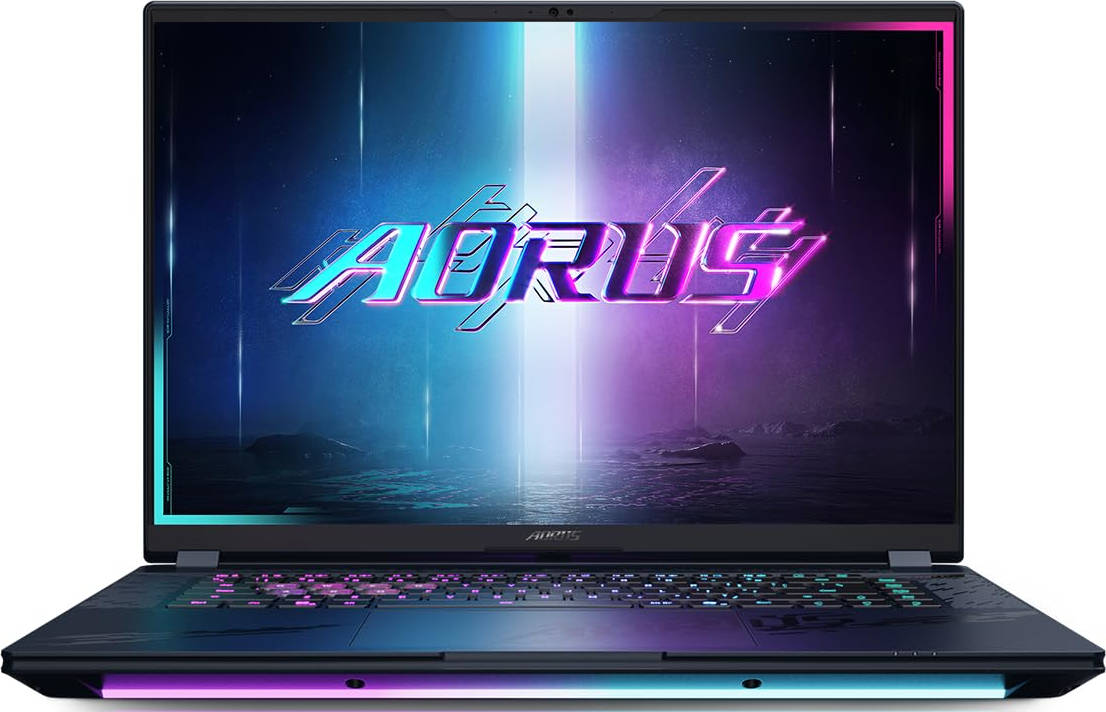
After the ASUS ROG Strix SCAR 16 and HP Omen Max 16, there’s finally a new contender stepping into the ring, this time from the house of Gigabyte. In a sea of laptops tagged with “Pro”, “Plus”, and “X”, the name “Master” stands out. It feels distinct, maybe even a bit superior, and judging by the spec sheet, the Gigabyte AORUS Master 16 certainly tries to live up to that name.
You get a flagship-grade OLED display, Intel’s latest Core Ultra chipset paired with an RTX 5080 GPU, and a generous selection of ports, all wrapped up in a design that demands attention. Add to that, at around ₹3.3 lakhs, it sits right between HP and ROG’s top offerings. Which naturally brings up the big question: What exactly does Gigabyte bring to the table that others don’t? And just as importantly, where might it be cutting corners? Let’s dig in and find out if the AORUS Master 16 is truly worth your hard-earned buck or not.
Table of Contents
Design and Display
One look at the AORUS Master 16, and it screams “gamer” louder than its fans do at full tilt. This isn’t a laptop that tries to blend in at a café or a corporate boardroom. Instead, it wants to stand out, and it makes no apologies for it. With sharp edges, aggressive contours, and a stealthy matte black finish, the design leans heavily into its gaming DNA. The illuminated AORUS Falcon logo on the lid adds to the eSports vibe, not to forget how cool it looks when lit up. Though, do keep in mind that the finish does pick up smudges rather easily.
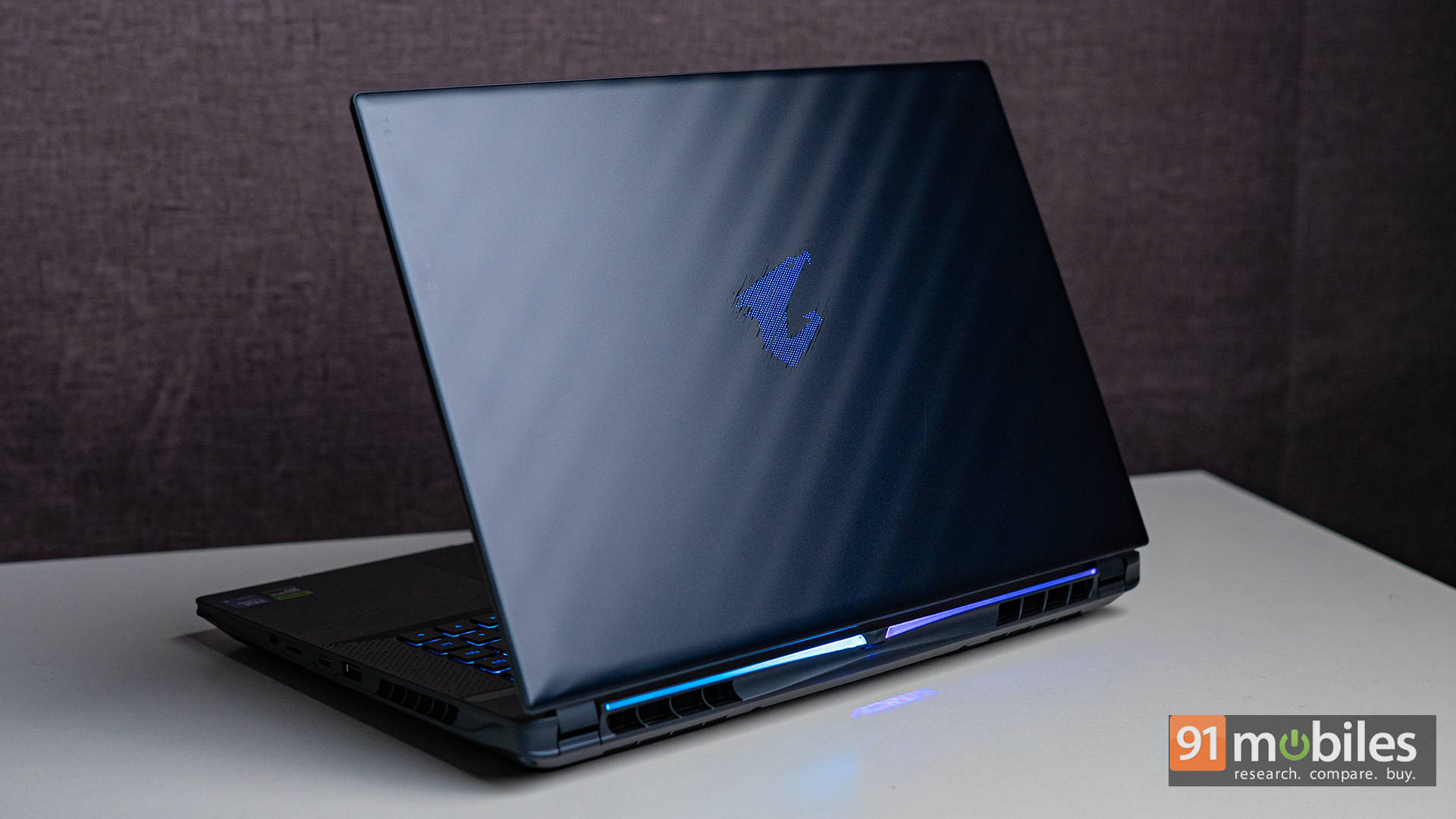
That said, there’s no escaping the fact that the build is predominantly plastic. While that’s not unheard of in high-end gaming laptops, it’s a bit disappointing to see even the lid crafted out of plastic. To its credit, the chassis doesn’t feel flimsy, and from a distance, it absolutely looks the part of a premium machine. But up close, there is noticeable flex in the lid. It’s hard to ignore, especially on a laptop that costs north of ₹3 lakhs. On the plus side, the keyboard deck is reassuringly solid, with barely any flex even under aggressive typing.
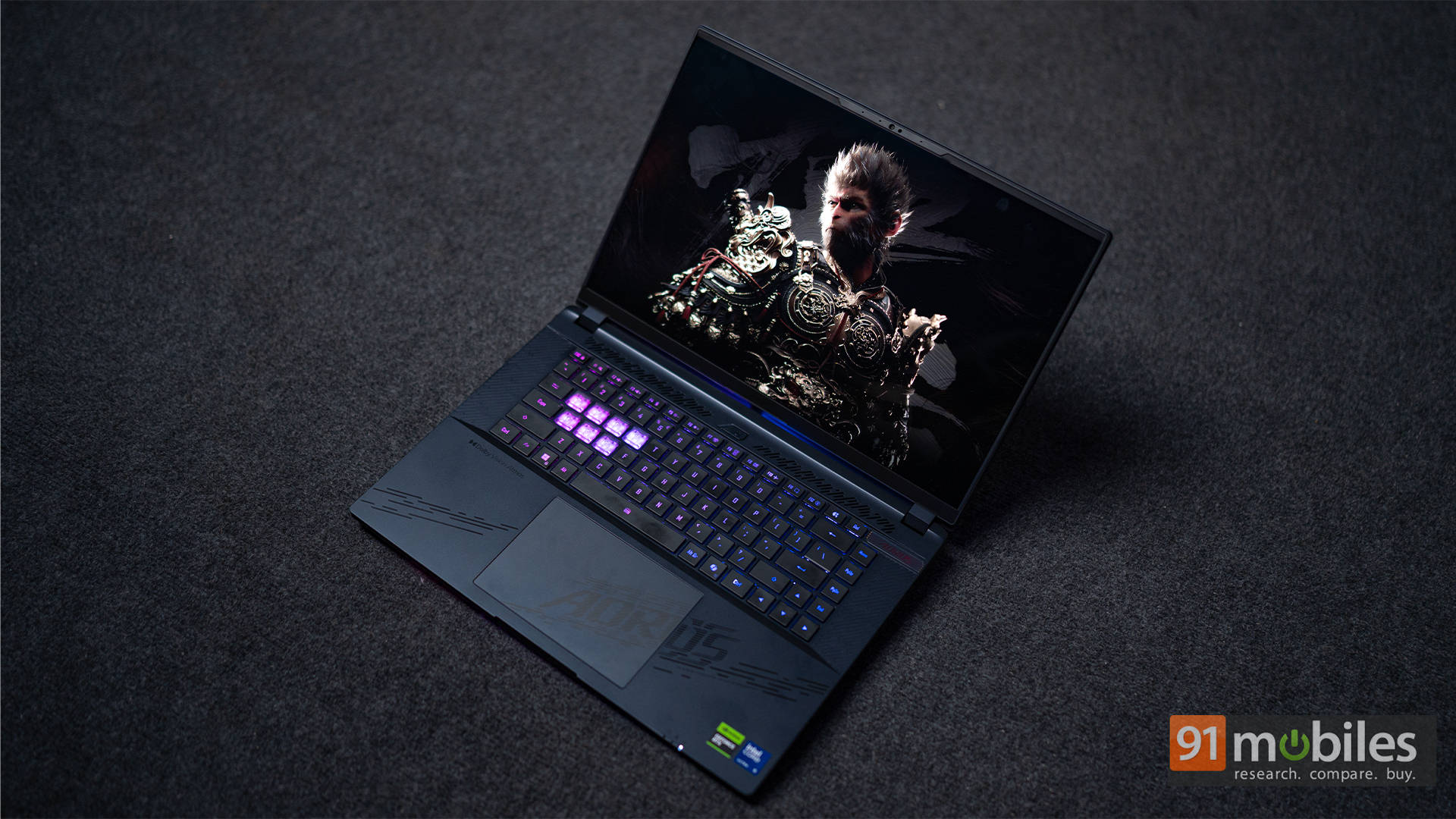
There’s no shortage of RGB here, and Gigabyte has clearly gone all-in. You’ve got the illuminated logo on the lid, per-key lighting under the keyboard, a light strip along the front edge, and even a small rear projection that beams the AORUS logo onto your desk or whatever surface the laptop is resting on. Now, to be fair, it’s not bright enough to dazzle or draw much attention, but it’s a quirky little touch. It doesn’t feel over-the-top or distracting, and since it doesn’t interfere with the overall experience, I don’t really have any complaints. It’s subtle, it’s different, and it adds a bit of flair without going full disco.
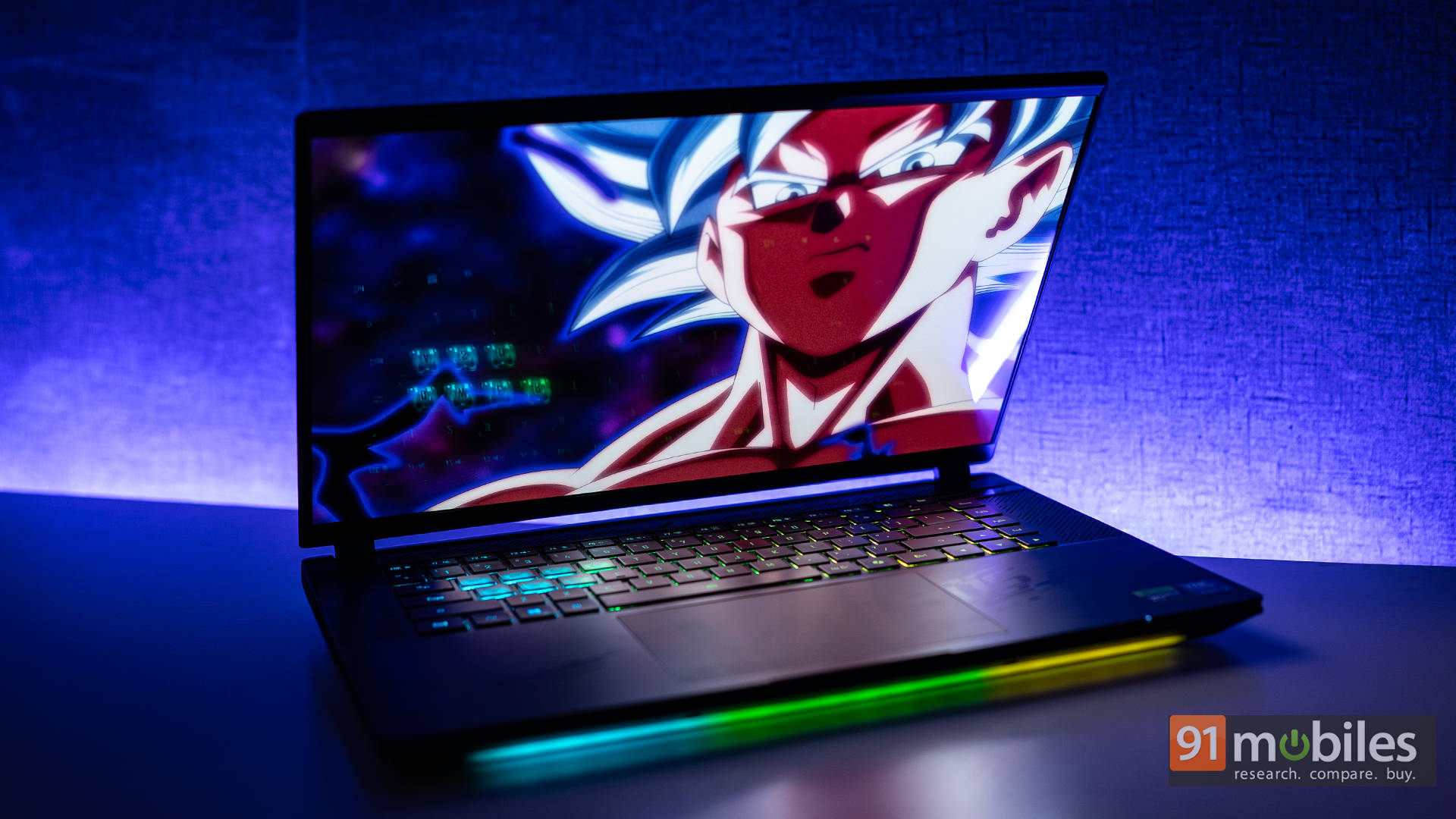
At roughly 2.5kg, it’s not exactly light, and its bulky footprint makes it better suited for desk setups rather than life on the go. The hinge feels firm for the most part, though again, some lid wobble is noticeable when adjusting angles. Still, the overall build seems purpose-driven, where it is built for performance and thermals over finesse. And honestly? Bold branding aside, the design grew on me. It feels unapologetically gamer, and if that’s the look being chased, the Master 16 nails it.
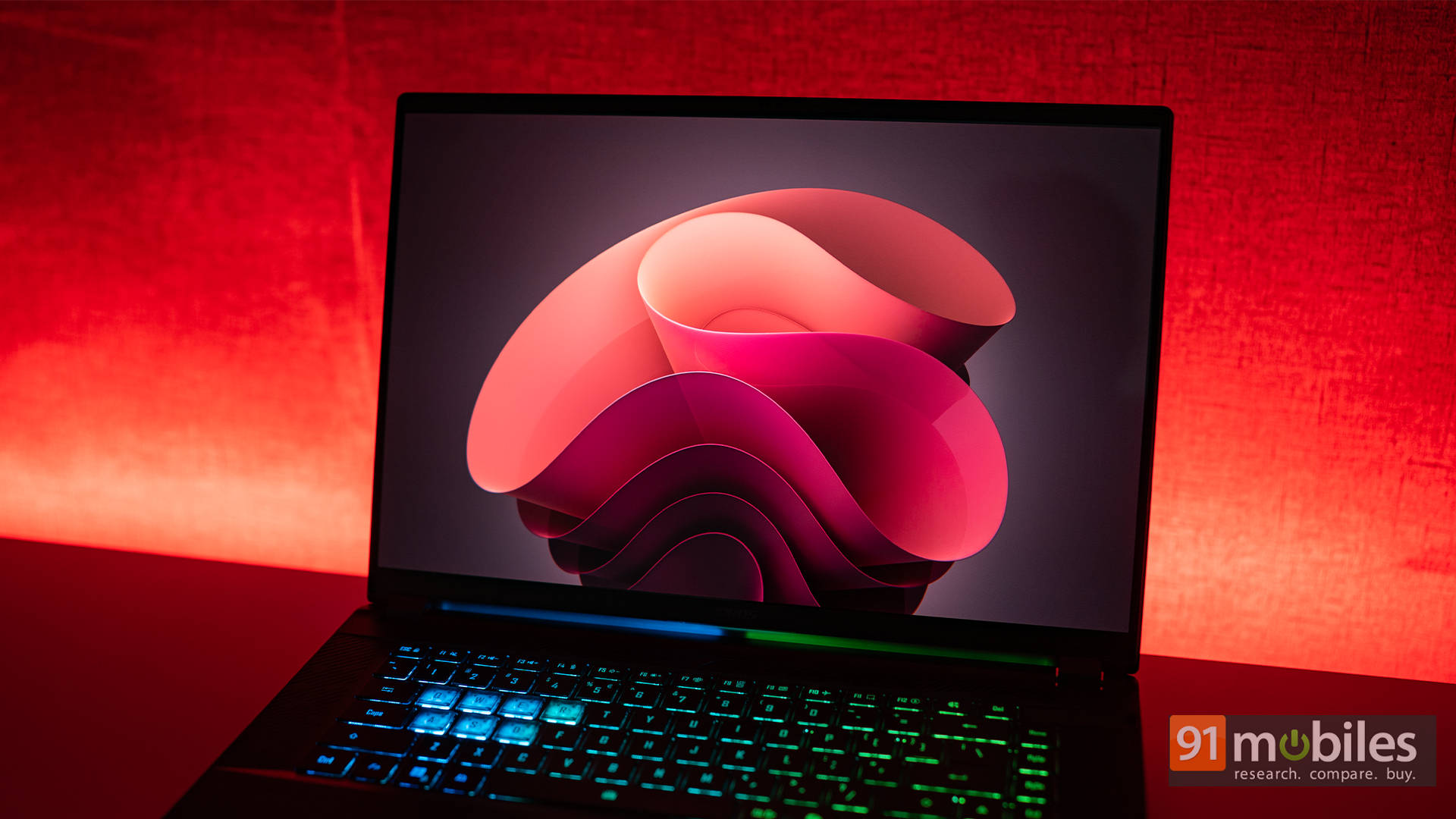
Now, onto one of its strongest suits: the display. Gigabyte packs in a gorgeous 16-inch OLED panel, which already puts it ahead of the many gaming laptops still clinging to high-end IPS displays. Apart from ASUS and its Mini LED options, few have made the jump to OLED in this segment. With a crisp 2560×1600 resolution and an ultra-smooth 240Hz refresh rate, the Master 16’s screen is a visual treat. Whether it’s story-driven games, creative workflows, or binge-worthy movies, the screen handles it all beautifully, with the colours popping nicely.
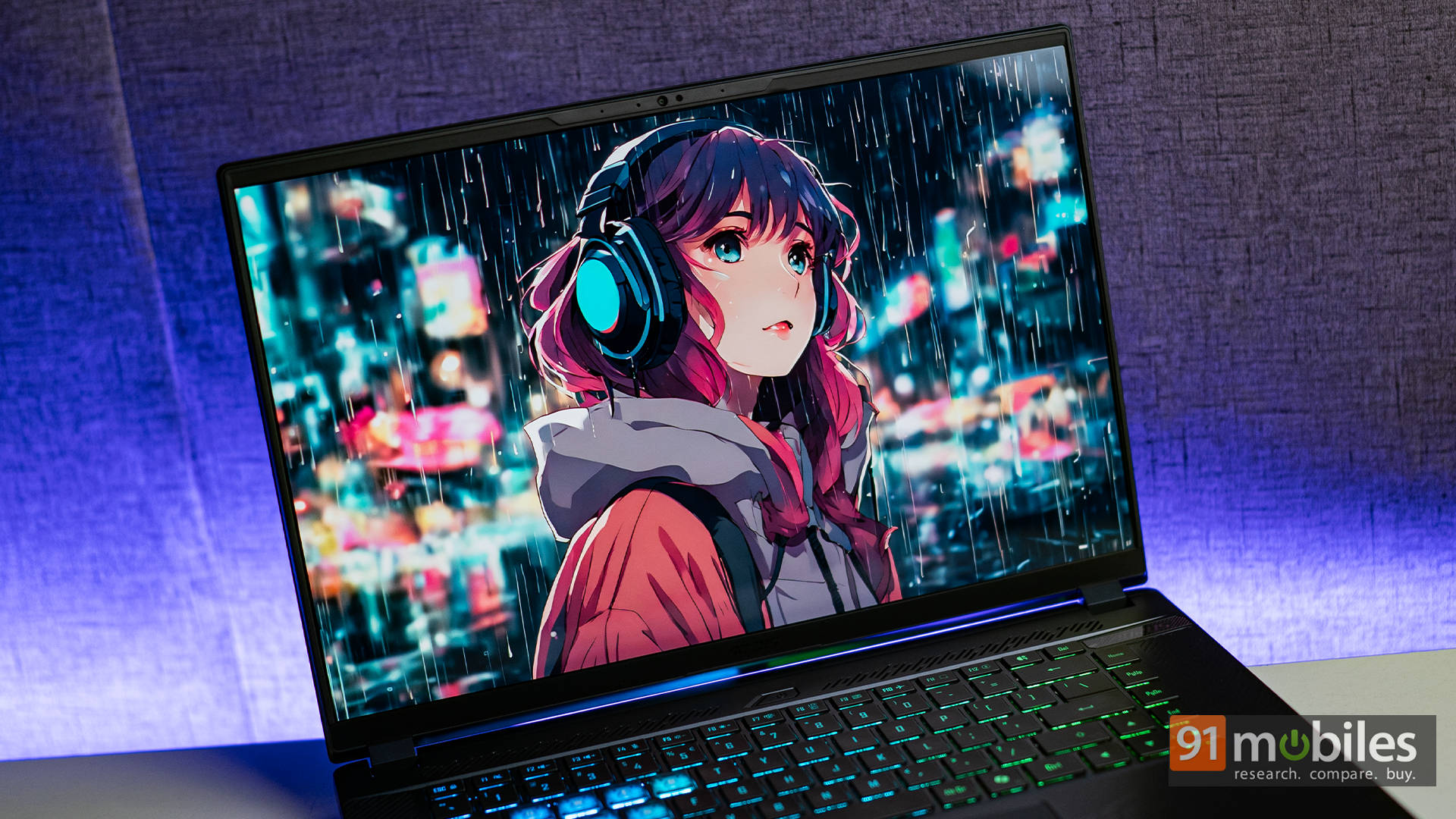
Speaking of which, it supports 100% of the DCI-P3 colour gamut and reaches a respectable peak brightness of 500 nits. The VESA DisplayHDR True Black 500 certification means HDR content genuinely shines here. Playing The Last of Us: Part II Remastered, or Batman: Arkham Knight, feels cinematic, and the same goes for films like Spider-Man: Across the Spider-Verse and Avatar: The Way of Water. It’s the kind of panel that makes you want to rewatch your favourite scenes just to soak in the detail.
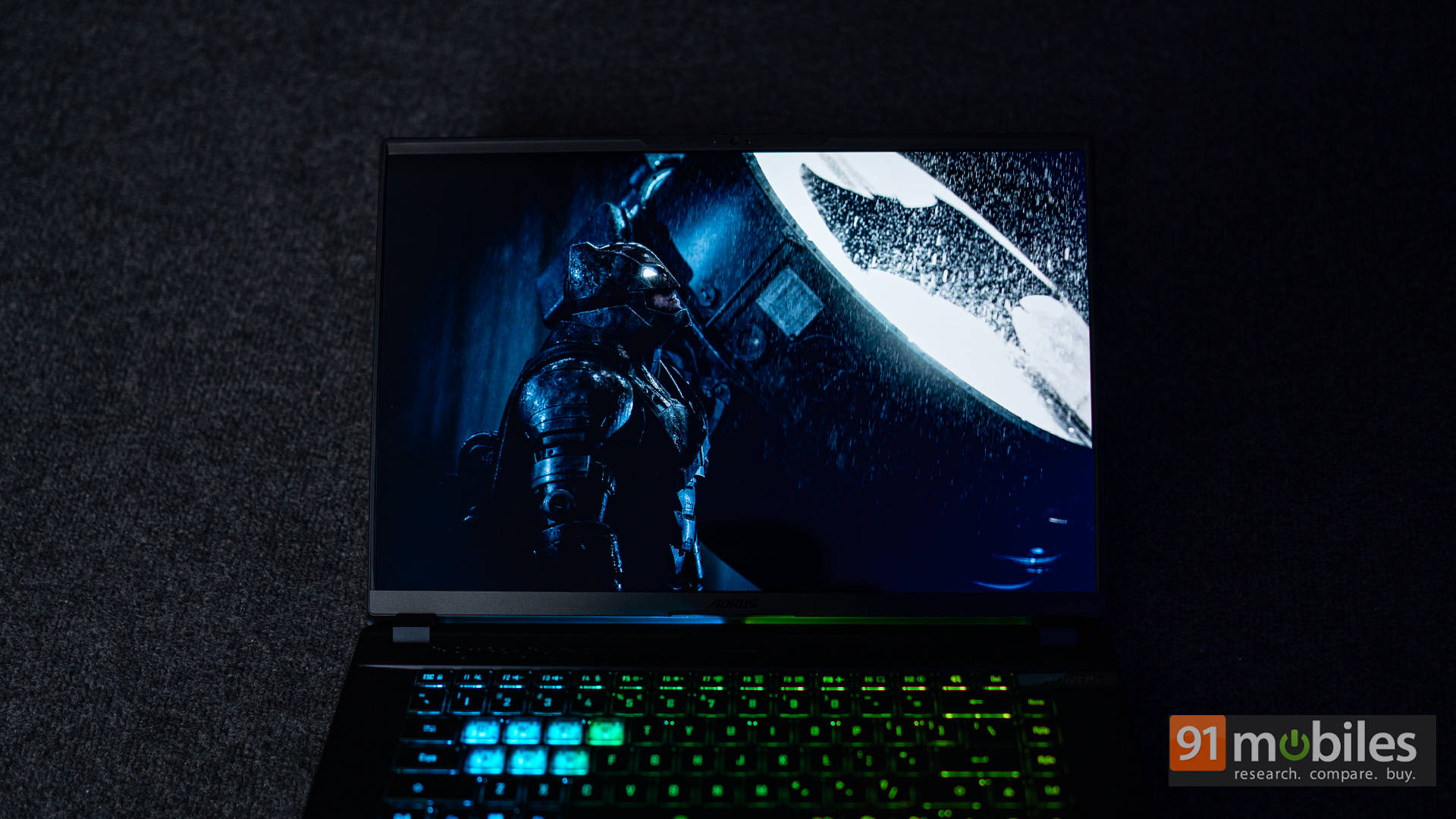
As for the audio, that’s also quite good. The laptop comes with a quad-speaker setup that gets quite loud, even without the Smart Amp Technology. There’s support for Dolby Atmos that comes in handy for content consumption, and the soundstage is decent, too. For instance, while watching Transformers: Dark of the Moon, the transformation and action sequences are handled quite well by the speaker setup, with good balance between the bass and the vocals.
Ports and Connectivity
One of the best things about a chunky 16-inch gaming laptop is that you shouldn’t have to live that dongle life. Thankfully, the AORUS Master 16 understands the assignment. It comes loaded with ports, and there’s enough variety here to keep both gamers and creators happy. Starting with the left side, you’ve got a dedicated DC-in charging port, an RJ45 Ethernet jack for those ultra-stable wired sessions, a full-sized HDMI 2.1 port for high-refresh external displays, a USB-A 3.2 Gen2 port for classic peripherals, and a supercharged Thunderbolt 5 port that handles everything from blazing-fast data transfer to external GPU docks.
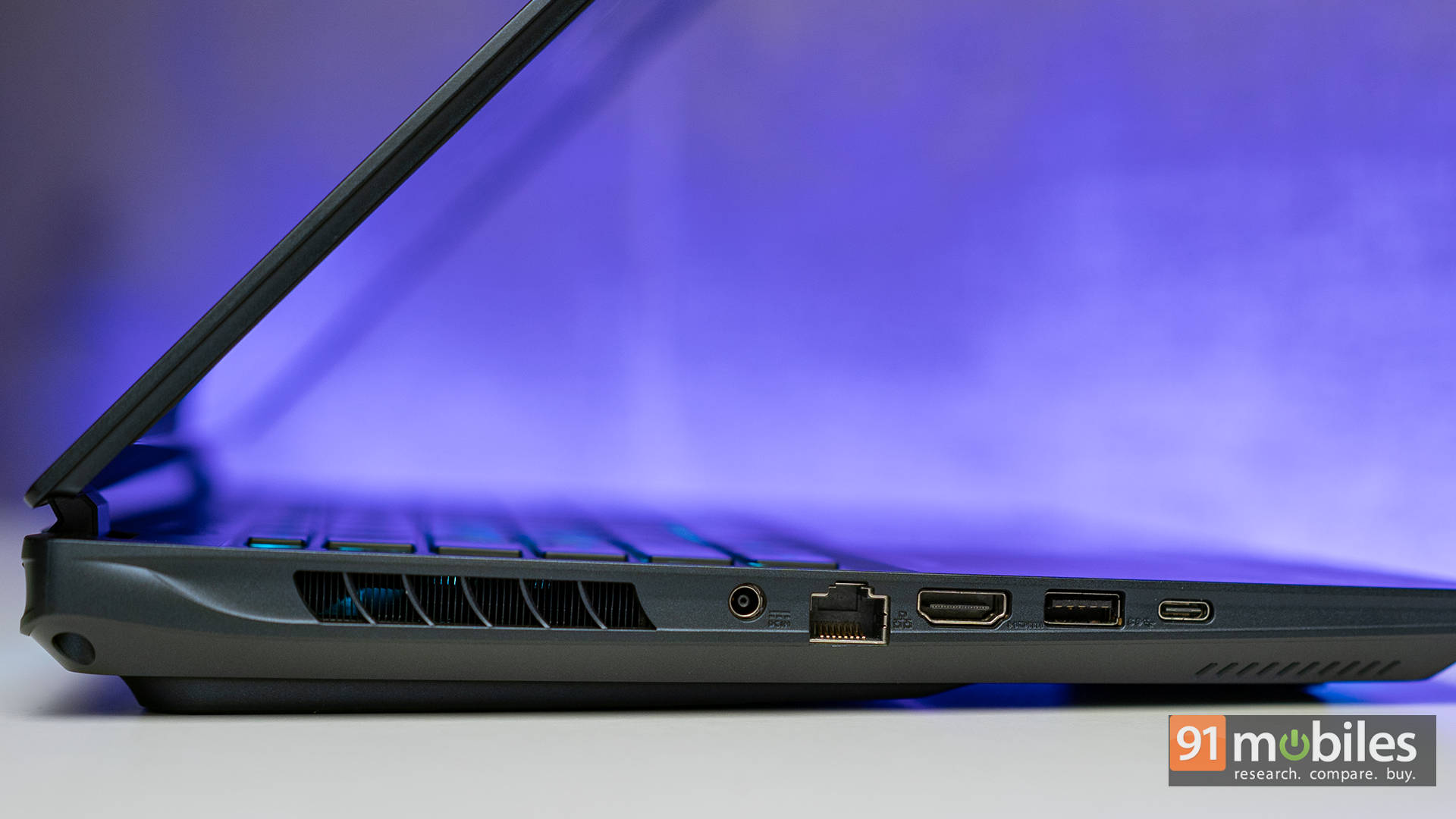
Flip over to the right, and the party continues. You’ll find another USB-A 3.2 Gen2 port, a Thunderbolt 4 port, a microSD card reader, and a good ol’ 3.5mm headphone jack. Having both Thunderbolt 4 and 5 onboard is rare and pretty awesome, as it not only future-proofs the setup but also ensures that whatever device you throw at it, the Master 16 is more than ready.
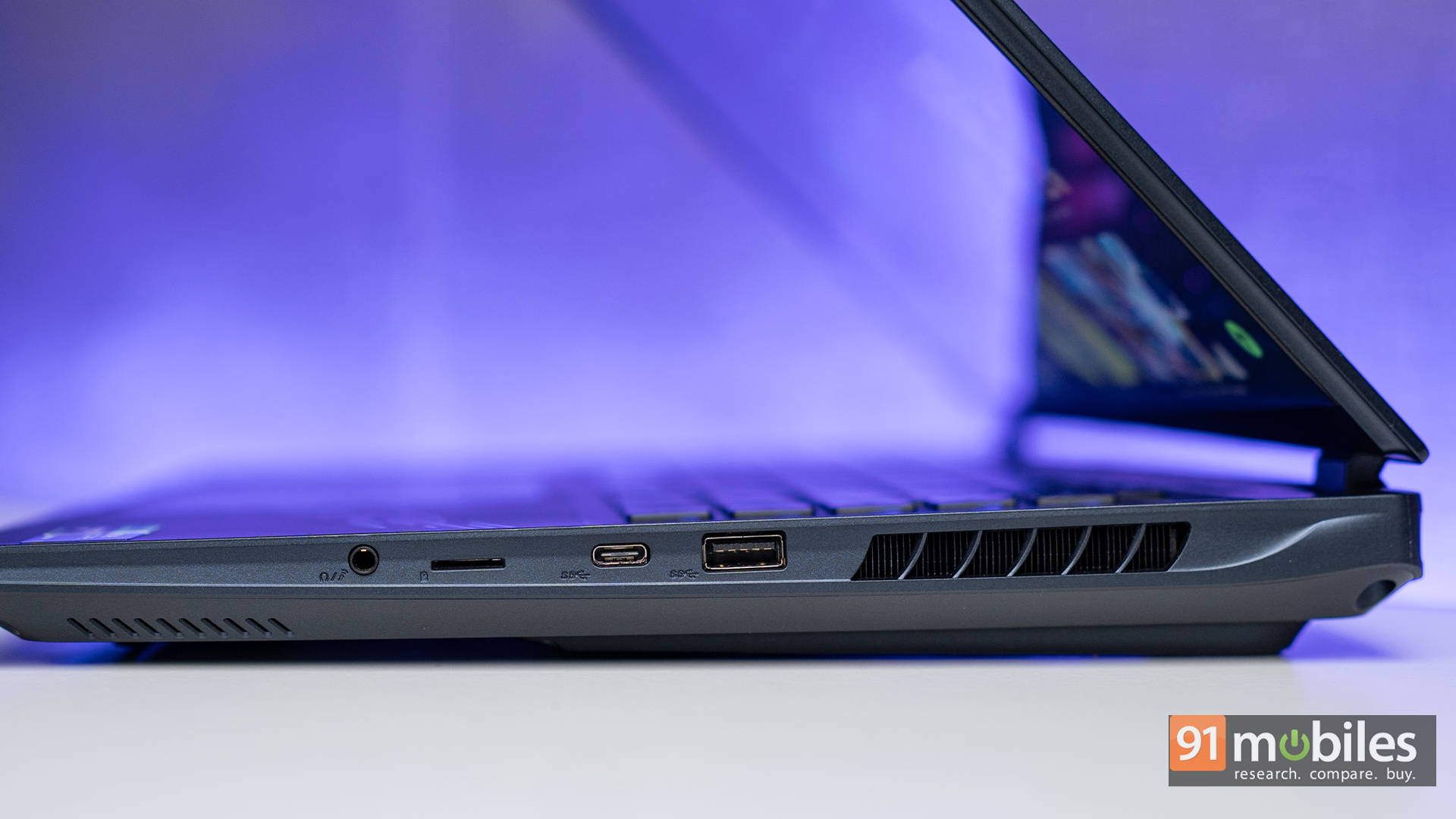
While the microSD reader is useful, especially for smartphone videographers and drone pilots, creators with DSLR and mirrorless cameras might be left wishing for a full-sized SD slot. It’s not a dealbreaker, but definitely a missed opportunity. Also, the port layout could’ve been a little more desk-friendly. Like the ROG Strix SCAR 16, the AORUS Master 16 skips rear-facing ports to make room for its beefy cooling system. That means all the cables jut out from the sides, making your workspace look more like a LAN party than a clean battlestation. And personally? The charging port being placed so close to the middle doesn’t help either, as it makes things appear just a tad too cramped.
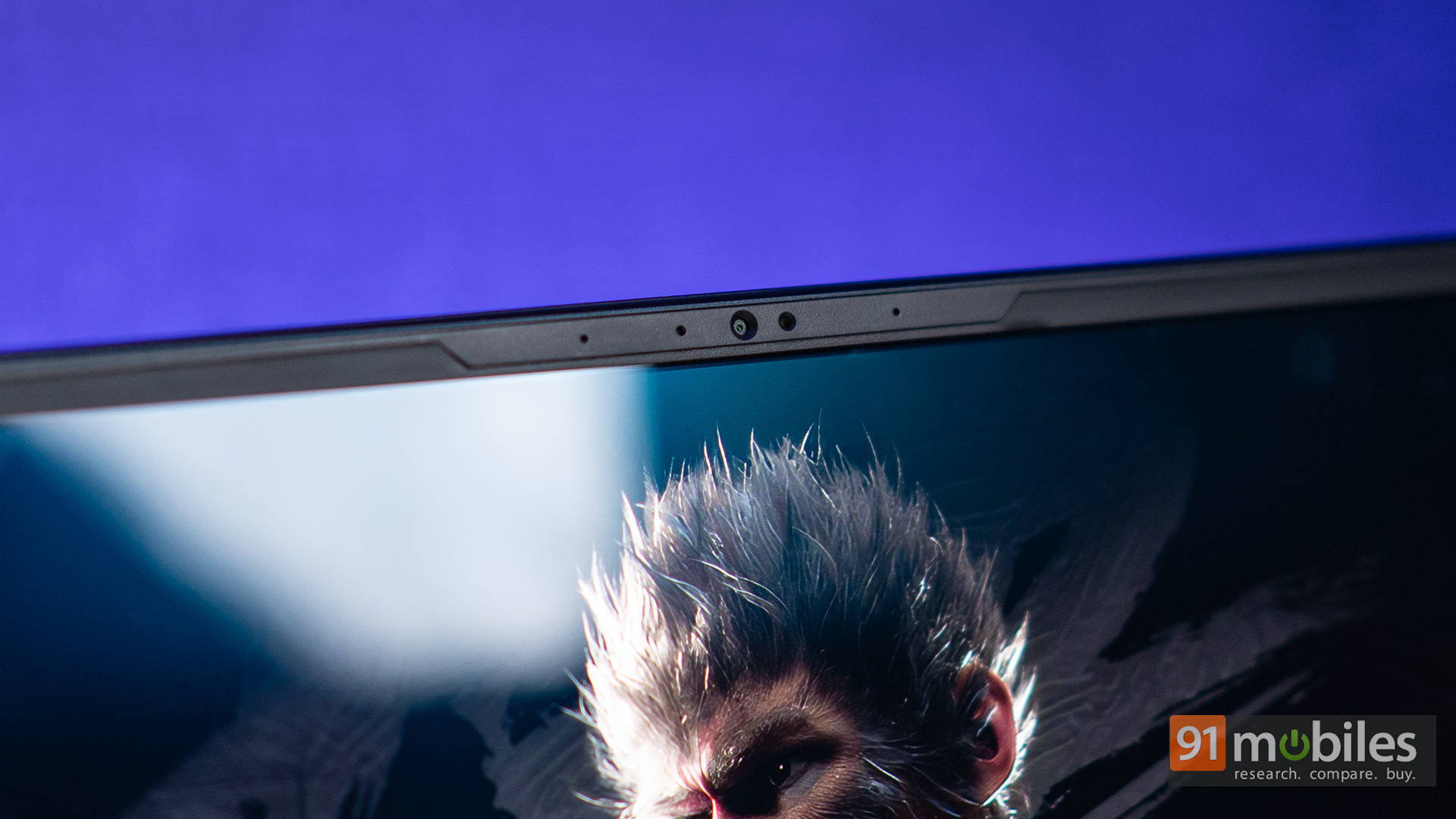
Up top, nestled in the slim bezel, is a 1080p webcam, and it’s actually, not that bad. While the image does lean a bit soft, colour reproduction is on point, even in average lighting, and the HDR works pretty well. There’s no physical shutter, which is a bit of a bummer for the privacy-conscious. But, on the positive side of things, it does come with an IR sensor and full support for Windows Hello. Facial login works like a charm and adds a nice touch of convenience to an otherwise no-nonsense gaming beast.
Keyboard and Touchpad
Despite having a 16-inch chassis, the AORUS Master 16 doesn’t feature a full-sized keyboard. That’s not a bad thing to be honest, especially considering what it offers is an excellent keyboard. The keys have decent travel and a satisfying tactile bump, making them comfortable for both typing up documents and tapping out headshots in Valorant. They’re quieter than you’d expect from a gaming laptop, which is great for late-night sessions. The layout is also well-spaced, and unlike some laptops where the arrow keys feel like an afterthought, here they’re generously sized and well-positioned.
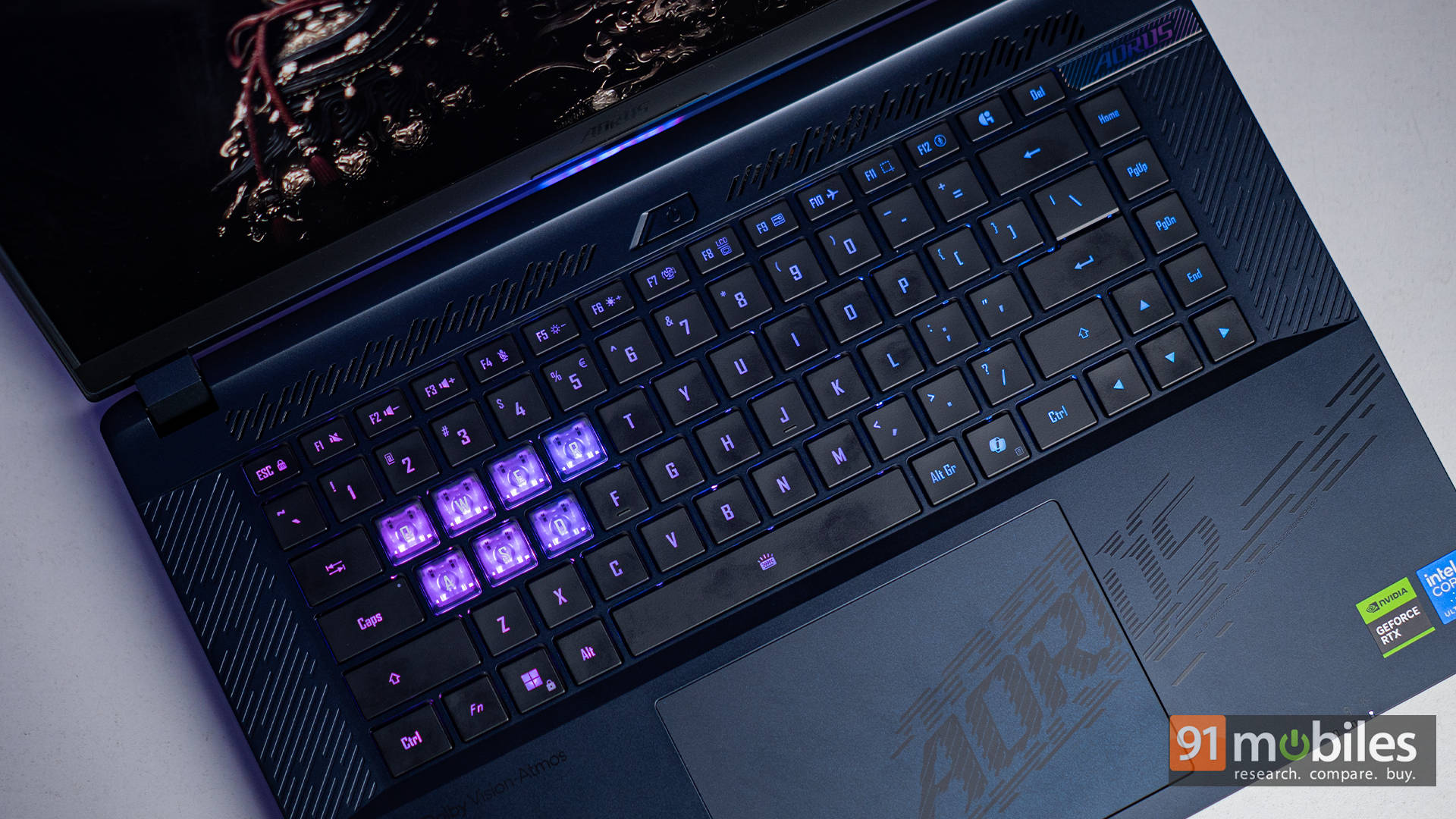
One cool touch is the inclusion of dedicated shortcut keys above the keyboard, giving quick access to performance modes and the Gigabyte Control Centre, or the GiMate. It’s a small feature, but one that adds convenience in everyday use. You can quickly ramp up the fans or toggle between quiet and gaming profiles without diving into software menus.
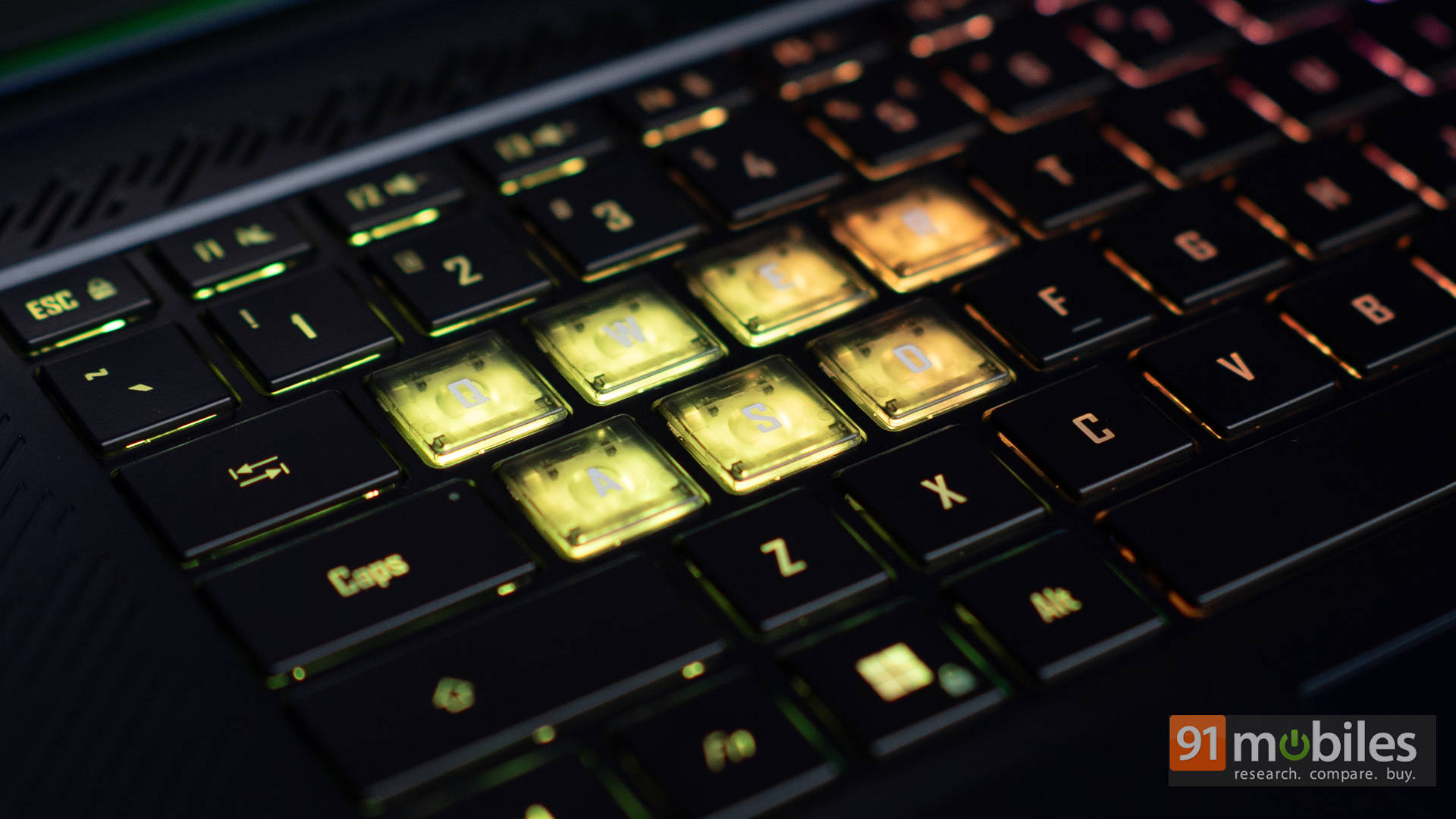
The RGB lighting is bright and fully customizable, but it’s limited to just 3-zone illumination, which does feel a bit underwhelming considering the premium price tag. At this price point, per-key RGB should’ve been a given. Also, instead of just highlighting the typical WASD keys like most gaming laptops, the AORUS Master 16 gives the Q, E, and R keys a distinct look. Personally, I don’t mind it, since it makes sense for most FPS games where those keys are often used for abilities or reloading. That said, it’s definitely a subjective choice, and not everyone might be a fan. A more flexible approach, like what Acer offers with the Predator Helios 16 and its swappable keycaps, would’ve made more sense. Hopefully, that’s something Gigabyte considers for future iterations.
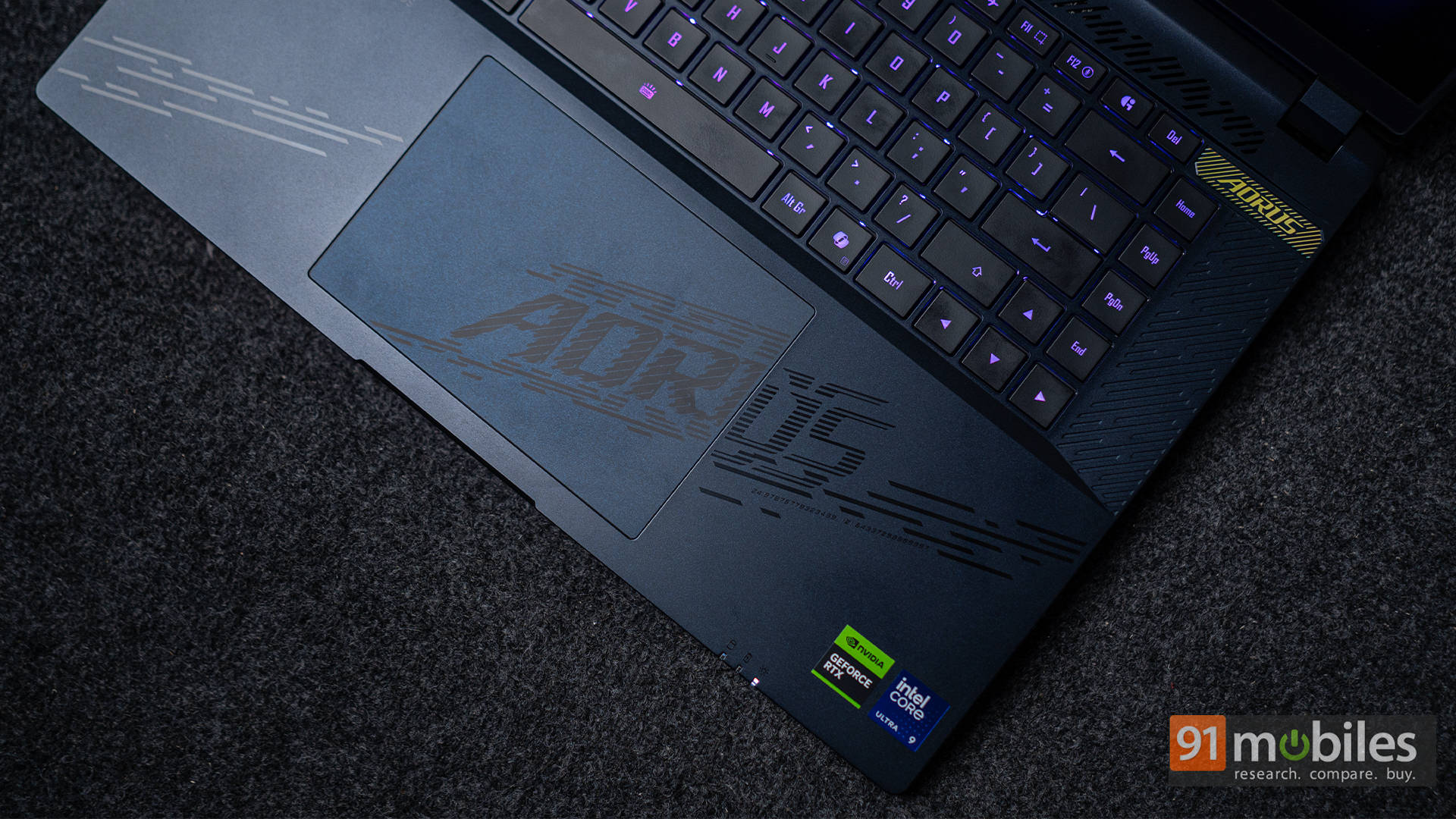
As for the touchpad, it’s a large glass surface with excellent responsiveness. Multi-finger gestures work flawlessly, and there’s a satisfying click to the buttons. While most gamers will plug in a mouse, the touchpad is perfectly usable for productivity tasks or casual browsing. As someone who daily drives a MacBook Pro for work, I had no issues using the AORUS’ touchpad for my productivity needs in Photoshop, or elsewhere.
Performance
Let’s talk performance. The unit we tested came equipped with Intel’s Core Ultra 9 275HX processor, paired with the powerful NVIDIA RTX 5080 Laptop GPU. You also get 32GB of blazing-fast DDR5 RAM running at 5600 MT/s, which is more than enough for gaming, multitasking, and heavy creative workloads. In terms of storage, the laptop features dual 1TB NVMe Gen 4 SSDs, offering ample space and speedy load times right out of the box.
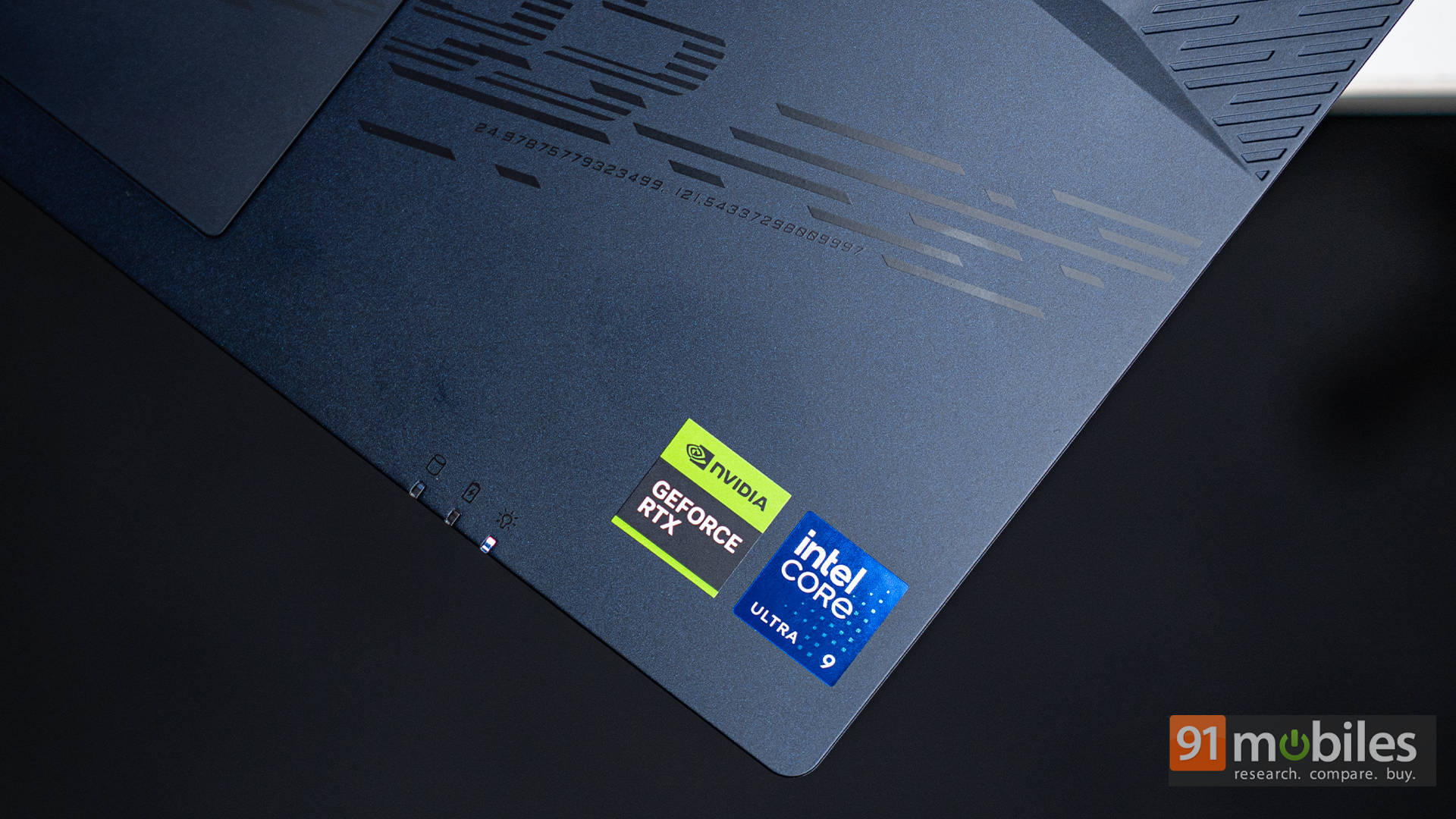
Interestingly, while one of the two M.2 slots inside supports the newer Gen 5 SSDs, Gigabyte has chosen to stick with Gen 4 drives for this configuration. It’s not a bad decision per se, since the Gen 4 drives are still fast, but it does feel like a bit of a missed opportunity. Especially when you consider that HP’s OMEN Max 16 includes a Gen 5 SSD despite being priced lower. So while storage performance on the Master 16 is still solid, it could’ve easily gone a step further and added more value to an already premium package.


Moving on to benchmarks, we tested it across our synthetic benchmark suite of Cinebench, GeekBench, and PCMark, and the Gigabyte AORUS Master 16 does manage to hold its ground. Across all benchmarks, it performs just as you’d expect a flagship gaming beast to perform.


As far as comparisons go, the performance is in line with the performance of the HP OMEN Max 16 and the ASUS ROG Strix SCAR 16. It’s a similar story in GPU benchmarks of GeekBench and 3DMark as well, with each of the three laptops winning in certain areas.
| Model | HP OMEN Max 16 | ASUS ROG Strix SCAR 16 | GIGABYTE AORUS Master 16 |
| Cinebench R24 MT | 1928 | 1935 | 2073 |
| Cinebench R24 ST | 132 | 137 | 135 |
| Cinebench R23 MT | 33333 | 35459 | 34121 |
| Cinebench R23 ST | 2170 | 2234 | 2204 |
| PCMark 10 | 8718 | 8581 | 9014 |
| PCMark 10 Extended | 11990 | 11905 | 12708 |
| Geek Bench 6 ST | 3036 | 3085 | 3051 |
| Geek Bench 6 MT | 18870 | 16540 | 19468 |
| Geek Bench OpenCL | 207234 | 207541 | 202444 |
| Geek Bench Vulcan | 20474 | 18288 | 19653 |
| 3DMark Time Spy Extreme | 10653 | 10707 | 10610 |
| 3DMark Time Spy | 20528 | 20377 | 20789 |
| 3DMark Fire Strike Ultra | 14741 | 13745 | 13530 |
| 3DMark Fire Strike Extreme | 25653 | 25255 | 25258 |
| 3DMark Fire Strike | 34289 | 39487 | 36948 |
| 3DMark Night Raid | 82524 | 89379 | 83980 |
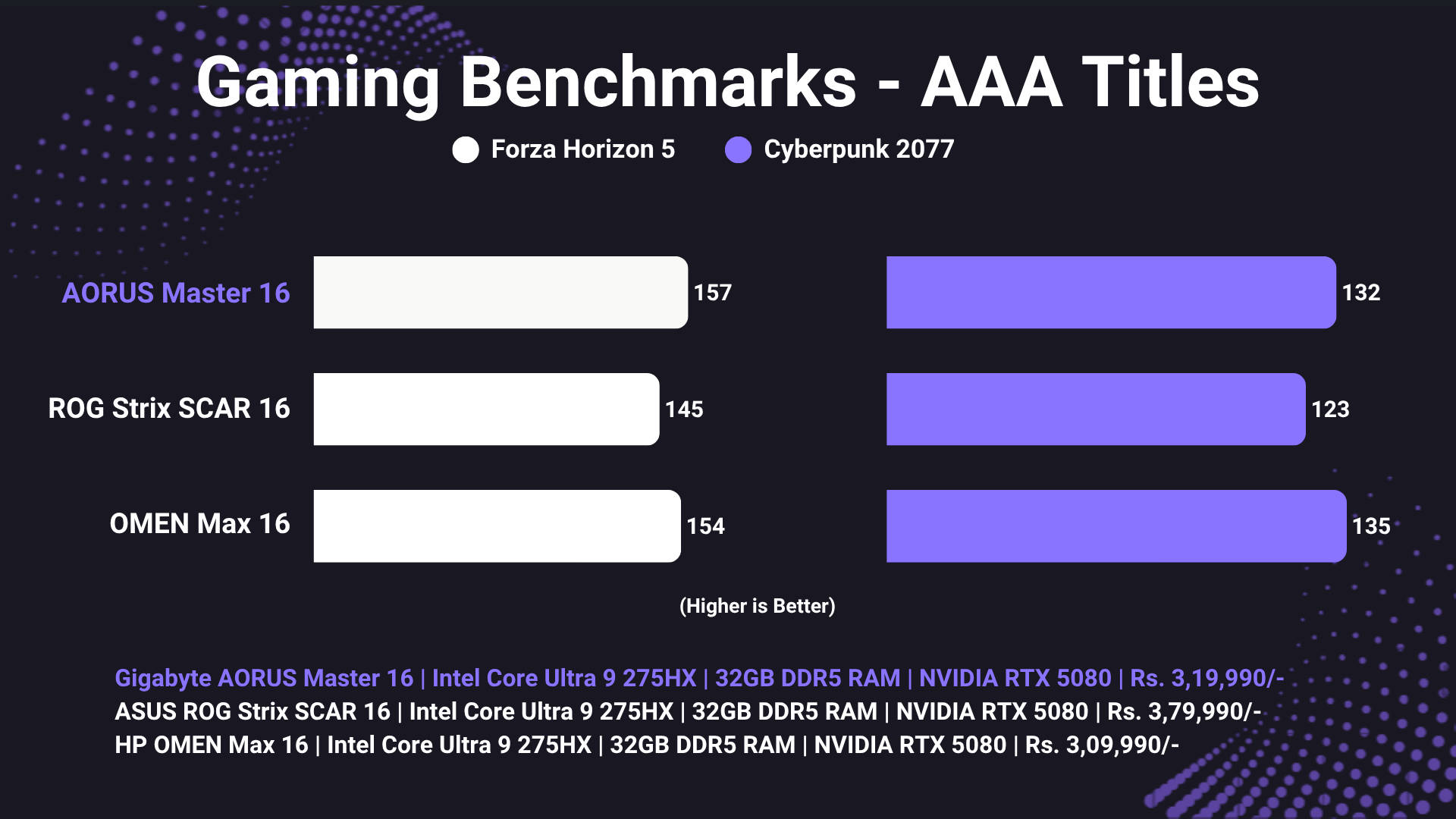
Moving on to gaming, it's in line with how the HP OMEN Max 16 performed, with similar average FPS. I'm talking 150+ FPS in Forza Horizon 5 and 130+ in Cyberpunk 2077, all at native 1600p resolution with the settings cranked high. I will, however, admit that the gaming experience on the Gigabyte was a tad bit better, simply coz of the slightly better thermals. That's by no means a shot at the OMEN Max 16, which still remains the best value for money RTX 5080 laptop that we've tested here.
Keeping the excellent display, powerful horsepower, and the abundance of ports in mind, there's no denying the fact that plenty of content creators would also be eyeing the Master 16 laptop. The good news is that it's an amazing machine for content creators and can easily handle heavy-duty suites like Premiere Pro and DaVinci Resolve.
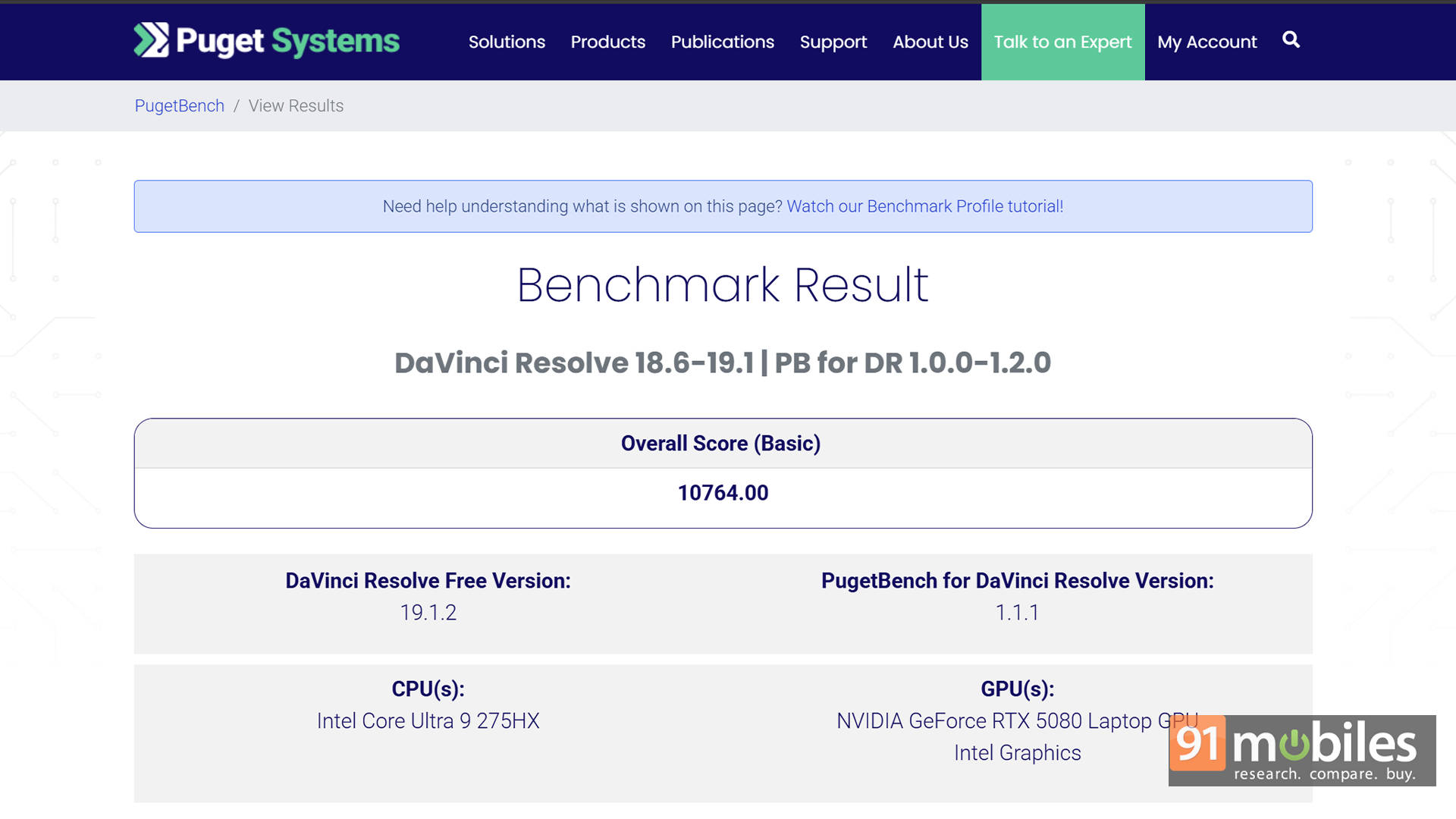
For reference, in the PugetBench score of DaVinci Resolve, the Gigabyte laptop scored 10,764 points, which edges past the HP OMEN Max's 10,747 and easily outshines the ROG Strix SCAR 16's score of just 9,205 points.
Thermals and Upgradability
Under the hood, the AORUS Master 16 is refreshingly user-friendly. Flip it over and remove the screws, and you'll find easy access to two SODIMM RAM slots and two M.2 SSD bays. Sure, it's not as easy as the ROG Strix SCAR, but it's not that complex either. The pre-installed 32GB DDR5 RAM can be upgraded to 64GB, and the dual SSD slots let you expand storage for all those game installs and project files without breaking a sweat.
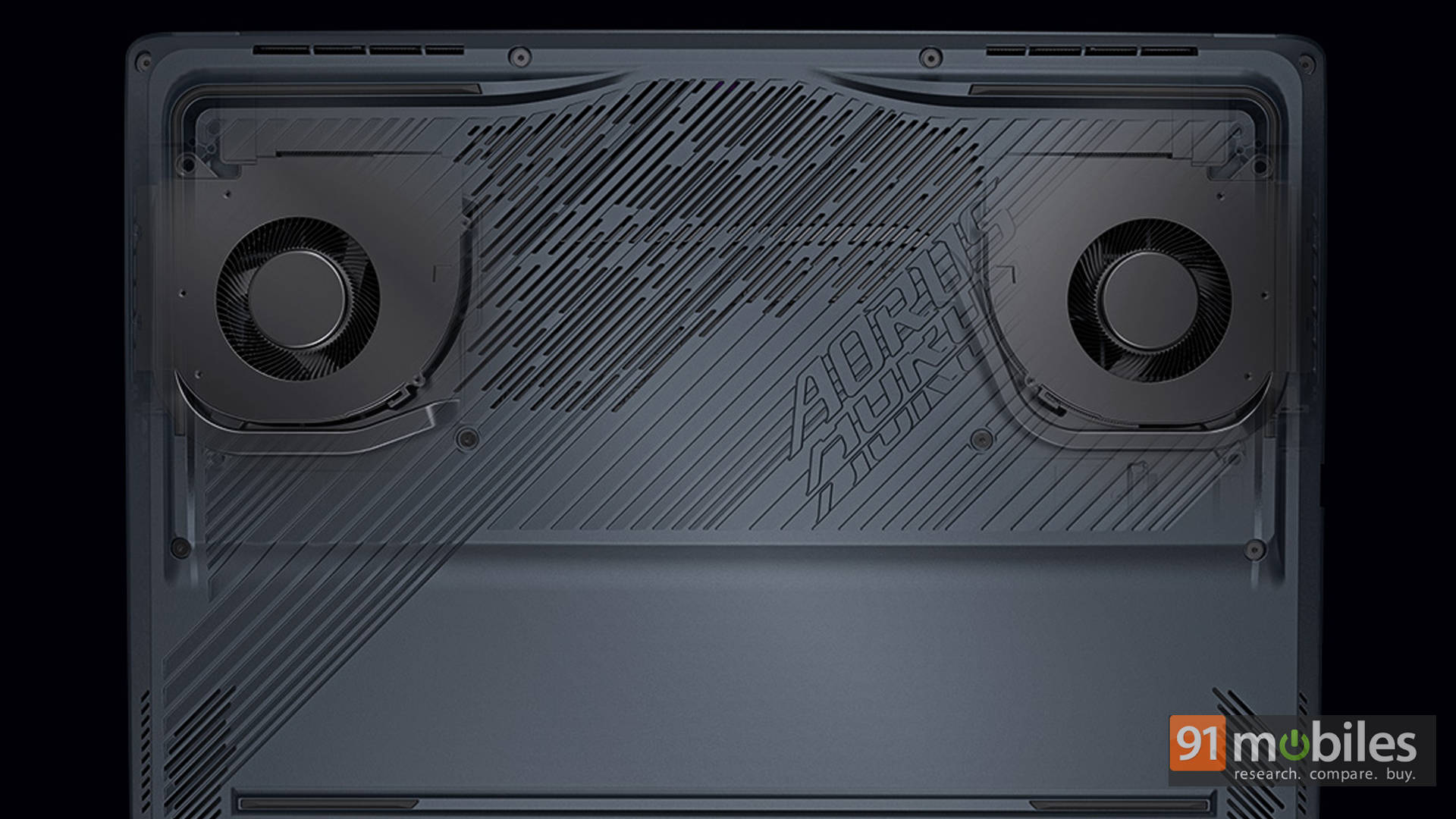
Thermals are also well handled by the powerful cooling system. Gigabyte calls it the WINDFORCE Infinity EX, which, while technically just a dual fan setup, does outshine laptops with quad fan setups as well. The thing is that these fans do spin up fast and loud when needed, but they do their job well. Even during extended gaming sessions or Cinebench loops, the CPU and GPU remained within safe operating limits. However, that cooling comes at the cost of noise. The fans are loud, bordering on disruptive, especially when the laptop kicks into performance mode. Then again, I don't mind if my laptop gets loud, trying to keep the thermals in check, as long as the performance is there. Just invest in a good pair of gaming headphones, and you're good to go.
Battery Life and Charging
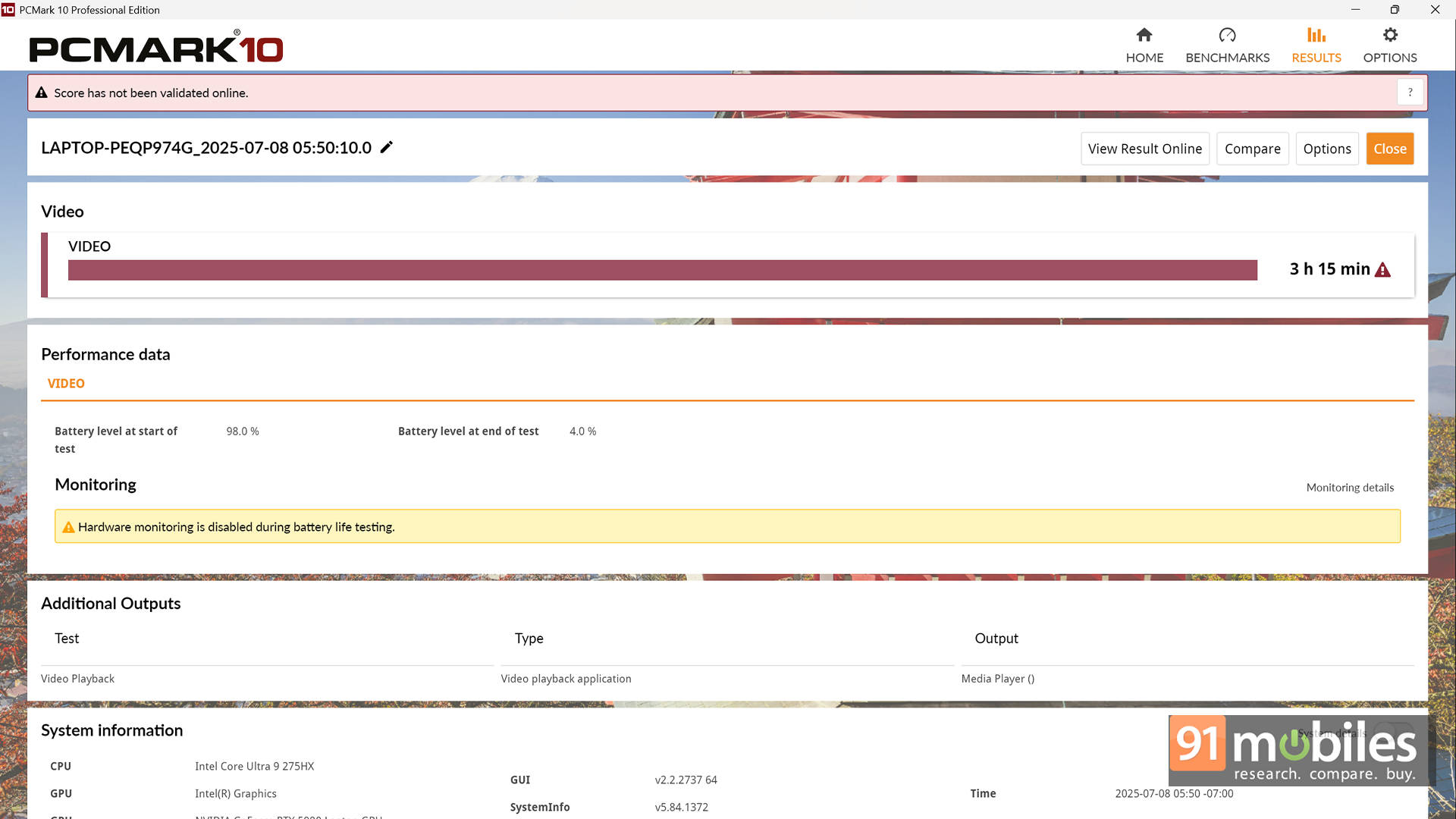
Just one look at the spec sheet and it's obvious: the AORUS Master 16 isn't here to win any unplugged endurance contests. With all that raw horsepower under the hood, this beast was built for the desk, not the departure lounge. Yes, the 99Wh battery might sound hefty on paper, but it's also feeding a power-hungry system. In everyday use, such as web browsing, emails, and light multitasking, you can expect around four hours of runtime. Try doing something ambitious, like editing in Photoshop or rendering a video, and you'll see it drop to under three. For context, in the PCMark 10 video loop test (at 80% brightness), it clocked in at 3 hours and 15 minutes. That's not bad, but certainly not ultrabook material.
That said, with a bit of tweaking, you can definitely stretch the battery life a little further. First up: embrace the dark side. Literally. It's an OLED screen, so switching on dark mode can actually help save some juice. Also, if you're indoors, dial down the brightness, as anything above 60% is honestly just showing off. Oh, and don't forget to enable AI Power Gear in Gigabyte's GiMate app. It smartly disables the dGPU when you're on battery, something NVIDIA Optimus is supposed to do but often forgets, especially on these RTX 50-series GPUs. Thankfully, Gigabyte's solution seems more dependable, and it actually gives the Master 16 a leg up over other laptops in the same league.
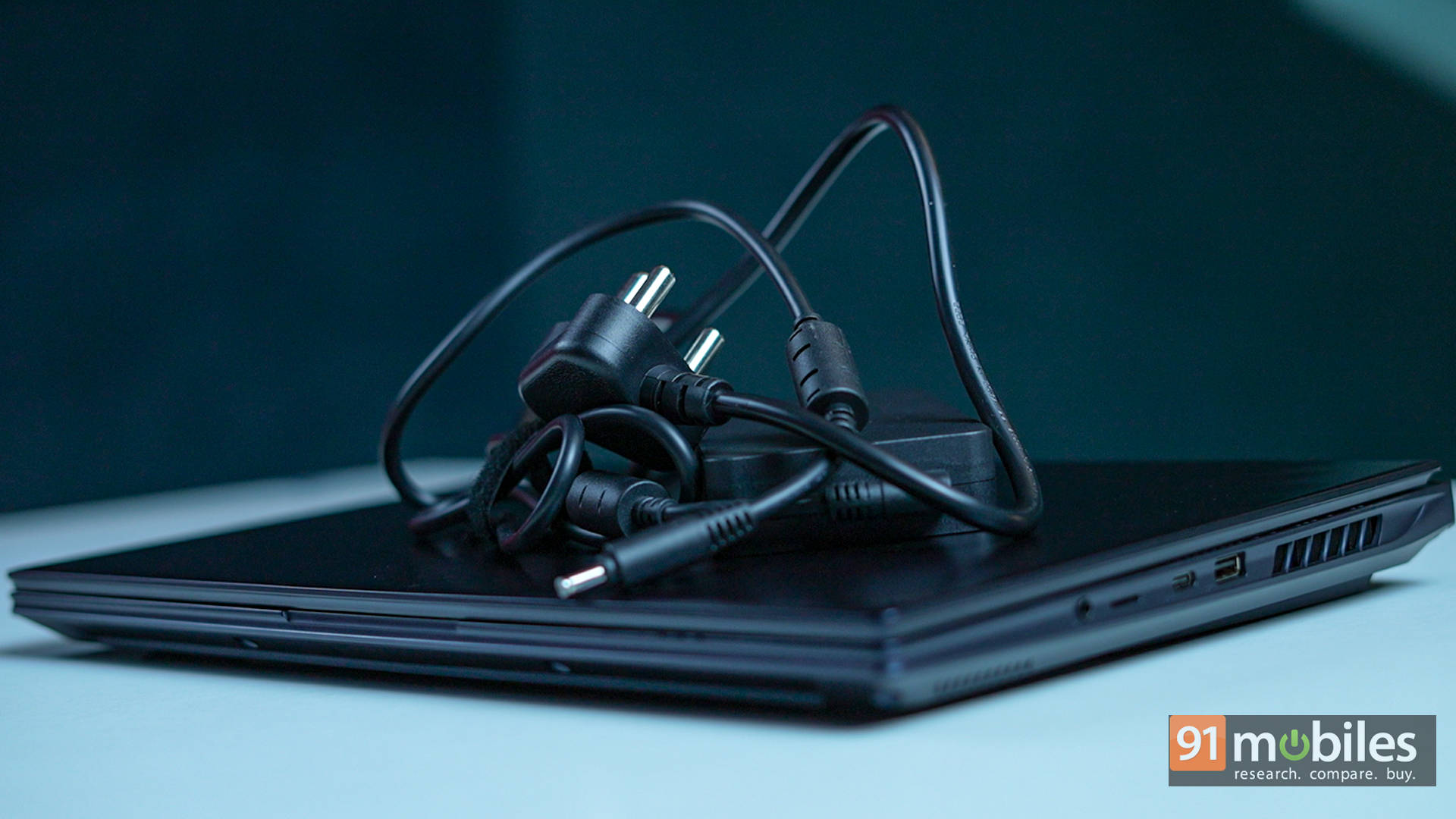
Now, charging this monster is handled by a big brick. The 330W power adapter is large enough to double as a paperweight, but it juices up the laptop in just under two hours, which is impressive. Sure, it adds weight to your backpack, but let's be real, you didn't sign up for this laptop expecting portability. The good news? The USB-C port does support power delivery, so for quick top-ups or casual use, you won't always need the main adapter. Just don't expect to launch Cyberpunk 2077 on a 65W USB-C and enjoy smooth frame rates. You'll be watching a slideshow instead, if you catch my drift.
Verdict
At the end of the day, the Gigabyte AORUS Master 16 carves out a very specific sweet spot. It delivers near-flagship RTX 5090-level performance without completely emptying the bank account. For gamers and creators with a budget north of ₹3 lakhs and performance as the top priority, this machine is easily one of the most compelling options around. Between the stunning OLED display, powerful internals, and generous upgrade potential, there's a lot to love here.
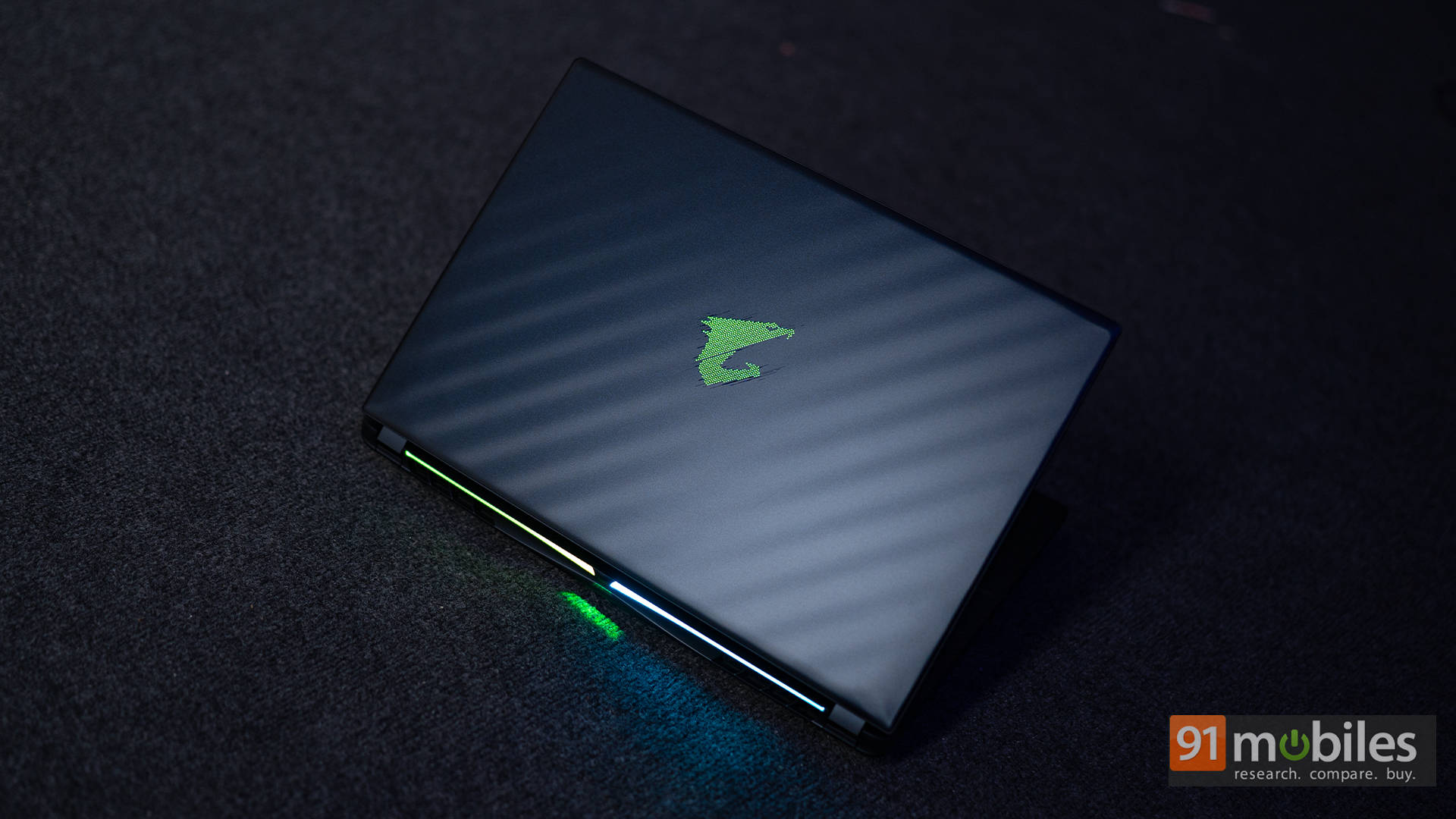
That said, it's not without its quirks. The design is unapologetically bold and bulky, which may not sit well with professionals or students constantly on the move. And while performance is top-tier, the fans get loud, really loud. Add to that a mostly plastic build, and you start to feel the corners that Gigabyte may have cut to hit this price. A more refined chassis and quieter thermal setup would've elevated this machine to near perfection. Still, if portability isn't a priority and raw power is the name of the game, the AORUS Master 16 is an absolute monster.
As for rivals, the HP OMEN Max 16 stands strong with similar specs, a quieter thermal profile, and a significantly lower price tag, making it hard to ignore. On the flip side, if mobility matters more, the ASUS ROG Zephyrus G16 is worth a look. It's lighter at just 1.95kg, offers a gorgeous OLED panel, better battery life, and similar 2TB of storage, though its RTX 5080 is slightly underpowered in comparison. And yes, there's the ROG Strix SCAR 16 too, but with its ₹3,79,990 price tag, it starts to feel less practical. Ultimately, it all comes down to what matters more: sheer performance, portability, or price. And if it's performance that tops the list, the Master 16 lives up to its name.
Editor's Rating: 8.8 / 10
Pros:
- Top-tier performance with RTX 5080 & Core Ultra 9
- Stunning 240Hz OLED panel with HDR support
- Dual M.2 slots with Gen 5 SSD support
- Excellent port selection
Cons:
- Bulky design with mostly plastic build
- Loud fans under heavy load