AI has certainly fuelled interest in robotics, with videos of robots performing increasingly impressive tasks appearing almost every day. The Milagrow iMap Max W300 ECO may not be powered by AI, but it can handle plenty of smart tasks to make everyday cleaning more convenient. This robotic vacuum cleaner can clean your home and even empty itself afterwards, saving you from one of the more tedious parts of vacuuming. But that’s not all it can do. In this overview, we take a closer look at what the iMap Max W300 ECO offers.
Let’s start with unboxing and what you get inside the box.
Table of Contents
Unboxing & In-box content
The Milagrow iMap Max W300 ECO arrives in a massive squarish box, and understandably so, due to the following contents:
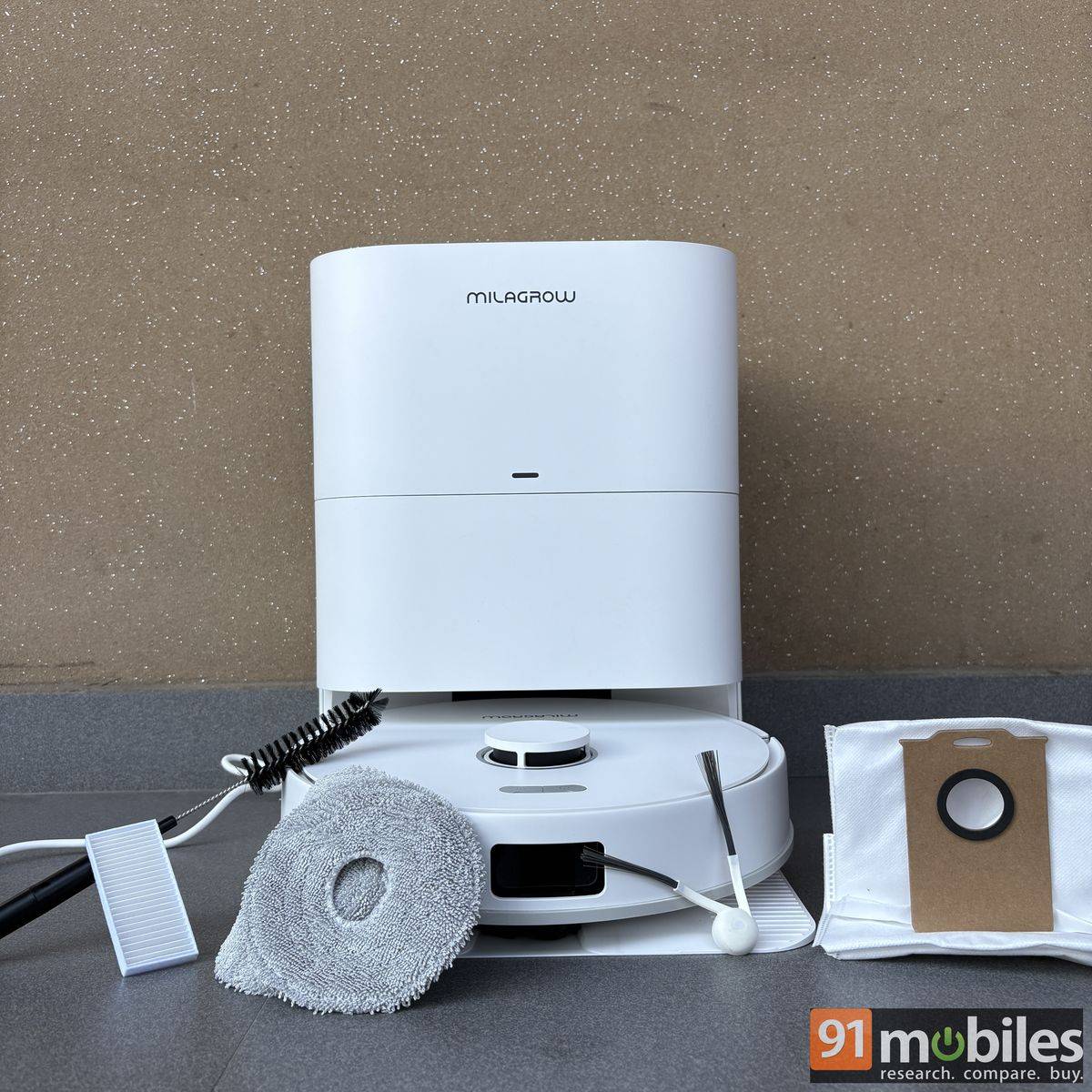
- Vacuum cleaner
- Base station
- Dust box
- Rolling brush: Anti-tangle
- 2x Water tanks
- 2x BLDC, anti-tangle side brushes
- 2x Dust bags
- 2x sets of mops
- Cleaning brush
- 2x HEPA H12
Design
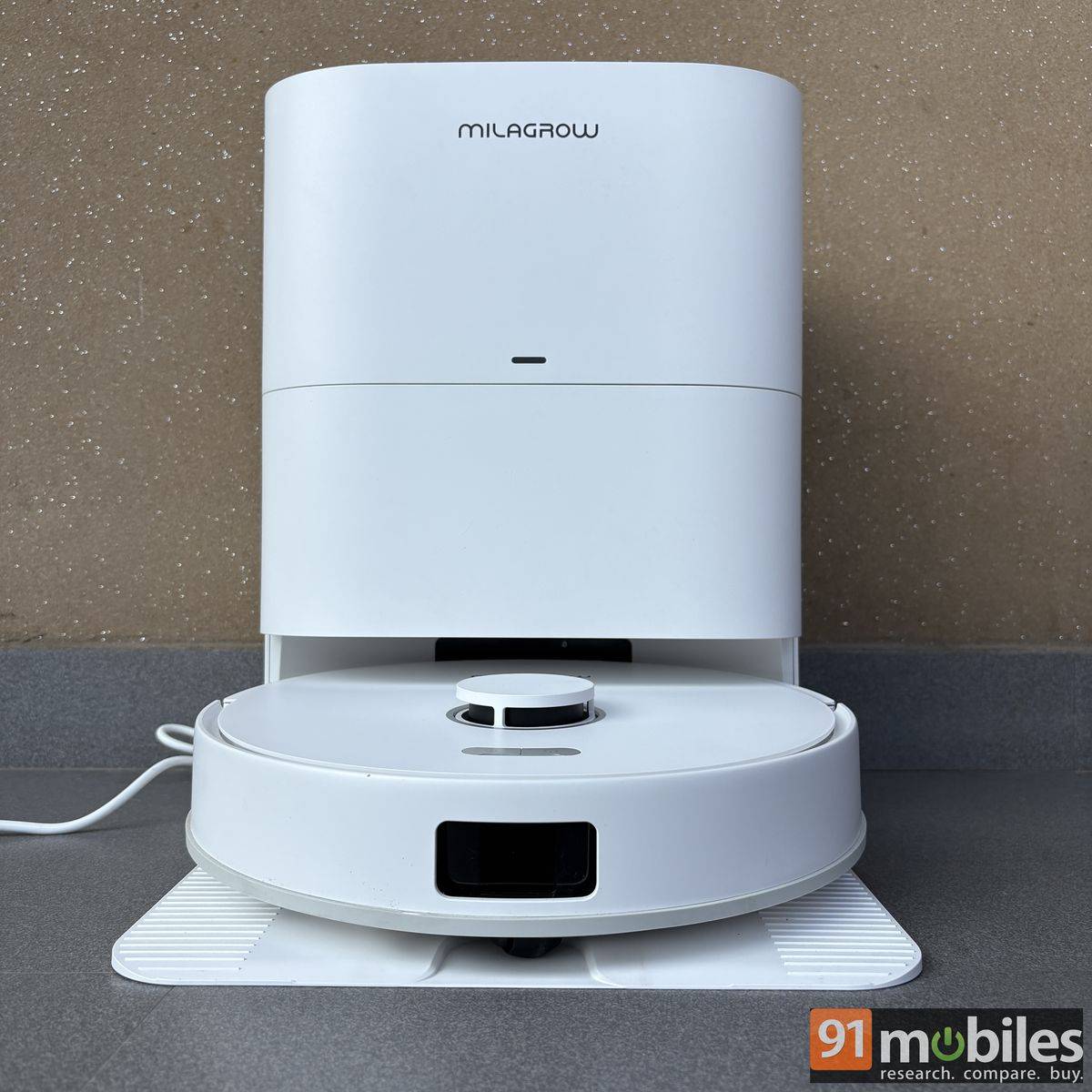
The Milagrow iMap Max W300 ECO (yes, the name is a mouthful) comes in a pristine white finish from head to toe. Apart from the branding, controls, and sensors, which account for about 10 percent of the product and use slightly different tones, almost the entire device is white. While I appreciate the choice of colour, as it gives the device a sense of cleanliness that feels appropriate for the product, it also made me constantly worry about stains. Even the slightest mark is noticeable from a distance.
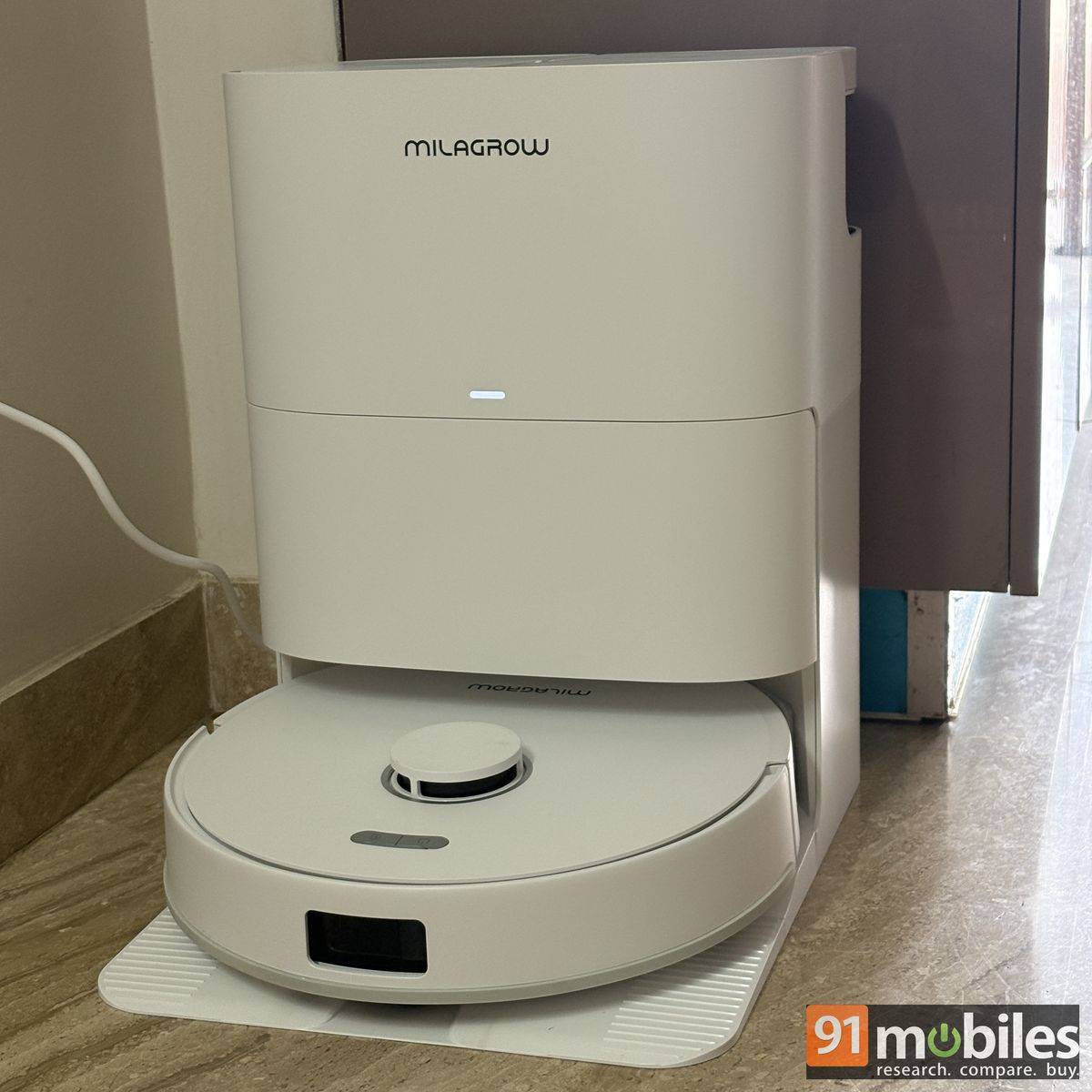
Thankfully, the matte finish makes the surface relatively easy to clean with a simple wet wipe. I would have appreciated it if Milagrow offered more colour options, perhaps some of the smoky shades that are currently in vogue.
| Parts | Dimensions |
| Robot | 350 × 350 × 98 mm |
| Base station | 375 × 341 × 460 mm |
Talking about the form factor, the Milagrow iMap Max W300 ECO sports a circular design, with a height roughly equivalent to the width of a cricket bat. This allows it to easily squeeze under most furniture and reach areas that are otherwise difficult to clean. The base station, meanwhile, features a squarish shape, roughly knee-height for most adults and has a footprint that is about the length of an arm. I had the cleaner neatly tucked away in a corner, where it occupied very little space and didn’t get in the way.
Setup
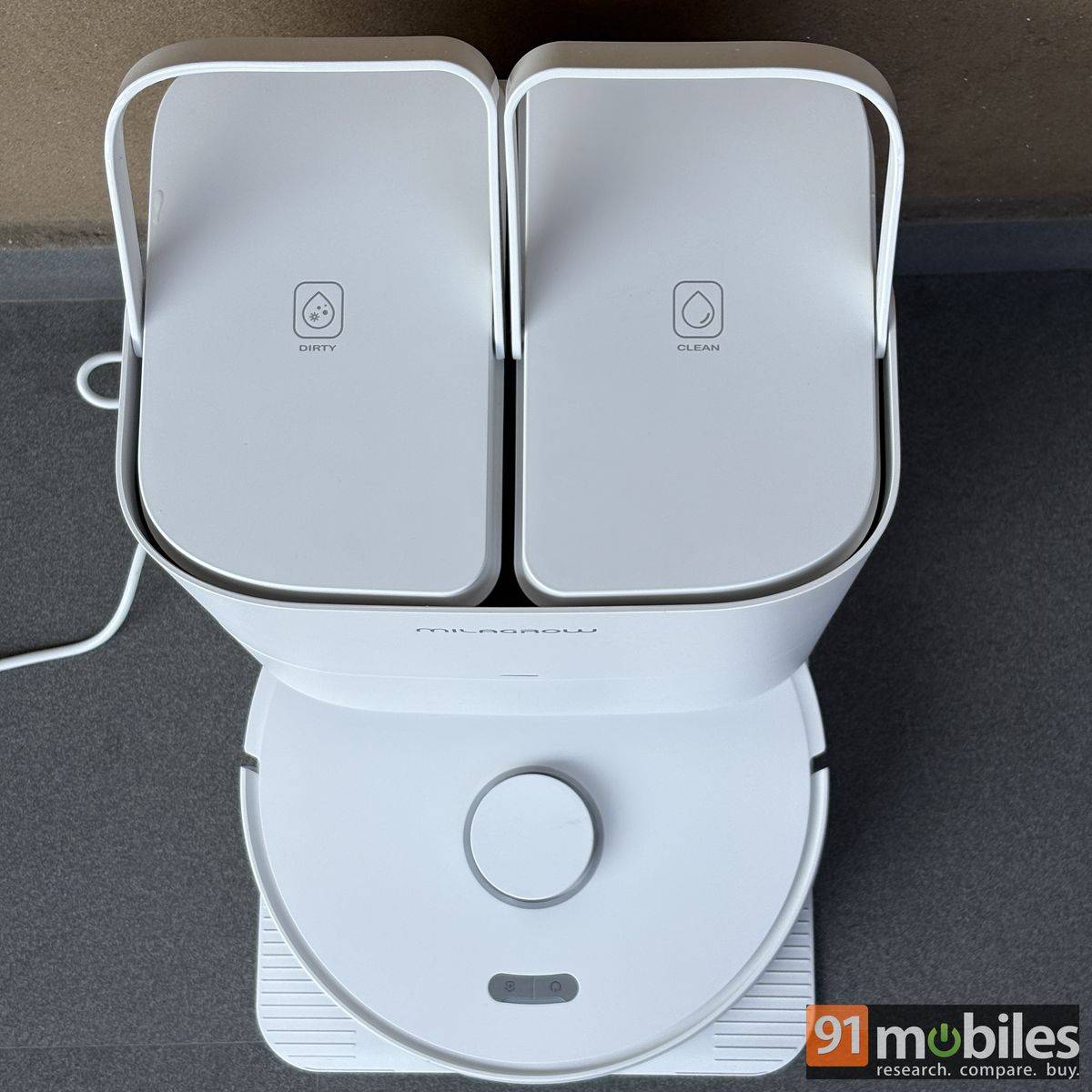
Milagrow sends a technician to help you set up the iMap Max W300 ECO and give you an overview of the product. However, if you wish to do it yourself, the process is straightforward. Instead of hard plastic locks, the robot and base station primarily use magnetic locks, making assembly easier.
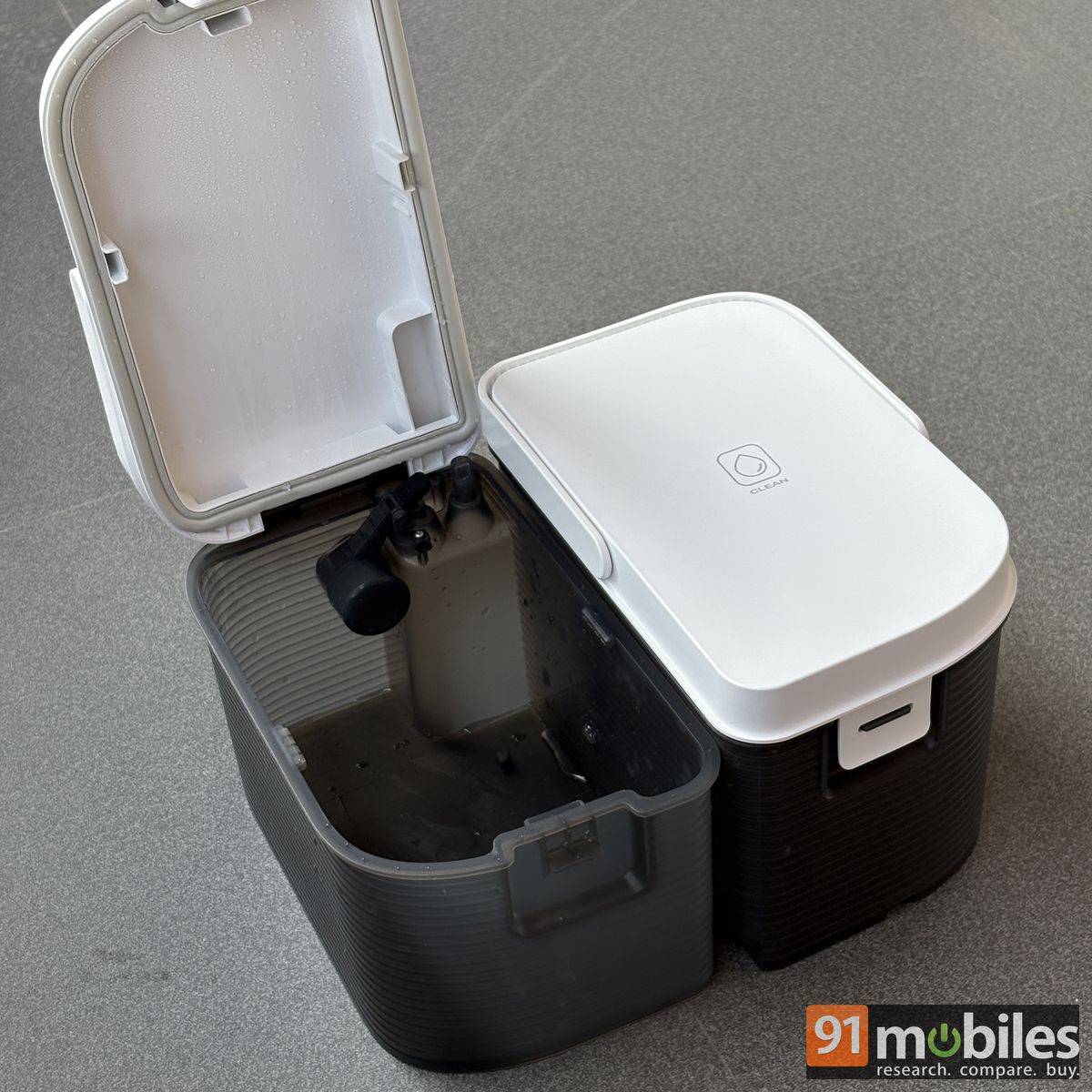
The base station comes with two water tanks that can be lifted from the top using their handles. One tank is meant for clean water, while the other collects the dirty water after mopping. There is also a front clasp that opens to reveal the dirt bag slot, which collects dust and debris picked up by the robot. Below this is the platform where the robot docks itself. That’s pretty much all there is to setting up the base station.
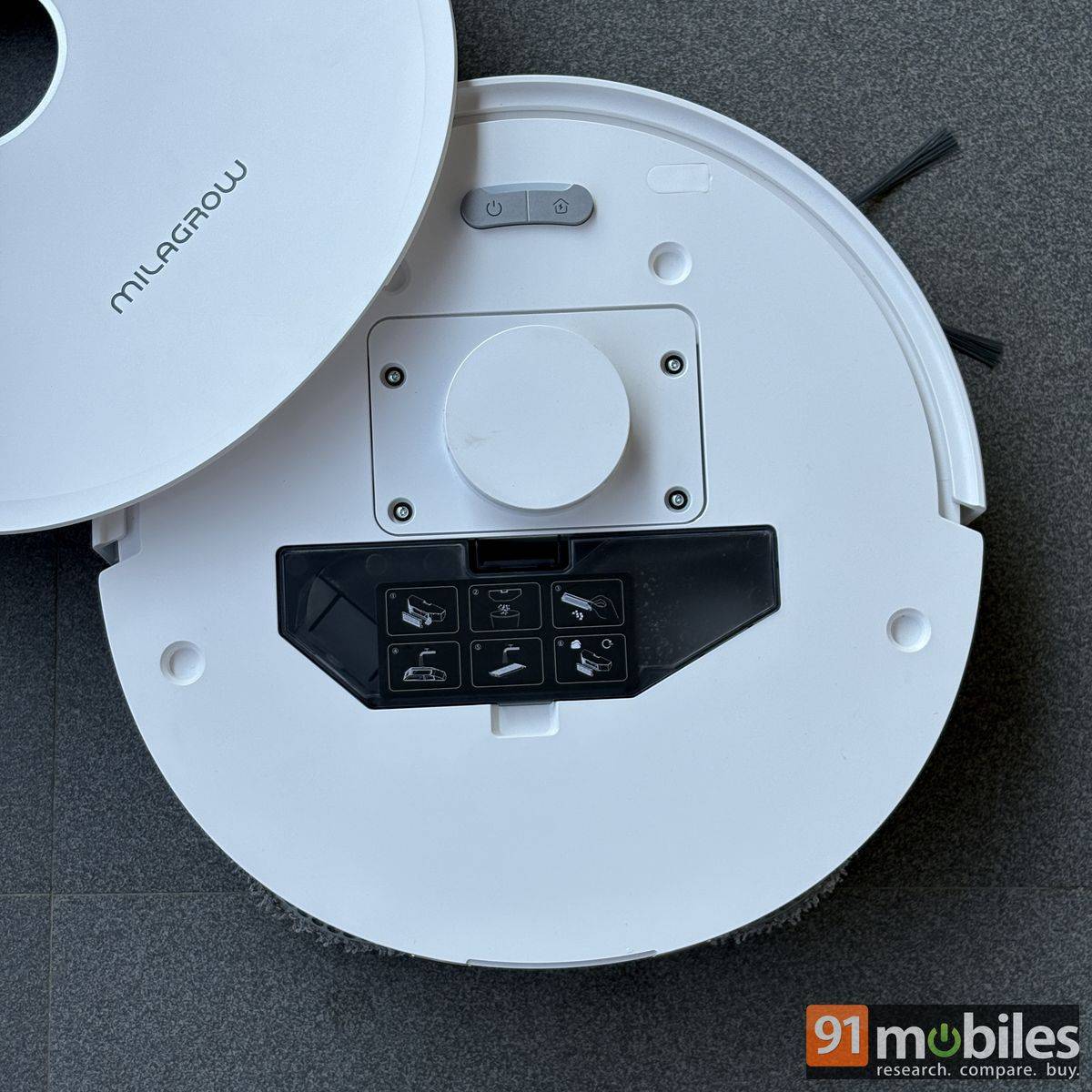
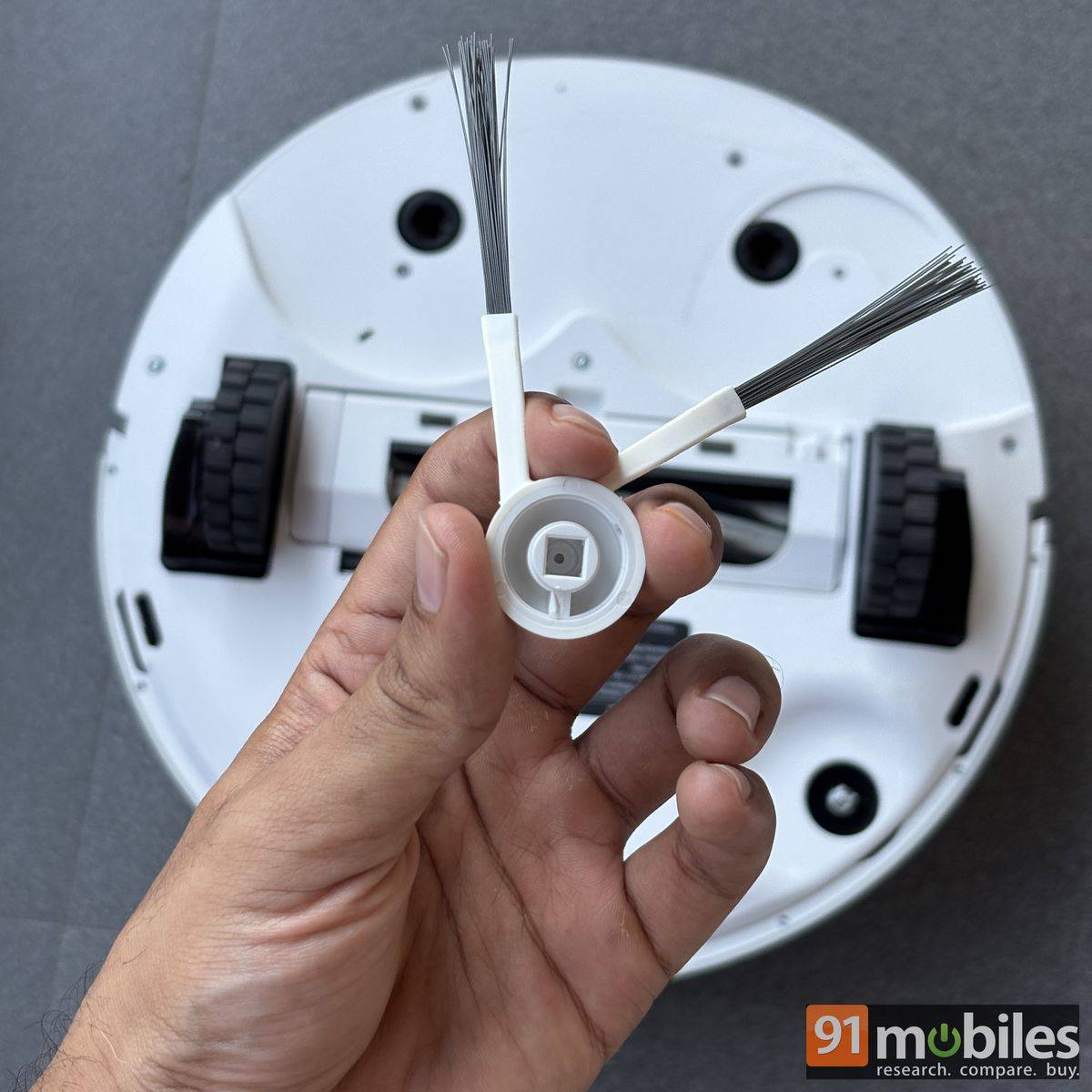
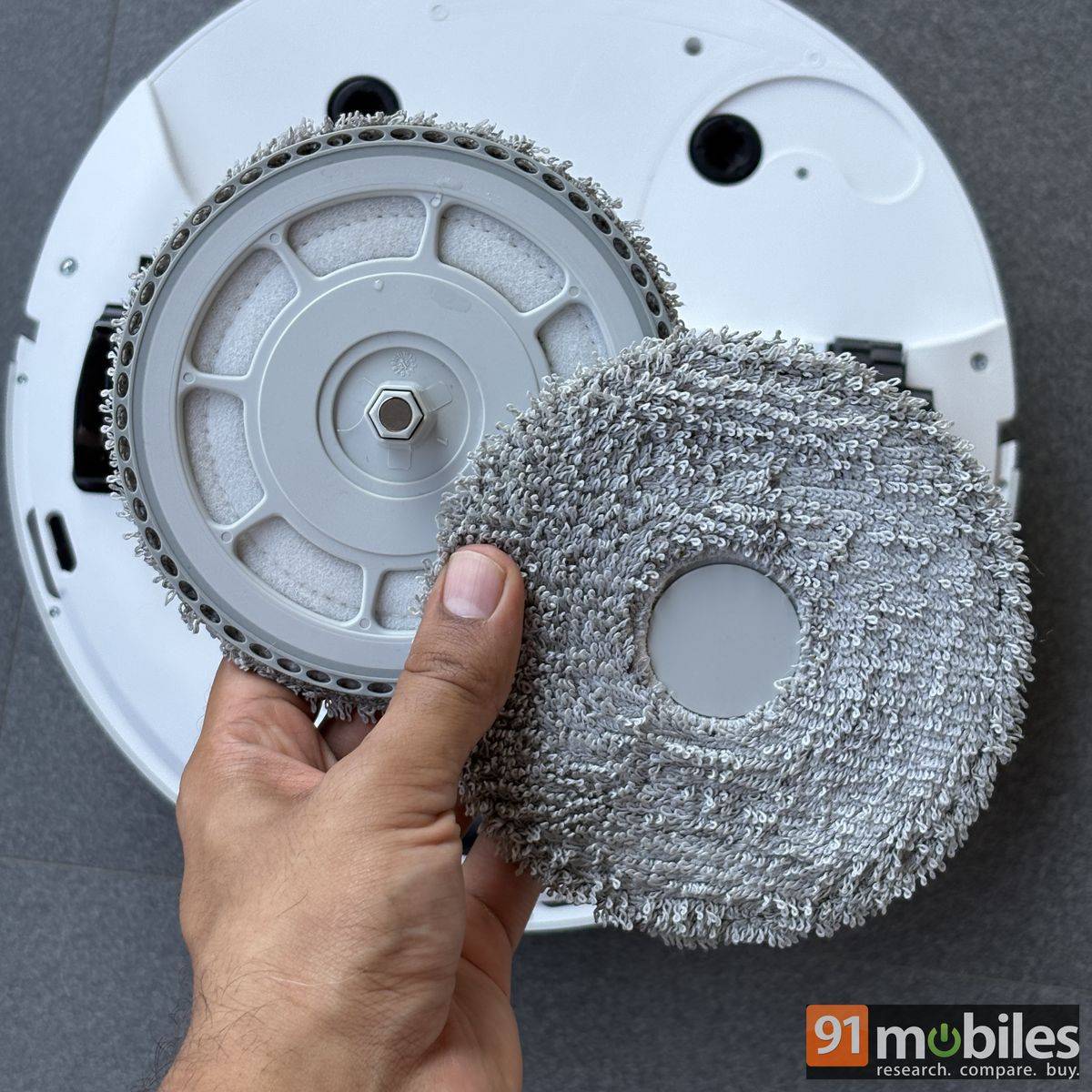
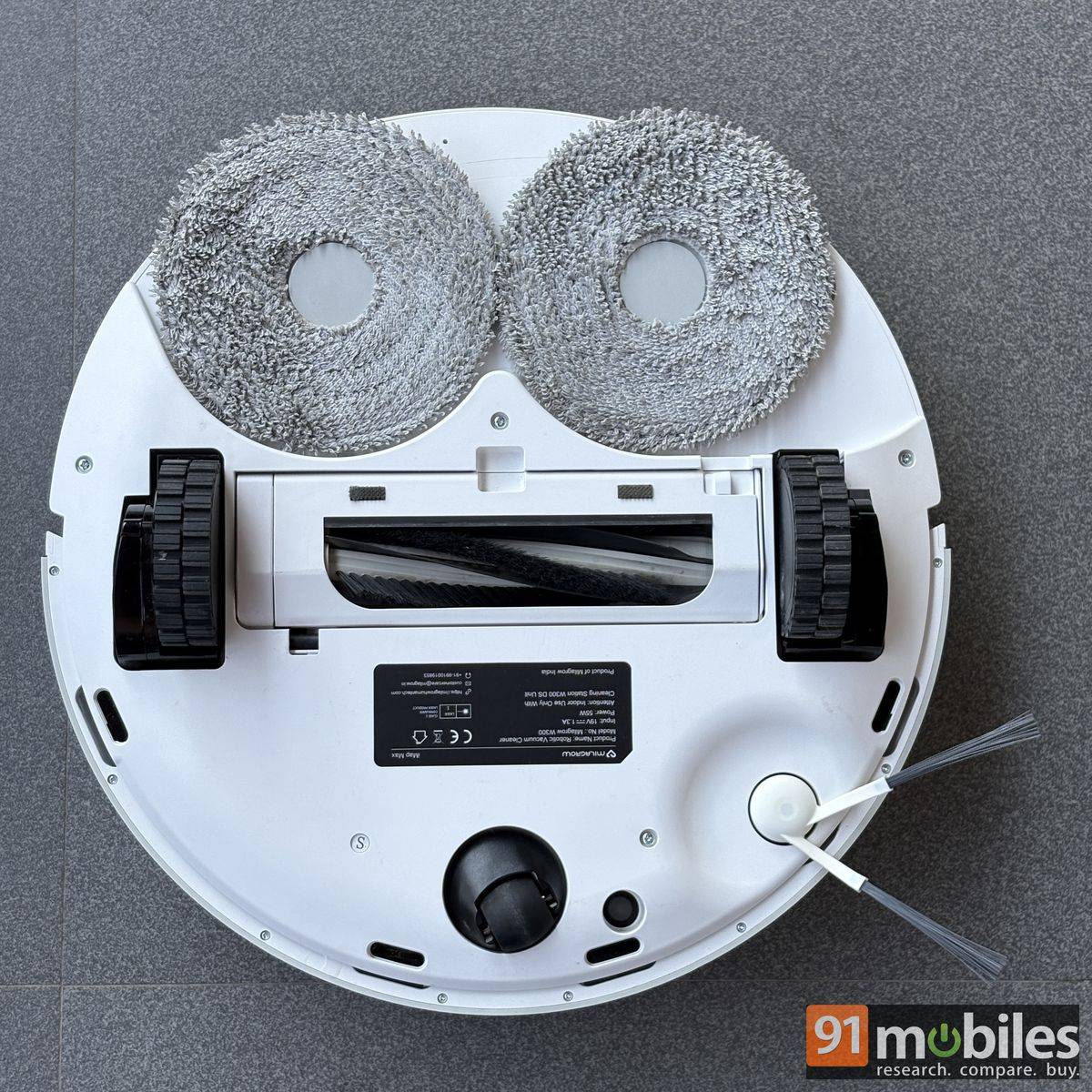
Moving on to the robot itself, you first need to remove the top flap to access the dust box. The flap is held magnetically, so removing it is fairly easy. On the underside, there is a slot for the anti-tangle brush and two plates for attaching the mop pads. Once everything is in place, remove the rubber protection from the front, turn on the device, and it is ready to go.
Controls and connectivity
Long-press the power button on the iMap Max W300 ECO to turn it on. During my time with the device, it had enough charge to pair with a smartphone and scan the house for cleaning. However, I would recommend plugging in the base station and placing the robot on it before starting the setup. This allows the robot to remember the station’s location and return to it once the scanning or cleaning is complete.
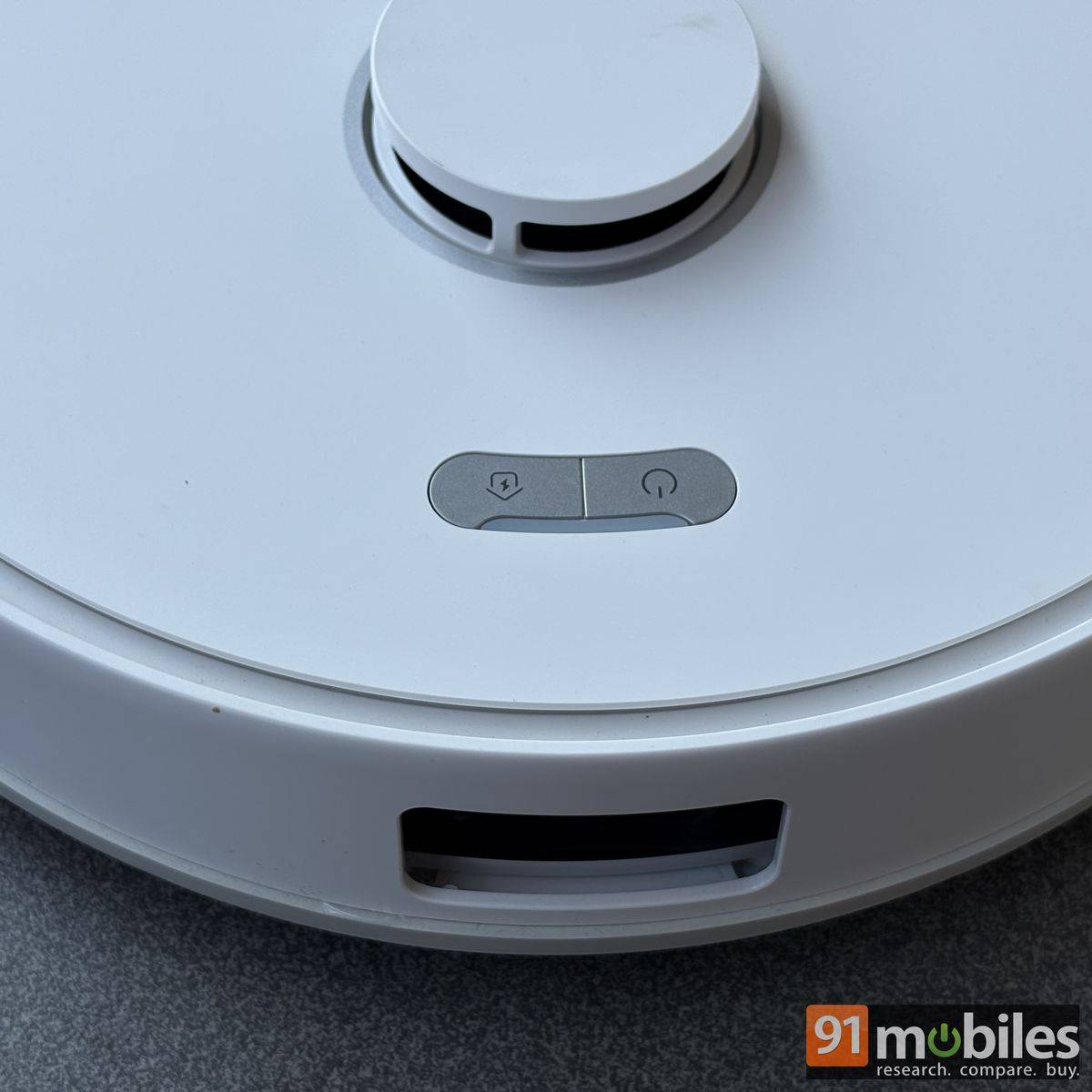
The robot can start scanning and cleaning on its own, but you will need to connect it to the companion app for greater control over its functions. Both the robot and the base station use LED indicators to alert you when something goes wrong. However, they don’t specify what the issue is, so you may have to figure that out yourself, unless you have the app.
The Milagrow iMap Max W300 ECO pairs with a smartphone using the SmartLife app, which is available on both Android and iOS. To put the robot into pairing mode, press and hold the Power and Home buttons simultaneously. Then, open the app with Bluetooth enabled and scan for nearby devices. Once the robot is detected, connect it to your 2.4GHz Wi-Fi network, and you’re good to go.
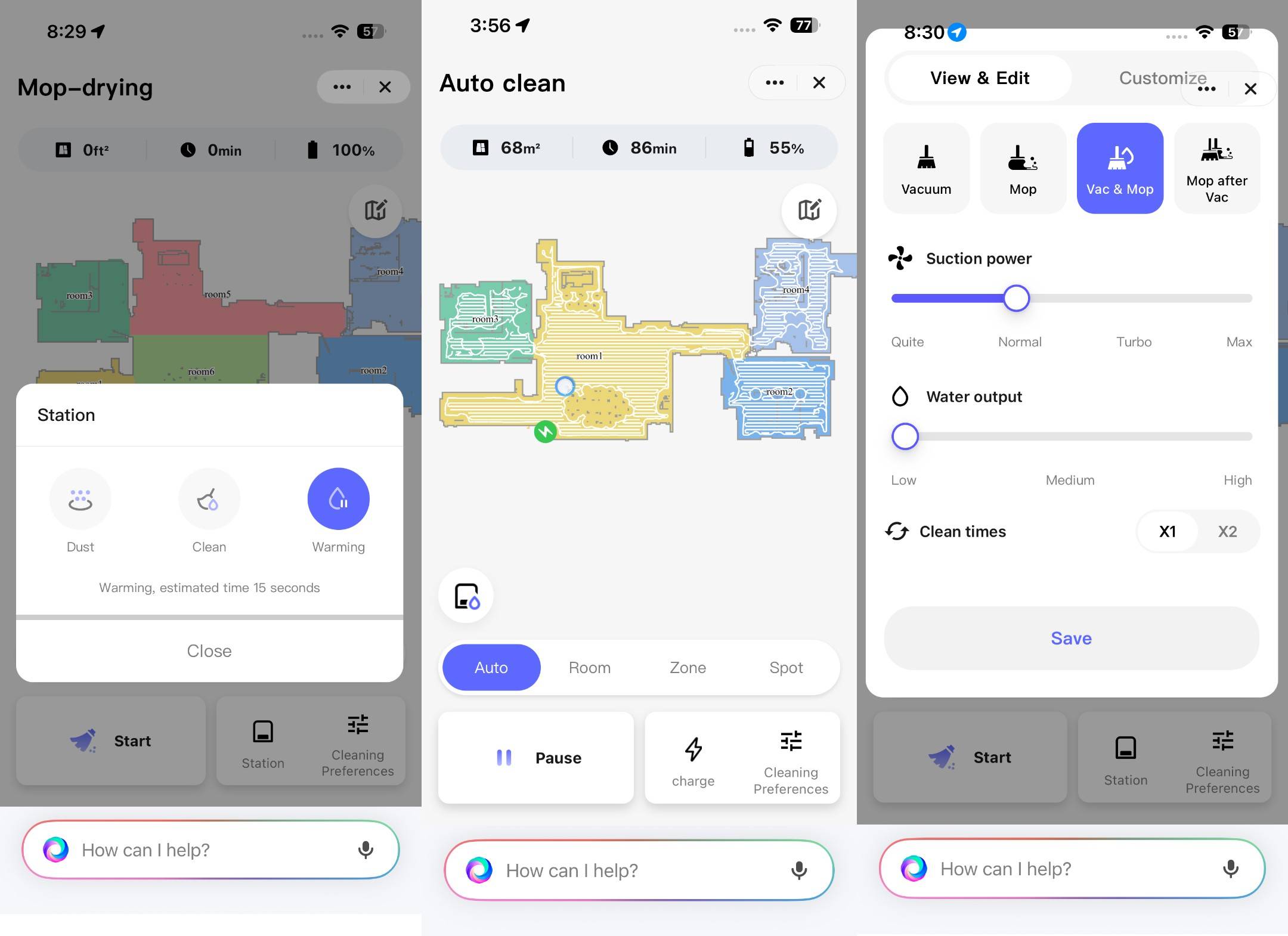
The app doesn’t require you to create an account, though it’s recommended if you want to share access to the iMap Max W300 ECO with other family members. This means they can control the same robot without pairing their smartphones separately, while retaining the settings and controls you’ve already configured.
The SmartLife app can be paired with a variety of smart home devices, and my experience with it was largely the same as with the Sekyo Smart Alarm door sensor, which I tested recently. The app fetches all the information from the robot in almost real time. However, I do wish the app were ad-free, as ads can make the overall experience feel less polished.
Cleaning performance
| Aspects | Specifications |
| Vacuum power | 24,000 pa suction |
| Cleaning modes | Vacuum, Mop, Vacuum + Mop, Mop after Vacuum |
| Navigation | LDS laser + SLAM |
| Sensors | Obstacle, cliff, carpet, gyro, accelerometer, odometry |
The Milagrow iMap Max W300 ECO took around five minutes to scan each corner of my house, which was pretty impressive. This was followed by around an hour and a half (depending on the surface area) of simultaneous vacuuming and mopping. The app also lets you customise the cleaning mode, with options including Vacuum, Mop, Vac & Mop, and Mop after Vac. The latter takes longer, as the robot first vacuums the entire house, room, or selected zone, returns to the base station to clean itself, and then begins mopping.
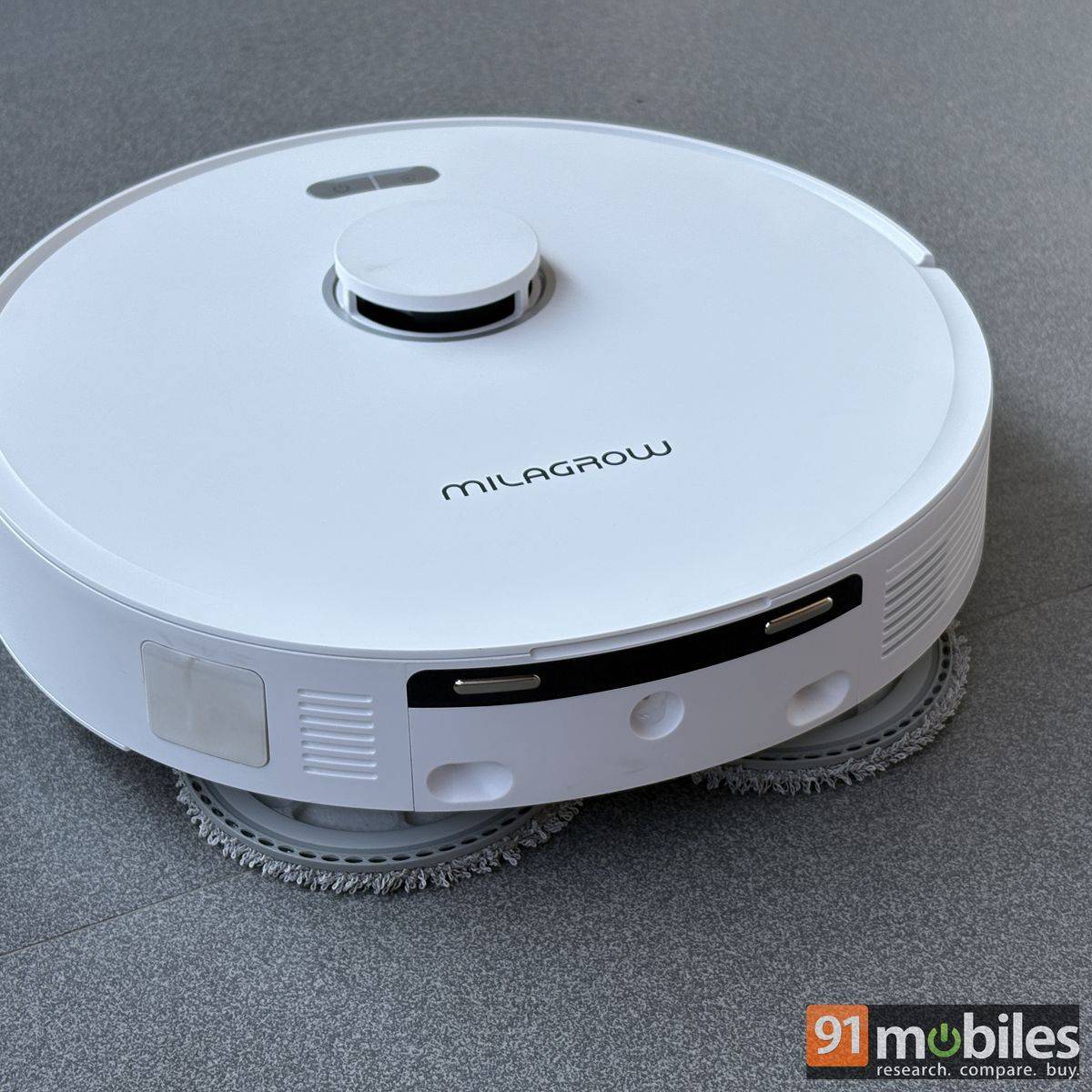
Interestingly, the iMap Max W300 ECO’s mops have an extension mechanism that widens them by 7mm to reach corners that regular robotic vacuums may struggle to clean. This is a genuinely handy feature, as it allows the robot to cover more of the floor and ensures fewer corners are left untouched. Furthermore, the mops can lift themselves by up to 17mm from the surface for easy carpet cleaning or when only the vacuum function is enabled.
The right corner-aligned brush may not have a similar extension or telescopic mechanism, but they are wide enough to clean even those corners. While I don’t have carpets at home, there are a few doormats that the robot easily detected, and it increased its suction power and force to overcome the obstacle. You would need slightly heavier doormats so they don’t get sucked up by the vacuum and dragged around.
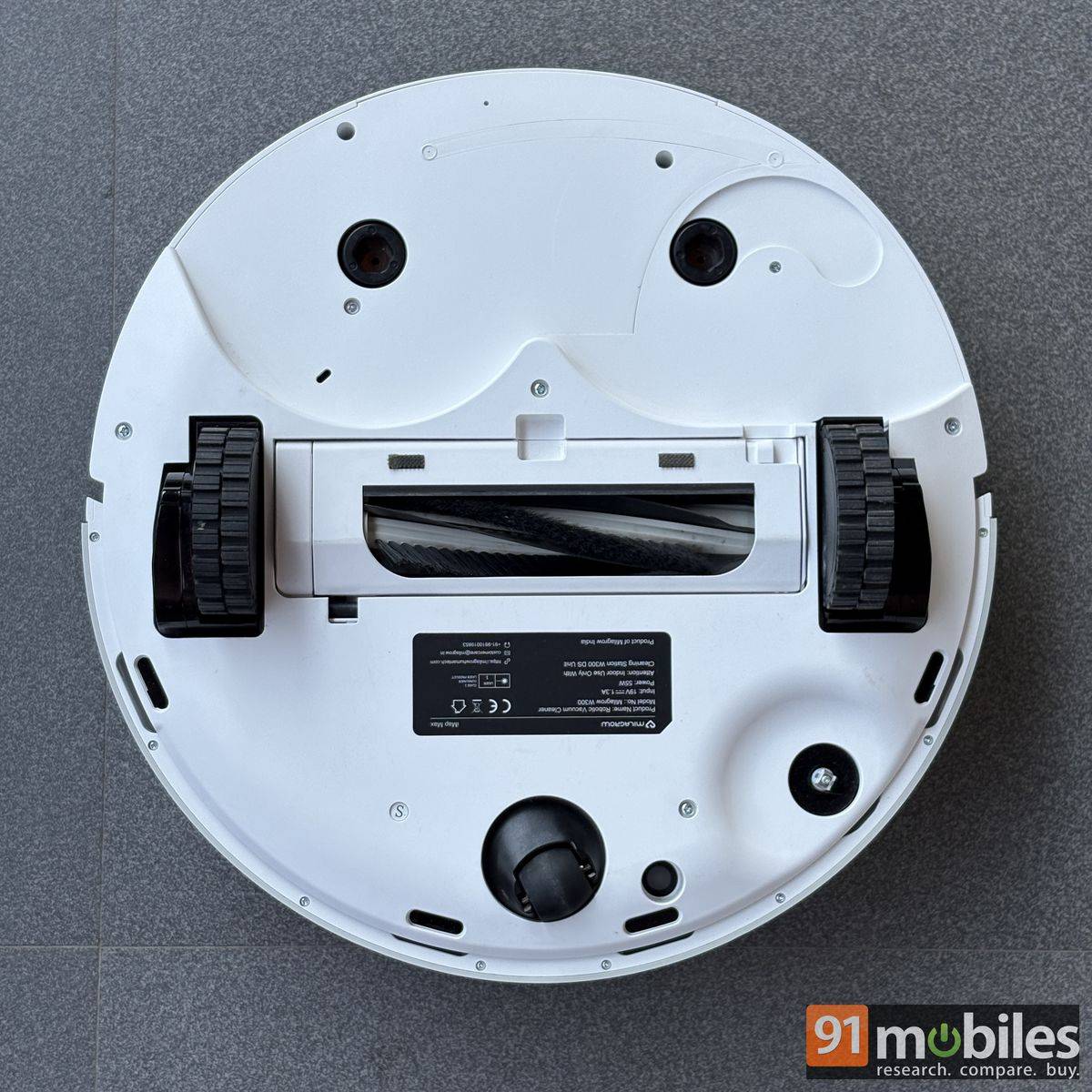
I can totally imagine that happening, since the robot seems incapable of detecting objects small enough to get caught in its rolling brush. Twice, I had to rescue it after it tried to swallow an iPhone charging cable that was plugged into a wall charger, with the other end lying on the floor. The iMap Max W300 ECO not only sucked in the cable, but also pulled the power brick out of the socket. This interrupted its cleaning, and I had to manually remove the wire from the rolling brush.
The other incident involved a toothpick. The robot ran over it and, unable to push it through the brush, encountered an obstruction that made a loud noise. Unfortunately, the app didn’t send any notification about the issue, so I had to manually clear the obstruction to get the robot running smoothly again. So, while the iMap Max W300 ECO can navigate around larger objects, I would recommend clearing cables and other small items from the floor before letting it loose. It can clear dust and soft debris as large as a peanut with no trouble whatsoever.
Maintenance: Largely automatic
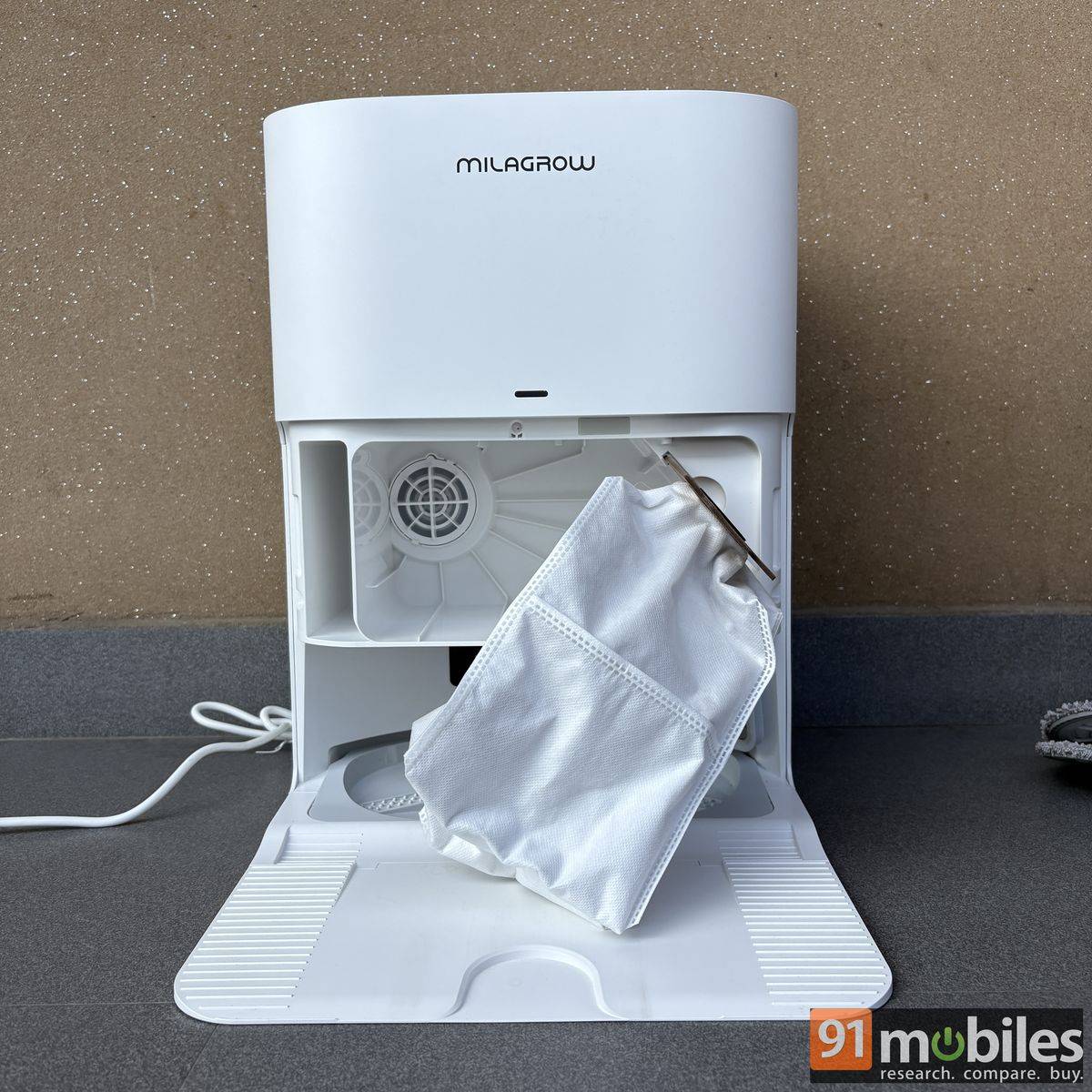
During and after cleaning, the iMap Max W300 ECO’s robot goes to the base station to empty its trash can and clean the mop, if used. Everything is automated, saving you the hassle of disposing of the collection from time to time. One only has to replace the trash bag inside the station once it is full. The bag has a capacity of 3.5 litres, and sadly, there isn’t a way to track it in the app as you can with other accessories: Filter, Side brush, Roll brush, and Mop. A spare of each accessory is provided in the box; after that, one has to buy them via the official website to continue using the robot.
Despite its self-cleaning capabilities, the iMap Max W300 ECO still requires some manual maintenance. I would suggest cleaning after a week of usage, basically tidying up things around the robot’s vacuum and the base station. While the robot uses a tangle-free brush, it can still struggle with hair that gets caught in it. The brush is free on one side to easily remove the bunch of hair. But in case you can’t, a cleaning brush is included in the box. It comes with a built-in comb and a blade, tucked behind the handle cap, to deal with those tangled brushes.
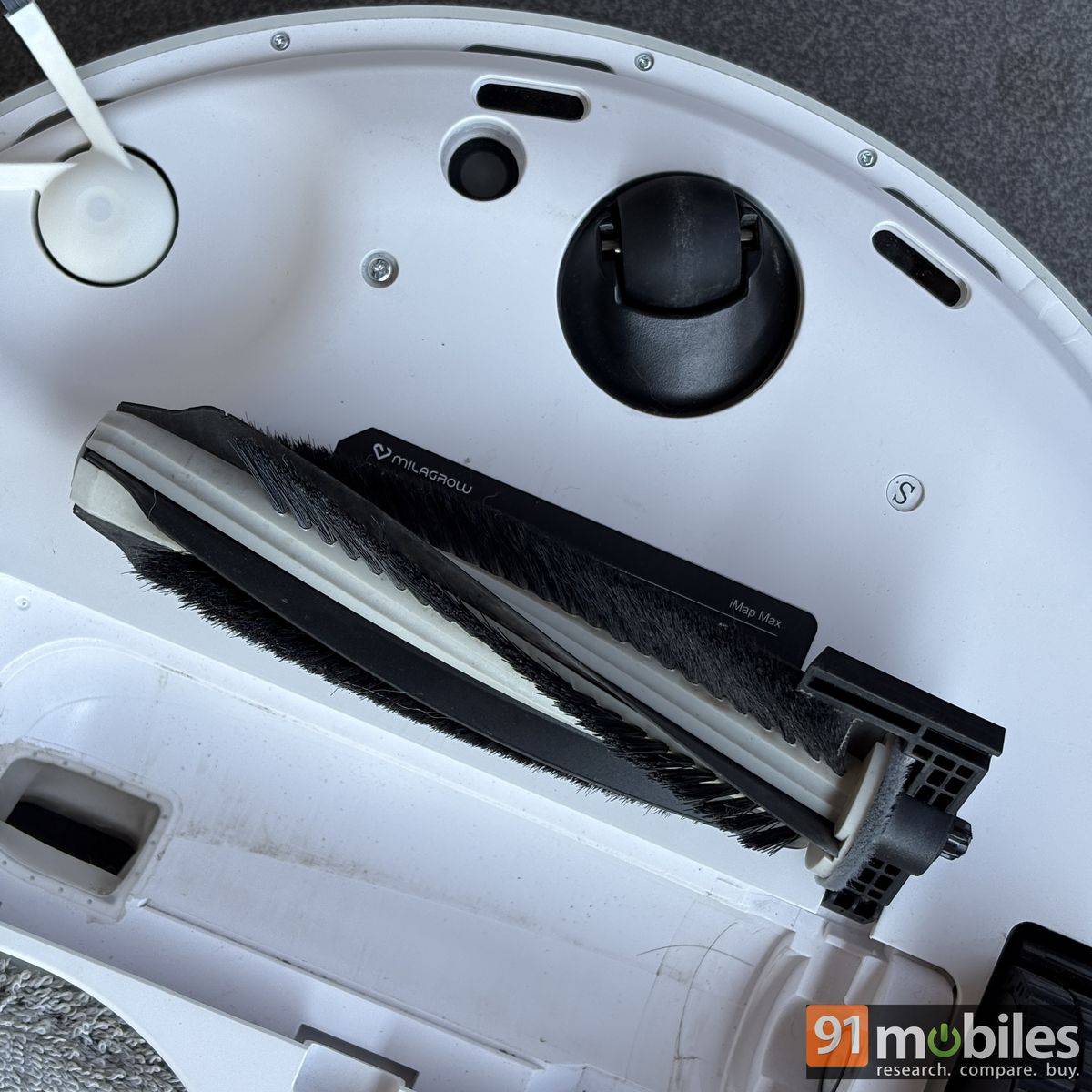
The base station tray can also get dirty during the mop cleaning process, but it can be easily wiped clean with a cloth. One will need to empty the dirty water tank either when the machine indicates it needs emptying or after every mopping session. Interestingly, a Milagrow technician advised me to use RO water for mopping to prevent dust and debris from affecting the machine’s functioning. As always, you are not supposed to use any detergent or chemical for mopping with the machine.
The Milagrow iMap Max W300 ECO is said to self-wash mops with 68-degree Celsius hot air to prevent bacterial growth, mould, and odours. Moreover, an H12 antibacterial HEPA filter captures fine dust, allergens, and pollutants to maintain indoor air quality.
Plenty of customisation and smart features
There is an array of other features that you get with the vacuum cleaner. A handful of them would need an app.
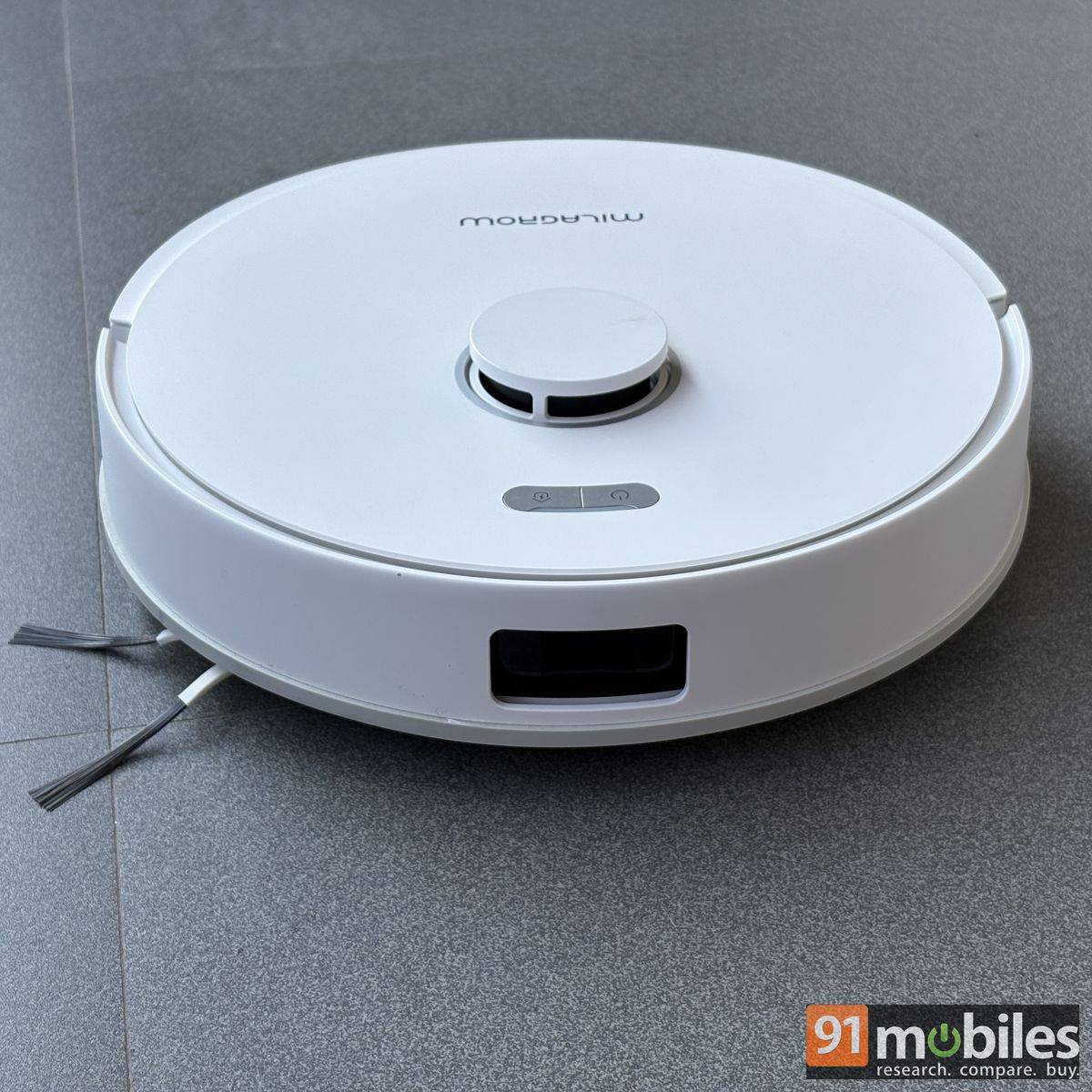
- The Milagrow iMap Max W300 ECO doesn’t attack obstacles – easily getting around slippers, toys, and other objects – thanks to its advanced LDS LiDAR 3-backed navigation and other sensors on board.
- With the compatible app, users can define zones where the robot will be forbidden to enter and initiate spot cleaning. The robot can also be remote controlled and customised to one’s native language. At the time of writing this article, you get support for eight different languages.
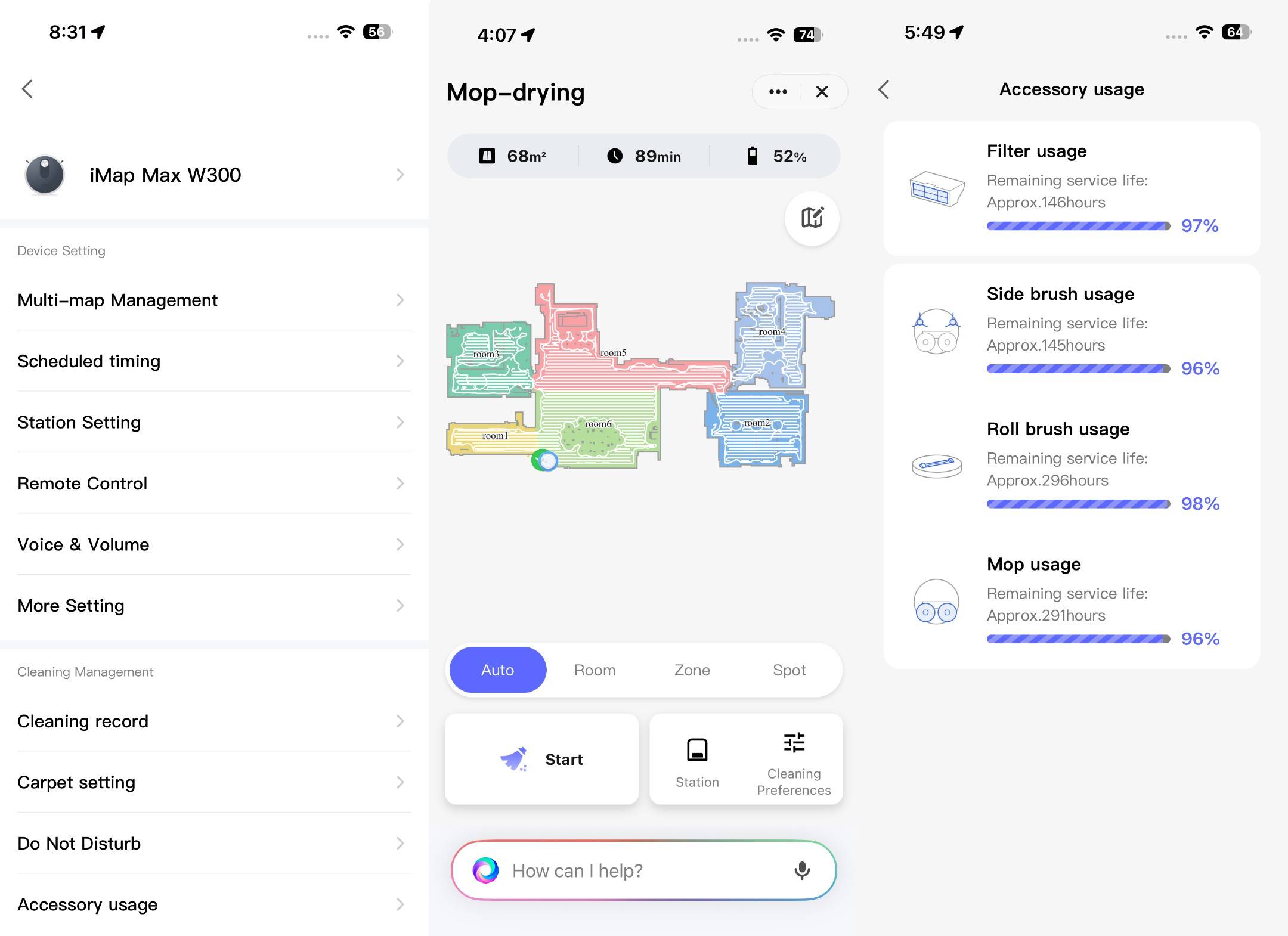
- One can also split the room, schedule cleaning, increase suction speed, customise mopping and vacuuming per the rooms/ areas, adjust dust collection frequency and mop washing, turn off ‘Auto-boost’ mode for carpets, and disable ‘Smart Obstacle avoidance’ within the app.
- You get voice assistants: Alexa and Google Assistant, for hands-free control with the device.
- Other features include Multi-map support and management, Do Not Disturb mode, Cleaning Record, OTA update support, and more. The cleaner could do with an OTA update soon to fix a mapping issue I encountered once during testing, when it even failed to locate its base station. Apart from this one minor glitch, I didn’t encounter any other issue with the device.
Battery
The Milagrow iMap Max W300 ECO robot houses a 5,000mAh battery, which is rated to provide a runtime of 5 hours and coverage of 3,500-4,000 sq ft per charge. I live in a roughly 734 sq ft area, with a marble floor and plenty of open space, and it was able to vacuum and mop the place with 52 percent juice still left in the tank. This is lower than the claimed figure, and I operated the robot in mostly ‘Auto’ mode, which runs at ‘Normal’ suction power, ‘Low’ water output, and cleans itself at least thrice during the process.
Charging the device takes more than two hours, but if the robot is low on battery (around 20 percent) during the cleaning, it will return to the base station, charge itself and start cleaning again where it left off.
Thoughts
The Milagrow iMap Max W300 ECO is priced at Rs 56,990 on the company’s official website at the time of writing. It gets plenty of things right and comes close to delivering the kind of hands-off experience you would expect from a robot vacuum cleaner. Most notably, it addresses one of the biggest pain points with these devices: dealing with dust and cleaning the mops after they have done their job. The W300 ECO handles most of this on its own, although the process is not always as clean as it could be.
However, I appreciate how little manual maintenance the cleaner requires. There are also several alternatives in the market offering similar functionality. The ECOVACS N50 Pro Omni Black is one of the closest options in terms of price and features. It has also received several positive reviews from buyers on e-commerce platforms, and has the added advantage of a black colour option.
The Milagrow iMap Max W300 ECO ultimately stands out for its largely seamless operation and anti-tangle rolling brush, which can be easily cleaned manually if required, thanks to its side opening. If Milagrow can address some minor mapping issues and improve the robot’s handling of small objects, the W300 ECO could be a compelling option for those looking to reduce manual cleaning and maintenance.
Editor’s rating: 8.5/10
Pros
- Effective cleaning and mopping
- Anti-tangle rolling brush is easy to clean
- Long battery life with automatic recharge and resume
- Minimal manual maintenance
Cons
- Struggles with small objects such as cables and toothpicks
- Occasional mapping issues during testing