Motorola isn’t new to the smartwatch space. Those who’ve followed the brand closely will remember the Moto 360 lineup from years ago. While it made a strong first impression, the series never quite achieved sustained success, prompting Motorola to step back from the segment altogether. Nearly seven years later, the company is trying again with a revised strategy. The Moto Watch signals a shift in focus, targeting the more affordable end of the market rather than the premium. Whether this change in direction will pay off remains to be seen.
But, for now, let’s take a closer look at the new Moto Watch, how it handles everyday use and exactly who it’s best suited for. I’ve been rocking the watch for almost two weeks now, and a few things immediately stood out: its excellent battery life, near-accurate tracking (thanks to the partnership with Polar), an intuitive user interface, and a design that screams premium. However, like most gadgets, the Moto Watch isn’t flawless. There are a few areas where it could have done better, and you’ll discover those as you read on.
Table of Contents
Designed for both fitness and lifestyle
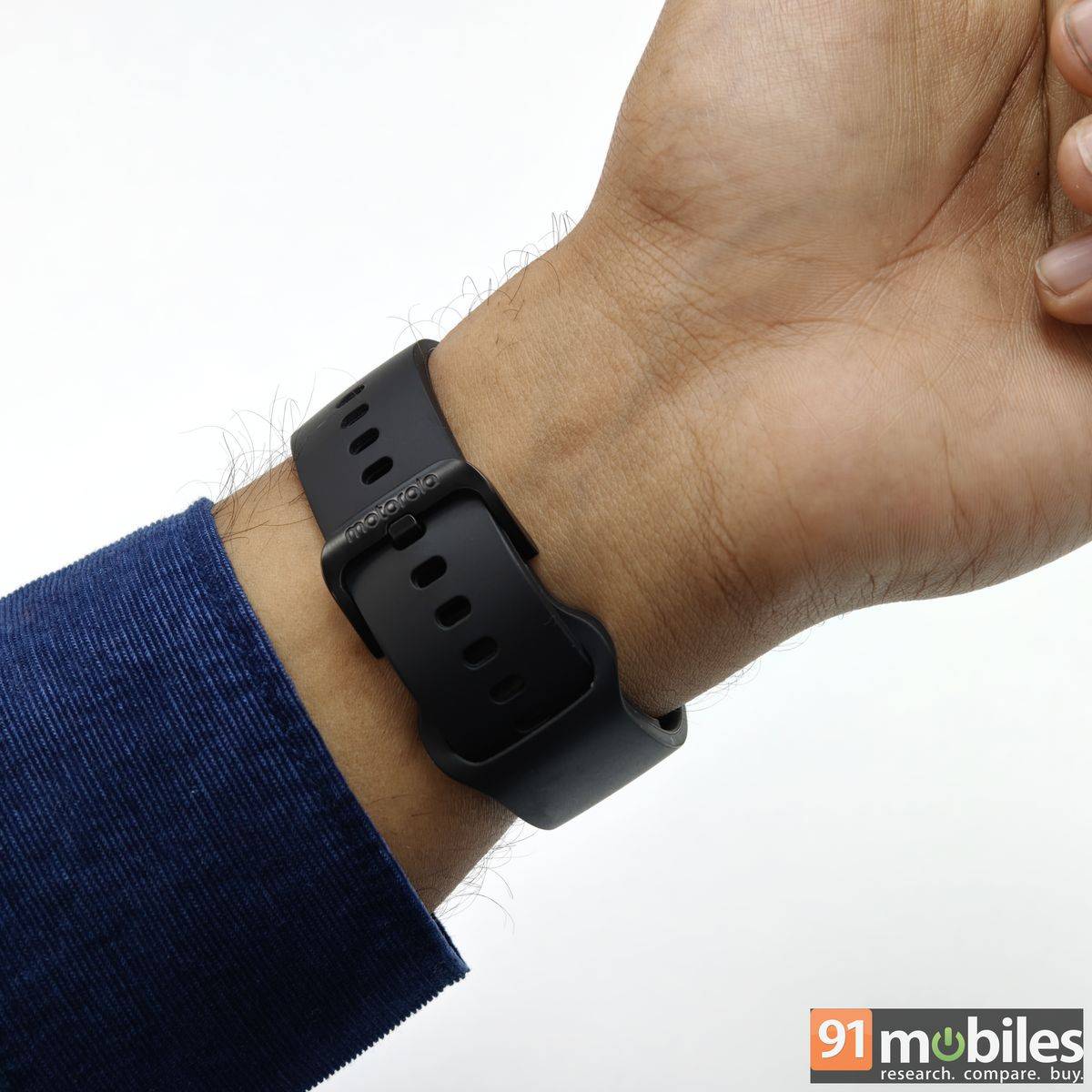
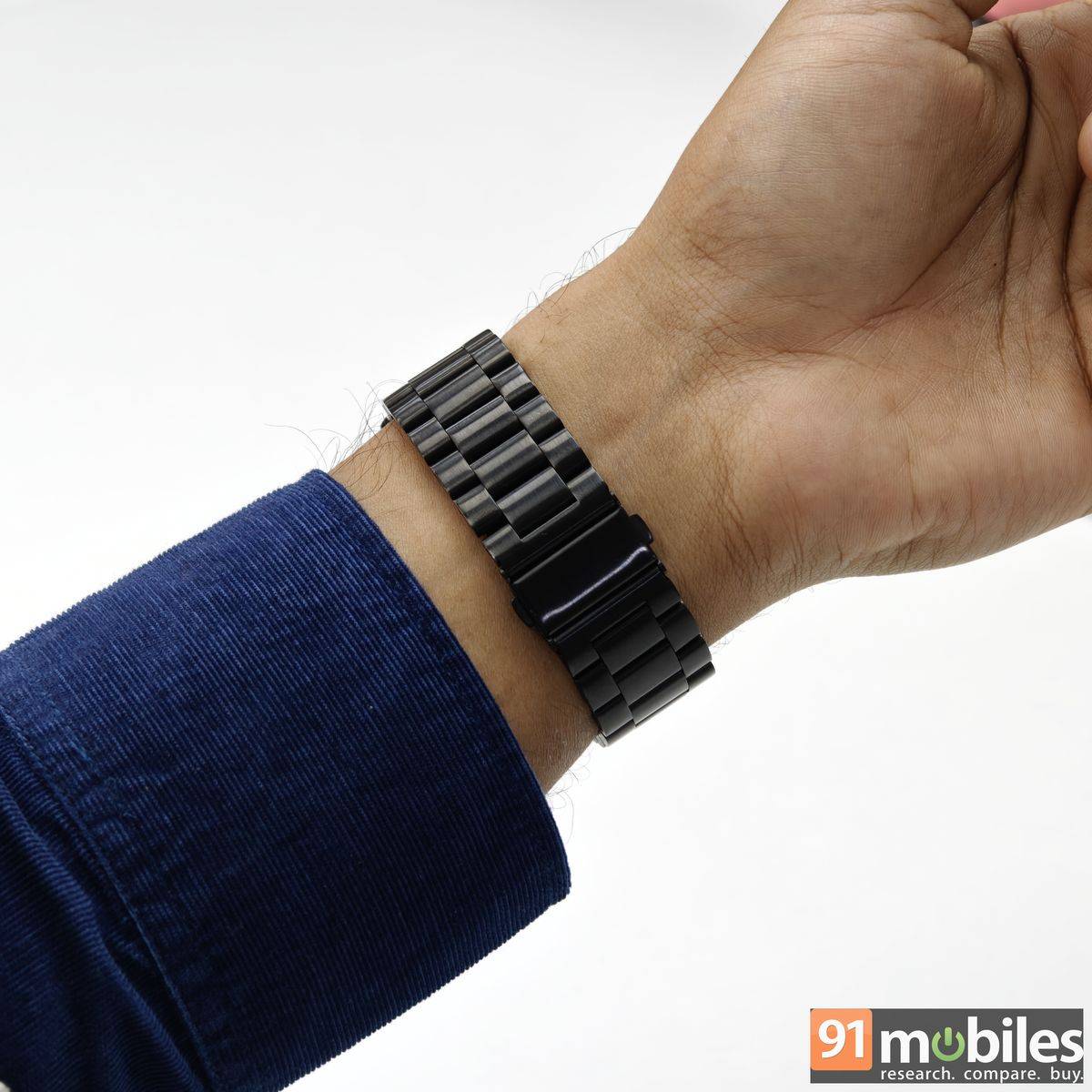
You can dress the Moto Watch up or down to suit almost any outfit – casual looks, formal, and even athletic gear. Motorola deserves credit for that for including both silicone and stainless steel straps in the box. It clearly signals the brand’s intent to appeal not just to fitness enthusiasts but also to lifestyle users.
There’s also a leather strap option available for those who prefer a more classic look. Swapping straps is effortless thanks to the quick-release pins, and the stainless steel strap even ships with a DIY tool for easy size adjustment. The watch should sit securely on the wrist for its fitness tracking to work accurately. That said, for workouts, the silicone straps might be a better fit both for comfort and accuracy.
Wearing the Moto Watch for extended periods won’t be a problem, thanks to its 35-gram weight, smooth back finish, and relatively compact 47mm dial. That’s the only dial size it comes in, which I don’t mind, considering it’s a smartwatch and you need some screen real estate to interact with it.
Display is good, but not scratch-proof
The Moto Watch ships with a 1.4-inch round OLED display, a sizable bezel, and Corning Gorilla Glass 3 protection. For the most part, I have little to complain about. The screen is responsive, punchy, and generally easy to read. My only real gripe is the auto-brightness, which isn’t as reliable as it should be. It often fails to adjust accurately to changing environments, leaving the display dimmer than I’d prefer. Manual brightness controls are available, and once dialled up, the screen remains legible even under direct sunlight.
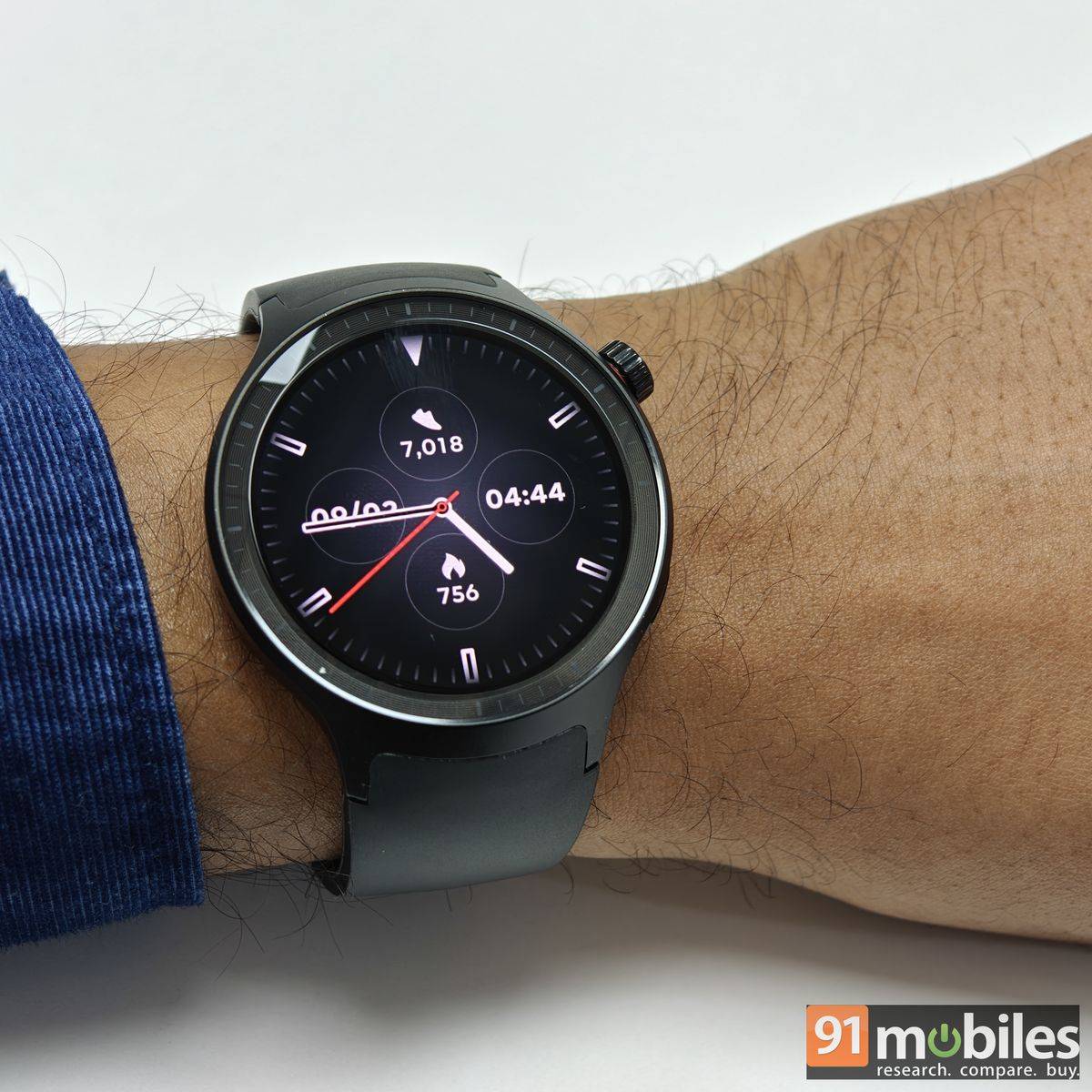
I also find the Moto Watch to be fairly durable, though not swimming durable. It features an aluminium frame, a 1ATM rating, and an IP68 certification for water- and dust-resistance. It’s worth noting that the display can pick up a few scratches during regular use, so be careful if you plan to use the watch for workouts, as I do.
Moving on, the wearable is available in a variety of colour options, including Matte Black, Silver, Pantone Volcanic Ash, Pantone Parachute, Pantone Herbal, and Pantone Mocha. Some of the names feel slightly overstretched, but there’s no shortage of choice. We received the Volcanic Ash variant, which, to my eye, looked nothing but black.
Easy to control, exclusive connectivity
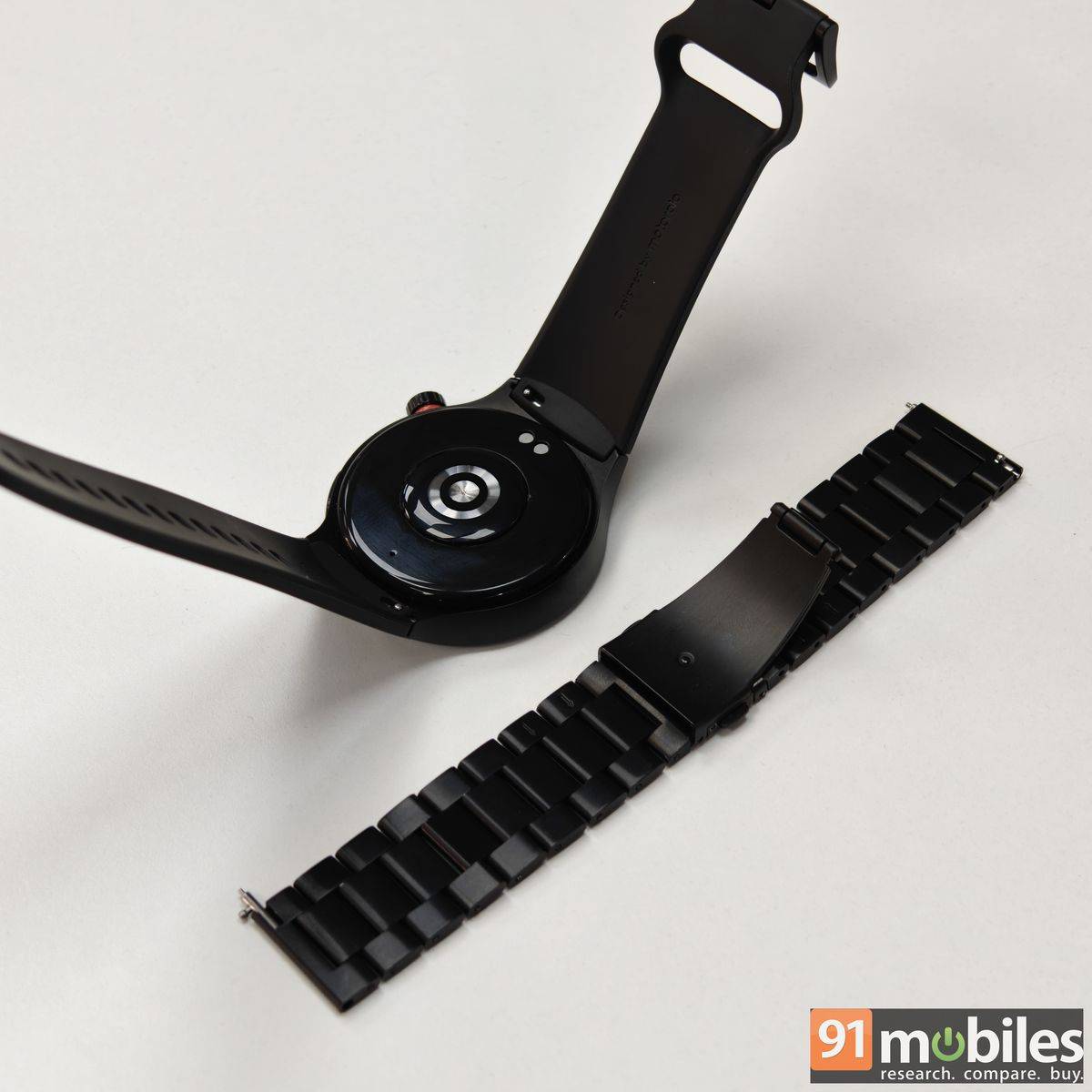
The Moto Watch supports both touchscreen input and physical controls, including a rotary crown and a secondary button along the edges. The button sits almost flush with the watch body on the lower edge, while the crown is positioned closer to the top, protruding just enough to be easy to use without digging into your wrist. The button is also accented with a subtle red ring, adding a small but welcome visual touch. By default, a single press opens the app drawer and takes you to the home screen, while rotating it lets you scroll through the options. It’s reliable, but I also wish it had good tactile feedback. The flat button is assigned for workout modes. Unfortunately, these buttons can be customised.
The UI isn’t entirely new, with customisable panels that appear when you swipe horizontally, quick settings when you swipe down, and a notifications centre when you swipe up. However, Motorola takes a “close your rings” approach, similar to Apple and Samsung’s more expensive watches, which is a nice touch and even motivates you to keep going. The watch also signals new activity and notifications via a small but clearly highlighted dot on the home screen, which you can tap to jump straight in – a thoughtful touch to say the least.
To manage your smartwatch and access a detailed breakdown of your fitness data, Motorola offers a companion app called Moto Watch. The app is available on the Google Play Store for devices running Android 12 or newer. There’s no iOS version, which makes it clear the Moto Watch isn’t designed for iPhone users.
Pairing the Moto Watch with an Android device is pretty simple. Launch the app on your device, scan the QR code on the screen, and, within a few seconds, you will be good to go. The watch supports Bluetooth v5.3, meaning it can communicate with your smartphone up to 240 meters away. The wearable also features BLE (Bluetooth Low Energy) to reduce power consumption while still providing good connectivity.
If you pair the watch with a Motorola smartphone, it can deliver a short, personalised summary with motoAI’s ‘Catch me up’. While the watch supports Bluetooth voice calling with all Android smartphones, I found the speaker quality underwhelming. The speaker is also used for workout alerts, but they can be easy to miss in a gym environment, where loud music plays in the background.
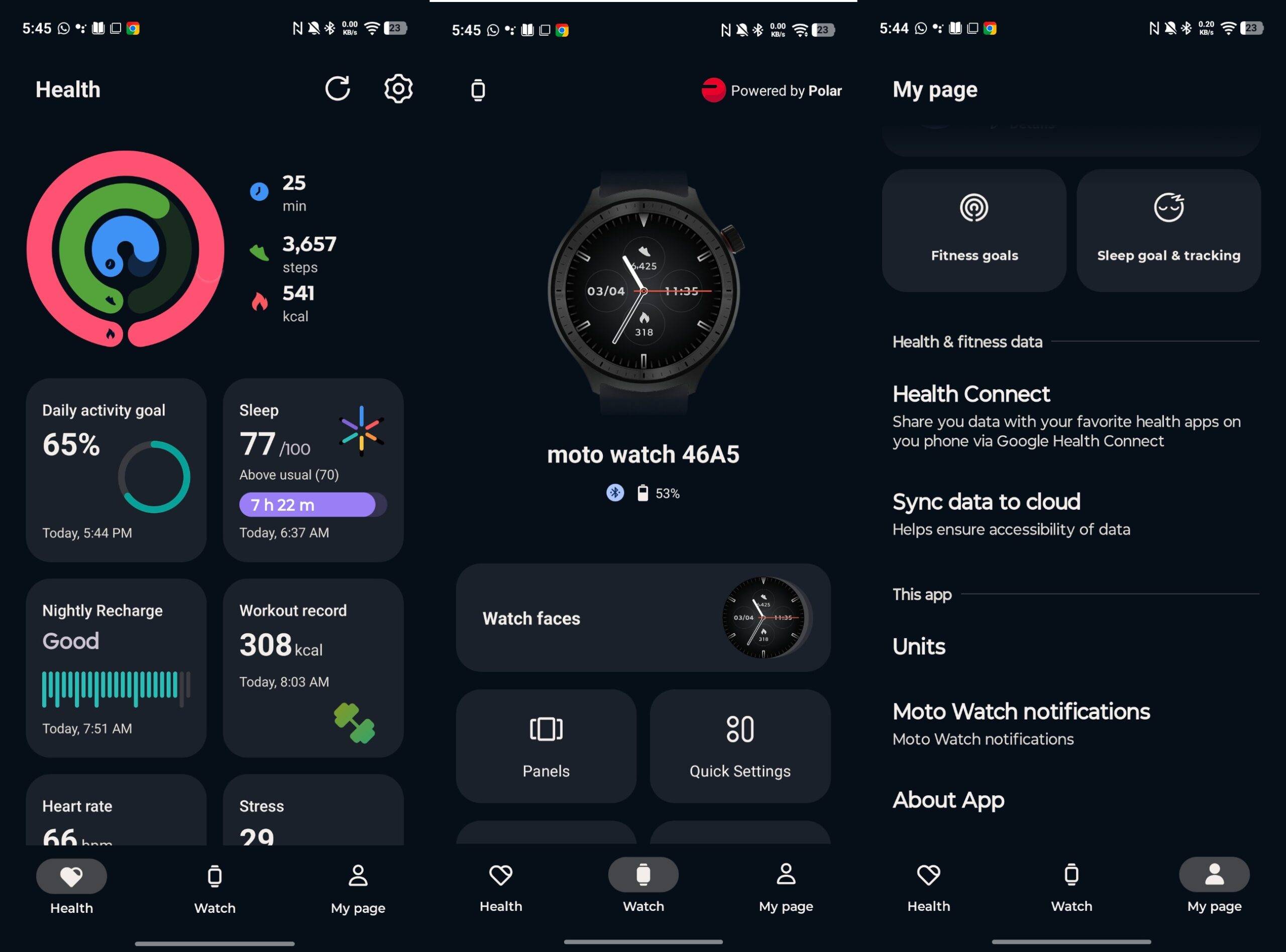
As for the app’s interface, it’s among the cleanest I’ve used so far. The Watch tab sits front and centre, with the top section dominated by key watch details such as the device name and remaining battery percentage. Scroll down, and you’re greeted by neatly arranged tiles for watch faces, panels, quick settings, apps, and more, all laid out in an intuitive manner.
There’s also a dedicated Health tab, which receives the same clean, tile-based treatment, though it does make you wonder why this isn’t the default landing screen. Rounding things off is the My Page tab, housing personal details, fitness goals, sync options, and other account-related settings. The app didn’t freeze or crash during my usage.
Respectable accuracy level
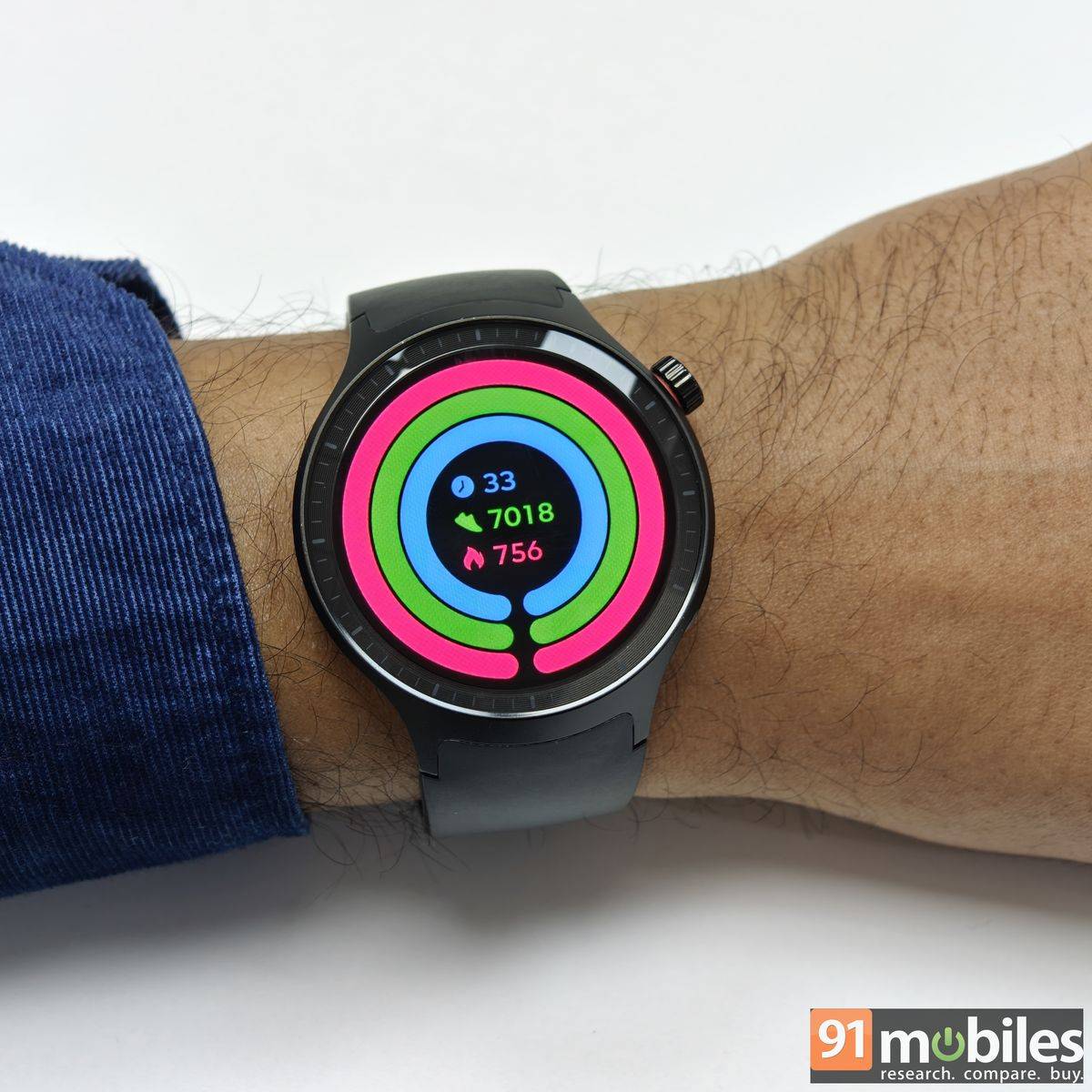
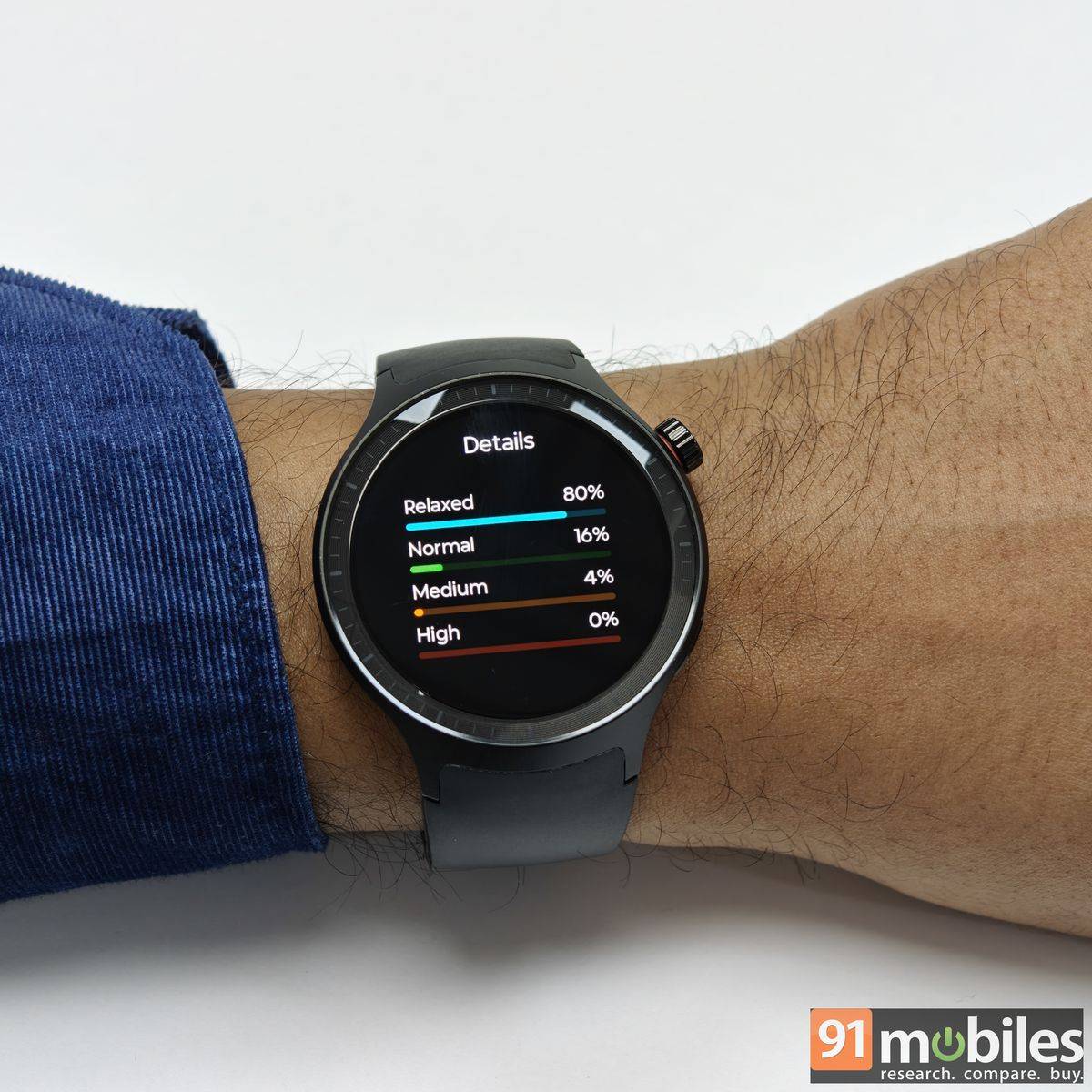
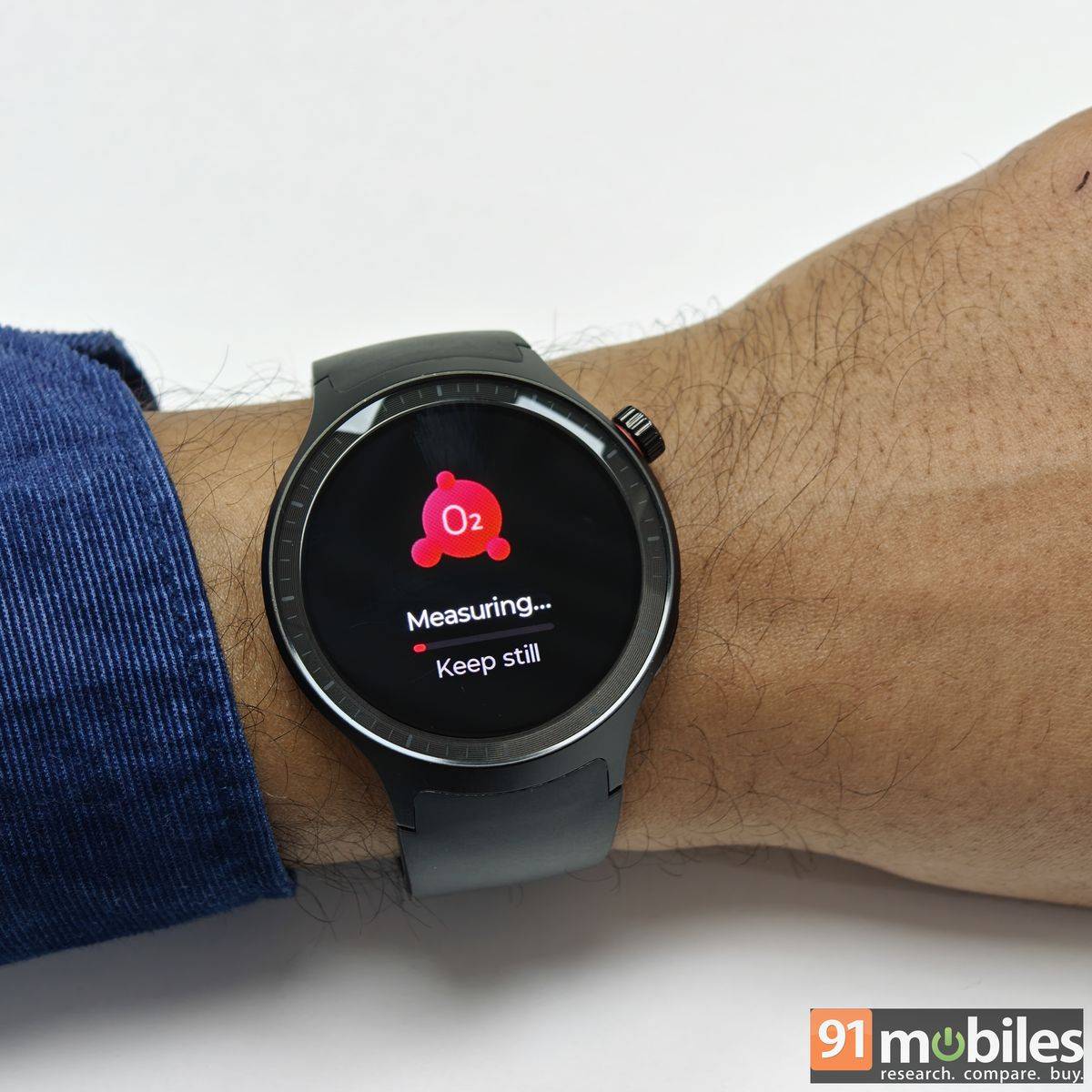
The Moto Watch offers almost every fitness feature you can expect from a watch. There is continuous heart rate tracking, a step counter, calories burned, SpO2, a stress monitor, and a sleep tracker. Beyond core vitals, the smartwatch also features guided breathing exercises and all sorts of workout modes. Up to 10 can be added to the list for quick access. Users can automatically enable and pause tracking for a handful of these workouts, but note that this will drain the battery.
I used the watch mostly to track my gym workouts, and was pretty happy to enable the tracking manually. In my experience, the watch was a bit generous with my stats. It would calculate 5-6 steps for every 100 steps walked. The sleep tracking and calories were also on the higher side. However, these were very marginal and respectable for a budget smartphone.
I appreciate that Motorola hasn’t gone overboard with branding its Polar partnership on the watch. It has been subtly included, while still keeping the focus on the data, which is clearly presented and thoughtfully broken down for easier interpretation. The sleep panel, for instance, shows total sleep duration before diving into interruption time, sleep continuity, actual sleep time, and the various sleep stages, including REM and deep sleep. A score is also generated, based on how well you have done across categories.
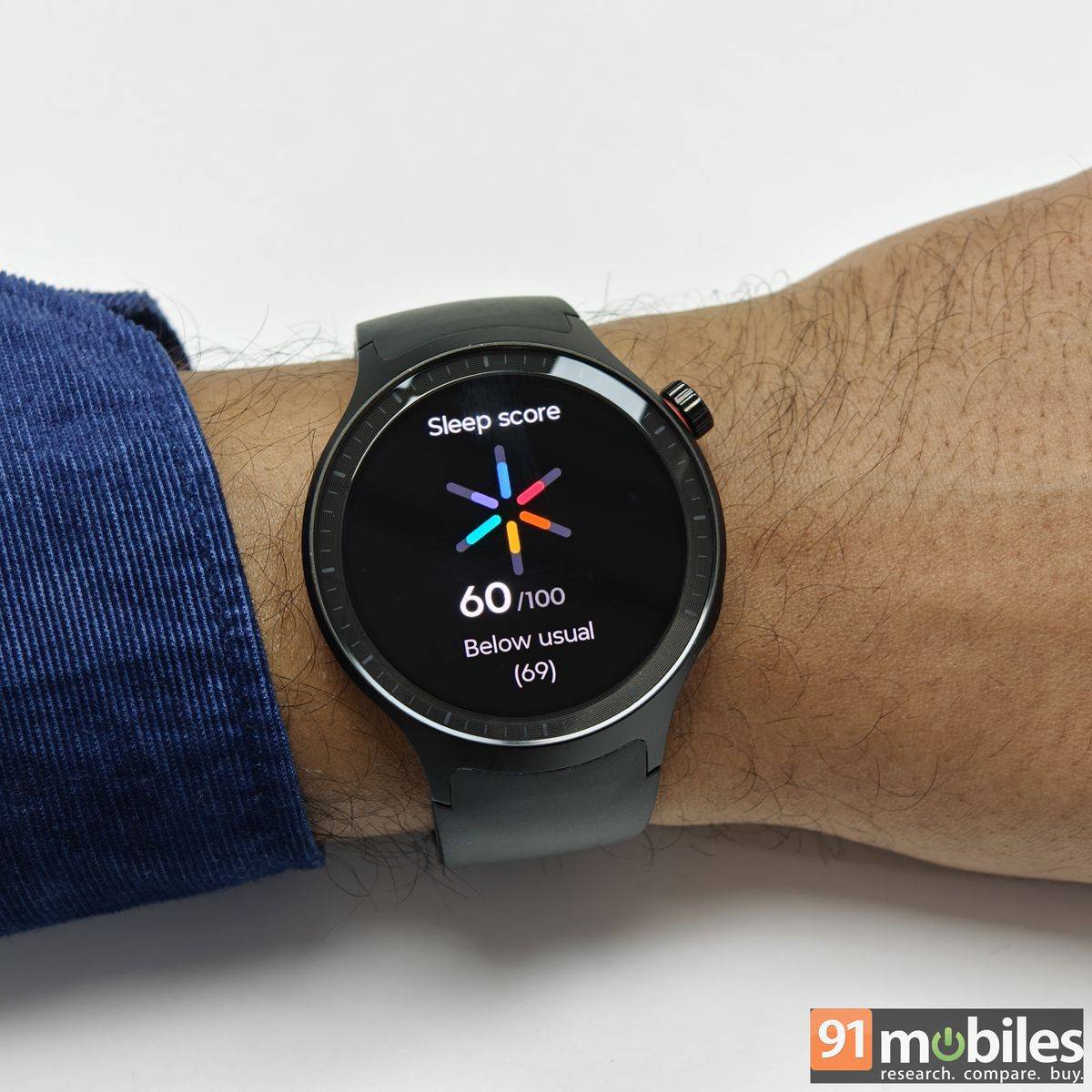
Apart from this, the watch comes with Nightly Recharge, which includes ANS (Autonomic Nervous System) and measures how well your nervous system calms down during the first four hours of sleep. While I can’t vouch for its accuracy, it is good to have the feature handy. The Moto Watch can also flag unusual spikes in heart rate. That said, it’s important to treat this data, along with the other, as indicative rather than diagnostic, and not as a substitute for medical advice.
The Moto Watch features dual-frequency GPS, which is commendable on paper but only reasonably reliable in real-world use. It does a decent job of tracking outdoor activities, though accuracy isn’t its strongest suit. The GPS also requires a clear, open area to lock on effectively, as even light shade or tree cover can lead to signal dropouts.
Strong battery life
Motorola claims up to 13 days of battery life on the Moto Watch, and in real-world use, that figure doesn’t feel unrealistic. The smartwatch charges via a proprietary plug-style charger included in the box, which snaps magnetically onto the back and draws power through a USB Type-C adaptor. A full top-up from 0 to 100 percent takes roughly an hour and a half, after which you can largely forget about the charger.
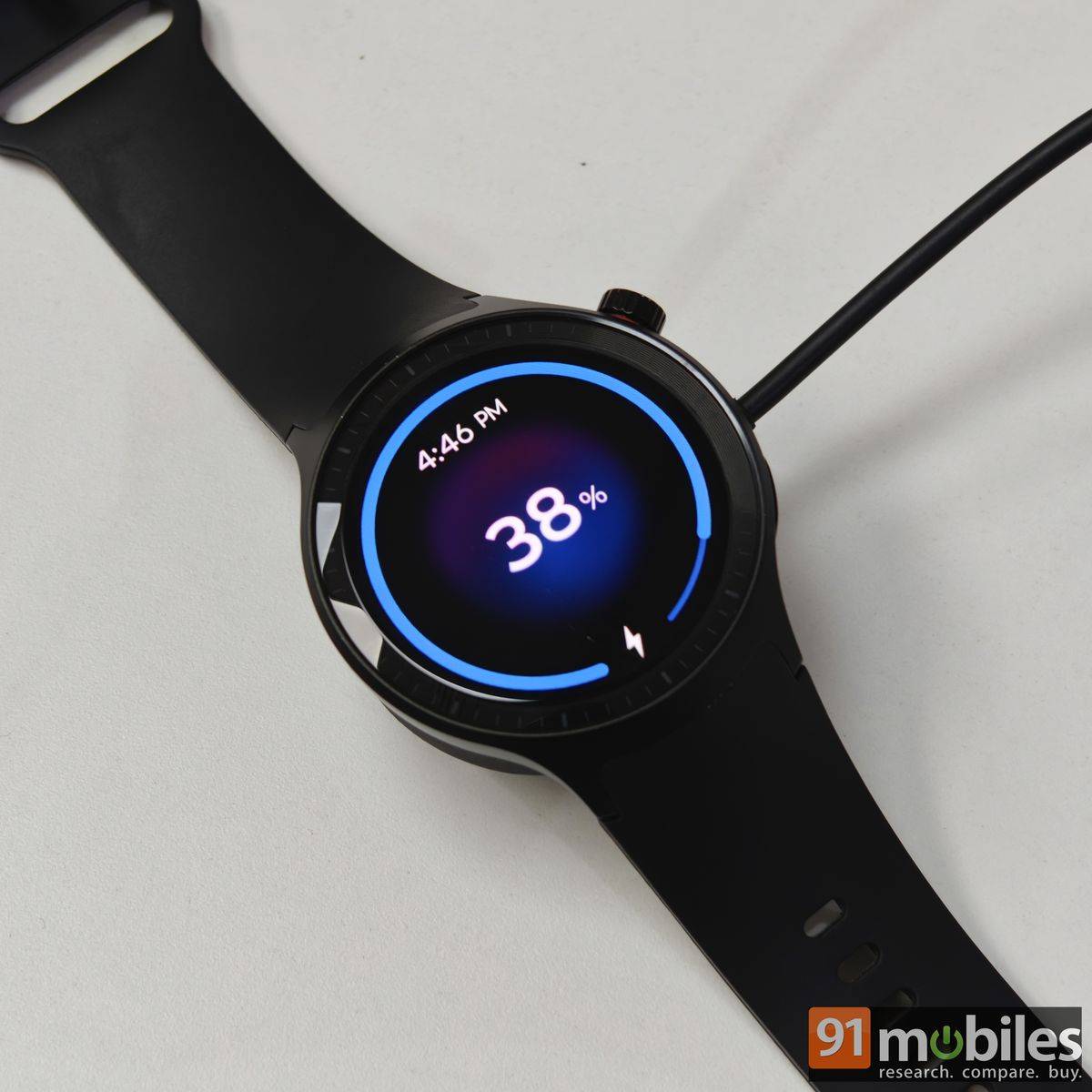
In everyday usage, with continuous vitals tracking enabled, hour-long workouts, regular notification alerts, and a daily blood oxygen reading, the Moto Watch consistently lasted around 10 days. Users can dial a few things back to stretch the battery life closer to the advertised mark. GPS tracking and Bluetooth calling might drain the battery quickly, but it will still be acceptable for regular users.
Verdict
The Moto Watch is available starting at Rs 5,999. This is not the most competitively priced smartwatch out there. You will easily find a wearable that is far more affordable, offering specs similar to the Motorola smartwatch. However, the uniqueness of the Moto Watch is its partnership with ‘Polar’, which is widely recognised for its sports and fitness wearables. The brand may not have a presence in India, but with the Moto Watch, you can get close to its level of accuracy.
Fitness tracking was largely consistent during my usage. Besides that, the watch comes with a design that looks far more premium than its asking price, and its lightweight build makes it comfortable to wear around the clock. Complementing the hardware is a clean, clutter-free UI and app experience. Moreover, the watch impresses with its battery life, which comfortably stretches to around 10 days on a single charge.
There are areas, such as average GPS accuracy, underwhelming speakers, and scratches on the display, where the Moto Watch could improve. Hopefully, the issues will be fixed in the next iteration of the smartwatch, if there is one. Until then, for Android users who want a stylish, reliable smartwatch with long battery life and trustworthy health data, the Moto Watch makes a compelling case.
Editor’s rating: 8/10
Pros
- Premium, lightweight design
- Excellent battery life
- Polar-backed health insights
- Clean UI and companion app
Cons
- Average GPS accuracy
- Speaker quality is underwhelming
- Display is prone to scratches