If there’s one aspect OnePlus is known for, it’s performance. And that’s something it doesn’t hold back on when it comes to its top-end tablet, the Pad 3. The OnePlus Pad 3 is a slate that aims to take a fair chunk of workload away from both your smartphone and your laptop, and yet carve out a unique identity of its own. It’s not an easy thing to do, especially since it adds another screen to our lives. Yet, it manages to stand out as a compelling option. I’ve been using the Pad 3 for a few weeks now, and it has proven to be a useful, reliable partner. It’s not perfect, though. Let me sum up my thoughts, based on how it has fared over my long-term usage.
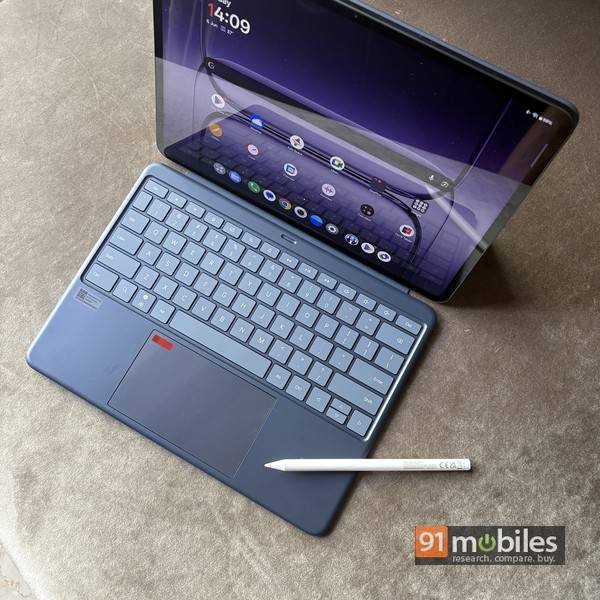
Table of Contents
The capabilities
As a premium, high-end tablet, the OnePlus Pad 3 is packed with matching specs, headlined by the flagship SoC from Qualcomm. Here are the specs:- Snapdragon 8 Elite
- 12/16GB RAM, 256/512GB UFS 4.0 storage
- 289.6 x 209.6 x 5.97mm, 6759
- 13.2-inch LCD display, 3.4k, 144Hz adaptive refresh rate, 7:5 aspect ratio, 900 nits
- 8-speaker system (4 woofers + 4 tweeters)
- 12,140mAh battery, 80W charging
- 13MP rear camera, 8MP front
The package
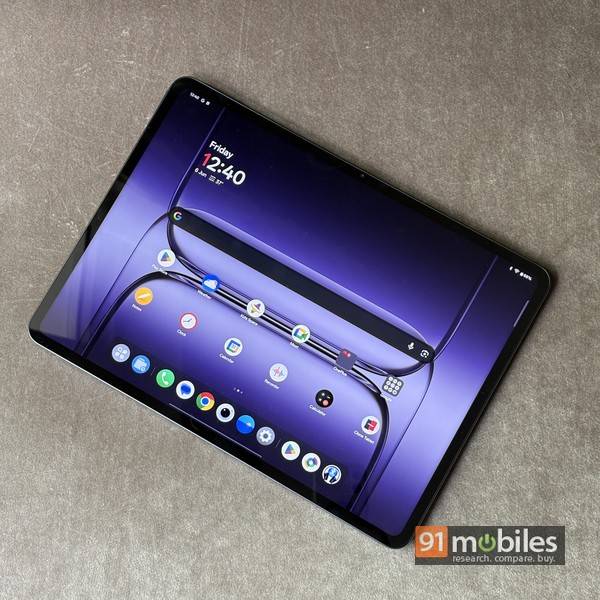
Packed in an aluminium body, the Pad 3 is a slim yet large slab. That’s mainly due to its massive 13.2-inch screen, which gives laptop displays a run for their money. While OnePlus has chosen to go with LCD instead of AMOLED, the 12-bit, 3,392 x 2,400 display is a very capable one. It gets quite bright, and thanks to its adaptive 144Hz refresh rate, it makes things super smooth in terms of usage. Dolby Vision HDR support translates into an immersive multimedia experience, especially when you consider the eight-speaker system that churns out loud and rich audio. The 7:5 aspect ratio also works well for both videos and productivity usage. The slate is impressively slim, though the weight is substantial, and not ideal for one-handed usage.
The software that makes it tick
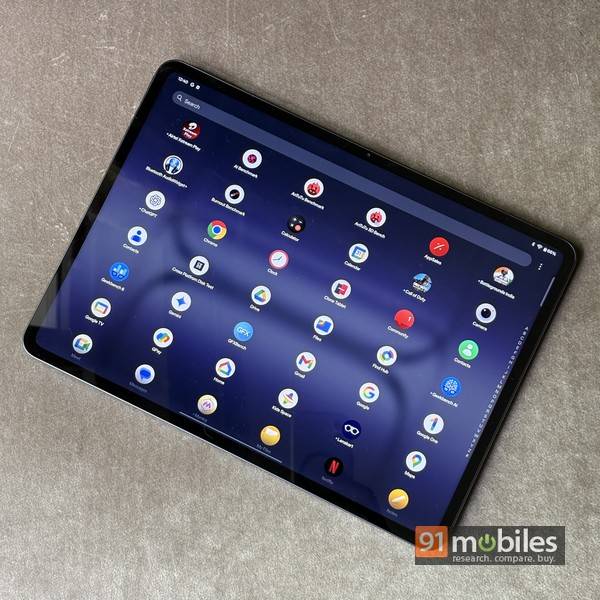
Running OxygenOS 15 over Android 15, the Pad 3 offers a clean, uncluttered Android experience. Given it’s a tablet, though and not a smartphone, the platform is the Tablet Edition of the OS and offers a few factors meant to enhance productivity and take advantage of the large screen. A bunch of AI features are present too, including Circle to Search, and tools for text translation and summarisation, among others. There’s a customisable sidebar and also a dock, which takes the experience closer to a laptop, but what’s missing is a desktop mode similar to Samsung’s DeX. Considering the OnePlus Pad 3’s large screen, something like that could have been a useful addition. You do get Open Canvas, which is a multitasking feature that allows you to run multiple apps together, and also drag and drop between ones that support this functionality. The device even suggests you split your screen when you flip often between two apps. The tablet even offers you the capability to connect with and control your MacBook, and for that, you need to download and install the O+ Connect app on your laptop. Once set up, you can sync notifications and clipboards, exchange files, and even remotely control your MacBook… which can be useful in a pinch.
Android does have its own limitations as a tablet platform, considering many apps are not designed to take advantage of larger screens. So don’t be surprised if you find some of your favourite apps looking weird on the slate’s screen.
Accessories that work. Or not
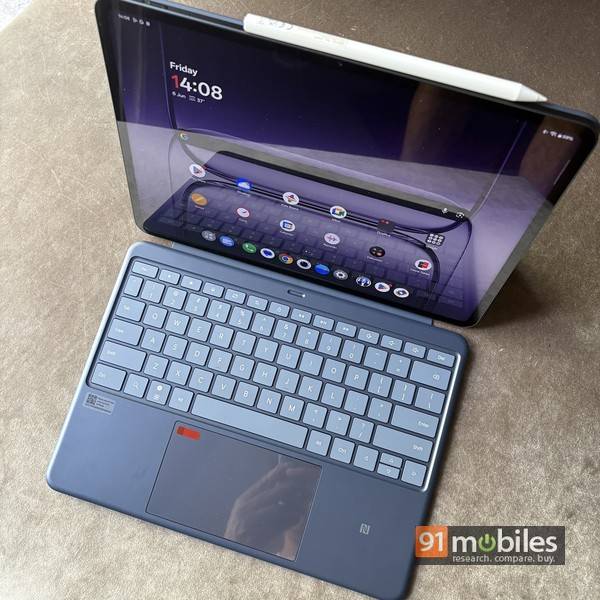
On the face of it, this looks like a strong point in favour of the Pad 3. While they’re optional, the keyboard attachment and the pen look like handy accessories to have. I’m referring to the OnePlus Smart Keyboard, a full-sized keyboard complete with a large trackpad, and the Stylo 2 pen that boasts 16,000 levels of pressure sensitivity. The pen should be worth considering for digital artists and the creative types, given the control and responsiveness it promises.
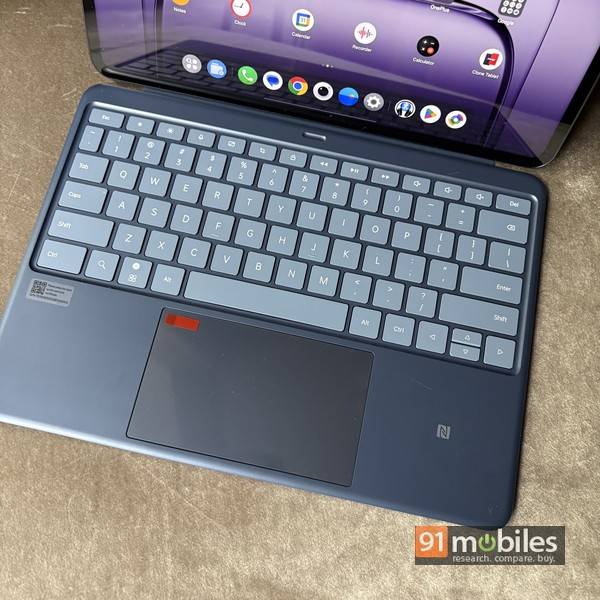
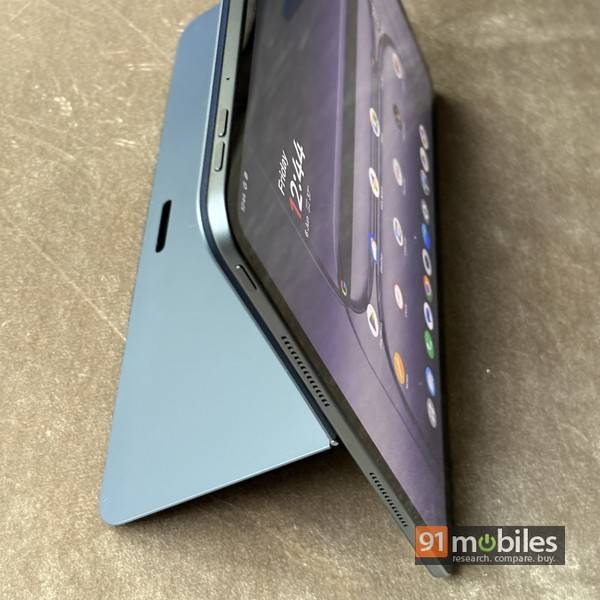
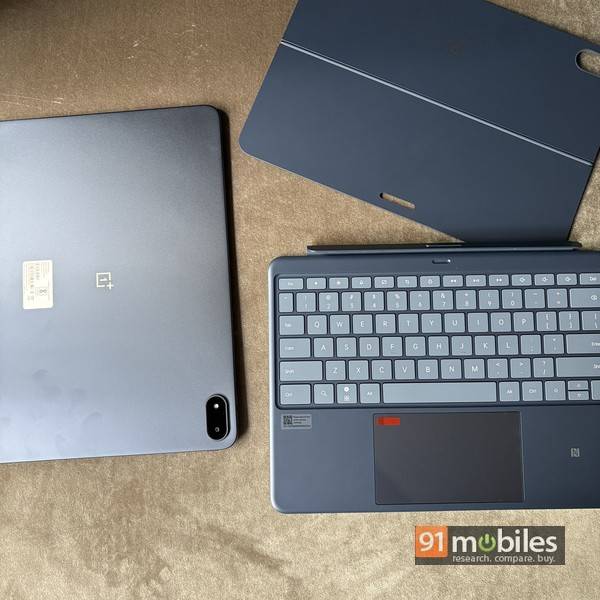
The keyboard is good to type on, too, with large, spacious keys and a smooth trackpad. What’s more, it supports dual connection modes — so you can use it while it’s connected to the base of the tablet via pogo pins, or choose to keep it at a slight distance, utilising Bluetooth. What doesn’t work so well, however, is how the keyboard accessory attaches to the slate. You see, the keyboard accessory comes in two parts, with one attaching to the back of the tablet magnetically. The lower portion flips out to form a kickstand, using which you can prop up the tablet on a desk. The other portion is the keyboard, which, as I said before, can attach to the base of the tablet using pogo pins. The magnetic force for both these attachments is weak, and a slight nudge or shake is enough for the connections to come apart. So it’s easy to knock off the tablet while it’s propped up and you want to move it around. Whether this is a deal breaker for you or not is something for you to figure out, but in my case, my solution was to just use some good-quality double-sided tape to make sure the rear portion doesn’t come off when I don’t want it to. Not the most elegant solution, but it works.
Does it deliver?
In a nutshell, yes. With the Snapdragon 8 Elite SoC at the helm, mated to 12 gigs of RAM and 512GB of UFS 4.0 storage, performance can never really be a concern. This is top-end hardware, and as of now, it doesn’t really get better than this as far as mobile devices are concerned. This bodes well for the OnePlus Pad 3, as it shines in the performance department, without any lag or stutter evident, regardless of the app or game you choose to run on it. In fact, its Antutu score of 2832970, and Geekbench multi-core score of 8965 is among the top scores even when compared to some premium flagship smartphones. The 12,140mAh battery is a beast, too, and though the large screen does take a toll, the Pad 3 delivers in this aspect as well. The battery life is pretty good overall, and with my intermittent usage, I ended up charging it about one to two times a week. Heavier usage will drain the battery faster, but even then, you probably wouldn’t need to charge it more often than once every other day. Support for 80W SUPERVOOC charging juices it up fully in about an hour and a half, which is pretty good for a battery of this size.
Verdict
The OnePlus Pad 3 is priced Rs 47,999 onwards, and that doesn’t even include the cost of the accessories. And if you’re shopping for a premium slate, you can’t ignore contenders from Apple, while the Android side of the fence has options from Samsung. That said, the Pad 3 does look like good value for money given its top-end specs. While it’s fully loaded and extremely capable, thanks to its powerful hardware, lovely screen and clean software, its large size might not be for everyone. Especially when you consider the fact that it can’t fully replace your laptop. The niggles with the keyboard cover accessory should also be kept in mind before you splurge. OnePlus should also consider offering a cellular option, which might make it more appealing to professionals on the move. Overall, the pros outweigh the niggles substantially, and all said and done, the OnePlus Pad 3 is among the most powerful and capable tablets around, and delivers as a package on most aspects.
Editor’s rating: 7.5 / 10
Pros:
- Premium build
- Immersive screen & audio
- Smooth performance
- Good battery life & fast charging
Cons:
- Can’t replace your laptop
- Keyboard magnetic connection is weak
- No cellular option