If TVs delivered truly immersive audio, there would be little reason to invest in a separate home theatre system. No matter how much manufacturers increase their audio power output, most televisions, especially in the mid-range segment, still fall short of delivering a cinematic sound experience. While there are plenty of sound systems available in the market, the choices narrow considerably if you’re looking for something suitable for a compact living space.
That’s where the Zebronics Juke Bar 9300C comes in. This 5.1-channel home entertainment system aims to bring surround sound to smaller rooms without demanding a hefty investment, making it one of the more compact and affordable options in its segment. After using the Zebronics Juke Bar 9300C for over two weeks, here are my thoughts on the soundbar and what it brings to the table.
Table of Contents
Specifications checklist
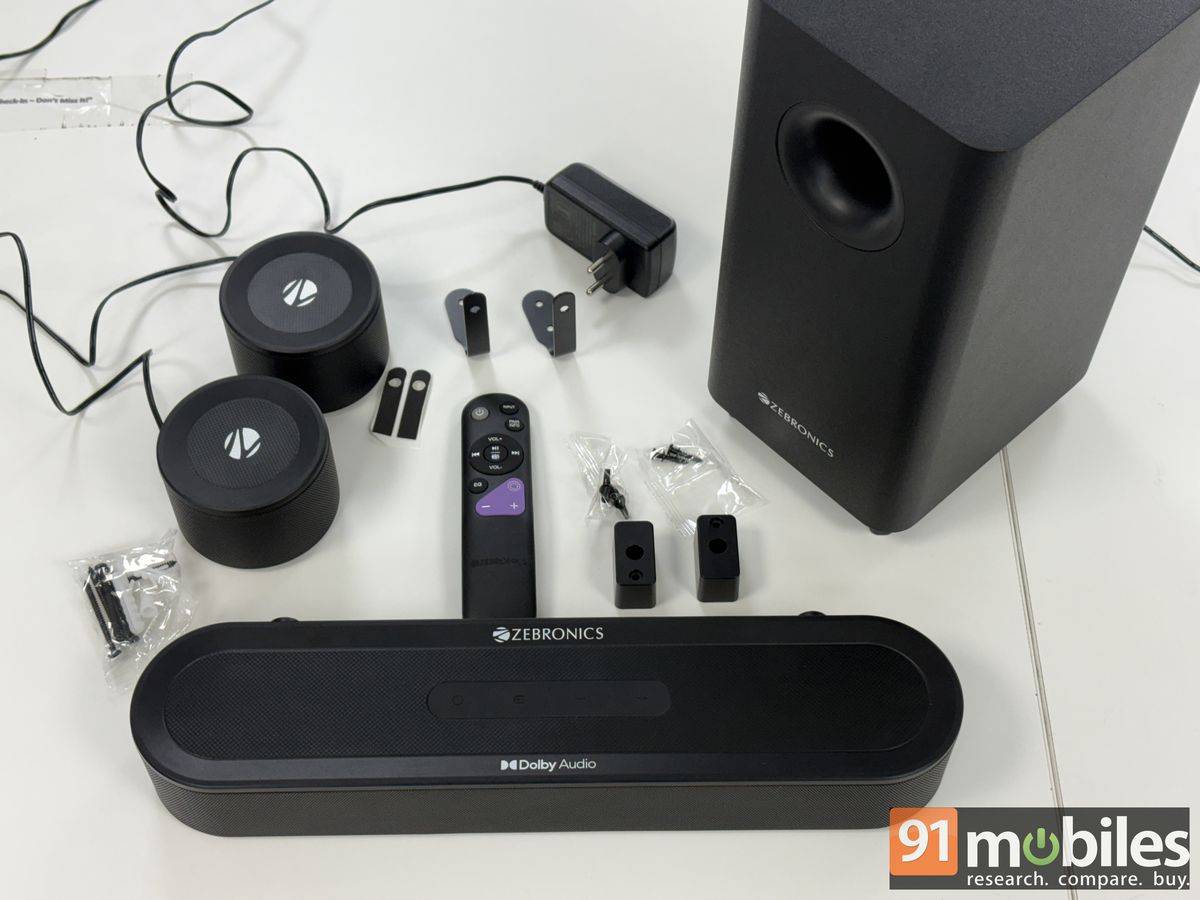
- Power output: 380W (165W soundbar + 150W woofer + 55W satellites)
- Channels: 5.1
- Connectivity: Bluetooth v5.4, HDMI ARC, Optical In, AUX, USB
- Audio technology: Dolby Audio
- Dimensions (W x D x H):
- Soundbar: 40.6 x 9.8 x 6.1 cm
- Subwoofer: 15.2 x 18.6 x 32 cm
- Satellites: 9 x 6.6 cm (Dia x H)
Design
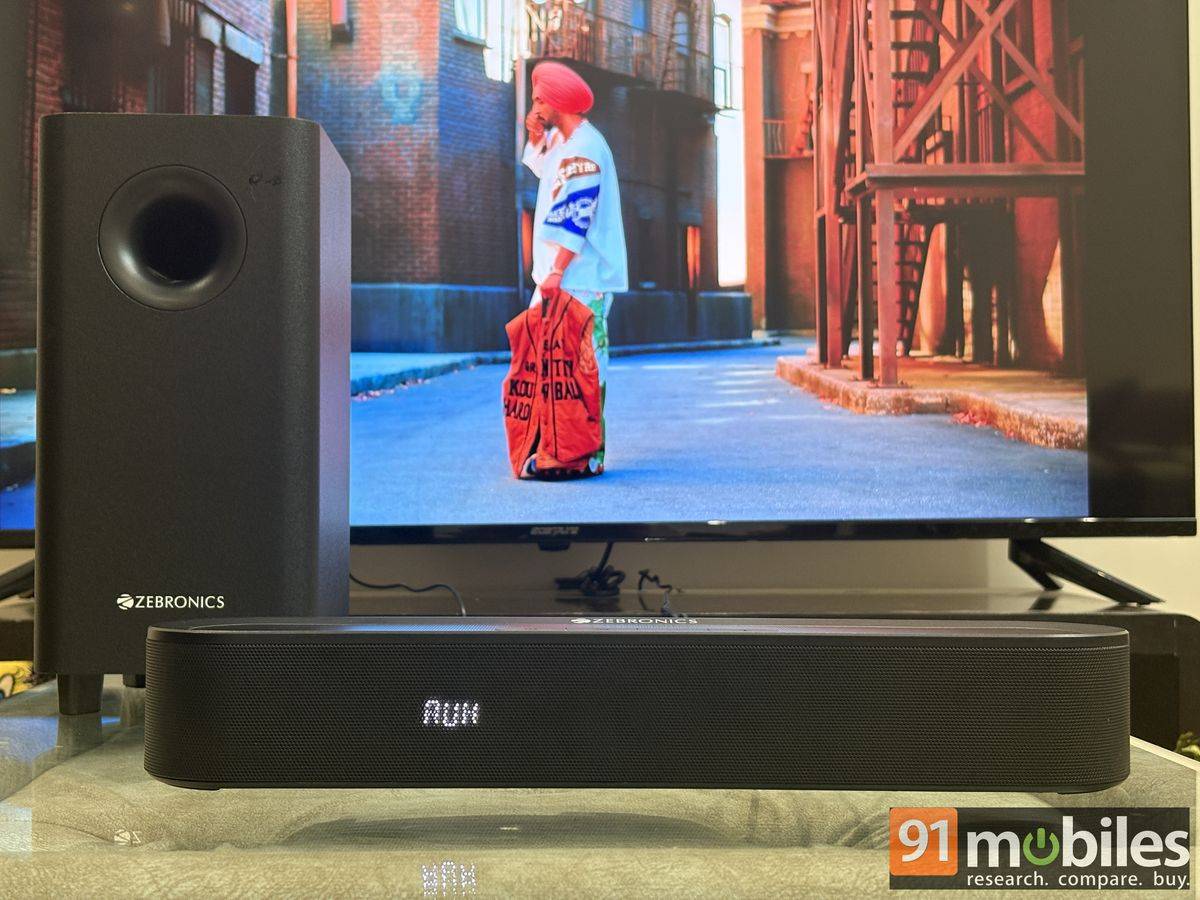
The compact design is one of the standout features of the Zebronics Juke Bar 9300C. Beyond its space-saving form factor, I was particularly impressed by how well the system has been put together. The matte finish does an excellent job of masking the plastic construction, giving the setup a far more premium appearance than its price suggests. Branding has also been handled tastefully, with subtle white lettering on the soundbar and subwoofer, while the satellite speakers feature the Zebronics logo. The overall aesthetic is clean, understated, and surprisingly elegant for a budget-friendly audio system.
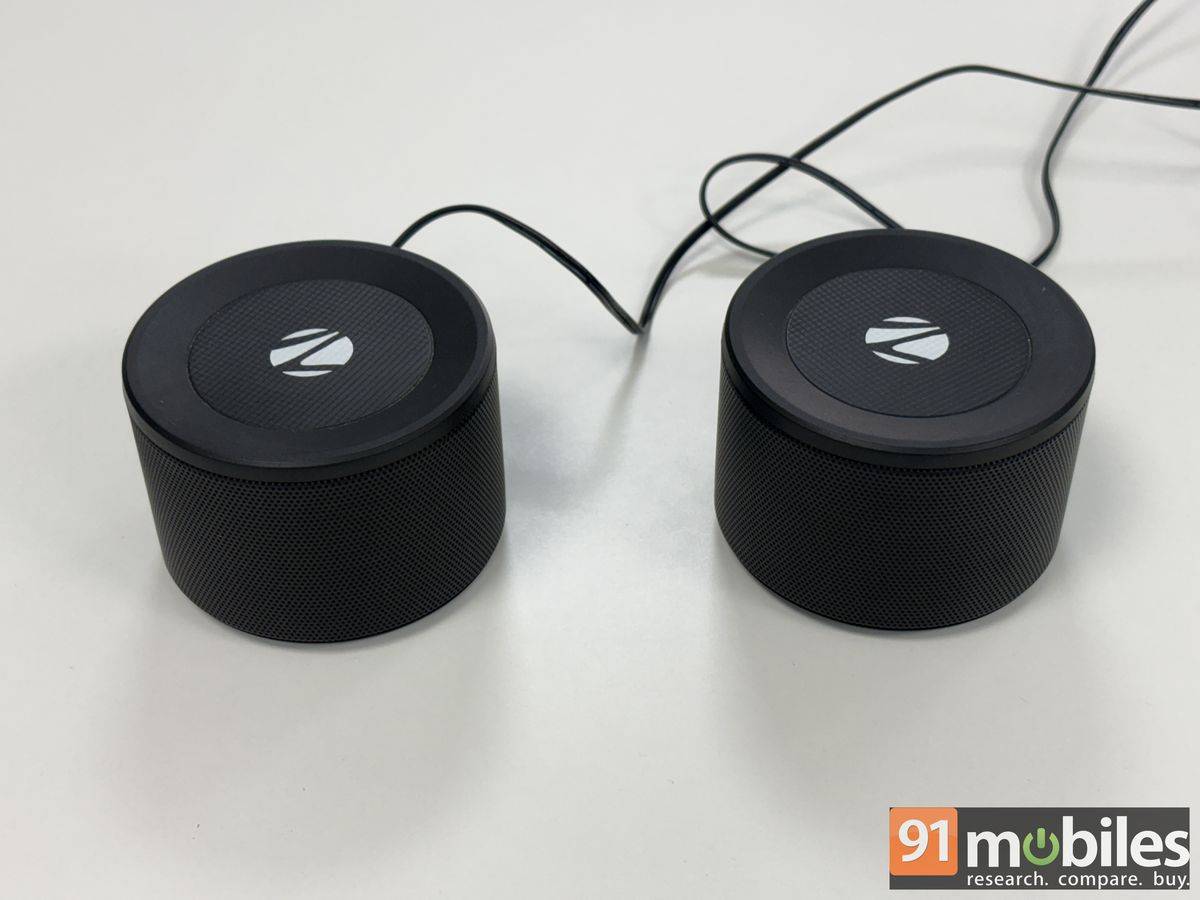
The two cylindrical satellite speakers are not wireless and remain connected to the soundbar via long cables measuring approximately 20 metres. This gives you the flexibility to place them at the far end of the room for a more immersive surround-sound experience. The Zebronics Juke Bar 9300C soundbar and satellite speakers can be placed on a table or mounted on a wall using the supplied mounting accessories. The subwoofer, however, is best positioned on the floor to deliver optimal bass performance.
Connections & setup
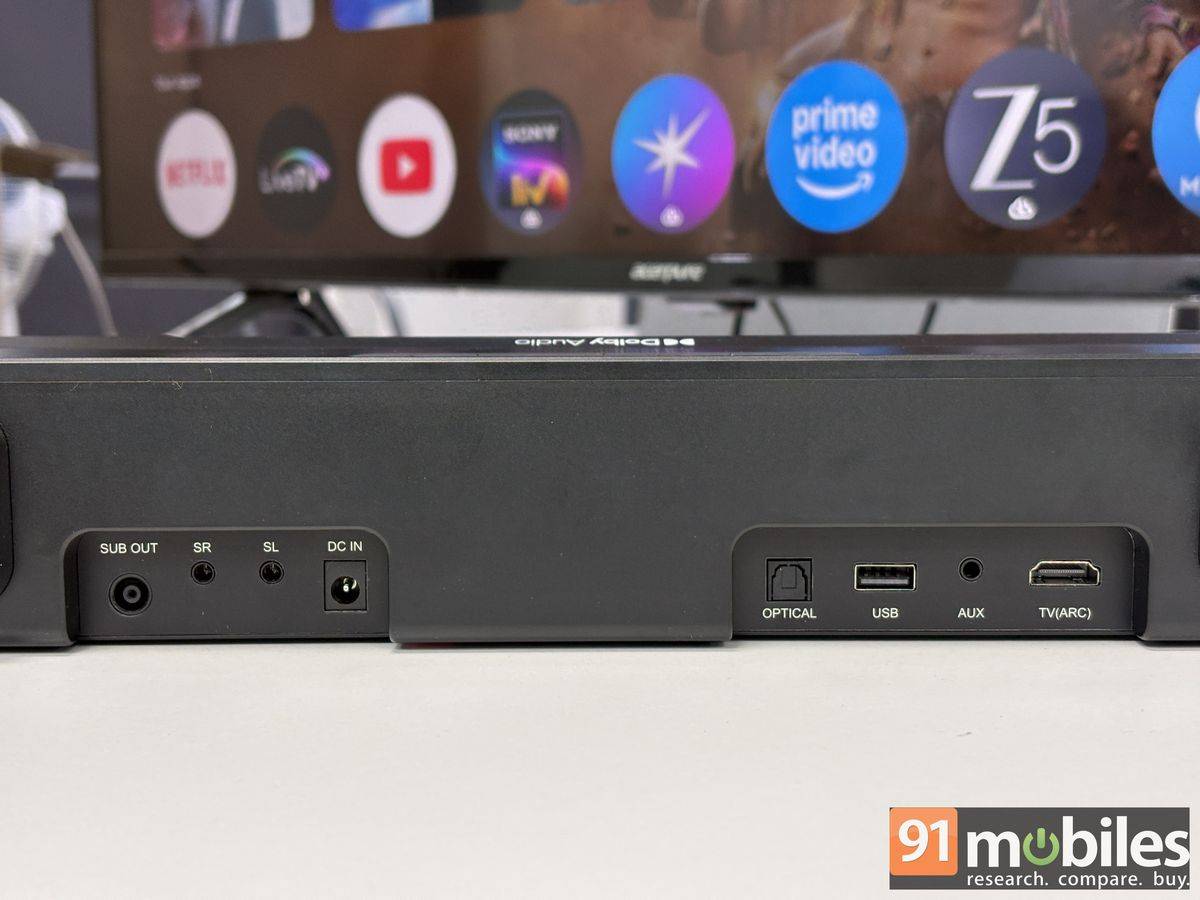
All connectivity ports are located at the rear of the soundbar. These include dedicated inputs for the satellite speakers and subwoofer, along with a power connector, 3.5mm AUX input, USB Type-A port, optical input, and HDMI ARC. For wireless connectivity, the Zebronics Juke Bar 9300C supports Bluetooth 5.4. These are all the essential wired and wireless options most users could have asked for in a sound system.
While there seems to be very little clearance at the rear of the soundbar for a wall-mounted setup, accessories have been provided in the box to make it easier to connect the subwoofer and satellite speaker cables, along with bulkier connectors such as HDMI cables and USB drives.
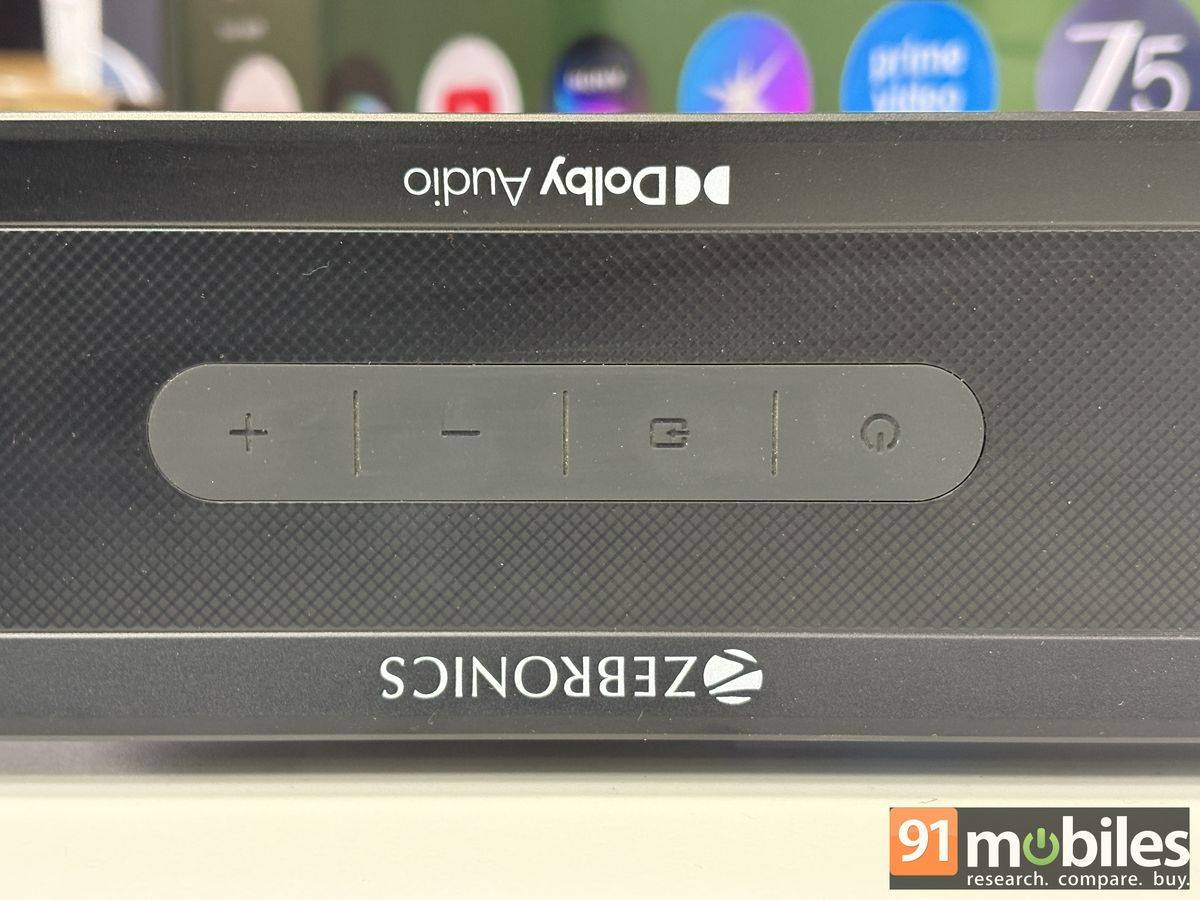
The Zebronics Juke Bar 9300C features basic controls on the soundbar, including an option to power it on/off, select the sound source, and adjust volume. For basic usage, these controls seem more than sufficient. There is even a small display, behind the grille, at the front of the speaker, to check the status. However, I wish the display were better utilised, which I’ll get to in a bit.
Controls
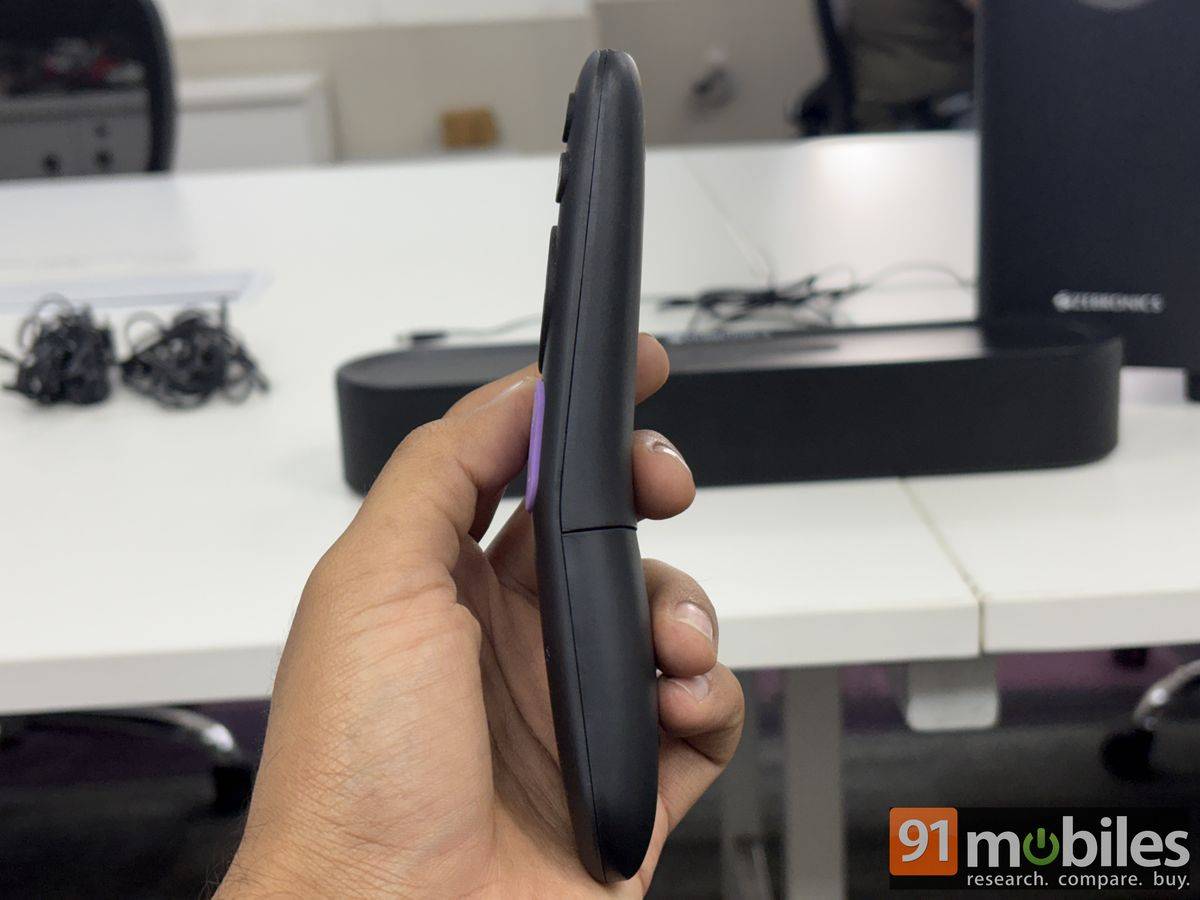
For users who prefer more precise control from a distance, Zebronics bundles an IR remote with the Juke Bar 9300C. However, the required batteries are not included in the box, so you will need to purchase two AAA cells before using it. The remote itself is compact and ergonomically designed, featuring rounded edges and a slight curve in the middle that makes it comfortable to hold. It also keeps things simple with a limited number of buttons, making navigation and day-to-day operation intuitive.
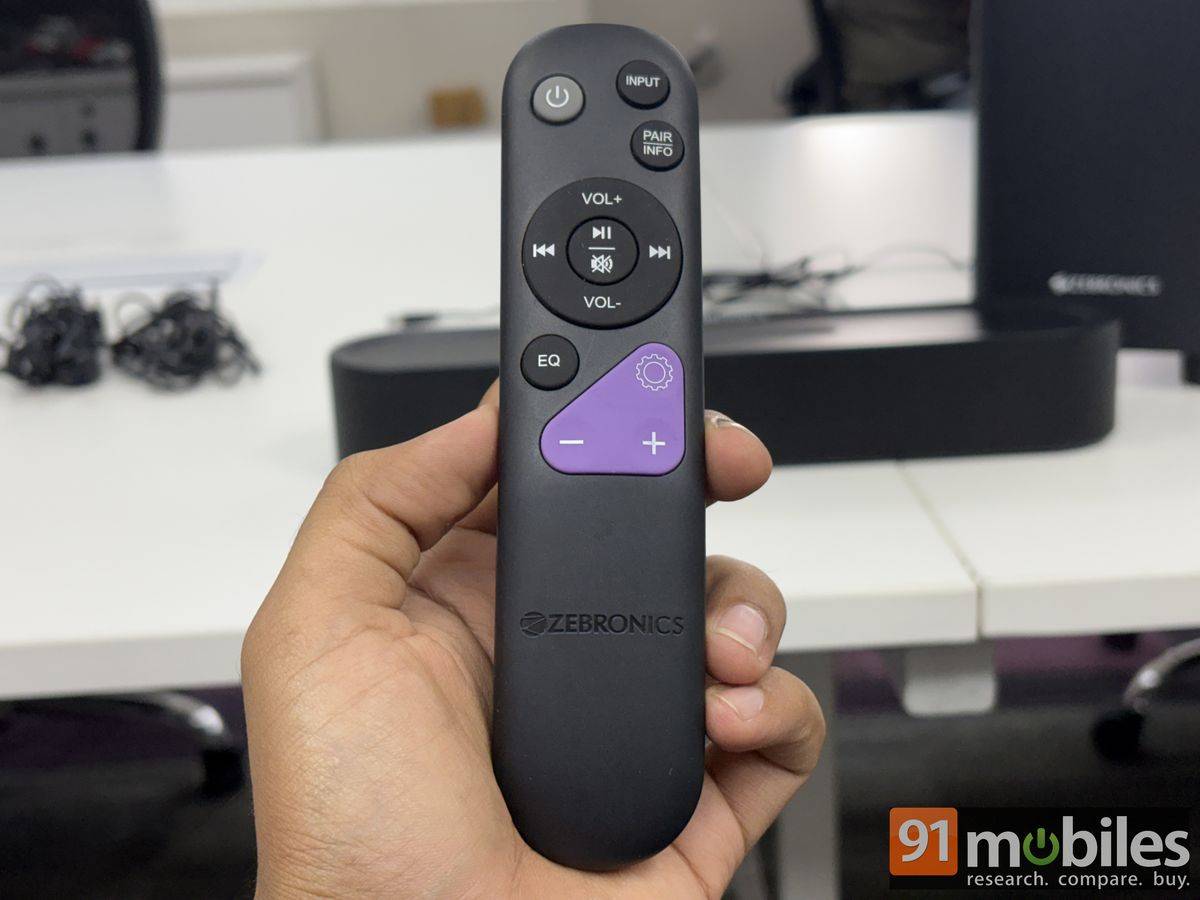
In addition to the basic controls, the Zebronics Juke Bar 9300C lets you adjust the EQ settings. There is a dedicated EQ button for this, and you get three presets out of the box: Music, Movie, and Game. Furthermore, users can customise the sound experience by adjusting the bass, mids, and treble levels using the settings button and the plus/minus keys on the purple keypad of the remote.
While the controls are comprehensive, the display can be slightly confusing, especially during the initial setup. Zebronics could have made better use of the display by showing a clear power status instead of just two horizontal lines when the soundbar is in standby mode. I initially assumed the system was ready to use as soon as it was plugged in, only to realise it was still on standby and required me to press the power button first. A simple “ON” or “OFF” indicator would have made the experience far more intuitive.
Similarly, the EQ implementation could have been more user-friendly. The sound profiles are displayed simply as EQ1, EQ2, and EQ3, without indicating which preset corresponds to Music, Movie, or Game mode. Users will have to memorise these modes from the user manual first.
The Zebronics Juke Bar 9300C delivers a total audio output of 380W. Of this, 165W comes from the soundbar itself, which houses three front-firing drivers of equal output. The two satellite speakers also feature drivers with the same output capacity as each individual driver in the soundbar. The remaining 150W is delivered by the 13.33cm down-firing subwoofer.
Performance
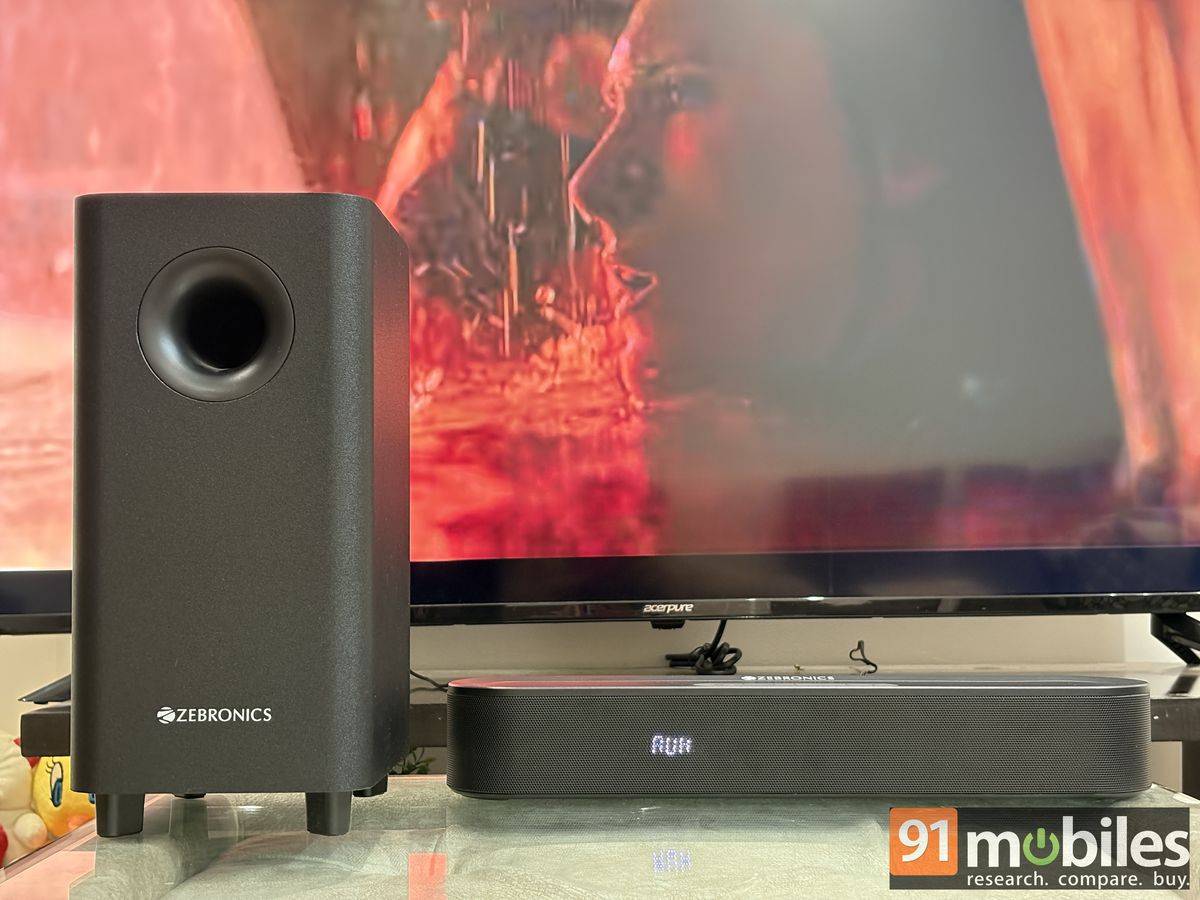
The system adopts a 5.1-channel configuration and does not include dedicated upward-firing drivers. As a result, while it can deliver a convincing surround-sound experience, it cannot match the immersion of a 5.1.2-channel setup, which uses additional height channels to create a more expansive, three-dimensional soundstage. That said, expecting such a setup from a budget-oriented home theatre system would be unrealistic.
The Zebronics Juke Bar 9300C, however, comes with Dolby Audio support. While this should not be confused with Dolby Atmos, Dolby Audio processing improves dialogue clarity and overall sound separation, making vocals easier to distinguish on supported content.
It was indeed the case with Zebronics Juke Bar 9300C in general as well.
Design & vocal clarity
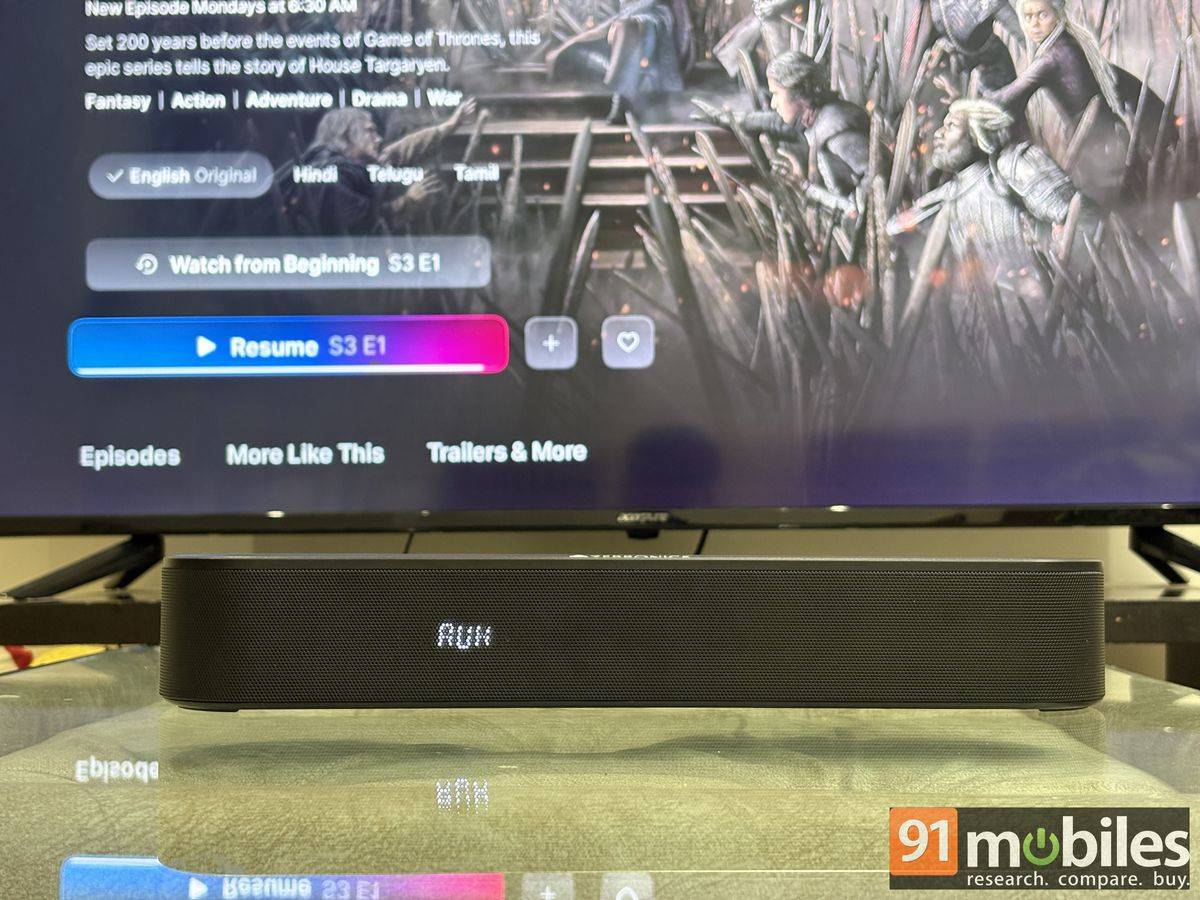
I listened to a variety of content through the speaker setup, including podcasts, movies, TV shows, and sports broadcasts. Throughout my testing, dialogue remained crisp and easy to follow, even during complex scenes. This was particularly evident while watching the first episode of House of the Dragon Season 3, where conversations remained clear and intelligible without being drowned out by the background score. The soundbar did a commendable job of maintaining vocal presence, ensuring that important lines retained their impact. You could clearly hear the character of Sharako Lohar’s command, “Hold the course and f***ing row!”, despite the surrounding chaos and ambient effects in the scene.
The experience was equally impressive while watching the first episode of India’s Got Latent Season 2. Despite the constant laughter, audience reactions, and on-stage banter, punchlines and offhand remarks were easy to catch. In comparison, I often found myself rewinding scenes when using my MacBook’s built-in speakers or a pair of budget earphones, particularly when trying to make out quieter background comments.

The cricket commentary follows a similar observation. Switching between the respective sound profiles for music, movies, and sports enhances the experience, but the soundstage still feels constrained.
Bass & soundstage
While the Zebronics Juke Bar 9300C delivers impressive vocal clarity, it fails to reproduce the finer details that can draw you into the scene, such as the battle sequence on House of the Dragon. Effects such as swords clashing, boats colliding, and ropes straining under tension did not sound as crisp or distinct as they could have. Part of this can be attributed to the absence of dedicated tweeters or height channels, which limits the system’s ability to reproduce high-frequency details and create a more expansive soundscape. As a result, while the overall presentation remains enjoyable, it falls short of delivering the level of immersion offered by more premium home theatre setups.
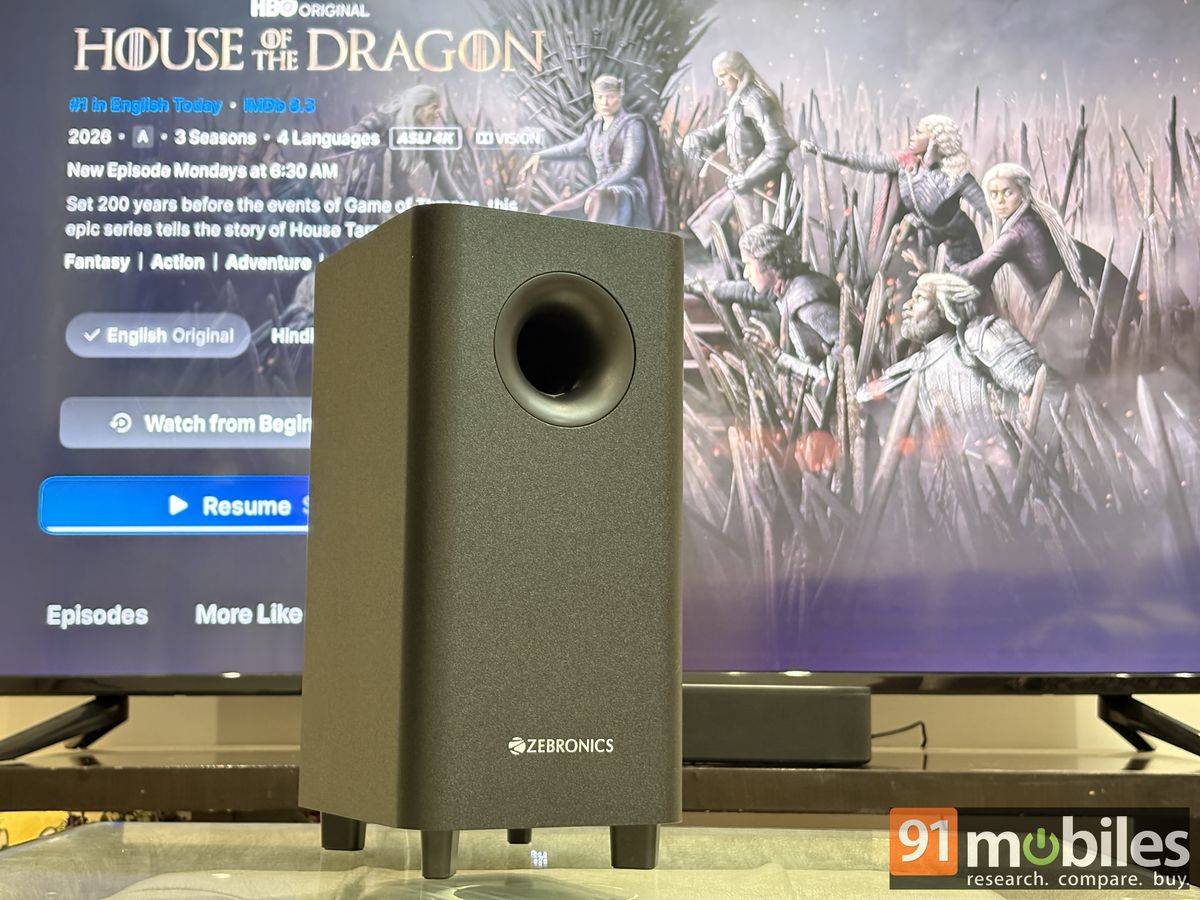
The subwoofer performs well for its size and has no trouble filling a room measuring around 10×12 feet. During testing, it capably reproduced the low-frequency elements of intense movie soundtracks and bass-heavy tracks such as Diljit’s “Case”. The bass tuning is more balanced than aggressive, and there is enough depth and punch to let you feel the impact of drums, basslines, and other instruments, making music enjoyable without sounding overpowering.
Now, the Zerbronics Juke Bar 9300C performs its optimum at 70-80 percent volume level, which should be plenty to fill the room it is designed for. There is a slight distortion at maximum volume.
Verdict
Currently retailing for under Rs 10,000 on Amazon.in, the Zebronics Juke Bar 9300C is a solid choice for small rooms and TVs up to 50 inches. Its compact design, powerful audio output, and budget-friendly pricing work strongly in its favour. There are competing options from more established audio brands, such as Sony’s HT-S20R and JBL’s Cinema SB190, which offer a more refined and immersive listening experience with better sound separation and finer detail retrieval.
However, those alternatives are either more expensive or less compact than Zebronics. While the Juke Bar 9300C cannot match the immersion of premium home theatre systems, its 5.1-channel setup does a commendable job of delivering a surround sound experience that makes movies, TV shows, and music more engaging.
Editor’s rating: 8.5/10
Pros
- Compact and well-built design
- Clear dialogue reproduction
- Convincing surround effect
- Good connectivity options, including HDMI ARC
Cons
- Display & EQ indicators are not intuitive
- Slight distortion at maximum volume
- Limited high-frequency detail