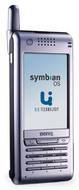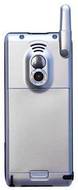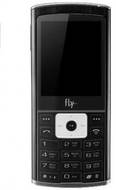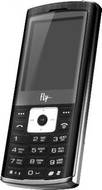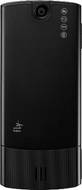
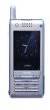
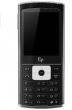
BenQ P30 vs Fly B400

Share  

Comparing the BenQ P30 vs Fly B400 across camera to help determine the better smartphone.

Here is the summary of the results:

Rear Camera: Fly B400 offers a higher rear camera resolution with 2 MP, while BenQ P30 offers 0.3 MP, making Fly B400 better for rear camera photography.

...read more
BenQ P30
(Discontinued)
Fly B400
(Discontinued)
Add to Compare

Summary

Release Date

01 Jan, 2004
N/A

Display

N/A
2 inches (5.08 cm)
LCD
LCD
320.00x 320 pixels, 2.6 inches, 36 X 55 mm px
176x220 px

Rear Camera

0.3 MP
Primary Camera
2 MP
Primary Camera

Battery

N/A
700 mAh

User Feedback

Display

Display Type

LCD
LCD

Screen Size

N/A
2 inches  (5.08 cm)

Resolution

320.00x 320 pixels 2.6 inches 36 X 55 mm px
176x220 px

Pixel Density

N/A
141 ppi

Screen to Body Ratio (calculated)

N/A
27.78 %

Design

Height

118.00 mm
103 mm

Width

52.00 mm
44 mm

Thickness

17.00 mm
11.00 mm

Weight

150 grams
67 grams

Rear Camera

Resolution

0.3 MP
Primary Camera
2 MP
Primary Camera

Flash

Yes
Yes

Camera Features

Digital Zoom
Digital Zoom

Battery

Capacity

N/A
700 mAh

Battery Type

N/A
Li-ion

TalkTime

Up to 5(2G)
Up to 2.3(2G)

Storage

Expandable Storage

Yes
Yes Up to 8 GB

Network & Connectivity

SIM Slot(s)

Single SIM
Single SIM

Network Support

5G Not Supported
5G Not Supported

Wi-Fi

No
No

Bluetooth

Yes v1.1
Yes v1.2

Multimedia

Music

Yes Music Formats: Yes MP3/MPEG-4 player
Yes Music Formats: Yes Audio Formats : wav mid amr mp3 aac wav imy

Sensors

Java

Yes MIDP 2.0
Yes MIDP 2.0 CLDC 1.0

Browser

Yes
Yes

Phone Book

N/A
500 entries

Other Facilities

facilites
Antenna : Internal Modes : night mode balance of white colour daylight incandescent lamp daylight lamp clouds white Effects : incandescence Web camera Equalizer : standard dance classic high frequence party pop rock Bitrate Work time : up to 9 hours Playlists A-B repeating function Photoeditor Background sound GPRS modem E-mail client OTA support Organizer Call Signals Melodies Vibro Photo ID Melody ID Editing on PC Synchronization with PC via USB EMS Autodial