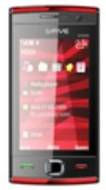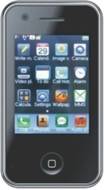
Gfive G3000 vs Gild TV10

Share  

Comparing the Gfive G3000 vs Gild TV10 across display and camera to help determine the better smartphone.

Here is the summary of the results:

Display: Gfive G3000 offers a screen size of 3.4 inches, while Gild TV10 offers 2.4 inches, making Gfive G3000 the larger display of the two. Both Gfive G3000 and Gild TV10 feature the same LCD display.


Rear Camera: Both Gfive G3000 and Gild TV10 feature a 0.3 MP primary rear camera.

...read more
Gfive G3000
(Discontinued)
Gild TV10
(Discontinued)
Add to Compare

Summary

Release Date

N/A
02 Sep, 2010

Display

3.4 inches (8.64 cm)
2.4 inches (6.1 cm)
LCD
LCD
240x400 px
N/A

Rear Camera

0.3 MP
Primary Camera
0.3 MP
Primary Camera

Front Camera

N/A
0.3 MP

User Ratings

3.1/5
(22 ratings)
N/A

User Feedback

Display

Display Type

LCD
LCD

Screen Size

3.4 inches  (8.64 cm)
2.4 inches  (6.1 cm)

Resolution

240x400 px
N/A

Pixel Density

137 ppi
N/A

Design

Height

N/A
95 mm

Width

N/A
51 mm

Thickness

N/A
14.00 mm

Rear Camera

Resolution

0.3 MP
Primary Camera
0.3 MP
Primary Camera

Flash

Yes
Yes

Shooting Modes

N/A
Continuous Shooting

Camera Features

Digital Zoom
Smile detection
Digital Zoom
Smile detection

Video Recording

640x480
N/A

Front Camera

Resolution

N/A
0.3 MP
Front Camera

Battery

TalkTime

N/A
Up to 6(2G)

Storage

Expandable Storage

Yes Up to 2 GB
Yes

Network & Connectivity

SIM Slot(s)

Single SIM
Dual SIM

Network Support

5G Not Supported
5G Not Supported

Wi-Fi

No
No

Bluetooth

Yes v2
Yes

Multimedia

Video Player

Yes Video Formats: 3GP MPEG4
N/A

Music

Yes Music Formats: MP3 Player
Yes Music Formats: Yes MP3 Player

Sensors

Games

Built-in Games
Shaking Games

Java

No
N/A

Browser

Yes
Yes

Phone Book

Yes
Yes

SMS

N/A
Yes

MMS

MMS mass MMS
N/A

Other Facilities

Built-in Antenna Built-in Vibration User Profile Reminding on talk Time Standby Picture / Animation Screen Protection Caller Picture Identification Caller Ringtone Identification Multi Languages Alarm Calendar Calculator Schedule Reminders World Time E-book functions
Support magic menu Slip to unlock Slip to change wallpapers Slip to change main menu Shake to change wallpaper