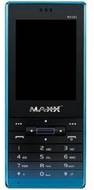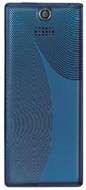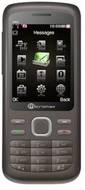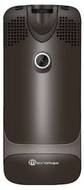
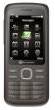
Maxx MX382 vs Micromax X40

Share  

Comparing the Maxx MX382 vs Micromax X40 across camera and battery to help determine the better smartphone.

Here is the summary of the results:

Rear Camera: Micromax X40 offers a higher rear camera resolution with 2 MP, while Maxx MX382 offers 1.3 MP, making Micromax X40 better for rear camera photography.


Battery: Maxx MX382 offers a higher battery capacity with 800 mAh, while Micromax X40 offers 1000 mAh, making Maxx MX382 better for longer battery life.

...read more
Maxx MX382
(Discontinued)
Micromax X40
₹4,999
(Discontinued)
Add to Compare

Summary

Release Date

26 Aug, 2010
11 Aug, 2011

User Feedback

Display

Display Type

LCD
LCD

Screen Size

N/A
2.4 inches  (6.1 cm)

Resolution

N/A
240x320 px

Pixel Density

N/A
167 ppi

Screen to Body Ratio (calculated)

N/A
29.91 %

Design

Height

N/A
117 mm

Width

N/A
51 mm

Thickness

N/A
17.00 mm

Weight

N/A
148 grams

Rear Camera

Resolution

1.3 MP
Primary Camera
2 MP
Primary Camera

Flash

Yes
Yes

Shooting Modes

N/A
Continuous Shooting

Camera Features

Digital Zoom
Smile detection
Digital Zoom
Smile detection

Battery

Capacity

800 mAh
1000 mAh

Battery Type

Li-ion
Li-ion

TalkTime

N/A
Up to 3(2G)

Storage

Internal Storage

N/A
80 MB

Expandable Storage

Yes
Yes Up to 4 GB

Network & Connectivity

SIM Slot(s)

Dual SIM
Dual SIM

Network Support

5G Not Supported
5G Not Supported

Wi-Fi

No
No

Bluetooth

Yes
Yes v1.2

Multimedia

Video Player

N/A
Yes Video Formats: 3GP

Music

Yes Music Formats: Yes MP3 Player with Yamaha Speaker
Yes Music Formats: Yes Music Formats : MP3 WAV WMA eAAC+ with Stereo Speakers and 3.5mm Audio Jac

Sensors

Java

Yes
N/A

Browser

Yes
Yes

Phone Book

Yes 1000 Entries
Yes 1000 Entries with Call Blacklist

SMS

Yes
Yes

MMS

Yes
Yes

Other Facilities

N/A
eBook Mobile Tracker Projecctor Call Blacklist Projector features: View images Videos and multiple document document fromats Adjustable Lens for larger or extra larger viewing Alternate Screen for the phone Switch to Projector mode with long press (center key)

Applications

N/A
MS Office Support