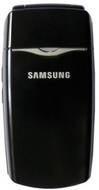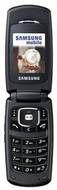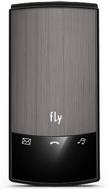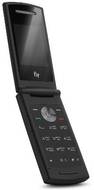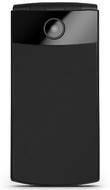
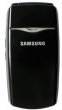
Samsung SGH-X210 vs Fly ST300

Share  

Comparing the Samsung SGH-X210 vs Fly ST300 across display and storage to help determine the better smartphone.

Here is the summary of the results:

Display: Samsung SGH-X210 offers a screen size of 2.2 inches, while Fly ST300 offers 2 inches, making Samsung SGH-X210 the larger display of the two. Both Samsung SGH-X210 and Fly ST300 feature the same LCD display.


Storage: Fly ST300 offers higher internal storage with 9 GB, while Samsung SGH-X210 offers 1 GB, making Fly ST300 the better option for storage.

...read more
Samsung SGH-X210
(Discontinued)
Fly ST300
(Discontinued)
Add to Compare

Summary

Release Date

01 May, 2006
N/A

User Feedback

Display

Display Type

LCD
LCD

Screen Size

2.2 inches  (5.59 cm)
2 inches  (5.08 cm)

Resolution

128x160 px
176x220 px

Pixel Density

93 ppi
141 ppi

Screen to Body Ratio (calculated)

40.25 %
29.88 %

Design

Height

86.20 mm
93 mm

Width

43.90 mm
45.3 mm

Thickness

19.70 mm
16.90 mm

Weight

76 grams
65 grams

Form Factor

Clamshell
Clamshell

Rear Camera

Resolution

N/A
1.3 MP
Primary Camera

Flash

N/A
Yes

Camera Features

N/A
Digital Zoom
Smile detection

Video Recording

N/A
352x288
176x144

Battery

Capacity

N/A
700 mAh

Battery Type

N/A
Li-ion

TalkTime

Up to 3.1(2G)
Up to 3.5(2G)

Storage

Internal Storage

1.8 MB
9 MB

Expandable Storage

Yes
Yes

Network & Connectivity

SIM Slot(s)

Single SIM
Single SIM

Network Support

5G Not Supported
5G Not Supported

Wi-Fi

No
No

Bluetooth

No
Yes v2

Multimedia

Music

Yes Music Formats: No
Yes Music Formats: Yes Music Formats : MP3 MIDI AMR WAV

Sensors

Java

Yes MIDP 2.0
Yes MIDP 2.0 CLDC 1.1

Browser

Yes
Yes

Phone Book

Yes 1000 entries
Yes 500 cells + SIM 10 entrys with Photo ID and Melody ID

SMS

Yes
N/A

MMS

Yes
N/A

Other Facilities

Organizer Voice memo
Antenna : built-in Photoeditor Dictophone Graphic editor Calendar Alarm clock Tasks Reminder Notes Auto on/off World time Calculator Unit converter Stop-watch Тimer Melody editor Editing on PC Synchronization with PC via USB EMS Autodial