After years of rumors, wishlist posts, and fan-made concept maps, Forza Horizon 6 is finally here, and Playground Games has gone all-in on Japan. From neon-soaked city streets and crowded expressways to misty mountain roads and countryside highways lined with cherry blossoms, this is easily one of the most visually ambitious Horizon games yet. Tokyo, in particular, feels massively denser than previous Horizon hubs, packed with reflective wet roads, cramped alleyways, and some seriously impressive nighttime lighting.
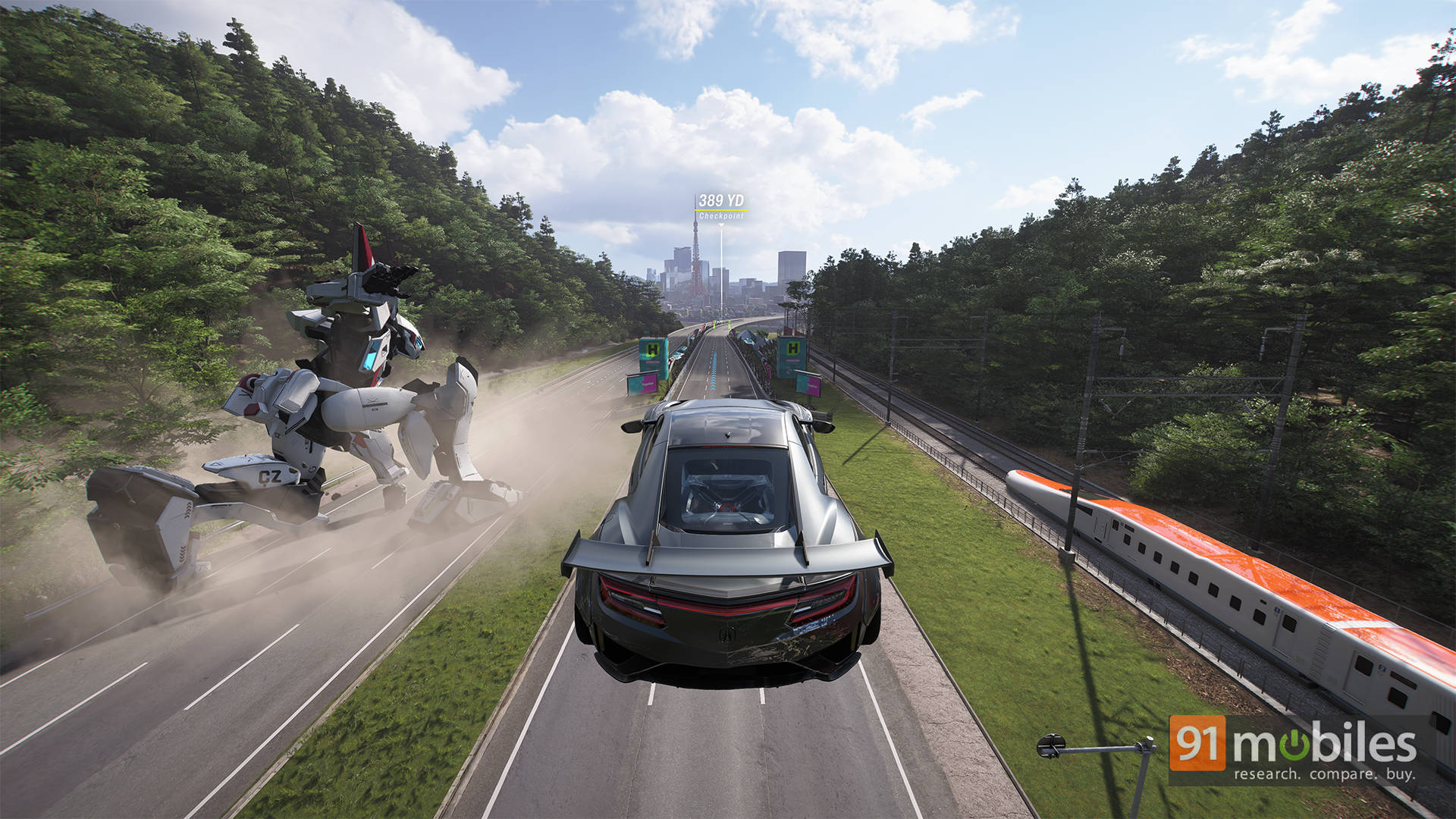
Naturally, all that visual flair raises one big question for PC gamers: how well does it actually run? Thankfully, the Horizon series has built a strong reputation for delivering polished PC ports, with the ForzaTech engine scaling well across a wide range of hardware. So for this story, we’re diving into the game’s massive graphics settings menu, exploring all the tweakable options available, and seeing how the game performs on our test rig across different presets and rendering features.
Table of Contents
The graphics settings menu is basically a playground
If you’re the kind of person who spends the first 45 minutes of a new PC game inside the settings menu instead of actually playing the game, Forza Horizon 6 absolutely understands you. At the top level, you get the usual preset ladder consisting of Low, Medium, High, Ultra, and Extreme presets.
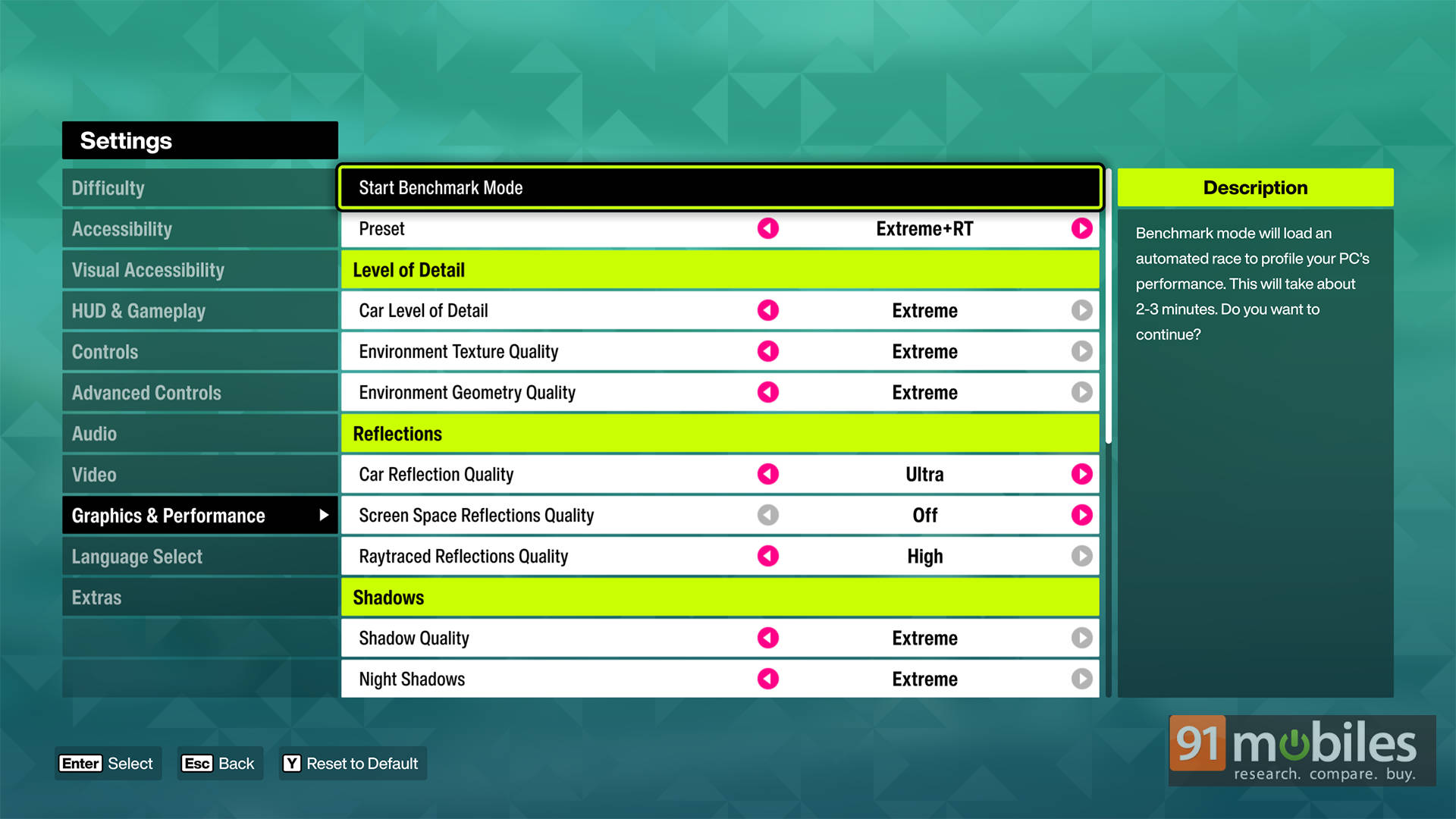
However, Playground Games has also included dedicated ray tracing variants for the higher presets, including High RT, Ultra RT, and Extreme RT. Thankfully, changing between presets doesn’t require restarting the game every single time. You can tweak settings on the fly, jump back into gameplay immediately, and continue testing without staring at loading screens forever. More developers really need to start doing this.
But the real fun begins once you dive into the advanced settings tab. There’s an absurd number of individual options to fiddle around with. You can separately tweak car geometry quality, environment textures, environmental geometry detail, shadow quality, particle effects, volumetric fog, deformable terrain quality, reflections, vegetation density, and more. Basically, if there’s a shiny object, puddle, dust cloud, or random leaf in the game, chances are there’s a setting tied to it somewhere.
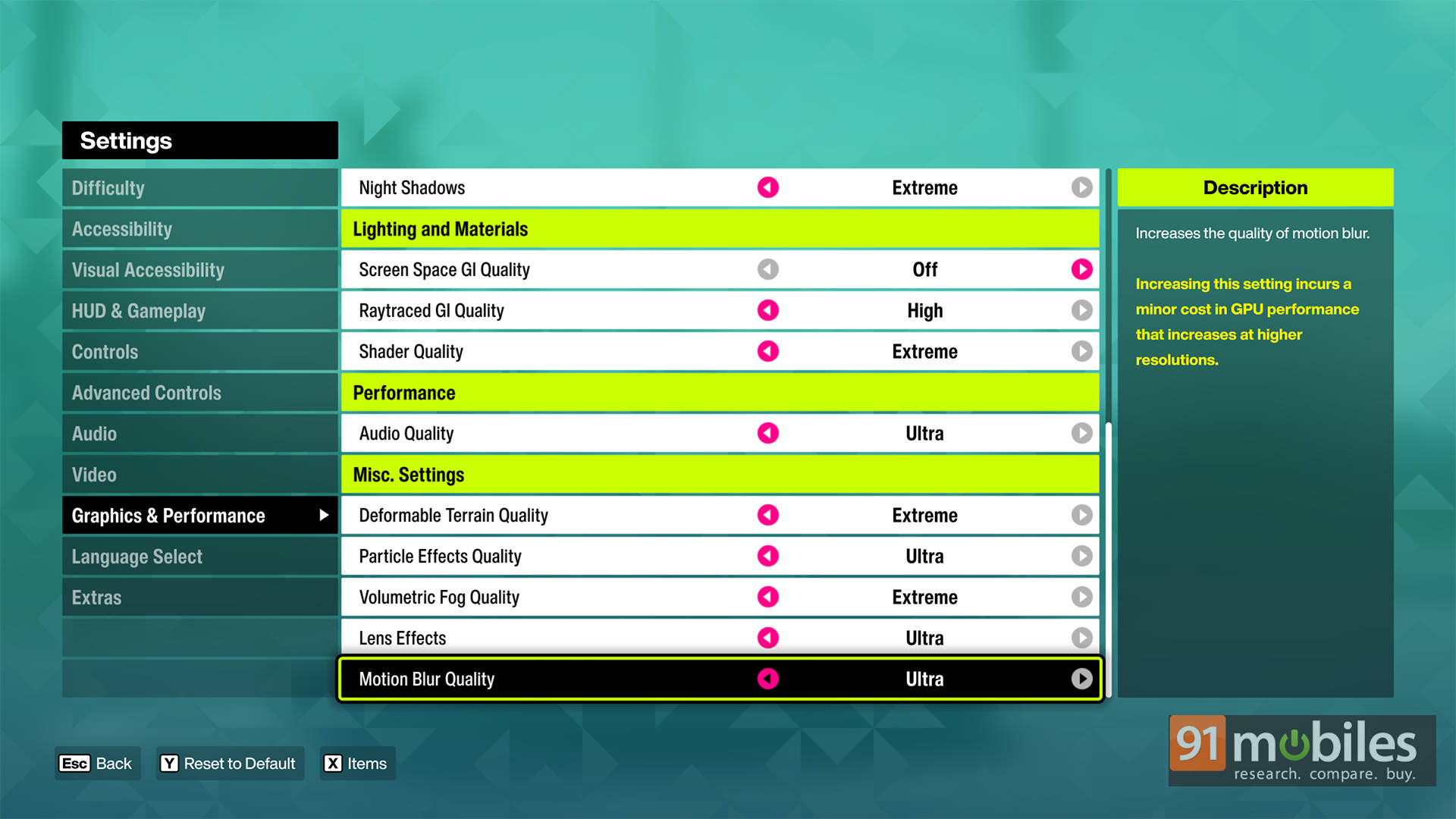
Lighting gets especially granular here. Alongside standard Screen Space Reflections (SSR), the game also lets players enable Screen Space Global Illumination (SSGI), Ray-Traced Reflections, and full Ray-Traced Global Illumination (RTGI). The game also includes separate Night Shadow controls, which noticeably affect nighttime races in Tokyo, especially around traffic-heavy city streets and neon-filled intersections.
The whole upscaling gang is here
Modern upscaling support is another major highlight of the PC version. NVIDIA users get access to DLSS 4.5 Super Resolution, DLAA, Reflex, and Multi-Frame Generation support up to 4x.
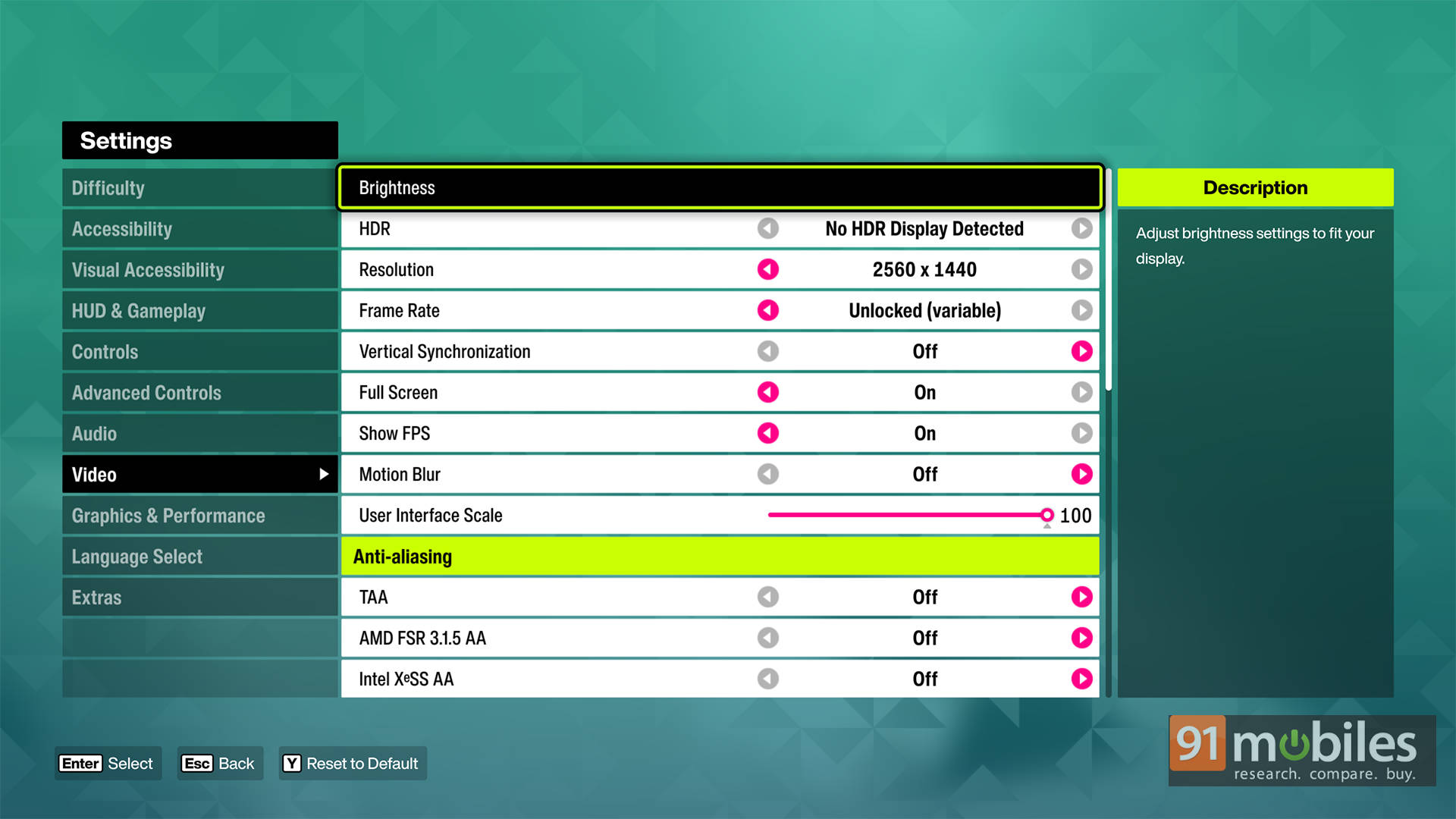
On the other hand, AMD and Intel users aren’t left behind either, with support for FSR 3.1.5 and XeSS also available. That said, there’s one slightly odd limitation here. While NVIDIA users can take advantage of Multi-Frame Generation, the game currently does not support AMD FSR Frame Generation or XeSS Frame Generation.
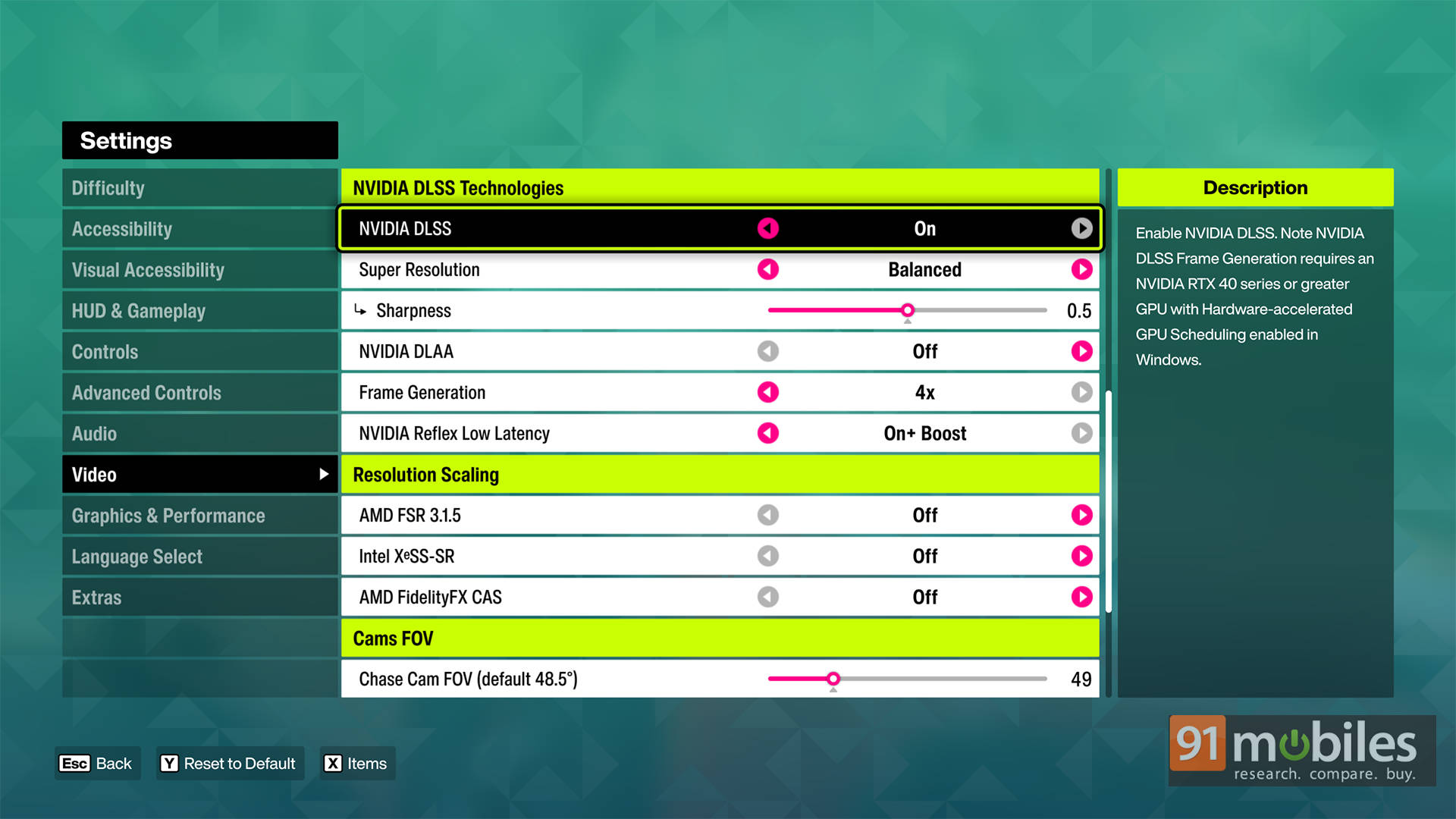
So if you’re running Radeon or Intel hardware, you’re limited to standard upscaling techniques for now.
Performance analysis
For testing, I used my primary desktop setup featuring an Intel Core i9-13900K, NVIDIA GeForce RTX 5070 Ti, 32GB DDR5-7200MT/s RAM, and NVIDIA’s latest Game Ready Driver v596.49 running game version 360.259.
Starting with native performance, Forza Horizon 6 runs impressively well on modern AAA hardware, comfortably delivering high refresh rate gameplay at both 1080p and 1440p while still remaining very playable at 4K. Enabling DLSS provides an even bigger uplift, especially at higher resolutions. Naturally, performance takes a noticeable hit once the Extreme Ray Tracing preset is enabled, particularly at 4K, but DLSS does a fantastic job of recovering much of that lost performance and keeping the experience smooth even with all the RT effects turned on.
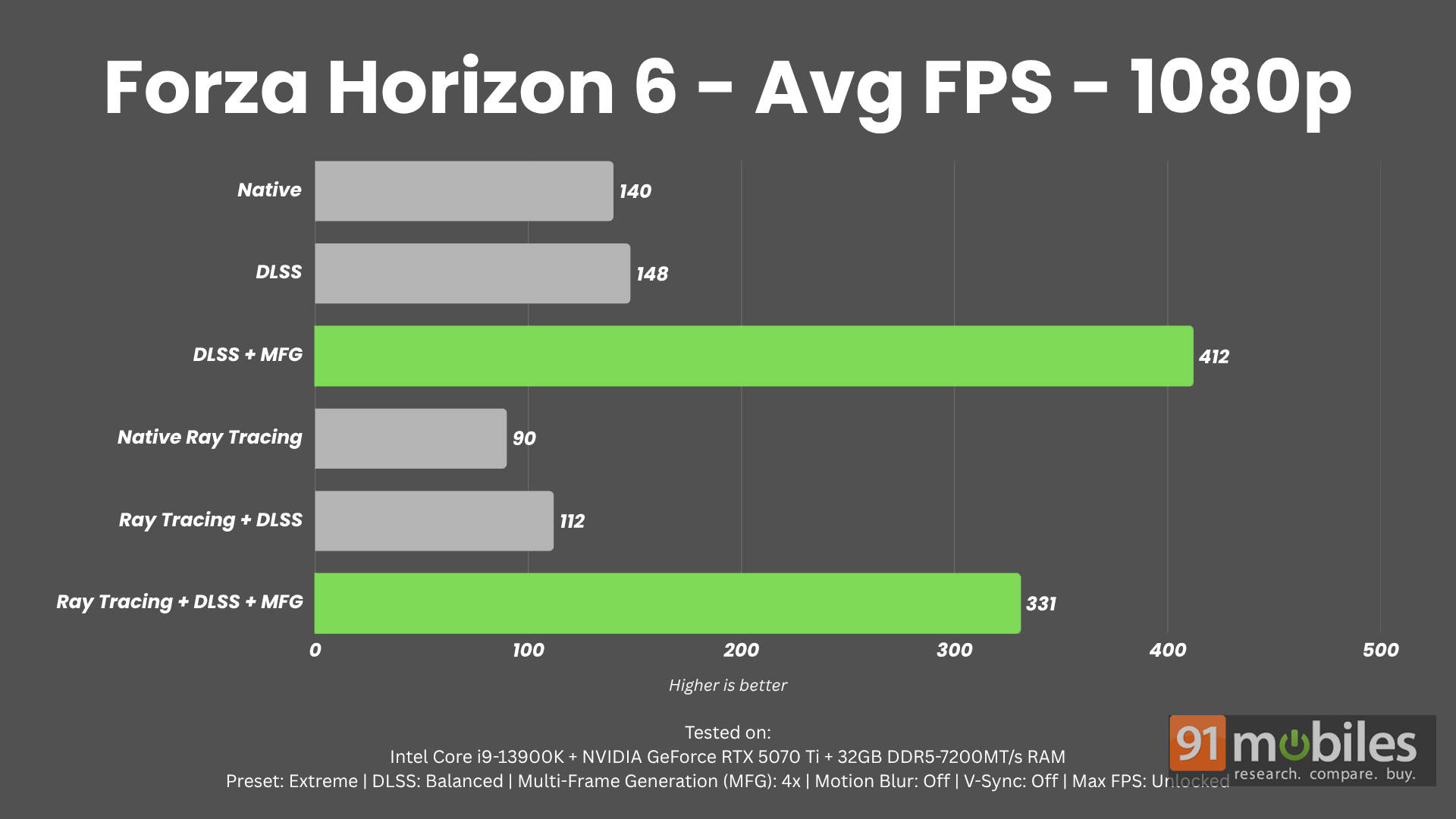
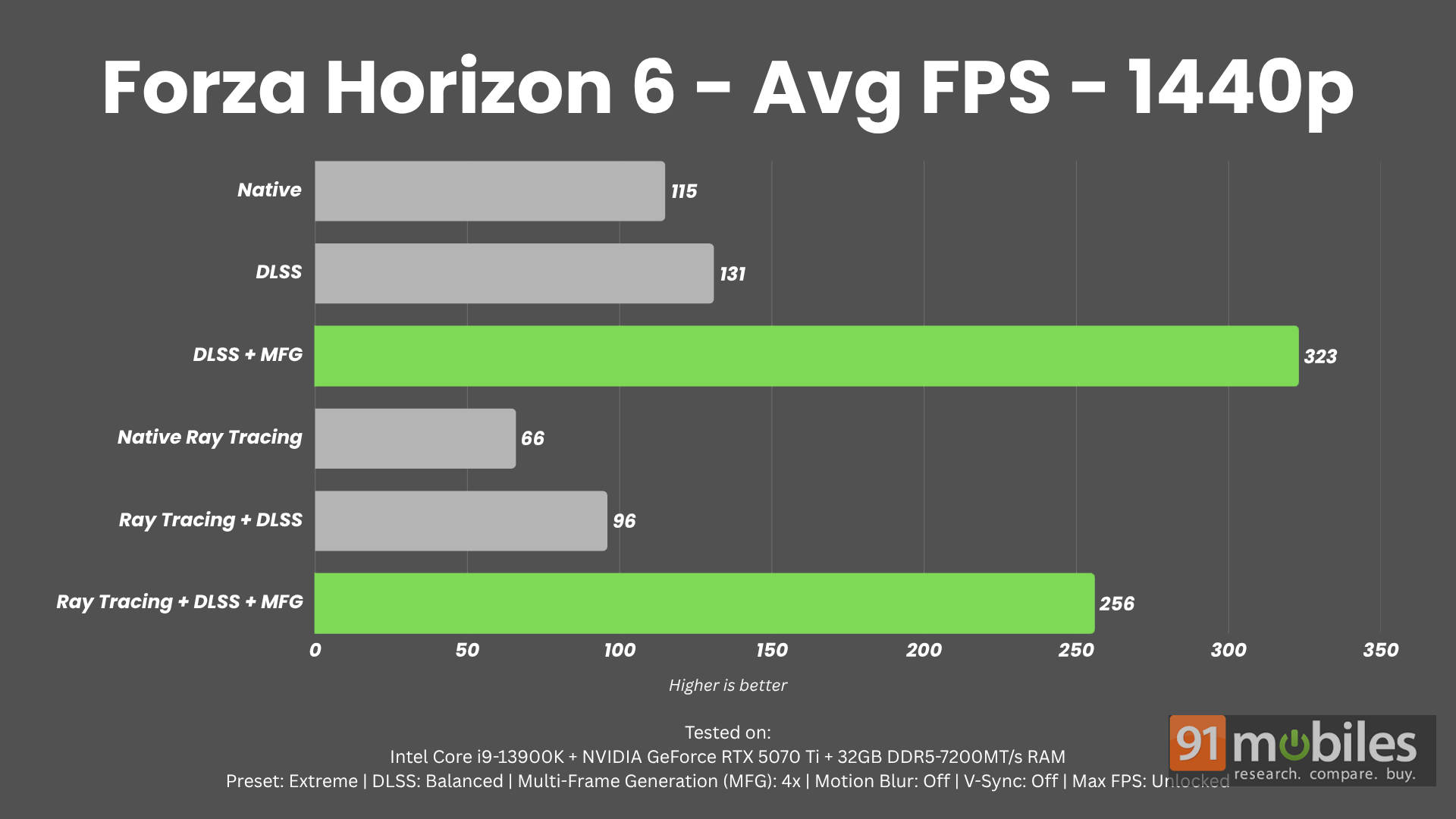
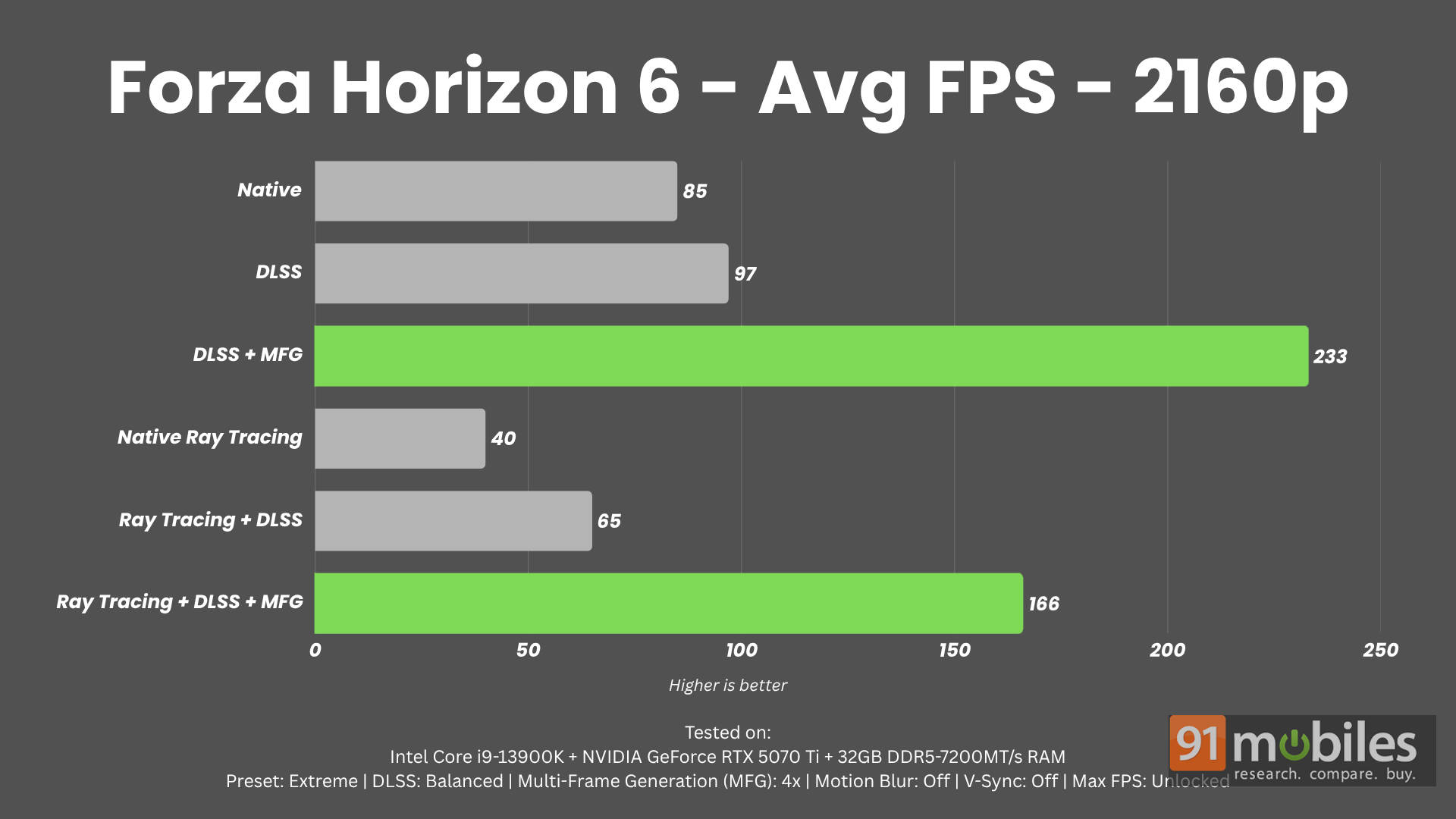


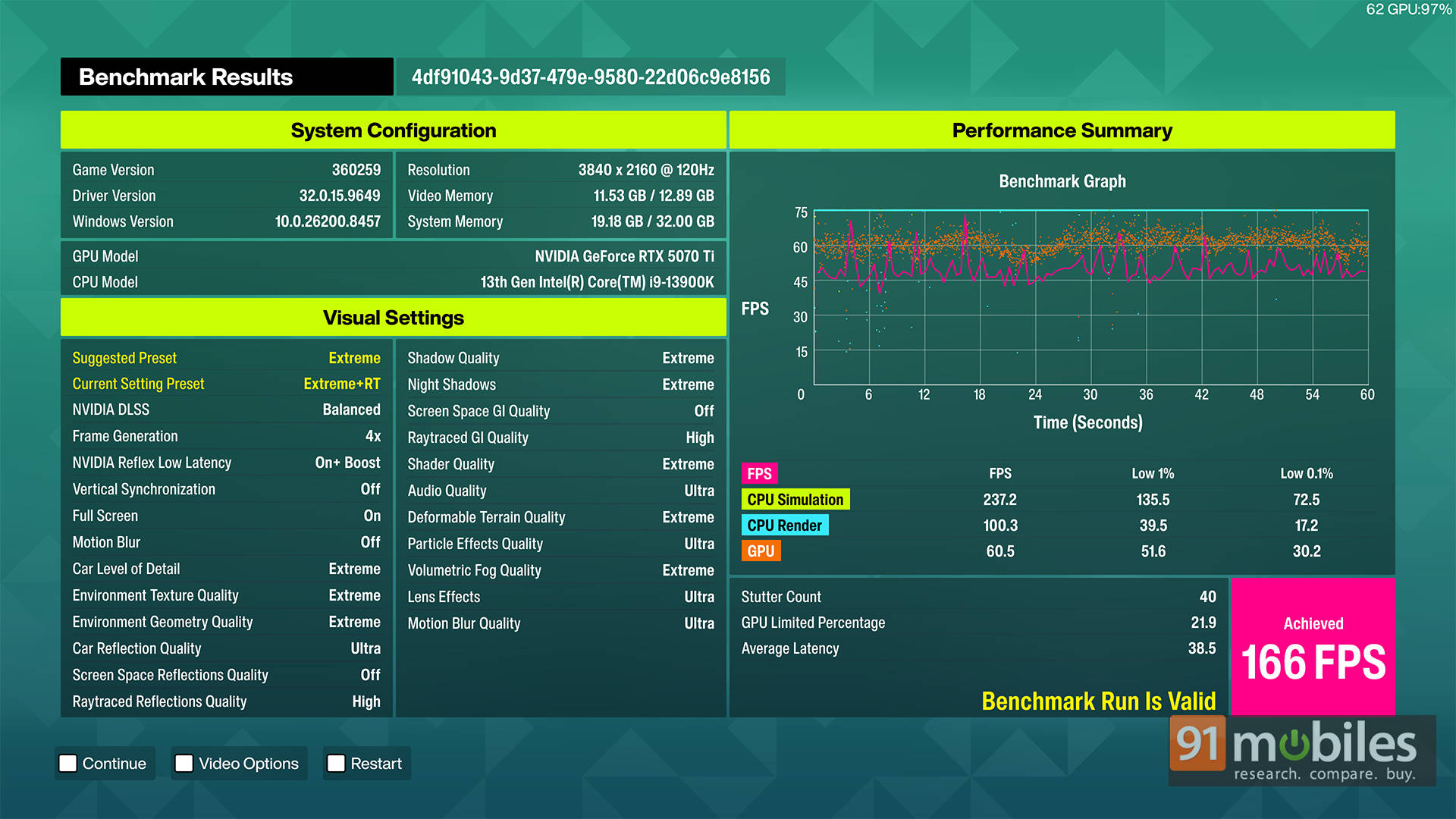
However, the real showcase for NVIDIA’s latest tech is Multi Frame Generation. Once enabled, performance numbers become genuinely absurd. Even at 4K with the Extreme RT preset enabled, the RTX 5070 Ti managed an average of 166 FPS using 4x Multi Frame Generation. To be fair, we did notice some minor stuttering occasionally, but it was extremely minimal and honestly never became an issue during actual gameplay.
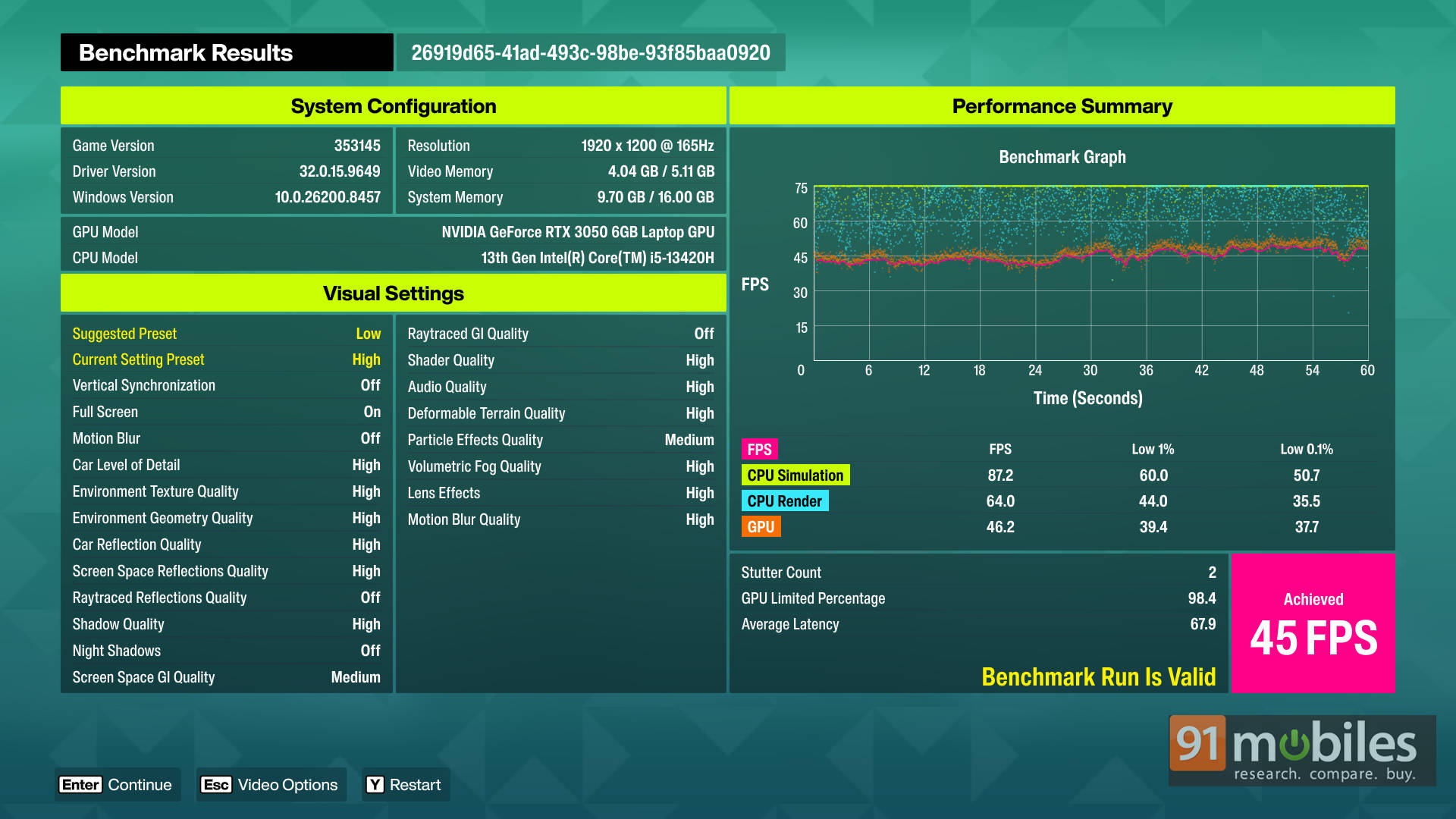
To see how the game scales on more affordable hardware, I also tested it on an Acer Nitro Lite 16 gaming laptop equipped with an RTX 3050 Laptop GPU. By default, the game automatically selected the Low preset, and since this is a 30-series GPU, there’s no support for Frame Generation here. That said, the results were still surprisingly solid. At High settings, the laptop averaged around 45 FPS, which is honestly very playable for a fast-paced open-world racer like this. Enabling DLSS in Performance mode alongside NVIDIA Reflex at 1200p didn’t dramatically improve raw FPS numbers, but it noticeably reduced stuttering and helped frame pacing feel much smoother overall.
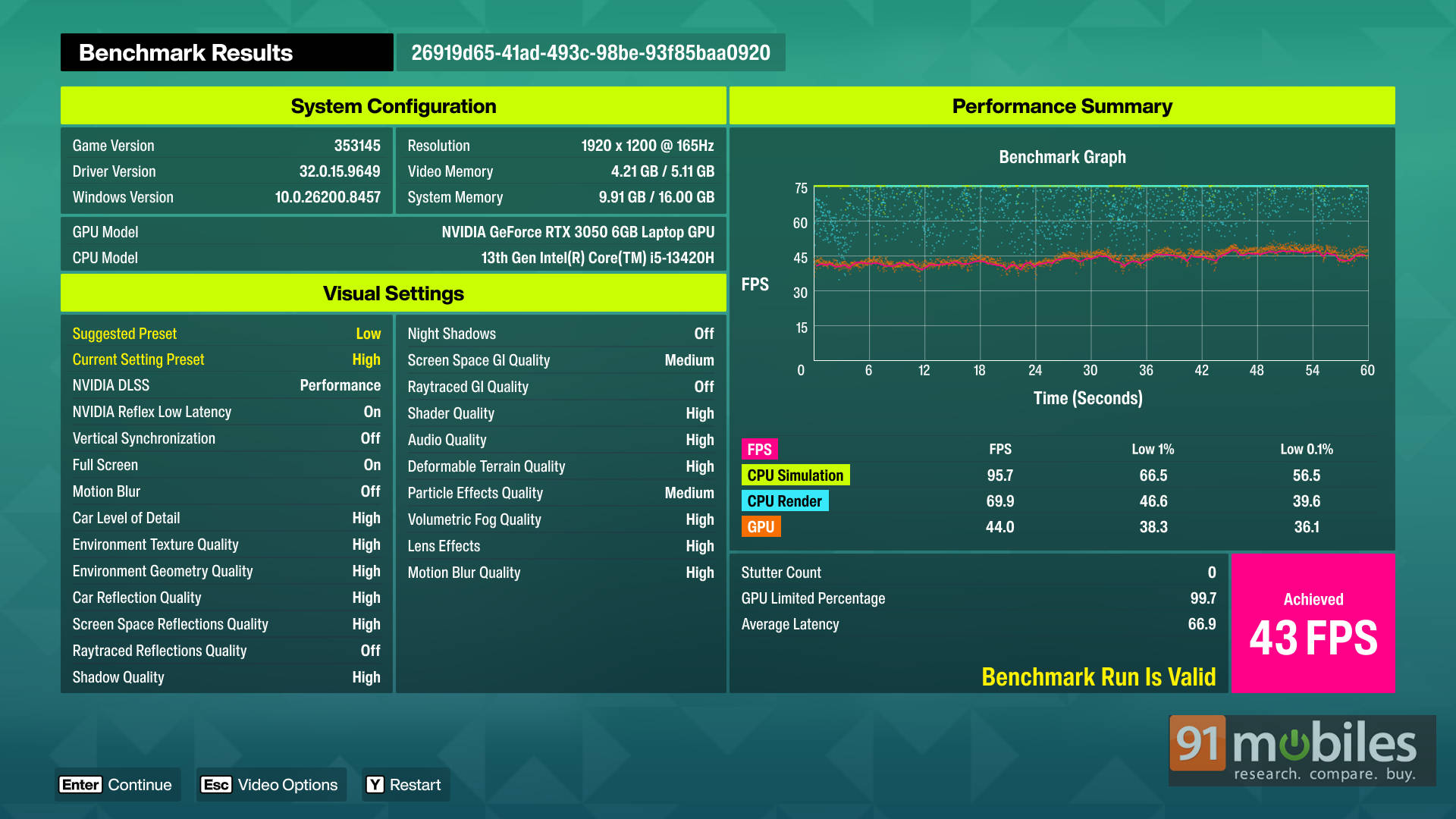
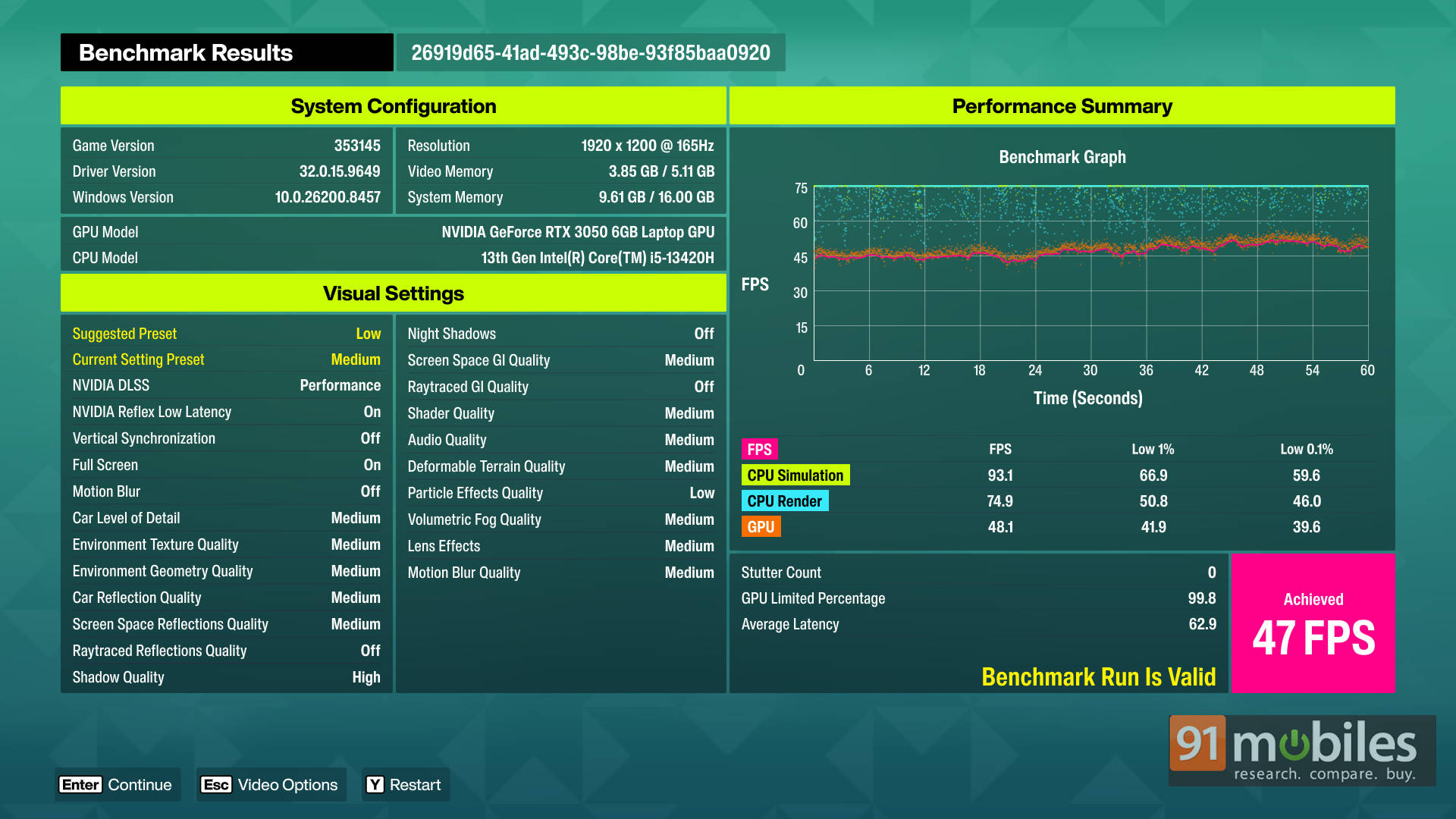
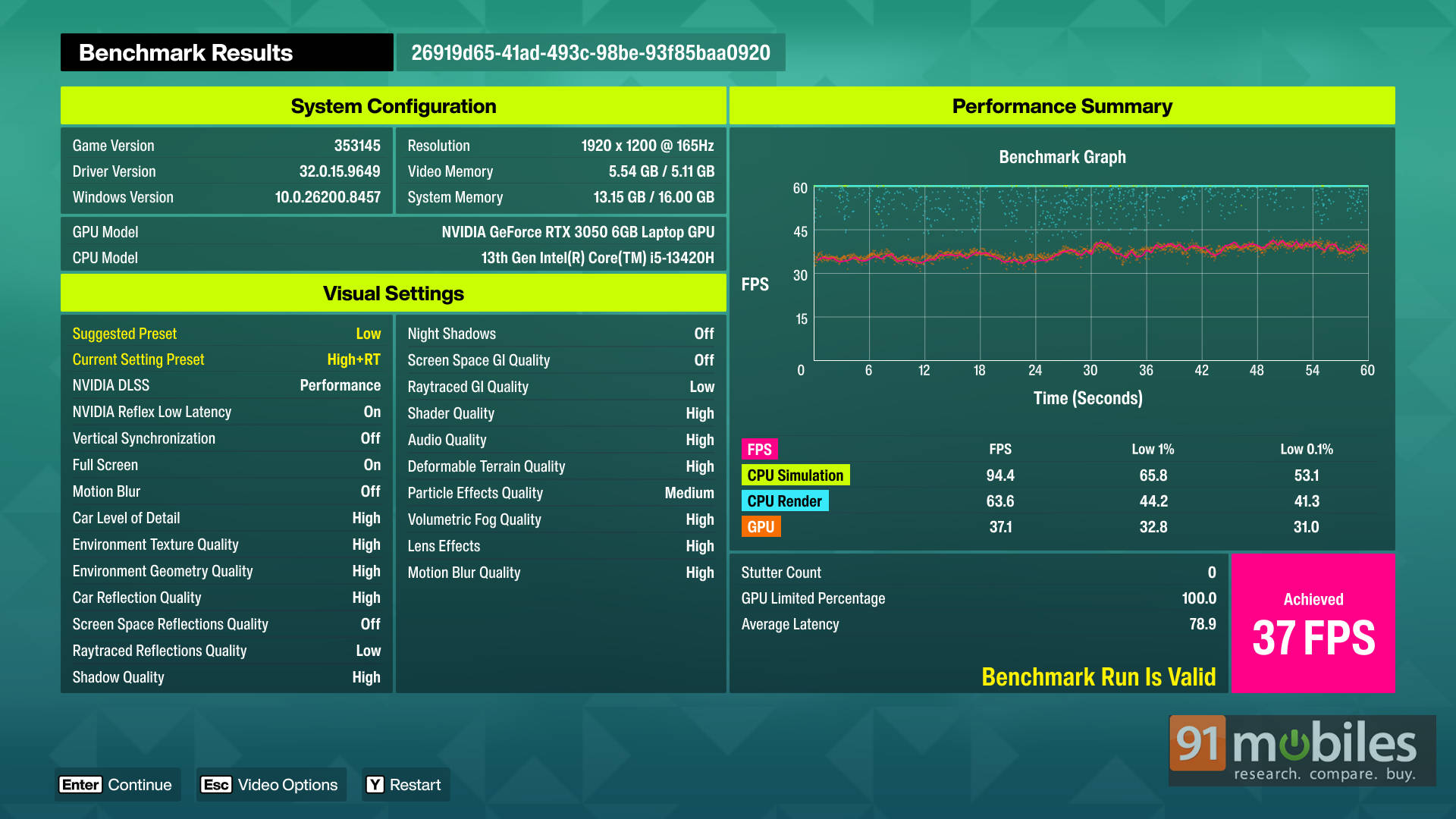
Switching down to the Medium preset with DLSS Performance and Reflex enabled resulted in a stable 47 FPS experience, though personally, I’d still stick with the High preset since the visual tradeoff feels worth it. Interestingly, even the High + RT preset remained playable on the RTX 3050 laptop, averaging around 37 FPS. Realistically, that’s already within console territory, so budget gaming laptop users can still enjoy Forza Horizon 6 with ray tracing enabled without the experience falling apart.
A visual treat
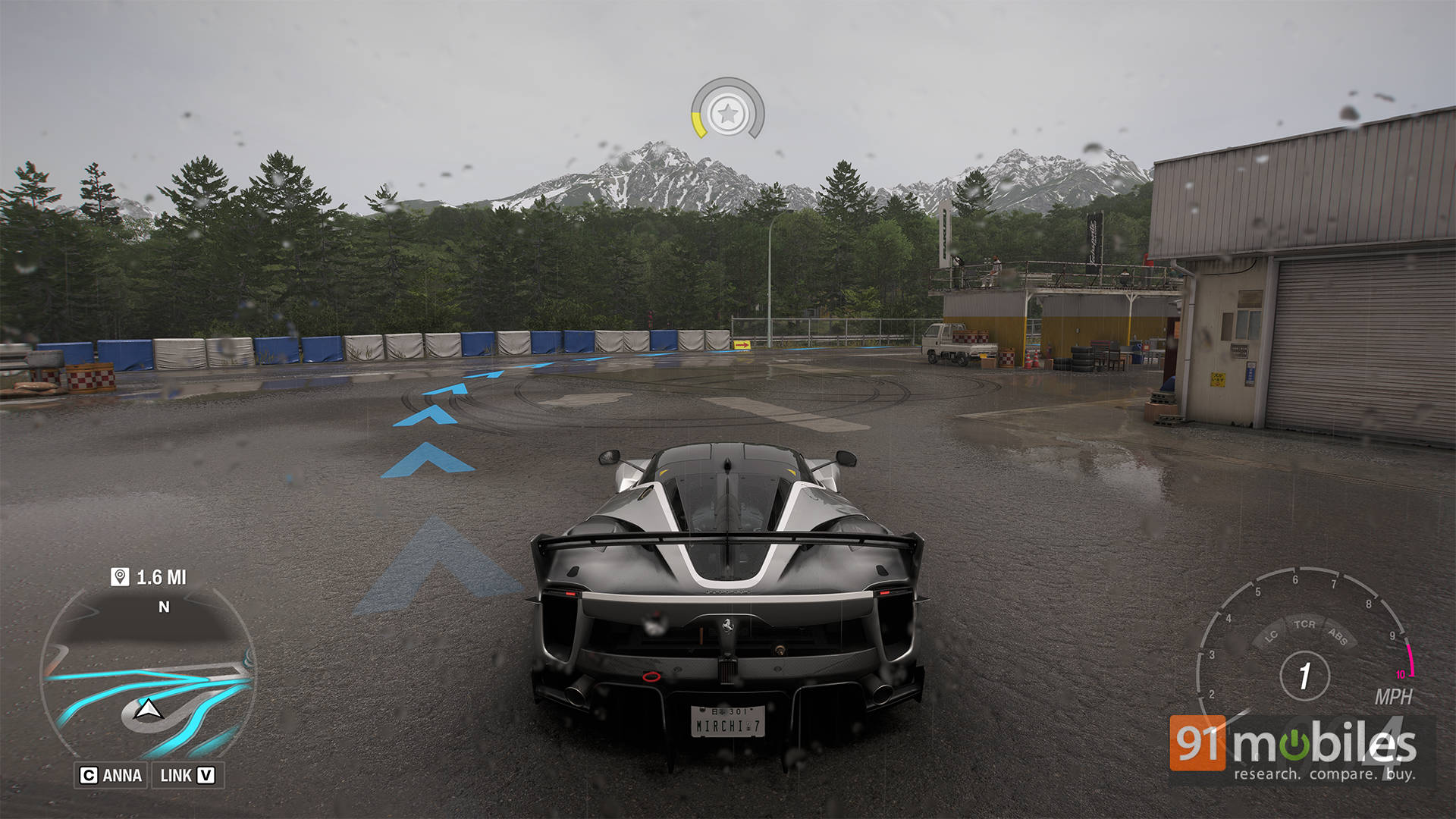
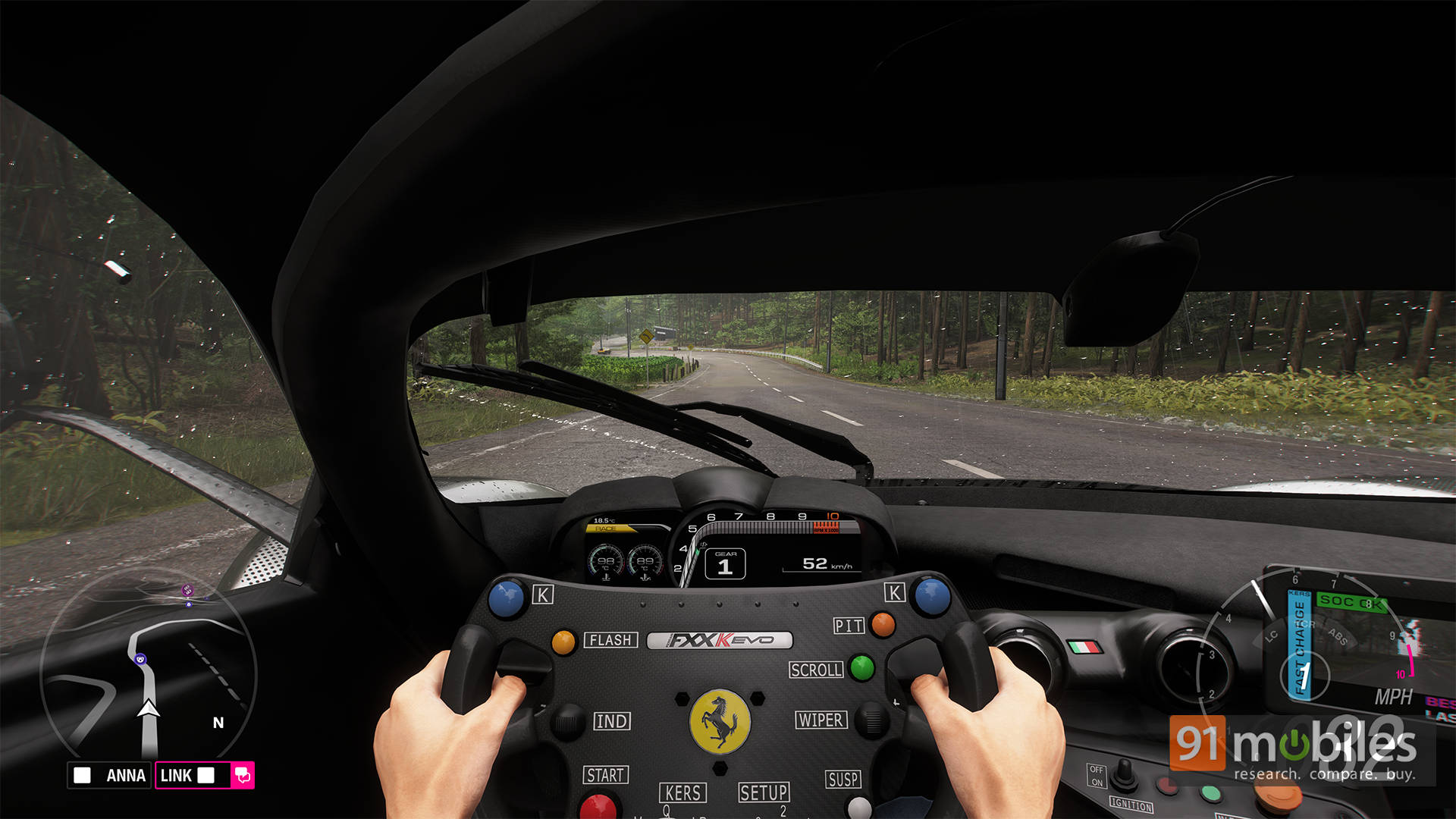
There are moments in Forza Horizon 6 where the game genuinely stops looking real-time. Nighttime races through Tokyo during heavy rain are easily the biggest visual flex here. Neon signs reflect beautifully across wet roads, vehicle bodywork accurately mirrors nearby traffic and buildings, and RTGI adds a surprising amount of depth to darker scenes.
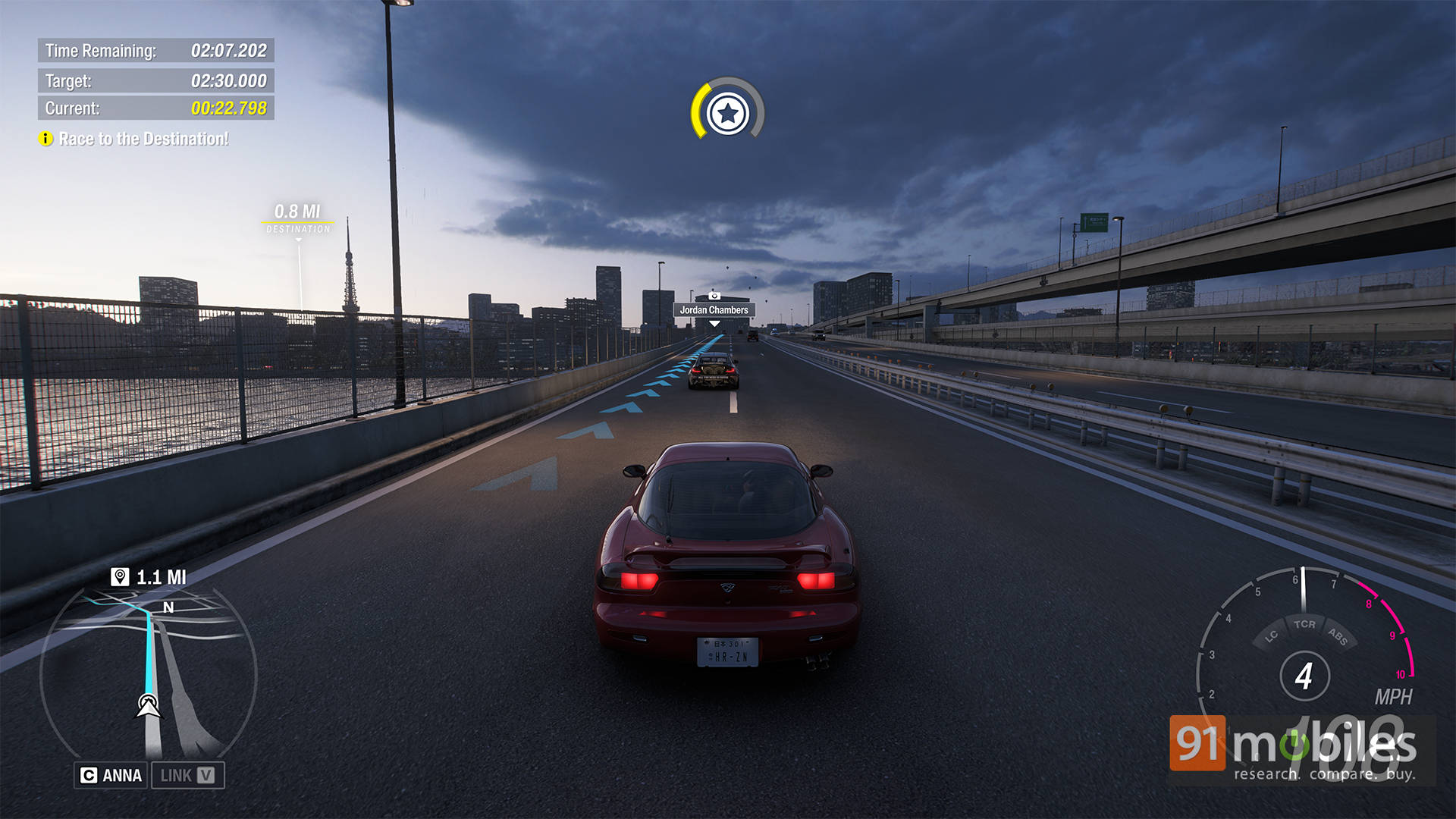
The mountain roads also look incredible during sunrise and fog-heavy weather conditions, especially once volumetric lighting fully kicks in. More importantly, though, the game remained remarkably stable throughout testing. Asset streaming on the NVMe SSD was consistently smooth, frame pacing stayed clean, and we rarely encountered noticeable traversal stutter, even while speeding through dense city areas.
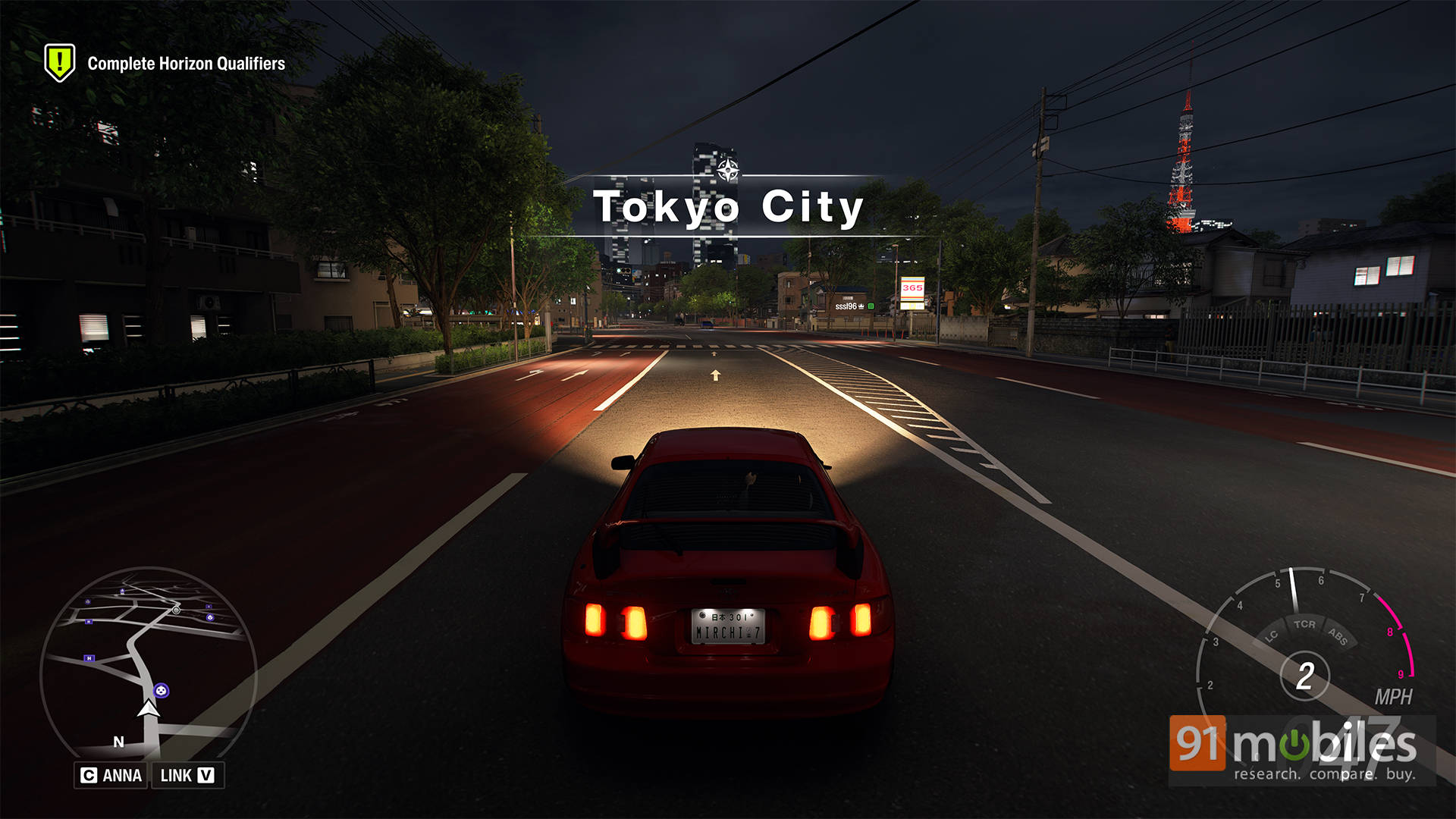
Also worth mentioning is just how good DLSS currently looks in this game. While we’ll be testing AMD FSR 4 implementation separately once it becomes available, NVIDIA’s DLSS implementation already does an excellent job here. In most gameplay scenarios, the visual difference between native rendering and DLSS was practically impossible to notice.
Verdict: Your GPU can breathe easy
Forza Horizon 6 feels like another excellent showcase for the ForzaTech engine on PC. The game offers a huge number of graphics options to tweak, modern upscaling support is robust, and the scalability across presets is genuinely impressive. Whether you want to prioritise ultra-high framerates or max out every RT setting your GPU can survive, the game gives you plenty of room to experiment.
More importantly, it doesn’t feel like one of those PC ports where the settings menu exists purely to bully your hardware for no reason. Most graphical options scale logically, performance remains stable, and the game does a good job of letting players tailor the experience to their setup.
Editor’s Rating: 9.5 / 10
Pros:
- Excellent optimization across both high-end and budget hardware
- Massive range of graphics customization options
- DLSS and Multi-Frame Generation implementation works extremely well
- Stable frame pacing
Cons:
- No FSR or XeSS Frame Generation support currently
- Ray Tracing remains very demanding with little upside
- Minor stuttering is noticeable with aggressive MFG modes