
HTC One M9 Plus
+ Compare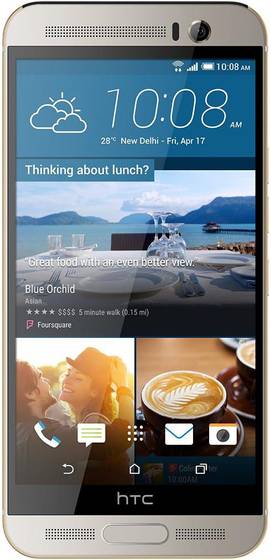




-
Design7

-
Rear Camera8

-
360° View

-
UI Screenshot16
![UI Screenshot]()
-
Benchmarks10
![Benchmarks]()
-
Videos1
![Videos]()


Key Specs
Performance
-
MediaTek MT6795 -
Octa Core, 2.2 GHz -
3 GB RAM
Display
-
5.2 inches (13.21 cm); S-LCD 3 -
1440x2560 px (QHD (2k))
Rear Camera
-
Dual Camera Setup - 20 MP Primary Camera
- 2.1 MP Camera
-
Dual-color LED Flash -
4k @30fps Video Recording
Front Camera
-
4 MP -
Full HD @30 fps Video Recording
Battery
-
2840 mAh
General
-
SIM1: Nano -
5G Not Supported -
32 GB internal storage, Expandable upto 2 TB
HTC One M9 Plus Expert Review Summary

Verdict
Following the success of the One M7 and One (M8), HTC knew it had a winning formula on its hands, and stuck to it for the One M9+. But we find it hard to understand HTC s market-restrictive tactic of launching different flagship variants for different markets. HTC says that the M9+ has been brought to India after careful research on what users want – apparently a 2K display and fingerprint sensor are some of them.The HTC One M9+ has a lot going for it – a stunning display, all-metal
- Stunning display
- Beautiful, all-metal build
- Decent cameras
- Sense 7's clean interface
Pros
- Glitches in performance
- Below average battery life
- Expensive
Cons
Specs At A Glance
+5.2-inch, 2,560 x 1,440 pixel display (565ppi)2.2GHz octa-core MediaTek Helio X10 (MT6795T) SoC 3GB RAM, PowerVR G6200 GPU20-megapixel primary camera with depth sensor, UltraPixel front camera32GB internal storage (expandable up to 2TB)4G, dual-band Wi-Fi 802.11ac, Wi-Fi Direct, DLNA, Bluetooth 4.0, A-GPS, NFC, USB OTG, InfraredAndroid 5.0.2 Lollipop with Sense 7.02,840mAh battery
Read MoreFeels like Deja vu
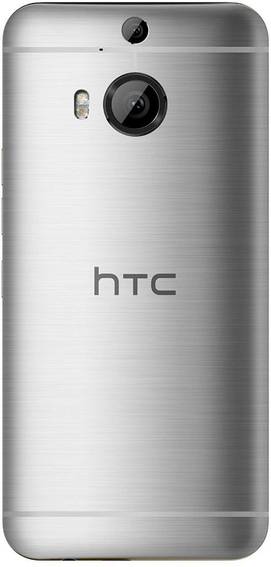
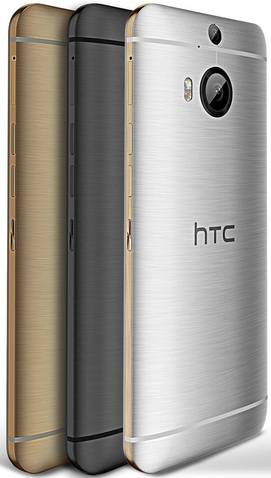
+The One (M8) was (and still is) one of the best looking smartphones available in the market. And HTC evidently knows this, because from the outset, the M9+ could easily be mistaken for its predecessor. It features the same all-metal construction with a brushed metal finish and curvy edges that’s more than easy on the eyes. However, while the One (M8) looked like it was hewn out of a single piece of metal, the M9+ features a clear break around the edges, which makes it look like an ill-fitting rear panel. The Gold on Silver unit we reviewed features the new dual-tone finish, where the edges are a polished gold hue, standing out from the jewellery-finish silver back panel. Unforunately, while we liked the new finish, the uneven edges refused to grow on us, and we were left yearning for the smooth spine of the One (M8). Incidentally, if you don't like the dual-tone look, you can opt for one of the other two colour options – Gunmetal Grey and Gold on Gold. The front features the trademark BoomSound speakers arranged above and below the display. On the top you’ll find the sensors and UltraPixel front camera, with the earpiece and notification LED cleverly concealed inside the speaker grill. A thick bezel below the display features the HTC logo, which we feel adds unnecessary height to the smartphone. The speaker on the chin is divided into two by the new fingerprint sensor. Unlike the HTC One Max's square fingerprint scanner, the sensor on the One M9+ closely resembles Samsung’s home button – an oval surrounded by a chrome rim. The button isn’t mechanical though, only responding to capacitive touch. On the right spine, you’ll find an ejectable tray for the microSD card, the volume buttons and the power switch. The three buttons are the same size, but the power button has a textured finish that helps to identify it. On the left side is another ejectable tray which holds the single nano-SIM card slot. The top edge of the phone hides an IR blaster, while the bottom holds the micro-USB port and 3.5mm audio jack.On the back panel you’ll find HTC branding in the centre, and two white antenna lines that bisect the phone at the top and bottom. The One M9 features a square glass over the camera lens, but the M9+ gets the same round camera window as the One (M8). Above it sits a smaller depth sensor, while a dual-tone LED flash is placed on its left.While the One M9+ certainly feels ergonomic, we’d advise using it with a case. The metal finish has its downsides – it’s very slippery, and it tends to pick up scratches very easily.
Read MoreCrisp as toast, smooth as butter
+Unlike the One M9, which retains the 5-inch full HD display of its predecessor, the One M9+ goes full throttle with 2K resolution. Even with its slightly larger screen size of 5.2-inches, the smartphone gets a packed pixel density of 565ppi. While some might argue that the naked eye can’t discern the difference, that doesn’t prevent the screen from looking incredibly sharp. Viewing angles and brightness levels are good, although sunlight legibility isn’t its strong point. The white balance is tipped towards the cooler side, but the colours still pop, making images and videos really stand out. The touch response is smooth as silk, and if you require extra sensitivity you can also enable a glove mode in settings. The display gets a layer of Corning Gorilla Glass 3 for protection.
Read MoreA Sense of Lollipop
+The HTC One M9+ runs Sense 7.0 UI which is based on Android 5.0.2 Lollipop. Unlike previous iterations of Sense, HTC has retained a large chunk of the native Android design here, which means you see lots of Material Design influence. The whole interface looks cleaner and sharper, and almost feels like stock Android. As far as the layout goes, you get the Lollipop-inspired notification bar and quick settings menu by pulling down from the top, and access to HTC's social media/news aggregator BlinkFeed by swiping to the right from the homescreen. The vertically-scrolling app drawer has a search button and a shortcut to the Play Store, and lets you rearrange and hide apps. The main homescreen features two big widgets – a large clock/weather/date widget on top, and the new Sense Home widget at the bottom. Sense Home is able to detect your home and work addresses, and show you relevant apps. It also learns which apps you use frequently and where, and displays them on the homescreen accordingly. You have the option to manually set locations and drag and drop apps into the widget. Sense Home also displays optional ‘smart folders’. This includes a Downloads folder which displays recently-downloaded apps, as well as a Suggestions folder, which shows you recommended apps. If you don't like the Sense Home widget, you can just remove it from the homescreen. The One M9+ comes pre-loaded with a bunch of apps, including Themes, Zoe, fx Photo Editor, One Gallery, POLARIS Office 5, Scribble, HTC Backup, HTC Dot View, Clean Master, Fun Fit and Peel Smart Remote. An FM Radio and File Manager app are also available. One of the key new features of Sense 7 is the Themes app, which offers an array of personalisation options. The app features a range of themes, as well as wallpapers, icons, sounds and fonts. Apart from the homescreen and lockscreen, you can even customise wallpapers for messages and the app drawer. While the themes need to be installed as a whole, you can download bits and bobs of the various other customisations and combine them to your liking. HTC’s also giving users the ability to create their own themes from scratch. You’ll start by selecting a photo (and optionally, applying a filter) for the homescreen, after which the app will suggest accent colours and various theme options using the image. You can opt for one of these, or delve deeper and individually select textures, colours, wallpapers, icons, sounds and fonts. You can then apply your theme, or name and save it to your smartphone for use later. Another nifty new feature in Sense 7 is the ability to change the layout of onscreen navigation buttons. You can rearrange the back, home and recent apps buttons to your liking, as well as add an optional fourth button. The options for the fourth button include turn off screen, notifications, hide navigation bar, quick settings and auto rotate. Going into display settings, you’ll find a number of Motion Launch gestures. Apart from the standard double tap to wake, you can configure the display to respond in different ways when the screen is in standby. For example, you can swipe right to launch BlinkFeed or left to open the widget panel. You can also swipe down to turn on voice dialing and swipe up to unlock. Additionally, the volume button can be programmed to launch the camera. As far as battery savings are concerned, Sense 7 features a Power Saver mode which turns off vibration feedback, reduces display brightness, conserves CPU usage and puts the data connection to sleep when the screen is off. There’s also an Extreme Power Saving Mode which allows only essential apps to run and turns off notifications. You can select a battery level at which this mode gets automatically activated. There's also a Sleep Mode, which turns off the data connection during long periods of inactivity. Similar to Sony’s Simple Home launcher, on the One M9+ you'll find an Easy Mode, which simplifies the homescreen layout, showing you large tiles you can assign apps to, as well as a dedicated homescreen for contacts. We’re not sure why anyone with a flagship smartphone would want to use it in Easy Mode, but it’s nice to have the option. The Kid Mode and Car Mode which we saw on the One (M8) are also present. Do Not Disturb is available as a native feature in Android Lollipop, accessible through 'Interruptions' in the sound and notifications settings.
Read MoreUltraPixels and Megapixels up the photography quotient
+The HTC One (M8) featured an UltraPixel camera at the rear, and a 5MP snapper in the front. The camera was criticised for not standing up to the competition, and to compensate, the One M9+ packs in a 20MP primary snapper. It's accompanied by a depth sensor to recreate the Duo Camera setup. The company hasn’t given up on its UltraPixel dream though, with this sensor moving over to the front. HTC's camera app is one of the most loaded available. When viewed in landscape mode, the shutter and video button appear on the right, flanked by the gallery shortcut on top. A button at the bottom right provides options to switch between the camera, selfie, panorama, split capture and photo booth shooting modes. Alternatively, you can swipe through the viewfinder to toggle these modes. At the bottom of the viewfinder are controls for scene modes, video modes, ISO, exposure compensation, white balance and settings. This row of controls can be hidden if you prefer. On the left side there’s an option to switch to the Duo Camera, as well as access the flash toggles. In settings, you an enable auto smile capture, voice capture and touch to capture. Image adjustments like contrast, saturation and sharpness are also available. When the front camera is on, the beauty mode appears via a slider at the very top. The edit mode is pretty packed, giving you access to filters, crop tools and red eye removal. You can also add frames, stickers and draw on images. In the effects section, you can add shapes, photo shapes, prismatic shapes and animated effects to photos. There’s also a Double Exposure mode which lets you layer and edit two photos, as well as Face Fusion which morphs two faces into one. There are a bunch of portrait editing tools too, that let you contour faces, enhance and brighten eyes, and reduce shine on the skin.For images taken with the Duo Camera, you can use the Ufocus tool to change the point of focus, as well as the Foregrounder tool which lets you make changes to the background of an image. There’s also Dimension Plus, which adds a 3D effect to your photo.Coming to the image quality, the primary camera works well in daylight, with good detail and colour reproduction. Macro shots display a nice depth of field effect, but the camera does have trouble focussing sometimes, which can be a problem. The HDR mode is one of the better ones we’ve seen, enhancing the image without over-brightening it. In low light, the camera has some trouble focussing on the subject, but noise levels are acceptable.What really impressed us was the UltraPixel front camera, which does a stellar job for selfies. It works particularly well in low light, and the beauty mode is effective, provided you don’t crank it up to max levels. Our only complaint is that skin tones take on a slightly reddish hue.For more details, check out our HTC One M9+ camera review
Read MoreSprints and falters
+While the M9 is endowed with Qualcomm’s top-of-the-line Snapdragon 810 chip, the M9+ uses MediaTek’s top-tier Helio X10 (MT6795T) processor. The 64-bit chipset consists of eight Cortex-A53 cores clocked at 2.2GHz, and gets 3GB of RAM for company.The Snapdragon 810 chip has been in the news for its overheating issues, so initially, we were pleased that HTC decided to forgo it for the M9+. By and large, there are no major issues with performance on the smartphone. It handles multi-tasking well, and doesn't slow down even when there are 10-15 apps running in the background. However, we invariably experienced delays of a few seconds when opening apps, although this wasn’t the case when they were already running in the background. There were also a few instances of app freezes and crashes. As far as gaming is concerned, intensive titles like Riptide GP2 play well, but there are noticeable stutters and lags during gameplay. In fact, we noticed the same lags while playing lighter games like Subway Surfers, which shouldn’t be the case with a flagship device. The Helio X10 chip doesn’t have the overheating tendencies of the Snapdragon 810, but the phone still gets quite toasty while gaming, using the camera, and during extended usage. The metal construction doesn’t do much to help heat dissipation either. While most smartphones are available in multiple storage variants these days, the One M9+ comes in only in a 32GB version. Out of the box, you get a little over 21GB available to use, which should be plenty for most users. The microSD card supports expansion up to 2TB, even though memory cards of that capacity aren’t available yet.Fuelling the device is a fixed 2,840mAh battery. We praised the battery life of the One (M8) last year, but unfortunately this isn't one of the strong points of its sucessor. On a day with regular usage comprising of an hour or two of phone calls, WhatsApp and social media usage, gaming and using the camera, the phone couldn’t even make it through until the evening. Our video loop battery drain test confirmed our real-life experience, giving us six hours and 50 minutes of juice, which is a really poor result for flagship standards. One of the areas where the One M9+ trumps the One M9 is with its fingerprint sensor. The sensor can be programmed to recognise up to five fingerprints, and we found it to be pretty accurate, even when used at odd angles. There were still instances when it didn’t work, and if you do decide to disable the feature, HTC has been pre-emptive enough to configure the sensor to function as a home button, so it won’t be rendered completely useless.In terms of connectivity, the One M9+ accepts only a single nano-SIM. It supports both 4G bands in India, which is a plus. On the connectivity front, the smartphone is as loaded as they come, packing in dual-band Wi-Fi 802.11ac, Wi-Fi Direct, DLNA, Bluetooth, GPS, USB OTG, NFC and Infrared.
Read MorePopular Comparisons

HTC One M9 Plus Specifications
General |
|
|---|---|
| Operating System | Android v5.0.2 (Lollipop) |
| Custom UI | HTC Sense |
Performance
(Avg)
|
|
|---|---|
| Chipset | MediaTek MT6795 |
| Processor | Octa core, 2.2 GHz, Cortex A53 |
| Architecture | 64 bit |
| Graphics (GPU) | PowerVR G6200 |
| RAM | 3 GB |
Benchmark Screenshots
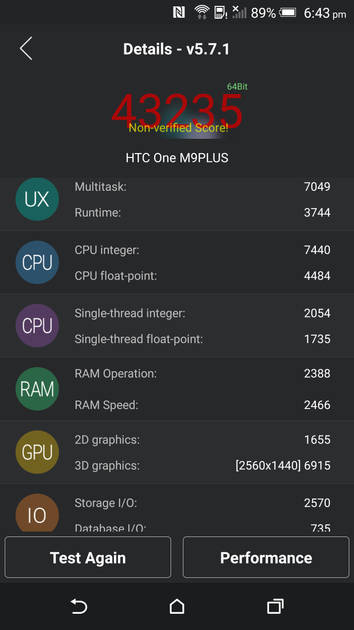
AnTuTu Benchmark
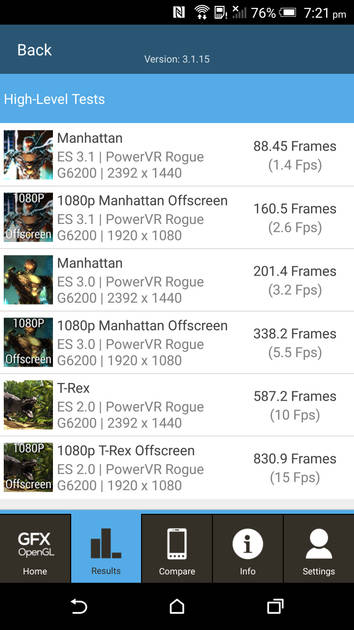
Graphics Benchmark

Vellamo Metal Benchmark
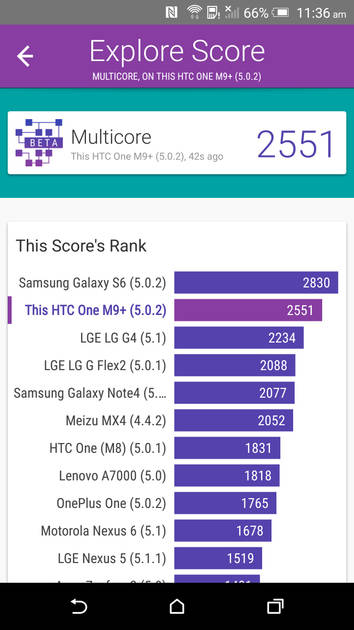
Vellamo Multicore Benchmark

Vellamo Browser Benchmark
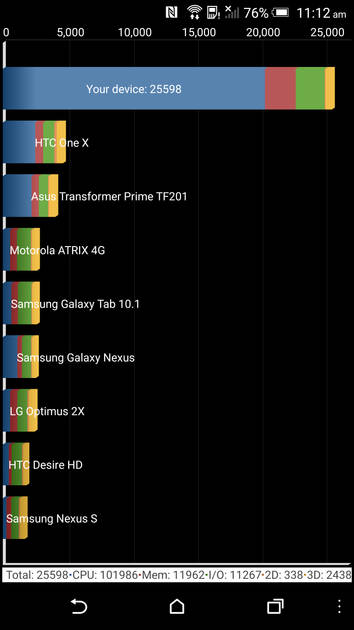
Quadrant Benchmark
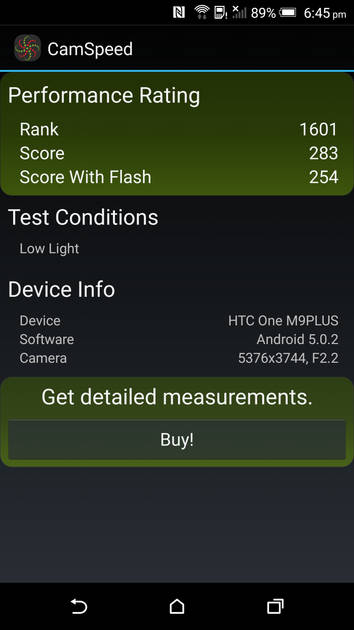
Camera Speed Benchmark
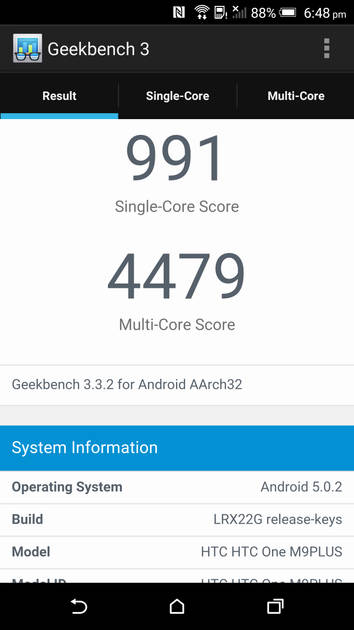
Geekbench3 Benchmark
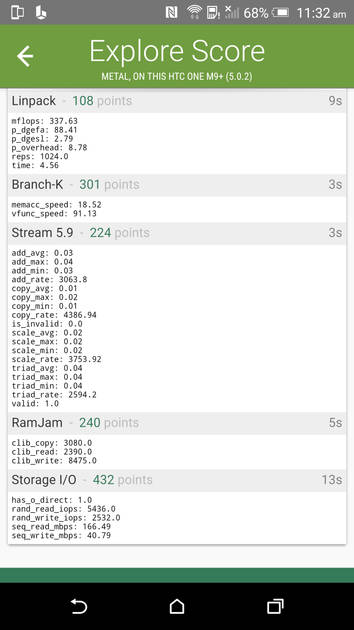
Linpack Benchmark
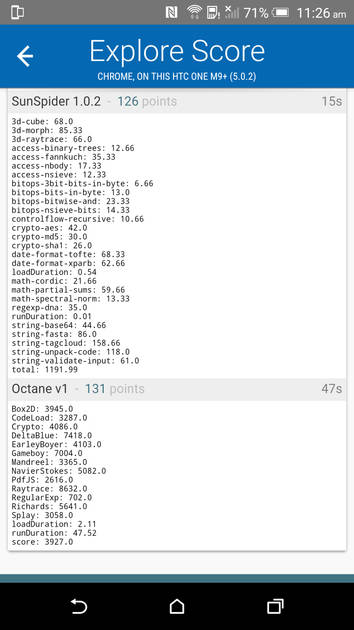
Sunspider Benchmark
|
Display
(Best In Class)
|
|
|---|---|
| Display Type | S-LCD 3 |
| Screen Size | 5.2 inches (13.21 cm) |
| Resolution | 1440x2560 px (QHD (2k)) |
| Pixel Density | 565 ppi |
| Screen to Body Ratio (calculated) | 68.55 % |
UI Screenshots
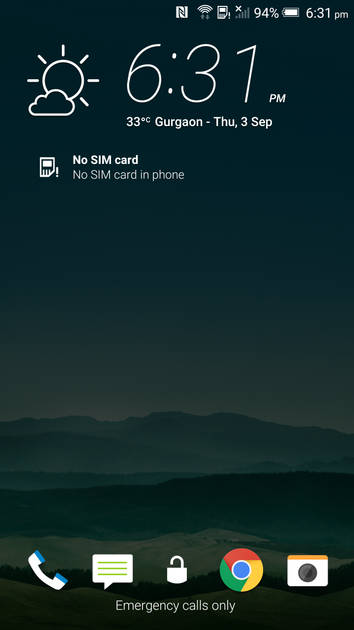
Lock Screen
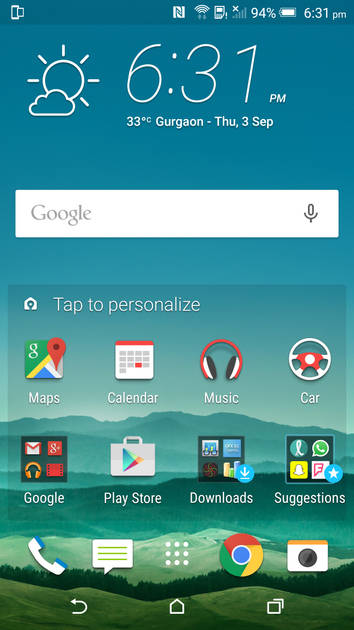
Home Screen
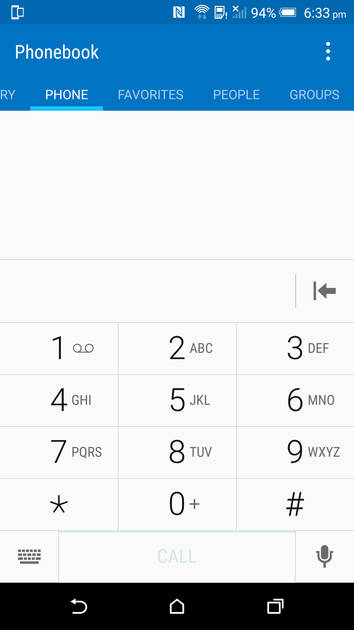
Dialer Screen
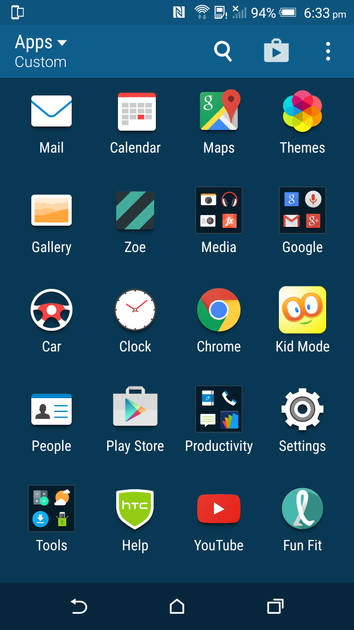
App Drawer
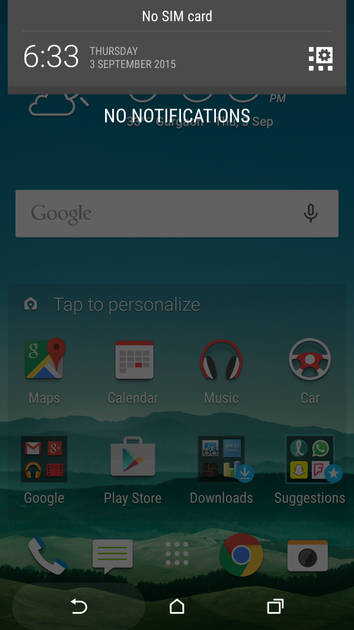
Notification Panel
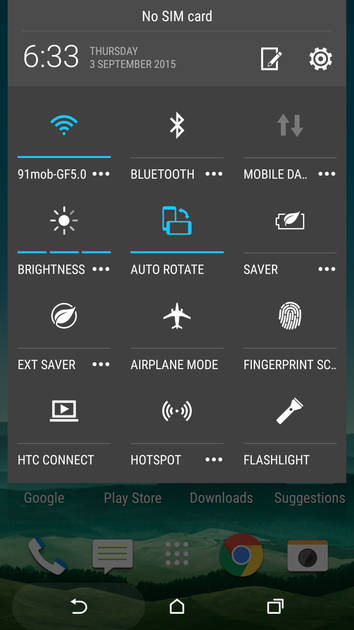
Quick Settings Panel
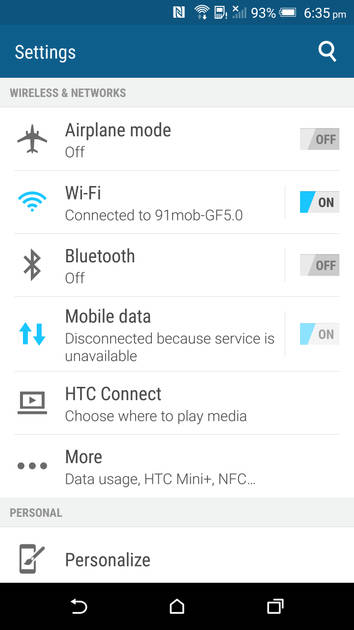
Settings Screen
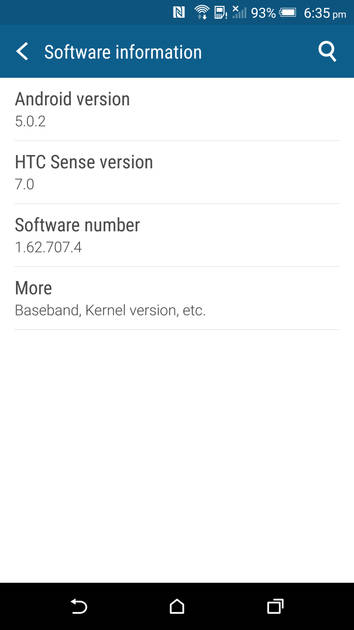
OS Version
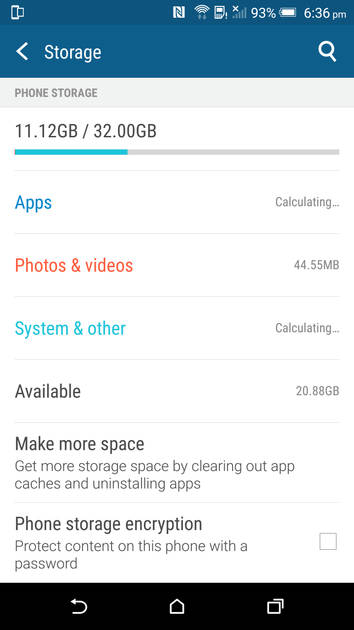
Storage
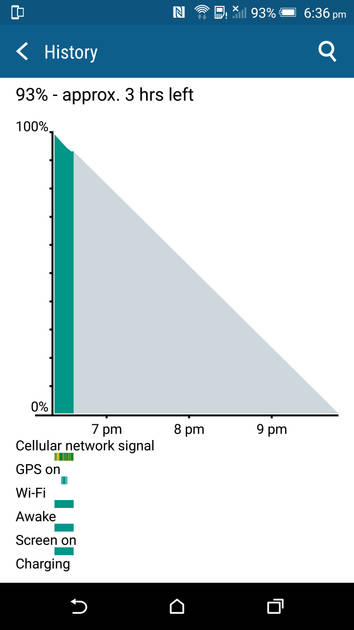
Battery
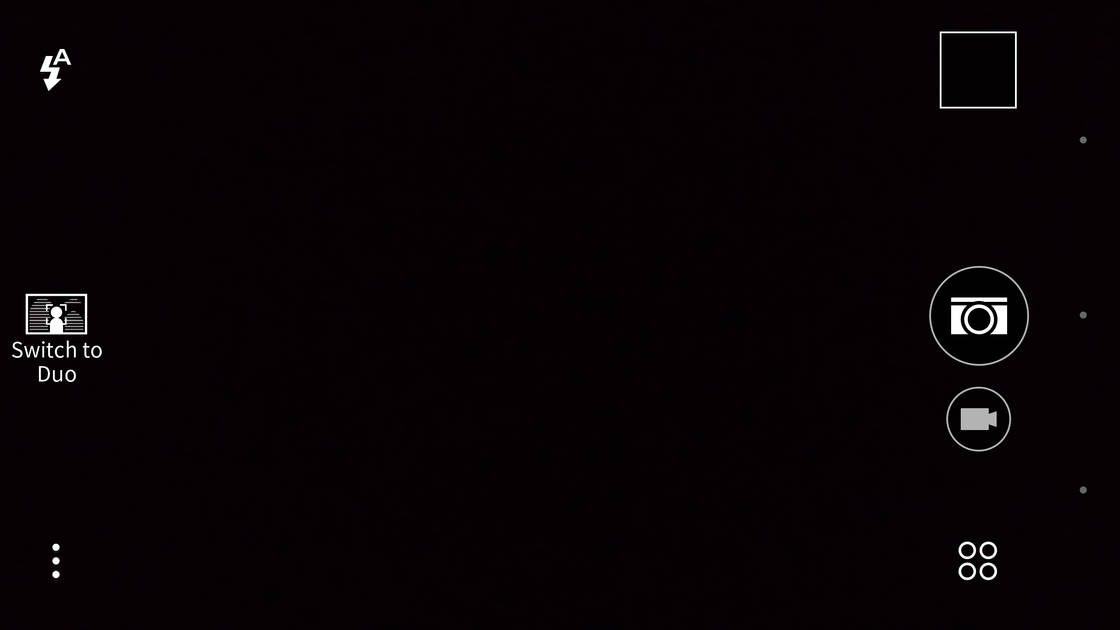
Camera On
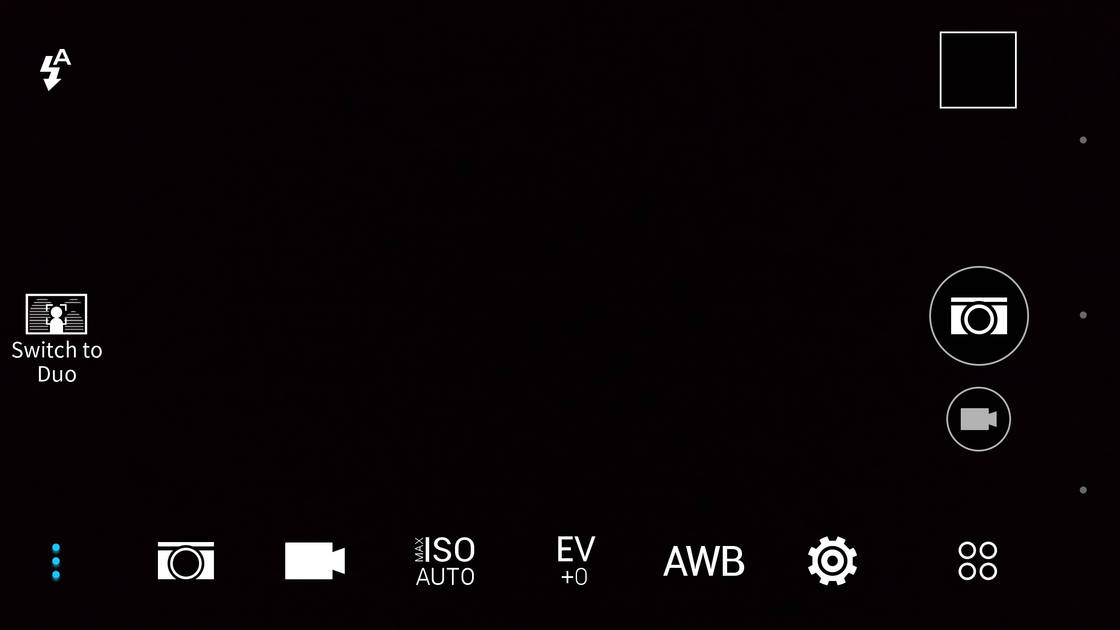
Camera Options
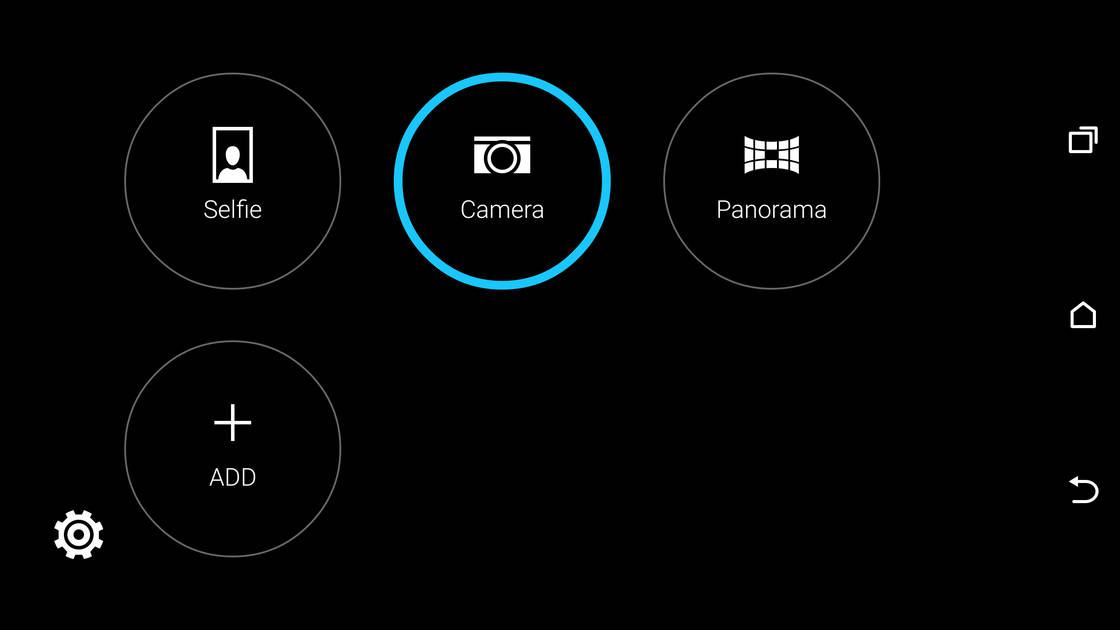
Camera Modes
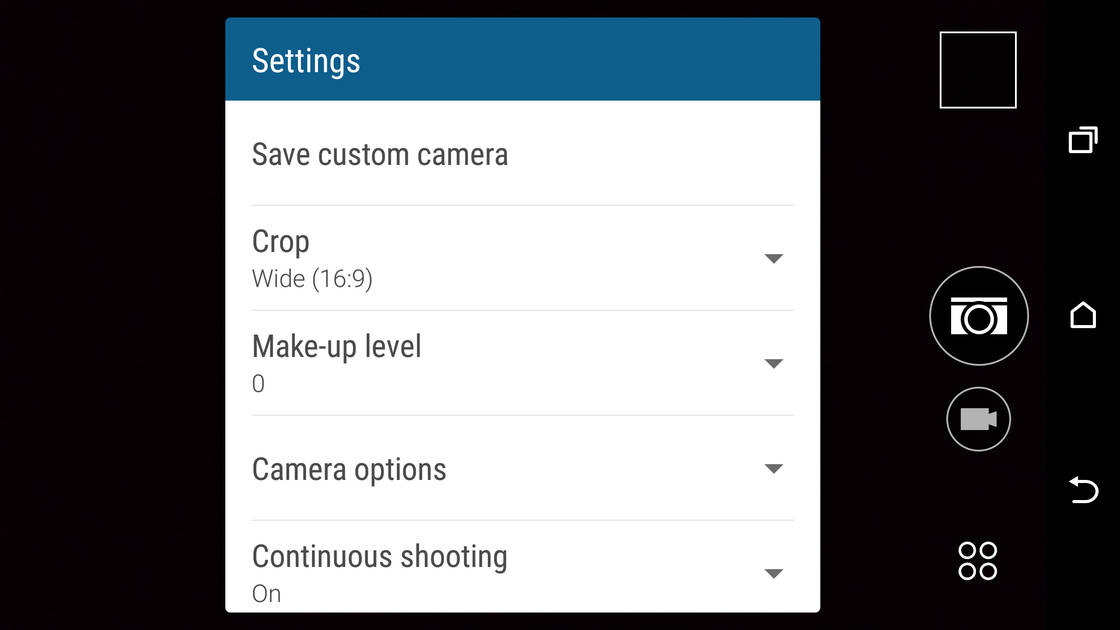
Camera Settings
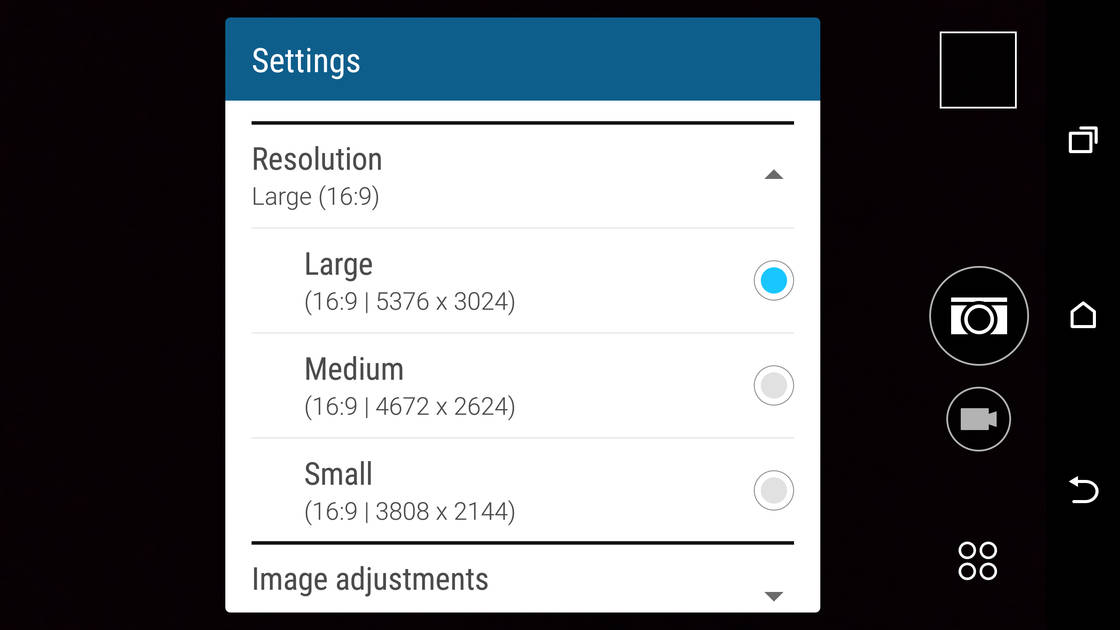
Picture Size Options
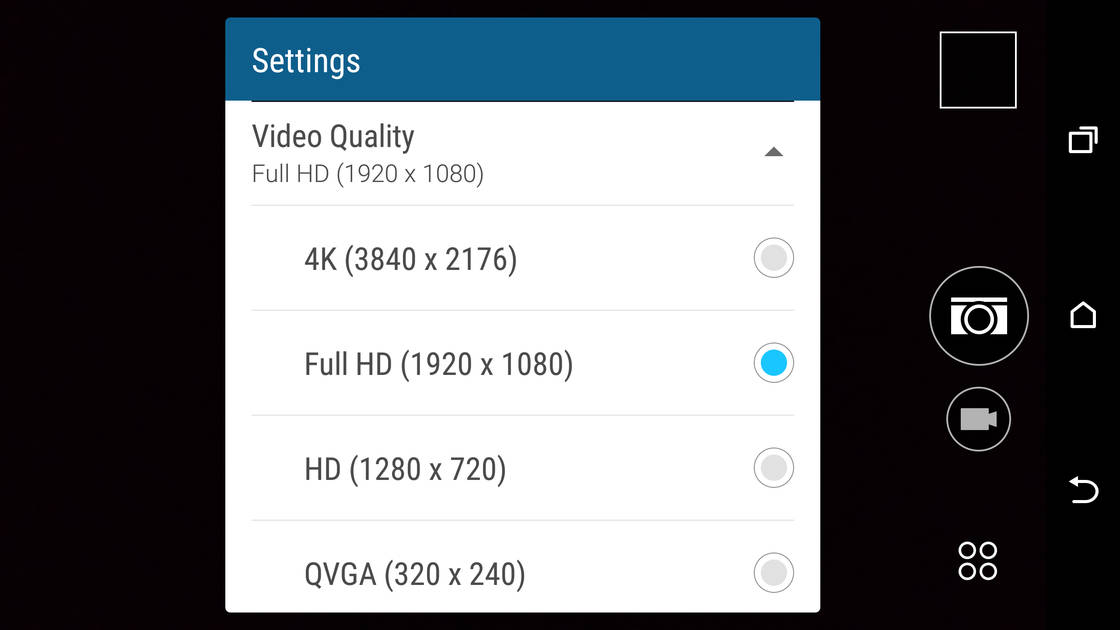
Video Size Options
|
Design |
|
|---|---|
| Height | 150.9 mm |
| Width | 71.9 mm |
| Thickness | 9.6 mm |
| Weight | 168 grams |
|
Click to View

|
Rear Camera
(Good)
|
||||||||||||
|---|---|---|---|---|---|---|---|---|---|---|---|---|
| Resolution | ||||||||||||
|
||||||||||||
| Autofocus | Yes | |||||||||||
| OIS | No | |||||||||||
| Flash | Yes, Dual-color LED Flash | |||||||||||
| Image Resolution | 5160 x 3872 Pixels | |||||||||||
| Settings | Exposure compensation, ISO control | |||||||||||
| Shooting Modes |
Continuous Shooting High Dynamic Range mode (HDR) |
|||||||||||
| Camera Features |
Digital Zoom Auto Flash Digital image stabilization Face detection Simultaneous HD video and image recording Smile detection Touch to focus |
|||||||||||
| Video Recording |
3840x2160 @ 30 fps 1920x1080 @ 60 fps 1280x720 @ 120 fps |
|||||||||||
| Video Recording Features |
Video HDR Stereo recording |
|||||||||||
Rear Camera Samples
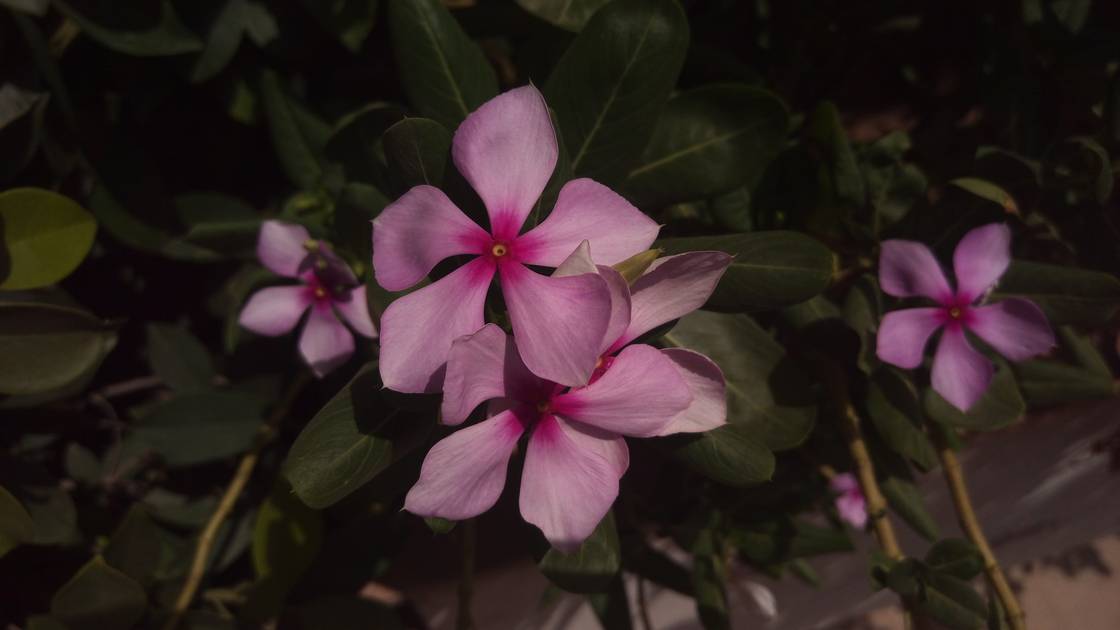
Close Up

Low Light

Low Light With Flash
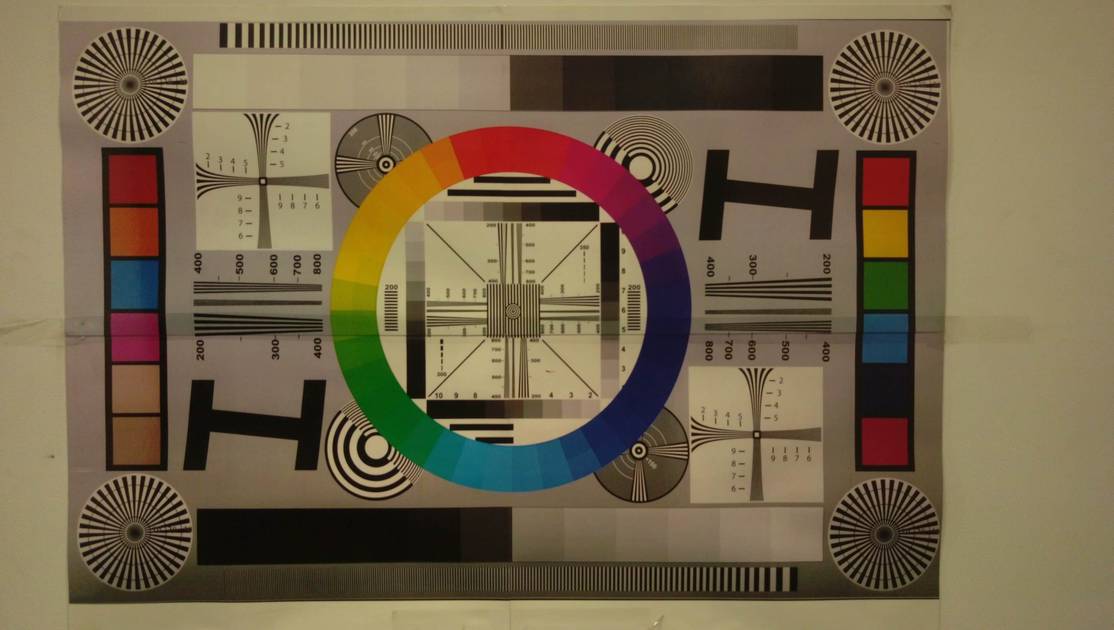
Colour Variance

Long Shot
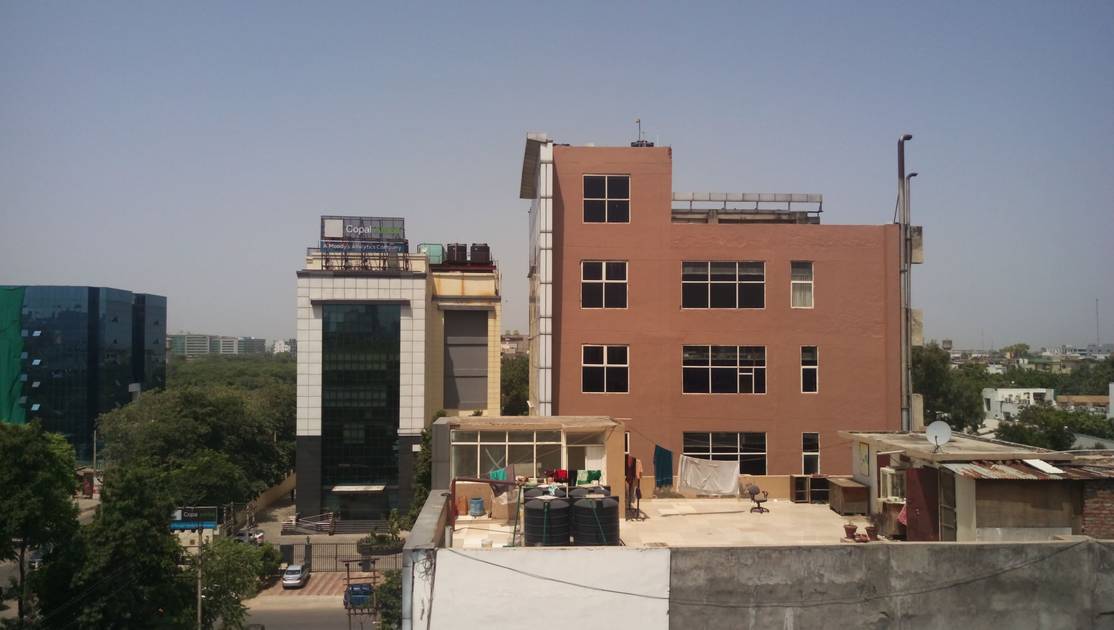
HDR Off
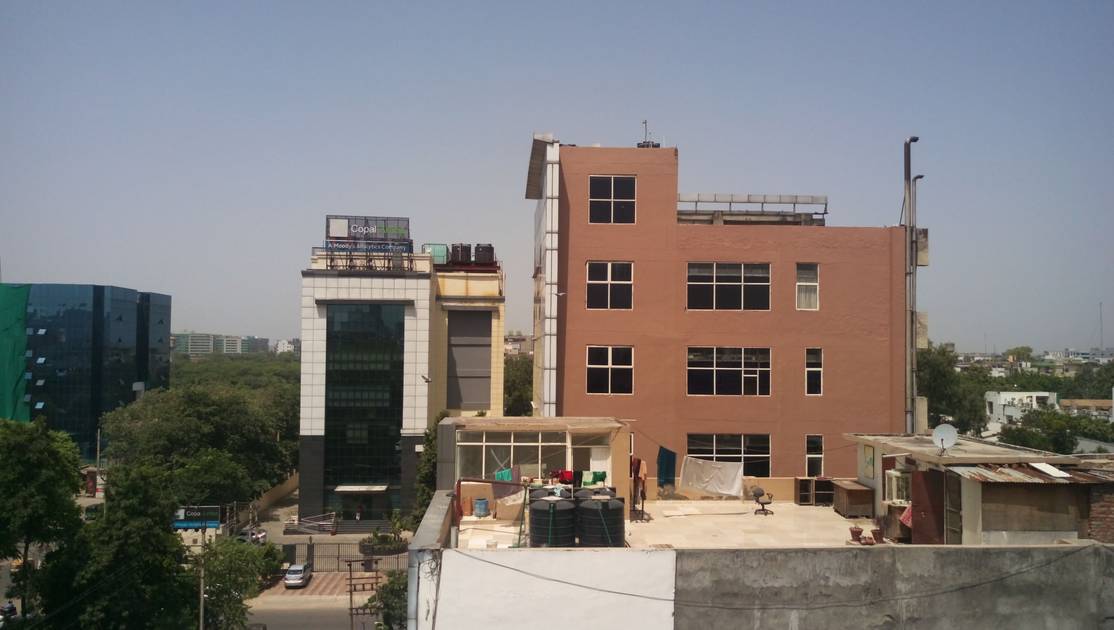
HDR On
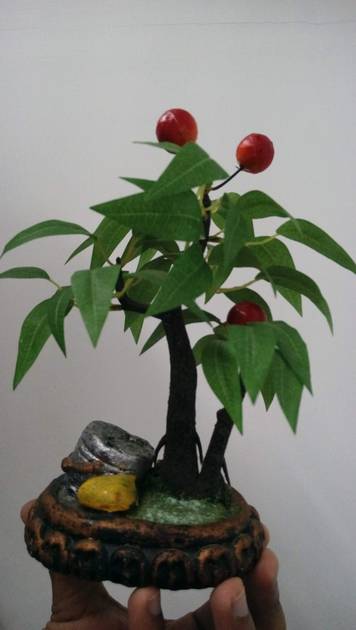
Front Shot
|
Front Camera
(Good)
|
||||||||
|---|---|---|---|---|---|---|---|---|
| Resolution | ||||||||
|
||||||||
| Flash | No | |||||||
| Video Recording | 1920x1080 @ 30 fps |
Battery
(Very Good)
|
|
|---|---|
| Capacity | 2840 mAh |
| Battery Type | Li-Polymer |
| TalkTime | Up to 13 Hours(3G) / Up to 23 Hours(2G) |
Storage |
|
|---|---|
| Internal Storage | 32 GB |
| Expandable Storage | Yes, Up to 2 TB |
Network & Connectivity |
|
|---|---|
| SIM Slot(s) | Single SIM |
| SIM Type | SIM1: Nano |
| Network Support | 5G Not Supported, 4G |
| SIM 1 |
4G bands, 4G Speed
Expand
|
| Wi-Fi | Yes, Wi-Fi 5 (802.11 a/b/g/n/ac) 5GHz |
| Wi-Fi Features | Mobile Hotspot |
| Bluetooth | Yes, v4.1 |
| GPS | Yes with A-GPS, Glonass |
| NFC | Yes |
Multimedia |
|
|---|---|
| Audio Jack | 3.5 mm |
Sensors |
|
|---|---|
| Fingerprint Sensor | Yes |
| Fingerprint Sensor Position | Front |
| Other Sensors | Light sensor, Proximity sensor, Accelerometer, Barometer, Compass, Gyroscope |
HTC One M9 Plus User Reviews
HTC One M9 Plus Key Highlights
| Processor | MediaTek MT6795 |
| RAM & Storage | 3 GB + 32 GB |
| Display | 5.2", 1440 x 2560 Resolution |
| Rear Camera | 20 MP + 2.1 MP |
| Front Camera | 4 MP |
| Battery | 2840 mAh |







Popular Links
- All Upcoming Phones
- vivo V80 5G
- OPPO K14 Plus 5G
- Xiaomi Redmi Note 17 Pro 5G
- Lava Virat Curve 5G
- OPPO F35 Pro
- Samsung Mobiles
- Motorola Mobiles
- vivo Mobiles
- OPPO Mobiles
- Tecno Mobiles
- realme Mobiles
- Xiaomi Mobiles