When you imagine a gaming desktop, you probably picture a large, imposing machine. That’s primarily because we’re accustomed to seeing sizeable desktops that need ample room to maintain adequate airflow and keep the components from overheating. Well, thanks to the advent of faster and more efficient components, SFF or small form factor builds have skyrocketed in popularity. So much so, you can get a high-end, do-it-all gaming desktop smaller than a PS5. And the proof is in the pudding, too. Popular laptop and PC maker ASUS recently debuted its G22CH SFF gaming desktop in India.
The machine is hilariously small, but despite that, it packs a serious punch and is backed by an RTX 4070 GPU and a Core i7-14700F processor. I’ve been using it as my primary rig for the past few days, and here’s why I think ASUS has a winner in its hands.
Table of Contents
Design
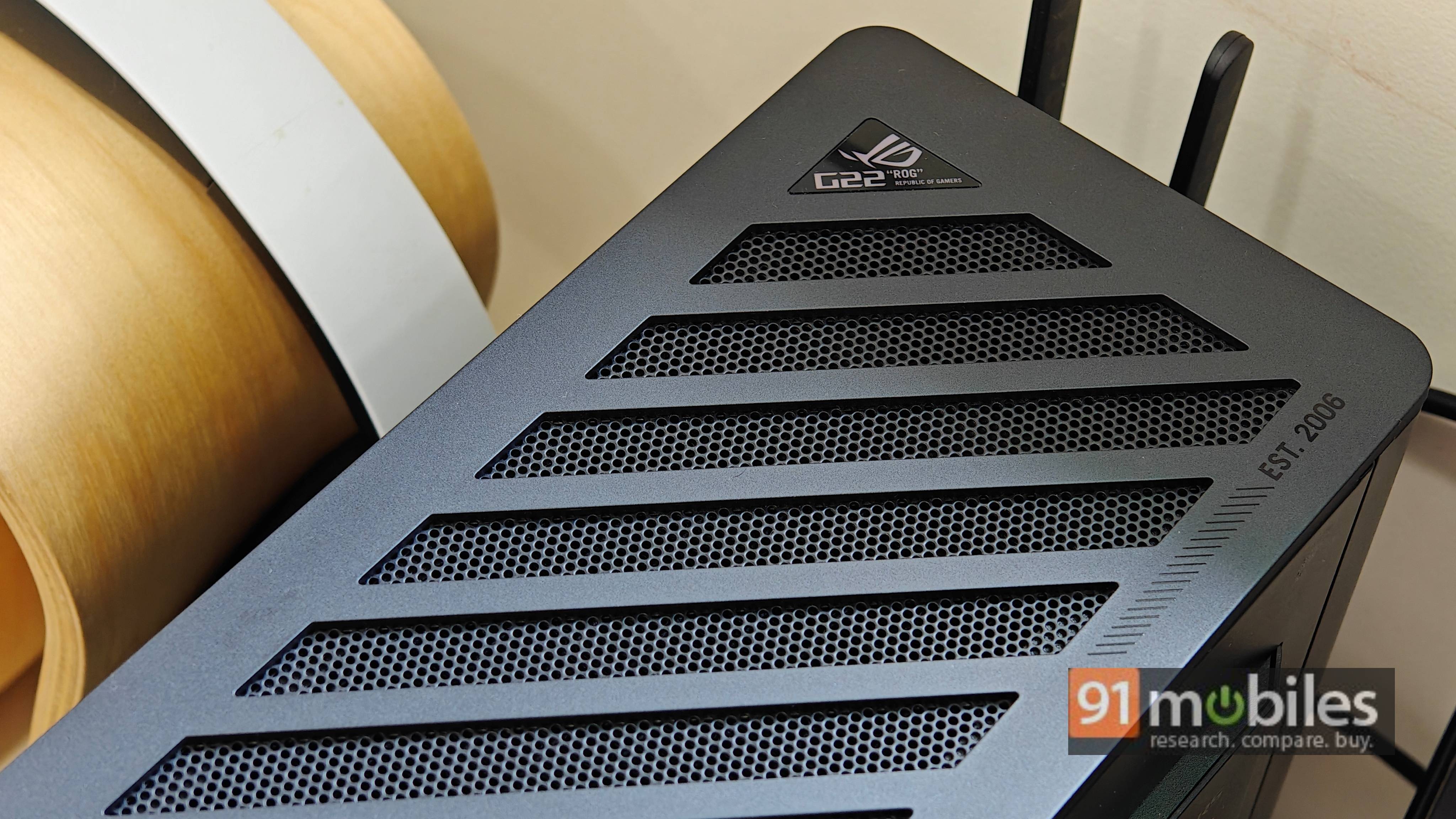
ASUS has experimented with polarising designs, but you wouldn’t think that going by the G22CH’s unassuming chassis. The machine comes wrapped in a unibody metal enclosure void of tacky gamer-y accents. A tastefully designed RGB strip sits on the front, which rounds up all the glitz and glamour the case has going for it. All said and done, gamers vying for a minimalistic desk setup will find plenty to like about ASUS’ latest.
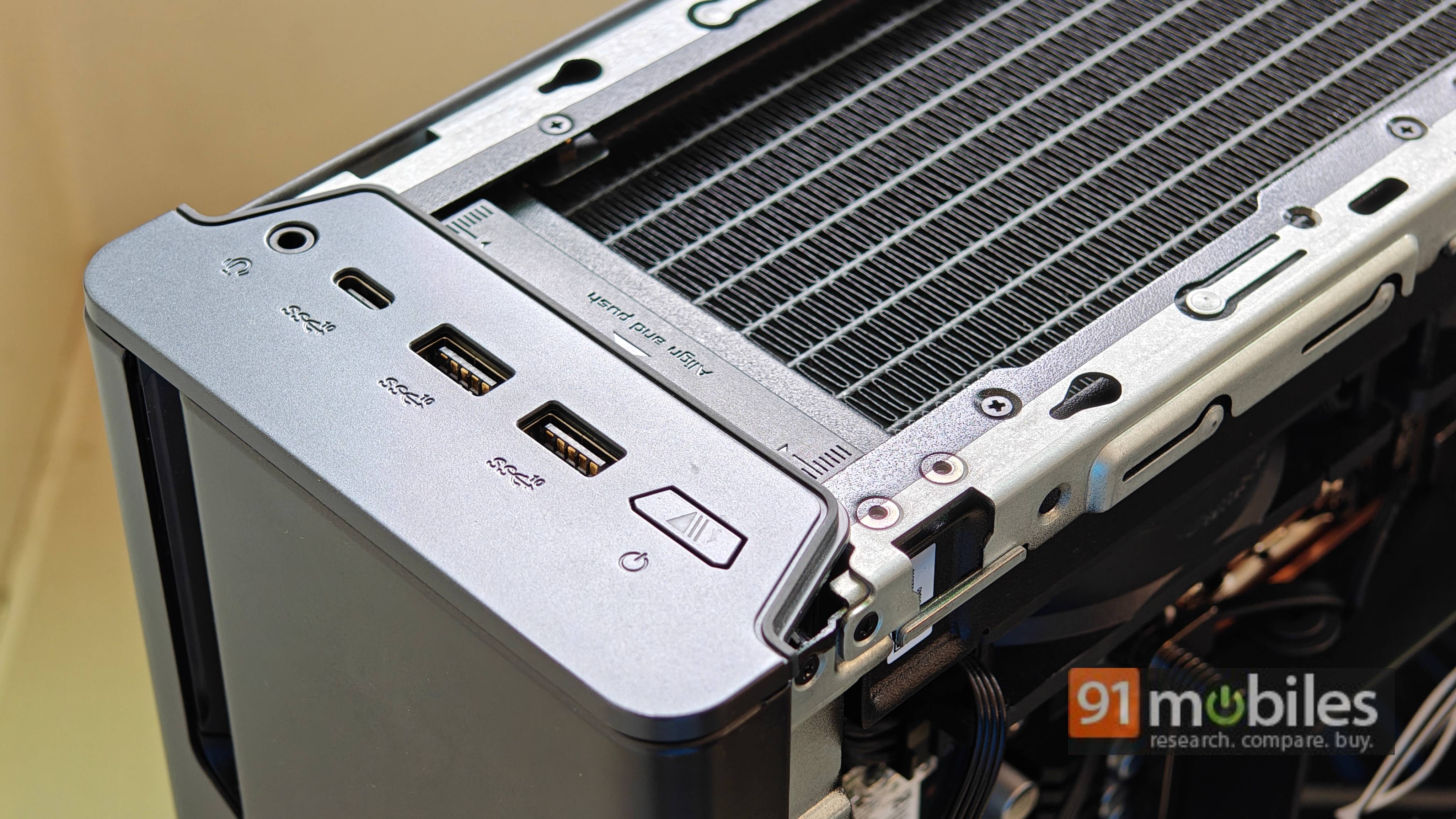
That said, I could comfortably interface a bunch of accessories to the device, including my mechanical keyboard, wireless gaming mouse, and wireless dongle for my headphones. The HDMI 2.0 port also facilitated a reliable connection to my 2K, 144Hz external monitor. The desktop comes with Bluetooth and supports Wi-Fi 6 for wireless internet connectivity. I didn’t run into any connectivity niggles either, and I was able to leverage the best internet speeds that my connection offers on the G22CH.
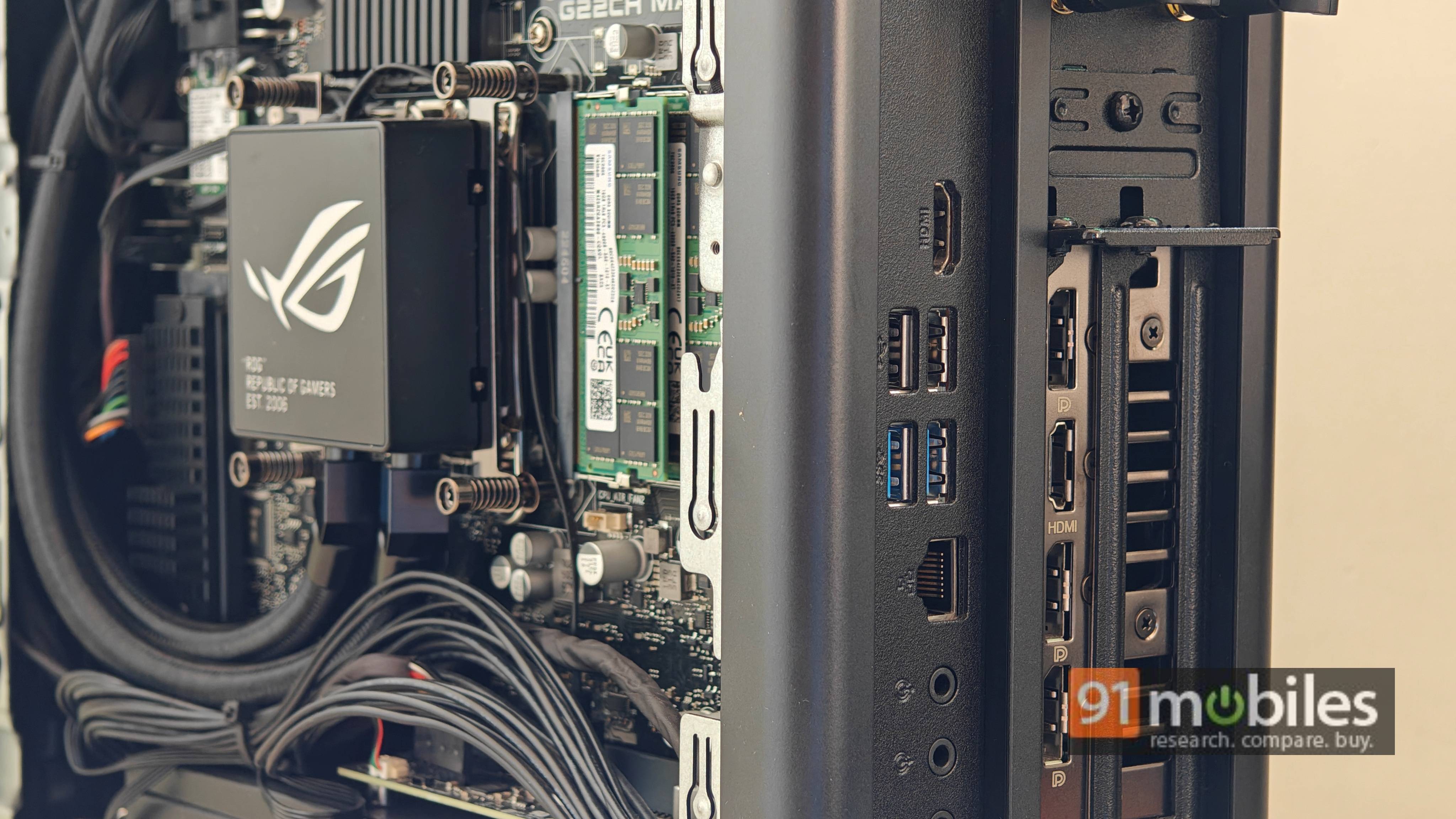
To access the internal components of your desktop, you need to remove a screw located towards the back. It sits next to a latching mechanism above the rear I/O. Once you unscrew it, you can slide the latch towards the right to remove the mesh lid at the top. After removing the top lid, you can slide the side panels upwards to gain access to the components of your G22CH.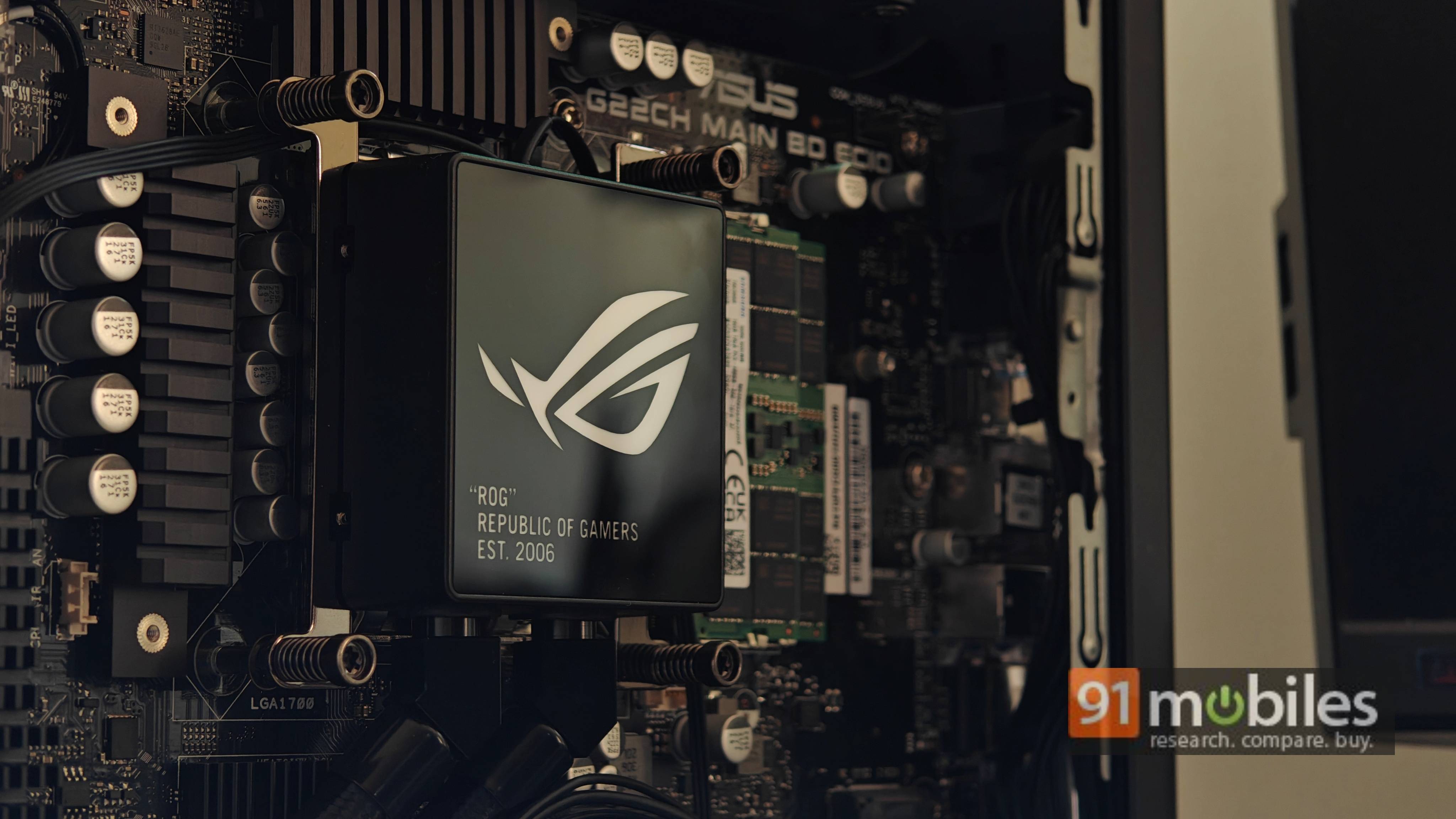
So, is the G22CH upgradable? Well, you can swap out the SO-DIMM RAM modules, if you like. Additionally, the motherboard can house another M.2 SSD drive, so you can expand its storage as well. You can swap out the M.2 Wi-Fi card if the bundled one starts acting finicky, too.
Performance
Coming to the meat of the matter, the ASUS ROG G22CH is powered by Intel’s Core i7-14700F processor. The 20-core CPU features 12 E-cores and 8 P-cores. The P-cores can turbo up to 5.4GHz, and the processor can deploy up to 28 threads for strenuous workloads. For graphics, the G22CH is backed by an RTX 4070 GPU. My review unit shipped with 32GB of DDR5 RAM and a 1TB NVMe SSD with a custom heat sink. Additionally, the desktop boots Windows 11 from the get-go.
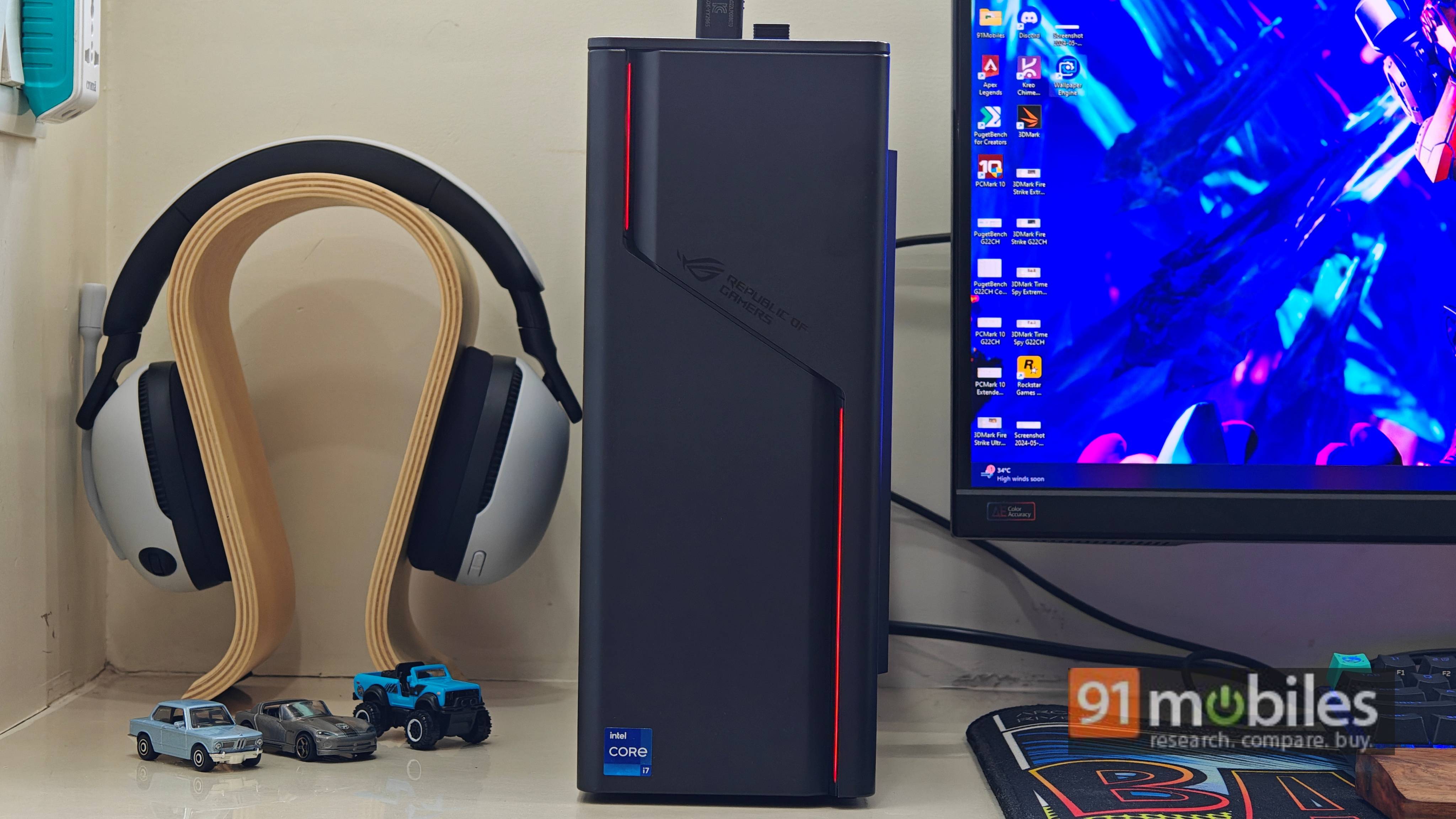
Unsurprisingly, the desktop is more than capable of running demanding apps and games. It scoffed at my workload, primarily involving communication and project management apps like Slack, Asana, and AirTable. I also have around 20 tabs open in Chrome at any given moment and some photo-editing tools like PhotoscapeX. Regardless, I couldn’t get the G22CH to slow down to catch its breath.
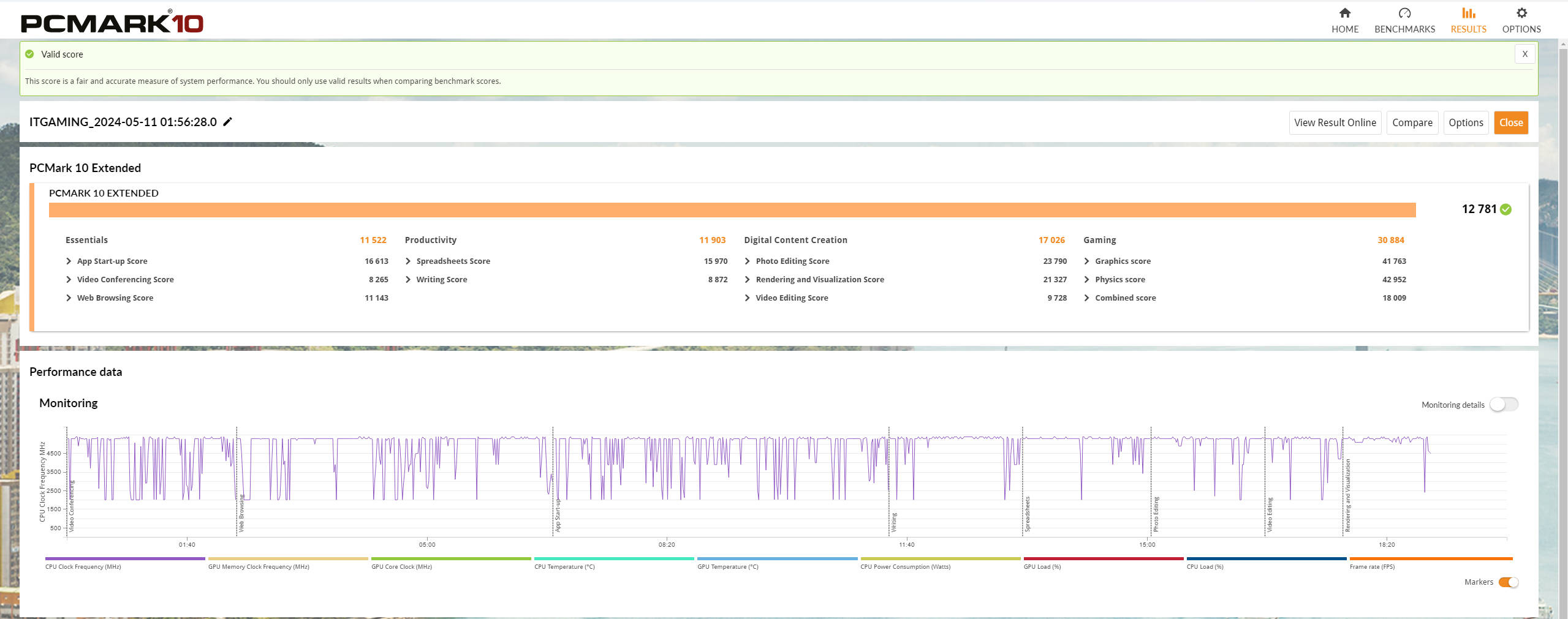
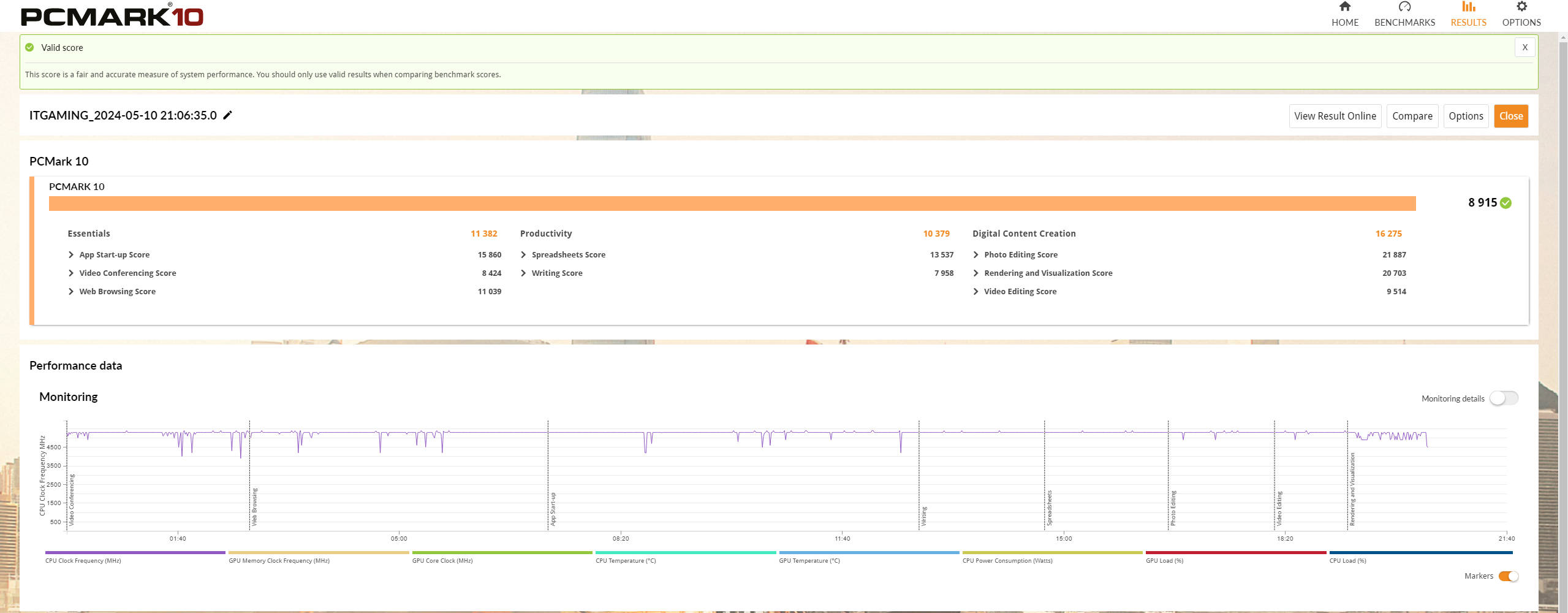
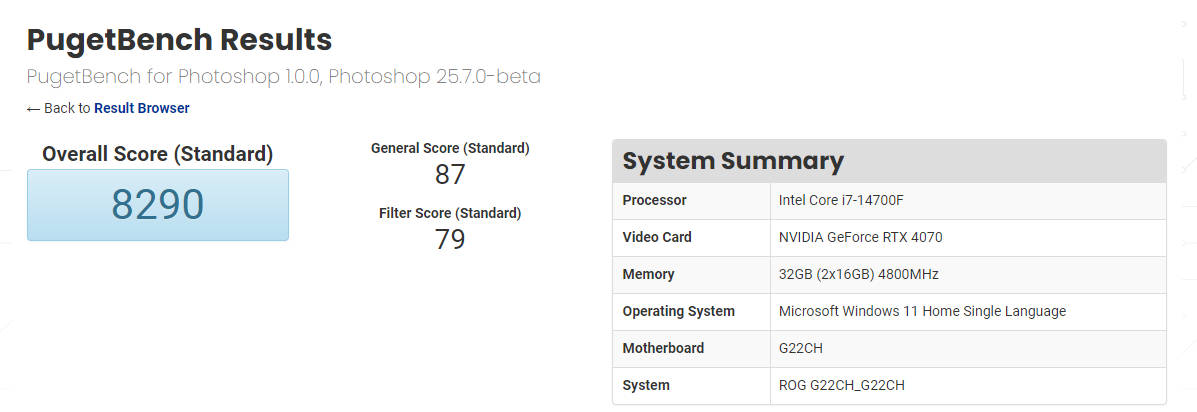
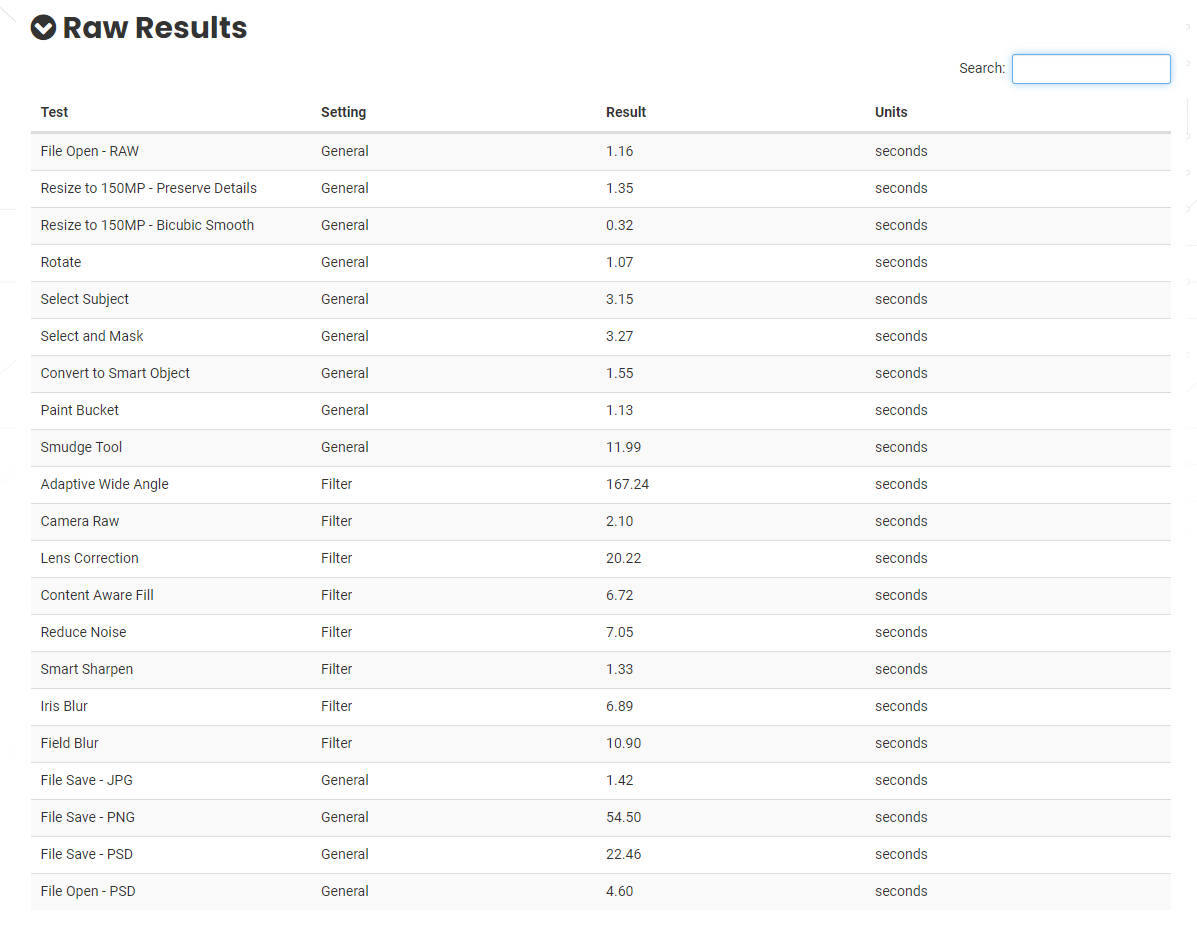
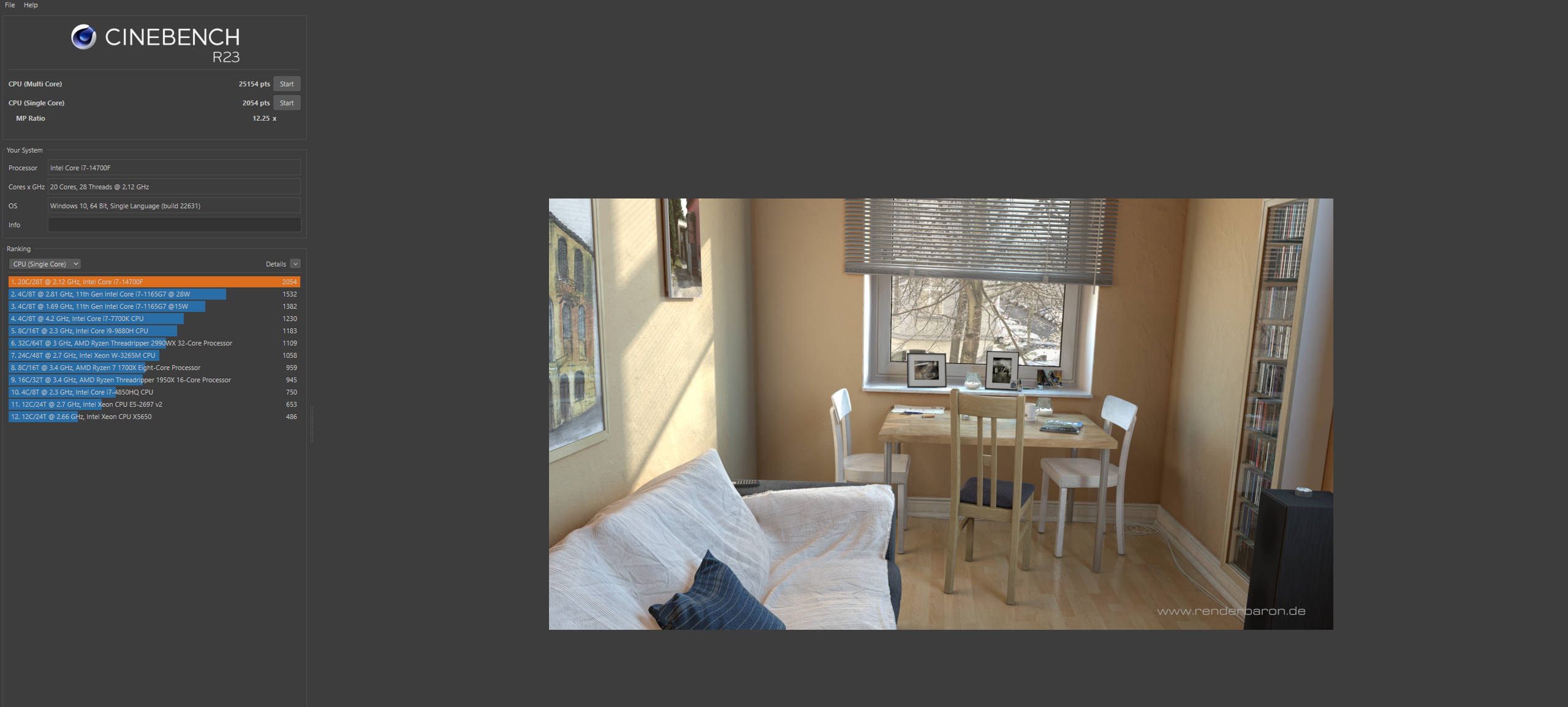


I did run some benchmarks to give you a better picture of the desktop’s potential. It should come as no surprise that the desktop is in a league of its own, though. Take Cinebench R23’s multi-core score, for instance, which pits the G22CH’s performance close to a desktop with a Threadripper 299WX, 32-core processor. The G22CH scored admirably in the PCMark 10 and PCMark 10 Extended runs, too, outputting 8,915 and 12,781 points.
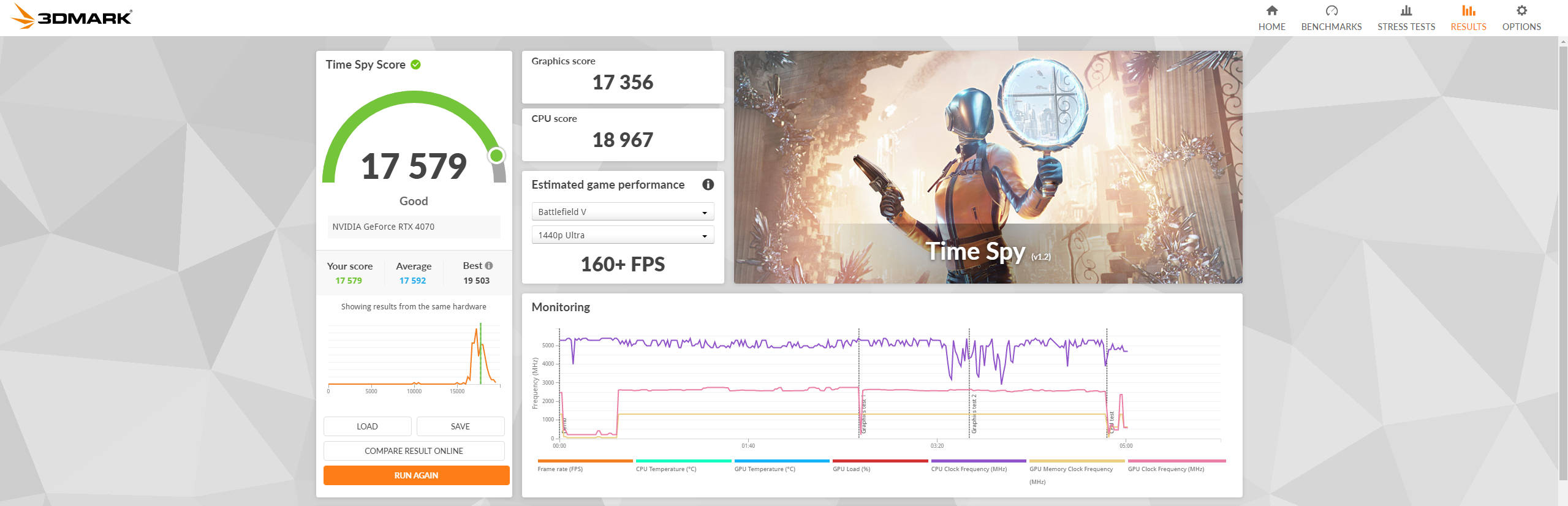
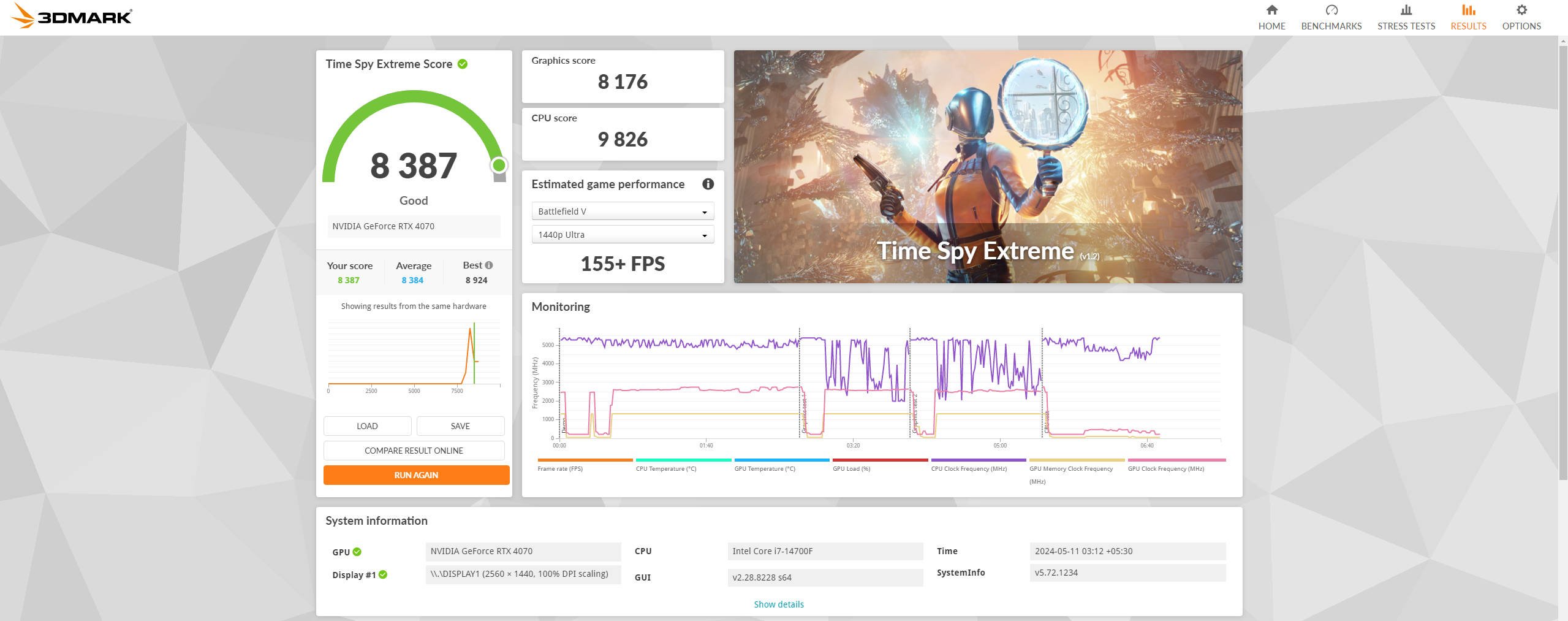
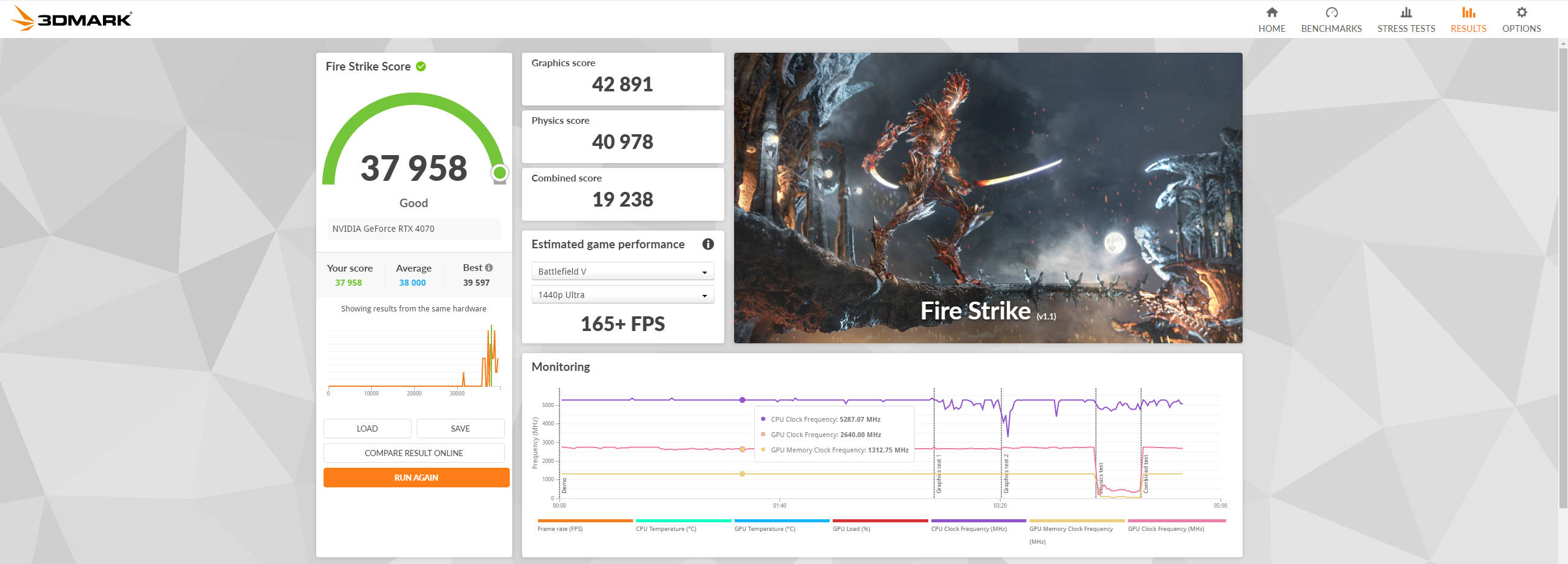
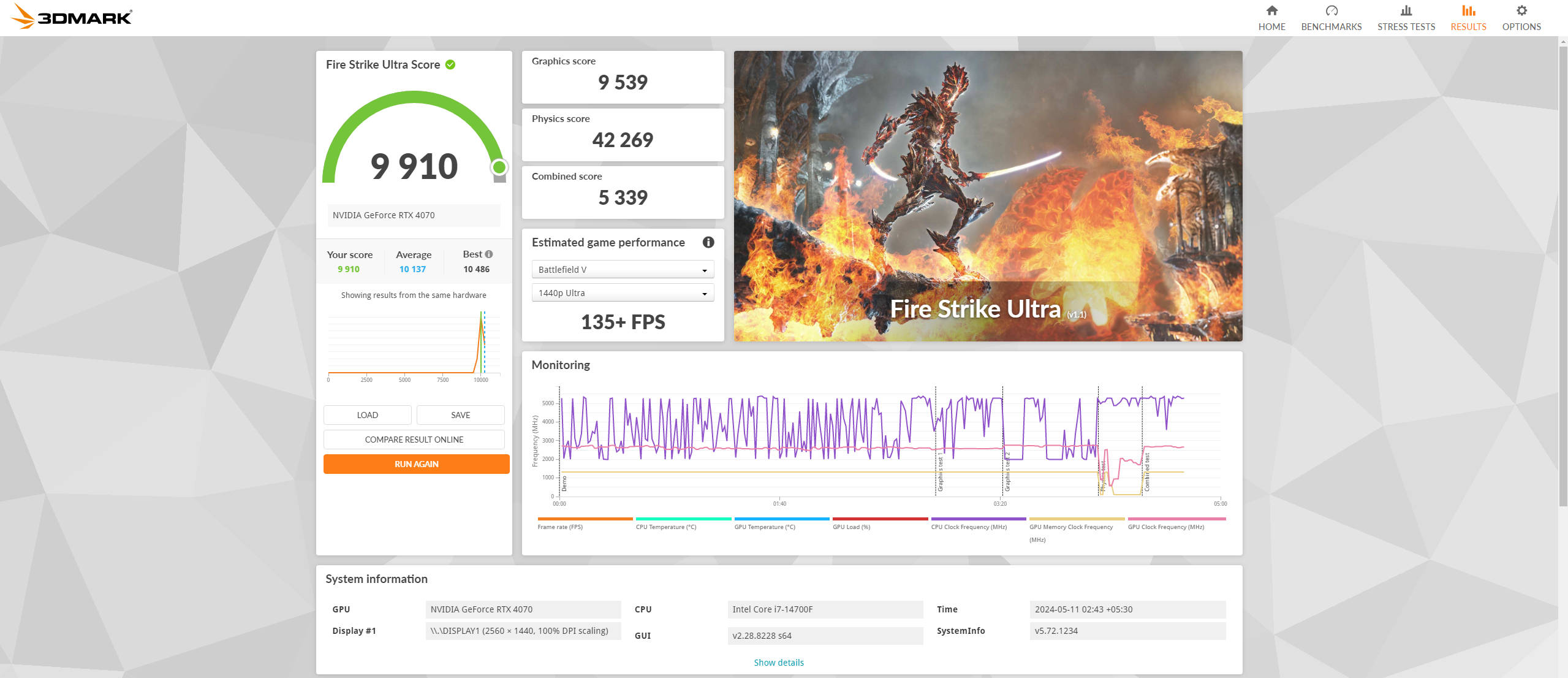
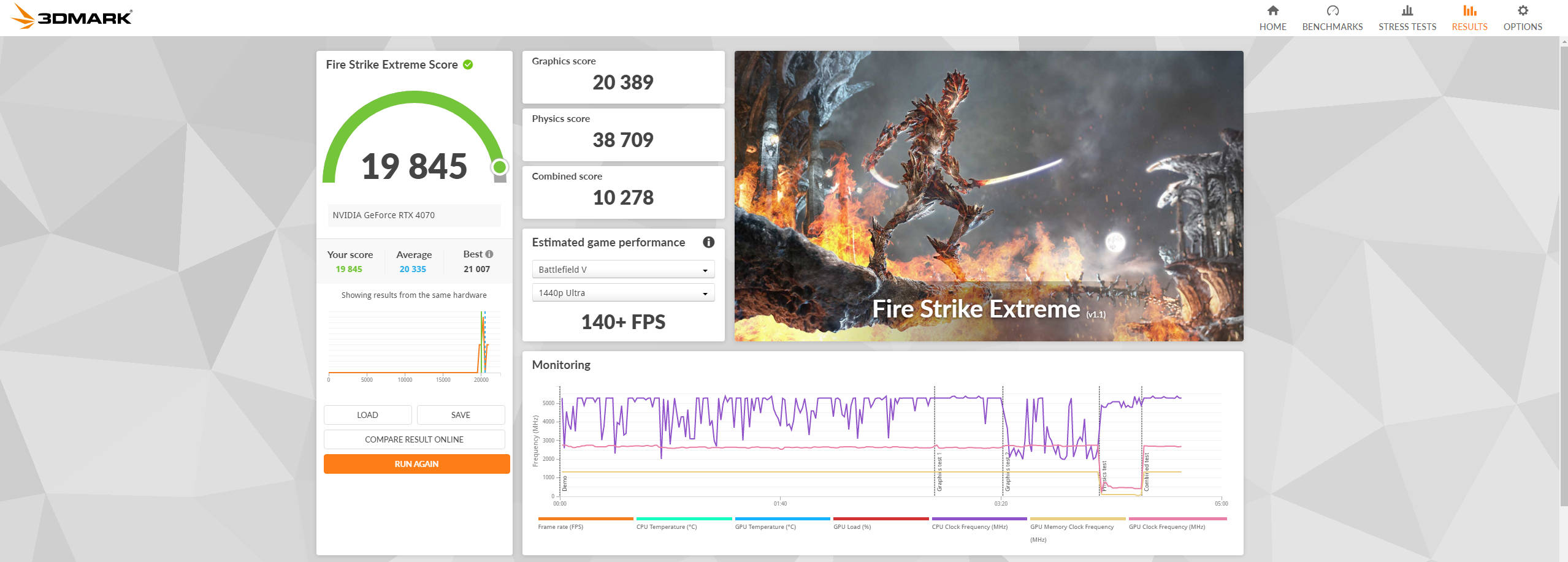
Turn the page to GPU-oriented benchmarks, and you’ll get a similar result. The G22CH put forth some of the highest numbers I’ve seen in 3DMark’s entire suite of tests, which includes Fire Strike Ultra, Fire Strike Extreme, Fire Strike, Time Spy Extreme, Time Spy, and Night Raid. You can refer to the gallery attached above for more insights.
The G22CH delivers where it matters the most, too, and I had fun playing games on the desktop. The unit’s CPU-GPU combo offers a fantastic experience when playing games at 2K resolution. Deathloop, for instance, ran flawlessly at 2K resolution and Ultra graphics presets and offered around 100FPS. More demanding games like Cyberpunk 2077 offered around 70FPS at 2K resolution with RT effects disabled.


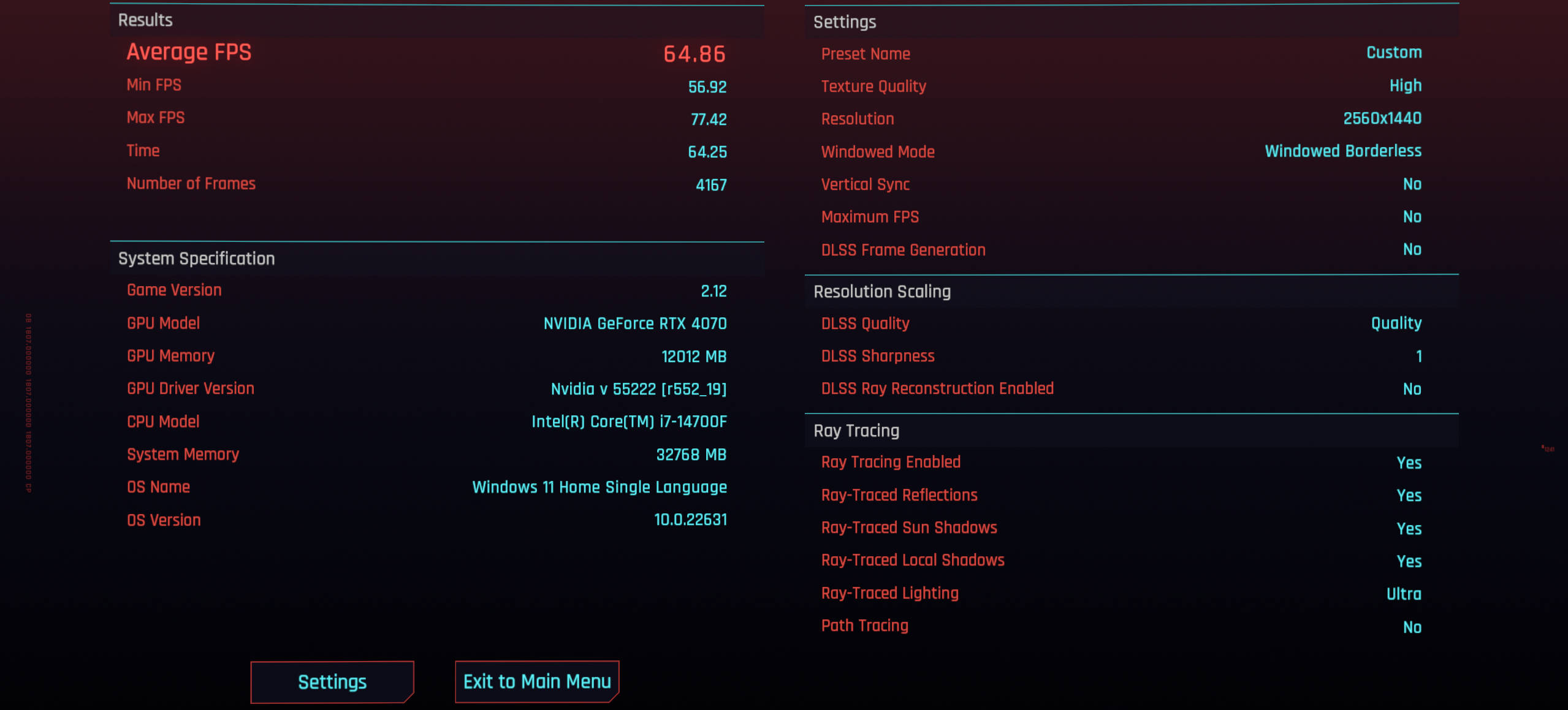
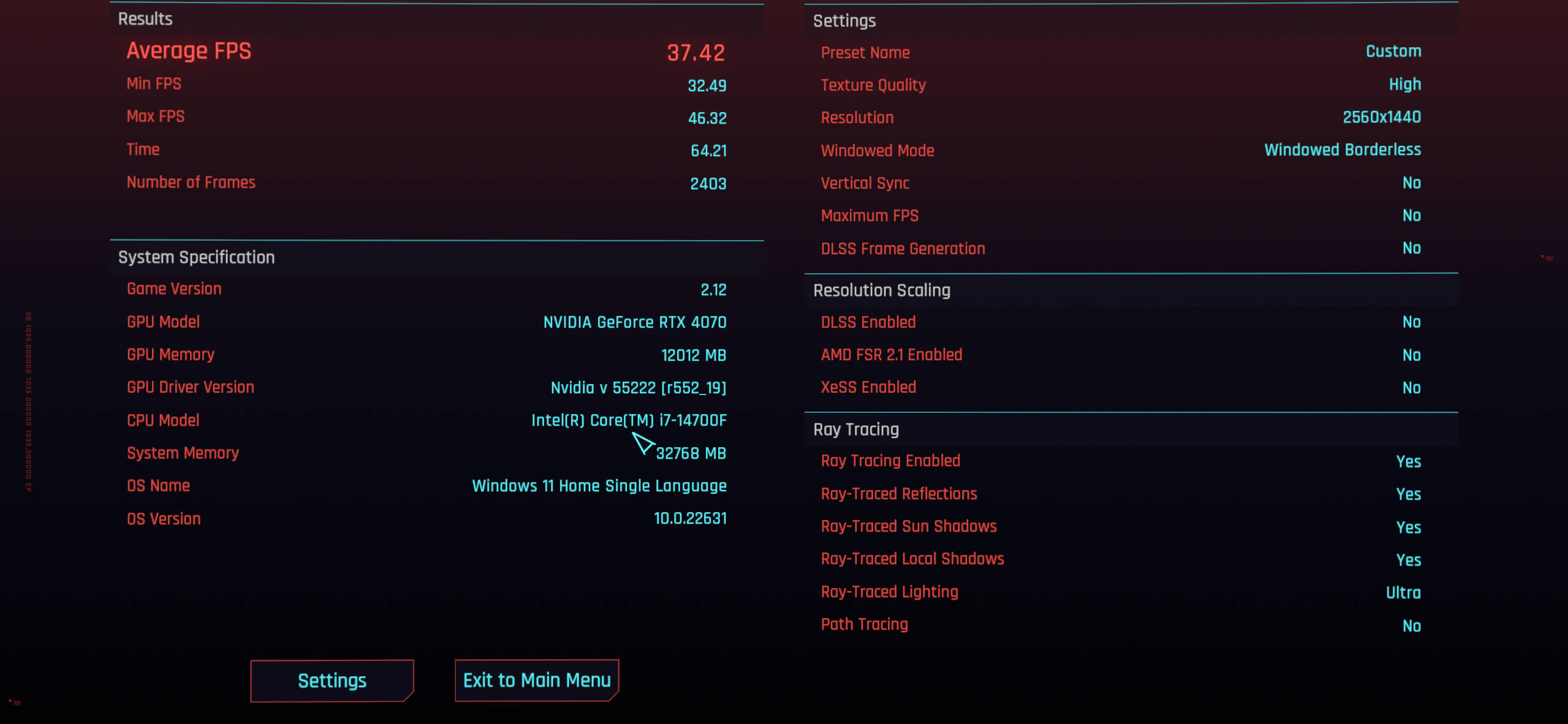
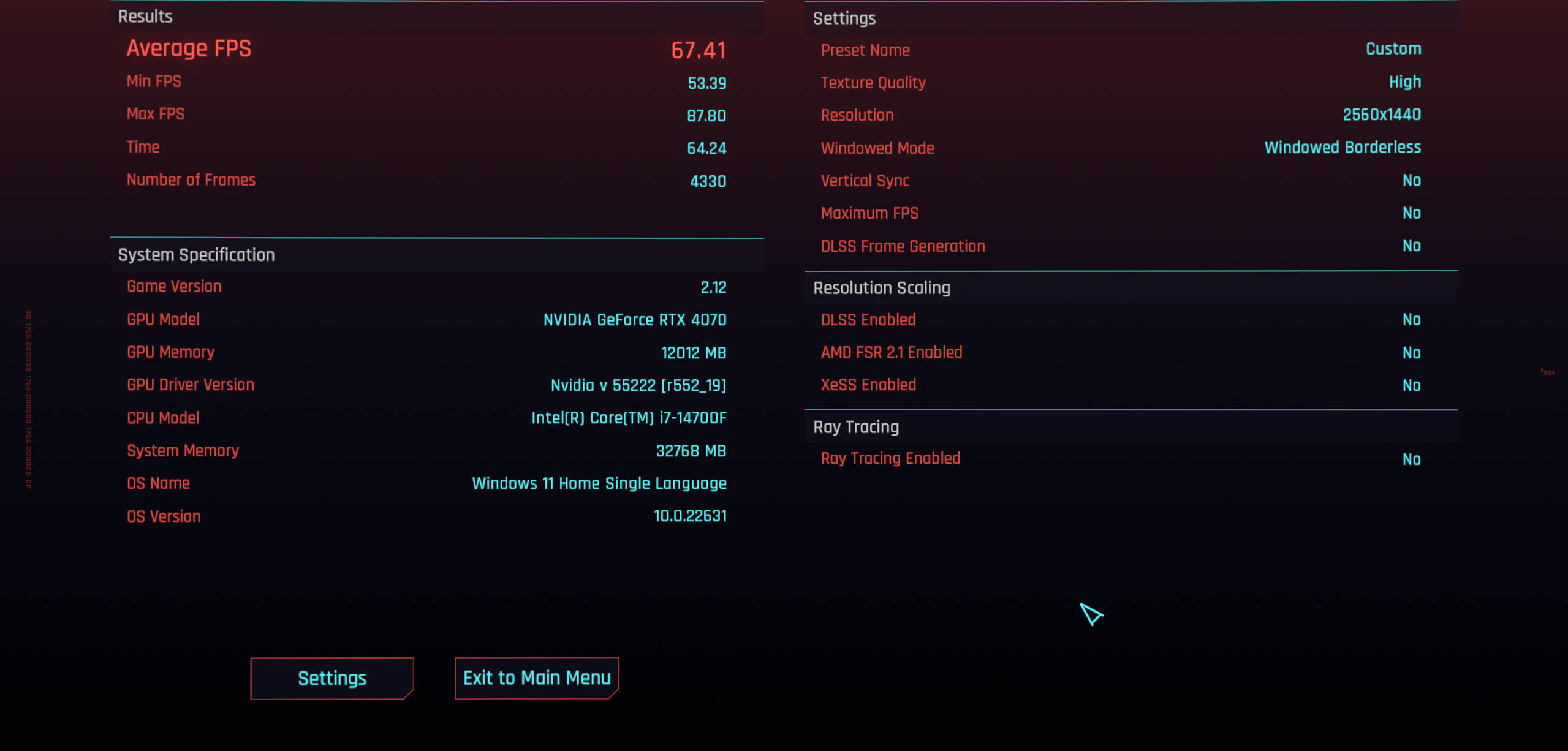


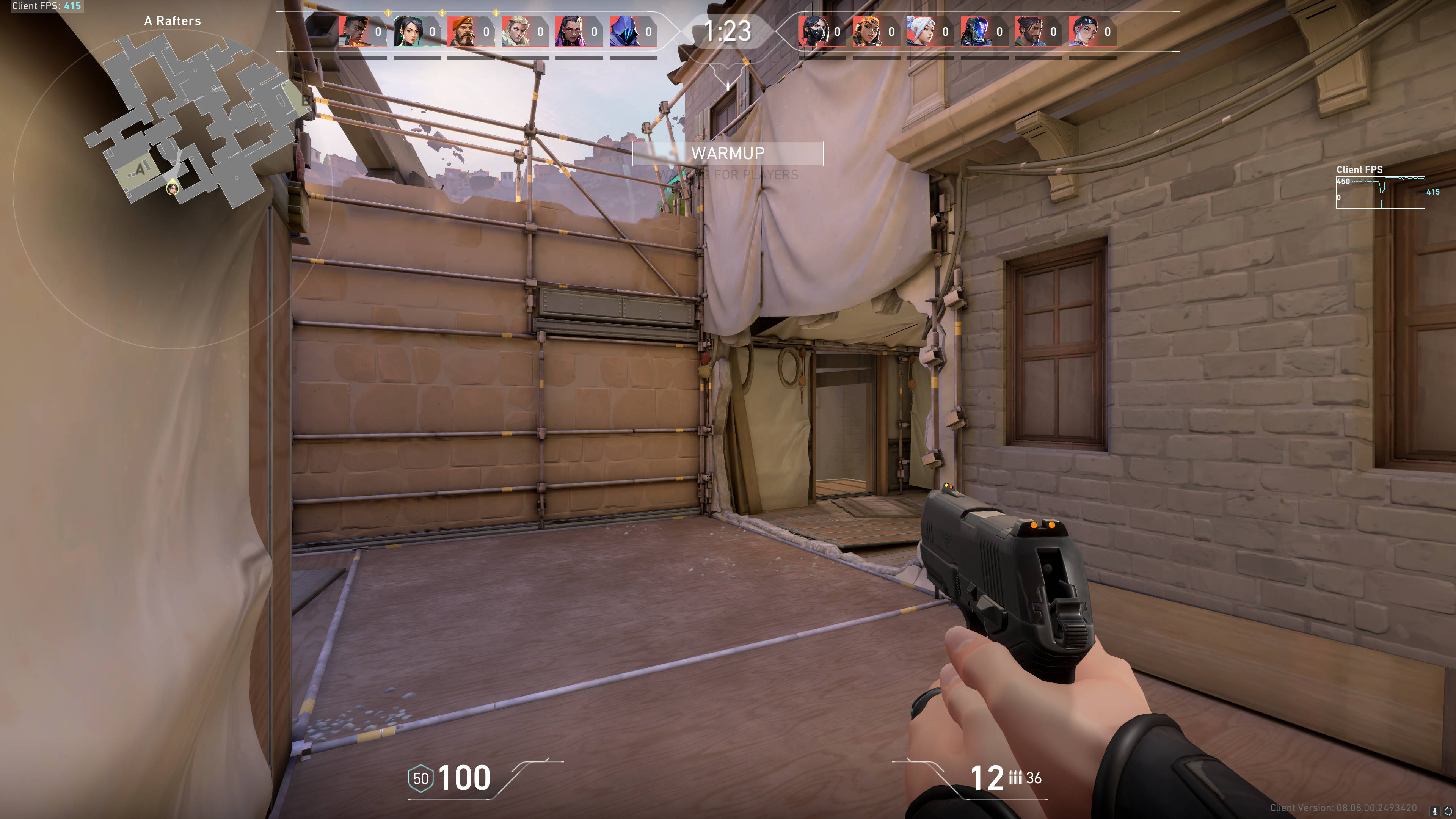
If you want to enjoy ray-traced graphics without compromising performance, I recommend turning on Nvidia’s DLSS technology for some load-sharing. In the attached screenshots, you can see that I was only getting around 40FPS, which, although playable, is not ideal. However, by turning DLSS on and setting it to Quality, I could easily achieve over 60FPS. Less demanding games like Apex Legends consistently output 144FPS, even with every graphics preset maxed out. The same goes for games like GTA V and Valorant, which averaged around 185 and 450 FPS, respectively. Fans of the racing genre would be glad to know that titles like NFS Unbound ran well, too. The game averaged over 90FPS at 2K resolution, with the graphics set to the Ultra preset. Rest assured, gamers looking to make the most of current-gen AAA titles and future-proof their escapades will find much to like here.
Thermals and Fan Noise
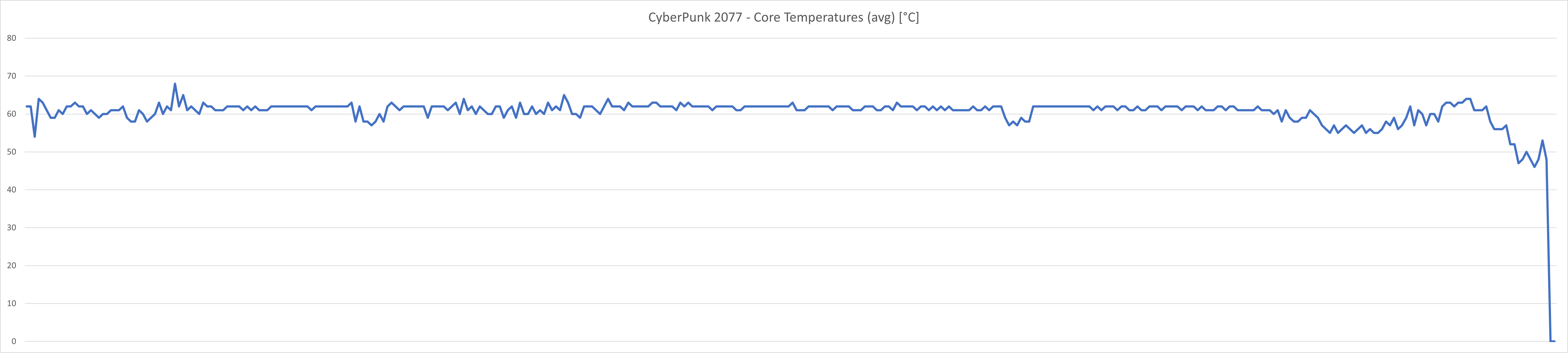
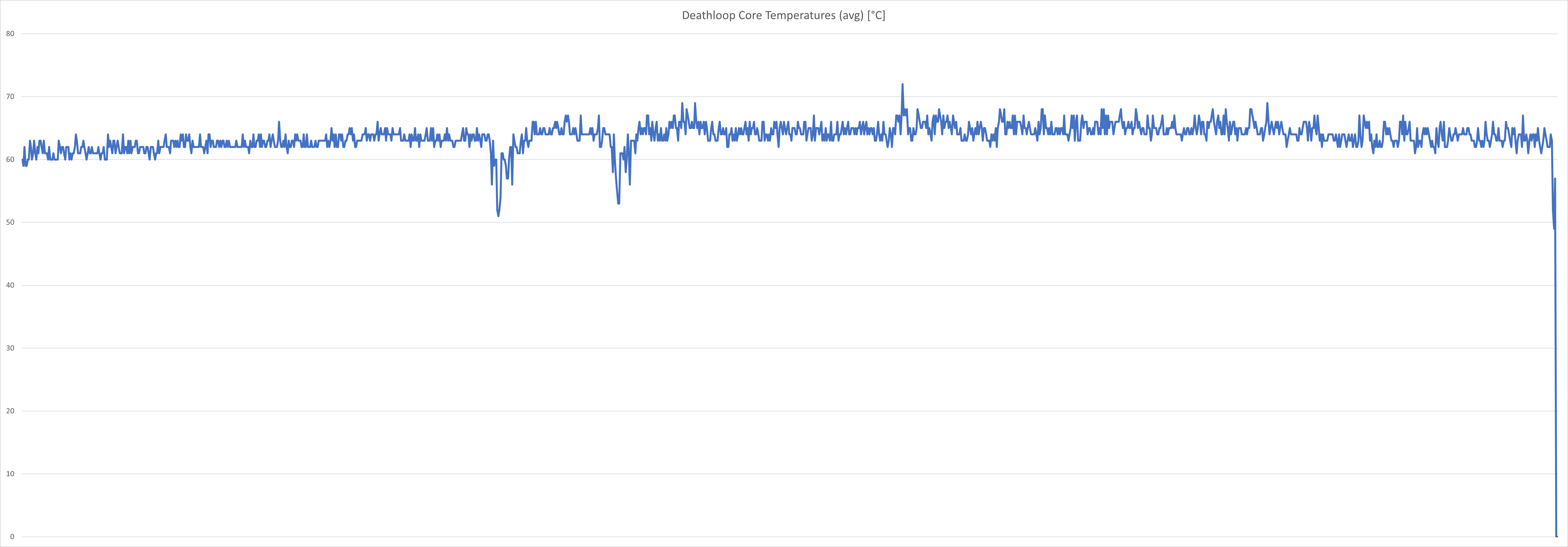
What good is a gaming desktop if it can’t sustain its throughput at a stretch? Thankfully, the G22CH doesn’t falter under load. I ran a bunch of games at a stretch, including Deathloop, Apex Legends, and CyberPunk 2077. The average CPU temperatures, as picked up by HWInfo, plateaued around 70 degrees, whereas the average GPU temps averaged around 65 degrees. Do note that the GPU Hotspot temps touched 80 degrees, especially when I played CyberPunk 2077. Having said that, the temps were in line with most gaming desktops, considering I stress-tested the desktop in peak Delhi heat.
If anything, the unit gets uncomfortably loud—so much so that it’s almost impossible to game without wearing headphones. I believe the culprits are the small 80mm fans that act as the only source of ventilation for the desktop.
Verdict
The ASUS ROG G22CH is a significant investment and costs Rs 2,29,990. That said, it hits the nail on the head in the performance department. Additionally, the unit’s SFF chassis looks good, and the desktop is ideal for gamers vying for a minimalistic desk setup. Of course, the desktop also comes with its fair share of compromises. For one, upgradeability is a big issue, and buyers opting for the desktop will have to stay content with its performance for years to come. Additionally, the unit gets unbearably loud, making it impossible to game without headphones. As such, the G22CH makes sense for gamers looking to splurge on a no-nonsense, pre-built gaming desktop that works out of the box. On the other hand, those willing to source individual parts can come up with a more powerful machine with ample room for upgrades for the same price, or less.
Editor’s rating: 8 / 10
Pros:
- Great performance
- Compact, stylish design
- Lots of ports
Cons:
- Upgradeability is spotty
- Can get quite loud
- Expensive