Soundbars have undergone a massive evolution over the past decade, transitioning from basic TV speaker upgrades to complex, room-calibrating powerhouses with modular, detachable surrounds. Today, that evolutionary wave brings us a surprising new contender. Historically, boAt has dominated the market as the undisputed king of budget-friendly personal audio and entry-level soundbars. However, the launch of the boAt Aavante Prime X signals an ambitious strategic shift for the company.
Priced at roughly Rs 38,000, this system marks the brand’s bold step into the premium audio segment, shaking up its value-first image to target tech-savvy cinephiles. By offering a high-end 7.1.4 setup with truly wireless detachable speakers, boAt is executing a major lineup reshuffle. The strategy here is clear: leverage their massive market presence to undercut legacy home theater giants, proving they can deliver enthusiast-grade immersion without the traditional luxury price tag. Let’s see if this premium gamble pays off and if the Aavante Prime X is truly worth your hard-earned money.
Table of Contents
Key Specifications at a Glance
- Audio Configuration: 7.1.4 Channel setup with Dolby Atmos support
- Total Output Power: 700W
- Subwoofer: Wireless 8-inch driver
- Surround Speakers: Truly wireless detachable satellites with up to 12 hours of battery life
- Connectivity: Bluetooth v5.3, HDMI (e-ARC), 2x HDMI Passthrough, Optical, AUX IN, and USB
- Audio Modes: Movie, Music, Night, and News EQ modes
Design & Build: Premium Looks with a Versatile Form Factor
The soundbar has a premium finish with a black grill covering the speakers. The bar is big enough to fit comfortably below a 55-inch TV without the detachable speakers. Add the detachable speakers, and now it looks like a soundbar that would do better justice to a 65-inch TV. This is just so you understand how big the bar will look under a TV. Ideally, it should get the job done well for anything from a 50-inch TV to a 75-inch TV with ease. It has rubber feet at the bottom to hold it firmly in place when kept on a table, although it should work well wall-mounted, too.
Connectivity options
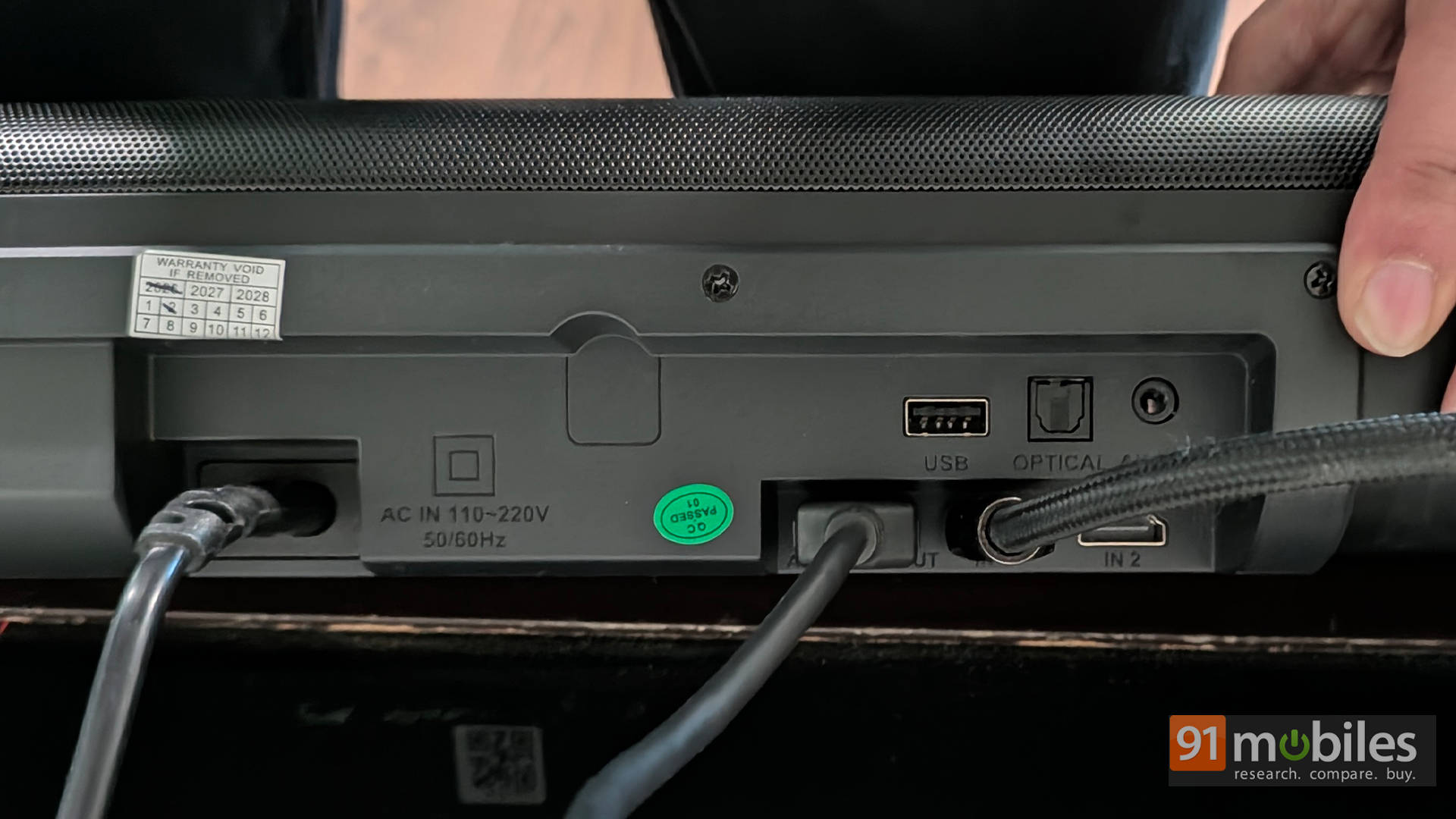
All the connectivity ports are at the back of the soundbar. You have the HDMI eARC port along with 2 HDMI inputs (a very nice touch) supporting 4K 60Hz Dolby Vision and Atmos passthrough, an Optical port, an AUX port, and a USB port. It also features Bluetooth v5.3 for seamless wireless streaming. You get an HDMI and optical cable in the box, which is a great inclusion.
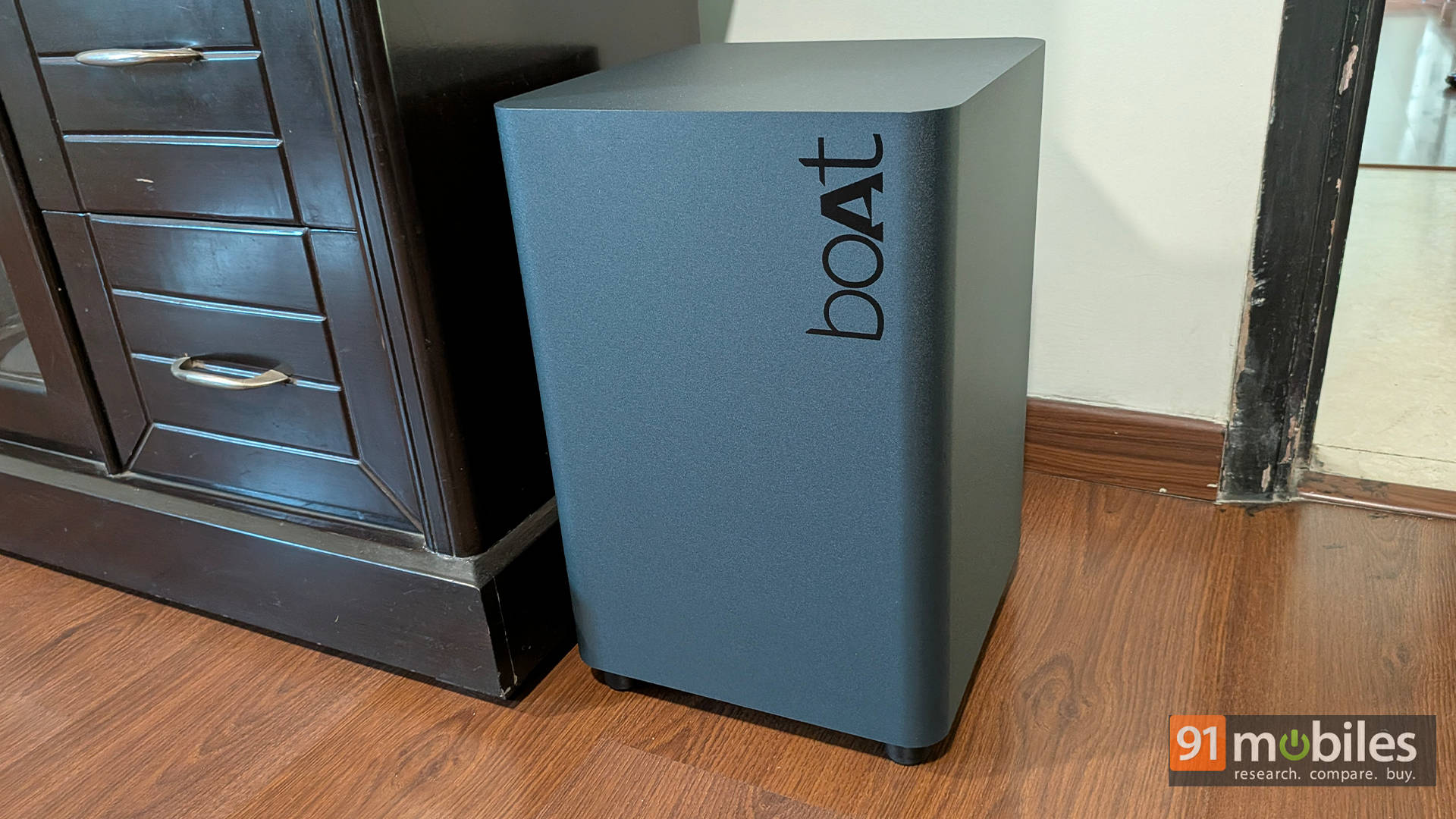
Speaking of the wireless subwoofer, it is huge—much bigger than most soundbars I’ve tested recently, and that’s not necessarily a bad thing. We’ll get to the punch it packs in the performance section. Here, the air duct is facing the back, while the 8-inch driver is down-facing. It has the boAt logo on it and looks a lot like a JBL subwoofer, which isn’t a bad thing at all. There are only so many form factors you can have for a bass module. It also has slightly long feet to ensure the driver has enough space to give that boomy effect.
Speakers that surround you
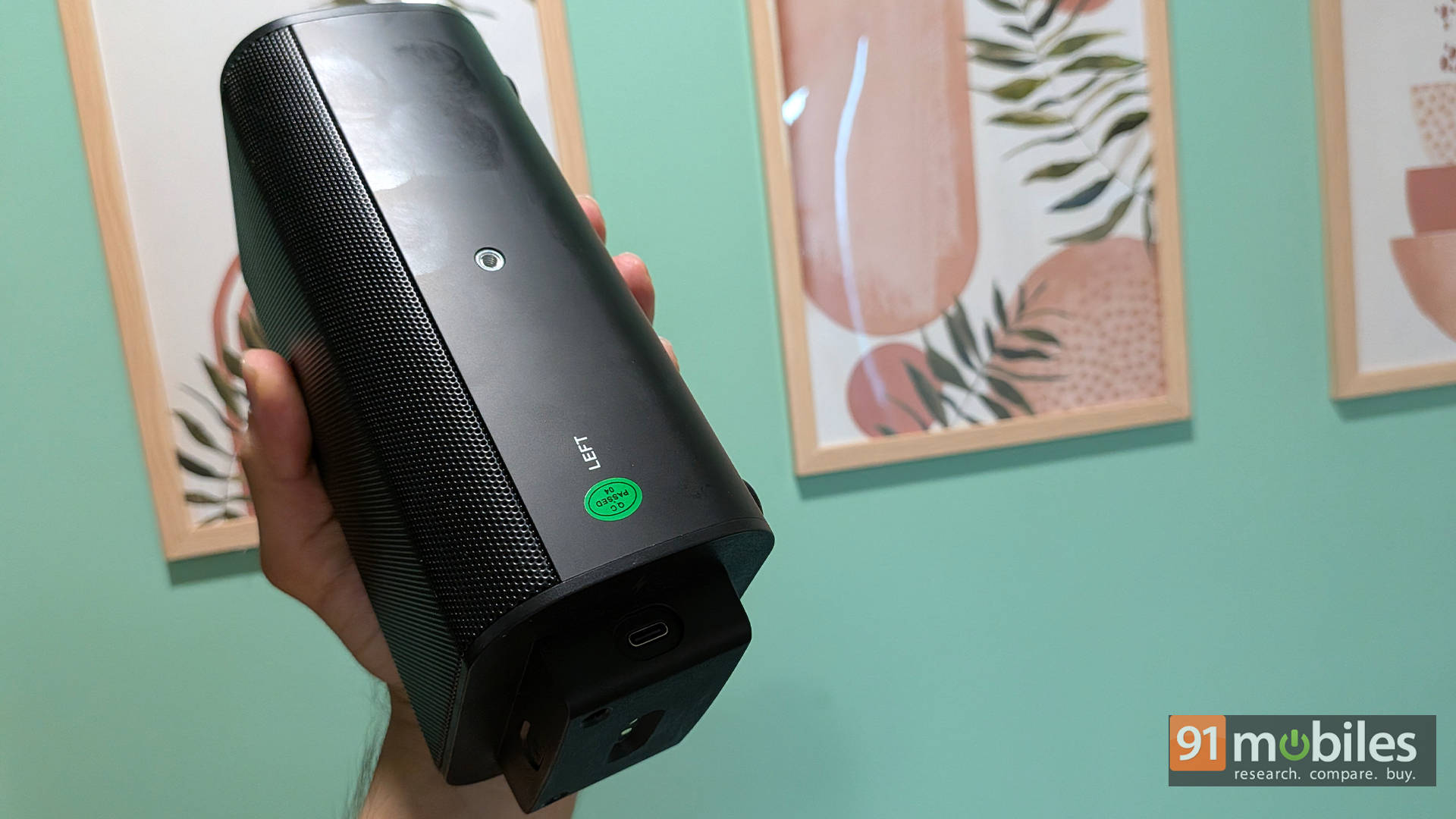
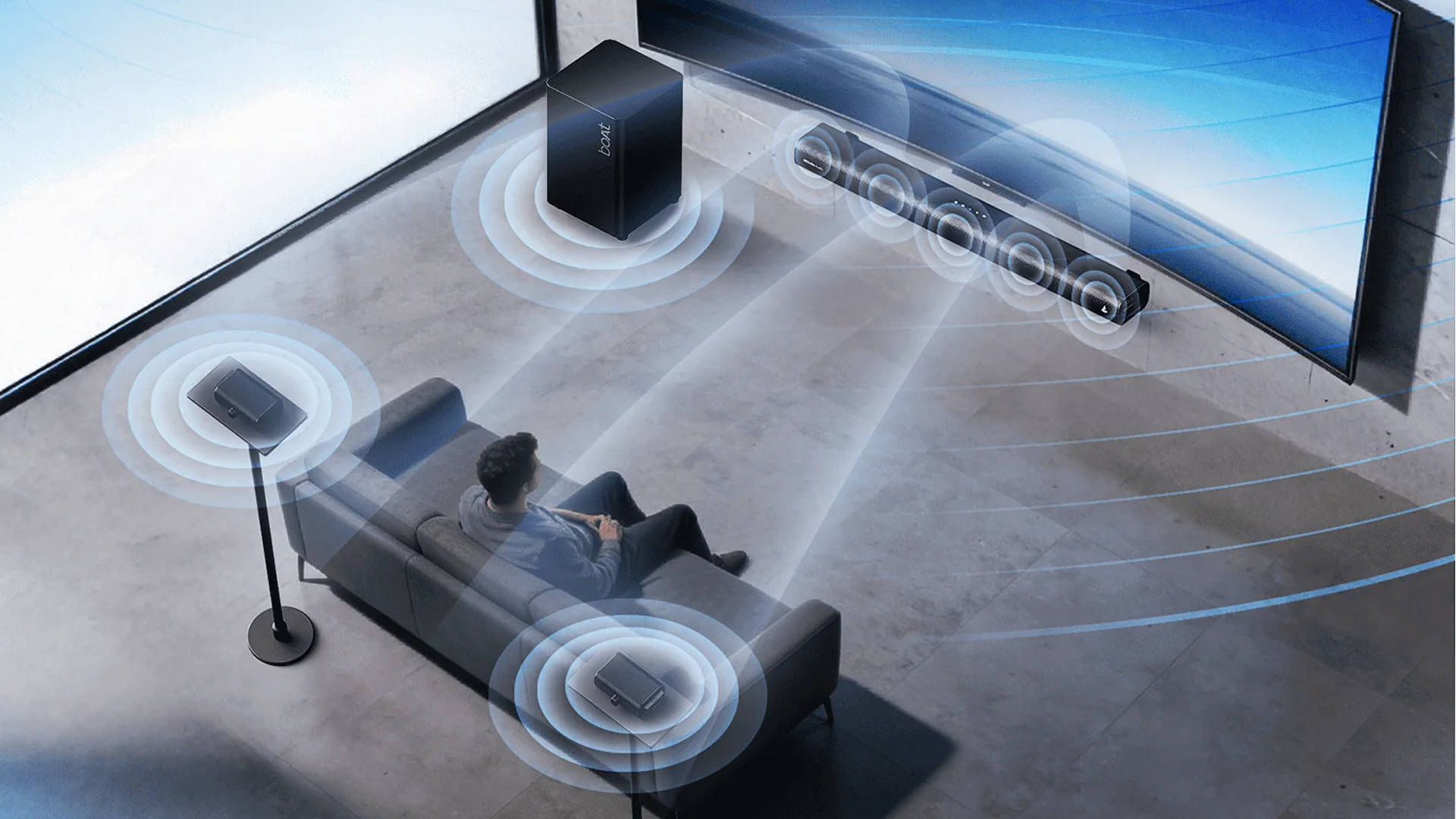
Let’s talk a little bit about the surround speakers. No cable or hook holds them with the bar. They sort of “magnetically” attach and are quite firm when connected. Separating them is as simple as pulling them slightly, and they come right off. You can place them horizontally or even mount them on a speaker stand. They charge when connected to the main module; however, they also have USB-C ports for independent power, boasting an impressive battery life of up to 12 hours on Dolby Atmos playback. This is a very nice touch, making the bar super versatile for your room’s setup.
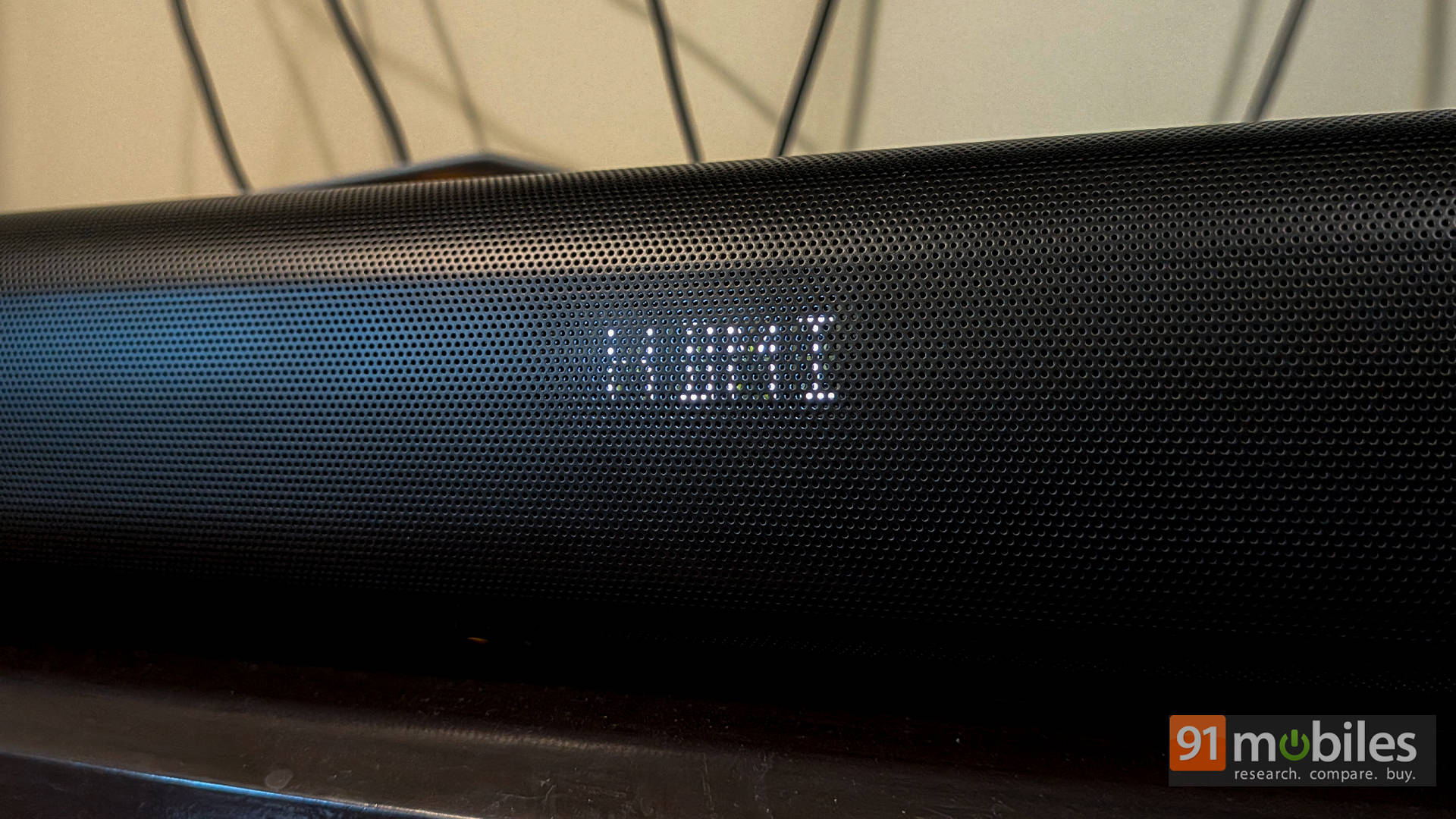
Overall, the design of the soundbar and the sub feels premium, and it’s a well-built system. My only gripe is that I wish you could turn off the dot matrix-like display on the front of the bar. For those “lights out” movie sessions, I find it to be a bit distracting.
Setup: Plug, Play, and Prepare to Be Amazed
Setting up the soundbar is super simple. Connect the HDMI cable to the eARC/ARC port of your TV and the back of the bar. Connect the detachable speakers to the bar. Plug the sub into a power port, and it’s all good to go. There is an LED light on each of the detachable speakers that glows a solid blue when paired. The same light is at the back of the subwoofer as well. There is a manual pairing process available, but I didn’t need to go through that.
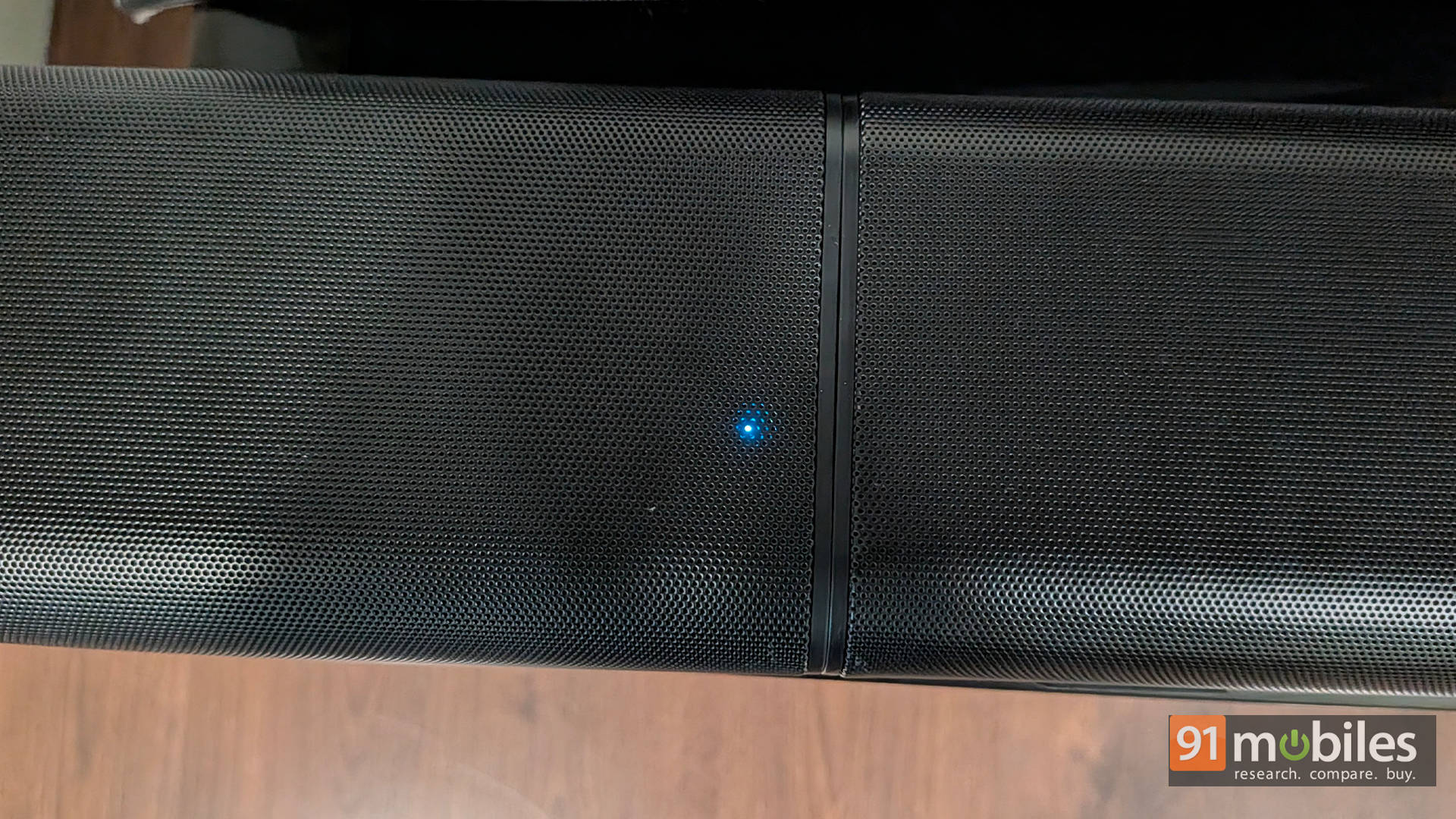
Once the light is blue, you can detach the speakers and place them in the surround positions. There is a label on each for left and right, so you know which goes where. Overall, the setup process is very simple and user-friendly.
Remote Control: Functional, But Leaves Room for Tweaking
“Functional” is the best way to describe the remote control. It has the standard set of controls: from changing the input to controlling the volume, a dedicated mute button, bass controls, Movie/Music/News/Night EQ modes, surround and treble controls, a pair button, etc. Night mode reduces the dynamic range of the speakers so you don’t wake up the house when watching an action movie.
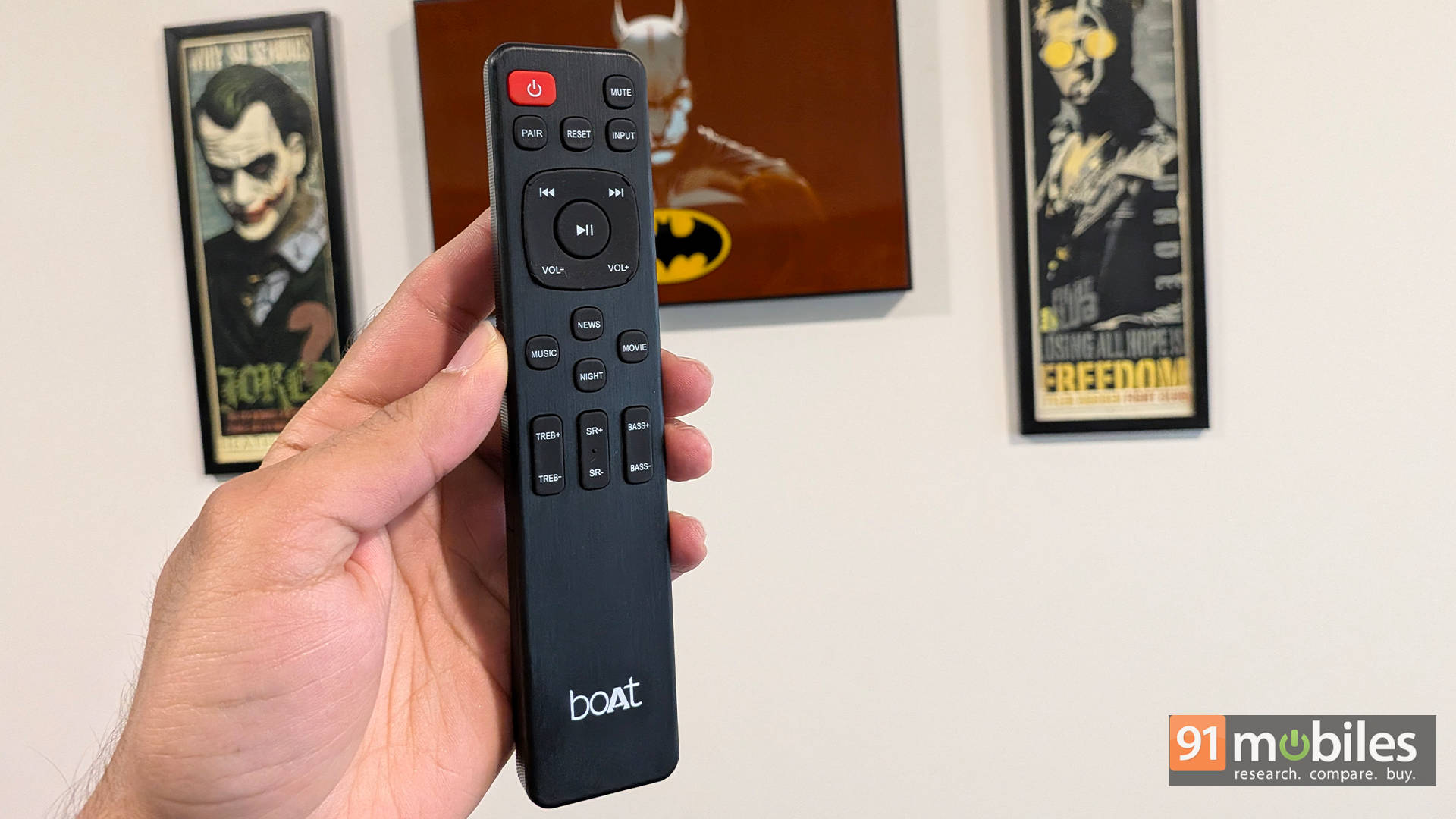
My small nitpick here is that the volume controls are horizontal rather than vertical, which takes some getting used to. But that’s just a nitpick. My real gripe is the inability to set the surround volume for each speaker individually. This can be an issue if one speaker is slightly closer to your listening position and the other is further away. Again, this isn’t a dealbreaker, but it would be nice to have. Overall, the remote is functional and gets the job done.
Sound Performance: Loud, Bassy, and Unapologetically Cinematic
Holy smokes, this soundbar can get really loud! With its 700W total output, the sound is clear, vibrant, and though a bit on the bassier side, it sounds very good. Let’s talk about some examples.
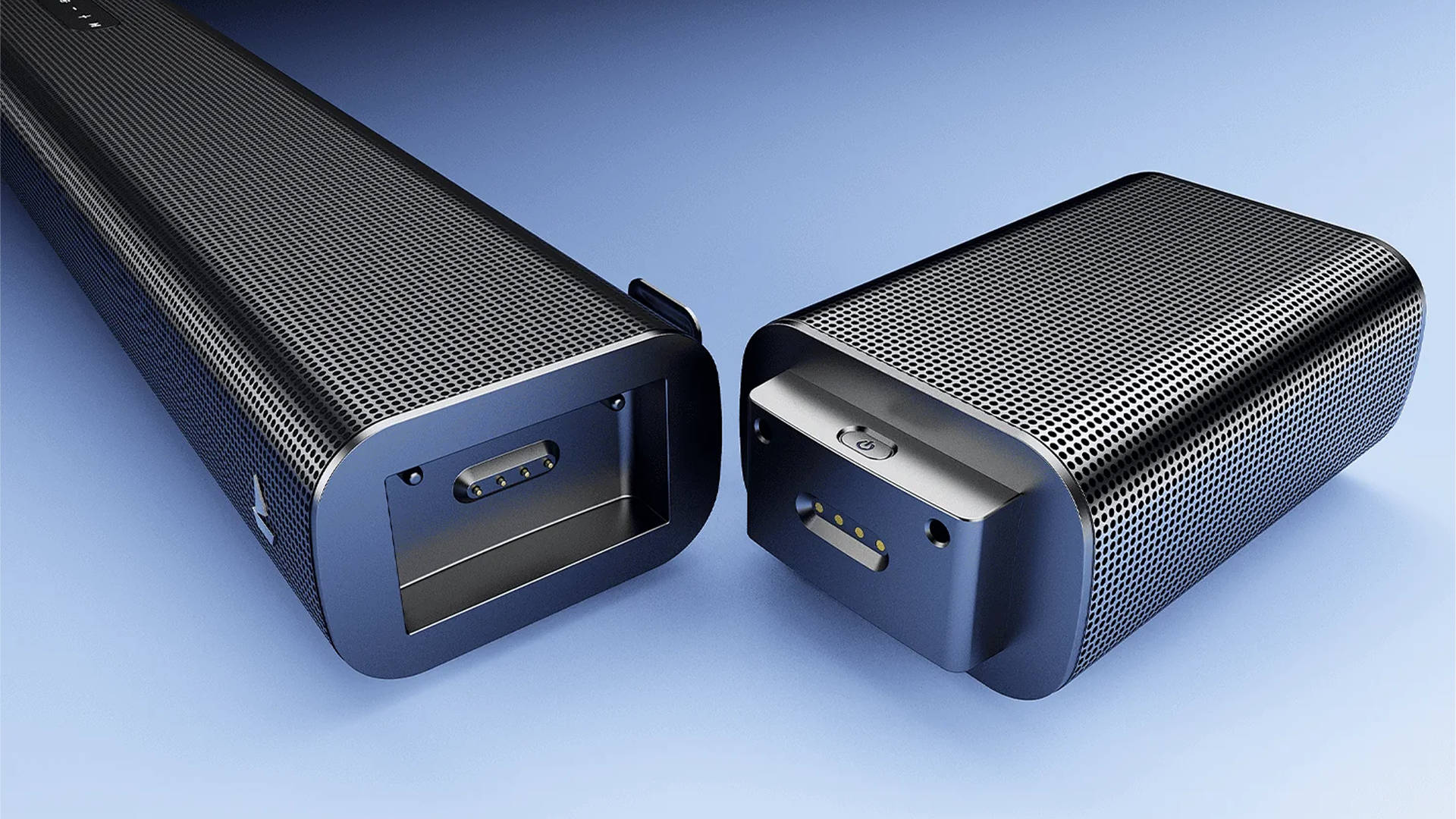
I am going to start talking about the performance by keeping the detachable speakers in the surround position, where you would want them if you want the sound to come from behind or around you. Once detached, I would recommend keeping the speakers at ear height or slightly higher, facing towards you at about an arm’s length distance from your listening position.
Initial hiccups
Before we get into the content, I want to highlight one problem I have had with the Apple TV 4K box. I connected the Apple TV to the TV, and the TV to the soundbar using the eARC port, and faced the same problem I’ve experienced with soundbars in the past: it feels as if the sound is coming from all the speakers, and even in the settings of the Apple TV on my TV, it showed the output as only 5.1 and not Dolby Atmos (which the soundbar fully supports with its 7.1.4 channels).
But, if I remove the Apple TV box from the TV and plug it directly into one of the HDMI passthrough ports on the soundbar, not only is the audio correctly recognized as Dolby Atmos, but I also get the surround effect mapped perfectly. This means the surround speakers only kick in when they need to.
Ready Player One is a great example. During the race at the 13-minute mark, you have cars and coins flying all over the place. It actually sounds sublime on the soundbar, with clarity in the dialogues and mixed audio. Even in other action movies like The Dark Knight, The Lord of the Rings, or Spider-Man: Homecoming, when you have so much action happening all around, having the surround speakers in the correct place gives you an incredible experience.
Speakers and TV Shows
Now, when you connect the speakers to the soundbar itself, you get a slightly wider soundstage from the front. This is most apparent when you’re consuming Dolby Atmos content because the sounds that are supposed to come from behind you are now coming from the extreme left and right in front of you.
When you are consuming a regular TV show, some of the dialogues that kick in from the front speaker and the surround speaker sound more like an echo when the surround speakers are attached to the bar. In such cases, I recommend going into the settings of either your TV, Fire TV Stick, or whatever the source is, and switching the sound output to stereo wherever possible. This gives you a nice 2.1 experience and significantly reduces the echo.
What about Music, though?
This effect is also very noticeable when you listen to music. When you listen to music that is mastered in Dolby Atmos, the rear speakers can elevate the experience—as long as the source of the music is good. If you connect the rear speakers to the bar in the front, it gives you a wide soundstage, much like a very good 2.1 experience.
Coming to some of the settings, I found the Movie EQ mode to be the best profile. I recommend reducing the subwoofer from +4 (the default) to +2, as the sub can get quite boomy. Reducing it by 2 points made its performance ideal for my room.
Great for gaming too
Moving on to gaming, I would also recommend that when playing on the PS5 or Xbox Series X, you go into the console settings. If you have the surround speakers connected to the front bar, use stereo mode or 2.1 mode. But if you are using the surround speakers behind you, enable the Dolby Atmos settings on the consoles, as the games will give you very good surround effects. In games like Marvel’s Spider-Man 2, when Spider-Man is flying through the city, you hear the noises of the city and the action coming from all around. The city actually feels very alive.
Even in games like Ori and the Will of the Wisps, you have this really beautiful orchestral score that engulfs you, and when Ori fights on screen, the swishes have very good surround effects. In a game like Doom: The Dark Ages, which has a fantastic metal soundtrack, the speakers sound great, containing the heavy thuds of the guns quite well. If you play the Music Rally mode in a game like Gran Turismo 7, the background score, along with the grunt of the car, really shines, especially when you consider the price-to-performance ratio.
The Verdict: A Highly Customizable 7.1.4 Powerhouse
Priced at around Rs 38,000, the boAt Aavante Prime X faces plenty of competition, but it stands out with its truly wireless, detachable speakers. This design offers incredible flexibility: you can pull the satellites out for immersive movie nights, or snap them back onto the main bar for a cleaner setup during casual TV viewing. The echo from the rear speakers playing upfront can be an issue with 5.1/Atmos content, but you can easily change the settings of the input device to a simple stereo/2.1 mode to work around it.
This customizability is the system’s best asset. The audio performance is fantastic, packing deep bass and a rich volume that gets seriously loud. Vocals are also remarkably crisp and clear—even during chaotic, sound-heavy action scenes, you can comfortably turn off your subtitles.
It does have a couple of quirks, though. The front Dot Matrix display remains permanently on with no option to dim it, and you cannot adjust the volume for each rear speaker individually to calibrate for room placement. Minor gripes aside, the boAt Aavante Prime X is a powerhouse of a system and a truly worthy contender if you want absolute freedom over your surround sound setup.
Editor’s Rating: 8 / 10
Pros:
- Versatile design
- Immersive sound
- Ample connectivity options
- Easy setup
Cons:
- Display can’t be dimmed or turned off
- Limited Calibration for rear speakers
- Echo Effect requires manual intervention