Just a few days back, OnePlus started rolling out a major update sized around 2GB for the OnePlus 15. Coming with the version number OxygenOS 16.0.7, the changelog features a wide range of additions and improvements across the board, from the lockscreen to the homescreen to AI features to upgraded animations. It isn’t an iterative upgrade by any means. With mounting anticipation to explore the changes, we quickly installed the update on our OnePlus 15. After spending some time with the new software, here’s a detailed overview of what you can expect when the OxygenOS 16.0.7 update arrives on your OnePlus phone.
Table of Contents
Live Space: a completely new way to interact with the lockscreen
The lockscreen on OxygenOS, which already received a bunch of new customisation options with OxygenOS 16 back in October 2025, has once again been upgraded. Called “Live Space”, OnePlus has added a pill-shaped interface at the bottom of the lockscreen that displays the status of multiple tasks, such as timer, stopwatch, sound recording, map directions, torch, and music.
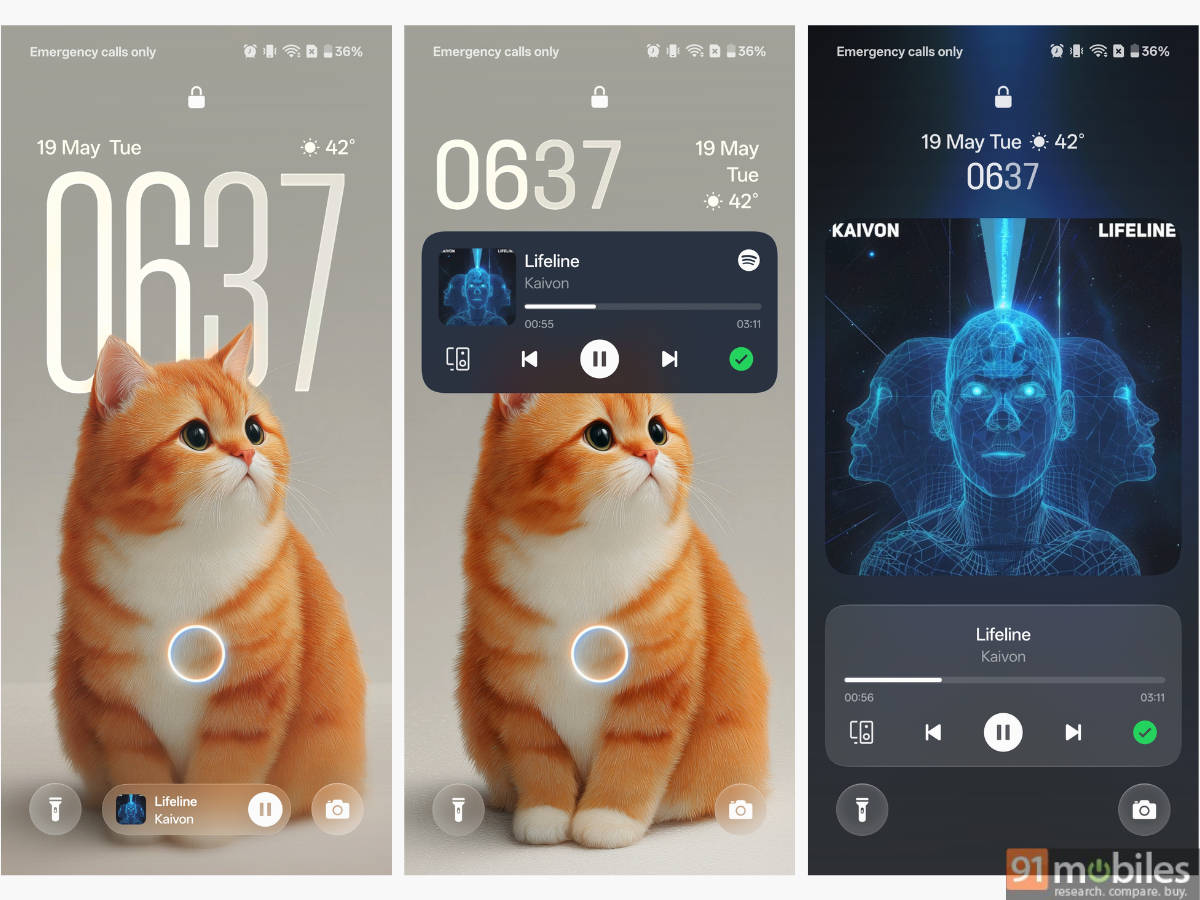
Upon tapping the pill, the task expands and appears as a simple notification on the lock screen, just as it did before the update. But what’s thoughtful about this is that swiping up on the pill while specific tasks are running, such as when playing music, the entire lockscreen is taken over by large music controls and album art, with the background blur adapting the album’s colour. The entire process from the first upward swipe to the clock minimising and repositioning at the top, everything happens in an incredibly smooth manner.
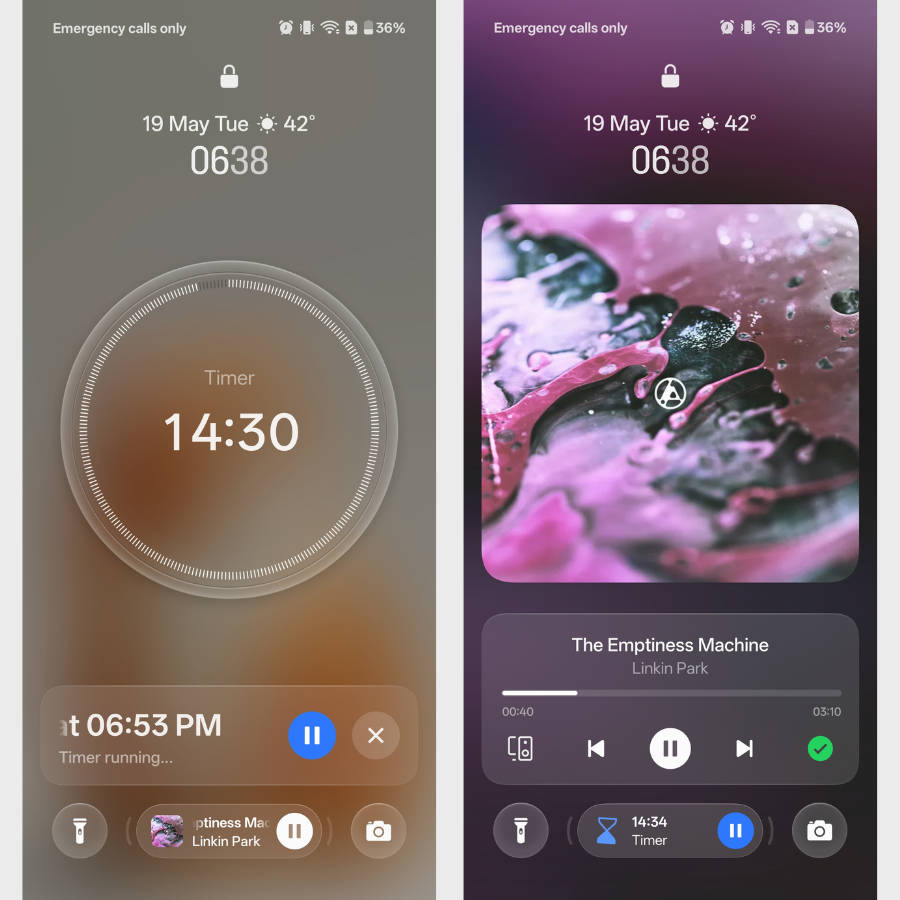
Unlike One UI’s NowBar, which requires you to swipe up or down to switch between tasks, moving left or right on the Live Space pill changes what you wish to be displayed. Multiple activities running in the background are indicated by brackets, just like how OxygenOS displays the tasks in Live Alerts. Live Space is a nifty addition for those who prefer keeping their lockscreen clean while still wanting the added functionality to control apps cohesively.
Contour glow and Luminous Rendering Engine: more glass-like and fluid
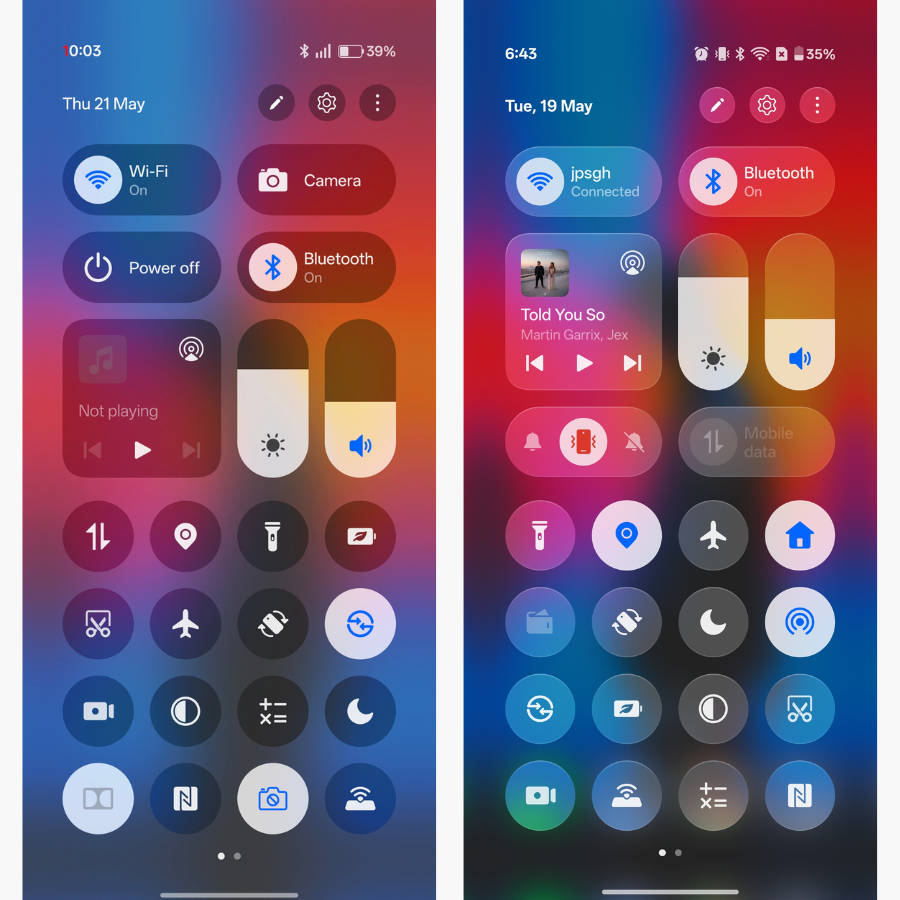
OxygenOS never fails to impress with its smooth animations, and this time it’s no different. Pulling down the quick settings or notifications panel reveals a ‘blanket-like’ animation in which the items flow smoothly and settle. This holds for both vertical and horizontal orientations, and even the ‘Classic’ quick settings panel. Compared to the previous implementation, the transition’s duration is slightly longer but completely worth it.
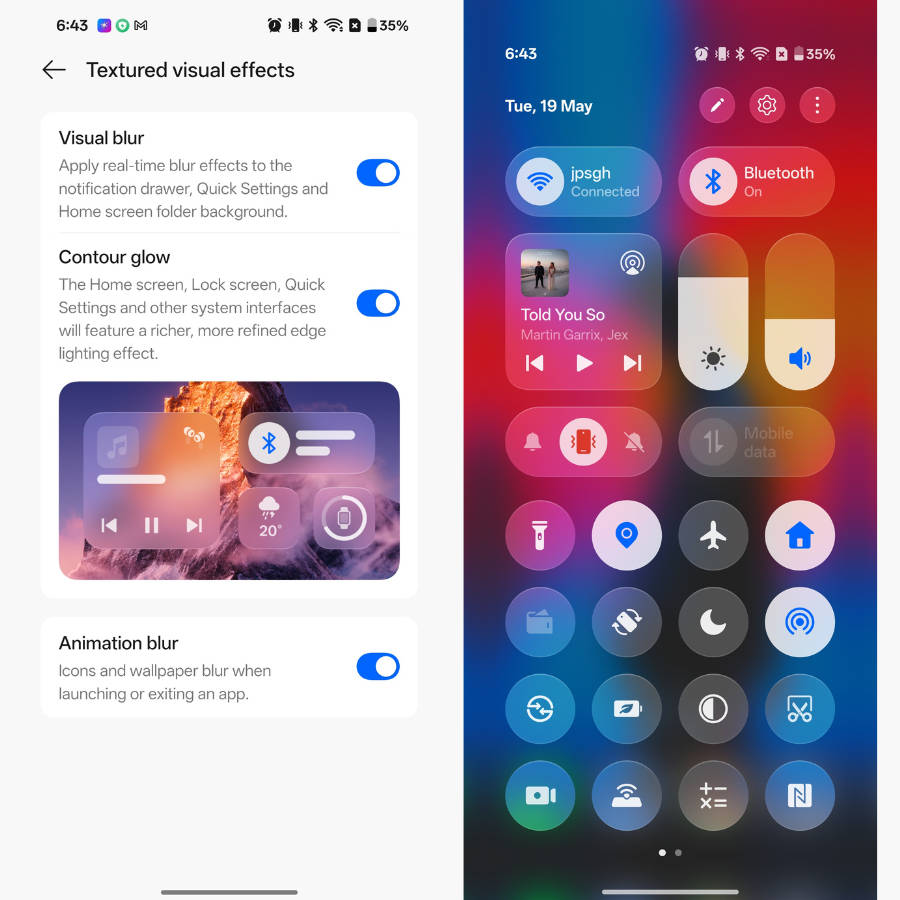
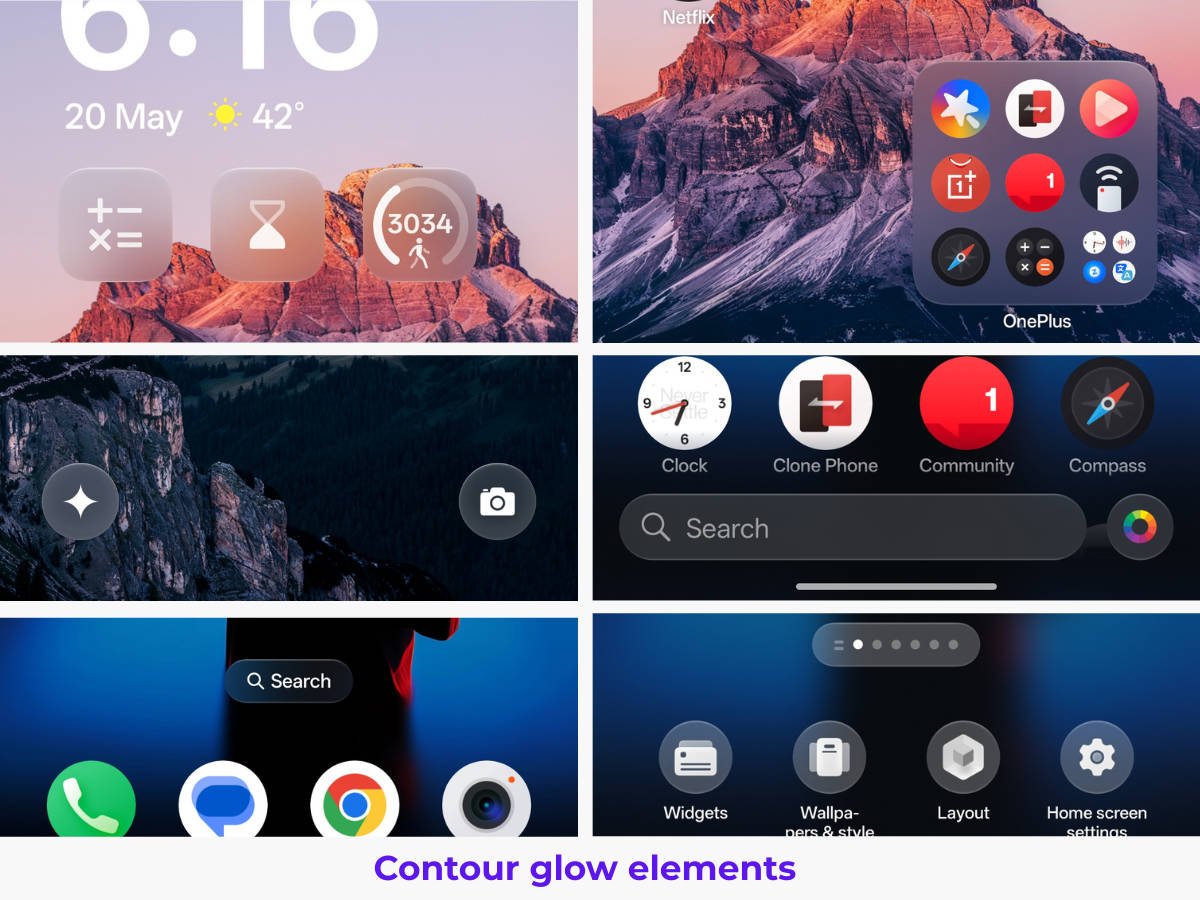
Next up, the major design addition with the latest OxygenOS 16 update is ‘Contour glow’. Once enabled, it adds frosty, light depth effects to various elements across the interface, but it’s most evident in the quick settings panel. Compared to the previous design, the bordering around the quick toggles is now more prominent due to the added light effects.
Other areas where Contour glow is present include the lockscreen widgets, lockscreen shortcuts, smart sidebar, folders, the search pill on the homescreen, the search bar in the app drawer, and the launcher menu buttons. That said, if you feel the lighting effects are too distracting, you can easily turn off Contour glow by going to Home screen, Lock screen & style > More > Textured visual effects, then disabling Contour glow.
Homescreen and app drawer: easily organise and find apps
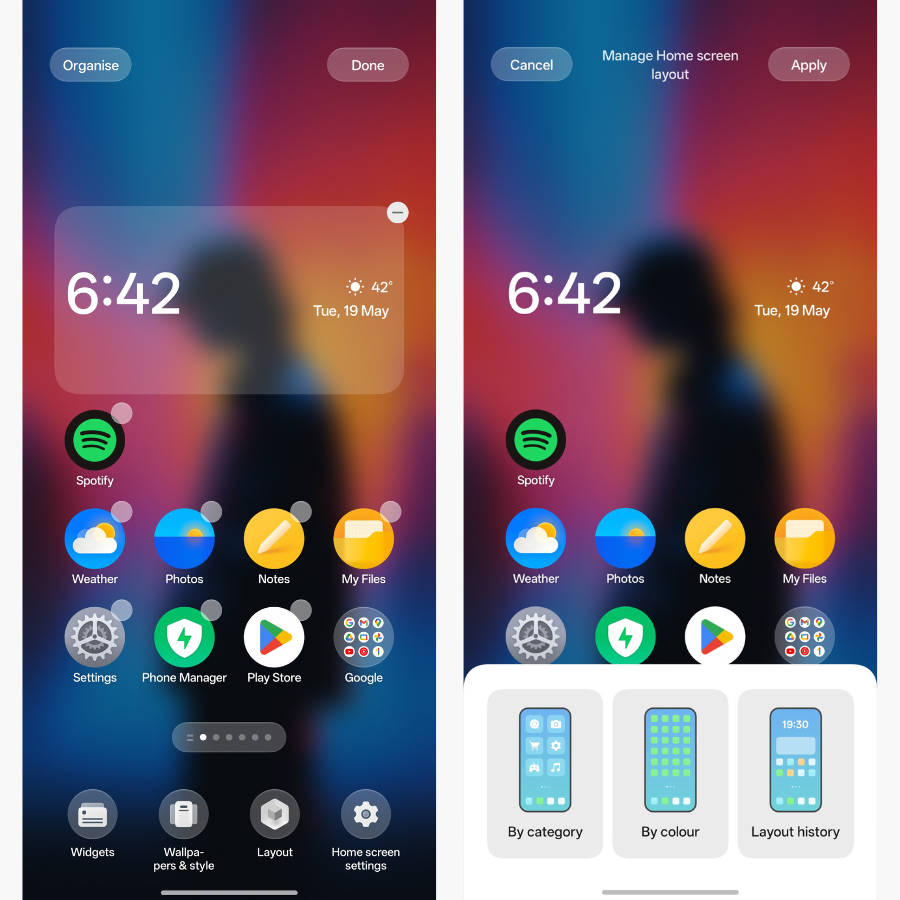
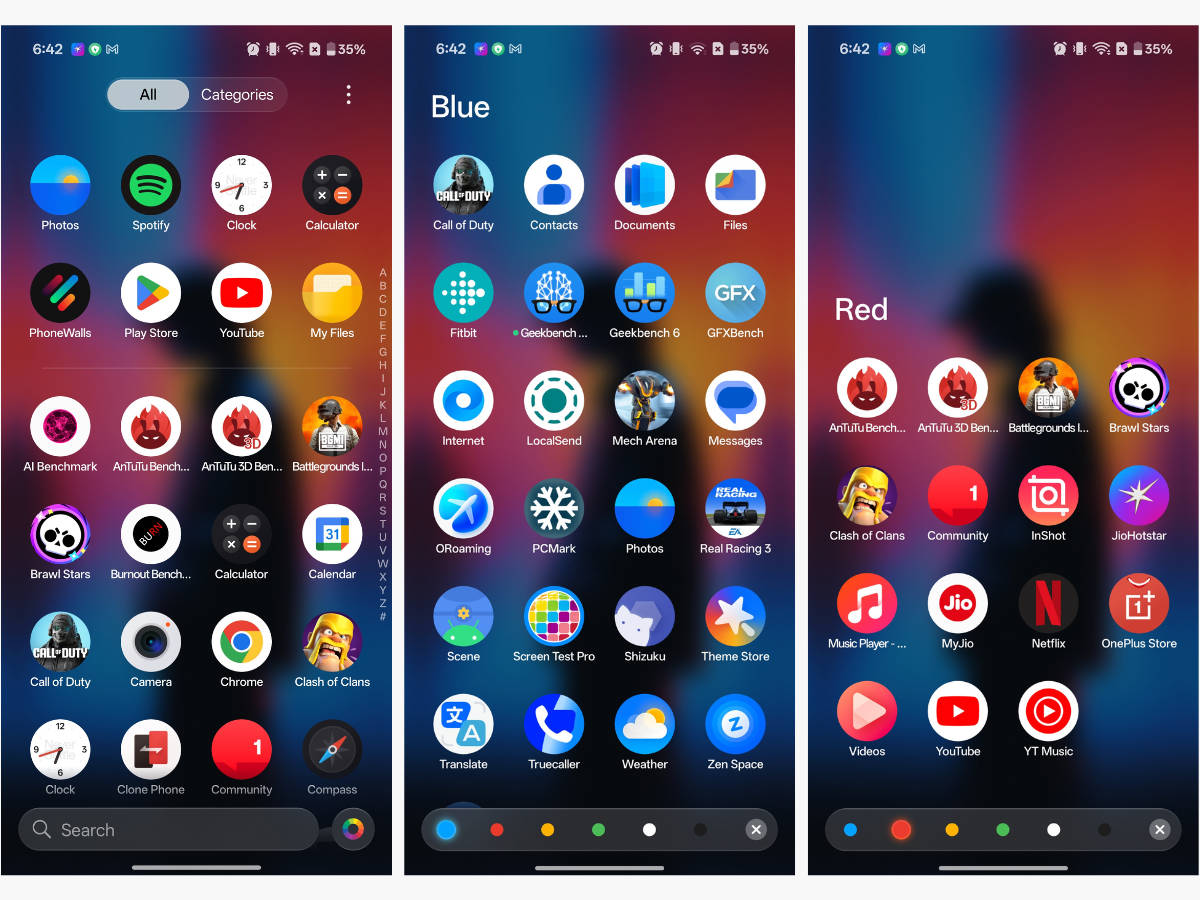
Pressing and holding on the homescreen reveals a new option called “Organiser” in the top left corner. Upon selecting it, you can auto-arrange the apps page-wise by category or colour. When selecting the “By category” option, the apps are clubbed into enlarged folders based on their genre, while choosing the “By colour” option creates homescreen pages dedicated to apps of a specific colour.
Revamped Camera app: something seems familiar
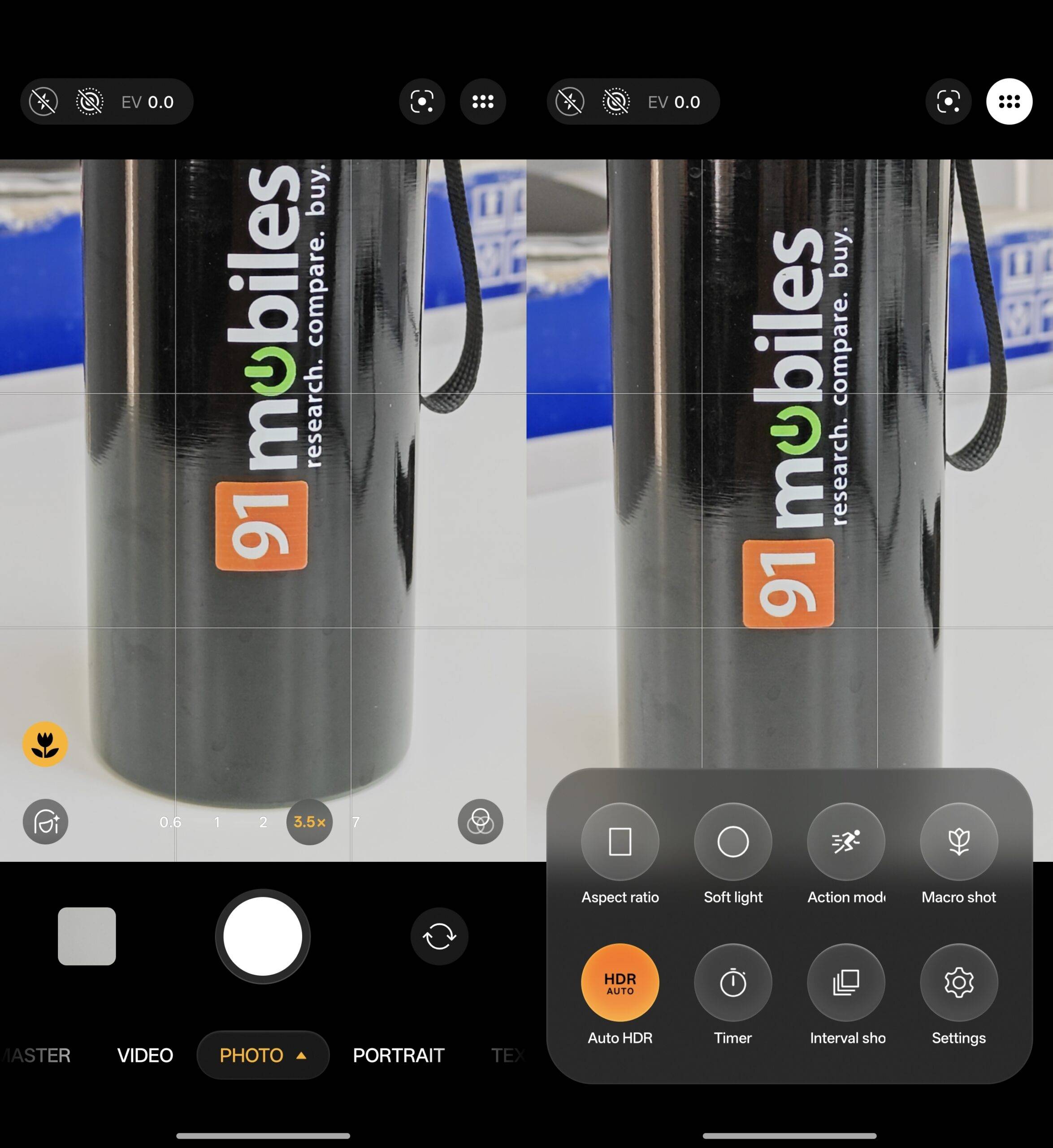
The OxygenOS camera app sees almost a complete revamp. The most evident change is that the tab bar now sits under the shutter button and gains the same glass-like appearance as other parts of the UI. Swiping up from the bottom now reveals the camera menu, which could only be accessed by tapping the button in the top-right corner.
Similarly, the flashlight, Live Motion, and flashlight buttons have been clubbed together in a pill and sit in the top-left corner, much like iOS. As a matter of fact, the entire camera UI now resembles the camera app on iPhones, especially if you notice the blurred details in the zoom buttons or the camera menu.
Major AI additions across the board
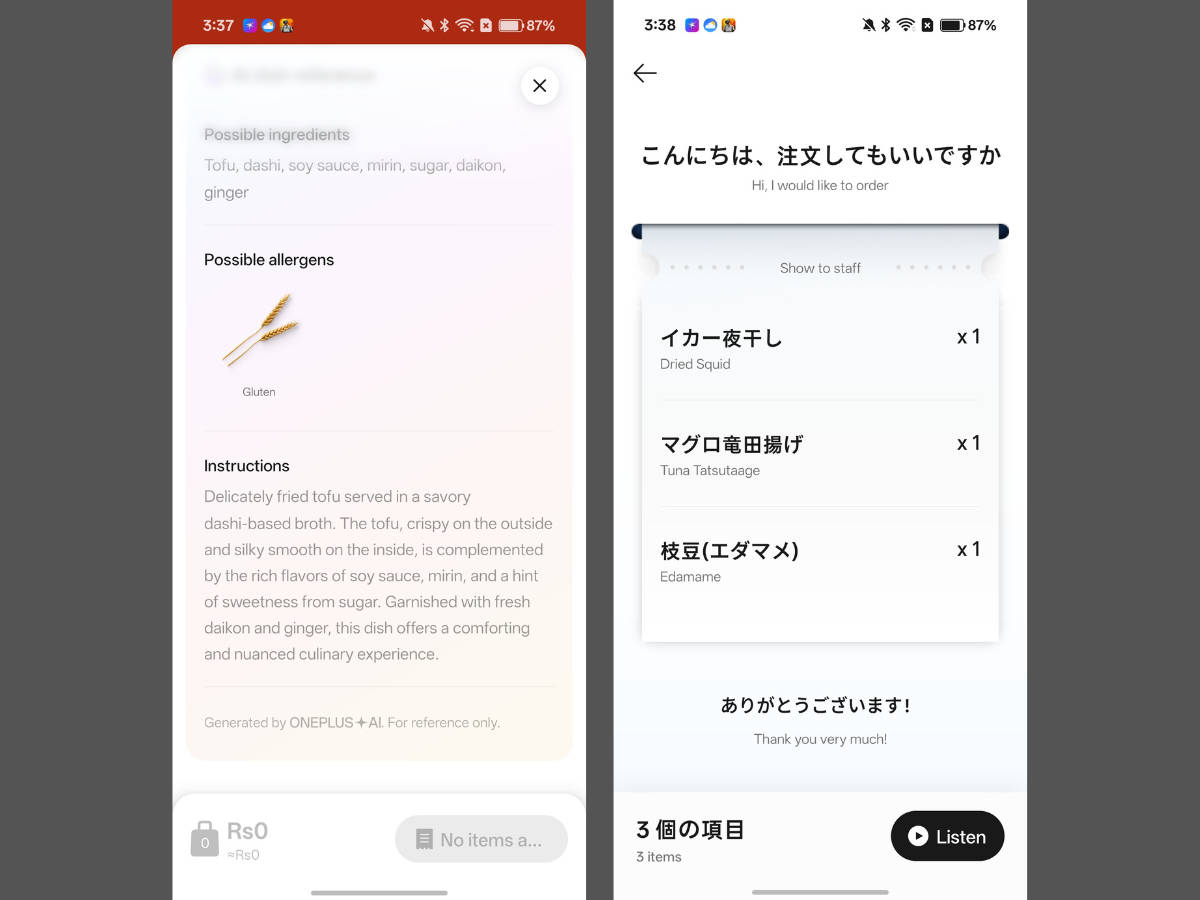
Firstly, the AI Translate app has been graced with a super useful feature that converts generic food menus into literal e-menus in any language, complete with each dish’s ingredients, look-alike images, and voice transcriptions, so you can place your food orders with ease.
For instance, scanning a Japanese restaurant’s menu using the camera function within the AI Translate creates a scrollable menu in English, which you can browse as you normally would in an app. You can select all the items you wish to order at once and show them to the staff by selecting the “Show to staff” button. The next screen will list the selected items in the foreign language, so staff can easily note the order without much conversation.
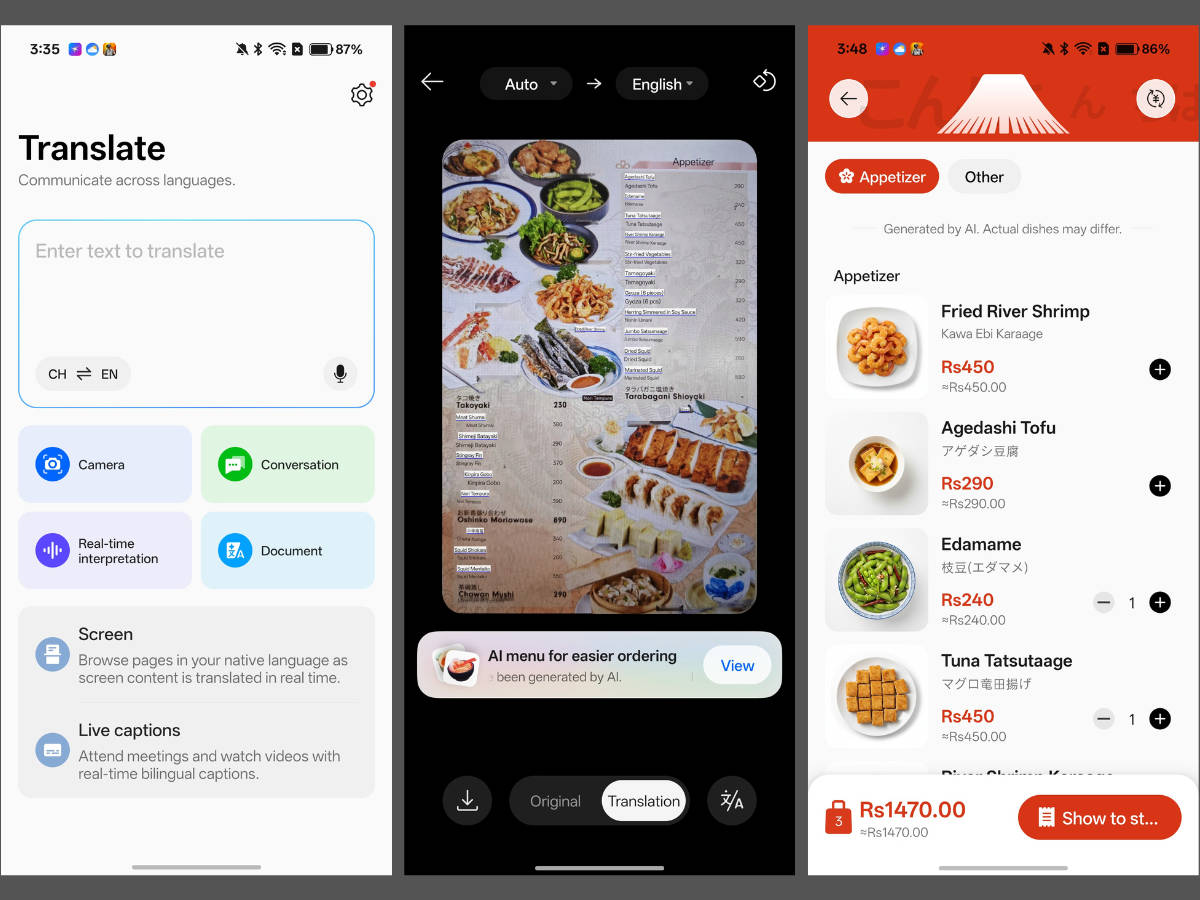
Secondly, the update’s changelog notes that the Translate app now features an on-device AI model for uninterpreted language translations, even if you’re not connected to the internet.
In the Photos app, the Popout feature for instantly creating collages has been upgraded to let photos and borders move freely, giving users more flexibility and creative potential.
Other small but notable changes
OnePlus Share: The OnePlus Share page now mentions “Transfer files to and from nearby OPPO, OnePlus, realme, Xiaomi and Vivo devices that have the sharing feature enabled”, indicating that OnePlus devices have received the functionality to share media wirelessly to non-ColorOS-based devices without Quick Share.
While we’ve yet to try whether OnePlus devices indeed support sharing files via their proprietary method to Xiaomi and vivo devices, it’s certainly a great alternative to Quick Share, which at times can be problematic and may fail to transfer or receive files.
Music album is rounder in Live Alert: The album art within the Live Alert pill now appears in a circular format instead of a square, matching the roundness of the pill.
Updates to battery stats page: The update’s changelog notes that the battery usage page now displays personal hotspot usage, a nifty addition for tracking exactly what is draining the battery, especially if you use the hotspot heavily.
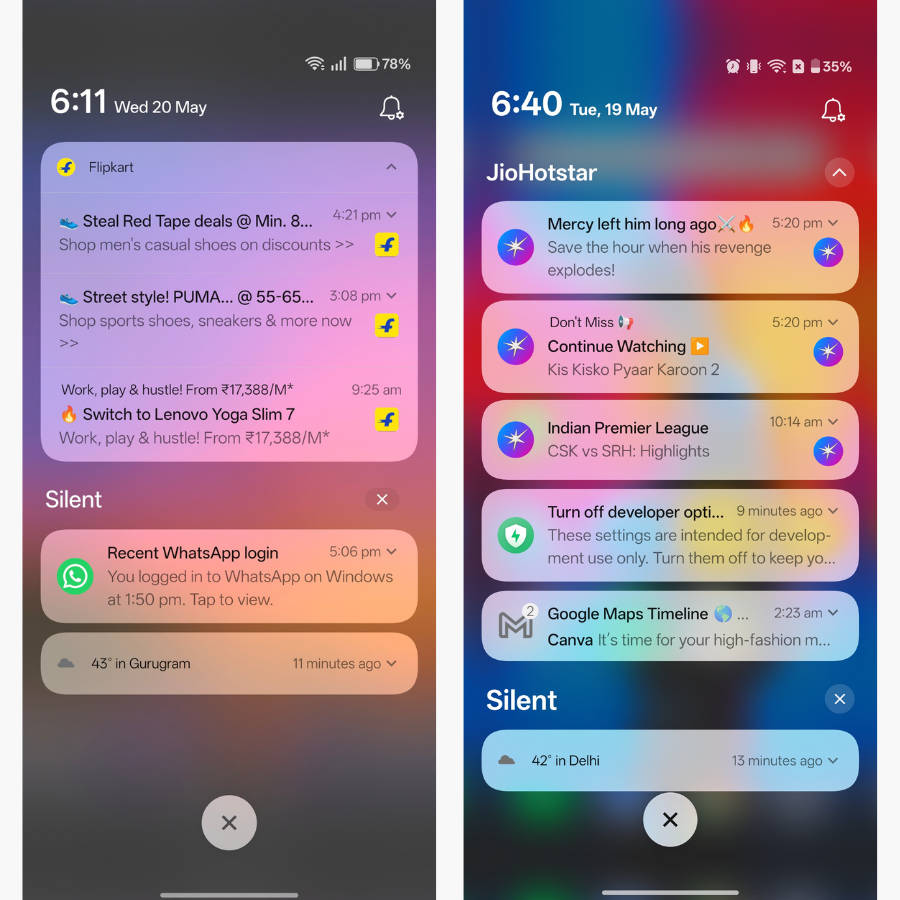
Non-expandable notifications: The single swipe-down with one finger to expand notifications has been ditched in the notifications tray. Personally, I feel they should re-add the functionality since the previous implementation was more convenient for single-handed use.
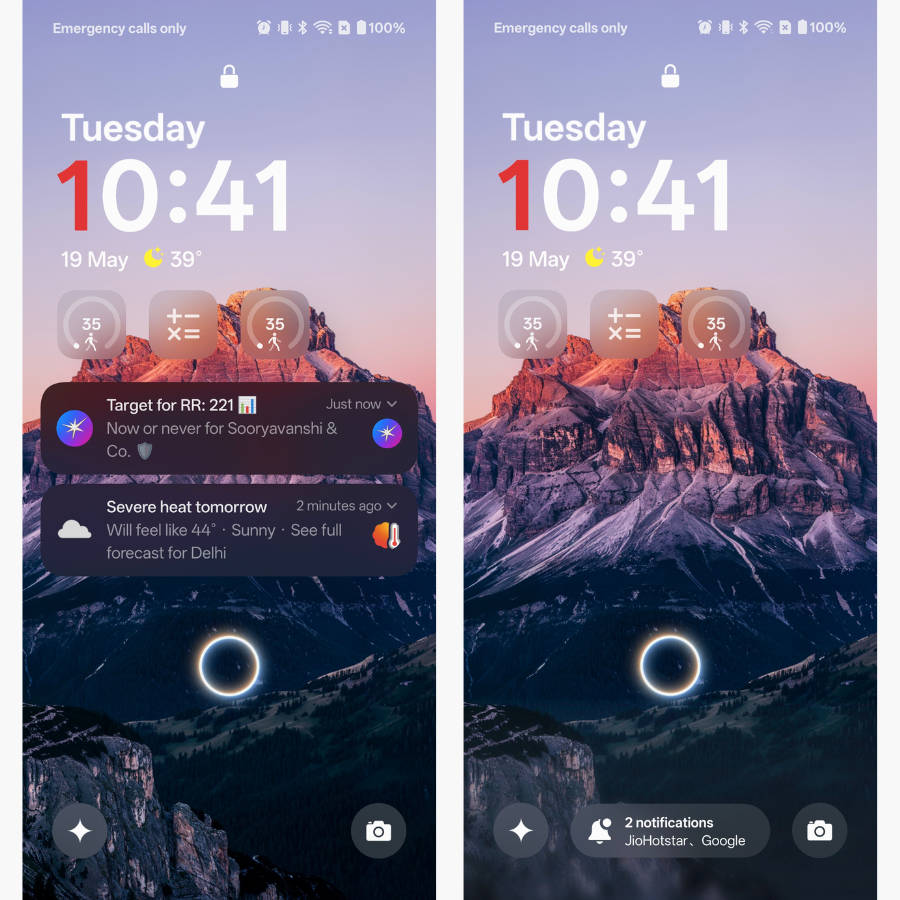
Glow effect when entering the lock screen PIN: When you tap the keys on the lock screen PIN pad, the input field glows brightly, giving it a striking, visually appealing appearance.
Overall, OxygenOS 16.0.7 offers a host of nifty features, further strengthening Its Position as a comprehensive Android skin. The major takeaway, like every other major OxygenOS update, is that along with the new additions, the company has not shied away from enriching the animations and fluidity of the UI.