Mechanical keyboards are everywhere these days, but every now and then, something hits your desk that makes you stop and take a proper look. That is exactly what happened when the ASUS Jelly75 showed up. It is bright, a bit quirky, and boldly steps away from the usual gamer aesthetic to try something much more lifestyle-focused.
Table of Contents
Rounded Edges, Very Intentional Vibe
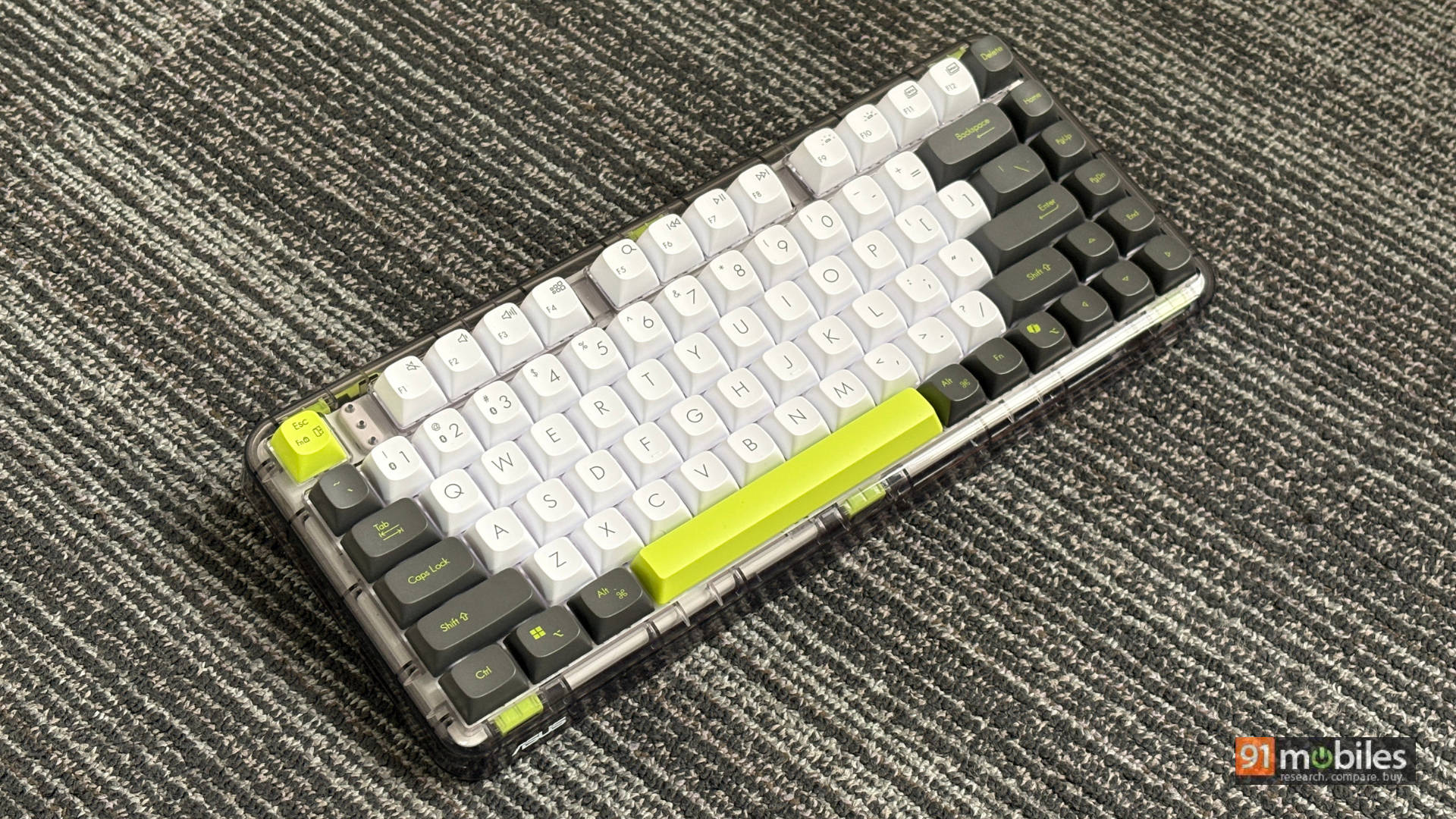
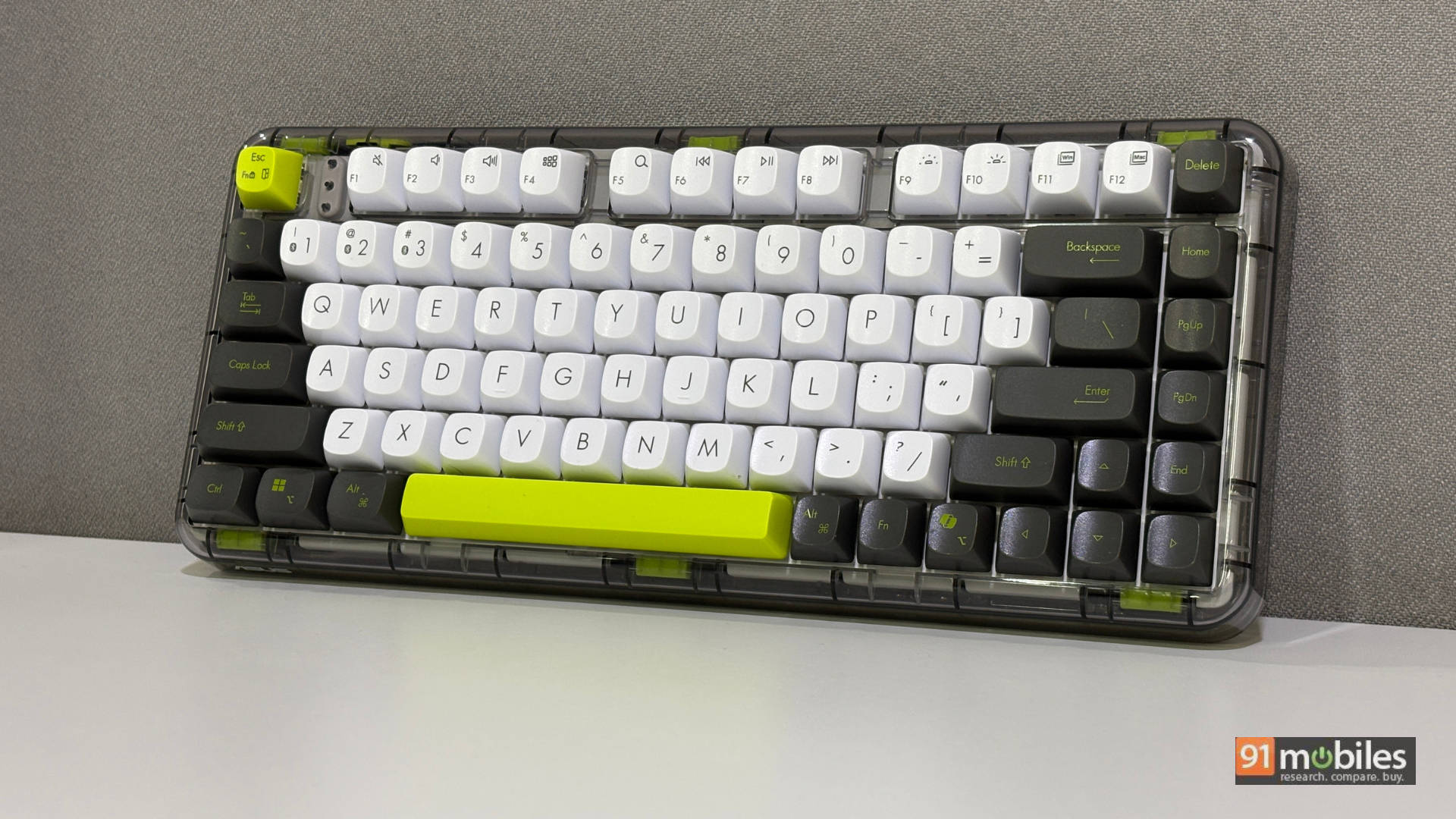
Let’s start with my favourite part, and a bunch of my colleagues also agree, the design. ASUS absolutely nailed this Volt Green colour scheme. While ASUS doesn’t explicitly explain where the “Jelly” name comes from, a little digging and a quick glance make it obvious. The Jelly75 rocks a translucent, see-through chassis across the entire body, except for the keycaps. Save for the kickstand, literally everything here features a rounded shape. Rounded edges, rounded keycaps, and rounded cutouts completely do justice to the name.
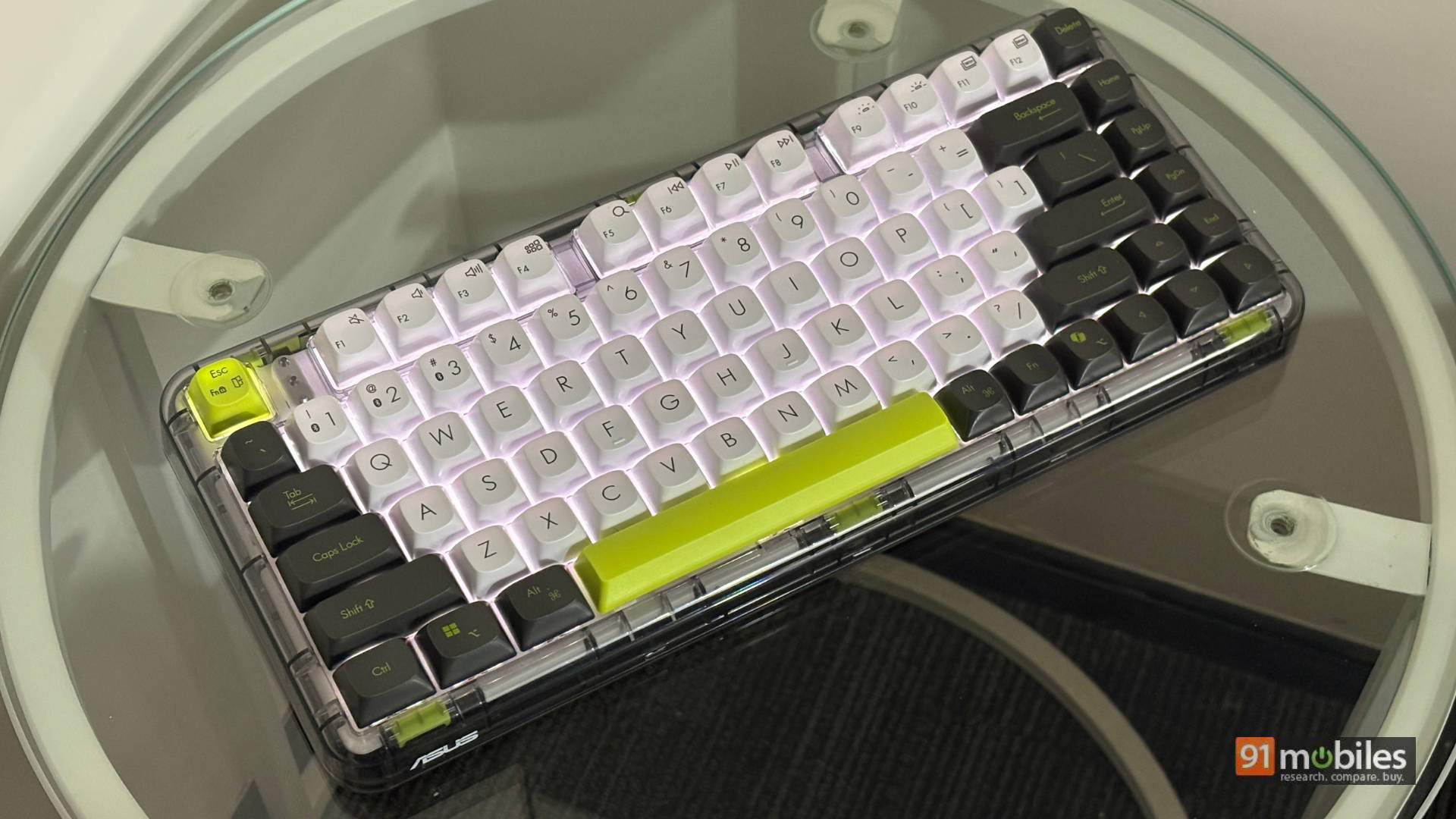
Our review unit sports the Volt Green shade, and for the love of God, someone please help me figure out where I’ve seen this exact vibe before. I keep thinking of the Ben 10 Omnitrix and Nike Air Max sneakers, but a third thing exists that I just can’t place. Still, the green, white, and dark grey colour combination works amazingly well together. One thing worth mentioning is that the white keycaps can easily get dirty.
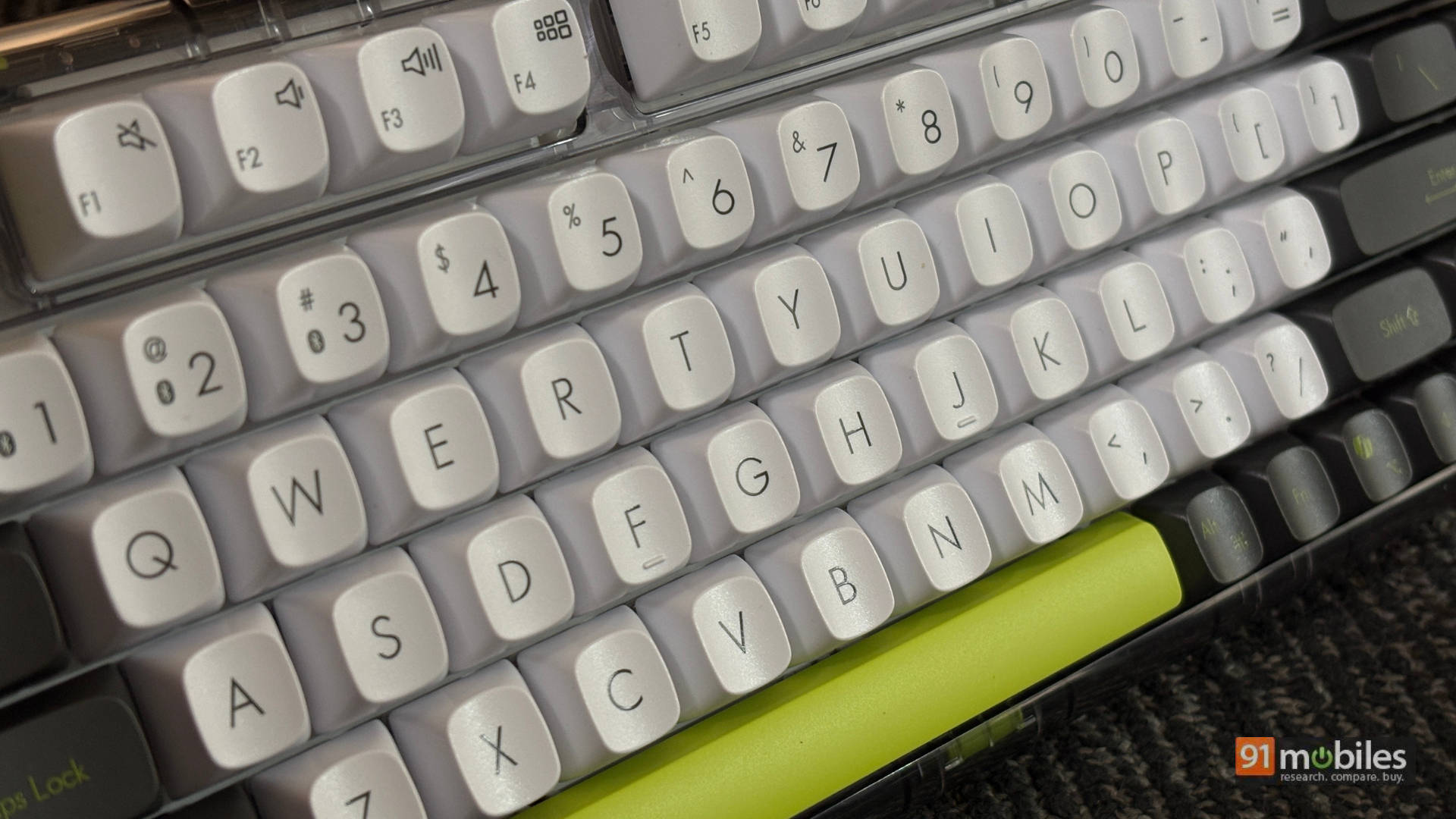
Layout-wise, it features a 75% compact layout that hits the sweet spot for both casual users and gamers. Coming from a full-sized keyboard, the Jelly75 never felt awkward. It took a short moment to adjust, but I felt right at home quickly. I have zero complaints about key placement. The spacing gives you plenty of breathing room for a comfortable typing experience. Like most mechanical boards, though, it still attracts a bit of dust. On the flip side, you get a three-level adjustable kickstand and four rubber feet for grip. I do feel disappointed by the lack of onboard storage for the 2.4GHz dongle, though.
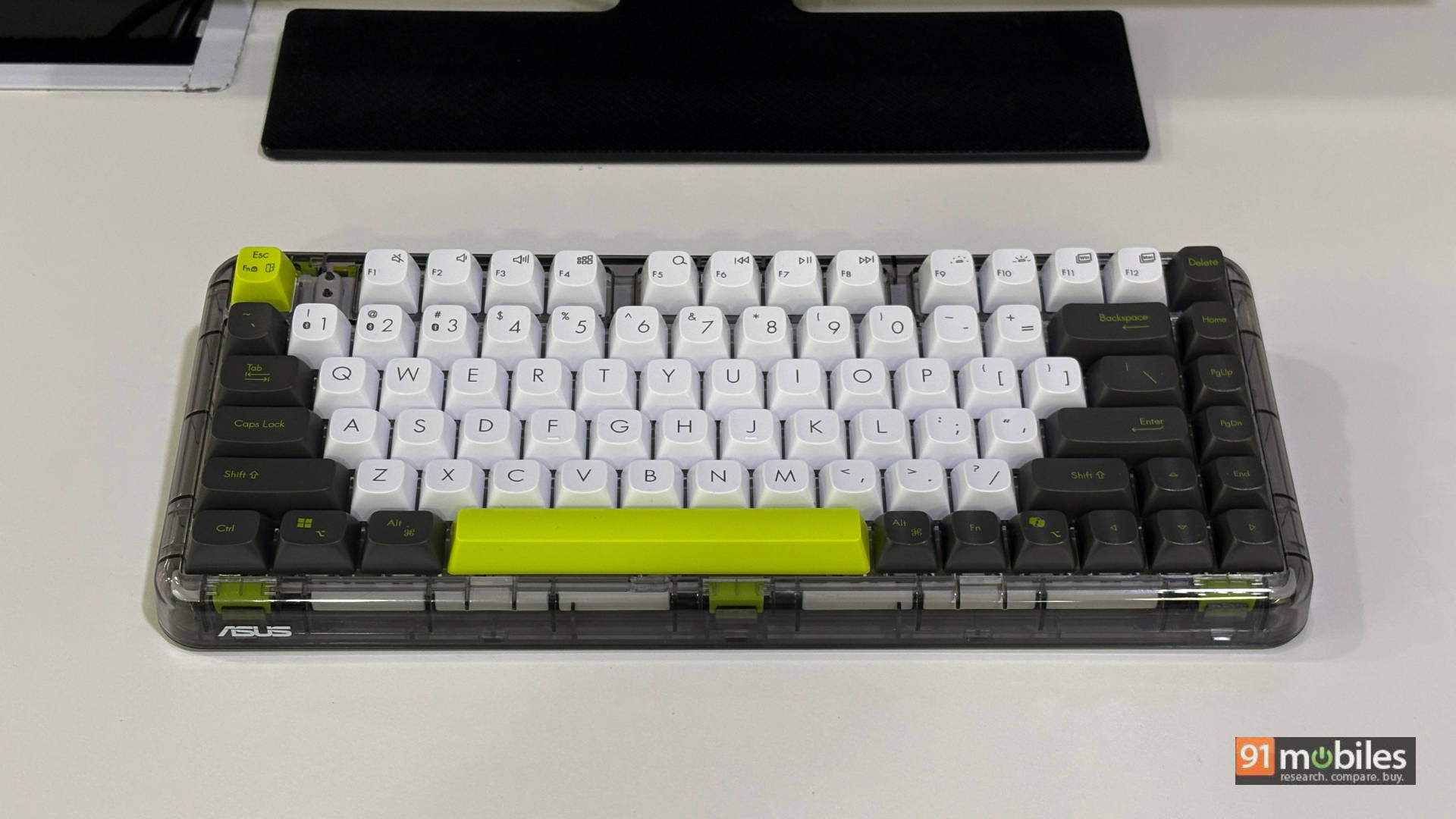
Overall, ASUS made very intentional design choices here, including limiting it to just two colours. Whether you pick Volt Green or Meadow Green, both drop a minimal yet beautifully chaotic aura onto your desk. ASUS even notes in their reviewer’s guide that they built this for “young adults and professionals from 20s to early 30s,” aiming right at the Gen Z audience.
Built Like a 1.2kg Brick (In a Good Way)
The first thing you notice is the weight. My colleagues and I all pointed it out immediately. It weighs nearly 1.2 kg, which sounds heavy, but trust me, it works in the board’s favour. That heft, combined with the rubber feet at the bottom, anchors the keyboard firmly in place. I tried aggressively rage-typing and clicking through frantic Counter-Strike firefights, this thing didn’t slide an inch.
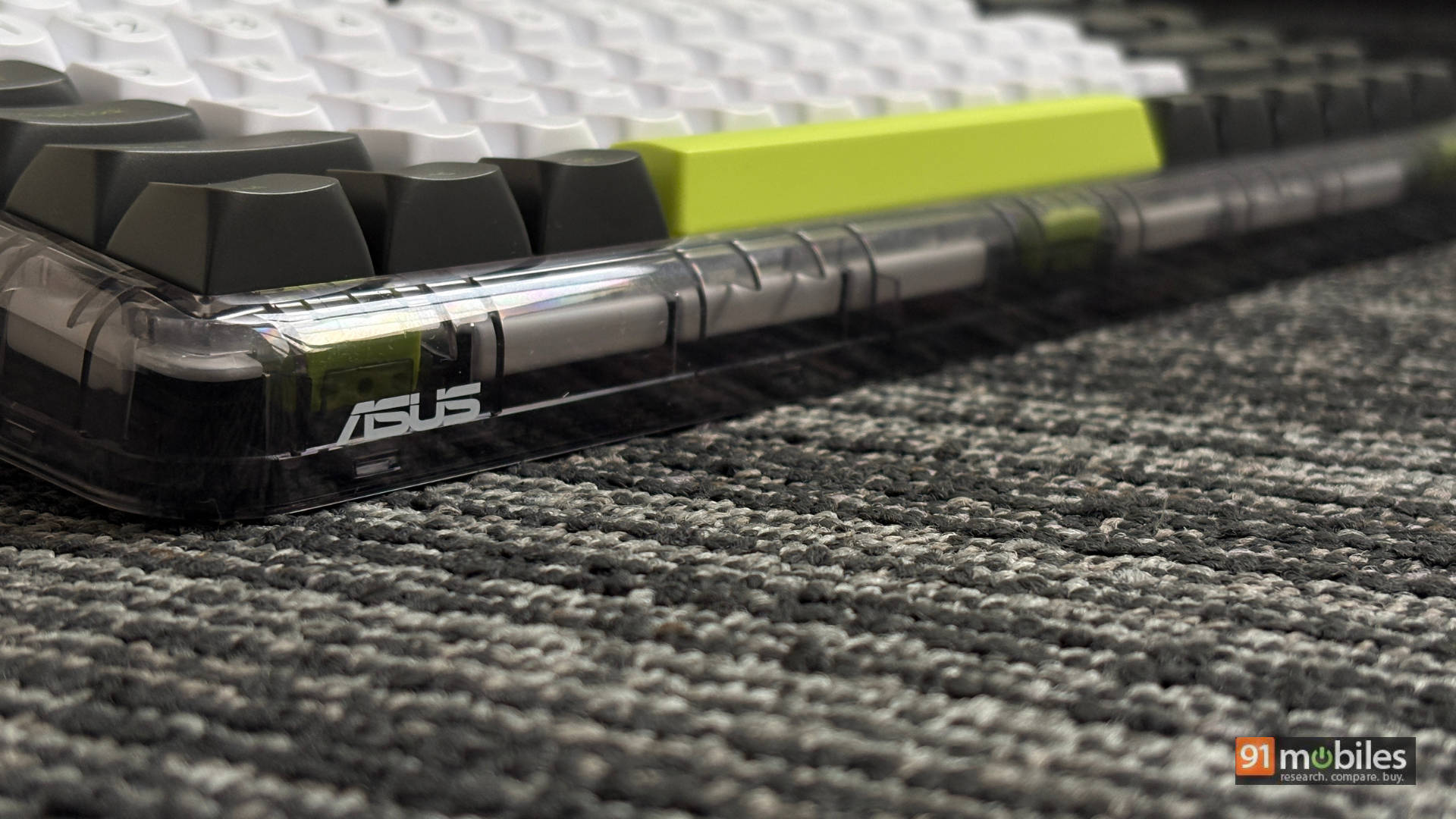
At this price point, I initially expected some aluminium. However, the all-plastic build didn’t disappoint me at all. The overall density and solid construction hit the mark and feel genuinely premium.
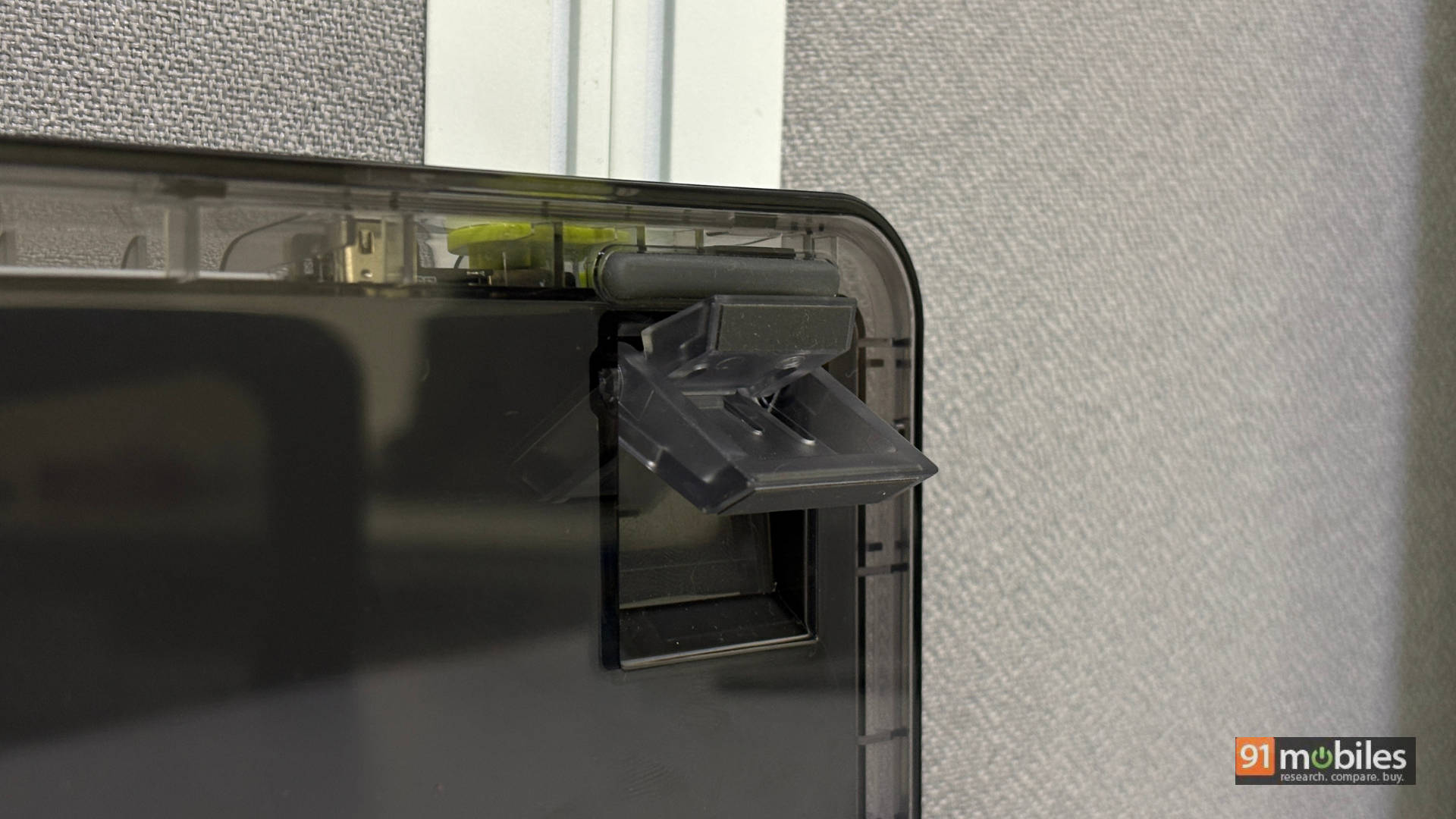
Ultimately, ASUS built this to sit on your desk and elevate your setup. You won’t easily toss this heavy board into a backpack to carry around every day. Trust me, I tried it!
Hot-Swappable & Happily RGB-Free
Now, let’s get down to business: how does it actually feel to type on? The Jelly75 features a gasket mount structure with damping foam. Basically, soft rubber, silicone, or Poron foam gaskets float the internal plate holding the switches between the top and bottom cases. By eliminating direct screw contact with the shell, typing feels noticeably softer and sounds much quieter. This setup leans heavily toward a deeper, “thocky” sound profile rather than a high-pitched clicky one. Personally, I prefer thocky boards anyway.
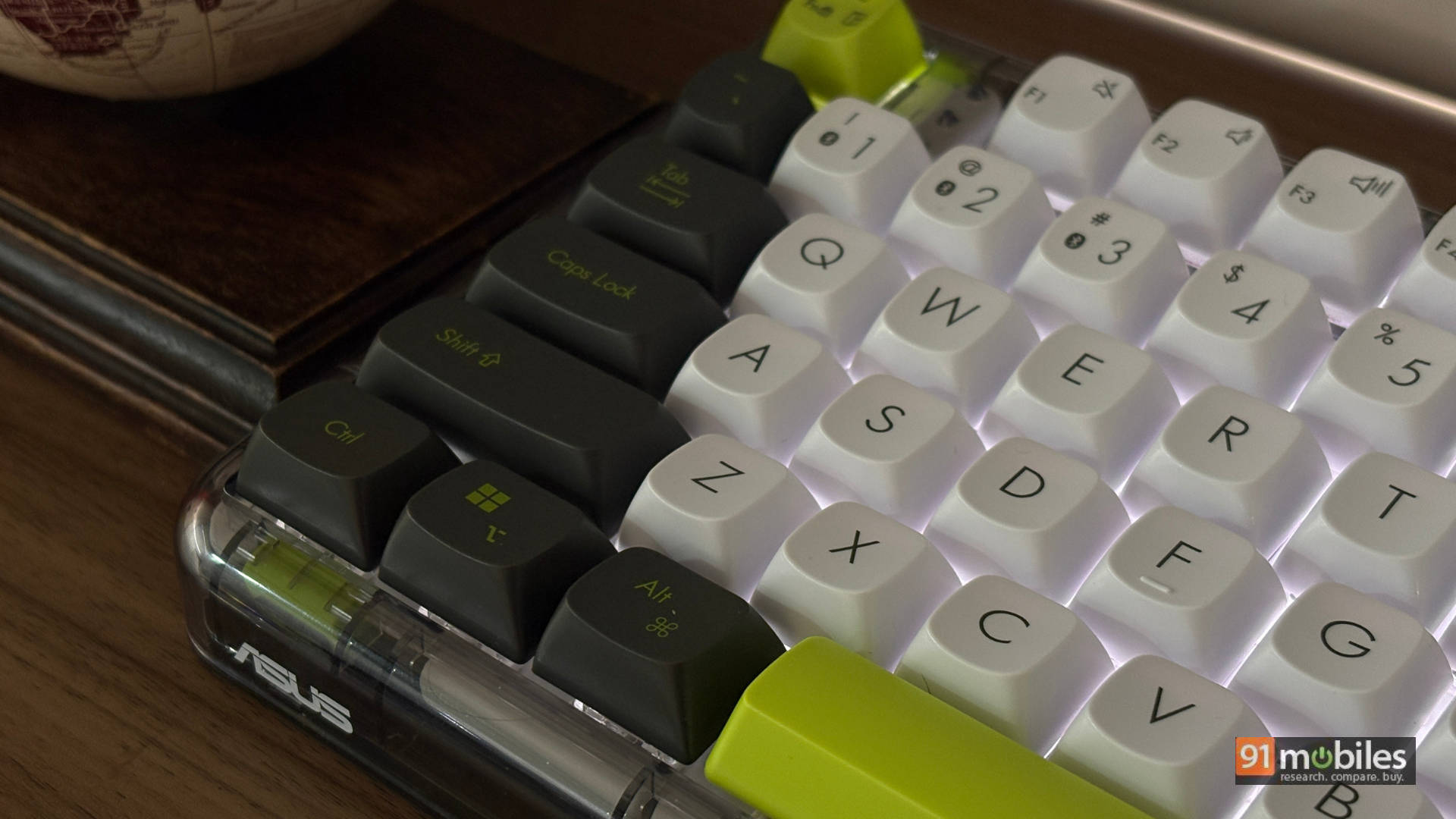
You get none of that cheap, hollow clackiness found on budget boards. The Jelly75 also features hot-swappable switches, meaning you can pull and swap switches without soldering anything. If you type a lot and love customising your board to match your taste, this is a massive plus. It’s a great touch that has become standard in mechanical keyboards around this price range.
The pre-lubed linear switches deliver buttery smooth keystrokes. However, larger keys like the spacebar still have a slight rattle. The stabilisers perform okay; they aren’t perfect, but they work well enough that most people won’t feel forced to customise them right away.
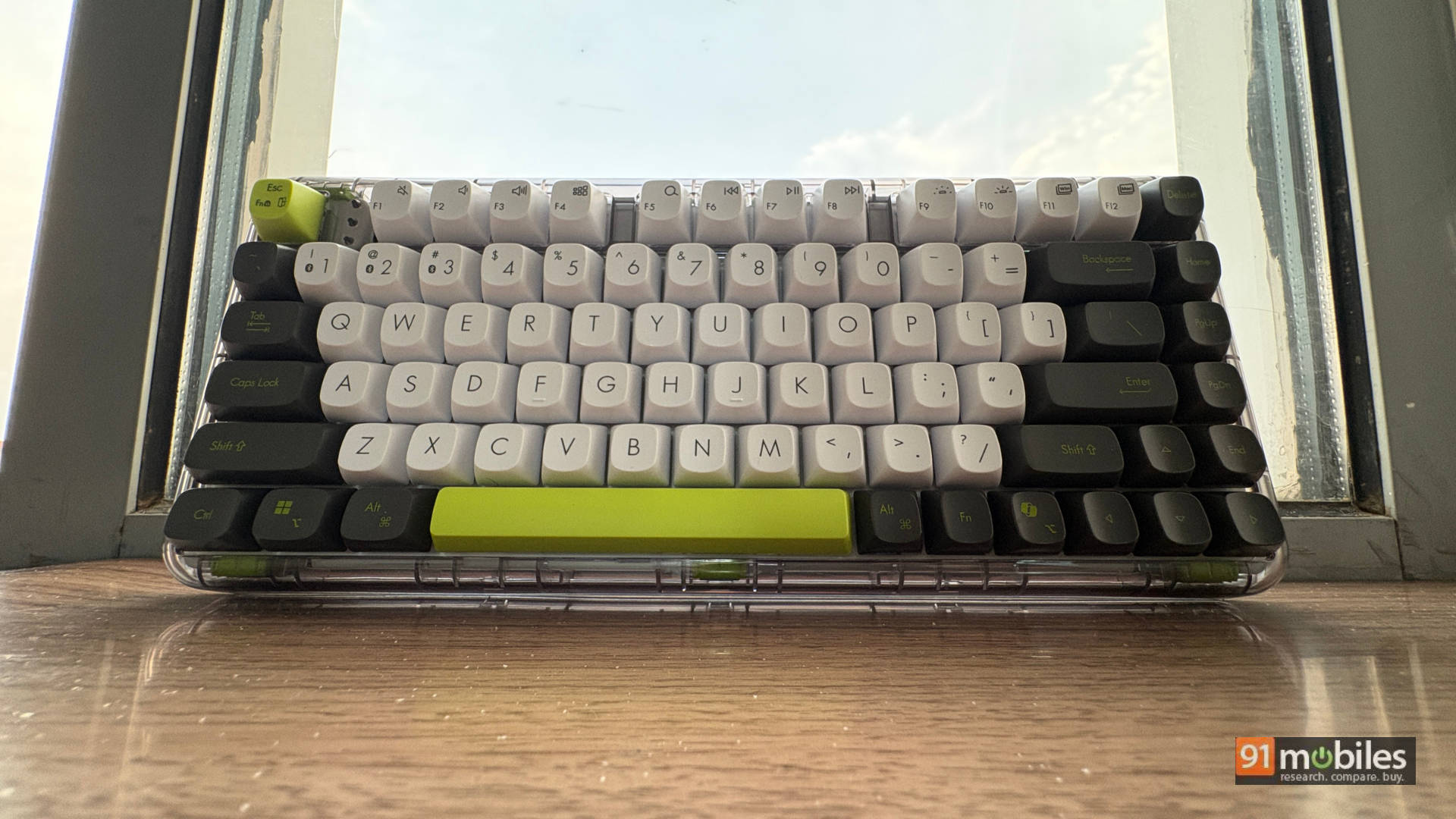
ASUS opted for a simple, four-level white backlight instead of full RGB. Personally? Thank God. But if you love vibrant RGB lighting, boards like the Aula F75 Max might suit you better with its gamer aesthetic, RGB lights, knob, TFT screen, and multiple colour choices. Or you could look at the Evofox Ronin X75, which offers similar specs plus a metal knob for under Rs 6,000, making it a solid budget pick.
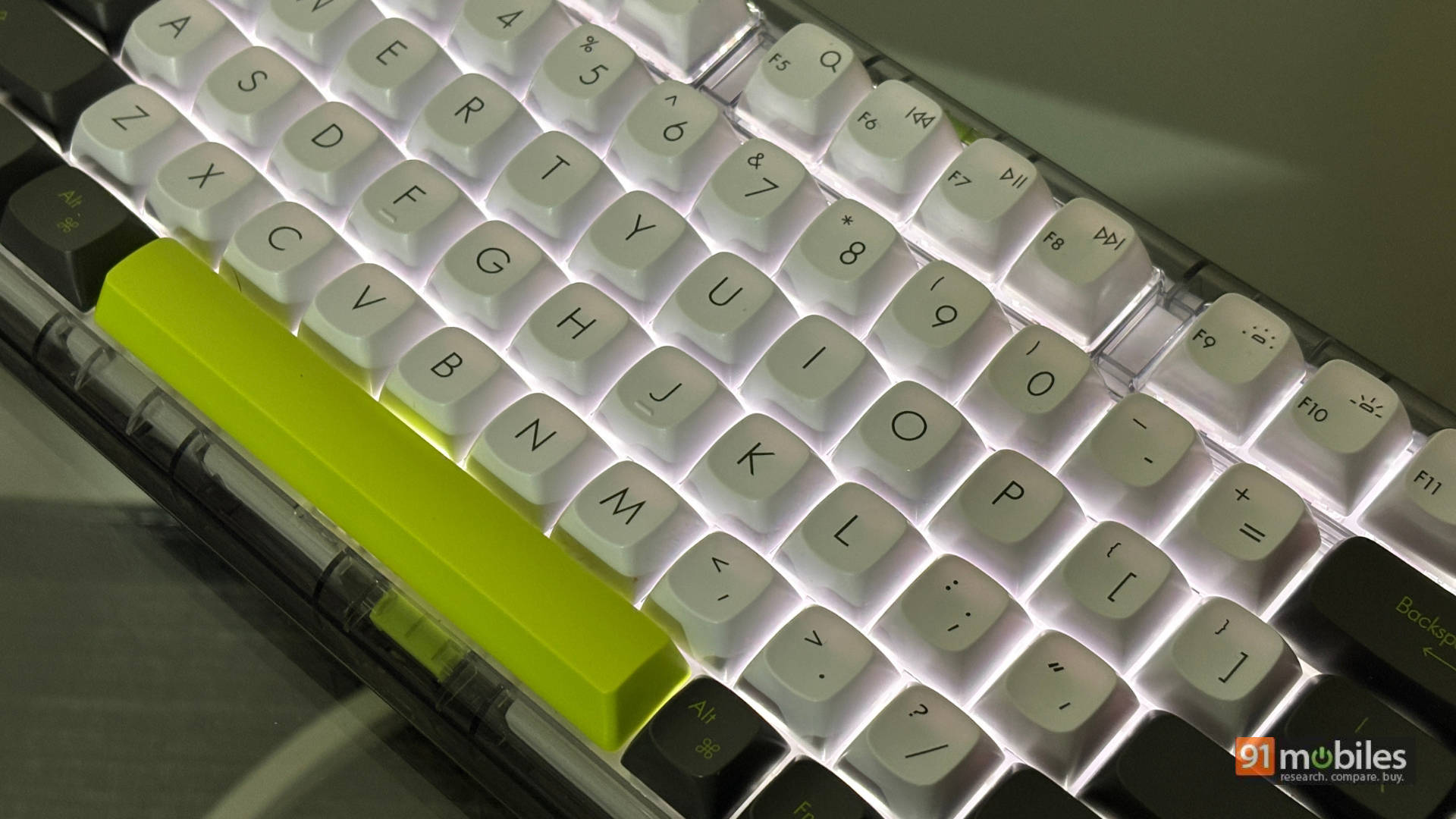
Meanwhile, on the Jelly75, the light glows around the keys rather than shining through the keycaps. In my usage, I had zero issues hitting the right keys during low-light sessions.
Fast Enough for CS, Chill Enough for Work
Behind all the thockiness and soft typing, this keyboard handles gaming surprisingly well. It delivers a 1000Hz polling rate in wired mode, 500Hz over the 2.4GHz dongle, and 133Hz over Bluetooth. This translates to low latency and snappy responsiveness. From daily typing tasks to fast-paced shooters, I noticed zero lag. That said, it isn’t trying to be a dedicated esports keyboard. For the vast majority of gamers and daily users, it offers more than enough performance.
If you need a hardcore gaming board, options like the Razer BlackWidow V4 might fit your setup better. Or you could check out one of the slickest boards I’ve seen, built by an unlikely brand: OnePlus. Yes, the OnePlus mechanical keyboard costs significantly more than the Jelly75, but it’s genuinely worth considering if you can stretch your budget to Rs 18,000.
Tri-Mode Flexing
Versatility stands out as one of the Jelly75’s biggest strengths. It features tri-mode connectivity: USB-C wired, 2.4GHz wireless, and Bluetooth. The 2.4GHz connection delivers low latency for gaming, while Bluetooth handles easy multi-device swapping. It pairs with up to three Bluetooth devices at once, making life easy if you juggle a PC, laptop, and tablet. It also includes a toggle for Mac and Windows layouts, which switched flawlessly between my Windows PC and Mac.
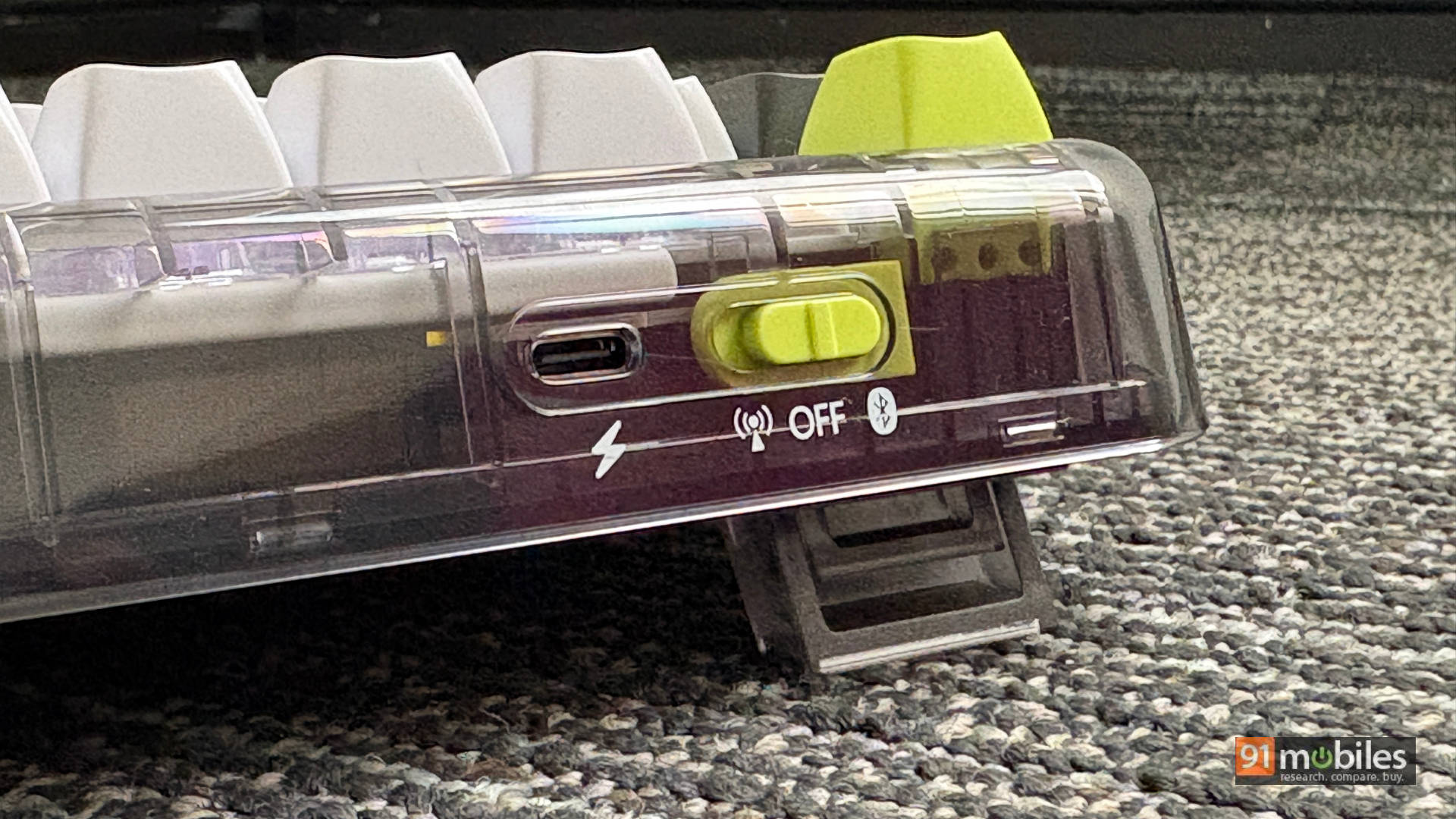
Inside, a 4,000 mAh battery delivers solid endurance for wireless use. It easily lasts several days even with the backlighting on, and goes significantly longer if you dim or turn off the lights.
The Final Thock
The ASUS Jelly75 is priced at Rs 8,999 on the ASUS eStore. To be fair, it offers exactly what you need, nothing less, nothing more. Everything about the Jelly75 feels deliberate. From the translucent design language and colour choices to picking clean white backlighting over loud RGB, ASUS made intentional moves here. Pivoting toward the lifestyle aesthetic really works, and it resonates well with young adults and professionals.
While some might debate the pricing, established brands often command a small premium. However, that brand name brings major perks, especially when it comes to after-sales service for mechanical keyboards. ASUS offers a Free Doorstep Replacement Service, including pickup and replacement for warranty accessories across 17,000+ PIN codes in India. Covering keyboards, mice, backpacks, adapters, chargers, docks, and dongles makes ownership hassle-free.
Editor’s Rating: 8 / 10
Pros
- Unique translucent aesthetic
- Deep, “thocky” sound profile
- Hot-swappable & smooth
- Flexible tri-mode connectivity
Cons
- No built-in dongle storage
- Slight key rattle