Fitness trackers have seen quite a few changes in terms of popularity. We went from simple activity bands to full-blown smartwatches, and now we’re circling back to screenless (or near-screenless) trackers again, this time with help from AI-based health scores. Whoop started much of this renewed interest, though its subscription-first model has kept quite a few potential buyers on the sidelines. The Pebble Qore View is targeting those very people, minus the recurring bill. Let’s check it out a little more in detail.
Table of Contents
Design and build
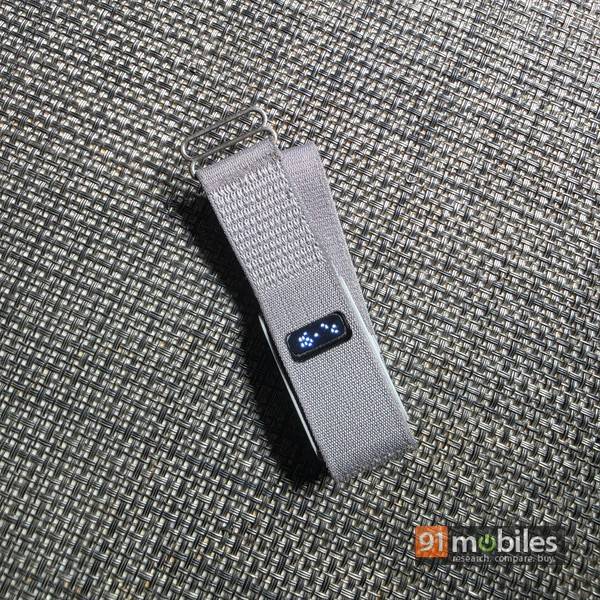
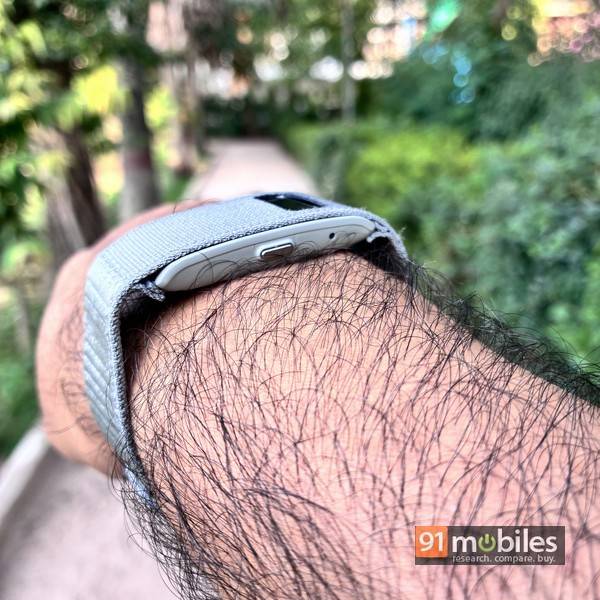
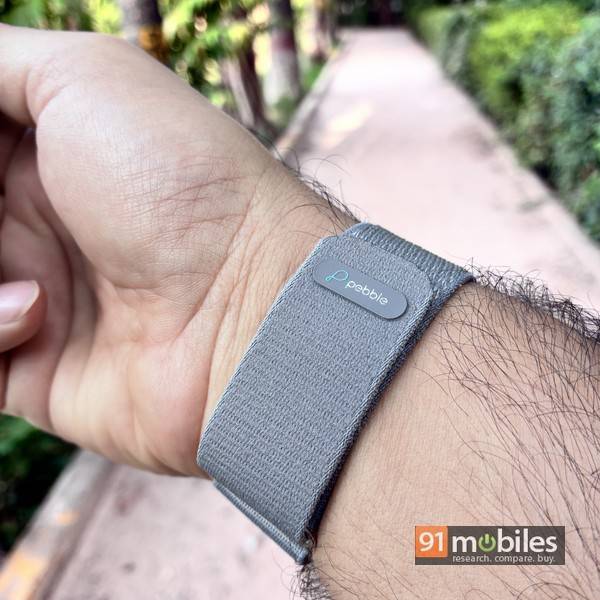
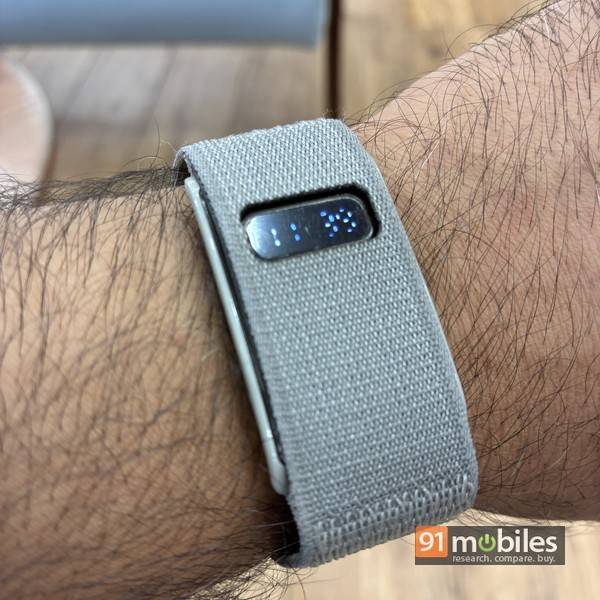
The Qore View keeps things simple on the wrist. You get a lightweight, wide nylon strap with a Velcro fastener, with a small window up top, behind which lives the tiny LCD display. The band is comfortable to wear through the day, though the grey band I have gets soiled with regular use, so you might want to check out the black and navy blue options. The core module housing the display is bigger than I expected, and doesn’t curve along with the wrist, so it juts out slightly on both sides. There’s a single button on the right, along with a small status light. Nothing fancy, but nothing offensive either. The strap is attached to the tracking module via quick-release pins, so you can use regular watch bands too, if you wish.
Features
The Qore View covers the essentials you’d expect from a band in this segment: steps, heart rate, HRV, SpO2, sleep and stress tracking, along with the ability to log various sports and workouts. One thing worth mentioning, though, is that there’s no auto workout detection, so you’ll need to start a session if you want it logged accurately manually.
Notifications work through vibration for everything, but the display itself only shows time, steps and heart rate, cycling through these with a double press of the side button. Suffice it to say, if you want to actually read your messages on your wrist, this isn’t the band for you. Possibly the only way the vibration notifications could prove to be useful is for you to enable them just for a single app, say your work email or WhatsApp, because otherwise there’s no way to tell which notifications need your attention.
UI and app connectivity
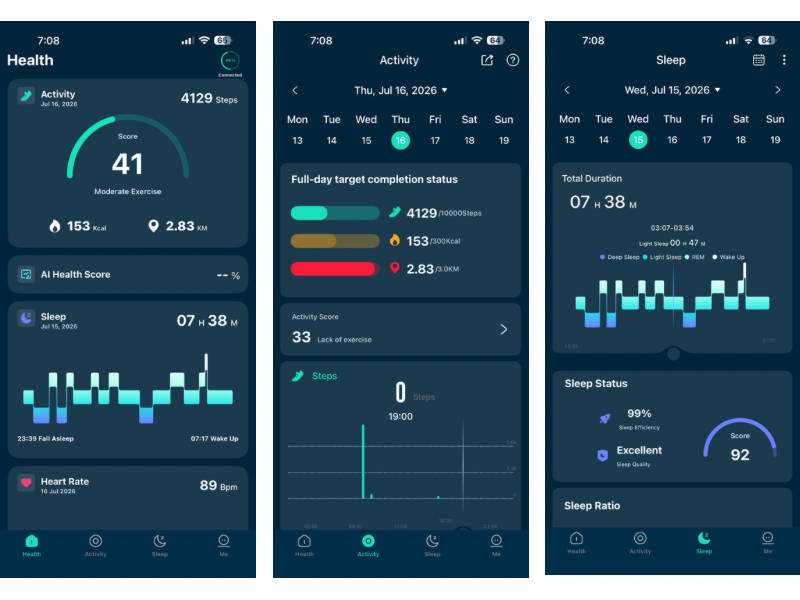
The Qore View pairs with the Pebble Halo app, available on both Android and iOS, and I found the app itself clean and intuitive to navigate. It’s divided into sections for Health, Activity, Sleep, and a fourth one simply called “Me” for settings and configuration.
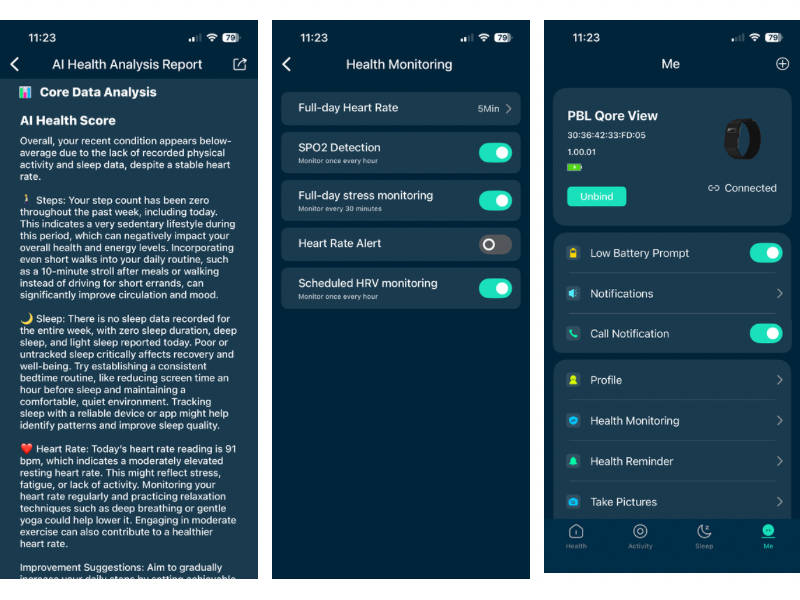
The Health tab is the one you’ll probably spend the most time in, laying out captured metrics in an easy-to-read, card-style format. There’s also an AI-generated health score out of 100, crunching numbers from your steps, sleep and heart rate into a single figure, and a one-key measurement feature that captures heart rate and blood oxygen with a single tap. The Activity and Sleep tabs do a nice job of showing detailed trends over time, while the Me tab lets you check battery level, customise which apps you want notifications from, and even use the band’s button as a remote shutter for your phone’s camera. Overall, the app experience is smooth and clean.
Usage, performance and battery
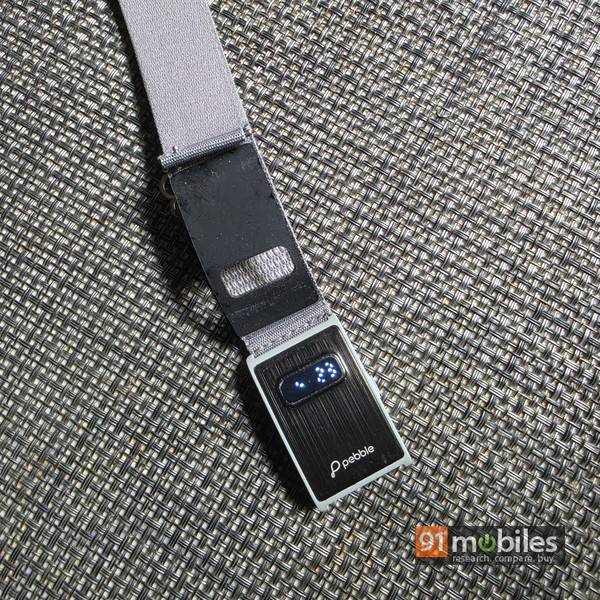
Here’s where the Qore View’s affordable positioning shows through a little. The tiny display doesn’t support brightness adjustment, so legibility depends heavily on your surroundings — it can feel too dim outdoors under harsh sunlight, and a touch too bright when checking the time at night. That’s the trade-off you sign up for at this price, and it’s worth going in with eyes open.
On the data front, though, the numbers being captured line up well enough with what I’d expect — the heart rate it captured seemed similar to when I compared with the numbers captured by the Pixel Watch 4, but the step count seemed lower by about 10-15%. I wouldn’t really call that a deal breaker since more wearable provide indicative data anyway. Battery life is where the Qore View really impresses — it dropped by around 40 percent over 10 days of regular use, making Pebble’s claim of 30-day battery life quite believable.
Verdict
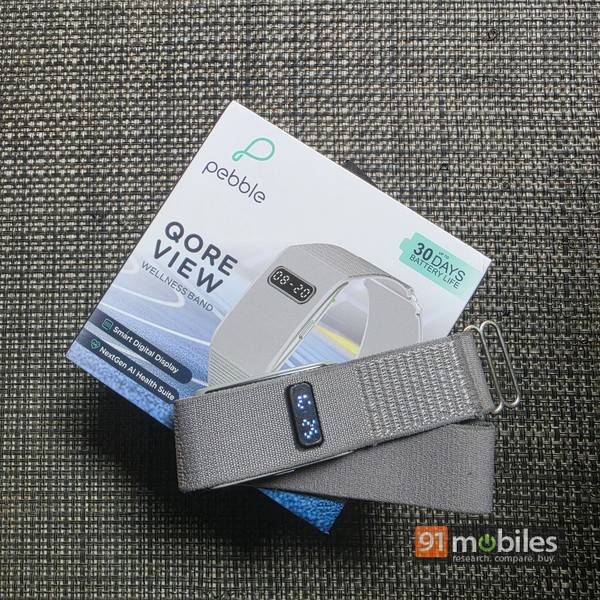
Priced at Rs 4,499, the Pebble Qore View lands in an interesting spot. Whoop may have created much of the buzz around screenless fitness tracking, but its subscription model keeps the ongoing cost fairly steep. Google’s Fitbit Air is also generating buzz and comes without a subscription. At around Rs 10,000-11,000 in the US, it hasn’t launched in India yet, and could cost more here whenever it does.
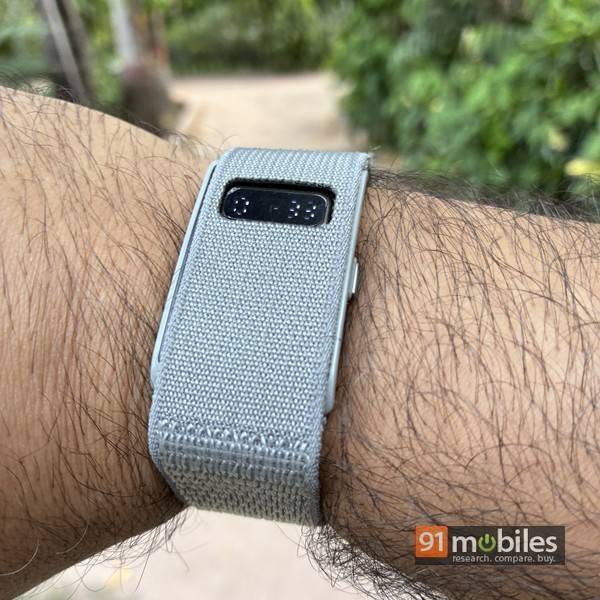
Against that backdrop, the Qore View’s comfortable fit, lack of any subscription, and the ability to glance at your wrist for the time and step count, all add up to decent value for money. The small, low-resolution display and the somewhat blocky design of the tracker module are the cons, and I wouldn’t blame you for wanting something sleeker. But if you’re looking to board the screenless fitness tracker bandwagon without spending much, and the idea of checking the time and your steps without reaching for your phone appeals to you, the Pebble Qore View is worth a look.
Editor’s rating: 7.5 / 10
Pros:
- Comfortable to wear
- Affordable, no subscription required
- Solid battery life
- Can check time and steps at a glance
Cons:
- Small, dim/bright display depending on lighting, with no brightness control
- Blocky module design that doesn’t hug the wrist
- No auto workout detection