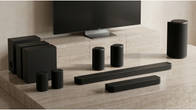
Soundbars have undergone significant evolution over the past decade, from being a simple solution that enhances the sound of your TV to devices that now support room calibration, upgradable subwoofer/surround speakers and a host of connectivity options. Needless to say, with the right soundbar, you get some of the most immersive content consumption experiences. Today, we have with us the Sony Bravia Theatre System 6, which features some very interesting capabilities. Is it the right home theatre system for you under 50K? Let’s find out!
Table of Contents
Sony Bravia Theatre System 6: Key Specs
Before diving deep into the review, let’s take a quick look at what this Sony soundbar offers on paper.
- Total Maximum Power: 1000W
- Audio Inputs: HDMI eARC, Optical, Analogue audio (stereo mini), and Bluetooth (5.3)
- HDMI Input: 0
- HDMI Output (Enhanced Audio Return Channel): 1
- Subwoofers: 1
- Surround speakers: 2
Looks That Pack a Punch
The soundbar has a premium metal and plastic finish, with a grille covering the front drivers. The bar is big enough to fit comfortably below a 50-inch to 65-inch TV. It comes with two feet in the box, in case you need to elevate it slightly or if you have a Sony TV that’s standing on a tabletop, to integrate the soundbar seamlessly with your Sony TV. You can also wall-mount the soundbar if you like.
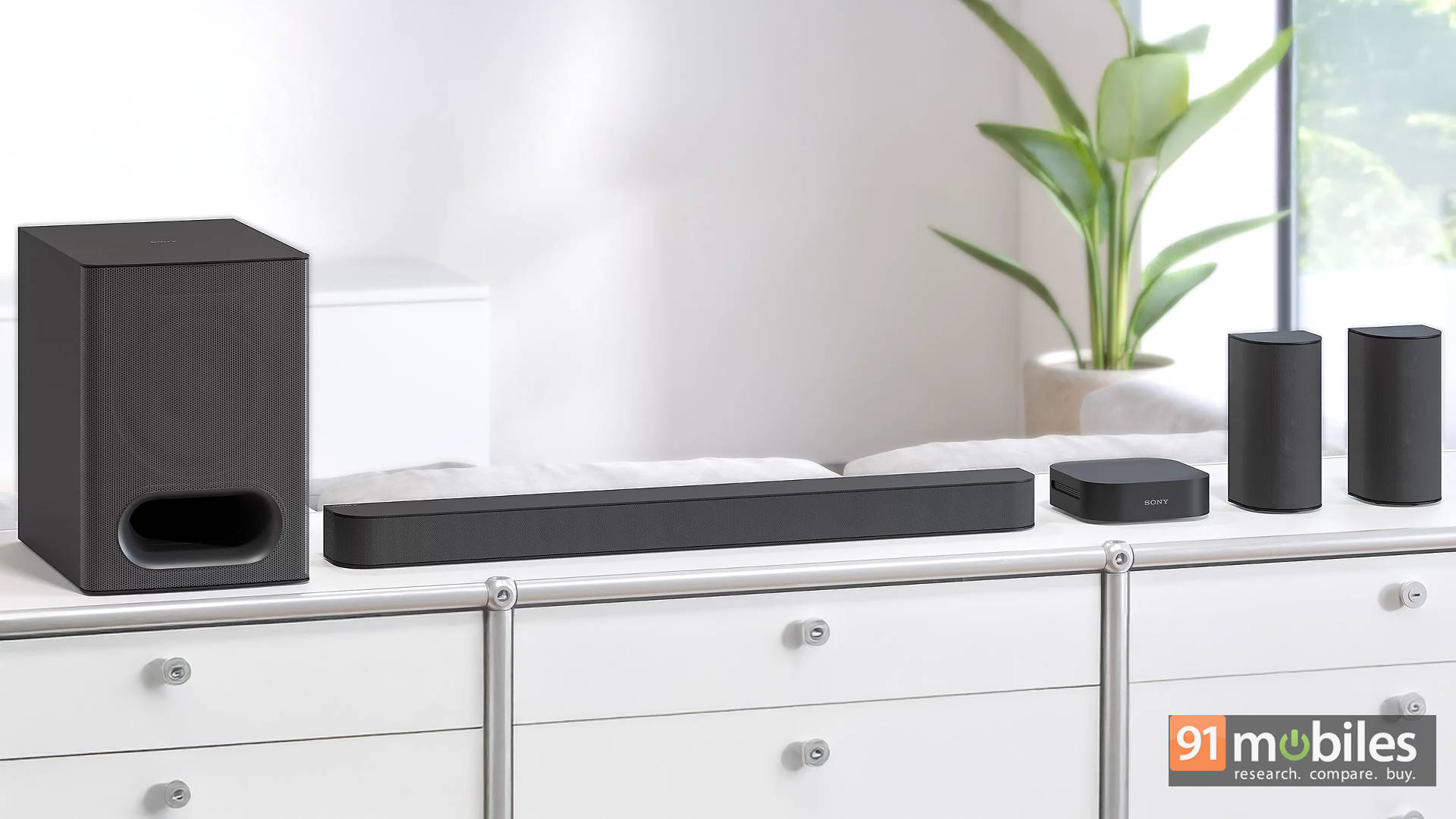
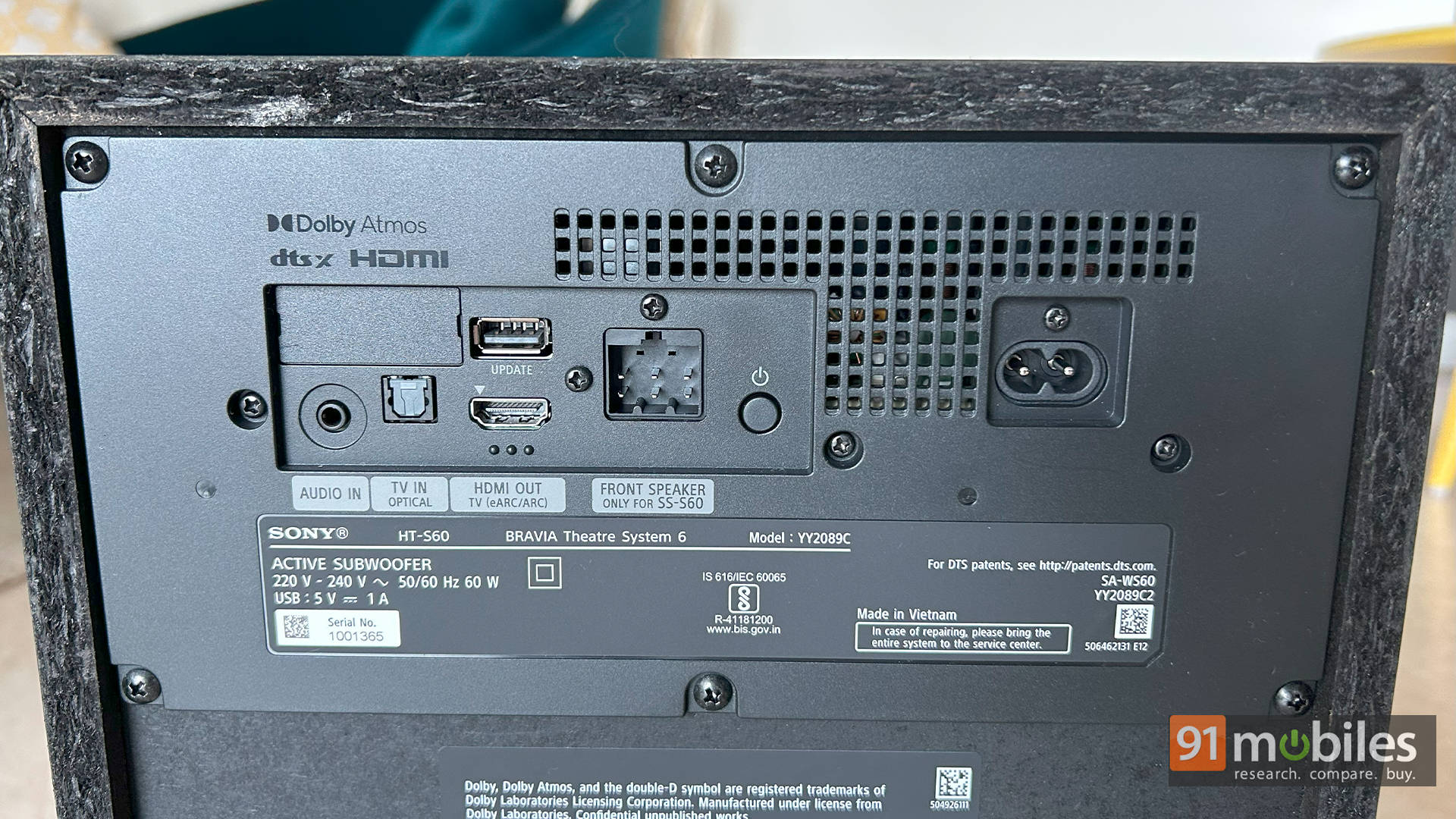
Speaking of the subwoofer, it is huge. In fact, it’s much bigger than most soundbars I’ve tested recently, and that’s not necessarily a bad thing. We’ll get to the punch it packs in the performance section. Here, the air duct and the driver are both front-facing. All the connectivity ports are at the back of the subwoofer: HDMI eARC port, optical port, mini stereo port, and a USB port. This means you aren’t flexible with placing the subwoofer wherever you like unless you invest in a long HDMI cable. The HDMI cable that comes in the box is quite long (~2m in length), so you shouldn’t have any complaints there. The soundbar also connects to the subwoofer via a cable. The only downside is that you will have to reach out to Sony if you have an issue with the cable, as it isn’t user-replaceable. There is only an LED indicator on the subwoofer to show you the power status. It blinks when you control the volume or change the source, which is quite minimal and not at all distracting.
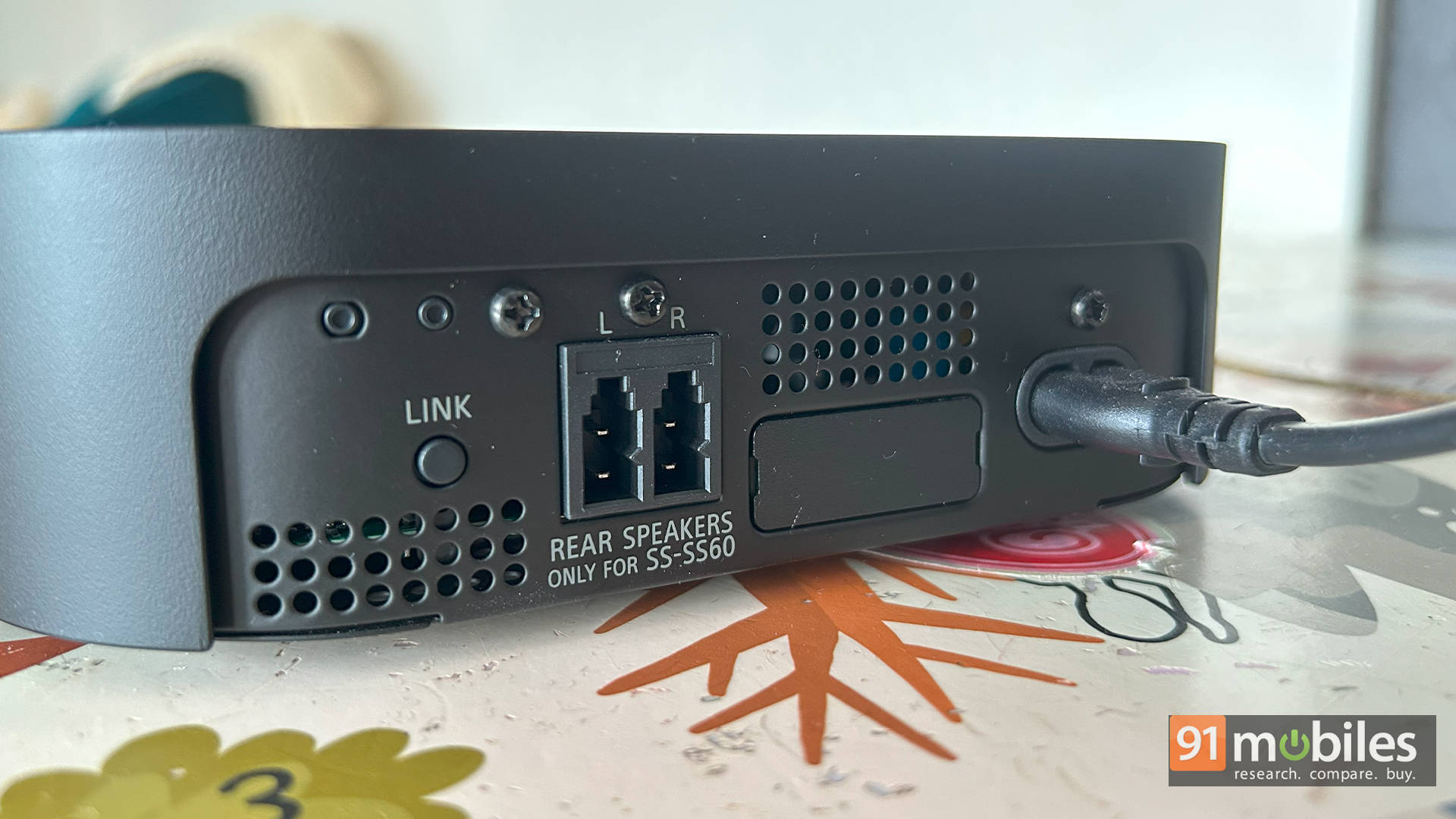
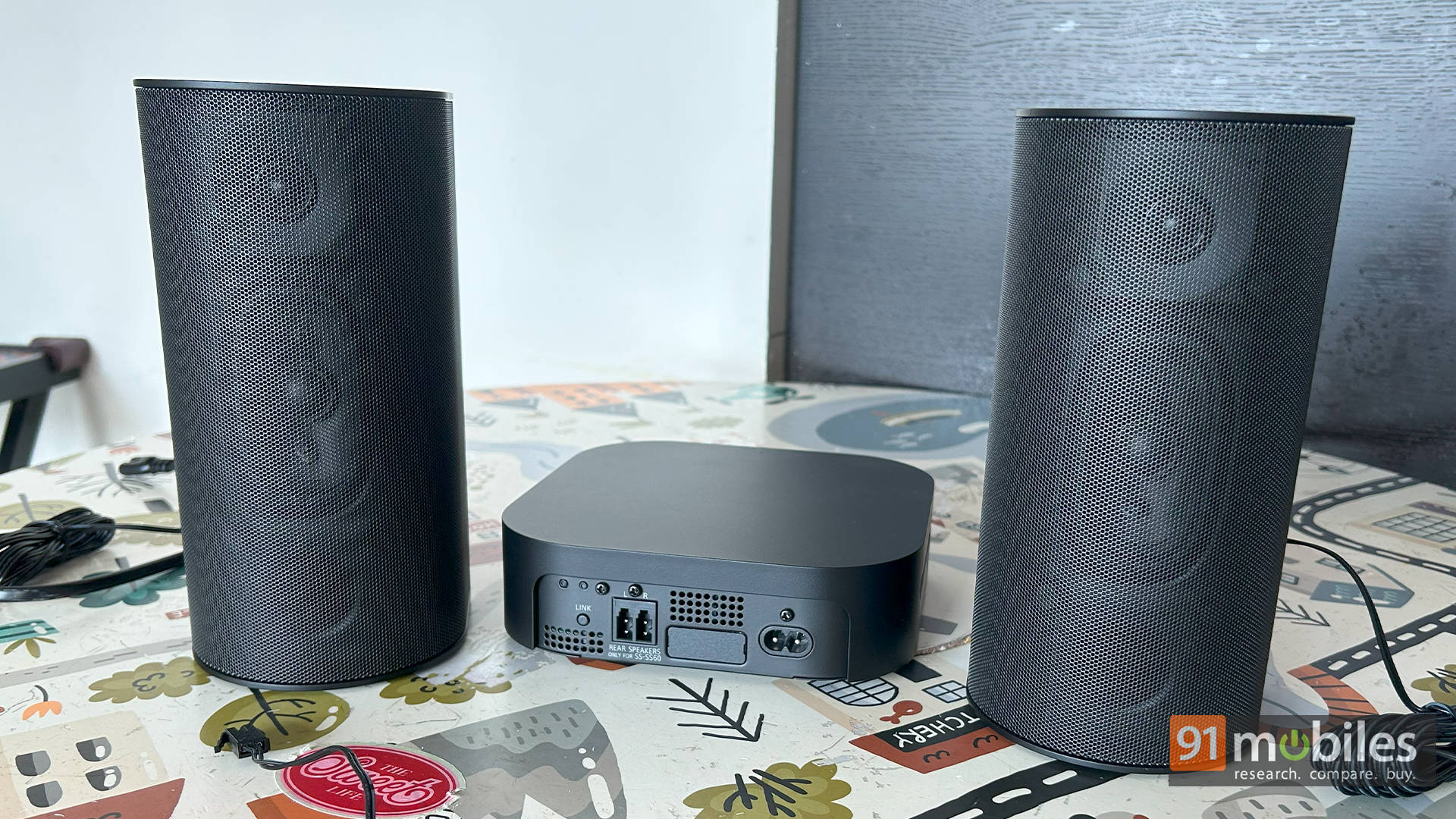
Moving to the surround speakers, this is where things get interesting. Just like the Sony HT-S40R, there is a wireless receiver into which both the rear speakers connect. The cables that come attached to the rear speakers are quite long, and the “wireless receiver” connects to a power source, so this makes cable management easier. In soundbars like the Sony HT-S20R, all the inputs connect to the subwoofer (including the rear speakers), making cable management a pain. Here, thankfully, it’s much more manageable and works well.
While I would like the surrounds to be completely wireless (with the only requirement being power, like the Samsung Q990D, for example), I’m okay with the compromise if it ensures I get a good sound experience without breaking the bank. The cherry on the cake would be if the surround speakers were completely wireless with battery backup like the Sony SA-RS5, but those surrounds cost as much as this Sony BRAVIA Theatre System 6 setup, so I’m not complaining.
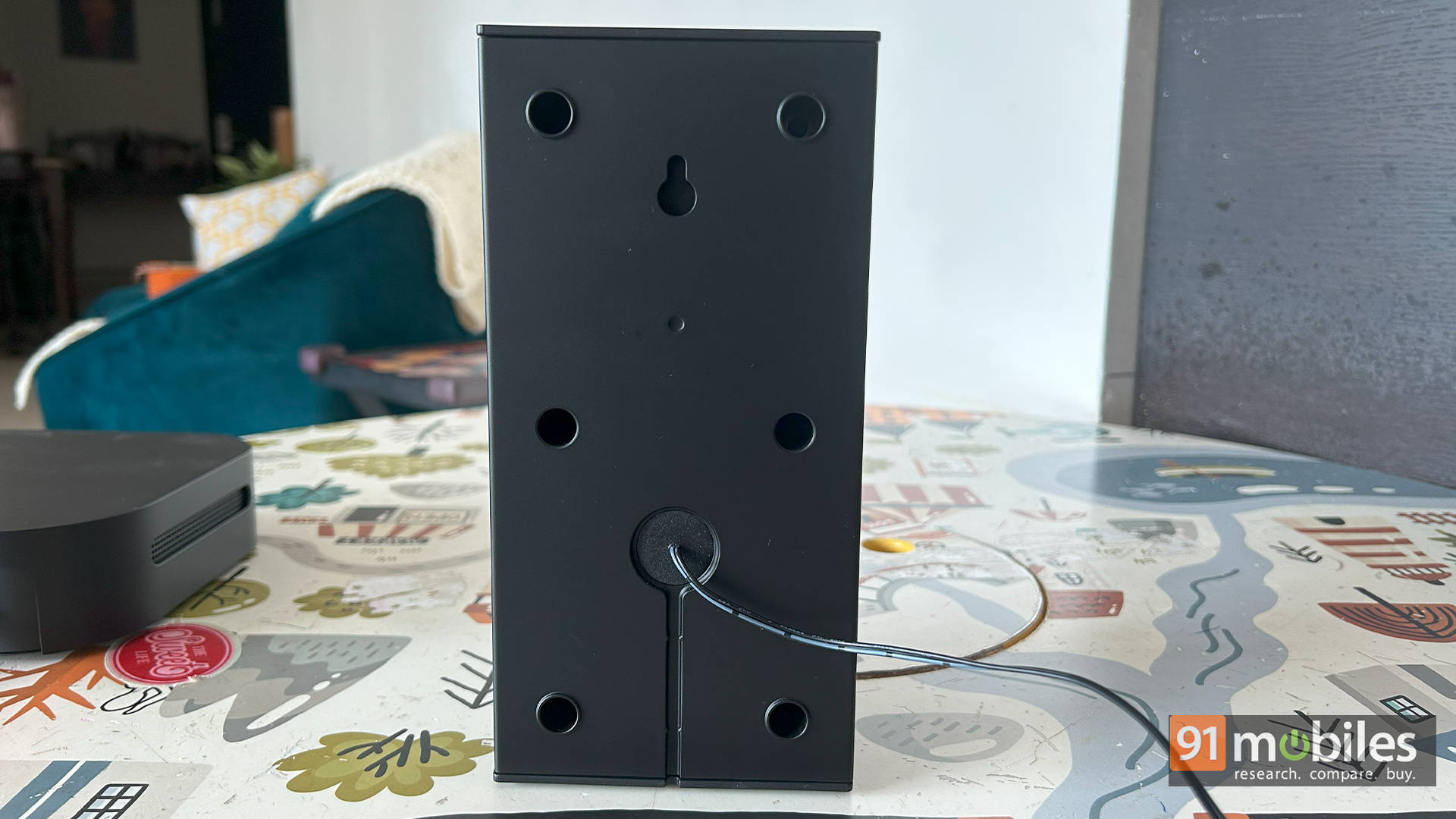
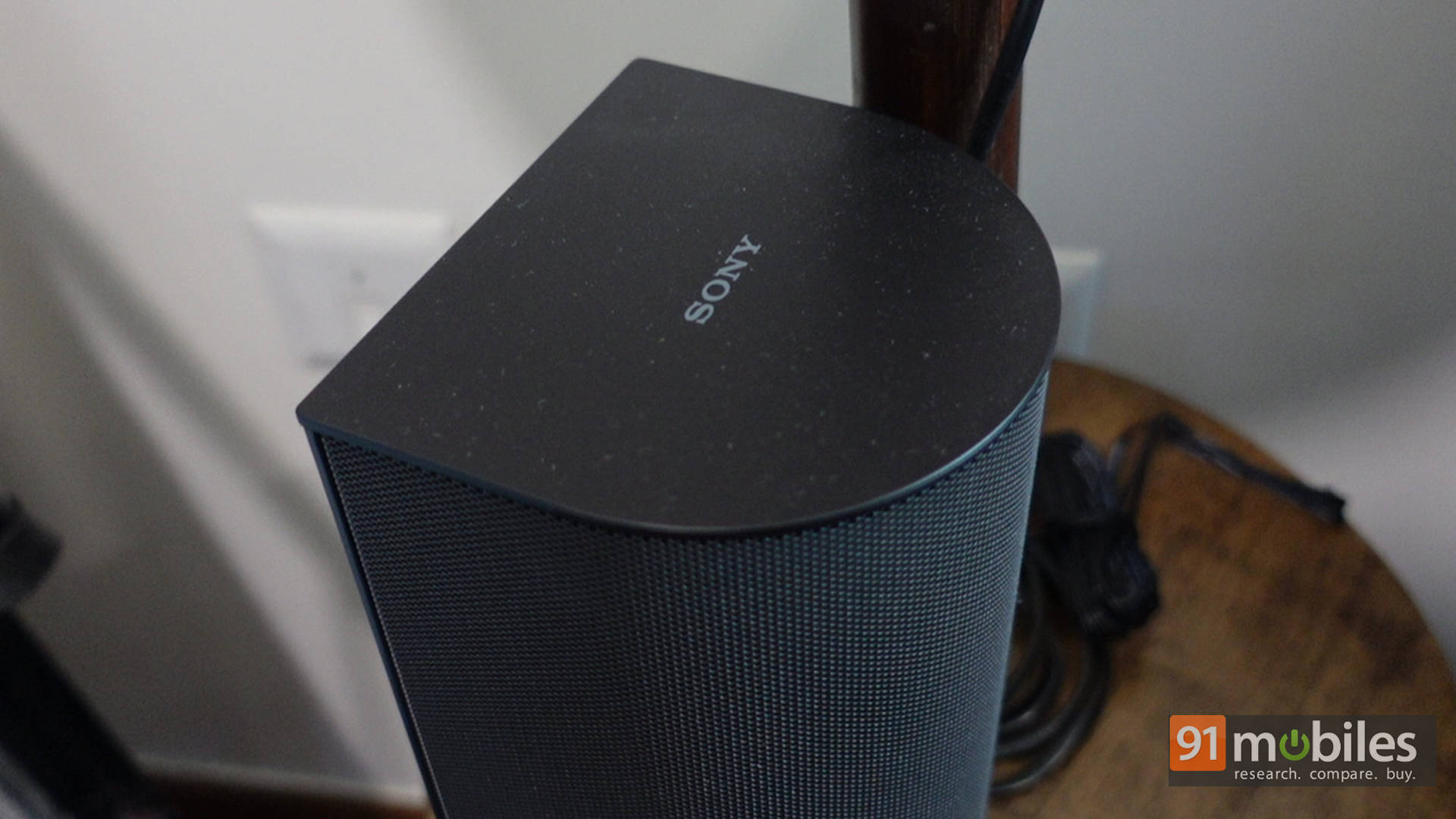
The surround speakers have a flat back, making them easy to wall-mount. You can also place them on dedicated speaker stands if you like. My recommendation would be to place them at ear height, facing your listening position, slightly behind you at a distance of about 3 feet for the best experience. Overall, the design of the soundbar feels premium, and it’s a well-built system. My only gripe is that I wish the inputs were behind the bar instead of the sub, but that’s my personal preference based on how I like to place speakers in my room.
From Box to Boom in Minutes
Setting up the soundbar is super simple. Connect the HDMI cable to the eARC/ARC port of your TV and the back of the subwoofer. Connect the front bar to the sub via the cable. Connect the rear speakers to the wireless receiver, and you are good to go. I would highly recommend downloading the Bravia Connect app to finish setting up the Sony BRAVIA Theatre System 6. Once you download the app, you need to move closer to the subwoofer so the app can identify the system. Once done, you will be guided through a series of onscreen instructions, and tones will play from the respective speaker to ensure it is correctly connected.
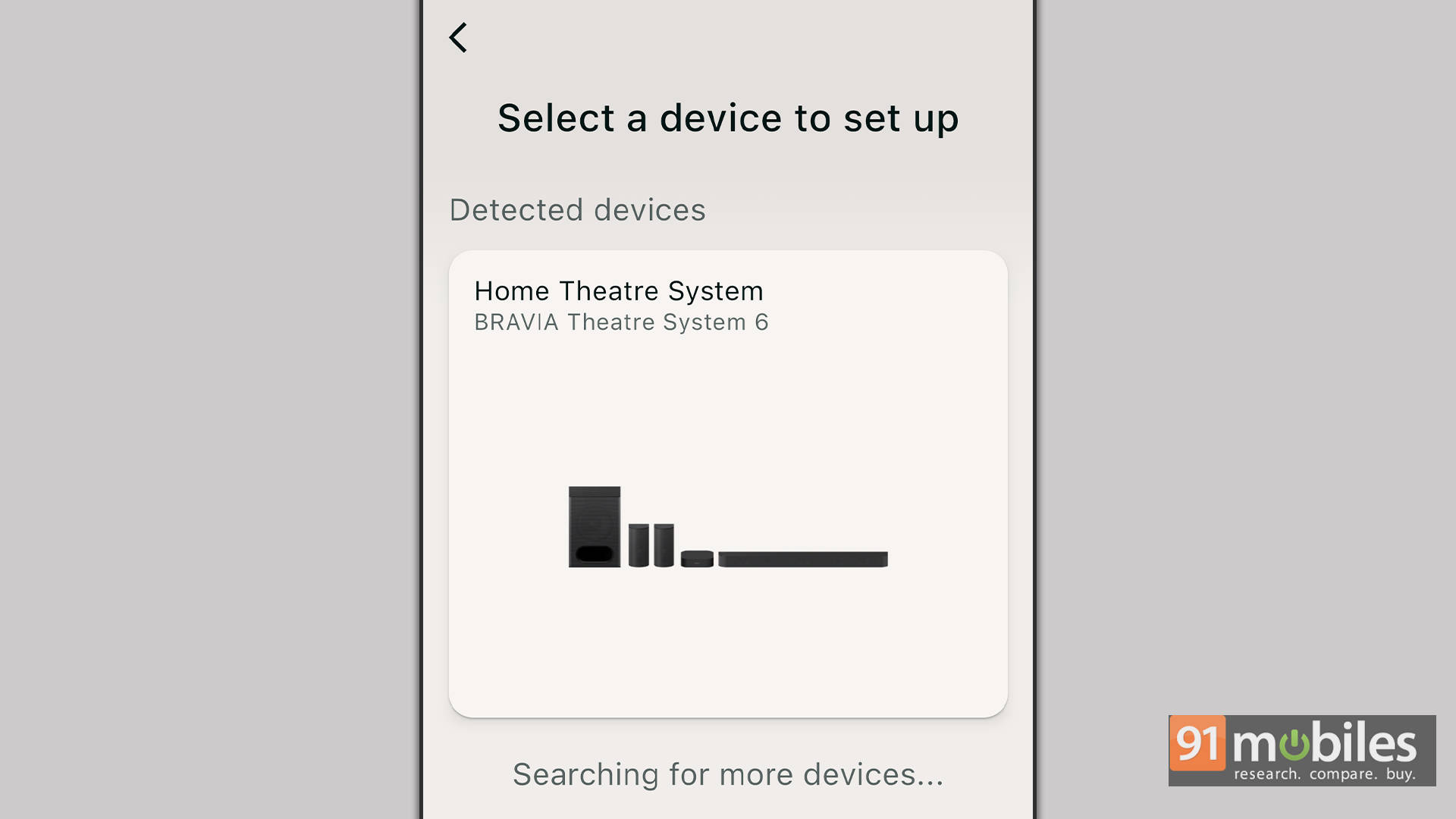
While some high-end bars will play a tune to judge the objects in the room and calibrate the speakers, the Sony BRAVIA Theatre System 6 takes a different approach. It asks you the distance you are from the bar and calibrates the speakers accordingly. It is a simple way of doing things, and I quite like it. It ensures someone like my dad can calibrate the system without resorting to a manual.
Remote Control
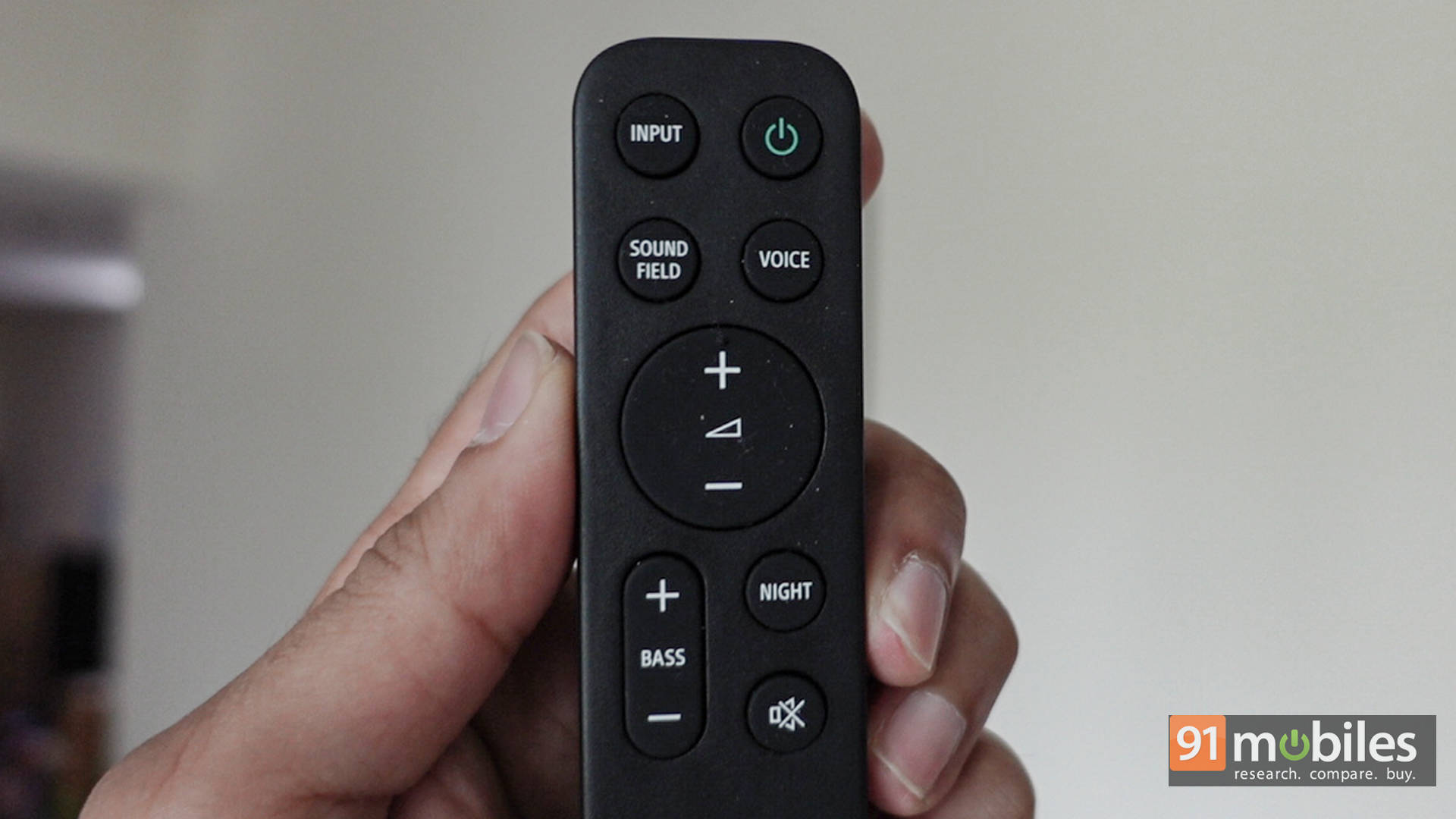
Functional is the best way to describe the remote control. It has the standard set of controls, from changing the input to controlling the volume, a dedicated mute button, bass controls, and Night, Voice, and Sound Field modes. Night reduces the dynamic range of the speakers, so you don’t wake up the house when watching an action movie. Voice enhances the dialogues, and we will touch upon the “Sound Field” settings when we talk about the performance.
When the Room Becomes the Movie
Power-packed is the first thing that will come to mind when you consume content on the soundbar. The sound is clear, vibrant, and though a bit on the bassier side, sounds sublime. Let’s talk about some examples. The race at the 13-minute mark in Ready Player One has cars flying all over the screen, mixed with conversations and coins flying in different directions. This is where the rear speakers shine, kicking in when a car is overtaking or dynamically simulating a crash. Same for the final dogfight in Top Gun: Maverick. The way the sound moves all around you is very immersive.
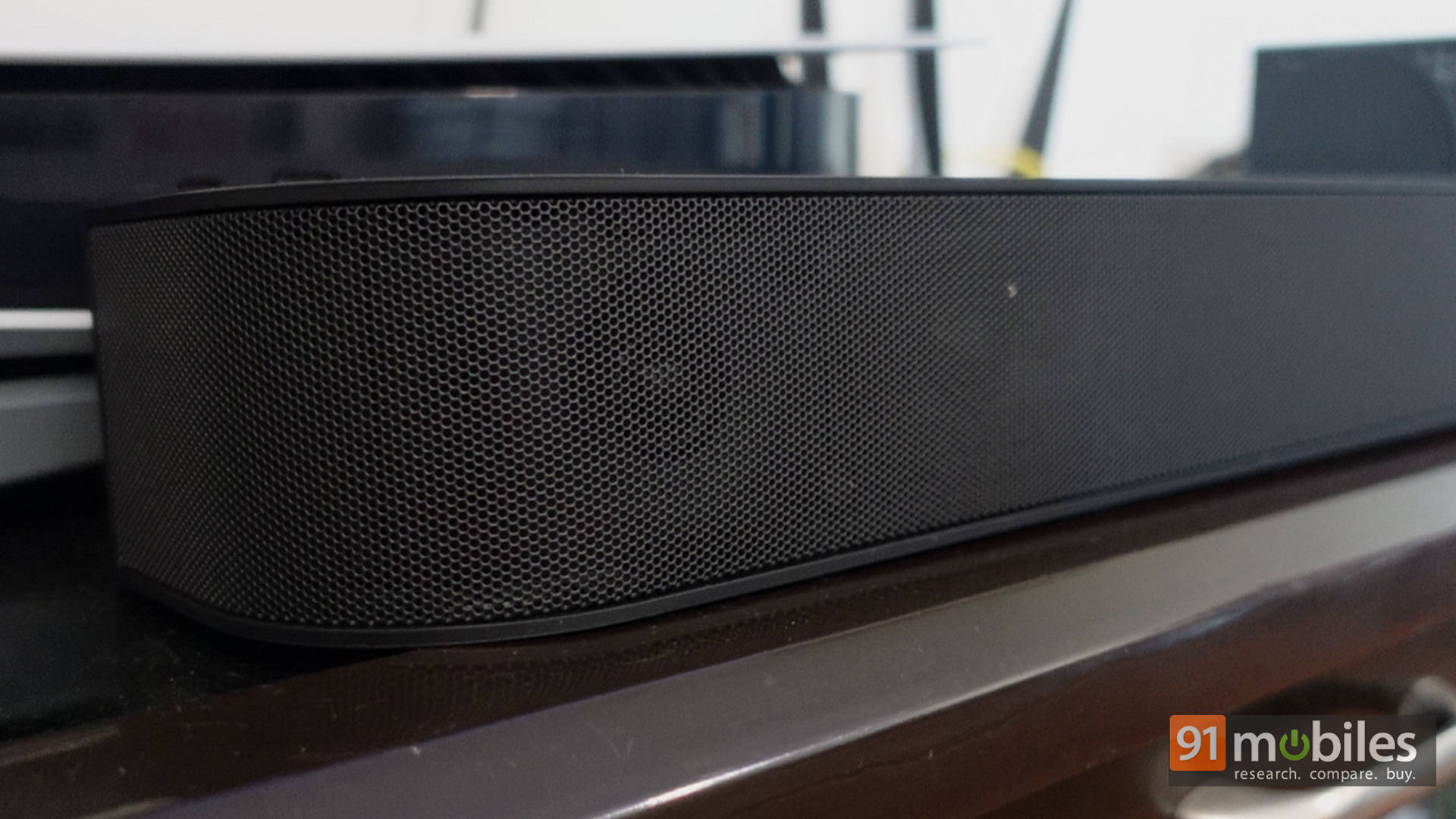
While the soundbar does not have upward-firing drivers, it does fill the room with sound, and the surround speakers compensate enough to give you a 5.1 feeling, which, in my opinion, works a lot better than “virtual surround.” Since the soundbar can get loud and room-filling, I honestly didn’t miss the upward-firing speakers, especially since the surround speakers do such a good job. If you want the surround + height effects, you will have to up your budget considerably and get something like the Samsung Q990D or even the Bravia Theatre 9 + sub + surrounds. So, for 50K, the package on offer sounds very good.
The same can be said for music and gaming. For gaming, I hooked up my PS5 and played games like Spider-Man 2, Dead Space, Death Stranding 2, and more, and they all sounded fantastic. In a horror game like Dead Space, you have the sounds of the environment and enemies coming from the rear speakers, and those can give you some jump scares. In Spider-Man, when gliding through the city, the rear speakers help give an immersive experience by adding to the wind sound.
Moving over to the Xbox side of things, I played Doom: The Dark Ages and Gears 5. In Doom, the rock music kicks in from all the speakers, and when there are demons behind you, you can hear their grunts from the respective surround speakers, adding to the immersion. Same for Gears 5, where the heat of the battle and the sound of the guns can be felt all around you.
I used the Sony BRAVIA Theatre System 6 with the Sony X90L TV, and the output was very good. The TV immediately recognised the soundbar when connected to the eARC and worked seamlessly with the TV’s remote, ensuring I only use the TV remote to control the volume. I did go back and report to the app to tinker with the other settings. If you don’t have a Sony TV, the soundbar should work seamlessly, provided you have a TV that supports ARC/eARC.
Overall, the Sony BRAVIA Theatre System 6 is a great-performing 5.1 home theatre system. While the “height” experience of Dolby Atmos may be lacking, the overall surround experience is immersive thanks to the surround speakers and the wide soundstage presented by Sony’s Sound Field.
Sony’s Secret Surround Sauce: Sound Field
When you play content in Dolby Atmos and check the app, the screenshot below is what you will see. The sound experience in this case is great, giving you a good surround experience.
But if the content is in 2-channel stereo or LPCM (Linear Pulse Code Modulation), then the amplifier will need to upmix the content to give you a surround experience. To get a surround experience, you need to do the following:
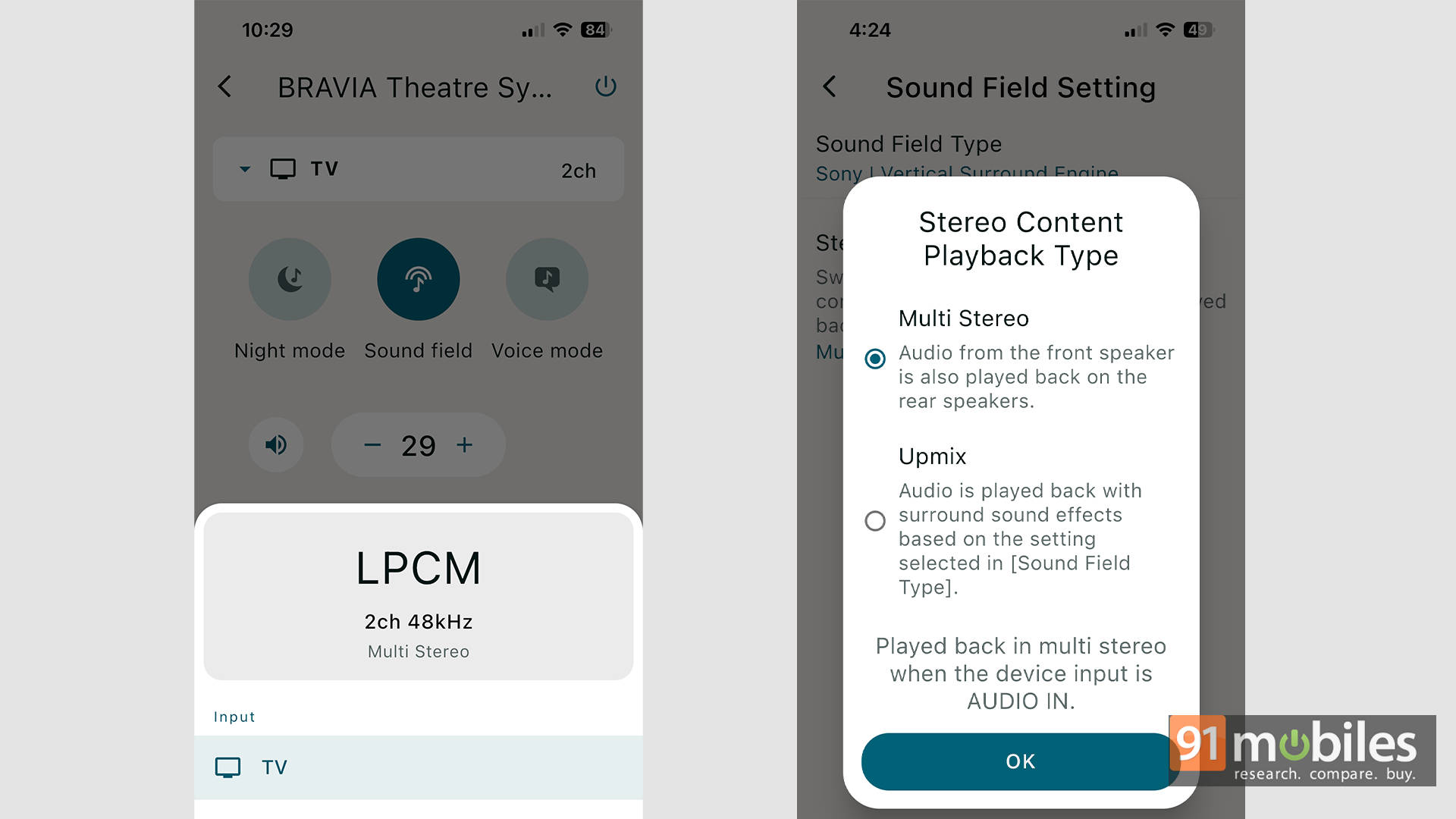
- Enable Sound Field in the app.
- Go to Settings > Sound Settings > Sound Field Settings > Sound Field Type.
- Select Sony Vertical Surround Engine (Dolby and DTS modes are there too, but Sony’s felt best in most cases).
- Under Stereo content playback type, choose Upmix rather than Multi Stereo.
If you choose Multi Stereo, then all the sound coming from the front speakers will be reflected in the surround speakers. I found that this does not have a great effect, as hearing dialogues from the back when the speaker is in front just sounds like an echo, and instead of giving you a surround experience, it makes it sound like all the speakers are playing the same content, giving a slightly muddled experience. Upmix, on the other hand, works at making 2.1-channel content play in 5.1, giving you surround effects only when needed. While this isn’t as good as native 5.1 or Dolby Atmos, it does a commendable job of ensuring you get a good surround experience from traditional 2.1 content, and that is a great achievement, especially if you watch old action movies mastered in 2-channel stereo.
Verdict: The 50K Sweet Spot for Real Surround?
Currently priced at ₹49,990, the Sony BRAVIA Theatre System 6 is a very good option for those looking for a home theatre setup where the surround speakers are important and you want a good surround sound experience rather than a “virtual surround” experience. The system packs quite the punch, with good, clear audio (albeit slightly on the bassier side) that can get loud and offers a very immersive experience for music, movies, and gaming alike. The app makes it easy to control the soundbar’s settings, and the “Upmix” is a fantastic way to experience surround sound from traditional 2.1 or 2.0 content.
While the cable management for the rear speakers may be a hassle for some, I wish the connectivity options were at the back of the bar rather than the sub. But that’s just me nitpicking on an otherwise great package. If you don’t mind looking at a slightly older system, the Sony HT-S2000 with SA-SW3 wireless subwoofer and SA-RS3S rear speakers is selling for about 60K on Amazon.
Editor’s Rating: 8.5 / 10
Pros:
- Fantastic, clear, and immersive sound with great surround performance
- “Upmix” feature enhances traditional 2.1 or 2.0 content
- Premium build quality with easy setup and intuitive app controls
- Functional remote
Cons:
- Sound is slightly on the bassier side
- All connectivity options are in the subwoofer
- No HDMI Passthrough