


Modern gaming is a storage nightmare. Downloading a massive game today feels like navigating through Mumbai traffic; it’s slow, it’s painful, and something is definitely going to crash. Which is why a game drive like the WD P10 makes some sense. It sort of helps you archive the games you’re currently bored with but want to finish at some other time. Recently, the new Saros game caught my attention, but I still haven’t completed Death Stranding 2 yet. So instead of deleting Death Stranding 2, I can simply move it to the WD Black P10.
Also, Airtel and Jio are exploring ways to slice 5G internet speeds to top-paying postpaid customers. This may or may not artificially gatekeep higher network speeds on the same band for top-paying customers. So you have all the more reasons to archive your older games to save the precious data cap and avoid slow speeds.
So, does this chunky piece of portable storage actually solve your storage woes, or is it just a glorified paperweight? Good question.
Table of Contents
Built Like a Tank, Chilled Like a Cucumber
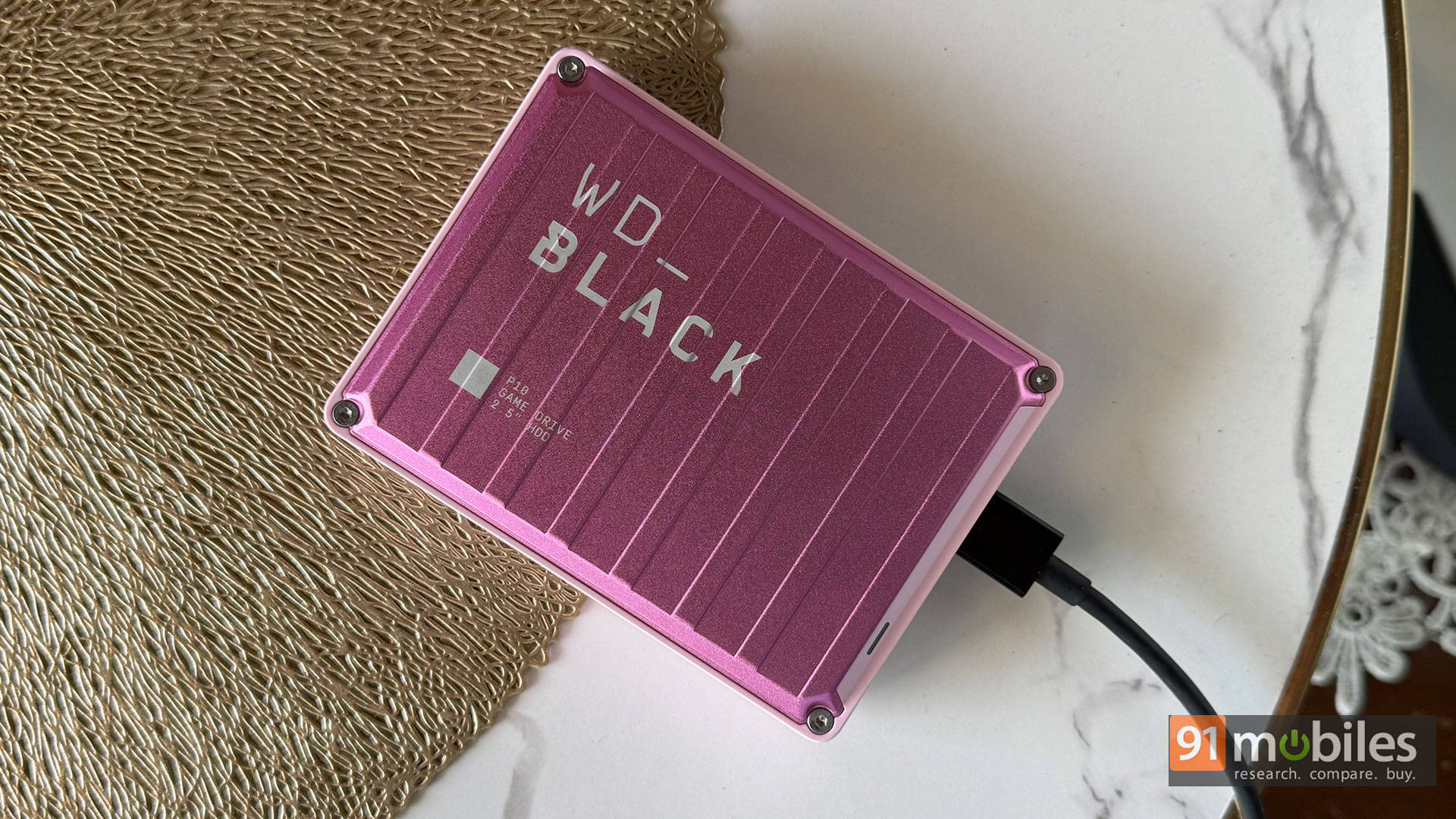
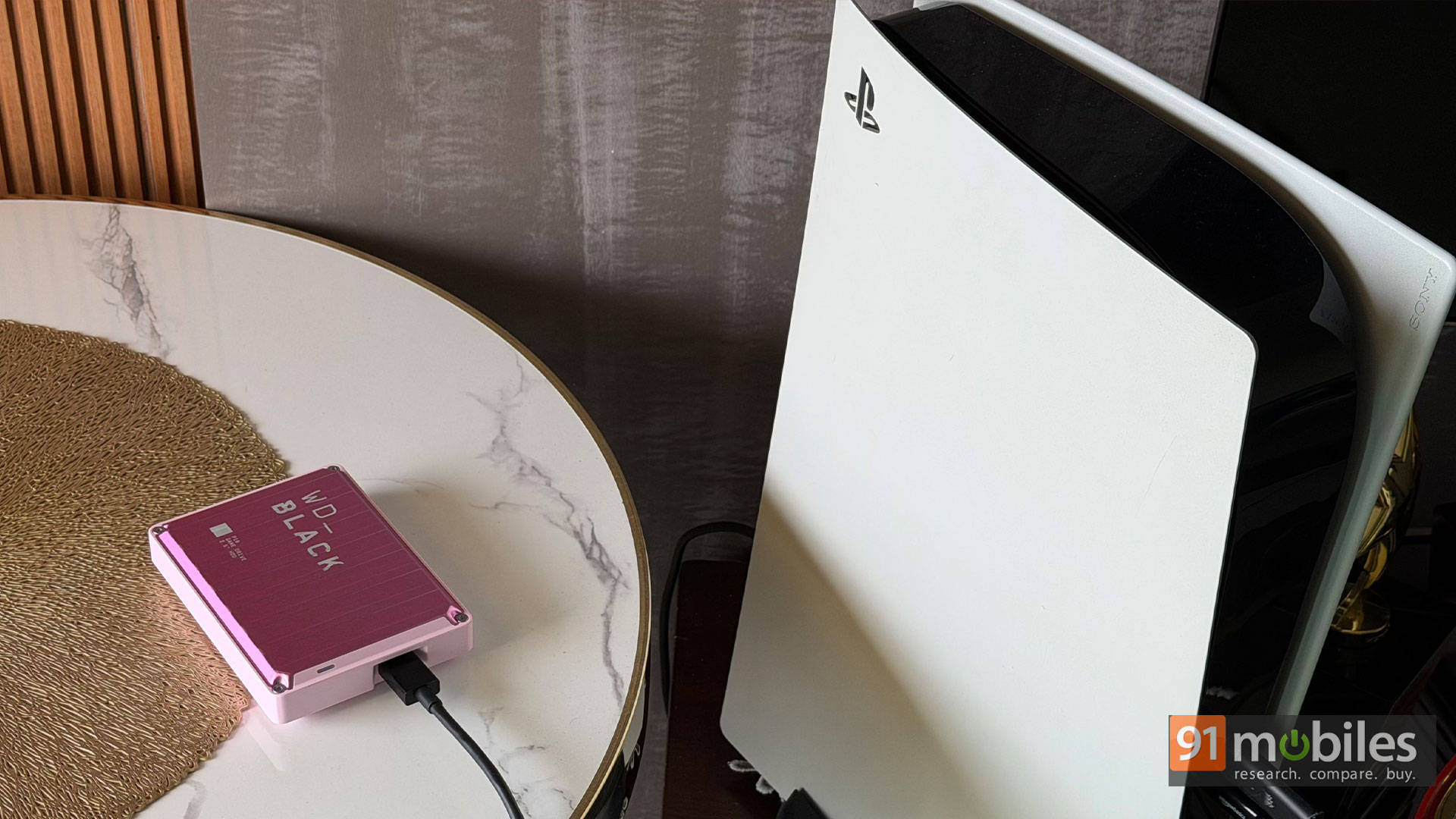
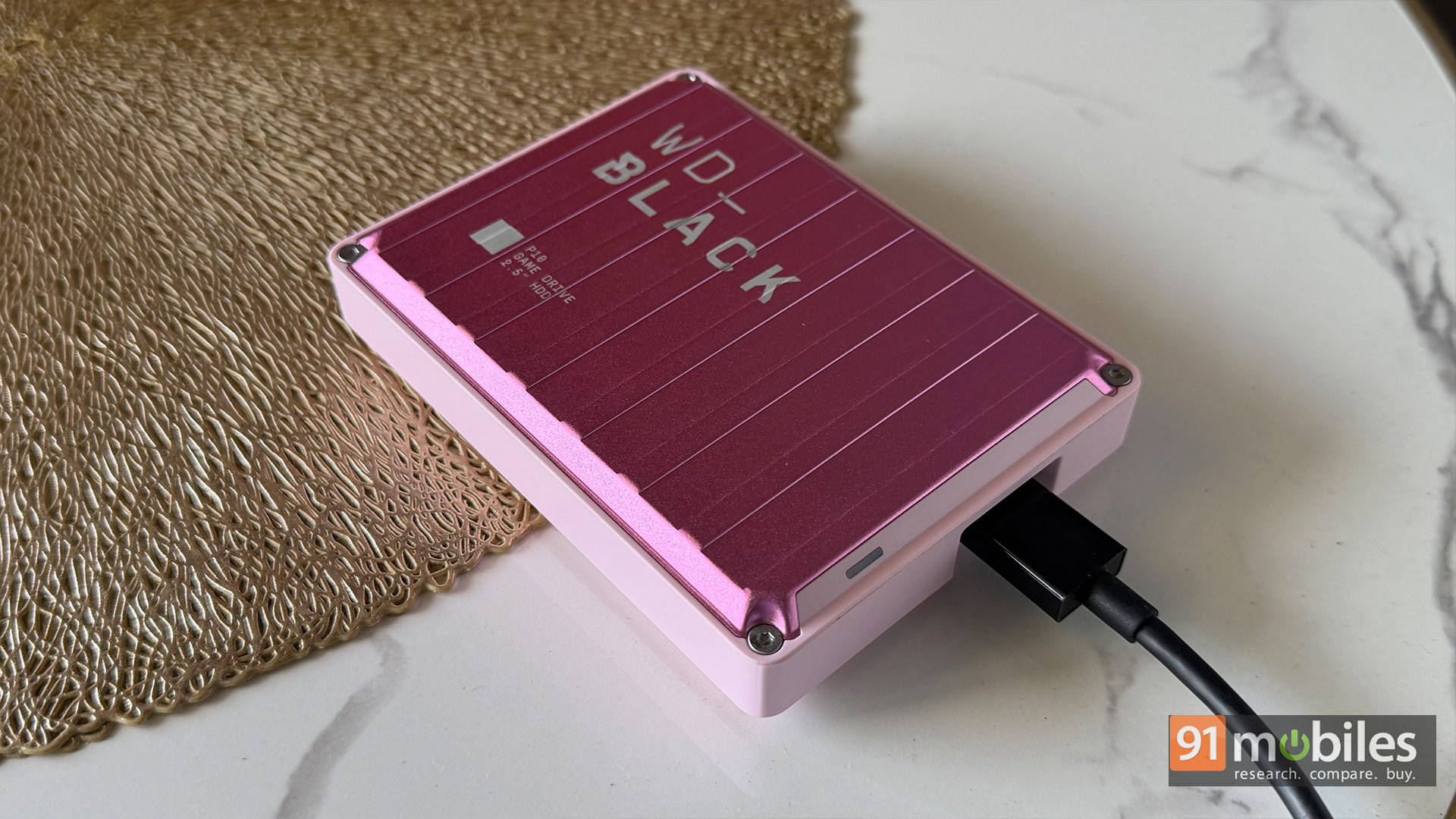
Look at this absolute unit. I’m currently rocking the 6TB variant in pink because why settle for boring black when you can stash your games in a massive, Barbie-coloured digital godown? It’s got this corrugated metal chassis that looks like it was ripped straight off a shipping container, but painted for a pop concert.
That shell isn’t just for show, mate. It acts as a passive heatsink. So the P10 stays remarkably cool under pressure. Plus, those little rubber feet on the bottom? Bloody brilliant for keeping vibrations in check.
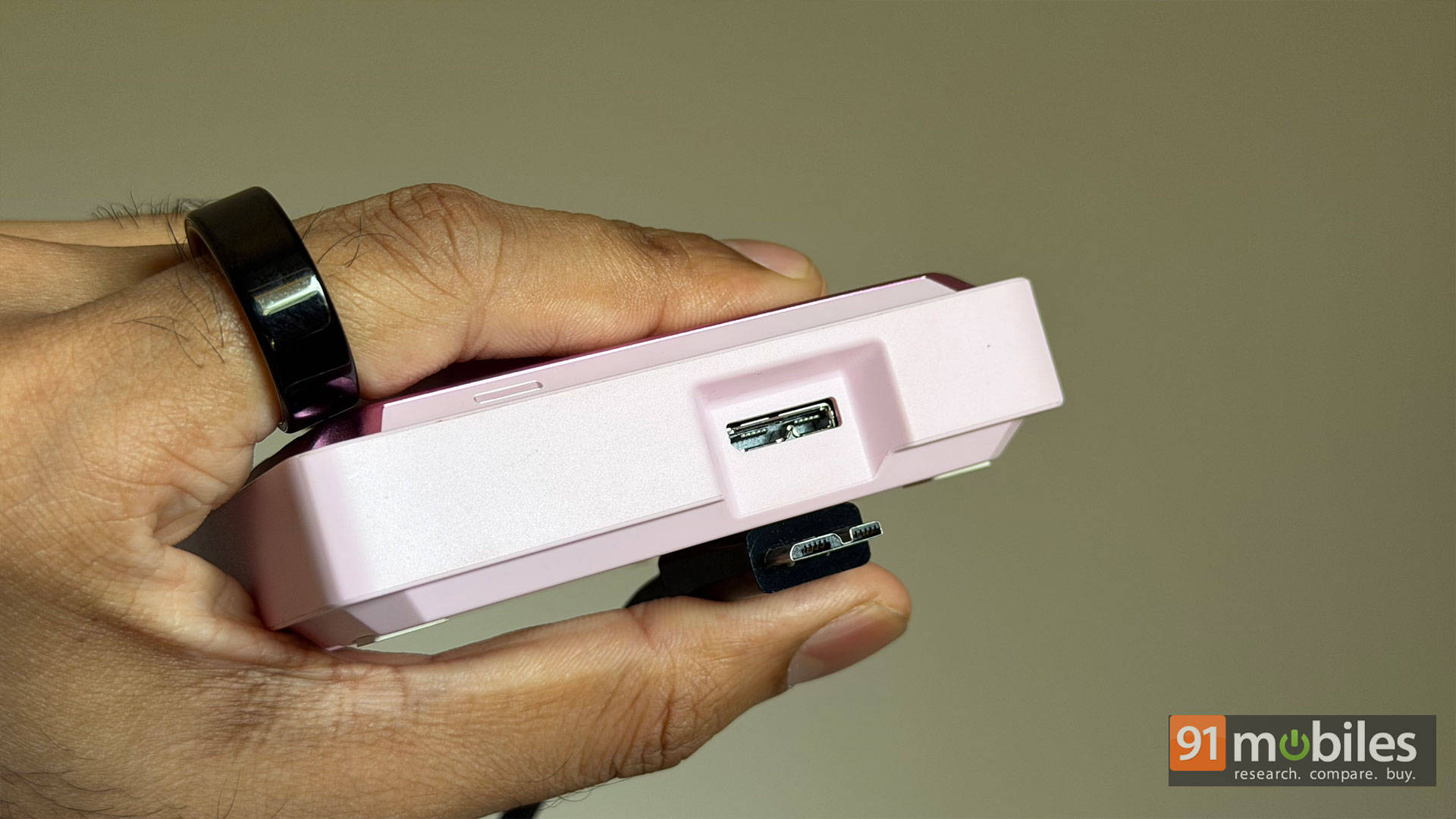
In a world where USB-C is basically oxygen, WD decided to slap a Micro-B connector on this thing, paired with a USB Type-A to Micro-B cable in the box. Trying to find a spare Micro-B cable in 2026 is like trying to convince EA to exclude microtransactions. It’s a proper faff and an incredibly jarring misstep that makes the drive feel instantly dated.
The drive weighs 0.25 kg and is 4.65 inches in length and 3.46 inches in width. It’s not too big nor too small, but make sure there’s proper space and ventilation around the console when connecting this thing.
Performance and Peace of Mind
What about the speeds? Well, it runs on a USB 3.2 Gen 1 interface, and if you’re expecting the buttery smooth, jaw-dropping speeds of an NVMe SSD, you’re laughing. It strictly tops out at up to 130MB/s. I fired up CrystalDiskMark to see what this thing can actually do, and the numbers are exactly what you’d expect from a mechanical drive. It topped out with sequential reads of 113.84 MB/s and sequential writes of 108.76 MB/s.
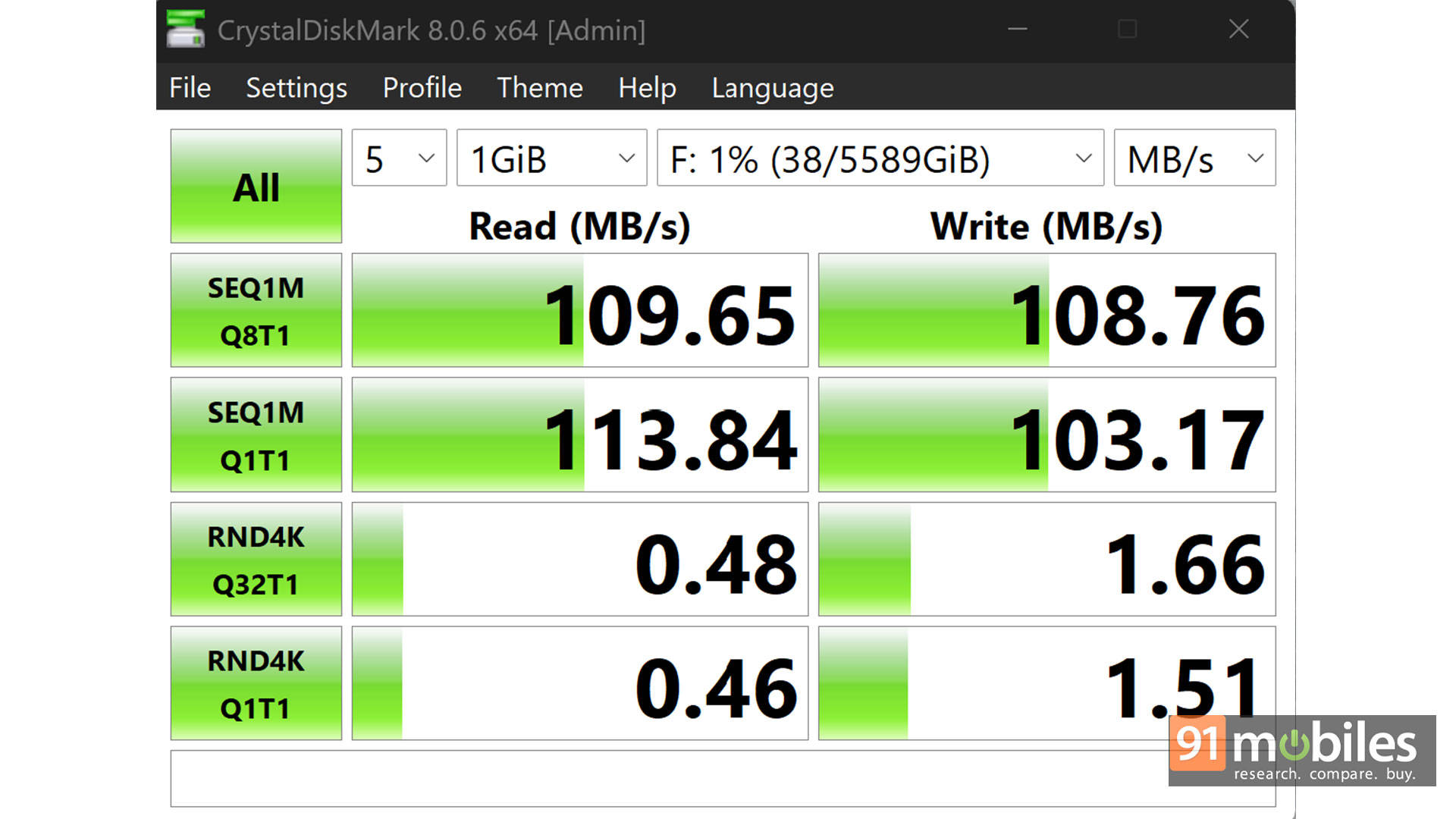
So it’s a wee-bit shy of the advertised “up to 130MB/s”, but not entirely abysmal. However, looking at those random 4K speeds at 0.48 MB/s for reads and 1.66 MB/s for writes, you absolutely do not want to use this as a scratch disk for heavy daily editing.
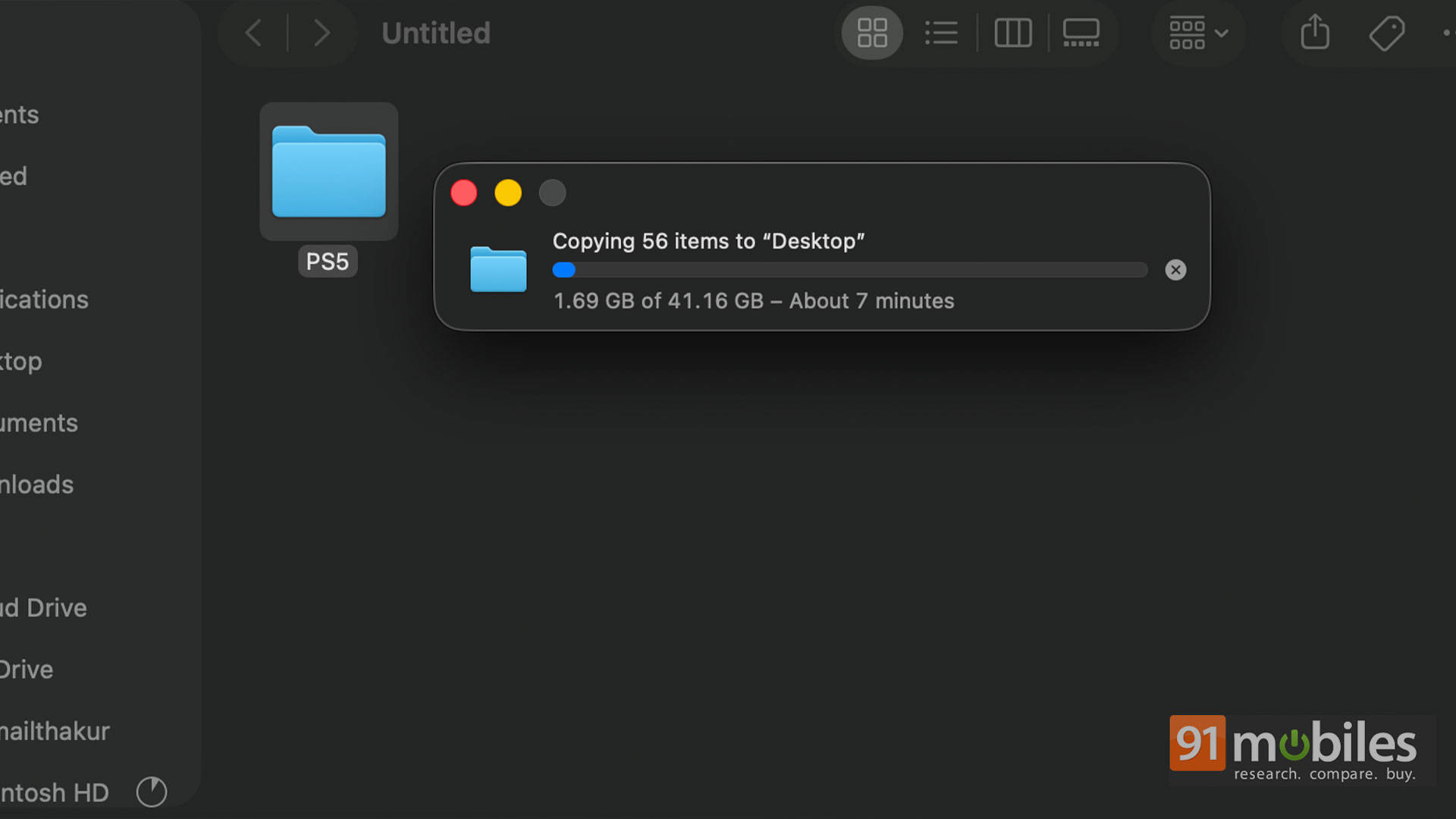
Just to give you a real-world picture, I saved around 41GB of gameplay footage from the PS5 to the drive, and it took around 7 minutes to copy the data from the HDD to a MacBook Pro. It’s not going to win any land speed records, but it handles the heavy lifting without a fuss.
So, what is it actually for?
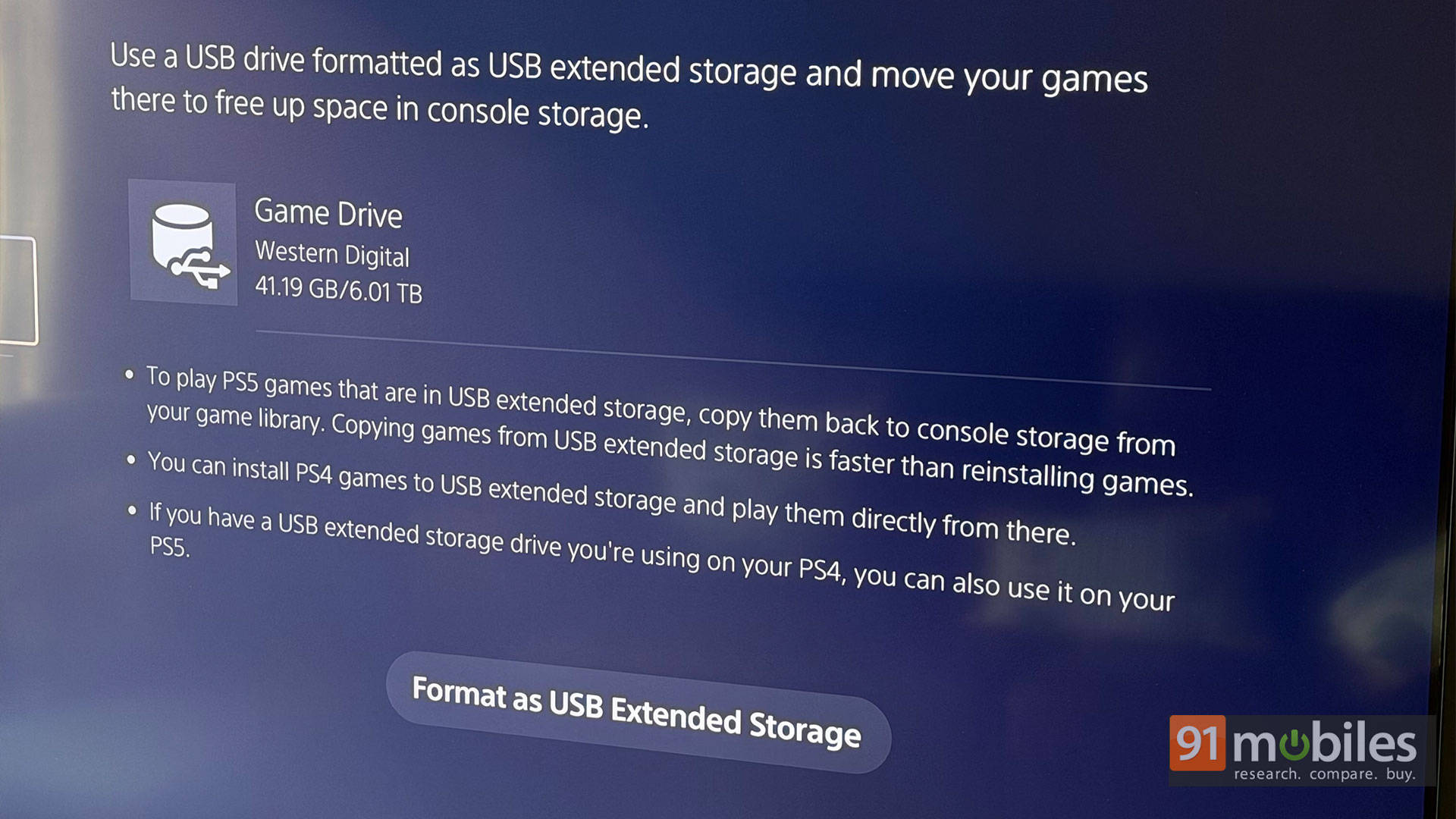
It’s your cold storage vault. You can’t play next-gen PS5 or Xbox Series X or S games directly off it because you need lightning-fast SSD speeds for that. But you can perfectly offload your massive game files here so you don’t have to redownload them over a flaky broadband connection. And for your older PS4 or Xbox One titles? You can play them straight off the drive.
To sweeten the deal, WD gives up with a 3-year limited warranty and the confidence to hoard your games without a wee bit of anxiety.
What’s the Catch
Once you format the drive as a USB extended storage, you cannot move your saved files from the console to the drive, and you cannot use the drive for saving screenshots and other files from your console. Additionally, you cannot use external USB hubs to connect the drive. It has to be directly plugged into the console.
The drive only functions as an extended storage unit and will only back up game install files on it. In case you want to use it for moving screenshots and gameplay footage, you will have to reformat it in ex-FAT or FAT32, which will erase all your backup game installs.
So far in India, only WD and Seagate make PS5 and Xbox-specific backup drives, so you don’t really have to read the fine print to plug-and-play. The Seagate Game Drive for PS5 2TB is going for Rs. 12,979 on Amazon India at the time of writing. Do note that all storage devices reserve some space for their own use, so you’re looking at 5.45GB of usage storage on this WD P10 6TB drive.
Verdict
Why buy a portable HDD today? Because buying a 6TB SSD will leave your bank account utterly battered. You can pretty much buy any external HDD and turn it into a backup storage unit for your console games, but the minimum cutoff is 5 Gbps speed with USB 3.0 or higher. However, it’s still not a guarantee that the drive will work as a USB extended storage.
The P10 gives you massive, reliable storage for a fraction of the cost. It used to sell for Rs. 14,499 back when AI servers weren’t hogging all the resources, but now you can purchase the 5TB variant for Rs. 23,300, and our 6TB variant is going for a wallet-crushing Rs. 48,974. HDD prices are weird, thanks to AI! If you can look past that jarring Micro-B cable, this pink badass of a backup drive gets the job done properly.
Editor’s rating: 7.8 / 10
Pros
- Massive 6TB capacity for game hoarding
- Stays remarkably cool under pressure
- Rugged, container-chic metal design
- 3-year limited warranty
Cons
- The archaic Micro-B port is a proper faff