Building a PC in 2026 isn’t exactly easy. Prices are weird. RAM costs more than it should. SSDs aren’t the bargains they used to be. GPUs still swing wildly depending on stock and brand variants. Honestly, this isn’t the “perfect” time to build a PC.
But here’s the thing: life doesn’t pause for perfect pricing. Sometimes you need a machine. Maybe it’s for work, or your old system gave up, or maybe you just want to finally game properly without turning every setting down to Low. Or maybe you just want something modern that won’t feel outdated in two years.
So instead of chasing theoretical “best deals,” we’ve put together two smart, practical PC builds under Rs. 1.25 lakh that focus on real-world performance and sensible spending. One build squeezes out maximum gaming FPS today. The other focuses on modern hardware and long-term flexibility. Both approaches make sense, just for different people.
Table of Contents
A quick note before we begin
The parts listed below are meant to act as reference examples, not strict shopping lists. PC component pricing in India fluctuates heavily, and the same product can cost very different amounts depending on the seller, city, or ongoing deals. We’ve selected parts that are widely available and reasonably priced at the time of writing.
That said, you may find a different GPU model, RAM kit, SSD, or PSU from another brand at a better price locally, or simply prefer a brand you trust more. That’s perfectly fine. Feel free to swap in any equivalent component with similar specifications and pricing. These builds focus on performance tiers and budget allocation, not specific logos on the box. If you’re unsure about compatibility or alternatives, just ask.
Build 1: Gaming-First Performance
| Component | Suggested Spec (example or equivalent) | Approx Price |
| CPU | AMD Ryzen 5 5600X | ₹13,500 |
| Cooler | Dual-tower air cooler (DeepCool AK620 or equivalent) | ₹5,000 |
| Motherboard | B550 mATX board (MSI/Gigabyte/ASUS or equivalent) | ₹7,000 |
| RAM | 16GB (8×2) DDR4 3200MHz kit (Corsair/Kingston/ADATA or equivalent) | ₹12,000 |
| SSD | 1TB NVMe SSD (Gen3/Gen4, any reliable brand) | ₹15,000 |
| GPU | RTX 5060 Ti class card (Gigabyte/ASUS/MSI/Zotac or equivalent AIB) | ₹60,000 |
| PSU | 650W 80+ Bronze PSU (Cooler Master/Corsair/Antec/DeepCool or equivalent) | ₹5,000 |
| Case | Airflow mid-tower (DeepCool CG380 or equivalent) | ₹5,000 |
| TOTAL | ₹1,22,500 approx |
This build is designed with one simple philosophy: put most of the money into the GPU. The graphics card has the biggest impact on gaming performance, so prioritising it ensures higher frame rates, smoother gameplay, and the ability to run modern titles at higher settings without constantly tweaking options.
The RTX 5060 Ti-class GPU does the heavy lifting here. That means high settings, smooth frame rates, and fewer compromises. At 1080p, you can expect ultra settings in most games. At 1440p resolution, high settings are very doable. Esports titles will easily push well past 144 FPS.
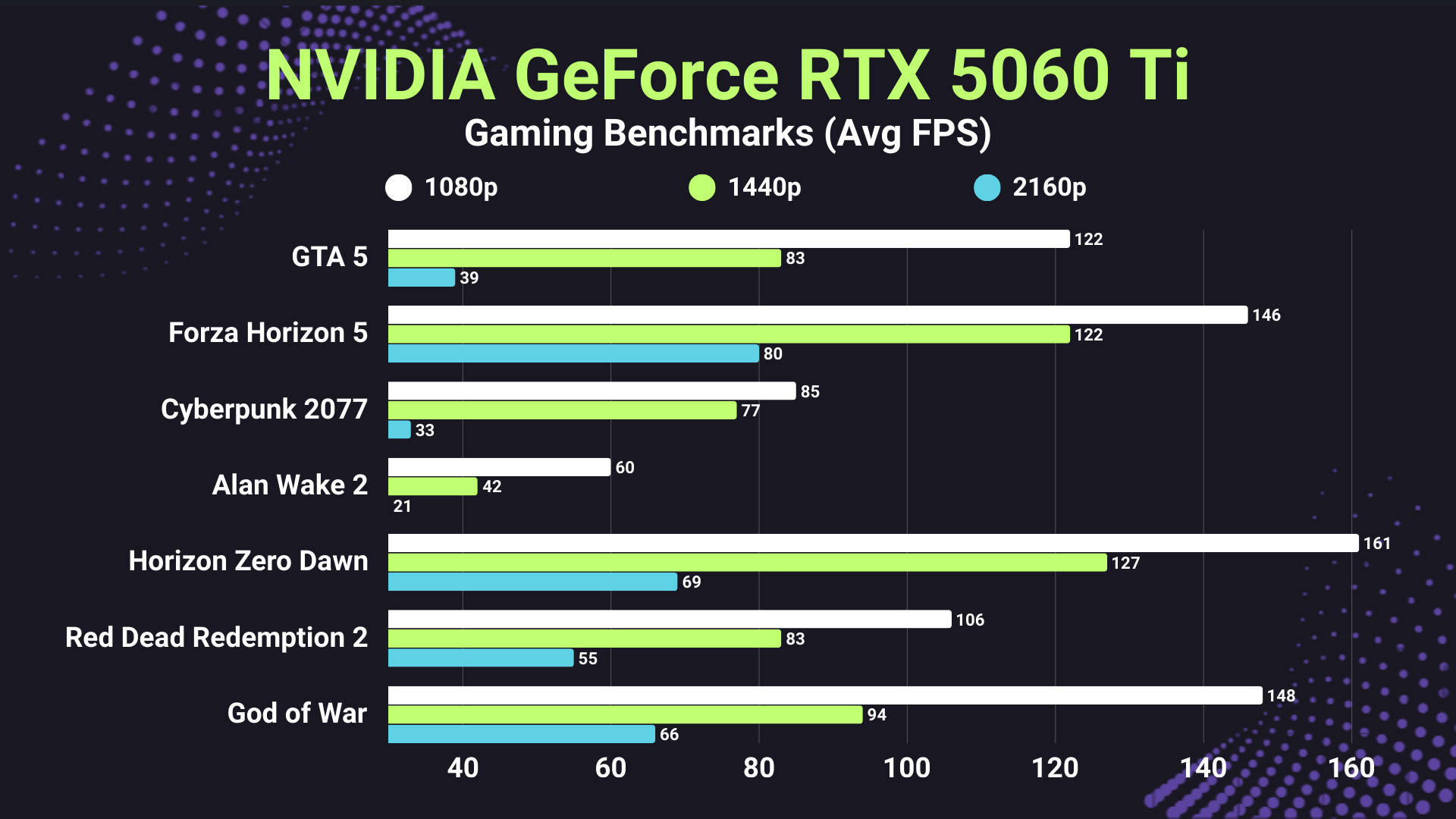
The Ryzen 5 5600X might not be the newest chip anymore, but it's still more than capable for gaming. Once you move beyond 1080p, the GPU becomes the bottleneck anyway, so you're not leaving much performance on the table. The rest of the components are practical and reliable, too. You get good airflow, a stable power supply, and fast storage without unnecessary overspending. In daily use, this system feels quick and responsive. Games load fast, temperatures stay under control, and it just works without drama.
The alternative strategy
If the Ryzen 5 5600X feels a bit old on paper (even though it's still perfectly fine for gaming), you can always move to a newer setup with an AMD Ryzen 5 7600X and a B650M motherboard. However, then you'd also have to upgrade to DDR5 RAM, which adds around Rs. 10-12K to the budget. Purely from a gaming perspective, the performance gains are going to be modest rather than dramatic, with slightly higher FPS in CPU-heavy games and smoother overall responsiveness, making it more about future-proofing than a massive immediate boost.
The downside(s)
That said, this isn't a productivity powerhouse. Six cores are fine for gaming, but heavy video editing, rendering, or multitasking will start to feel limited. The older AM4 platform also means that later upgrades may require replacing the CPU, motherboard, and RAM simultaneously. It's a bit of a dead end long term.
Upgrade path
Suppose your goal is to achieve maximum gaming performance under Rs. 1.25L today, this is the build that delivers the most fun per rupee. The upgrade path is straightforward but limited. You can add more RAM, install a bigger SSD, or swap the GPU later. However, beyond that, a full platform refresh would be needed.
Build 2: Modern Platform & Future-Ready Performance
| Component | Suggested Spec (example or equivalent) | Approx Price |
| CPU | Intel Core Ultra 7 265K | ₹31,000 |
| Cooler | 240mm AIO liquid cooler (MSI/DeepCool/Corsair or equivalent) | ₹6,000 |
| Motherboard | B860 mATX board (Gigabyte/ASUS/MSI or equivalent) | ₹9,000 |
| RAM | 32GB DDR5 5200MHz (single stick or equivalent) | ₹28,000 |
| SSD | 1TB NVMe Gen4 SSD (any reliable brand) | ₹15,000 |
| GPU | RX 7600 class card (ASUS/Gigabyte/MSI/Zotac or equivalent) | ₹25,000 |
| PSU | 750W 80+ Bronze/Gold PSU (Corsair/Cooler Master/Antec/DeepCool or equivalent) | ₹6,000 |
| Case | Airflow mid-tower (DeepCool CG380 or equivalent) | ₹5,000 |
| Total | ₹1,25,000 approx |
This second build takes a more modern, platform-first approach rather than throwing most of the budget at the graphics card. The idea here is to build a stronger foundation that will last longer: a newer CPU architecture, DDR5 memory, and a current-generation motherboard that won't feel outdated anytime soon.
At the centre of it is the Intel Core Ultra 7 265K, which works as a strong all-rounder for both work and play. Paired with a B860 board and DDR5 RAM, the whole setup feels properly "2026-ready," making it more than just a gaming PC. Instead, it's a reliable daily driver.
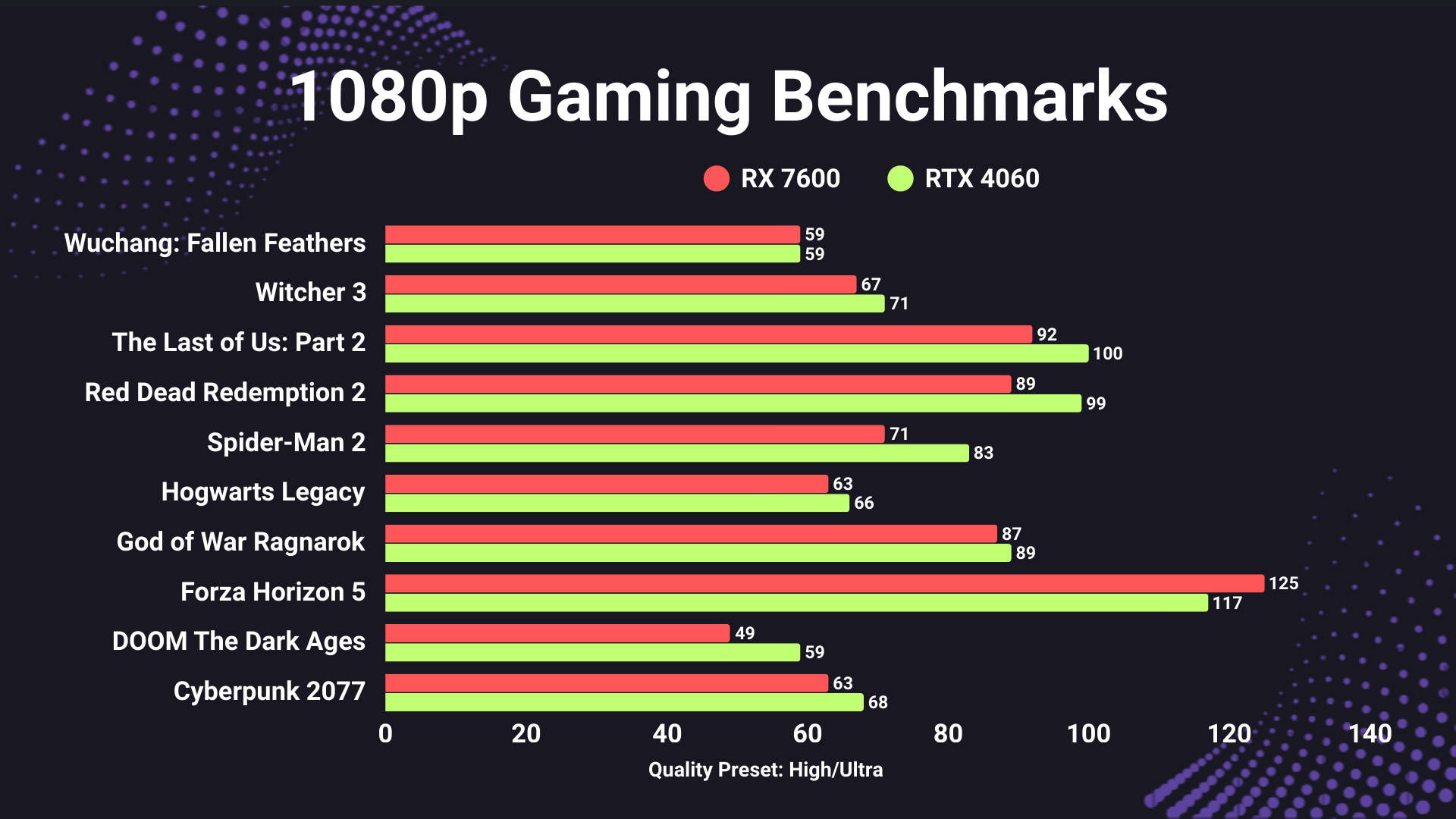
For gaming duties, the AMD RX 7600-class GPU offers excellent value in this price range. It won't chase extreme frame rates like higher-end cards, but for 1080p and even 1440p gaming, it delivers smooth, consistent performance and sits close to RTX 4060-level results while often costing less. The single 32GB DDR5 stick is largely a budget-conscious choice since memory prices are still high, but it gives you plenty of capacity today and the option to add a second stick later for dual-channel performance. Together, this combination keeps costs sensible while leaving room to grow.
The alternative strategy
If you'd rather go with AMD, you can simply swap the CPU and motherboard for a Ryzen 7 7700X and a B650 mATX Wi-Fi board at roughly the same price. Performance between the two setups is very similar in real-world use, but AMD's AM5 platform typically offers longer upgrade support. At this point, it really comes down to personal preference, local deals, and which ecosystem you're more comfortable with, since both options make solid sense in this budget.
The downside(s)
The main compromises with this build come down to raw gaming performance and memory configuration. Since more of the budget goes into the CPU and platform rather than the GPU, it won't push the same high frame rates as a gaming-first setup with a stronger graphics card, especially at higher settings or resolutions. The single-stick DDR5 memory also means slightly lower bandwidth compared to a dual-channel kit, which can shave off a bit of performance in some games. In short, it's built for balance and longevity, not maximum FPS straight out of the box.
Upgrade path
This system is easy to upgrade over time, with the biggest performance gains coming from swapping in a newer, more powerful GPU, since that has the most impact on gaming. Beyond that, adding a second RAM stick for dual-channel memory or installing extra storage are simple, affordable upgrades that extend its lifespan, making the build flexible and future-ready for a PC under Rs. 1.25 lakh.
Complete the Setup
As mentioned earlier, these builds assume you already have a monitor, keyboard, and mouse sorted. But if you're starting fresh or finally retiring that ancient setup, it's worth putting aside a little extra budget for decent peripherals, as they honestly make a bigger difference than most people expect. Here are a few easy, sensible picks you can grab across India to round out your setup, over and above the Rs. 1.25 lakh you're spending on the PC itself.
Keyboards
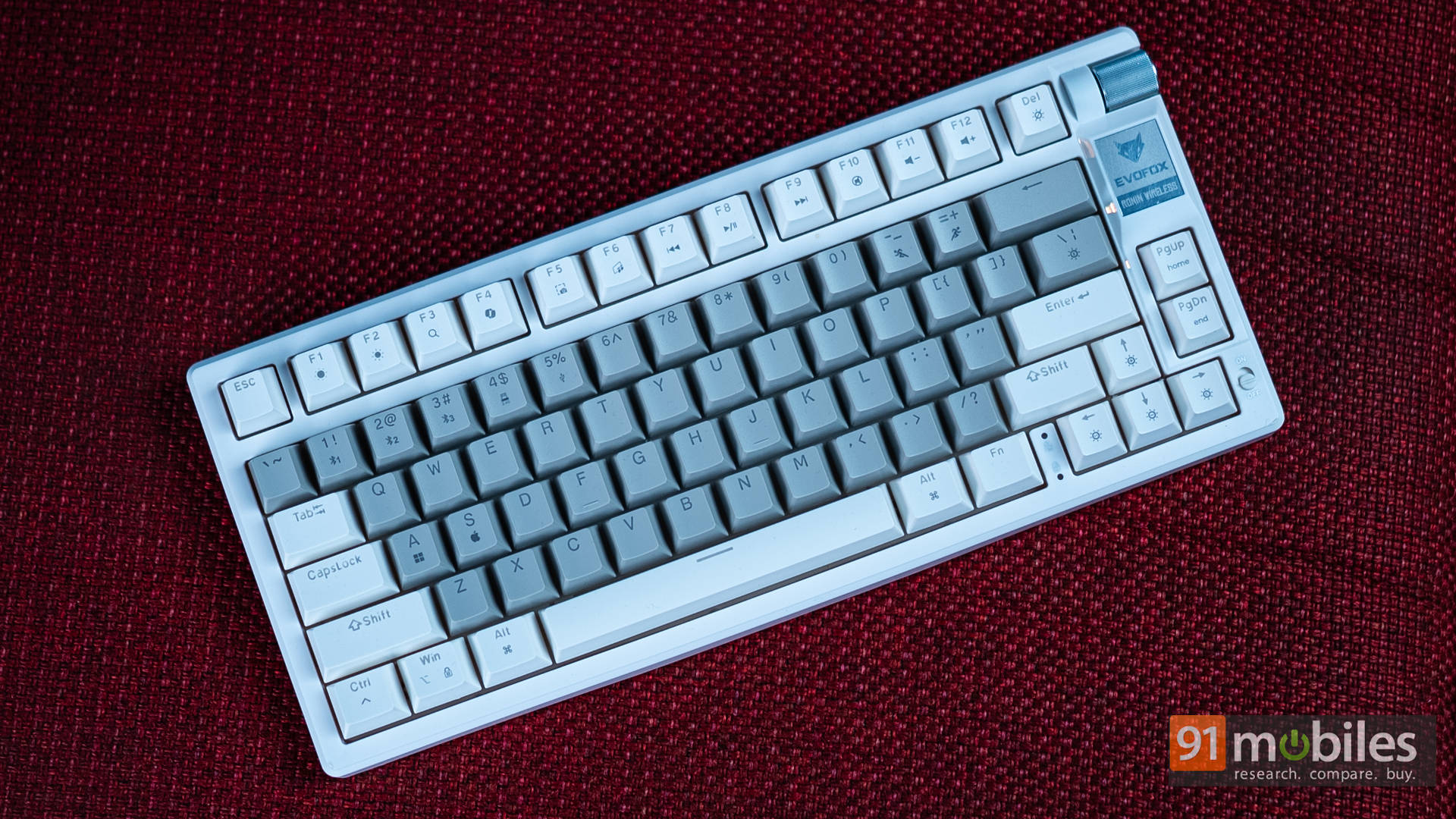
If you prefer a clean, cable-free desk, the EvoFox and Ant Esports wireless options are convenient and budget-friendly, with the latter offering a mechanical feel. The Corsair K55 CORE, on the other hand, is great for gamers who want a reliable wired connection and a trusted brand without spending too much.
Mice
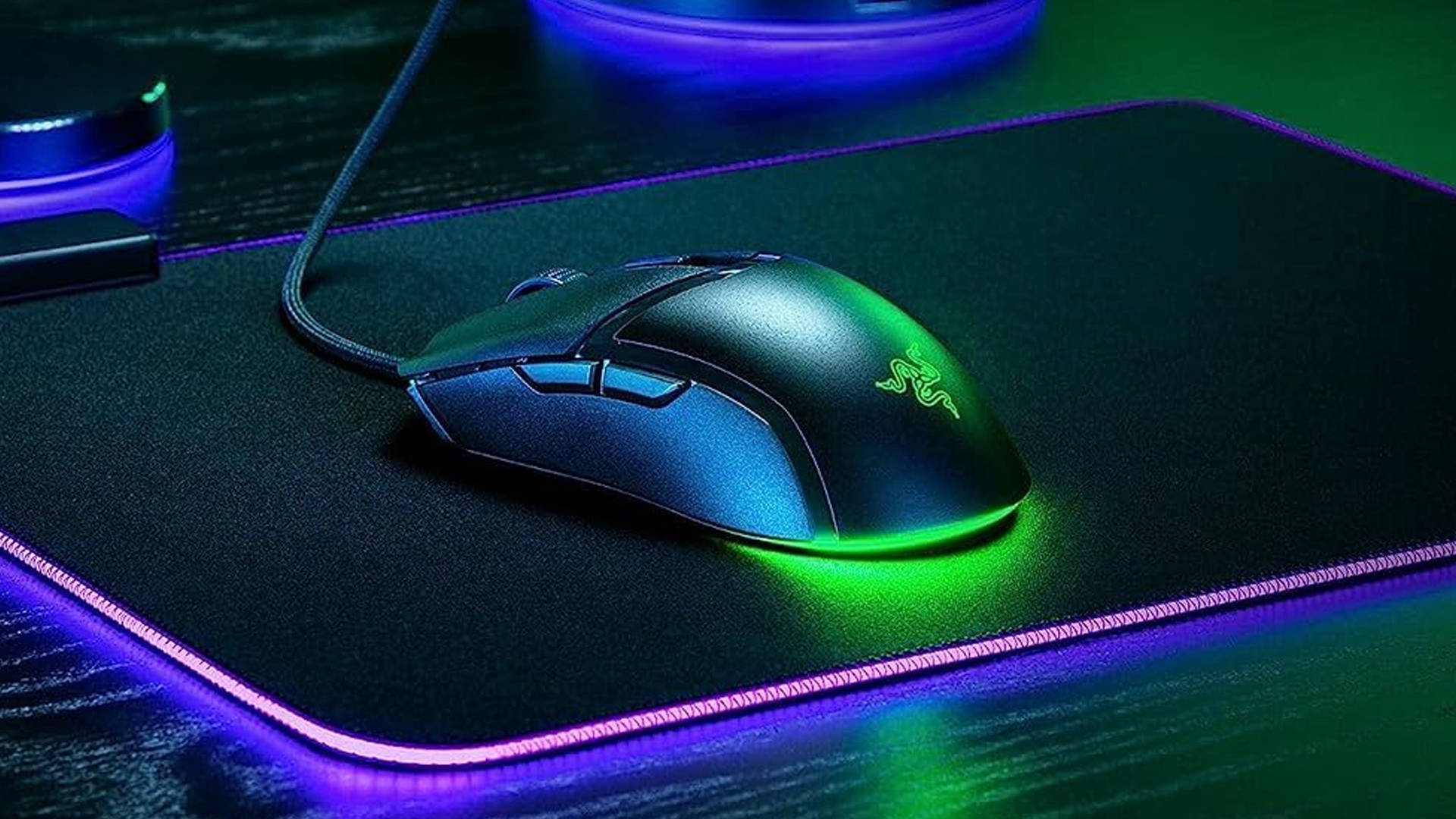
All three are lightweight, responsive options suited for everyday use and gaming. The HyperX and Logitech models give you the freedom of low-latency wireless performance, while the Razer Cobra keeps things simple and reliable with a wired setup, which is ideal if you never want to worry about charging.
Monitors
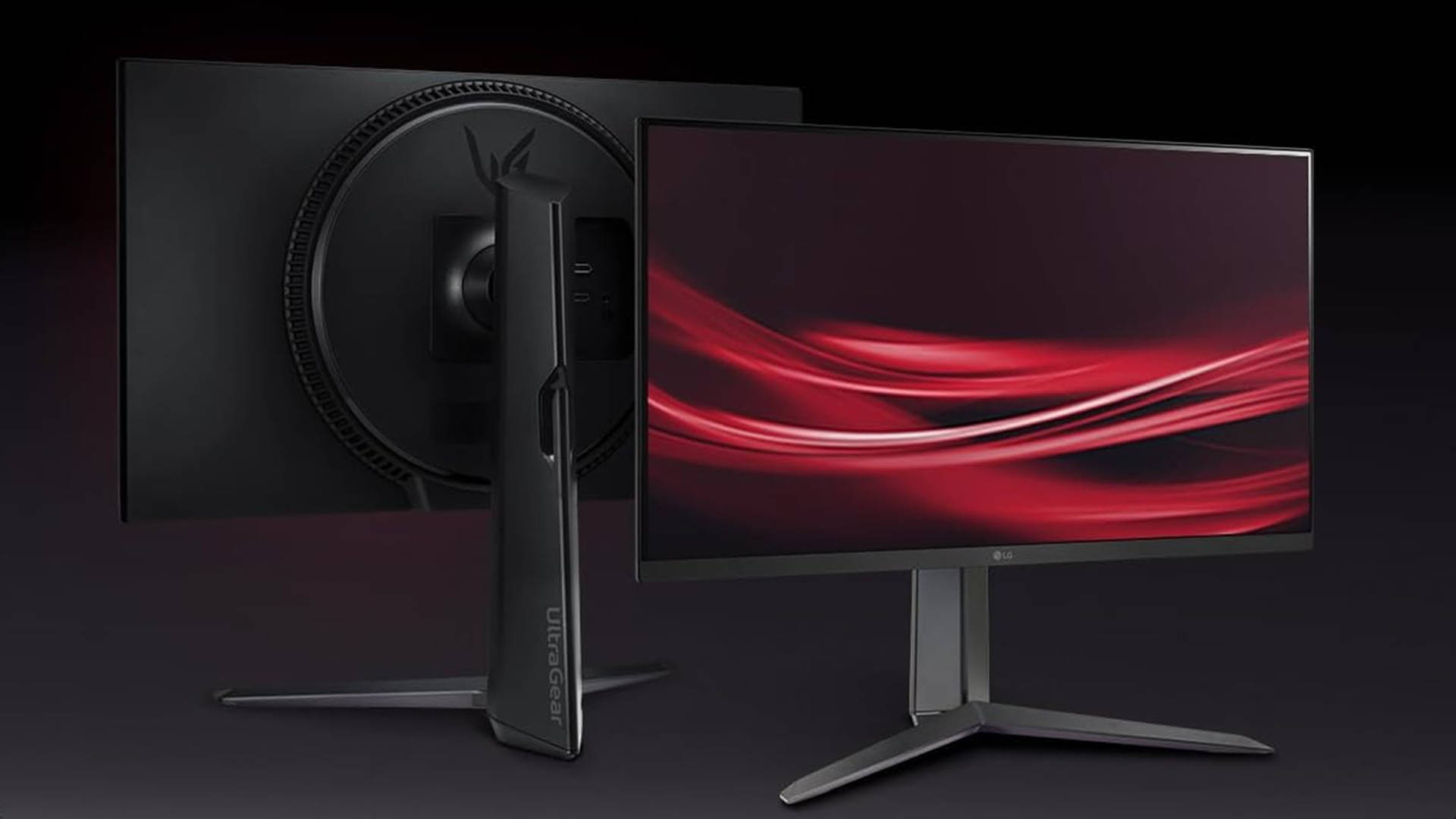
These are solid 1080p high-refresh-rate displays that pair perfectly with the GPUs in our builds. The Acer and LG options lean more toward smooth gaming performance, while the Dell model is a dependable all-rounder for mixed use like work, streaming, and casual play.