Known for delivering refinements and changes constantly through software updates, OPPO has started rolling out the ColorOS June update to several of its devices, such as the Find X9 series, Find X8 series, Reno 15 series, and others. With the ongoing FIFA World Cup, the main highlight of the update revolves around the sports widget, which users can add to their homescreens to keep tabs on live scores of a match. Further, the update brings support to connect two Bluetooth earphones to a single phone for shared listening experiences.
Here’s what the ColorOS 16 June update brings
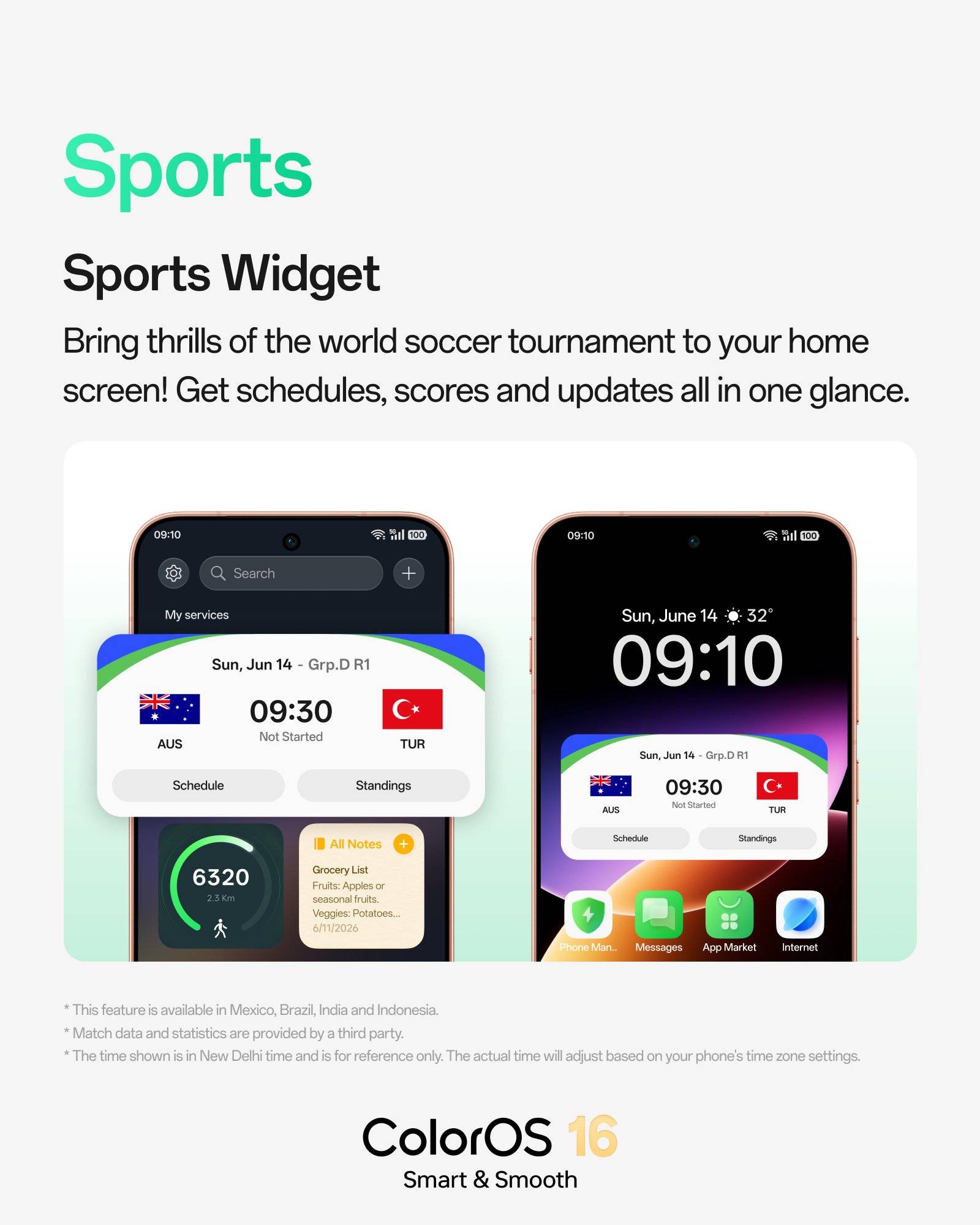
Sports Widget
The Sports Widget lets football fans track FIFA World Cup 2026 matches straight from the home screen or Shelf, displaying match schedules, live scores, and real-time updates. With AI-powered suggestions, relevant match info can automatically appear on the home screen about 30 minutes before kickoff on game days, reducing the need to constantly open dedicated apps.
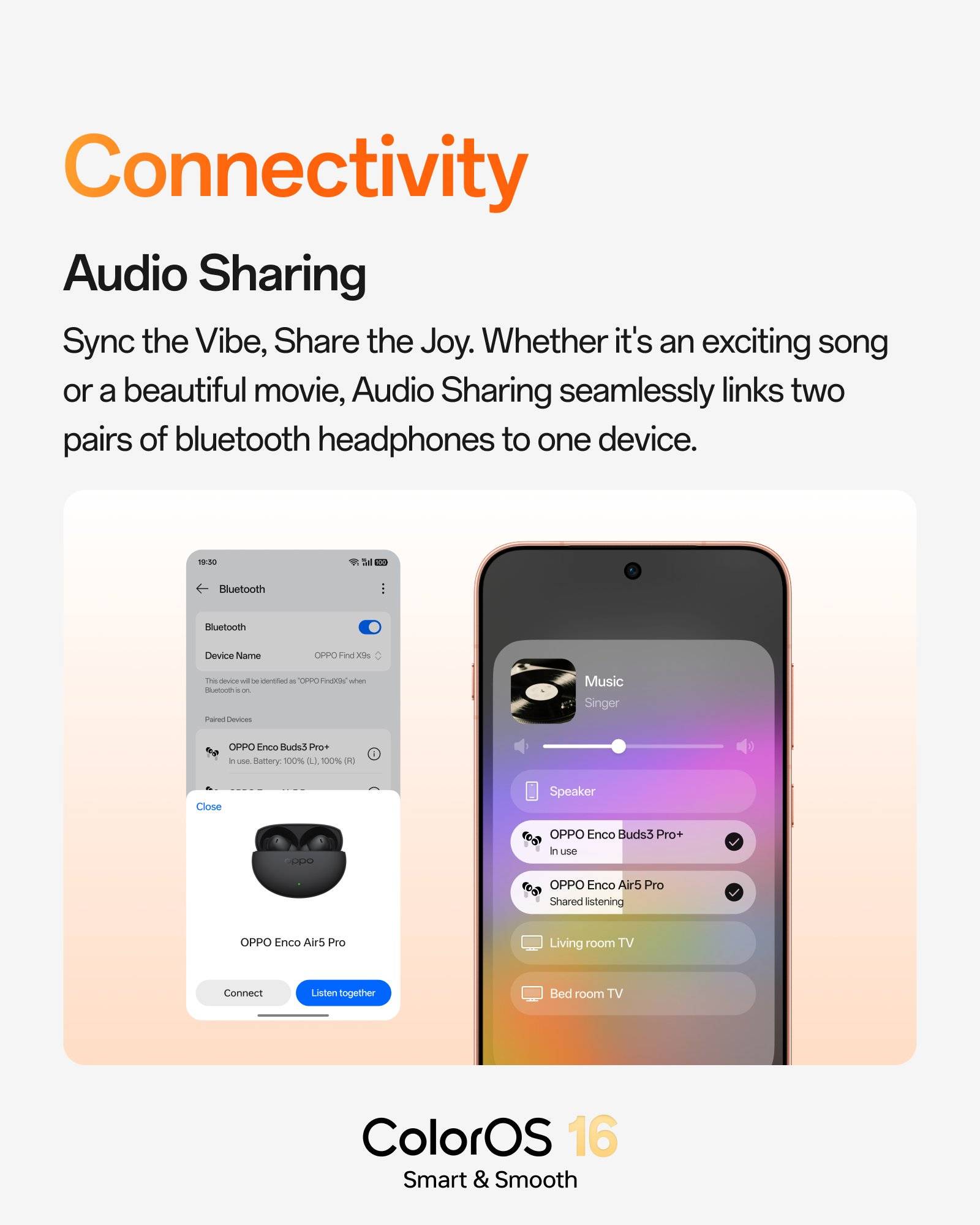
Audio Sharing for dual listening
The update introduces Audio Sharing, which allows a single OPPO phone to stream audio simultaneously to two paired Bluetooth earbuds or headphones. This makes it easier for friends, couples, or family members to enjoy movies, music, or podcasts together during travel or free time. A similar kind of functionality has been present on Samsung’s One UI, so it’s great to see others, like ColorOS catching up.
Enhanced security for accessibility permissions
In a move aimed at improving privacy, ColorOS 16 now features Accessibility Security Alerts. The system actively monitors for suspicious activity, such as unknown apps gaining Accessibility permissions, and immediately notifies users with a quick option to revoke access. This runs in the background to provide ongoing protection against potential misuse. From what we concur, this appears to be similar to the ‘Advanced Protection’ setting found on stock Android-based skins, such as Hello UI on Android 16.
Weather App Gets Lunar Details
The built-in Weather application has been upgraded with astronomical information, now showing Moonrise and Moonset times along with live moon phase data. This addition offers more context for users planning outdoor activities, stargazing, or photography sessions.
Outdoor Mode refinements
Introduced with the initial version of ColorOS 16 last year, gains the ability to pin up to four favourite apps for faster access in bright conditions. OPPO has also smoothed app transitions and boosted location responsiveness while the mode is active, making the feature more practical for hikes, sports, or travel.


Since every OPPO device running ColorOS 16 will receive the June update, users can head over to Settings > System & update > Software update to check for the OTA update. Once available, hit the ‘Download’ button, and the firmware will begin downloading. OPPO notes that the rollout has already started on June 1st and is expected to conclude by June 30th.
This monthly refresh continues OPPO’s focus on refining the user experience with targeted, real-world features rather than overhauling the entire interface. Also, this update solidifies ColorOS 16’s position as a user-friendly and feature-rich Android skin, particularly for sports enthusiasts and privacy-conscious users