Microsoft is officially ending Windows 10 support soon: Windows 11 Copilot+ PCs are the future


Windows 10 has been a huge part of millions of users’ lives since 2015. It has been quietly powering users’ work, studies, creativity, and everyday moments. But time changes fast, and so do our needs. Microsoft officially launched Windows 11 in October 2021 as a successor to Windows 10. Both operating systems have served millions of users around the world, from student laptops and gaming rigs to office desktops and creative studios. But now, a decade after Windows 10’s launch, we have arrived at a turning point.
On 14th October 2025, Microsoft will officially end support for Windows 10. And this means no more updates, security patches, or optimisations. Your Windows 10 PC will still run, but it will gradually become more vulnerable and far less equipped to keep up with modern digital life.
This is why now’s the perfect time to upgrade and explore how a modern Windows 11 Copilot+ PC can take your experience to a whole new level. Whether you’re working, creating, gaming, or just getting things done, this is about more than just staying protected. It’s about embracing the future of AI-powered computing and unlocking everything a smarter PC can offer. Flipkart and Microsoft are coming together to provide customers with exclusive discounts on exchanging old Windows 10 PC and upgrading to Windows 11 PC.
Table of Contents
Microsoft is ending support for Windows 10: What does this mean?
Let’s first start by understanding what it means when we say that Microsoft is ending support for Windows 10 officially.
It simply means that your current Windows 10 device will stop receiving updates – both feature and security. Your PC won’t suddenly stop working, but it will become more vulnerable over time. Without updates, there’s no new protection against emerging threats like malware or spyware. And as newer software and applications continue to evolve, you may notice some compatibility issues.
Think of it like using an old smartphone that doesn’t support your favourite apps anymore. It still works, but is slower, less secure, and not designed for today’s needs.
Copilot+ PCs Are the Future of Everyday Computing
Now, let’s talk about something that will not only keep up with your digital needs in 2025, but will also enable you to do more. Say hello to the latest Copilot+ PCs that come with Windows 11.
It is well known that most people use their PCs to do a little bit of everything. From browsing the internet and checking emails to creating content, attending meetings, and unwinding with their favourite shows. And to keep up with that kind of everyday multitasking, you need a machine that’s designed to do it all efficiently. That’s exactly what these new devices are built for.
The Copilot+ PCs come with a Neural Processing Unit (NPU) that can handle more than 40 trillion operations per second — which, in practical terms, means your PC can now do a lot more on its own and do it faster.
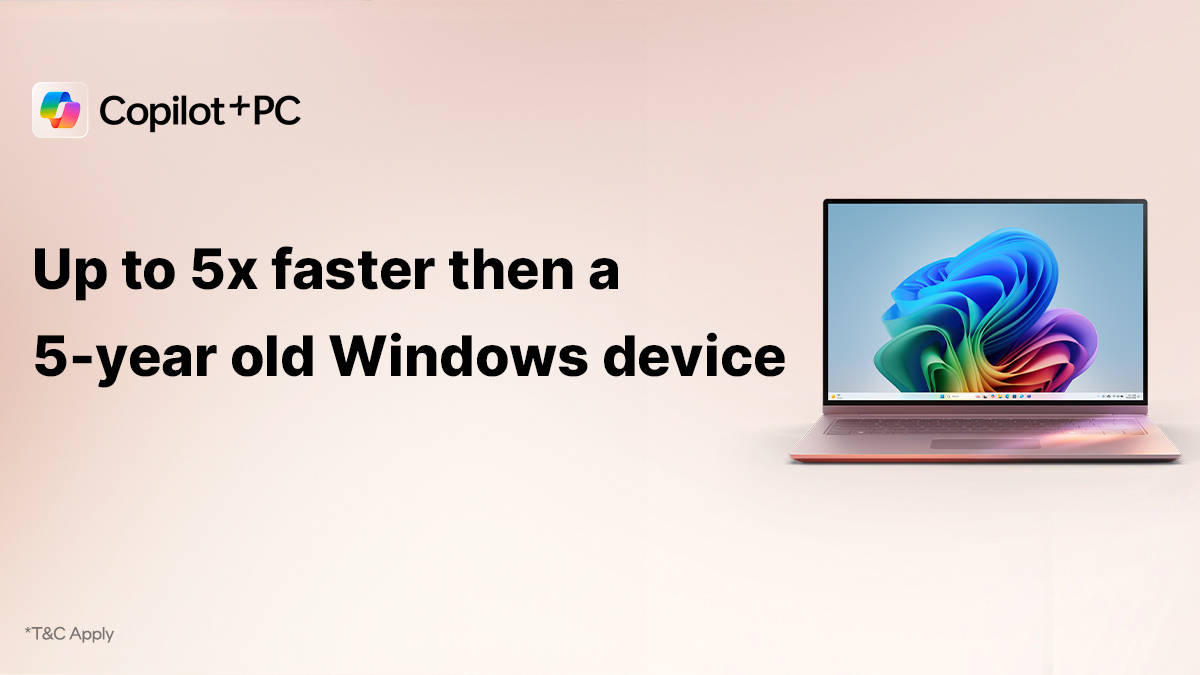
Compared to a typical 5-year-old Windows 10 laptop, a new Copilot+ PC offers up to 5x better performance (based on the Cinebench 24 multi-core benchmark; performance may vary by device), up to 22 hours of video playback on a single charge and apps and files that open instantly with buttery-smooth multitasking.
So yes, you’ll notice the difference. Whether you’re editing a video, running multiple apps, or just trying to get through a busy workday without plugging in every few hours.
Some features of the CoPilot+ PCs
With that being said, let’s now explore a few standout features that come alive with a Copilot+ PC:
1. Windows Recall (Preview)
Lost a tab? No problem! Windows Recall lets you retrace your steps across apps and browsers, helping you to find the quote, product, or webpage instantly.
2. AI-Powered Creativity
Tools like Cocreator in Paint or Image Creator in Photos let you reimagine visuals, generate new artwork, and apply creative edits in seconds without having a design degree. It’s like having your own digital artist on standby.
3. Windows Studio Effects
With automatic background blur, eye contact correction, and noise reduction in video calls, your online meetings can go from “meh” to “professional” – no matter where you’re working from.
4. Live Captions & Voice Access
This allows you to translate meetings and videos in real time and control your PC with just your voice. These aren’t just accessibility features – they’re tools that make computing faster, easier, and more inclusive.
5. Automatic Super Resolution
Gamers and streamers will love this. It boosts visual quality using AI – so your graphics look sharper, your gameplay feels smoother, and your video calls are crystal clear.
6. Click to do (Preview)
Get things done with just one Click. This new feature streamlines everyday actions, letting you quickly access common tasks and settings without wasting time navigating through multiple menus.
7.Windows Search
Find your files, apps, and settings faster than ever. Enhanced with AI, this refined search tool delivers accurate and intuitive results, so you spend less time searching and more time doing.
Upgrading is easier than ever
Worried about losing your files when upgrading? Don’t be! Moving to Windows 11 Copilot+ PC is easy and keeps everything intact.
Keep your files safe with Windows Backup
- Everything transfers automatically—files, apps, and settings—when you sign in with Microsoft Account.
- If you use Microsoft M365 Personal or Family, you get 1TB of cloud storage for backup.
- Even without a subscription, you still get 5GB of free storage.
A familiar Experience, just better
Switching to Windows 11 Copilot+ PCs won’t feel like starting from scratch. It keeps everything familiar but improves navigation, multitasking, and speed.
Why Upgrade Now?
- Windows 10 support ends on October 14, 2025—no more updates or security fixes.
- Stay protected and future-ready with AI-Powered features and smart multitasking.
- Choose from sleek tablets, versatile 2-in-1 laptops, high-performance and budget-friendly options; there’s a Windows 11 PC for every need.
Upgrading means more security, speed and smarter computing Whether you’re working, studying, gaming, or just browsing, this is the right time to switch!
Check out the latest offers here!
Offer details: Upto 15,000 off on exchanging your old Windows 10 laptop.

