


Review Summary
Expert Rating
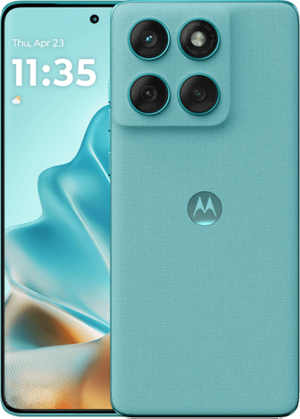
Whether it’s a flip phone or a foldable, the options available today are steadily increasing. Most recently, Samsung announced its newest Galaxy Flip6 (review) and Fold6 phones, stirring the pot even more. Over the years, brands have made incremental upgrades to both the foldable form factors, improving the overall design and hinges, getting closer to a creaseless and immersive look while staying sleek and not compromising on hardware. Motorola has been one such brand, making genuine upgrades year after year with its Razr flip phone since 2019. The sub-Rs 1 lakh Motorola Razr 50 Ultra is the company’s latest flip phone, and boy does it bring some noteworthy upgrades.
Table of Contents
Verdict
The Motorola Razr 50 Ultra has come a long way since the first foldable Razr in 2019. Motorola is one of the very few brands making actual, visible improvements to the flip form factor year after year. The Razr 50 Ultra’s biggest draw is its large cover screen that is actually usable in more ways than one. In addition to showing immersive widgets, the cover display is highly convenient for using Gemini, checking notifications, and more. On top of that, you get an improved hinge design, good battery life, and a decent chipset.
Displays
| Motorola Razr 50 Ultra | Samsung Galazy Z Flip6 | OPPO Find N3 Flip | |
| Cover display | 4.0-inch pOLED 165Hz 1272×1080, 2400 nits, Gorilla Glass Victus | 3.4-inch LTPO AMOLED 120Hz, 720×748, 2600 nits, Gorilla Glass Victus 2 | 3.26-inch AMOLED 60Hz 720×382, 900 nits, Gorilla Glass Victus |
| Main display | 6.9-inch FHD+ LTPO AMOLED 165Hz, 2640×1080, 3000 nits | 6.7-inch FHD+ LTPO AMOLED 120Hz, 2640×1080, 2600 nits | 6.8-inch FHD+ LTPO AMOLED 120Hz, 2520×1080, 1600 nits |
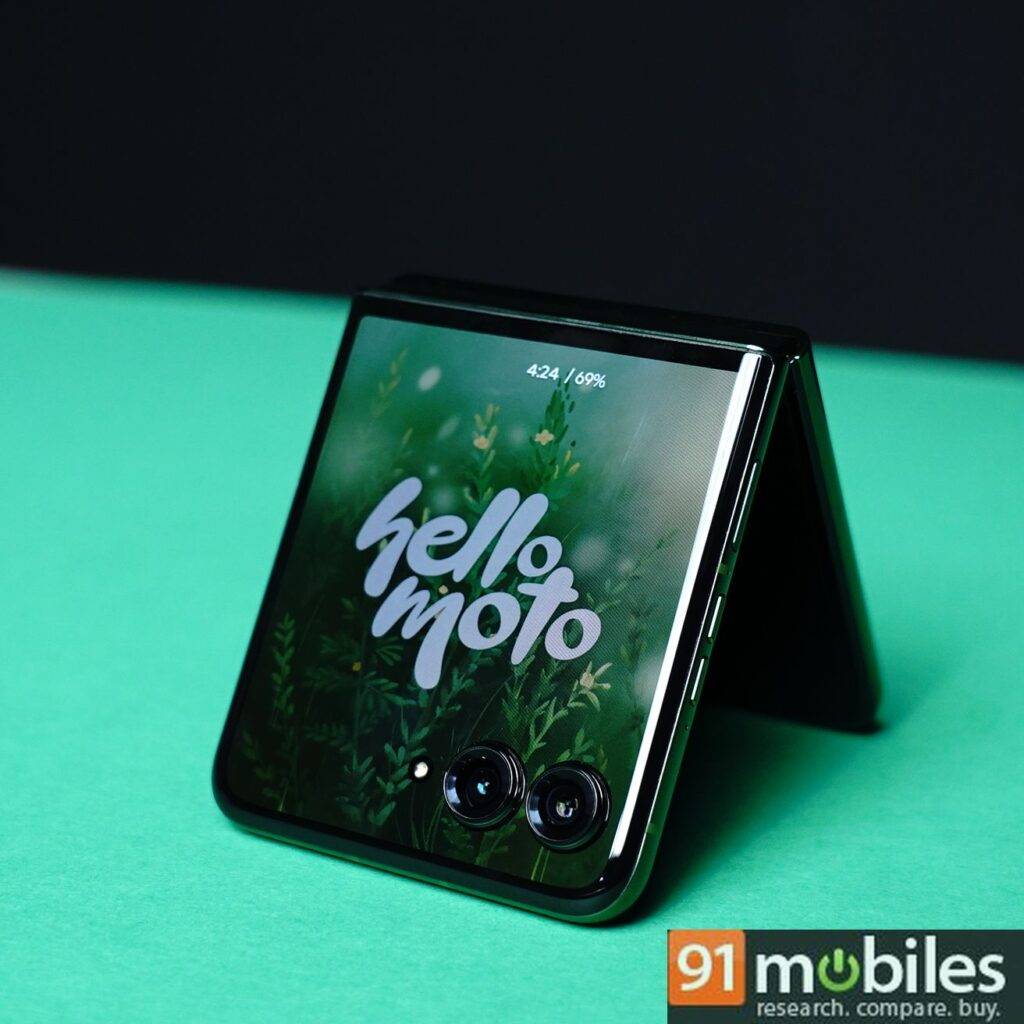
Let’s start with the display first as that’s the most visual upgrade here. The cover screen is bigger at 4 inches compared to the 3.6-inch screen on the Razr 40 Ultra. It is the biggest screen on a flip phone right now, and that includes the newly announced Samsung Galaxy Z Flip6, which sticks to the same 3.4-inch screen as its predecessor. Motorola has made the cover screen edge-to-edge with just the two front cameras coming in the way of offering a truly immersive display. The screen offers up to 165Hz refresh rate, 10-bit colours, HDR 10+ support, and up to 2400 nits peak brightness. I found the Razr 50 Ultra’s cover and main screens to offer better brightness under direct sunlight compared to the Galaxy Z Flip6.
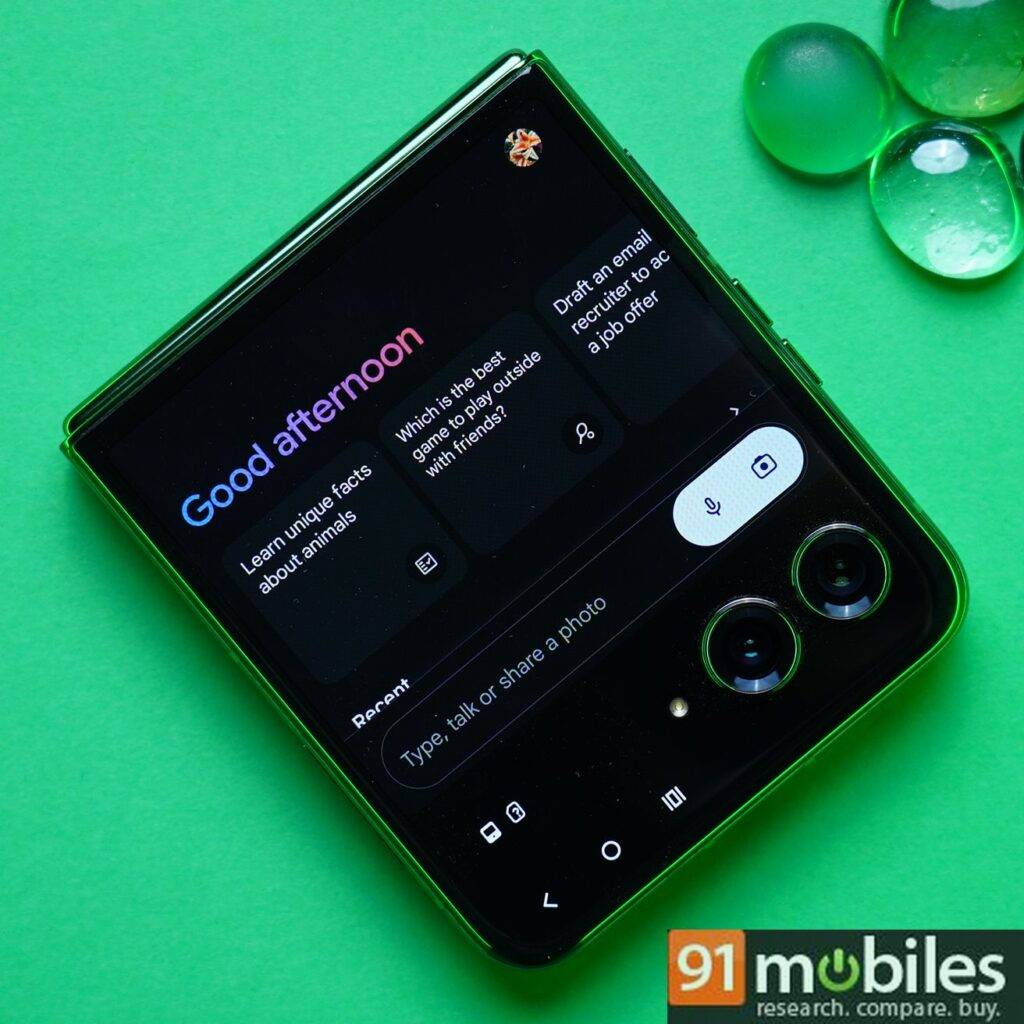
The larger cover screen means more real estate to display more information on app widgets like Weather and Calendar. While I’ll talk about some of the AI features later in the review, I should mention early on that Motorola has added Google’s Gemini app on the cover screen. The Razr is in fact the first flip phone to offer Gemini on the cover screen. In my opinion, the flip form factor is the best way to use an AI assistant like Gemini hands-free.
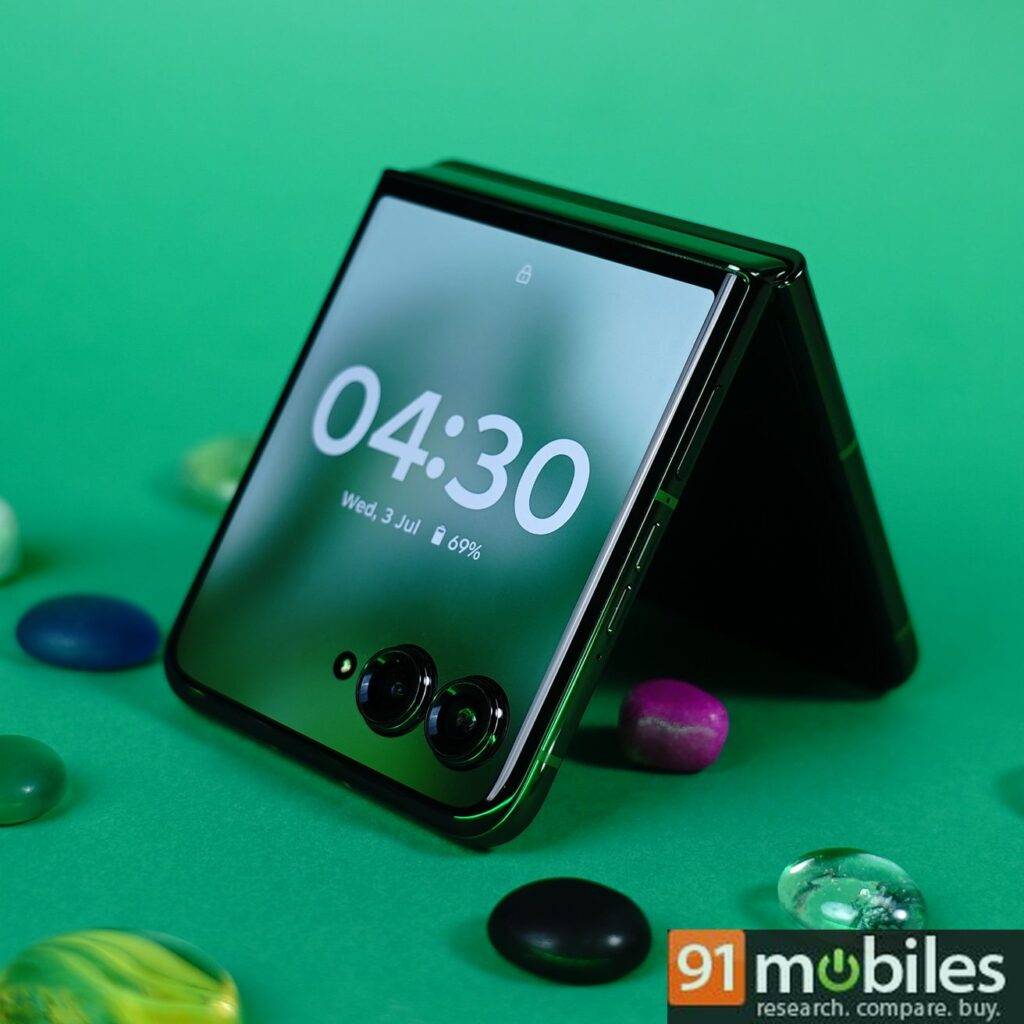
The other major and welcomed addition to the cover screen is Always On Display which makes using the tent mode more useful as you get to see the time, battery percentage and new notification badges without touching the phone. You can also go into the External Display settings and choose to display a picture, text or album cover instead of the clock face in Tent mode. The only annoying bit with tent mode is that it automatically unlocks the phone when you receive a new message if you have your face registered and are sitting directly in fron.
There are just so many ways to customise the home screen and lock screen on the external display that you forget there’s a whole other display to work with. You can customise themes with different wallpapers along with fonts and blur adjustability to suit your taste.
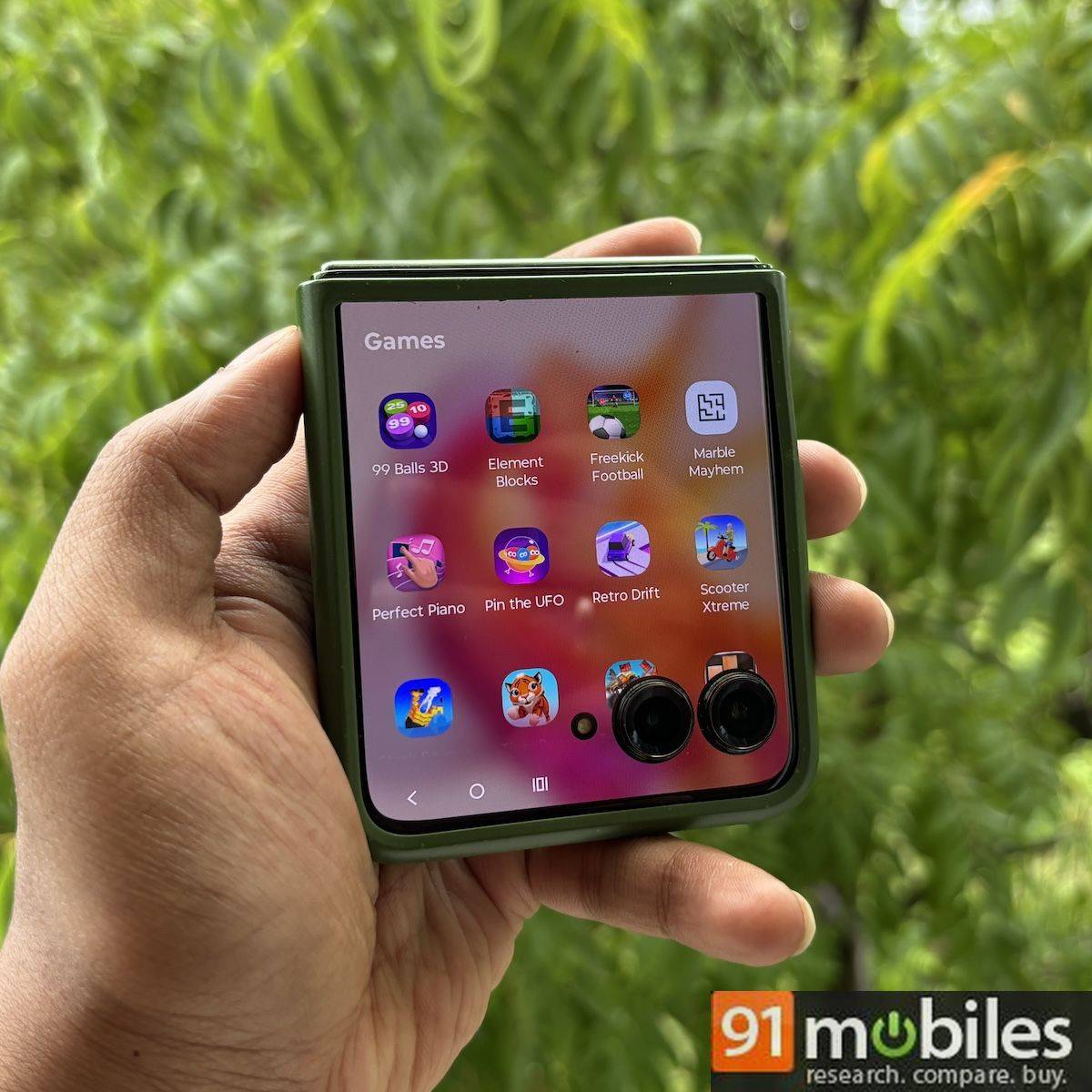
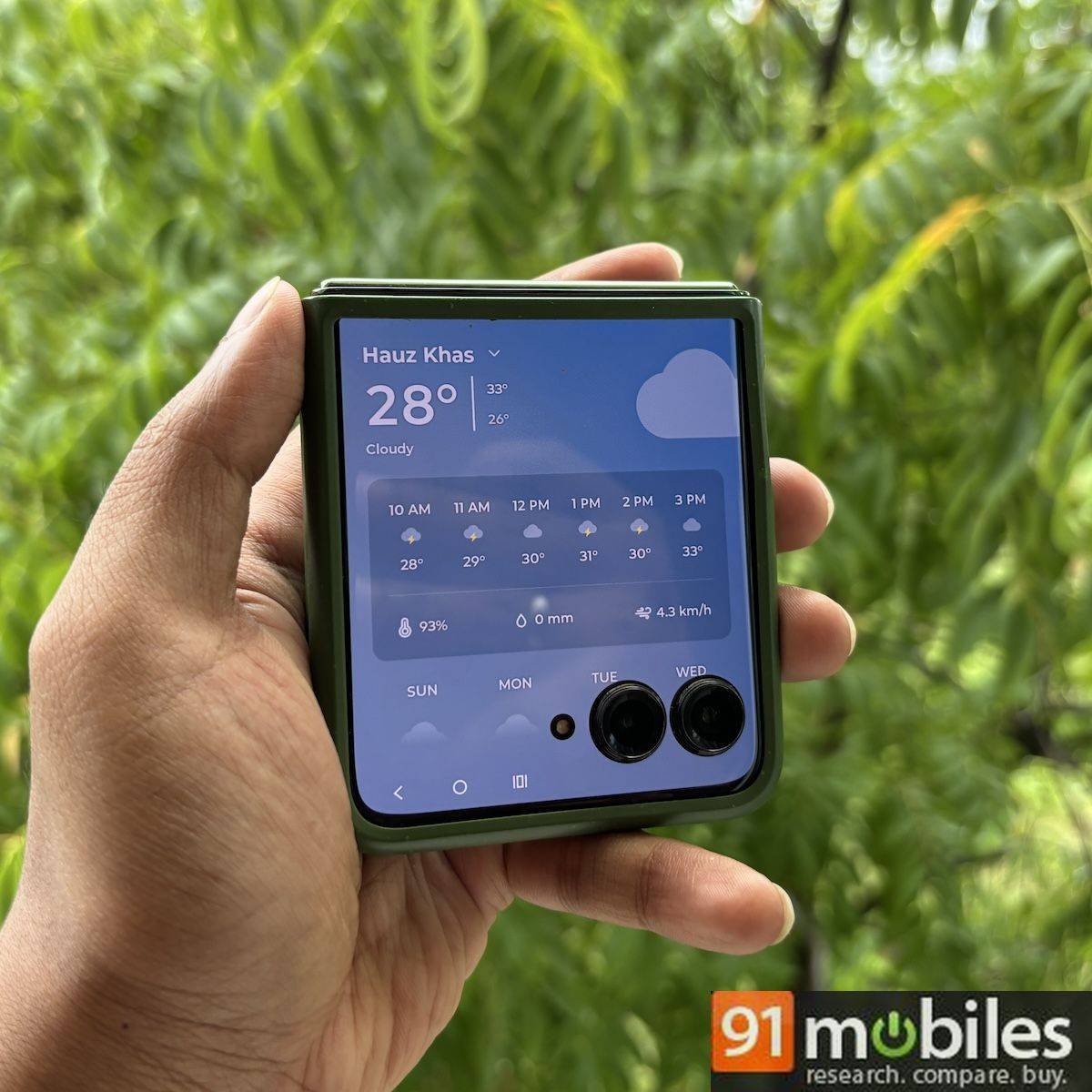
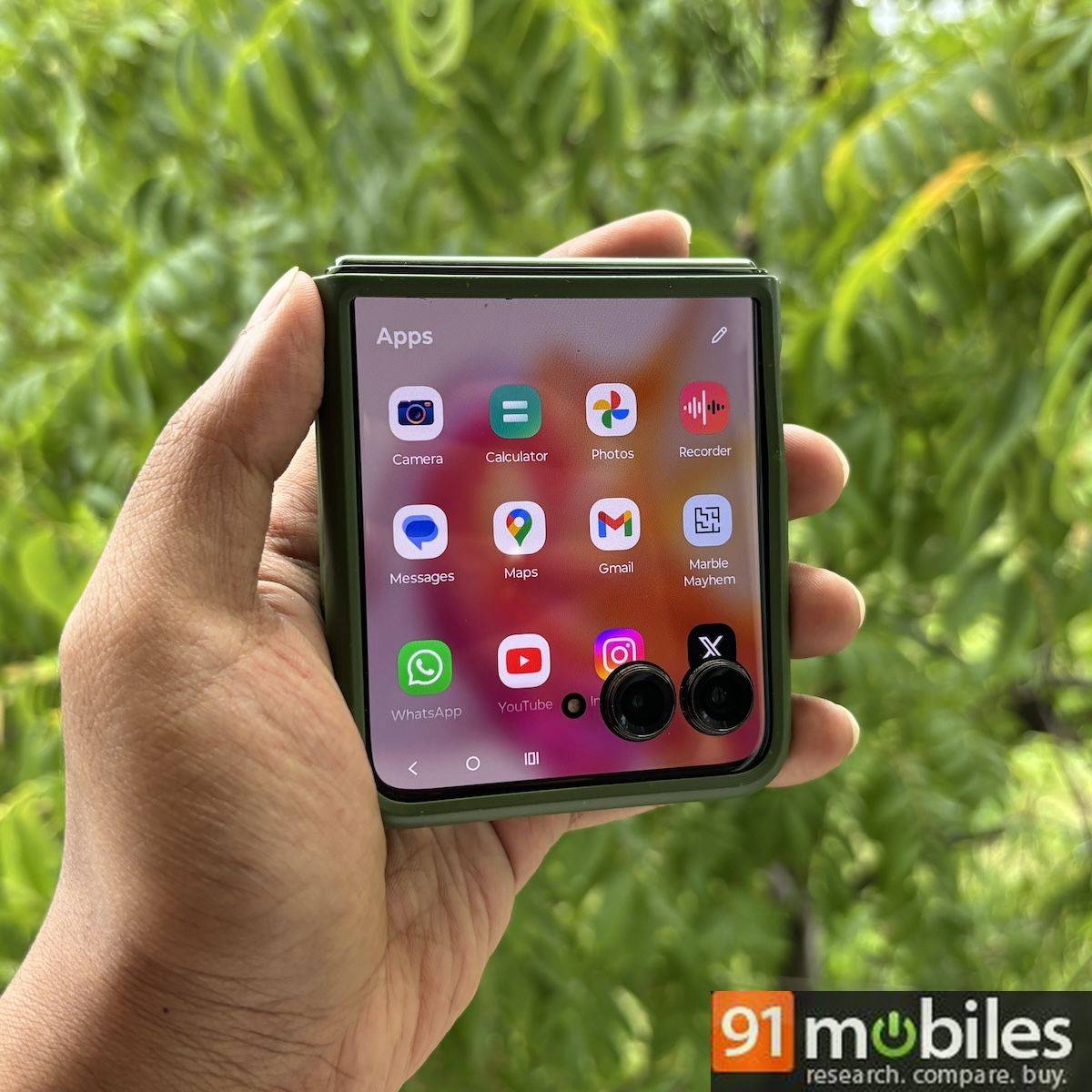
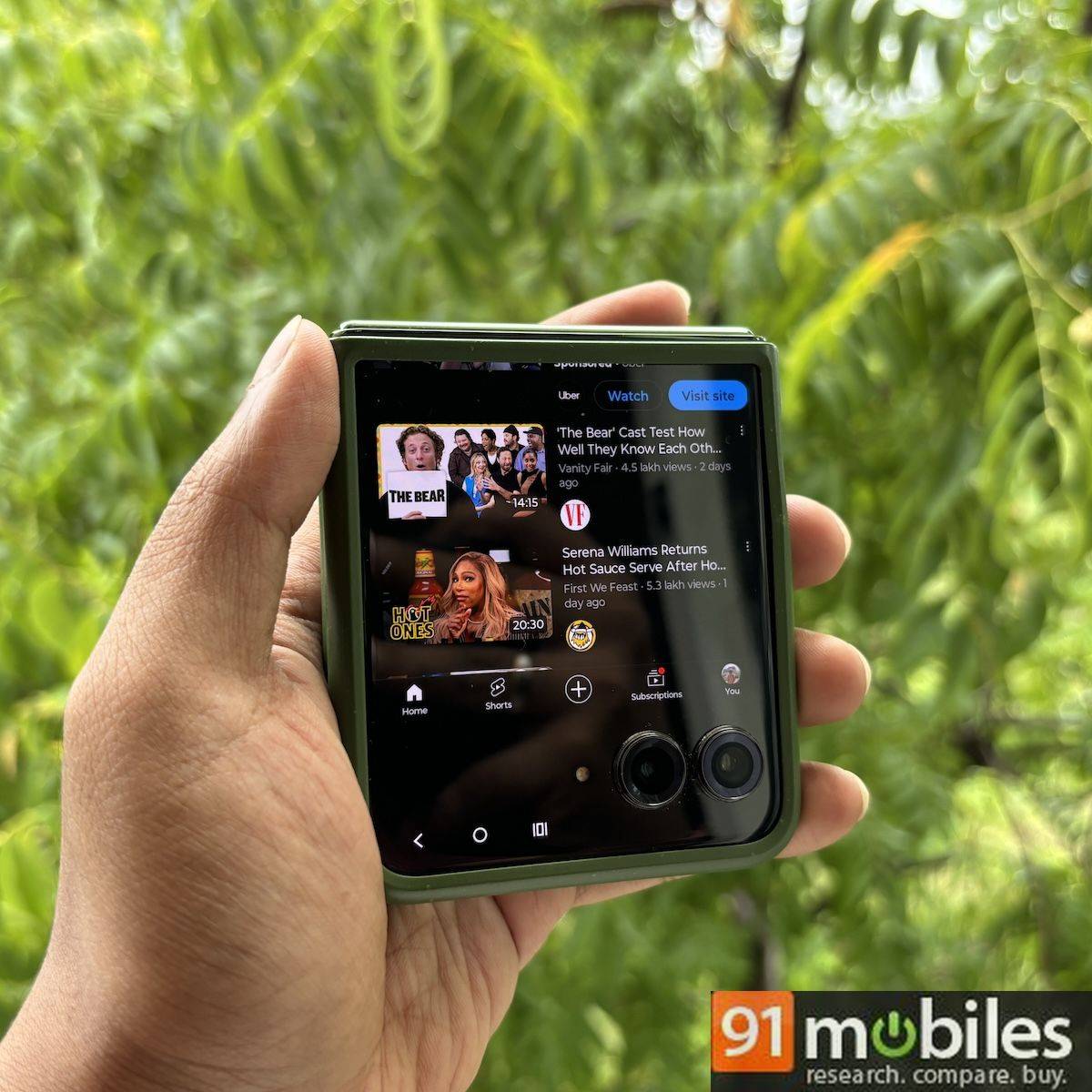
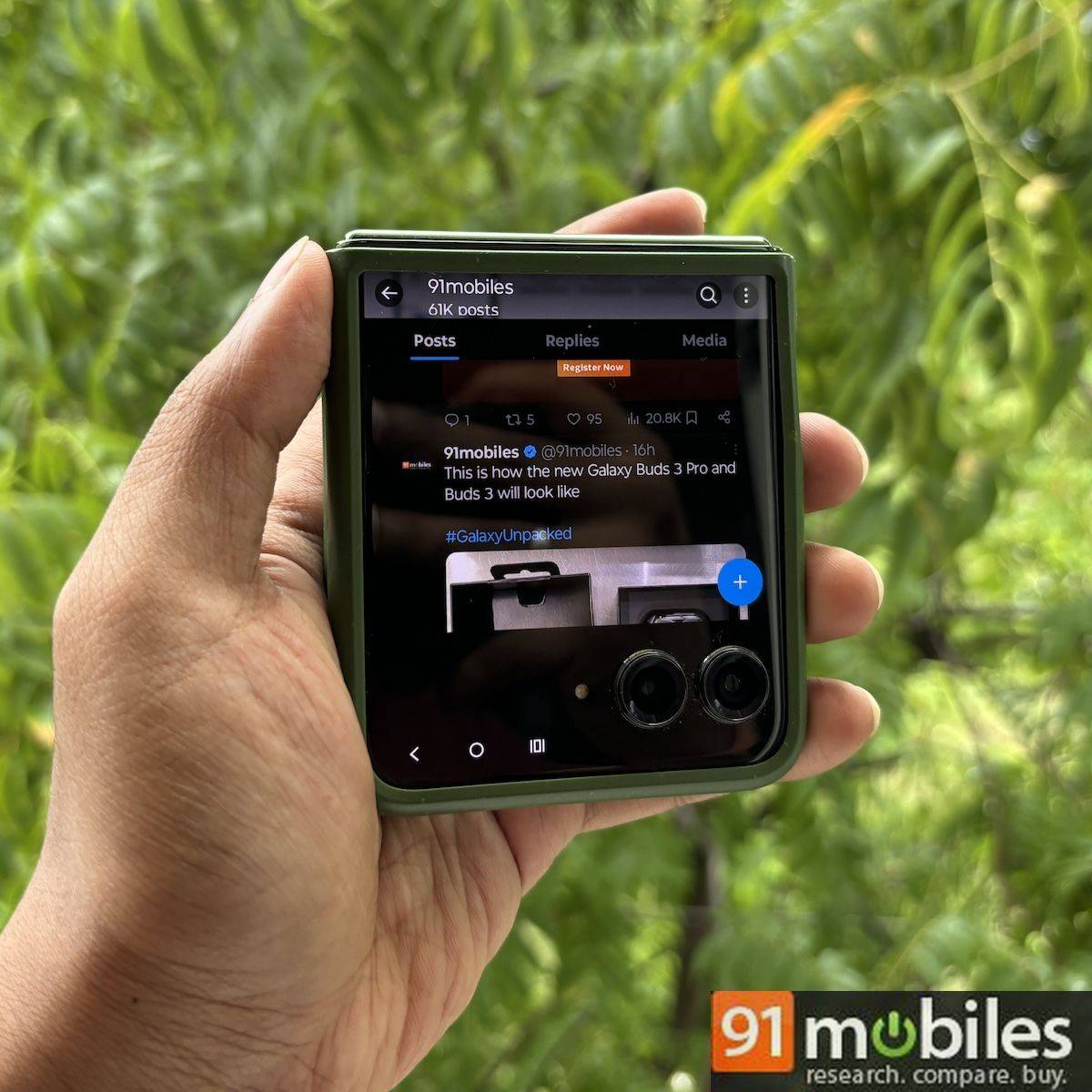
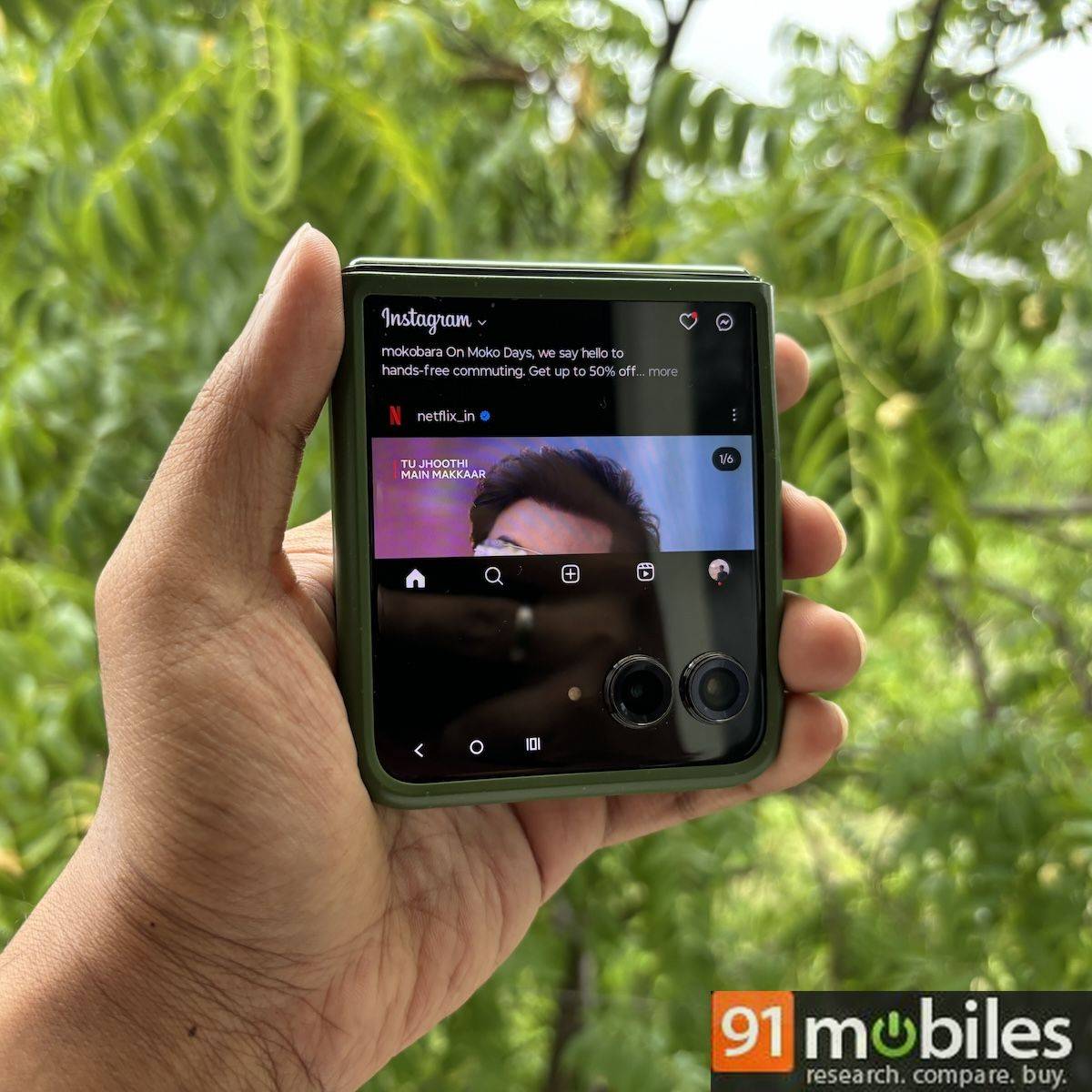


Reducing the upper bezel increases screen space, but a significant black bar remains at the bottom when using third-party apps like Gmail, YouTube, Instagram, Twitter, and WhatsApp. It could have been better optimised to utilise the entire screen real estate. The best part is that you can run these apps directly from the cover screen without opening the phone for permission access, making it more convenient than the Galaxy Z Flip6, which still requires enabling third-party apps via Samsung Labs on the main screen.
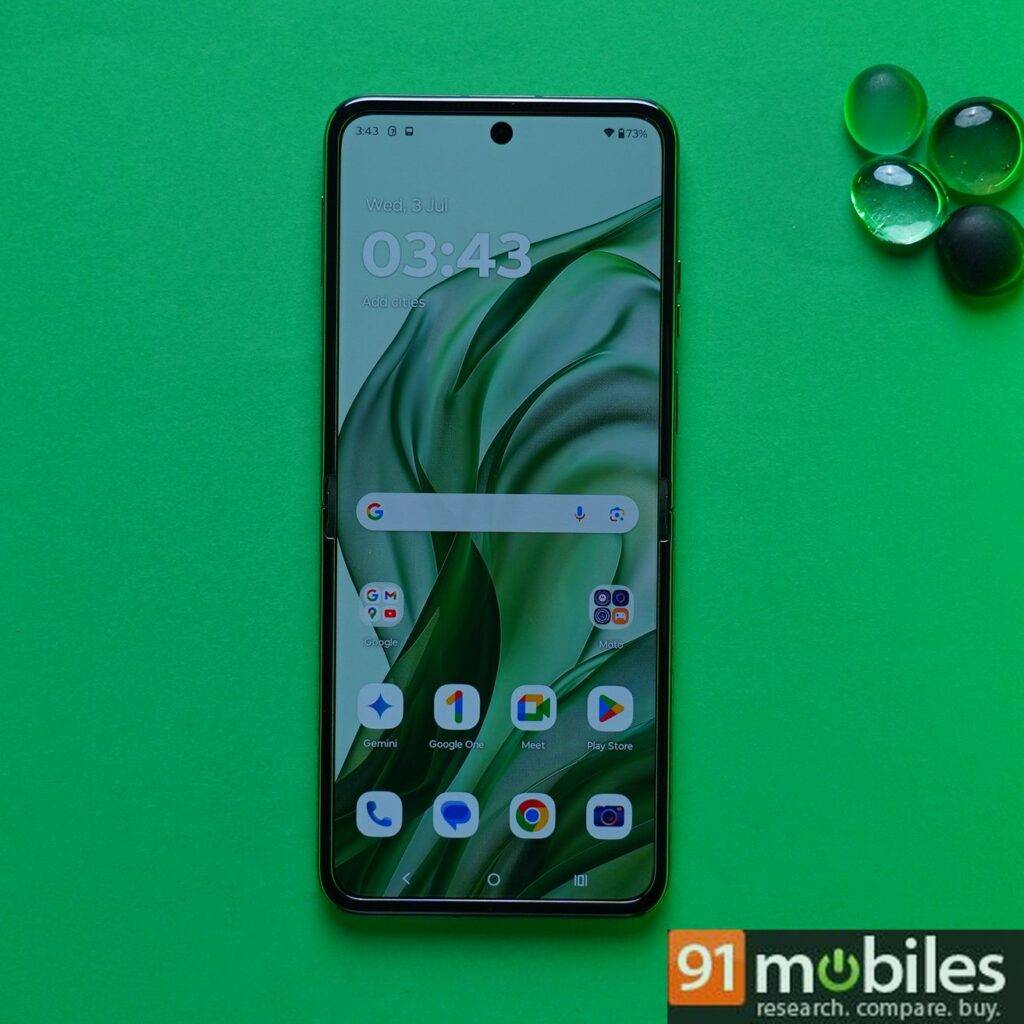
Motorola really wants you to use the external display more than the main screen but let’s talk about the latter quickly. Flipping open the phone reveals a 6.9-inch tall display (taller than both the Galaxy Z Flip6 and OPPO Find N3 Flip) that’s meant to be used like any other phone. It’s a pOLED panel with up to 165Hz refresh rate and 1500 nits HBM, similar to the cover screen. It’s even more “creaseless” this time around, largely thanks to the new hinge design. The display looks good and saturated. However, apps like YouTube were not optimised for this display at the time of review, showing a weird grey or white border (depending on whether the system’s Dark mode is enabled or not) when watching videos in full-screen landscape orientation.
Design
| Motorola Razr 50 Ultra | Samsung Galaxy Z Flip6 | OPPO Find N3 Flip | |
| Thickness | Unfolded: 7.09mm Closed: 15.32mm | Unfolded: 6.9mm Closed: 14.9mm | Unfolded: 7.79mm Closed: 16.45 |
| Weight | 189 | 187 | 198 |
| IP rating | IPX8 | IP48 | IPX4 |
The overall design of the Motorola Razr 50 Ultra is similar to its predecessor. It’s a flip form factor that is mostly gapless when folded. Motorola says the Razr 50 Ultra has a larger 2.2mm fold radius that reduces the gap even more than what you saw on the Razr 40 Ultra (2.0mm) or Galaxy Z Flip 5 (1.6mm). The phone itself is IPX8-rated to withstand submersion in water up to 1.5 meters. In comparison, the new Galaxy Z Flip6 is IP48-rated, which means it can withstand dust in addition to being submerged in water. Both phones are also similar in weight in that they are both decently light.
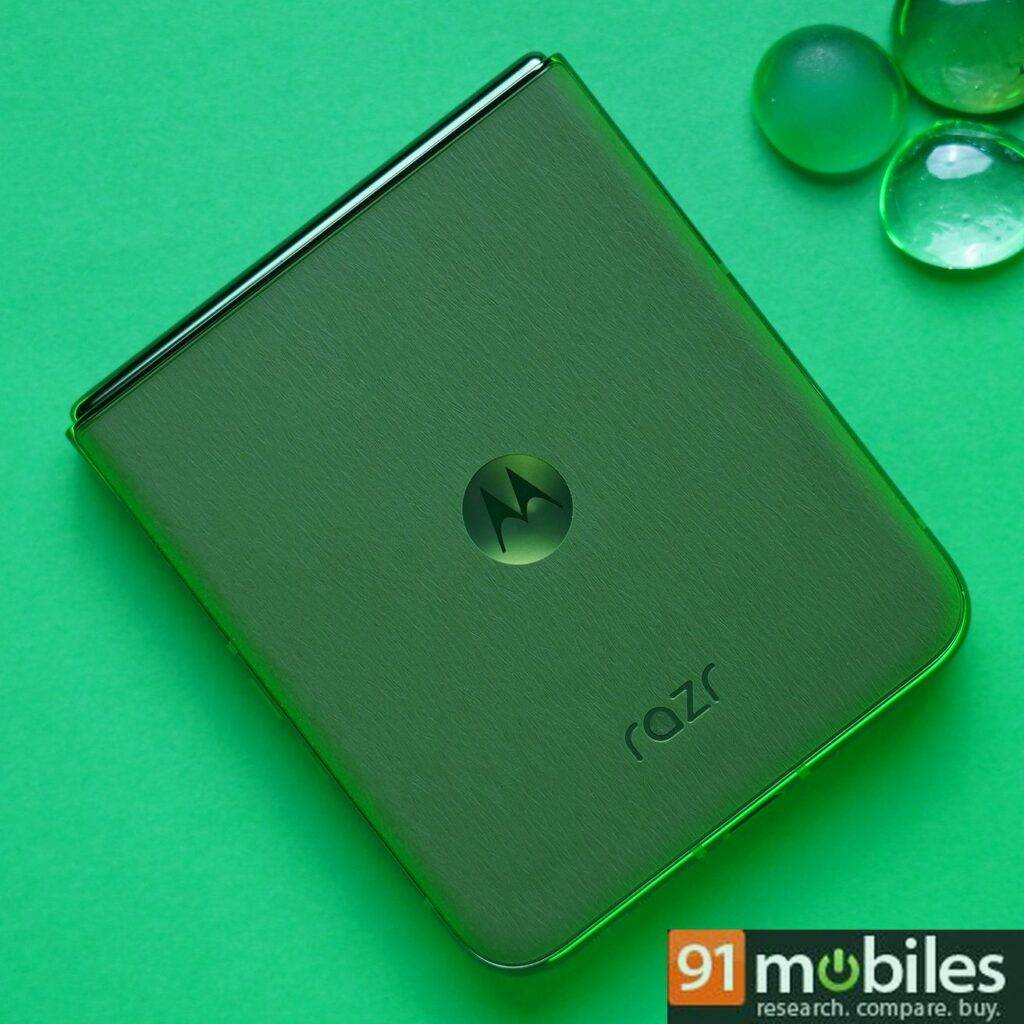
The back panel has a soft touch vegan leather finish that offers a nice grip and the phone comes in Midnight Blue, Spring Green, and Peach Fuzz colours. You get a matching coloured body protector in the box which, once applied, should not be removed as it can ruin the inner water-protecting adhesive. I really like the Green colour option we received for review, and the Peach one looks good in marketing images too.
Gemini and Moto AI
As I mentioned above, the Razr 50 Ultra’s flip form factor is perhaps the best way to use some AI features such as Gemini AI. Think Rabbit R1 but better! You can simply press and hold the power button or say “Hey Google” to launch Gemini and ask questions, write emails for you, summarise text, and generate images, among other things.
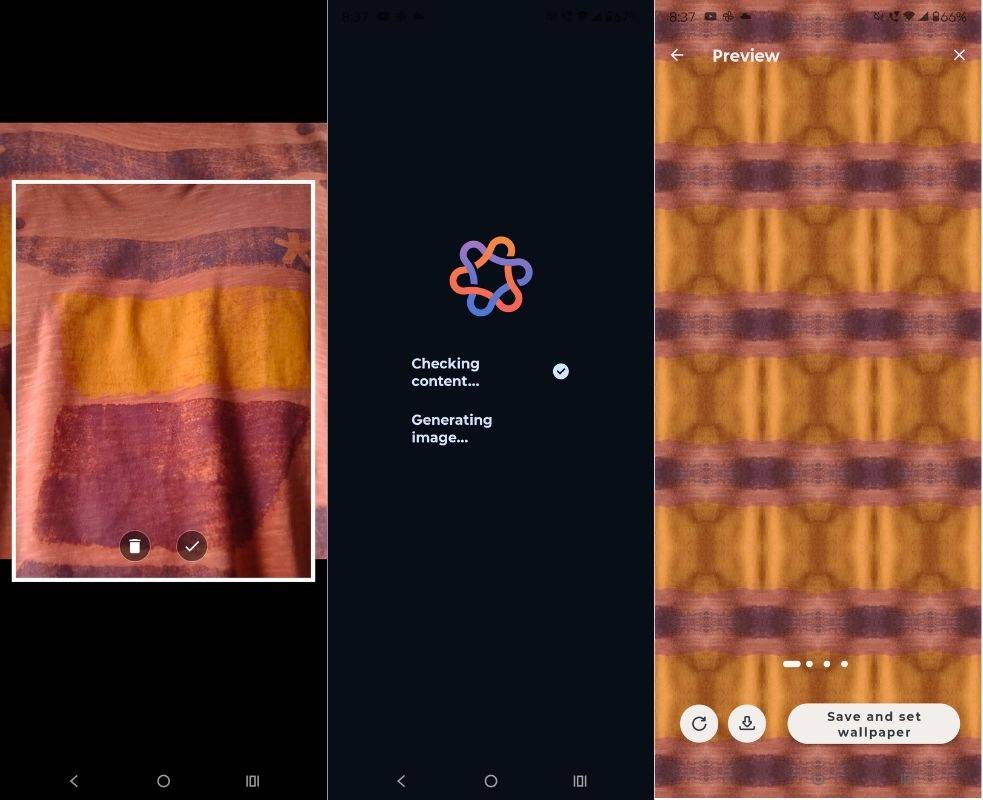
Motorola also offers a host of AI features clubbed under Moto AI. The first is called Style Sync, which is a generative theming tool that can create wallpapers to go with your outfit. You’ll find this in the Create with AI option under Personalise settings. You’ll get a few kaleidoscope-like wallpaper styles to choose from, but I didn’t find them very appealing.
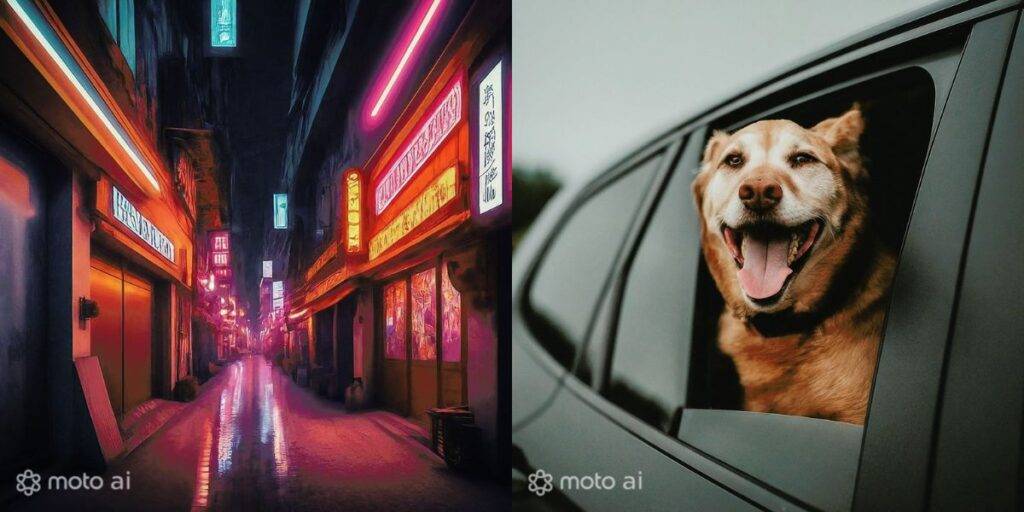
The Magic Canvas option can be found in the same place but it requires you to have a Moto account. This is a text-to-image tool that can create wallpapers based on your description. I typed “A neon-lit street at night” and “A happy dog with his head out of moving car’s window” and I was largely impressed with what I got.
Other Moto AI features include Photomojis which allows you to create a custom reaction or sticker from any image in your camera roll. There’s also instant AI blurring on screenshots, which makes it easier to blur out sensitive images before sharing them with someone. The camera system also comes with some Moto AI features, which I will talk about in the camera section.
Cameras
If there’s one area where the Motorola Razr 50 Ultra didn’t make significant strides compared to last year’s model, it’s the camera. Yes, the camera sensors have been upgraded from the Razr 40 Ultra – you now get two 50MP sensors on the cover screen, which is an upgrade from the previous 12MP and 13MP sensors. While these new sensors bring genuine improvements to overall picture clarity, the colour reproduction remains questionable.





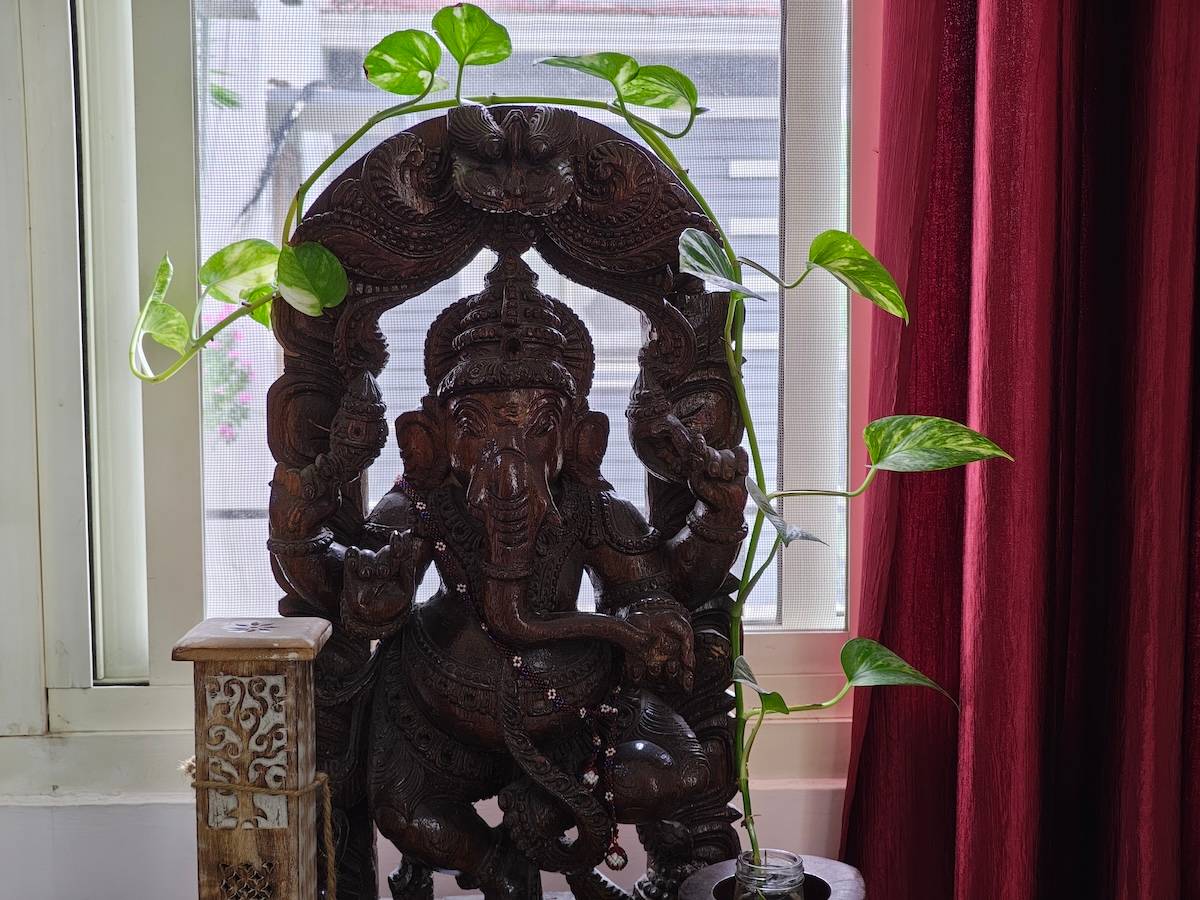

We compared the photos taken with the Razr 50 Ultra to those taken with the Galaxy Z Flip6. In daylight conditions, it was evident that the Razr 50 Ultra captured more details and sharpness, whereas the Galaxy Z Flip6 did a better job at capturing accurate skin tones and colours. The Razr 50 Ultra tends to clip highlights and boost colours in general. Check out the comparison shot below in 2x portrait mode.


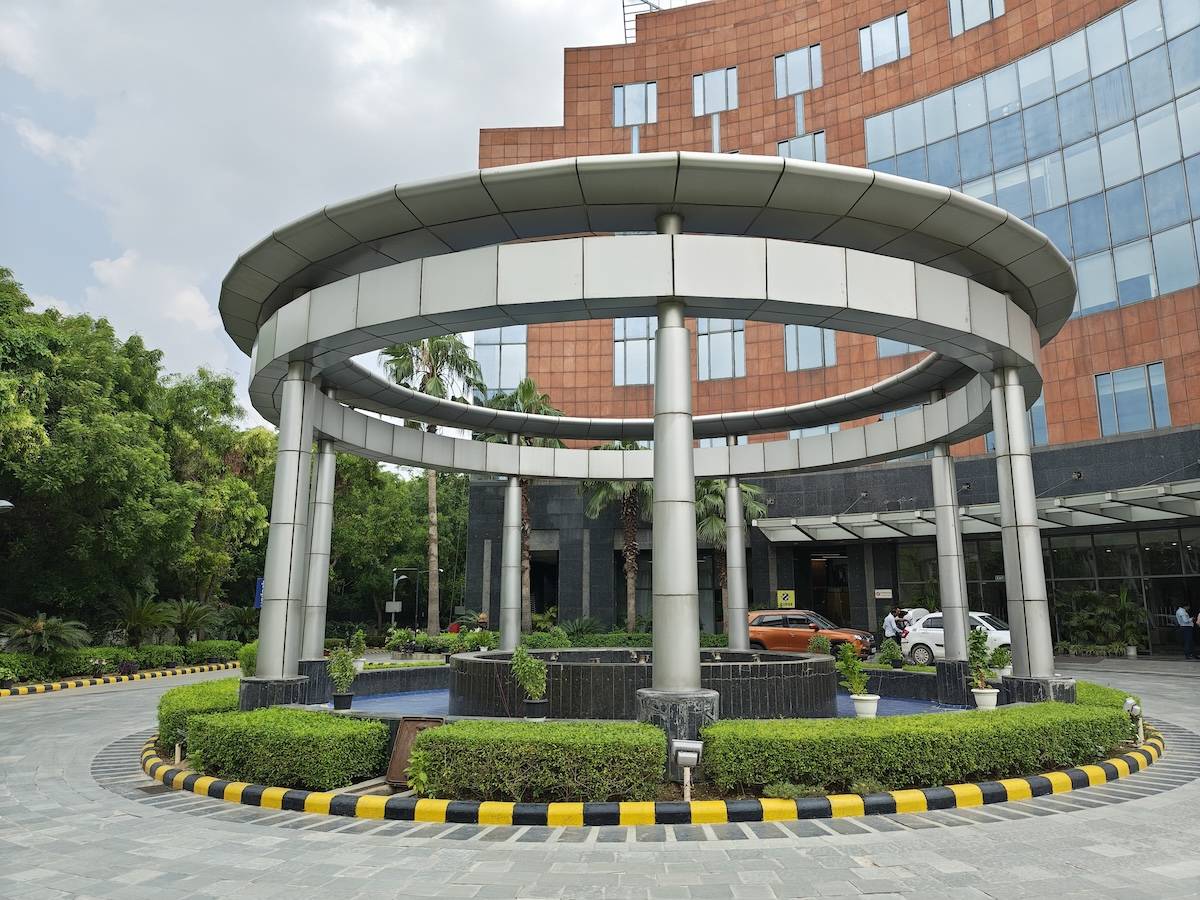
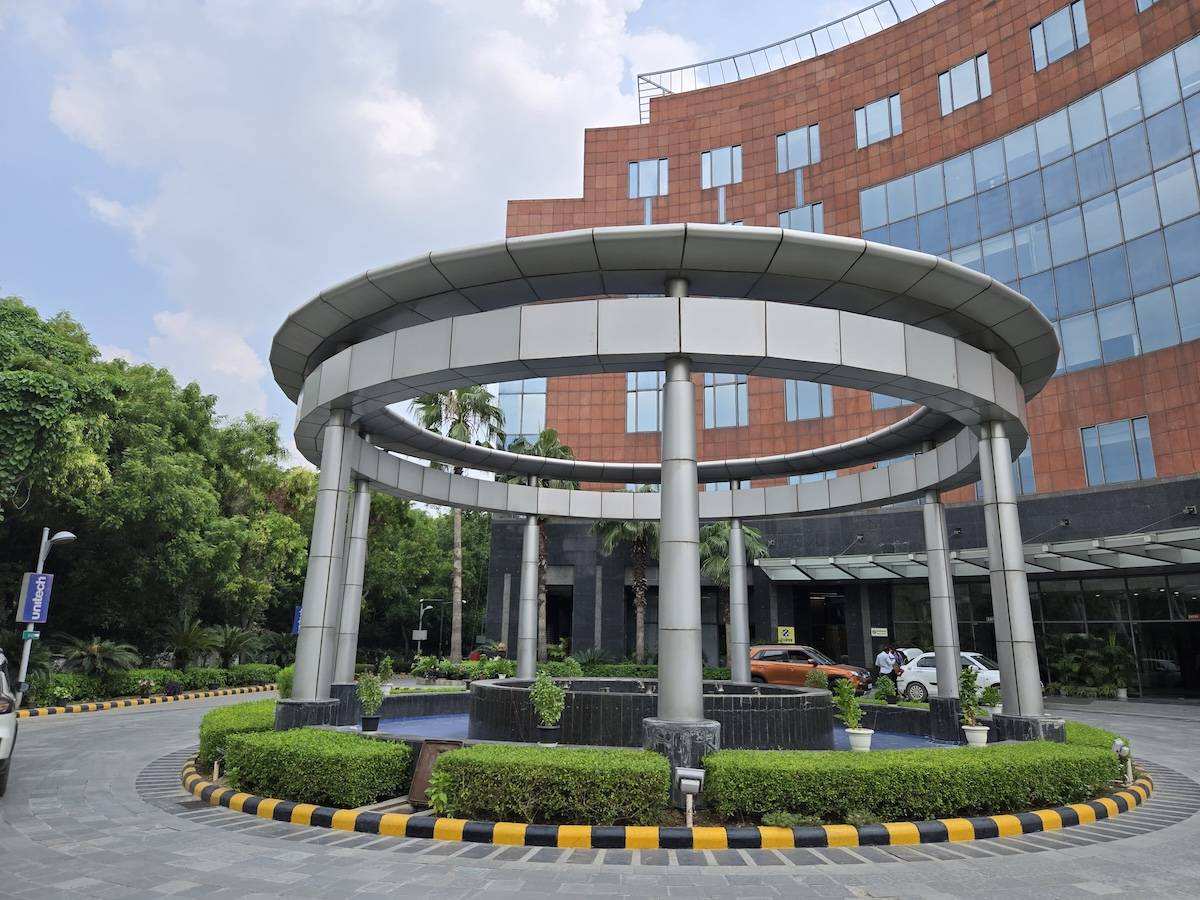
Again, in the daylight shot below, the Samsung Galaxy Z Flip6 was able to capture the blues of the sky, though the Razr 50 Ultra did a better job capturing the details of the pavement, the yellow and black border around the fountain, and the bushes.
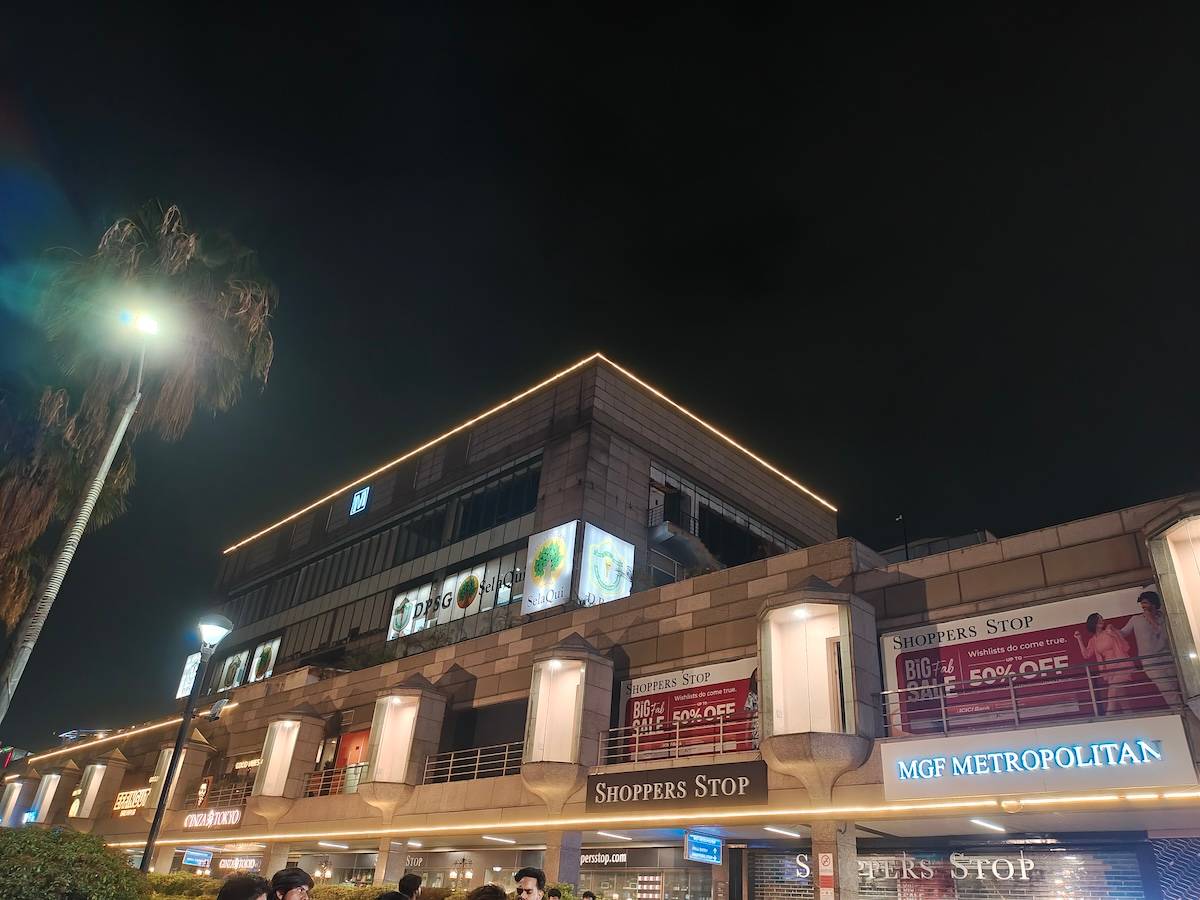
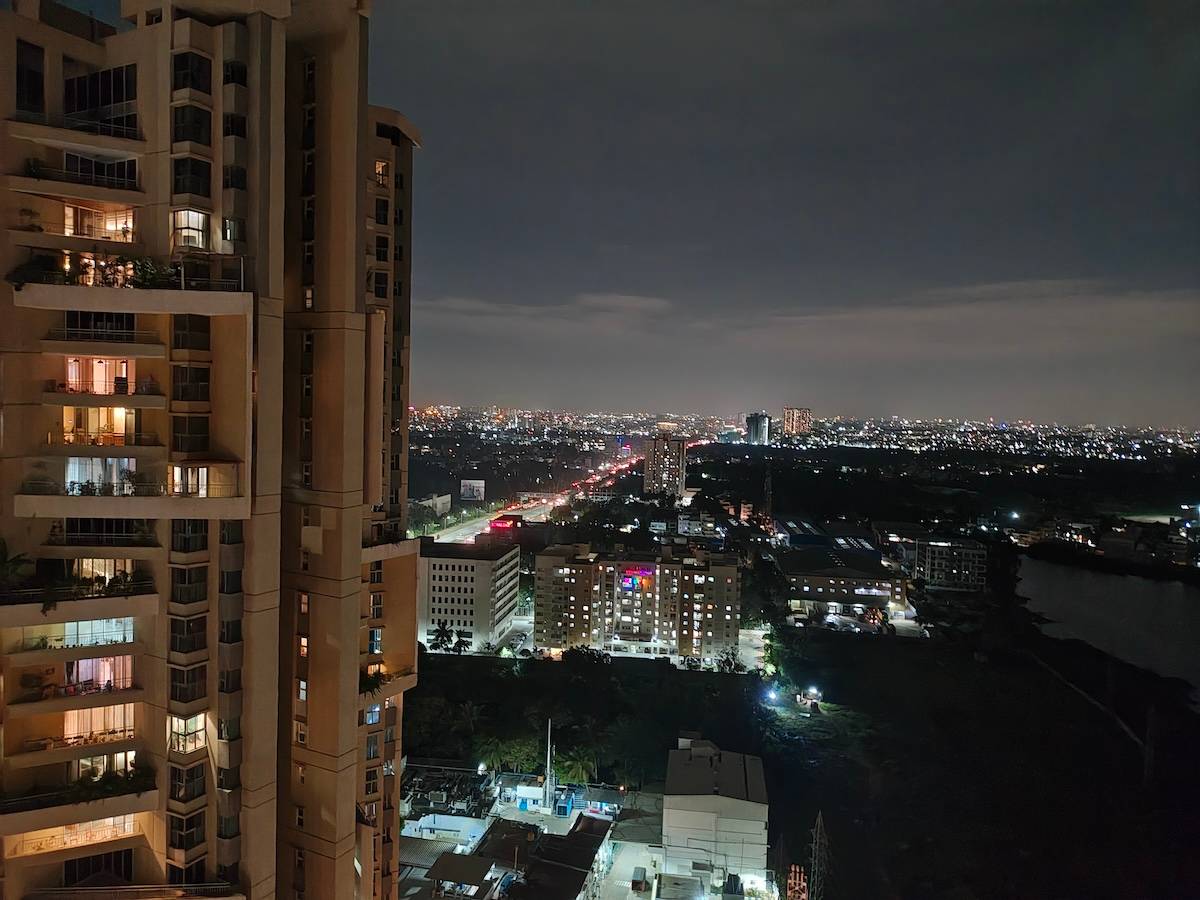
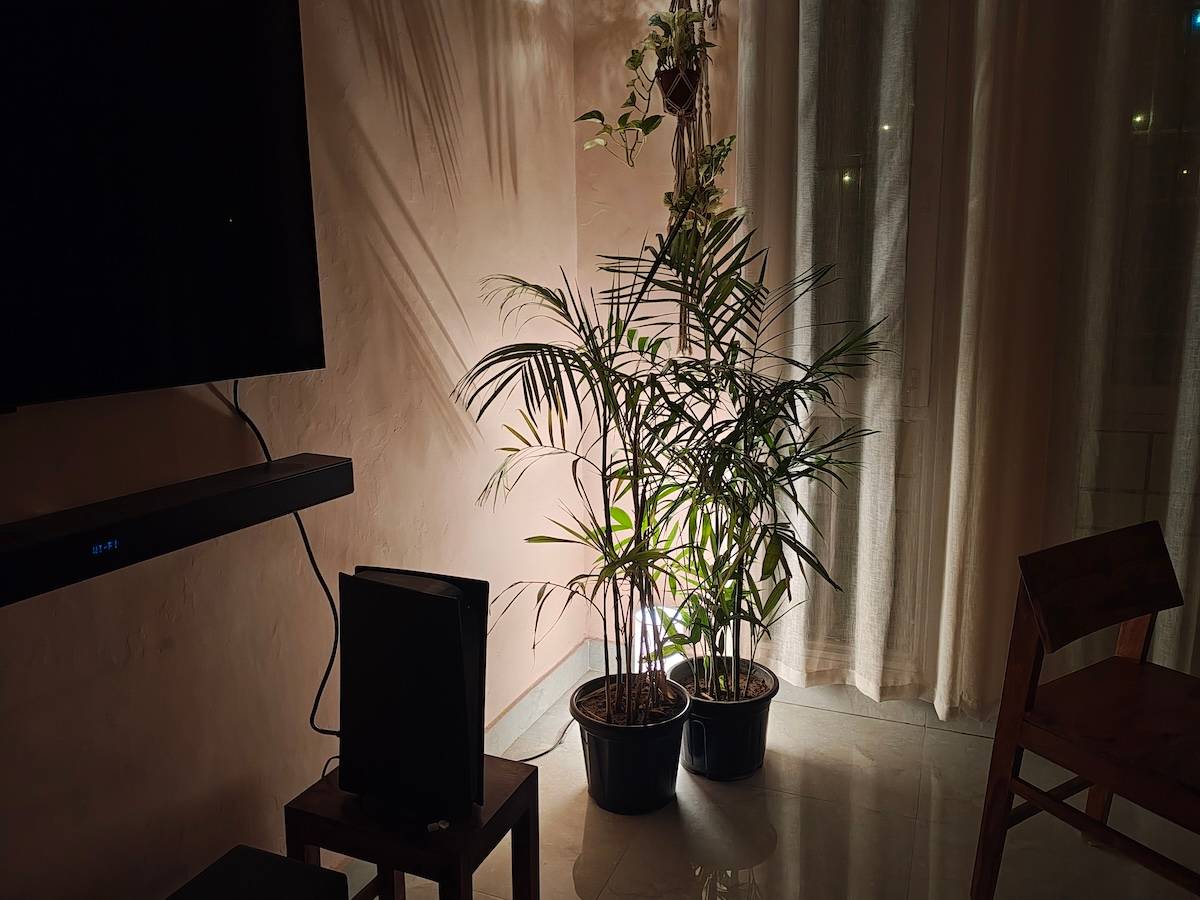
In low-light conditions, the Razr 50 Ultra performs very averagely compared to the Galaxy Z Flip6. The Samsung phone managed to capture more details while balancing the exposure and colours better than the Razr 50 Ultra. That said, neither flip phone offers anything noteworthy in low-light photography.
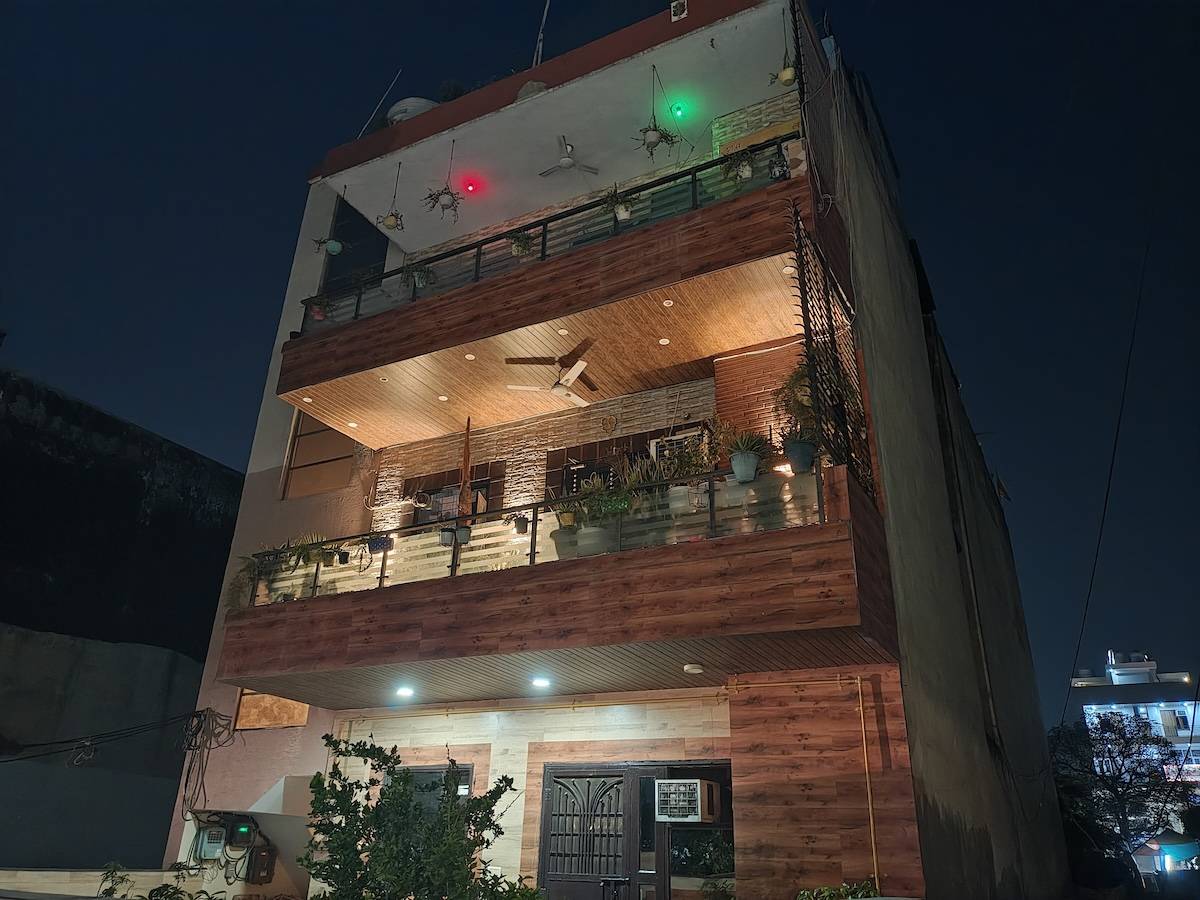
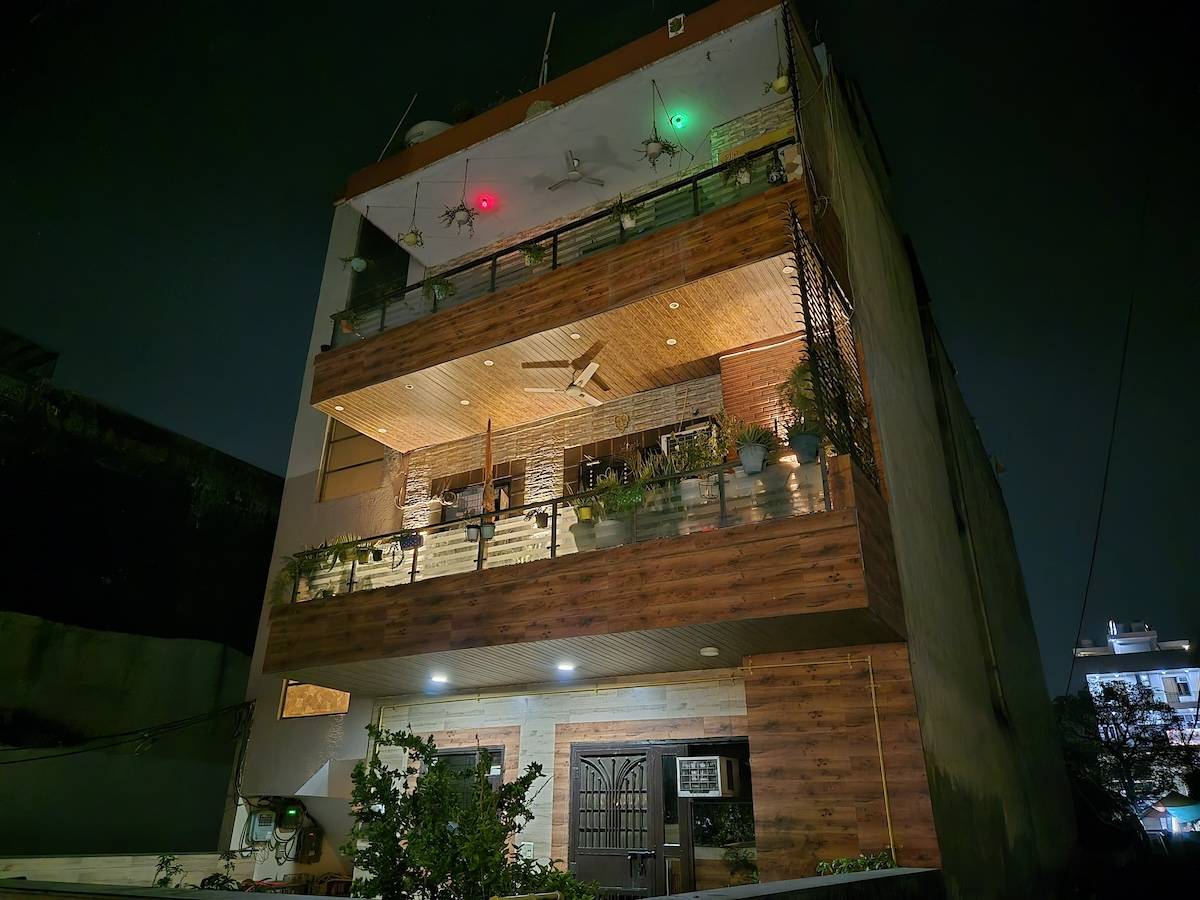
As mentioned earlier, there are a bunch of AI features for photos, such as AI Photo Enhancement which tries to improve the dynamic range and reduce noise in a photo, AI adaptive stabilisation for shake-free videos, AI action shot for blur-free motion captures, and AI autofocus tracking, among other things. The AI Photo Enhancement feature essentially brightens the photo and boosts colours to make it more saturated and social-media-worthy. Since the main camera already supports OIS, I didn’t find the adaptive stabilisation feature adding anything extra to the overall stability of a video.
Performance and software
The Motorola Razr 50 Ultra gets the Snapdragon 8s Gen 3. This is the same chipset that powers the likes of the POCO F6 (Rs 29,999) and Xiaomi 14 Civi (Rs 42,999). However, at around Rs 1 lakh, one expected to see the Snapdragon 8 Gen 3, which powers the Galaxy Z Flip6. That said, the Snapdragon 8s Gen 3 is a pretty good chipset. In fact, the Razr scored marginally better than the Flip6 on AnTuTu and single-core Geekbench.
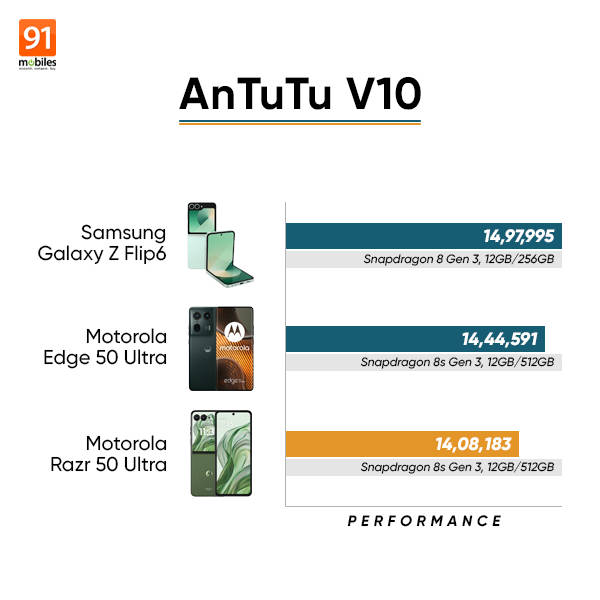
Honestly, I don’t think this is a deal-breaker since the Snapdragon 8s Gen 3 is more than capable of handling tasks on a flip phone. Given its form factor, the Razr 50 Ultra is not going to be used for intense gaming or heavy multitasking. For general browsing and switching between the external and main displays seamlessly, the Snapdragon 8s Gen 3 paired with 12GB RAM is good enough. My main concern is how well the chipset will hold up over time.
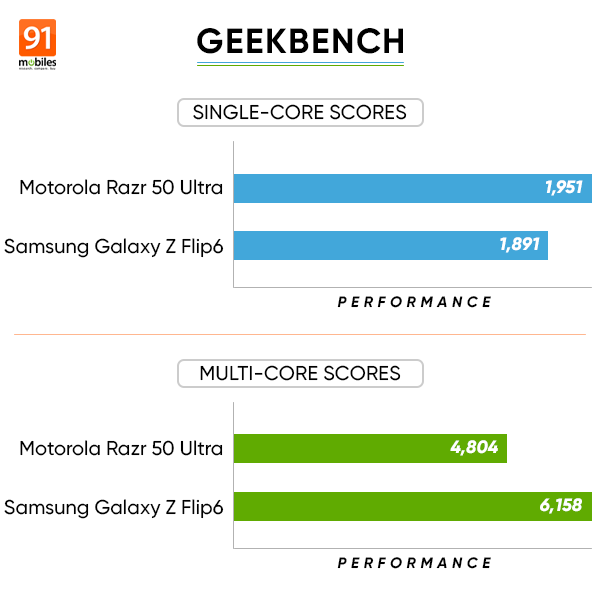
Coming to the software, the Motorola Razr 50 Ultra ships with Hello UI based on Android 14. It is a fairly clean interface with roughly 42 pre-installed apps out of the box, lower than the 48 count on the Galaxy Z Flip6. Hello UI brings a suite of exclusive apps like Family Space, which allows you to add family members like your grandparents or kids in order to keep an eye on their location or manage app access and screen time. You have Moto Unplugged which is a Digital Wellbeing-like tool to limit distraction by changing the UI to only bare essentials.
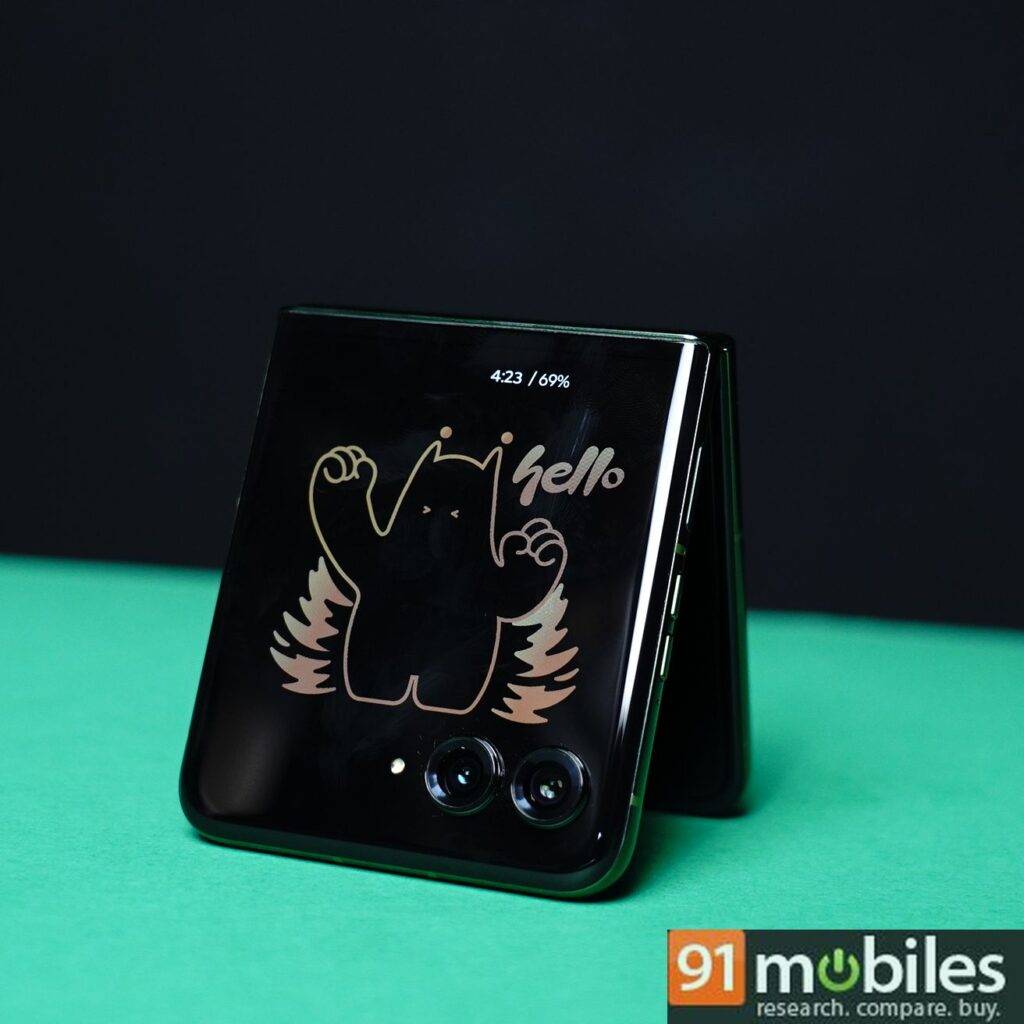
There are several Moto-specific gestures like performing a double karate chop with your hand to turn the torch on/off, twisting your wrist twice to open the camera app, and more. You can double-press the power button to launch the camera. You can also slide your finger up or down on the power button to show quick settings and notifications or to zoom in or out when using the camera, Maps, or Photos. You can double-tap the back to go back, open a specific app, or take a screenshot and more, all of which can be mapped in Gesture settings.
Motorola promises 3 years of major software upgrades and 4 years of security updates. This doesn’t come nearly as close to the Galaxy Z Flip6 which will get 7 years of both OS and security upgrades.
| Smartphone | Pre-loaded apps | OS Updates |
| Motorola Razr 50 Ultra | 42 | 3 years OS, 4 years security |
| Samsung Galaxy Z Flip6 | 48 | 7 years OS, 7 years security |
The stereo speakers support spatial audio and are powered by Dolby Atmos. They offer excellent clarity and loudness and are among the best speakers on a flip phone.
Battery
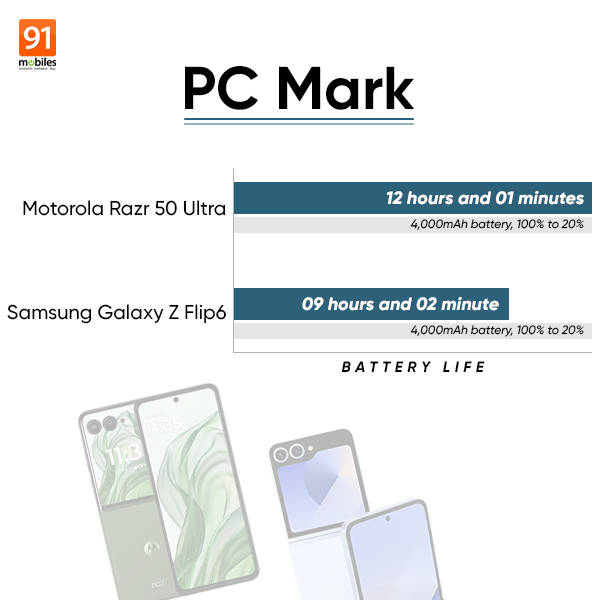
Due to the form factor, flip phones typically come with a small battery and not much has changed with the Motorola Razr 50 Ultra. It houses a 4,000mAh battery much like the Galaxy Z Flip6. Despite the size, the Razr 50 Ultra offers a solid battery life, easily lasting a full day and then some, on moderate to heavy usage. The handset recorded 12 hours in the PCMark battery test. This test simulates real-world usage and sees how long it takes for the battery to drop from 100 to 20 percent (on 80 percent brightness). The Galaxy Z Flip6 managed only 9 hours, so it’s advantage Motorola here.
Additionally, the Razr 50 Ultra supports 45W wired charging and you get a 68W Turbo Power charger in the box. It takes roughly 57 minutes to charge the phone from 1 to 100 percent. The Galaxy Z Flip6 takes longer as it supports a slower 25W charging speed.
| Time | Charge percentage |
| 15 minutes | 36% |
| 30 minutes | 61% |
| 45 minutes | 84% |
| 57 minutes | 100% |
Final verdict
As a flip phone that brings noticeable upgrades over its predecessor, the Razr 50 Ultra is an easy choice at around Rs 95,000. The enlarged cover screen is genuinely useable now and allows you to check and reply to messages and emails, use apps like Maps, and get an overview of the weather or calendar appointments more easily than before. The addition of Gemini on the cover screen is a delight for those who like to use AI assistants frequently for various tasks.
Despite a slightly weaker chipset on paper and shorter software support, the Razr 50 Ultra is seems a more complete package compared to the Galaxy Z Flip6. The Razr 50 Ultra’s bright and smooth display, combined with a vegan leather finish, decent cameras, and good battery life, make it one of the most improved flip phones of 2024.
Editor’s rating: 8 / 10
Reasons to buy Motorola Razr 50 Ultra
- Bigger cover screen makes it more immersive and usable, and the UI has been improved as well.
- Useful AI features, including the addition of Gemini on the cover screen.
- Improved hinge design reduces the crease on the main display.
- Good battery life for a flip phone, better than the Galaxy Z Flip6.
Reasons not to buy Motorola Razr 50 Ultra
- Snapdragon 8s Gen 3 chipset might not age as well as Snapdragon 8 Gen 3 powering Galaxy Z Flip6.
- Only 4 years of software updates are promised as opposed to 7 years on Galaxy Z Flip6.
- Photos taken show a lack of colour accuracy and overexposure.
 | vs |  |
| vs |  |