


Review Summary
Expert Rating

ASUS is one of those companies you can always expect to experiment with radical form factors and technologies, giving gamers something genuinely exciting. From launching the ROG Ally and Ally X handhelds to dual-screen beasts like the Zephyrus Duo, or even the wild upright ROG Mothership, ASUS isn’t afraid to take risks. The original ROG Flow was another perfect example of this experimentation.
Today, we have with us the ROG Flow Z13-KJP, the highly anticipated edition made in partnership with Kojima Productions. Before we dive in, I have to admit a deep, sentimental attachment to Hideo Kojima’s work. I remember playing the original Metal Gear on the NES as a kid; while I never managed to finish it, I knew it was something special. Fast forward to my PS1 days, and Metal Gear Solid blew me away with its cinematic storytelling, mind-bending gameplay, and the signature “Kojima moments” that became a staple for the franchise. Needless to say, I was sold on the man’s creativity.
Long story short: Metal Gear Solid 2 and 3 on the PS2 are probably my most replayed games. I purchased a PS3 just to play MGS4, and the very first game I booted up on my shiny new PS4 was MGS V: Ground Zeroes. I also own four copies of MGS V: The Phantom Pain for reasons I don’t want to disclose, and I have thoroughly enjoyed Death Stranding 1 and 2. It’s pretty obvious, I am a massive fan.
With my fan-gushing out of the way, let’s get on with the review.
(Note: As a publication, we have already done a deep-dive technical review of the standard ROG Flow Z13 that launched last year. You can check out those granular details here. This review will focus more on the everyday experience and the Kojima-specific elements.)
Table of Contents
Build and Design: Signature Kojima
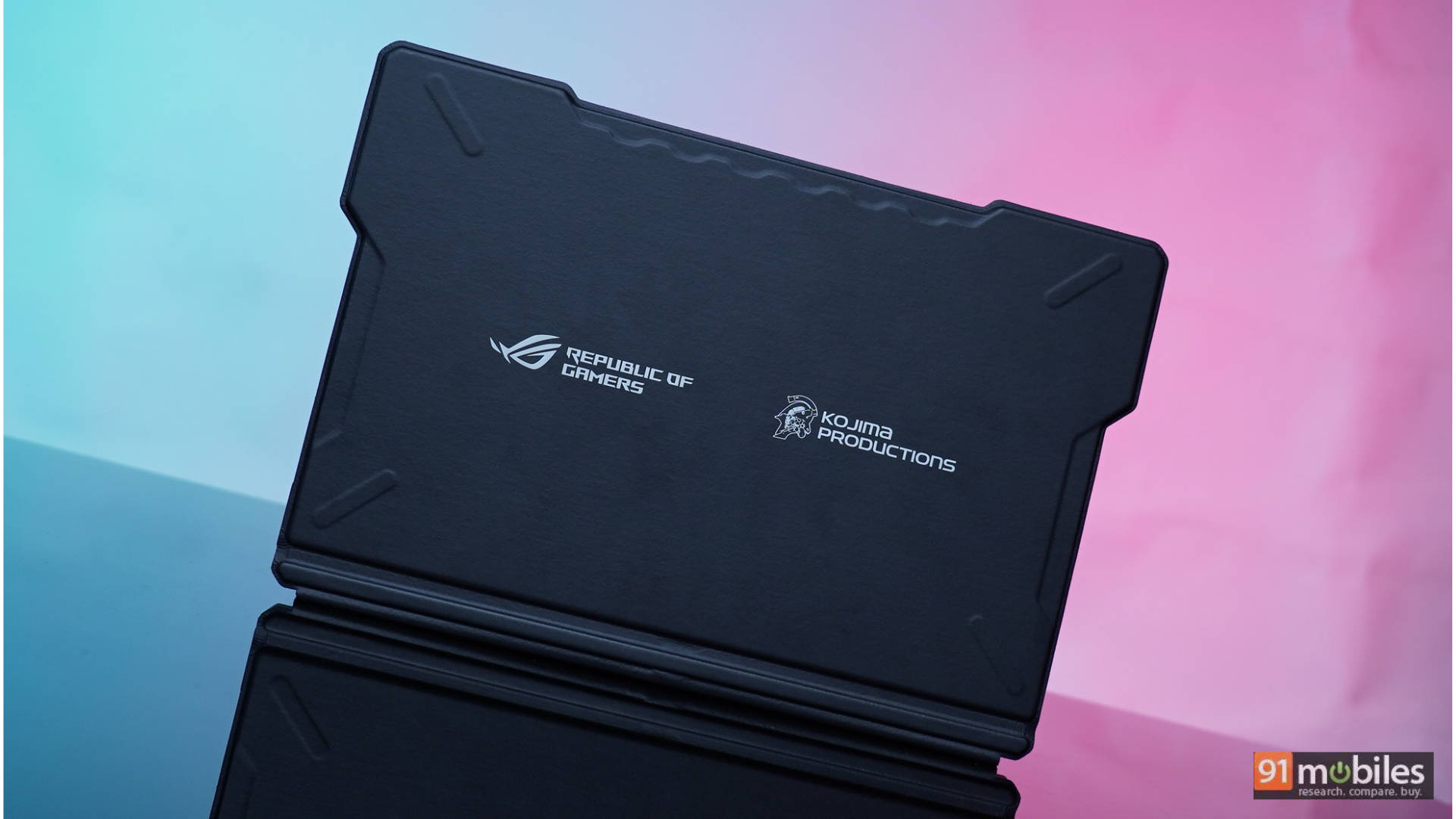
The unboxing experience sets the tone immediately: you get the laptop in a white briefcase akin to something Sam Porter Bridges would carry. Inside, the space is perfectly cut out for the ROG Flow, though it lacks room for the charger, which is a bit of a bummer.
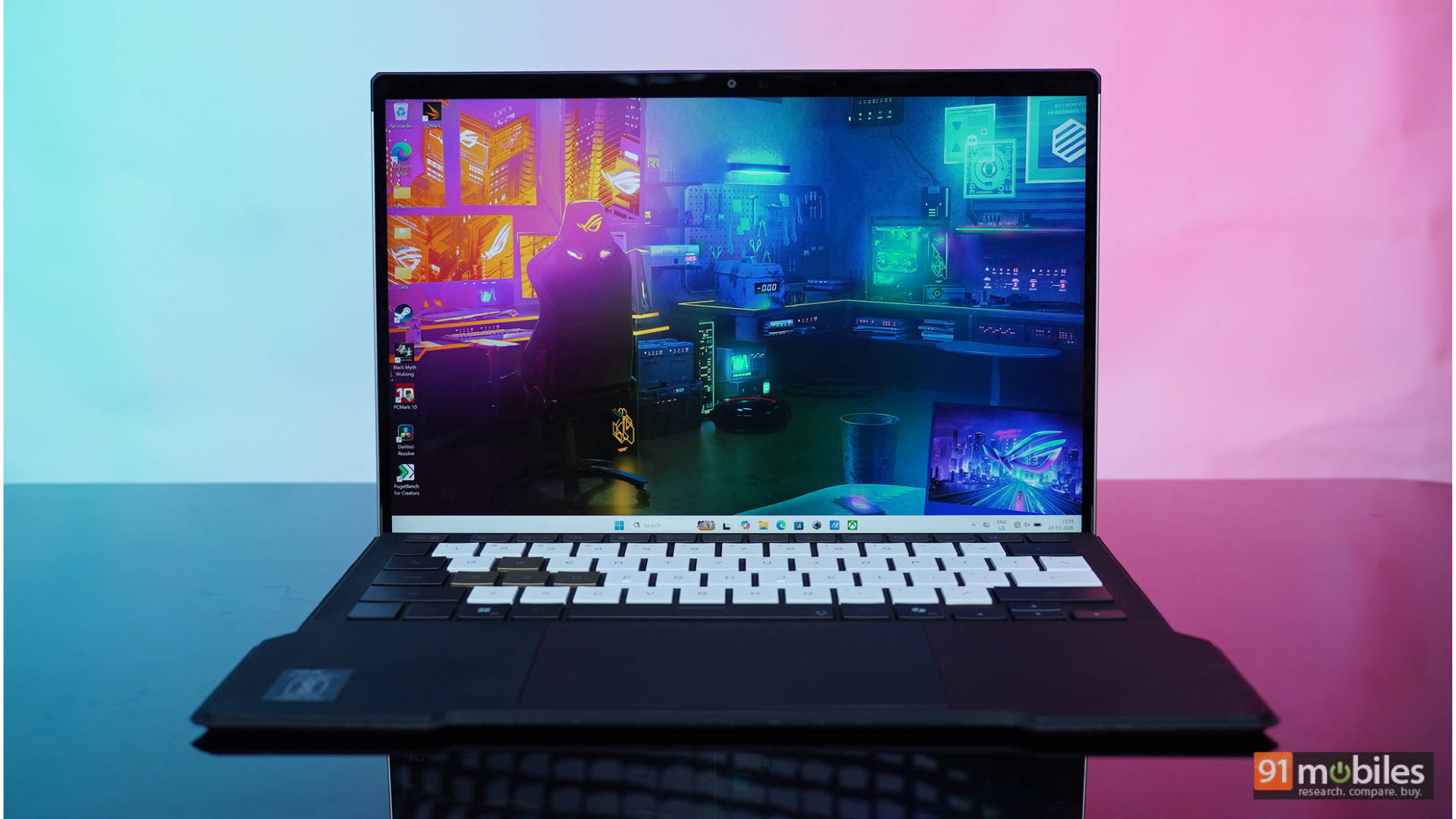
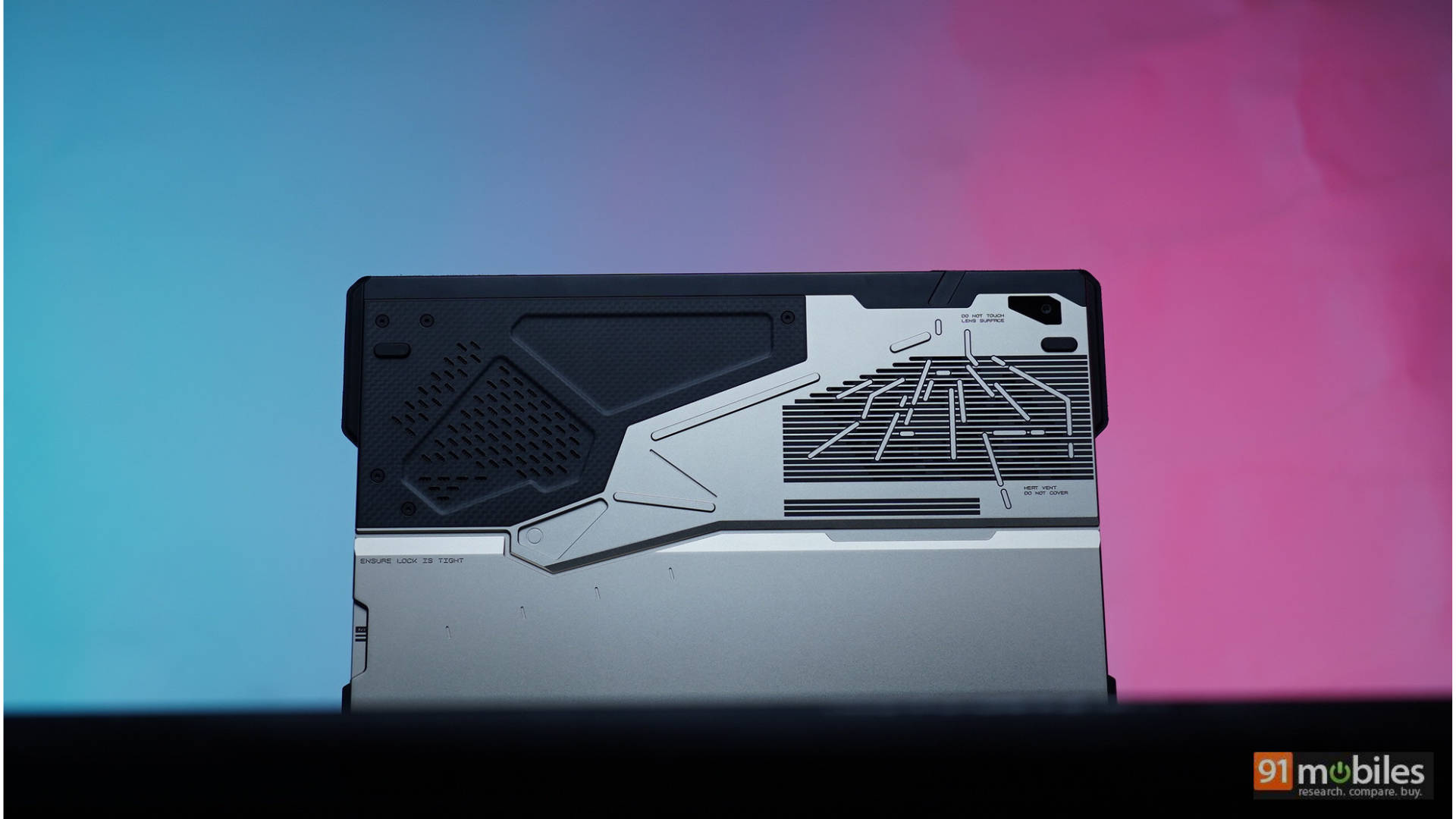
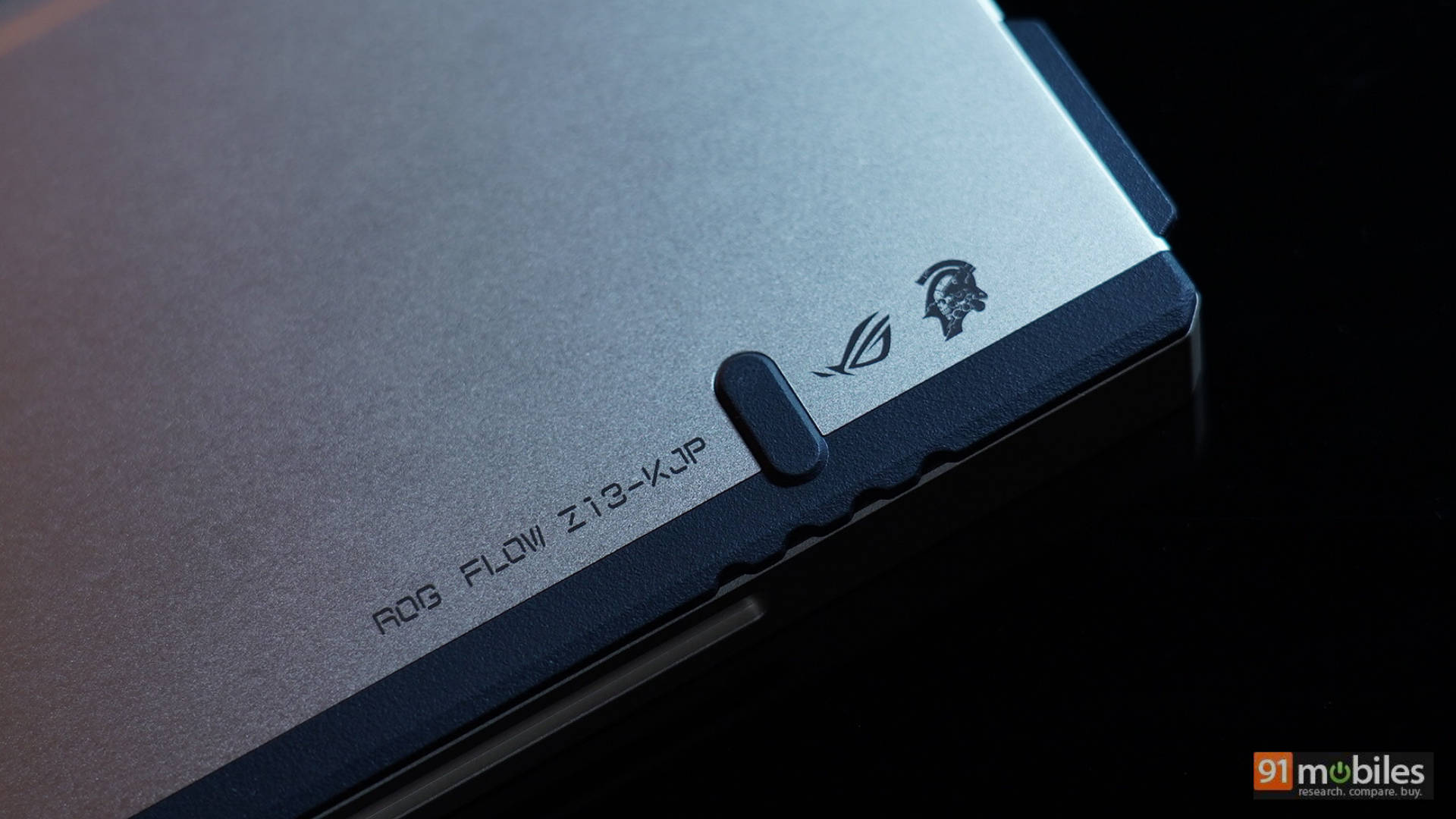
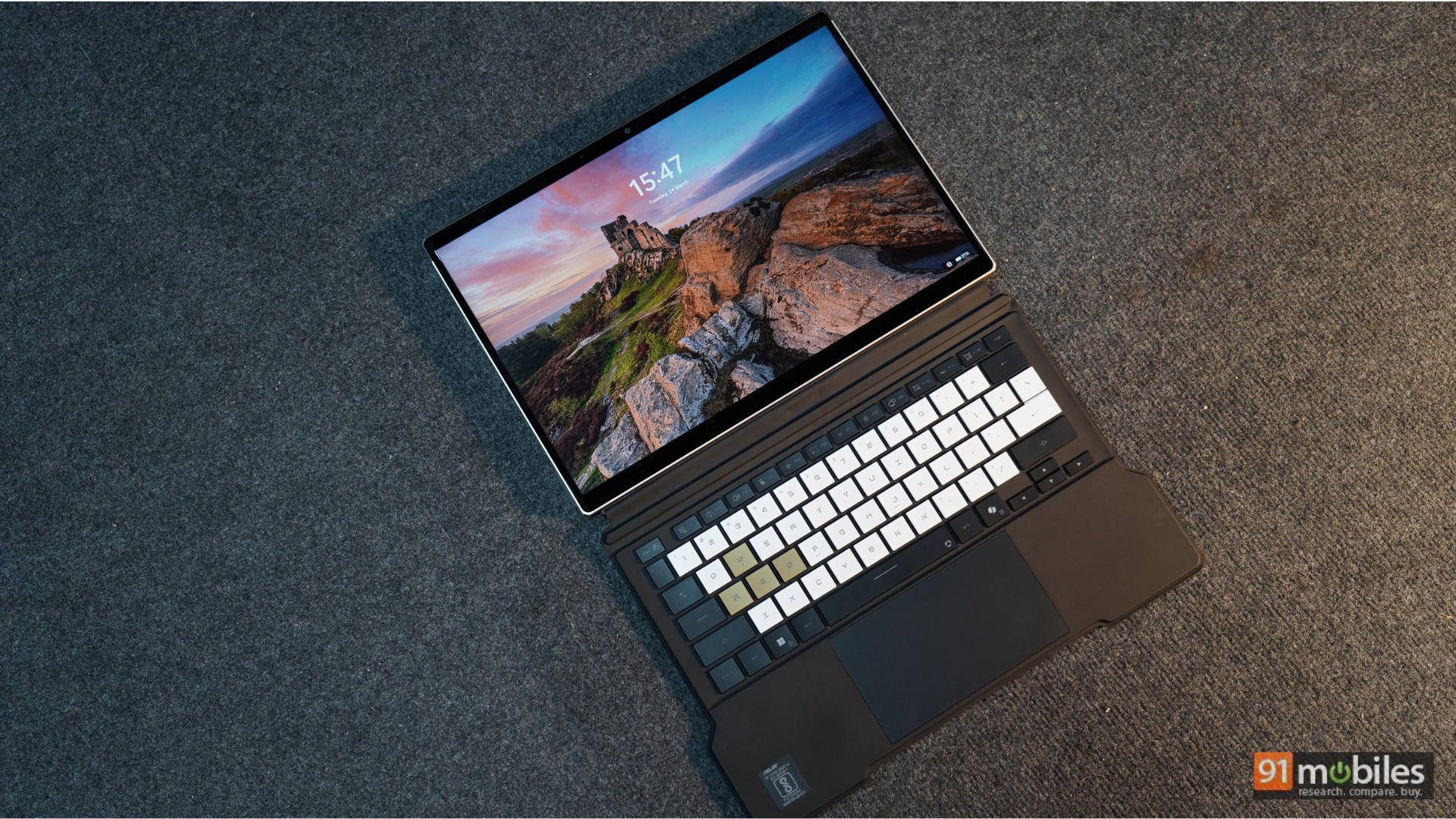
The back of the Flow sports a striking gold and black finish that instantly reminds me of the mechanical arm worn by Venom Snake in MGS V. The keyboard follows suit with an eye-catching gold, white, and charcoal-black finish. Power on the device, and you are greeted by the Kojima Productions logo instead of the usual ASUS ROG emblem—a brilliant touch for fans.
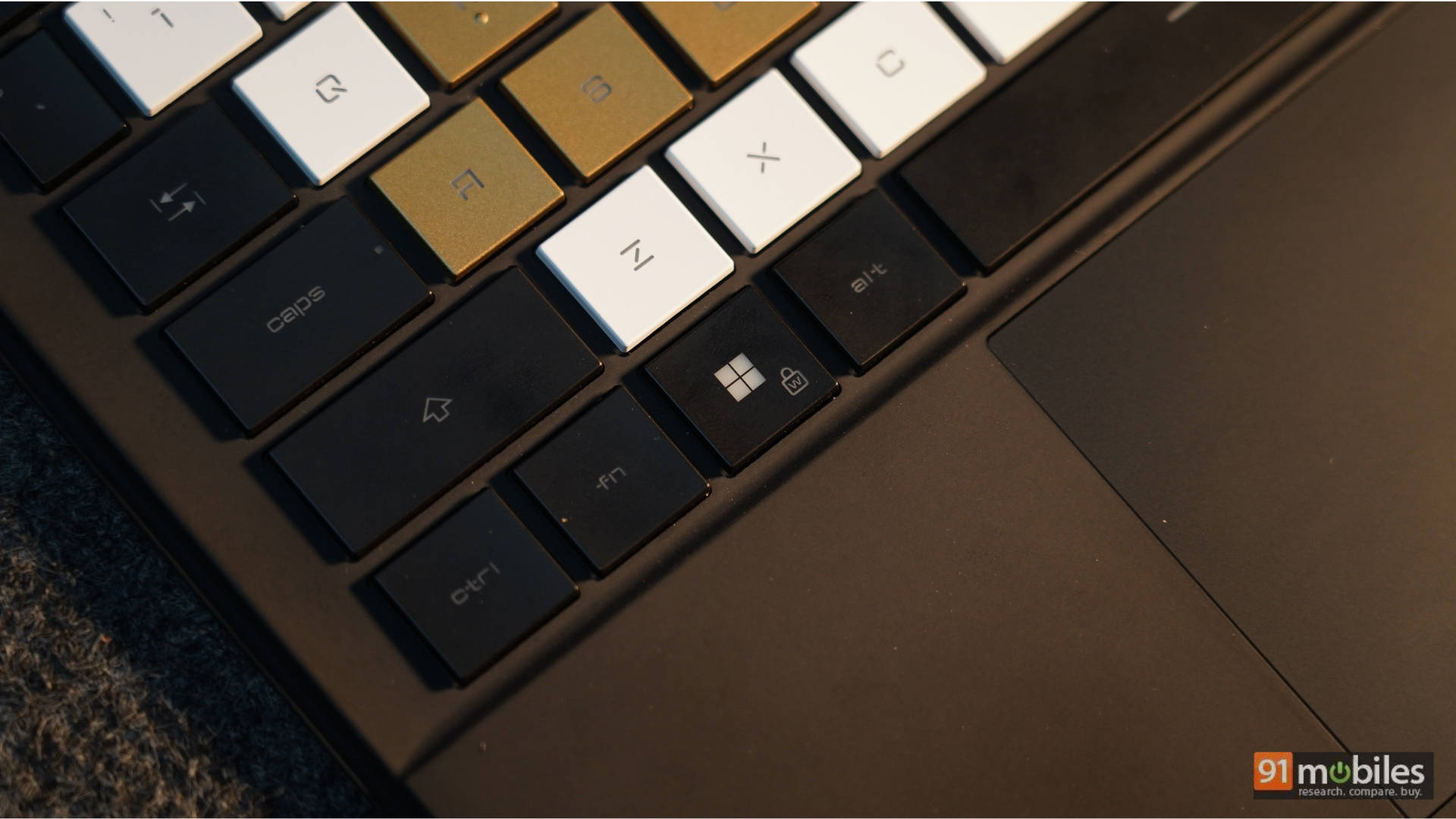
While the fundamental chassis of the Flow is identical to last year’s model, the look and feel are entirely distinct. A quick Google search led me to this quote from Kojima Productions Art Director, Yoji Shinkawa: “I wanted to create a gadget that belongs to Ludens, and I integrated that into this PC design. Parts and designs are inspired by Ludens and have its essence.” I couldn’t have summed it up better myself. For details on the hinge durability, tablet mode ergonomics, and key travel, I highly recommend checking out our previous ROG Flow review.
Performance: A Pocket-Sized Beast
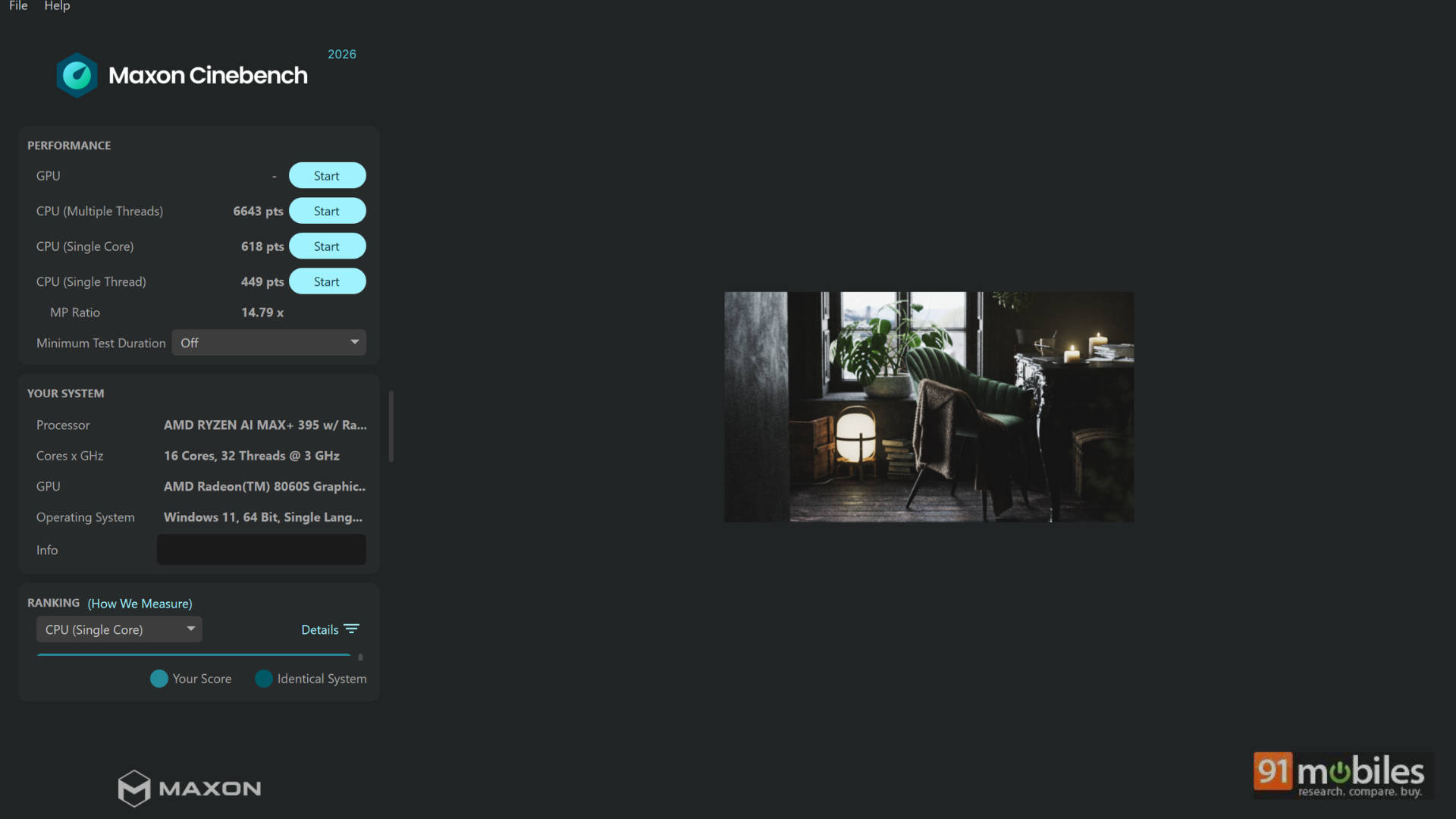
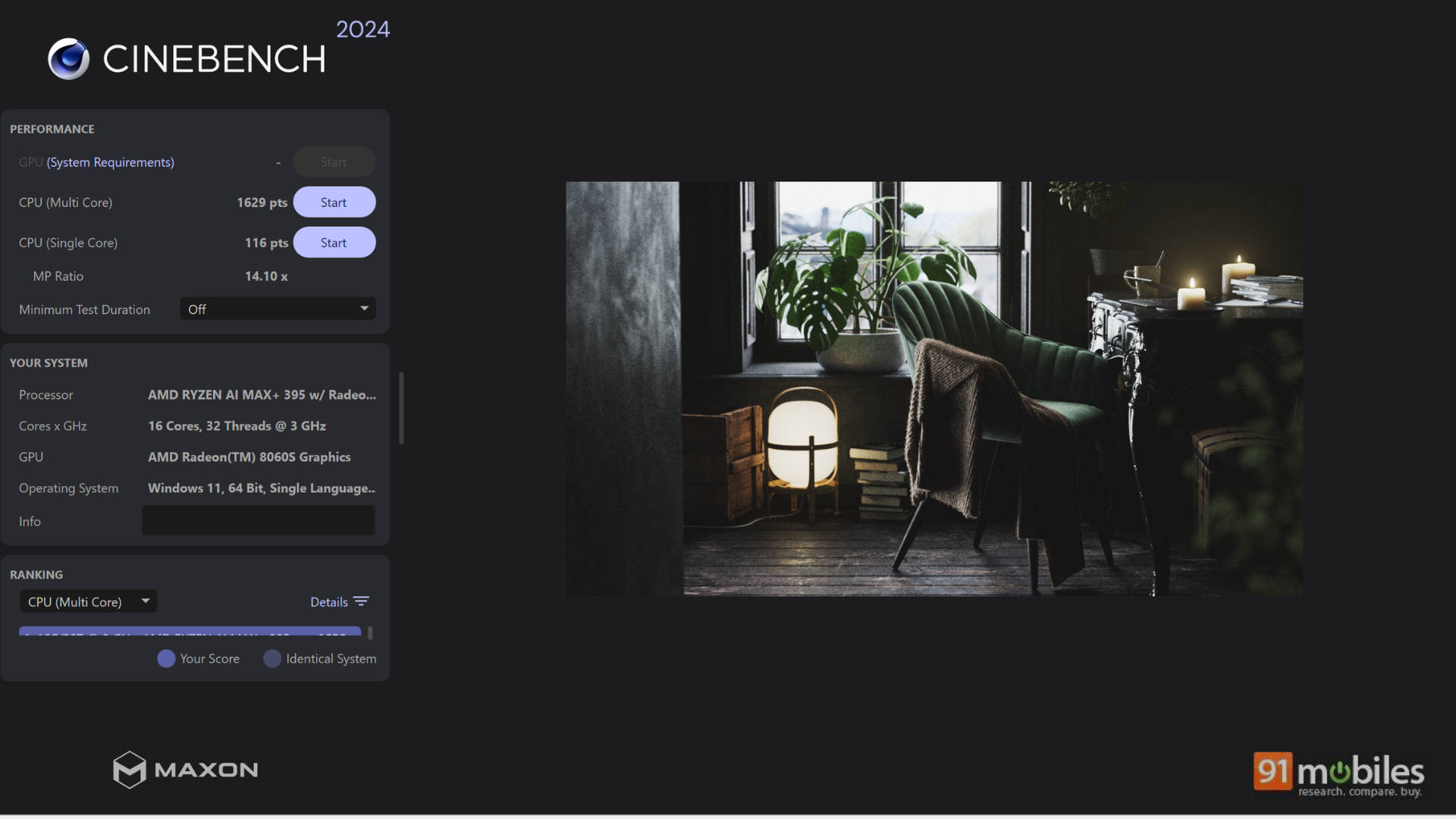
The AMD Ryzen AI MAX+ 395 powering this ASUS ROG Flow is an absolute beast. It is paired with a whopping 128GB of unified RAM, boasting the ability to assign up to 96GB straight to the GPU. Let that sink in.
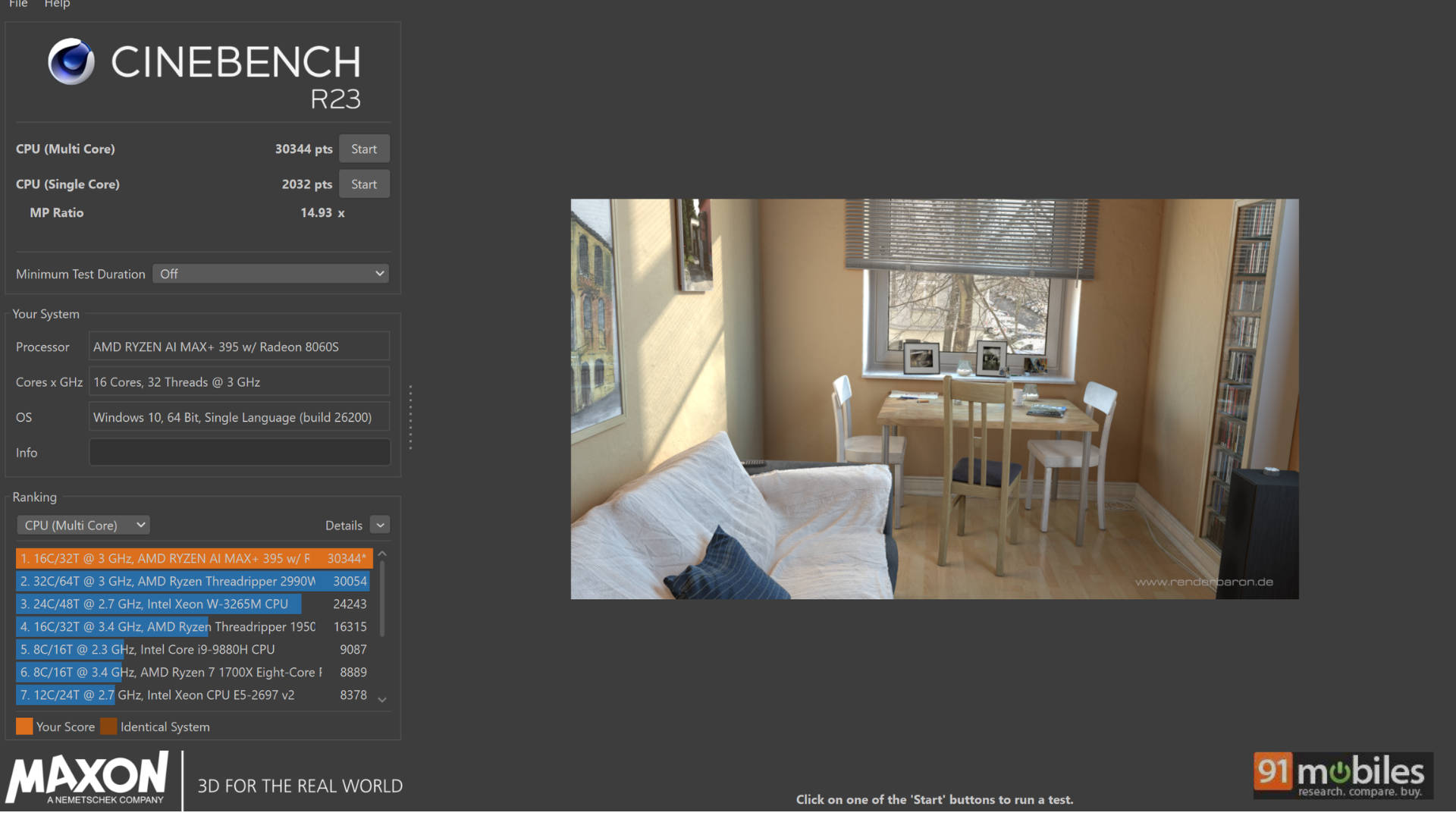
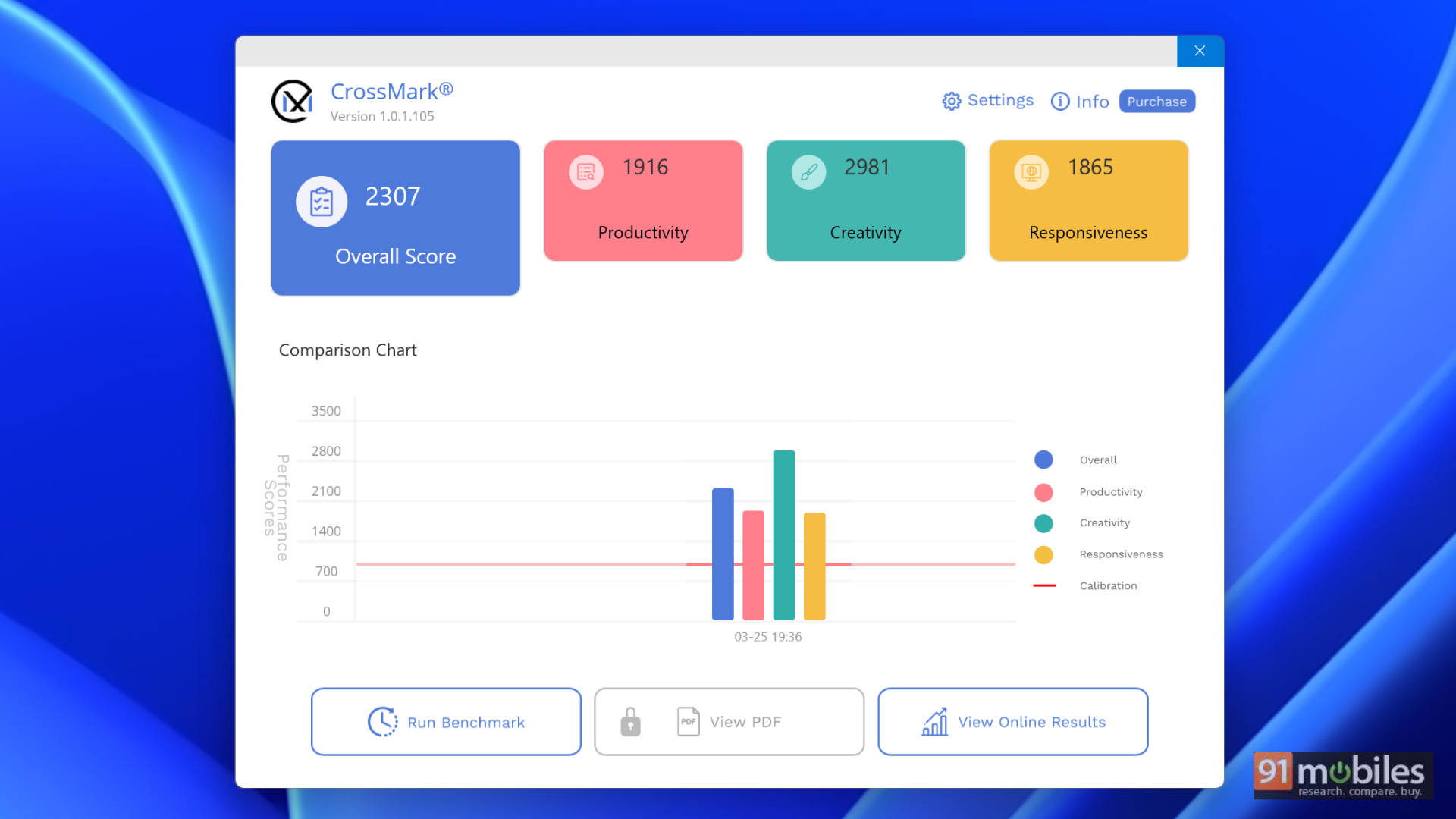
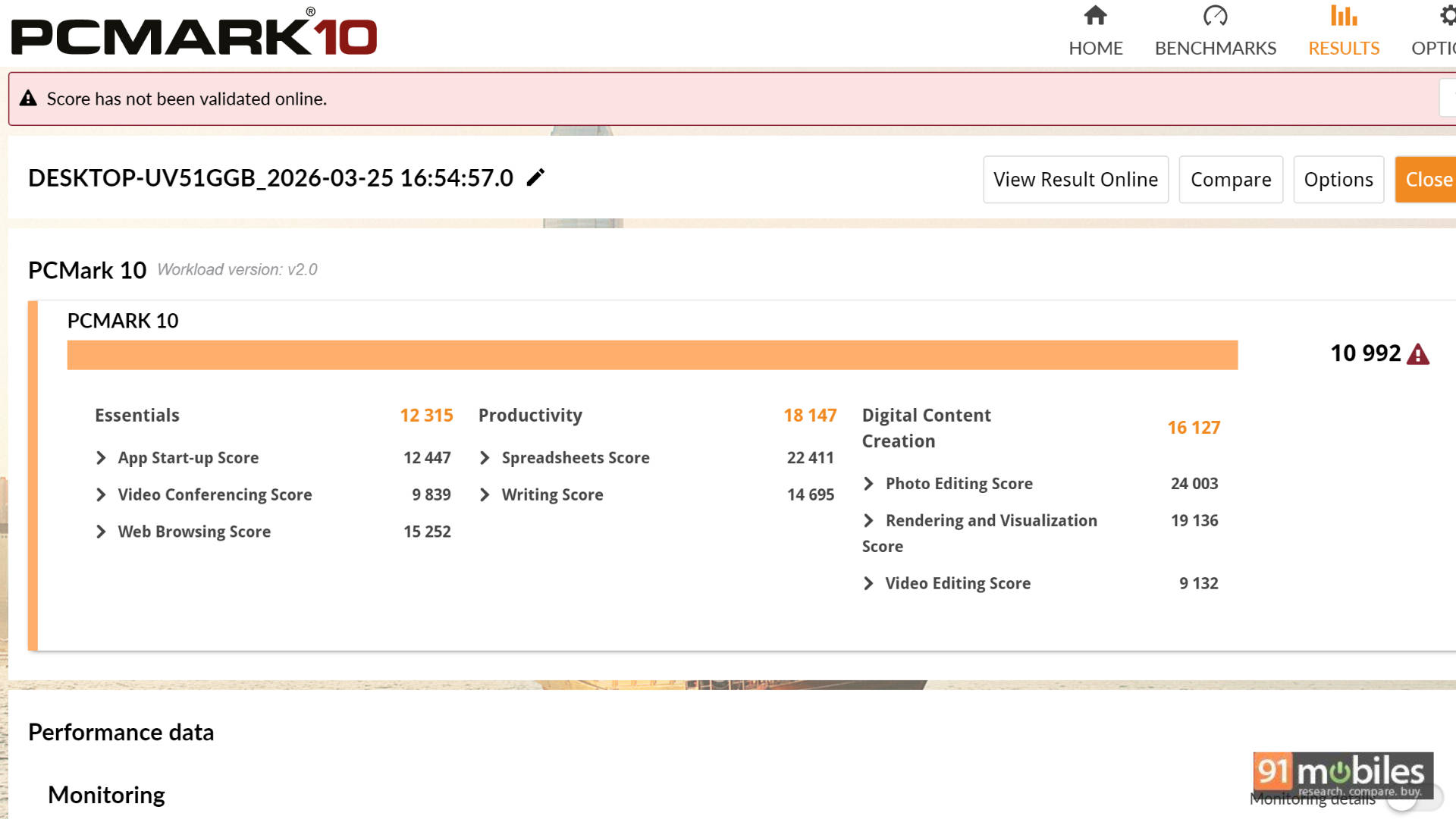
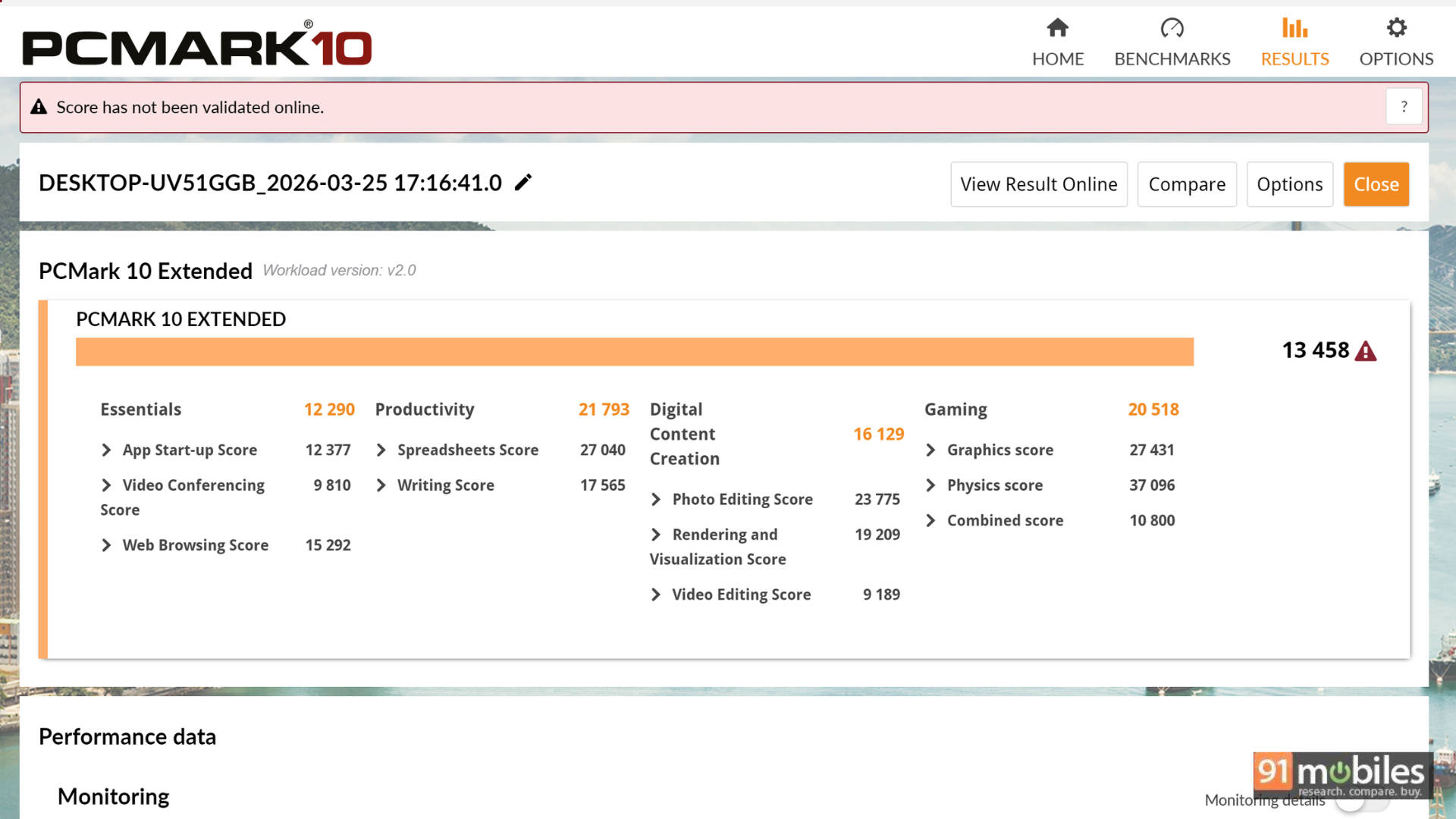
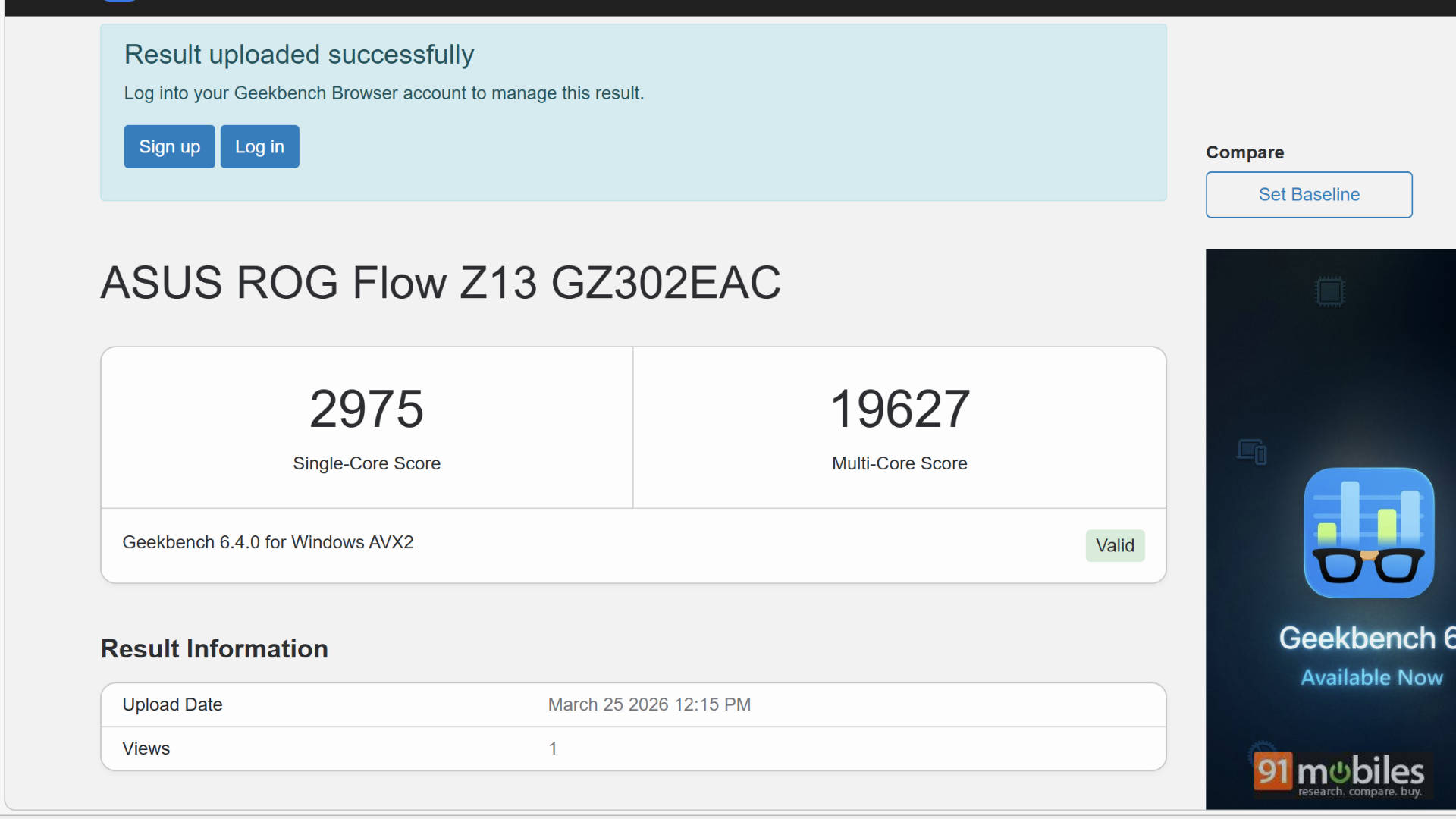
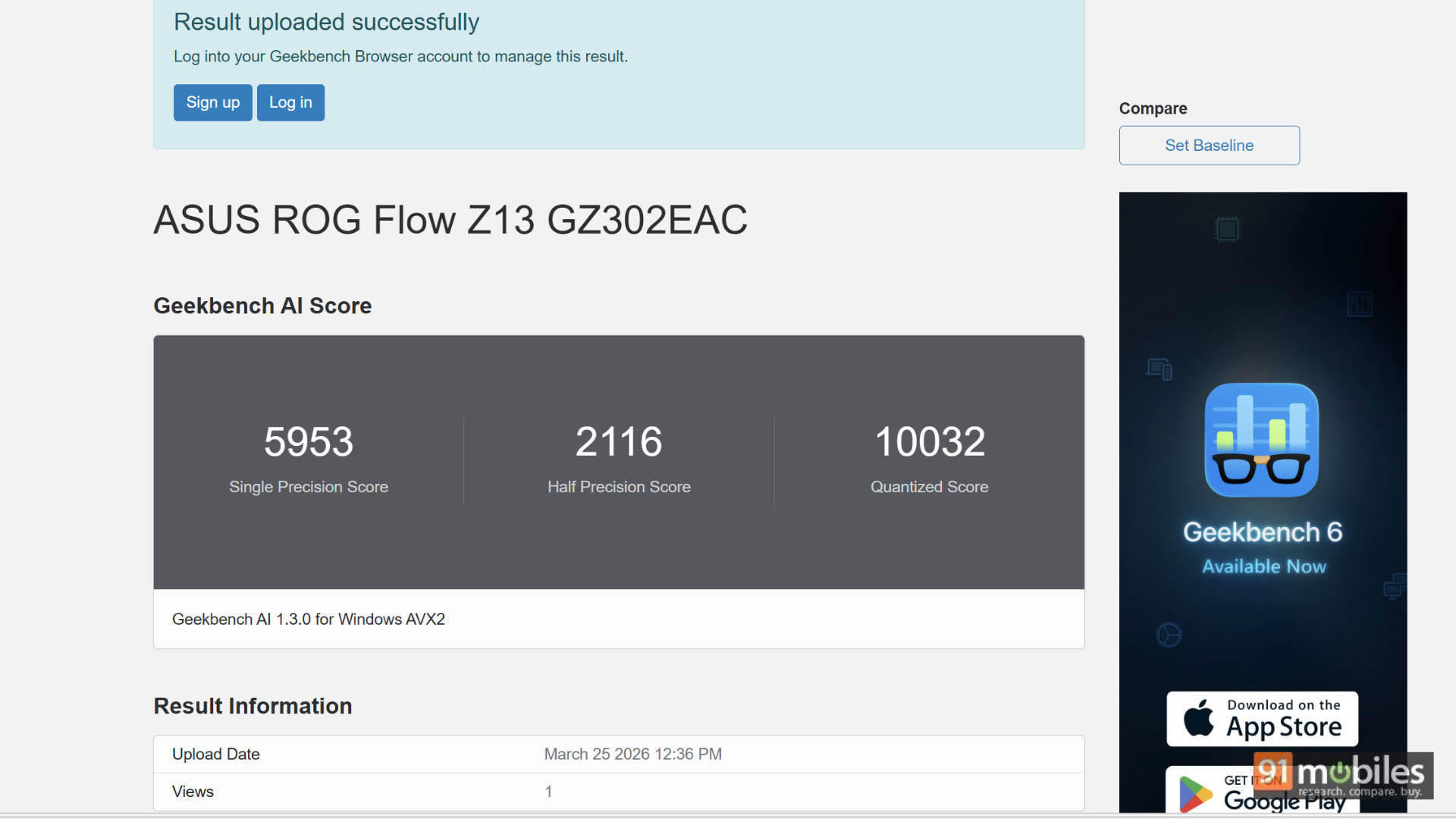
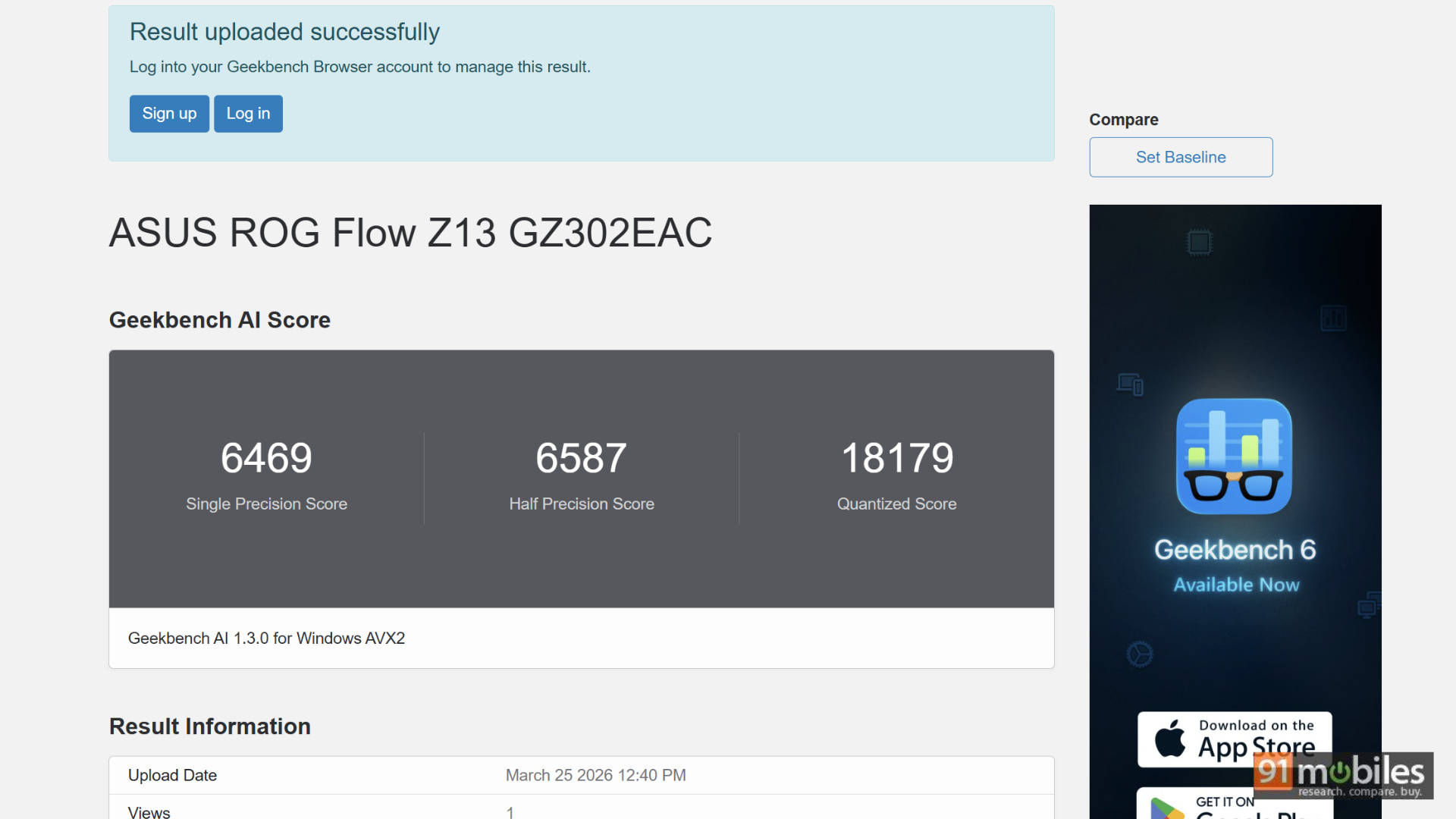
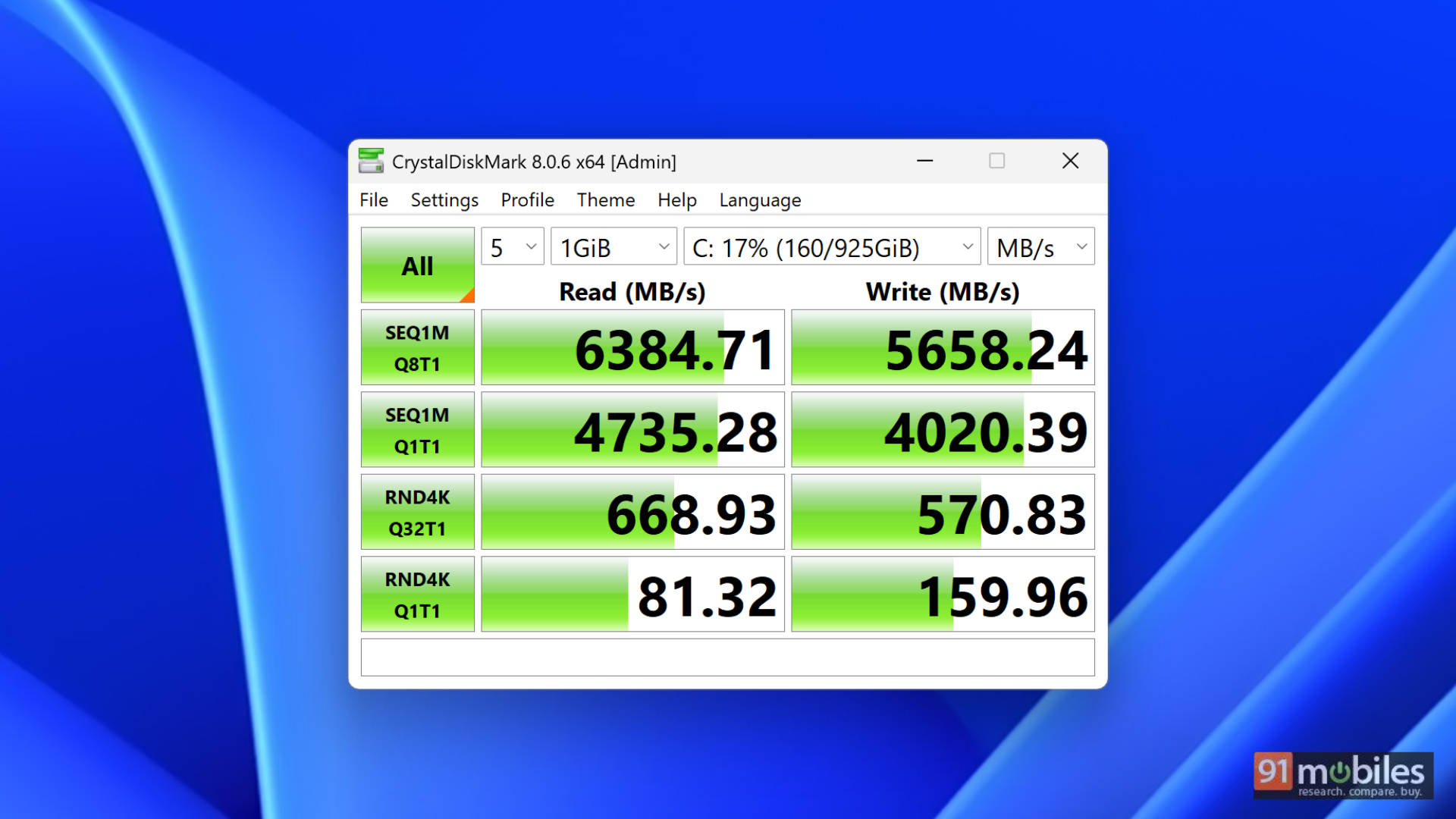
To put this kind of power into perspective, here is how the Z13 Kojima Edition stacks up in our lab tests against some heavyweight competition:
| Laptop | ASUS ROG Flow Z13 GZ302EAC Kojima Edition | ASUS ROG Flow Z13 (2025) GZ302EA-RU420WS | ASUS ZenBook Duo UX8407 | Dell Alienware 16X Aurora AC16251 | Asus Strix Scar 16 G635LW-RW157WS | MSI Katana 15 HX B14WFK |
| CPU | AMD Ryzen AI MAX+ 395 | AMD Ryzen AI MAX 390 | Intel Core Ultra X9 Processor 388H | Intel Core Ultra 9 275HX | Intel Core Ultra 9 - 275HX | Intel Core i7-14650HX |
| GPU | AMD Radeon 8060S | AMD Radeon 8050S | Intel Arc B390 | NVIDIA GeForce RTX 5070 | 16GB NVIDIA GeForce RTX 5080 | 8GB NVIDIA GeForce RTX 5060 |
| RAM Size | 128GB | 32GB | 32GB | 32GB | 32GB | 16GB |
| Cinebench R24 MT | 1565 | 1267 | 1102 | 1900 | 1935 | 1234 |
| Cinebench R24 ST | 113 | 111 | 126 | 134 | 137 | 115 |
| Cinebench R23 MT | 27861 | 21621 | 17836 | 33935 | 35459 | 21593 |
| Cinebench R23 ST | 1853 | 1893 | 2109 | 2199 | 2234 | 1967 |
| PCMark 10 | 10483 | 8585 | 10287 | 9110 | 8581 | NA |
| PCMark 10 Extended | 13027 | 10604 | 11266 | 12179 | 11905 | NA |
| Geek Bench 6 ST | 2953 | 2875 | 2918 | 3049 | 3085 | 2751 |
| Geek Bench 6 MT | 19249 | 17157 | 16735 | 19977 | 16540 | 14506 |
| 3DMark Time Spy Extreme | 4921 | 4518 | 3580 | 6756 | 10707 | 5844 |
| 3DMark Time Spy | 10041 | 9539 | 7698 | 14139 | 20377 | 12610 |
| 3DMark Fire Strike Ultra | 6384 | 5850 | 3605 | 8526 | 13745 | 7593 |
| 3DMark Fire Strike Extreme | 12152 | 11008 | 6657 | 16594 | 25255 | 15463 |
| 3DMark Fire Strike | 23903 | 21756 | 14215 | 37798 | 39487 | NA |
As you can see from the benchmark data above, the ROG Flow comfortably holds its own against top-tier, dedicated gaming laptops. When it comes to real-world gaming, we tested all the popular heavy hitters. While playing at FHD yields fantastic native results, pushing the device to its absolute limits requires leaning on AI upscaling to get the smoothest frame rates.
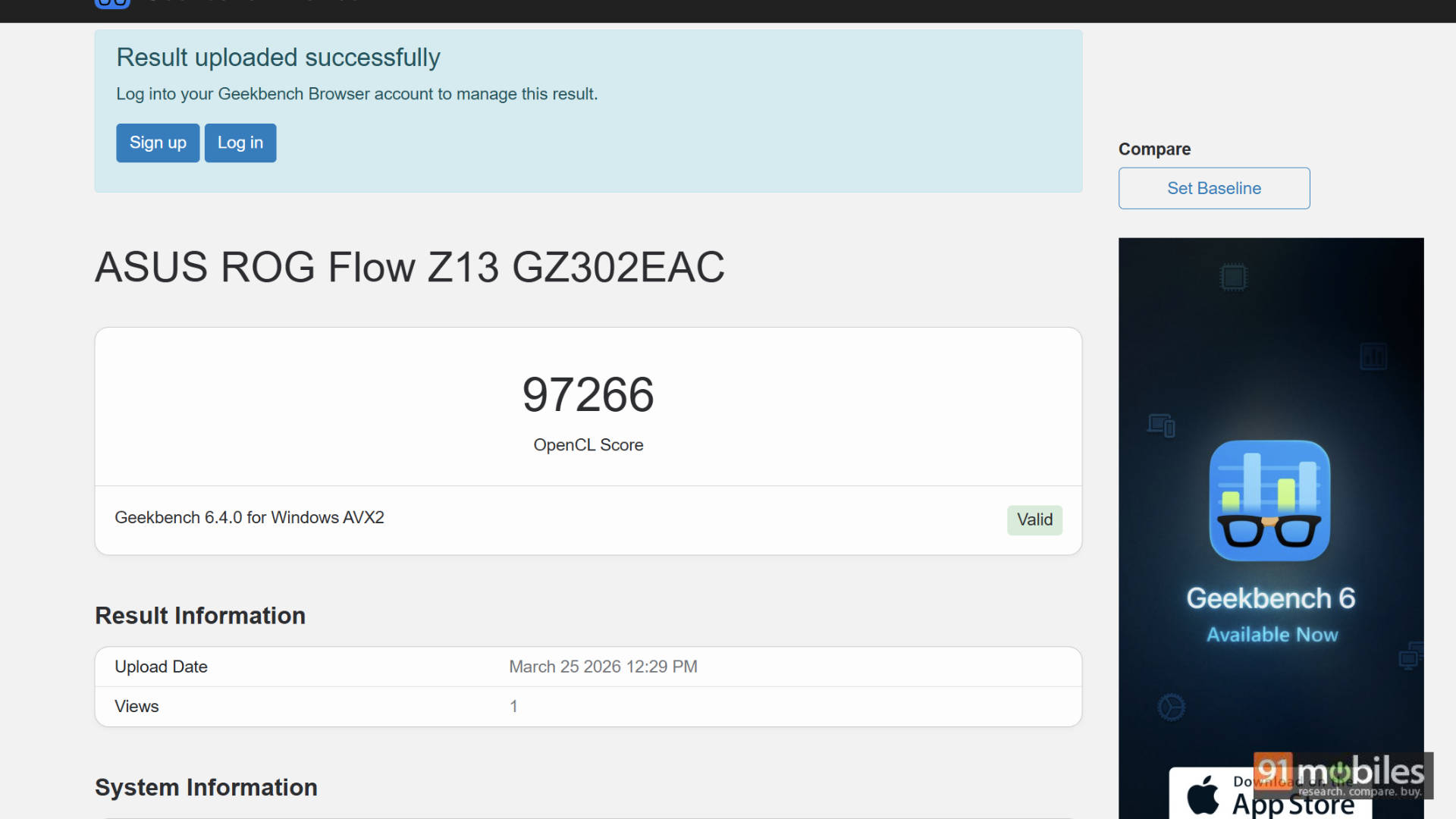
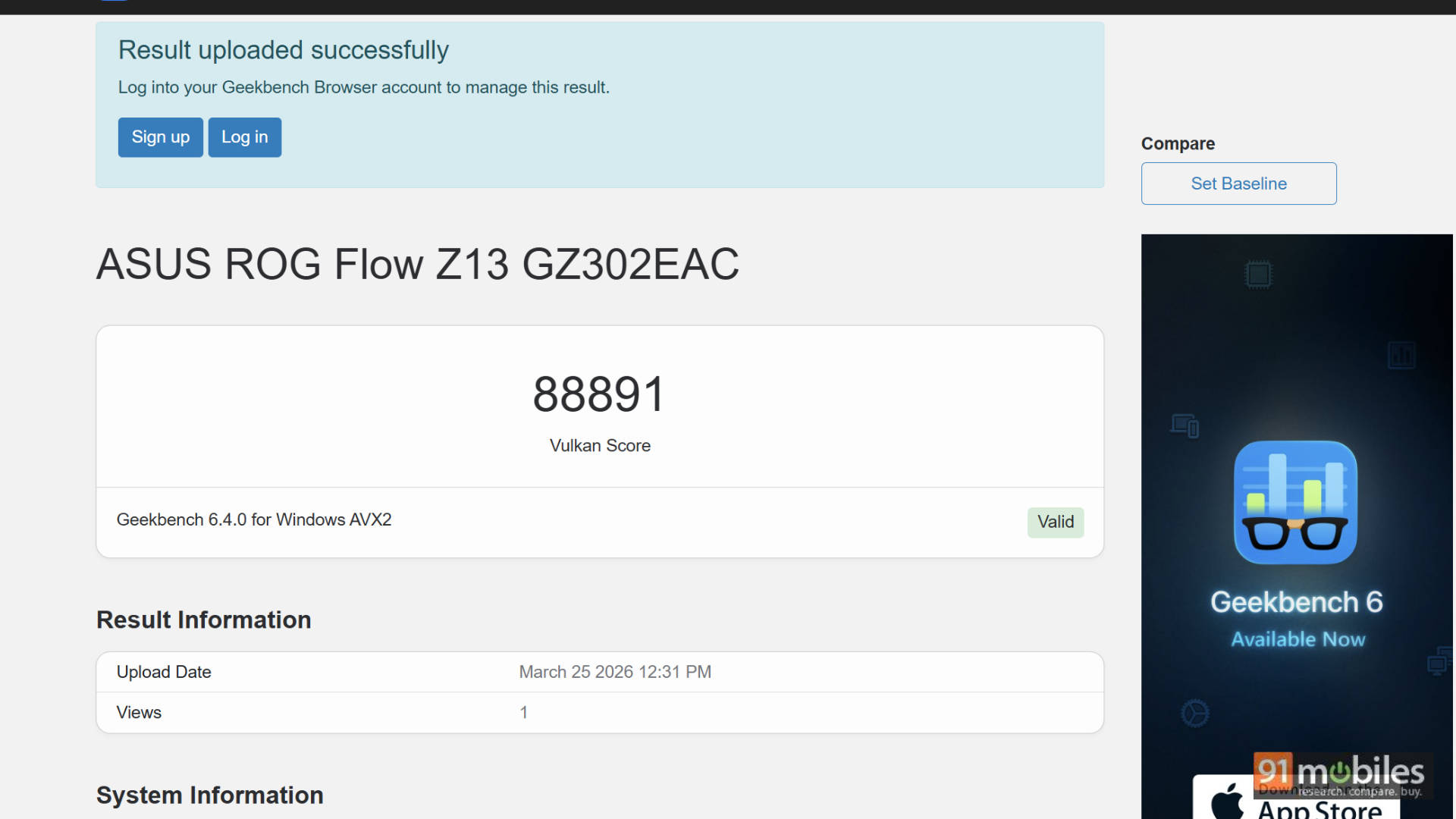
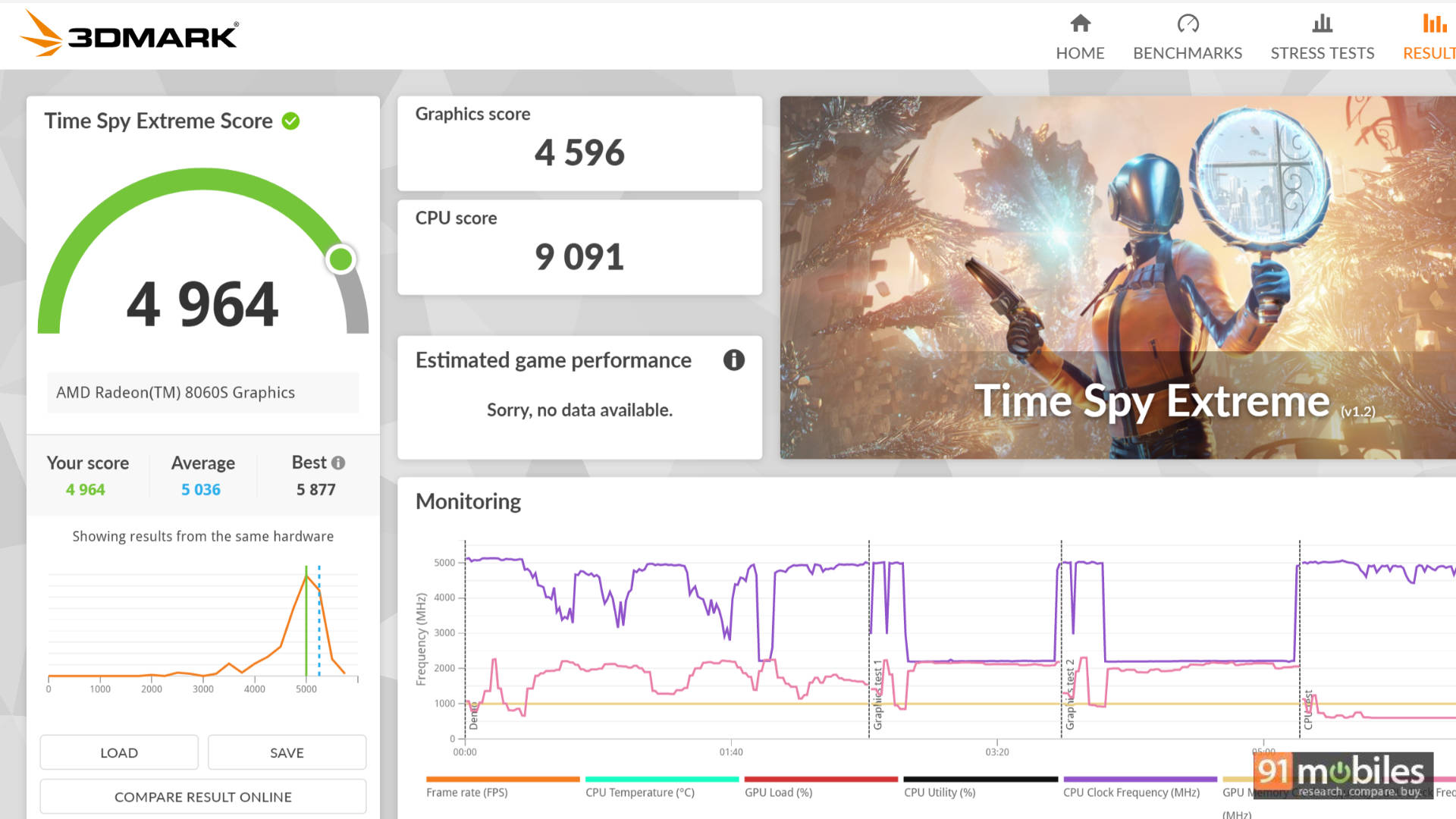
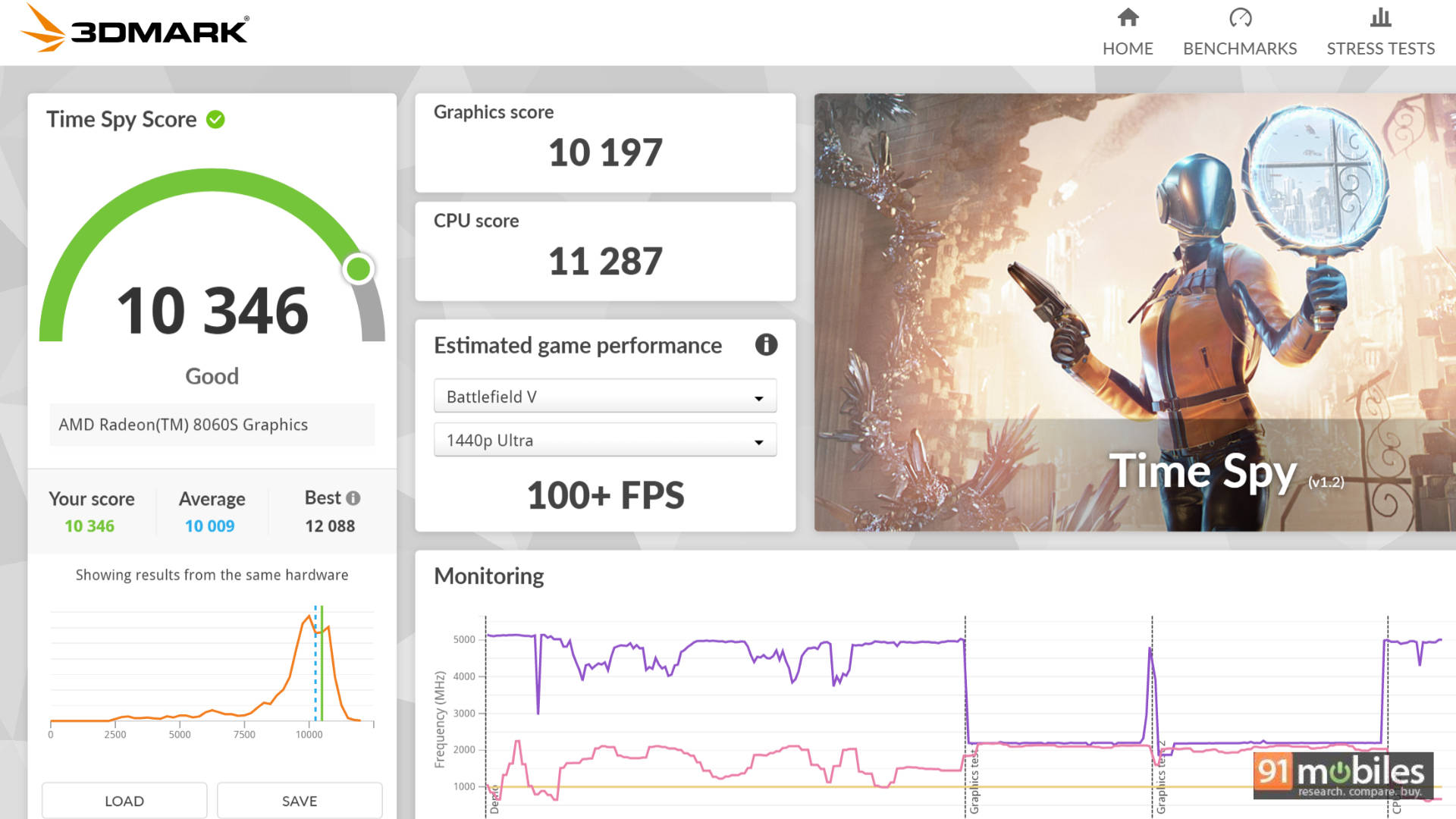
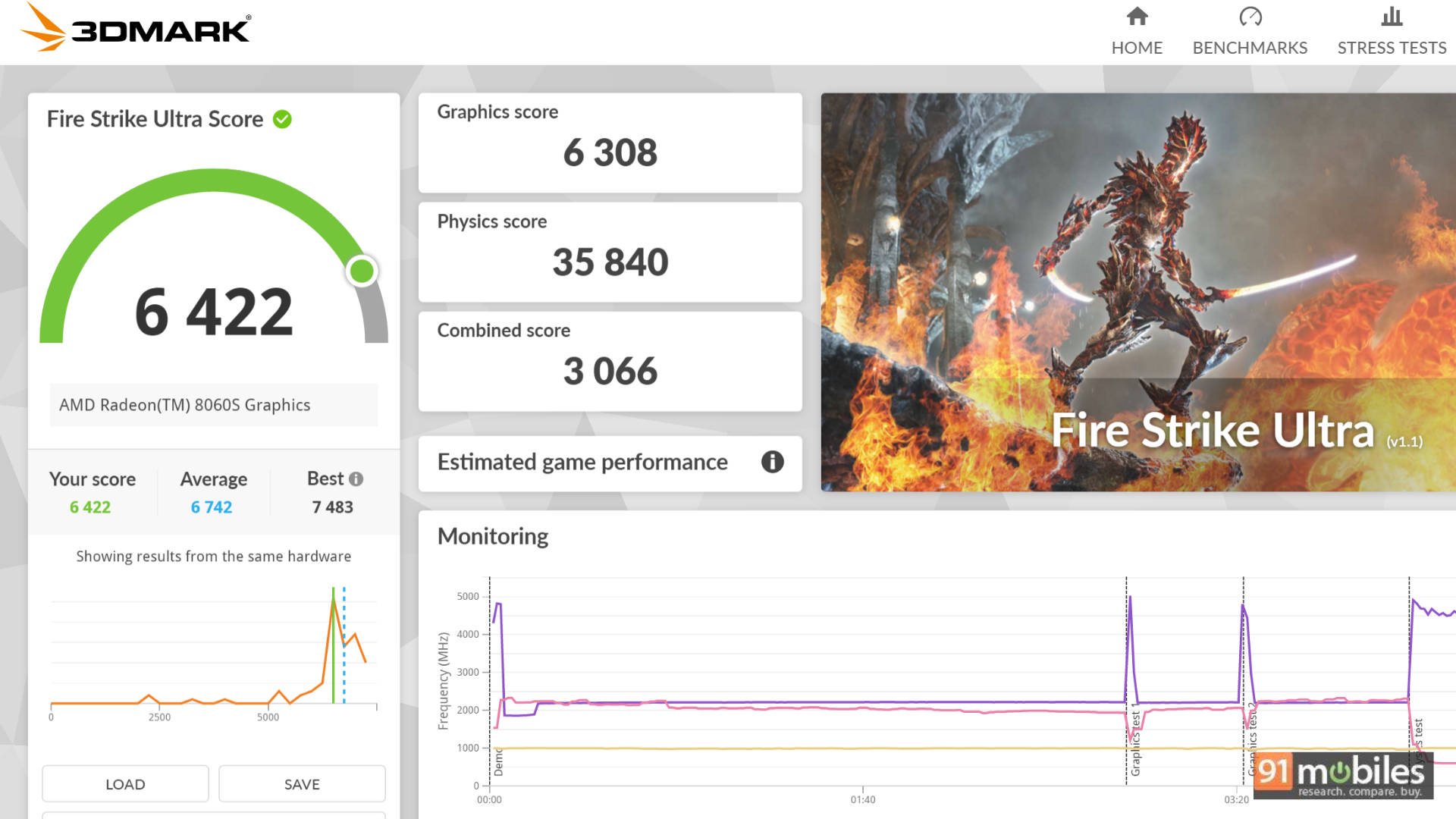
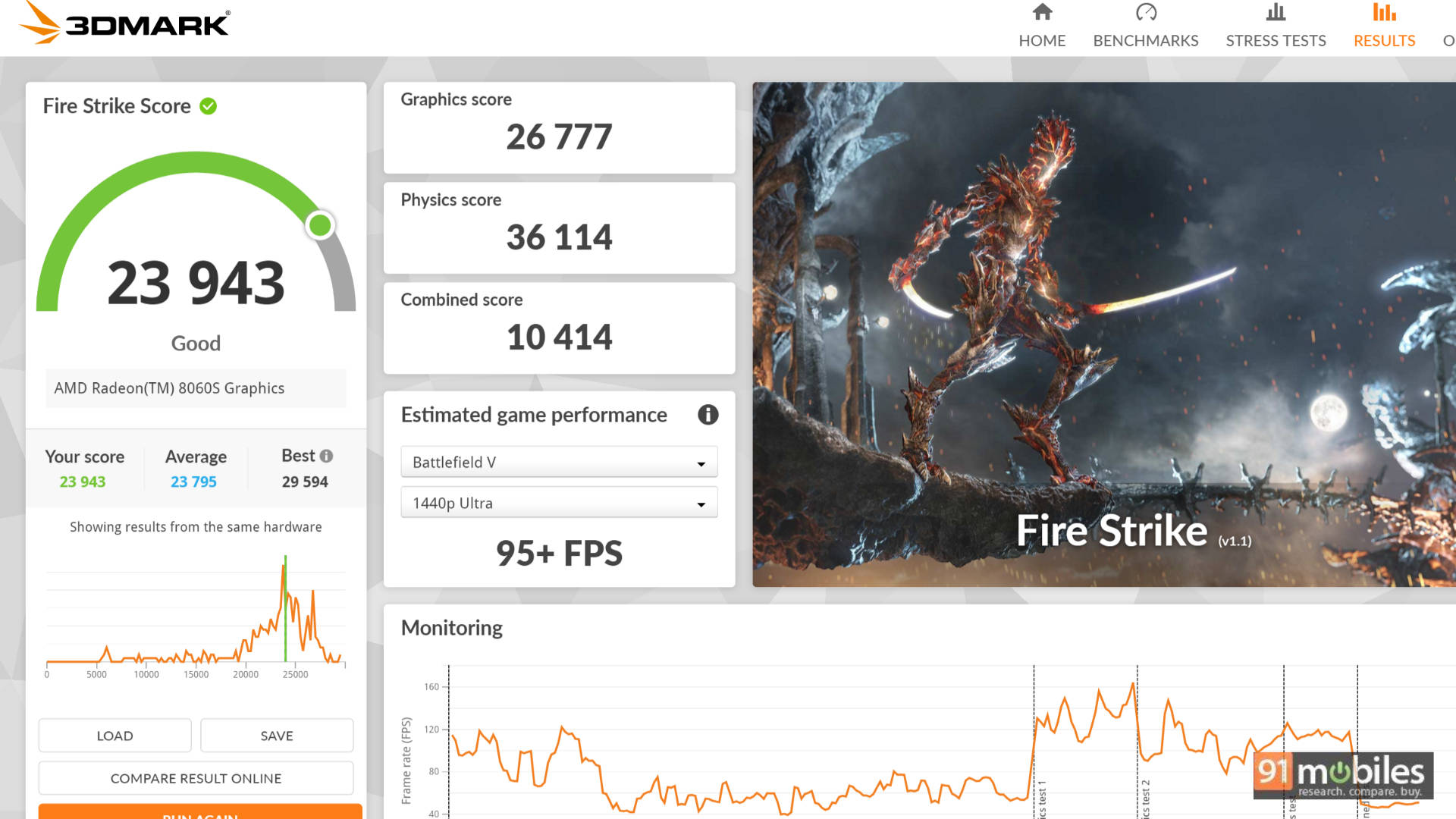


Having said that, this "laptop's" performance is stunning when you factor in its size. On a recent flight from Delhi to Mumbai, I took it out and managed more than 90 minutes of uninterrupted gaming. Titles like Baldur's Gate 3, Keeper, Resident Evil Requiem, and Forza Horizon 5 ran flawlessly on battery power. Sure, the battery life wasn't legendary, I had to plug it in as soon as I landed, but the fact that I could comfortably play AAA games on an aeroplane tray table thanks to this form factor and display was nothing short of amazing.

It didn't disappoint for productivity, either. From working on presentations to writing parts of this very review, managing documents, and clearing emails, the device worked without breaking a sweat. Special mention goes to the trackpad, which feels surprisingly large and comfortable for a device of this footprint. When it was time to watch a movie, I simply removed the keyboard cover, and the excellent built-in kickstand gave me a premium tablet experience (Windows tablet quirks notwithstanding). The built-in speakers aren't industry-leading, but that's an acceptable trade-off since most of my gaming and content consumption happens with headphones anyway.
The Verdict
Priced at a whopping Rs 3,79,990, the ASUS ROG Flow Z13 Kojima Edition isn't for everyone. For that kind of money, you could buy a highly capable, traditional gaming laptop with superior raw performance. But what you won't get with those traditional laptops is this seamless blend of performance and portability.
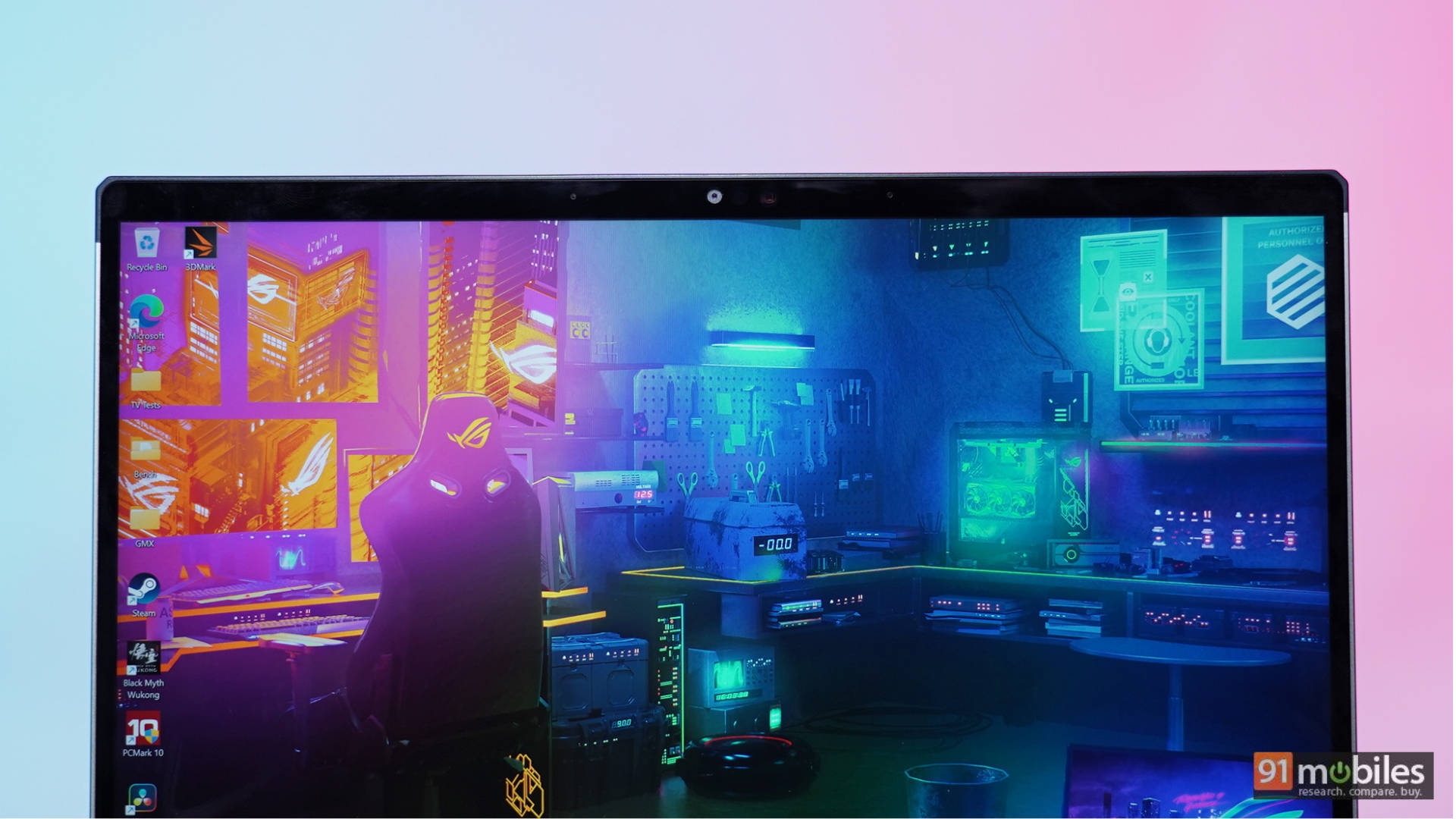
And that is the true USP of the Flow. I love gaming, but I absolutely despise lugging around a massive, heavy laptop. I have a 55-inch 4K OLED TV at home; with a simple HDMI connection and a controller in hand, the Flow transforms into a capable living-room console. When it's time to work, I hook it up to my monitor, keyboard, and mouse setup for a productive desktop experience.

You aren't just paying for state-of-the-art hardware, which the Flow has; you are paying a premium for ultimate versatility wrapped in an incredible, collector-grade design. It's for those who want one device that can do it all without ever compromising on aesthetics or adaptability.
Editor's Rating: 8.3 / 10
Pros
- Stunning Kojima-Inspired Design
- Incredible Performance-to-Size Ratio
- Unmatched Portability & Versatility
Cons
- Eye-Watering Price Tag
- Briefcase Lacks Charger Space
- Average Speakers