


Review Summary
Expert Rating
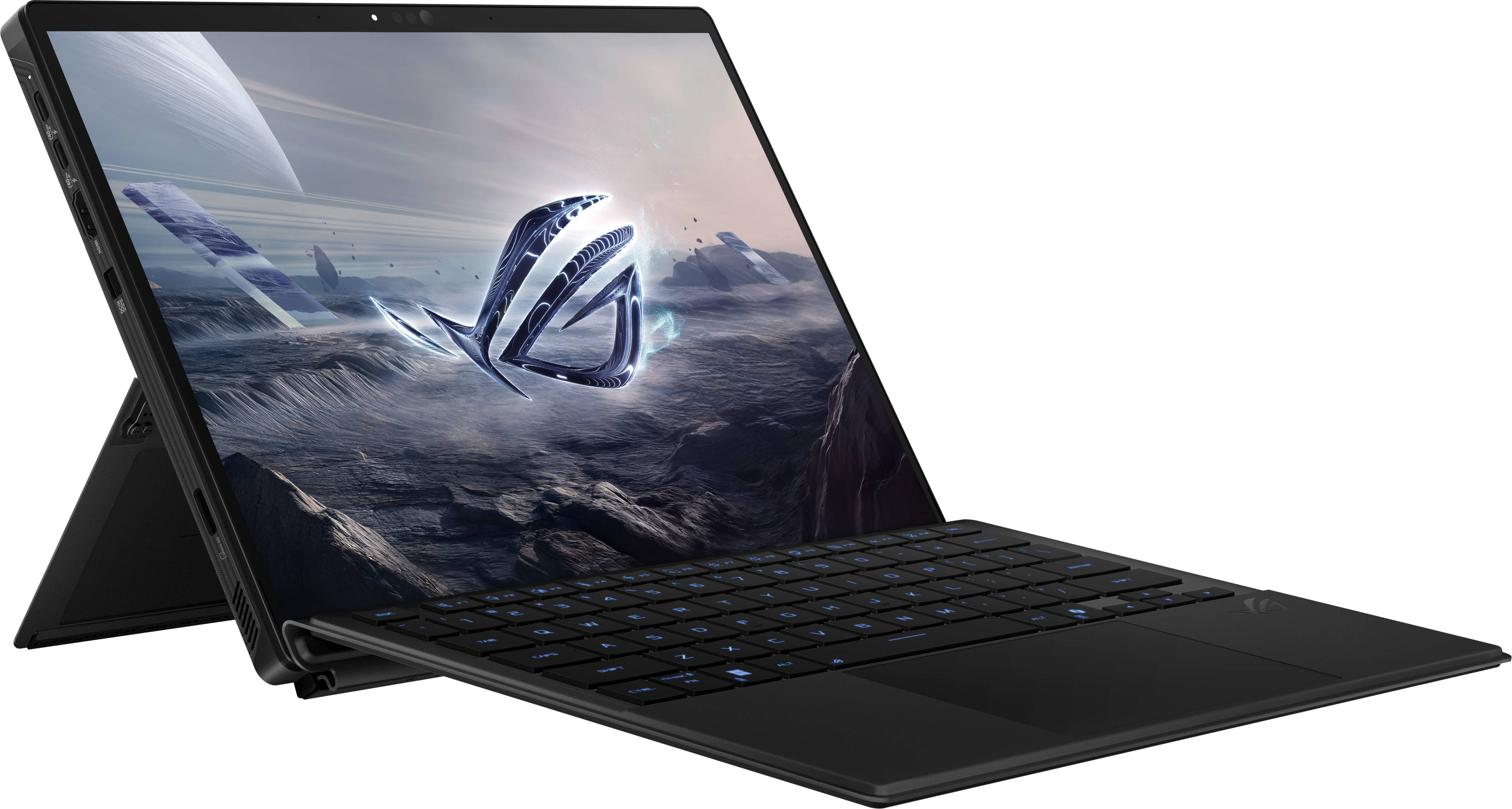
Over the last couple of years, we’ve seen the rise in handheld gaming consoles, with the likes of ASUS ROG Ally and Lenovo Legion Go leading the way. One thing that’s common on both these handhelds, and many more handhelds out there, is that they feature AMD’s chipsets. But even before AMD’s big push into handhelds, ASUS was exploring portable gaming differently with the ROG Flow X13 and Z13, back in 2022. These were tablet-sized machines built to deliver laptop-level performance.
Well, it’s 2025, and ASUS has finally launched a new version of its tablet gaming machine, ie, the ASUS ROG Flow Z13. The highlight here, however, is the AMD Ryzen AI Max 390 processor underneath. It’s a solid chipset on paper, and its integrated Radeon 8050S graphics are “supposedly” as good as a dedicated mid-range GPU.
That said, while the tablet delivers serious power in a ridiculously compact form, it’s not all sunshine and RGB. Let’s dive in and see whether this is just a cool concept or a genuinely useful machine for power users on the move.
Table of Contents
Design and Display
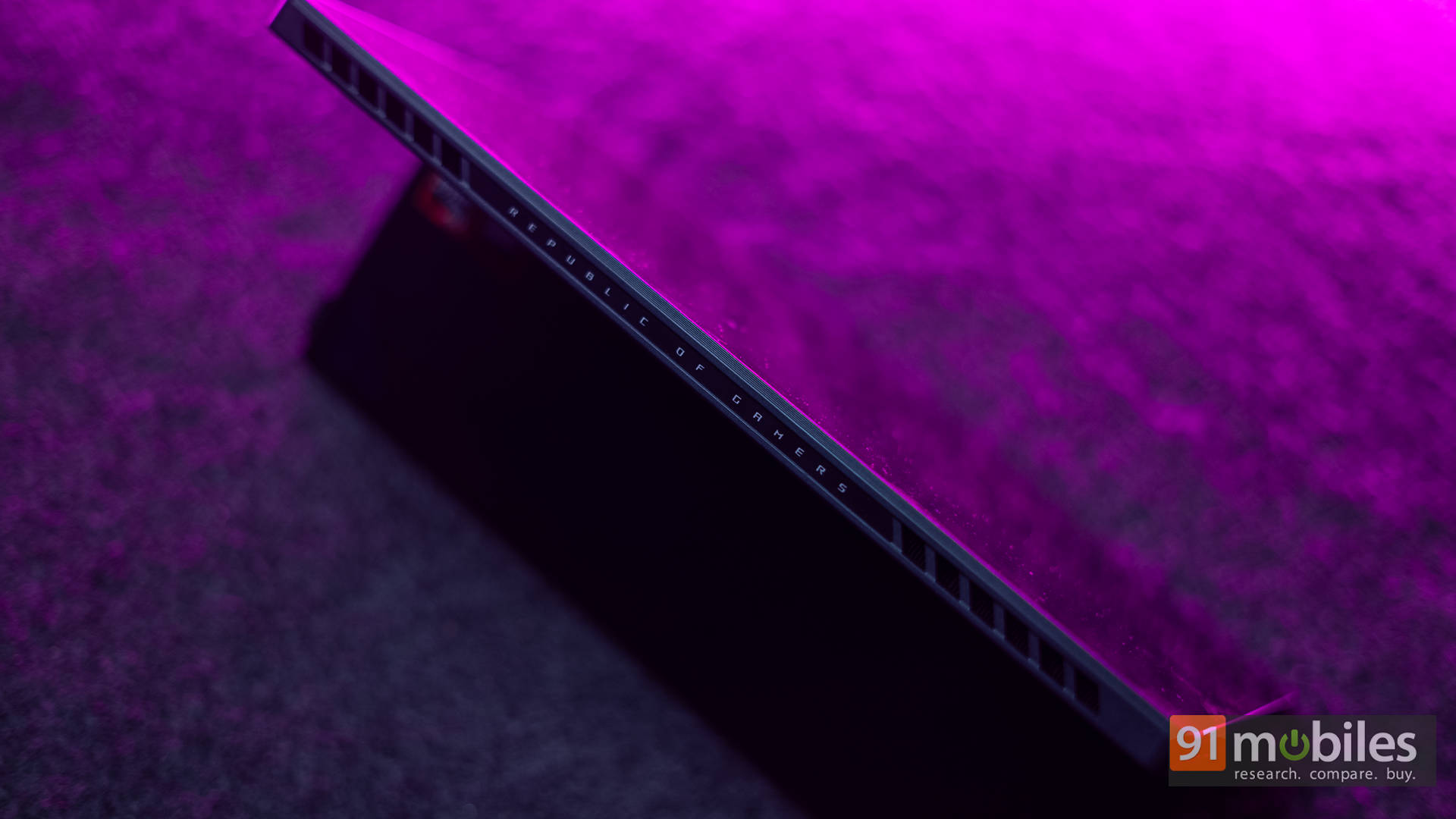
Starting with the design, the Flow Z13 genuinely resembles a rugged iPad that’s been hijacked by a gamer. There’s the signature Republic of Gamers aesthetic, complete with sharp edges, angular vents, and a tiny RGB-lit window on the back that screams “I am a gaming machine”.
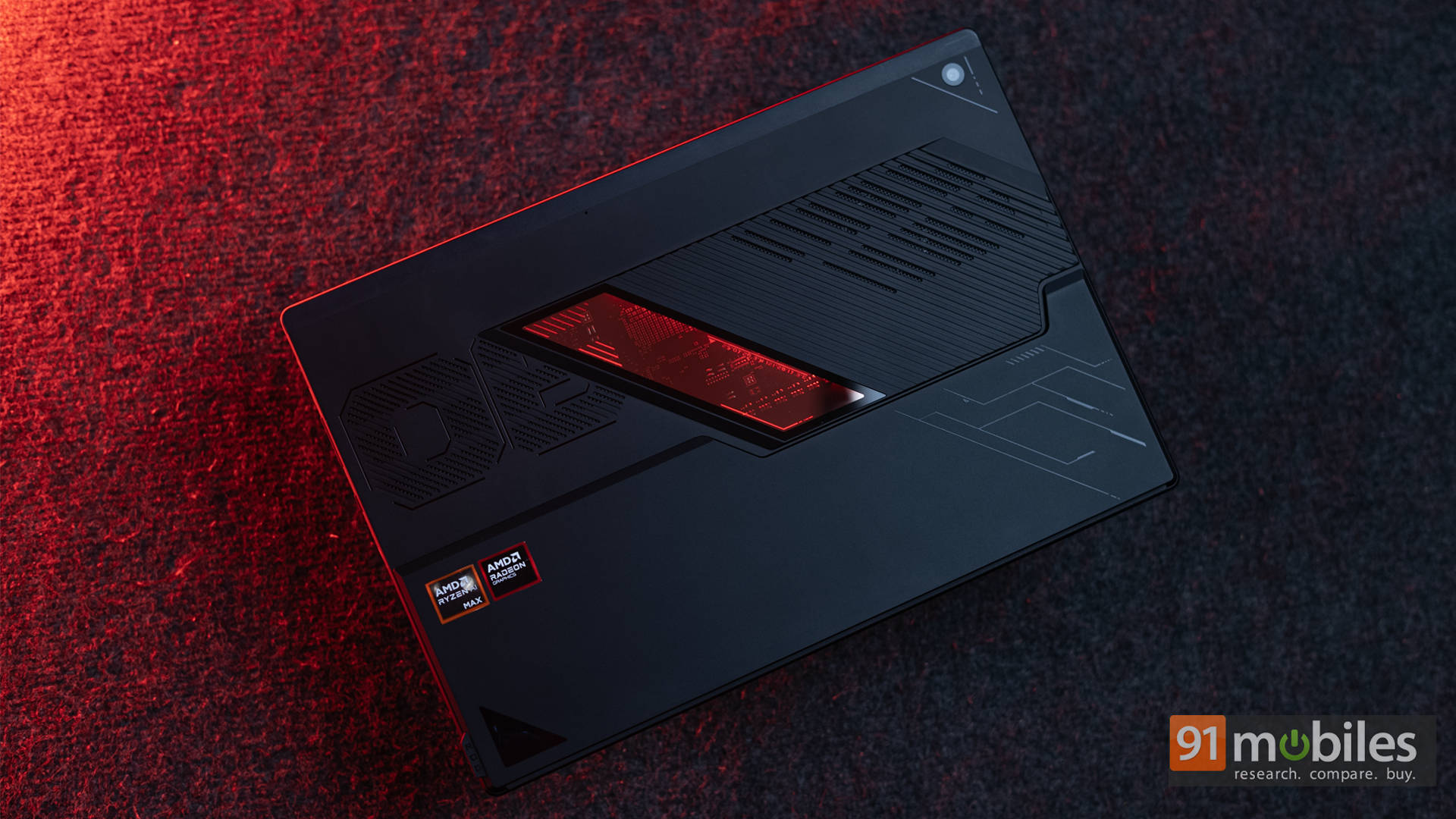
The Z13 is built using a CNC-machined aluminium alloy chassis, which makes it feel incredibly sturdy despite its slim profile. The kickstand at the back opens up to 170 degrees, which is great for desk use, but still a bit awkward on your lap. At the end of the day, the Z13 is still designed to be used on a tabletop only.

It weighs approximately 1.2 kg on its own and around 1.6 kg with the detachable keyboard. Now, that may sound light compared to a gaming laptop, but trust me, for something that looks like a tablet, it’s a bit of a wrist workout if you try using it handheld for long.
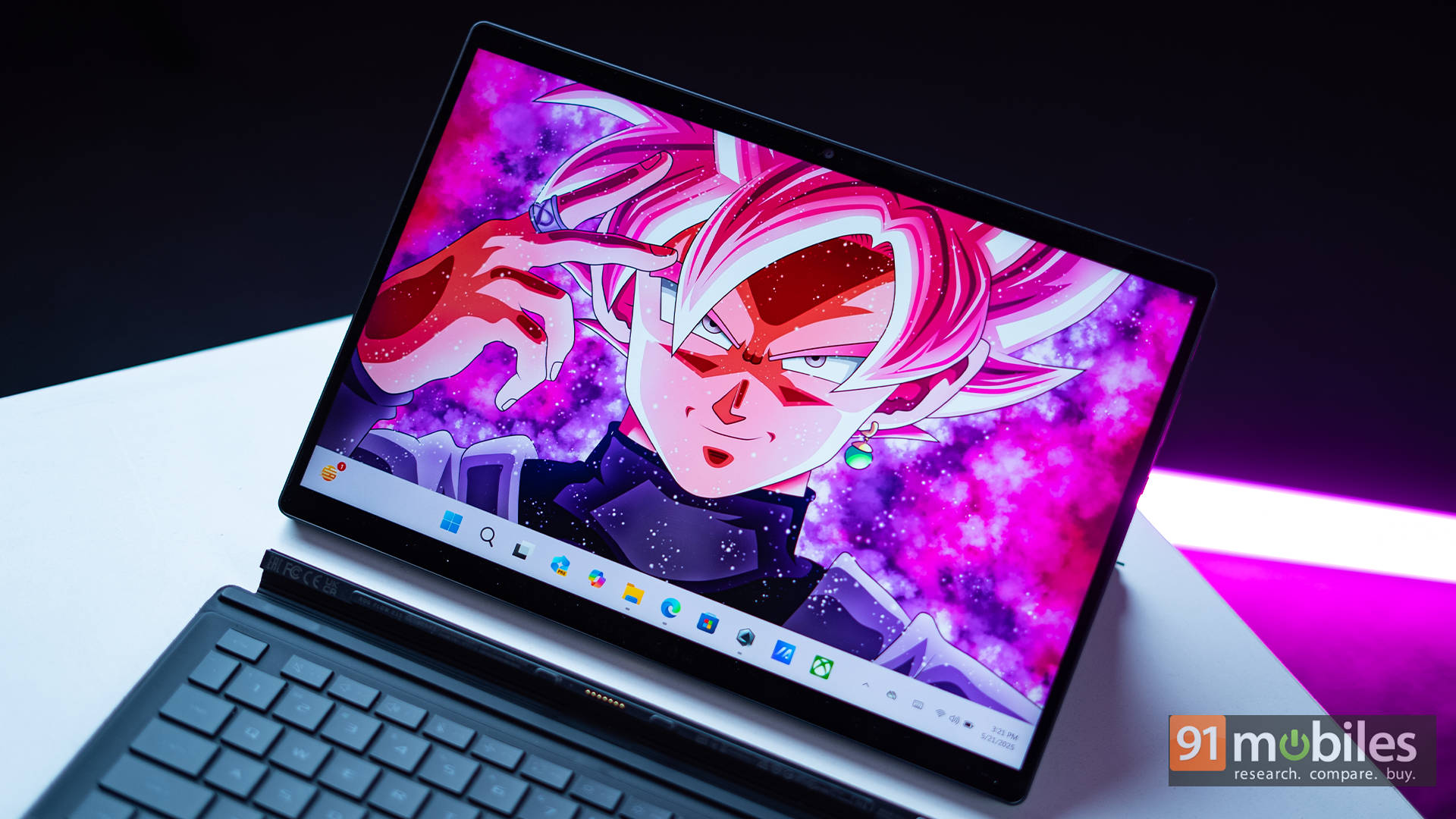
Moving on to the display, it packs in a 13.4-inch 2.5K panel. It’s IPS, comes with a 180Hz refresh rate, and supports 100% of the DCI-P3 colour gamut. Translation? It’s vibrant, colour-accurate, and buttery smooth. For creative work, like editing photos or videos, the rich colours and sharp resolution are a delight.

As for content consumption, the lack of HDR support might seem like a red flag when reading off the spec sheet, but in reality, you still get a pretty vibrant experience. Brightness levels are around 500 nits, which is more than enough for indoor use and holds up decently in bright sunlight. And yes, it also features touch support and stylus compatibility, more on that later.

Also, complementing the display are the dual speakers. Now, you’d expect the speaker position to be on the side of a tablet, but ASUS has placed them at the bottom edge of the sides, which is a very odd position, to be honest. They’re not bad per se, since they get decently loud and don’t distort much. However, they do lack depth. Bass is basically non-existent, and mids can sound a bit tinny, especially in action-heavy scenes or bass-heavy tracks.

Back to the panel, the 180Hz refresh rate is obviously great for gamers, but also for general consumption. Competitive titles like CS2, Apex Legends and Valorant all look great on it. Do I miss having an OLED panel for this price? Well, yes, but then again, I wouldn’t call that a deal breaker.
Ports and Connectivity
For something that looks like a tablet at first glance, the Flow Z13 is surprisingly well-equipped on the connectivity front, which is enough to make many ultrabooks feel underdressed. ASUS has included all the essentials, though I do feel that the port placement could’ve been a bit more ergonomic.
Starting with the left side, you’ll find the main cluster of ports. This includes two USB-C ports, both rated for USB4, DisplayPort 2.1, and Power Delivery 3.0, offering high-speed data, charging, and display support. Right next to them sits a full-sized HDMI 2.1 port, followed by ASUS’s proprietary 200W Rectangle Adapter input (yes, that’s actually what it’s called). Below that, there’s a microSD card slot with support for UHS-II speeds, which is a great touch for creators who frequently offload files from cameras or drones.
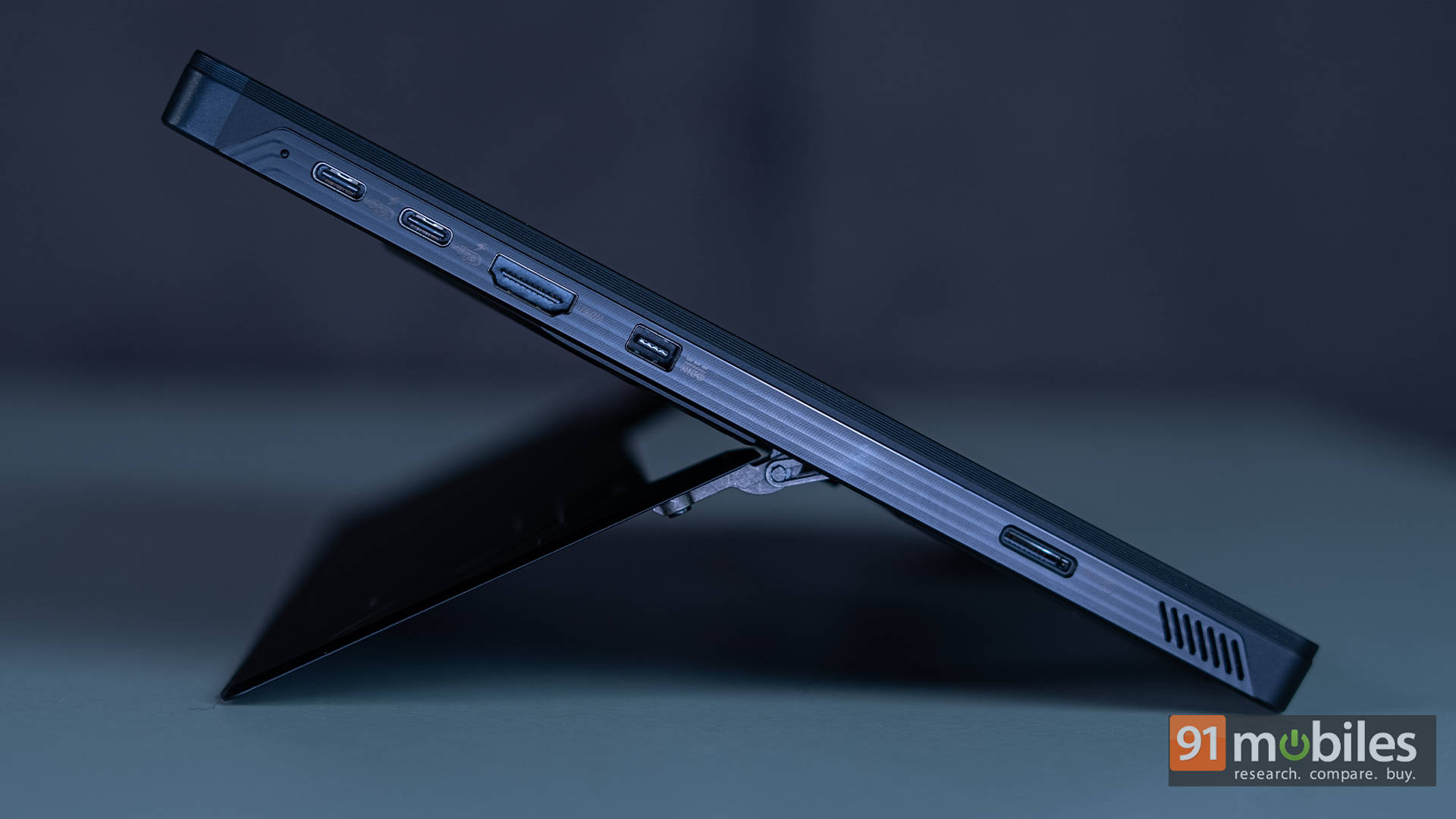
Over on the right side, things are simpler. You get a trio of physical buttons (volume, power, and ROG Command Centre), a USB-A 3.2 Gen 2 port, and a 3.5mm combo audio jack. While this layout works fine, it would’ve been nice to have one USB-C port on the right, allowing gamers or users to choose their preferred charging orientation depending on their setup. Unfortunately, that flexibility is missing here.
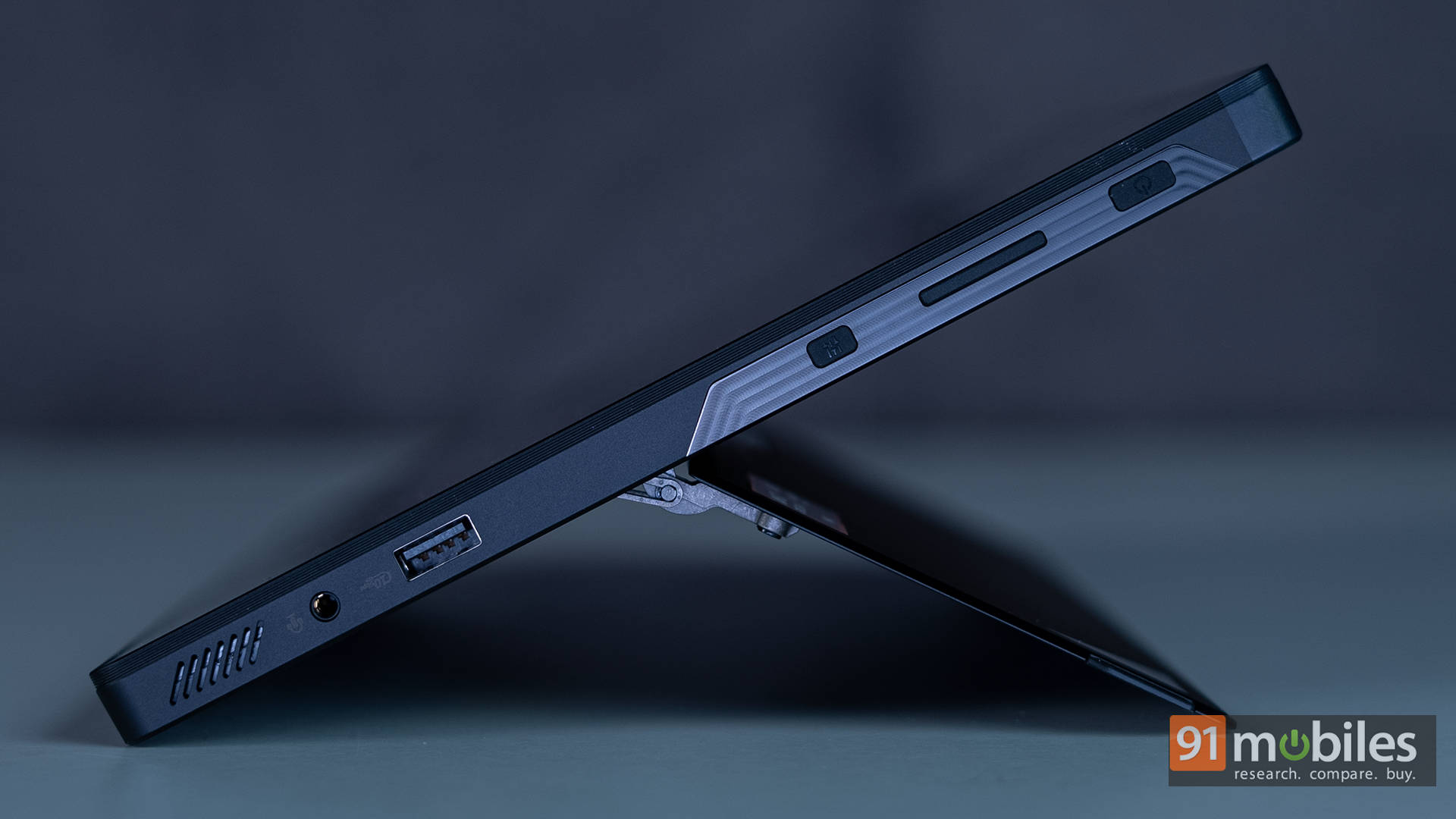
One notable omission is the ASUS XG Mobile expansion port, which was present on previous Flow Z13 models and even the newer ROG Ally X. ASUS has removed it from the 2025 variant, likely because the new ROG XG Mobile (2025) will support Thunderbolt 5, with backward compatibility to Thunderbolt 4. So, if you’re looking to plug in an external GPU down the line, that’s the direction things are headed. However, at the time of writing, ASUS hasn’t shared any concrete details on its pricing or availability in India.
On the wireless side, the Flow Z13 packs in the latest standards with Wi-Fi 7 and Bluetooth v5.4. Both worked flawlessly during our testing, downloads were quick, streaming was smooth, and pairing wireless accessories (like a gaming controller) was seamless. Given that many users will likely play in tablet mode with a Bluetooth controller in hand, it’s reassuring that ASUS hasn’t cut any corners here.
Cameras
A quick word about the cameras here. Yes, cameras, since there are two. There’s a front-facing 1080p shooter for video calls and a rear 8MP camera for the odd document scan or creative snap. I don’t really get the point of that rear camera, to be honest with you. I mean, sure, it’s there, and it works, but let’s be real. How often are you going to whip out a 13-inch tablet to take photos?




I wish they put that camera up front, because it’s a barebones camera, and the rear camera actually performs much better. The good news is that it comes with an IR sensor to support Windows Hello, which is always a nice feature to have.
Keyboard, Touchpad, and Pen
The Flow Z13 is, at its core, a tablet-first device. Naturally, it comes with a detachable keyboard, and honestly, it’s functional. The keys are decently spaced, and because the keyboard rests at a slight incline, it’s actually more ergonomic to type on compared to some flat, traditional laptop keyboards.
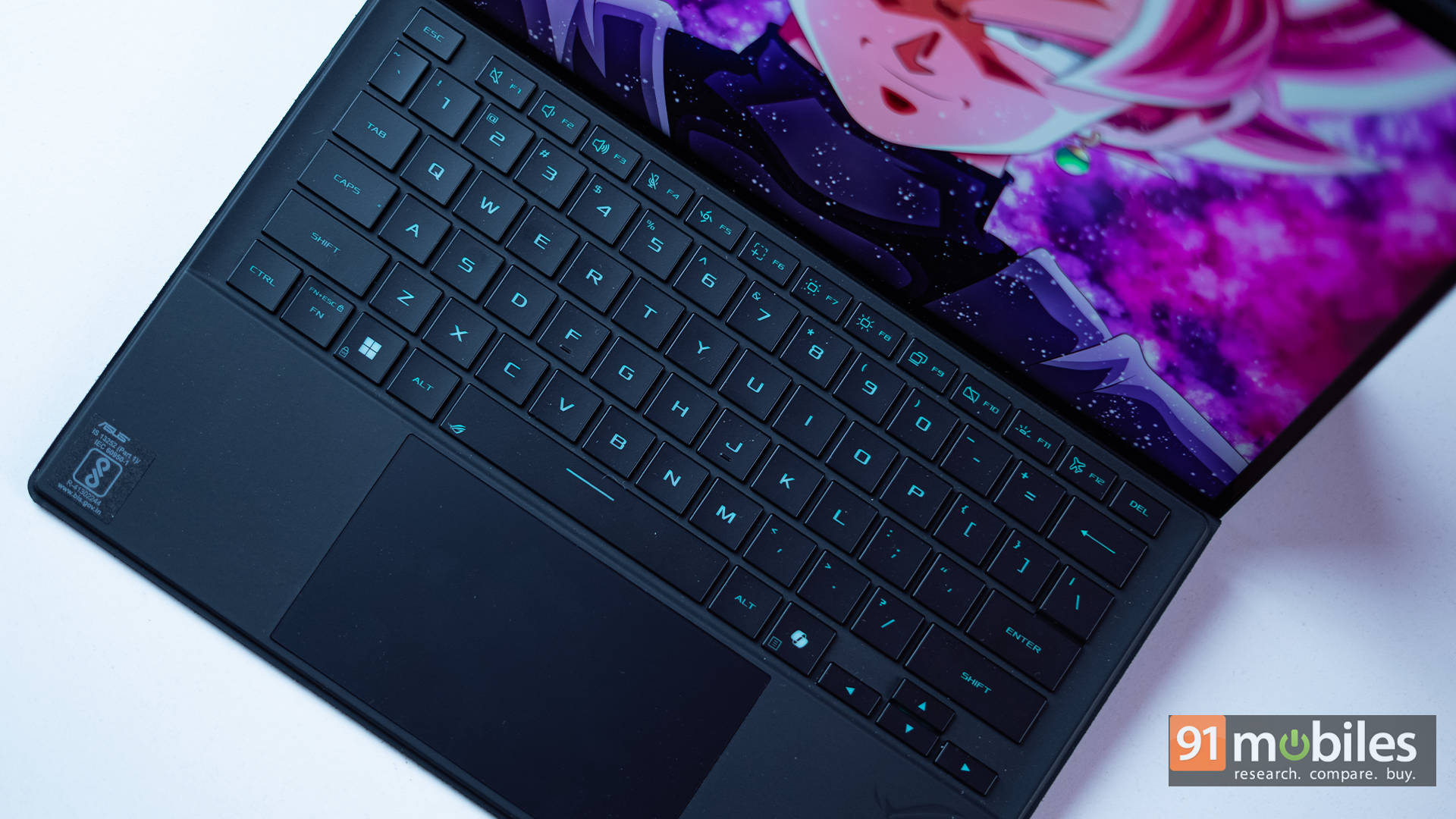
Unfortunately, that’s where the fun mostly ends. Key travel isn’t great, which, to be fair, was kind of expected. There’s RGB lighting here, but it’s single-zone and so dim that it’s practically useless unless you’re working in a pitch-dark room.

The keyboard’s surface feels soft and premium, which is a nice touch. That said, the keyboard does flex a bit when used on your lap, and the overall feel lacks the solidity of a built-in laptop keyboard. For longer typing sessions, I’d strongly advise getting a wireless keyboard for this.
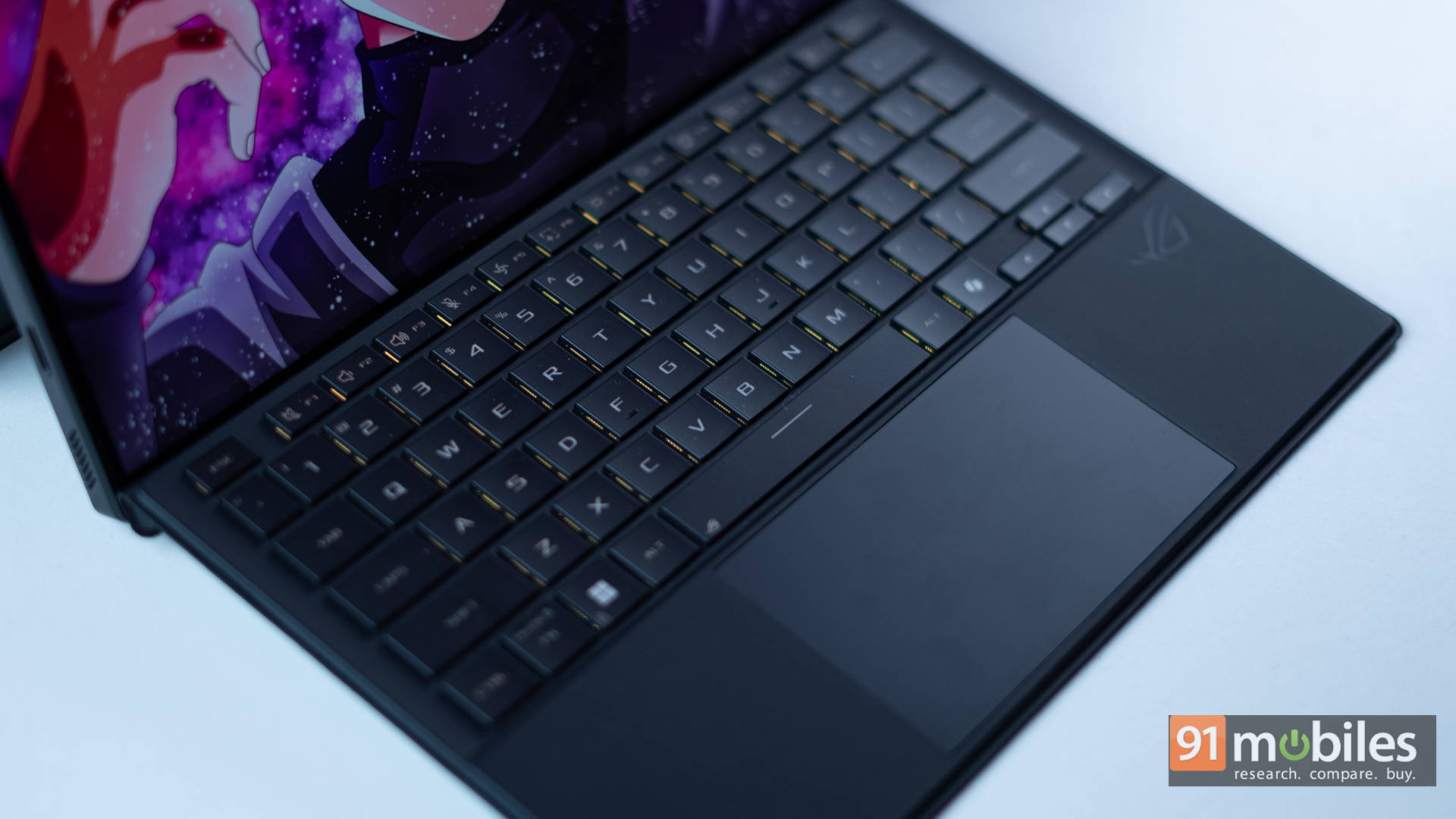
As for the touchpad, it’s understandably small, but credit where it’s due, it’s surprisingly smooth and responsive. Multi-touch gestures work well, and palm rejection is reliable. It won’t blow any minds, but within this compact form factor, it performs admirably.
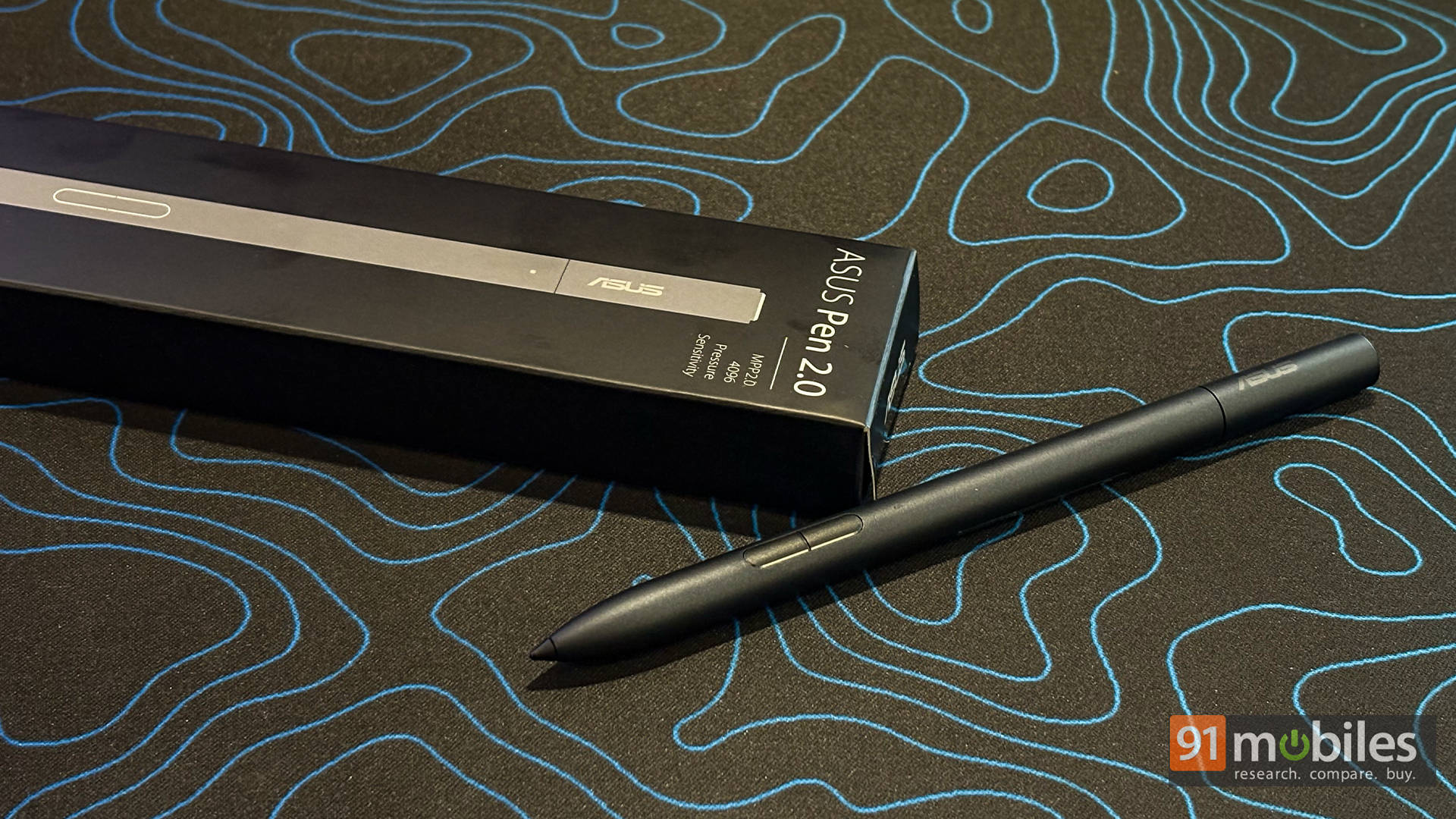
ASUS also includes the ASUS Pen in the box, which is a nice bonus, especially for casual creators. No, it’s not Wacom-grade accurate, so don’t expect it to replace your full-fledged drawing tablet. But for light sketching, note-taking, or even working with timelines in video editing or managing layers in Photoshop, it’s more than capable.
Performance
Okay, here’s where things get spicy. The AMD Ryzen AI Max 390 inside this Flow Z13 isn’t just some low-power chip pretending to be strong. It’s a 12-core, 24-thread beast that can actually rival many desktop CPUs. Pair that with the Radeon 8050S integrated graphics, which comes with 32 GPU cores, and you’ve got some serious muscle packed into a deceptively tiny device.
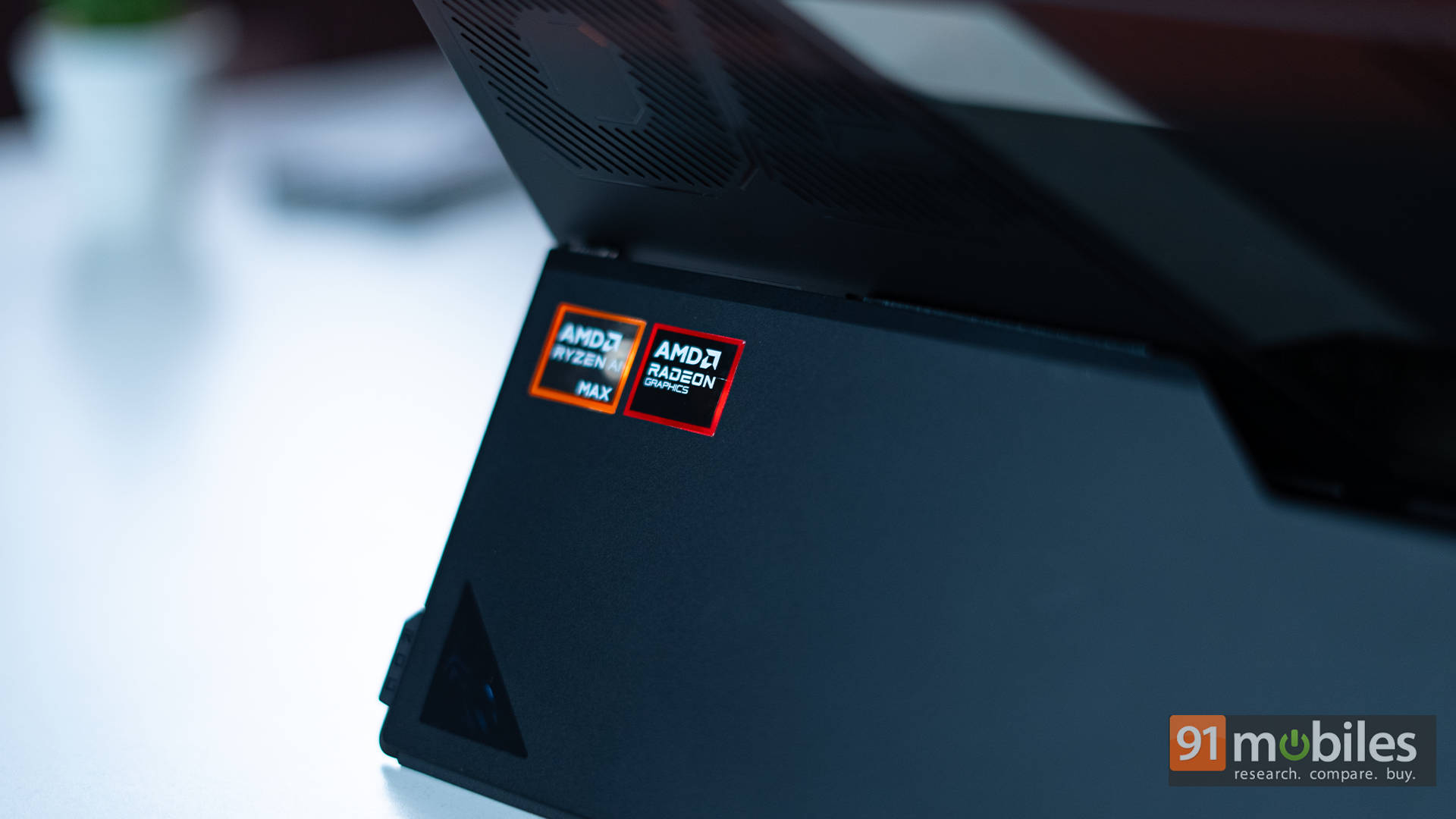
I tested the laptop using our standard benchmark suite of Cinebench R23, R24, Geekbench, and PCMark, and the Flow Z13 performed very well. In both CPU and GPU tests, the AMD chipset delivered consistent, top-tier results.
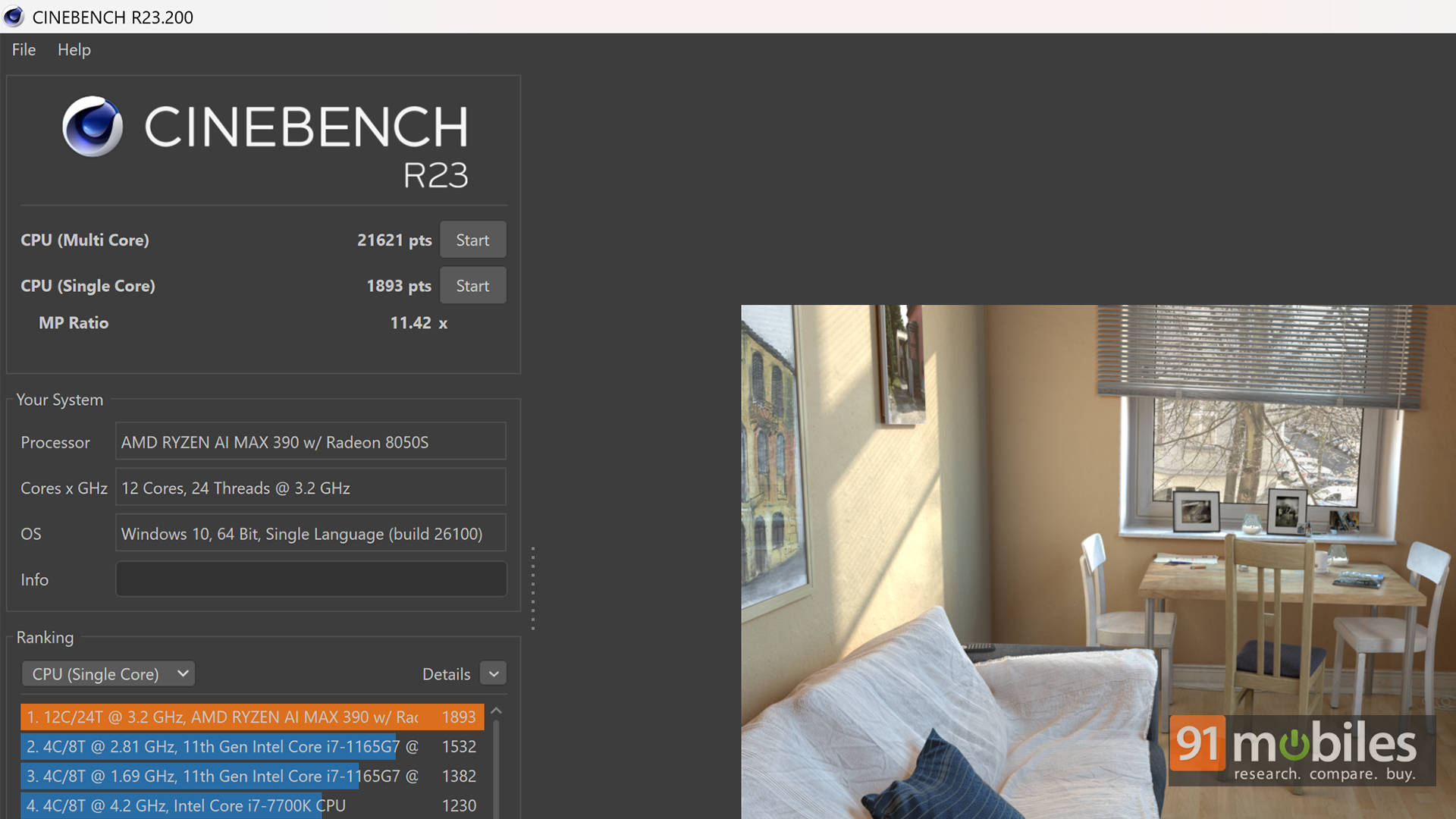
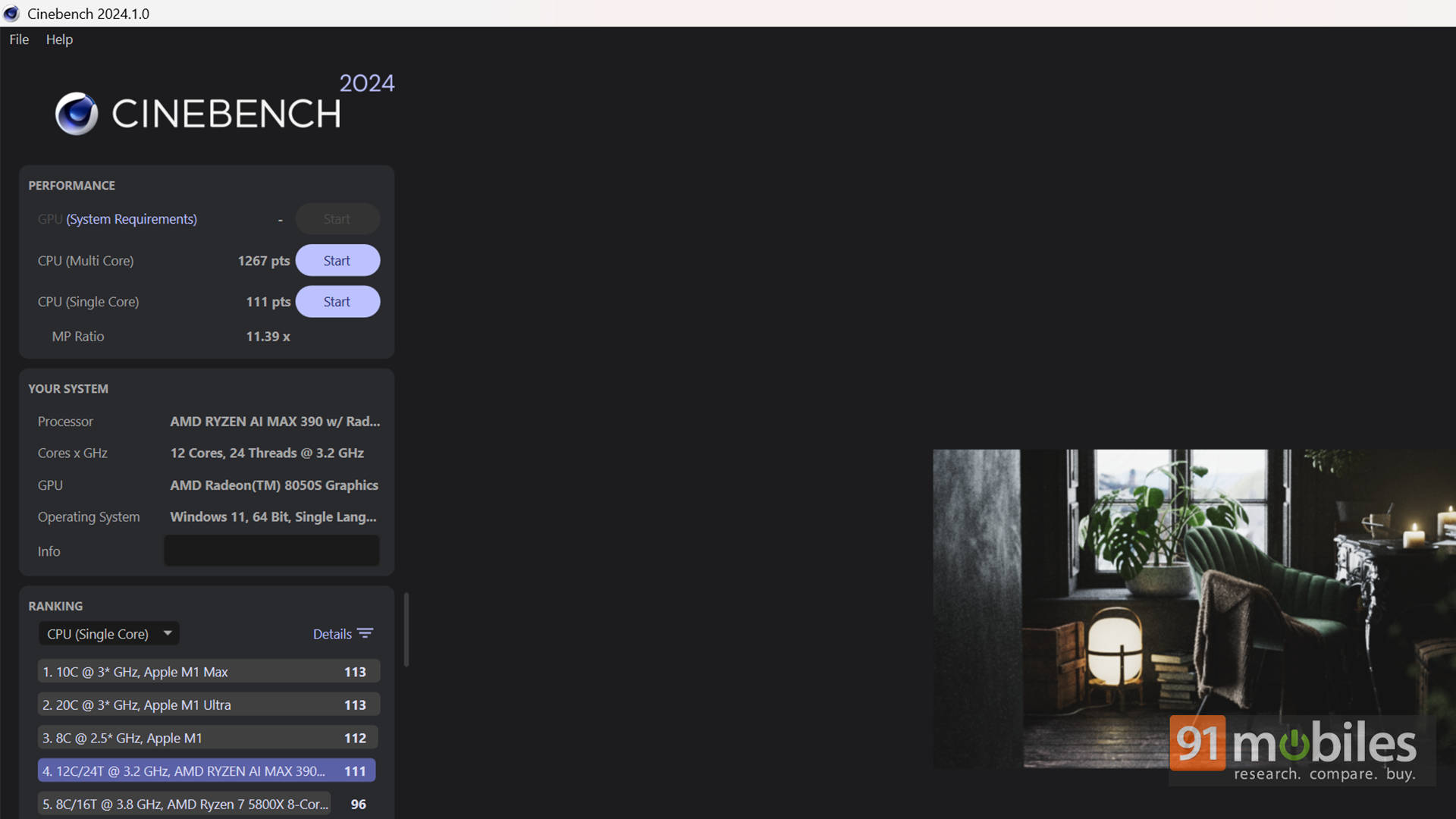
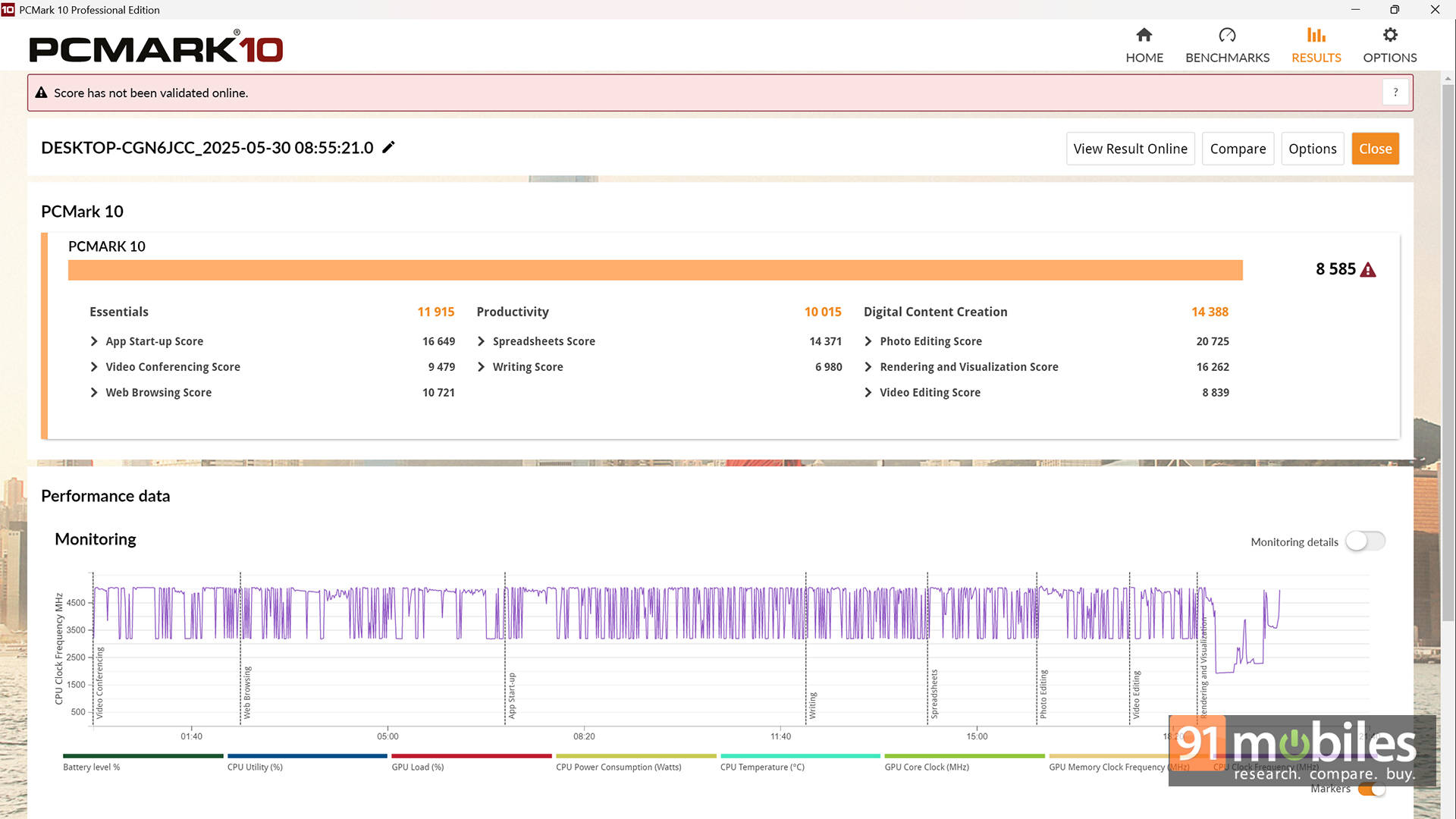
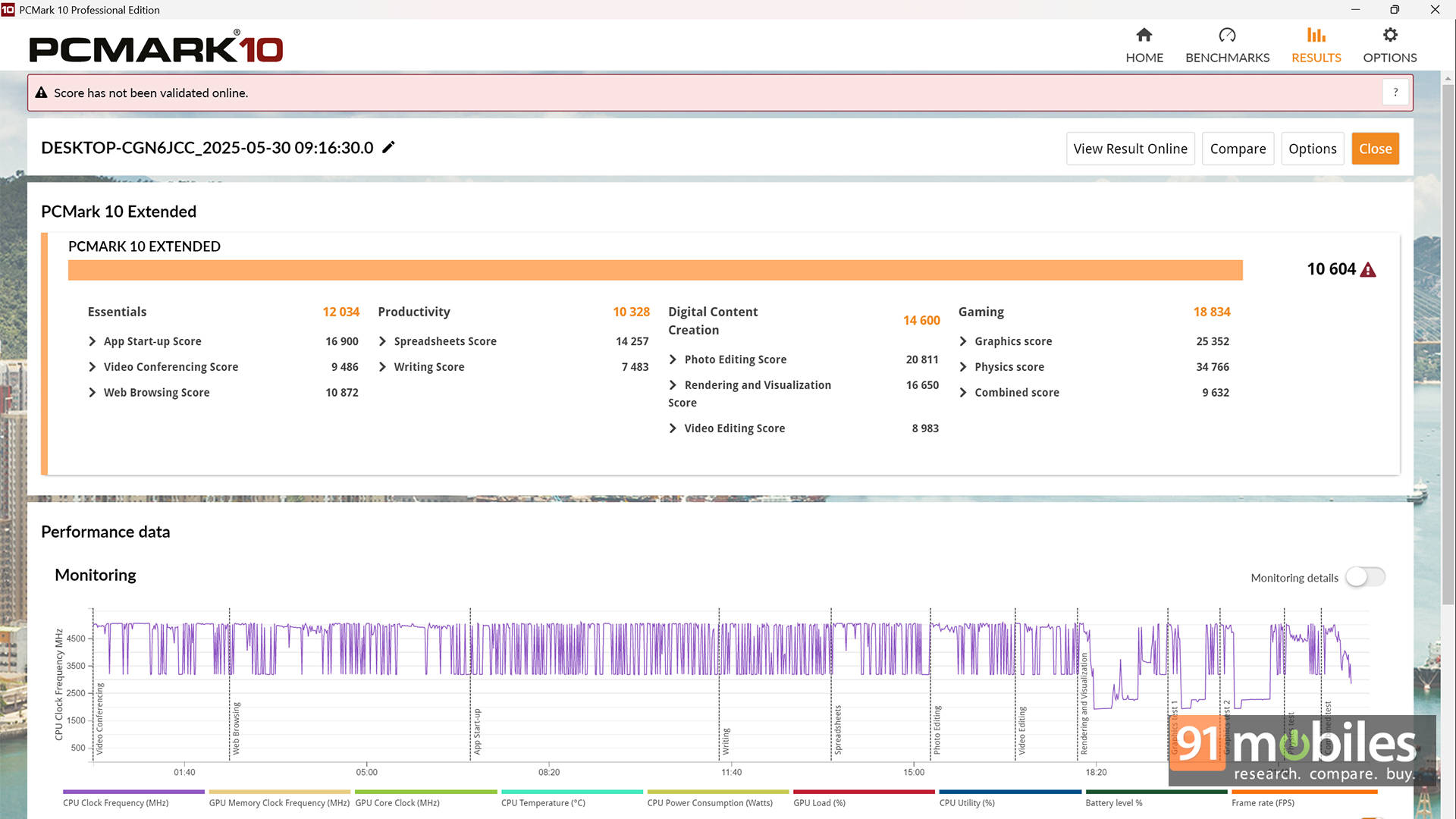
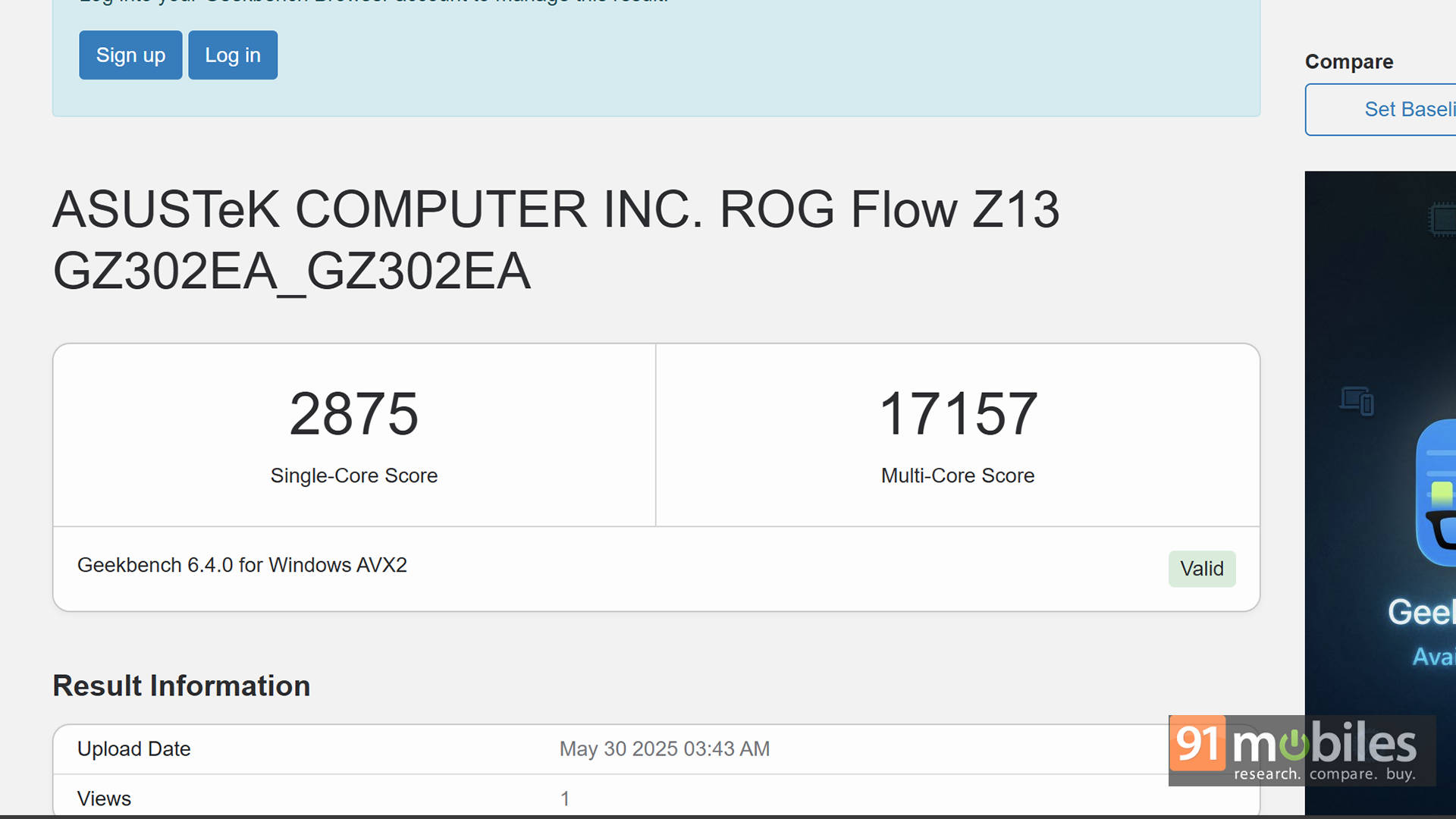
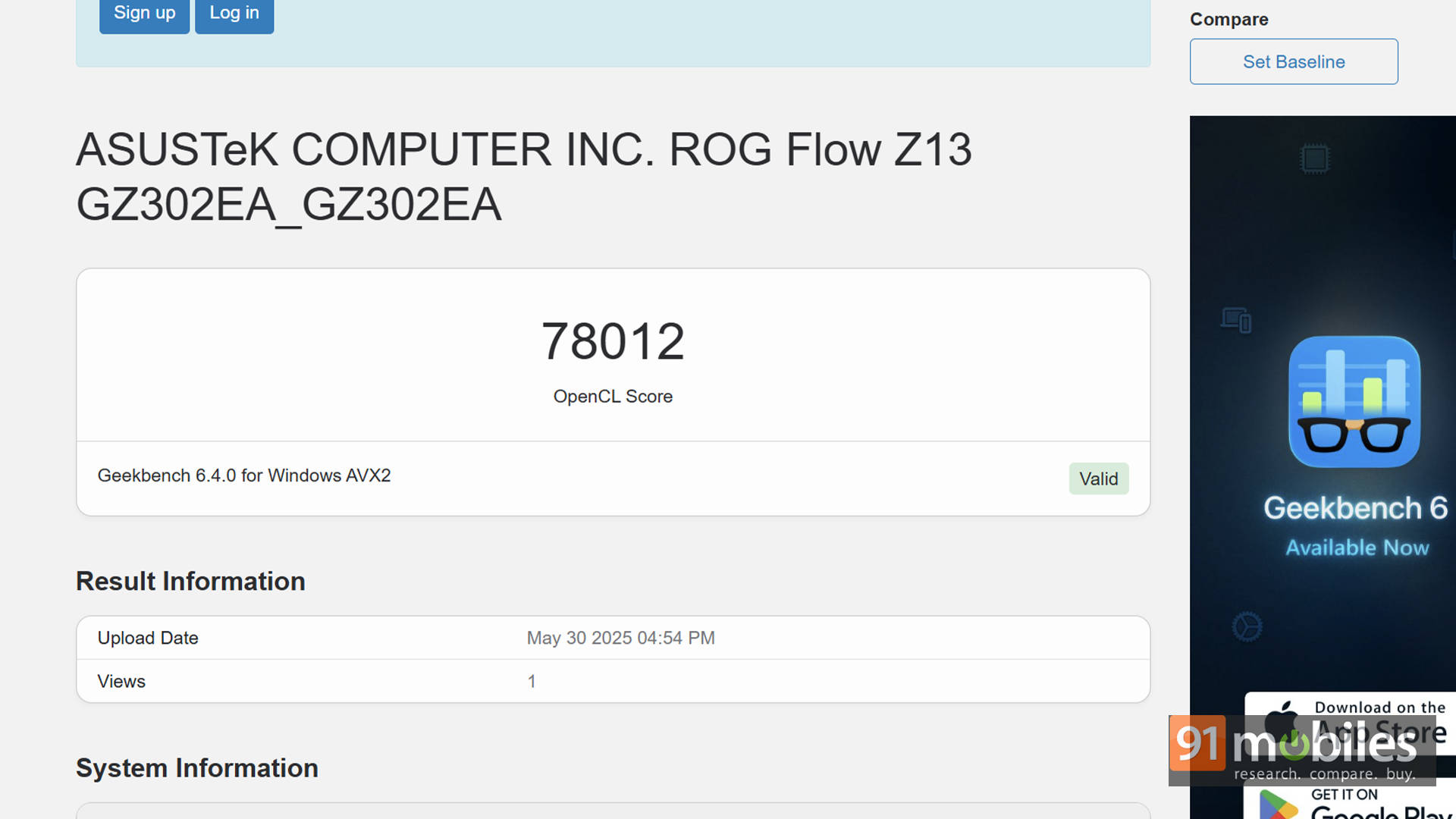
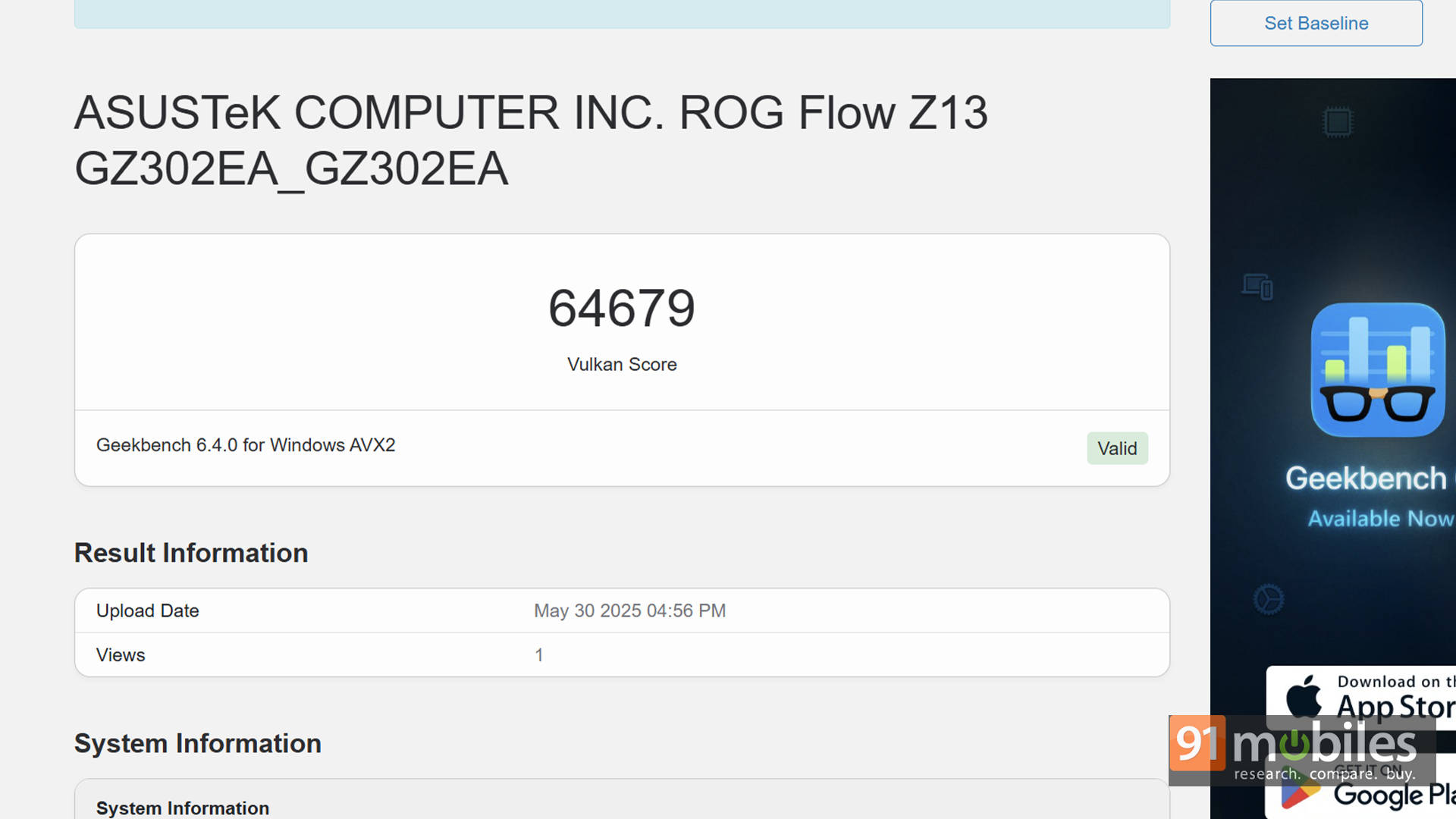
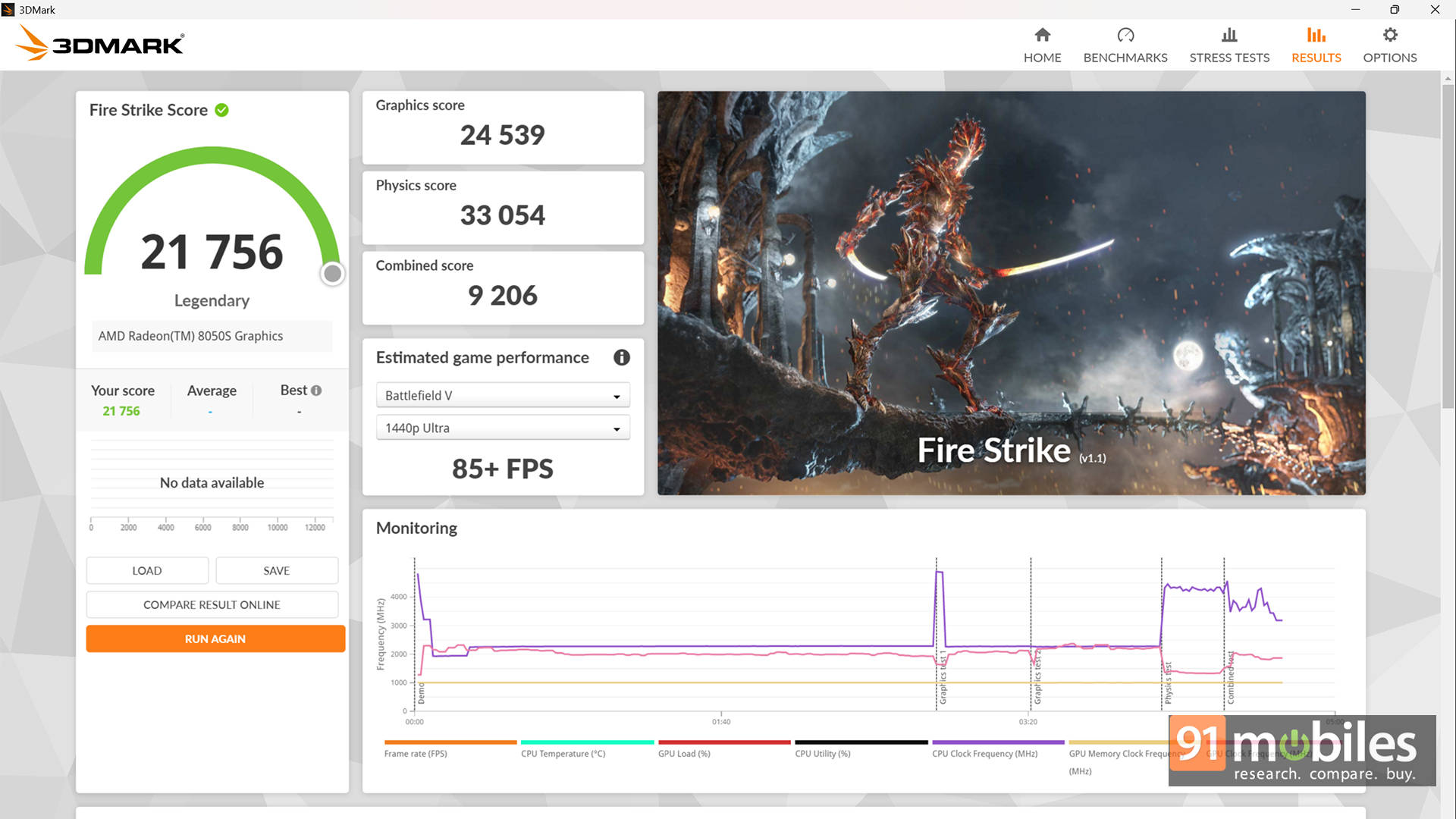
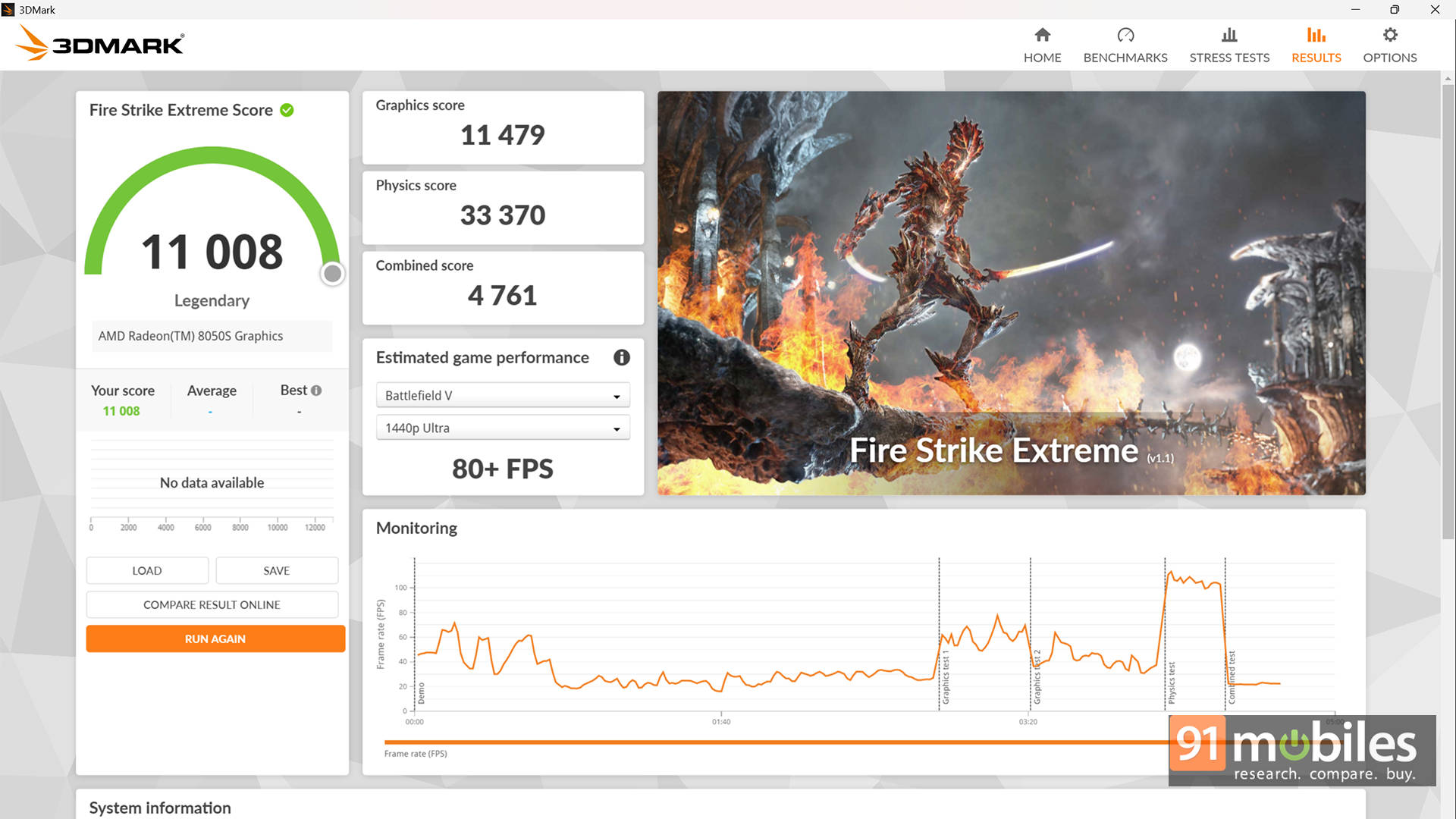
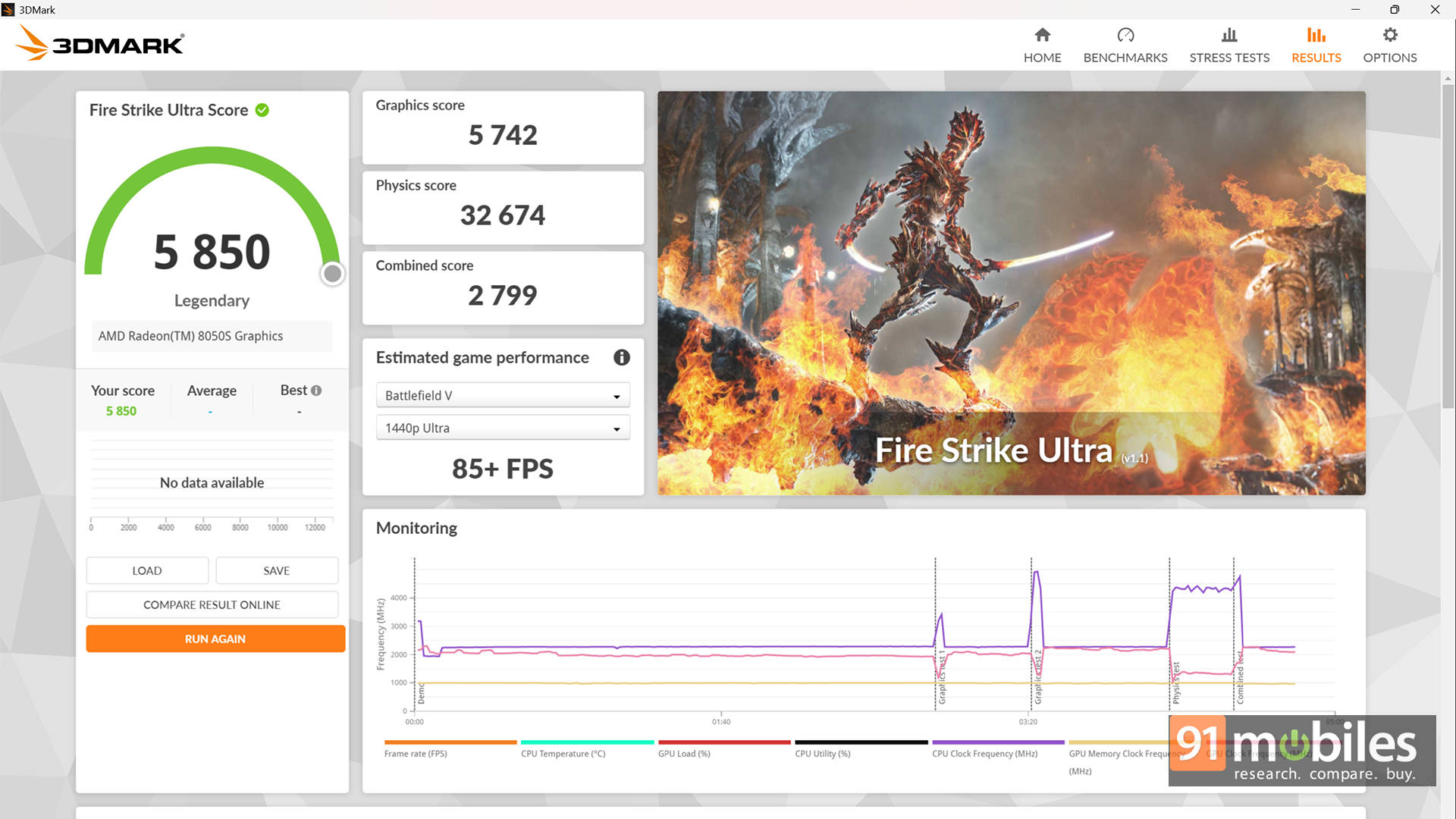
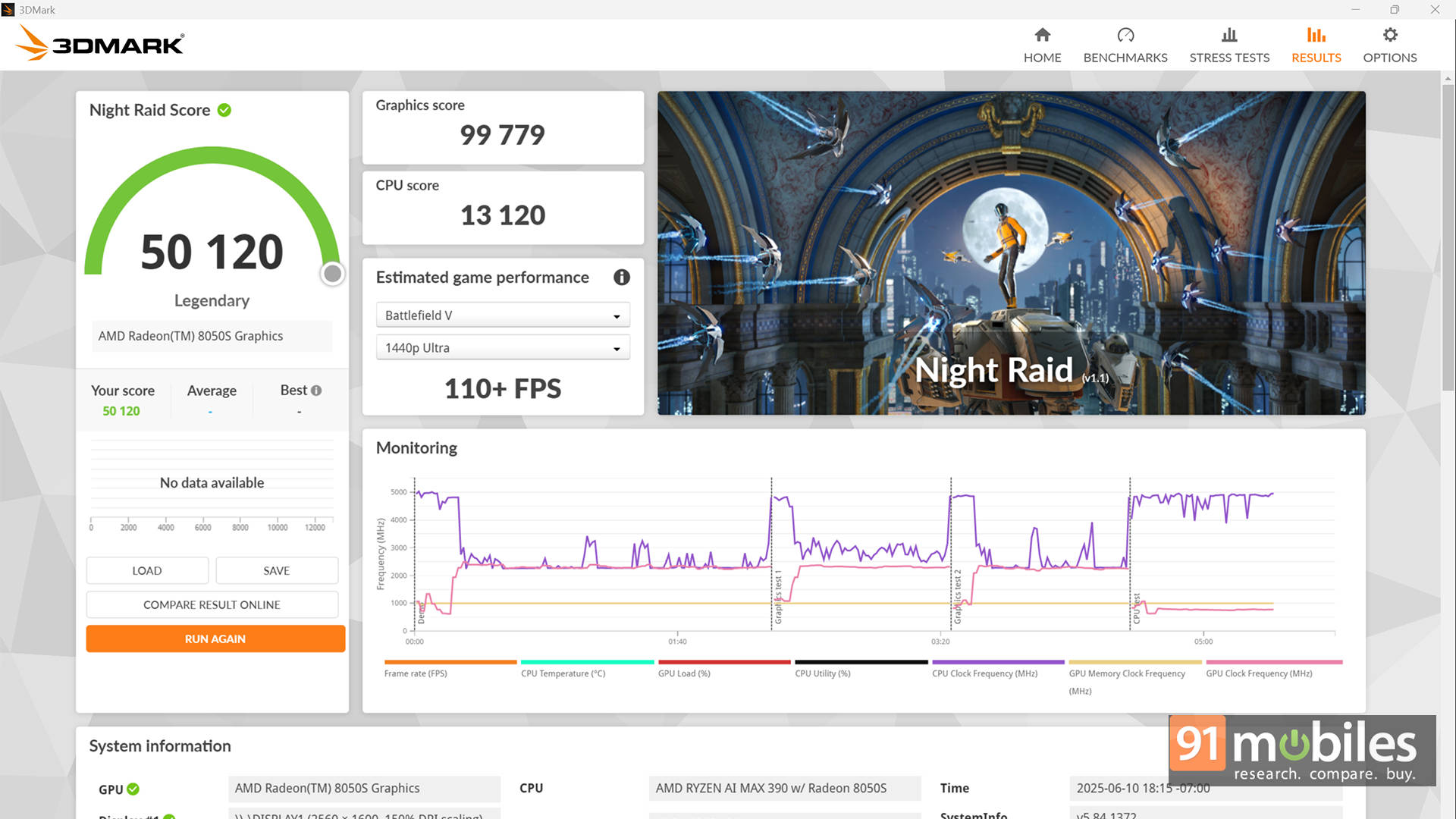
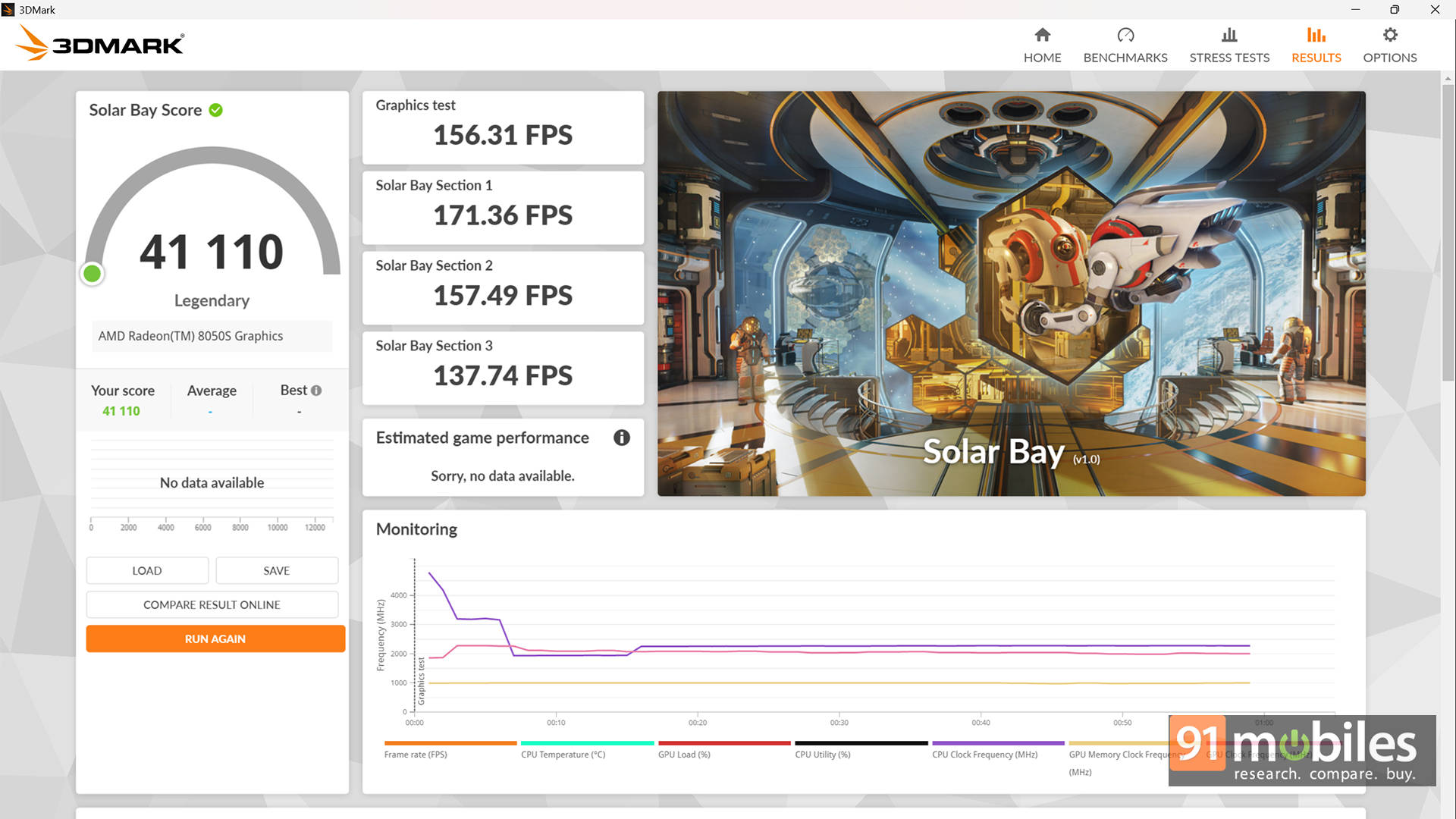
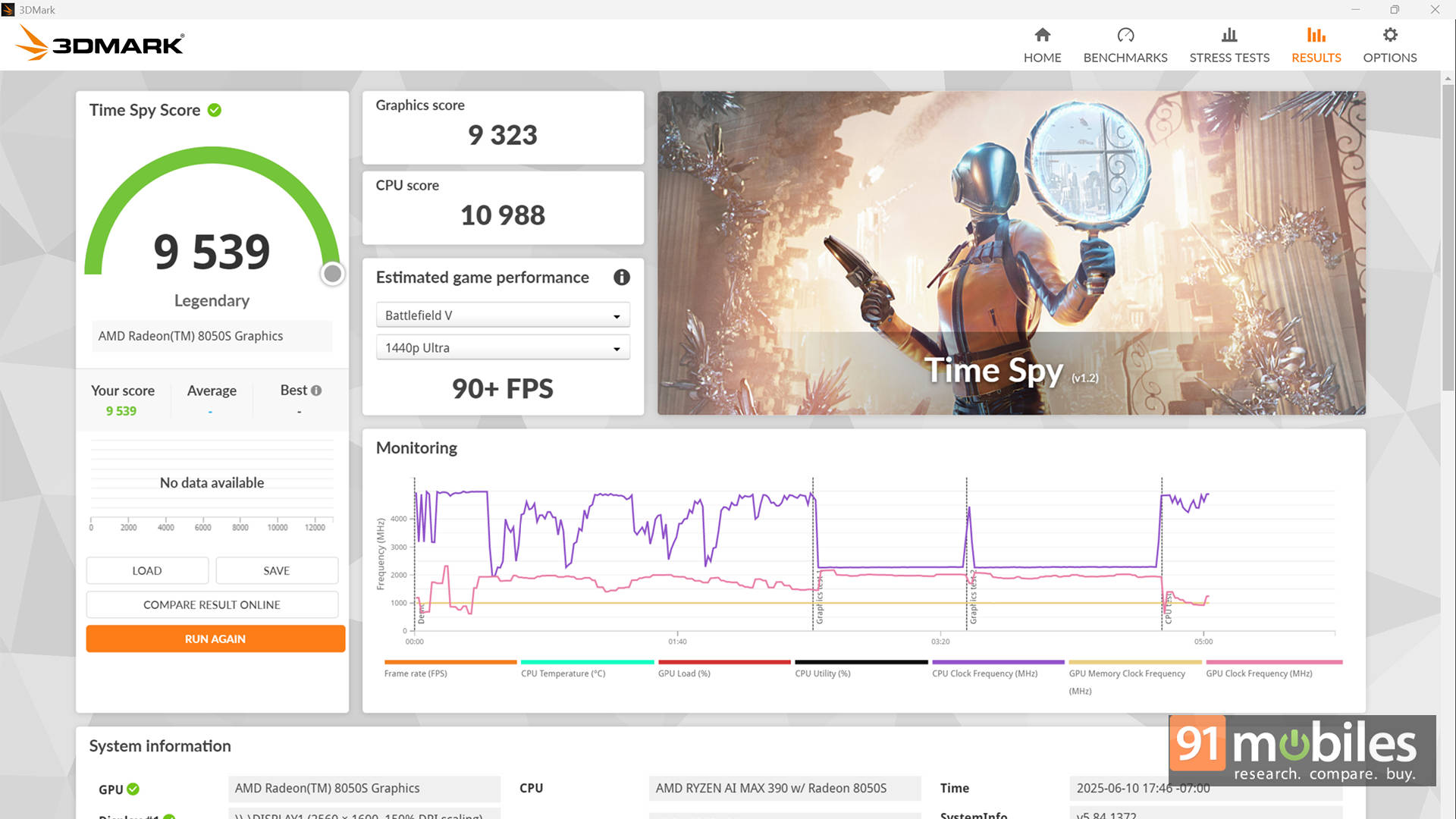
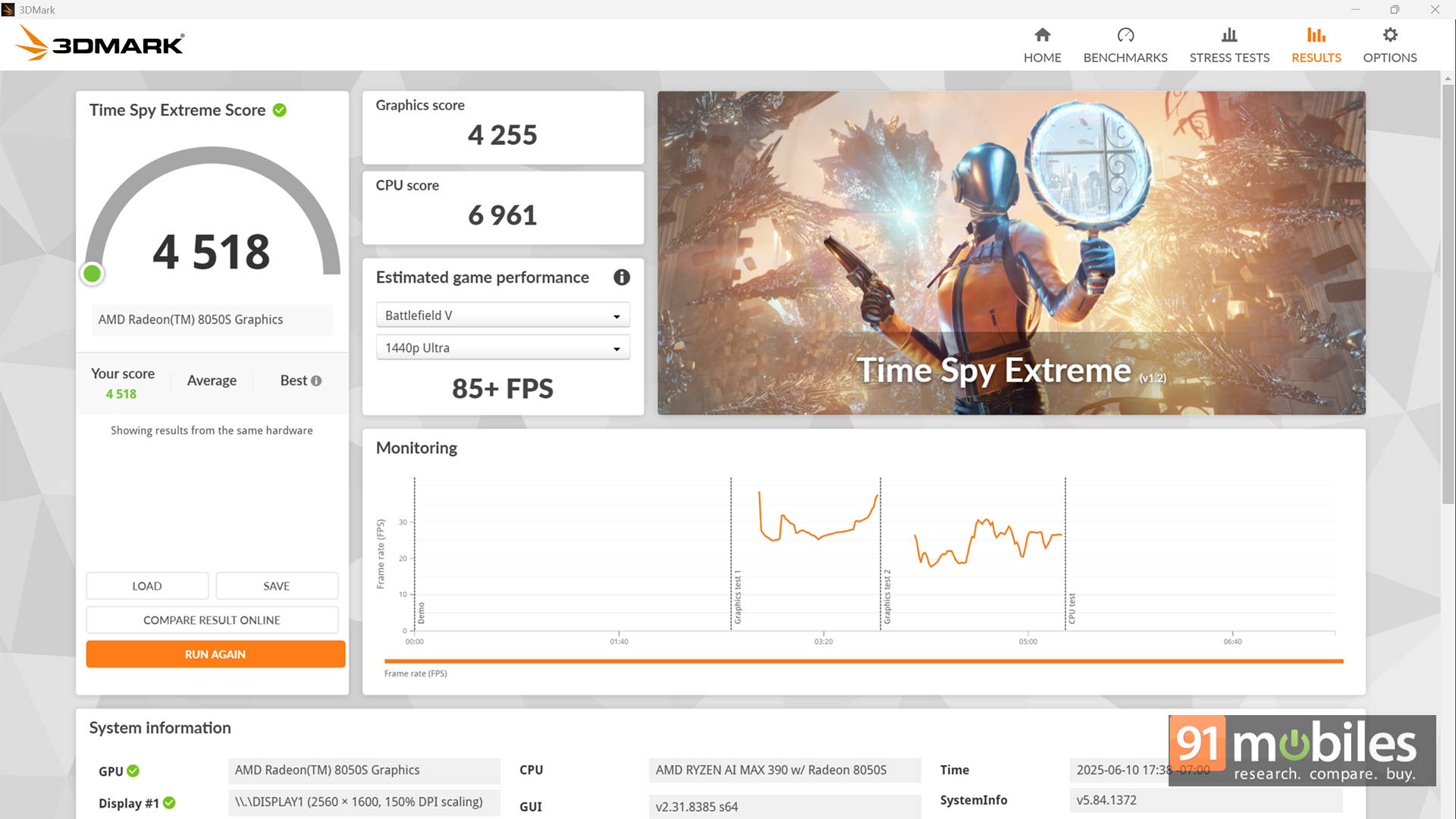
But what does “very well” actually mean? To give you some context, I compared it to the ASUS TUF Gaming A14, which is a full-fledged gaming laptop powered by the Ryzen AI 9 HX 370 processor and a 100W TGP NVIDIA RTX 4060. Shockingly, in CPU benchmarks, the Flow Z13 not only kept pace with the TUF A14 but even outperformed it in Geekbench and PCMark scores.
| Benchmark | TUF Gaming A14 | ROG Flow Z13 (2025) |
| Cinebench R24 MT | 1175 | 1267 |
| Cinebench R24 ST | 115 | 111 |
| Cinebench R23 MT | 23666 | 21621 |
| Cinebench R23 ST | 2030 | 1893 |
| PCMark 10 | 7830 | 8585 |
| PCMark 10 Extended | 10072 | 10604 |
| Geek Bench 6 ST | 2688 | 2875 |
| Geek Bench 6 MT | 14918 | 17157 |
Also worth noting: the TUF A14 runs its HX 370 processor at 70W, while the Max 390 in the Flow Z13 is capped at just 55W. That means the Z13 delivers better CPU performance at lower power draw and with less heat. Impressive, right?
As for GPU benchmarks in 3DMark, the RTX 4060 does take the lead, but not by a huge margin. Considering we're talking about an integrated GPU with shared memory versus a discrete GPU with dedicated VRAM, the Flow Z13 puts up a very respectable fight.
| Benchmark | TUF Gaming A14 | ROG Flow Z13 (2025) | Percentage Difference |
| Geek Bench Vulcan | 47705 | 64679 | 26.24% |
| Geek Bench OpenCL | 95472 | 78012 | -22.38% |
| 3DMark Time Spy | 10626 | 9539 | -11.40% |
| 3DMark Time Spy Extreme | 5183 | 4518 | -14.72% |
| 3DMark Fire Strike Ultra | 6182 | 5850 | -5.68% |
| 3DMark Fire Strike Extreme | 11981 | 11008 | -8.84% |
| 3DMark Fire Strike | 23492 | 21756 | -7.98% |
| 3DMark Night Raid | 56699 | 50120 | -13.13% |
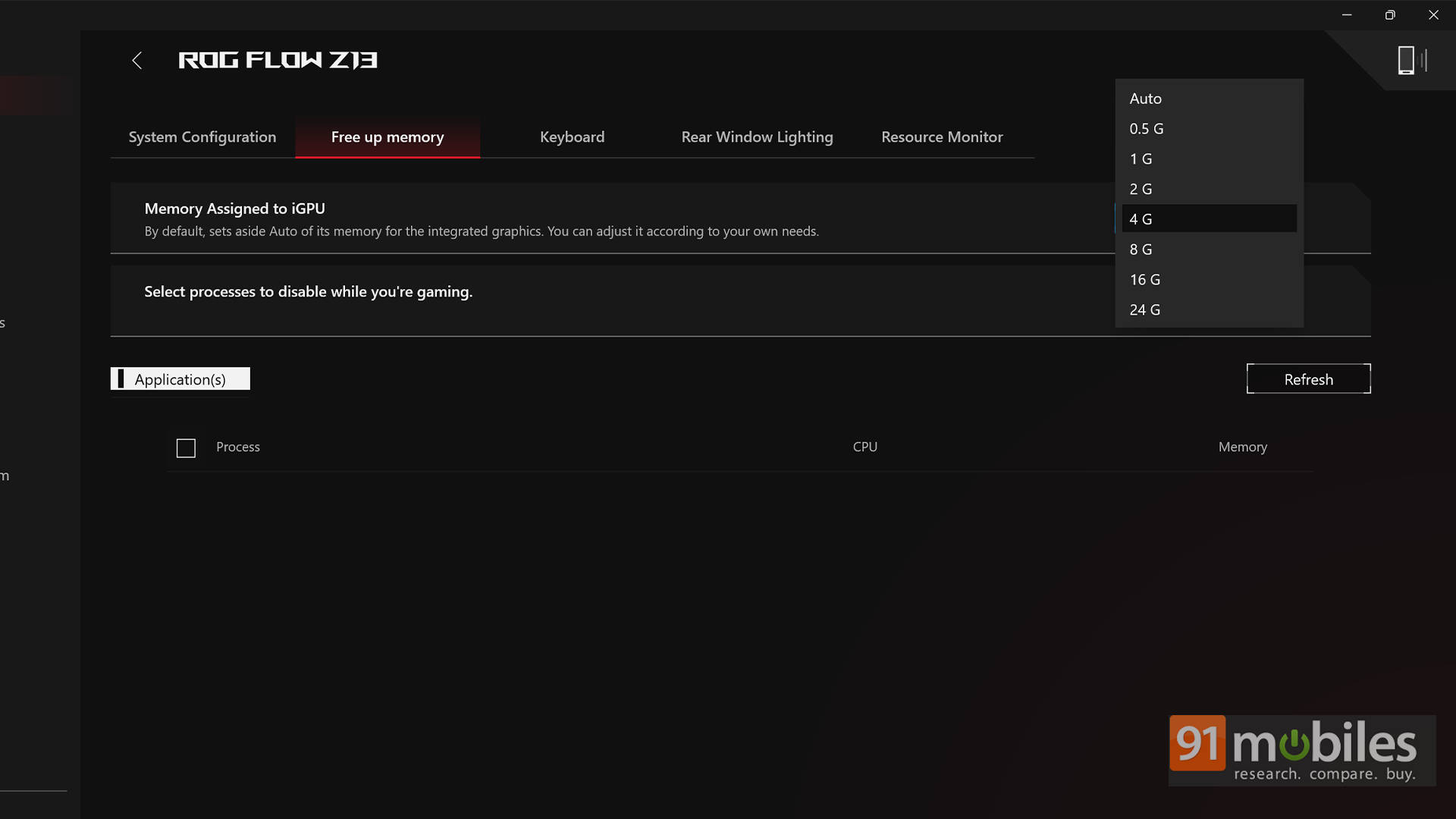
On that note, by default, the Flow Z13 is configured to allocate just 4GB of RAM as VRAM. But this can (and should) be increased to 12GB or even 16GB via Armoury Crate, depending on the apps or games you're running. In our testing, it had no major impact on synthetic benchmarks, but games showed a slight improvement in performance. Please note that your mileage may vary depending on the application, and you may encounter occasional crashes when pushing the limits.
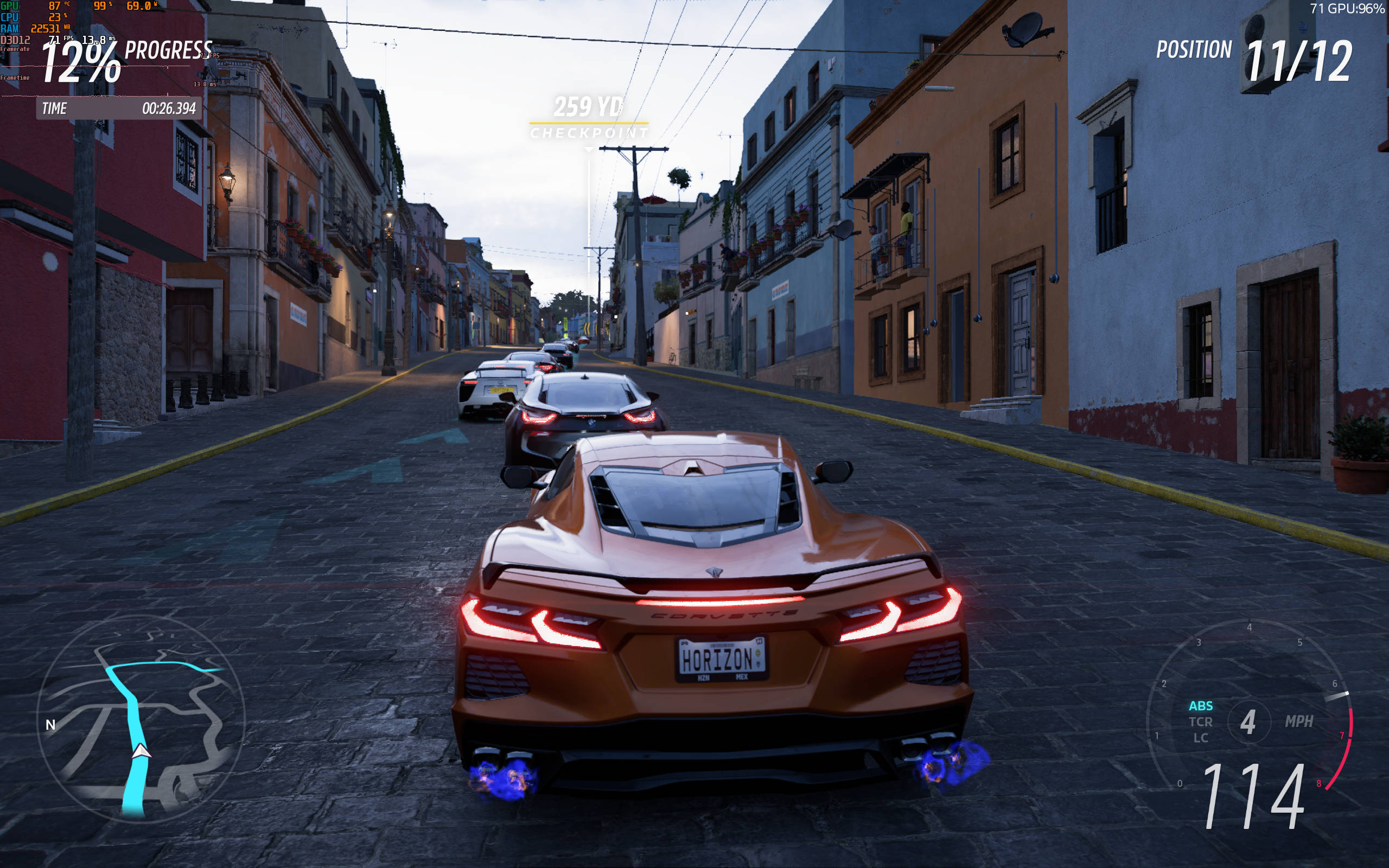
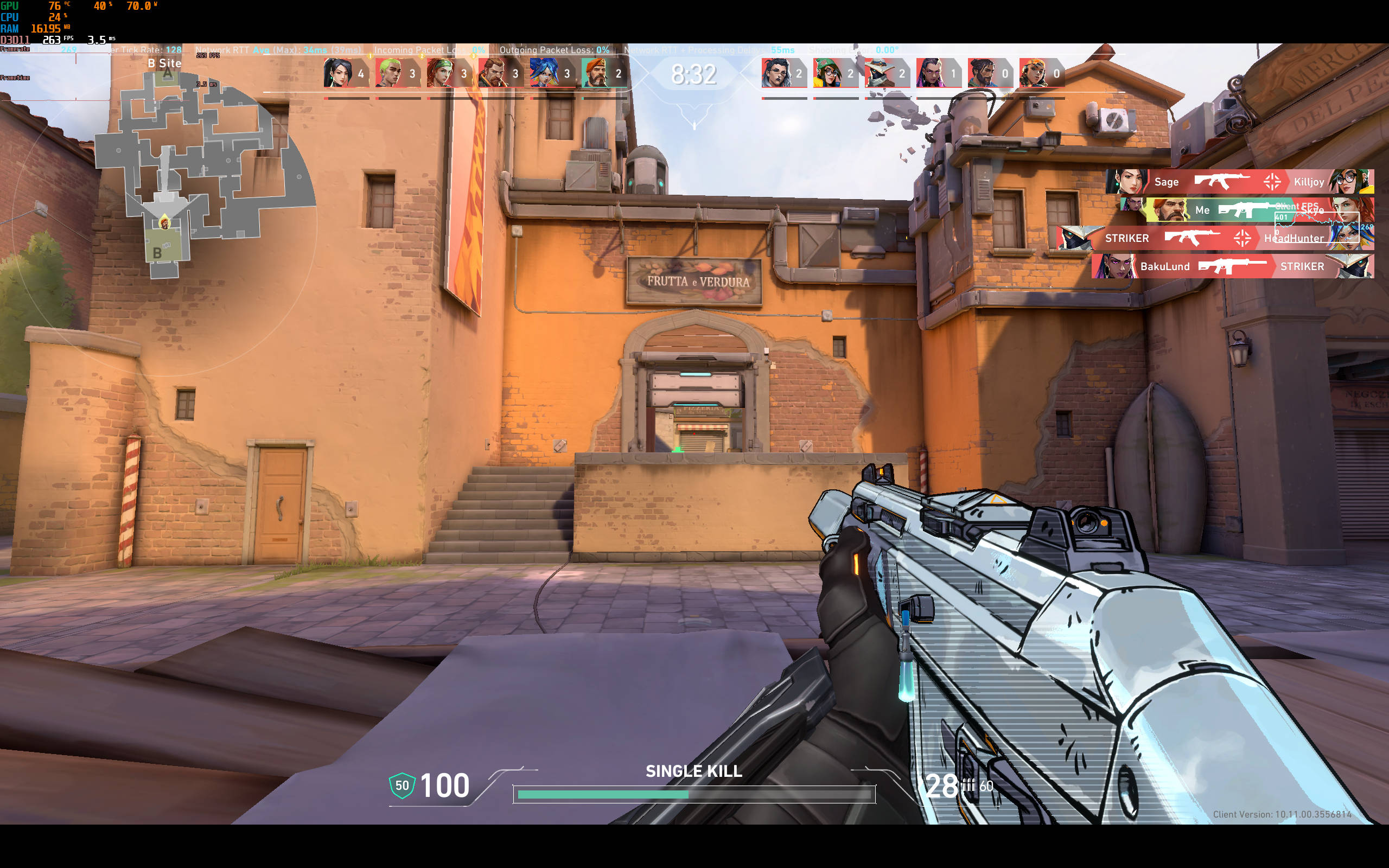
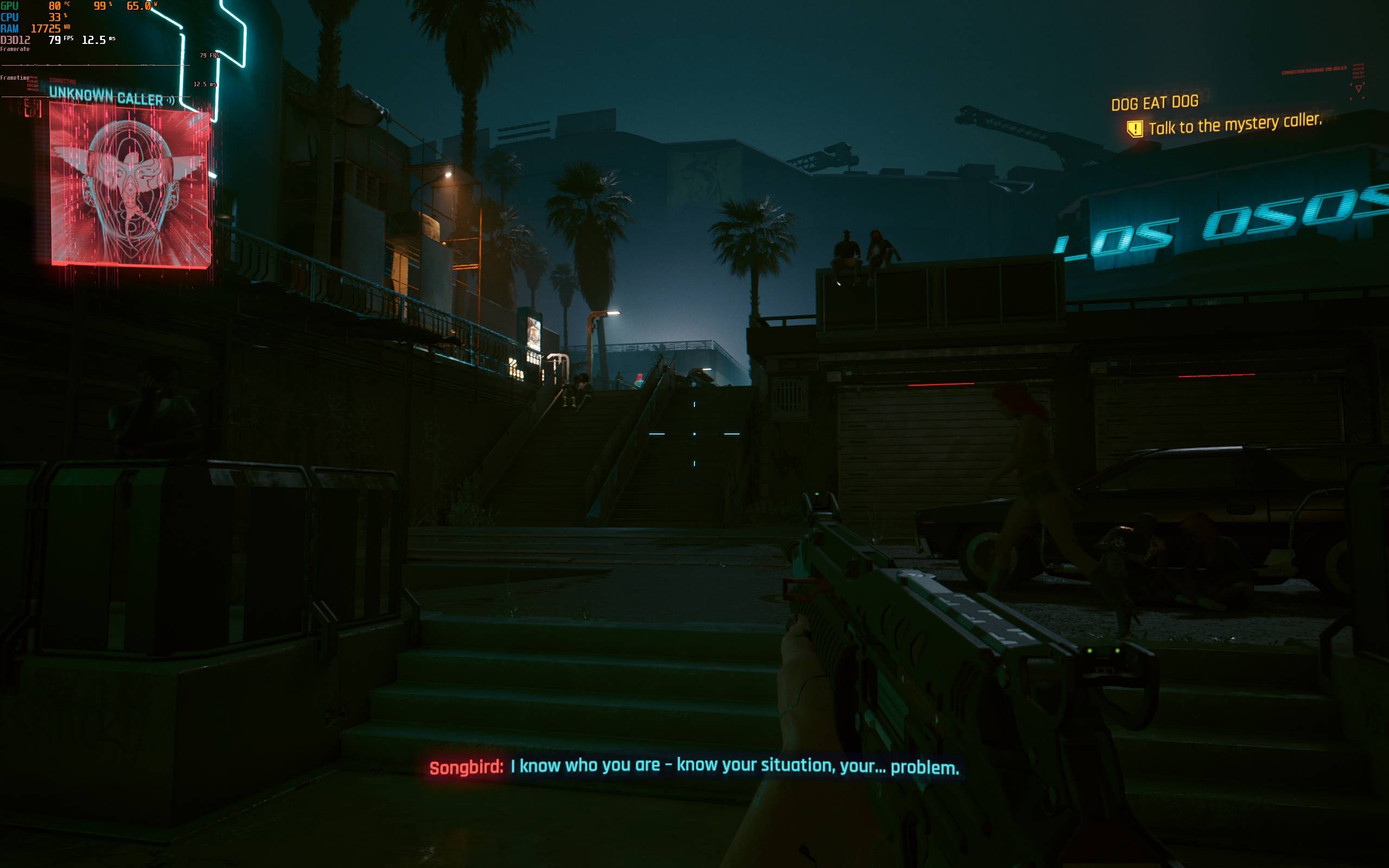
Speaking of games, the Flow Z13 manages to run most AAA titles like Cyberpunk 2077 and Alan Wake 2 at over 60 FPS, provided you're willing to tweak the settings. Since it's still an iGPU with no support for AI Frame Generation. As such, I'd recommend disabling ray tracing, turning on FSR wherever available, and sticking with Medium to High settings for the best experience. For competitive shooters like Valorant, you can easily achieve over 200 FPS, even at native resolution, and the frame rate is quite consistent too.
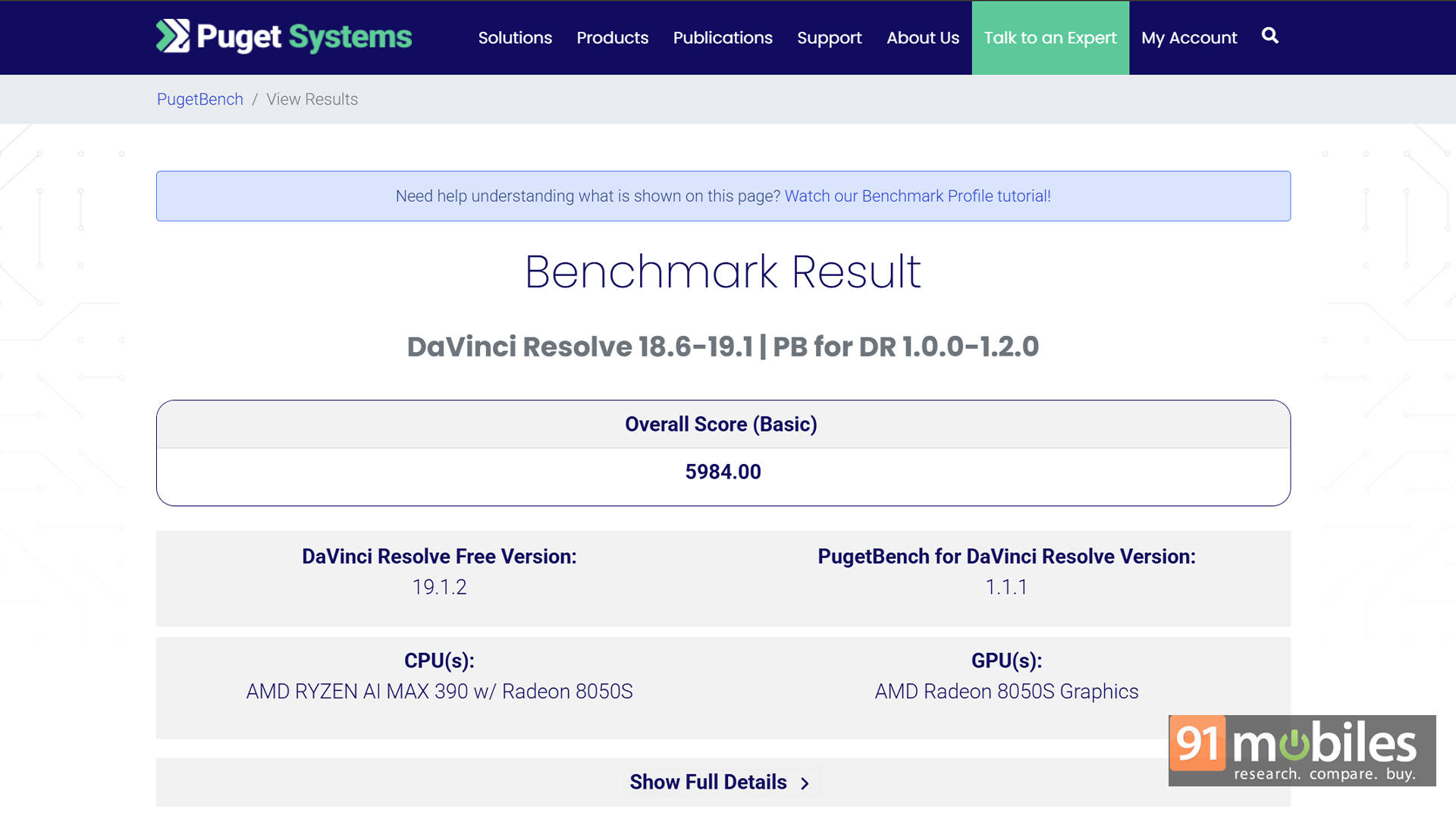
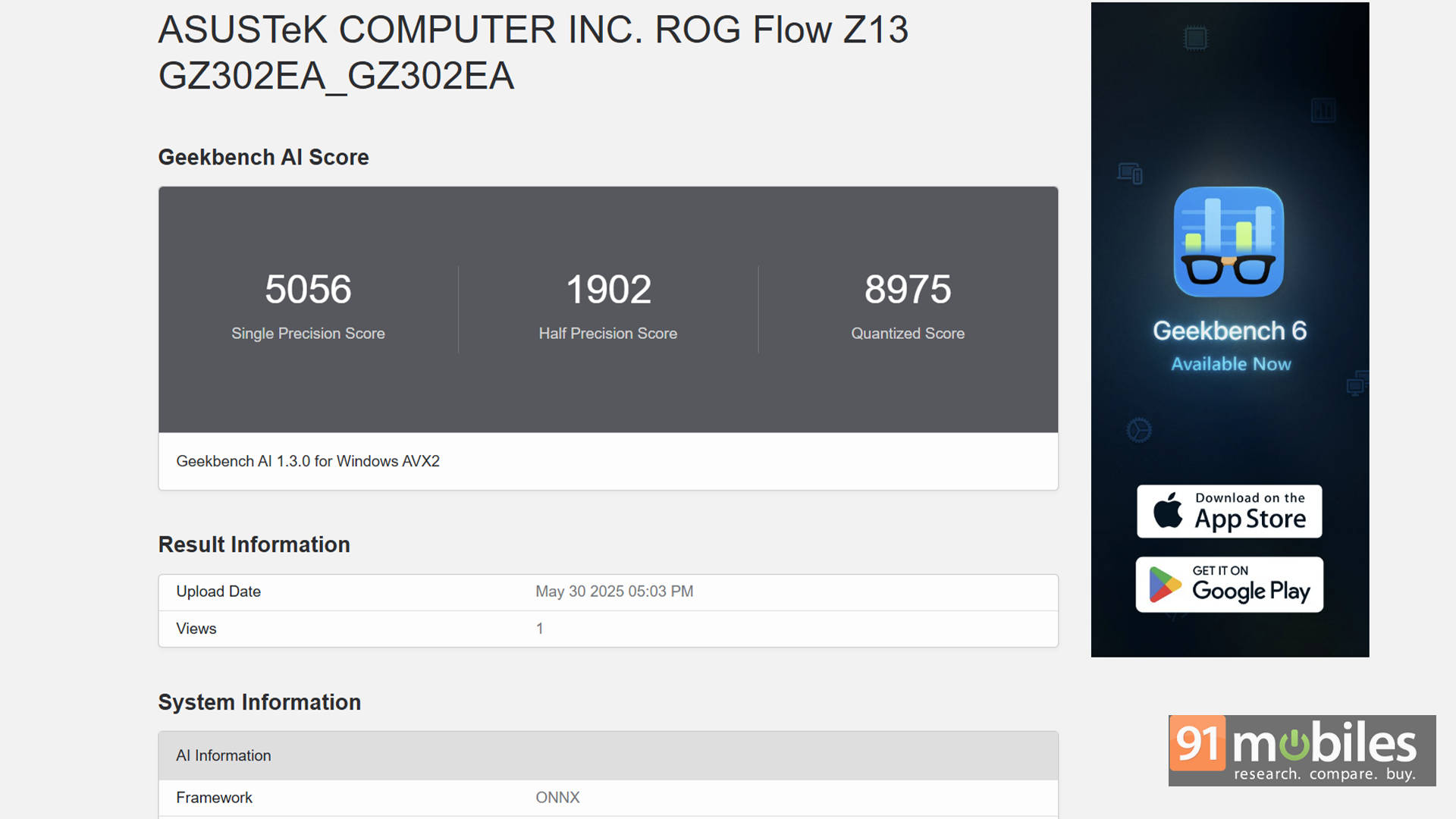
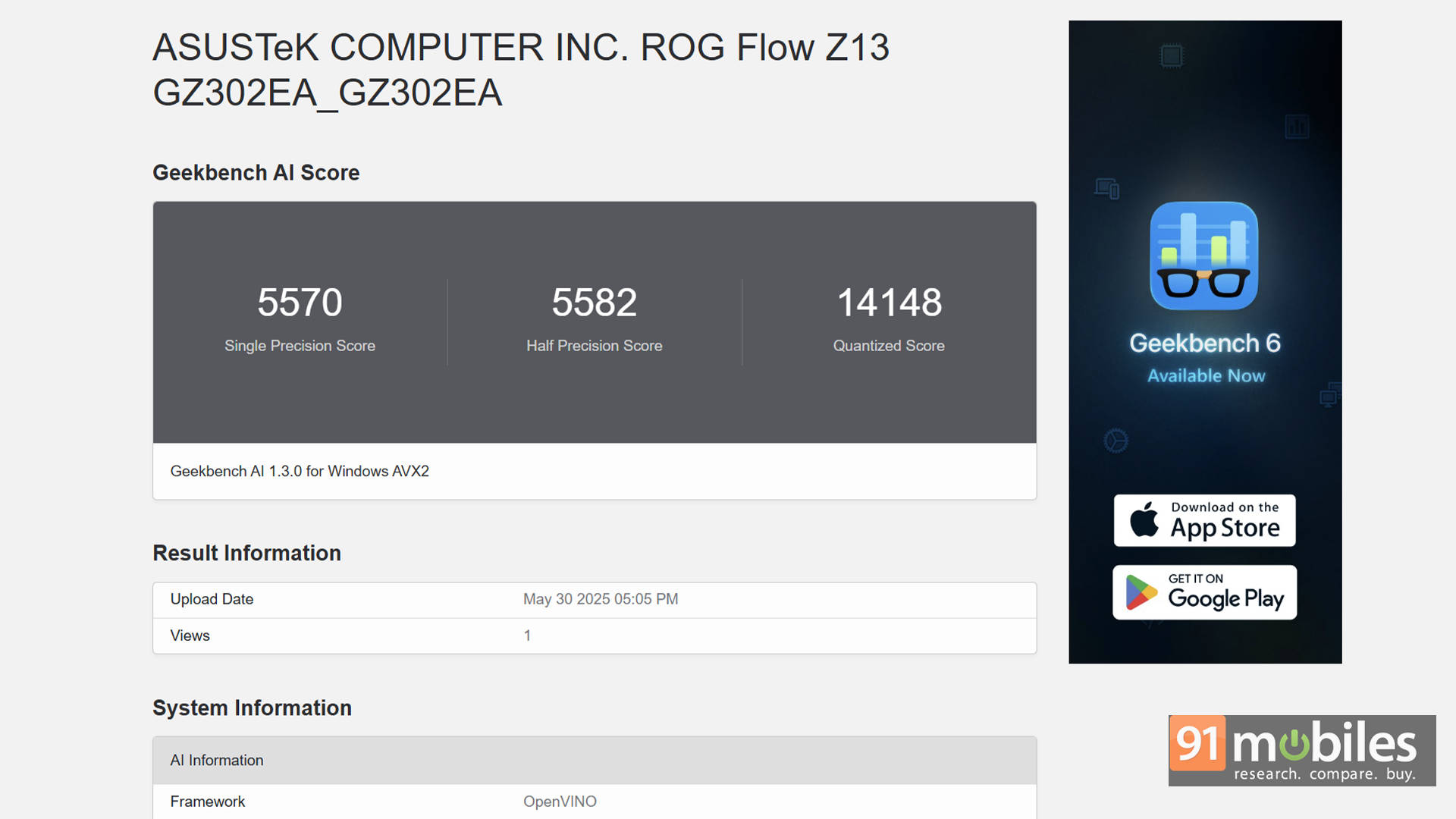
For creative tasks like Photoshop, DaVinci Resolve, or Premiere Pro, the Z13 holds its ground remarkably well. In PugetBench for DaVinci Resolve, it scored 5,984, which is no slouch for a device this size. Additionally, AI-enhanced workflows also benefit from the onboard NPU, although the ecosystem is still growing. I also ran Geekbench's AI benchmark to get a baseline, and the Flow Z13 held its own there, too.
Thermals and Upgradability
Not only is AMD's processor very well tuned, but ASUS has also designed an efficient thermal design that definitely delivers. ASUS has used a vapor chamber and dual fan combo that keeps temperatures in check without the jet engine-level fan noise. Under full load, CPU temps rarely cross 70–75°C, and the system remains surprisingly quiet, even in Turbo mode. The tablet chassis gets warm, but never uncomfortably hot.
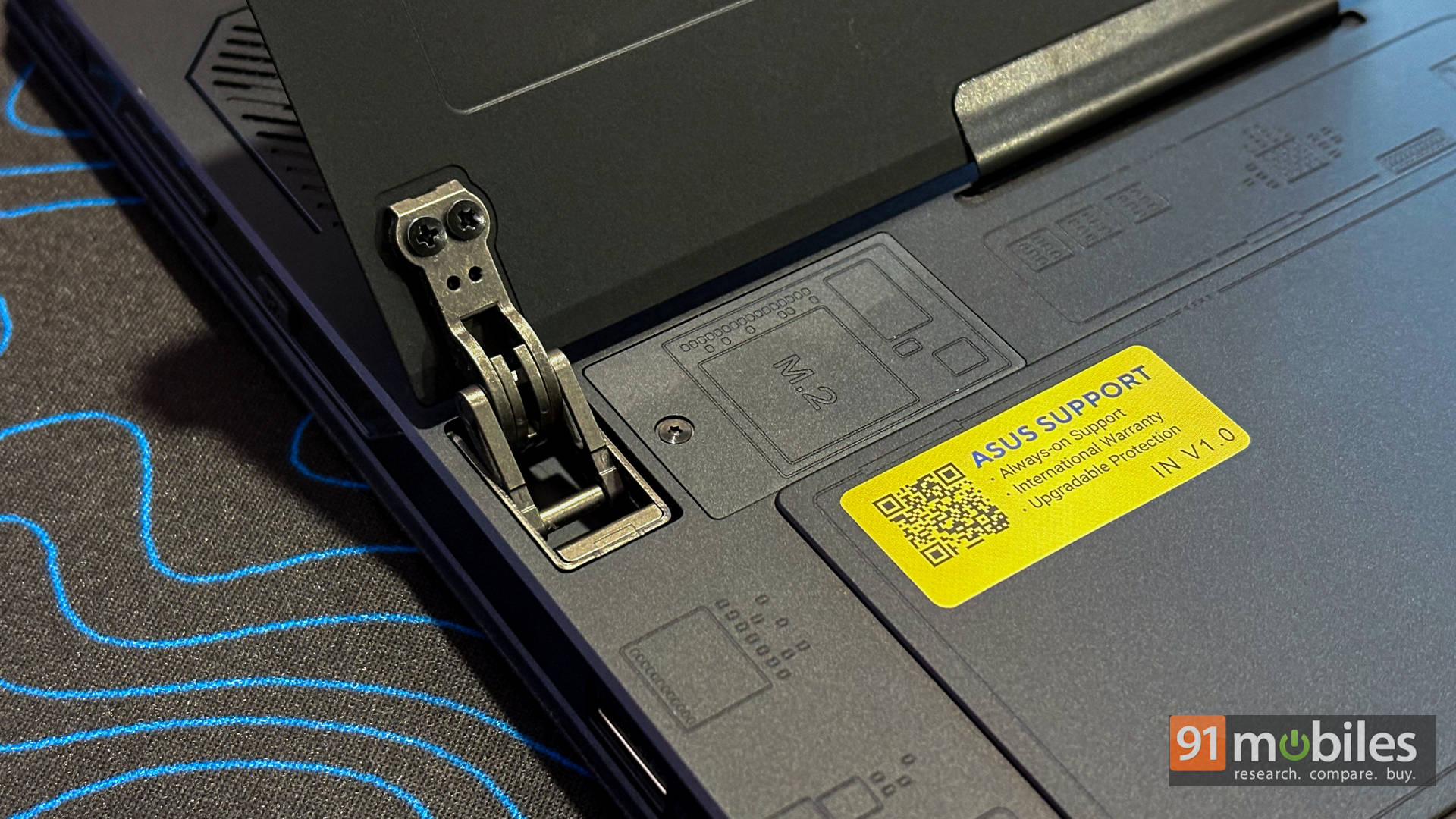
When it comes to upgradability, the Flow Z13 isn't exactly designed with tinkerers in mind, but ASUS has at least thrown power users a small bone. Much like the Microsoft Surface Pro, there's a single M.2 2230 NVMe SSD tucked neatly behind a panel under the kickstand. All it takes is a single screw to access it. Swap in a new SSD, and you're good to go.
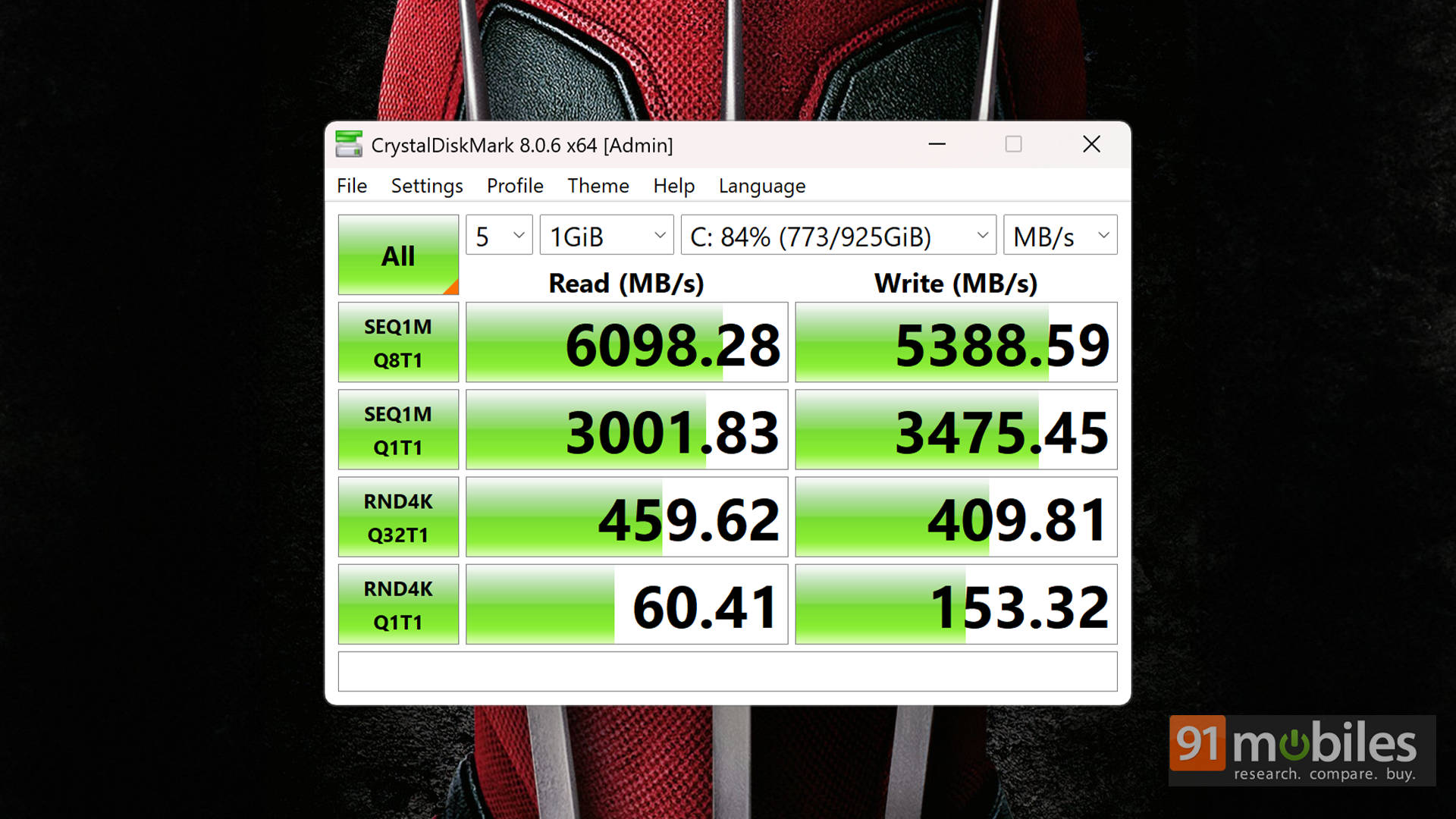
The unit ships with a 1TB SSD from KIOXIA, which delivers respectable numbers in CrystalDiskMark tests. That said, you can upgrade it to a 2TB SSD if more space is needed. Just remember: you'll need a 2230-sized drive, and it must be a single-sided SSD to fit properly within the chassis constraints.
Battery Life and Charging
Gaming laptops and long battery life usually don't get along too well. But hey, this is technically a gaming tablet, so it's fair to expect a little more stamina, right? Thankfully, the Flow Z13 delivers a fairly balanced performance on this front.
With a 70Wh battery under the hood, the Flow Z13 offers decent real-world usage times, depending on what you're doing. In my testing, which included a mix of Excel work, web browsing, music playback, and some lightweight Photoshop edits, I got just under 6 hours of screen-on time. That's not groundbreaking, but certainly respectable for a device with this much horsepower.
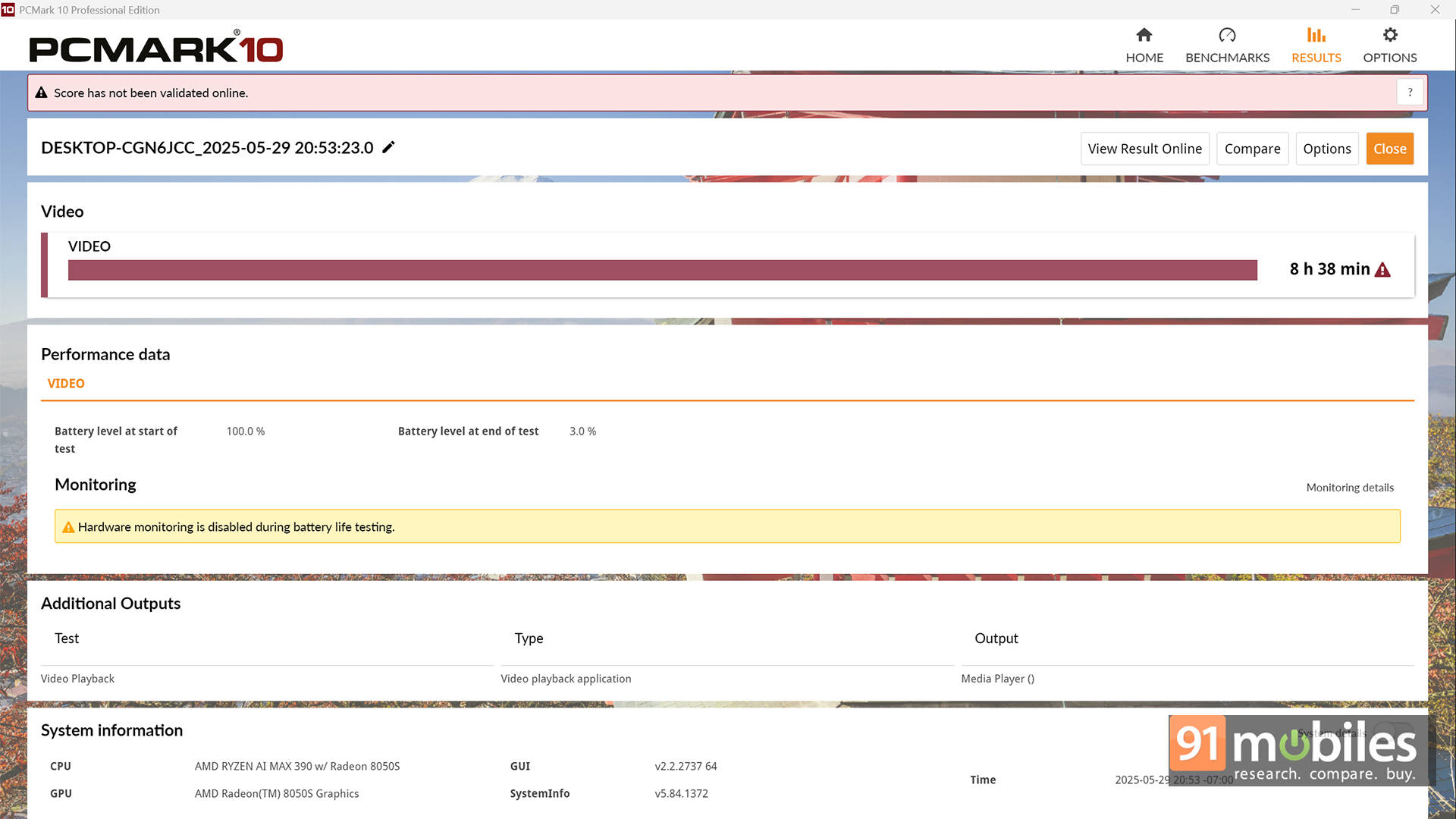
In the PCMark 10 Battery Video Loop Test, the Flow Z13 lasted a solid 8 hours and 38 minutes, which is genuinely impressive and suggests it can handle media consumption or basic tasks on the go without constantly hunting for a charger.
Speaking of chargers, ASUS includes a massive 200W charging brick in the box. It's definitely overkill in size, but it gets the job done, topping the battery from 0 to 50% in just about 30 minutes. If you're travelling light, the Flow Z13 also supports USB-C Power Delivery (up to 100W). Just keep in mind that if you're gaming or doing anything demanding, performance will be throttled on lower wattage input.
Overall, it's not an all-day device, but it strikes a pretty good balance for something this powerful and portable.
Verdict
Which brings us to the big question: pricing. ASUS is offering just one variant of the Flow Z13 in India, priced at ₹1,99,990. For context, the US market also gets a more powerful configuration with the Ryzen AI Max+ 395 and Radeon 8060S for $2,299.99 (roughly ₹1,97,400 when converted). While it would've been great to test that model as well, let's focus on the one we've got.
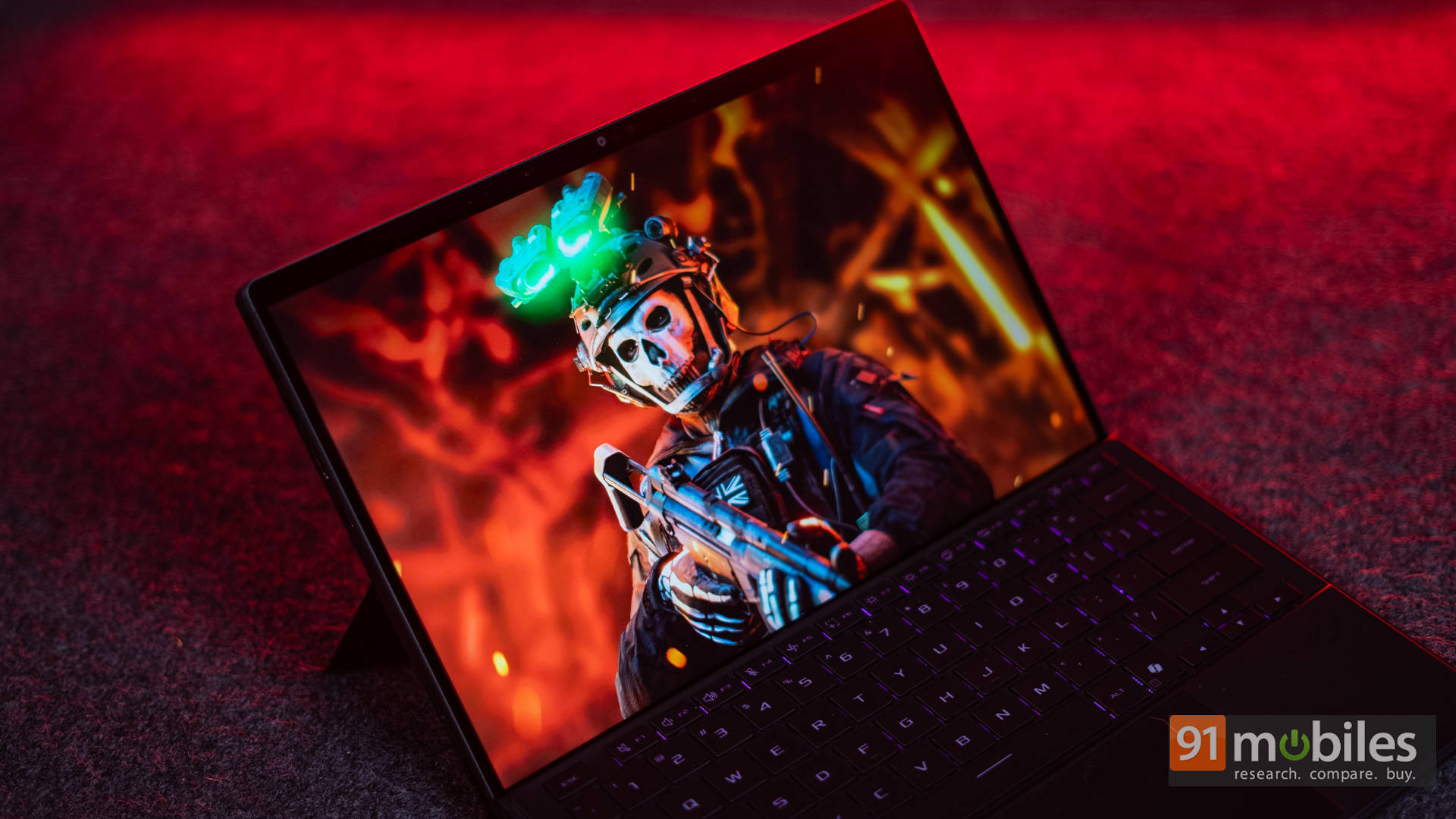
It's clear that the Flow Z13 isn't built for the average user. This is a niche product, designed for enthusiasts who want desktop-grade performance in an ultra-portable, tablet-style chassis. And in that specific use case, it absolutely delivers. If portability and flexibility matter most, and you're after a machine that can handle a wide range of tasks with ease, the Flow Z13 definitely fits the bill.
That said, if you're purely chasing the best gaming experience in a traditional form factor, there are better options at this price. For instance, the Lenovo Legion 7i offers an Intel Core i7-14700HX paired with an NVIDIA RTX 4070 Laptop GPU, delivering significantly higher frame rates in AAA games. On the other hand, if you're after something lighter on the wallet but still powerful, the ASUS TUF Gaming A14 makes for a great choice and will save you over ₹30,000 in the process.
Editor's Rating: 8 / 10
Pros:
- AMD Ryzen AI Max 390 redefines an APU
- Desktop-grade performance in a portable chassis
- QHD+ 180Hz touchscreen display with 100% DCI-P3
- Excellent thermals and quiet operation
Cons:
- Weak speakers
- Average webcam
- Not the best value for pure performance