Good desk lighting is one of those upgrades most people don’t think about until they actually fix it. Then it’s hard to go back. After spending a couple of weeks using the BenQ ScreenBar Pro as my primary desk light, across long writing sessions, editing work, and even gaming sessions, it’s clear this isn’t just another accessory trying to look smart on your desk. It’s a very deliberate solution to a boring but important problem.
However, for a price tag of around Rs. 14,000, the BenQ ScreenBar Pro may not fit within everyone’s budget. While I’d argue that the price alone makes it worth looking at closely, there’s a lot more that this piece of tech actually packs under the hood. So read on, as we take a closer look, and I try to answer the big question of whether this is worth it or not.
Table of Contents
Clean Design That Stays Out of Your Way
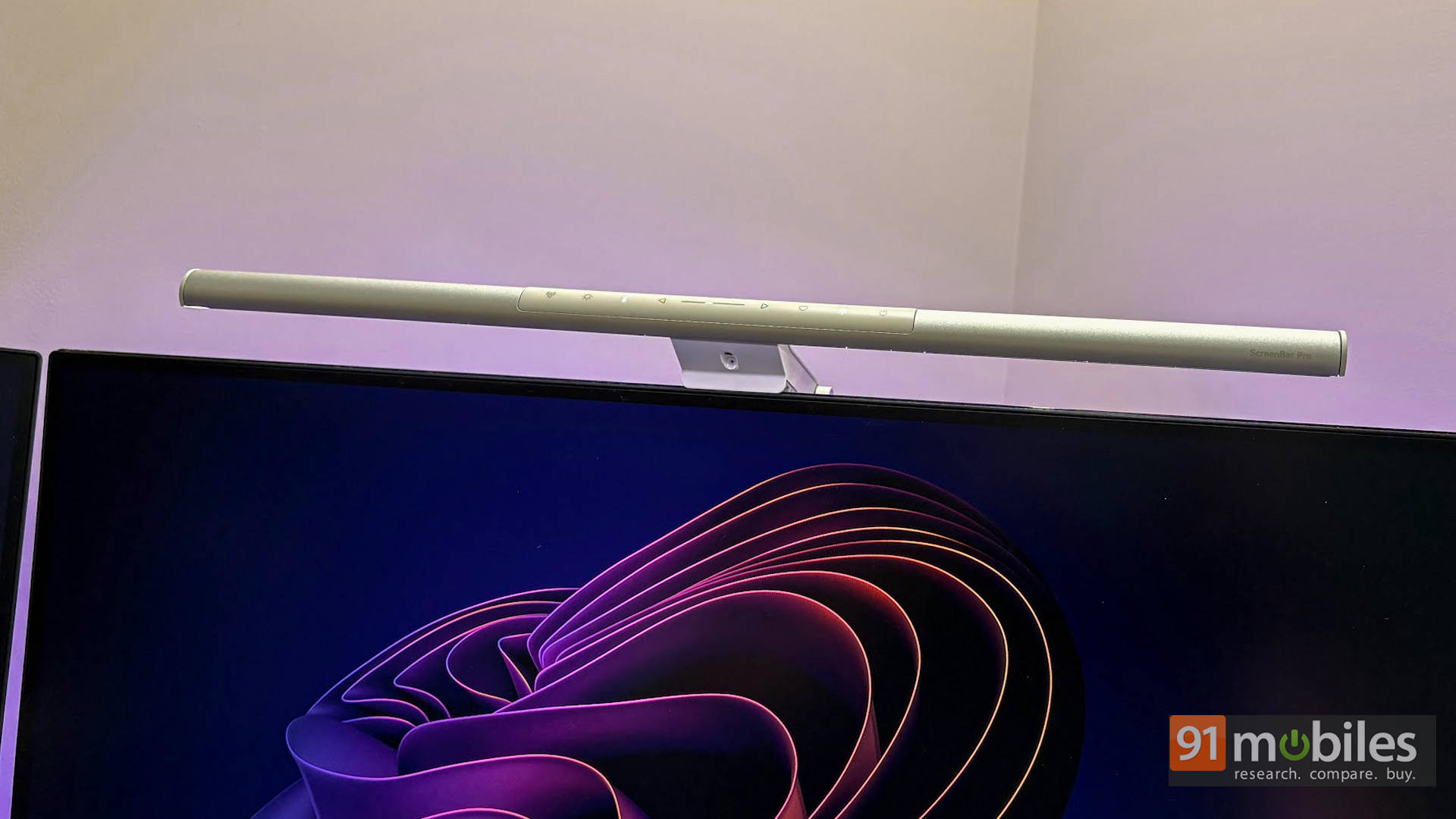
The first thing the ScreenBar Pro gets right is knowing when not to show off. It’s a slim, matte silver aluminium bar that sits neatly on top of the monitor and stays in its lane. No desk space is lost, no awkward arms hanging around, and once it’s installed, it more or less vanishes from your field of view. And that’s a compliment.
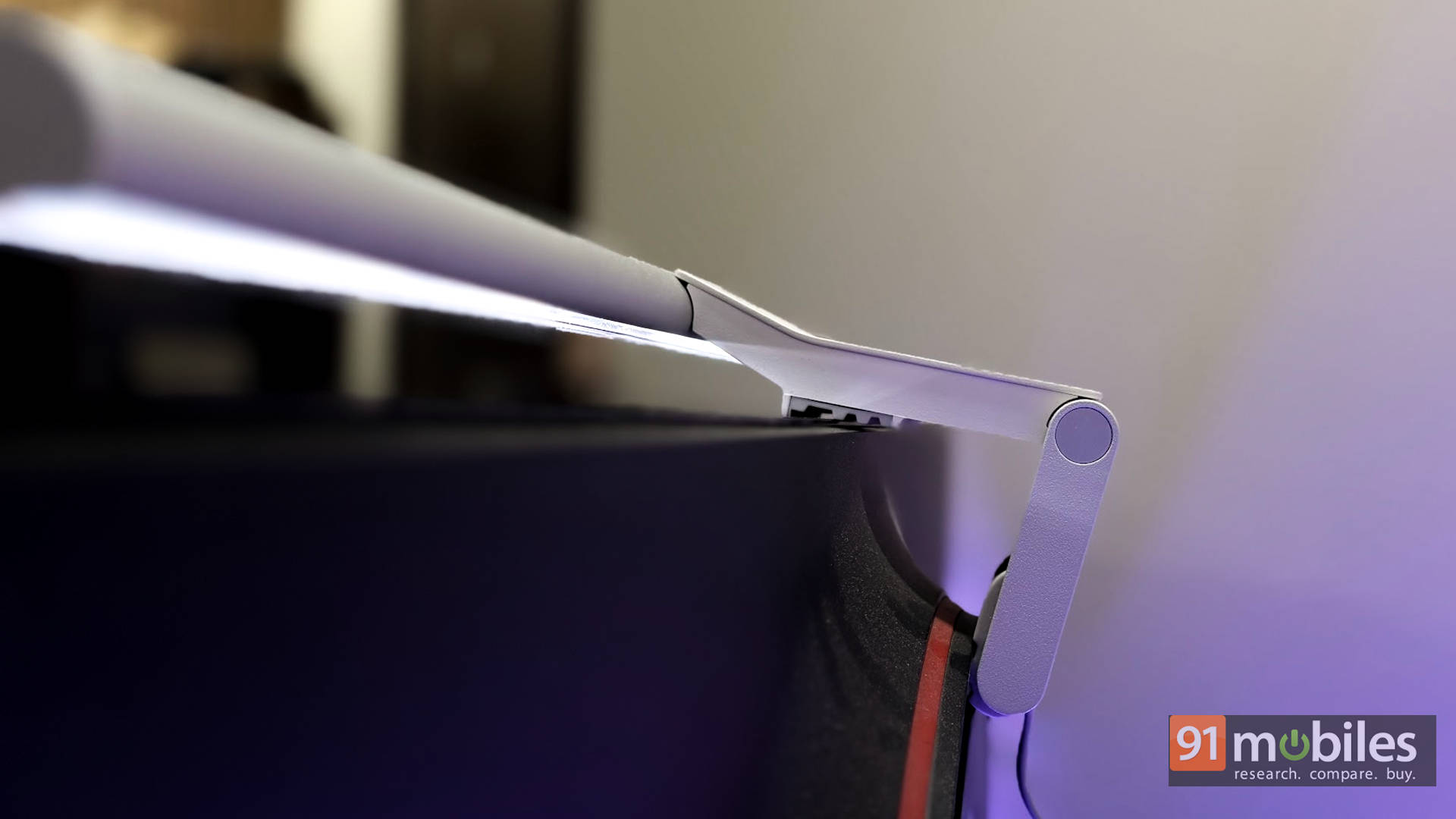
The mounting system is smart in a very un-dramatic way. Instead of squeezing the life out of your display, it uses a weighted, balanced design that simply rests on top and stays put. In everyday use, it works effortlessly across different monitor styles, whether it’s a flat panel like the BenQ GW2786TC, a curved display like the Dell Alienware AW3225QF, or even gaming monitors such as the BenQ MOBIUZ EX271Q with a bulge at the back. You set it once, and then stop thinking about it—which is exactly how it should be.
Design That Knows Exactly Where to Shine
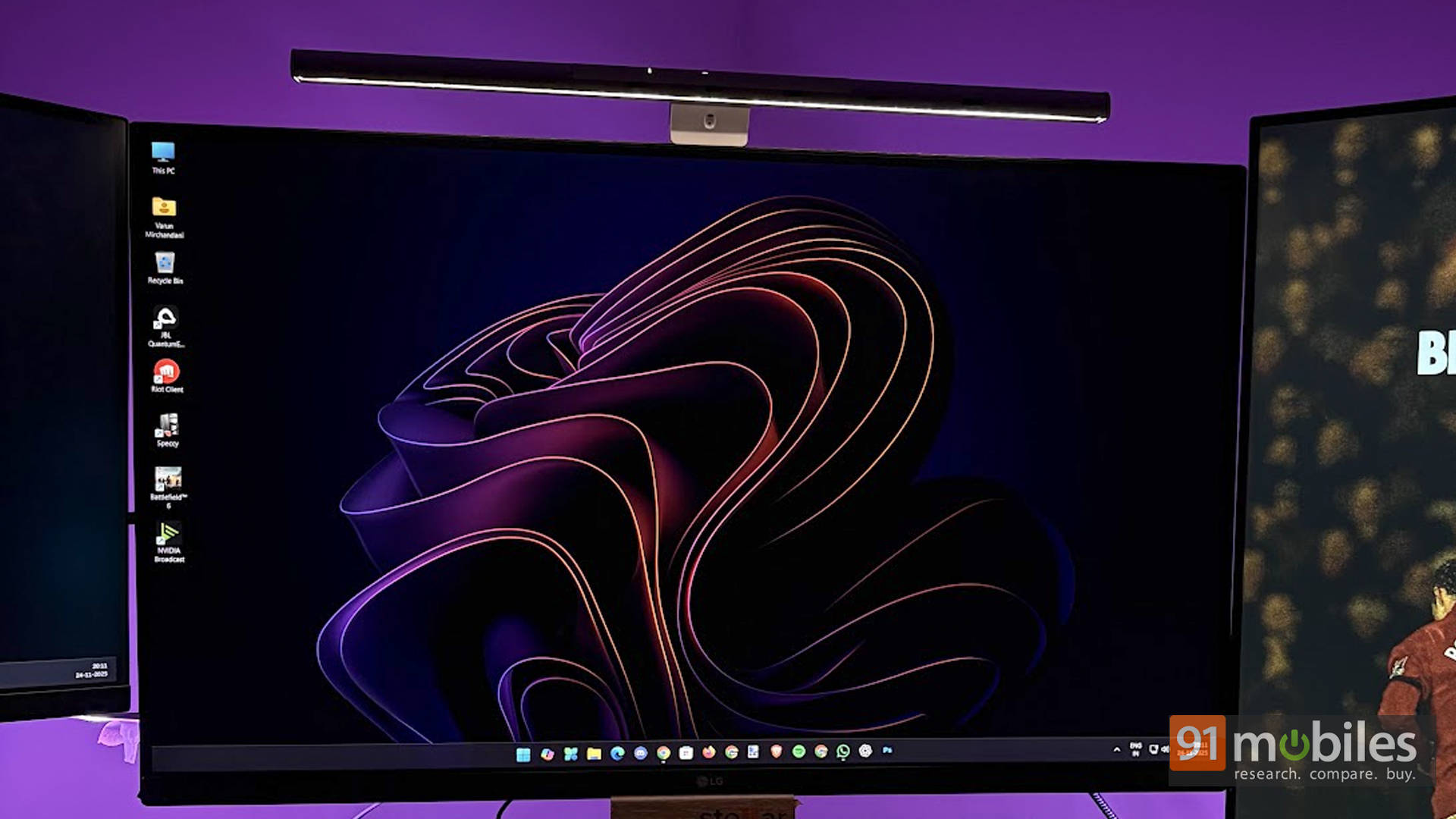
This is where the ScreenBar Pro earns its keep. BenQ’s asymmetrical lighting design sounds fancy, but the idea is simple: the light is aimed down at the desk, not sprayed into your eyes or bounced off the screen. In everyday use, that means your keyboard, mouse, and desk surface are evenly lit while the display stays completely glare-free.
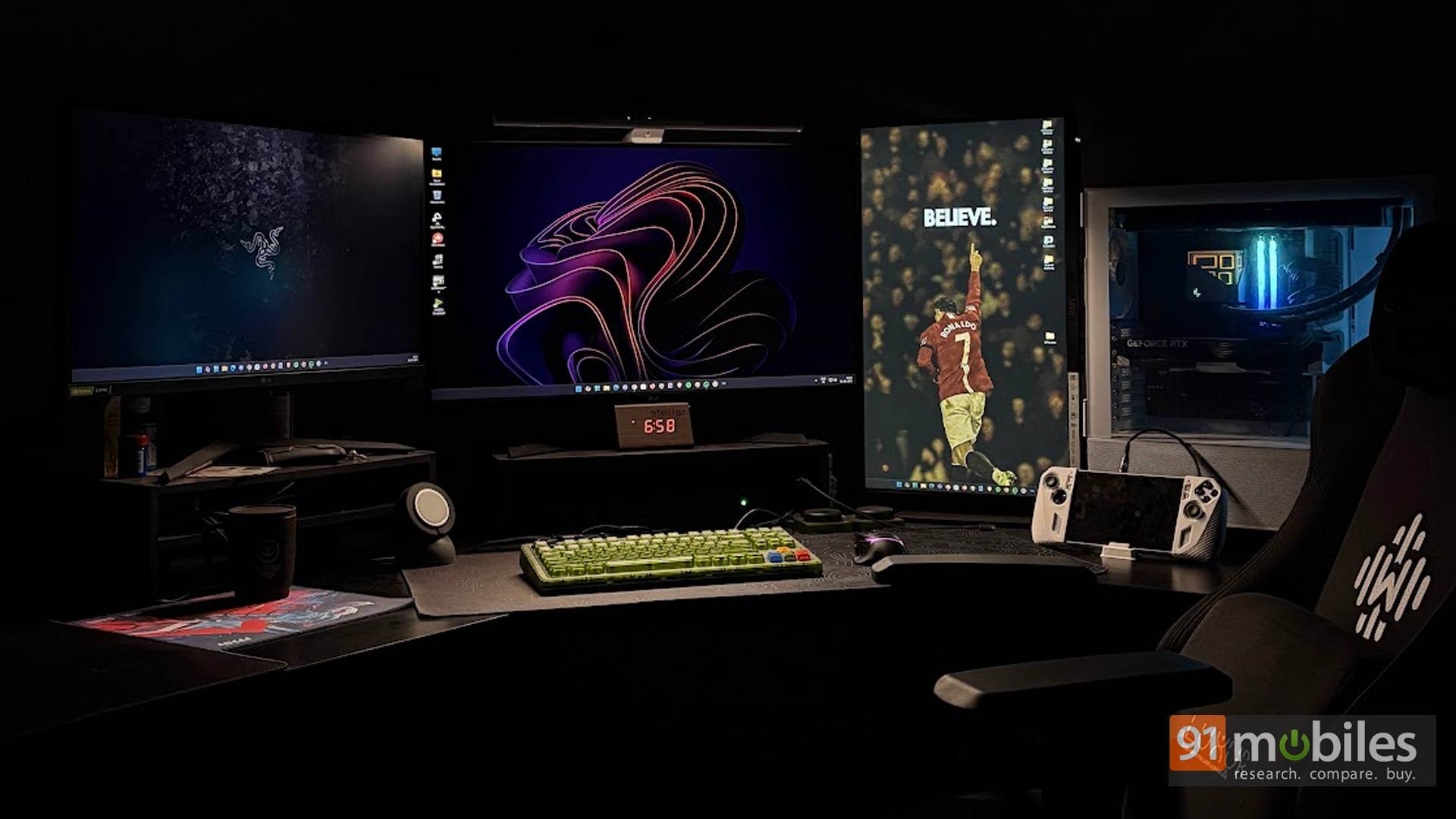
What surprised me most was how controlled the light spread is. I even used it on a triple-monitor setup, fully expecting some spill onto the side screens. Thankfully, that never really happened. The illumination stayed focused on the workspace instead of lighting up everything around it, which is something many cheaper light bars struggle to manage.
On that note, even traditional desk lamps tend to bounce light back at glossy or semi-matte displays, which gets tiring fast. The ScreenBar Pro keeps the light exactly where it should be. After a few days, you stop thinking about it altogether. Until you turn it off and immediately realise how much work it was quietly doing in the background.
Bright Enough for Days
Brightness is another strong point. BenQ rates the ScreenBar Pro at up to around 1000 lux, and in simple terms, it’s bright enough to replace a desk lamp entirely. Even on a larger desk, the light feels wide and usable, not harsh or concentrated in one spot. During late-night work sessions, I often left the room lights off without feeling like I was straining my eyes.
The lighting itself feels natural rather than clinical. Long hours at the desk felt easier, and eye fatigue was noticeably reduced. The gamer in me did wish for some RGB flair, something the ScreenBar Halo offers, but with separate RGB strips already in place, it didn’t feel like a real loss.
Controls That Think So You Don’t Have To
Ambient Light, Handled Automatically
The “Pro” in the name earns its place thanks to the built-in ambient light sensor. It constantly reads the room’s lighting and adjusts the ScreenBar Pro to match. Bright mornings get softer illumination, cloudy afternoons see a gentle boost, and as evening rolls in, the lamp smoothly takes over. There are no sudden jumps or distracting changes, just steady, comfortable lighting throughout the day.
Once a preferred brightness is set, auto mode becomes something you switch on and forget. There’s no need to keep tweaking levels, which quietly makes long workdays feel easier on the eyes.
Simple Touch, No Overthinking
All controls sit on top of the bar and rely on touch inputs. Power, brightness, colour temperature, and auto mode are all a tap away. They’re responsive, clearly laid out, and easy to use even without looking directly at them.
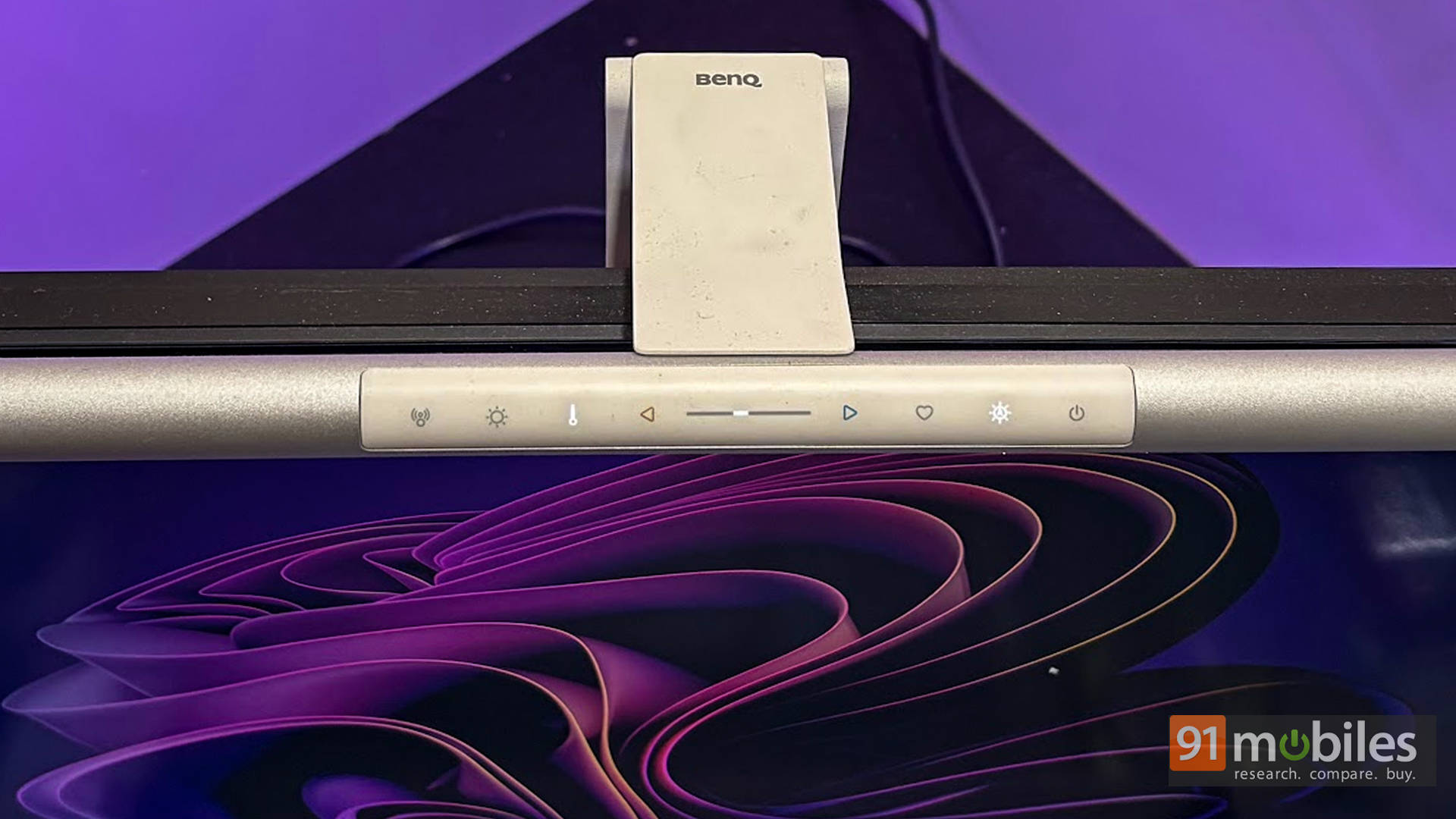
This won’t suit everyone. If someone likes constantly adjusting lighting, a wireless dial like the one on the ScreenBar Halo may feel more convenient. The ScreenBar Pro, however, is clearly built around the idea that once things are set right, manual adjustments should be rare.
Colour Tones That Feel Natural
The ScreenBar Pro allows switching between warm and cool lighting tones, and the changes are subtle but useful. Warmer light works well for evenings and relaxed reading, neutral tones suit everyday work, and cooler light helps during focus-heavy tasks like editing or spreadsheets.
What stands out is how smooth these shifts feel. There’s no harsh colour jump or strange tint on the desk. Everything stays clear and readable, which is exactly what good desk lighting should aim for.
The Rs. 14K Question: Sensible Splurge or Desk Overkill?
As good as the product is, Rs. 14,000 is not pocket change, and the hesitation is understandable. After all, desk lamps and basic light bars cost far less. But the ScreenBar Pro isn’t trying to win a price war. It’s built to remove the little compromises that add up over long workdays: uneven lighting, screen glare, constant adjustments, and cluttered desks. Cheaper options usually stumble on one or more of these, while the ScreenBar Pro quietly gets all of them right.
This isn’t a flashy showpiece. There’s no RGB drama or “look at me” energy here. Instead, it quietly fixes desk lighting, reduces eye strain, and uses smart automation to stay out of the way. By skipping ambient lighting and wireless controls found on the Halo, the ScreenBar Pro stays laser-focused on doing one job well. If desk time is occasional, the price will sting. But for anyone who practically lives at their desk, it quickly stops feeling like a splurge and starts feeling like a setup essential.
Editor’s Rating: 8.5 / 10
Pros:
- Excellent glare-free desk lighting
- Wide, even light spread
- Smart auto and motion sensors
- Saves desk space completely
Cons:
- Expensive for casual users
- No wireless control dial
- No RGB or backlight