NVIDIA just hit the reset button on frame generation. With DLSS 4.5 and its new 6X Dynamic Multi Frame Generation, the company isn’t just chasing higher FPS numbers anymore. Instead, it’s trying to make frame generation smarter, more adaptive, and frankly, less noticeable.
Designed for the RTX 50-series GPUs, this new system behaves less like a simple toggle and more like something that constantly adjusts itself based on what’s happening on screen. And honestly, after spending some time testing it, this is the first time frame generation has started to feel… almost invisible in actual gameplay.
Table of Contents
So what exactly changed?
For years, DLSS Frame Generation has mostly been a fixed deal. Turn it on, and you get a set multiplier, usually 2x, regardless of whether your GPU actually needs that boost or not. DLSS 4.5 throws that idea out completely and replaces it with something far more dynamic.
The headline feature here is 6x Multi Frame Generation, which can generate up to five AI frames for every one traditionally rendered frame. On paper, that means something like 40 FPS can scale all the way up to 200+ FPS, which sounds borderline absurd.
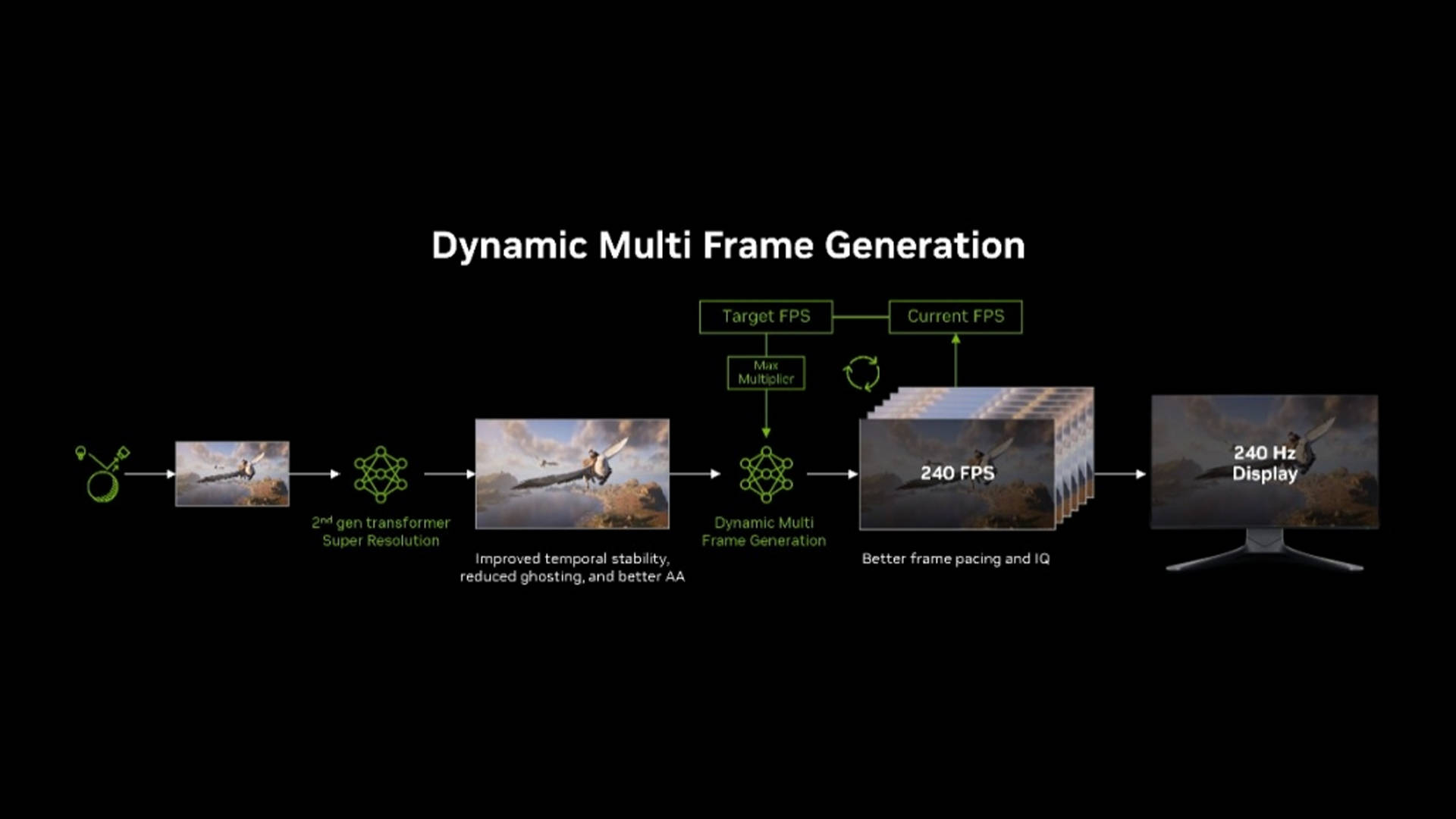
But the real story isn’t just the number. It’s how the system behaves while doing it. Instead of sticking to a fixed multiplier, Dynamic Multi-Frame Generation behaves like an automatic transmission. It constantly monitors your GPU’s raw performance and your display’s refresh rate, then dynamically shifts between multipliers in real time. In heavier scenes, it ramps things up aggressively to maintain smoothness. When things ease off, it dials things back to avoid unnecessary overhead.
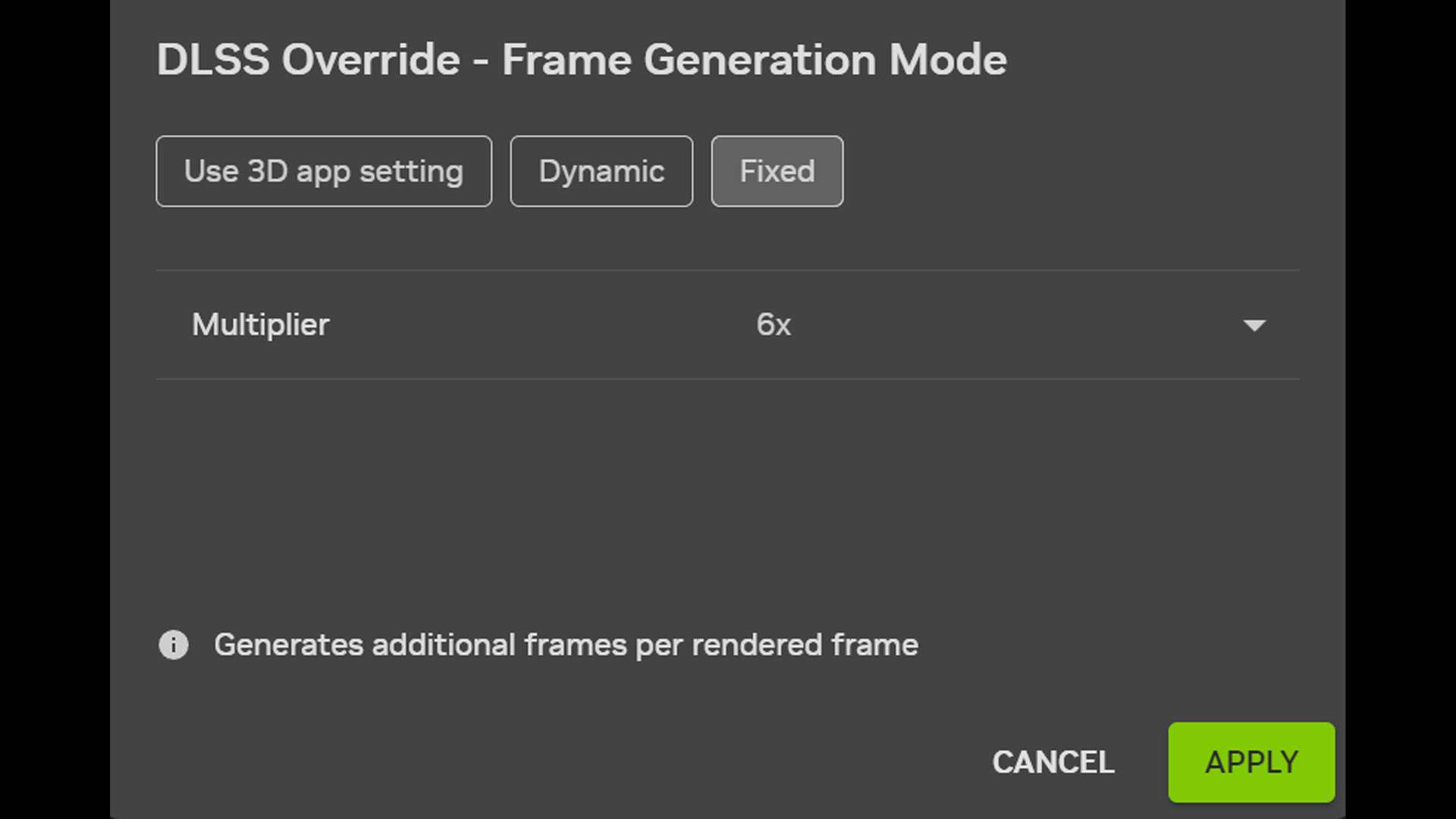
The end goal is simple: keep things as smooth as possible without overshooting or introducing instability. And that’s where it starts to feel genuinely different from older implementations. There’s also a new second-gen Transformer-based Super Resolution model in play here. It’s designed to improve temporal stability, reduce ghosting, and generally make fast-moving scenes look cleaner. In practice, this translates to fewer visual distractions when things get hectic, especially in games with lots of motion or particle effects.
DLSS 4.5 tested: Laptop vs flagship desktop
We tested DLSS 4.5 across both ends of the spectrum, starting with a relatively modest gaming laptop and then jumping to a full-blown flagship desktop setup to see how far this tech can scale.
RTX 5060 Laptop: the surprising one
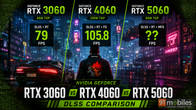
First up was the RTX 5060 laptop inside the Dell Alienware 16X Aurora, paired with an Intel Core 7 240H. Running Cyberpunk 2077 at 1600p using the RT Ultra preset, which is still a pretty demanding configuration, the system hovered around 39 FPS natively. That’s very much expected for this class of hardware, especially once you start enabling ray tracing features.
| Preset | Avg FPS |
| DLSS + RT | 39 |
| DLSS + RT + 2x FG | 62 |
| DLSS + RT + 4x FG | 106 |
| DLSS + RT + 6x FG (forced) | 124 |
But once DLSS 4.5 with 6× Multi Frame Generation was enabled via the NVIDIA App, things escalated quickly. Frame rates jumped to around 124 FPS on average, which is a massive leap on paper. But more importantly, it didn't feel like the system was "faking" its way there.
I even spent time actually playing through sections of the game instead of relying purely on benchmarks, and the usual frame-gen quirks, like that slightly floaty mouse input or inconsistent camera response, just weren't as noticeable here. Movement felt tight, aiming felt predictable, and overall responsiveness was far closer to native than I expected. Honestly, it still feels a bit surreal to see that kind of performance jump on a mid-range laptop GPU, especially in a game like Cyberpunk.
RTX 5090 desktop: brute force meets AI
Then came the complete opposite end of the spectrum. On a desktop powered by an RTX 5090 paired with an Intel Core Ultra 7 270K Plus, we pushed things all the way up to 4K resolution. Native performance in Cyberpunk 2077 hovered around 93 FPS, which is already impressive considering the settings. However, with DLSS 4.5 enabled, that number climbed to nearly 300 FPS.
| Preset | Avg FPS |
| DLSS + RT | 81 |
| DLSS + RT + 2x FG | 147 |
| DLSS + RT + 4x FG | 259 |
| DLSS + RT + 6x FG (forced) | 292 |
At that point, you're no longer just improving performance. You're fundamentally changing what's possible. High-refresh 4K gaming, even with ray tracing enabled, suddenly starts to feel realistic instead of aspirational. And again, the key thing here is that it didn't feel wildly inconsistent or unstable. Frame pacing held up well, and the experience remained surprisingly smooth even at those extreme frame rates.
UI clarity finally fixed?
One of the biggest giveaways of frame generation in the past has always been UI artifacts: shimmering HUD elements, flickering minimaps, and text that just doesn't hold up when the camera moves quickly. DLSS 4.5 tries to address that with Frame Generation Preset B, and this might be one of the most underrated improvements in the entire update.
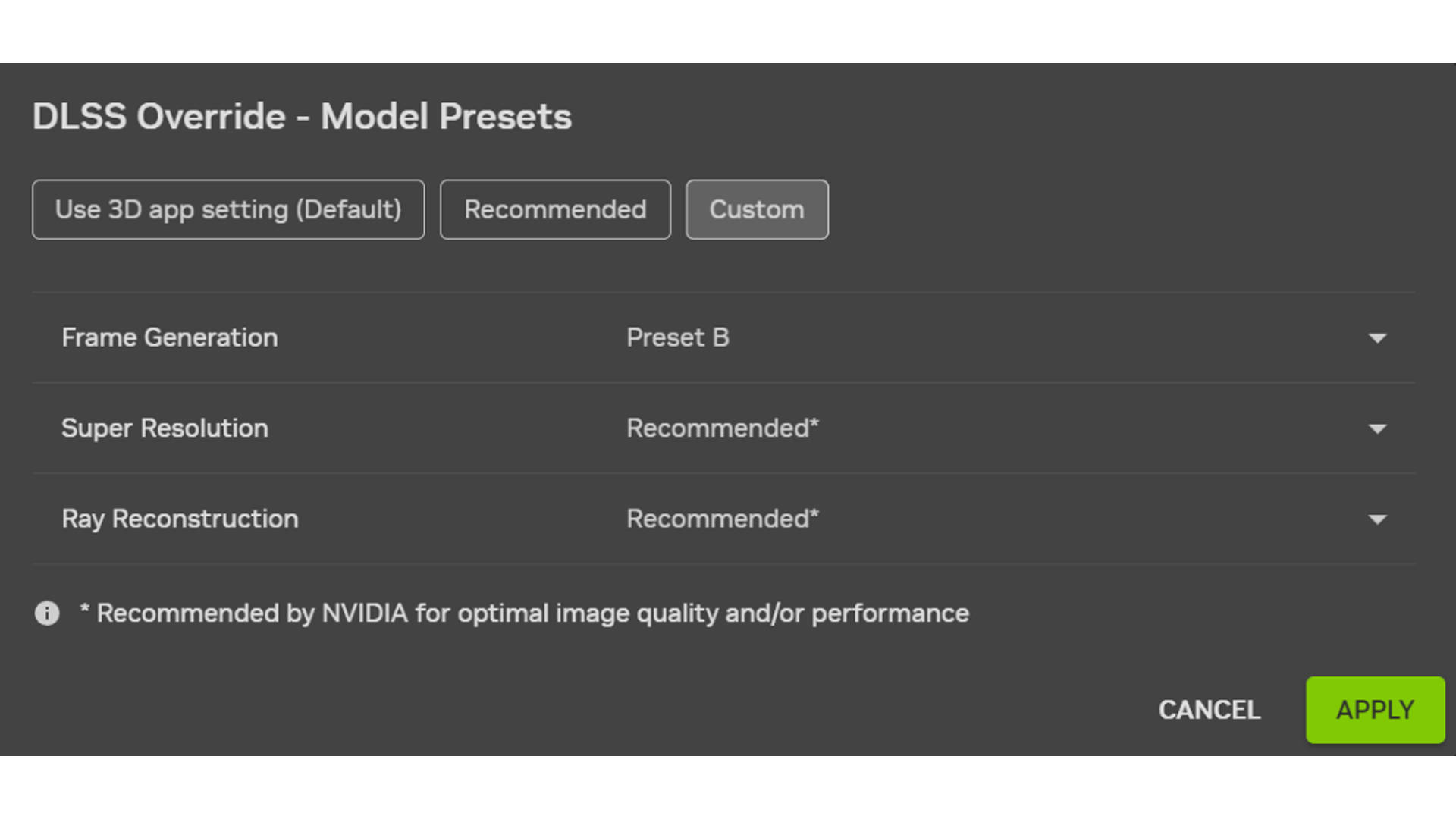
This new preset uses additional game engine data, specifically UI depth buffers, to better understand what elements should remain stable. In simpler terms, it helps the AI distinguish between what's part of the world and what's part of the interface. I tested this in Marvel's Spider-Man 2, and the difference is immediately noticeable once you start paying attention. As Spider-Man swings rapidly through the city, the HUD remains stable, the minimap stays sharp, and UI elements don't break apart like they used to in earlier implementations. It's one of those subtle improvements that doesn't show up in benchmark charts but makes a huge difference to how "native" the experience feels
Availability and what you actually need
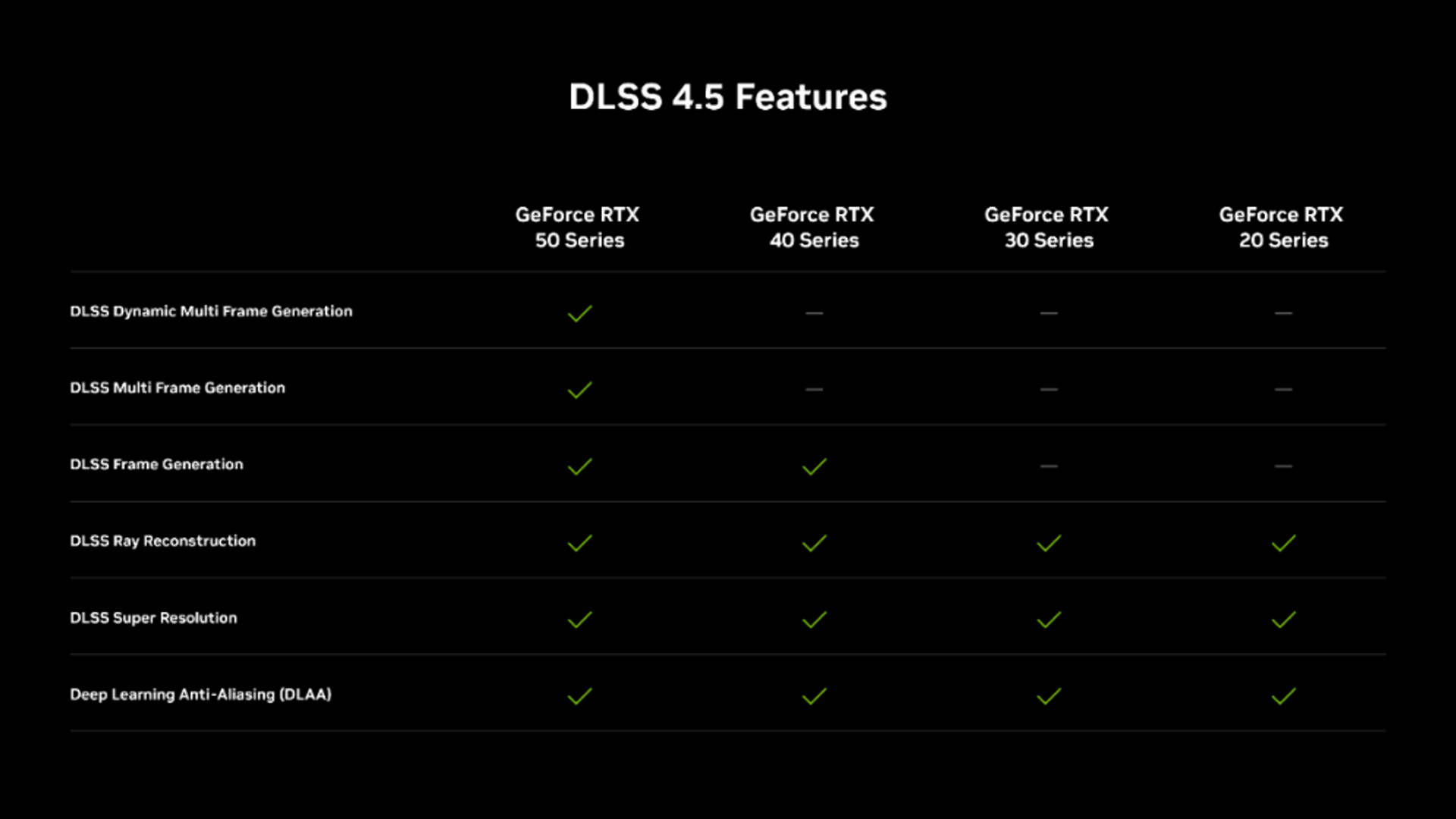
DLSS 4.5 is already rolling out for RTX 50-series GPUs via the latest Game Ready Driver and NVIDIA App. The 6x Multi Frame Generation is supported in 200+ games and apps, while the Updated Super Resolution models are available in 400+ titles. The rollout is also fairly user-friendly, since a lot of this can be enabled through the NVIDIA App without needing full in-game updates.
It's worth noting that older RTX GPUs, like the 20 and 30 series, can still access some of the newer Super Resolution improvements. However, they don't fully benefit from the newer models due to the lack of FP8 support, which means higher performance overhead. In most cases, sticking to older DLSS models still offers a better balance on those cards.
Early verdict: Is this finally “good” frame generation?
Instead of aggressively injecting frames, DLSS 4.5 adapts to the situation. Instead of constantly drawing attention to itself, it mostly blends into the experience. And for the most part, that shift in approach works. There are still questions around long-term latency behavior and edge cases, especially in competitive scenarios, but based on early testing, this is easily the most convincing version of frame generation yet.