With personalisation becoming a core part of modern smartphones, a wider range of sensitive data such as banking apps, OTPs, and private conversations, is now frequently visible on displays. Recognising this, Samsung has introduced a new privacy-focused feature with the Galaxy S26 Ultra. Known as Privacy Display, the technology is built into the screen itself and works by restricting visibility from side angles. This helps keep on-screen information secure from nearby viewers while maintaining a clear and uninterrupted experience for the person using the device.
What is Samsung Galaxy S26 Ultra Privacy Display and how does it work?
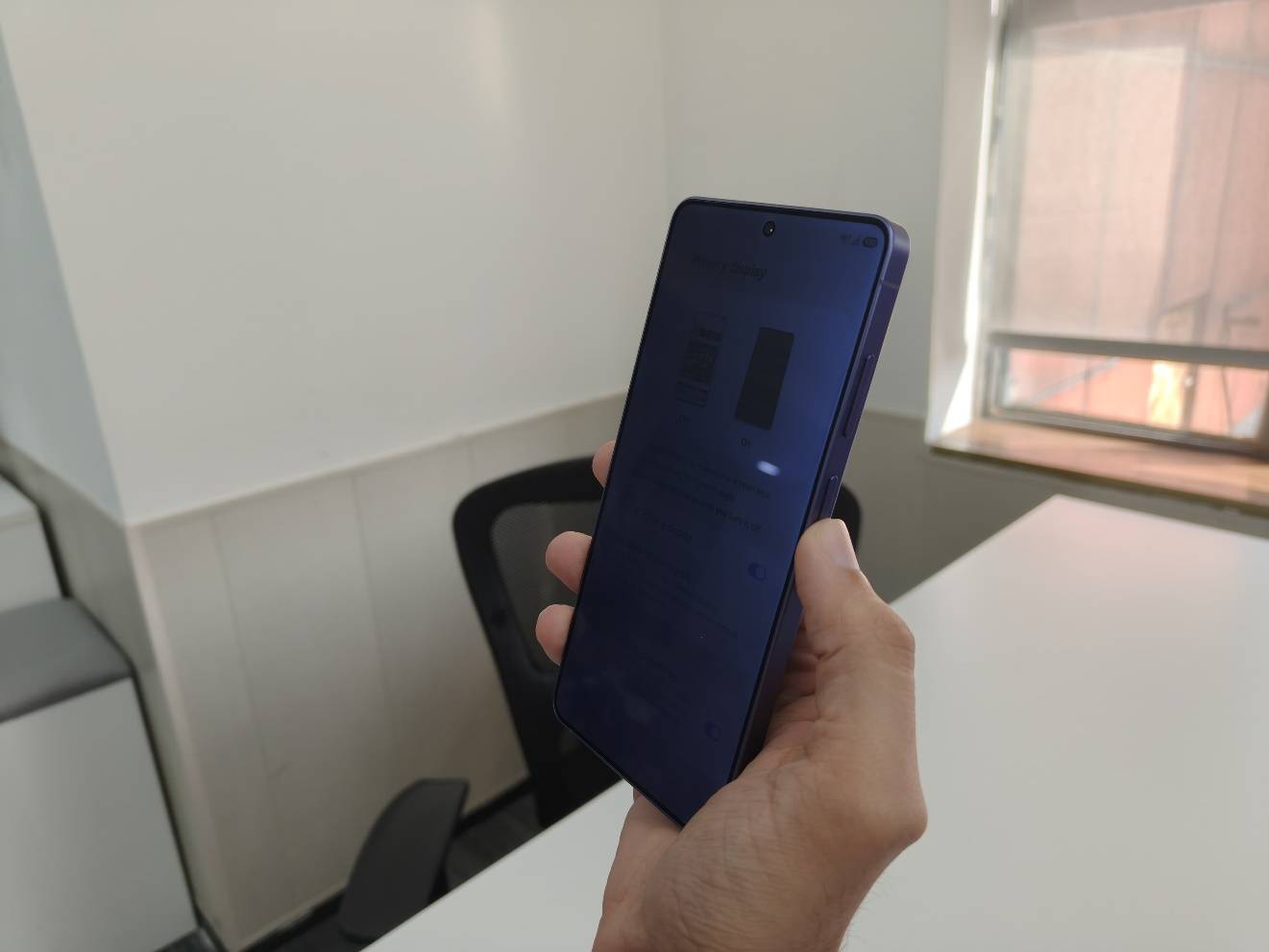
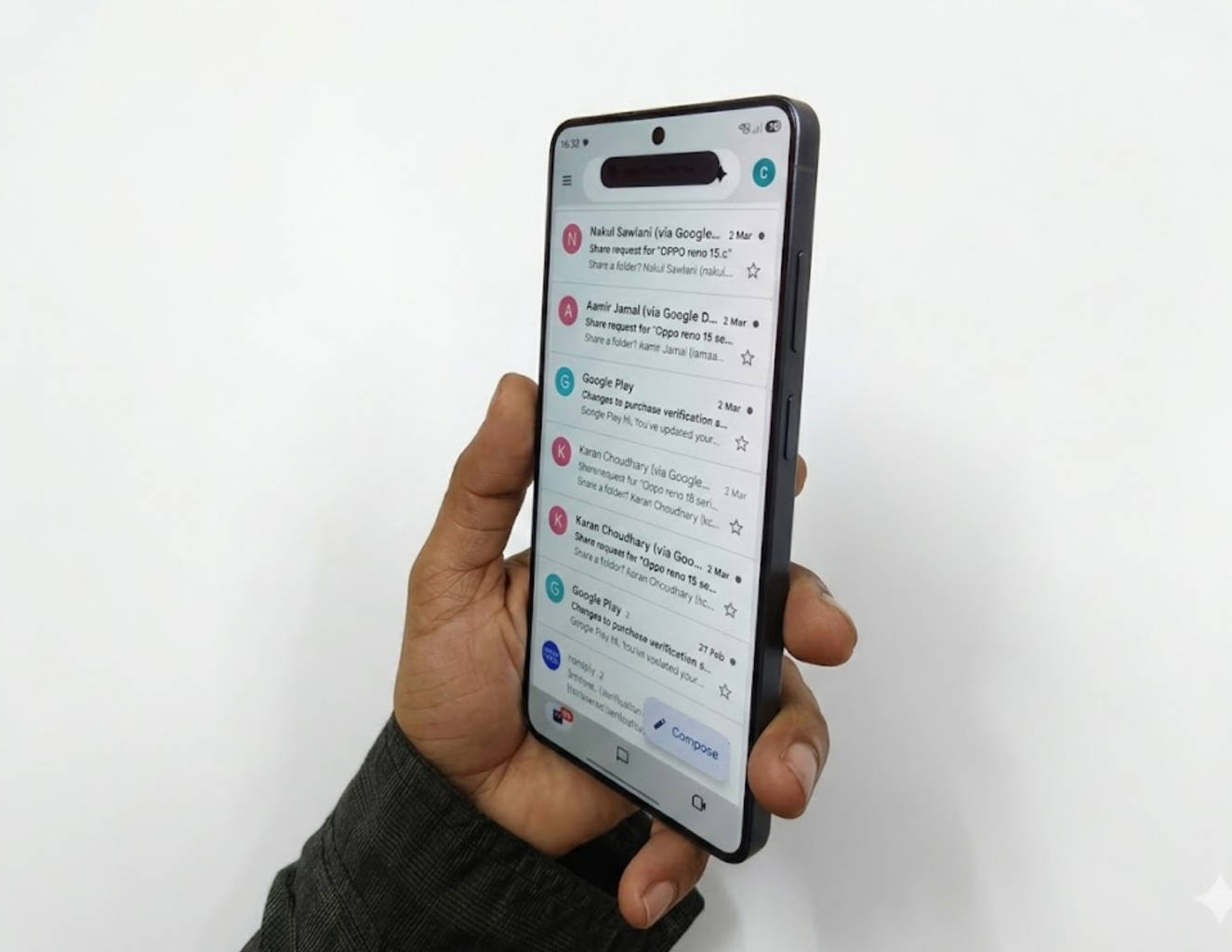
The Samsung Galaxy S26 Ultra’s Privacy Display essentially limits off-angle visibility to prevent shoulder surfing in public spaces. It is the world’s first Privacy Display on a smartphone, making the Galaxy S26 Ultra the only device currently offering this built-in level of on-device visual privacy. Unlike traditional privacy screen protectors, it works at the hardware and software level and can be selectively activated for apps, notifications, and password entry. Here, we will try to answer some of the burning questions that people have regarding this cutting-edge tech and its effectiveness.
How is Privacy Display different from a regular privacy screen protector?
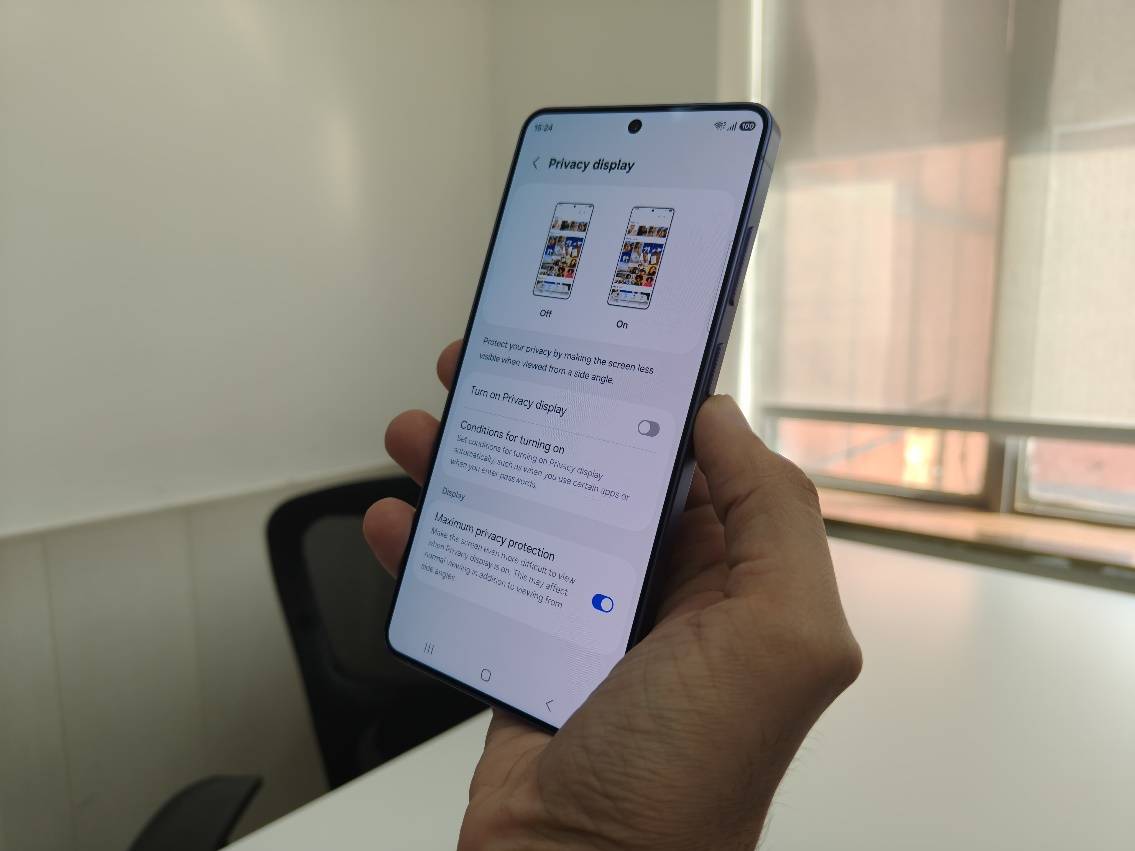
Traditional privacy protectors are external films that physically narrow viewing angles so people beside you see a darkened screen. Privacy Display, by contrast, is integrated into the phone’s hardware and software. It dynamically adjusts the way pixels emit light so the screen looks normal head-on but becomes hard to read from the side, without a separate accessory. Not just that, the Privacy Display feature additionally gives you the option to adjust the aggressiveness with which the effect is applied.
Can Privacy Display hide selective parts of the display?
You can configure Private Display to activate only for incoming notifications, so only the notification area is obscured off-angle while the rest of your screen remains fully visible. This helps you avoid awkward situations where your private messages or notifications are exposed to those who can see your screen while sitting or standing right beside you when you’re using your phone. This feature ensures that your private messages remain private for you.
Can you enable Privacy Display in specific apps?
One of the key strengths of Privacy Display is granular control. As the feature supports contextual activation, as per your preference, you can personalise when it comes into action. Within Privacy Display settings, you can choose to have it switch on automatically for particular apps, for example, banking apps or messaging platforms, ensuring enhanced privacy when you access sensitive content. You can also set it to trigger when entering PINs or passwords. Instead of doing the usual tilt, which often feels a bit awkward, you can now use the phone as you would anyway and still protect your private information!
Does Privacy Display affect Screen Quality?
Samsung maintains that the screen remains clear and bright when viewed head-on, with no intentional reduction in brightness or resolution. Some users may perceive slight changes in contrast when the feature is active, but these are less intrusive than those seen with privacy screen protector. In practical use, the feature has been claimed to preserve on-screen clarity for the main user while making off-angle viewing significantly harder, the core goal of Privacy Display. For Samsung, it is commendable that they have maintained the same display quality despite introducing this feature.
Does the iPhone offer a similar feature to Privacy Display?
As of now, Apple does not offer a built-in, system-level privacy viewing feature similar to the Privacy Display on the Samsung Galaxy S26 Ultra. iPhone users who want side-angle protection typically rely on physical privacy screen protectors. These accessories narrow viewing angles by design, but they come with trade-offs such as reduced brightness, muted colours, and a permanently darker display even for the primary user.
Which Samsung phones currently support Privacy Display?
As of now, Privacy Display is exclusive to the Samsung Galaxy S26 Ultra. It requires specific display hardware not found on the Galaxy S26 or S26 Plus models, so it’s not available across the entire S26 lineup. Given the popularity of this feature, in future, Samsung might bring this feature to more phones, but as we mentioned, right now, it is exclusively available only on the Ultra model.
Who actually needs Privacy Display?
The Privacy Display on the Samsung Galaxy S26 Ultra is designed for everyday situations where your screen is technically personal, but physically public. Here are the most practical scenarios where it will make a difference.
- Commuting in crowded spaces: While commuting through metro rides, flights, buses, and office elevators, you are often shoulder-to-shoulder with strangers. Privacy Display enables you to confidentially and comfortably read WhatsApp or Telegram messages, check OTPs, browse emails, or even view personal photos.
- Working from cafés or co-working spaces: Office work can lead you to open seating and shared tables. This means that you could be reviewing confidential documents, editing spreadsheets with financial data, accessing company dashboards, or even writing sensitive emails in these scenarios. Instead of relying on a bulky privacy screen protector, the feature activates digitally when you open specific apps.
- Banking and financial transactions: This is one of the most obvious applications. While making UPI payments, entering debit/credit card details, checking account balances, trading or stock apps, Privacy Display can be a lifesaver.
- OTPs and passwords: OTP messages and the requirements to enter a password often pop up at the most inconvenient moments when you’re at airports, railway stations, or events. Privacy Display ensures that your login authentication codes, 2-Factor-Authentication verification, and password screens are for your eyes only.
- Social media in public: Sometimes it is not about secrecy, just comfort. While reading DMs, viewing personal chats, watching reels or short videos in tight spaces, this display feature reduces the awkwardness of someone unintentionally viewing your screen.
- Media consumption on flights or trains: Even entertainment can be personal. While watching shows, viewing sensitive documentaries, and reading private eBooks, Privacy Display gives you discretion without reducing front-facing clarity.
Why Privacy Display matters in 2026?
Smartphones now store financial data, health records, personal conversations, and work files. The risk is no longer hacking alone, but casual “shoulder surfing.” Privacy Display directly addresses that real-world vulnerability without requiring a permanently darkened screen like traditional privacy films. In short, it is not a niche feature. It is built for modern urban usage, especially in high-density environments like Indian metros, airports, offices, and cafés.