Samsung Galaxy A27 5G Camera Overview: Where a Rs. 30,000 Camera Actually Breaks, and Where It Doesn’t


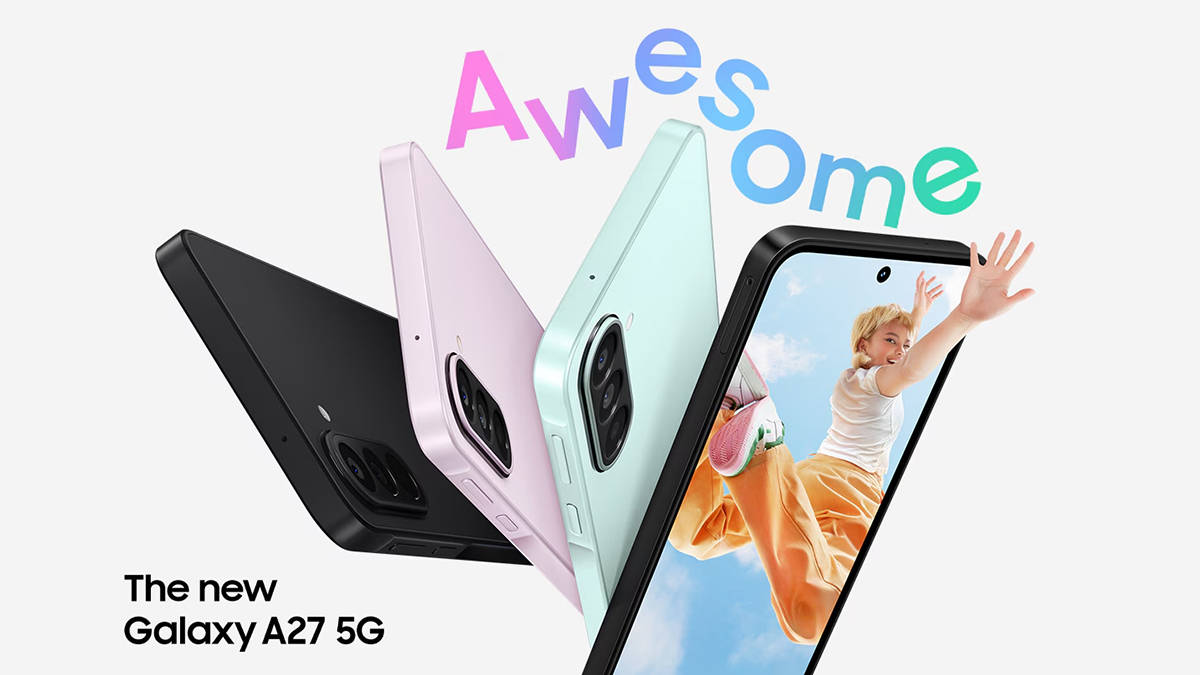
A phone camera gets judged most of the time unfairly because the majority of reviewers shoot in daylight, hold the phone steady, and sometimes wait for the light to be right. Some people don’t get that luxury. Yes, we’re talking about creators who film while walking, who make do with a makeshift water bottle tripod for support in the absence of a real one, and are the ones shooting to grab the perfect moment before it’s too late. This decides whether a creator manages to leverage an ongoing trend or ends up missing on it. That’s the space in which the Samsung Galaxy A27 5G was created to exist, and creator-centric conditions are where we tested it.
Before we get into its capabilities, let’s talk about what it is built with. The Samsung Galaxy A27 5G carries a 50MP Wide-angle main camera with OIS, a 5MP Ultra Wide, a 2MP Macro, and a 12MP front camera built specifically for selfies and video calls. You get all of this under ₹30,000, and the question worth asking isn’t whether it’s a first time in this segment, but it’s whether the camera survives the way creators actually shoot on a budget phone everyday without a second take.
Table of Contents
Samsung Galaxy A27 5G’s No Shake Camera Manages the Shake Effortlessly
Every creator has lost footage to a shaky clip that looked fine through the viewfinder and unwatchable the second it played back. It happens to creators way too often when they’re filming from a moving auto or just holding the phone one-handed while the other hand’s doing something else entirely. Samsung built OIS into the A27’s main sensor, called the No Shake Camera. Optical stabilisation works by physically shifting lens elements to counter hand movement in real time, rather than cropping and smoothing footage after the fact the way digital stabilisation does. This distinction matters more than it sounds, especially for creators, as digital stabilisation trims the edges of a frame to fake steadiness, which quietly reduces resolution and field of view. OIS doesn’t need to do that, because it’s correcting the shake before the sensor even records it.
We used the Samsung Galaxy A27 5G the way a creator actually would over a few days, not in a controlled test environment, but filming while walking and talking, panning quickly across a room to catch something happening on the other side, grabbing a clip on the move rather than pausing to hold the phone still for a clean shot. That’s the condition most casual footage actually gets shot in, and it’s usually where budget cameras fall apart first. But the Galaxy A27 did well, allow us to explain. Against an un-stabilised phone in the same price range, the difference was noticeable and consistent across multiple clips and not a one-off improvement that only showed up under ideal lighting or a slow, deliberate pan.

Let us be honest: despite being impressive, it sometimes couldn’t save the footage. Fast, jerky motion, a quick spin, a sudden stop mid-shot, or someone grabbing the phone back mid-recording still showed up in the footage because OIS only has so much physical range to compensate for movement within a given fraction of a second. When pushed past that range, the correction simply can’t keep up. But that’s not the kind of shake most people are actually fighting day to day, including creators, and that’s why the Samsung Galaxy A27’s performance was impressive given the price and it tackles the everyday shake, the kind that ruins most casual clips long before anyone notices a dramatic movement quite well which means that the small tremor of a hand that isn’t perfectly still while walking or talking, got absorbed before it ever reached the frame. For anyone posting several reels a week with zero patience for reshoots, it’s the specific difference that ends up deciding whether a clip gets posted or gets deleted, which is all that matters to a creator.
Samsung Galaxy A27 5G’s Ultra Wide and Macro Lenses Work in Tandem to Deliver Impressive Image Quality
The 5MP Ultra Wide and 2MP Macro exist mostly to round out the setup, and it shows the moment they’re compared against the main sensor. Why? We noticed that the wide-angle shots hold up reasonably in strong daylight, making this device useful for fitting a group into frame or capturing a full outfit without stepping back twenty feet, but it’s worth noting detail drops once light gets slightly inconsistent, and edges of the frame soften in a way the 50MP main camera never does.
The macro lens is less capable of the two because close-up shots, the kind used for product detail, food content, or texture-heavy visuals, come out softer than shots from the primary lens. Also, the colour accuracy drifts slightly under artificial light. But that’s a usual tradeoff in this segment, and Samsung still manages to outdo its competitors.


Those into zoom photography might miss the telephoto lens on the Galaxy A27, but that’s a rarity in this price bracket. Instead, the Samsung Galaxy A27 5G uses a digital crop on a 50MP sensor, but quality degrades beyond 2x, becoming visibly soft and noisy at 4x. Again, none of this is a surprise at this price.
Samsung Galaxy A27 5G’s Front Camera is Designed to Handle Bad Lighting
Front cameras are where budget phones usually disappoint first, and it’s the one camera a creator can’t avoid using daily, for selfies, video calls, talking-head content, the lot. Bad lighting is the struggle here, more than resolution. Dim room lit only by a laptop screen or a harsh midday sun hitting one side of a face can make it difficult to capture ideal shots. That’s when less capable front cameras blow out the highlights or crush the shadows in exactly these conditions, because they lack the dynamic range to hold detail across both extremes at once. The Samsung Galaxy A27’s 12MP front camera utilises HDR to correct for this, merging multiple exposures in real time to balance a face against whatever’s happening behind it. Samsung’s own claim that selfies hold up even in bright sunlight, tracks with how we used it. Shooting into a window in the late afternoon, the kind of shot that usually turns a face into a silhouette on cheaper phones, came out with the face still visible and reasonably balanced, nowhere near the total loss of detail that budget front cameras typically produce in that lighting.
Video calls benefit from the same processing. We noticed that a face stays readable in a dim hostel room rather than dissolving into shadow, which matters more than people expect for anything recorded as a talking-head clip or a vlog intro. The camera also handles HDR video recording on the front lens, a spec that’s not always guaranteed at this price point and matters for anyone treating selfie-style content as a primary format rather than an afterthought; frankly, it outdoes the competition on this front.
You Can Fix Your Photos on Samsung Galaxy A27 5G Without Leaving the Gallery App
Every creator knows the real editing isn’t colour grading. It’s the five-second fixes: a stranger who walked into frame, a stray object nobody noticed while filming, a shot that needs a quick crop before it’s postable. Object Eraser handles this inside the Gallery app directly, removing the unwanted element and generating replacement texture in its place using on-device AI processing.
In testing, it worked especially well on simple backgrounds; for instance, a person removed from an empty stretch of pavement filled in convincingly. Busier backgrounds, patterned walls, and crowded scenes posed challenges and took extra tries, but eventually the phone improved the original image substantially.
Move Content Off the Phone Easily on the Samsung Galaxy A27 5G
A shoot isn’t finished the moment it’s recorded, and every creator knows that. Samsung, too, understands that footage moves to a laptop for a longer edit, gets combined with a friend’s clips from the same shoot, or needs to land on a desktop for a YouTube upload. Quick Share support on the Samsung Galaxy A27 5G does this without a cable, working across Android, iOS, and PC, up to 10GB per file and up to 1,000 files transferable at once via QR code. That cross-platform range matters more to a creator than it sounds on paper, since friend groups rarely all run the same phone brand, and waiting on someone to email themselves a video file is exactly the kind of friction this is built to remove.
There’s also Circle to Search that adds a smaller but genuinely useful piece to the same workflow, letting anyone circle an outfit, a product, or a location mid-scroll and search it directly through Google. For a creator constantly pulling references, a shot location, a jacket someone’s wearing in a reel, a product worth reviewing, that’s one less browser tab and one less broken train of thought.
Silent Killer Under ₹30,000: What Makes Samsung Galaxy A27 5G Worth it
At ₹28,999 for the base variant, the Samsung Galaxy A27 5G sits comfortably under the ₹30,000 mark most students and budget creators are working within. What that money buys is a stabilised main camera that holds up under real shooting conditions, a front camera that actually handles difficult light instead of folding under it, a fast way to fix small mistakes without leaving the Gallery app, and an easy path to get content off the phone and onto whatever it needs to reach next.


For the price, the phone offers a surprisingly capable camera system. The ultrawide and macro lenses will get the job done, but do keep in mind that there’s no telephoto lens. What it gets right is the part that actually decides whether footage gets used at all, as it survives the shake, handles a face in bad light, and gets out of the way once the shooting’s done. For a phone under ₹30,000 built for someone shooting on a phone every single day, that’s the test that matters, and it’s the one this camera passes easily.
FAQs
1. Which is the best camera phone under ₹30,000 for content creators in 2026?The Samsung Galaxy A27 5G is one of the strongest options under ₹30,000 for creators. It features a 50MP No Shake Camera with OIS, a 12MP HDR front camera, and on-device tools like Object Eraser, making it well suited for reels, vlogs, and everyday social content.
2. Does the Samsung Galaxy A27 5G have optical image stabilisation (OIS)?
Yes, the Samsung Galaxy A27 5G’s 50MP main camera includes OIS, marketed as the No Shake Camera. It physically shifts lens elements to counter hand movement in real time, reducing shake from walking or talking without cropping the frame like digital stabilisation.
3. Does the Samsung Galaxy A27 5G support optical zoom or telephoto photography?
No, the Samsung Galaxy A27 5G does not have a telephoto lens. Zoom is achieved through digital cropping of the 50MP sensor, which stays fairly sharp up to 2x but shows visible quality loss and softness by 4x zoom.
4. Is the Samsung Galaxy A27 5G’s front camera good for selfies and video calls in low light?
Yes, the 12MP front camera uses HDR to balance exposure in both bright sunlight and dim rooms, keeping faces visible instead of overexposed or shadowed. It also supports stabilised video recording for vlogs, video calls, and talking-head content.
5. Can the Samsung Galaxy A27 5G transfer files to iPhones and laptops without cables?
Yes, the Samsung Galaxy A27 5G supports Quick Share, which transfers files wirelessly across Android, iOS, and PC, up to 10GB per file. This makes moving footage between devices fast, even within mixed-device friend groups.

