
ZTE V5
+ Compare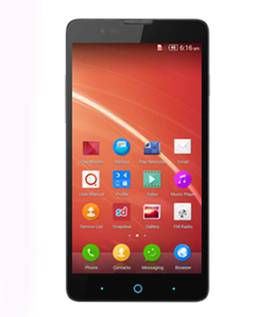
-
Design4

-
UI Screenshot20

-
Benchmarks32

Key Specs
Performance
-
Qualcomm Snapdragon 400 -
Quad Core, 1.2 GHz -
1 GB RAM
Display
-
5.0 inches (12.7 cm); IPS LCD -
720x1280 px (HD)
Rear Camera
-
Single Camera Setup - 13 MP Primary Camera
-
LED Flash
Front Camera
-
5 MP
Battery
-
2400 mAh
General
-
5G Not Supported -
4 GB internal storage, Expandable upto 32 GB
ZTE V5 Expert Review Summary
Expert Rating:
![Nitansh Rastogi]()
Verdict
There s no doubt that the ZTE V5 is placed in the fiercely-competitive budget segment. Not only does it face the established manufacturers like Samsung, Sony, Micromax, et al, but also newcomers like Motorola, ASUS and Xiaomi, which have redefined the meaning of value for money. At the price tag of Rs 10,999, the ZTE V5 has a lot going for it with its gorgeous display and decent specs, but there are a few glaring flaws which can t be sidelined. The OS isn t properly optimised and the camera fail
Pros
- Great display
- Good configuration
- Decent battery life
- Selfie-centric camera
Cons
- Quite heavy for its size
- Average camera
- Poorly-optimised OS
- No way to access the multitasking menu
- Low storage
Specs at a glance
+
Measures 139 x 71 x 8.9 mm Weighs 165g 5-inch display with a resolution of 1,280 x 720 pixels (~294ppi pixel density) 1.2GHz Qualcomm Snapdragon 400 quad-core processor 1GB RAM 4GB storage expandable up to 32GB via a microSD card 13-megapixel primary camera with LED flash 5MP secondary camera Dual-SIM with support for 3G on the first SIM slot Wi-Fi, Bluetooth and GPS 2,400mAh battery Android 4.4.2 with Nubia UIShort on time? Have a look at our ZTE V5 review in pictures
Read More
Usual design with an unusual weight
+
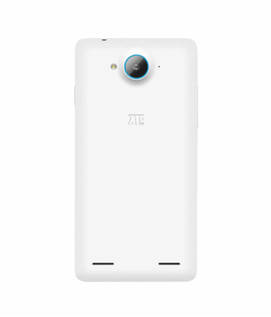
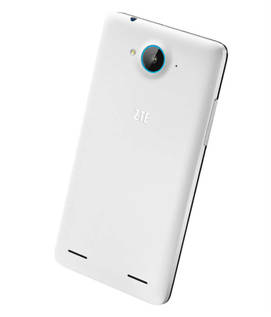
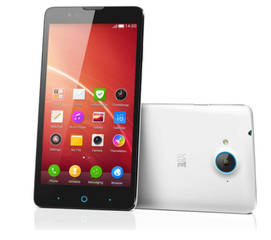
Like most of the phones these days, the handset has a candybar design and at first glance, there are no surprises as such. However, look closely and what will catch your attention are Android navigation buttons in blue. Not only do they look better than the plain capacitive buttons on most smartphones, but they also manage to make the device look distinct, as noted during our hands-on impressions. There are several other traces of blue in the device which we'll be coming to subsequently. Of course, the display remains the centrepiece at the front, along with an earpiece and a front shooter above it. The navigation buttons we just talked about deserve some more discussion. While they aren't backlit, you won't find any problem in using them since they follow the standard three-button layout of options, home and back. The central button has a larger blue circle around it since it also doubles as a breathing light. It indicates missed notifications and also glows when the battery is low or while charging.While the front is in black, the edges and the rear of the ZTE V5 are dipped in white. The buttons have a metallic finish with the sleep/ wake button on the right and the volume rocker on its opposite edge. On the top, there's a headphone socket, whereas the micro-USB port is available on the bottom. The rear features a smooth finish and that makes it quite slippery after prolonged usage. It houses the primary shooter supplemented by an LED flash, ZTE branding and the stereo speakers towards the bottom. The camera lens protrudes a little so you have to be careful while keeping the phone on a flat surface. The camera also has a blue accent around it.The back panel can be peeled open and you'll be greeted by a sea of blue. Removing the battery gives you access to a pair of micro-SIM slots. A microSD card slot is placed on the right side.Handling-wise, the smartphone feels quite heavy in the hands. At 165g, the ZTE V5 is comparable to some phablets out there in terms of weight. It's also quite thick at 8mm.Overall, the design is standard, but we really liked the touch of blue here and there. The home button doubling up as a notification light is also a cool feature. However, we'd have preferred its weight to be on the lower side.
Read More
Lovely is the word to describe the display
+
The Chinese giant might have named its offering the V5 based on its screen size. Following the norm, the brand has fitted the smartphone with a 5-inch display. With the resolution of 1,280 x 720 pixels, one might discard it against the full HD-toting phones out there, but trust us when we say that the V5's display reproduces excellent colours and sharp text. The screen offers ample brightness and good viewing angles. Even though it turns slightly reflective in outdoors, we felt no problems in viewing the display.The display is also able to withstand minor scratches thanks to a protective layer of Asahi Dragontrail glass.
Read More
Android flavoured with Nubia UI
+
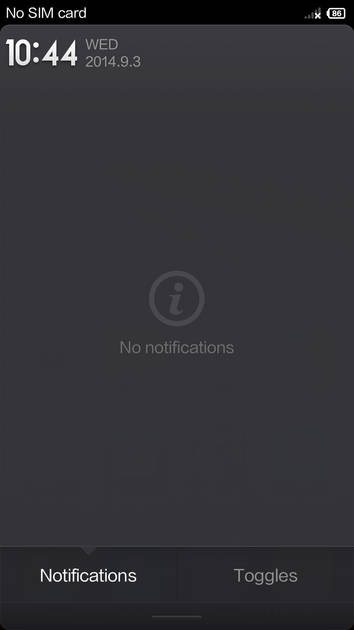
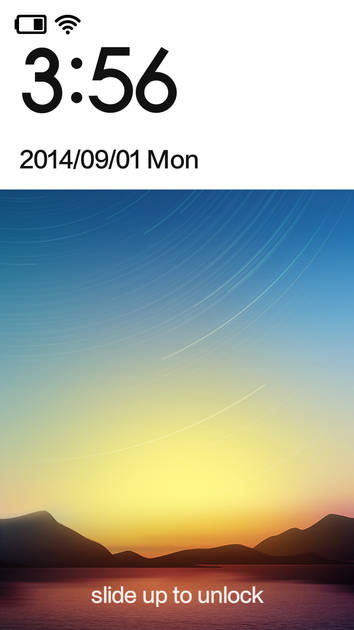
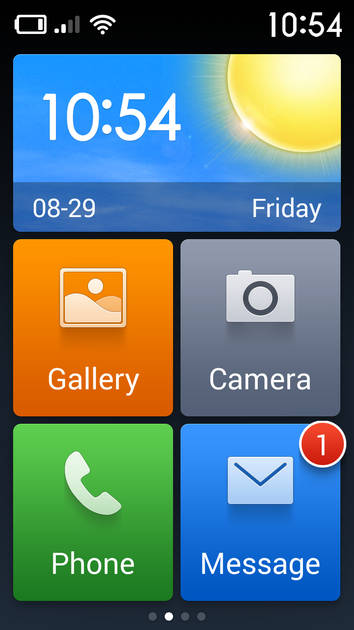
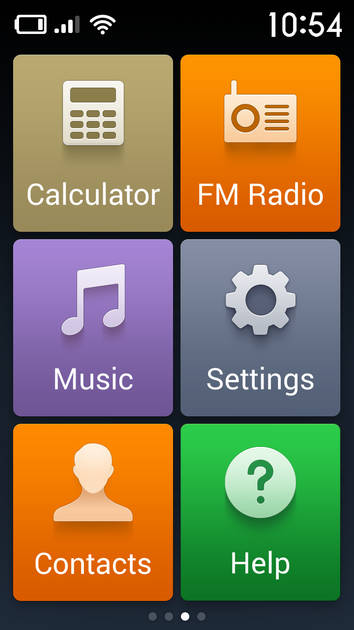
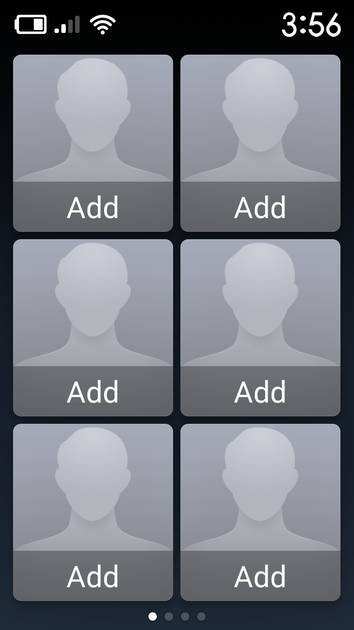
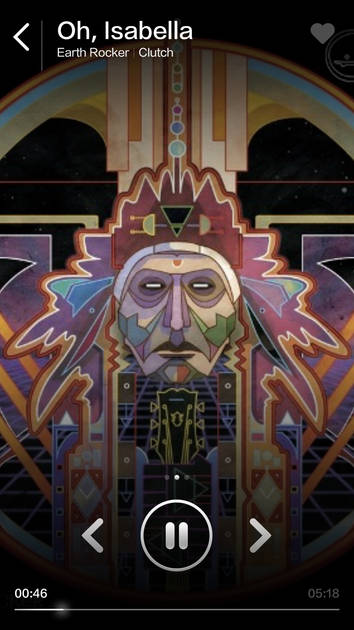
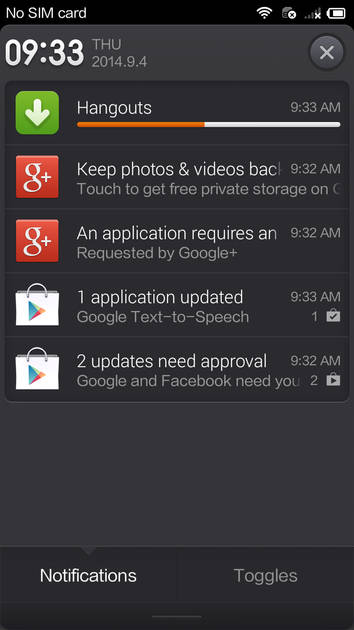
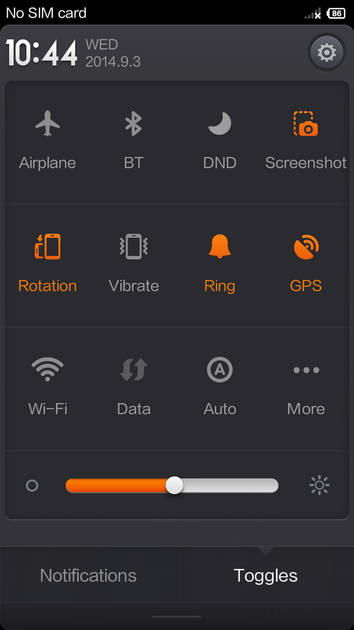
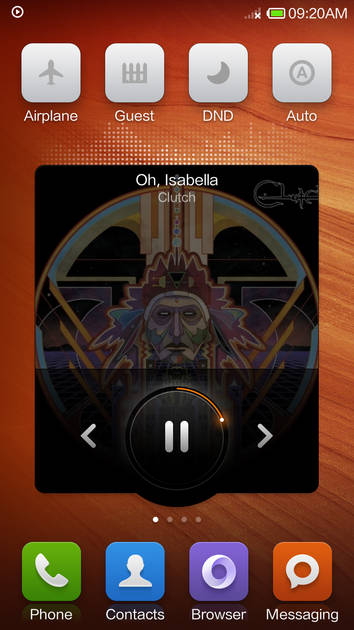
Just like all its Chinese counterparts, ZTE has heavily customised its offering's interface. Although the underlying layer is Android 4.4.2 KitKat, you won't notice it unless you visit the 'about' section for the simple reason that there's hardly anything that gels with Google's vision of Android. ZTE is calling its custom skin as Nubia UI, which is currently in version 2.5.1.Just like Gionee's Amigo and Xiaomi's MIUI, the Nubia UI has done away with separate home screens and app launchers since there's no app drawer. All your apps are added on the home screens itself, and the UI also gives you an option to add widgets. We really liked the ability to shift an icon from one home screen to the other by swiping using a second finger, an option that was also available on MIUI. The lock screen is also customised with the ability to unlock the screen by swiping from the bottom. You can also access the camera in this manner. One interesting feature of the lock screen is that it shows you notifications upfront and also provides a preview by tapping on it. However, it's only limited to calls and messages, and we'd have loved the same feature on all apps, especially considering that the upcoming MIUI 6 also offers this ability across all apps. There's another similarity with MIUI 6 – superscripts on the app for indicating unread notifications. However, once again, they're limited to only calls and messaging.The notification shade is also slightly different than regular Android as it has reversed the position of notifications and quick toggles. In Nubia UI, the notifications are at the top, while the quick toggles are placed at the bottom of the panel. At first, you can only see a row, but it can be dragged upwards to see more quick settings options.All the default apps such as music and video player, file manager and gallery have also been heavily customised. There are some apps preinstalled on the ZTE V5 as well as others like Snapdeal, and a Service Center list (to help locate service centres for the issues with the device).ZTE is also betting heavily on the gesture features of its Nubia UI. These gestures allow you to capture screenshots, answer calls, and mute incoming calls among others. However, only a few of them are really useful and others are just gimmicky. One major problem with the Nubia UI is the fact that there's no multitasking or recent apps shortcut. Yeah, it's the first Android device we have ever came across that doesn't allow you to utilise its true power of jumping between multiple apps. Though there's a workaround to this by swiping with three fingers to the left or right, but that only opens the most recent app and it's also not really intuitive to perform this action. What's confusing though is the fact that the apps are running in the background and consuming memory, but there's no way to access them quickly.While we appreciate ZTE efforts of offering useful features on top of Android and some of them are really helpful, we felt that most of them are half-baked and doesn't really help in usability.
Read More
Feeling blue with ZTE V5's primary shooter
+
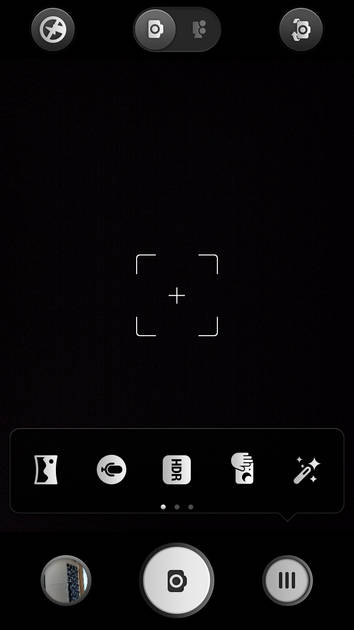
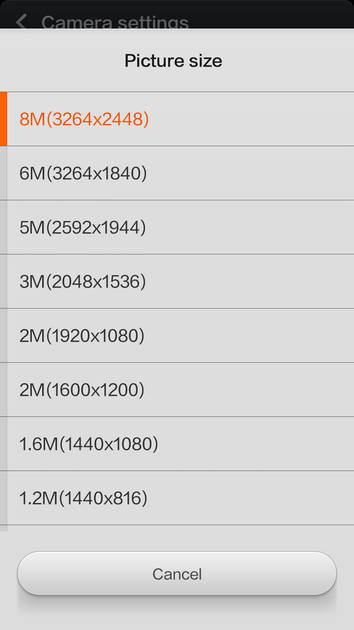
Till now, none of the specs of the ZTE V5 would have made you jump from your chair considering you get similar specs in most devices at this price point. However, ZTE’s camera hardware will definitely make your eyes roll thanks to a 13-megapixel Sony Exmor sensor with f/2.2 aperture at the back and a 5MP front camera.ZTE has also tweaked the interface of the camera app completely giving users the ability to have more control over their shots. The interface also has preset modes such as Auto, Pro and Fun. While Auto sets everything automatically, with the Pro mode, you can manipulate settings like ISO, exposure, etc. The Fun mode allows you to take some interesting shots such as Combination, Alpha, Background and more. But as pointed out by us many a times that megapixels aren’t the indication of camera quality, the V5 fails to impress us with its camera. With more megapixels, you expect better details and sadly, the smartphone disappoints in that regard as the images aren’t sharp enough when you’re start zooming in. We also felt that the colours captured by the shooter were on the dull side, plus there’s a blue tinge in some of the images.The camera isn’t totally bad as it was able to capture good macro shots and low-light images as well. You can also read our camera review for in-depth performance to check out the V5’s shooters. But if you don’t want to do that, here’s a look at a few of the images captured by the smartphone. Click on the thumbnails to view them in their original sizes. With its 5MP wide angle sensor on the front, selfie lovers will rejoice as it’s able to capture good self portraits. The camera also allows you to record full HD videos.
Read More
Snappy Snapdragon halted by poorly-optimised UI
+
+
Inside, the smartphone packs a Qualcomm Snapdragon 400 SoC clocked at 1.2GHz paired with a gigabyte of RAM – exactly the same combination as the new Moto G. However, there's a difference of earth and sky between the two when it comes to actual performance. While the second-gen Moto G is helped by its vanilla Android interface, the poorly-optimised Nubia UI drains the resources at its disposal. Even while basic navigation, there were several hangups in the ZTE V5. What's even more frustrating is the fact that the device will show a prompt saying 'applications are loading' quite often. This happened not only when we unlocked the device, but also when we exited an app after a long time. Another problem we noticed is that after pressing the unlock button, the phone will take long time to display the lock screen.Navigation problems aside, once you're in an app or game, you'll rarely face any lag. We played heavy graphics-heavy games like Beach Buggy Racing and Riptide GP2 for long periods of time and didn't encounter any lags. We also liked the fact that the smartphone doesn't heat up, as most other smartphones do these days.In terms of battery life, the smarphone is able to churn out decent results with its 2,400mAh battery. It's able to last more than a day with light usage, while with the use of cellular connectivity for longer durations, it just managed to last a working day. It did manage to impress us by playing back a 720p video non-stop for close to 10 hours. There are also some options such as restricting the CPU’s clock speed or turning off network connectivity to extend the battery life.In terms of connectivity options, the device has support for the usual features including 3G (on the first SIM slot only), Wi-Fi, Bluetooth, NFC and GPS. Call quality on the phone was extremely clear on both sides.
Read More
Storage is its sore point
+
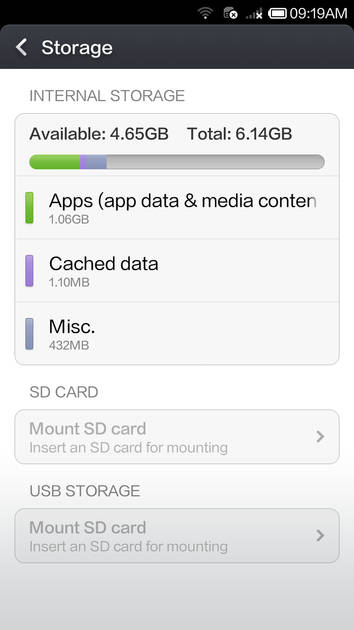
We have a huge dislike against the Android smartphones which offer measly 4GB of onboard storage, out of which some portion is already consumed by the OS itself. The dislike is even more when the device is not an entry-level offering. It's akin to dangling a carrot in front of the mule, since you can't use the storage for installing multiple apps, let alone installing heavy games like CSR Racing.Sadly, ZTE V5 not only gets a thumbs down by offering paltry 4GB of storage, it takes things further down by partitioning it further. The first chunk offers 1.63GB of space to the end user, while the second chunk has only 590MB free. For reasons unknown to us, the ZTE V5 camera only used the second partition for storing images and we couldn't change it to the first storage. This resulted in us encountering the low storage error quite frequently.Thankfully, the device supports microSD cards of up to 32GB and we also appreciate the support for flash drives with USB On-the-Go, since you can plug them in easily via an adapter for accessing the content quickly.
Read More
Read full Review

Verdict
There s no doubt that the ZTE V5 is placed in the fiercely-competitive budget segment. Not only does it face the established manufacturers like Samsung, Sony, Micromax, et al, but also newcomers like Motorola, ASUS and Xiaomi, which have redefined the meaning of value for money. At the price tag of Rs 10,999, the ZTE V5 has a lot going for it with its gorgeous display and decent specs, but there are a few glaring flaws which can t be sidelined. The OS isn t properly optimised and the camera fail
- Great display
- Good configuration
- Decent battery life
- Selfie-centric camera
Pros
- Quite heavy for its size
- Average camera
- Poorly-optimised OS
- No way to access the multitasking menu
- Low storage
Cons
Specs at a glance
+Measures 139 x 71 x 8.9 mm Weighs 165g 5-inch display with a resolution of 1,280 x 720 pixels (~294ppi pixel density) 1.2GHz Qualcomm Snapdragon 400 quad-core processor 1GB RAM 4GB storage expandable up to 32GB via a microSD card 13-megapixel primary camera with LED flash 5MP secondary camera Dual-SIM with support for 3G on the first SIM slot Wi-Fi, Bluetooth and GPS 2,400mAh battery Android 4.4.2 with Nubia UIShort on time? Have a look at our ZTE V5 review in pictures
Read MoreUsual design with an unusual weight
+Like most of the phones these days, the handset has a candybar design and at first glance, there are no surprises as such. However, look closely and what will catch your attention are Android navigation buttons in blue. Not only do they look better than the plain capacitive buttons on most smartphones, but they also manage to make the device look distinct, as noted during our hands-on impressions. There are several other traces of blue in the device which we'll be coming to subsequently. Of course, the display remains the centrepiece at the front, along with an earpiece and a front shooter above it. The navigation buttons we just talked about deserve some more discussion. While they aren't backlit, you won't find any problem in using them since they follow the standard three-button layout of options, home and back. The central button has a larger blue circle around it since it also doubles as a breathing light. It indicates missed notifications and also glows when the battery is low or while charging.While the front is in black, the edges and the rear of the ZTE V5 are dipped in white. The buttons have a metallic finish with the sleep/ wake button on the right and the volume rocker on its opposite edge. On the top, there's a headphone socket, whereas the micro-USB port is available on the bottom. The rear features a smooth finish and that makes it quite slippery after prolonged usage. It houses the primary shooter supplemented by an LED flash, ZTE branding and the stereo speakers towards the bottom. The camera lens protrudes a little so you have to be careful while keeping the phone on a flat surface. The camera also has a blue accent around it.The back panel can be peeled open and you'll be greeted by a sea of blue. Removing the battery gives you access to a pair of micro-SIM slots. A microSD card slot is placed on the right side.Handling-wise, the smartphone feels quite heavy in the hands. At 165g, the ZTE V5 is comparable to some phablets out there in terms of weight. It's also quite thick at 8mm.Overall, the design is standard, but we really liked the touch of blue here and there. The home button doubling up as a notification light is also a cool feature. However, we'd have preferred its weight to be on the lower side.
Read MoreLovely is the word to describe the display
+The Chinese giant might have named its offering the V5 based on its screen size. Following the norm, the brand has fitted the smartphone with a 5-inch display. With the resolution of 1,280 x 720 pixels, one might discard it against the full HD-toting phones out there, but trust us when we say that the V5's display reproduces excellent colours and sharp text. The screen offers ample brightness and good viewing angles. Even though it turns slightly reflective in outdoors, we felt no problems in viewing the display.The display is also able to withstand minor scratches thanks to a protective layer of Asahi Dragontrail glass.
Read MoreAndroid flavoured with Nubia UI
+Just like all its Chinese counterparts, ZTE has heavily customised its offering's interface. Although the underlying layer is Android 4.4.2 KitKat, you won't notice it unless you visit the 'about' section for the simple reason that there's hardly anything that gels with Google's vision of Android. ZTE is calling its custom skin as Nubia UI, which is currently in version 2.5.1.Just like Gionee's Amigo and Xiaomi's MIUI, the Nubia UI has done away with separate home screens and app launchers since there's no app drawer. All your apps are added on the home screens itself, and the UI also gives you an option to add widgets. We really liked the ability to shift an icon from one home screen to the other by swiping using a second finger, an option that was also available on MIUI. The lock screen is also customised with the ability to unlock the screen by swiping from the bottom. You can also access the camera in this manner. One interesting feature of the lock screen is that it shows you notifications upfront and also provides a preview by tapping on it. However, it's only limited to calls and messages, and we'd have loved the same feature on all apps, especially considering that the upcoming MIUI 6 also offers this ability across all apps. There's another similarity with MIUI 6 – superscripts on the app for indicating unread notifications. However, once again, they're limited to only calls and messaging.The notification shade is also slightly different than regular Android as it has reversed the position of notifications and quick toggles. In Nubia UI, the notifications are at the top, while the quick toggles are placed at the bottom of the panel. At first, you can only see a row, but it can be dragged upwards to see more quick settings options.All the default apps such as music and video player, file manager and gallery have also been heavily customised. There are some apps preinstalled on the ZTE V5 as well as others like Snapdeal, and a Service Center list (to help locate service centres for the issues with the device).ZTE is also betting heavily on the gesture features of its Nubia UI. These gestures allow you to capture screenshots, answer calls, and mute incoming calls among others. However, only a few of them are really useful and others are just gimmicky. One major problem with the Nubia UI is the fact that there's no multitasking or recent apps shortcut. Yeah, it's the first Android device we have ever came across that doesn't allow you to utilise its true power of jumping between multiple apps. Though there's a workaround to this by swiping with three fingers to the left or right, but that only opens the most recent app and it's also not really intuitive to perform this action. What's confusing though is the fact that the apps are running in the background and consuming memory, but there's no way to access them quickly.While we appreciate ZTE efforts of offering useful features on top of Android and some of them are really helpful, we felt that most of them are half-baked and doesn't really help in usability.
Read MoreFeeling blue with ZTE V5's primary shooter
+Till now, none of the specs of the ZTE V5 would have made you jump from your chair considering you get similar specs in most devices at this price point. However, ZTE’s camera hardware will definitely make your eyes roll thanks to a 13-megapixel Sony Exmor sensor with f/2.2 aperture at the back and a 5MP front camera.ZTE has also tweaked the interface of the camera app completely giving users the ability to have more control over their shots. The interface also has preset modes such as Auto, Pro and Fun. While Auto sets everything automatically, with the Pro mode, you can manipulate settings like ISO, exposure, etc. The Fun mode allows you to take some interesting shots such as Combination, Alpha, Background and more. But as pointed out by us many a times that megapixels aren’t the indication of camera quality, the V5 fails to impress us with its camera. With more megapixels, you expect better details and sadly, the smartphone disappoints in that regard as the images aren’t sharp enough when you’re start zooming in. We also felt that the colours captured by the shooter were on the dull side, plus there’s a blue tinge in some of the images.The camera isn’t totally bad as it was able to capture good macro shots and low-light images as well. You can also read our camera review for in-depth performance to check out the V5’s shooters. But if you don’t want to do that, here’s a look at a few of the images captured by the smartphone. Click on the thumbnails to view them in their original sizes. With its 5MP wide angle sensor on the front, selfie lovers will rejoice as it’s able to capture good self portraits. The camera also allows you to record full HD videos.
Read MoreSnappy Snapdragon halted by poorly-optimised UI
+Inside, the smartphone packs a Qualcomm Snapdragon 400 SoC clocked at 1.2GHz paired with a gigabyte of RAM – exactly the same combination as the new Moto G. However, there's a difference of earth and sky between the two when it comes to actual performance. While the second-gen Moto G is helped by its vanilla Android interface, the poorly-optimised Nubia UI drains the resources at its disposal. Even while basic navigation, there were several hangups in the ZTE V5. What's even more frustrating is the fact that the device will show a prompt saying 'applications are loading' quite often. This happened not only when we unlocked the device, but also when we exited an app after a long time. Another problem we noticed is that after pressing the unlock button, the phone will take long time to display the lock screen.Navigation problems aside, once you're in an app or game, you'll rarely face any lag. We played heavy graphics-heavy games like Beach Buggy Racing and Riptide GP2 for long periods of time and didn't encounter any lags. We also liked the fact that the smartphone doesn't heat up, as most other smartphones do these days.In terms of battery life, the smarphone is able to churn out decent results with its 2,400mAh battery. It's able to last more than a day with light usage, while with the use of cellular connectivity for longer durations, it just managed to last a working day. It did manage to impress us by playing back a 720p video non-stop for close to 10 hours. There are also some options such as restricting the CPU’s clock speed or turning off network connectivity to extend the battery life.In terms of connectivity options, the device has support for the usual features including 3G (on the first SIM slot only), Wi-Fi, Bluetooth, NFC and GPS. Call quality on the phone was extremely clear on both sides.
Read MoreStorage is its sore point
+We have a huge dislike against the Android smartphones which offer measly 4GB of onboard storage, out of which some portion is already consumed by the OS itself. The dislike is even more when the device is not an entry-level offering. It's akin to dangling a carrot in front of the mule, since you can't use the storage for installing multiple apps, let alone installing heavy games like CSR Racing.Sadly, ZTE V5 not only gets a thumbs down by offering paltry 4GB of storage, it takes things further down by partitioning it further. The first chunk offers 1.63GB of space to the end user, while the second chunk has only 590MB free. For reasons unknown to us, the ZTE V5 camera only used the second partition for storing images and we couldn't change it to the first storage. This resulted in us encountering the low storage error quite frequently.Thankfully, the device supports microSD cards of up to 32GB and we also appreciate the support for flash drives with USB On-the-Go, since you can plug them in easily via an adapter for accessing the content quickly.
Read MoreZTE V5 Specifications
General |
|
|---|---|
| Operating System | Android v4.4 (KitKat) |
| Custom UI | Nubia UI |
Performance |
|
|---|---|
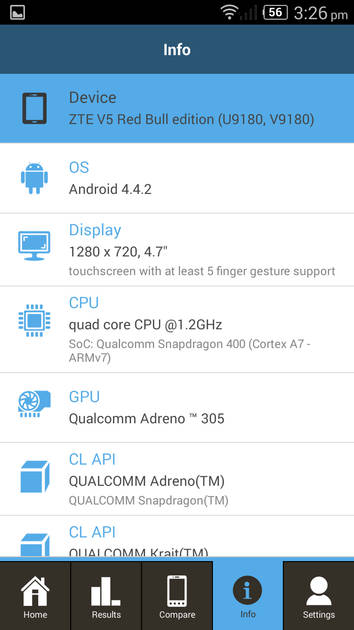
| Chipset | Qualcomm Snapdragon 400 |
| Processor | Quad core, 1.2 GHz |
| Graphics (GPU) | Adreno 305 |
| RAM | 1 GB |
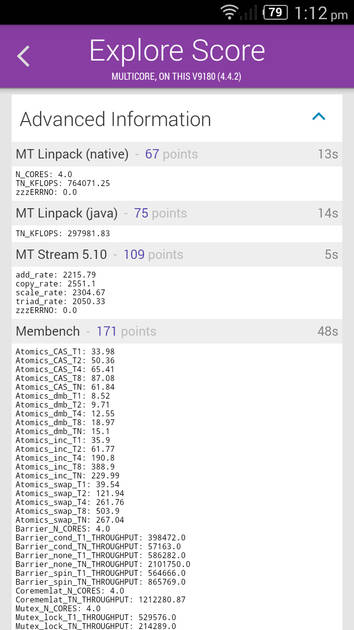
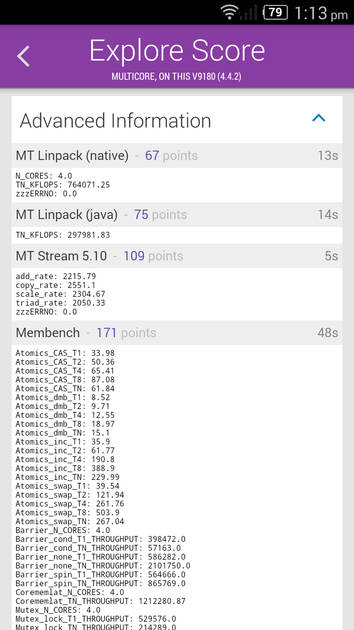
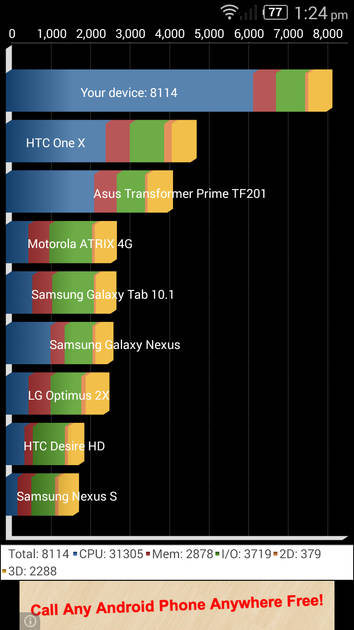
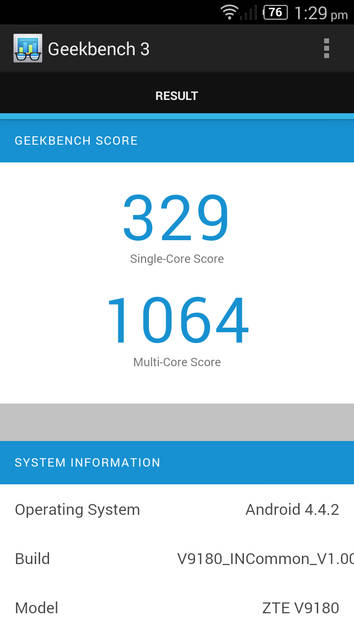
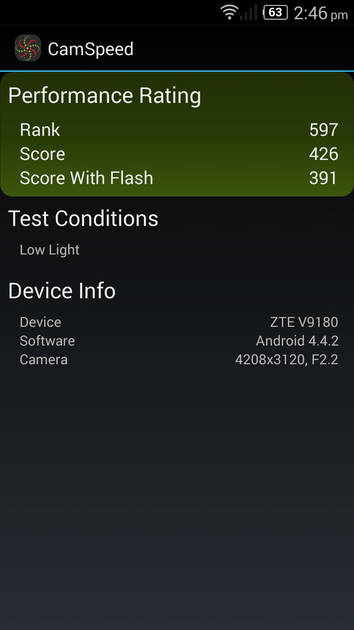
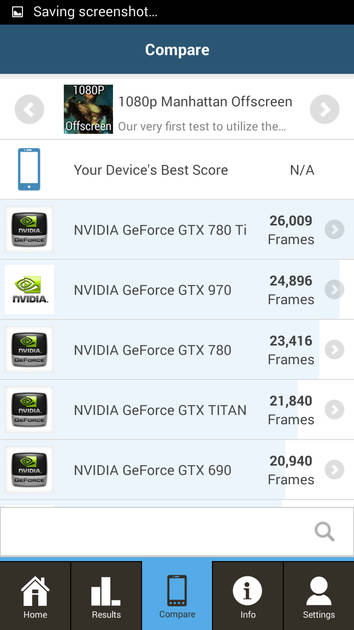
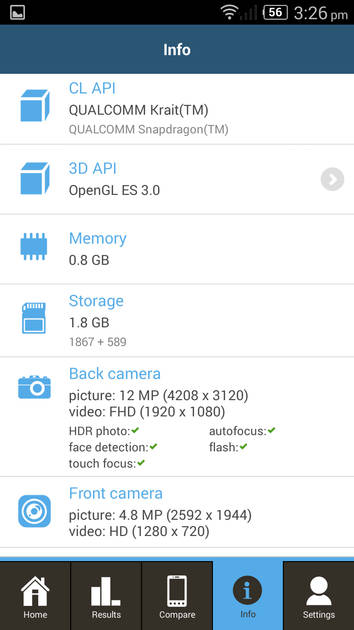
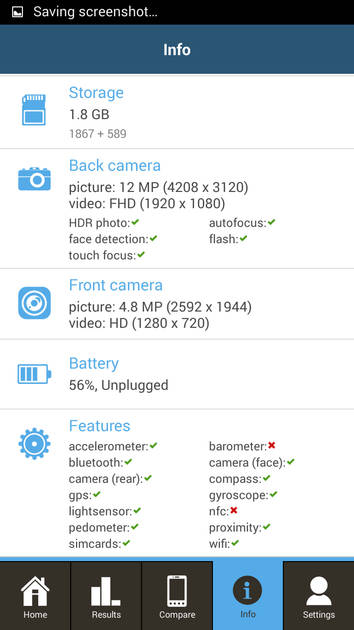
Benchmark Screenshots
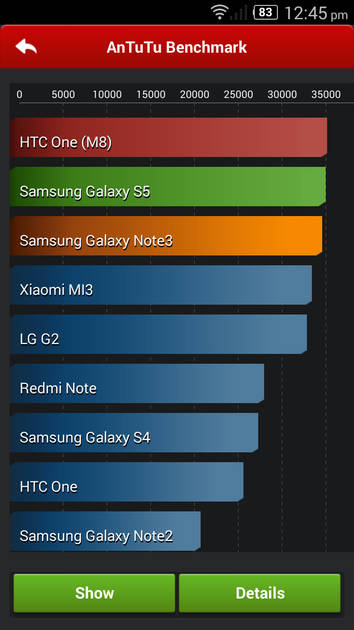
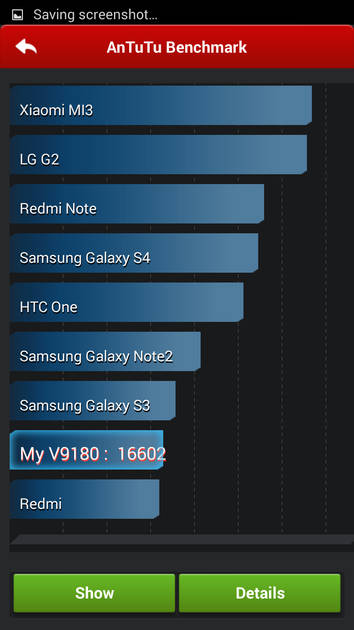
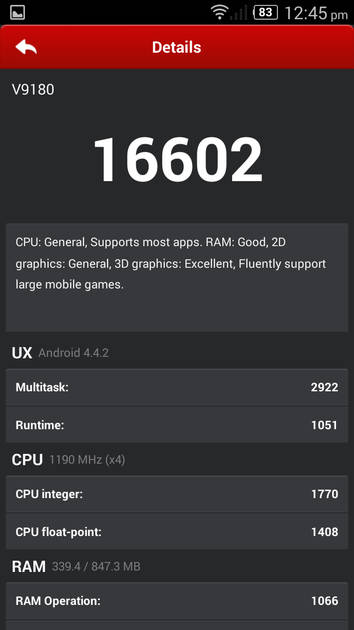
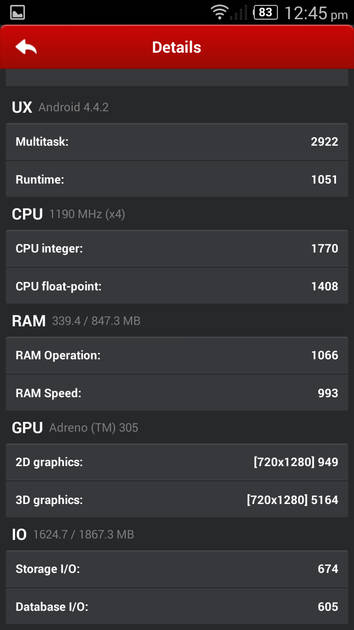
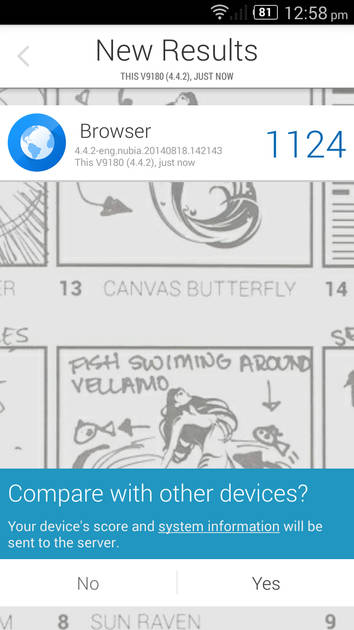
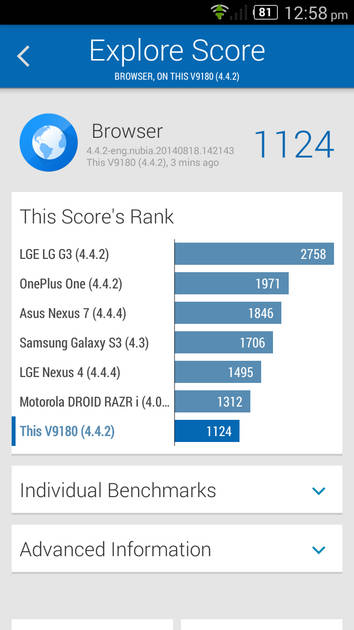
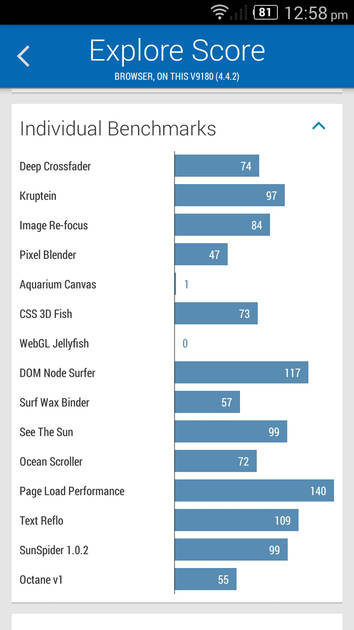
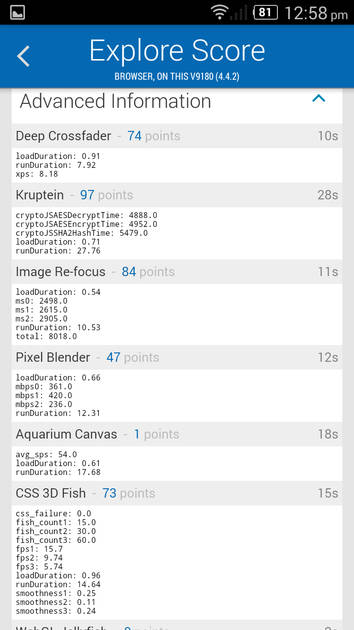
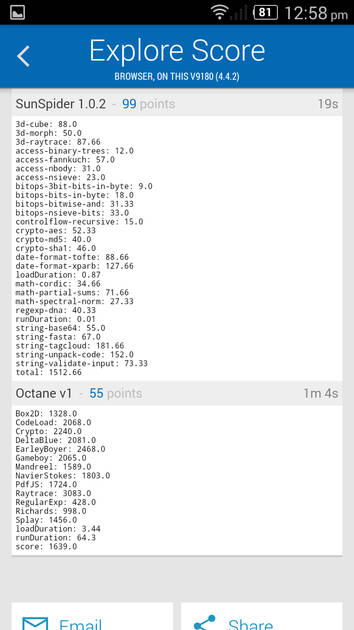
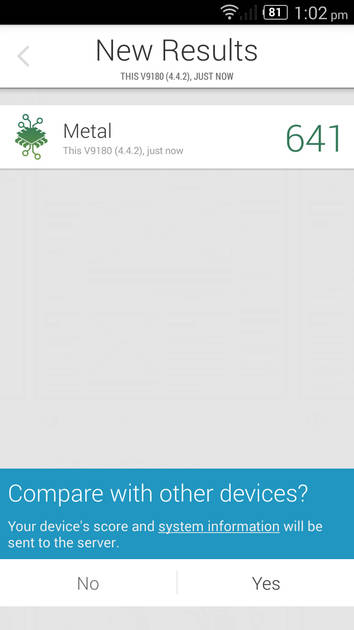
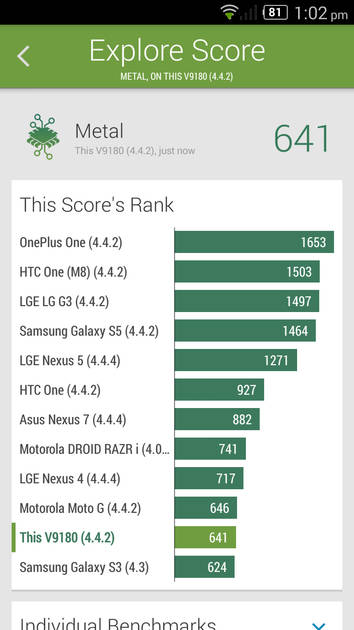
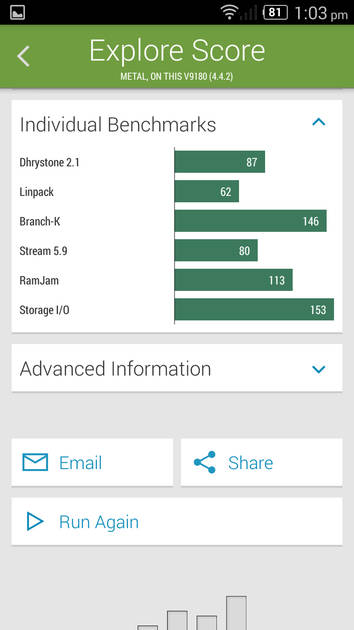
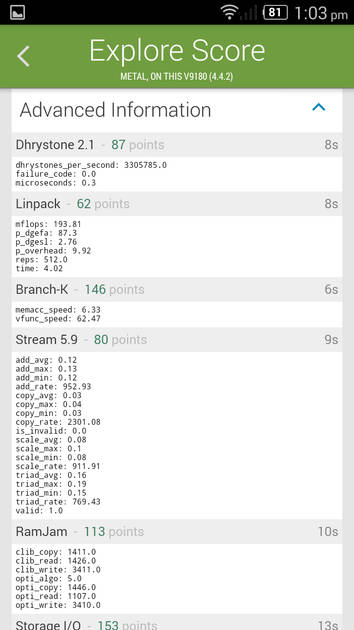
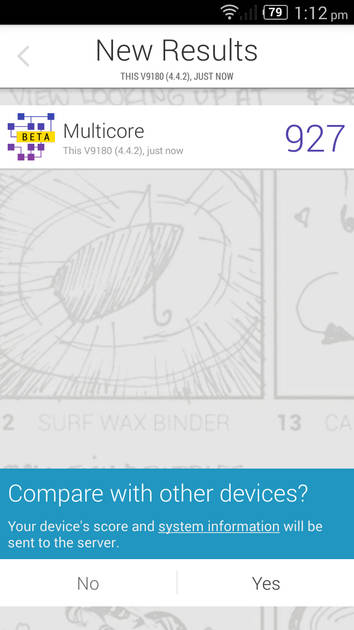
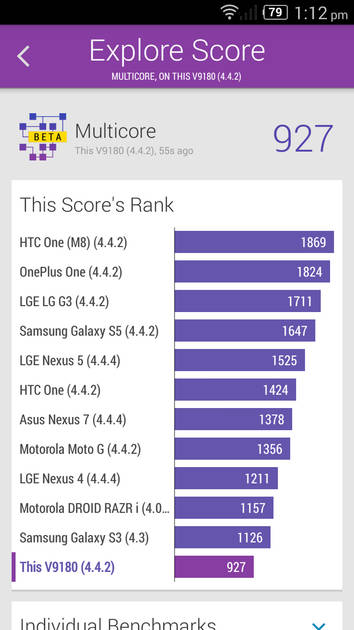
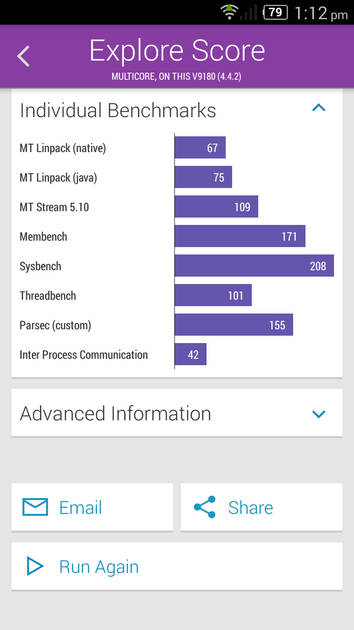
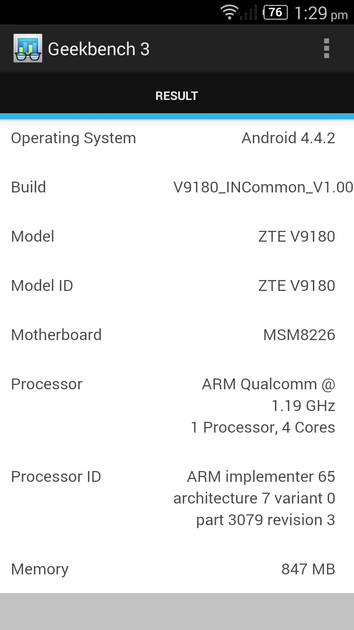
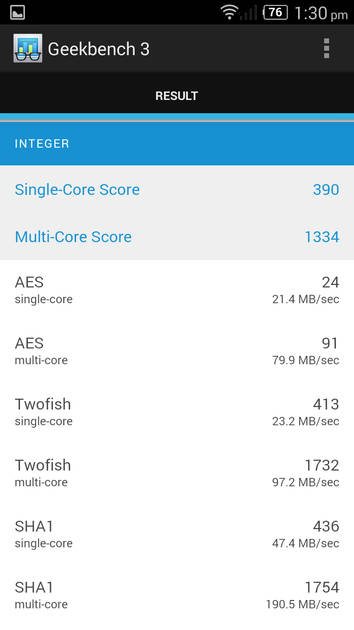
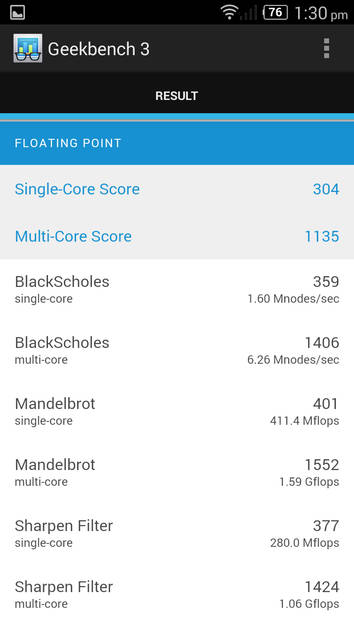
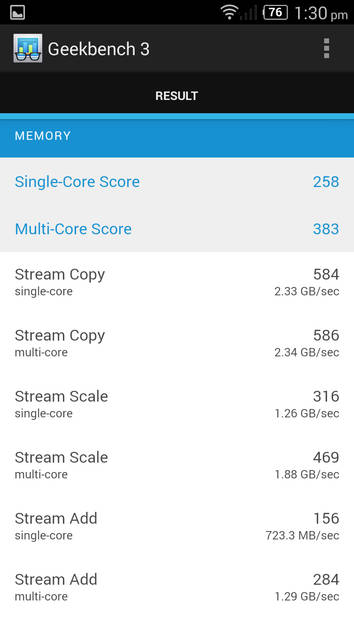
|
Display |
|
|---|---|
| Display Type | IPS LCD |
| Screen Size | 5.0 inches (12.7 cm) |
| Resolution | 720x1280 px (HD) |
| Pixel Density | 294 ppi |
| Screen to Body Ratio (calculated) | 69.79 % |
UI Screenshots
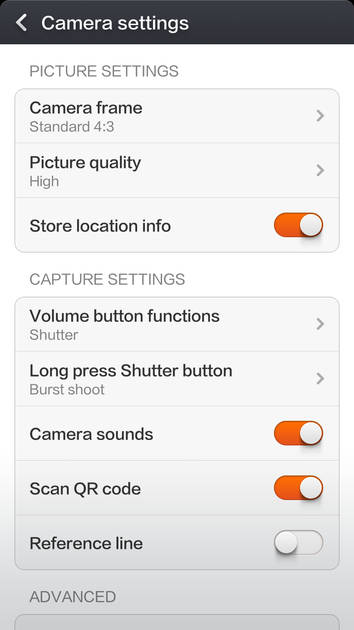
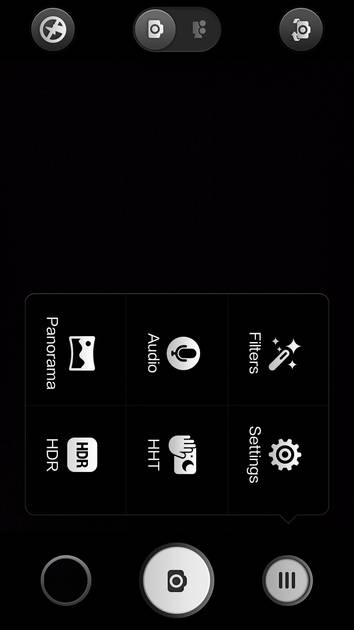
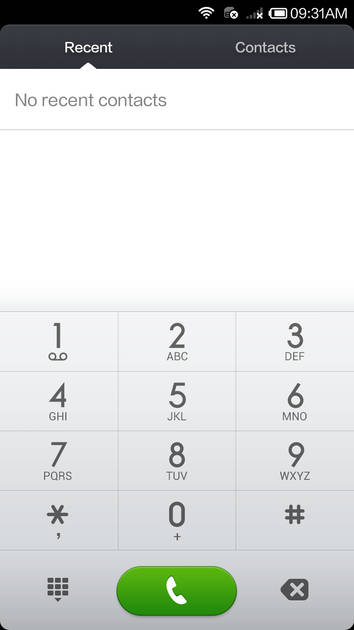
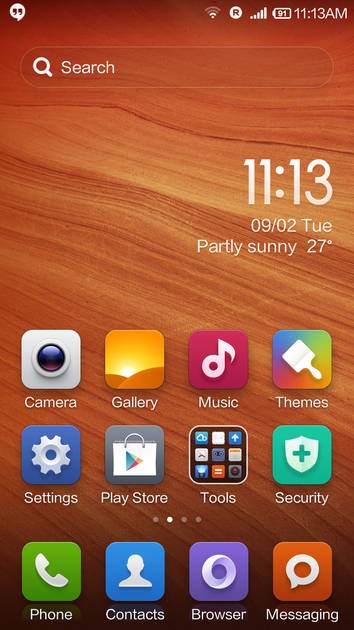


|
Design |
|
|---|---|
| Height | 139 mm |
| Width | 71 mm |
| Thickness | 9 mm |
Rear Camera |
||||||
|---|---|---|---|---|---|---|
| Resolution | ||||||
|
||||||
| Autofocus | Yes | |||||
| Flash | Yes, LED Flash | |||||
| Image Resolution | 4128 x 3096 Pixels | |||||
| Camera Features |
Digital Zoom Face detection |
Front Camera |
||||
|---|---|---|---|---|
| Resolution | ||||
|
Battery |
|
|---|---|
| Capacity | 2400 mAh |
| Battery Type | Li-ion |
| TalkTime | Up to 6.6 Hours(2G) |
Storage |
|
|---|---|
| Internal Storage | 4 GB |
| Expandable Storage | Yes, Up to 32 GB |
Network & Connectivity |
|
|---|---|
| SIM Slot(s) | Dual SIM |
| Network Support | 5G Not Supported |
| Wi-Fi | Yes, Wi-Fi 4 (802.11 b/g/n) |
| Bluetooth | Yes, v4.0 |
| GPS | Yes with Glonass |
Multimedia |
|
|---|---|
| Audio Jack | 3.5 mm |
Sensors |
|
|---|---|
| Other Sensors | Light sensor, Proximity sensor |
ZTE V5 User Reviews
ZTE V5 Key Highlights
| Processor | Qualcomm Snapdragon 400 |
| RAM & Storage | 1 GB + 4 GB |
| Display | 5.0", 720 x 1280 Resolution |
| Rear Camera | 13 MP |
| Front Camera | 5 MP |
| Battery | 2400 mAh |



Popular Links
- All Upcoming Phones
- vivo V80 5G
- OPPO F35 Pro
- Lava Virat Curve 5G
- vivo S2 FE 5G
- Xiaomi Redmi Note 17 Pro Max 5G
- Samsung Mobiles
- Motorola Mobiles
- vivo Mobiles
- OPPO Mobiles
- Tecno Mobiles
- realme Mobiles
- Xiaomi Mobiles