
Google Nexus 6P 64GB
+ Compare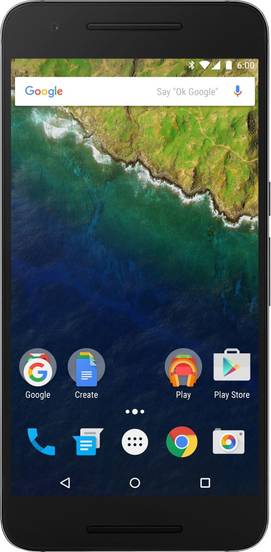


-
Design4

-
Rear Camera8

-
360° View

-
UI Screenshot17
![UI Screenshot]()
-
Benchmarks10
![Benchmarks]()
-
Videos3
![Videos]()



Key Specs
Performance
-
Qualcomm Snapdragon 810 -
Octa core (2 GHz, Quad Core + 1.5 GHz, Quad core) -
3 GB RAM, LPDDR4
Display
-
5.7 inches (14.48 cm); AMOLED -
1440x2560 px (QHD (2k)) -
Gorilla Glass 4 Protection
Rear Camera
-
Single Camera Setup - 12.3 MP Primary Camera
-
Dual LED Flash -
4k @30 fps Video Recording
Front Camera
-
8 MP -
HD @30 fps Video Recording
Battery
-
3450 mAh, Li-Polymer -
Fast Charging; USB Type-C port
General
-
SIM1: Nano -
5G Not Supported -
32 GB / 64 GB / 128 GB internal storage, Non Expandable
Google Nexus 6P 64GB Prices in India
 Flipkart
Google Nexus 6P 64GB Expert Review Summary
Expert Rating:
![Nitansh Rastogi]()
Verdict
As we stated during the introduction, the Nexus 6P is trying to fix the mistakes of its predecessor, the Nexus 6, and it seems to be largely successful in plugging the gaps. While it`s pricing of Rs 39,990 (and Rs 42,990 for the 64 gig model) might seem high, it does seem worthy of that. The Google Nexus 6P gets full marks on most aspects – a premium build, a lovely display, clean and useful software platform, impressive camera quality, and above all, a stellar performance.If you want us to nit-pick though, then its single-SIM support and the limited storage might prove to be deal breakers f...
Read Full Verdict
Pros
- Premium aluminium body
- Impressive display
- Vanilla software experience with several useful fe
- Loaded hardware
Cons
- Software doesn't take advantage of the big screen
- Lacks Optical Image Stabilisation
- USB Type-C is yet to become a norm
Specs at a glance
+
Measures 159.3 x 77.8 x 7.3mmWeighs 178g5.7-inch display, a resolution 2,560 x 1,440 pixelsQualcomm Snapdragon 810 processor3GB RAM32 / 64GB storage12.3MP primary camera with dual-LED flash8MP secondary camera4G, Wi-Fi, Bluetooth and GPS3,450mAh batteryAndroid 6.0 Marshmallow
Read More
Design: P for premium. S for slippery
+
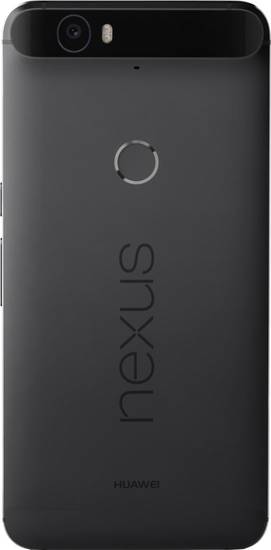
Dimensions: 159.3 x 77.8 x 7.3 mmWeight: 178 gramsThe Google Nexus 6P has many firsts to its name. It’s the first device in the Nexus range that’s built in partnership with Chinese manufacturer Huawei. It’s also the first Nexus that has an all-metal body. There are no flimsy plastics, and instead, you get a device that’s built entirely from aircraft-grade aluminium.The Nexus 6P is a phablet, just like its predecessor, but the key difference is that with a 6-inch display, the Nexus 6 is probably too big to handle comfortably. To ensure better handling and pocketablity, its successor is fitted with a display panel measuring 5.7-inches. The reduction in screen size surely helps in handling, although we still think it’s quite big for its size. It’s quite tall at 159.3 mm, especially if you see bezel-less devices such as the Qiku Q Terra (first impressions), which sport similar dimensions, while packing larger screens. While Huawei has tried to keep its thickness in check at 7.3mm, the 6P weighs on the heavier side at 178g.Not just choice of building material, Huawei has also employed a refreshing design for the Nexus 6P. The fascia is dominated by the screen, which is sandwiched between grilles on top as well as bottom, placed symmetrically. These vents act as speakers along with doubling up as an earpiece and a microphone at the top and bottom respectively. The space above the display is also taken up by a secondary snapper and LED notification light. The power toggle can be found on the right spine along with the volume rocker. Both the keys have a good clickety feel along with offering a tactile feedback when pressed, and you can find the power button by feel alone easily thanks to its textured pattern. The left spine is home to the ejectable tray which can hold a nano-SIM card. The 3.5mm audio socket is available up top, whereas a USB-Type C port is present at the base. The rounded corners and gently-curved edges of the Google Nexus 6P offer good ergonomics. At the back, you’ll find a protruding section holding the primary camera along with the dual-LED flash. The protrusion definitely makes the camera sensor prone to damage when kept on the surface, but it’s not as bad as we expected by seeing the images of the device. It also gives the 6P its unique identity.The back also sports a fingerprint scanner, which Google is referring to as Nexus imprint, along with branding. While our review unit comes in slate grey, users can also go for the black variant, which in our opinion, would look better with the glassy black portion at the back featuring the camera unit.The unibody 6P is certainly the most stylish Nexus ever and also looks good when compared to other high-end offerings in the market. The aluminium gives a solid feel to the device, although we have some doubts about its durability. There have been multiple reports of the Google Nexus 6P failing the bend test, and the glass holding the camera module breaking spontaneously. Thankfully, we haven’t faced any such issues with our unit and it was able to survive a couple of drops on the floor too.
Read More
Display: a feast for the eyes
+
Size: 5.7 InchResolution: 1440 x 2560 pixelsDisplay Type: AMOLEDPixel Density: 515 ppiFor the screen, Google has gone for Samsung’s AMOLED technology, which is certainly among the best screen technologies with its colour reproduction. The colours pop out on the 5.7-inch display panel on the Nexus 6P. Combined with a resolution of 2,560 x 1,440 pixels, the screen has incredible amount of pixels (~518ppi) and is very sharp. The viewing angles are also impressive and we were able to view the screen from most angles. However, the brightness didn’t seem to be adequate enough, especially under direct sunlight as we faced slight difficulty in making out the text when outdoors.While the Nexus series helps Google push the envelope of what a smartphone can do, the Mountain View giant has borrowed some innovations from Motorola as well. Chief among them is Ambient display, which shows time and notifications even when the screen is locked. The notifications appear as white pixels, while all the other pixels remain black, and thus conserve the battery life as well. We’ll discuss this feature in the next section in detail.Adding to the durability factor of the screen is a protective layer of the latest generation of Corning’s Gorilla Glass.
Read More
Software: Marshmallow sweetens the deal
+
Operating System: AndroidOS Version: 6.0, MarshmallowThe platform plays an essential role in all the smart devices, but in case of the Nexus series, it’s the star of the show. New Nexus smartphones bring a brand-new iteration of Android each year. In case of the Nexus 6P, the phablet runs the latest Android build version 6.0 codenamed after the gooey dessert Marshmallow. If you’re looking for some headlining features in the new version, then you’d be in for a disappointment. Instead what you get is an extremely refined and stable platform that carries forward with the Material Design ethos that kickstarted with v5.0 Lollipop along with new and interesting functionality.The lock screen lets you unlock the smartphone along with accessing the voice commands option or the camera directly. And, while we’re at the point of unlocking the Nexus 6P, it’s important to talk about a seamless way of doing it – by using your finger. The Nexus Imprint sensor, as it’s called, is available at the back and opens the 6P in the blink of an eye. The best part is that it’s a 360-degree fingerprint sensor, which means that you can unlock the phone irrespective of the way you’re holding it. With Google officially supporting the biometric authentication method in the Android 6.0, we think there will be more use cases for it apart from unlocking or buying apps and games on the Google Play Store. Sadly, as much as we appreciate the accuracy and speed of Nexus Imprint, you’ll need to input the PIN / Password in case you want to use the 6P when it’s lying flat on its back due to the rear placement of the scanner.The home screen is divided into two screens, with the main screen offering a few apps and the one on the left displaying Google Now updates. The app launcher displays a vertical grid of titles installed on the smartphone, along with a useful ability to search for them via a search bar at the top. There’s also one row at the top dedicated to showing recently-opened apps or games.Along with the latest build of Android, users also love the Spartan feel associated with the device since there’s no bloatware preinstalled. With the 6P, Google has gone a step further, as it hasn’t even preloaded its own apps. Instead users get the option to install Docs, Sheets, and Slides, among others, later.Google started the Now project just a couple of years ago, but has been perfecting it ever since. With Marshmallow, it has taken the biggest leap, as now it can detect what’s on the screen and provide contextual options. Dubbed as Google Now on Tap, this feature is accessible by double-tapping the home button. Google Now on Tap can be useful in variety of different situations. If you and your friends are planning to go for a movie, for instance, then Google Now on Tap will let you watch the trailer or book tickets. The feature works even if there are more than one such suggestions. The good thing is that you don’t need to exit the app you’re currently using or go anywhere else, and the info is presented right there, without requiring any input from your side.As much as we liked the concept, using it in real life was a hit-and-miss affair. There were several cases when the Google Now on Tap returned empty-handed, and others where we didn’t find what we were hoping for. Having said that, it certainly seems that the Google is taking the step in the right direction, and it could be game-changing in the coming years.Another feature which Google has borrowed from Motorola is the ability to detect voice commands even when the device is locked. However, the feature isn’t as rich as the one available on Moto X devices and it can only be activated by “Okay Google” hotword. Most commands work online, but there are a few commands that can work offline too. The Nexus devices have always missed out on a file manager, but with Marshmallow, it’s available to you when you hit the Explore option under storage in settings. Talking about storage, the latest version of Android also lets you use external microSD storage as an internal one for installation of apps and games. The feature would surely be handy in entry-level devices that offer just 8 or 16GB of storage on board and have a microSD card slot to offer.One of the biggest problems with Google’s mobile OS is that the apps have permissions to access things like call logs and location, even though they might not need that. With Android 4.3 Jelly Bean, Google did offer a hidden option called App ops, that lets the user control what apps can access, but the option was rolled back in the next update. Two major updates later, the much-needed option is now available in the form of App permissions. It’s baked right into the system, so you’ll get a relevant prompt whenever an app is trying to access something. Of course, you can also control what kind of permissions apps have by going to Apps under the settings menu. While Google might have followed Motorola’s footprints with the Ambient Display feature, it has made it more useful. Not only will the 6P show time and missed notifications when you take it out from your pocket or reach towards it when it’s kept on the table, but also when you nudge it slightly. This is possible due to the inclusion of the Android sensor hub, which has a cluster of low-power sensors that can detect movement.Marshmallow certainly offers several behind-the-scenes improvements, which are quite useful. However, we’d have loved to see Google adding some features which would harness the potential of a large screen at the users’ disposal with the Nexus 6P. A one-handed mode and split-screen view, for instance, would prove to be really nifty.
Read More
Camera: in the quest of capturing perfection
+
Primary camera: 12.3 MPFlash: Dual LED FlashSecondary camera: 8 MPThe camera quality has always remained the Achilles' heel for all the smartphones in the Nexus range, but the latest Nexuses are breaking this trend, with not just their hardware but the quality too. The 12.3-megapixel sensor mounted on the back of the Google Nexus 6P is manufactured by Sony and scores high on details and colour reproduction. The primary camera shoots well in most situations, and also gets assistance from the dual-LED flash.The Google Camera app offers a simple no-fuss interface, with all the useful options present upfront. In the landscape position, towards the right, you’ll find the ability to capture images, switch to the front shooter and preview them. Swiping to the right will take you to the video mode. On the left, you can toggle flash, HDR mode and timer. Some other modes such as Photo Sphere, Panorama and Lens Blur are hidden in the options menu, which also lets you access settings. You can also open the camera app from anywhere, even when the screen is locked by double-pressing the power button.As detailed in our Google Nexus 6P camera review, the primary camera manages to deliver impressive performance in most cases. We loved the landscape images and close-up shots, though it did seem to struggle during dim environments. The snapper also locks the focus quickly on the subject thanks to the laser autofocus. Take a dekko at the images captured by the phablet. As much as the Alphabet-owned company has invested on the hardware configuration of the camera, it has put in a lot of efforts on the software front too. With HDR+, the HDR mode is more effective in highlighting different contrast levels in an image. There’s also a Smart Burst mode, which lets you click a burst of images at 30fps, and then the camera app automatically combines them to form a GIF along with storing eight of the best shots. Lens Blur, debuted two years ago, is an impressive way to get depth-of-field effect with images.The 8-megapixel camera at the front of the Nexus 6P is a great option to capture selfies with good sharpness and colours. In terms of video, the cameras can record full HD videos, along with the main shooter having the ability to record 4K video as well as slow-mo video (720p at 240fps).The Google Nexus 6P is a versatile shooter, and can take other flagships head on. It might not be the best, but it comes close, and perhaps only thing missing in its arsenal is optical image stabilisation.
Read More
Performance: the unstoppable
+
CPU: Quad core, 2 GHz + Quad core, 1.5 GHz, Snapdragon 810GPU: Adreno 430RAM: 3 GBMemory: 32 GBSIM Slots: Single SIM , GSMWhen it’s a Nexus, then you can rest assured that the device will be packing top-of-the-line specs. The Google Nexus 6P features Qualcomm’s latest Snapdragon 810 under the hood, which is a combination of two quad-core processors, with the high-speed one tuned at 2GHz and the low-power cores humming at 1.5GHz. The powerful processor is mated to Adreno 430 chipset which takes care of the graphics department. Lastly, the duo is joined by 3 gigs of RAM to offer a smooth and lag-free performance. Combined with the stock interface, the Nexus 6P seems to fly through any task thrown at it. It’s a delight to see the phone zipping through screens, or even apps without any stutters. Gaming isn’t any issue either, as the phablet handles even 3D-heavy titles like Asphalt 8 and Badland with ease.Whenever we talk about the Qualcomm Snapdragon 810, we can’t dodge questions around its heat dissipation issues which has plagued the likes of the LG G Flex 2 (first impressions) and Sony Xperia Z5 (review). But Google has ensured that there are no heating issues with the Nexus 6P, and even after gaming for more than 30 minutes, it only showed signs of getting warm slightly.32GB of built-in memory takes care of your storage needs on the Nexus 6P. After accounting for OS and other resources, users would be able to access around 25GB of storage for their personal use. You can also purchase the handset in a 64GB variant, along with utilising its OTG capabilities to use your flash drives with it.In the connectivity department, the Google Nexus 6P brings forth the usual features including support for 4G, Wi-Fi, Bluetooth 4.1, GPS and NFC. The call quality is excellent and we didn’t find any issues with hearing what callers at the other end were saying and vice versa.The Nexus 6P have powerful speakers that offer loud output. Additionally, the sound remains crisp even at maximum volume.
Read More
Battery: your daily companion, but nothing more
+
Capacity: 3450 mAH, Li-Polymer, Non removableTalktime: Standby Time:
Read More
Read full Review

Verdict
As we stated during the introduction, the Nexus 6P is trying to fix the mistakes of its predecessor, the Nexus 6, and it seems to be largely successful in plugging the gaps. While it`s pricing of Rs 39,990 (and Rs 42,990 for the 64 gig model) might seem high, it does seem worthy of that. The Google Nexus 6P gets full marks on most aspects – a premium build, a lovely display, clean and useful software platform, impressive camera quality, and above all, a stellar performance.If you want us to nit-pick though, then its single-SIM support and the limited storage might prove to be deal breakers f... Read Full Verdict
- Premium aluminium body
- Impressive display
- Vanilla software experience with several useful fe
- Loaded hardware
Pros
- Software doesn't take advantage of the big screen
- Lacks Optical Image Stabilisation
- USB Type-C is yet to become a norm
Cons
Specs at a glance
+Measures 159.3 x 77.8 x 7.3mmWeighs 178g5.7-inch display, a resolution 2,560 x 1,440 pixelsQualcomm Snapdragon 810 processor3GB RAM32 / 64GB storage12.3MP primary camera with dual-LED flash8MP secondary camera4G, Wi-Fi, Bluetooth and GPS3,450mAh batteryAndroid 6.0 Marshmallow
Read MoreDesign: P for premium. S for slippery
+Dimensions: 159.3 x 77.8 x 7.3 mmWeight: 178 gramsThe Google Nexus 6P has many firsts to its name. It’s the first device in the Nexus range that’s built in partnership with Chinese manufacturer Huawei. It’s also the first Nexus that has an all-metal body. There are no flimsy plastics, and instead, you get a device that’s built entirely from aircraft-grade aluminium.The Nexus 6P is a phablet, just like its predecessor, but the key difference is that with a 6-inch display, the Nexus 6 is probably too big to handle comfortably. To ensure better handling and pocketablity, its successor is fitted with a display panel measuring 5.7-inches. The reduction in screen size surely helps in handling, although we still think it’s quite big for its size. It’s quite tall at 159.3 mm, especially if you see bezel-less devices such as the Qiku Q Terra (first impressions), which sport similar dimensions, while packing larger screens. While Huawei has tried to keep its thickness in check at 7.3mm, the 6P weighs on the heavier side at 178g.Not just choice of building material, Huawei has also employed a refreshing design for the Nexus 6P. The fascia is dominated by the screen, which is sandwiched between grilles on top as well as bottom, placed symmetrically. These vents act as speakers along with doubling up as an earpiece and a microphone at the top and bottom respectively. The space above the display is also taken up by a secondary snapper and LED notification light. The power toggle can be found on the right spine along with the volume rocker. Both the keys have a good clickety feel along with offering a tactile feedback when pressed, and you can find the power button by feel alone easily thanks to its textured pattern. The left spine is home to the ejectable tray which can hold a nano-SIM card. The 3.5mm audio socket is available up top, whereas a USB-Type C port is present at the base. The rounded corners and gently-curved edges of the Google Nexus 6P offer good ergonomics. At the back, you’ll find a protruding section holding the primary camera along with the dual-LED flash. The protrusion definitely makes the camera sensor prone to damage when kept on the surface, but it’s not as bad as we expected by seeing the images of the device. It also gives the 6P its unique identity.The back also sports a fingerprint scanner, which Google is referring to as Nexus imprint, along with branding. While our review unit comes in slate grey, users can also go for the black variant, which in our opinion, would look better with the glassy black portion at the back featuring the camera unit.The unibody 6P is certainly the most stylish Nexus ever and also looks good when compared to other high-end offerings in the market. The aluminium gives a solid feel to the device, although we have some doubts about its durability. There have been multiple reports of the Google Nexus 6P failing the bend test, and the glass holding the camera module breaking spontaneously. Thankfully, we haven’t faced any such issues with our unit and it was able to survive a couple of drops on the floor too.
Read MoreDisplay: a feast for the eyes
+Size: 5.7 InchResolution: 1440 x 2560 pixelsDisplay Type: AMOLEDPixel Density: 515 ppiFor the screen, Google has gone for Samsung’s AMOLED technology, which is certainly among the best screen technologies with its colour reproduction. The colours pop out on the 5.7-inch display panel on the Nexus 6P. Combined with a resolution of 2,560 x 1,440 pixels, the screen has incredible amount of pixels (~518ppi) and is very sharp. The viewing angles are also impressive and we were able to view the screen from most angles. However, the brightness didn’t seem to be adequate enough, especially under direct sunlight as we faced slight difficulty in making out the text when outdoors.While the Nexus series helps Google push the envelope of what a smartphone can do, the Mountain View giant has borrowed some innovations from Motorola as well. Chief among them is Ambient display, which shows time and notifications even when the screen is locked. The notifications appear as white pixels, while all the other pixels remain black, and thus conserve the battery life as well. We’ll discuss this feature in the next section in detail.Adding to the durability factor of the screen is a protective layer of the latest generation of Corning’s Gorilla Glass.
Read MoreSoftware: Marshmallow sweetens the deal
+Operating System: AndroidOS Version: 6.0, MarshmallowThe platform plays an essential role in all the smart devices, but in case of the Nexus series, it’s the star of the show. New Nexus smartphones bring a brand-new iteration of Android each year. In case of the Nexus 6P, the phablet runs the latest Android build version 6.0 codenamed after the gooey dessert Marshmallow. If you’re looking for some headlining features in the new version, then you’d be in for a disappointment. Instead what you get is an extremely refined and stable platform that carries forward with the Material Design ethos that kickstarted with v5.0 Lollipop along with new and interesting functionality.The lock screen lets you unlock the smartphone along with accessing the voice commands option or the camera directly. And, while we’re at the point of unlocking the Nexus 6P, it’s important to talk about a seamless way of doing it – by using your finger. The Nexus Imprint sensor, as it’s called, is available at the back and opens the 6P in the blink of an eye. The best part is that it’s a 360-degree fingerprint sensor, which means that you can unlock the phone irrespective of the way you’re holding it. With Google officially supporting the biometric authentication method in the Android 6.0, we think there will be more use cases for it apart from unlocking or buying apps and games on the Google Play Store. Sadly, as much as we appreciate the accuracy and speed of Nexus Imprint, you’ll need to input the PIN / Password in case you want to use the 6P when it’s lying flat on its back due to the rear placement of the scanner.The home screen is divided into two screens, with the main screen offering a few apps and the one on the left displaying Google Now updates. The app launcher displays a vertical grid of titles installed on the smartphone, along with a useful ability to search for them via a search bar at the top. There’s also one row at the top dedicated to showing recently-opened apps or games.Along with the latest build of Android, users also love the Spartan feel associated with the device since there’s no bloatware preinstalled. With the 6P, Google has gone a step further, as it hasn’t even preloaded its own apps. Instead users get the option to install Docs, Sheets, and Slides, among others, later.Google started the Now project just a couple of years ago, but has been perfecting it ever since. With Marshmallow, it has taken the biggest leap, as now it can detect what’s on the screen and provide contextual options. Dubbed as Google Now on Tap, this feature is accessible by double-tapping the home button. Google Now on Tap can be useful in variety of different situations. If you and your friends are planning to go for a movie, for instance, then Google Now on Tap will let you watch the trailer or book tickets. The feature works even if there are more than one such suggestions. The good thing is that you don’t need to exit the app you’re currently using or go anywhere else, and the info is presented right there, without requiring any input from your side.As much as we liked the concept, using it in real life was a hit-and-miss affair. There were several cases when the Google Now on Tap returned empty-handed, and others where we didn’t find what we were hoping for. Having said that, it certainly seems that the Google is taking the step in the right direction, and it could be game-changing in the coming years.Another feature which Google has borrowed from Motorola is the ability to detect voice commands even when the device is locked. However, the feature isn’t as rich as the one available on Moto X devices and it can only be activated by “Okay Google” hotword. Most commands work online, but there are a few commands that can work offline too. The Nexus devices have always missed out on a file manager, but with Marshmallow, it’s available to you when you hit the Explore option under storage in settings. Talking about storage, the latest version of Android also lets you use external microSD storage as an internal one for installation of apps and games. The feature would surely be handy in entry-level devices that offer just 8 or 16GB of storage on board and have a microSD card slot to offer.One of the biggest problems with Google’s mobile OS is that the apps have permissions to access things like call logs and location, even though they might not need that. With Android 4.3 Jelly Bean, Google did offer a hidden option called App ops, that lets the user control what apps can access, but the option was rolled back in the next update. Two major updates later, the much-needed option is now available in the form of App permissions. It’s baked right into the system, so you’ll get a relevant prompt whenever an app is trying to access something. Of course, you can also control what kind of permissions apps have by going to Apps under the settings menu. While Google might have followed Motorola’s footprints with the Ambient Display feature, it has made it more useful. Not only will the 6P show time and missed notifications when you take it out from your pocket or reach towards it when it’s kept on the table, but also when you nudge it slightly. This is possible due to the inclusion of the Android sensor hub, which has a cluster of low-power sensors that can detect movement.Marshmallow certainly offers several behind-the-scenes improvements, which are quite useful. However, we’d have loved to see Google adding some features which would harness the potential of a large screen at the users’ disposal with the Nexus 6P. A one-handed mode and split-screen view, for instance, would prove to be really nifty.
Read MoreCamera: in the quest of capturing perfection
+Primary camera: 12.3 MPFlash: Dual LED FlashSecondary camera: 8 MPThe camera quality has always remained the Achilles' heel for all the smartphones in the Nexus range, but the latest Nexuses are breaking this trend, with not just their hardware but the quality too. The 12.3-megapixel sensor mounted on the back of the Google Nexus 6P is manufactured by Sony and scores high on details and colour reproduction. The primary camera shoots well in most situations, and also gets assistance from the dual-LED flash.The Google Camera app offers a simple no-fuss interface, with all the useful options present upfront. In the landscape position, towards the right, you’ll find the ability to capture images, switch to the front shooter and preview them. Swiping to the right will take you to the video mode. On the left, you can toggle flash, HDR mode and timer. Some other modes such as Photo Sphere, Panorama and Lens Blur are hidden in the options menu, which also lets you access settings. You can also open the camera app from anywhere, even when the screen is locked by double-pressing the power button.As detailed in our Google Nexus 6P camera review, the primary camera manages to deliver impressive performance in most cases. We loved the landscape images and close-up shots, though it did seem to struggle during dim environments. The snapper also locks the focus quickly on the subject thanks to the laser autofocus. Take a dekko at the images captured by the phablet. As much as the Alphabet-owned company has invested on the hardware configuration of the camera, it has put in a lot of efforts on the software front too. With HDR+, the HDR mode is more effective in highlighting different contrast levels in an image. There’s also a Smart Burst mode, which lets you click a burst of images at 30fps, and then the camera app automatically combines them to form a GIF along with storing eight of the best shots. Lens Blur, debuted two years ago, is an impressive way to get depth-of-field effect with images.The 8-megapixel camera at the front of the Nexus 6P is a great option to capture selfies with good sharpness and colours. In terms of video, the cameras can record full HD videos, along with the main shooter having the ability to record 4K video as well as slow-mo video (720p at 240fps).The Google Nexus 6P is a versatile shooter, and can take other flagships head on. It might not be the best, but it comes close, and perhaps only thing missing in its arsenal is optical image stabilisation.
Read MorePerformance: the unstoppable
+CPU: Quad core, 2 GHz + Quad core, 1.5 GHz, Snapdragon 810GPU: Adreno 430RAM: 3 GBMemory: 32 GBSIM Slots: Single SIM , GSMWhen it’s a Nexus, then you can rest assured that the device will be packing top-of-the-line specs. The Google Nexus 6P features Qualcomm’s latest Snapdragon 810 under the hood, which is a combination of two quad-core processors, with the high-speed one tuned at 2GHz and the low-power cores humming at 1.5GHz. The powerful processor is mated to Adreno 430 chipset which takes care of the graphics department. Lastly, the duo is joined by 3 gigs of RAM to offer a smooth and lag-free performance. Combined with the stock interface, the Nexus 6P seems to fly through any task thrown at it. It’s a delight to see the phone zipping through screens, or even apps without any stutters. Gaming isn’t any issue either, as the phablet handles even 3D-heavy titles like Asphalt 8 and Badland with ease.Whenever we talk about the Qualcomm Snapdragon 810, we can’t dodge questions around its heat dissipation issues which has plagued the likes of the LG G Flex 2 (first impressions) and Sony Xperia Z5 (review). But Google has ensured that there are no heating issues with the Nexus 6P, and even after gaming for more than 30 minutes, it only showed signs of getting warm slightly.32GB of built-in memory takes care of your storage needs on the Nexus 6P. After accounting for OS and other resources, users would be able to access around 25GB of storage for their personal use. You can also purchase the handset in a 64GB variant, along with utilising its OTG capabilities to use your flash drives with it.In the connectivity department, the Google Nexus 6P brings forth the usual features including support for 4G, Wi-Fi, Bluetooth 4.1, GPS and NFC. The call quality is excellent and we didn’t find any issues with hearing what callers at the other end were saying and vice versa.The Nexus 6P have powerful speakers that offer loud output. Additionally, the sound remains crisp even at maximum volume.
Read MoreBattery: your daily companion, but nothing more
+Capacity: 3450 mAH, Li-Polymer, Non removableTalktime: Standby Time:
Read MorePopular Comparisons

Google Nexus 6P 64GB Specifications
General |
|
|---|---|
| Launch Date | October 21, 2015 (Official) |
| Operating System | Android v6.0 (Marshmallow) |
| Custom UI | Stock |
Performance
(Avg)
|
|
|---|---|
| Chipset | Qualcomm Snapdragon 810 MSM8994 |
| Processor | Octa core (2 GHz, Quad core, ARM Cortex A57 + 1.5 GHz, Quad core, Cortex A53) |
| Architecture | 64 bit |
| Fabrication | 20 nm |
| Graphics (GPU) | Adreno 430 |
| RAM | 3 GB |
| RAM Type | LPDDR4 |
Benchmark Screenshots
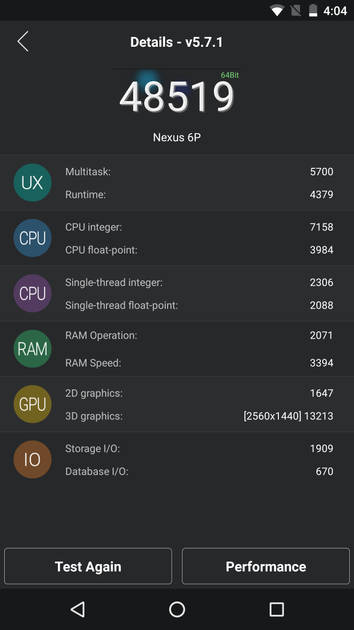
AnTuTu Benchmark
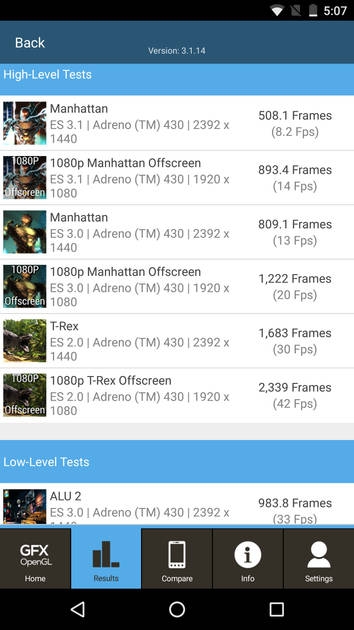
Graphics Benchmark
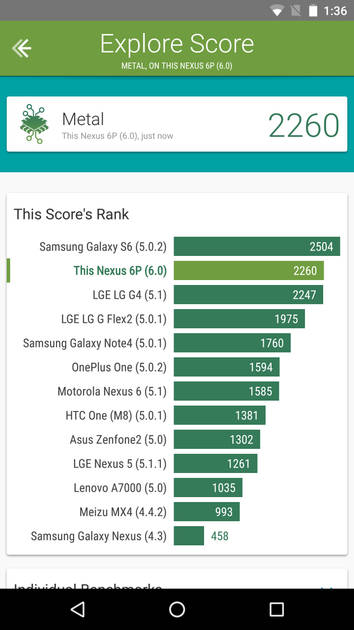
Vellamo Metal Benchmark
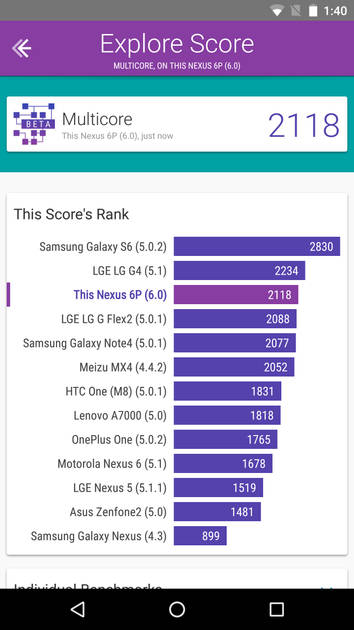
Vellamo Multicore Benchmark
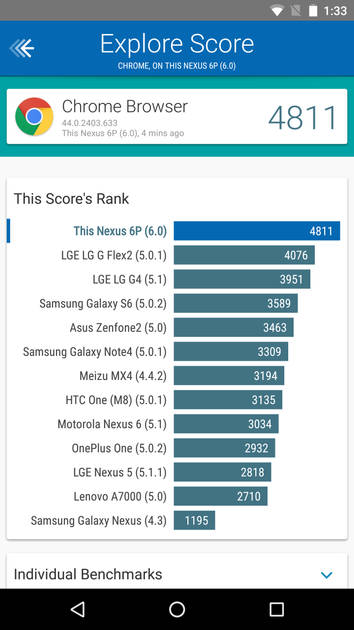
Vellamo Browser Benchmark
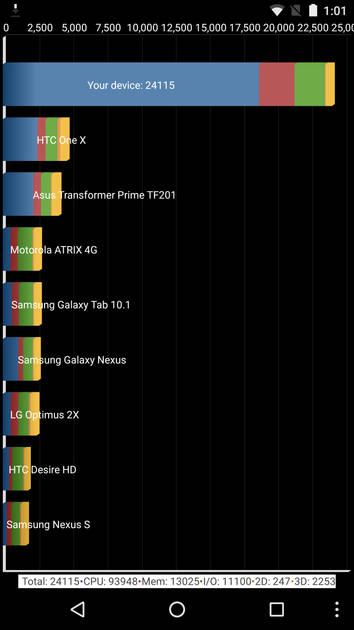
Quadrant Benchmark
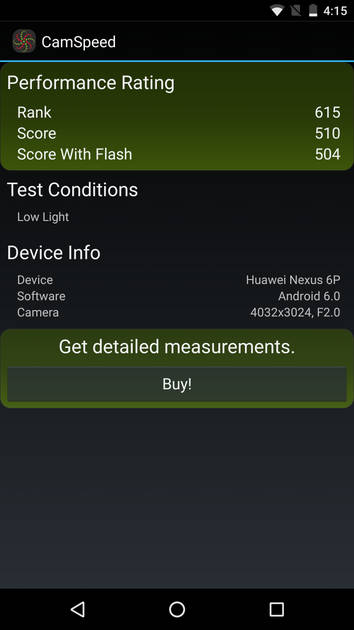
Camera Speed Benchmark
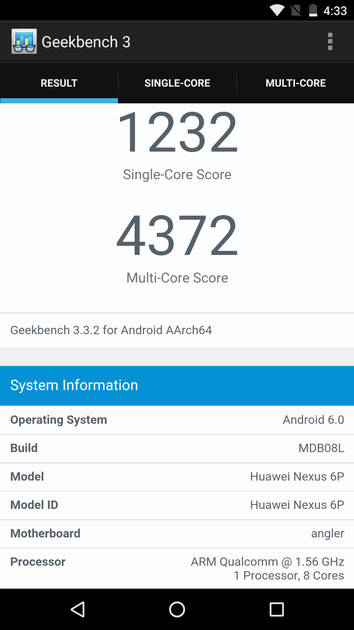
Geekbench3 Benchmark
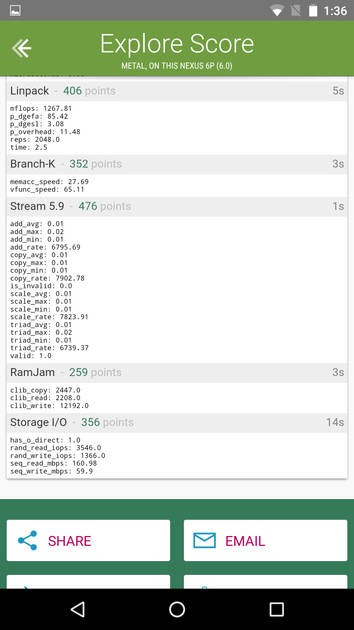
Linpack Benchmark
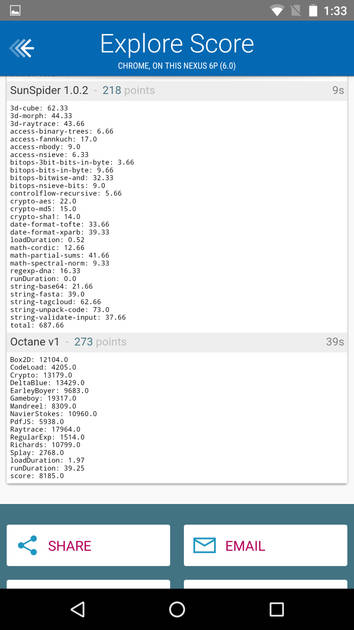
Sunspider Benchmark
|
Display
(Best In Class)
|
|
|---|---|
| Display Type | AMOLED |
| Screen Size | 5.7 inches (14.48 cm) |
| Resolution | 1440x2560 px (QHD (2k)) |
| Aspect Ratio | 16:9 |
| Pixel Density | 515 ppi |
| Screen to Body Ratio (calculated) | 72.1 % |
| Screen Protection | Oleophobic coating, Scratch-resistant glass, Corning Gorilla |
UI Screenshots
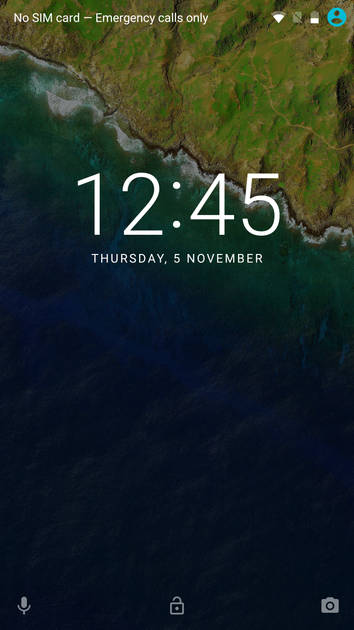
Lock Screen
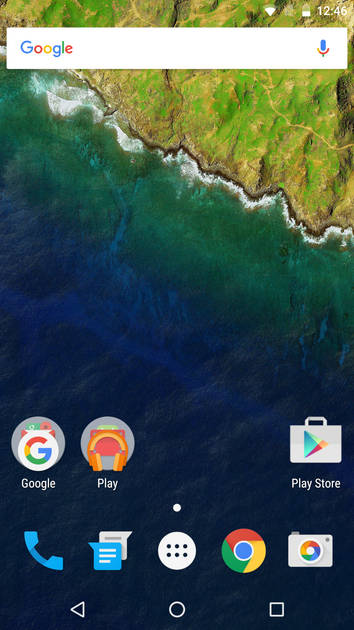
Home Screen
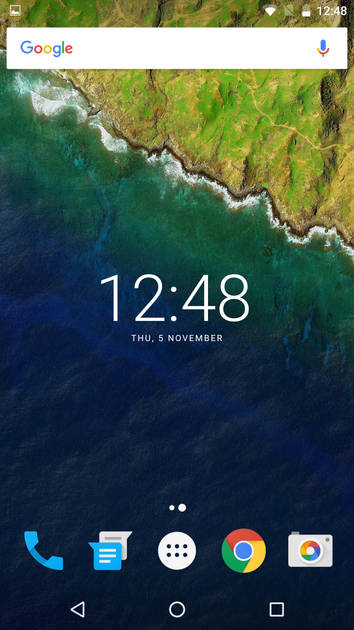
Screen With Widgets
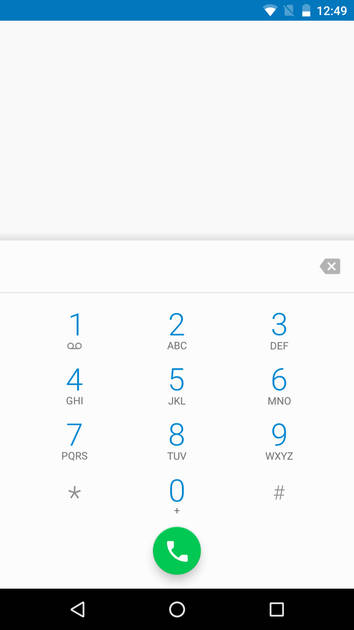
Dialer Screen
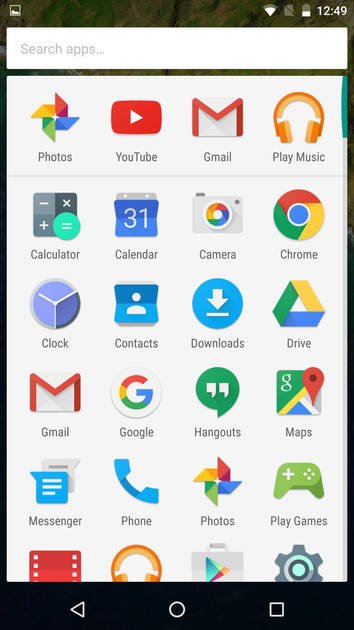
App Drawer
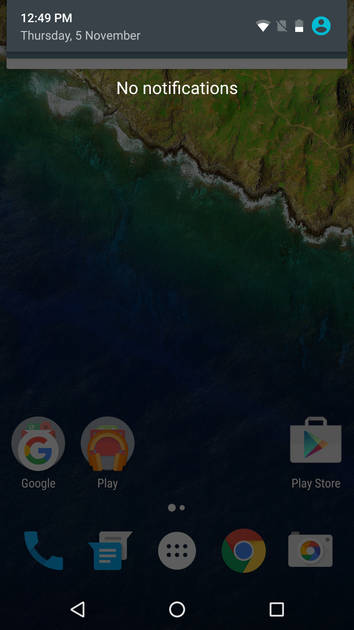
Notification Panel
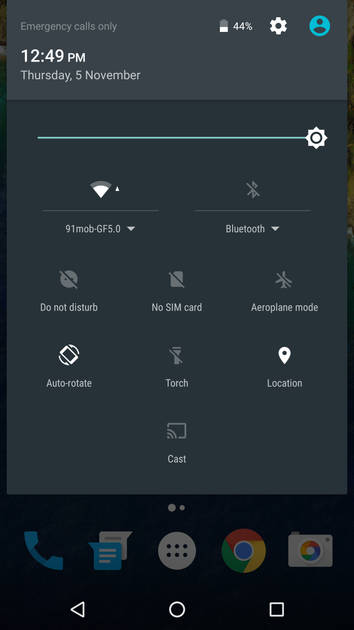
Quick Settings Panel
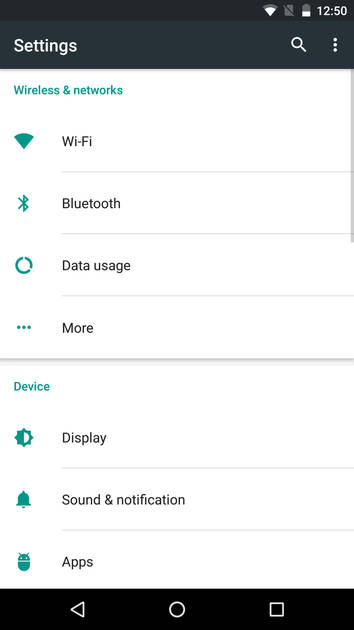
Settings Screen
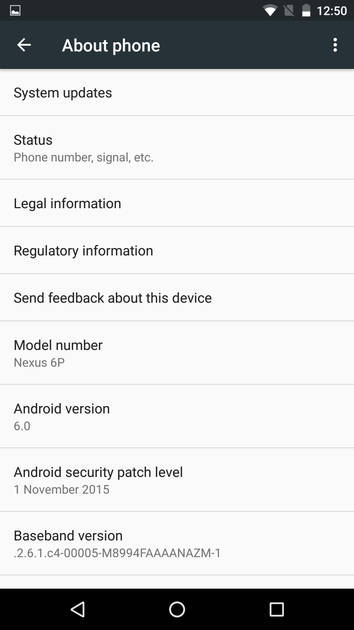
OS Version
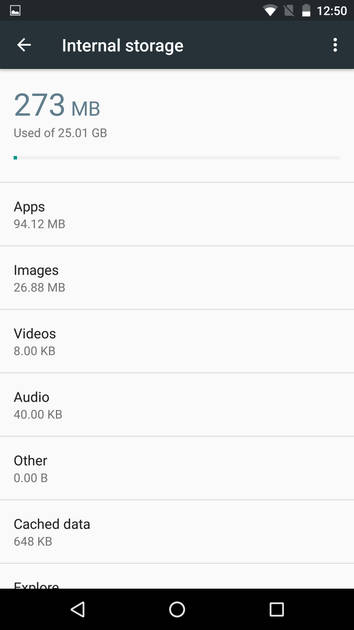
Storage
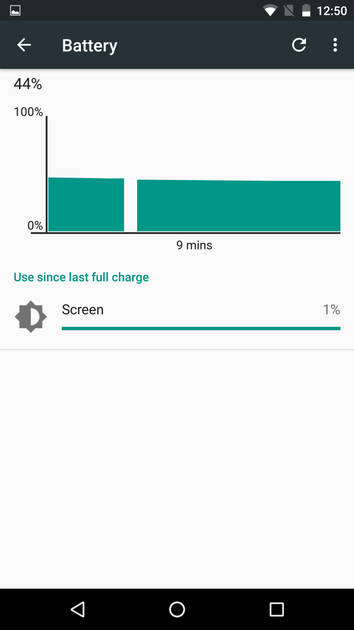
Battery
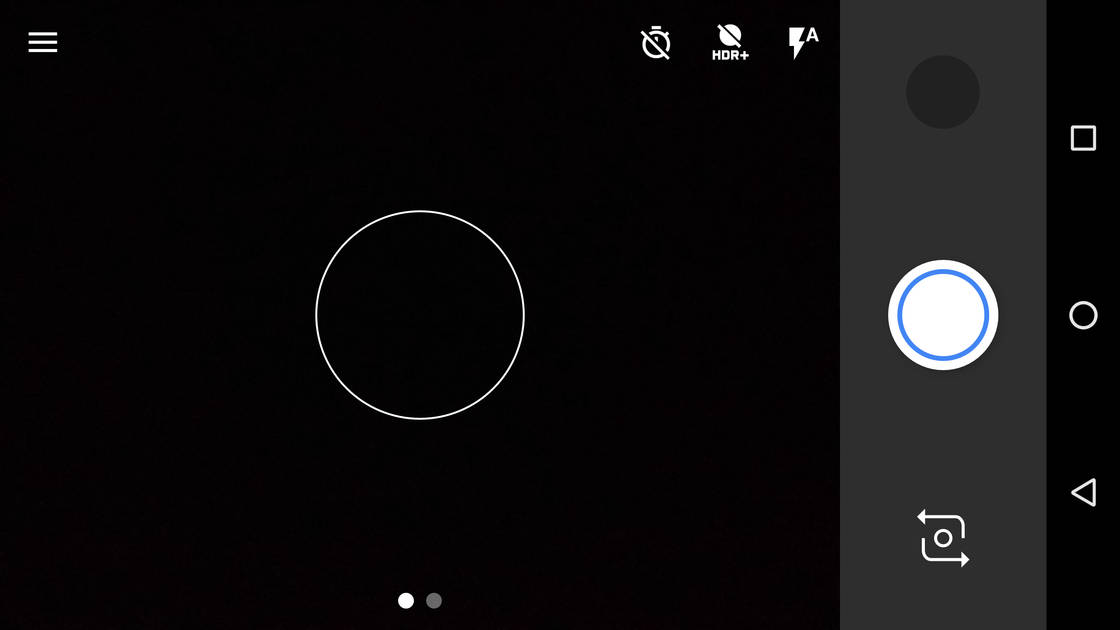
Camera On
Camera Options
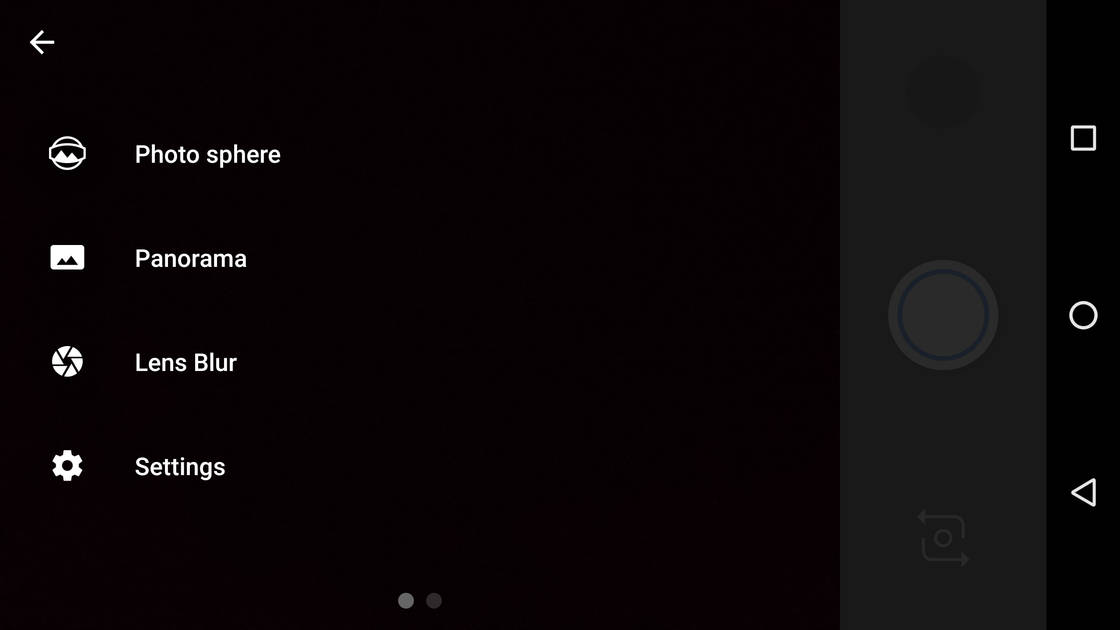
Camera Modes
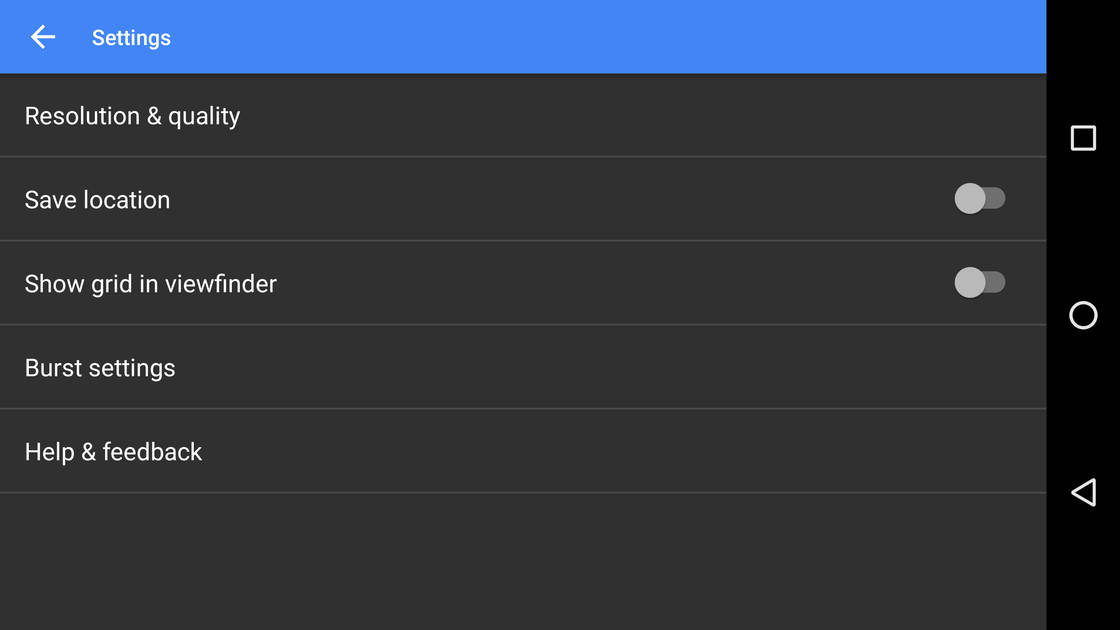
Camera Settings
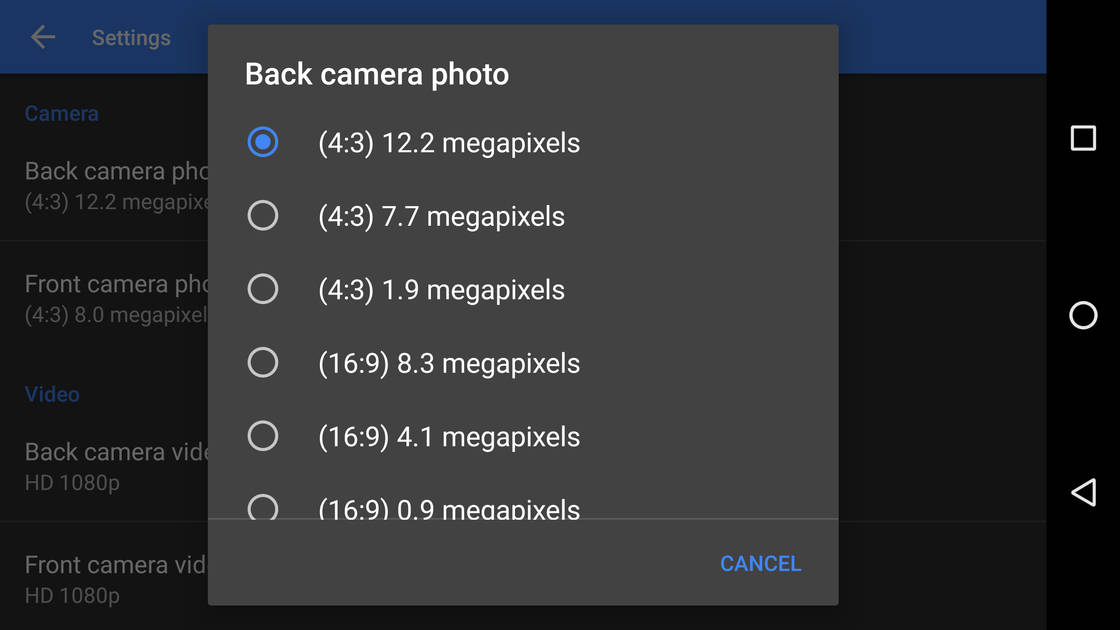
Picture Size Options
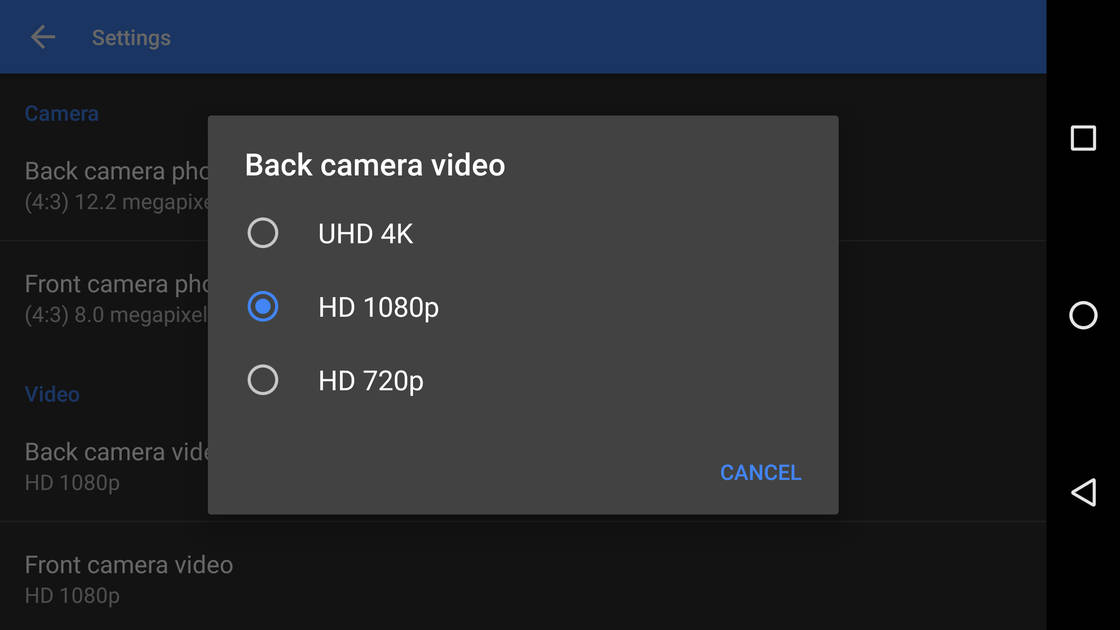
Video Size Options
|
Design |
|
|---|---|
| Height | 159.3 mm |
| Width | 77.8 mm |
| Thickness | 7.3 mm |
| Weight | 178 grams |
| Build Material |
Frame: Aluminium Back: Aluminium |
|
Click to View

|
Rear Camera
(Good)
|
||||||||||||
|---|---|---|---|---|---|---|---|---|---|---|---|---|
| Resolution | ||||||||||||
|
||||||||||||
| Autofocus | Yes, Laser Autofocus | |||||||||||
| Flash | Yes, Dual LED Flash | |||||||||||
| Image Resolution | 4048 x 3040 Pixels | |||||||||||
| Settings | Exposure compensation, ISO control | |||||||||||
| Shooting Modes |
Continuous Shooting High Dynamic Range mode (HDR) |
|||||||||||
| Camera Features |
Digital Zoom Auto Flash Digital image stabilization Face detection Touch to focus |
|||||||||||
| Video Recording |
4k @30 fps HD @240 fps |
|||||||||||
Rear Camera Samples

Close Up

Low Light

Low Light With Flash
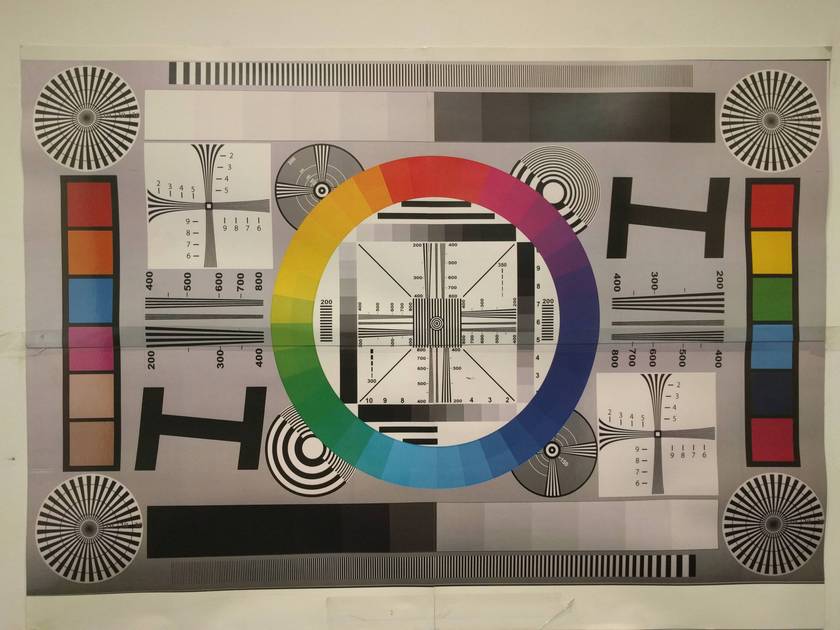
Colour Variance
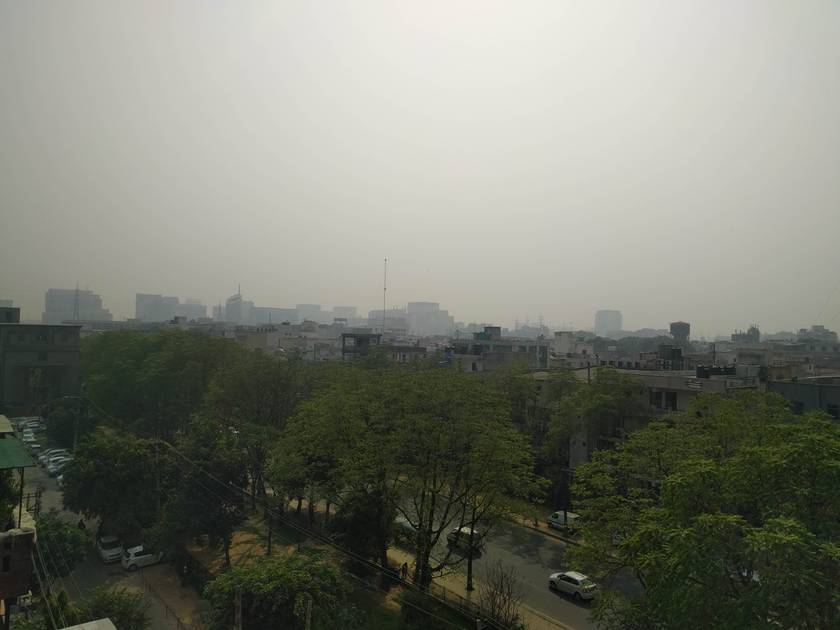
Long Shot
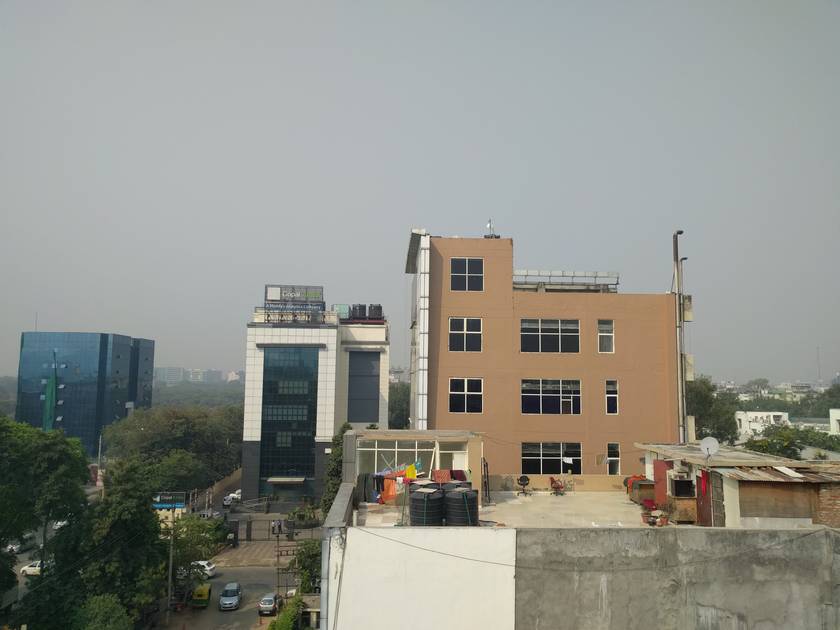
HDR Off
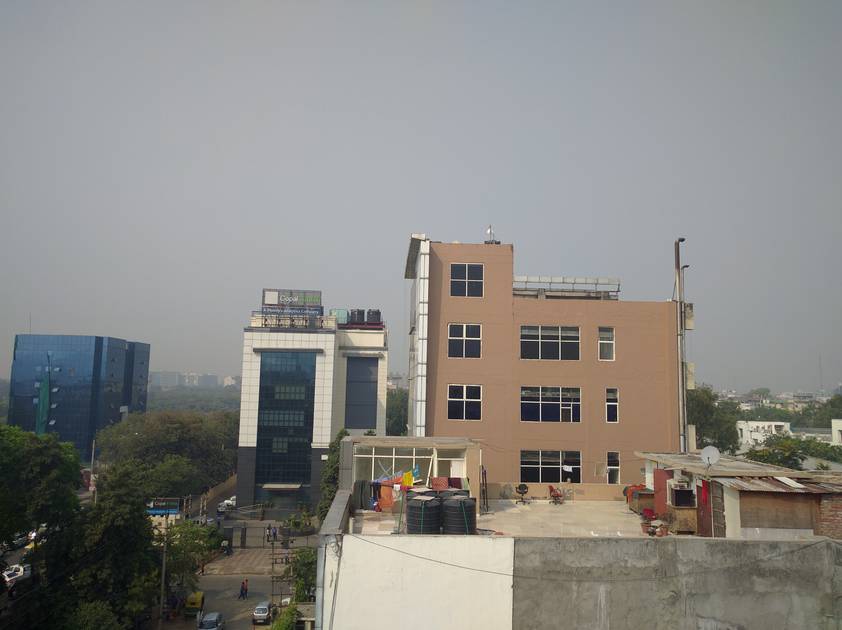
HDR On

Front Shot
|
Front Camera
(Good)
|
||||||
|---|---|---|---|---|---|---|
| Resolution | ||||||
|
||||||
| Video Recording | HD @30 fps |
Battery
(Very Good)
|
|
|---|---|
| Capacity | 3450 mAh |
| Battery Type | Li-Polymer |
| Quick Charging | Yes Fast Charging |
Storage |
|
|---|---|
| Internal Storage | 32 GB / 64 GB / 128 GB |
| Expandable Storage | No |
Network & Connectivity |
|
|---|---|
| SIM Slot(s) | Single SIM |
| SIM Type | SIM1: Nano |
| Network Support | 5G Not Supported, 4G |
| SIM 1 |
4G bands, 4G Speed
Expand
|
| Wi-Fi | Yes, Wi-Fi 5 (802.11 a/b/g/n/ac) 5GHz |
| Wi-Fi Features | Wi-Fi Direct, Mobile Hotspot |
| Bluetooth | Yes, v4.2 |
| GPS | Yes with A-GPS, Glonass |
| NFC | Yes |
Multimedia |
|
|---|---|
| Audio Jack | 3.5 mm |
Sensors |
|
|---|---|
| Fingerprint Sensor | Yes |
| Other Sensors | Light sensor, Proximity sensor, Accelerometer, Barometer, Compass, Gyroscope |
Google Nexus 6P 64GB User Reviews
Google Nexus 6P 64GB Key Highlights
| Processor | Qualcomm Snapdragon 810 MSM8994 |
| RAM & Storage | 3 GB RAM + 32 GB 3 GB RAM + 64 GB 3 GB RAM + 128 GB |
| Display | 5.7", 1440 x 2560 Resolution |
| Rear Camera | 12.3 MP |
| Front Camera | 8 MP |
| Battery | 3450 mAh |



















Google Nexus 6P Price In India
| Product Name | Store | Price |
|---|---|---|
| Google Nexus 6P (3 GB + 32 GB) | Flipkart | ₹39,999 |
| Google Nexus 6P (3 GB + 64 GB) | Flipkart | ₹42,999 |
Popular Links
- All Upcoming Phones
- vivo V80 5G
- Lava Virat Curve 5G
- OPPO F35 Pro
- Xiaomi Redmi Note 17 Pro Max 5G
- OPPO F35
- Samsung Mobiles
- Motorola Mobiles
- vivo Mobiles
- OPPO Mobiles
- Tecno Mobiles
- realme Mobiles
- Xiaomi Mobiles