5 AI features in ColorOS 16 worth trying to improve productivity and creativity


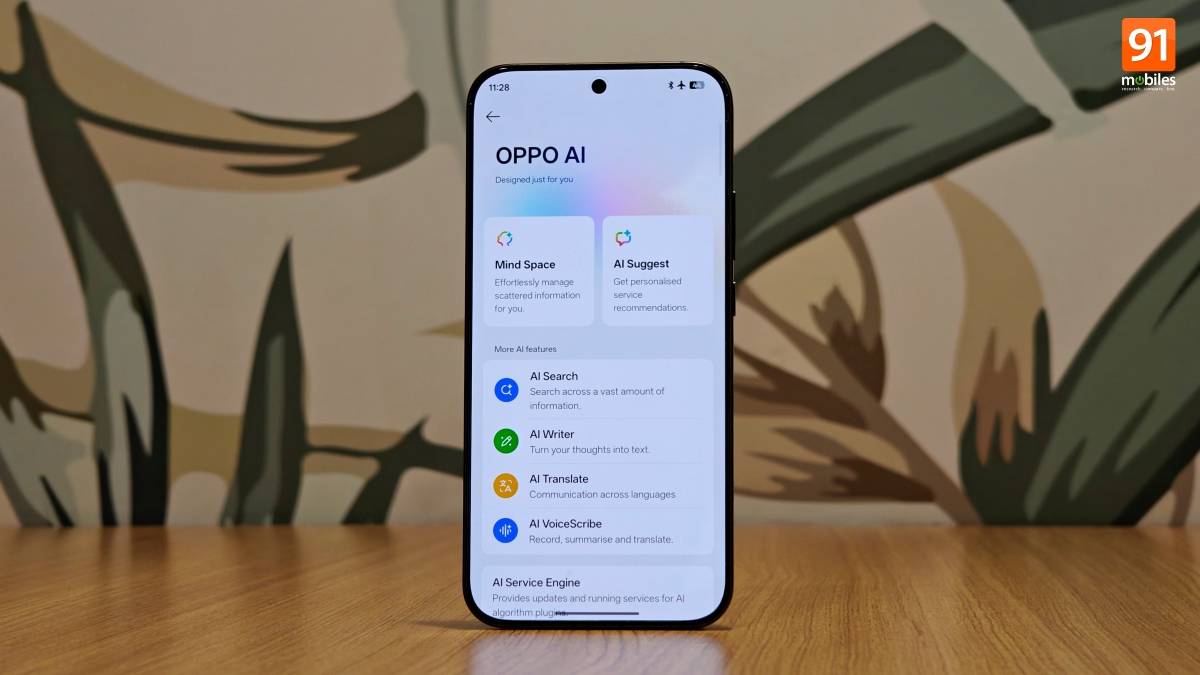
With the aim of offering a ‘smart and smooth’ software experience, OPPO introduced ColorOS 16 in October 2025 for global markets, bringing new features, customisation options, and several cosmetic changes. While OPPO had already jumped on the AI bandwagon with ColorOS 15 itself, ColorOS 16 further refines the company’s AI offerings across the system. From integrating more AI capabilities into the Photos app to introducing productivity-focused AI features, ColorOS 16 has a lot to offer.
With a comprehensive set of AI tools, we’ve been testing several AI features on ColorOS 16-based phones, including the OPPO Find X9 and Reno 15 series. On that note, here are the top five AI features in ColorOS 16 worth exploring to boost productivity and creativity.
Table of Contents
AI Recording


What OPPO calls ‘AI Clear Voice’, the app now identifies individual speakers in a conversation and visually separates them in the transcription. Furthermore, you can even rename each speaker to the actual person, ensuring the transcription accurately reflects the real conversation. It’s also worth highlighting the fluid animation when tapping the voice player.
Who should use AI Recording:
- Working professionals who are engaged in meetings on a daily basis. Since the sound recorder identifies each speaker, users can easily track what each participant said during the meeting.
- Students who wish to revisit their lectures. Using AI transcription, they can review the lessons taught to them even at a later date.
AI Portrait Glow

Since the feature specifically targets the face, the rest of the image remains unchanged. The AI Portrait Glow joins the likes of AI Recompose, AI Reflection Remover, AI Enhance Clarity, and others, providing users with a comprehensive set of AI imaging tools at their disposal.
Who should use AI Portrait Glow:
Show Full Article
- Photography enthusiasts, hobbyists, and selfie-takers.
- Content creators and vloggers. AI Portrait Glow removes the burden of manual face editing. Even though manual touch-ups may provide more precise results, the feature gets the job done with low effort.
AI Mind Space

Much like Essential Space found on Nothing smartphones, AI Mind Space is OPPO’s content curator, which can be utilised to fetch information from screenshots that is further curated into a well-organised manner for later reference. Once the media is stored in Mind Space, OPPO AI kicks in to analyse the content and offer bite-sized information. Furthermore, it can extract the location, time, and date from the media to prompt the user to add the event to their calendars.
Overall, it’s meant to help with everyday clutter, especially for those who rely on grabbing text or data from screenshots. It also serves as a dedicated space to collect key highlights and information in one place, while routine screenshots remain in the Photos app.
Who should use AI Mind Space:
- Those who take many screenshots, particularly of recipes, travel plans, products, and events.
- Those who need help organising saved information for trip planning, research, shopping ideas, and meetings. Mind Space AI can also summarise and extract key details, such as dates and addresses, from the provided information.
AI Mind Map (AI Writer)

AI Writer, on the other hand, is prevalent in more areas throughout the system, including third-party apps like Instagram and X, for generating captions on the spot. Previously, on ColorOS 15, the AI Writer was limited to the Notes app, email, and chat apps.
Who should use AI Mind Map:
- Professionals in creative or strategic roles for brainstorming campaigns, planning projects, mapping strategies, or generating new solutions.
- Writers and content creators for brainstorming articles, blog posts, books, chapters, story plots, or outlining a vast content bank.
AI Dynamic Depth


However, do keep in mind that such interactive elements tend to drain the battery more than usual. Moving on, ColorOS 16 also brings ‘AI Text Generation’ that generates a short caption on the lockscreen based on the wallpaper’s style and effect.
Who should use AI Dynamic Depth:
- Power users and customisation enthusiasts who want to take lockscreen customisation to the next level.
- Those who quickly get bored with their lock screen. They can set a short video or motion-based photo of both fictional and real people as the lock screen.
Beyond AI features, we also appreciated the range of lockscreen and homescreen customisations on ColorOS 16. The newly added lockscreen clocks and themes offer several ways to personalise your phone; combined with widgets, you can get a lot done right from the lockscreen. Flux icons enhance the homescreen’s look and feel with resizing and theming options, which impressed us as well.
While there is scope for improvement in several areas, such as notifications vanishing after unlocking the phone and instances when Swiggy or Zomato Live Alerts don’t appear, ColorOS 16 has proven to be a comprehensive Android skin. It’s worth looking forward to the updates and enhancements in future builds, especially in the AI area, where Samsung’s Galaxy AI has proven to be the gold standard on Android.

