Handheld consoles are cool once again. With improvements in chip design and software optimisations, we are looking at a category that is poised to become mainstream. After a fairly successful response of its first handheld console, ASUS refreshed the ROG Ally and came up with the Ally X.
The company is offering more memory, a bigger battery, and has fixed some of the issues that plagued the original. It is by far the best handheld console on the market and a strong competitor to the Steam Deck. Here’s an in-depth look at what the refreshed model has to offer.
Table of Contents
Design
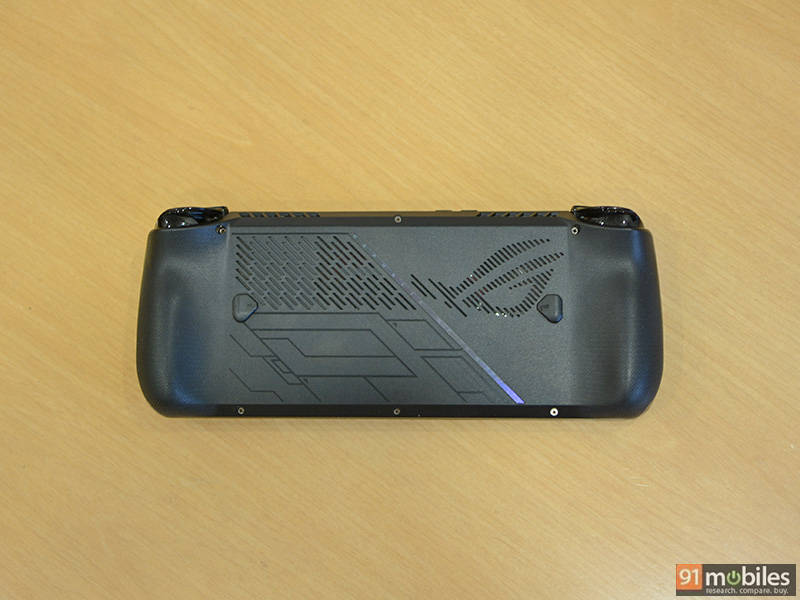
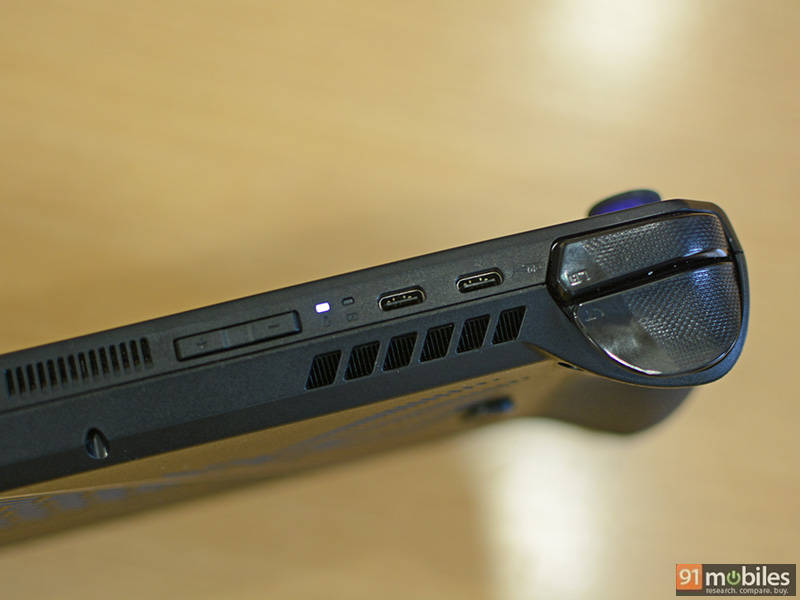
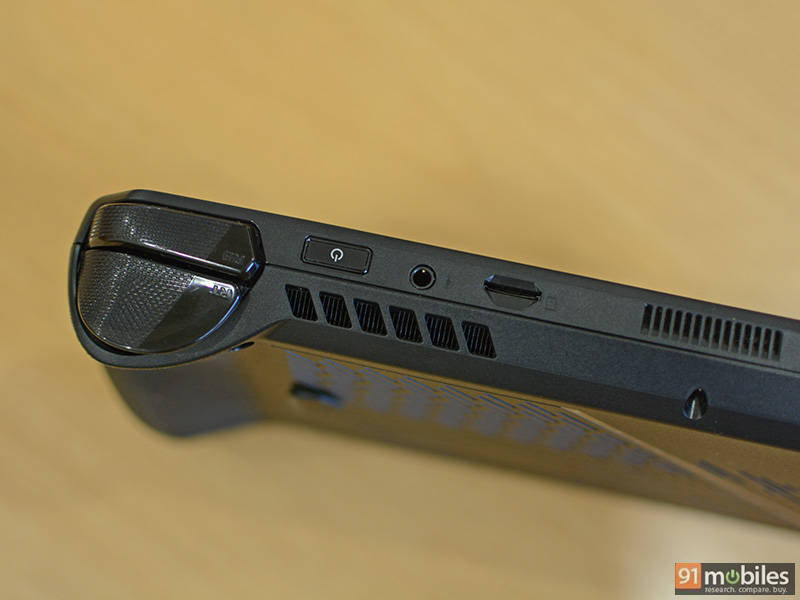
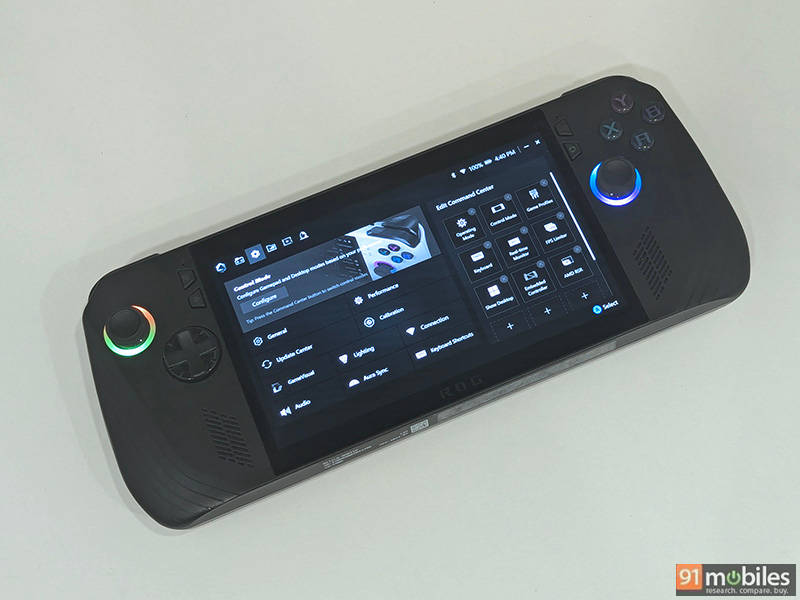
The biggest change, of course, is the colour. The Ally X comes in an all-black finish as opposed to white on the original Ally. At first, the design looks very similar compared to the predecessor, but comparing them next to each other is when you start to see some of the changes.
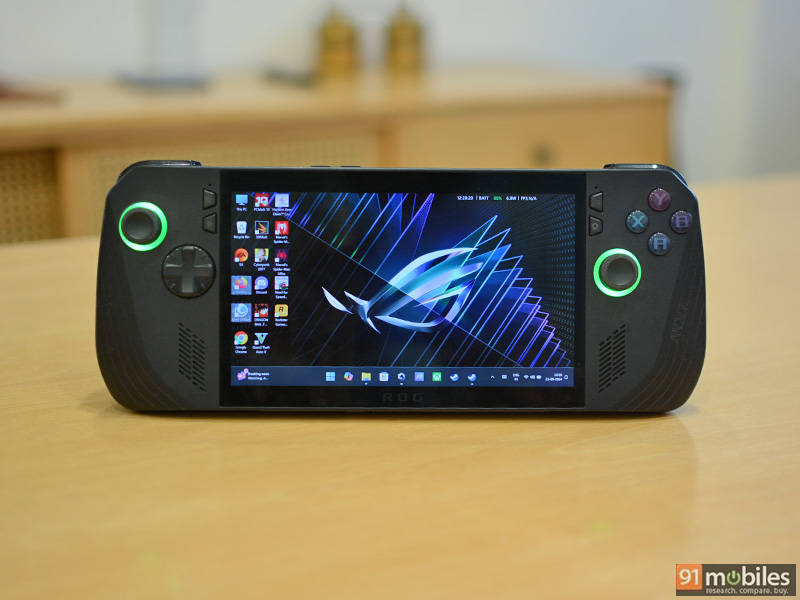
This minor increase in thickness and weight is primarily due to the bigger battery, which in my opinion is an excellent trade off.
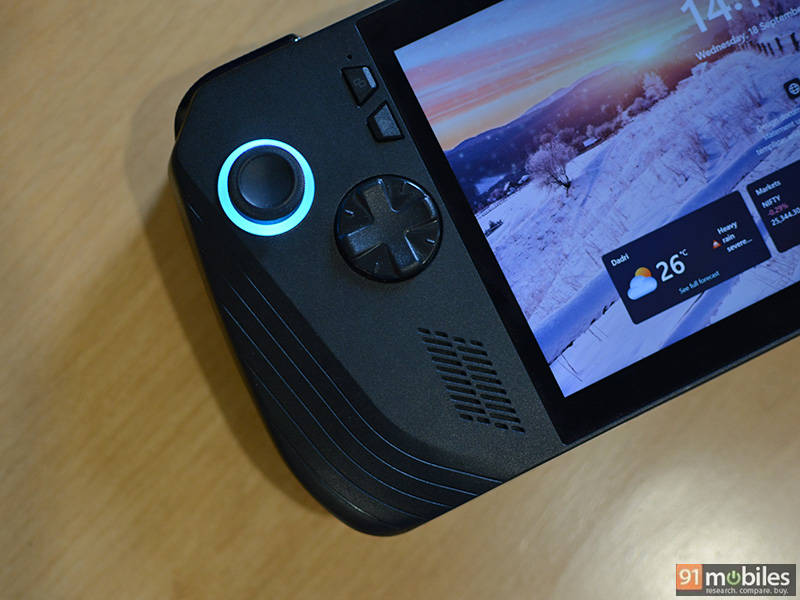
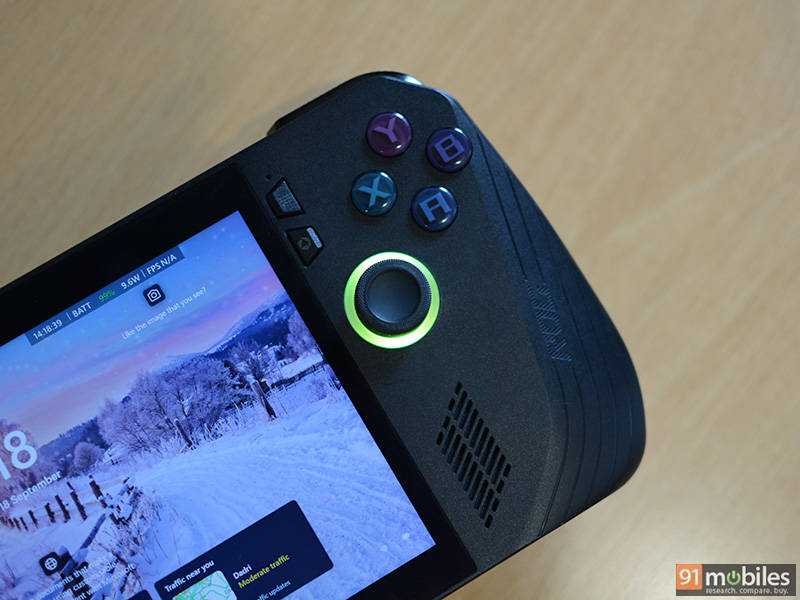
The Ally X also comes a larger D-Pad which is always great to see especially for users with large hands. The joysticks are slightly repositioned, although it isn’t apparent, and now come with wider textured rubber rings at the top. They are also a bit stiffer and said to offer twice as much durability.The XYAB buttons are a bit more elevated, and the trigger buttons (LT, RT, LB, and RB) have also been reworked in terms of the angle and size. The two macro buttons (M1 and M2) at the back are much smaller but more pronounced, reducing the chances of accidental presses. 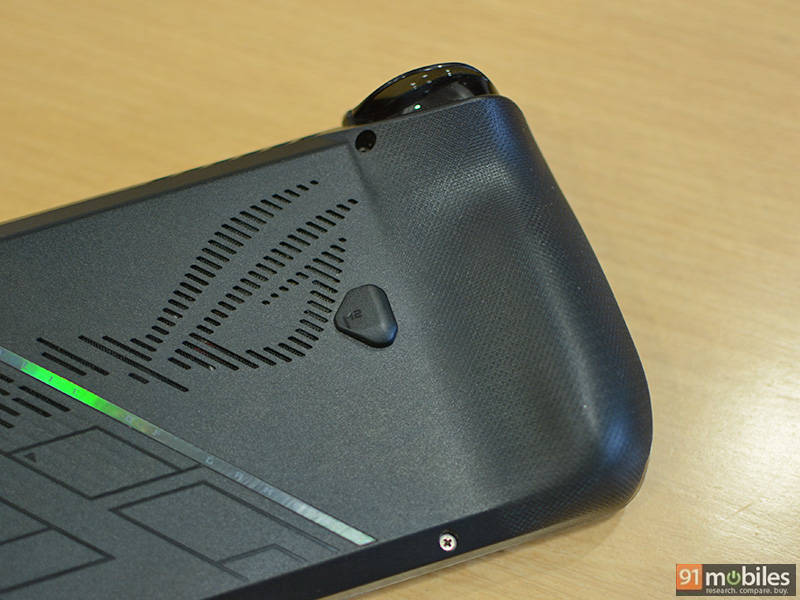
Display
ASUS hasn’t made any changes to the display. You get the same 7-inch FHD (1920 x 1080) IPS touchscreen as the original ROG Ally offering a 120Hz refresh rate. It feels sharp and manages to produce great vibrant colors. There is also support for VRR (variable refresh rate) and FreeSync Premium, ensuring the experience is smooth and responsive while gaming.
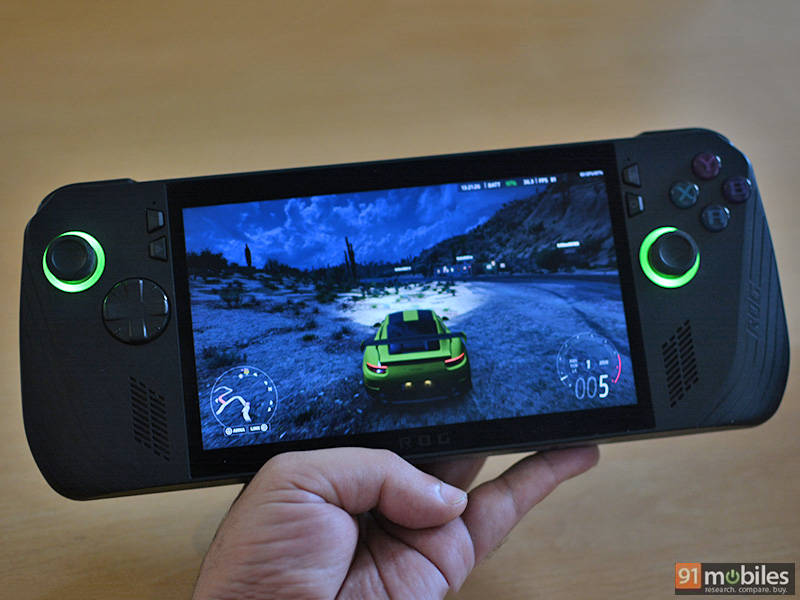
Despite the claimed 500-nits peak brightness, I was a bit disappointed. Don’t get me wrong, it offers plenty of brightness when you want to put your feet up and enjoy burning some rubber in Forza. I just feel ASUS could have further improved the experience by adding a better anti-reflective coating or possibly moving to an OLED panel. My guess is that we are going to see these changes in the next-generation of the Ally.
Performance
The Ally X continues to be powered by the AMD Z1 Extreme chipset, which is on the original Ally, Valve’s Steam Deck and the Lenovo Legion Go. Essentially the chip is based on AMD’s Zen 4 architecture with 4nm process, has 8-cores, 16-threads, and a boost clock speed of 5.1Ghz. Handling the graphics is AMD’s Radeon 780M featuring the RDNA 3 architecture with 12 CUs (Compute units), up to 2.7GHz clock speeds and up to 8.6 Teraflops of performance. In terms of power consumption, the CPU can run between 9W and 30W.
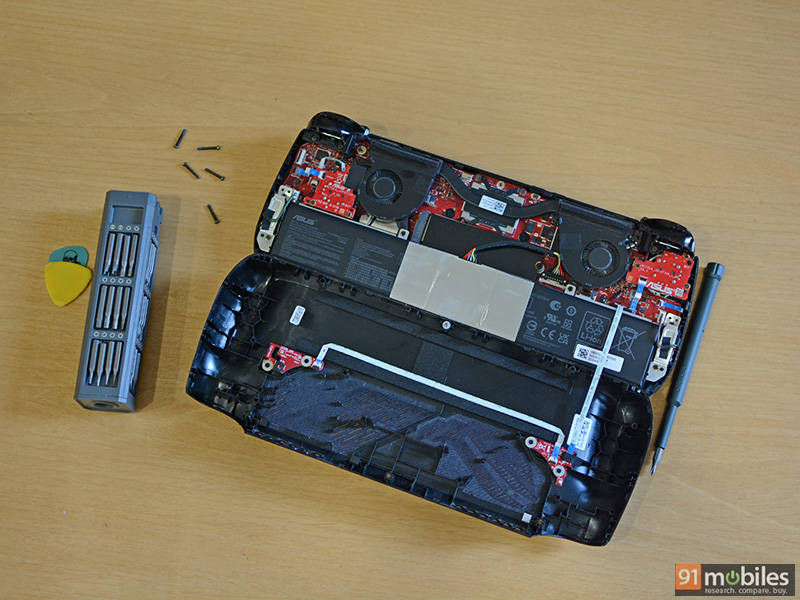
The memory sees a substantial bump as it has been increased to 24GB of LDDDR5X, up from 16GB on the Ally. It is also faster with a rating of 7500MT/s. Similarly, the storage has been bumped up to 1TB as opposed to 512GB, with support for standard 2280 M.2 SSD making the replacement process a lot easier.
The increased memory brings a small boost in performance depending on the game that you are playing. While the original Ally came with 16GB of RAM, having 24GB means that the iGPU can be allocated 8GB of dedicated memory, while the rest is reserved for the system. Expect anywhere from 5-10% increase in frame rates, when compared to the original Ally. Certain games are going to perform similar, which is mostly due to the limited performance of the GPU.
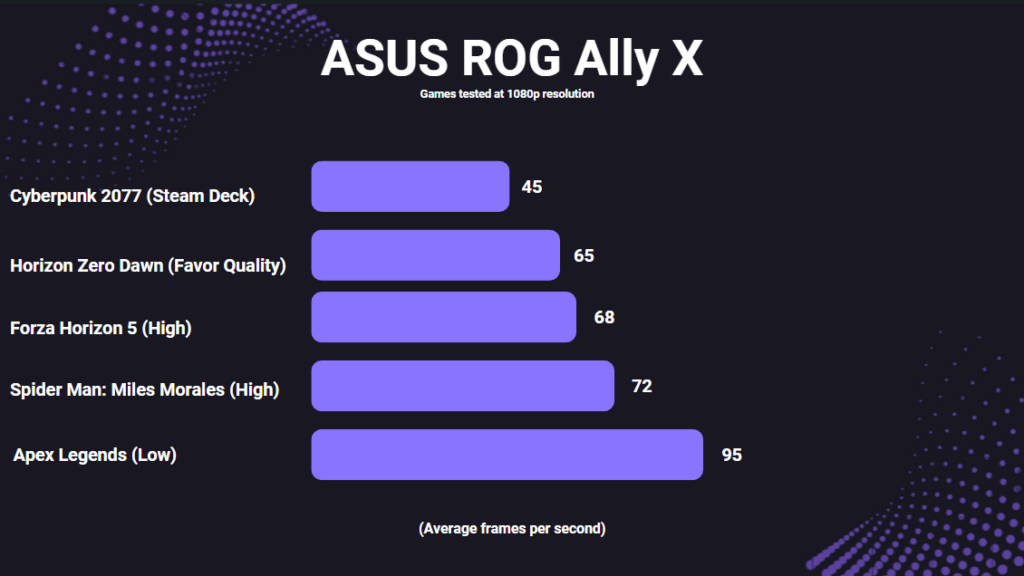
Diving into some games, Cyberpunk 2077 which is known to be resource heavy was able to run fairly well. I saw an average of 45 FPS at the ‘Steam Deck’ performance preset with high texture at 1080p resolution and about 70 FPS when I reduced the resolution to 720p. Results for Horizon Zero Dawn were slightly better. Setting the graphics preset to ‘Favor Quality’ I was getting average frame rates of 65 FPS at 1080p and 88 FPS at 720p. Additionally I ran the game at the lower ‘Original’ graphics preset where I was getting an average of 96 FPS at 1080p resolution.
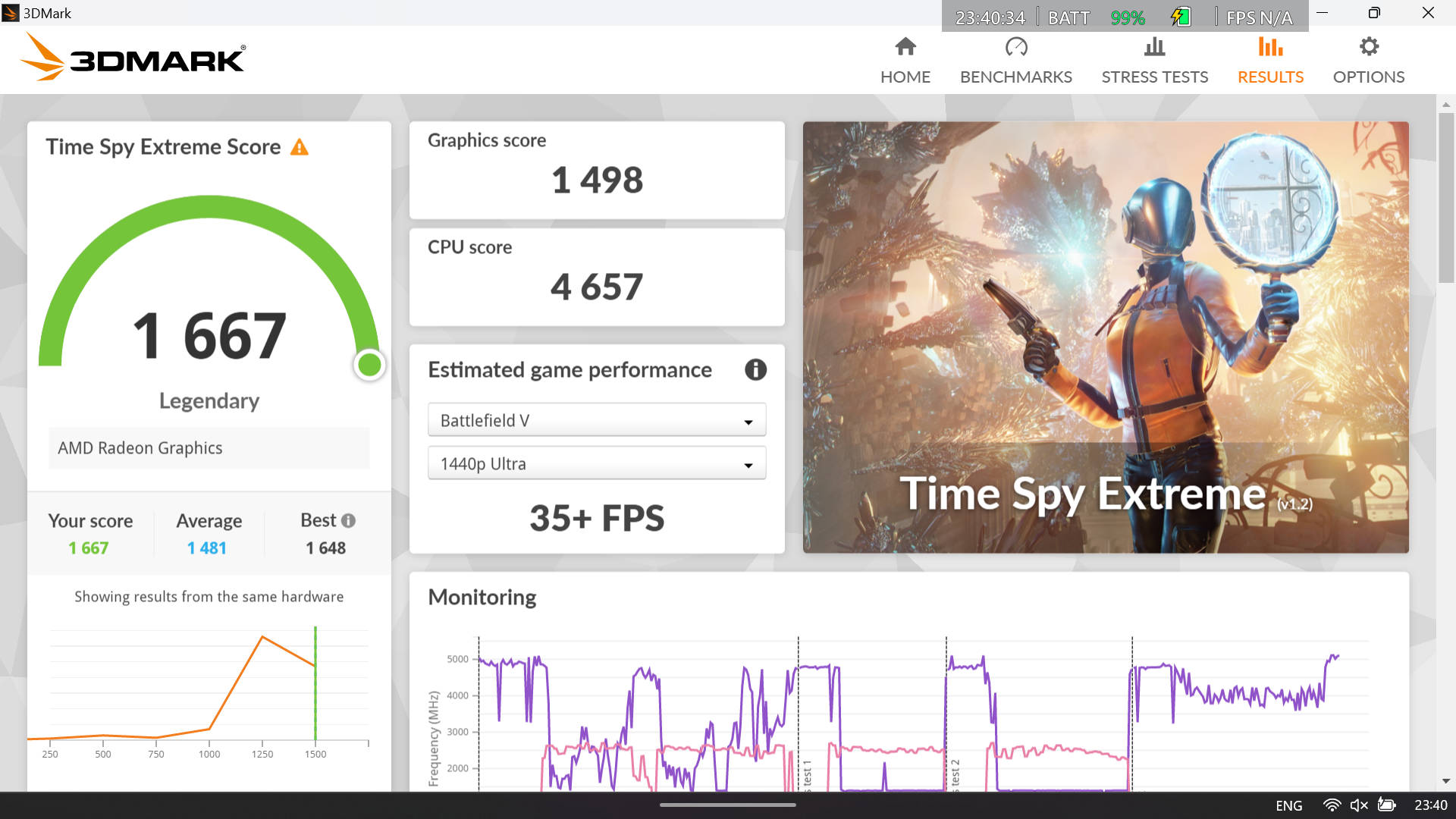
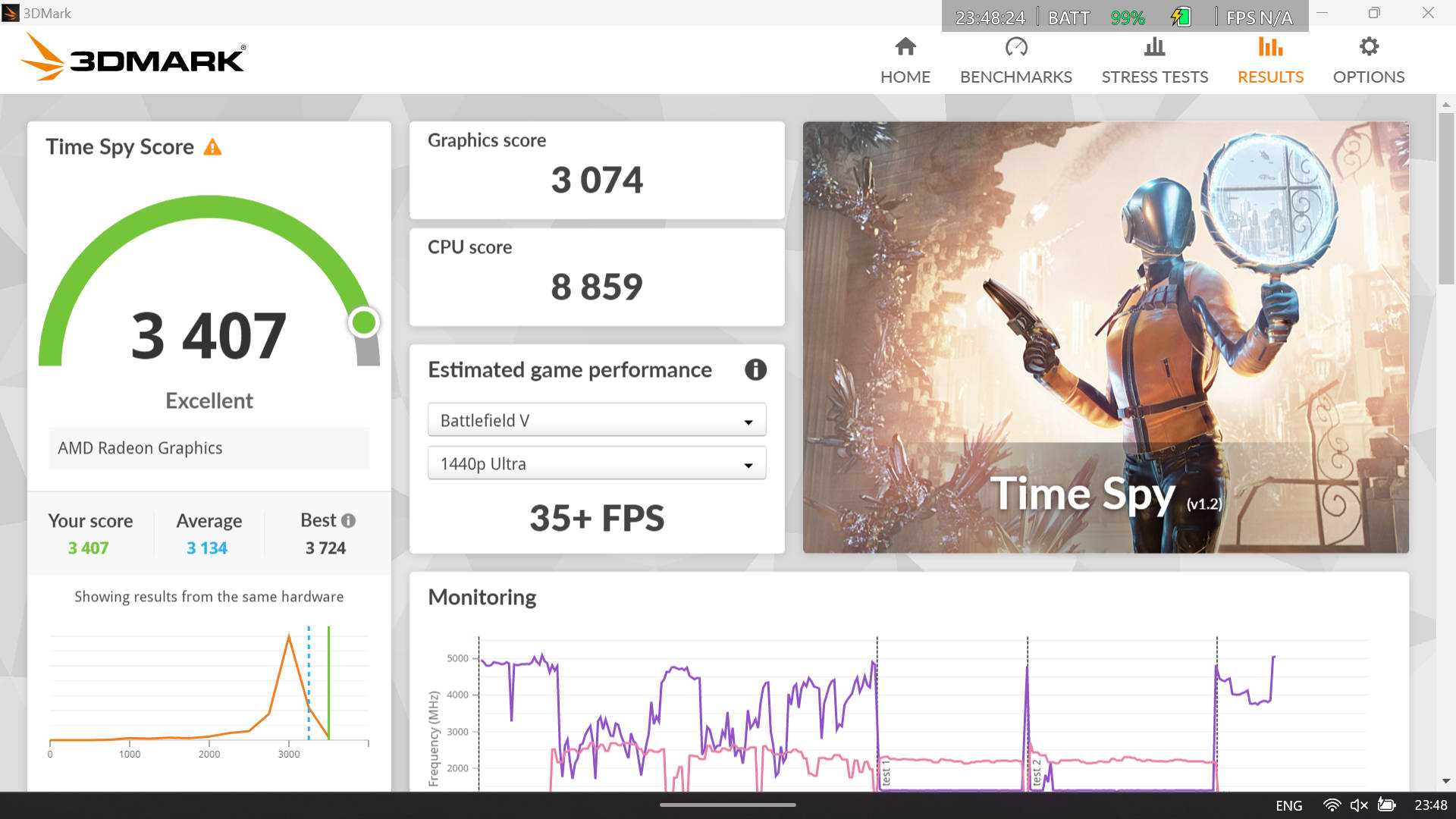
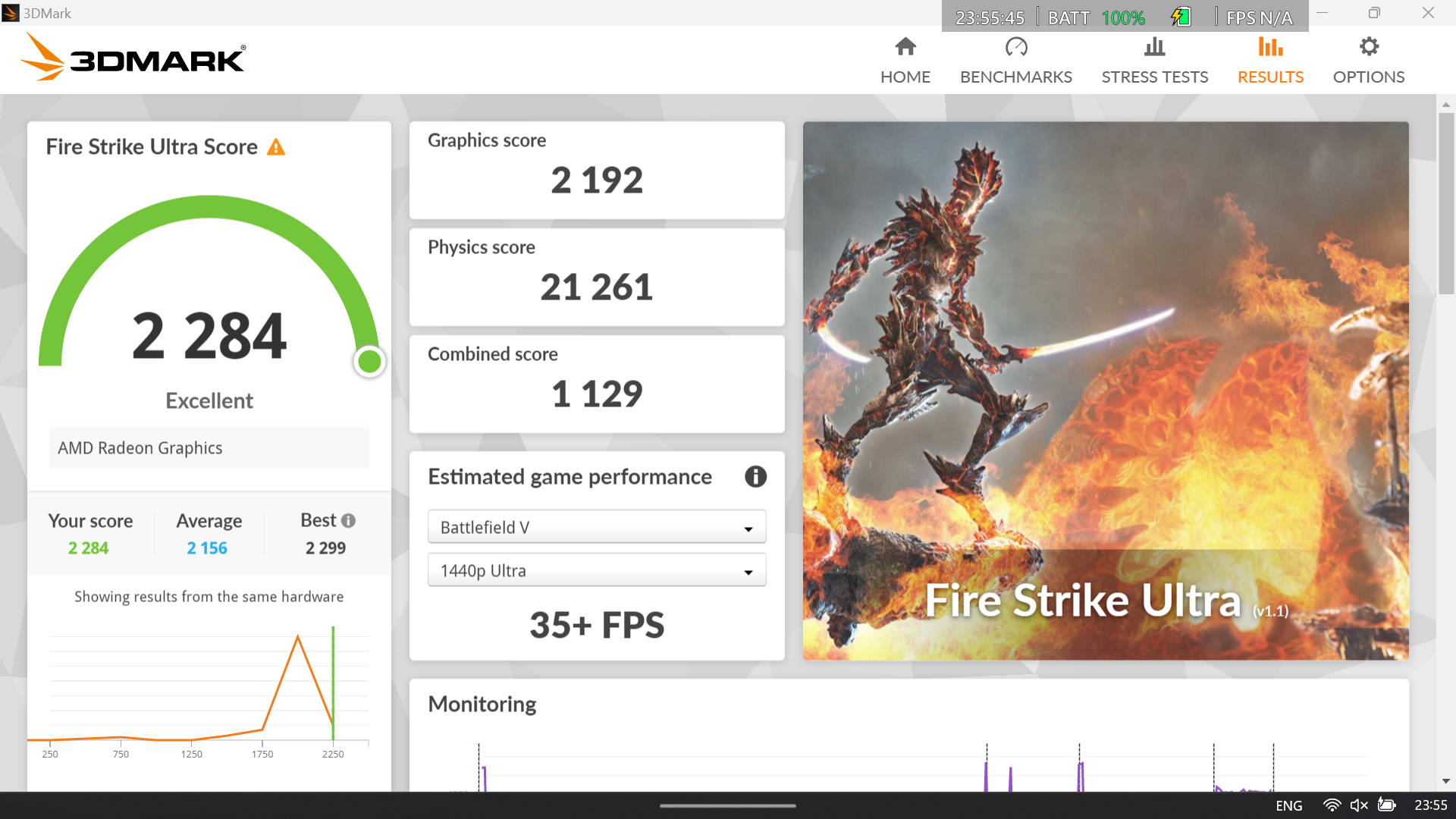
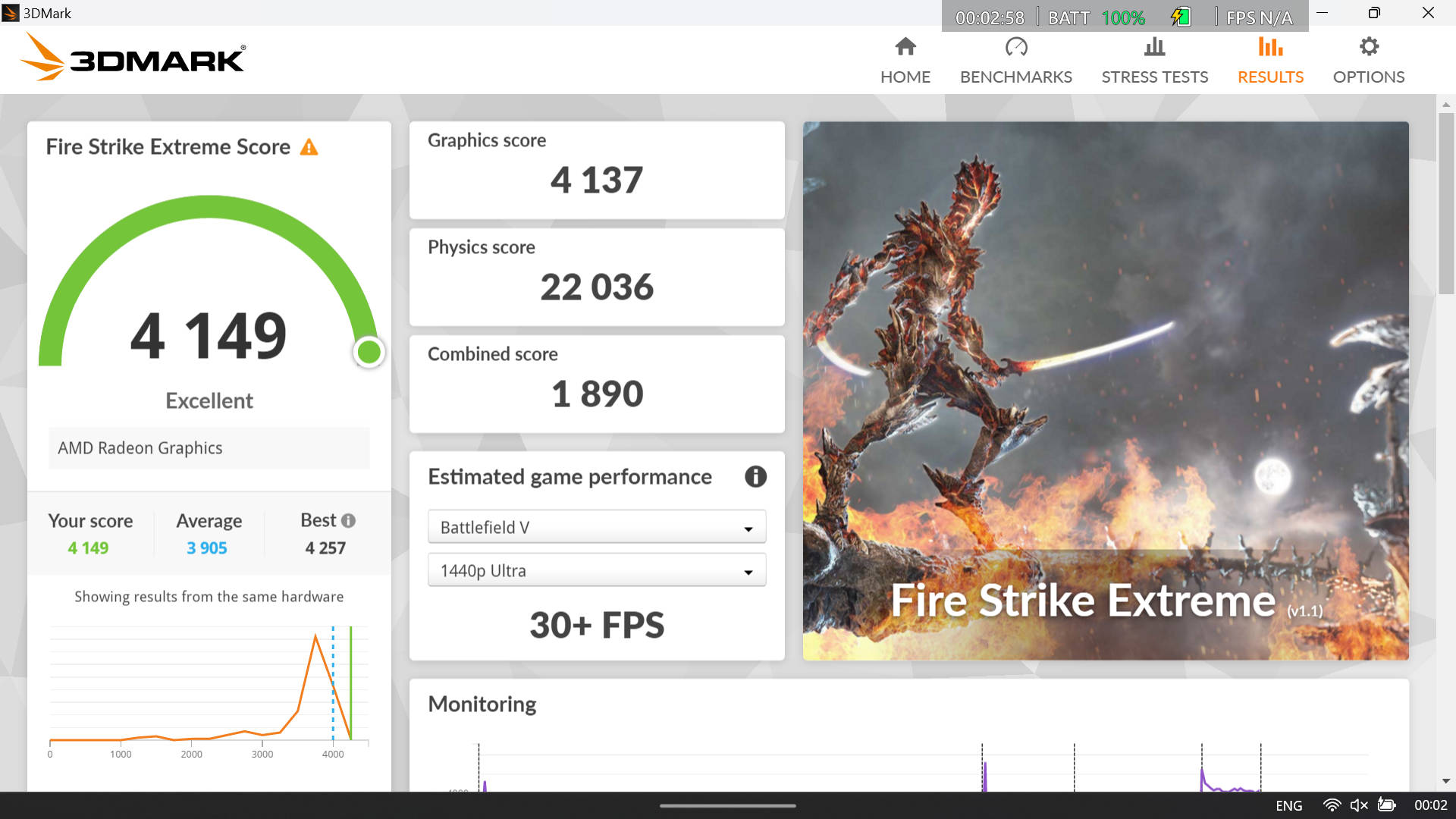
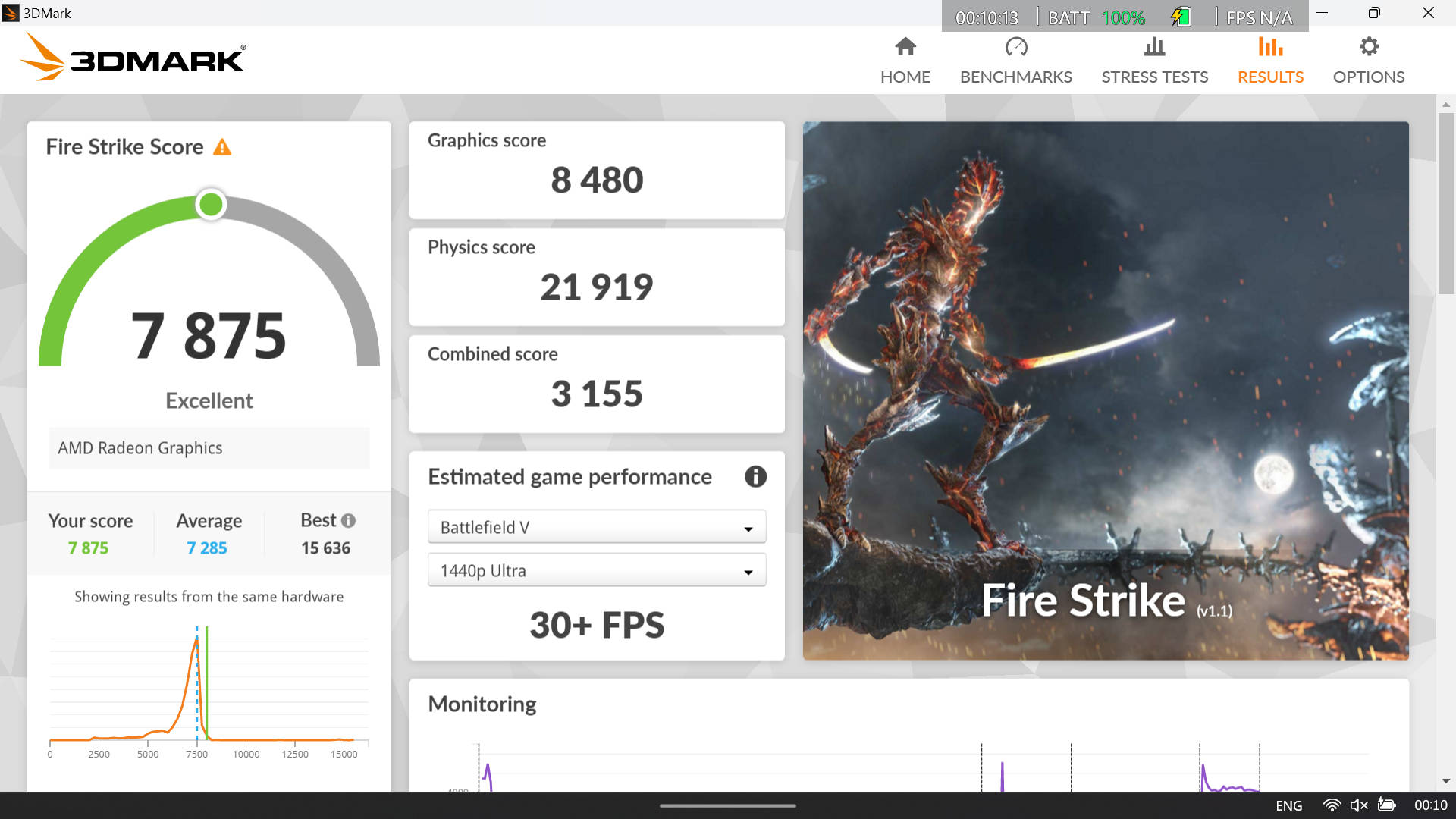
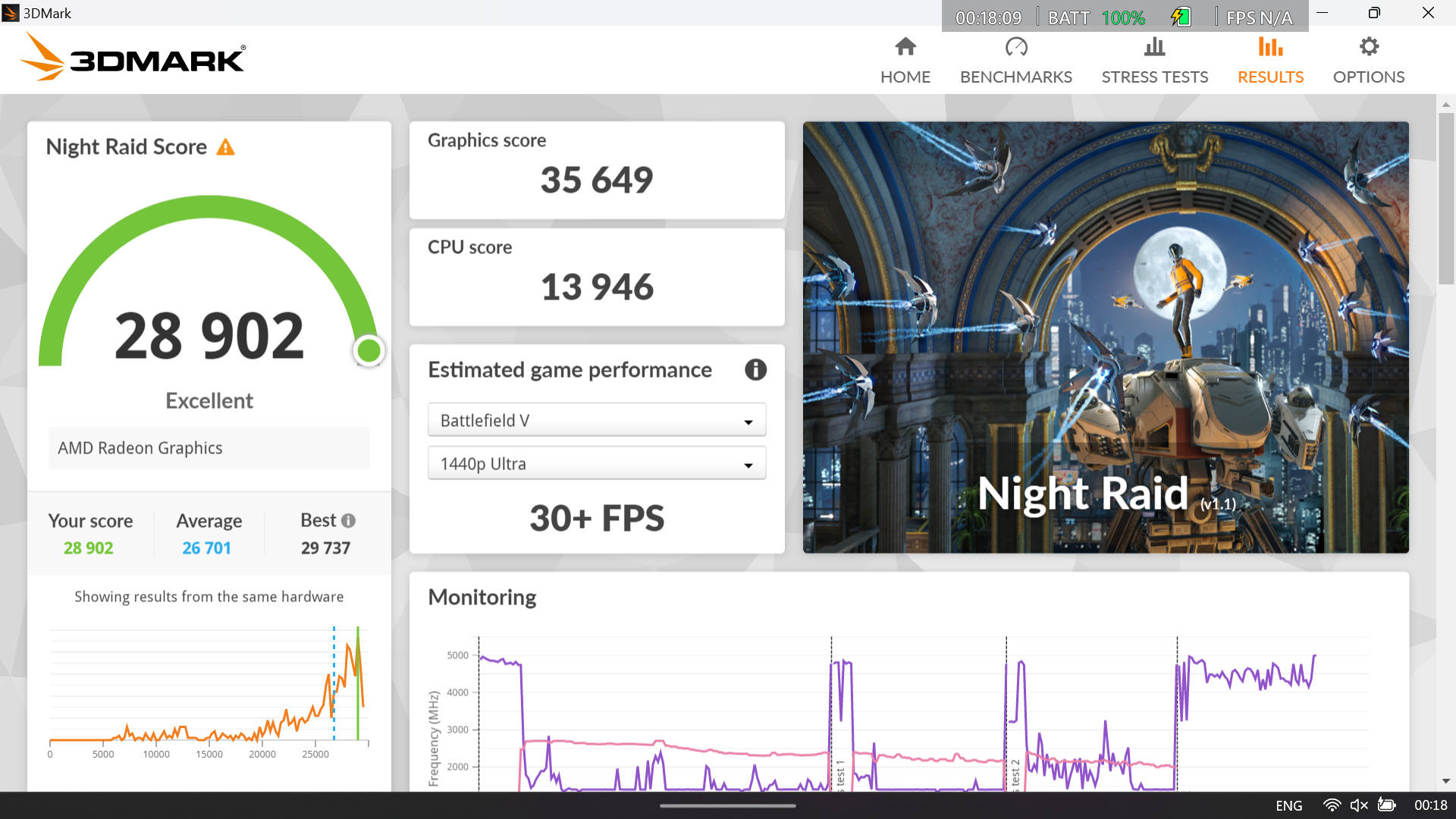
You can check out all the games I tested in the graph below followed by some standard synthetic benchmark scores. (NOTE: All testing was done with the performance/fan profile set to the highest ‘Turbo’ option)
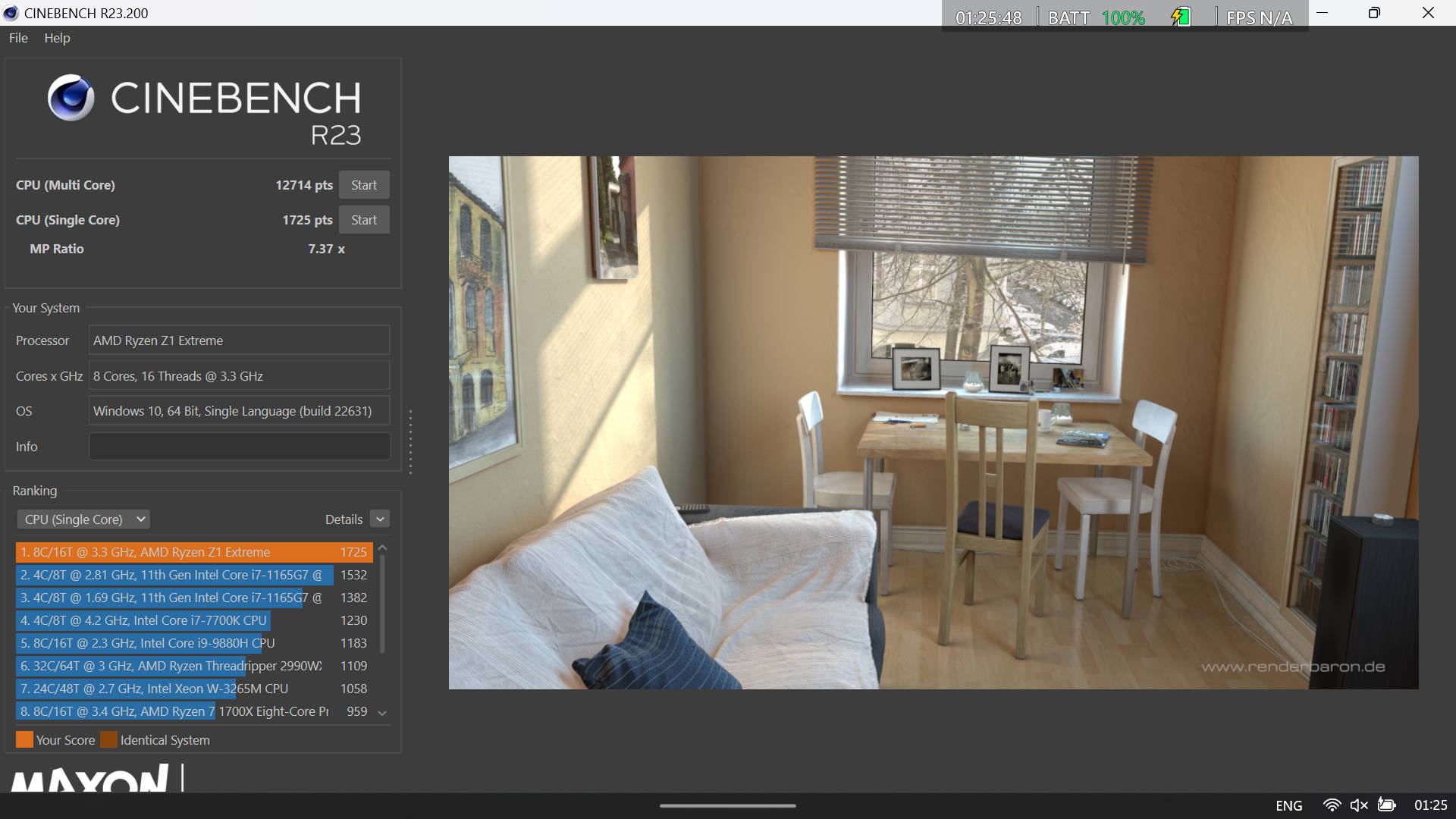
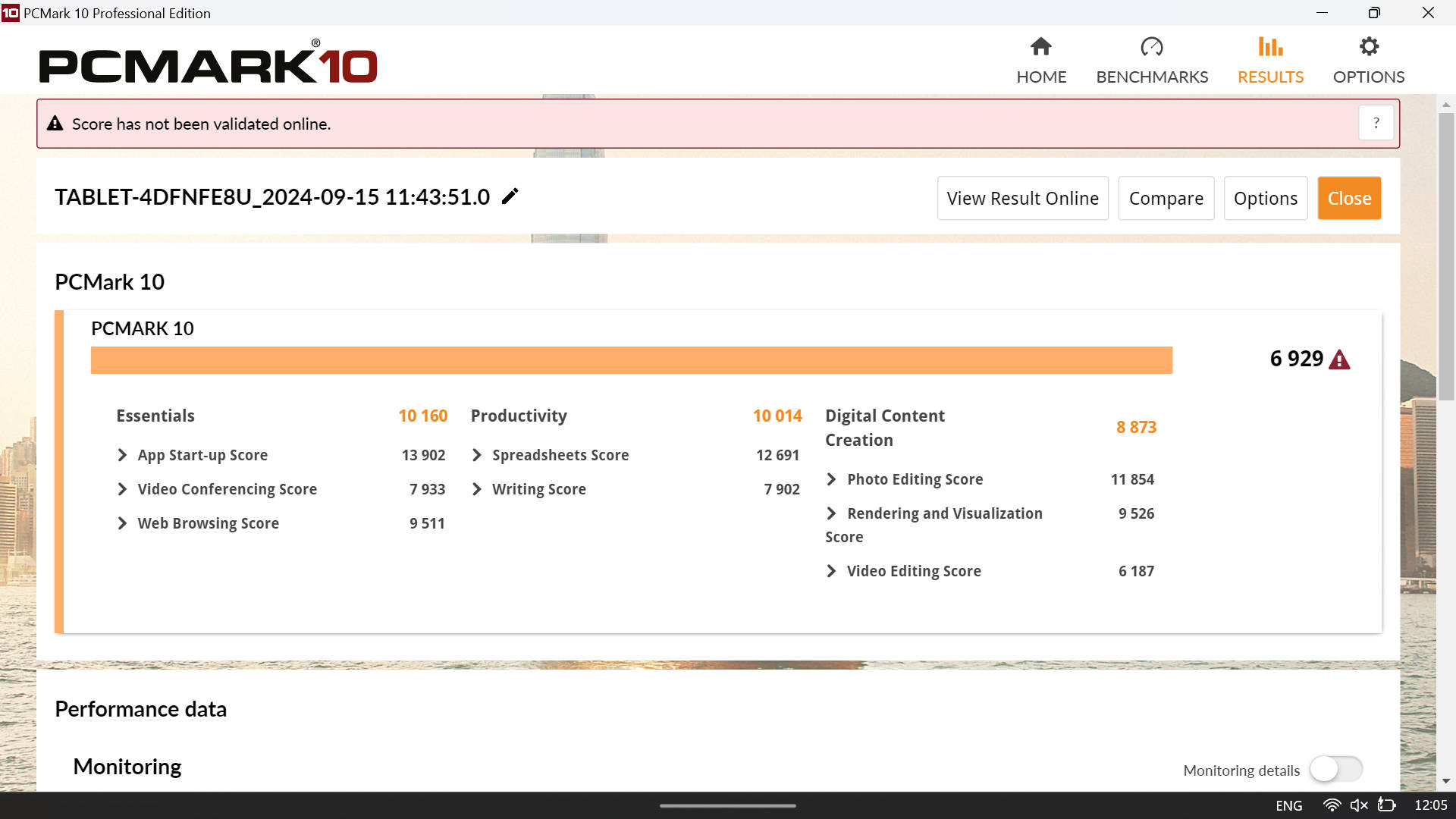
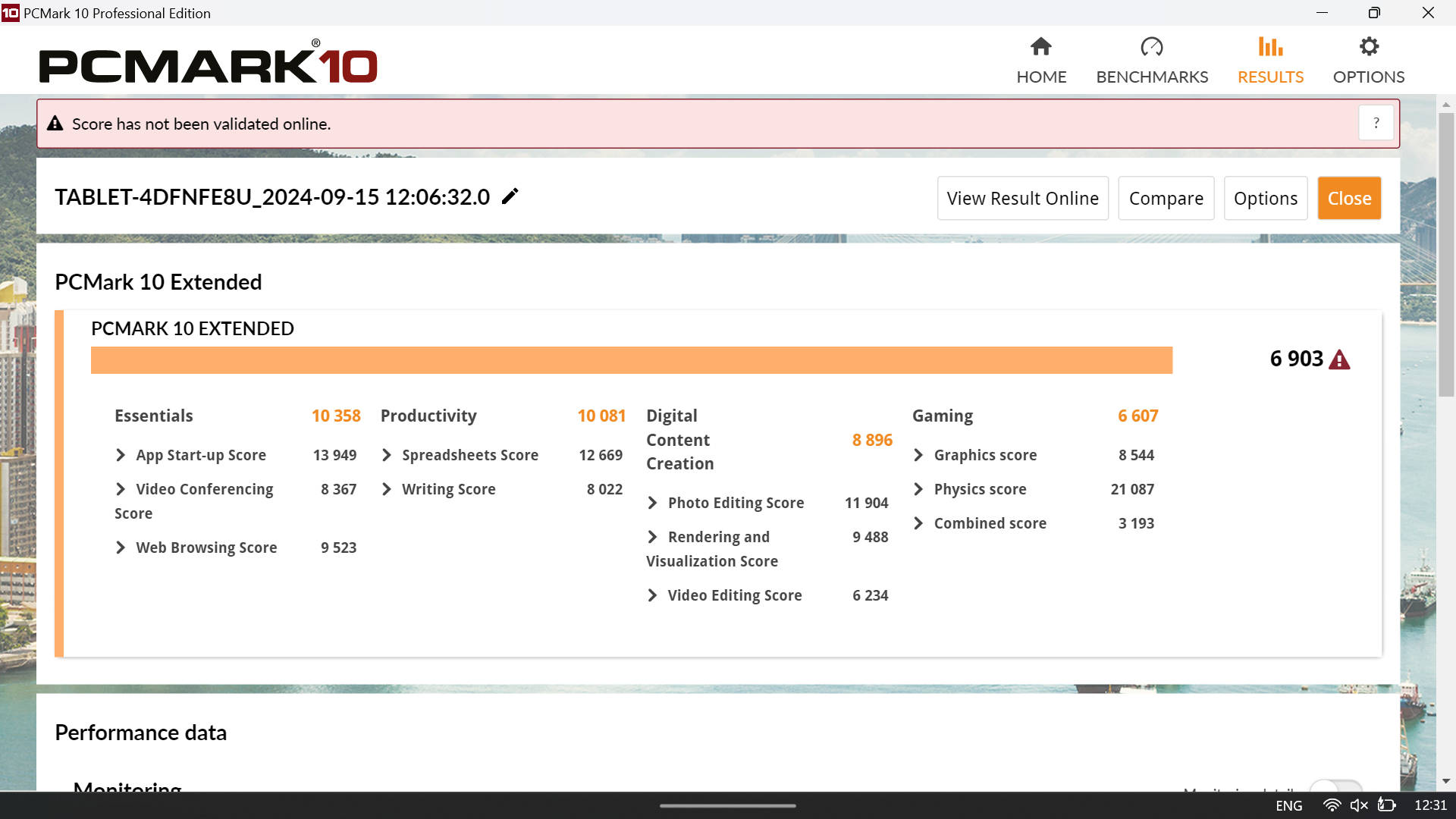
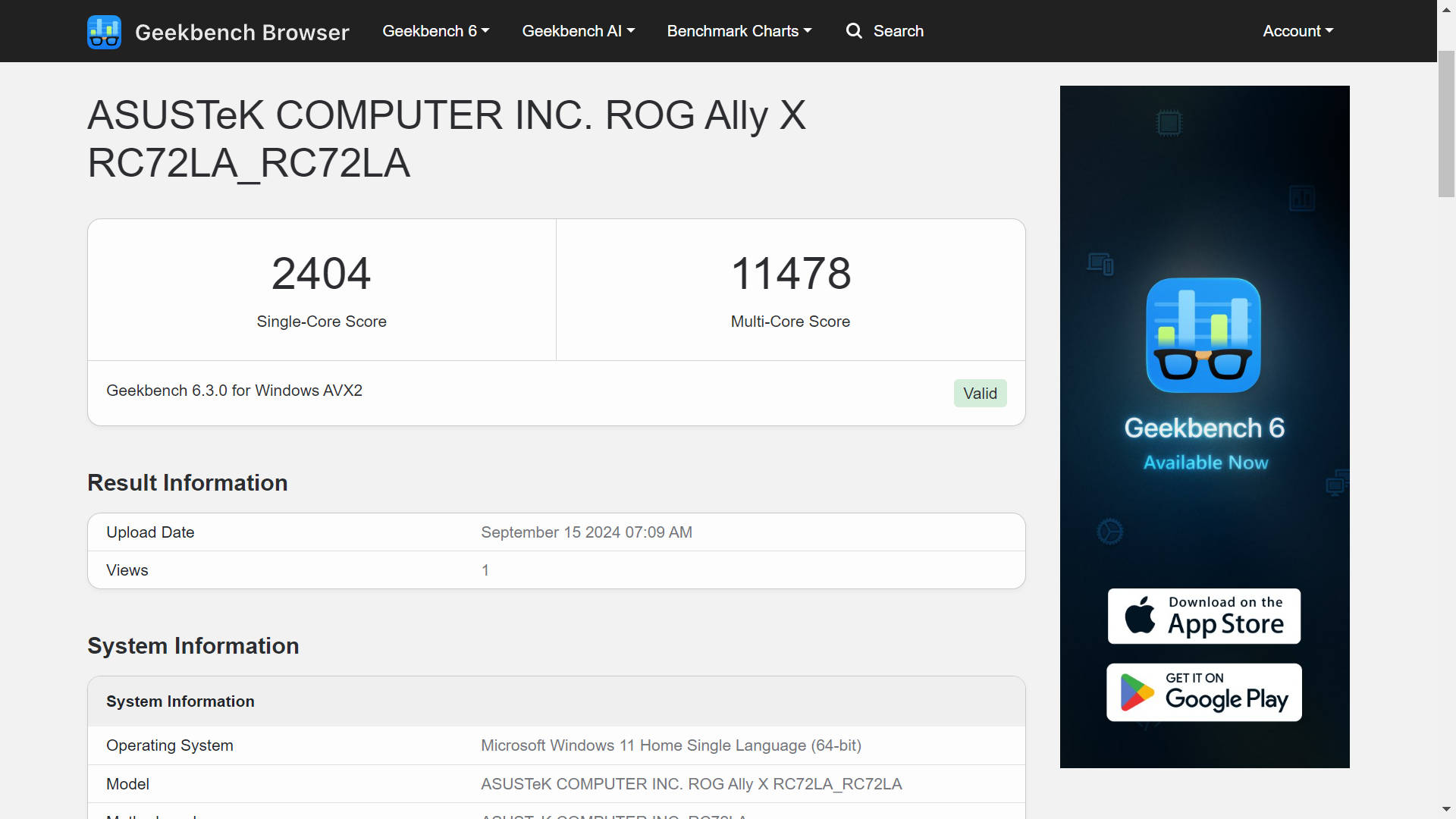
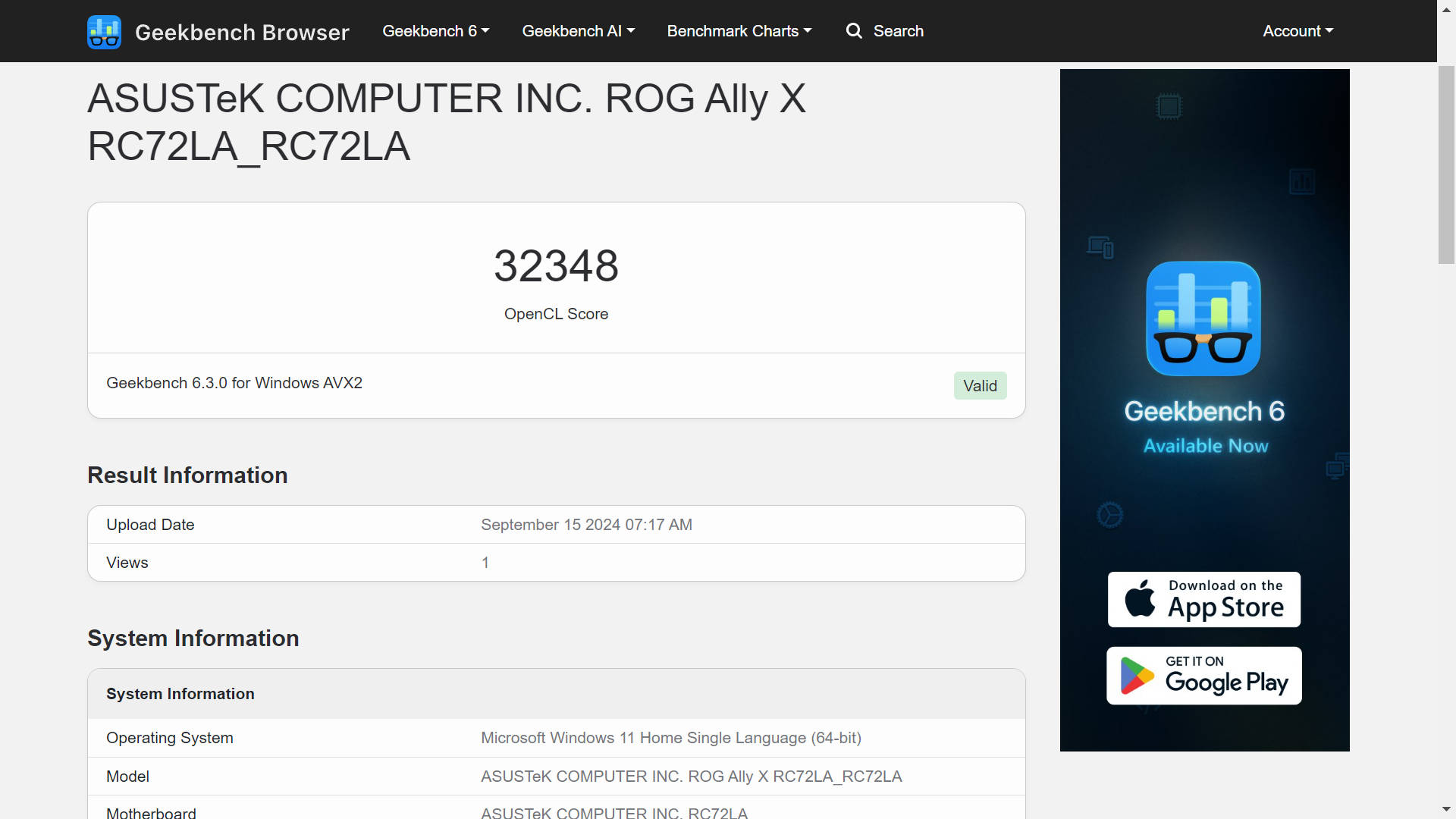
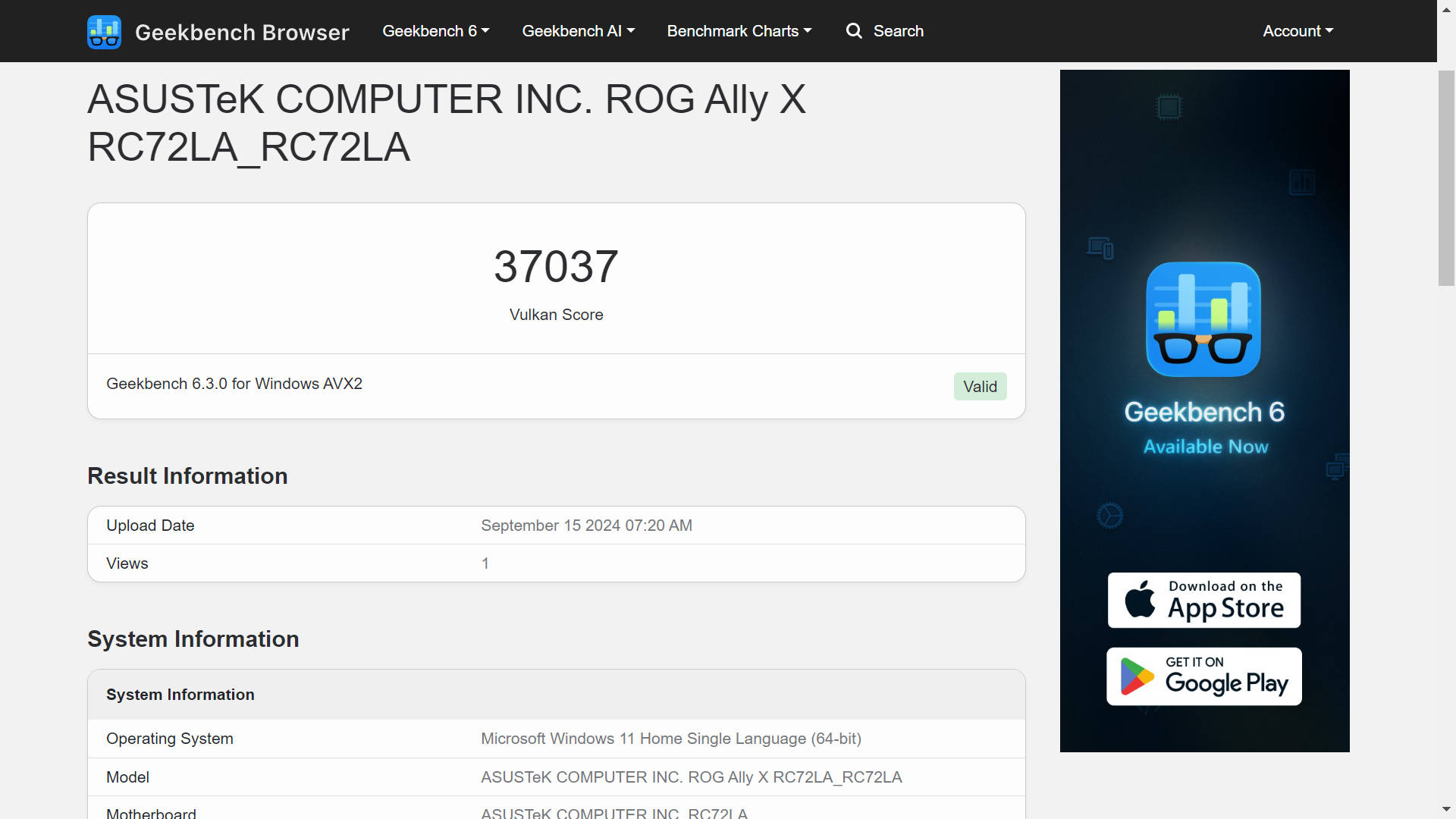


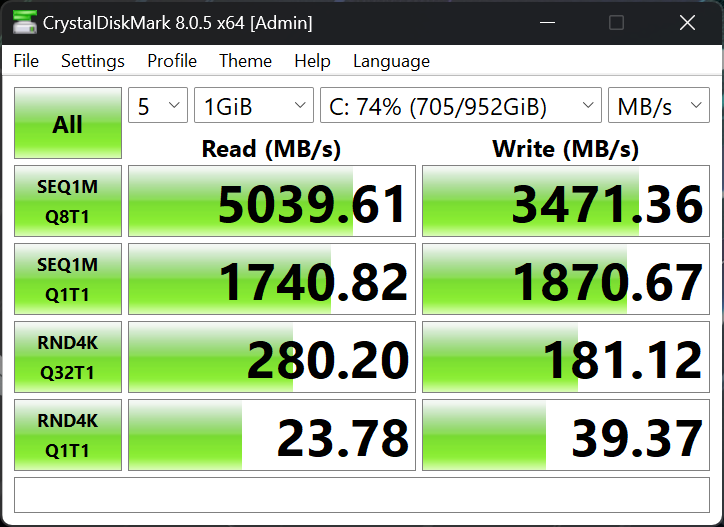
As for the audio performance, the quality seems to be similar to original. It is fairly loud and clear for most games, but I always preferred using headphones. The preinstalled PCIe Gen 4 SSD is fast enough for games and Windows operation with a peak read and write speed of 5,000MBps and 3,500MBps respectively.
Battery life
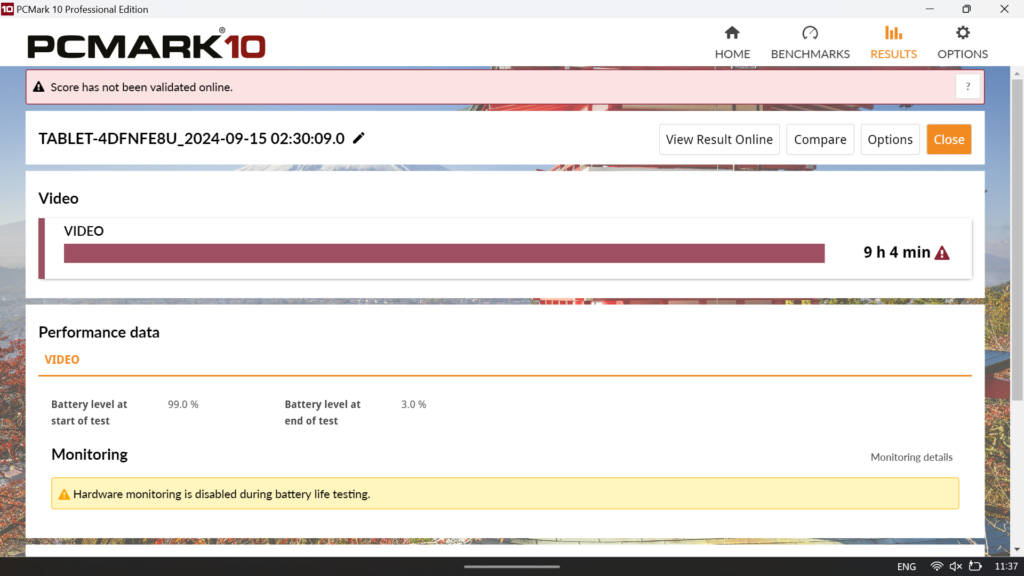
ASUS has packed a huge 80WHr battery, which is larger than most laptops and double the size of the original model’s. The Ally X now has the biggest battery among popular handheld Windows consoles, surpassing the Lenovo Legion Go’s 49.20WHr and the Steam Deck OLED’s 50WHr battery.
This has a huge impact on your gaming sessions as you can play demanding games for 3 hours straight. Playing Spider-Man: Miles Morales for about an hour with Turbo profile enabled, left me with 78% battery, which is pretty impressive. Less resource intensive games should run even longer, as much as 5 or even 6 hours.
Verdict
The ROG Ally X was introduced as a minor refresh to the Ally, but it is much better than the original in every possible way. You get double the battery life, a much more comfortable design, and a small performance uplift.
For the asking price of Rs 89,990, it is considerably expensive than the Ally or even the Steam Deck. In fact, ASUS has dropped the price of the original Ally with the Z1 Extreme CPU down to Rs 40,000. For this reason alone, I would not recommend buying the Ally X if you already own any of the popular AMD Z1 Extreme powered consoles.
Rather the Ally X is more suitable for the ones who have been holding back and saving their money for an all-round champion. If you have the money and want a portable gaming device that can also act as a full-fledged Windows machine, by all means go for it. You are going to love it!
Having said that, handheld consoles still feel very niche to me, especially if you own a gaming desktop, laptop, or even a proper console like the PS5 or Xbox Series X/S. If you do have the urge of owning one, I would advise to may be wait a little longer as AMD’s new Z2 chipset is set to arrive next year and we are also expecting Intel’s new Core Ultra Series 2 mobile CPUs with improved Arc Xe2 graphics to power future handheld consoles.
Editor’s Rating: 7.5 / 10
Pros:
- Great battery life
- Minor boost in gaming performance
- Comfortable design
Cons:
- Expensive
- Display can be better