iOS 27 Public Beta is now available: key features, how to download and more


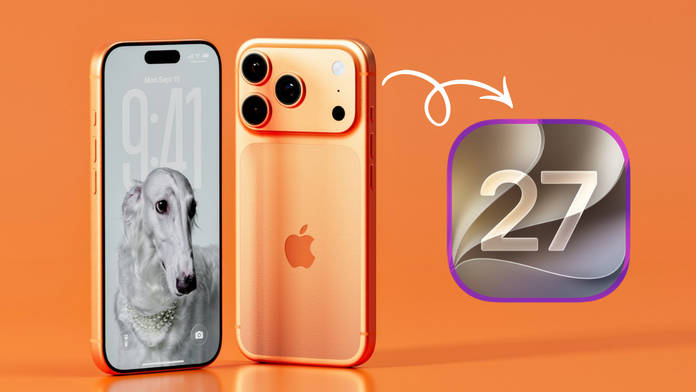
iOS 27 was unveiled to the world back in June during WWDC26. Fast forward to today, three developer beta updates later, iOS 27 Public Beta is now available for everyone to try out, provided you own an eligible iPhone and are ready to take on the risks the beta update may bring. With a brand new Siri, Liquid Glass transparency slider, and tons of stability and performance improvements in tow, iOS 27 appears to be all about refinements and getting back on track.
As for when the stable iOS 27 update will be released, it should arrive in September alongside the next generation of iPhones.
Table of Contents
iOS 27 key features worth knowing
Siri AI – Siri on iOS 27 has been completely revamped. Along with a new design, it now supports natural, conversational interactions, understands context from your screen and personal data (like Messages and Calendar), and can perform complex multi-step tasks across apps.
Expanded Apple Intelligence – Apple Intelligence has been deeply integrated into the system. It improves the already available writing tools, image generation, and context-aware suggestions in Safari, Mail, Notes, and more.


Photos app upgrades – The improved Apple Intelligence improves the Clean Up feature (better object removal and background filling), Spatial Reframing, and Extend (which intelligently expands or crops images).
Performance improvements – One of the key highlights of iOS 27, the entire system feels faster. Animations are quicker, apps launch snappier, AirDrop transfers are faster, and transitions between Wi-Fi and cellular are smoother.
Visual Intelligence – Built directly into the Camera app as a dedicated Siri mode, it makes it easier to analyse objects, get information, or interact with what’s in the camera frame.
Design and customisation – Liquid Glass can now be adjusted to appear more tinted or transparent, then there’s enhanced wallpaper customisation and subtle aesthetic tweaks throughout the OS for a more polished look.
Parental Controls – The update adds stronger tools for parents, including improved “Ask to Browse” permissions and better management of children’s device usage and content access.
Apple’s renewed focus on AI with Siri AI and deeply integrated Apple Intelligence comes at a time when competitors like Google and Samsung are also heavily investing in on-device and cloud-based AI. This may also lock users deeper into its ecosystem once they’ve developed a habit of regularly using AI features in their workflow.
Show Full Article
How to download and install iOS 27 Beta update
Here’s how you can install the iOS 27 Beta on your iPhone:
Step 1: Go ahead and open any browser and visit beta.apple.com
Step 2: Then, Sign in with your Apple ID
Step 3: Once done, you’ll have to sign up for the iOS 27 public beta. To do this, ‘Under Get Started’, select Enroll your iOS device
Step 4: Now on your iPhone, go to the Settings app > General > Software Update
> Beta Updates. Choose iOS 27 Public Beta
Step 5: Now go to the Software Update section within the General menu
Step 6: The iOS 27 public beta update should pop up. Simply tap ‘Download and Install’, and you’re good to go
Note: Since this is a beta update, we strongly advise you to refrain from downloading on your primary iPhone unless you’re on board to face bugs or glitches that may come your way. Secondly, make sure to take a full backup of your device to be on the safer side.
iPhones eligible for iOS 27
The list of iPhones eligible for iOS 27 includes:
- iPhone 17, iPhone 17 Pro, iPhone 17 Pro Max, iPhone 17e, iPhone Air
- iPhone 16e, iPhone 16, iPhone 16 Plus, iPhone 16 Pro, iPhone 16 Pro Max
- iPhone 15, iPhone 15 Plus, iPhone 15 Pro, iPhone 15 Pro Max
- iPhone 14, iPhone 14 Plus, iPhone 14 Pro, iPhone 14 Pro Max
- iPhone 13, iPhone 13 mini, iPhone 13 Pro, iPhone 13 Pro Max
- iPhone 12, iPhone 12 mini, iPhone 12 Pro, iPhone 12 Pro Max
- iPhone 11, iPhone 11 Pro, iPhone 11 Pro Max
- iPhone SE (2020), iPhone SE (2022)
From what’s on offer, iOS 27 may not be a major update, but it might be one of the most important ones in recent years. It brings meaningful additions, such as improving the speed and performance of the overall UI; Apple Intelligence is finally showing its true potential, while Siri is now more capable than ever before.

