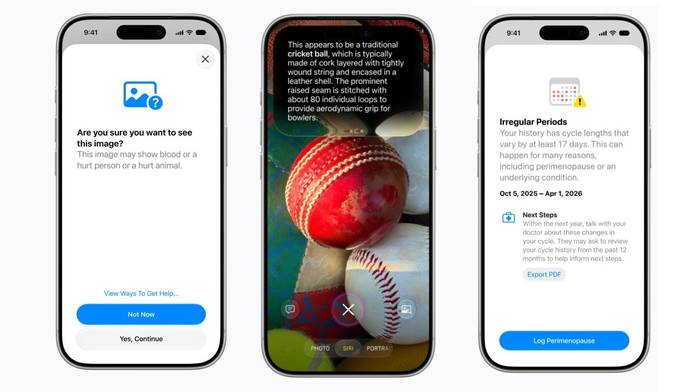
Apple has officially introduced its next-gen operating system for iPhones, iOS 27, at its WWDC (Worldwide Developer Conference) 2026. The OS replaces the existing iOS 26 with refinements and improvements that many had been waiting for. The major iOS 27 upgrade includes a slider to adjust the transparency of Liquid Glass, a refined Siri AI assistant, 30 percent quicker response time of the apps, up to 80 percent faster transfer speeds of AirDrop, and more.
Table of Contents
iOS 27 rollout timeline and eligible devices
Apple has started rolling out iOS 27 as a developer beta to all eligible devices. The version is likely to be highly unstable, so we would advise you not to install it on your primary smartphone. The public betas will follow in July, with stable versions expected to start rolling out by mid-September.
The list of eligible iOS 27 devices includes:
- iPhone Air, iPhone 17e, iPhone 17, iPhone 17 Pro, iPhone 17 Pro Max
- iPhone 16e, iPhone 16, iPhone 16 Plus, iPhone 16 Pro, iPhone 16 Pro Max
- iPhone 15, iPhone 15 Plus, iPhone 15 Pro, iPhone 15 Pro Max
- iPhone 14, iPhone 14 Plus, iPhone 14 Pro, iPhone 14 Pro Max
- iPhone 13, iPhone 13 mini, iPhone 13 Pro, iPhone 13 Pro Max
- iPhone 12, iPhone 12 mini, iPhone 12 Pro, iPhone 12 Pro Max
- iPhone 11, iPhone 11 Pro, iPhone 11 Pro Max
- iPhone SE (2020), iPhone SE (2022)
While all of these iPhones will receive the latest iOS 27 update, only models with compatible hardware will support Siri AI and other advanced intelligence features. These capabilities are available on the iPhone 15 Pro series and newer models.
iOS 27 features
Improved responsiveness, customisable Liquid Glass
iOS 27 builds on the foundation laid by iOS 26, introducing new features and refinements to further enhance the user experience. One of the notable additions is greater customisation for the Liquid Glass design language, allowing users to adjust its transparency using a dedicated opacity slider. Previously, users could only reduce the effect by enabling the “Reduce Transparency” accessibility setting or adapting it through system appearance settings, but they did not have granular control over the opacity level itself.
The iOS 27 is also said to improve overall system responsiveness. Per Apple, the OS can load photos up to 70 percent faster and apps up to 30 percent quicker than iOS 26. Furthermore, AirDrop transfers are reportedly up to 80 percent faster than ever before, while users can also expect smoother switching between Wi-Fi and cellular networks. An optimised CPU scheduler is said to further enhance performance on supported devices.
New Siri AI assistant
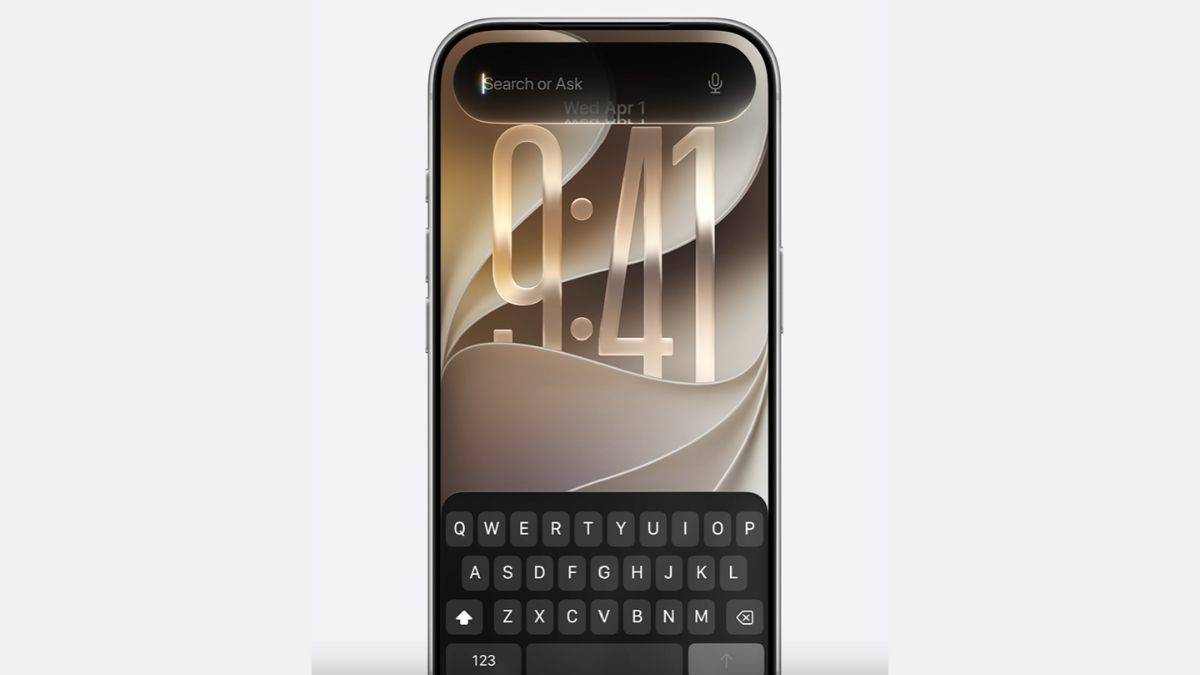
One of the most anticipated additions in iOS 27 is the revamped Siri experience. Apple has transformed Siri into a standalone app, moving beyond its traditional role as a voice assistant. The new app can retain previous conversations and offer more contextual assistance across the operating system, addressing one of the biggest limitations of Siri in earlier versions.
Apple says the upgraded experience is powered by a combination of its in-house Foundation Models and Google’s Gemini AI models. The deeper integration enables Siri to better understand user intent, maintain context across interactions, and assist with a wider range of tasks. Additionally, users can personalise Siri’s voice by adjusting its pitch, speed, tone, and accent.
Apple Intelligence, Camera app, and other upgrades
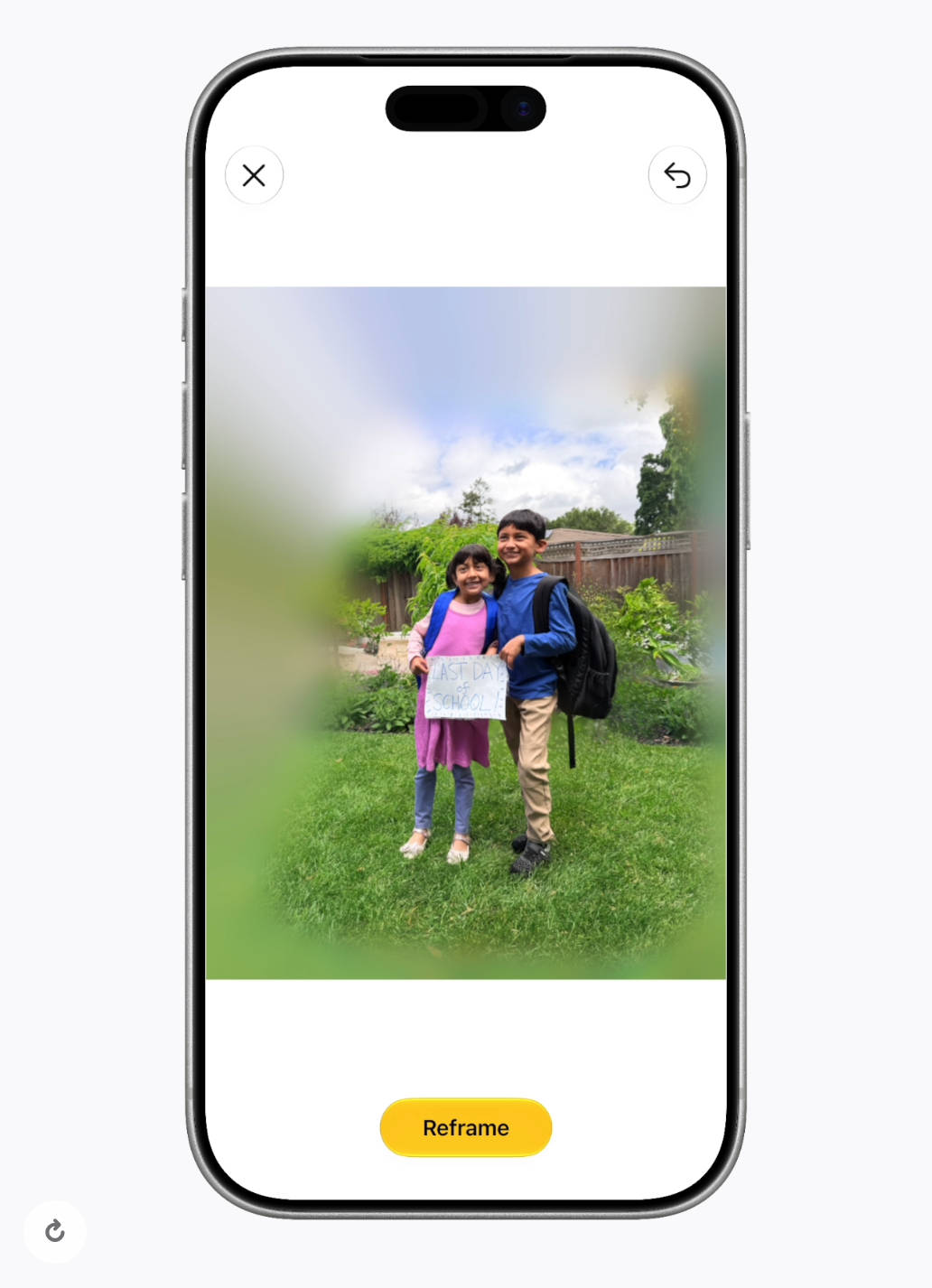
Apple Intelligence features are integrated across several first-party apps, including Safari, Photos, Wallet, and Shortcuts. Users can perform tasks using natural language commands, receive contextual suggestions, and access new AI-powered image editing tools. The Photos app gains features such as Spatial Reframing, image extension, and prompt-based photo editing.
The Camera app is also getting a new Siri-powered visual search mode. While iPhone 16 models already offer Visual Intelligence via the Camera Control button, the new implementation brings similar functionality to older supported devices, including the iPhone 15 Pro and iPhone 15 Pro Max.
Elsewhere, Safari can automatically group tabs based on topics and notify users when a tracked website is updated with new information, such as price changes or product availability. The Phone app can surface relevant information from the Mail app while placing calls to businesses using a new Call Context feature. Meanwhile, Messages and Mail can suggest actions such as creating reminders or notes directly from incoming messages.
More parental controls
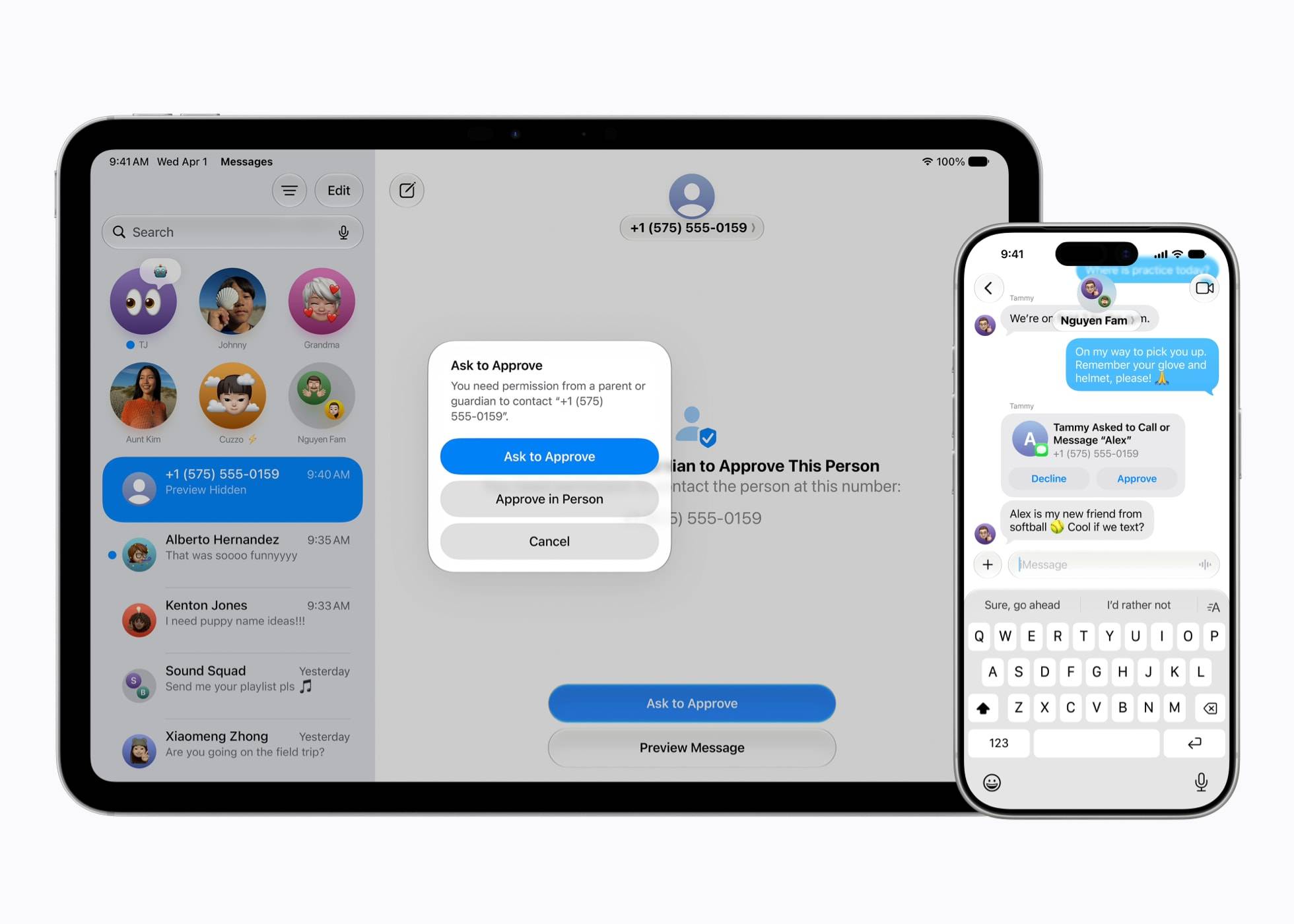
Apple is also expanding parental controls with new features such as Time Allowances, Schedules, and Ask to Browse, which allows parents to approve access to new websites. These additions will be available across Apple’s ecosystem, including iOS 27, iPadOS 27, and macOS 27.
Quality-of-life improvements
Improve spotlight and system-wide search performance through a new indexing system. Ability to share iCloud Albums with Android and Windows users, while Shared Albums gain improved filtering options for photos and videos.
AirPods users will now be able to customise sound with EQ settings, while Apple Maps is being updated with richer Flyover imagery. The company has additionally improved AirPlay performance, promising faster connections with Apple TV and HomePod devices.
The Wallet app receives a new “Create a Pass” feature that can convert physical passes into digital ones. Apple is also adding a bill-splitting tool that can scan receipts, assign expenses to different people, and generate Apple Cash payment requests. Health is another area seeing updates, with Apple introducing more advanced cycle tracking features and laying the groundwork for AI-powered wellness recommendations and nutritional tracking tools.
Bottomline
The iOS 27 is not the dramatic overhaul that iOS 26 was, but it brings a host of meaningful refinements that improve the overall iPhone experience. From a more customisable Liquid Glass interface and faster system performance to a significantly upgraded Siri powered by Apple Intelligence, the update focuses on making everyday interactions smoother and more intuitive.
While the most advanced AI capabilities remain limited to newer iPhone models, iOS 27 still delivers enough quality-of-life upgrades to make it a worthwhile update for eligible users.