
Motorola Edge 60 Stylus
+ Compare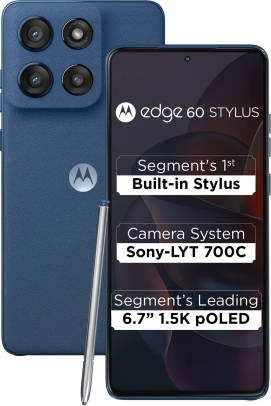








-
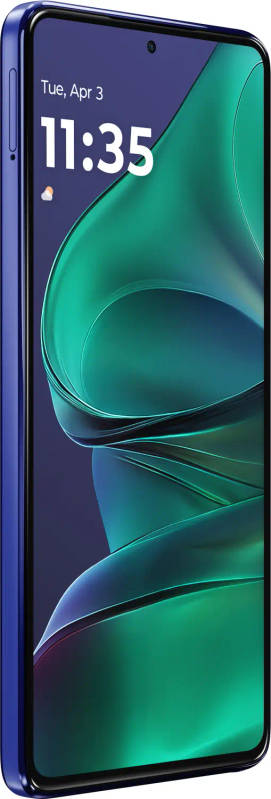
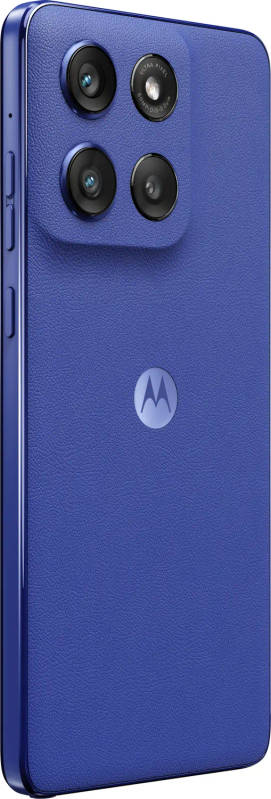
Design27

-
Rear Camera15

-
Front Camera4

-
360° View
![360° View]()
-
UI Screenshot17
![UI Screenshot]()
-
Videos2
![Videos]()


Key Specs
Performance
-
Qualcomm Snapdragon 7s Gen 2 -
Octa core (2.4 GHz, Quad Core + 1.8 GHz, Quad core) -
8 GB RAM, LPDDR4X
Display
-
6.7 inches (17.02 cm); P-OLED -
1220x2712 px (FHD+) -
120 Hz Refresh Rate -
Gorilla Glass 3 Protection -
Bezel-less with punch-hole display
Rear Camera
-
Triple Camera Setup - 50 MP Wide Angle Primary Camera
- 13 MP Ultra-Wide Angle Camera
-
LED Flash -
4k @30 fps Video Recording
Front Camera
-
32 MP Wide Angle Lens -
4k @30 fps Video Recording
Battery
-
5000 mAh -
68W Turbo Power Charging; USB Type-C port
General
-
SIM1: Nano, SIM2: eSIM -
5G Supported -
256 GB Storage, Expandable upto 1 TB -
Dust Resistant, Water Resistant
Motorola Edge 60 Stylus Prices in India
 Amazon
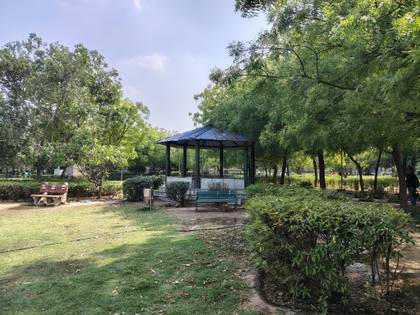
Motorola Edge 60 Stylus Compare Camera Samples




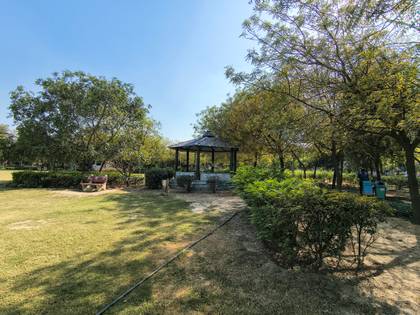












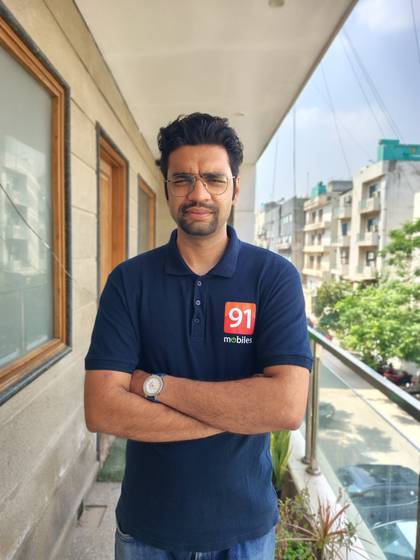











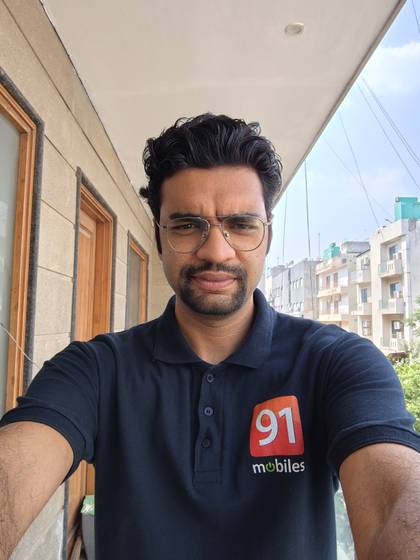
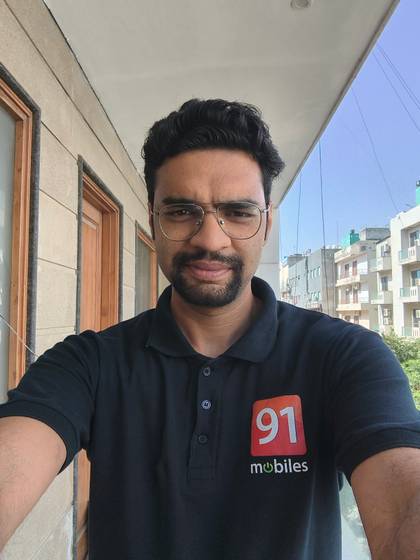
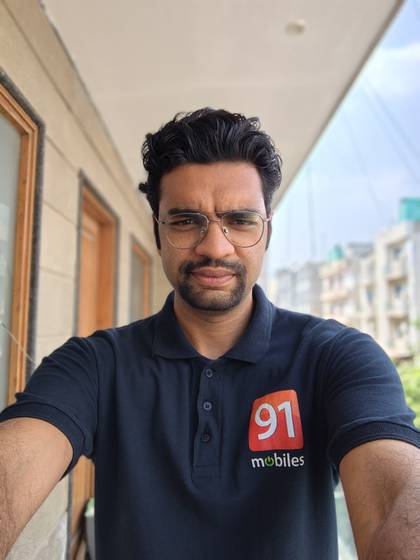


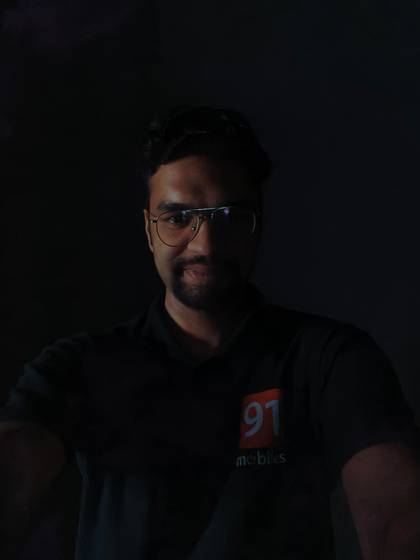


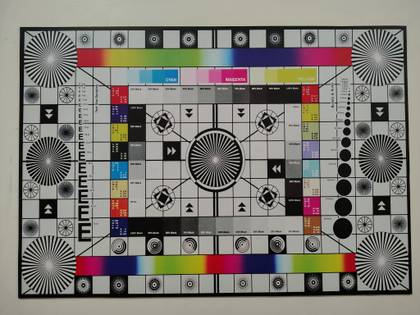
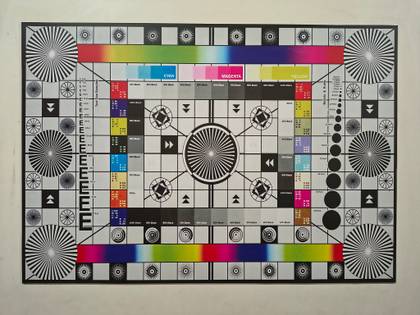
Motorola Edge 60 Stylus Expert Review Summary

Expert Rating:
![Abhik Sengupta]()
Verdict
The Edge 60 Stylus stands out as one of the best choices for productivity users in the sub-Rs 25K segment. Whether it is AI, display quality or cameras, Motorola's latest offering covers all the essentials. What truly sets this apart is the bundled stylus, a feature previously seen only on Samsung's `Ultra` smartphones. While the implementation is not flawless, Motorola has raised the bar by making stylus support accessible at this price point.
Pros
- Slim and durable design
- Vibrant display
- Practical AI features
- Fast charging
Cons
- Palm rejection with stylus use needs improvement
- Low-light photography
Design and display
+
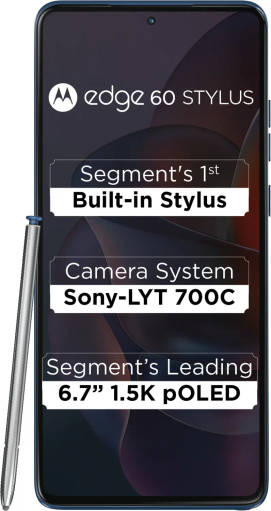
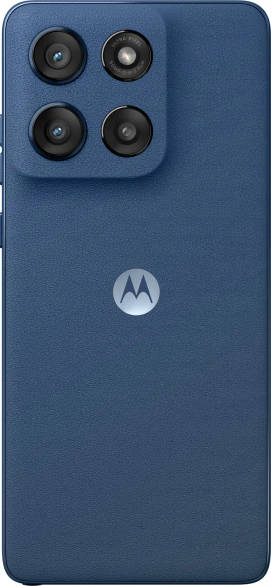
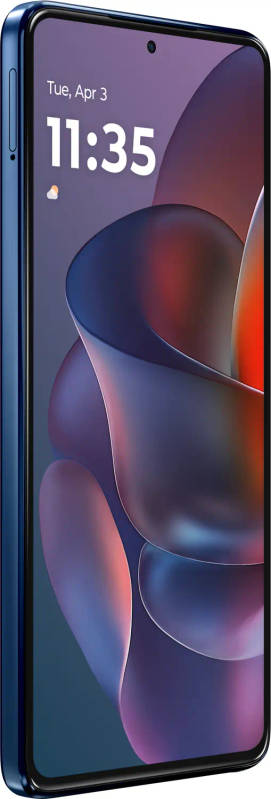
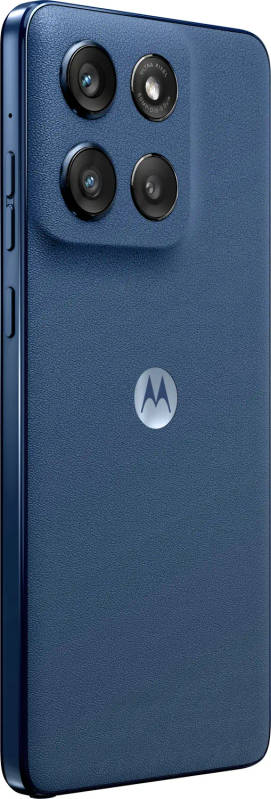
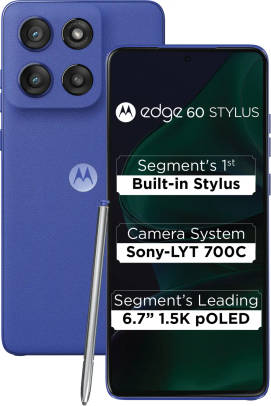
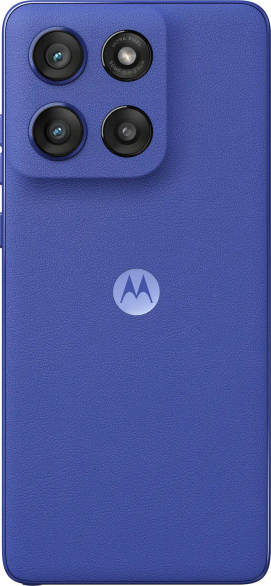
Despite housing a fairly tall stylus, the Edge 60 Stylus boasts a considerably slim design, measuring only 8.29mm thick. Motorola deserves credit for keeping the weight in check, as the phone does not feel like a brick in your pocket. Unlike the previous Motorola smartphones equipped with a stylus, the latest iteration looks and feels similar to the latest Edge 60 Fusion (review) and Edge 60 Pro with a vegan leather back and Pantone-validated colour.I reviewed the "Pantone Surf the Web" variant, which features a striking bright blue finish. My favourite is the "Pantone Gibraltar Sea" option, which uses the same blue base but with a deeper contrast. I wish Motorola had considered offering a classic white or black variant, which would've looked great with the leather finish and the bundled stylus.Speaking of the stylus, it sports a metallic grey finish that feels reasonably durable, considering its slim profile and lightweight design. The metal body offers a solid, premium feel, though getting accustomed to its contours and flat surface might take some time. The tip features a mesh cover instead of hard plastic, which is a thoughtful addition that slightly improves its longevity. During my review, the mesh didn't leave any scratches on the screen, but I'd still recommend using it carefully and avoiding too much pressure.Like the Motorola Edge 60 Fusion, the Edge 60 Stylus skips the protective case in the box. Future devices in the Edge lineup will likely continue this trend, though Motorola has significantly improved its phones' durability this year. The Edge 60 Stylus has flagship-grade IP68 and MIL-STD-810H certifications to ensure protection against dust, water, and accidental bumps. However, customising your phone with trendy covers can be challenging, given the limited options available online.While the body gets superior durability, the screen has a standard Corning Gorilla Glass 3 protection. Sadly, there's no pre-applied film or screen guard; therefore, you have to spend a little extra for third-party solutions. There are rarely any complaints about Motorola's screen quality, and the Edge 60 Stylus' 6.67-inch pOLED 2.5D display offers a fantastic viewing experience. With 1.5K resolution (2,712 x 1,220 pixels), 120Hz refresh rate support, and 10bit colours with HDR support, the image quality is punchy and vibrant, at least indoors.Notably, the Edge 60 Stylus also offers a headphone jack, which many users, myself included, appreciate for content viewing. I would've preferred the bezels a tad slimmer, though it's not a dealbreaker. Based on our lab test, the Edge 60 Stylus recorded the highest audio output at 79.7 decibels, a little shy of the segment average of 81.6 decibels.
Read More
Cameras
+
Motorola's main focus with the Edge 60 Stylus is productivity, combining a clean Android interface, AI features, and stylus support. Notably, the company hasn't made any major compromises in the camera department, with specifications identical to the recently launched Edge 60 Fusion.That means the rear panel houses a 50MP OIS-enabled primary sensor and a 13MP ultra-wide lens that doubles as a macro shooter. The squarish module also houses an additional "3-in-1 Light sensor (Ambient light + Flicker reduction + RGB Sensor)", which theoretically improves the video performance. The fourth cutout includes the LED flash. On the front, there's a 32MP camera that is capable of recording videos at 4K 30FPS.In our detailed comparison with the Edge 60 Fusion, the Edge 60 Stylus handled exposure more effectively with its primary camera, both in daylight and low-light conditions. Otherwise, both smartphones deliver almost identical results in terms of colour science, detail, and focal length. That means the Edge 60 Stylus continues to prioritise punchy colours and deep shadows. Portrait shots can struggle with accurate skin tones, though the images still look visually appealing. The same holds true for the selfie camera.I was equally satisfied with the video performance, even though the phone occasionally struggles with contrast. The Edge 60 Stylus can capture stable footage even at 4K 60FPS. The front camera's video performance is also decent at its highest settings.Meanwhile, we also clicked comparison shots with Edge 60 Stylus, Nothing Phone 3a, and POCO X7 Pro. Here's how the three smartphones fared against each other.DaylightWe took this shot simultaneously with all three smartphones. Moto's daylight shot stands out with a cool tone and prominent shadows. The Phone 3a, on the other hand, prioritises natural tones and is closer to reality. Notably, the Edge 60 Stylus captures more detail, especially if you look at the signs in the background.The POCO X7 Pro's output is more vibrant than the rest. However, its image doesn't lose aesthetic appeal, and the level of detail is on par with the Edge 60 Stylus.Ultra-wideThere's a slight inconsistency between the Nothing Phone 3a's daylight and ultra-wide shots, though the difference isn't significant. The Edge 60 Stylus maintains consistent colour science across different lenses in the same lighting conditions.That said, the Edge 60 Stylus' ultra-wide shot still leans toward a cool tone. I found the distortion around the edges to be minimal in Moto's image. However, the Phone 3a has a slight edge in detail.POCO's daylight and ultra-wide shots also show noticeable differences in colour science. Additionally, its ultra-wide image has a strong red tone across the building. The X7 Pro also lags behind the Edge 60 Stylus in detail.PortraitAs mentioned, the Edge 60 Stylus brightens skin tones, though its images still look aesthetically pleasing. The Phone 3a, on the other hand, remains the top performer in the segment for accurate skin tone detection. Otherwise, both smartphones capture similar facial detail.However, I found the POCO X7 Pro's portrait shot the best of the three. While its skin tone isn't entirely accurate, the image offers a pleasing finish in terms of colour and detail. Moreover, the X7 Pro excels at edge detection, and its rich bokeh effect makes the image more social media-ready.SelfieI noticed similar colour science in the selfies. The Phone 3a struggled slightly with exposure, and there's a noticeable red tint across the subject's face. Otherwise, it balances detail well between the foreground and background.The POCO X7 Pro's selfie is decent but looks flat compared to its rivals.Low-light (night mode enabled)Motorola's boosted colour approach didn't perform well in low-light conditions, even with night mode enabled. By comparison, Phone 3a's shot is noticeably brighter and more pleasing, though not perfect.The POCO X7 Pro's image looks over-processed-but in a good way. I also found its image the most social media-ready. In terms of detail, it's on par with the Edge 60 Stylus' low-light shot.
Read More
Performance and software
+
While the Edge 60 Fusion uses a MediaTek chipset, the Edge 60 Stylus features Qualcomm's Snapdragon 7s Gen 2 SoC paired with 8GB of RAM. Motorola has also been thoughtful by offering 256GB of storage for the base variant, although it utilises UFS 2.2 technology. As we've seen in the past, the older storage type isn't necessarily a problem on Motorola devices, as the company optimises the hardware well enough to ensure smooth performance. Based on CPDT memory tests, the Edge 60 Stylus achieves 30.84MBps random write speeds and 25.15MBps random read speed - well above the segment average of 25.9MBps write and 20.7MBps read.However, in other benchmarks, the Edge 60 Stylus achieves modest scores. In my daily usage, I didn't experience any app crashes, though there were occasional stutters, especially during booting and heavy multitasking. In all fairness, these didn't hamper my daily work.Otherwise, Motorola's software experience remains among the best across any segment, and tools like Moto Connect remain my favourite for seamless connectivity between the smartphone and any Windows PC. Cellular connectivity is also top-notch, as Motorola continues to offer support for 11 crucial 5G bands-more than most rivals at this price point.Gaming performance is decent, if not the best, though rivals like the iQOO Z10 and Vivo T4 are raising the bar. The good news is that I didn't encounter any heating issues, even after long gaming sessions. Unfortunately, we couldn't run the CPU throttle performance as our go-to Burnout app kept crashing.This year, a standout across Motorola smartphones is the addition of AI-backed features through the Moto AI suite. We've already covered these in detail in our Edge 60 Fusion review, but Motorola deserves credit for integrating genuinely useful tools that enhance productivity. In my daily usage, the "Catch Me Up" tool for de-cluttering notifications and "Remember This" for quick notes became indispensable. You'll also benefit from features like Google's Gemini Live and Circle to Search, available with the Android 15 update.
Read More
Stylus
+
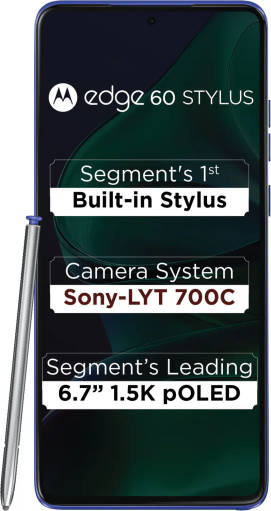
To further boost productivity, Motorola's bundled stylus is one of the best additions this year - especially in a segment where it's increasingly critical for OEMs to stand out with unique features. The stylus makes it effortless to take quick notes, though AI integration with handwritten input still has room for refinement.Motorola has done a great job on the software side too. As soon as you pop out the stylus, you're presented with a range of options. Beyond the standard note-taking pad, there are additional tools (see image below) that prove useful in various scenarios. Stylus-to-screen latency is well optimised, although I'd have preferred more paper-like experience, something Samsung nails with its premium "Ultra" smartphones.Overall, it's a strong addition, though there's room for improvement. For instance, palm rejection isn't fully reliable yet, and hopefully, a future OS update can fine-tune the experience.
Read More
Battery and charging
+
Apart from the stylus, what's equally impressive about the build is that the Edge 60 Stylus carries a standard 5,000mAh battery (no compromises there). The phone is capable of offering reliable standby time and with moderate usage, I got almost a full-day battery.During our 90-minute gaming session, the battery dropped by 7 percent (average), which is a decent mark if not the best.Its charging speed also remains among the best in the segment, thanks to the 68W input support. With the bundled charger, it took only 35 minutes to go from 20 to 100 percent.
Read More
Read full Review

Verdict
The Edge 60 Stylus stands out as one of the best choices for productivity users in the sub-Rs 25K segment. Whether it is AI, display quality or cameras, Motorola's latest offering covers all the essentials. What truly sets this apart is the bundled stylus, a feature previously seen only on Samsung's `Ultra` smartphones. While the implementation is not flawless, Motorola has raised the bar by making stylus support accessible at this price point.
- Slim and durable design
- Vibrant display
- Practical AI features
- Fast charging
Pros
- Palm rejection with stylus use needs improvement
- Low-light photography
Cons
Design and display
+Despite housing a fairly tall stylus, the Edge 60 Stylus boasts a considerably slim design, measuring only 8.29mm thick. Motorola deserves credit for keeping the weight in check, as the phone does not feel like a brick in your pocket. Unlike the previous Motorola smartphones equipped with a stylus, the latest iteration looks and feels similar to the latest Edge 60 Fusion (review) and Edge 60 Pro with a vegan leather back and Pantone-validated colour.I reviewed the "Pantone Surf the Web" variant, which features a striking bright blue finish. My favourite is the "Pantone Gibraltar Sea" option, which uses the same blue base but with a deeper contrast. I wish Motorola had considered offering a classic white or black variant, which would've looked great with the leather finish and the bundled stylus.Speaking of the stylus, it sports a metallic grey finish that feels reasonably durable, considering its slim profile and lightweight design. The metal body offers a solid, premium feel, though getting accustomed to its contours and flat surface might take some time. The tip features a mesh cover instead of hard plastic, which is a thoughtful addition that slightly improves its longevity. During my review, the mesh didn't leave any scratches on the screen, but I'd still recommend using it carefully and avoiding too much pressure.Like the Motorola Edge 60 Fusion, the Edge 60 Stylus skips the protective case in the box. Future devices in the Edge lineup will likely continue this trend, though Motorola has significantly improved its phones' durability this year. The Edge 60 Stylus has flagship-grade IP68 and MIL-STD-810H certifications to ensure protection against dust, water, and accidental bumps. However, customising your phone with trendy covers can be challenging, given the limited options available online.While the body gets superior durability, the screen has a standard Corning Gorilla Glass 3 protection. Sadly, there's no pre-applied film or screen guard; therefore, you have to spend a little extra for third-party solutions. There are rarely any complaints about Motorola's screen quality, and the Edge 60 Stylus' 6.67-inch pOLED 2.5D display offers a fantastic viewing experience. With 1.5K resolution (2,712 x 1,220 pixels), 120Hz refresh rate support, and 10bit colours with HDR support, the image quality is punchy and vibrant, at least indoors.Notably, the Edge 60 Stylus also offers a headphone jack, which many users, myself included, appreciate for content viewing. I would've preferred the bezels a tad slimmer, though it's not a dealbreaker. Based on our lab test, the Edge 60 Stylus recorded the highest audio output at 79.7 decibels, a little shy of the segment average of 81.6 decibels.
Read MoreCameras
+Motorola's main focus with the Edge 60 Stylus is productivity, combining a clean Android interface, AI features, and stylus support. Notably, the company hasn't made any major compromises in the camera department, with specifications identical to the recently launched Edge 60 Fusion.That means the rear panel houses a 50MP OIS-enabled primary sensor and a 13MP ultra-wide lens that doubles as a macro shooter. The squarish module also houses an additional "3-in-1 Light sensor (Ambient light + Flicker reduction + RGB Sensor)", which theoretically improves the video performance. The fourth cutout includes the LED flash. On the front, there's a 32MP camera that is capable of recording videos at 4K 30FPS.In our detailed comparison with the Edge 60 Fusion, the Edge 60 Stylus handled exposure more effectively with its primary camera, both in daylight and low-light conditions. Otherwise, both smartphones deliver almost identical results in terms of colour science, detail, and focal length. That means the Edge 60 Stylus continues to prioritise punchy colours and deep shadows. Portrait shots can struggle with accurate skin tones, though the images still look visually appealing. The same holds true for the selfie camera.I was equally satisfied with the video performance, even though the phone occasionally struggles with contrast. The Edge 60 Stylus can capture stable footage even at 4K 60FPS. The front camera's video performance is also decent at its highest settings.Meanwhile, we also clicked comparison shots with Edge 60 Stylus, Nothing Phone 3a, and POCO X7 Pro. Here's how the three smartphones fared against each other.DaylightWe took this shot simultaneously with all three smartphones. Moto's daylight shot stands out with a cool tone and prominent shadows. The Phone 3a, on the other hand, prioritises natural tones and is closer to reality. Notably, the Edge 60 Stylus captures more detail, especially if you look at the signs in the background.The POCO X7 Pro's output is more vibrant than the rest. However, its image doesn't lose aesthetic appeal, and the level of detail is on par with the Edge 60 Stylus.Ultra-wideThere's a slight inconsistency between the Nothing Phone 3a's daylight and ultra-wide shots, though the difference isn't significant. The Edge 60 Stylus maintains consistent colour science across different lenses in the same lighting conditions.That said, the Edge 60 Stylus' ultra-wide shot still leans toward a cool tone. I found the distortion around the edges to be minimal in Moto's image. However, the Phone 3a has a slight edge in detail.POCO's daylight and ultra-wide shots also show noticeable differences in colour science. Additionally, its ultra-wide image has a strong red tone across the building. The X7 Pro also lags behind the Edge 60 Stylus in detail.PortraitAs mentioned, the Edge 60 Stylus brightens skin tones, though its images still look aesthetically pleasing. The Phone 3a, on the other hand, remains the top performer in the segment for accurate skin tone detection. Otherwise, both smartphones capture similar facial detail.However, I found the POCO X7 Pro's portrait shot the best of the three. While its skin tone isn't entirely accurate, the image offers a pleasing finish in terms of colour and detail. Moreover, the X7 Pro excels at edge detection, and its rich bokeh effect makes the image more social media-ready.SelfieI noticed similar colour science in the selfies. The Phone 3a struggled slightly with exposure, and there's a noticeable red tint across the subject's face. Otherwise, it balances detail well between the foreground and background.The POCO X7 Pro's selfie is decent but looks flat compared to its rivals.Low-light (night mode enabled)Motorola's boosted colour approach didn't perform well in low-light conditions, even with night mode enabled. By comparison, Phone 3a's shot is noticeably brighter and more pleasing, though not perfect.The POCO X7 Pro's image looks over-processed-but in a good way. I also found its image the most social media-ready. In terms of detail, it's on par with the Edge 60 Stylus' low-light shot.
Read MorePerformance and software
+While the Edge 60 Fusion uses a MediaTek chipset, the Edge 60 Stylus features Qualcomm's Snapdragon 7s Gen 2 SoC paired with 8GB of RAM. Motorola has also been thoughtful by offering 256GB of storage for the base variant, although it utilises UFS 2.2 technology. As we've seen in the past, the older storage type isn't necessarily a problem on Motorola devices, as the company optimises the hardware well enough to ensure smooth performance. Based on CPDT memory tests, the Edge 60 Stylus achieves 30.84MBps random write speeds and 25.15MBps random read speed - well above the segment average of 25.9MBps write and 20.7MBps read.However, in other benchmarks, the Edge 60 Stylus achieves modest scores. In my daily usage, I didn't experience any app crashes, though there were occasional stutters, especially during booting and heavy multitasking. In all fairness, these didn't hamper my daily work.Otherwise, Motorola's software experience remains among the best across any segment, and tools like Moto Connect remain my favourite for seamless connectivity between the smartphone and any Windows PC. Cellular connectivity is also top-notch, as Motorola continues to offer support for 11 crucial 5G bands-more than most rivals at this price point.Gaming performance is decent, if not the best, though rivals like the iQOO Z10 and Vivo T4 are raising the bar. The good news is that I didn't encounter any heating issues, even after long gaming sessions. Unfortunately, we couldn't run the CPU throttle performance as our go-to Burnout app kept crashing.This year, a standout across Motorola smartphones is the addition of AI-backed features through the Moto AI suite. We've already covered these in detail in our Edge 60 Fusion review, but Motorola deserves credit for integrating genuinely useful tools that enhance productivity. In my daily usage, the "Catch Me Up" tool for de-cluttering notifications and "Remember This" for quick notes became indispensable. You'll also benefit from features like Google's Gemini Live and Circle to Search, available with the Android 15 update.
Read MoreStylus
+To further boost productivity, Motorola's bundled stylus is one of the best additions this year - especially in a segment where it's increasingly critical for OEMs to stand out with unique features. The stylus makes it effortless to take quick notes, though AI integration with handwritten input still has room for refinement.Motorola has done a great job on the software side too. As soon as you pop out the stylus, you're presented with a range of options. Beyond the standard note-taking pad, there are additional tools (see image below) that prove useful in various scenarios. Stylus-to-screen latency is well optimised, although I'd have preferred more paper-like experience, something Samsung nails with its premium "Ultra" smartphones.Overall, it's a strong addition, though there's room for improvement. For instance, palm rejection isn't fully reliable yet, and hopefully, a future OS update can fine-tune the experience.
Read MoreBattery and charging
+Apart from the stylus, what's equally impressive about the build is that the Edge 60 Stylus carries a standard 5,000mAh battery (no compromises there). The phone is capable of offering reliable standby time and with moderate usage, I got almost a full-day battery.During our 90-minute gaming session, the battery dropped by 7 percent (average), which is a decent mark if not the best.Its charging speed also remains among the best in the segment, thanks to the 68W input support. With the bundled charger, it took only 35 minutes to go from 20 to 100 percent.
Read MoreCompetitors For Motorola Edge 60 Stylus
View Alternatives




Popular Comparisons
 Motorola Edge 60 Stylus
 Motorola Edge 60 Fusion
Motorola Edge 60 Stylus
Motorola Edge 60 Fusion
Motorola Edge 60 Stylus
 Moto G86 Power
Motorola Edge 60 Stylus
Moto G86 Power
Motorola Edge 60 Stylus
 Motorola Edge 70 Fusion
Motorola Edge 60 Stylus
Motorola Edge 70 Fusion
Motorola Edge 60 Stylus
 Moto G57 Power
Motorola Edge 60 Stylus
Moto G57 Power
Motorola Edge 60 Stylus
 Moto G67 Power
Motorola Edge 60 Stylus
Moto G67 Power
Motorola Edge 60 Stylus
 Motorola Edge 60 Pro
Motorola Edge 60 Stylus Specifications
General |
|
|---|---|
| Launch Date | April 23, 2025 (Official) |
| Operating System | Android v15 |
| OS Updates | 2 Years |
| Security Updates | 3 Years |
Performance
(Very Good)
|
||||
|---|---|---|---|---|
| Chipset | Qualcomm Snapdragon 7s Gen 2 View Details | |||
| Processor | Octa core (2.4 GHz, Quad core, Cortex A78 + 1.8 GHz, Quad core, Cortex A55) | |||
| Architecture | 64 bit | |||
| Fabrication | 4 nm | |||
| Graphics (GPU) | Adreno 710 | |||
| RAM | 8 GB | |||
| RAM Type | LPDDR4X | |||
|
Gaming Test Results

* after 30 mins of gaming
|
||||
Benchmark Screenshots
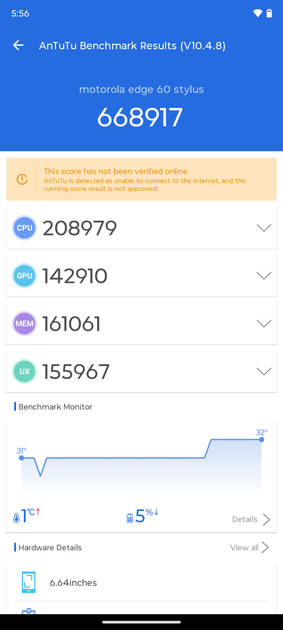
AnTuTu Benchmark
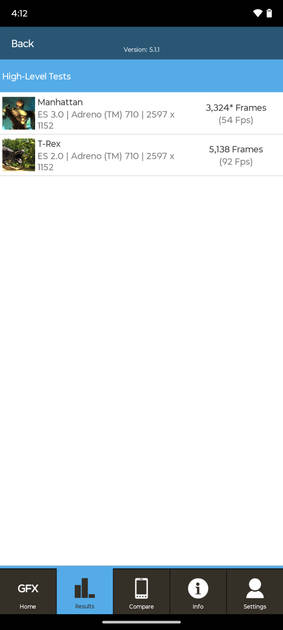
Graphics Benchmark
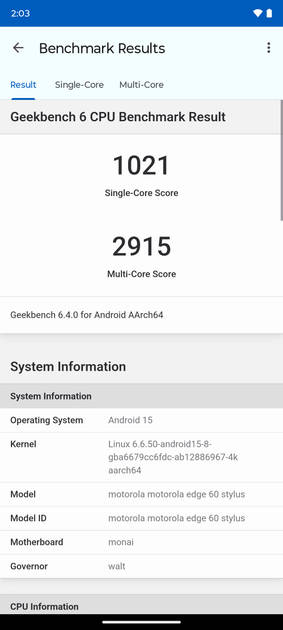
Geekbench6 Benchmark
|

Display
(Excellent)
|
|
|---|---|
| Display Type | P-OLED |
| Screen Size | 6.7 inches (17.02 cm) |
| Resolution | 1220x2712 px (FHD+) |
| Peak Brightness | 3000 nits |
| HBM Brightness | 1400 nits |
| Refresh Rate | 120 Hz |
| Touch Sampling Rate | 300 Hz |
| Aspect Ratio | 20:9 |
| Pixel Density | 444 ppi |
| Screen to Body Ratio (calculated) | 89.38 % |
| Screen Protection | Corning Gorilla |
| Bezel-less Display | Yes with punch-hole display |
| HDR 10 / HDR+ Support | Yes |
| Screen to Body Ratio (claimed by the brand) | 93.66 % |
UI Screenshots
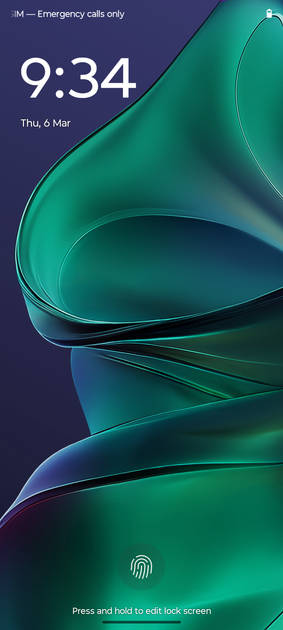
Lock Screen
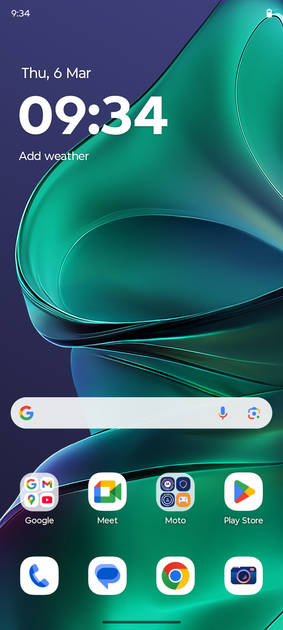
Home Screen
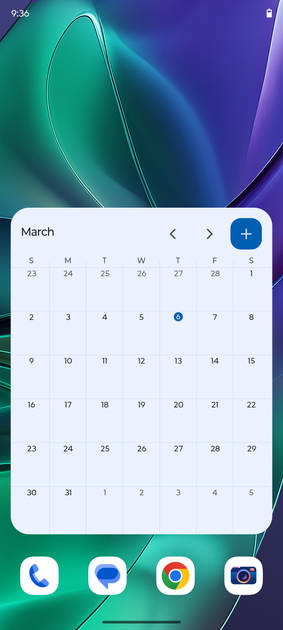
Screen With Widgets
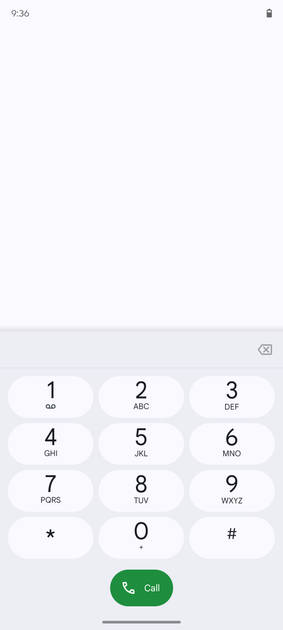
Dialer Screen
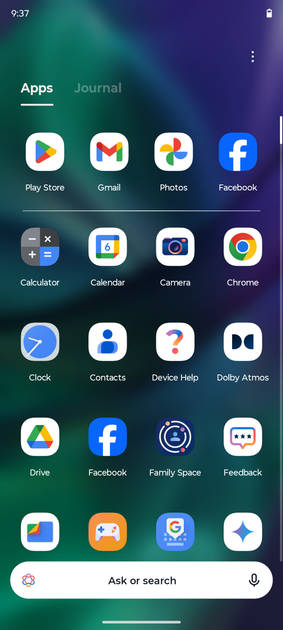
App Drawer
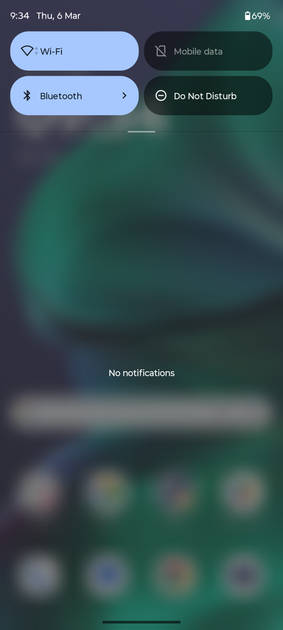
Notification Panel
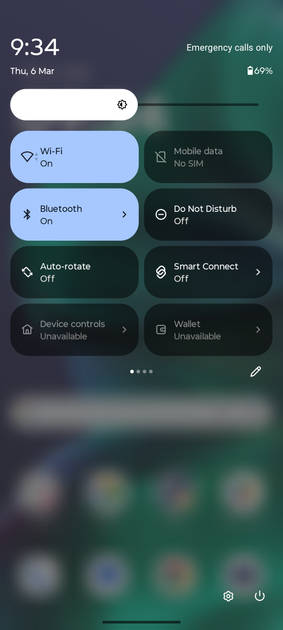
Quick Settings Panel
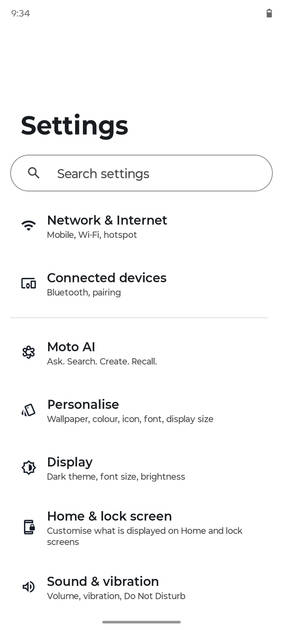
Settings Screen
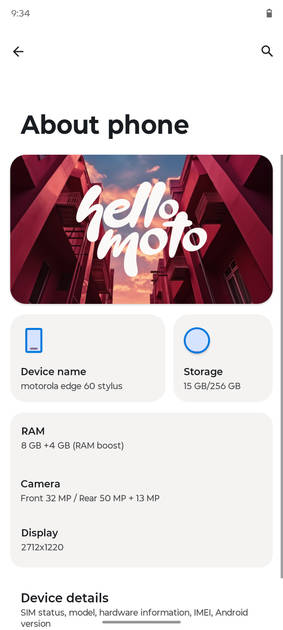
OS Version
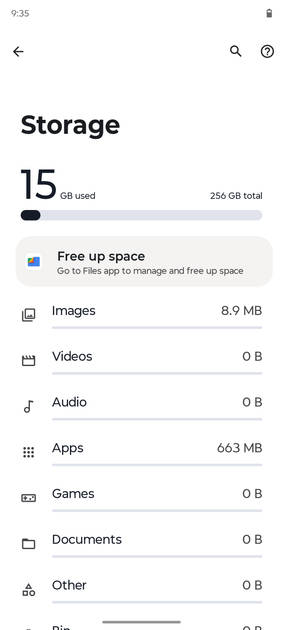
Storage
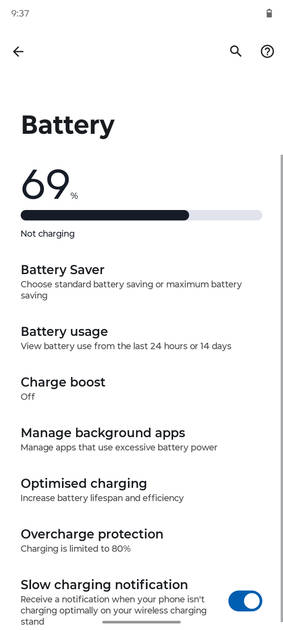
Battery
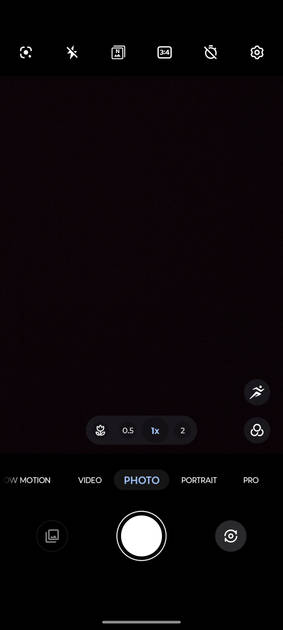
Camera On
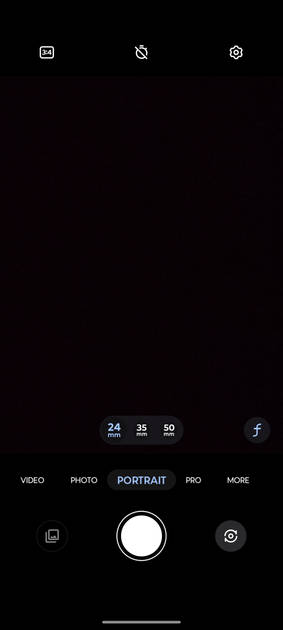
Camera Options
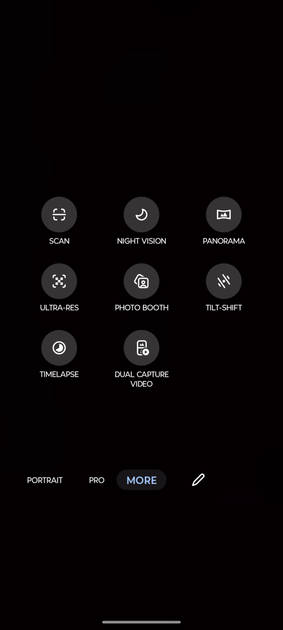
Camera Modes
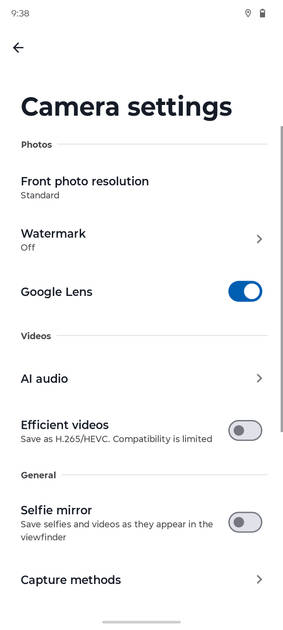
Camera Settings
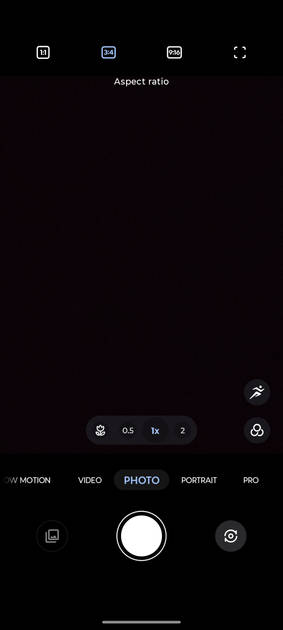
Picture Size Options
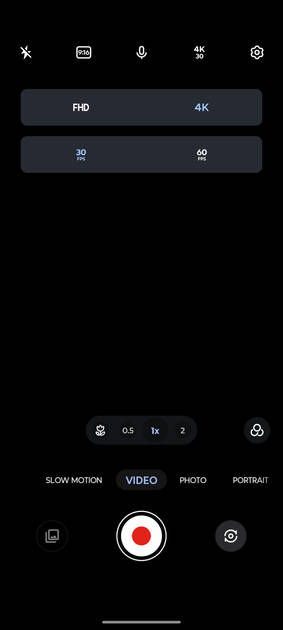
Video Size Options
|
Design |
|
|---|---|
| Height | 162.15 mm |
| Width | 74.78 mm |
| Thickness | 8.29 mm |
| Weight | 191 grams |
| Build Material | Back: Vegan Leather |
| Water Resistance | Yes, Water resistant, IP68 |
| Ruggedness | Dust proof |
|
Click to View

|
Rear Camera
(Very Good)
|
||||||||||||||||||||||||
|---|---|---|---|---|---|---|---|---|---|---|---|---|---|---|---|---|---|---|---|---|---|---|---|---|
| Resolution | ||||||||||||||||||||||||
|
||||||||||||||||||||||||
| Autofocus | Yes, Quad Phase Detection Autofocus | |||||||||||||||||||||||
| OIS | Yes | |||||||||||||||||||||||
| Flash | Yes, LED Flash | |||||||||||||||||||||||
| Image Resolution | 8150 x 6150 Pixels | |||||||||||||||||||||||
| Settings | Exposure compensation, ISO control | |||||||||||||||||||||||
| Shooting Modes |
Continuous Shooting High Dynamic Range mode (HDR) Burst mode |
|||||||||||||||||||||||
| Camera Features |
Digital Zoom Custom Watermark Face detection Touch to focus |
|||||||||||||||||||||||
| Video Recording |
4k @30 fps Full HD @120 fps HD @240 fps |
|||||||||||||||||||||||
| Video Recording Features |
Dual Video Recording Slow Motion Audio Zoom |
|||||||||||||||||||||||
Rear Camera Samples
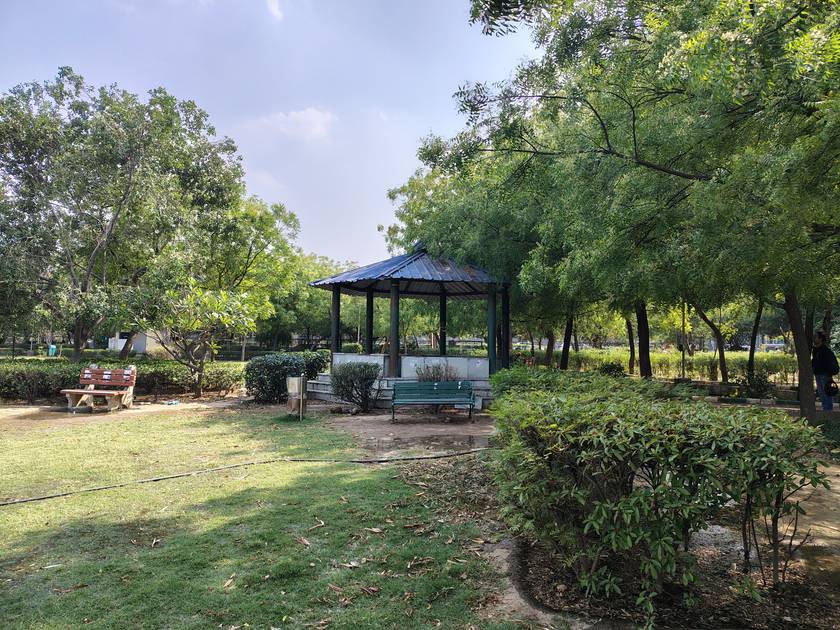
Daylight / HDR Auto

Wide Angle

Max Zoom Supported

Long Shot 10X

Long Shot 5X

Long Shot 3X
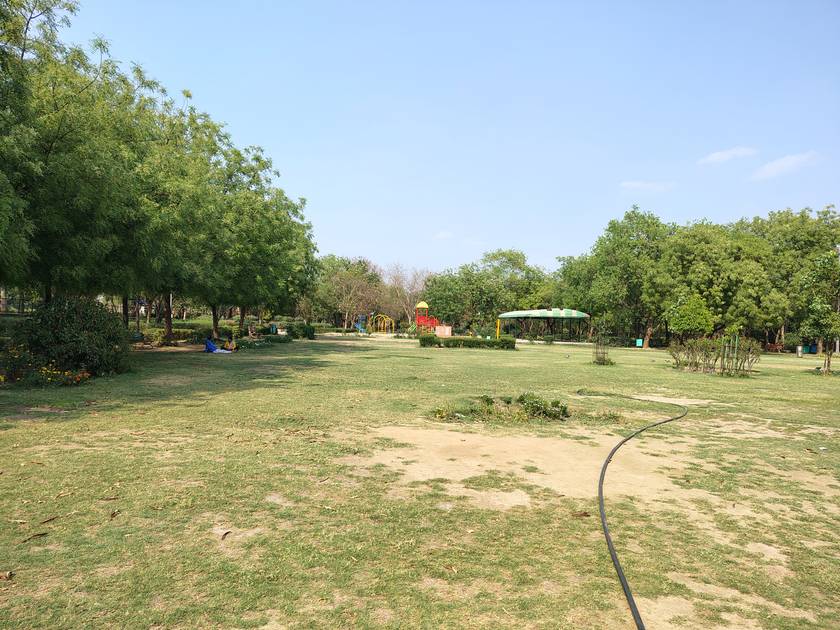
Long Shot 1X

High Res
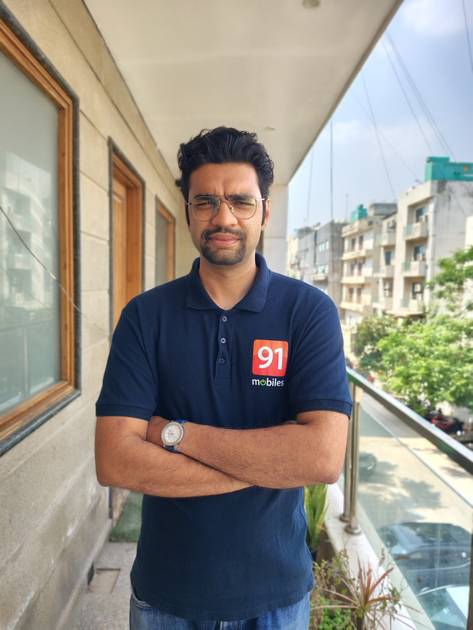
Portrait Shot

Night Mode OFF

Night Mode ON
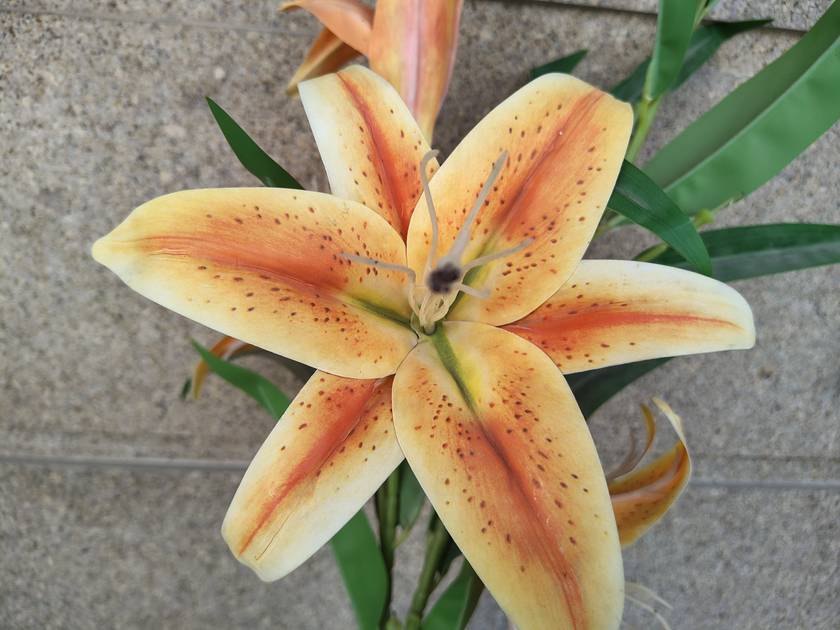
Close Up
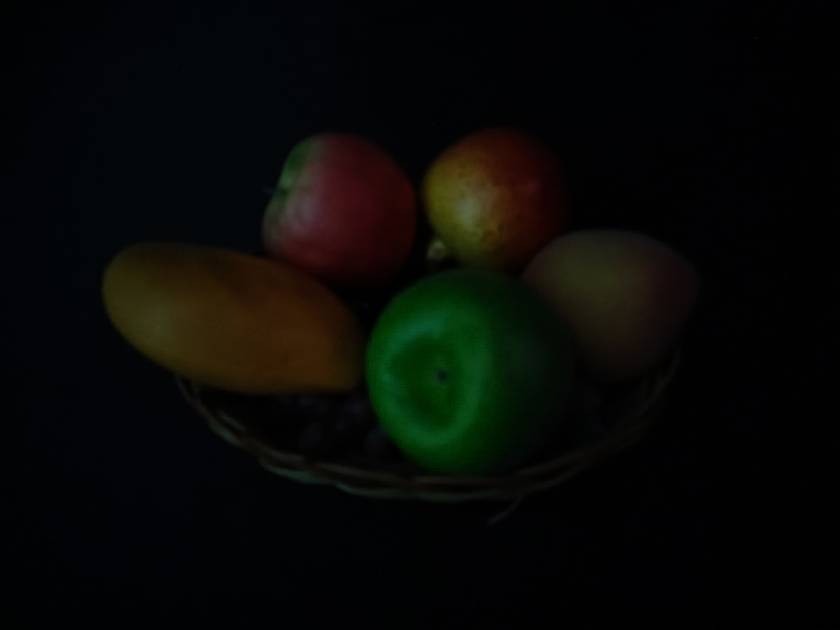
Low Light
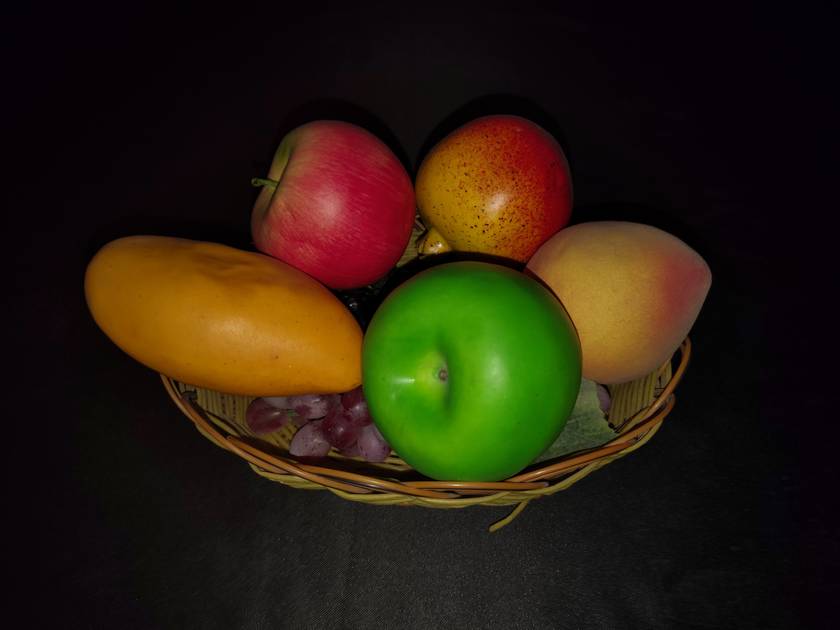
Low Light With Flash
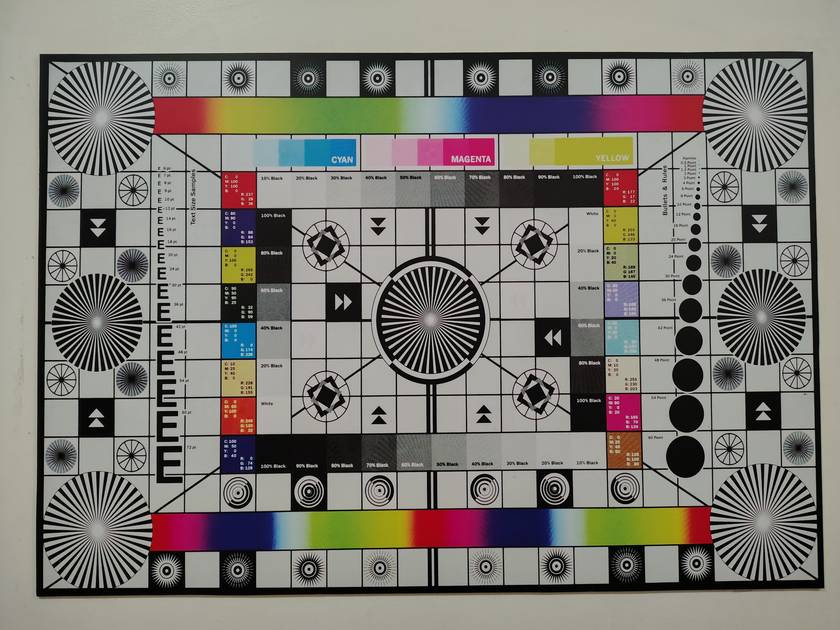
Colour Variance
|
Front Camera
(Very Good)
|
||||||||||||||
|---|---|---|---|---|---|---|---|---|---|---|---|---|---|---|
| Resolution | ||||||||||||||
|
||||||||||||||
| Video Recording |
4k @30 fps Full HD @30 fps |
|||||||||||||
Front Camera Samples
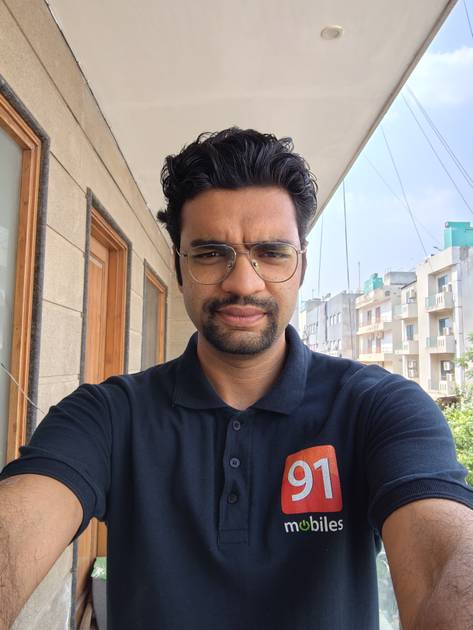
Selfie
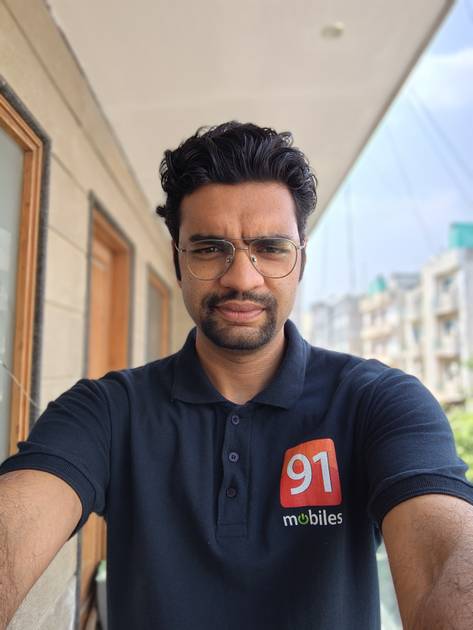
Selfie Portrait

Selfie Low Light

Selfie Low Light With Flash
|
Battery
(Very Good)
|
||||
|---|---|---|---|---|
| Capacity | 5000 mAh | |||
| Quick Charging | Yes, 68W Turbo Power Charging | |||
| Wireless Charging | Yes, 15W Wireless Charging | |||
|
Battery Test Results
|
Storage |
|
|---|---|
| Internal Storage | 256 GB |
| Storage Type | uMCP |
| Expandable Storage | Yes, Up to 1 TB |
Network & Connectivity |
|
|---|---|
| SIM Slot(s) | Dual SIM |
| SIM Type | SIM1: Nano, SIM2: eSIM |
| Network Support | 5G, 4G |
| VoLTE | Yes |
| SIM 1 |
5G bands, 4G bands
Expand
|
| SIM 2 |
5G bands, 4G bands
Expand
|
| Wi-Fi | Yes, Wi-Fi 6E (802.11 a/b/g/n/ac/ax) 5GHz 6GHz |
| Wi-Fi Features | Mobile Hotspot |
| Bluetooth | Yes, v5.4 |
| GPS | Yes with A-GPS, Glonass |
| NFC | Yes |
Multimedia |
|
|---|---|
| Stereo Speakers | Yes |
| Audio Jack | 3.5 mm |
| Audio Features | Dolby Atmos |
Sensors |
|
|---|---|
| Fingerprint Sensor | Yes |
| Fingerprint Sensor Position | On-screen |
| Fingerprint Sensor Type | Optical |
| Other Sensors | Light sensor, Proximity sensor, Accelerometer, Barometer, Compass, Gyroscope |
Motorola Edge 60 Stylus User Reviews
Motorola Edge 60 Stylus Key Highlights
| Processor | Qualcomm Snapdragon 7s Gen 2 |
| RAM & Storage | 8 GB RAM + 256 GB |
| Display | 6.7", 1220 x 2712 Resolution |
| Rear Camera | 50 MP + 13 MP |
| Front Camera | 32 MP |
| Battery | 5000 mAh |



Motorola Edge 60 Stylus Price In India
| Product Name | Store | Price |
|---|---|---|
| Motorola Edge 60 Stylus (8 GB + 256 GB) | Amazon | ₹20,560 |
| Motorola Edge 60 Stylus (8 GB + 256 GB) | Flipkart | ₹20,999 |
Popular Links
- All Upcoming Phones
- Motorola phones under 20k
- vivo V80 5G
- OPPO K14 Plus 5G
- Xiaomi Redmi Note 17 Pro 5G
- Lava Virat Curve 5G
- OPPO F35 Pro
- Samsung Mobiles
- Motorola Mobiles
- vivo Mobiles
- OPPO Mobiles
- Tecno Mobiles
- realme Mobiles
- Xiaomi Mobiles