
Qiku Q Terra 808
+ Compare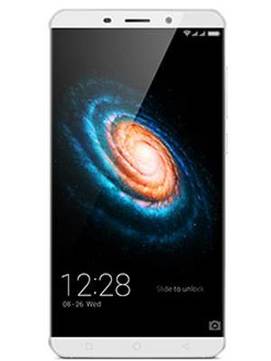
-
Design3

-
Rear Camera8

-
360° View

-
UI Screenshot16
![UI Screenshot]()
-
Benchmarks10
![Benchmarks]()
-
Videos4
![Videos]()


Key Specs
Performance
-
Qualcomm Snapdragon 808 -
Hexa Core, 1.82 GHz -
3 GB RAM
Display
-
6.0 inches (15.24 cm); IPS LCD -
1080x1920 px (FULL HD) -
Gorilla Glass 3 Protection
Rear Camera
-
Dual Camera Setup - 13 MP Primary Camera
- 13 MP Camera
-
Dual-color LED Flash -
4k @30fps Video Recording
Front Camera
-
8 MP -
Full HD @30 fps Video Recording
Battery
-
3700 mAh -
Quick Charging
General
-
SIM1: Micro, SIM2: Nano (Hybrid) -
5G Not Supported -
16 GB internal storage, Expandable upto 128 GB
Qiku Q Terra 808 Expert Review Summary
Expert Rating:
![Deepak Dhingra]()
Verdict
Anybody who follows cricket would know that captains prefer all rounders in their teams, but these players are really hard to find. The QiKU Q Terra is one such all rounder, scoring high in almost each and every aspect. It`s wrapped in metal, looks stylish, performs smoothly, lasts long on a single charge and offers good image quality from its dual sensors. The software department is mind boggling in terms of the features available, and power users are bound to appreciate the extensive options, tweaks and level of control offered. On the flip side, these can quickly turn into a negative as QiK...
Read Full Verdict
Pros
- All-metal build and stylish looks
- Capable cameras
- Mind-boggling array of software features
- Smooth performance and good battery life
Cons
- Non-backlit navigation keys
- No shortcut for Google Now
- The overload of features can be daunting
- Menu language needs better English
Specs at a glance
+
Display
Read More
Design: all metal, all class
+
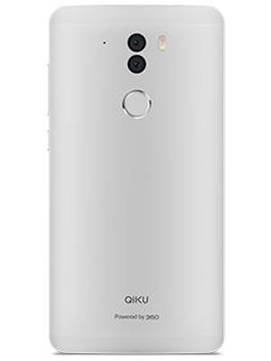
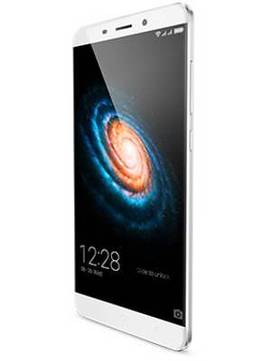
Dimensions: 157.6 x 79.8 x 8.6 mmWeight: 185 gramsLet’s face it – we all love flaunting our phones. And the QiKU Q Terra is worth flaunting for sure. Clad in a matte-finished all-metal unibody, it simply looks divine. The curved rear adds both to the looks as well as the ergonomics, and the chamfered edges along with the 2.5D curved glass screen bring a touch of class.The Q Terra’s 6-inch screen takes it to phablet territory, and phablets can be quite unwieldy. Not the Q Terra. The extremely slim bezels on the sides make sure overall size is kept in check, and make the handset looks quite interesting from the front as well – a feat not many phones can boast as most devices tend to look boring when it comes to the fascia. While the screen dominates proceedings at front, you’ll also find the usual earpiece, front camera, sensors and notification LED on top, and a row of three capacitive navigation keys below. These keys aren’t backlit, and this is a big gripe as far as we’re concerned… especially considering that the device does most other things right in terms of specs and features, and projects itself as a game changer. The 3.5mm headset socket and micro-USB port are placed at the top and bottom respectively. The speaker is placed at the bottom as well. The volume rocker and power key are on the right, while the left spine has a pair of ejectable trays that accept a micro-SIM and either a nano-SIM or a microSD card. Flip the phone around for a peek at its curvy posterior and the first thing you’d notice is the pair of eyes peering back at you. You see, the Q Terra comes with not one, but two camera sensors at the rear. There’s a true-tone flash alongside, with a circular fingerprint scanner located below. QiKU branding can be seen closer to the bottom.Another downside in terms of design is that the phone tends to be slippery, and that metal back could be prone to scratches. The bundled translucent back cover takes care of both issues, but then, it does take away from the Q Terra’s sexy looks. Overall though, we think the handset is quite stylish, and one that you can show off easily.
Read More
Display: from Sharp, and very sharp too
+
Size: 6.0 InchResolution: Full HD (1080 x 1920 pixels)Display Type: IPS LCDPixel Density: 367 ppiThe 6-inch 1080P display on the Q Terra comes from Sharp, and offers a pixel density of 368 ppi. It’s very capable, and offers great sharpness and vivid colours. Videos look swell and the text appers razor-sharp as well. The brightness levels are ample, so there was so issue with viewing it under harsh lighting conditions, and the viewing angles are wide enough too.The large screen real estate works well for everything from web browsing to media. Though there’s no glove mode, it’s very responsive to touch too – so no issues on that side. The Q Terra also offers a few options to tweak the display in case you don’t like the default view. There’s a sunlight mode that improves legibility and apart from a standard mode, you can also switch to a black and white mode if you so desire. There’s an eye protection mode that’s ideal for reading, while a custom mode lets you set saturation, temperature and contrast on your own.
Read More
Software: goes 360 degrees and then again
+
Operating System: AndroidOS Version: 5.1.1, LollipopThe QiKU Q Terra utilises 360 OS, a custom platform based on Android Lollipop 5.1.1. In the past, we’ve seen various custom, Android-based platforms like MIUI, Vibe UI, Amigo OS, Emotion UI, and ColorOS, just to name a few, but 360 OS possibly takes the cake for being crammed to the gills with features. At first glance, you’ll find the UI simple enough. There’s no dedicated app drawer, so all icons are strewn around on the homescreens. Of course, you have the option to categorise them in custom folders, and as a nice touch, swiping sideways while inside a folder scrolls through all the folders present on the homescreens, including the ones you create. The notification pane provides an expandable list of quick settings, with the notifications listed below. There’s even an iOS-like control centre that pops up from the bottom of the display when you swipe upwards, and apart from a row on connectivity toggles and a slider to control screen brightness, it offers shortcuts to basic apps like flashlight, clock, calculator and camera. The SpeedUp icon on the default homescreen lets you clear background tasks with a single tap, and there’s a funky animation to go along with it. The recent apps key, that utilises a card-based layout, also lets you clear apps – one by one or all in one fell swoop. An icon labelled New Wall switches wallpapers with one touch, and there’s extensive theme support as well, with tons of free, downloadable themes you can install to change the look of the UI. The list of preloaded apps includes 360 Security Lite, offering a system booster, a junk cleaner and antivirus under one umbrella. While on the subject of preloaded apps, it’d be worth mentioning that 360 OS lets you uninstall and get rid of most apps, even system apps like Email and Video Player. This is something that’s bound to be appreciated by power users. The aptly-named Freezer is quite interesting – it lets you freeze installed apps to prevent them from waking up in the background spontaneously and hog system resources. It’s ideal for those apps which you rarely use but would still like to keep on your phone. To freeze an app, all you need to do is drag its icon and drop it on the Freezer icon, and boom, it’s done. To unfreeze, just tap on Freezer to launch it, and then tap on the icon of the app you want to unfreeze. The phone even prompts you to freeze apps that you haven’t used for a long time. QiKU Cloud lets you back up personal content like contacts, SMSes, call records and calendar to the cloud, but you need to create a free account first. The QiKU Cloud also enables extensive anti-theft features, and apart from helping show the location of a misplaced or stolen phone on a map, it lets you ring, send messages, lock, trace location history, view operation history, and even wipe data remotely. For this purpose, you can bind relatives’ numbers, which can then be used to send security commands to your lost Q Terra for actions like call forwarding, SMS forwarding, or wiping data if you’ve lost all hope of recovering your phone. The security features also include a private space, giving you a secure, password-protected space to keep personal content like photos from prying eyes. Once set up, you can choose to access your private space by means of a registered fingerprint, and even hide its icon if you want. Individual apps on the phone can also be locked up using passwords, PINs or patterns, so if you wish, you can restrict access to your social apps, messengers, messages, the photo gallery, digital wallets etc. Talking about the fingerprint scanner, there’s a separate icon to manage fingerprints (also accessible via device settings) and you can register up to five fingers. Apart from just unlocking the phone, you can set different fingers to launch specified apps if you want too. However, this can only be useful if you manage to remember the finger that has been mapped to a specific app when you need to use it. The fingerprint scanner can also be used to answer an incoming call, shoot pics while you’re in the camera app or record the call while you’re on a call. In our usage, the fingerprint scanner on the Q Terra worked pretty well – it’s both fast as well as accurate. The above is just the tip of the proverbial iceberg though. Dive into the settings, and you’ll find tons of more options to tweak. Under a heading labelled More device, you’ll find Smart control that lets you enable the wake-up gesture for double tap to wake. The feature seems half-baked though, since double tap to wake is the only option available. We expected this to also include other screen-off gestures like drawing characters on the standby screen to launch apps, but that isn’t available. Under Screen actions, you’ll find some more options, such as a one-handed mode, capturing screenshots using three-finger swipes, and double-tapping the home button to put the device to sleep. Coming back to the main device settings, you’ll find a section labelled Notification and authority, and under it, you’ll find various options related to controlling app notifications, app behaviour and battery saving modes. The first option under said heading is Notifications & status, and therein you’ll find options to control notifications on a per-app level. There’s also an anti-addiction feature, that can be set to alert you in case you use your phone for prolonged periods of time or in case you use it late at night. More options include a DND mode, controlling which apps stay running in the background when the device is on standby, and the apps that can launch on their own at start-up. The available battery saving modes include an all-time power saver, a smart power saving mode that adapts CPU and GPU perfromance as per usage, and an aggressive ultra power saving mode which only allows calls and SMSes. A unique feature we found is called Heat source, and this lets you view the current CPU temperature, and set an alert in case it goes beyond a specified level.Then there are various security and privacy related settings, with most of them mimicking the same functionality which is also available via dedicated homescreen icons – fingerprint management, private space, and anti-theft – the ones we touched upon previously. Other miscellaneous features include auto call recording for all calls, or for calls made to or received from specified contacts. We appreciate the unified interface for the dialler, that also integrates contacts and SMSes in a single, tabbed window. However, you can also access contacts and messages via their own dedicated icons too.By now, you must have figured out that 360 OS is a loaded platform, and in case you’re a power user, you’ll get a plethora of options to control your device and make it dance to your tune, exactly the way you want it to. On the flip side however, all these settings and features could get too overwhelming for most users. Also, apart from some stuff that feels half baked, you’ll find lots of ‘Chinese’ English in the menu options. Yet another gripe is that there doesn’t seem to be any shortcut for accessing Google Now, as the usual long press of the home button doesn’t work for this functionality – so the only option for setting up and viewing your Google Now cards is via the Google app.
Read More
Camera: a versatile shooter
+
Primary camera: 13 MPFlash: Dual-color LED FlashSecondary camera: 8 MPNot to lag behind in the camera department, the Q Terra rocks not one, but two camera sensors at the rear. The so-called ‘duoscopic’ setup includes two 13-megapixel snappers, one with an IMX278 colour sensor and the second with an IMX214 mono sensor. The two shoot simultaneously, and claim to offer images with sharper detail and better contrast. An 8MP front-facing snapper handles selfie and video calling duties. The primary camera is capable of recording 4K videos, but there’s no option to shoot slow motion vids. In keeping with the loaded theme, the camera app comes packed with features too. Apart from the usual slew of colour filters, there are modes like Auto HDR, beauty, and night. There’s a mode called SLR mode for bokeh, while photo buffs would appreciate the Pro mode that lets one tweak parameters like white balance, ISO, exposure, focus, saturation and contrast. A few more modes are tucked away under an overflow menu on the corner, offering options like long exposure, panorama, watermark, GIF and refocus.When it comes to image quality, we were quite impressed with the results the Q Terra offers. It can be inconsistent at times, and is a tad slow to focus, but more often than not, you can expect to walk away with nice-looking images. HDR doesn’t seem to be a strong point, but that apart, we got good results in a variety of different situations. Low light shots were quite usable as well, so we’re going to count camera quality as one of the positives. Do check out our camera review for more details, and here’s a peek at some more camera samples from the Q Terra.
Read More
Performance: goes fast, keeps its cool
+
CPU: Hexa Core, 1.82 GHz, Snapdrag...GPU: Adreno 418RAM: 3 GBMemory: 16 GB + Up to 128 GBSIM Slots: Dual SIM , GSM+GSMBattery: 3700 mAHHorsepower is provided by a hexa-core Snapdragon 808 chip, which is mated to 3 gigs of RAM for smooth multitasking. And the combination works pretty well, ensuring there are no hiccups or speed bumps during day-to-day usage. The various software tweaks available in 360 OS also contribute towards its good performance we think, and overall, the Q Terra is a smooth performer that tackles even graphics-intensive games with ease.And despite the metal body, the phone doesn’t get overly hot either, though it does get noticeably warm when stressed. Out of 16GB, you get about 10.5GB for your own use, and the hybrid SIM slot can be used to add more by popping in a microSD card. 16GB could be too low for most users, so the brand should've offered 32GB at least if you ask us. USB OTG is supported for accessing content on external flash drives. As far as the other connectivity options are concerned, you get 4G, dual-band Wi-Fi, hotspot, Wi-Fi Direct, Bluetooth and A-GPS, but you’d be out of luck if you go looking for NFC.The 3,700mAh battery puts in a very strong performance, and we think the Q Terra boasts stellar battery life and fares much better in this regard as compared to most options we’ve seen recently. You can expect it to last a day with ease even with heavy usage, and our battery drain test ran for over 10 and a half hours before it put its feet up and died. So that’s another feather in its already well-decorated cap.
Read More
Read full Review

Verdict
Anybody who follows cricket would know that captains prefer all rounders in their teams, but these players are really hard to find. The QiKU Q Terra is one such all rounder, scoring high in almost each and every aspect. It`s wrapped in metal, looks stylish, performs smoothly, lasts long on a single charge and offers good image quality from its dual sensors. The software department is mind boggling in terms of the features available, and power users are bound to appreciate the extensive options, tweaks and level of control offered. On the flip side, these can quickly turn into a negative as QiK... Read Full Verdict
- All-metal build and stylish looks
- Capable cameras
- Mind-boggling array of software features
- Smooth performance and good battery life
Pros
- Non-backlit navigation keys
- No shortcut for Google Now
- The overload of features can be daunting
- Menu language needs better English
Cons
Specs at a glance
+Display
Read MoreDesign: all metal, all class
+Dimensions: 157.6 x 79.8 x 8.6 mmWeight: 185 gramsLet’s face it – we all love flaunting our phones. And the QiKU Q Terra is worth flaunting for sure. Clad in a matte-finished all-metal unibody, it simply looks divine. The curved rear adds both to the looks as well as the ergonomics, and the chamfered edges along with the 2.5D curved glass screen bring a touch of class.The Q Terra’s 6-inch screen takes it to phablet territory, and phablets can be quite unwieldy. Not the Q Terra. The extremely slim bezels on the sides make sure overall size is kept in check, and make the handset looks quite interesting from the front as well – a feat not many phones can boast as most devices tend to look boring when it comes to the fascia. While the screen dominates proceedings at front, you’ll also find the usual earpiece, front camera, sensors and notification LED on top, and a row of three capacitive navigation keys below. These keys aren’t backlit, and this is a big gripe as far as we’re concerned… especially considering that the device does most other things right in terms of specs and features, and projects itself as a game changer. The 3.5mm headset socket and micro-USB port are placed at the top and bottom respectively. The speaker is placed at the bottom as well. The volume rocker and power key are on the right, while the left spine has a pair of ejectable trays that accept a micro-SIM and either a nano-SIM or a microSD card. Flip the phone around for a peek at its curvy posterior and the first thing you’d notice is the pair of eyes peering back at you. You see, the Q Terra comes with not one, but two camera sensors at the rear. There’s a true-tone flash alongside, with a circular fingerprint scanner located below. QiKU branding can be seen closer to the bottom.Another downside in terms of design is that the phone tends to be slippery, and that metal back could be prone to scratches. The bundled translucent back cover takes care of both issues, but then, it does take away from the Q Terra’s sexy looks. Overall though, we think the handset is quite stylish, and one that you can show off easily.
Read MoreDisplay: from Sharp, and very sharp too
+Size: 6.0 InchResolution: Full HD (1080 x 1920 pixels)Display Type: IPS LCDPixel Density: 367 ppiThe 6-inch 1080P display on the Q Terra comes from Sharp, and offers a pixel density of 368 ppi. It’s very capable, and offers great sharpness and vivid colours. Videos look swell and the text appers razor-sharp as well. The brightness levels are ample, so there was so issue with viewing it under harsh lighting conditions, and the viewing angles are wide enough too.The large screen real estate works well for everything from web browsing to media. Though there’s no glove mode, it’s very responsive to touch too – so no issues on that side. The Q Terra also offers a few options to tweak the display in case you don’t like the default view. There’s a sunlight mode that improves legibility and apart from a standard mode, you can also switch to a black and white mode if you so desire. There’s an eye protection mode that’s ideal for reading, while a custom mode lets you set saturation, temperature and contrast on your own.
Read MoreSoftware: goes 360 degrees and then again
+Operating System: AndroidOS Version: 5.1.1, LollipopThe QiKU Q Terra utilises 360 OS, a custom platform based on Android Lollipop 5.1.1. In the past, we’ve seen various custom, Android-based platforms like MIUI, Vibe UI, Amigo OS, Emotion UI, and ColorOS, just to name a few, but 360 OS possibly takes the cake for being crammed to the gills with features. At first glance, you’ll find the UI simple enough. There’s no dedicated app drawer, so all icons are strewn around on the homescreens. Of course, you have the option to categorise them in custom folders, and as a nice touch, swiping sideways while inside a folder scrolls through all the folders present on the homescreens, including the ones you create. The notification pane provides an expandable list of quick settings, with the notifications listed below. There’s even an iOS-like control centre that pops up from the bottom of the display when you swipe upwards, and apart from a row on connectivity toggles and a slider to control screen brightness, it offers shortcuts to basic apps like flashlight, clock, calculator and camera. The SpeedUp icon on the default homescreen lets you clear background tasks with a single tap, and there’s a funky animation to go along with it. The recent apps key, that utilises a card-based layout, also lets you clear apps – one by one or all in one fell swoop. An icon labelled New Wall switches wallpapers with one touch, and there’s extensive theme support as well, with tons of free, downloadable themes you can install to change the look of the UI. The list of preloaded apps includes 360 Security Lite, offering a system booster, a junk cleaner and antivirus under one umbrella. While on the subject of preloaded apps, it’d be worth mentioning that 360 OS lets you uninstall and get rid of most apps, even system apps like Email and Video Player. This is something that’s bound to be appreciated by power users. The aptly-named Freezer is quite interesting – it lets you freeze installed apps to prevent them from waking up in the background spontaneously and hog system resources. It’s ideal for those apps which you rarely use but would still like to keep on your phone. To freeze an app, all you need to do is drag its icon and drop it on the Freezer icon, and boom, it’s done. To unfreeze, just tap on Freezer to launch it, and then tap on the icon of the app you want to unfreeze. The phone even prompts you to freeze apps that you haven’t used for a long time. QiKU Cloud lets you back up personal content like contacts, SMSes, call records and calendar to the cloud, but you need to create a free account first. The QiKU Cloud also enables extensive anti-theft features, and apart from helping show the location of a misplaced or stolen phone on a map, it lets you ring, send messages, lock, trace location history, view operation history, and even wipe data remotely. For this purpose, you can bind relatives’ numbers, which can then be used to send security commands to your lost Q Terra for actions like call forwarding, SMS forwarding, or wiping data if you’ve lost all hope of recovering your phone. The security features also include a private space, giving you a secure, password-protected space to keep personal content like photos from prying eyes. Once set up, you can choose to access your private space by means of a registered fingerprint, and even hide its icon if you want. Individual apps on the phone can also be locked up using passwords, PINs or patterns, so if you wish, you can restrict access to your social apps, messengers, messages, the photo gallery, digital wallets etc. Talking about the fingerprint scanner, there’s a separate icon to manage fingerprints (also accessible via device settings) and you can register up to five fingers. Apart from just unlocking the phone, you can set different fingers to launch specified apps if you want too. However, this can only be useful if you manage to remember the finger that has been mapped to a specific app when you need to use it. The fingerprint scanner can also be used to answer an incoming call, shoot pics while you’re in the camera app or record the call while you’re on a call. In our usage, the fingerprint scanner on the Q Terra worked pretty well – it’s both fast as well as accurate. The above is just the tip of the proverbial iceberg though. Dive into the settings, and you’ll find tons of more options to tweak. Under a heading labelled More device, you’ll find Smart control that lets you enable the wake-up gesture for double tap to wake. The feature seems half-baked though, since double tap to wake is the only option available. We expected this to also include other screen-off gestures like drawing characters on the standby screen to launch apps, but that isn’t available. Under Screen actions, you’ll find some more options, such as a one-handed mode, capturing screenshots using three-finger swipes, and double-tapping the home button to put the device to sleep. Coming back to the main device settings, you’ll find a section labelled Notification and authority, and under it, you’ll find various options related to controlling app notifications, app behaviour and battery saving modes. The first option under said heading is Notifications & status, and therein you’ll find options to control notifications on a per-app level. There’s also an anti-addiction feature, that can be set to alert you in case you use your phone for prolonged periods of time or in case you use it late at night. More options include a DND mode, controlling which apps stay running in the background when the device is on standby, and the apps that can launch on their own at start-up. The available battery saving modes include an all-time power saver, a smart power saving mode that adapts CPU and GPU perfromance as per usage, and an aggressive ultra power saving mode which only allows calls and SMSes. A unique feature we found is called Heat source, and this lets you view the current CPU temperature, and set an alert in case it goes beyond a specified level.Then there are various security and privacy related settings, with most of them mimicking the same functionality which is also available via dedicated homescreen icons – fingerprint management, private space, and anti-theft – the ones we touched upon previously. Other miscellaneous features include auto call recording for all calls, or for calls made to or received from specified contacts. We appreciate the unified interface for the dialler, that also integrates contacts and SMSes in a single, tabbed window. However, you can also access contacts and messages via their own dedicated icons too.By now, you must have figured out that 360 OS is a loaded platform, and in case you’re a power user, you’ll get a plethora of options to control your device and make it dance to your tune, exactly the way you want it to. On the flip side however, all these settings and features could get too overwhelming for most users. Also, apart from some stuff that feels half baked, you’ll find lots of ‘Chinese’ English in the menu options. Yet another gripe is that there doesn’t seem to be any shortcut for accessing Google Now, as the usual long press of the home button doesn’t work for this functionality – so the only option for setting up and viewing your Google Now cards is via the Google app.
Read MoreCamera: a versatile shooter
+Primary camera: 13 MPFlash: Dual-color LED FlashSecondary camera: 8 MPNot to lag behind in the camera department, the Q Terra rocks not one, but two camera sensors at the rear. The so-called ‘duoscopic’ setup includes two 13-megapixel snappers, one with an IMX278 colour sensor and the second with an IMX214 mono sensor. The two shoot simultaneously, and claim to offer images with sharper detail and better contrast. An 8MP front-facing snapper handles selfie and video calling duties. The primary camera is capable of recording 4K videos, but there’s no option to shoot slow motion vids. In keeping with the loaded theme, the camera app comes packed with features too. Apart from the usual slew of colour filters, there are modes like Auto HDR, beauty, and night. There’s a mode called SLR mode for bokeh, while photo buffs would appreciate the Pro mode that lets one tweak parameters like white balance, ISO, exposure, focus, saturation and contrast. A few more modes are tucked away under an overflow menu on the corner, offering options like long exposure, panorama, watermark, GIF and refocus.When it comes to image quality, we were quite impressed with the results the Q Terra offers. It can be inconsistent at times, and is a tad slow to focus, but more often than not, you can expect to walk away with nice-looking images. HDR doesn’t seem to be a strong point, but that apart, we got good results in a variety of different situations. Low light shots were quite usable as well, so we’re going to count camera quality as one of the positives. Do check out our camera review for more details, and here’s a peek at some more camera samples from the Q Terra.
Read MorePerformance: goes fast, keeps its cool
+CPU: Hexa Core, 1.82 GHz, Snapdrag...GPU: Adreno 418RAM: 3 GBMemory: 16 GB + Up to 128 GBSIM Slots: Dual SIM , GSM+GSMBattery: 3700 mAHHorsepower is provided by a hexa-core Snapdragon 808 chip, which is mated to 3 gigs of RAM for smooth multitasking. And the combination works pretty well, ensuring there are no hiccups or speed bumps during day-to-day usage. The various software tweaks available in 360 OS also contribute towards its good performance we think, and overall, the Q Terra is a smooth performer that tackles even graphics-intensive games with ease.And despite the metal body, the phone doesn’t get overly hot either, though it does get noticeably warm when stressed. Out of 16GB, you get about 10.5GB for your own use, and the hybrid SIM slot can be used to add more by popping in a microSD card. 16GB could be too low for most users, so the brand should've offered 32GB at least if you ask us. USB OTG is supported for accessing content on external flash drives. As far as the other connectivity options are concerned, you get 4G, dual-band Wi-Fi, hotspot, Wi-Fi Direct, Bluetooth and A-GPS, but you’d be out of luck if you go looking for NFC.The 3,700mAh battery puts in a very strong performance, and we think the Q Terra boasts stellar battery life and fares much better in this regard as compared to most options we’ve seen recently. You can expect it to last a day with ease even with heavy usage, and our battery drain test ran for over 10 and a half hours before it put its feet up and died. So that’s another feather in its already well-decorated cap.
Read MorePopular Comparisons
Qiku Q Terra 808 Specifications
General |
|
|---|---|
| Operating System | Android v5.1.1 (Lollipop) |
Performance
(Avg)
|
|
|---|---|
| Chipset | Qualcomm Snapdragon 808 MSM8992 |
| Processor | Hexa Core, 1.82 GHz, ARM Cortex A57 |
| Architecture | 64 bit |
| Graphics (GPU) | Adreno 418 |
| RAM | 3 GB |
Benchmark Screenshots
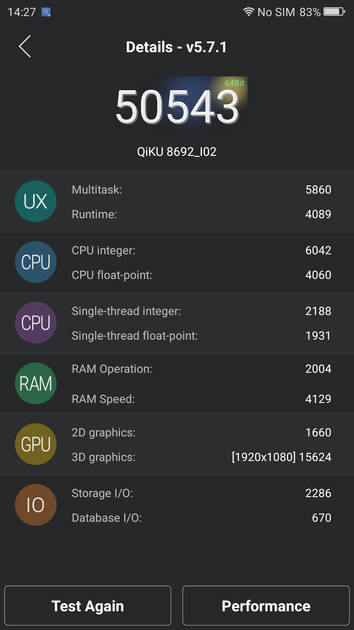
AnTuTu Benchmark
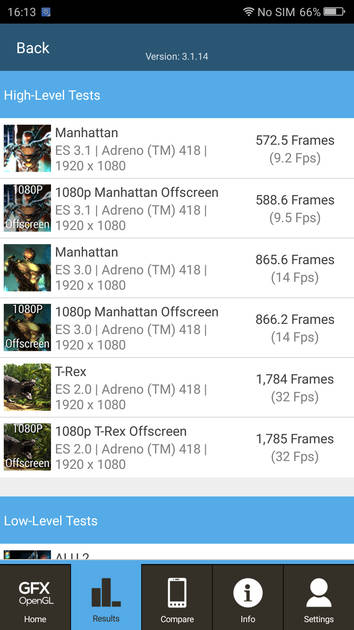
Graphics Benchmark
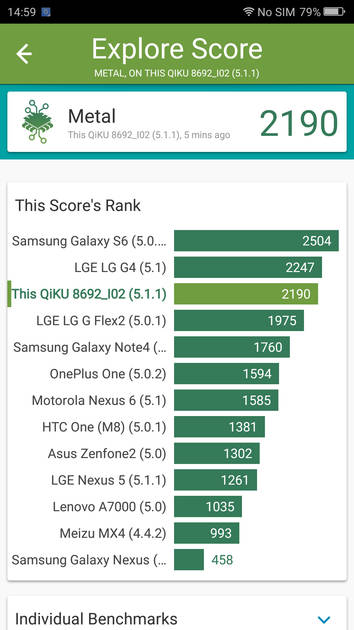
Vellamo Metal Benchmark
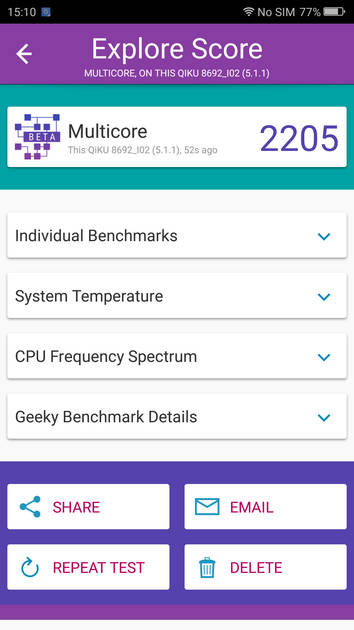
Vellamo Multicore Benchmark
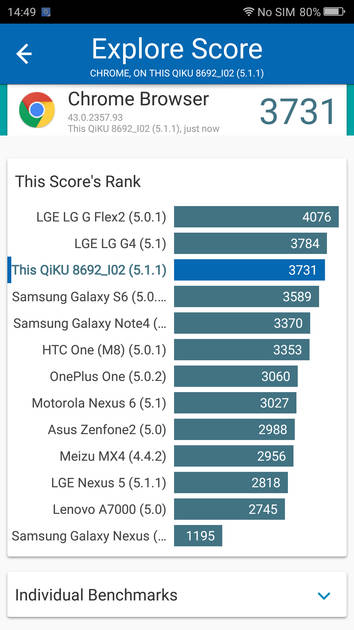
Vellamo Browser Benchmark
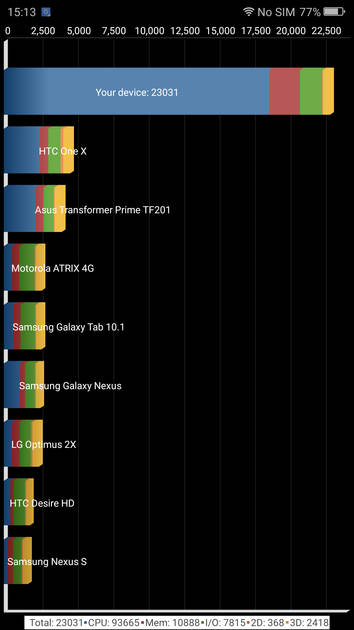
Quadrant Benchmark
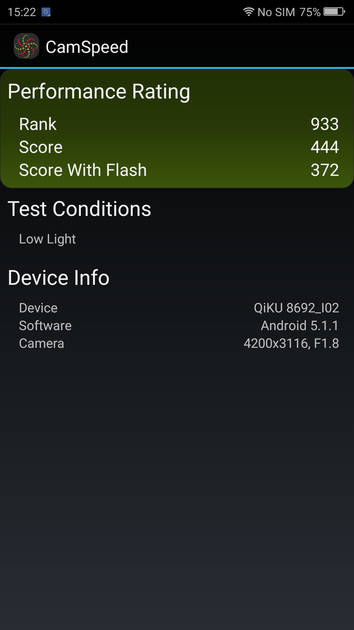
Camera Speed Benchmark

Geekbench3 Benchmark
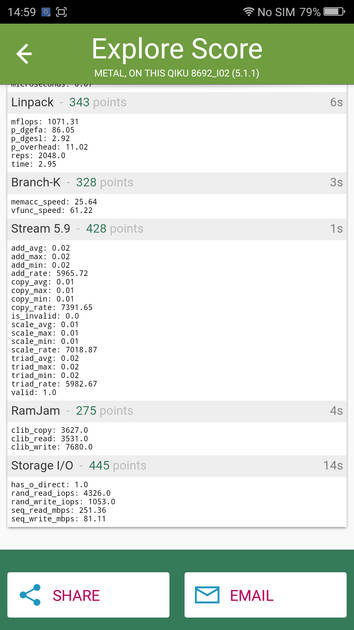
Linpack Benchmark
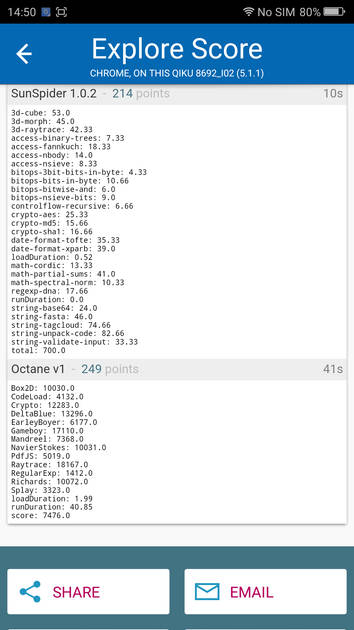
Sunspider Benchmark
|
Display
(Excellent)
|
|
|---|---|
| Display Type | IPS LCD |
| Screen Size | 6.0 inches (15.24 cm) |
| Resolution | 1080x1920 px (FULL HD) |
| Pixel Density | 367 ppi |
| Screen to Body Ratio (calculated) | 78.73 % |
| Screen Protection | Corning Gorilla Glass v3 |
UI Screenshots
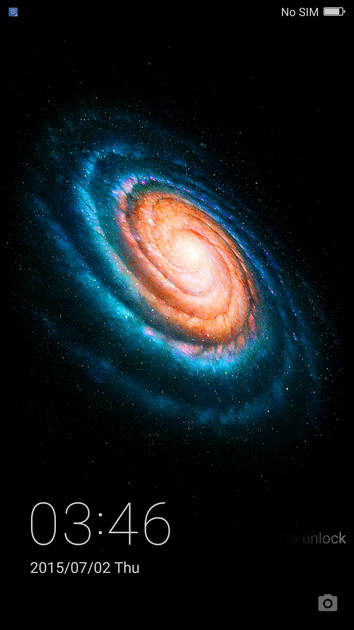
Lock Screen
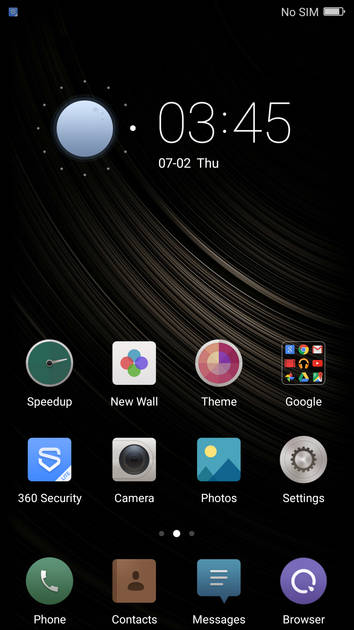
Home Screen
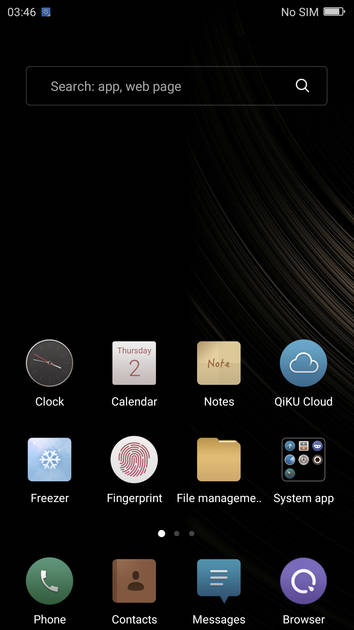
Screen With Widgets
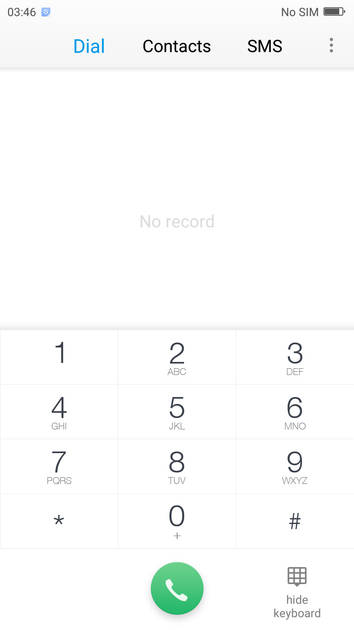
Dialer Screen
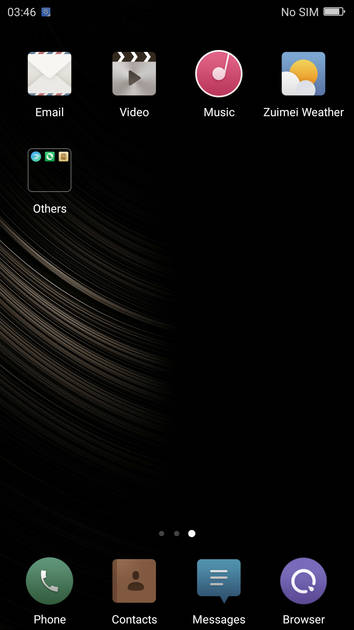
App Drawer
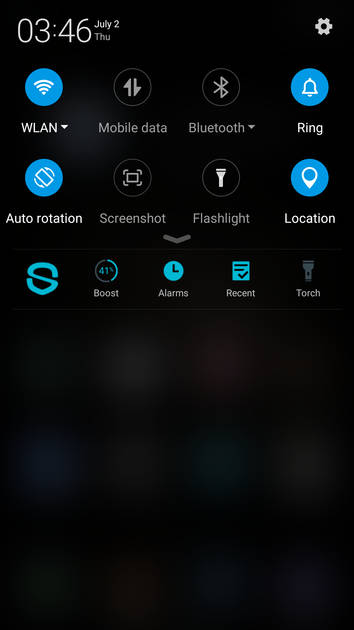
Quick Settings Panel
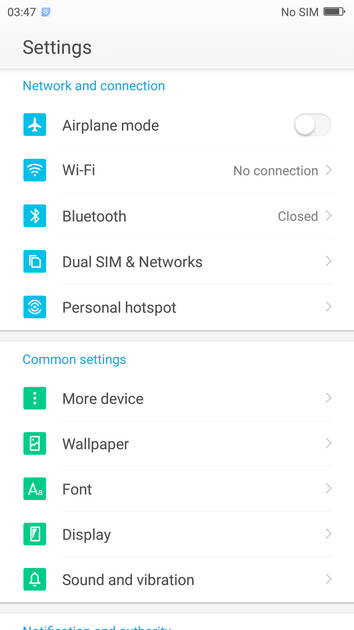
Settings Screen
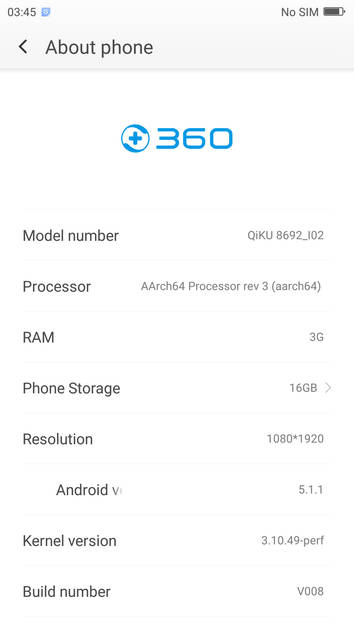
OS Version
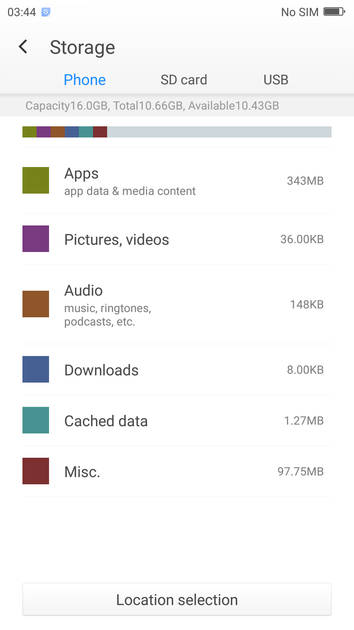
Storage

Battery
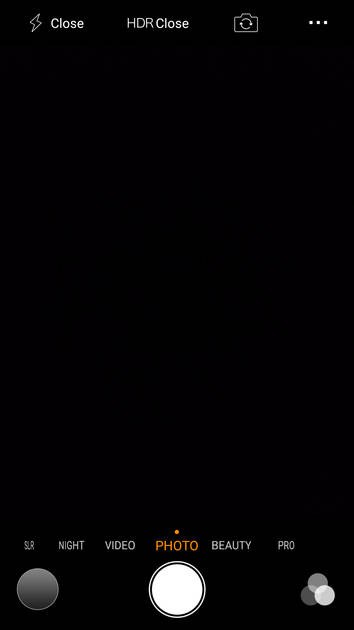
Camera On
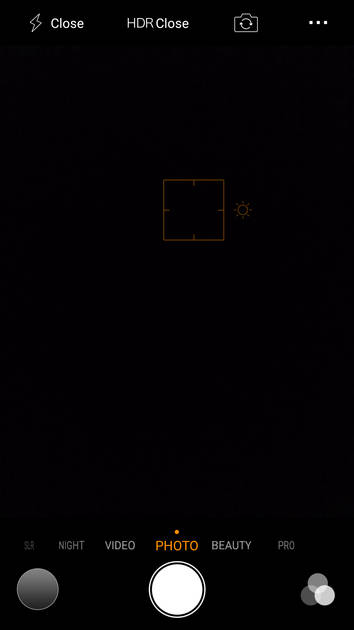
Camera Options
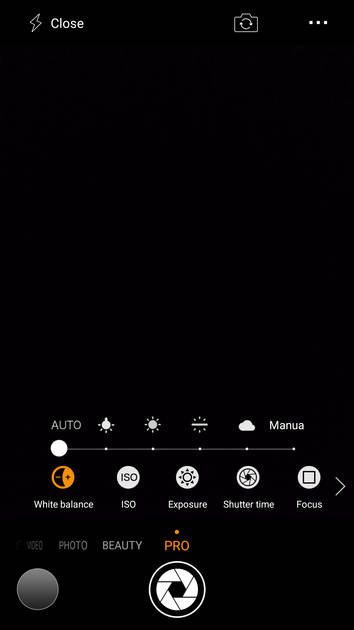
Camera Modes
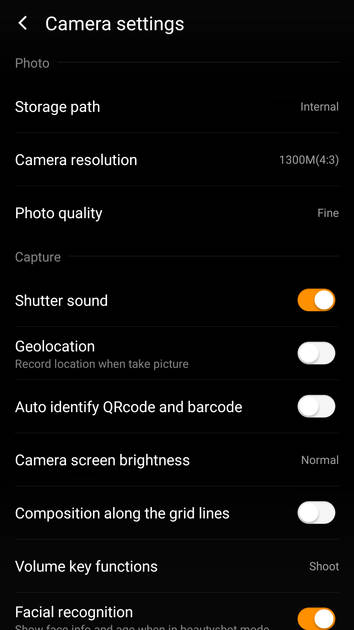
Camera Settings
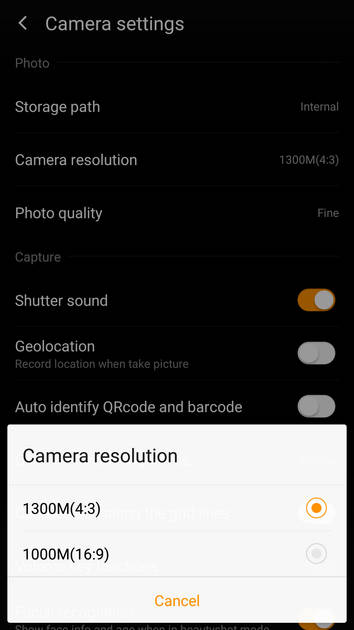
Picture Size Options
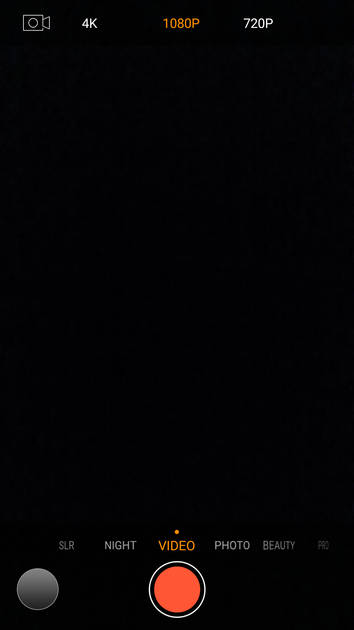
Video Size Options
|
Design |
|
|---|---|
| Height | 157.6 mm |
| Width | 79.8 mm |
| Thickness | 8.6 mm |
| Weight | 185 grams |
| Build Material |
Frame: Metal Back: Metal |
|
Click to View

|
Rear Camera
(Good)
|
|||||||||
|---|---|---|---|---|---|---|---|---|---|
| Resolution | |||||||||
|
|||||||||
| Autofocus | Yes | ||||||||
| OIS | No | ||||||||
| Flash | Yes, Dual-color LED Flash | ||||||||
| Image Resolution | 4128 x 3096 Pixels | ||||||||
| Settings | Exposure compensation, ISO control | ||||||||
| Shooting Modes |
Continuous Shooting High Dynamic Range mode (HDR) Macro Mode |
||||||||
| Camera Features |
Digital Zoom Auto Flash Digital image stabilization Face detection Touch to focus |
||||||||
| Video Recording | 3840x2160 @ 30 fps | ||||||||
Rear Camera Samples
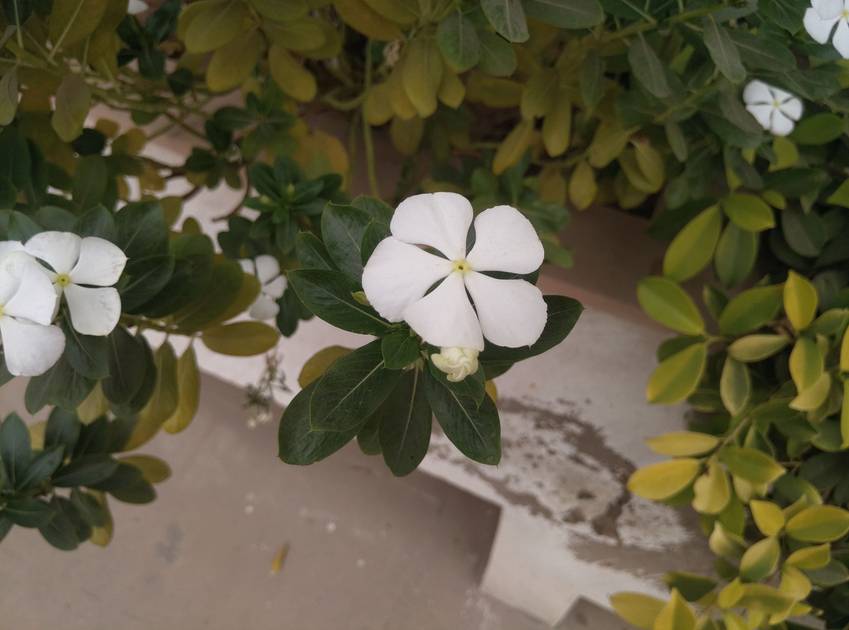
Close Up
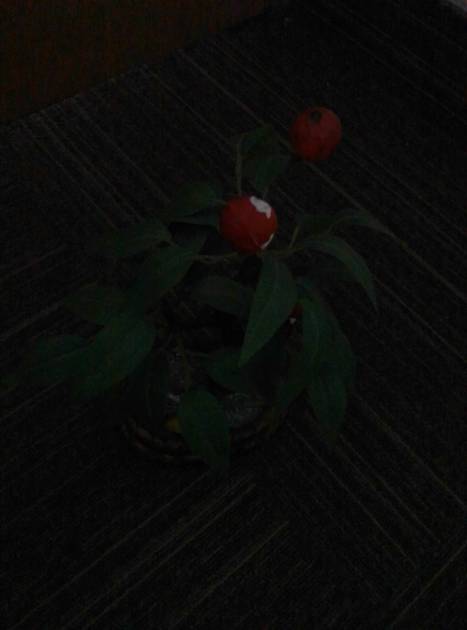
Low Light

Low Light With Flash
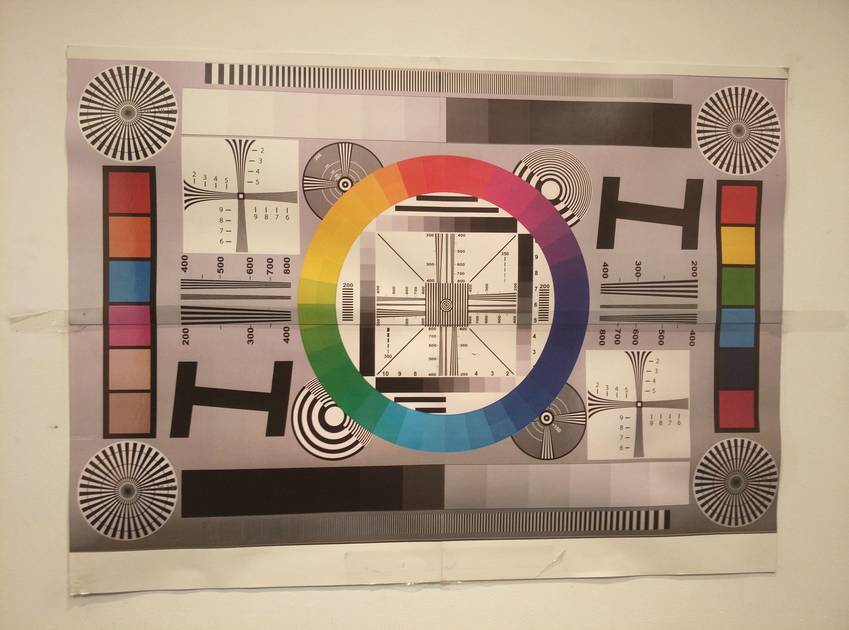
Colour Variance
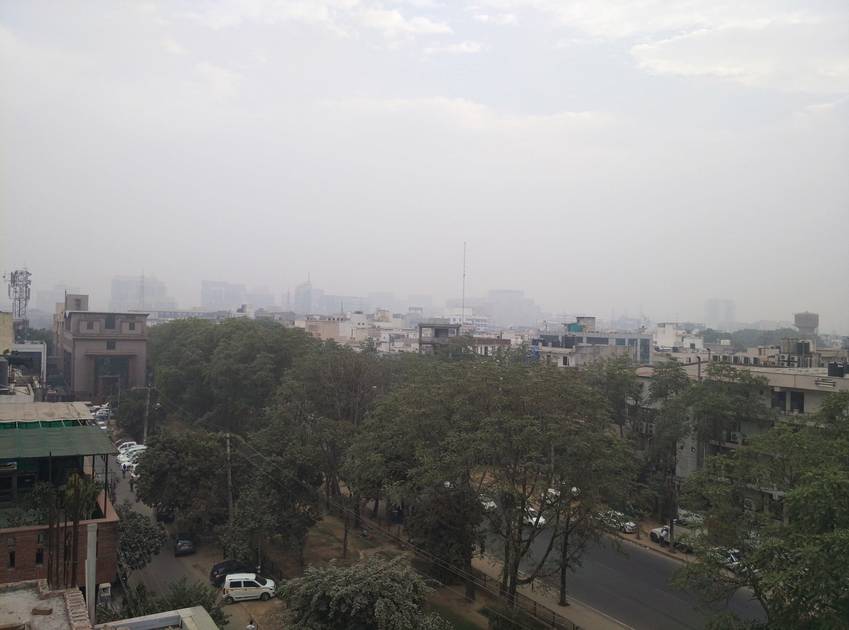
Long Shot
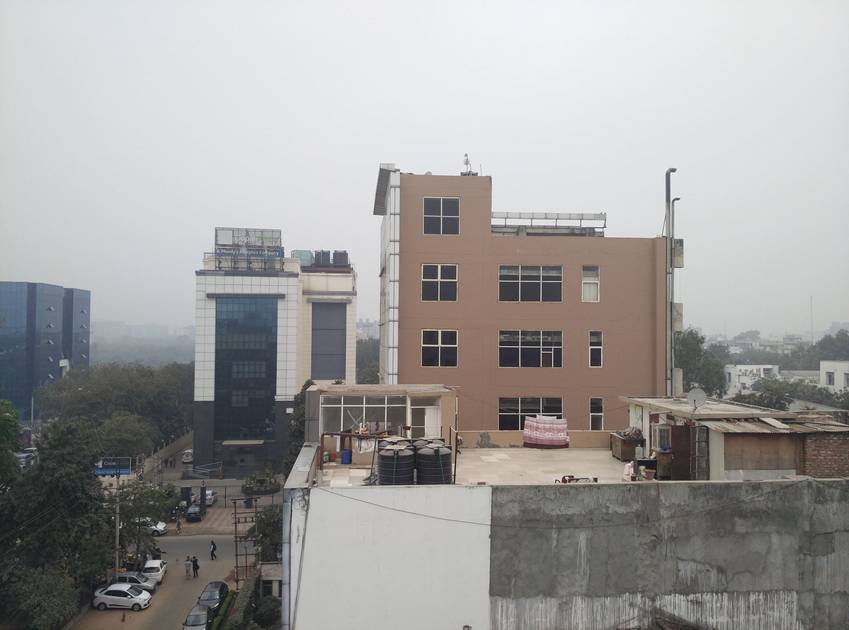
HDR Off
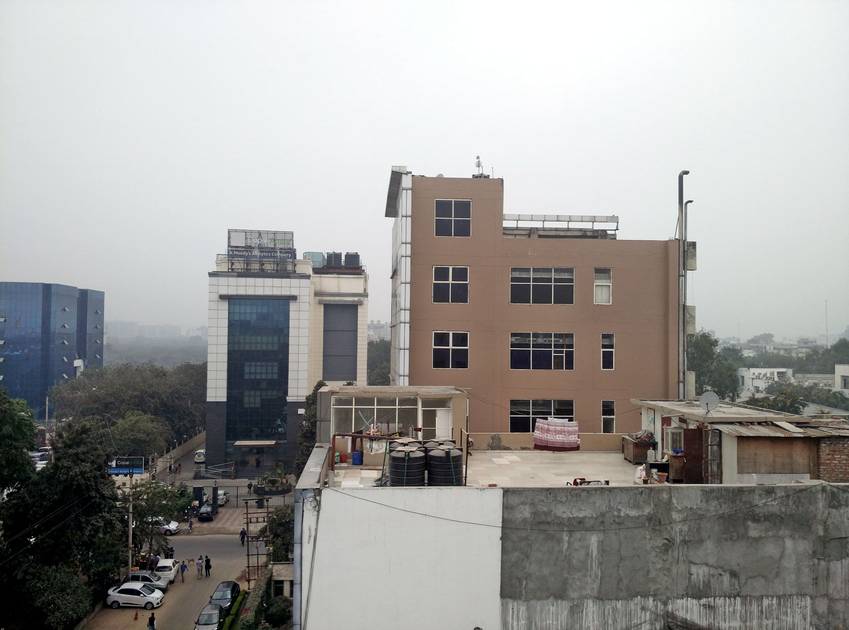
HDR On

Front Shot
|
Front Camera
(Good)
|
||||
|---|---|---|---|---|
| Resolution | ||||
|
||||
| Flash | No | |||
| Video Recording | 1920x1080 @ 30 fps |
Battery
(Very Good)
|
|
|---|---|
| Capacity | 3700 mAh |
| Battery Type | Li-Polymer |
| Quick Charging | Yes Quick Charging |
Storage |
|
|---|---|
| Internal Storage | 16 GB |
| Expandable Storage | Yes, Up to 128 GB |
Network & Connectivity |
|
|---|---|
| SIM Slot(s) | Dual SIM |
| SIM Type | SIM1: Micro, SIM2: Nano (Hybrid) |
| Network Support | 5G Not Supported, 4G |
| SIM 1 |
4G bands
Expand
|
| Wi-Fi | Yes, Wi-Fi 4 (802.11 a/b/g/n) 5GHz |
| Wi-Fi Features | Wi-Fi Direct, Mobile Hotspot |
| Bluetooth | Yes, v4.1 |
| GPS | Yes with A-GPS, Glonass |
| NFC | No |
Multimedia |
|
|---|---|
| Audio Jack | 3.5 mm |
Sensors |
|
|---|---|
| Fingerprint Sensor | Yes |
| Fingerprint Sensor Position | Back |
| Other Sensors | Light sensor, Proximity sensor, Accelerometer, Compass, Gyroscope |
Qiku Q Terra 808 User Reviews
Qiku Q Terra 808 Key Highlights
| Processor | Qualcomm Snapdragon 808 MSM8992 |
| RAM & Storage | 3 GB + 16 GB |
| Display | 6.0", 1080 x 1920 Resolution |
| Rear Camera | 13 MP + 13 MP |
| Front Camera | 8 MP |
| Battery | 3700 mAh |

Popular Links
- All Upcoming Phones
- vivo V80 5G
- OPPO K14 Plus 5G
- Xiaomi Redmi Note 17 Pro 5G
- Lava Virat Curve 5G
- OPPO F35 Pro
- Samsung Mobiles
- Motorola Mobiles
- vivo Mobiles
- OPPO Mobiles
- Tecno Mobiles
- realme Mobiles
- Xiaomi Mobiles