


Review Summary
Expert Rating
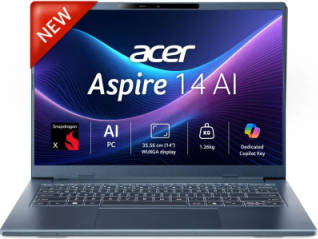
Whenever you or someone around you might think about buying a new mid-range work laptop, the criteria in mind often rely on things like ‘what processor should I get or how much RAM do I need? Even for processors, general users really only think about 2 names, it’s either an Intel- or an AMD-powered machine. But what if I told you that there’s a new capable alternative on hand? One that performs just as well as similarly specced processors and is more power efficient than almost any device at its price? Well, the Acer Aspire 14 AI is exactly that device, and unlike most competitors at this price, it relies on a Snapdragon X-X126100 for all its processing needs.
Since this is my first time using a Snapdragon-powered machine, I can paint you a clearer picture of how it feels for someone used to regular Windows laptops to work daily on an ARM-based machine. I’ve been using this device as my daily driver for a little over a month now and can comfortably paint a realistic day-to-day image of what it performs like, the build quality, display and other little quirks, but more importantly, just how much backup does this rumoured machine really offer? Let’s get started.
Table of Contents
Battery so good that you don’t even need to carry the charger
One of the biggest selling points of any ARM-based laptop, and the key marketing hook, is the battery life advantage compared to a standard Windows machine. So how does the Aspire 14 AI measure up? The reality is that it completely surpasses every rival by a huge margin.
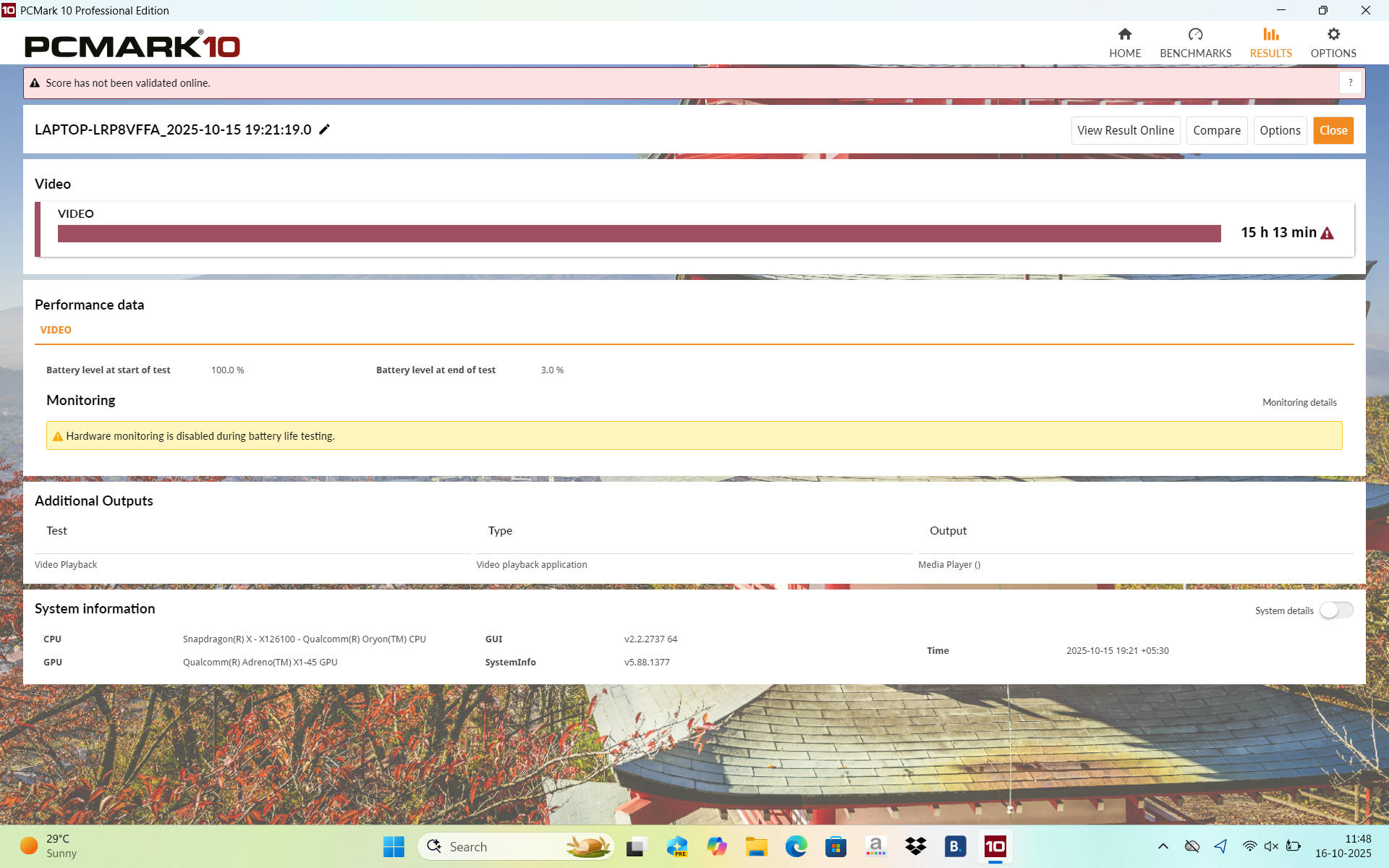
The PCMark results alone are quite impressive at 15 hours, and my personal experience backs that up. While I did not quite hit the full 15-hour mark, the device easily lasted through my 10-hour workdays at full brightness with multiple tabs open and the display locked at 120 Hz. Even with all that, it had over 25% battery left, which allowed me to use it for another two hours at home with brightness reduced to about 60%. Getting roughly 12 hours of use in a single day is something I have never experienced before, and honestly, I am not sure I can go back.
This is all while the work profile is set at ‘Normal’ in Acer Sense. With the profile at ‘Performance’ mode, you can expect a reduction of about 2 hours, which is still quite acceptable to me. After a week of regular use, I even stopped carrying the charger to work since I never needed it before the next day. Speaking of which, the included 65 W Type-C charger is not bulky, and thanks to its PD output, it conveniently doubles as a smartphone charger.
Clean, lightweight design
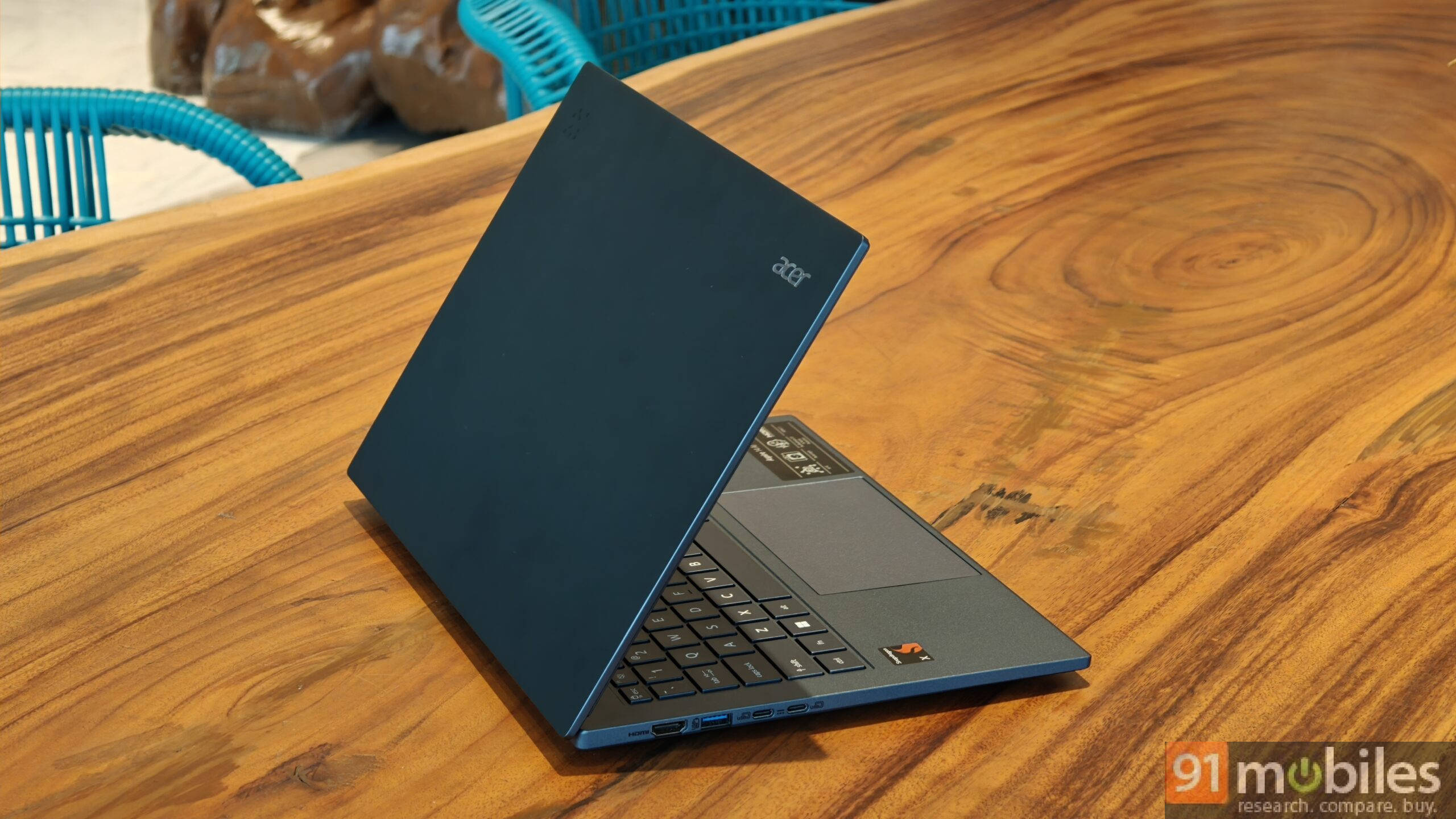
The Aspire 14 AI unit I received for review comes in a “Steam Blue” colourway, which, from what I could find online, appears to be the only colour option available. I like the shade; it is slightly vibrant yet retains the same subtle, professional look found in the grey and silver tones of most productivity laptops.
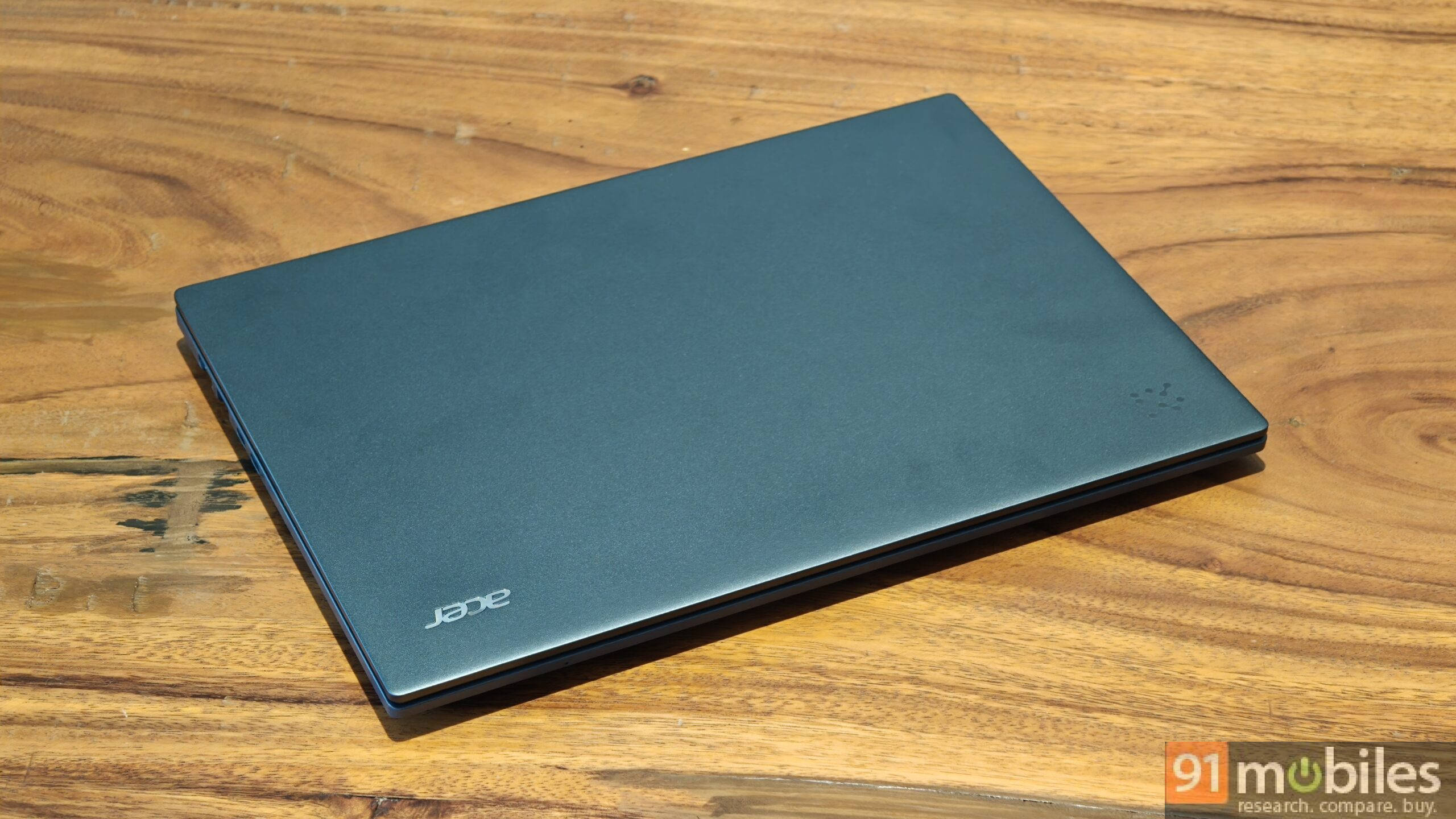
As I’ve mentioned before, this is an extremely portable 14‑inch laptop with barely any heft at around 1.26 kg. It’s perhaps one of the lightest machines I’ve used in this price segment, and it achieves that without compromising much on build quality.
There’s a fair amount of flex on both the lid and chassis, but nothing too concerning. The attached sticker on the bottom right lost some of its print in just under two weeks of use, but aside from slightly blemishing the aesthetics, the overall build quality remains acceptable.
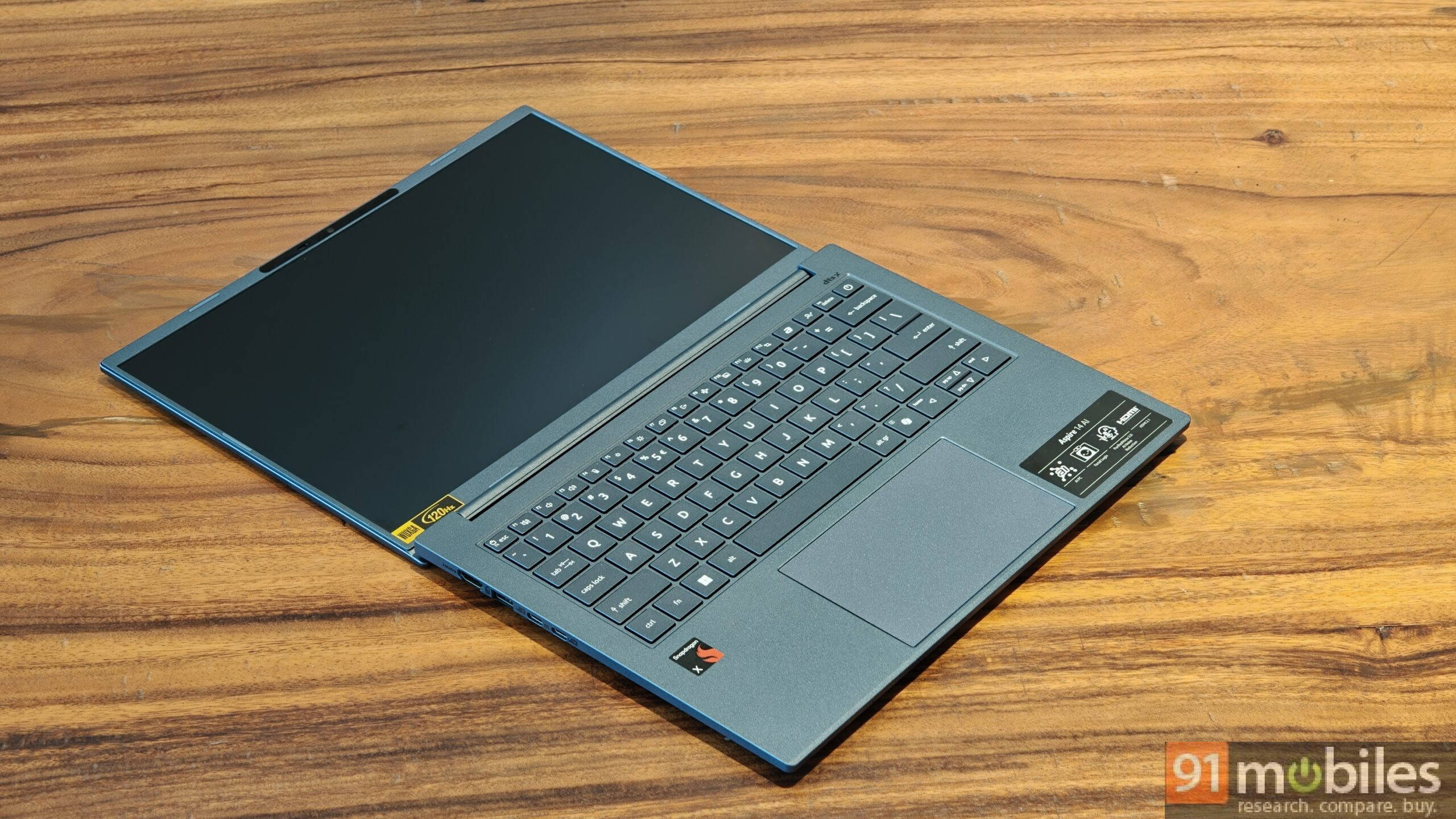
The trackpad is fairly large, and the keyboard offers a nice tactile feel, with well‑spaced keys that are comfortable to type on. The lid passes the one‑handed opening test, and the hinge extends a full 180 degrees, which can be a useful feature if your workflow benefits from it. Finally, the webcam enclosure includes a physical shutter, which I love. All in all, this is a well‑balanced, lightweight design that’s sure to please both you and your shoulders.
All the ports you’d need
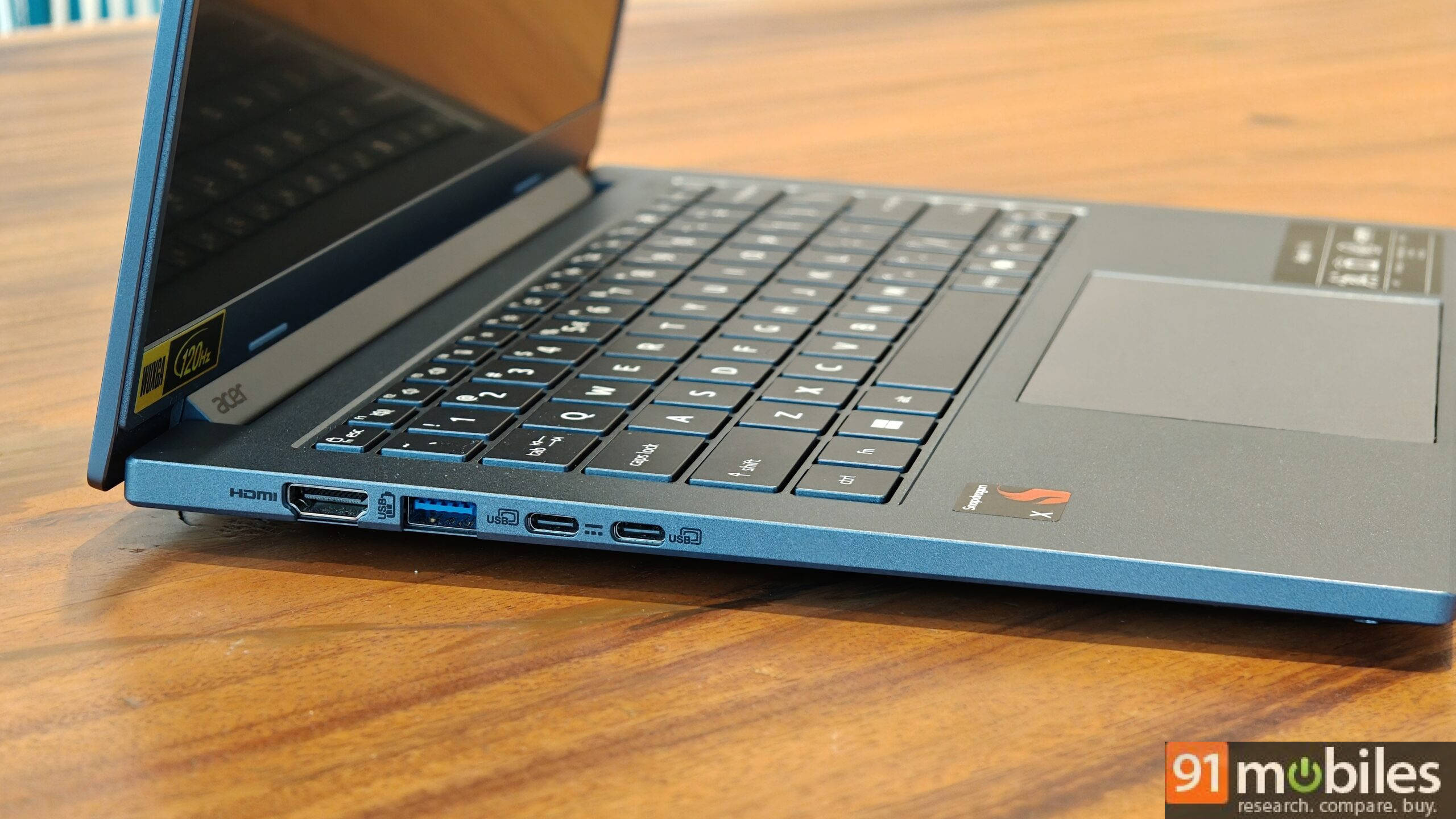
Another pleasant surprise with the Aspire 14 AI is its ample selection of ports and connectivity options. You get two USB 3.2 Type‑A ports (one on each side), two USB Type‑C ports with DC‑in support, a 3.5 mm audio jack, an HDMI port, and even a MicroSD card reader to boot. I can confidently say this set of port options should satisfy the vast majority of users. Moving on to wireless means of connectivity, you get Bluetooth 5.4 and Wi‑Fi 7 support, so there are no issues on that front either.
Typing, trackpad and webcam
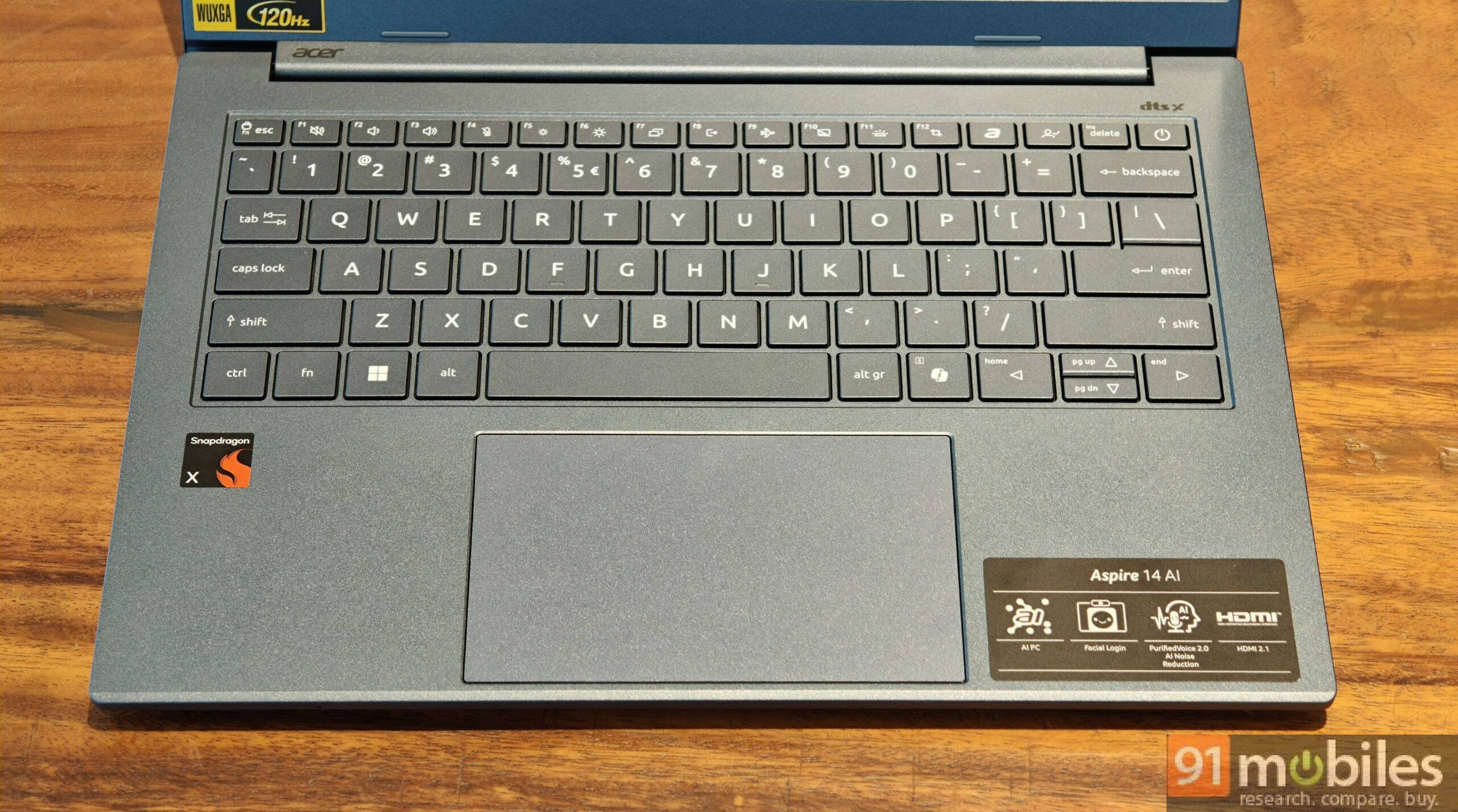
The keyboard on this device is pretty good. The keys are spaced out just enough to minimise mistakes, and they have very nice tactile feedback. The typing experience is quite pleasant, and you get used to it quickly. There are even dedicated keys to access the Acer Support page and Acer Sense, the latter of which I use quite often.
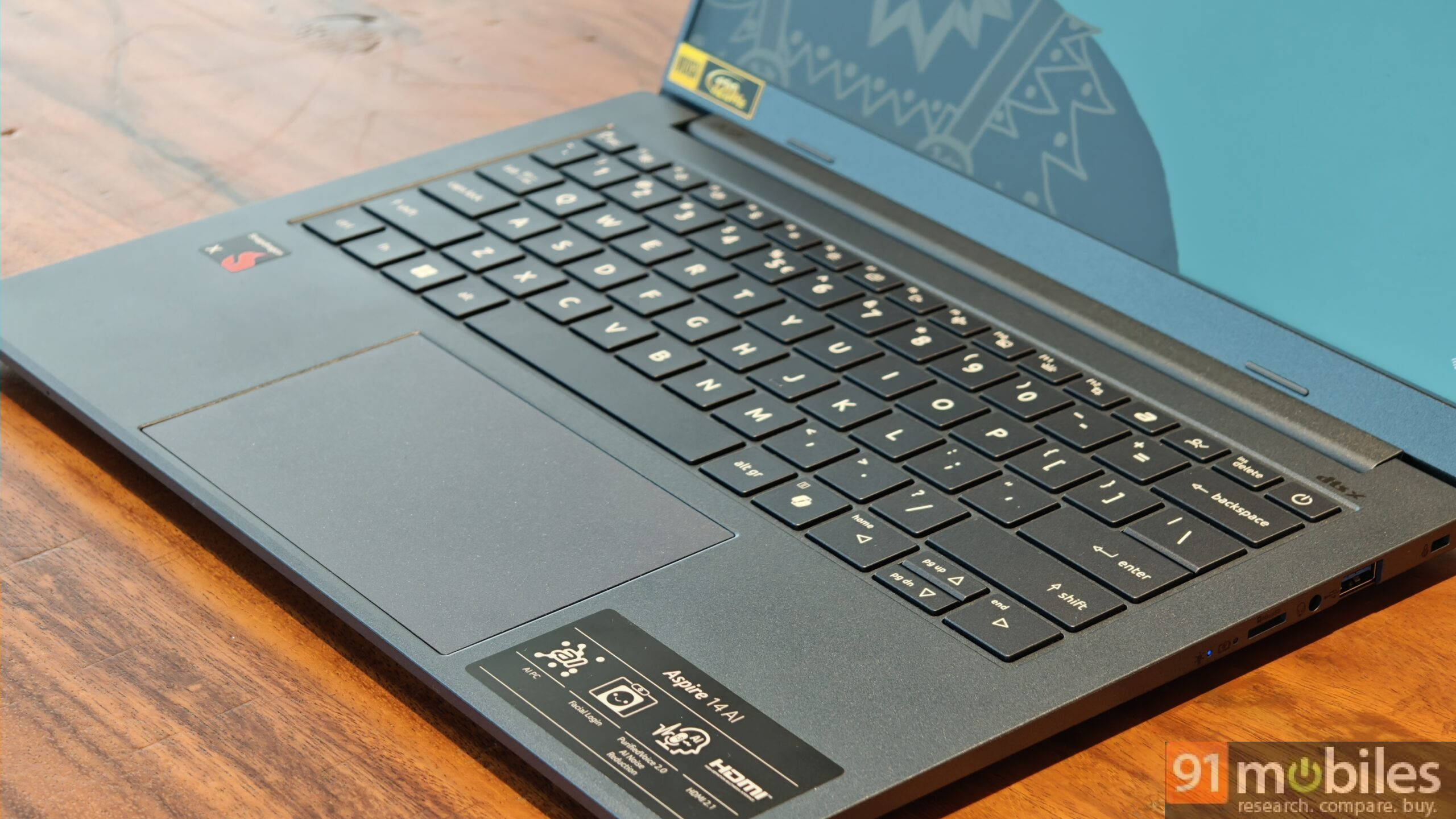
The trackpad here is quite large and was a bit of a nuisance at first, as it often registered my resting palm, but I got used to working around it quickly, and you likely will too. It is more than adequate for regular work, but it could pose a problem if you work a lot with photos or editing, as it is not sensitive enough for very precise manoeuvres. That is where the ports come in, and I would recommend using an external mouse.
The trackpad also sometimes registered a right click on its own, which caused issues midway through use and was an annoying surprise. It became a constant bother whenever it happened, and I had to manually click again to fix it. Do note, I used the trackpad extensively throughout my time with this laptop, so that may have contributed to the issue, but it still does not reflect well on the build quality here.
The webcam on offer is QHD+ and, true to its perceived capabilities, delivers excellent picture quality. It also includes a physical shutter, which is something I really appreciate. It is one of the better webcams I have seen on a laptop and should prove excellent for students and professionals alike for work, meetings, and video calls. You also get Windows Hello support for facial unlock, which is another neat addition.
A satisfactory display and speaker setup
Another aspect where this laptop pleasantly surprised me is the quality of its display. The 14-inch IPS panel has a 1200p resolution (1920 x 1200), a 120 Hz refresh rate, and a wide 16:10 aspect ratio. The refresh rate is a bit uncommon, since a lot of productivity laptops stick to 60 Hz for better power efficiency, but the Aspire 14 AI can safely ignore that thanks to its stellar battery backup, and I love that! Once you get used to 120 Hz, it feels like a big restriction to go back to 60 Hz, so most users will appreciate how smooth this panel feels.
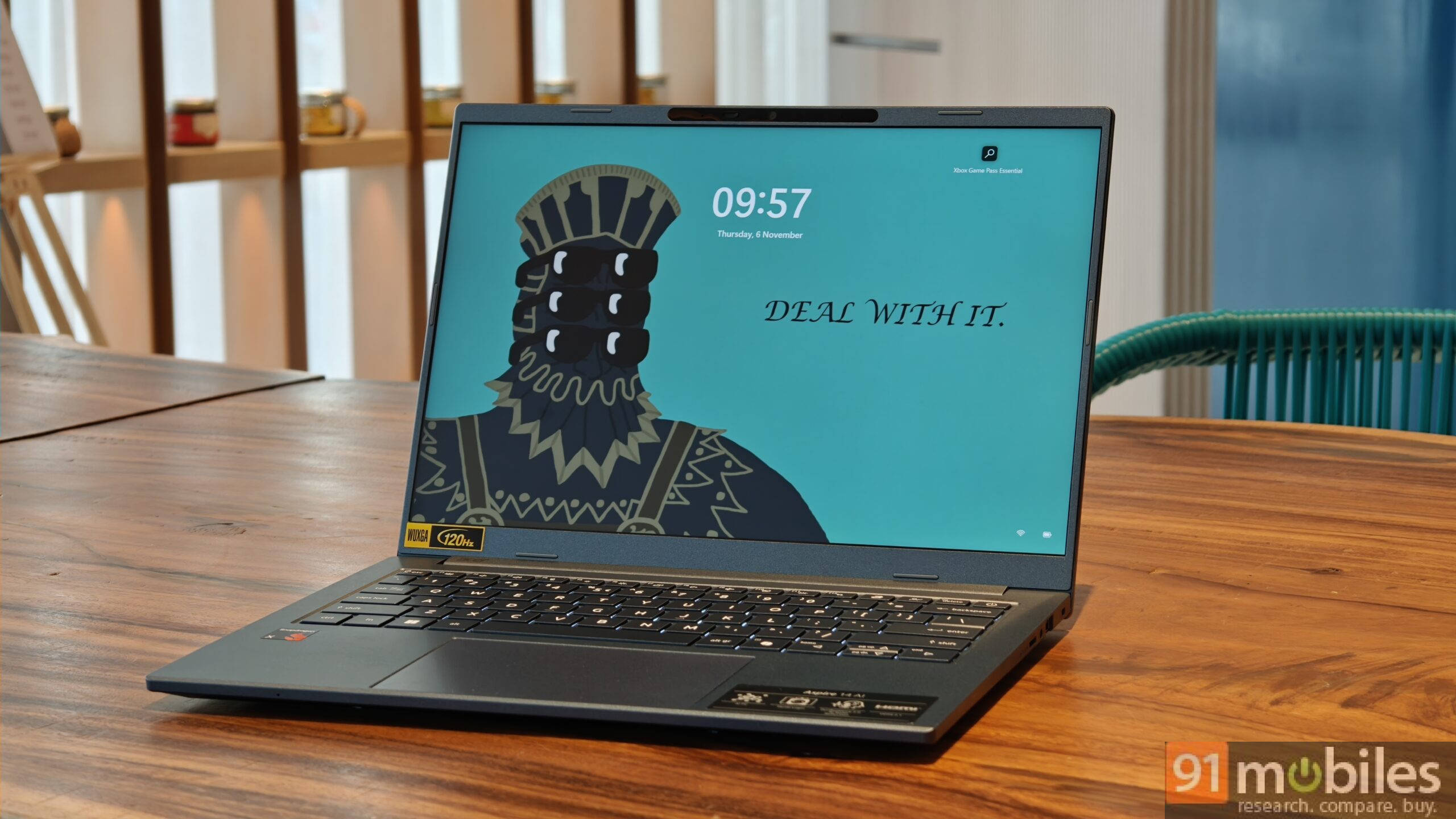
The 8-bit panel also covers 100% of the sRGB colour space, so colours look a lot richer than on standard displays in this price bracket. This makes it a treat for watching content or doing colour-sensitive work such as basic photo and video editing. The brightness level is not officially specified, but based on my use, it seems to be around 400 nits, which is sufficiently bright even under harsh lighting and clearly better than many similarly priced laptops.
The audio on offer is also quite good. The speakers support DTS, get decently loud, and sound fairly full with a good sense of richness, although the highs can feel a bit muffled at times. For a thin and light machine, the speakers are more than acceptable, but they do pale in comparison to something like a MacBook.
Reliable performance for all your needs
The Snapdragon X X1-26-100 is not a performance powerhouse by any means, but it still handles regular day-to-day use more than satisfactorily. For students, working professionals, or anyone who wants a thin and light machine mainly for streaming, browser-based tasks, light office work, Word, Excel, and similar activities, this laptop is more than sufficient.
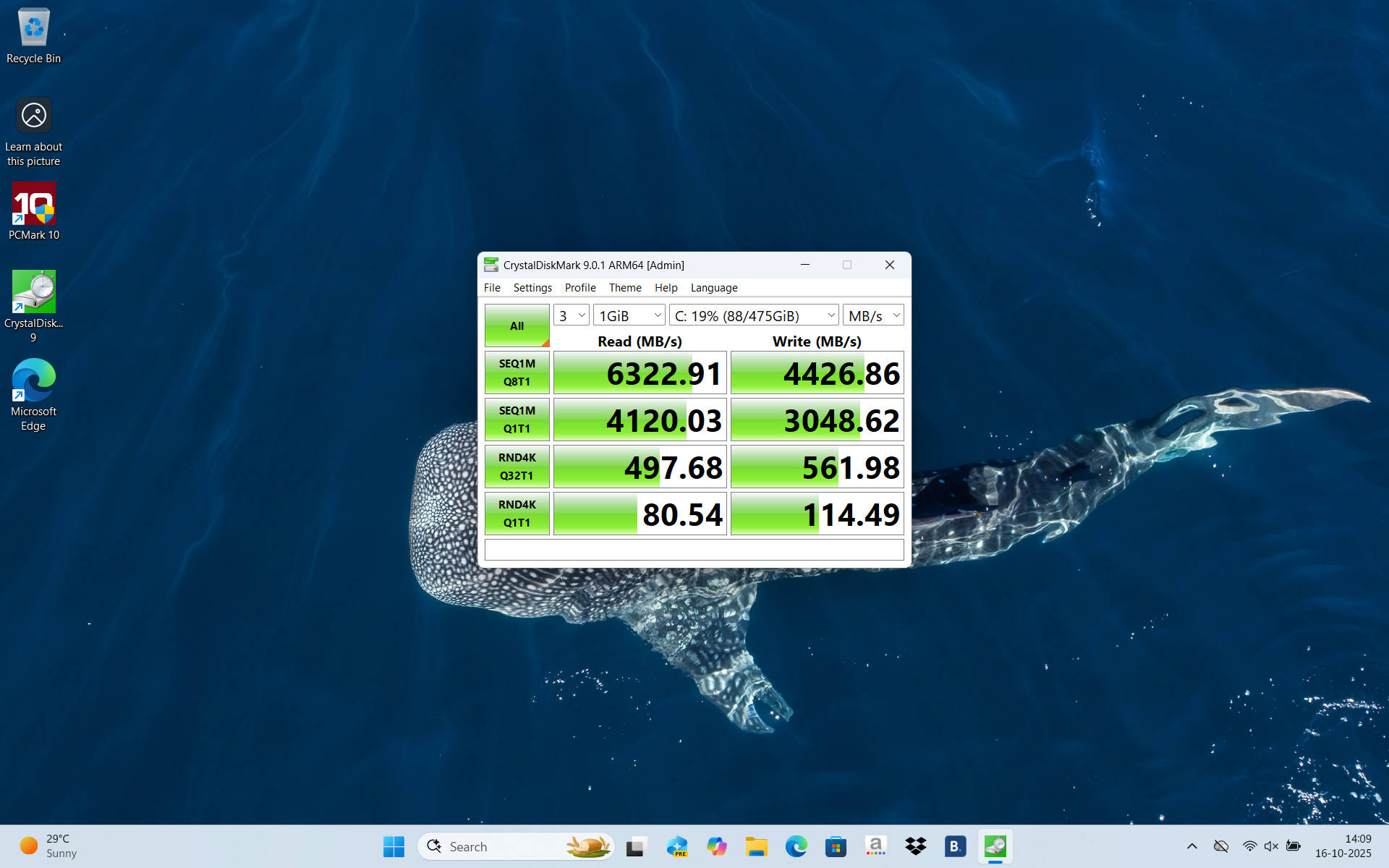
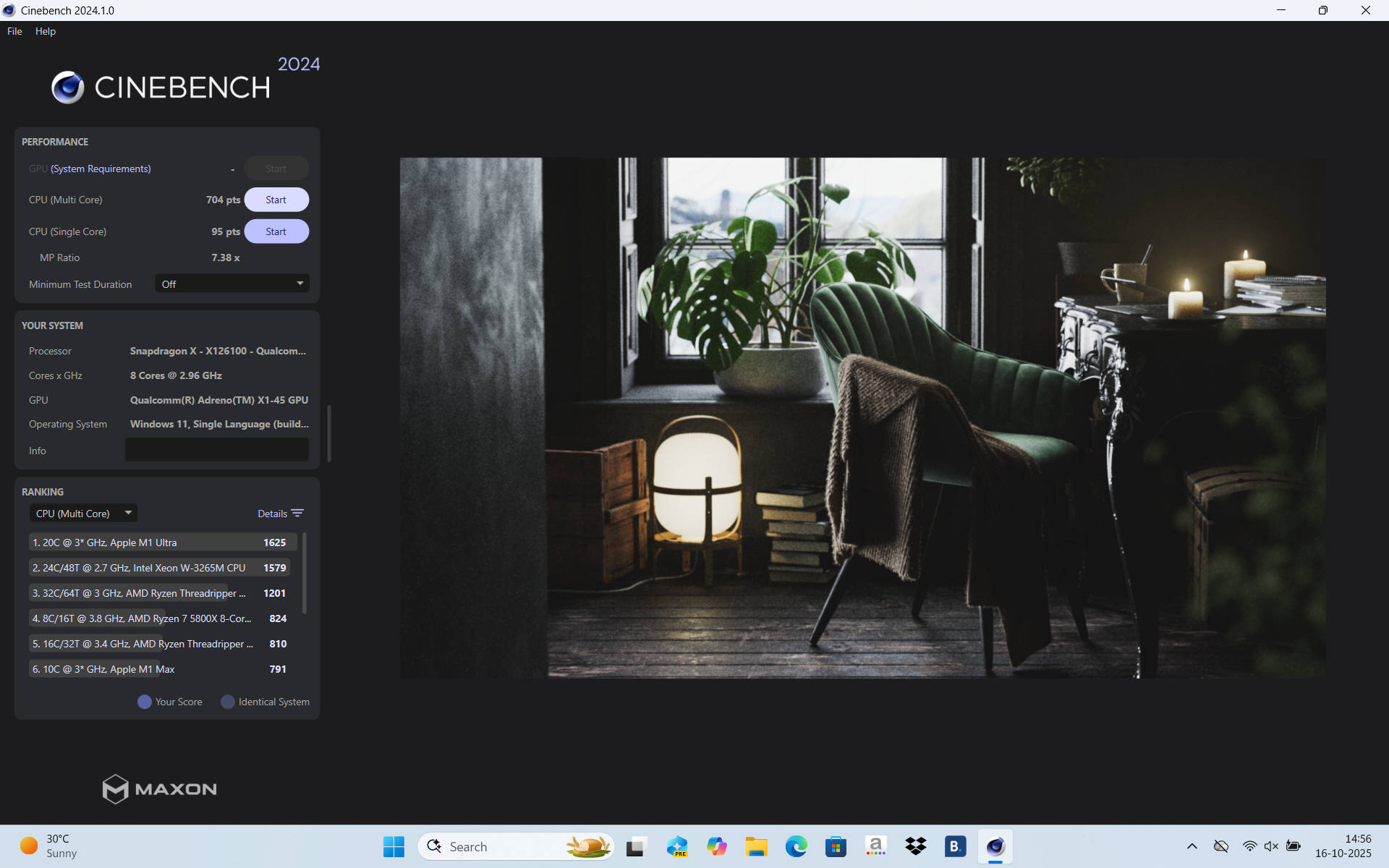
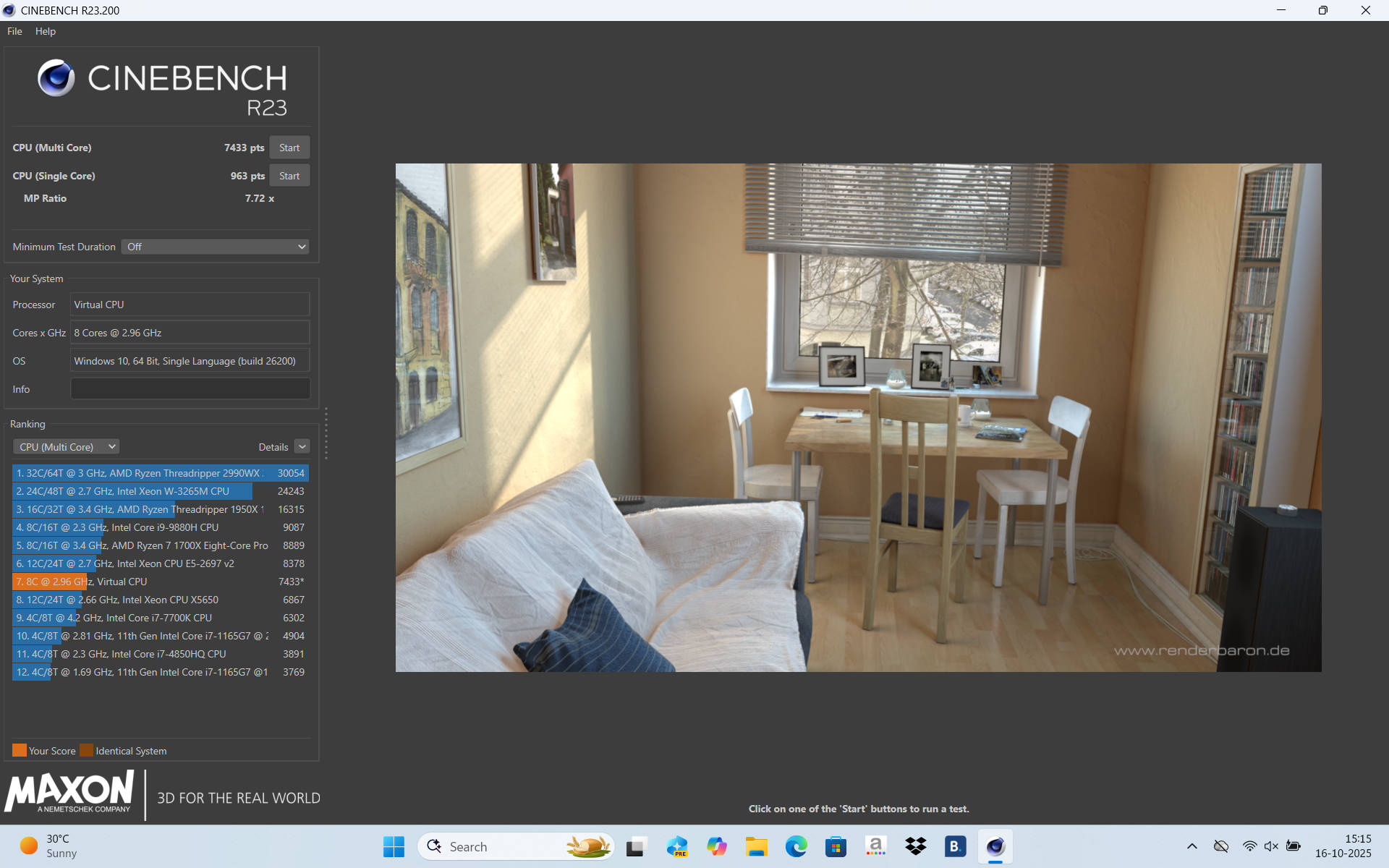
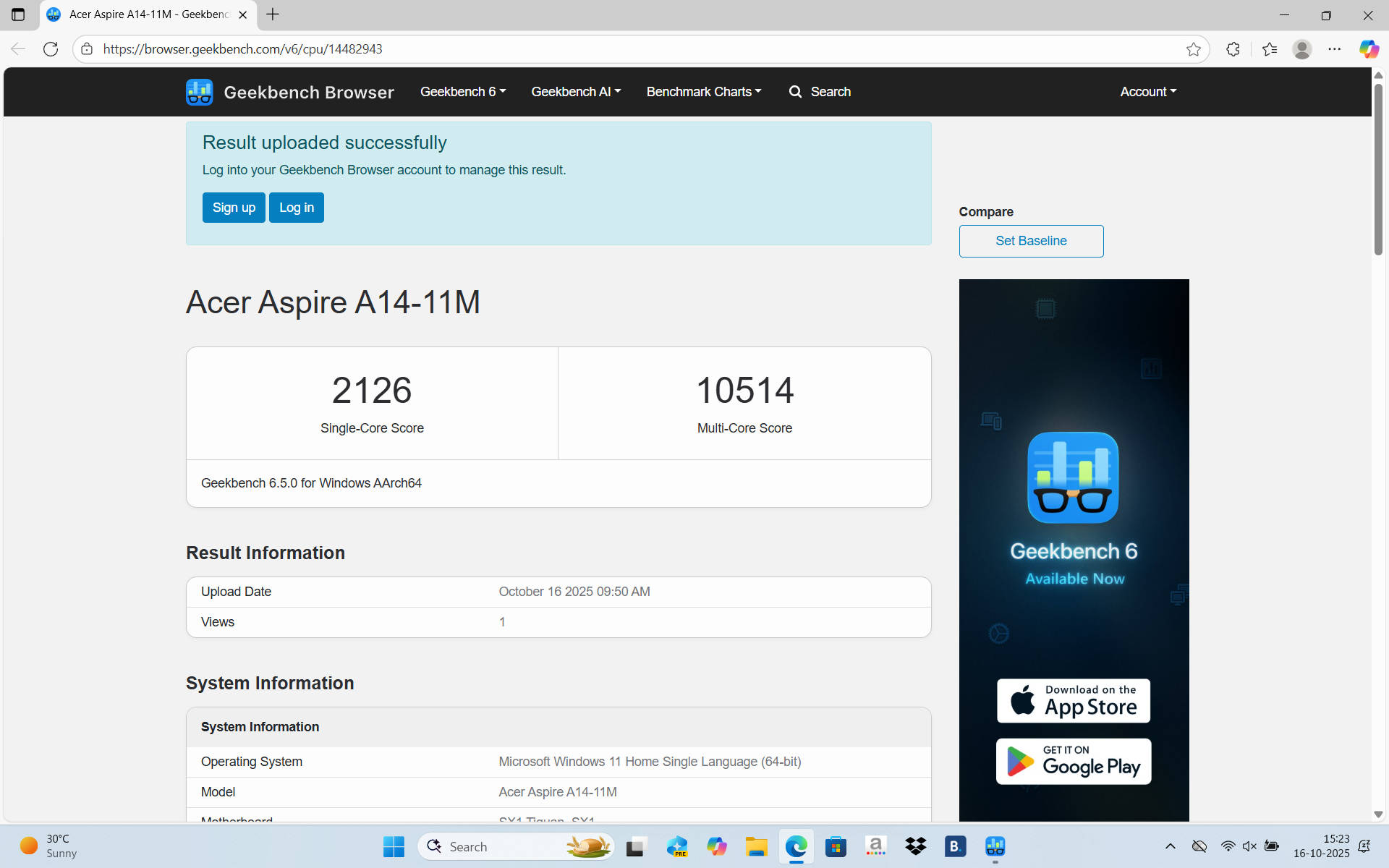
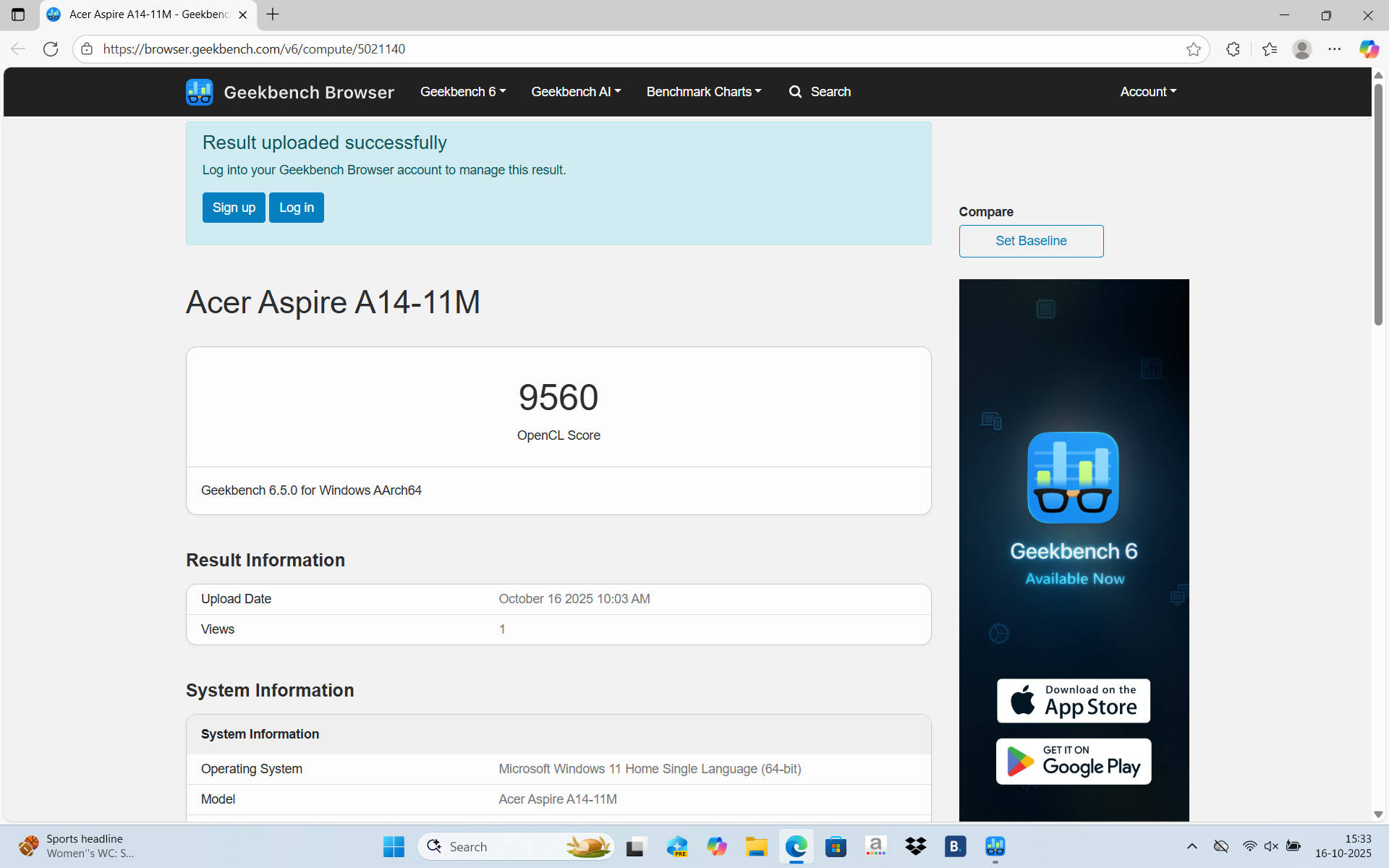
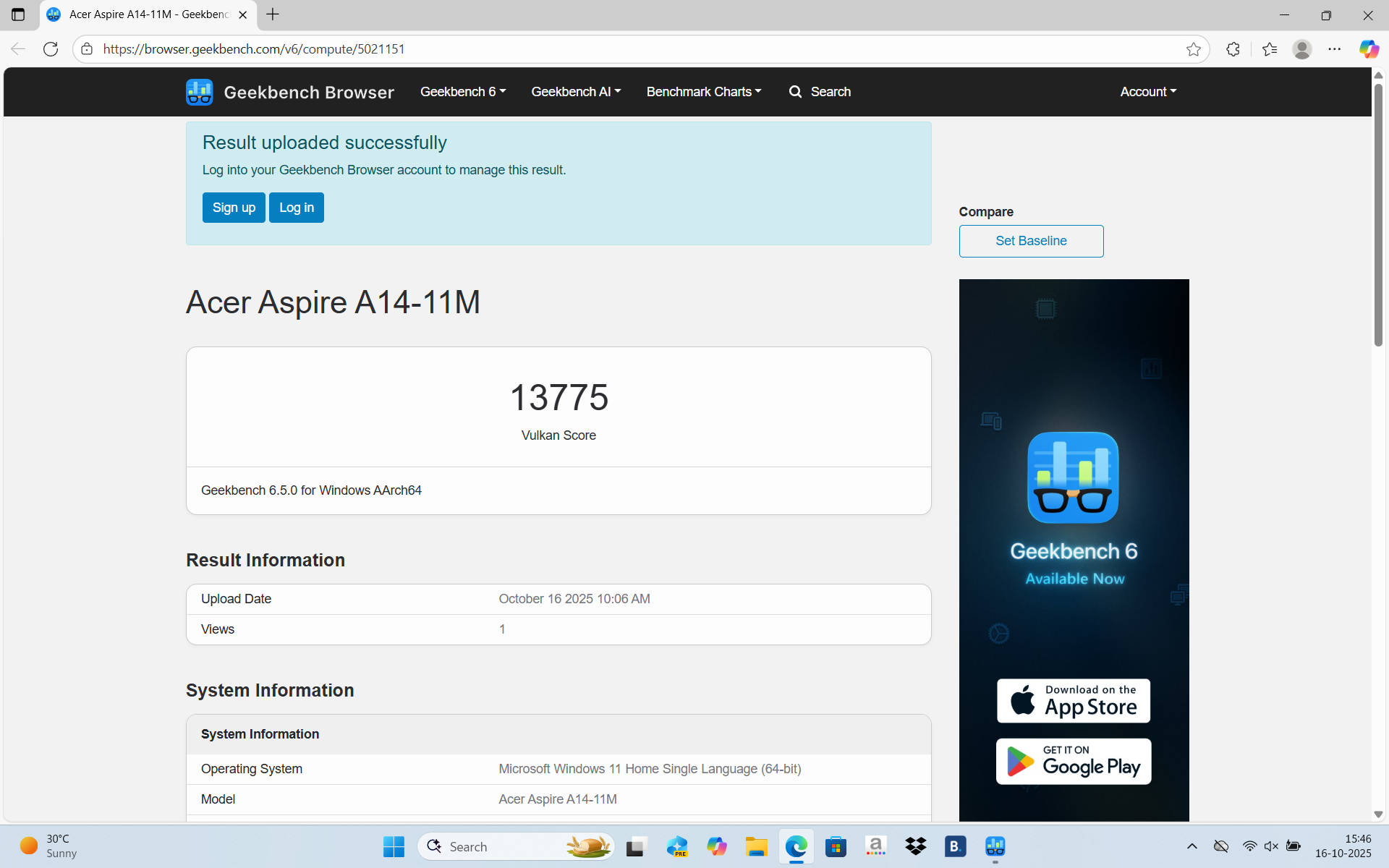
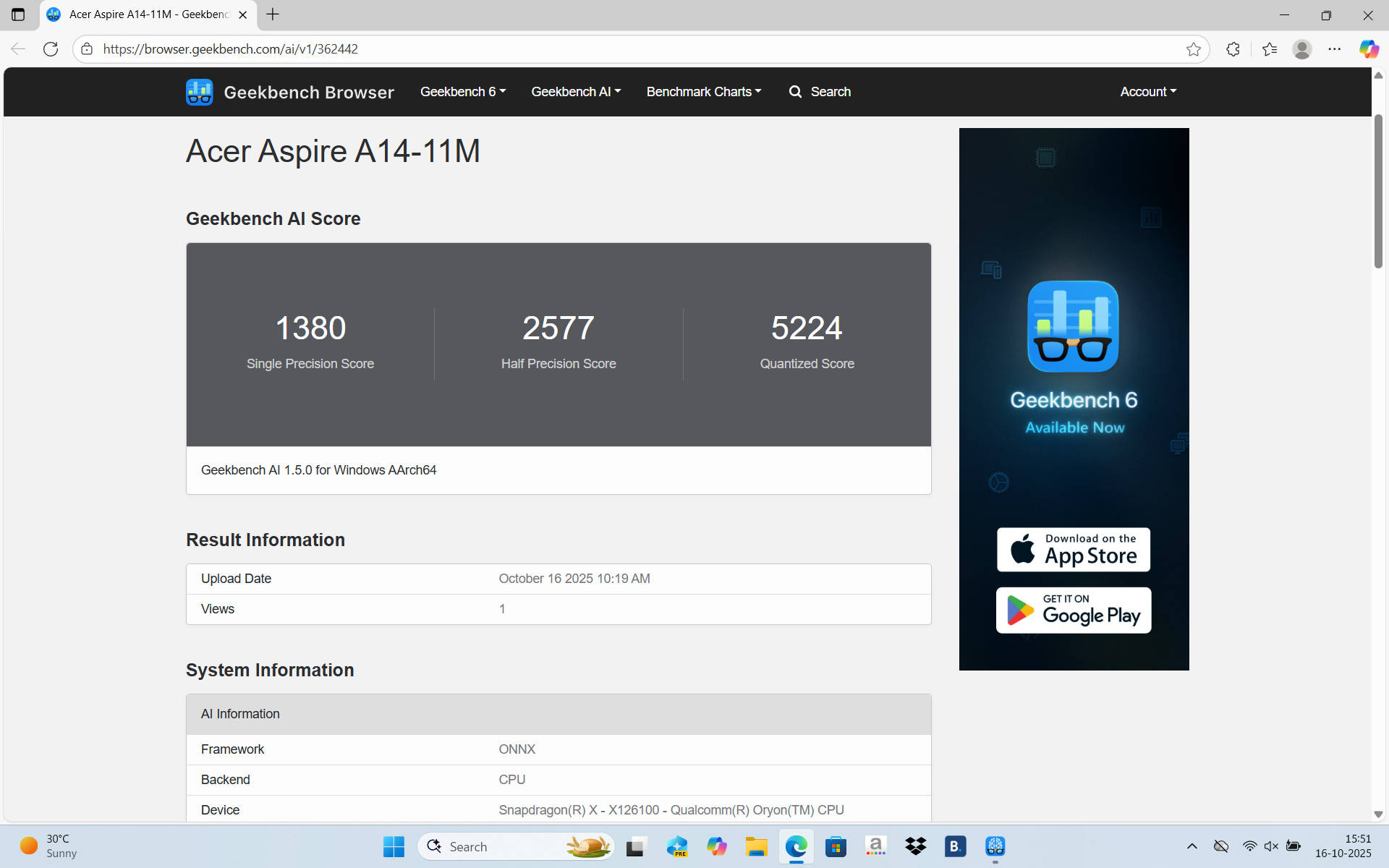
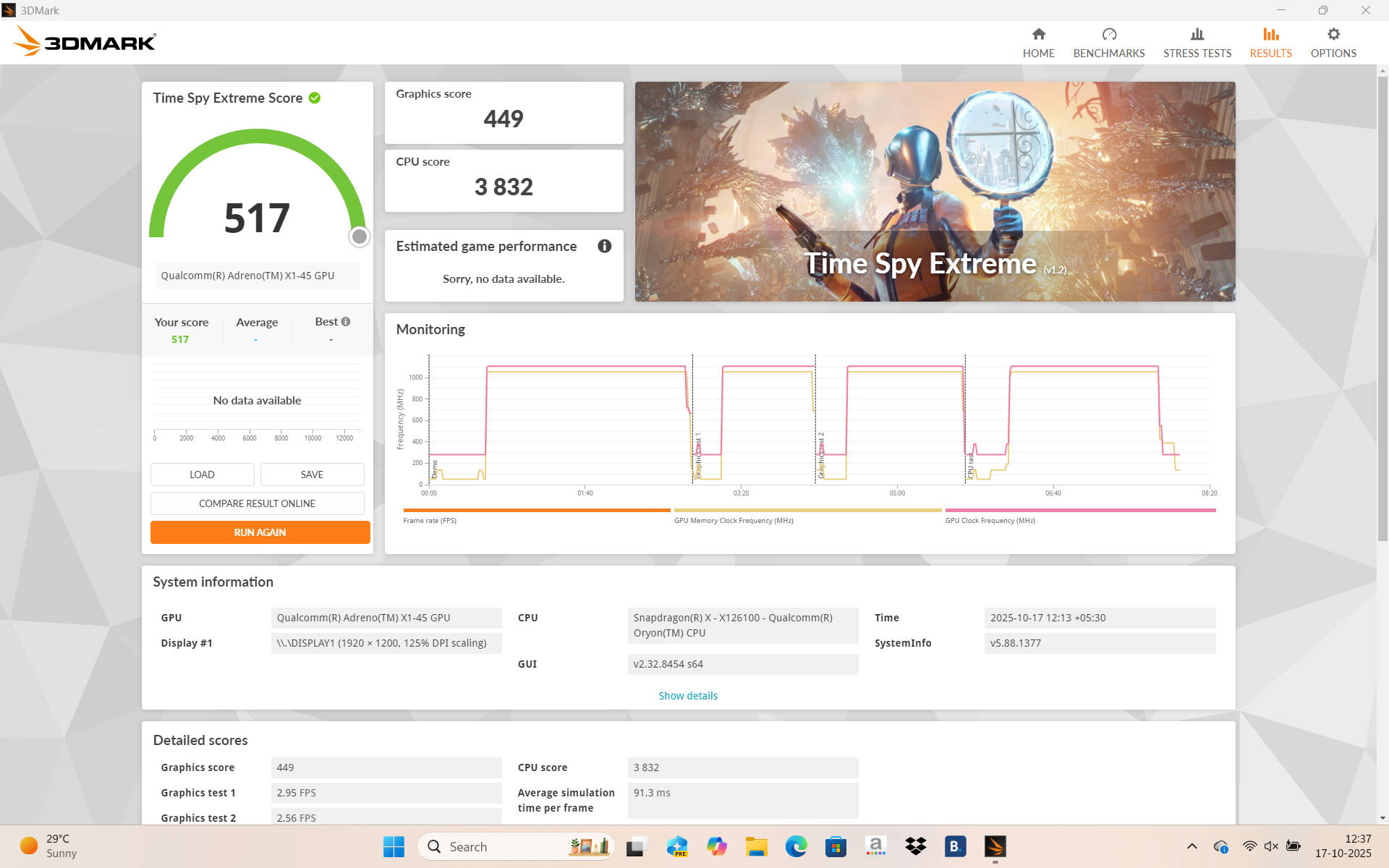
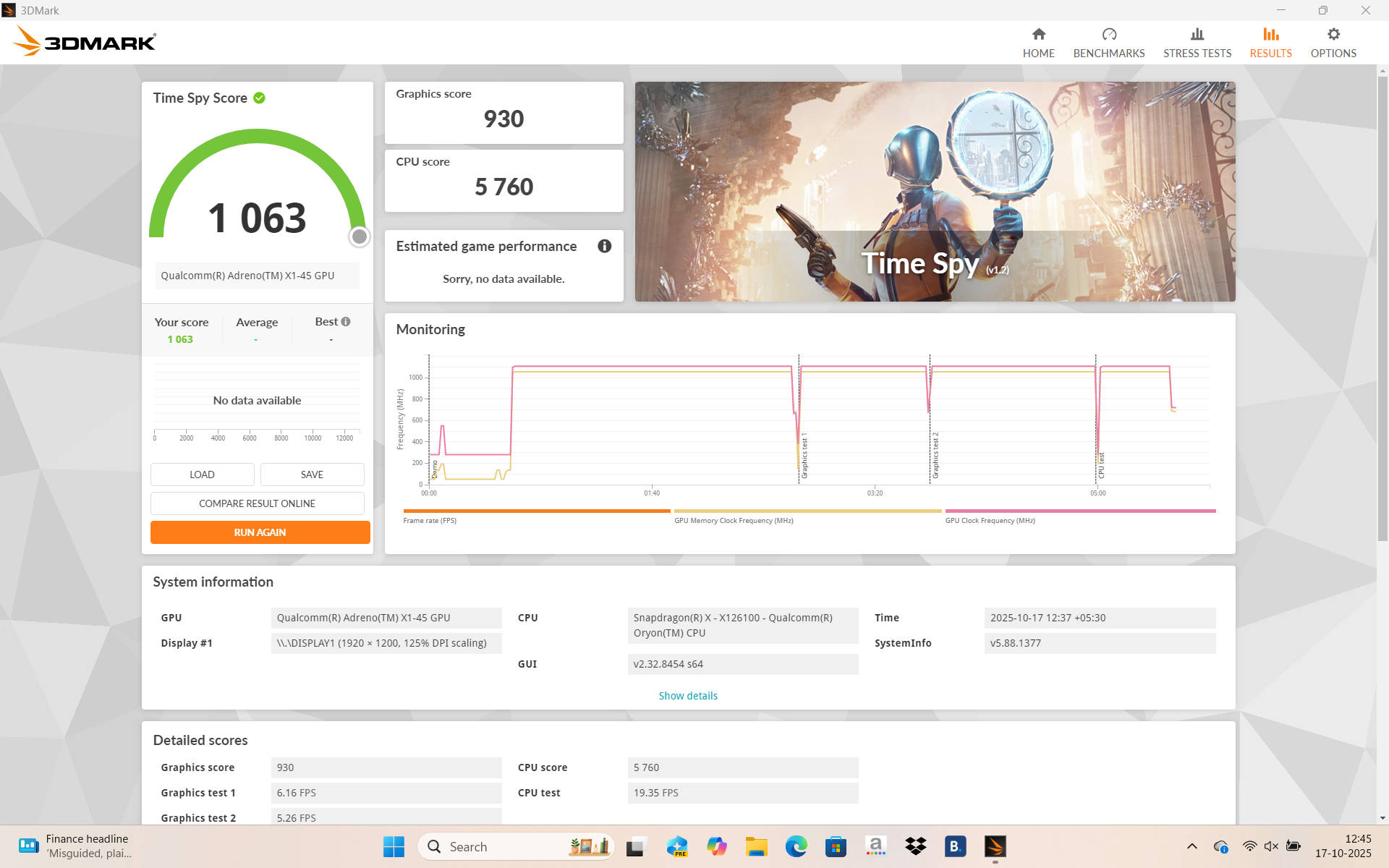
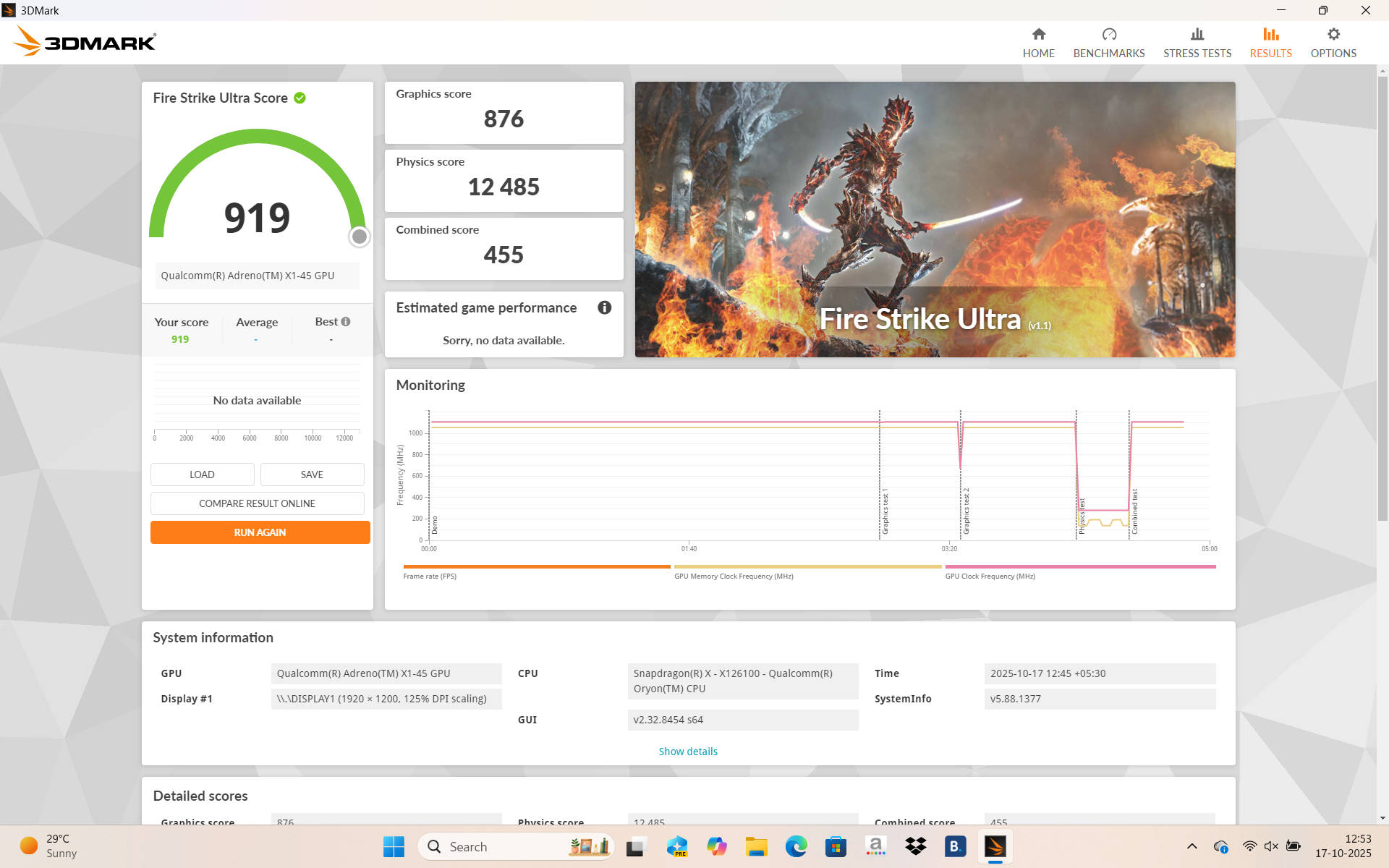
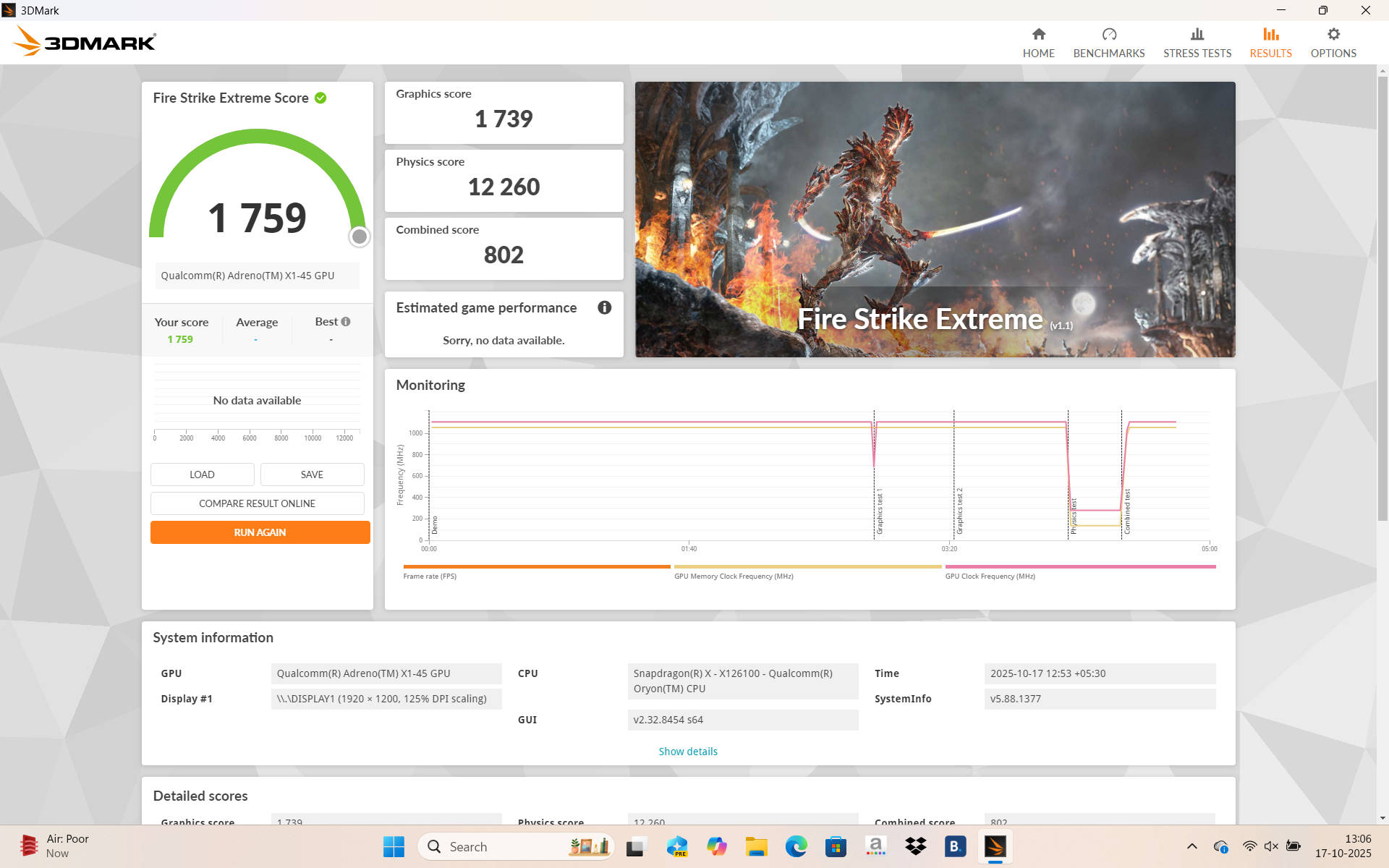
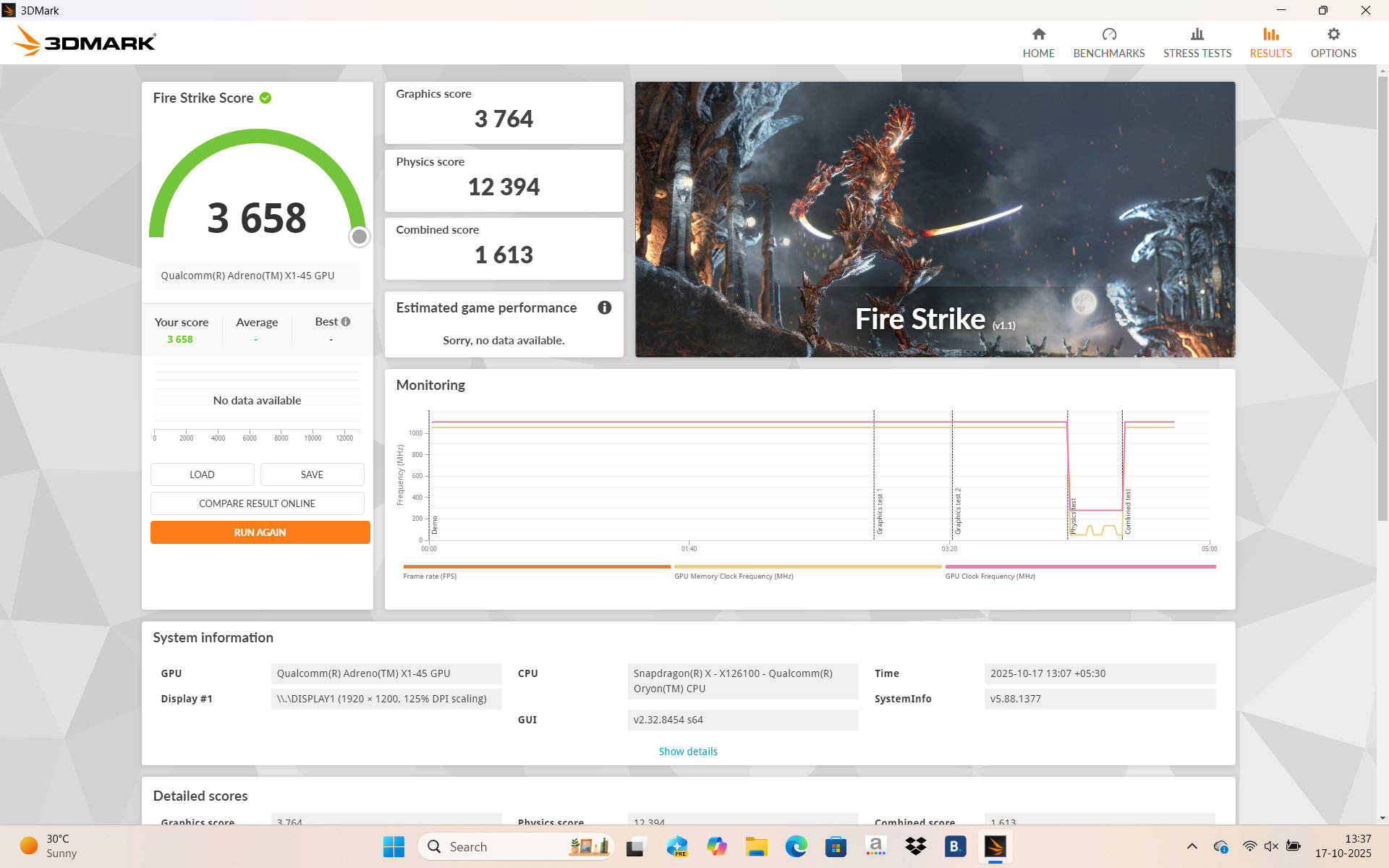
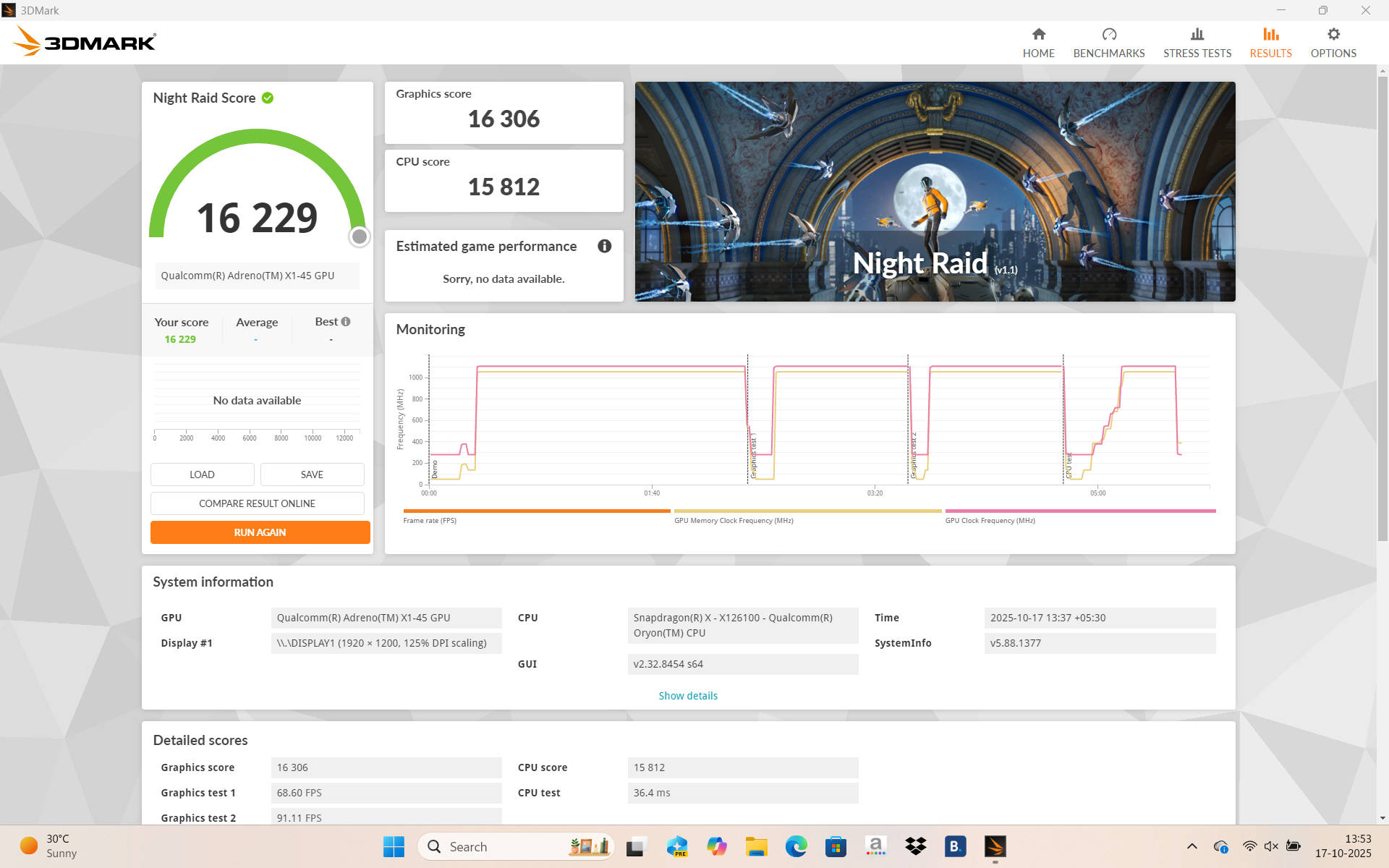
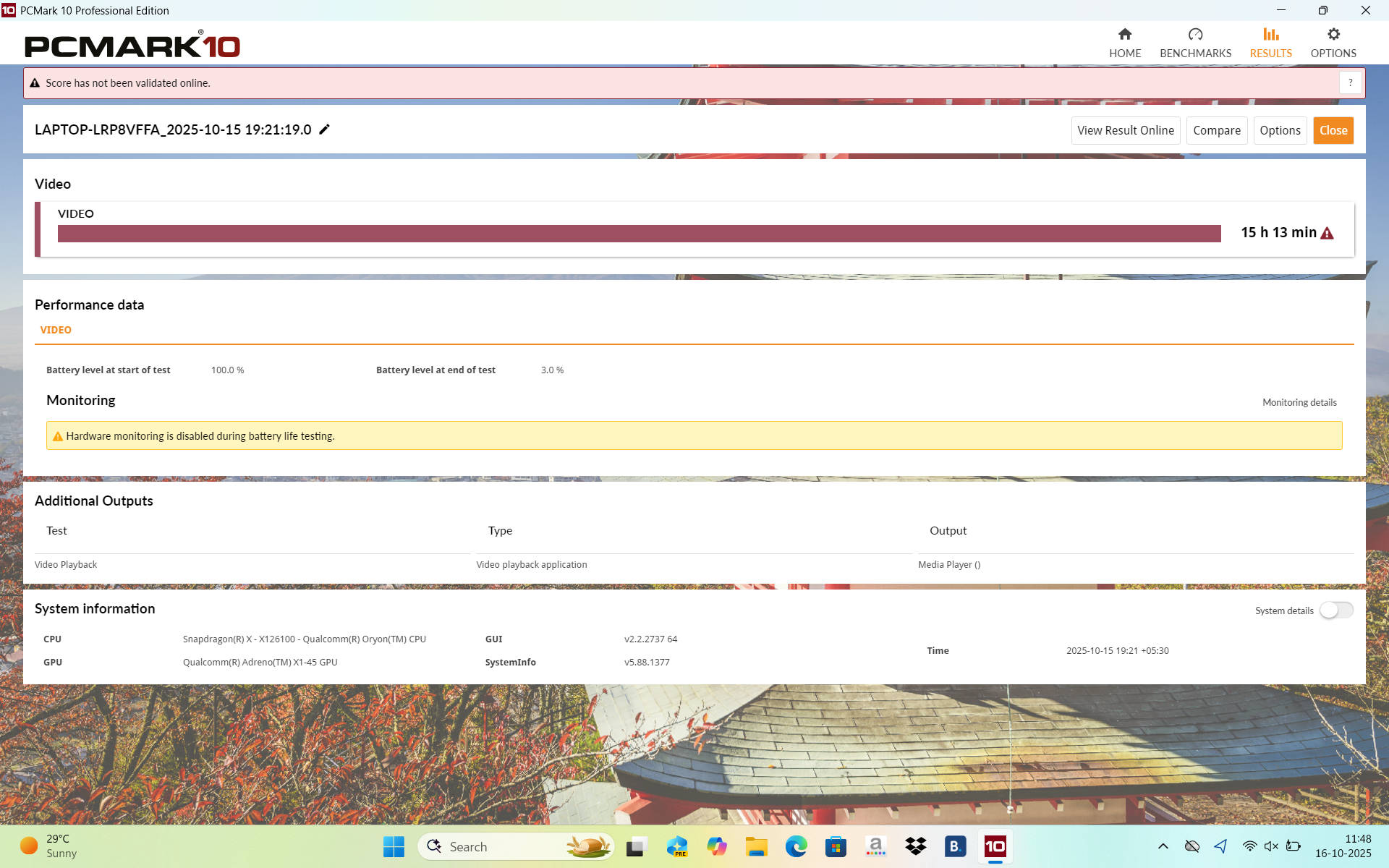


That is partly thanks to the 16 GB LPDDR5X RAM at 8448 MT/s, which is a top-end configuration. However, it uses the TSOP form factor, so you cannot upgrade the RAM further since it is soldered to the motherboard. Compared to similarly priced devices, such as the Intel Core i5-210H powered Moto Book 60 (review), and Core i5-13420H powered ASUS Vivobook S14 (review). The performance gap is not that large. The Snapdragon X is a bit behind, but real-world performance feels virtually the same. Check it out below:
| Model Number | Acer Aspire 14 AI | Moto Book 60 | ASUS Vivobook S14 |
| CPU | Qualcomm Snapdragon X X1 26 100 | Intel Core 5 210H | Intel Core i5-13420H |
| GPU | Adreno X1-45 | Intel UHD Xe | Intel UHD |
| RAM Size | 16GB | 16GB | 16GB |
| RAM Type | LPDDR5x | DDR5 | LPDDR5 |
| Cinebench R24 MT | 704 | 555 | 546 |
| Cinebench R24 ST | 95 | 106 | 97 |
| Cinebench R23 MT | 7433 | 9846 | 9870 |
| Cinebench R23 ST | 963 | 1754 | 1657 |
| Geek Bench 6 ST | 2126 | 2403 | 2291 |
| Geek Bench 6 MT | 10514 | 9780 | 8960 |
| Geek Bench OpenCL | 9560 | 10223 | 9598 |
| Geek Bench Vulcan | 13775 | 12091 | 11915 |
| 3DMark Time Spy Extreme | 517 | 546 | 540 |
| 3DMark Time Spy | 1063 | 1174 | 1174 |
| 3DMark Fire Strike Ultra | 919 | 821 | 817 |
| 3DMark Fire Strike Extreme | 1759 | 1616 | 1609 |
| 3DMark Fire Strike | 3658 | 3383 | 3373 |
| 3DMark Night Raid | 16229 | 14047 | 14409 |
| Battery Runtime (Hr:Min) | 15:13 | 8:14 | 10:55 |
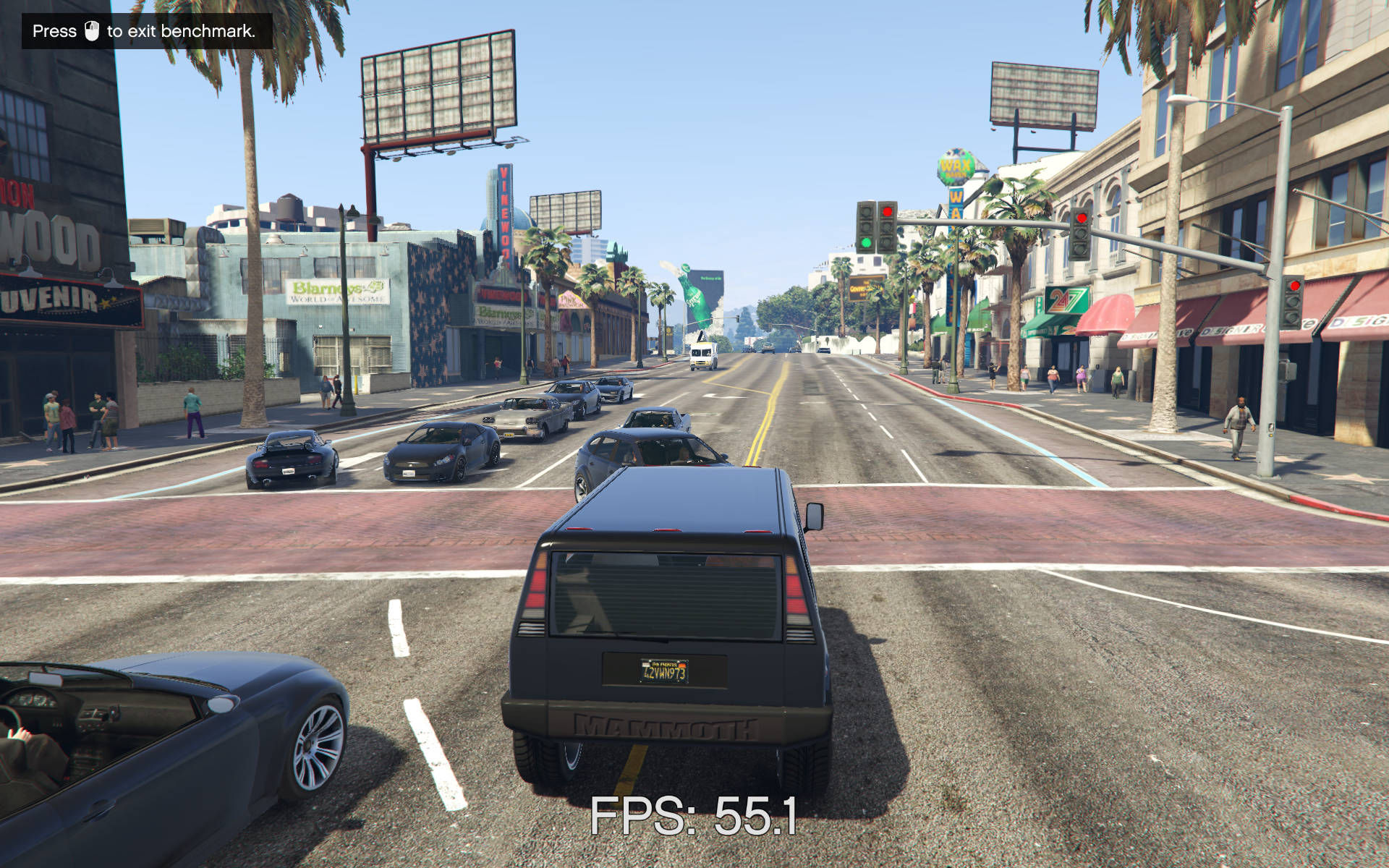
| GTA 5 – Avg FPS | 54 | 20 | 39 |
If your needs are not very demanding, the Aspire 14 AI will more than satisfy your requirements and perform admirably. For example, I never faced performance issues while running over 30 tabs across two browsers, with YouTube music playing in the background and no charger equipped. The combination of a capable, efficient processor with super-fast RAM makes everything feel buttery smooth. Even light photo editing works well without much hassle.
Naturally, this machine is not a gaming device, but it can still handle older titles like GTA 5, albeit with some struggles. Less demanding indie games run just fine (if they’re ARM compatible), for instance, I played Dredge and Hades on this device, and they ran just fine. All in all, this is an excellent workhorse for regular users who want nothing more than reliable performance for streaming, some light gaming, browser-based work, documents, Word files, Excel, and the like.
Windows on ARM limitations
With performance quirks out of the way, let us address the one key area: the limitations of Windows on ARM. Make no mistake, while Windows on ARM has made significant progress over the years, the platform still faces several limitations overall. For instance, older and niche software often lacks ARM-based alternatives. Thanks to Microsoft’s push for compatibility, most mainstream applications now have ARM versions, but some legacy software and quite a few games remain incompatible.
Peripherals also pose challenges, though older issues like printers not working have largely improved. My old Canon printer connected and printed just fine, and online research suggests this holds for many ARM laptops now. However, results may vary depending on your device brand, so some uncertainty remains.
Popular Adobe apps like After Effects and Premiere Pro still lack ARM-compatible versions, as does AutoCAD, another key tool. Even Linux support is absent. Despite the progress, wide swaths of software and legacy applications have yet to take root on ARM. Will it affect a general user? Most likely not, but the platform is not completely mature yet.
Verdict
The Acer Aspire 14 AI comes in a single variant priced at Rs 60,000 currently, though some reviews mention a sale price of Rs 42-43,000. At the lower price, it is a no-brainer for any general user wanting a reliable laptop for work and streaming, but we will judge it at its standard retail price.
If you are a student, working professional, or regular user seeking a capable machine that handles smooth performance for basic tasks like streaming, browser-based work, Google Docs, Microsoft Excel, Word, and the like, the Aspire 14 AI ranks among the best options under Rs. 60,000.
It manages all these effortlessly without breaking a sweat. The battery life alone is such an excellent perk that it outshines everything else in this price bracket and truly changes how you use a laptop. On top of that, you get a great port selection, a good 1200p display, decent speakers, all in a compact 14-inch lightweight form factor. Things do not get much better than that.
The only real catch is the ARM-based system and its accompanying uncertainty. As mentioned earlier, most general users will never face any issues, but if you work with legacy software, you lose the flexibility of a standard x86 Windows machine. In that case, similarly priced options like the Moto Book 60 or ASUS Vivobook S14 make more sense, and they both have an OLED display on offer. If ARM is not a concern, this laptop earns my strong recommendation.
Editor’s Rating: 8.0/10
Pros:
- Great battery life
- Lightweight 14-inch laptop
- 120Hz display and good speakers
- Decent performance
Cons:
- ARM-based uncertainties
- Trackpad issues