


Review Summary
Expert Rating
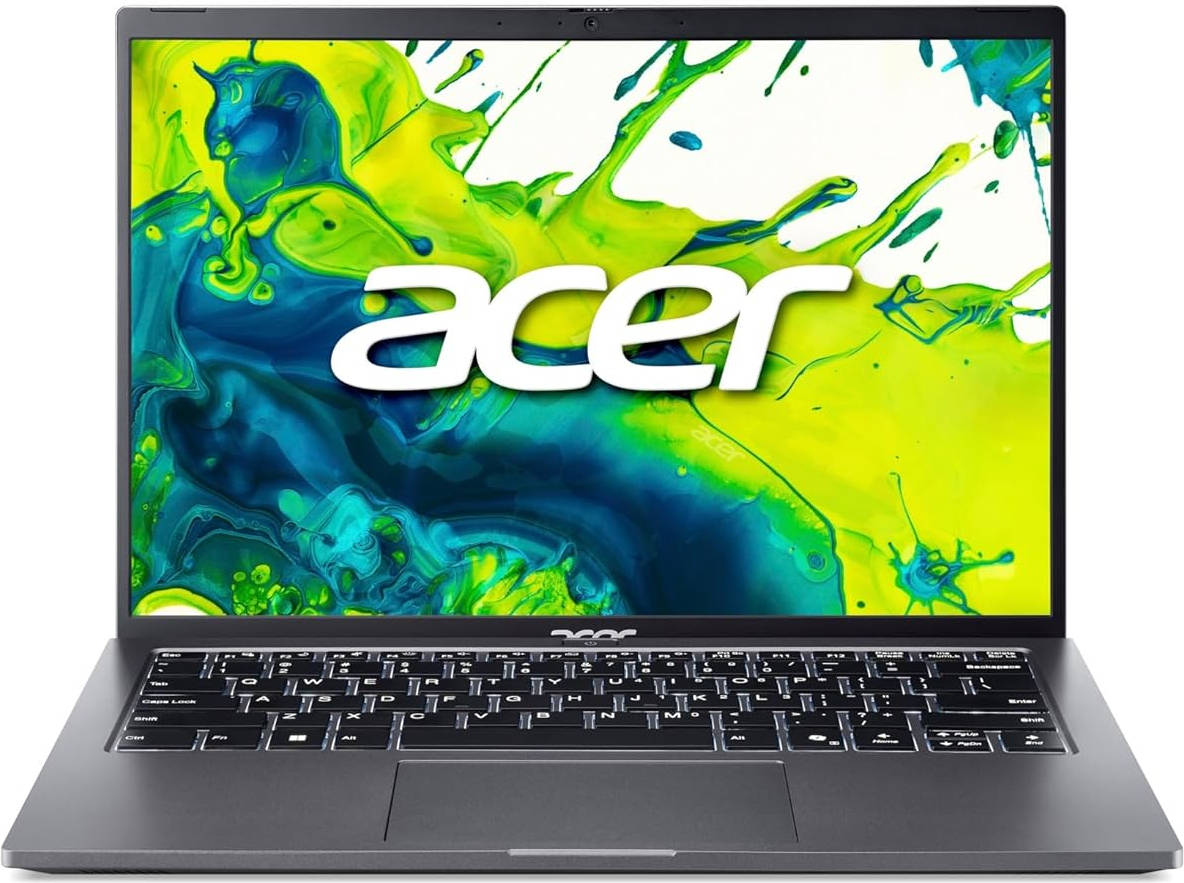
Let’s be honest: college life demands a laptop that can juggle note-taking, binge-watching, group chats, and the occasional indie game, all without wrecking your budget. Sure, there are plenty of older, discounted models that still get the job done, but some students want something fresh and up to date with the latest tech. That’s where the all-new Acer Aspire Go 14 AG14-71M comes in. On paper, it ticks most boxes with its specs and price tag. But is it truly campus-worthy? Let’s find out. Spoiler: it’s got charm… and a few quirks.
Table of Contents
Looks Low-Key, Plugs Like a Pro
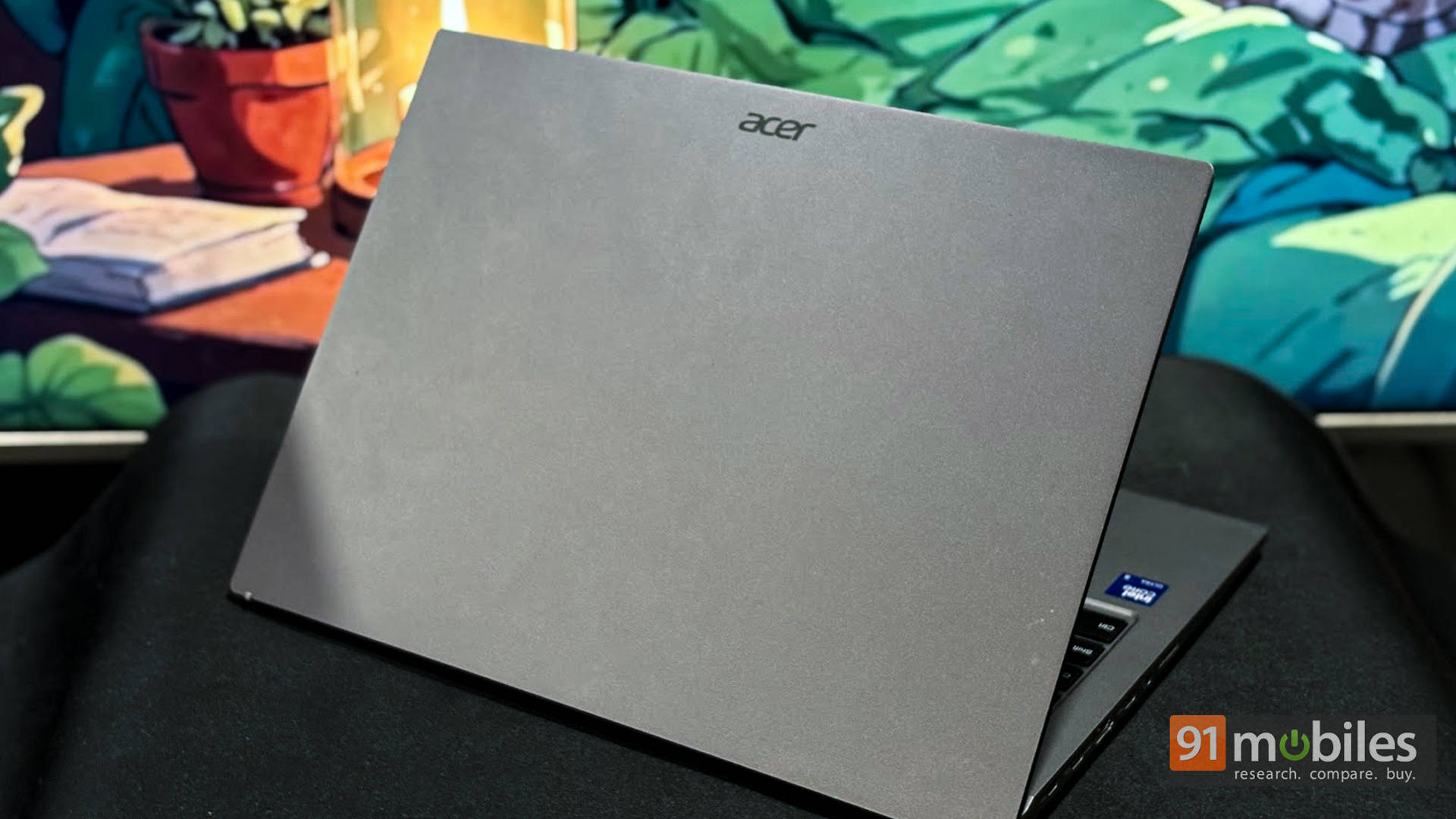
The Aspire Go 14 keeps things simple in the design department. The Steel Grey finish is low-key but looks professional enough to take to a presentation. At 1.5 kg, it’s light enough to carry in your backpack all day without feeling like a punishment for skipping the gym. The build is mostly plastic, but it feels sturdy enough for everyday campus chaos. Long story short, you can toss it on the table without fearing it’ll crumble.
As far as connectivity goes, the Aspire Go 14 comes equipped with most essentials, and then some. On the left side, you’ll find dual USB-C ports, an HDMI port, a 3.5mm headphone jack, and a microSD card reader.
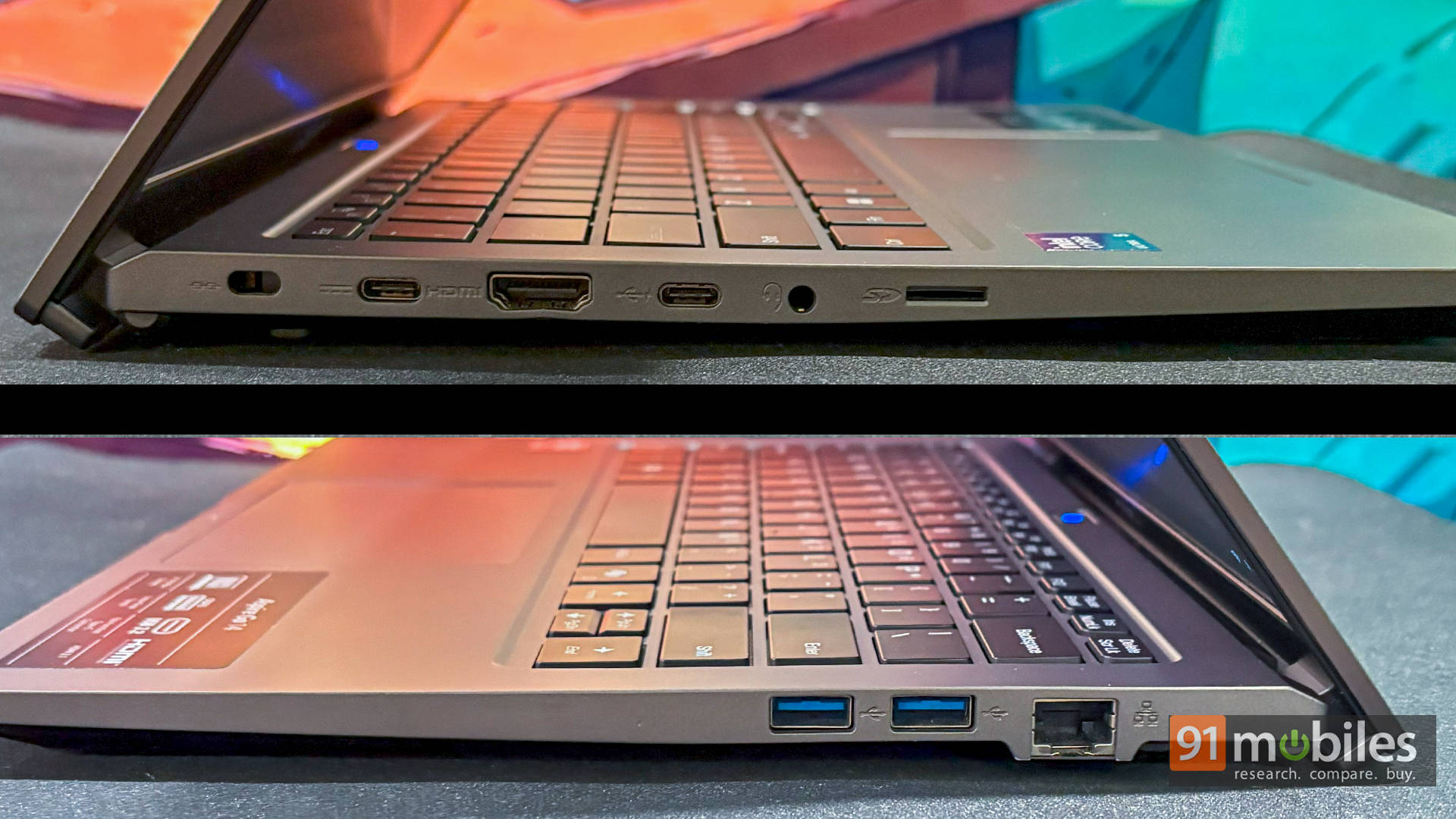
Over to the right side, the laptop features an RJ45 Ethernet jack and dual USB-A ports. Long story short, you won’t be reaching for a dongle any time soon.
See, Hear, Be Seen (Kinda)
Moving on to the display, the 14-inch WUXGA IPS screen is a definite step up from your standard Full HD fare. Thanks to the 16:10 aspect ratio, you get a little more vertical space, which is perfect for squeezing more of that essay onto the screen without having to scroll every 10 seconds. Whether you’re slogging through lecture recordings or sneaking in Stranger Things, the IPS panel keeps colours consistent and viewing angles wide enough for your friends to watch over your shoulder.
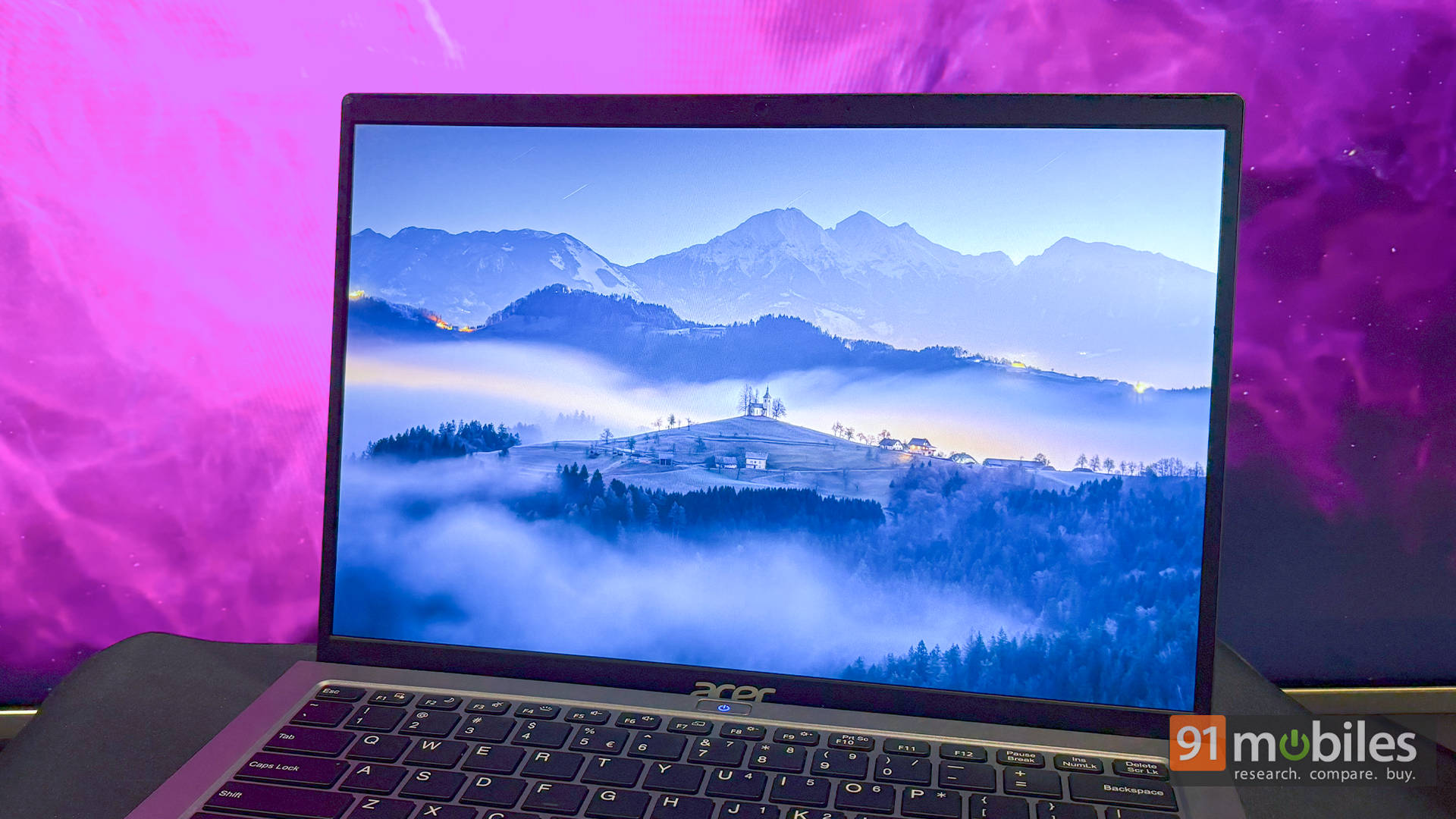
Colour-wise, it’s not winning any awards for accuracy, but it’s miles ahead of the washed-out TN or VA panels on older laptops you’d usually get at this price. That said, some rivals do pack in OLED screens, so there’s a bit of display envy there. Brightness isn’t exactly dazzling either, but for dorm rooms, libraries, and coffee shops, it’s crisp, clear, and easy on the eyes.
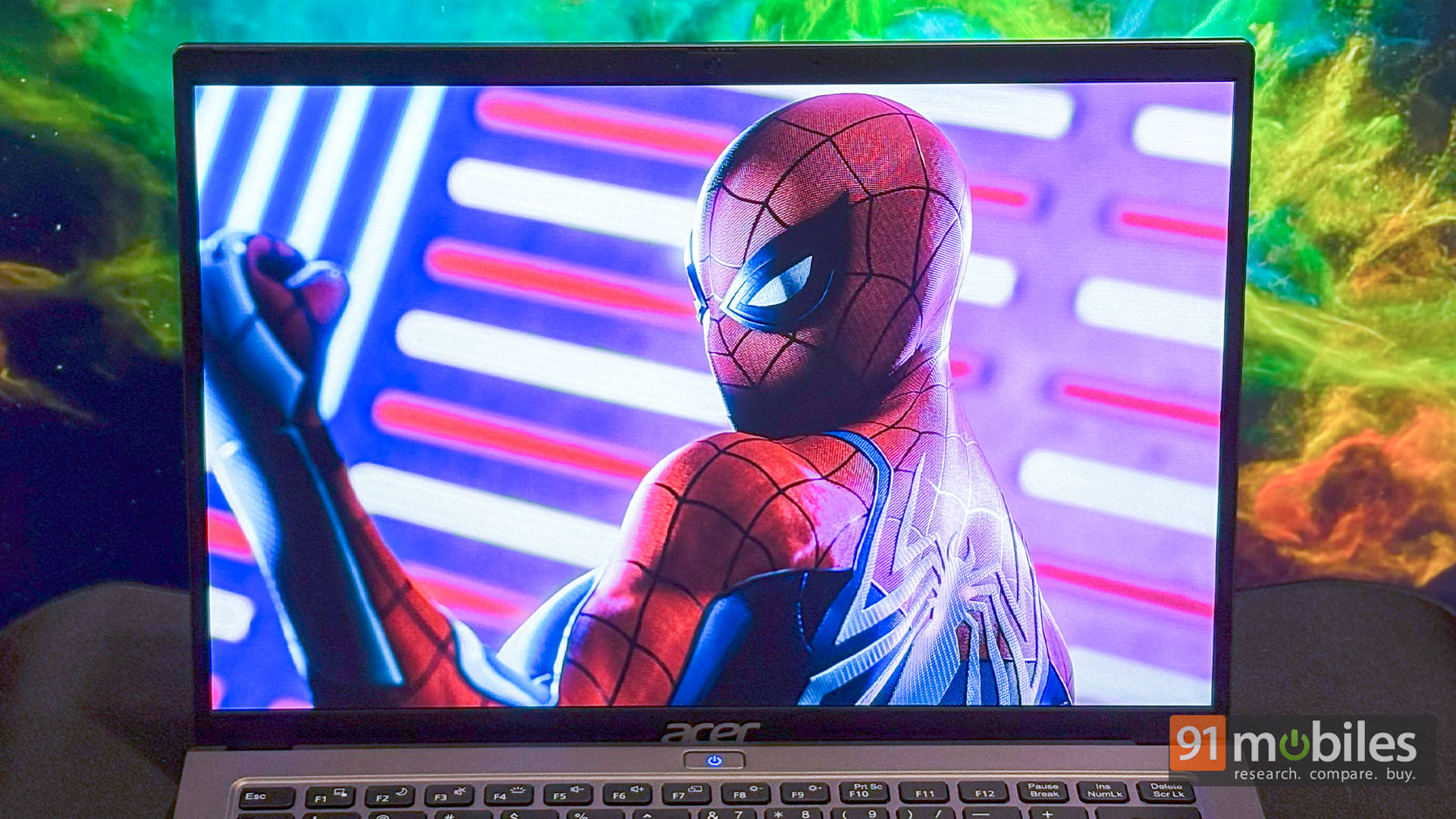
As for the audio, well, the stereo speakers get the job done. They’re clear enough for Zoom calls and casual Spotify sessions, but don’t expect club-level bass. Same for the webcam, it’s basic 720p. Not awful, not amazing. Just enough to get you through online classes and group calls without looking like you’re broadcasting from a potato.
Performance: Outshines the Competition?
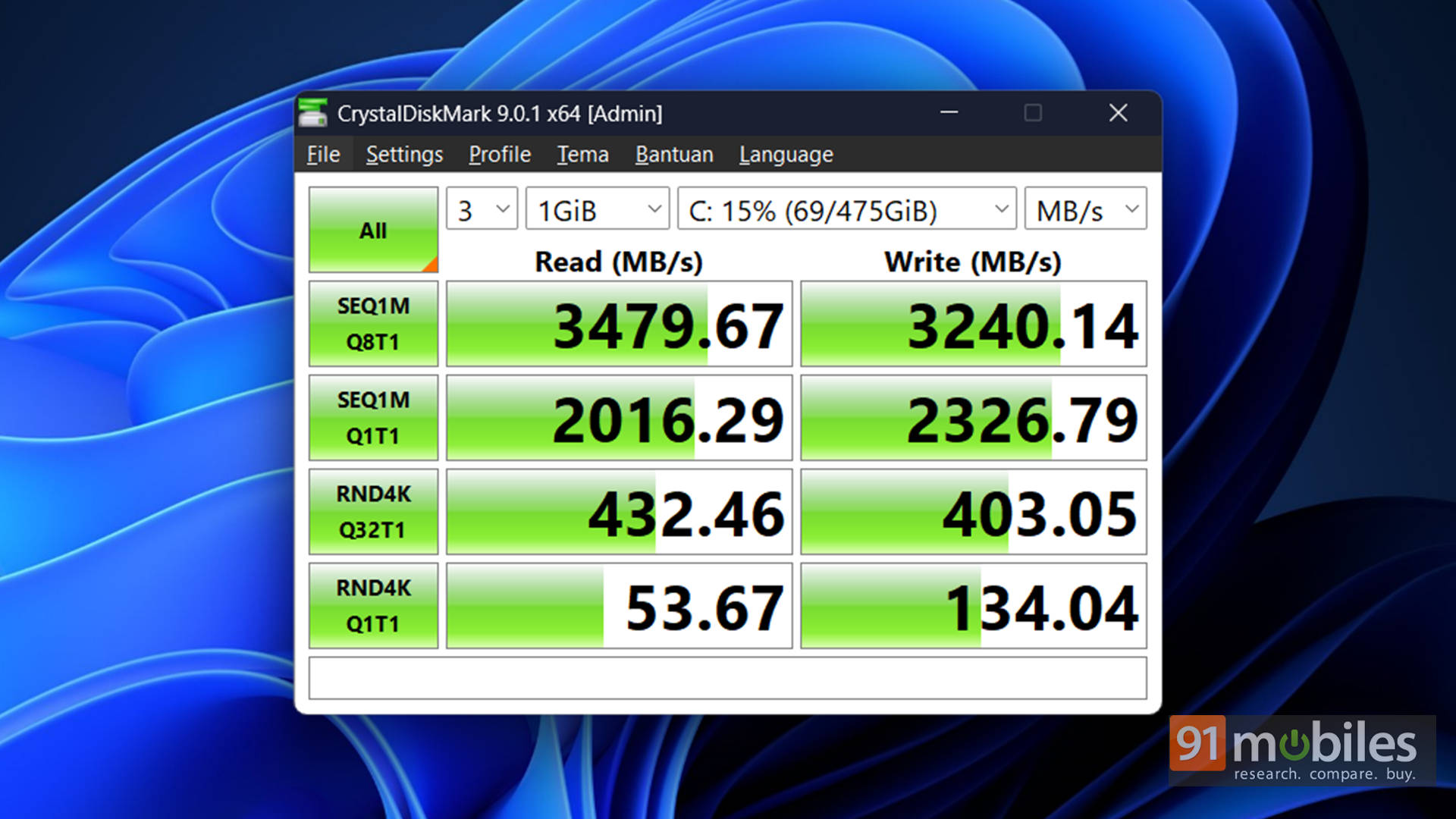
Reading off the spec sheet, the first thing you see is that it comes with an Intel Core Ultra 5 125H processor, and you’re impressed. Pair that with 16GB DDR5 RAM and Intel Arc graphics, and the laptop should be able to handle most things you throw at it, right? Well, for the most part, it does. However, the Gen 3 SSD is a bit of a bottleneck. With random read speeds topping out at around 3500MB/s, app launches and file transfers take a beat longer than you’d expect.
Once things are loaded, though, the Ultra 5 cruises through tasks. In our tests, it scored 96 in Cinebench R24’s single-core and 2,147 in Geekbench 6 single-core. The Arc Graphics also posted solid results in 3DMark’s Time Spy, Fire Strike, and Night Raid benchmarks.
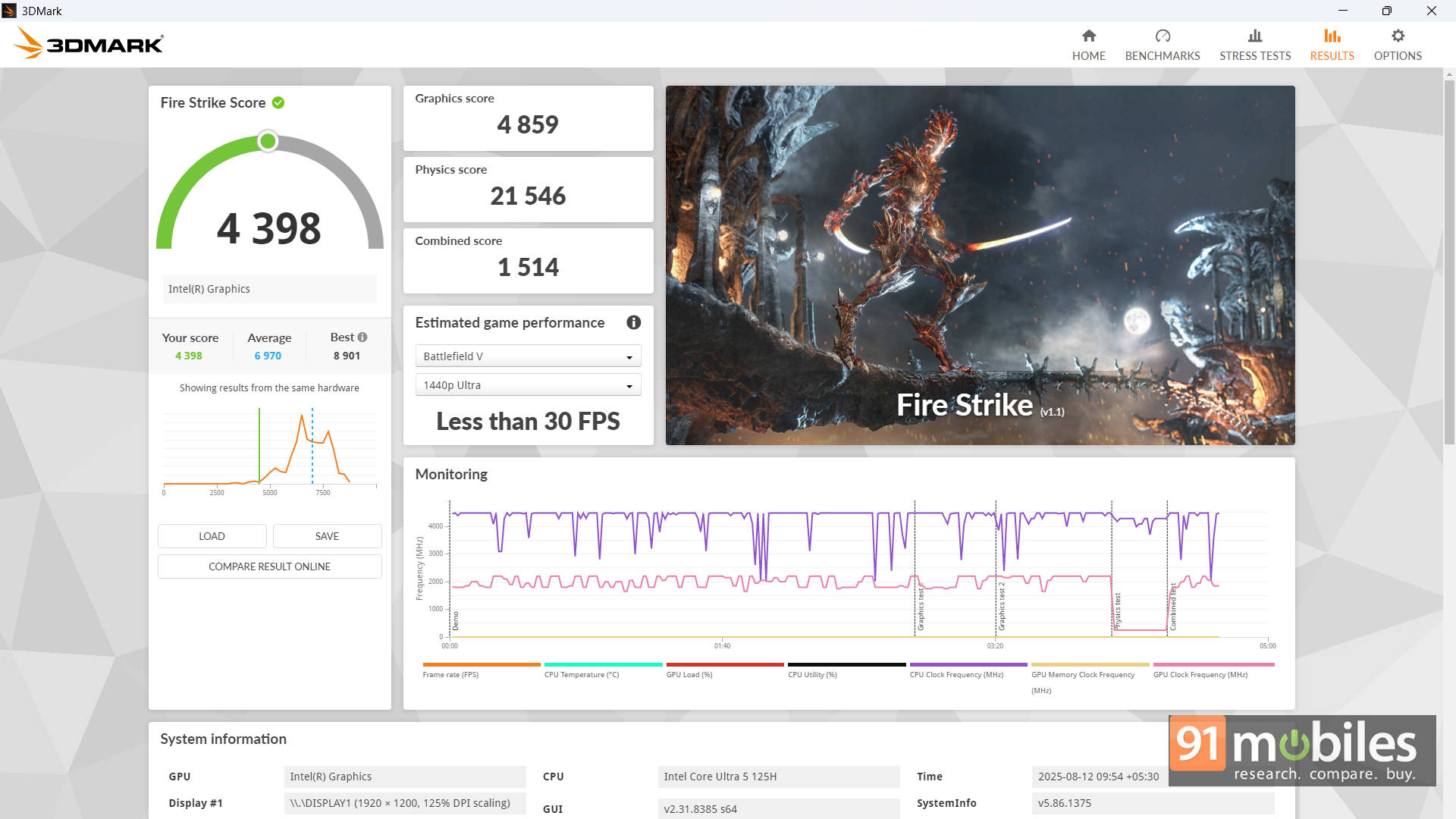
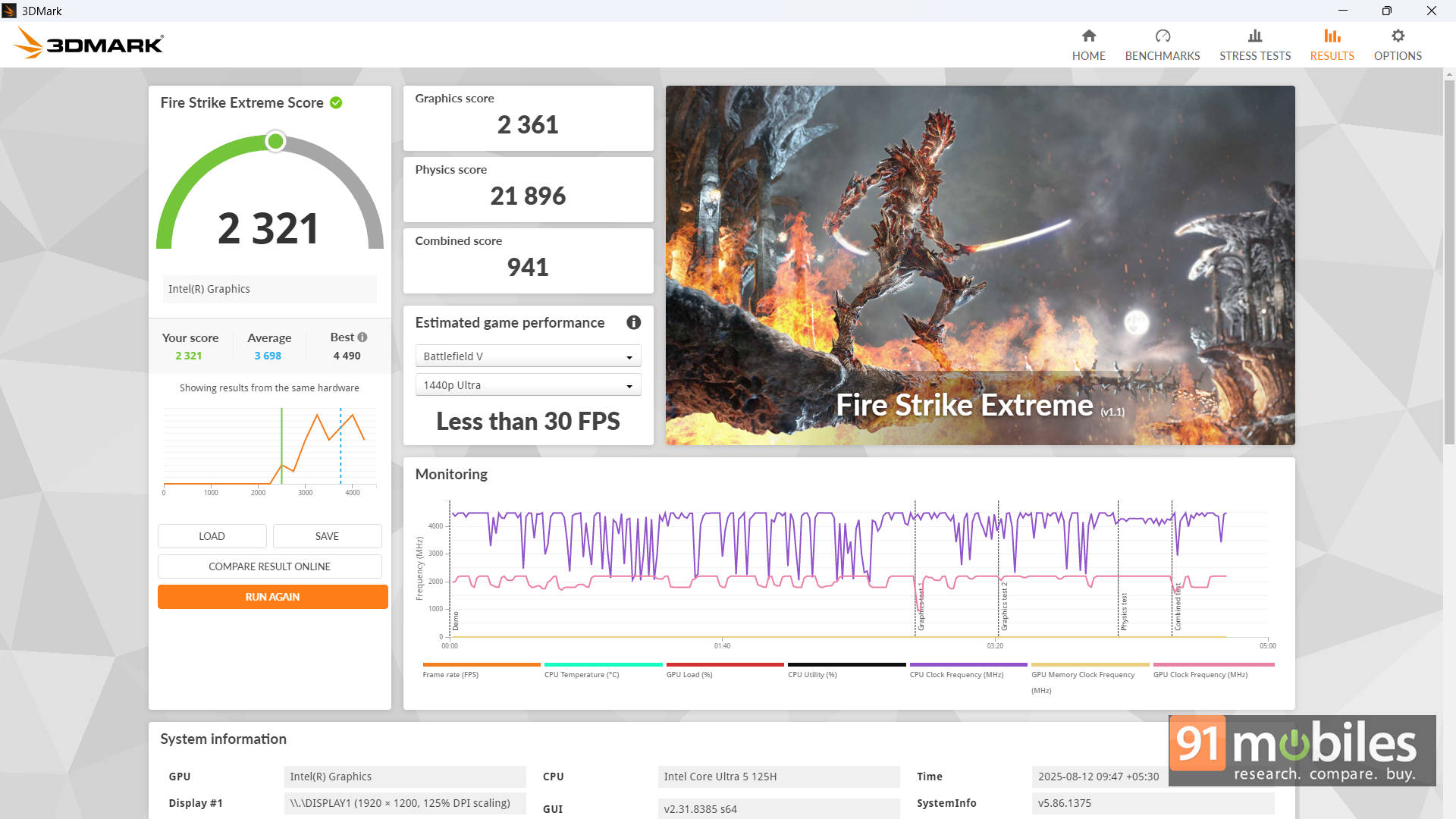
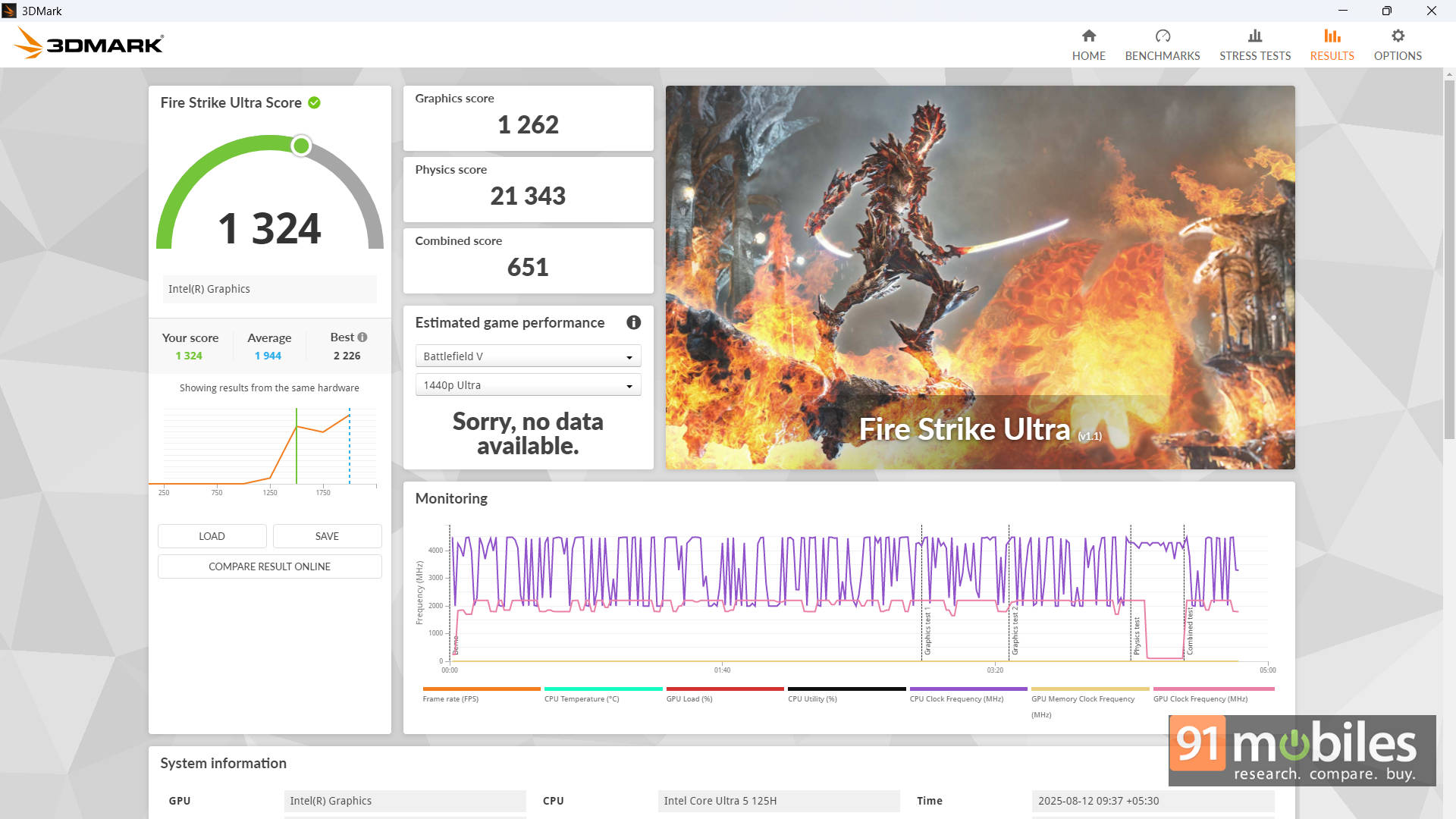
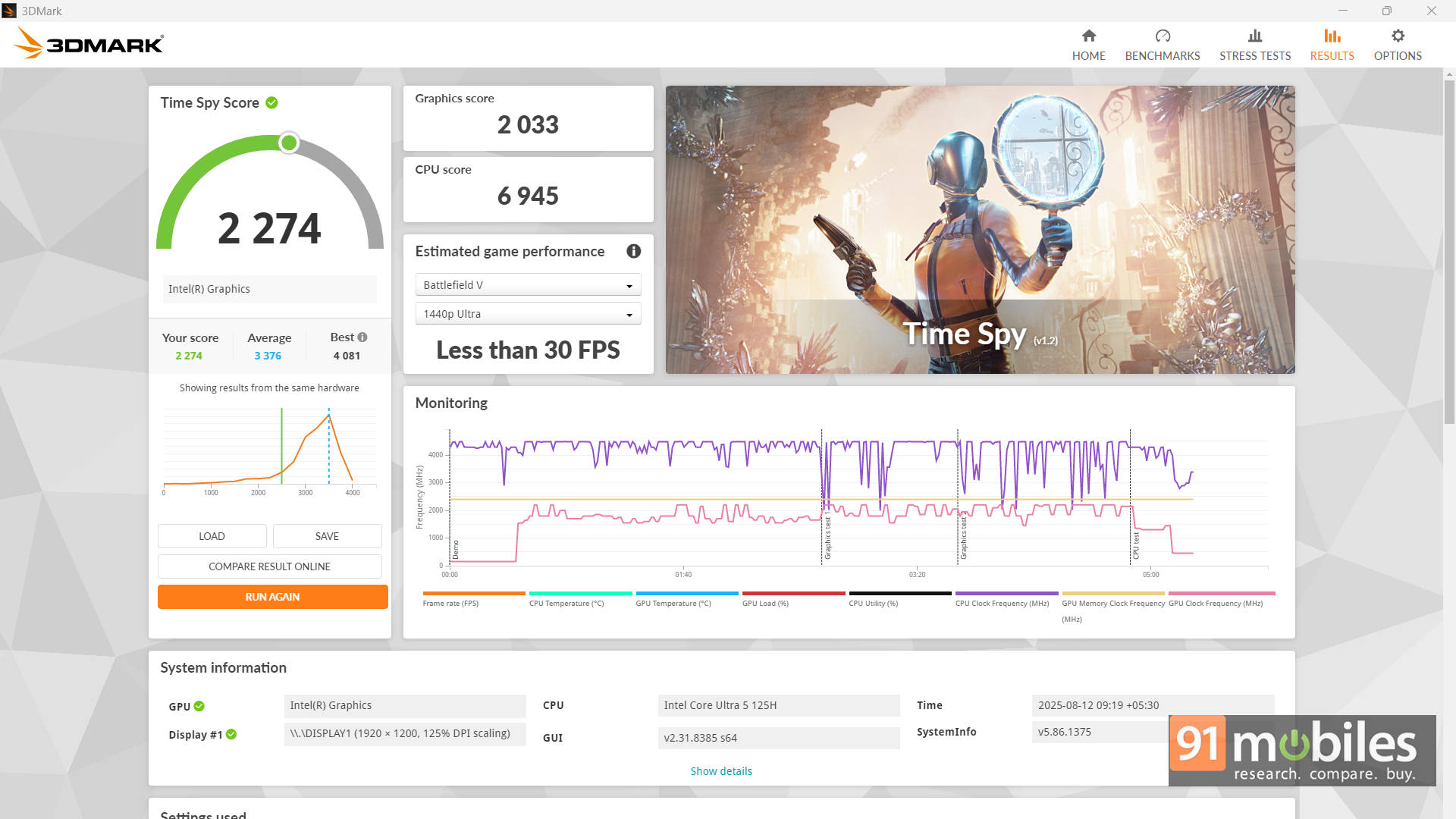
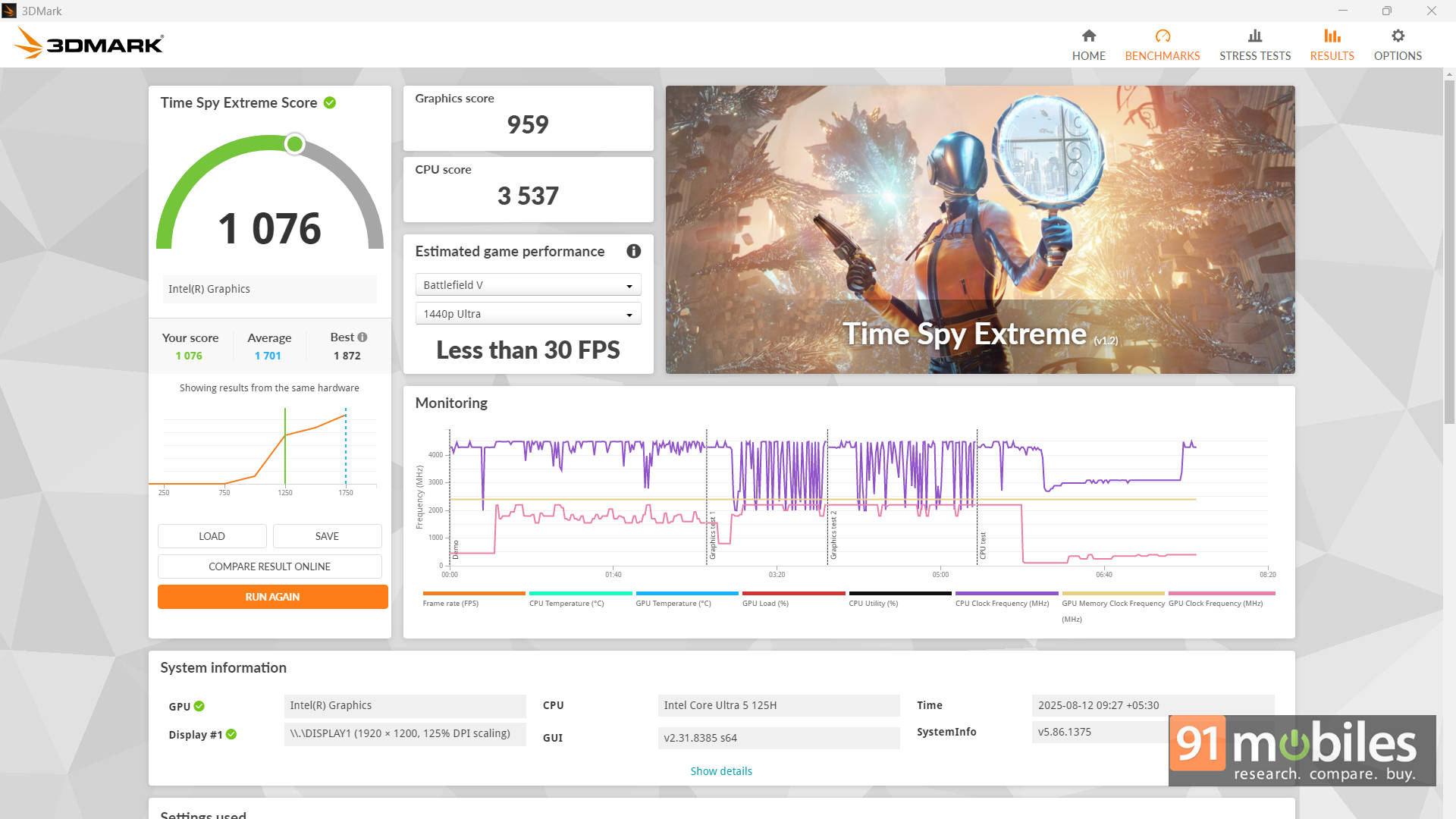
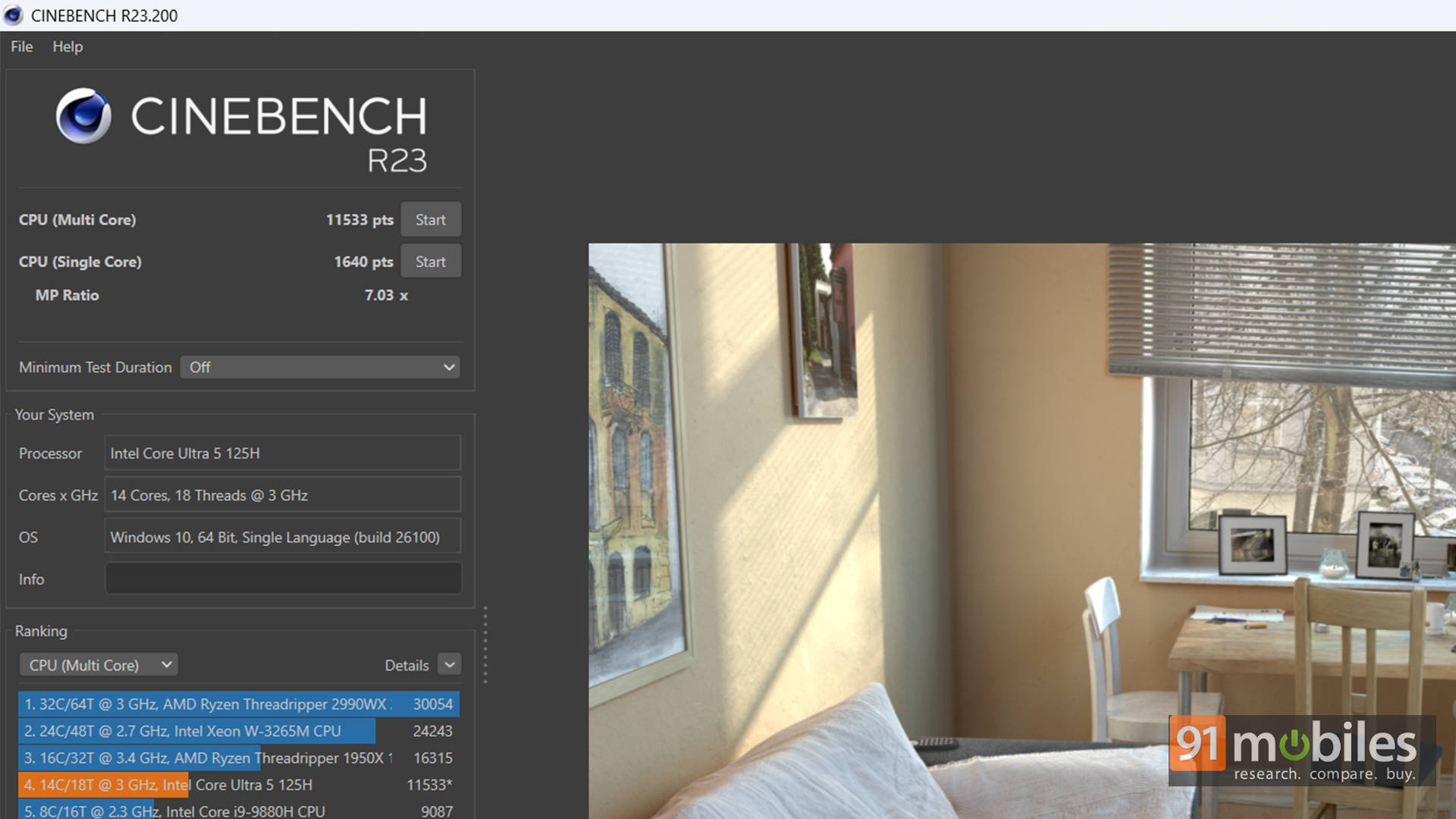
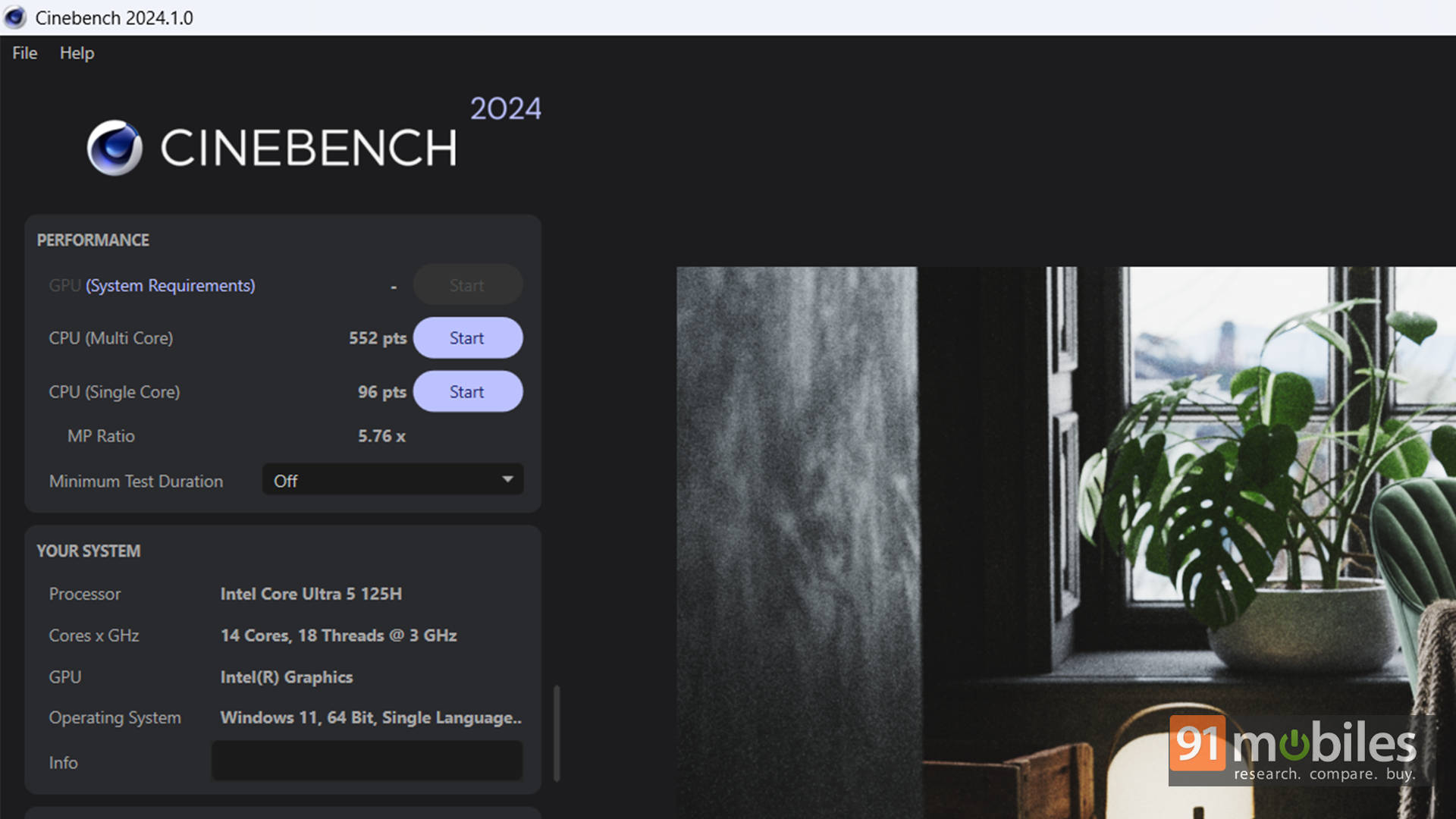
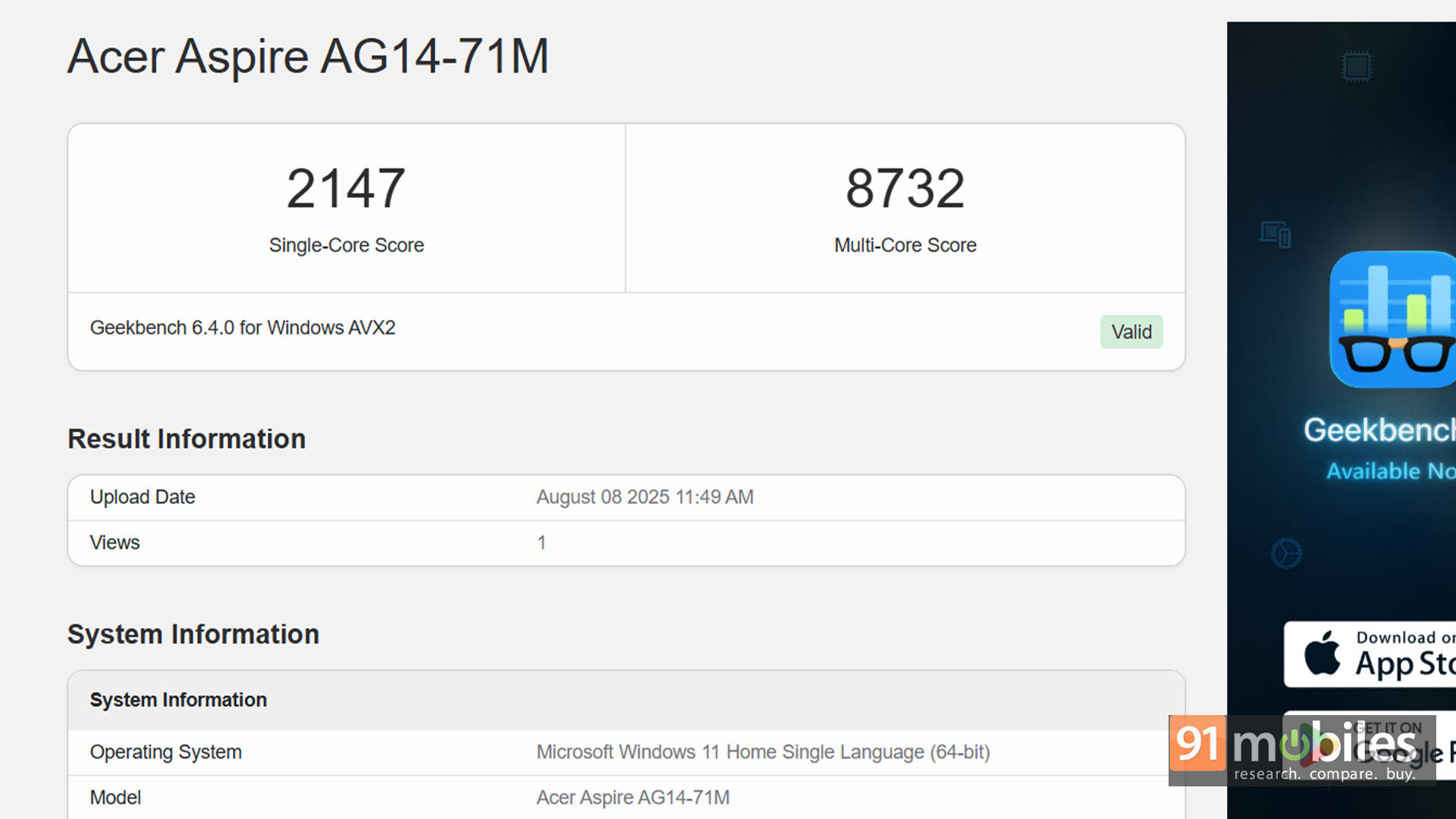
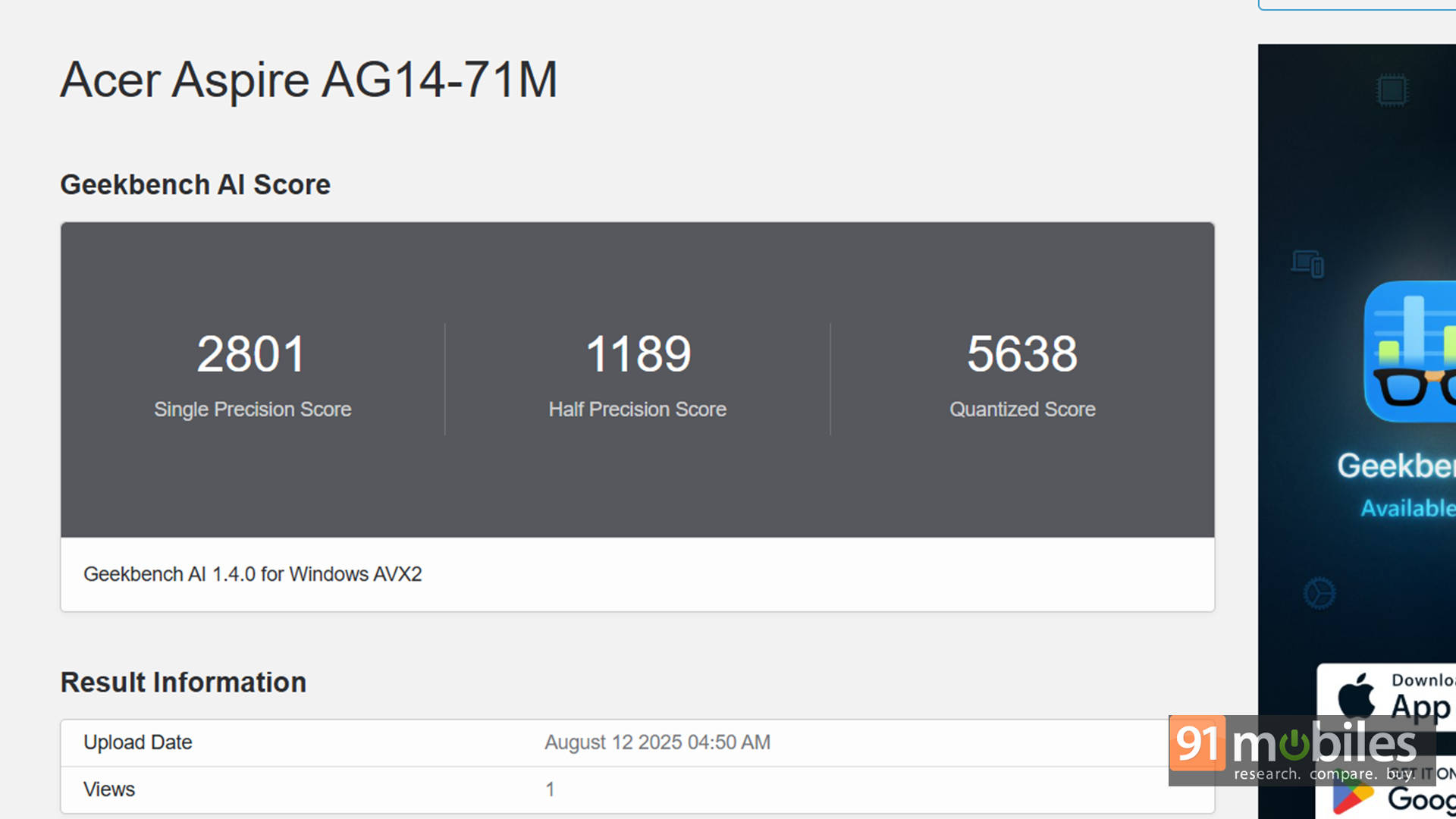
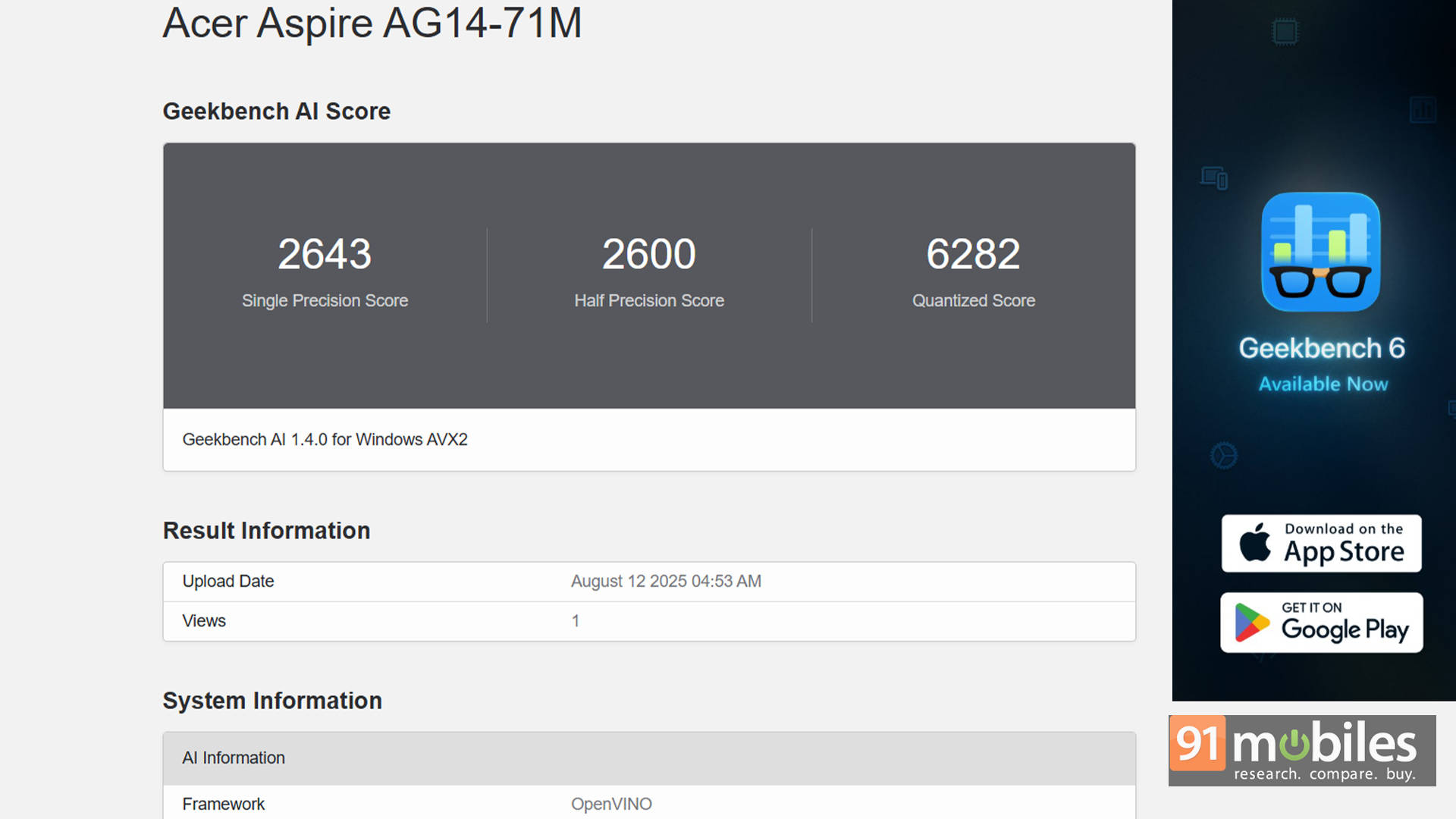
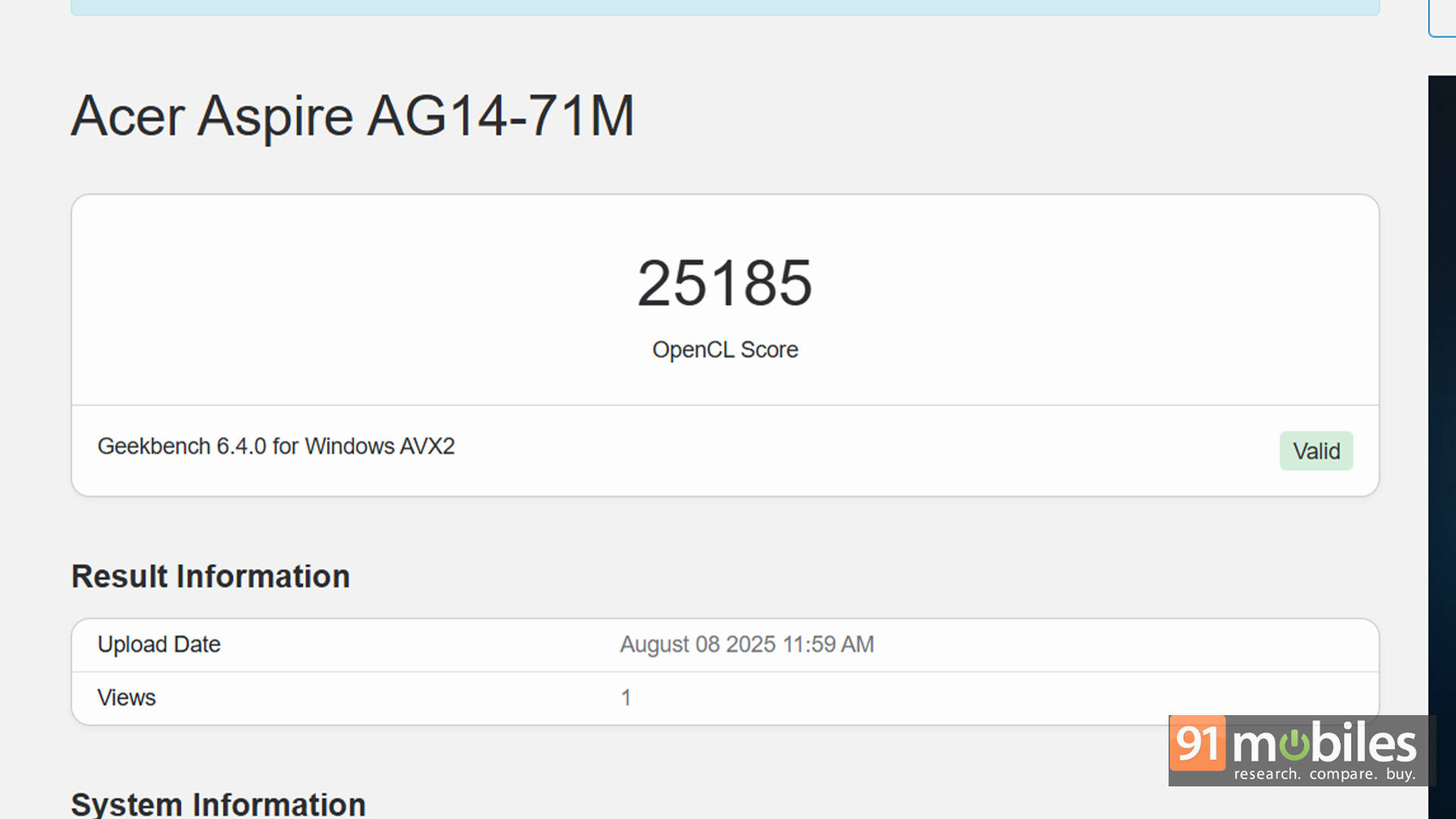
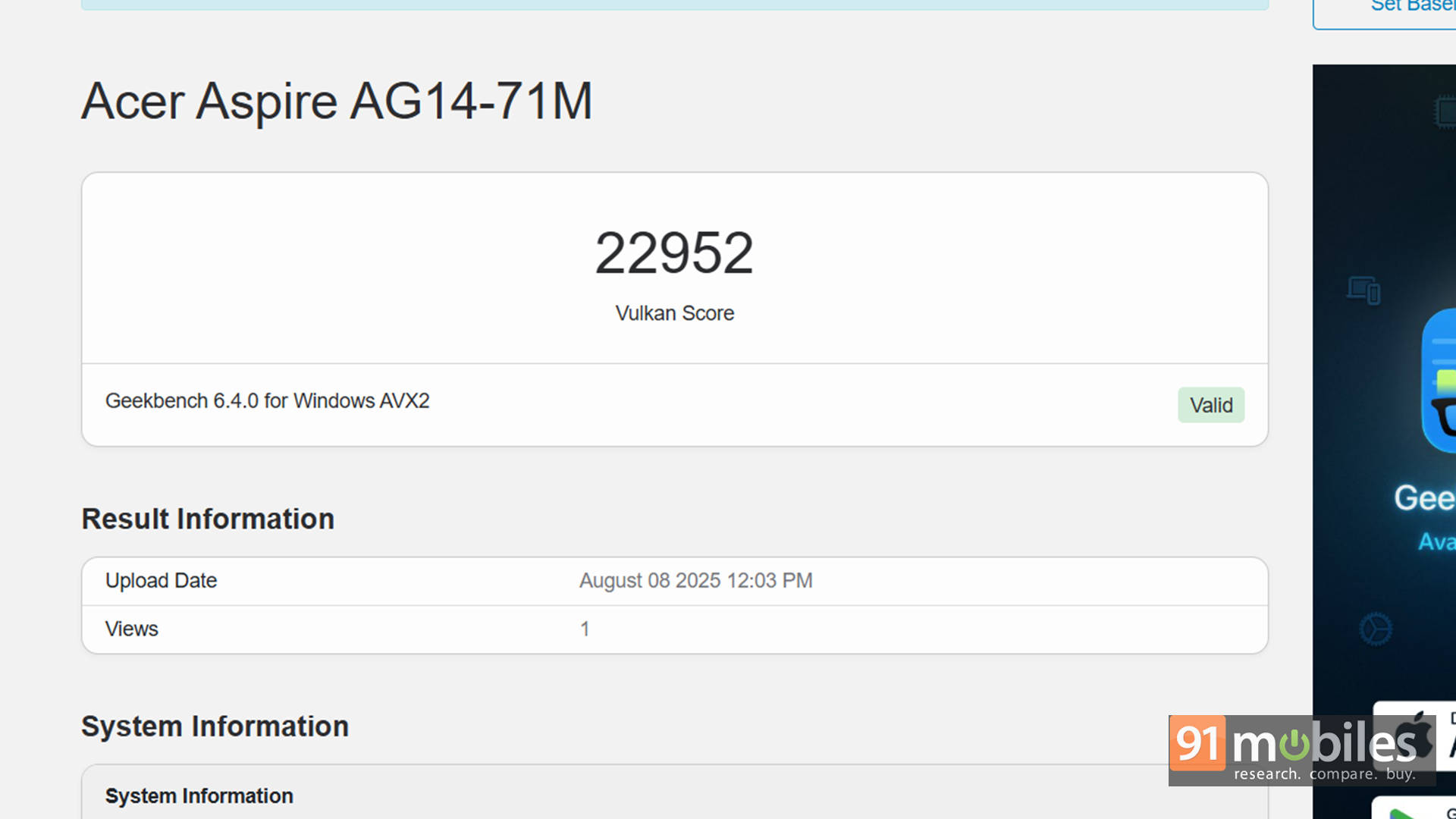
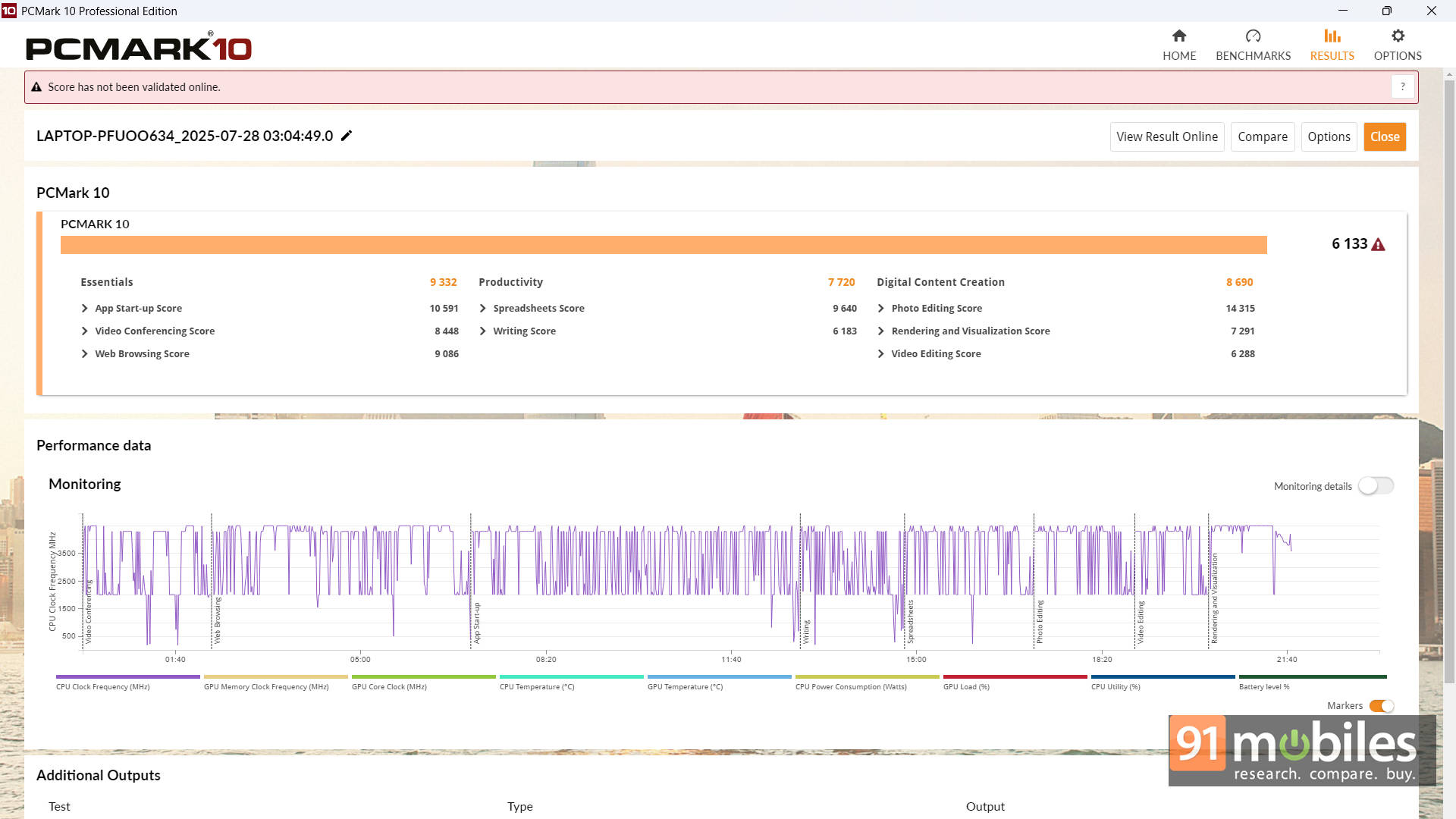
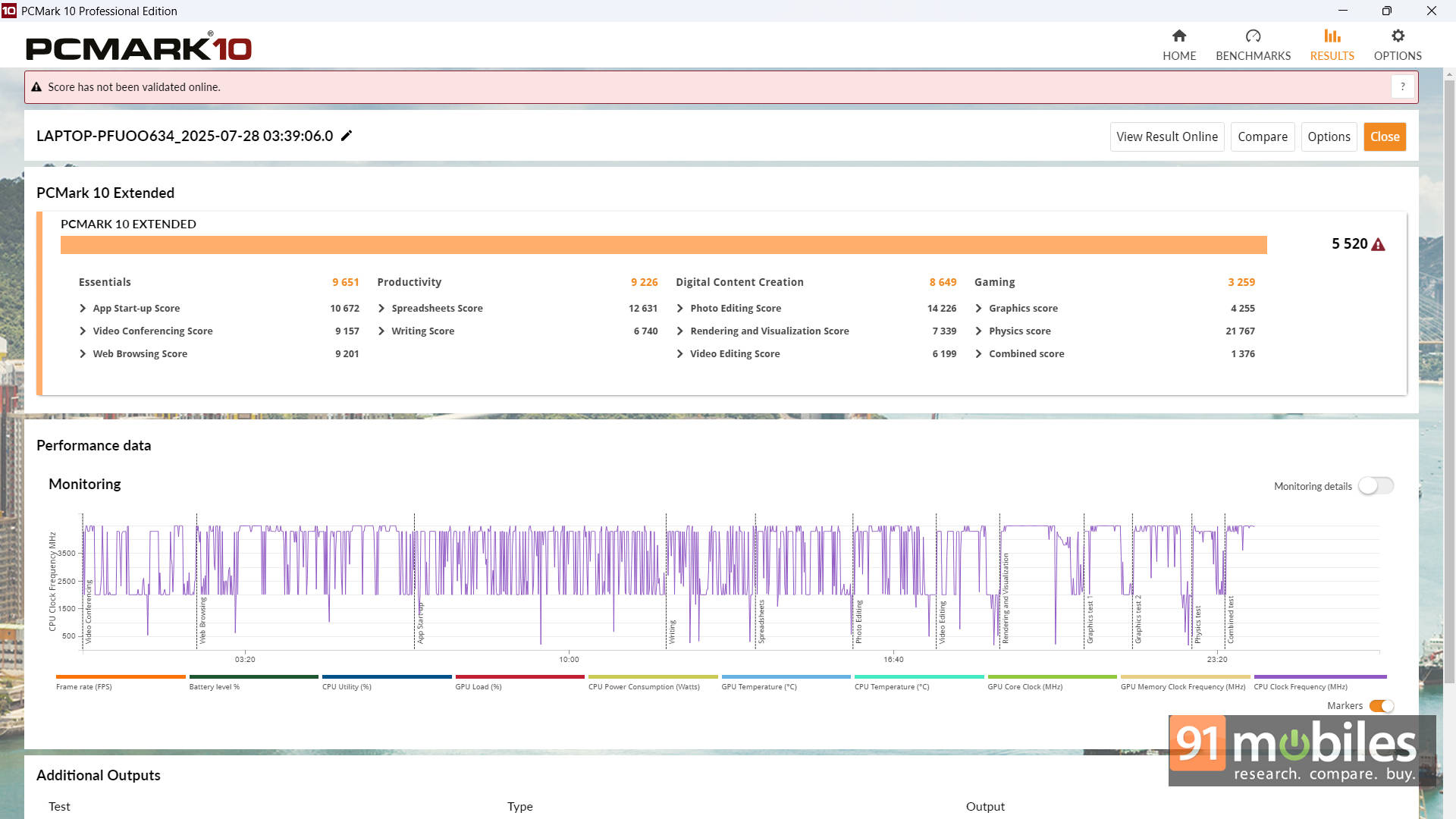


For context, I compared the laptop to the Intel Core 5 210H-powered Moto Book 60, Snapdragon X Plus-powered Lenovo Ideapad Slim 5, and the Intel Core i5-13420H-powered ASUS Vivobook S 14 Flip. While each device has some wins here and there, the Aspire Go 14’s Intel Core Ultra 5 125H largely comes out on top. That’s great, considering the fact that this device is also the cheapest of the lot.
| Model Number | ASUS Vivobook S 14 Flip | Lenovo Ideapad Slim 5 | Motorola MotoBook 60 | Acer Aspire Go 14 |
| Cinebench R24 MT | 506 | 741 | 555 | 552 |
| Cinebench R24 ST | 101 | 108 | 106 | 96 |
| Cinebench R23 MT | 8548 | 8011 | 9846 | 11533 |
| Cinebench R23 ST | 1684 | 1097 | 1754 | 1640 |
| Geek Bench 6 ST | 2257 | 2379 | 2403 | 2147 |
| Geek Bench 6 MT | 7850 | 11511 | 9780 | 8732 |
| Geek Bench OpenCL | 9575 | 9628 | 10223 | 25185 |
| Geek Bench Vulcan | 11116 | 13950 | 12091 | 22952 |
| 3DMark Time Spy Extreme | 491 | 520 | 546 | 1076 |
| 3DMark Time Spy | 1072 | 1068 | 1174 | 2274 |
| 3DMark Fire Strike Ultra | 690 | 916 | 821 | 1324 |
| 3DMark Fire Strike Extreme | 1331 | 1755 | 1616 | 2321 |
| 3DMark Fire Strike | 2875 | 3641 | 3383 | 4398 |
| 3DMark Night Raid | 12301 | 16859 | 14047 | 17551 |
| Battery Runtime (Hr: Min) | 6:49 | 14:25 | 8:14 | 7:47 |
Also, a quick word about gaming. Sure, it can handle lightweight titles like Valorant at around 150 FPS and GTA V at above 35 FPS, but don't go about actually gaming on this for extended sessions. It's not designed for that.
Marathon Runner, Not Sprinter
Inside, there's a 55Wh battery that gives around 6–8 hours of real-world use. That's a full day of lectures, note-taking, and maybe a Netflix episode or two before needing a charge. In the PCMark 10 battery video loop test (80% brightness), it clocked 7 hours and 47 minutes.
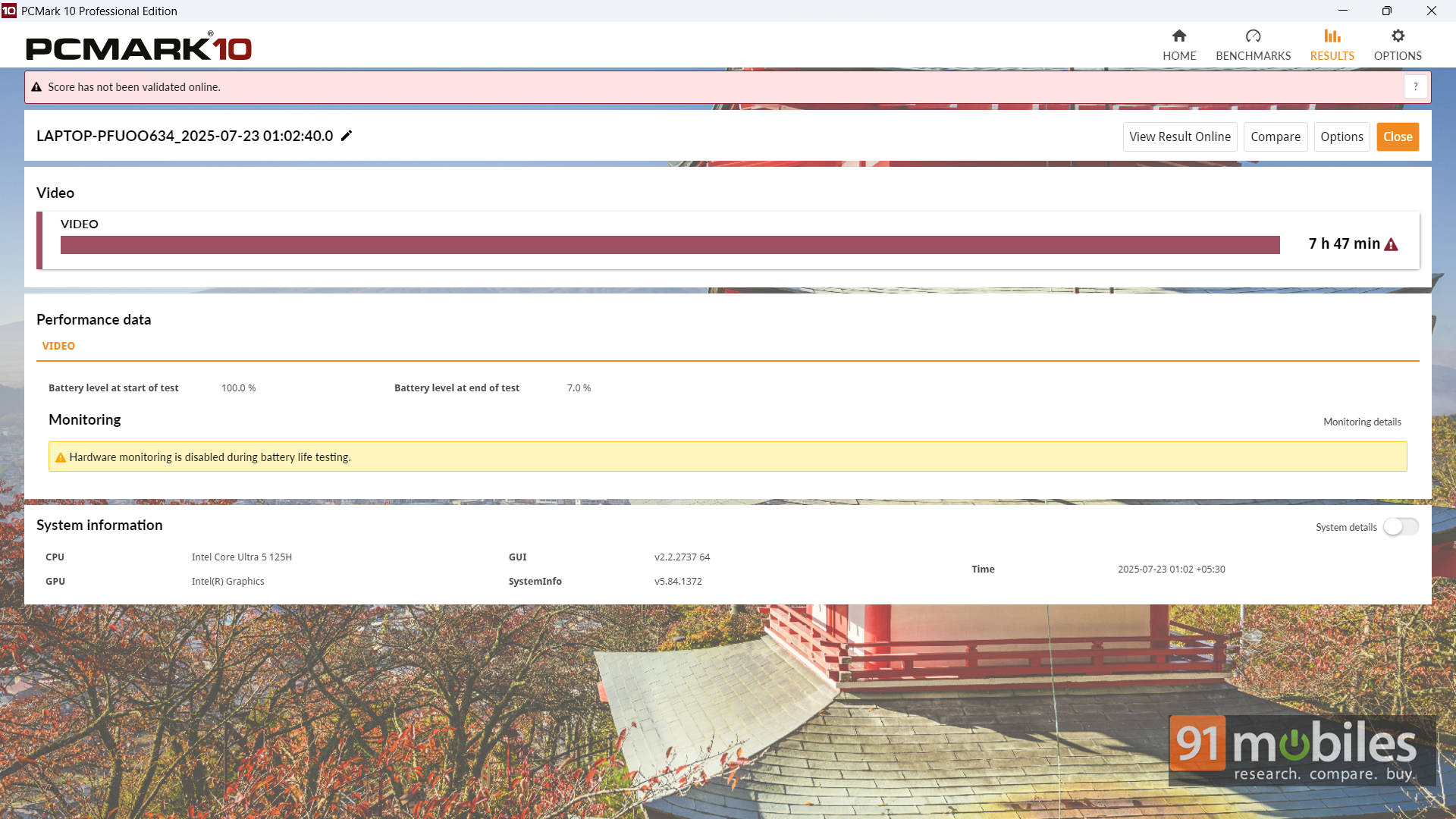
Of course, if you're hammering the CPU with editing software or gaming, expect less. The good news is that the charger is compact, so even if you need a top-up, it's easy to carry in your bag.
Typing, Tapping, and the Bare Essentials
In its pursuit to offer excellent performance and good value to students, the Acer Aspire Go 14 definitely skimps out on bells and whistles. Which isn't really an issue, considering the remaining package is still pretty decent. For instance, the keyboard here is a basic chiclet-style keyboard, but it is adequately comfortable for long typing sessions with enough key travel.
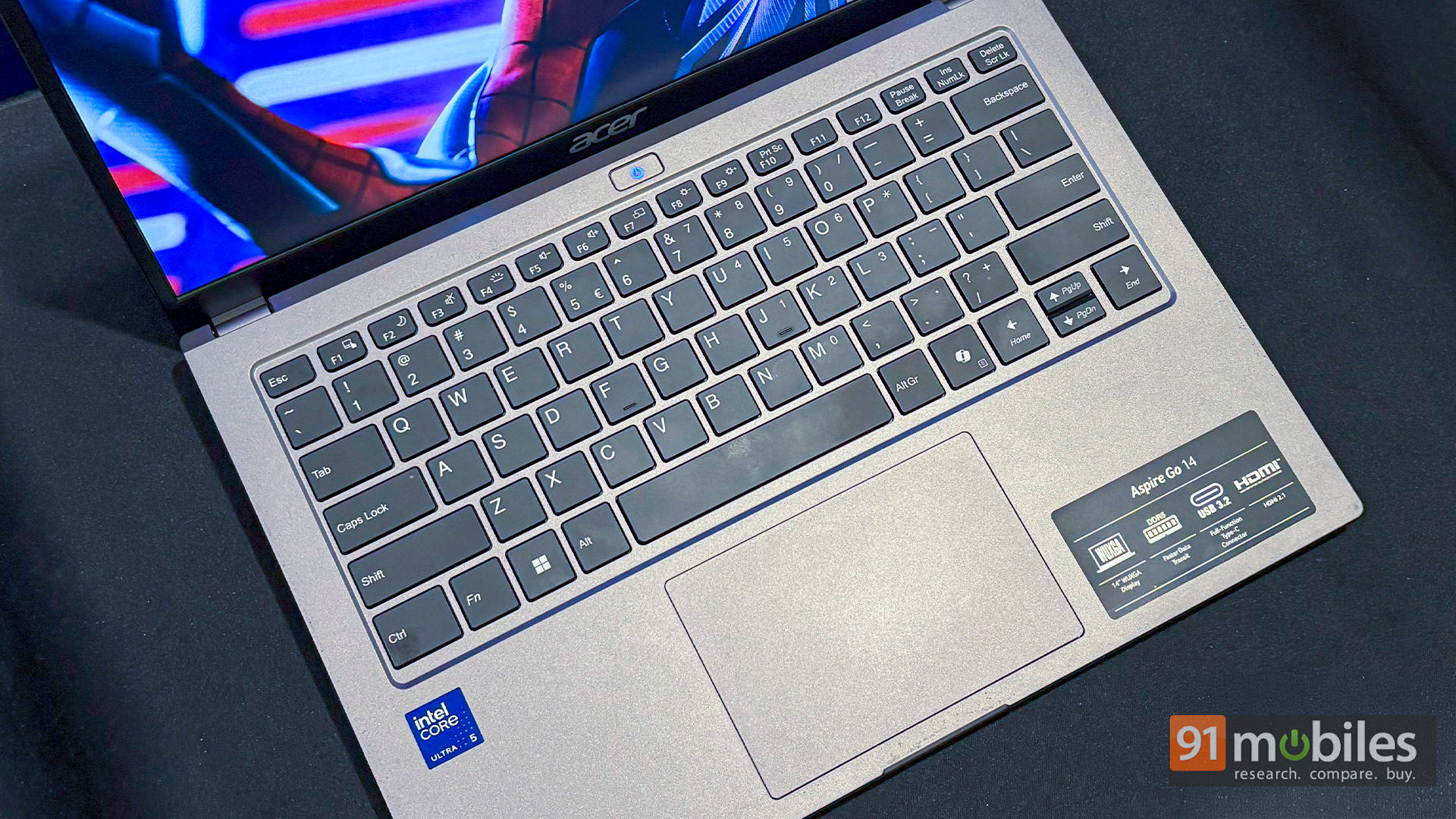
The keys are well-spaced, and the layout is straightforward, which makes it easy to adapt to, too. Backlighting is present, too, though a tad dim for pitch-black typing marathons. It's a similar sentiment for the touchpad as well. It's not MacBook-smooth (few are), but for scrolling through endless PDFs or swiping between tabs during research, it's perfectly fine.
Verdict: A Student’s Sweet Spot?
The Acer Aspire Go 14 (2025) isn't trying to be everything. It's not a gaming rig, and it won't win design awards. But for students, it nails the formula: portable, capable, and affordable. If your day involves a mix of lectures, group projects, streaming, and the occasional game night, this laptop will keep up without fuss.
At around ₹60K, it's a smart pick for most college students and even young professionals. That said, it's not without competition. For the best battery life, the Lenovo IdeaPad Slim 5 with its ARM-based processor is worth a look. If you want an OLED panel and a dash of style, the Moto Book 60 makes a solid case. Or, if you like taking notes directly on your screen, the ASUS Vivobook S 14 Flip with its 2-in-1 design might be your match.
Even so, the Aspire Go 14 feels like the safest bet for the masses. It's a laptop that doesn't just survive college life, but actually thrives in it. And with Acer throwing in a free keyboard + mouse or backpack, the deal's even harder to pass up.
Editor's Rating: 7.5 / 10
Pros:
- Lightweight and portable design
- Solid performance
- 16:10 IPS display is great for productivity
- Good battery backup
Cons:
- No USB-C charging support
- Display brightness and colour accuracy could be better