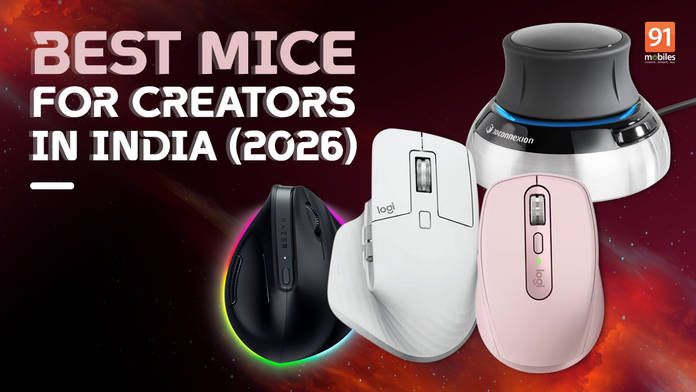
Most creators spend more time thinking about their monitors, graphics cards, and storage solutions than they do about the device their hand rests on for eight hours a day. That’s understandable. A mouse doesn’t generate the same excitement as a new GPU or a wide-format display. But it might be the single peripheral that has the most direct impact on how your work actually feels.
Think of it this way: The cursor on screen is always one step removed from your intention. A mouse is where that intention originates. When it’s imprecise, uncomfortable, or poorly suited to your workflow, you absorb that friction so gradually that you stop noticing it. Until you use something significantly better, and the difference becomes impossible to ignore.
This guide is for creators who’ve reached that point, or who want to avoid it entirely. Whether you’re deep in Premiere Pro timelines, retouching in Lightroom, sculpting in Blender, or laying out type in InDesign, the right mouse changes how that work goes. Below are the best options available in India right now.
Table of Contents
What separates a creator mouse from everything else
The gaming mouse market is enormous, and gaming mice are often technically impressive with things like high polling rates, precise optical sensors, and lightweight shells. But they’re optimised for speed and fast directional movement, not for the kind of sustained, deliberate control that design and editing work creators demand.
Creator mice are built around different priorities.
Ergonomics matter, above all else. A creator’s session rarely ends in under two hours. Many run considerably longer.
Mice designed for creative work take hand anatomy seriously: the sculpted bodies support the natural arch of your palm, thumb rests reduce lateral pressure, and the weight distribution keeps your wrist from bearing the load.
Scrolling needs to match the scale of creative files. Scroll through a short document, and most mice feel identical. Scroll through a 200-layer Photoshop file, a 45-minute timeline in Premiere, or a dense After Effects composition, and the quality of the scroll wheel reveals itself immediately.
High-end creator mice use electromagnetically controlled scroll wheels that can spin freely through thousands of lines with a single flick, or lock into precise notched steps when you need them.
Sensor precision needs to be apparent on real surfaces. Not everyone uses a dedicated mouse pad. A capable optical sensor handles desks, glass, and textured surfaces without jumping or skipping. At the upper end of the creator mouse segment, sensors that track accurately on glass are now standard.
Finally, creators demand programmable buttons that reduce keyboard dependency. Time spent moving between the mouse and the keyboard is time not spent working. Mice with well-placed programmable buttons let you assign undo, zoom, brush size, timeline scrubbing, or application-specific shortcuts to physical controls within reach of your thumb.
The Best Creator Mice Available in India
Logitech MX Master 4
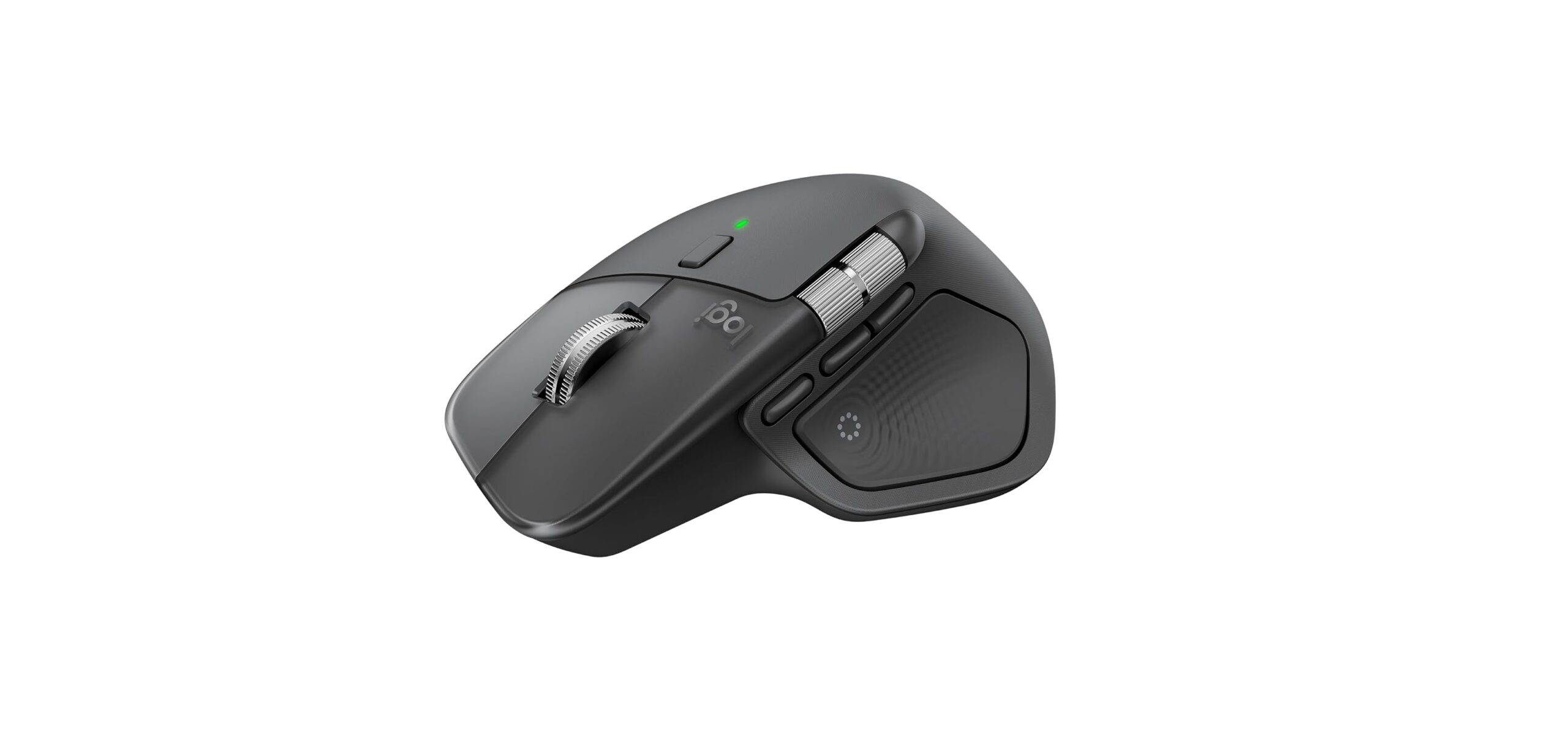
There is no version of this list that doesn’t open with the MX Master 4, and the reason isn’t brand loyalty. It’s that Logitech has spent three years improving an already strong product and gotten almost everything right.
The MX Master 4 introduces two meaningful additions over its predecessor. The first is customisable haptic feedback: a dedicated actuator in the chassis delivers subtle tactile responses when switching between devices or triggering shortcuts, which sounds unnecessary until you’re working across two machines and no longer need to glance away from the screen to confirm a switch has registered.
The second is the Actions Ring, a radial shortcut menu that appears at your cursor with a press of the thumb button, populated with application-specific commands for whatever you happen to be working in. Figma, Photoshop, Premiere, Blender, each gets its own layout. Once the muscle memory is there, the keyboard stays untouched for longer stretches than you’d expect.
The foundation is exactly what you’d want from the top pick on any creator mouse list. The Darkfield sensor tracks at up to 8,000 DPI on any surface, including glass. The MagSpeed electromagnetic scroll wheel spins at up to 1,000 lines per second and switches automatically between free-spinning and notched modes depending on how fast you’re scrolling. The horizontal thumb wheel handles wide timeline navigation without requiring a keyboard modifier.
Battery life is rated at 70 days on a full charge, with a one-minute quick charge delivering three hours of use if you’re caught short. Connectivity runs through Bluetooth 5.1 and a USB-C Logi Bolt receiver.
At Rs 12,995 it is a considered purchase. For creators who spend most of their working day at a desk, it earns that spend quickly and consistently.
Key Specifications
- Price: Rs 12,995 (Amazon India)
- Sensor: Darkfield 8,000 DPI (tracks on glass)
- Connectivity: Bluetooth 5.1 + Logi Bolt USB-C receiver
- Scroll: MagSpeed electromagnetic wheel (up to 1,000 lines/sec) + horizontal scroll wheel
- Buttons: 8 programmable buttons
- Haptics: Customisable haptic feedback via Actions Ring
- Battery: Up to 70 days, USB-C charging (1 min = 3 hours)
- Compatibility: Windows, macOS, Linux, ChromeOS, iPadOS, Android
Logitech MX Anywhere 3S
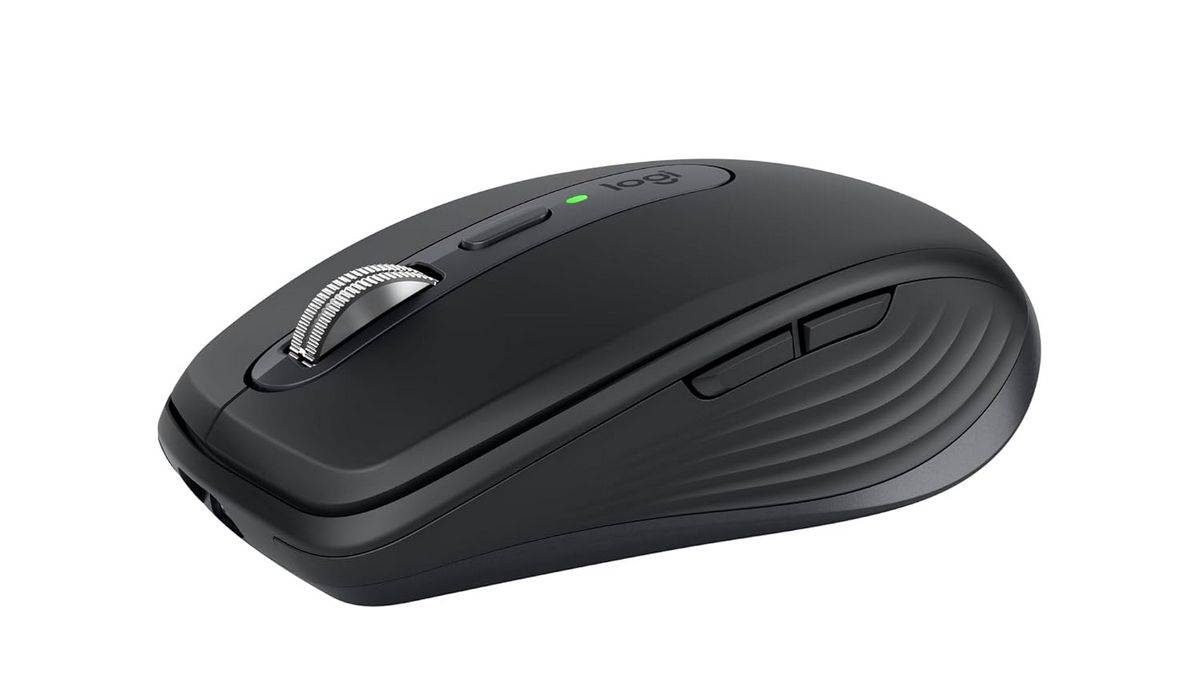
The MX Anywhere 3S is the answer to a specific question: what if I want MX Master performance in a mouse that fits in a bag?
Logitech has retained the MagSpeed scroll wheel in this smaller chassis, which is the right call. That’s the feature most creators will miss if it’s absent. The 8,000 DPI sensor tracks on glass. Bluetooth and USB receiver connectivity are both present. The button layout is sensible, if inevitably more limited than the full Master series.
What you give up is the horizontal scroll wheel, the more sculpted palm support, and the thumb rest that makes the MX Master 3S comfortable for eight-hour sessions. The MX Anywhere 3S is better suited to creators who move between locations and need a mouse that performs seriously in all of those environments.
If your desk setup is fixed and sessions are long, spend the extra thousand and get the MX Master 3S. If portability is a genuine part of your workflow, the MX Anywhere 3S is the obvious choice.
Key Specifications
- Price: Rs 6,999 (Amazon India / Flipkart)
- Sensor: 8,000 DPI optical (tracks on glass)
- Connectivity: Bluetooth + Logi Bolt USB receiver
- Scroll: MagSpeed electromagnetic wheel
- Buttons: 6 programmable buttons
- Battery: Up to 70 days, USB-C charging
- Compatibility: Windows, macOS, iPadOS
- Weight: 99g
Razer Pro Click V2 Vertical
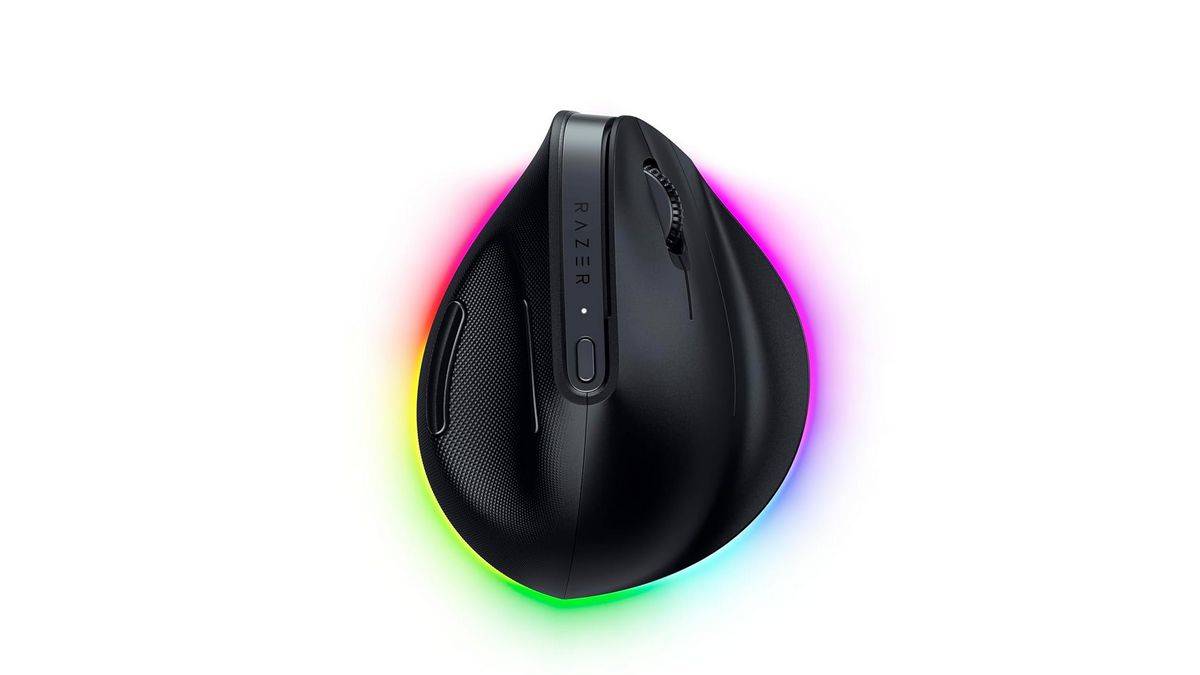
Vertical mice remain a niche product, but for creators who have dealt with wrist pain, repetitive strain injuries, or general discomfort from conventional mouse shapes, they are not a niche option. They’re a practical necessity.
The standard grip positions your forearm in pronation, meaning the palm faces downward. Maintaining that rotation for hours creates sustained tension in the forearm muscles and places cumulative pressure on the wrist. A vertical mouse corrects this by keeping the forearm in a neutral handshake position, which is how the arm prefers to rest when it’s not doing anything at all.
Razer’s Pro Click V2 Vertical is one of the more refined options in this category. The Focus Pro optical sensor delivers precise tracking, wireless performance is stable across both Bluetooth and the included receiver, and the build quality feels appropriate for a professional tool rather than a medical device. The button placement is thoughtful, and the overall dimensions suit medium to large hands well.
At Rs 9,796, it sits near the top of this guide’s price range. If ergonomics is the primary driver of your purchase decision, it’s worth it. If you’re simply curious about vertical mice without a specific pain point, the Logitech Lift Vertical offers a more affordable entry point.
Key Specifications
- Price: Rs 11,270 (Amazon India)
- Sensor: Razer Focus Pro optical
- Connectivity: Bluetooth + wireless USB receiver
- Design: Vertical ergonomic (right-handed)
- Buttons: 9 programmable buttons
- Battery: Rechargeable, up to 140 hours
- Compatibility: Windows, macOS
- Weight: 125g
Logitech Lift Vertical
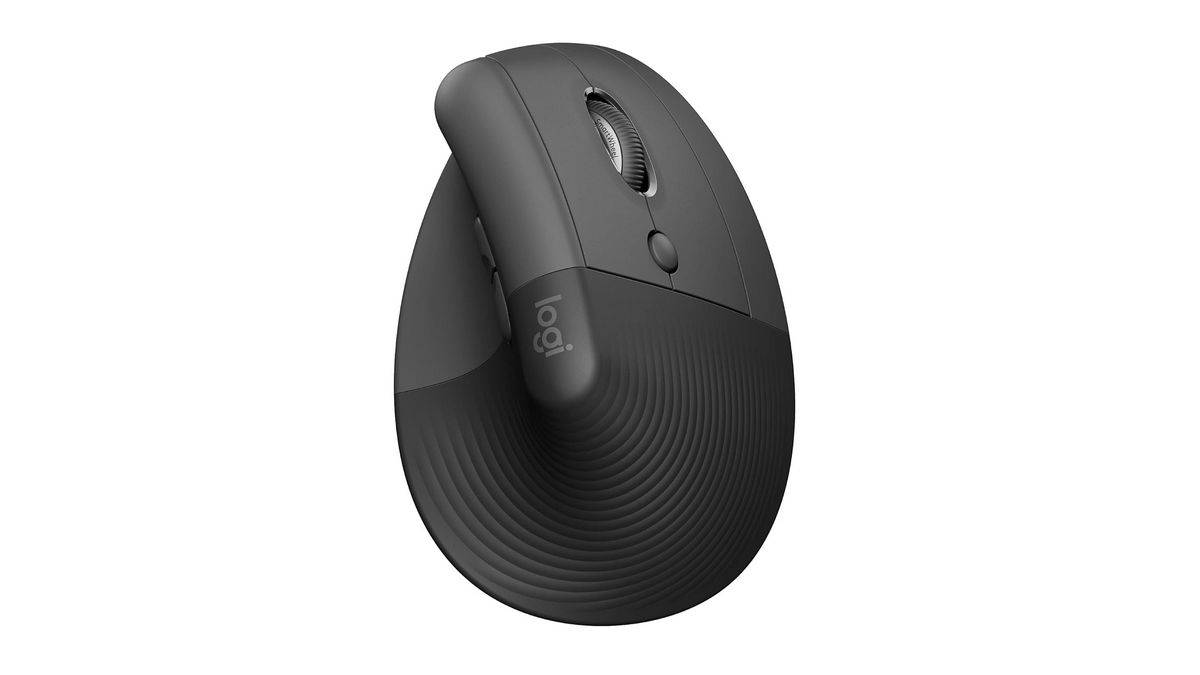
The Lift Vertical is Logitech’s more accessible vertical mouse, and it resolves the primary concern most people have about the category: it’s comfortable and approachable without requiring any ergonomic conviction to use.
The sensor is reliable, the scrolling is smooth, and the build quality holds up well for daily use. It’s available in variants for both right and left-handed users, which is notable as left-handed creators are poorly served by the mouse market in general, and Logitech’s inclusion of a left-handed Lift Vertical is worth acknowledging.
Battery life is strong, and Bluetooth plus USB receiver connectivity covers most setups. It won’t match the MX Master 3S in raw workflow features, but for creators who prioritise comfort and have a limited budget, it’s a very reasonable purchase.
Key Specifications
- Price: Rs 5,695 (Amazon India)
- Sensor: Optical
- Connectivity: Bluetooth + Logi Bolt USB receiver
- Design: Vertical ergonomic (available in right and left-handed variants)
- Buttons: 6 buttons
- Battery: Rechargeable, up to 4 months
- Compatibility: Windows, macOS, iPadOS, ChromeOS
- Weight: 125g
Apple Magic Mouse
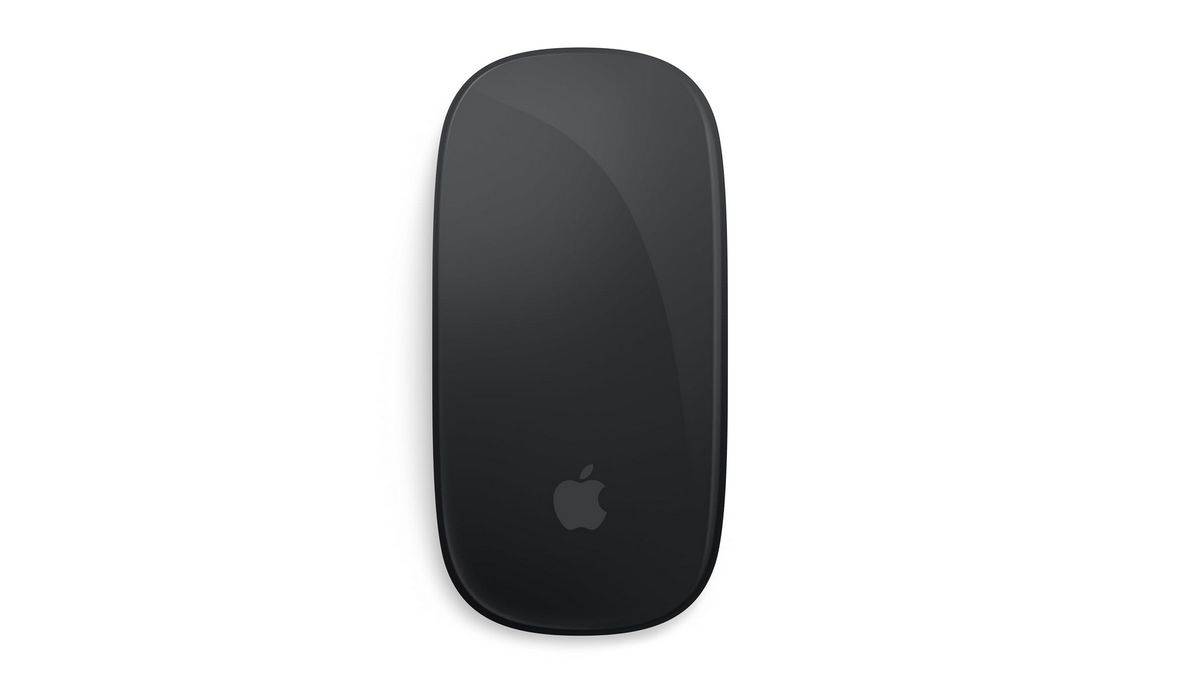
The Magic Mouse is a controversial peripheral, mostly for reasons that are entirely justified. Its charging port is on the underside, which means it cannot be used while charging. The flat profile doesn’t suit all hand sizes, and the lack of physical scroll wheels divides opinion.
That said, for creators working exclusively within the Apple ecosystem, it remains compelling. The touch-sensitive surface enables gesture controls that integrate deeply with macOS. Two-finger scrolling, swipe navigation between applications, and momentum scrolling feels native rather than emulated. In Final Cut Pro and Logic Pro, in particular, that integration has real value.
If you use a Mac and your work stays within Apple’s own software, the Magic Mouse earns its place. If you work cross-platform, or if you find the flat design uncomfortable, the MX Master 3S pairs with macOS just as well and does considerably more.
Key Specifications
- Price: Rs 9,500 (Amazon India / Apple Store India)
- Sensor: Laser tracking
- Connectivity: Bluetooth
- Surface: Multi-touch gesture-sensitive top
- Battery: Rechargeable Lightning (charges on underside — cannot be used while charging)
- Compatibility: macOS only
- Weight: 99g
3Dconnexion SpaceMouse Compact
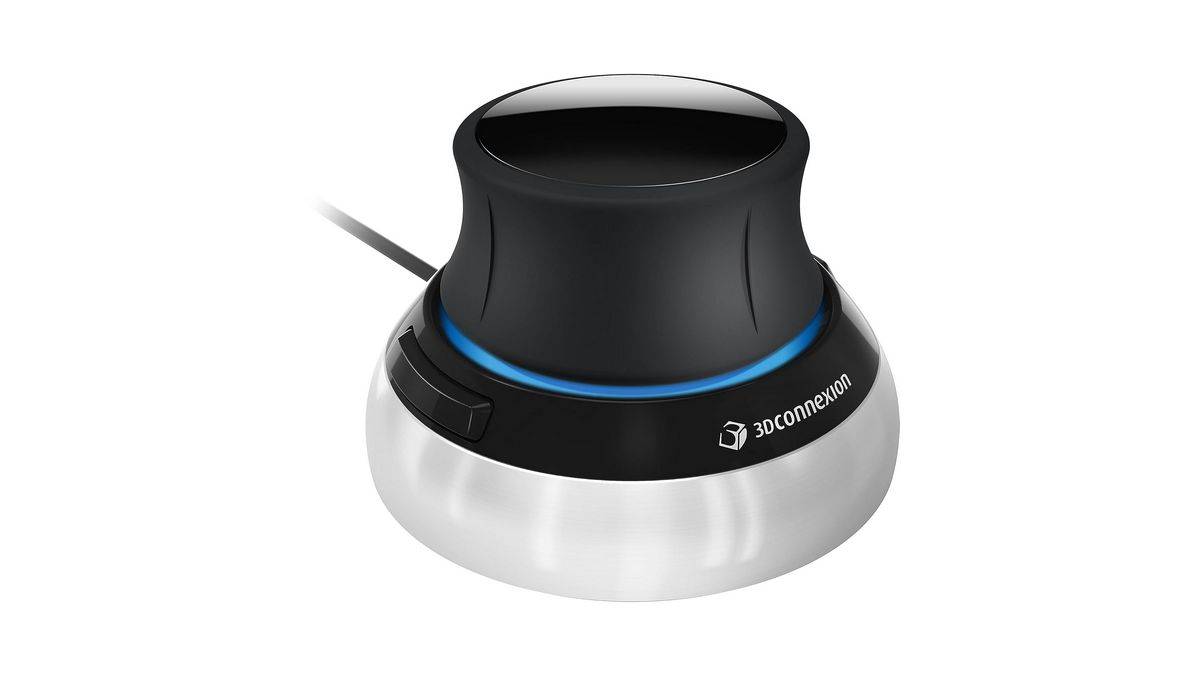
The SpaceMouse Compact is not a conventional mouse and should not be evaluated as one. It is a dedicated 3D navigation controller, designed to work alongside a standard mouse rather than replace it.
The puck-shaped controller reads pressure and tilt across six axes simultaneously, allowing you to pan, zoom, and rotate 3D viewports through analogue input. In Blender, Maya, Cinema 4D, or any major CAD application, this means manipulating a model in three dimensions with one hand while the other hand handles selections and modelling operations with a regular mouse.
At Rs18,821, it is a specialised purchase, and it makes no sense for creators who don’t work in 3D. For those who do, particularly professionals using Blender or CAD software for client work, it pays for itself in efficiency over time.
Key Specifications
- Price: Rs 18,821 (Amazon India)
- Control: 6-axis analogue input (pan, zoom, rotate simultaneously)
- Connectivity: Wired USB
- Buttons: 2 programmable buttons
- Compatible Software: Blender, Maya, Cinema 4D, AutoCAD, SolidWorks, and most major 3D/CAD applications
- Compatibility: Windows, macOS
Final Thoughts
The Logitech MX Master 4 is the right starting point for most creators in India. It is comfortable, precise, well-featured, and the additions over its predecessor, haptic feedback, the Actions Ring, and stronger wireless, are genuinely useful rather than cosmetic. The price has risen accordingly, and at Rs 12,995 it can be considered a hefty purchase. But for creators who spend the bulk of their working day at a desk, it earns that spend quickly.
Beyond that, the decision narrows based on what your work specifically demands. Portability points toward the MX Anywhere 3S. Wrist comfort points toward the vertical options. The Apple Magic Mouse makes sense within a committed macOS workflow. And if 3D is a meaningful part of what you do, the SpaceMouse Compact is in a category of its own.
A good mouse won’t make you a better creator in the way that learning a new technique or improving your eye will. But it removes the friction that gets in the way of the work and that, quietly and consistently, is worth paying for.