The Dell XPS 13 DX13260 makes a compelling case for choosing premium design and portability over outright performance. Priced at Rs 79,990, it brings Dell’s signature XPS aesthetics to a more accessible segment, with a gorgeous 13.4-inch 120Hz touchscreen, an aluminium chassis, and an exceptionally lightweight design.
Having used it as my primary Windows machine for three weeks alongside my MacBook Pro, I found plenty to like, including its capable Intel Core 5 320 processor and impressive battery life. However, the 8GB RAM configuration is a rather frustrating compromise, particularly with Windows 11 consuming most of the available memory even before getting started. Is it still worth it, though?
Table of Contents
Design: Premium looks without the premium price tag
The Dell XPS 13 might not feel quite as luxurious as its more expensive XPS 14 and XPS 16 siblings, but it certainly brings a different kind of premiumness to the table. At Rs 79,990, it’s difficult to find many Windows laptops that look and feel quite like this one. The CNC-machined aluminium chassis immediately gives it an advantage over several similarly priced competitors, many of which still rely on plastic construction. It’s minimalist, understated and rather cute, if I may say so.
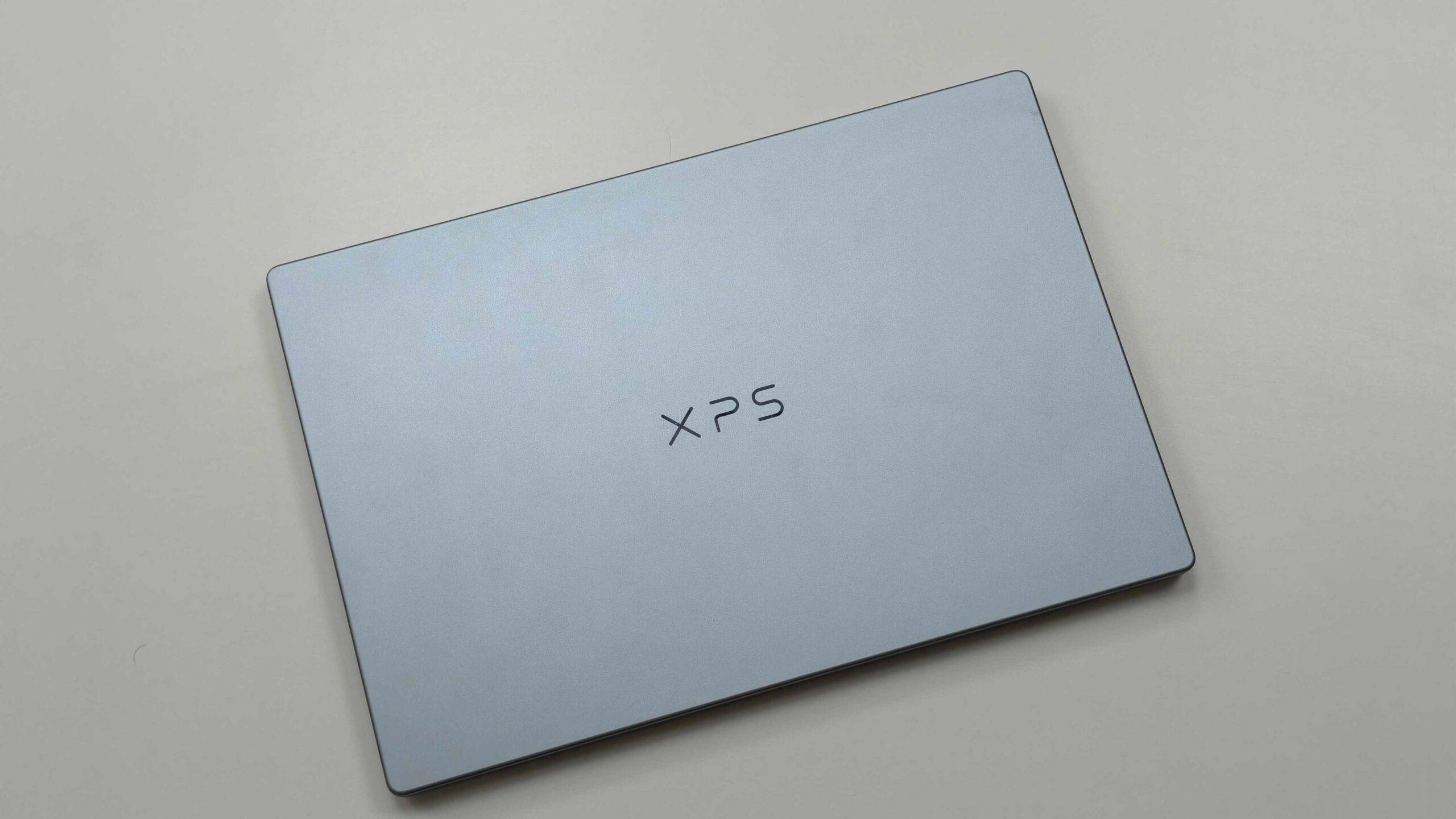
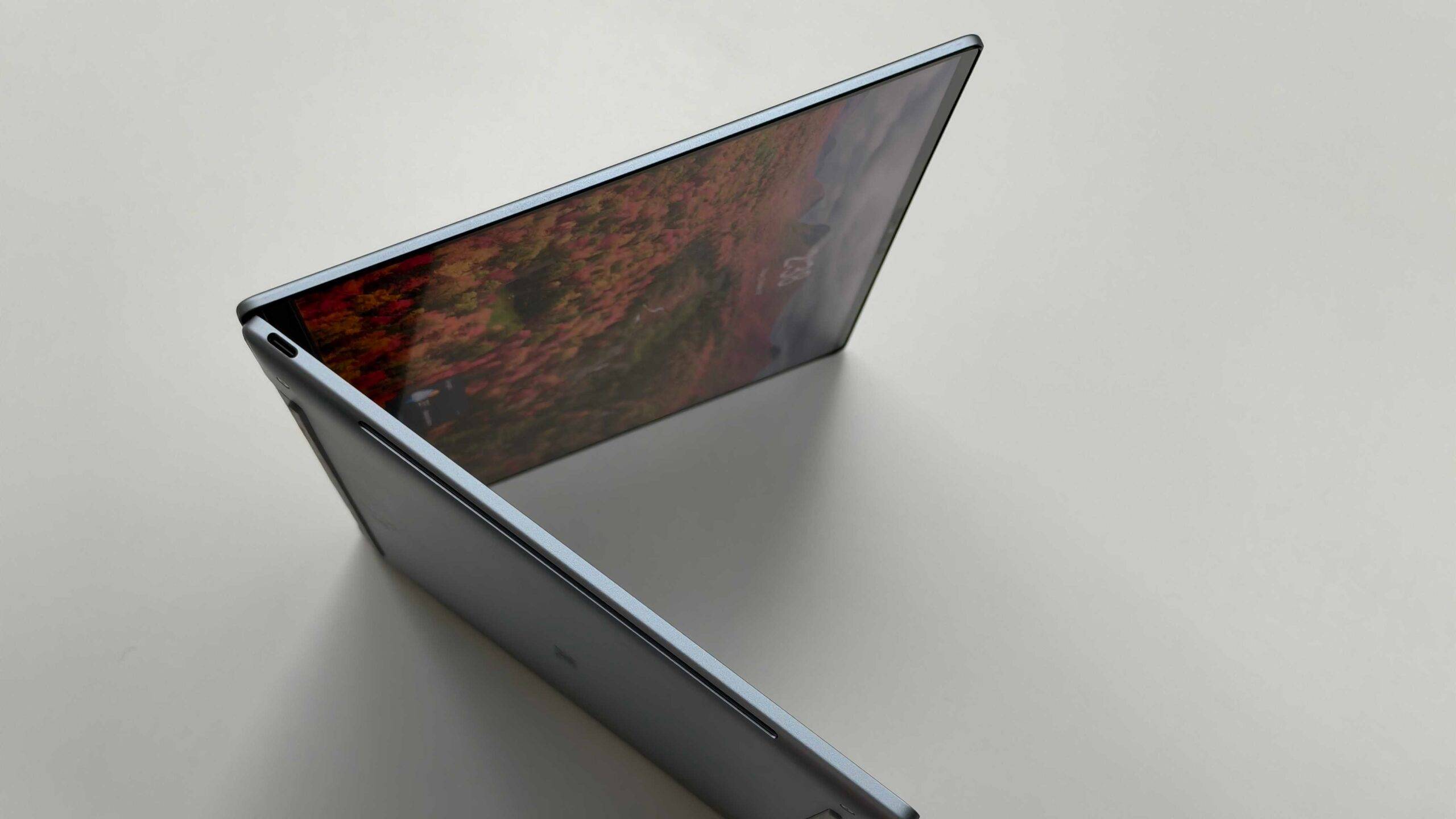
Build quality is equally impressive. The chassis feels reassuringly rigid, with no noticeable flex in the areas I tested. The display lid, keyboard deck and overall construction inspire confidence, and the laptop doesn’t feel like Dell has cut corners to bring the XPS experience into a lower price bracket. At approximately 1kg, it’s also exceptionally portable. The compact footprint makes it incredibly easy to slip into a backpack, and carrying it around all day is hardly a chore.
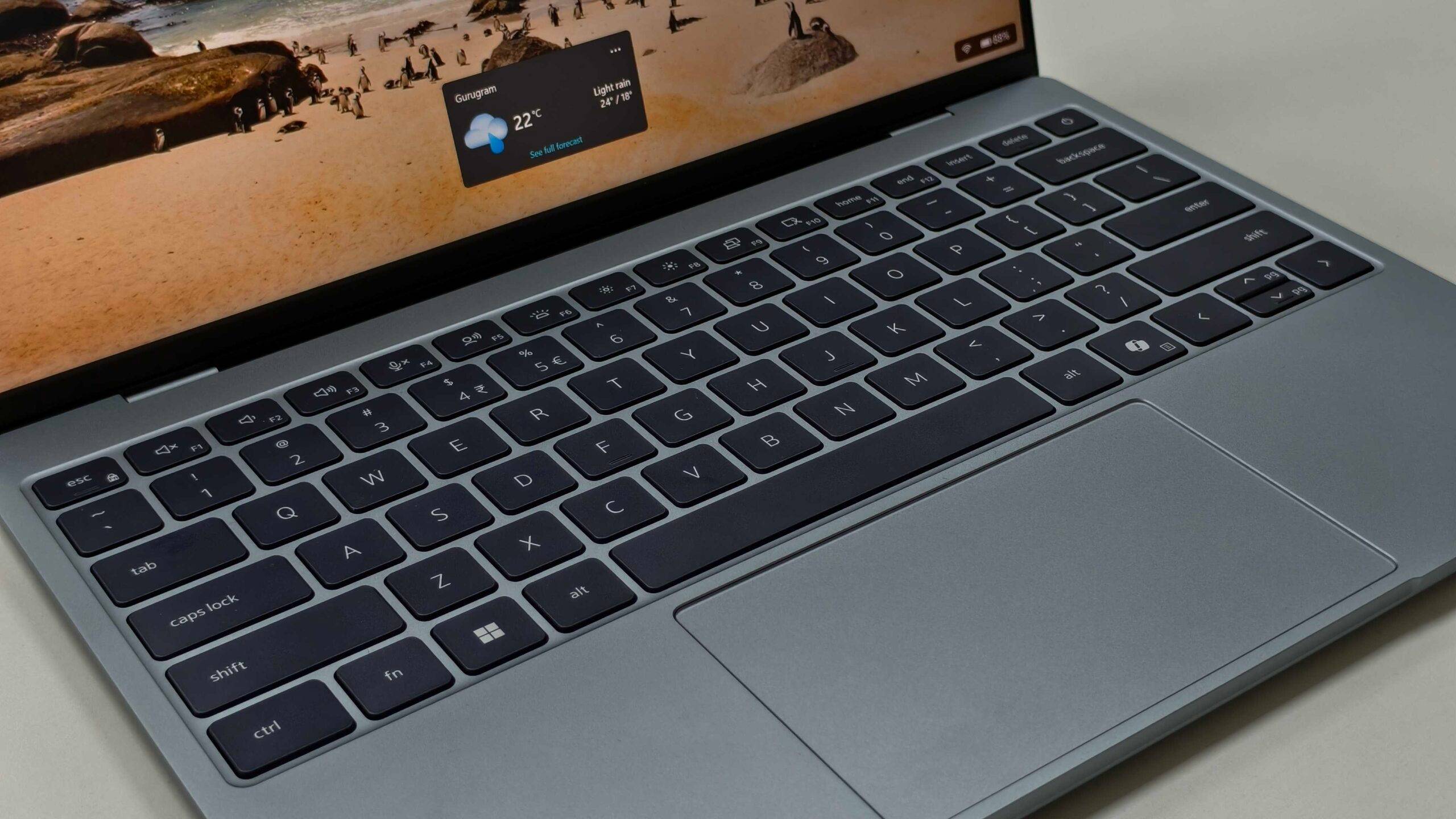
The keyboard and touchpad are decent, although not particularly exceptional. Key travel is adequate for extended typing sessions, but I would have appreciated slightly more tactile feedback. The touchpad, on the other hand, works well and gave me no reason to complain during my testing.
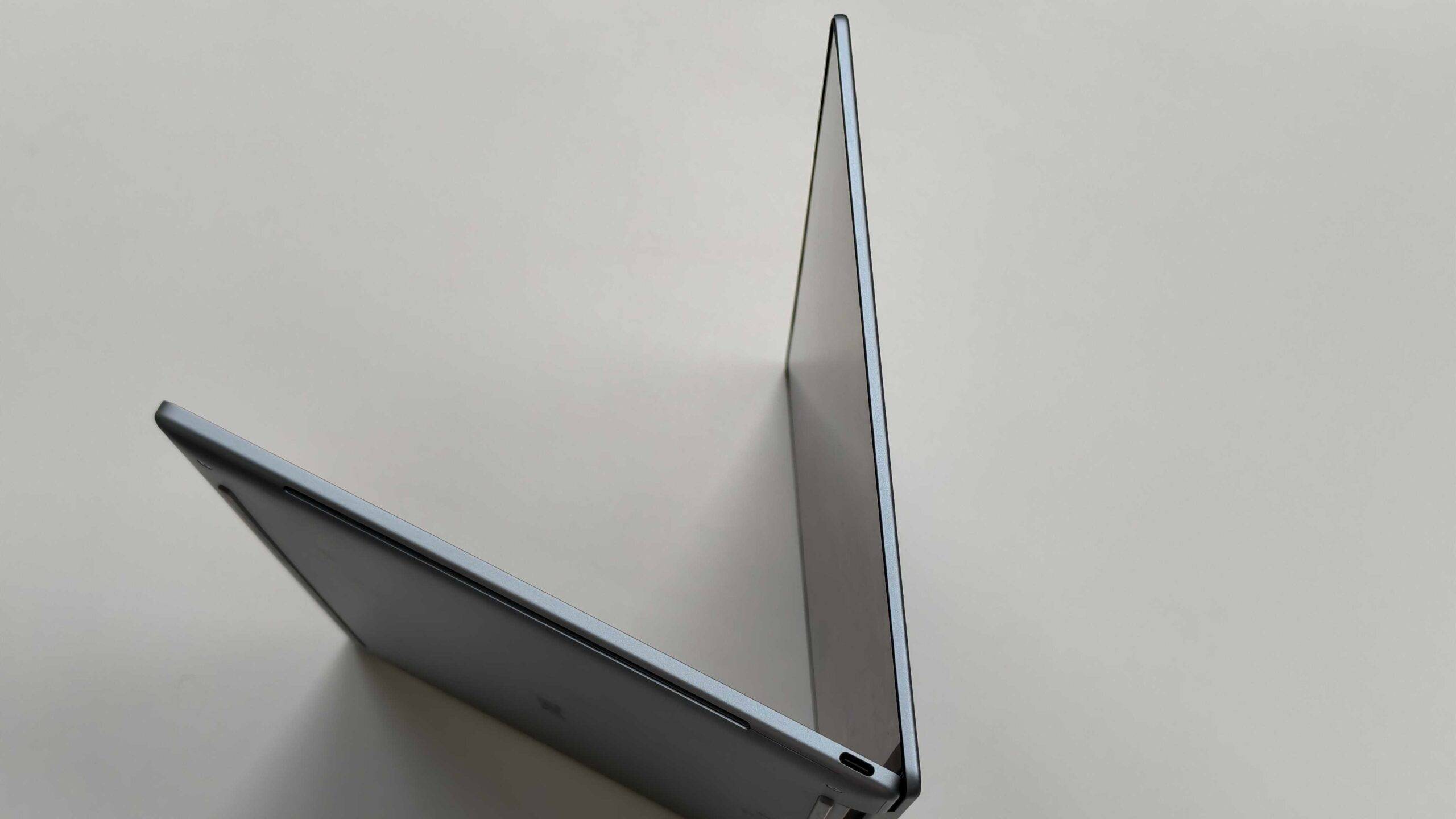
Connectivity is a little more restrictive, with just two USB-C ports and no USB-A or 3.5mm headphone jack. I would have liked Dell to include both, although it’s not a deal-breaker given how accessible the existing ports are.
Display: One of the XPS 13’s biggest strengths
The 13.4-inch 2.5K IPS touchscreen is easily one of my favourite things about this laptop. With a resolution of 2560 x 1600 pixels, a variable refresh rate of 30–120Hz and a claimed peak brightness of 500 nits, the panel ticks almost all the right boxes for an ultraportable. Images and text look crisp, colours are vibrant without appearing excessively saturated, and the overall viewing experience is genuinely excellent.
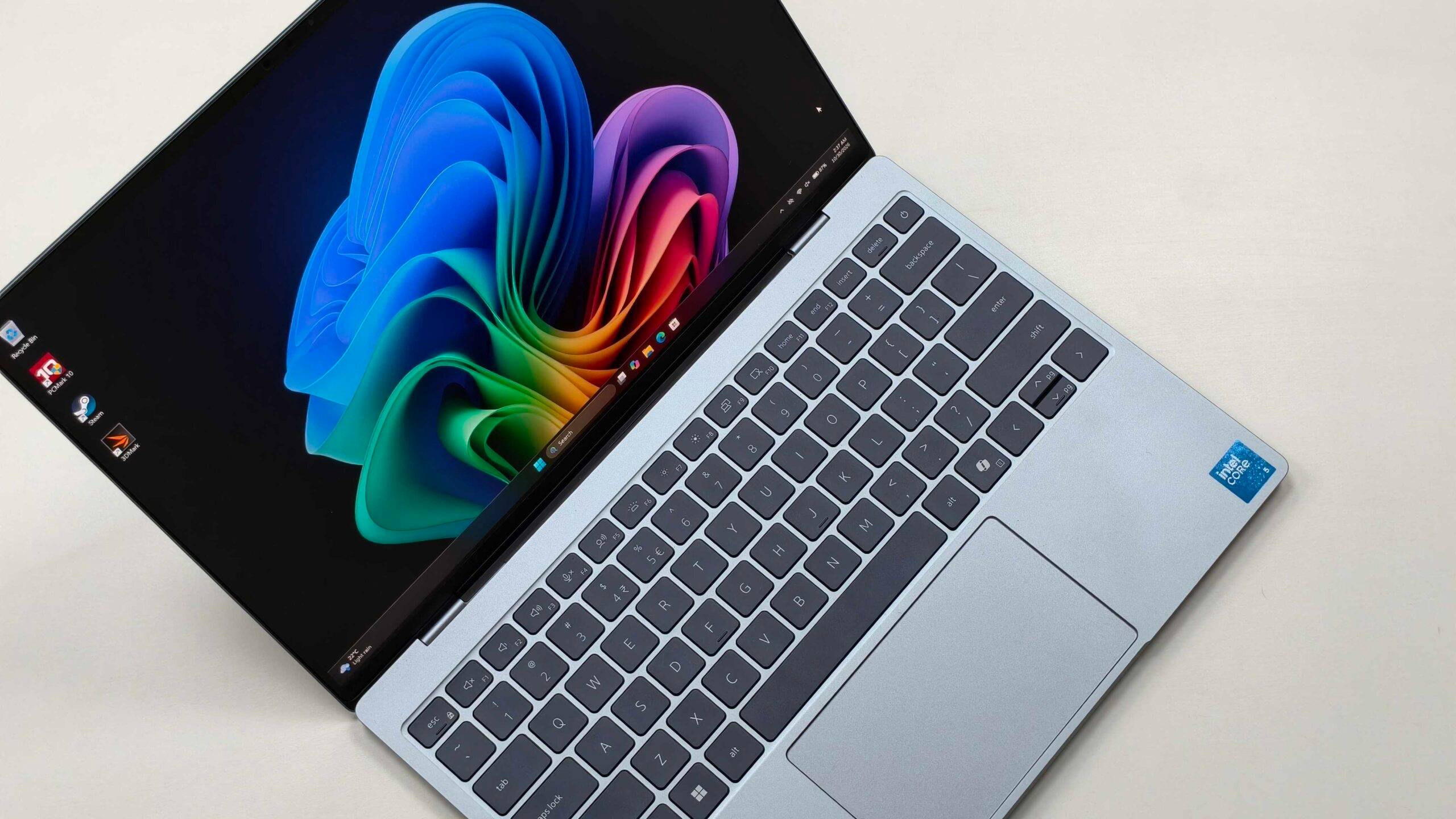
The 120Hz refresh rate also makes a noticeable difference to everyday usability. Scrolling through webpages, navigating Windows, and moving between applications all feel considerably smoother. Nobody is buying this laptop for gaming, given its integrated graphics, but a high-refresh-rate display still makes everyday interactions feel more premium. The touchscreen functionality is another welcome addition, particularly when navigating documents and webpages.
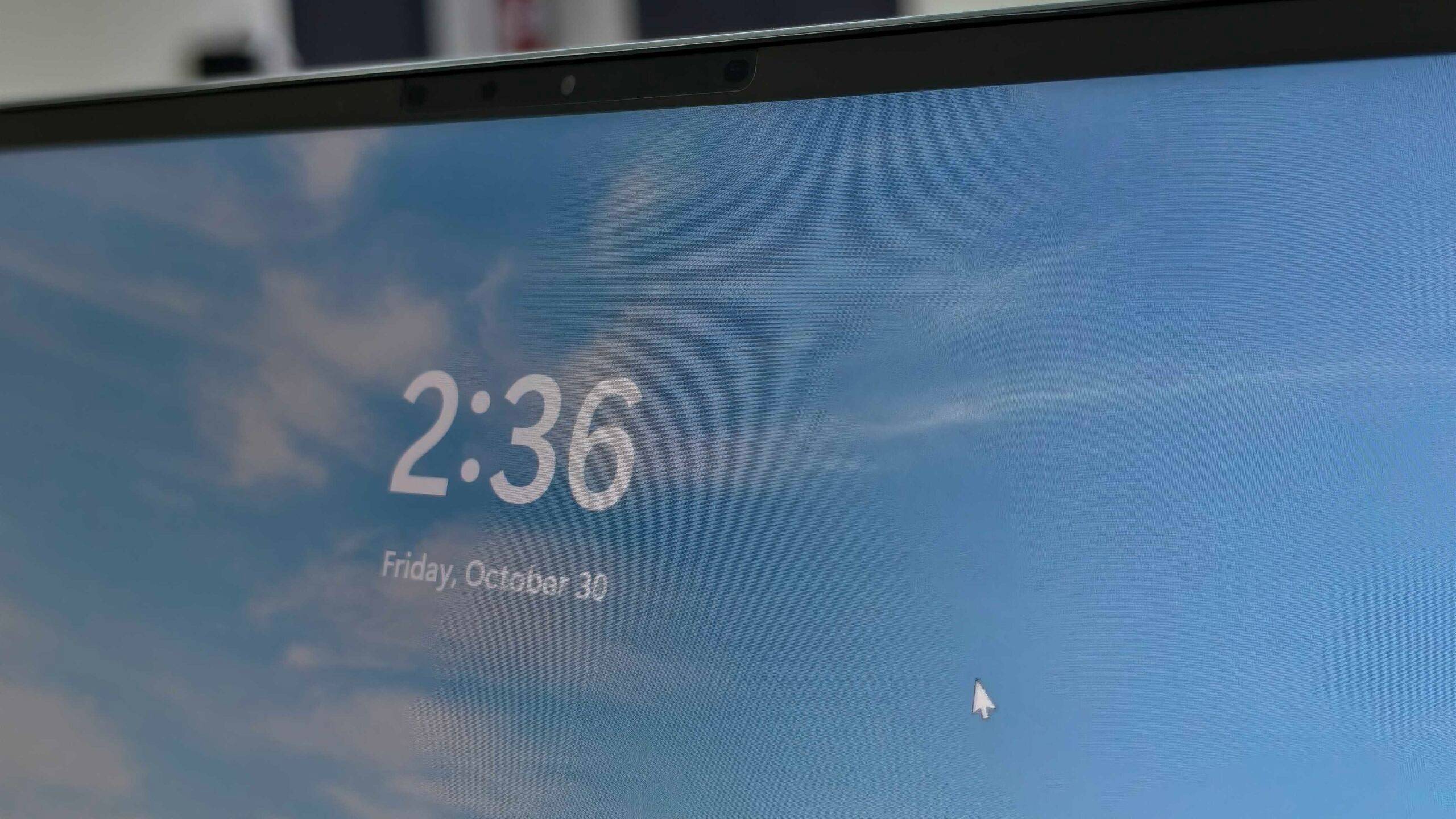
Brightness and reflection handling were also perfectly fine during my testing. I didn’t encounter any significant issues when using the laptop in brightly lit environments, and reflections remained minimal in my experience. The speakers are decent enough for everyday consumption, with sufficient loudness for videos and occasional music playback, although they aren’t particularly impressive. The 1080p webcam is similarly average. It gets the job done for video calls and meetings, but isn’t something I’d particularly praise.
Performance: The 8GB RAM problem is real
The Intel Core 5 320 is an interesting processor for a laptop like this. It’s a six-core, six-thread chip with a maximum boost frequency of 4.6GHz, designed primarily around efficiency and everyday computing rather than high-performance workloads. Paired with 8GB of LPDDR5X memory and a 512GB PCIe Gen 4 SSD, the XPS 13 looks reasonably well-equipped on paper. Unfortunately, that 8GB RAM configuration is where things start getting complicated.
In my everyday usage, the processor itself was perfectly decent. Browsing, writing, working with documents, streaming videos, and running individual productivity applications were all handled without much trouble. The problem becomes apparent when attempting to multitask. Windows 11 was already consuming approximately 6.7GB of RAM even when the laptop was sitting idle, leaving very little memory available for applications. Running one or two applications simultaneously is manageable, but attempting anything beyond that can quickly bring the experience to a crawl. I noticed slowdowns and struggled to maintain a smooth workflow when juggling multiple applications.
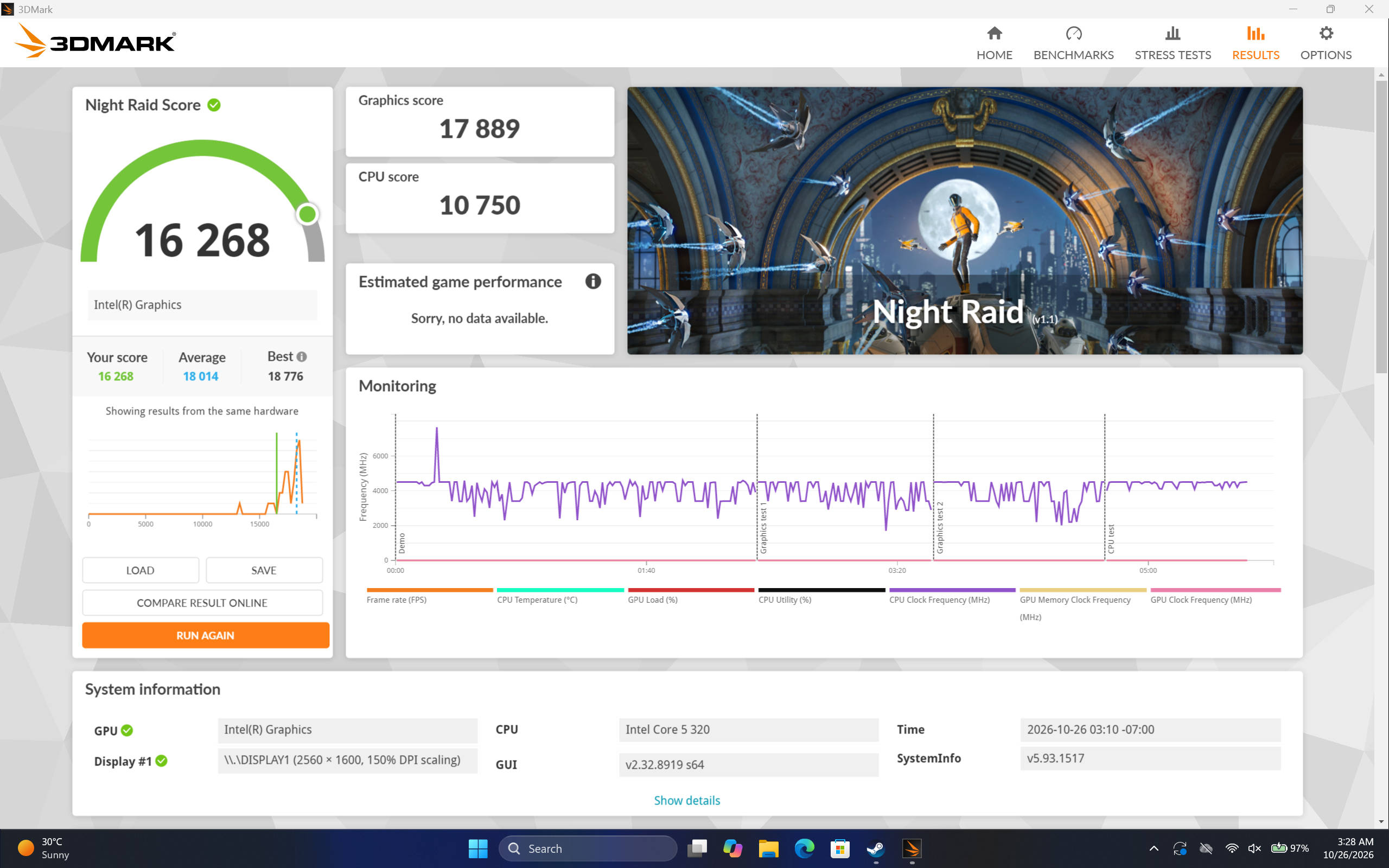
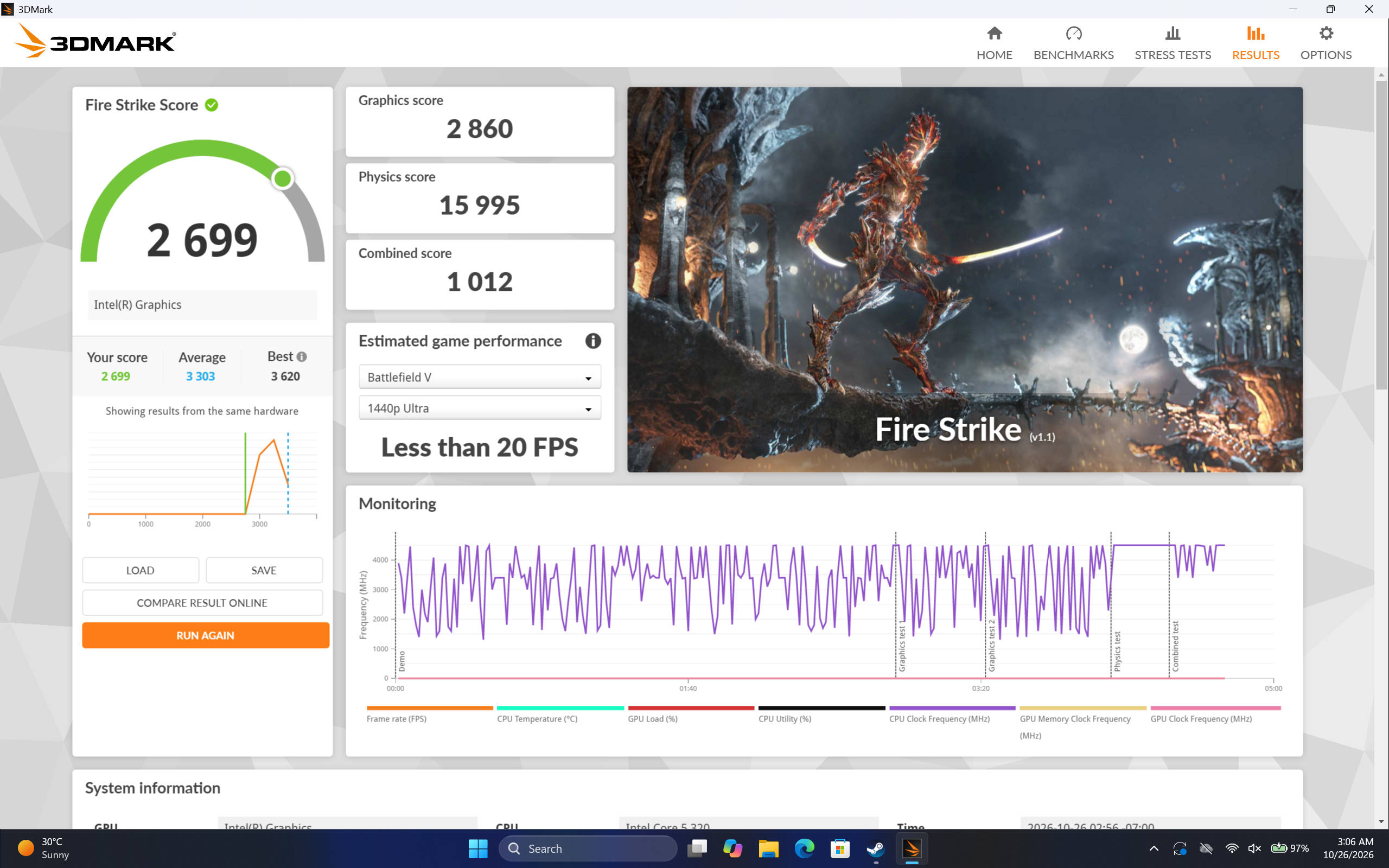
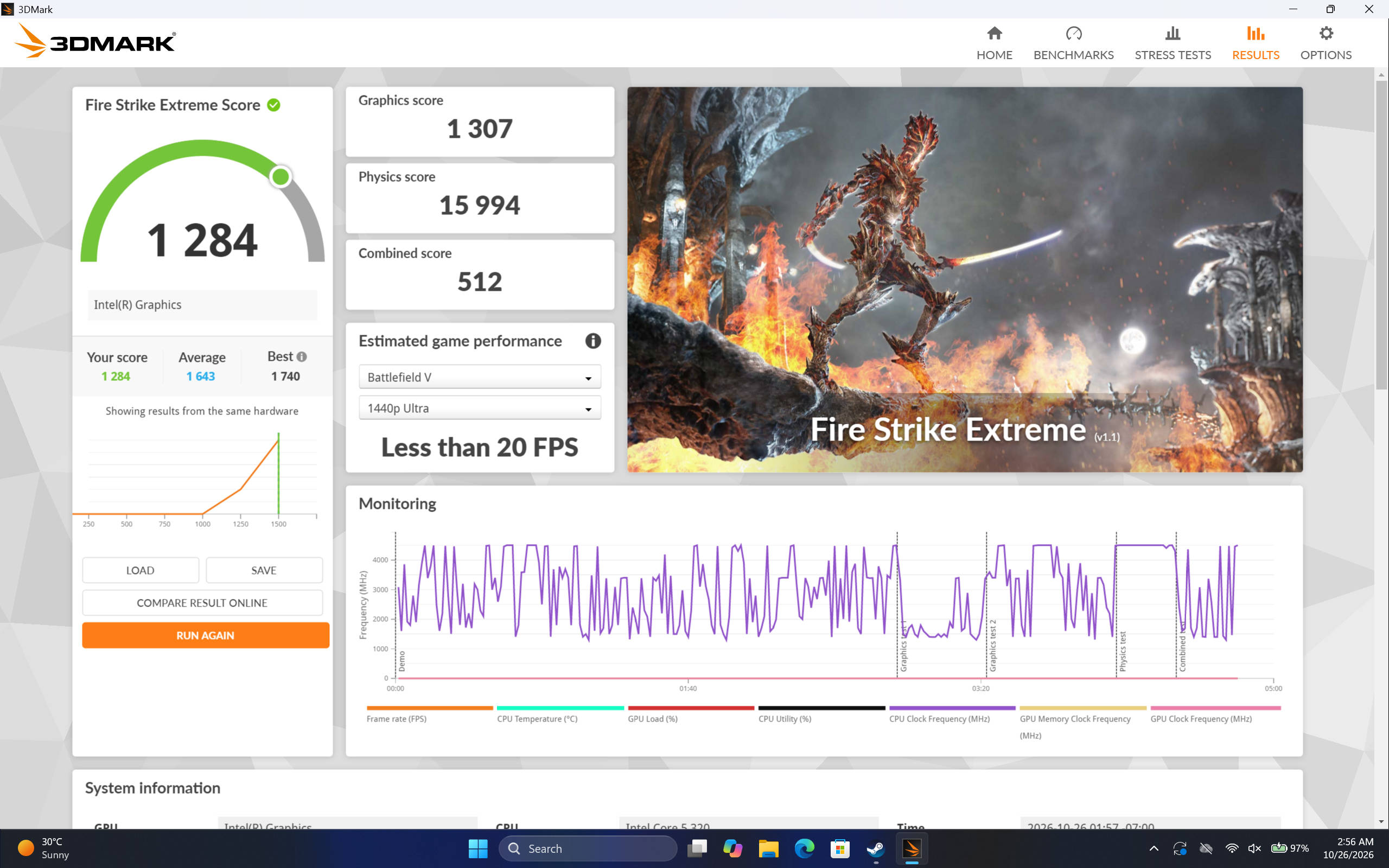
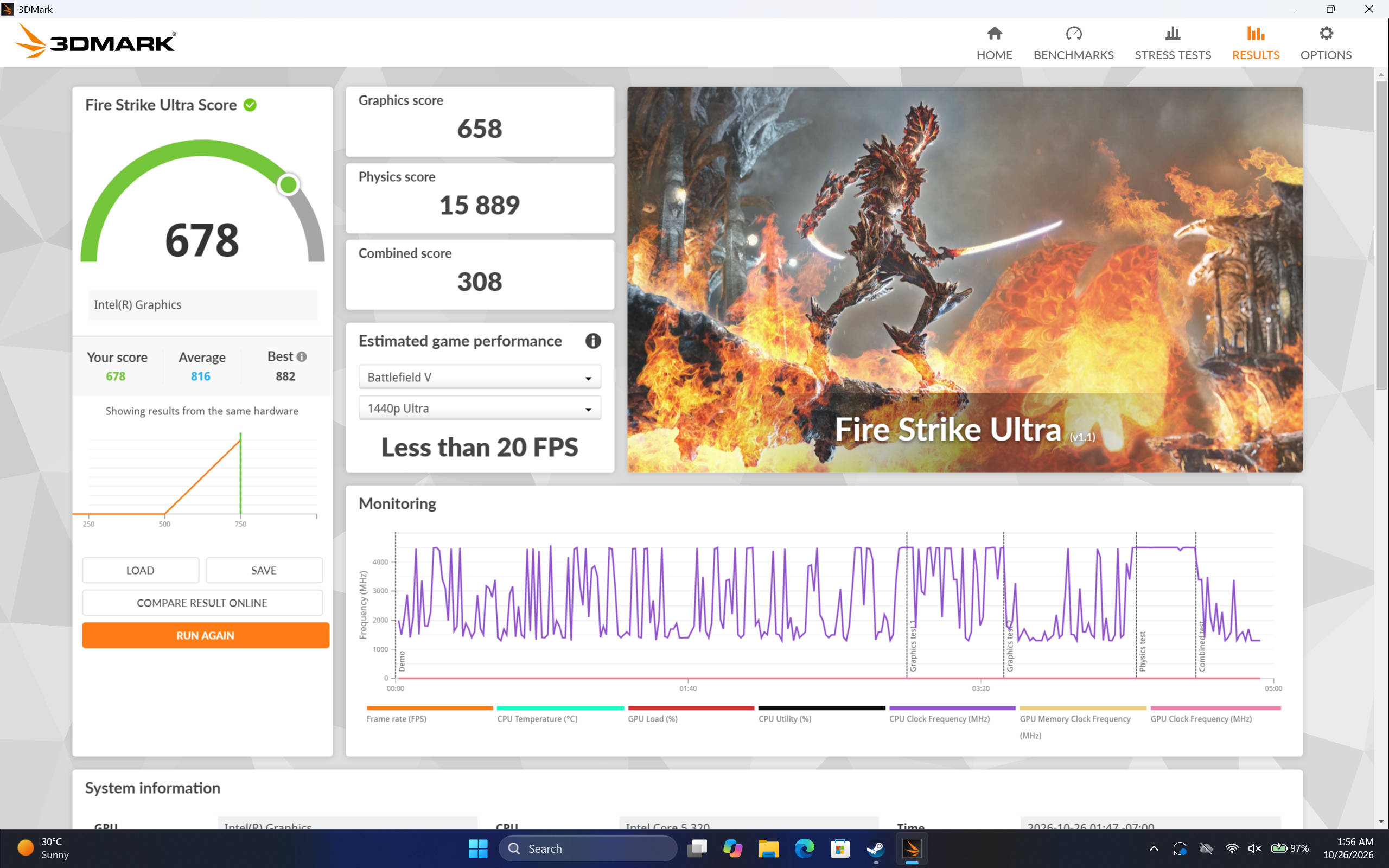
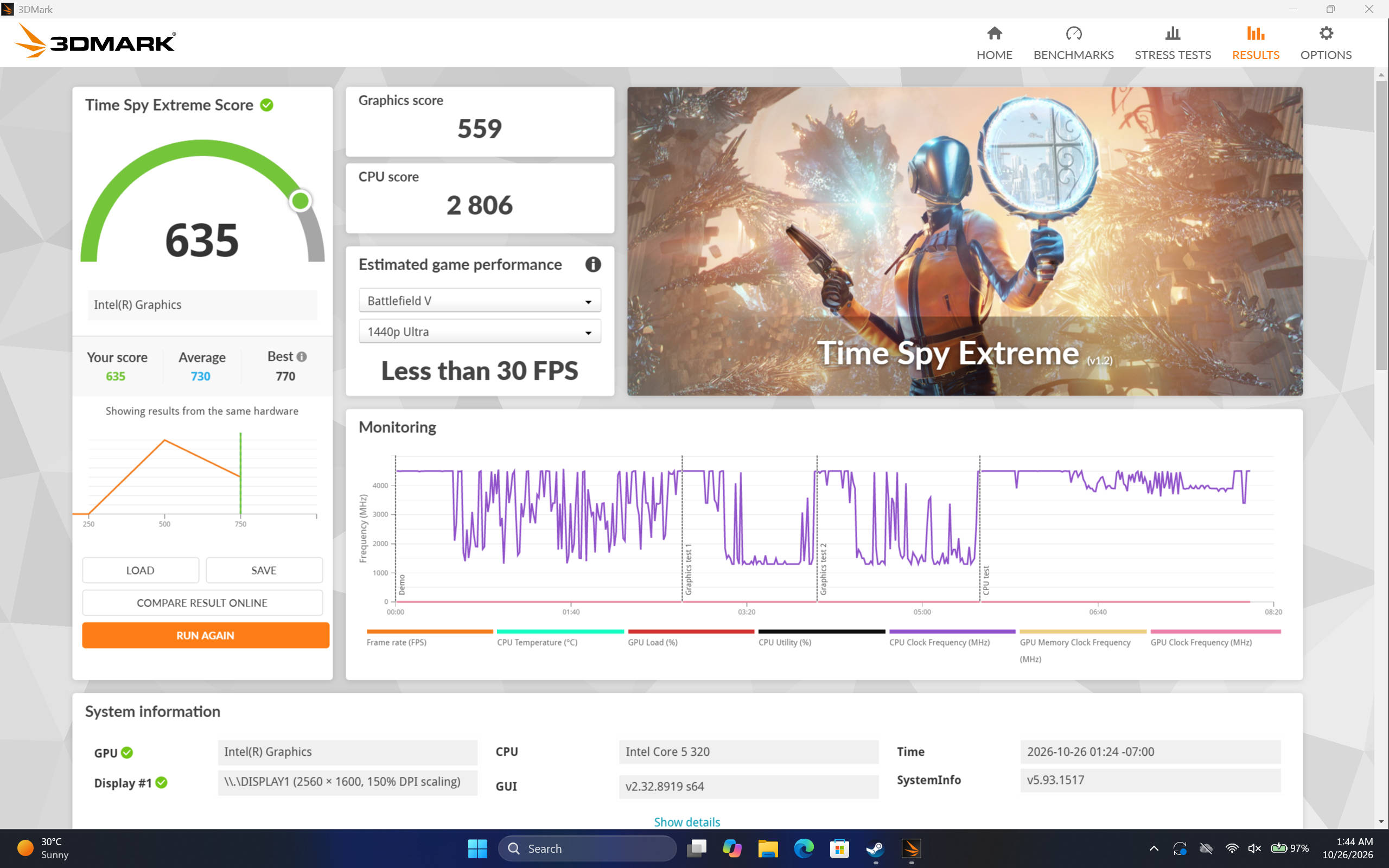
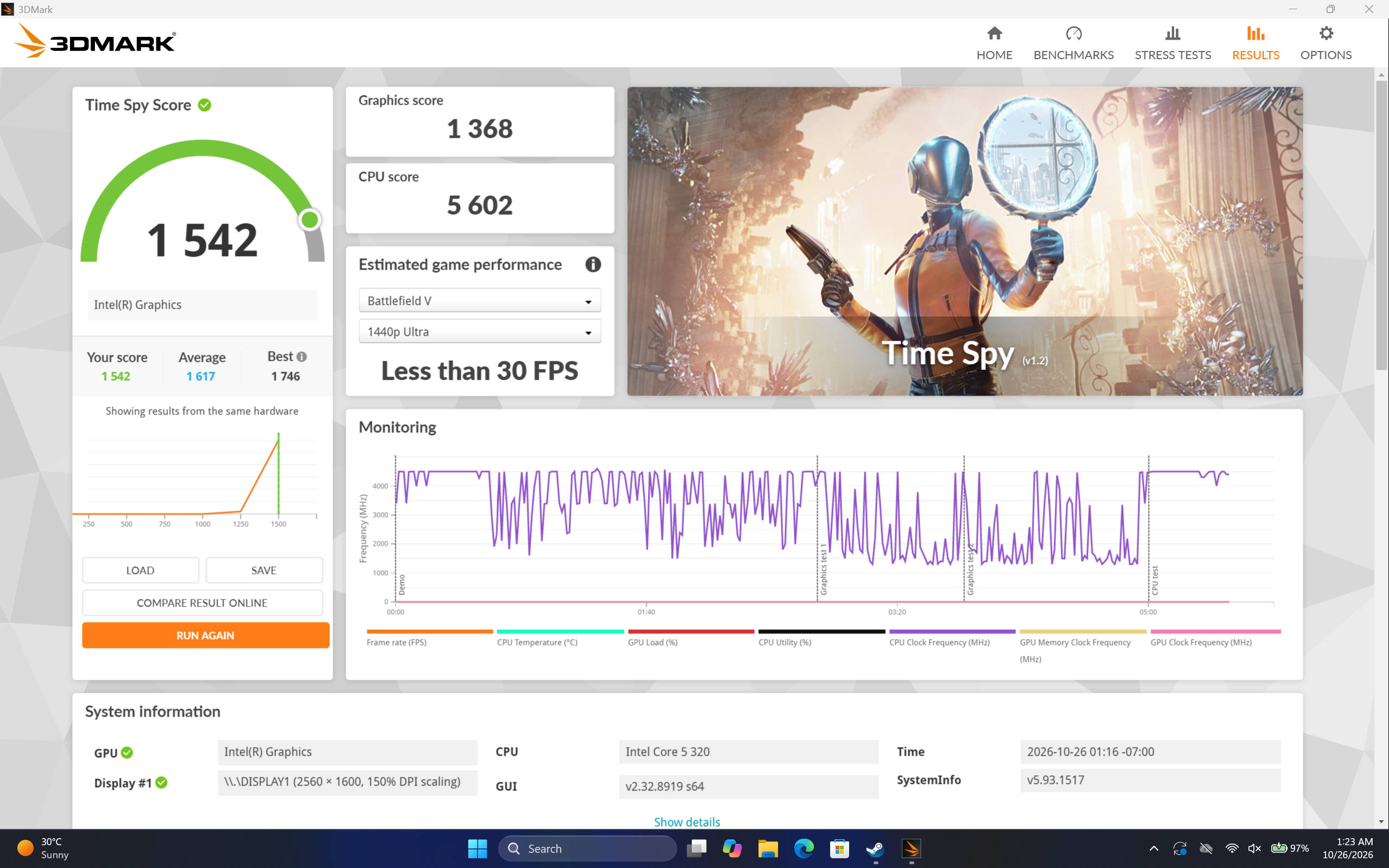
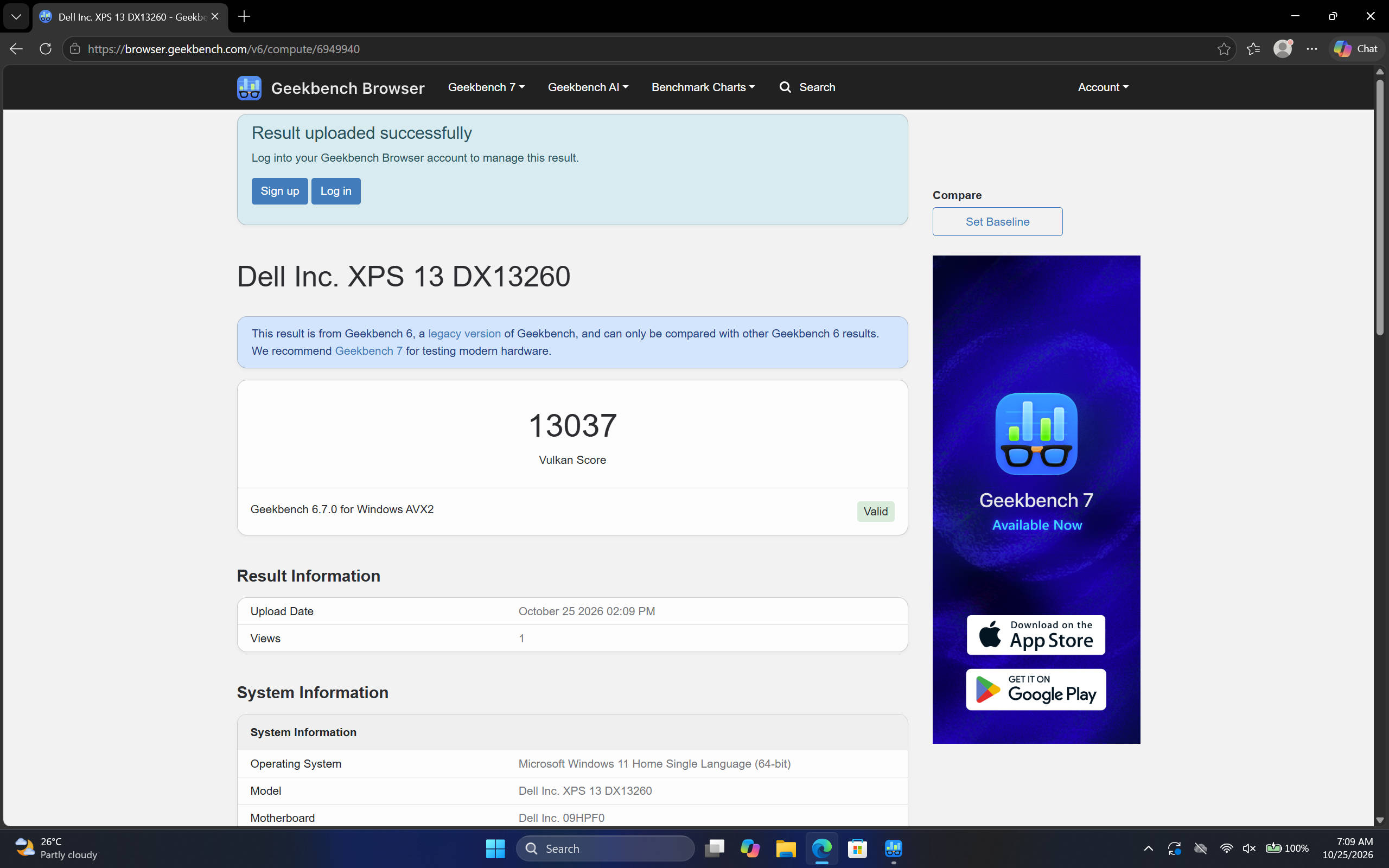
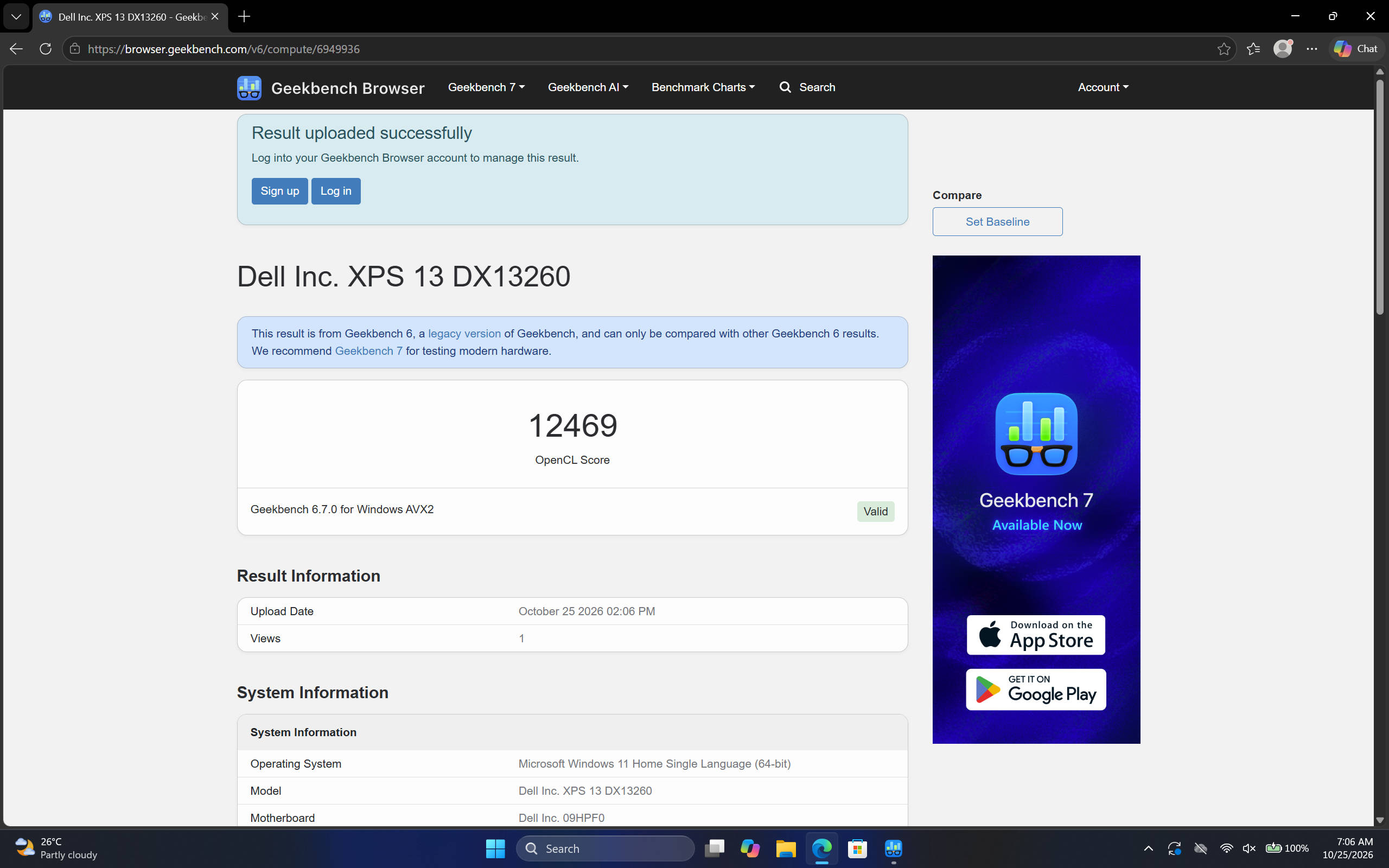
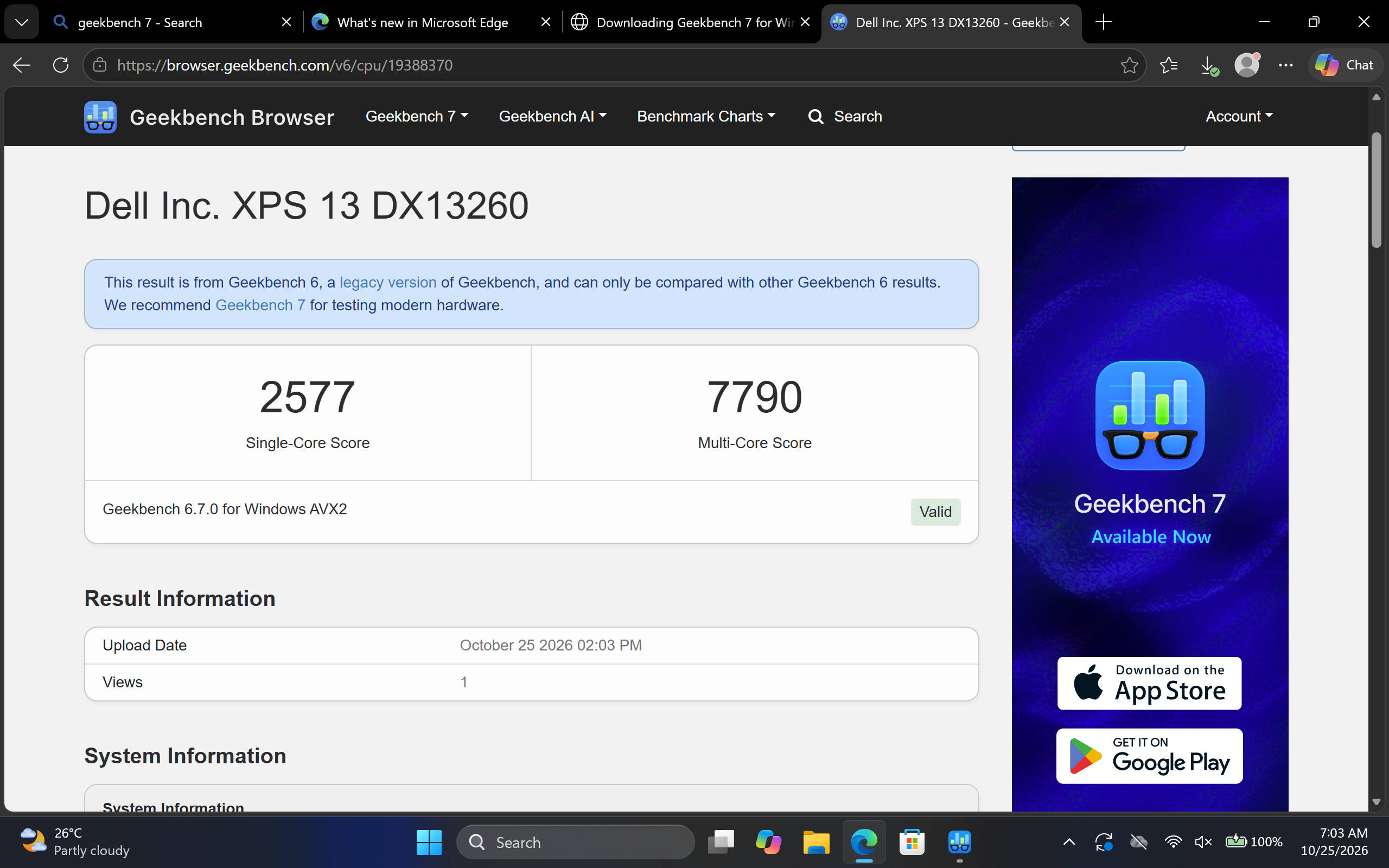
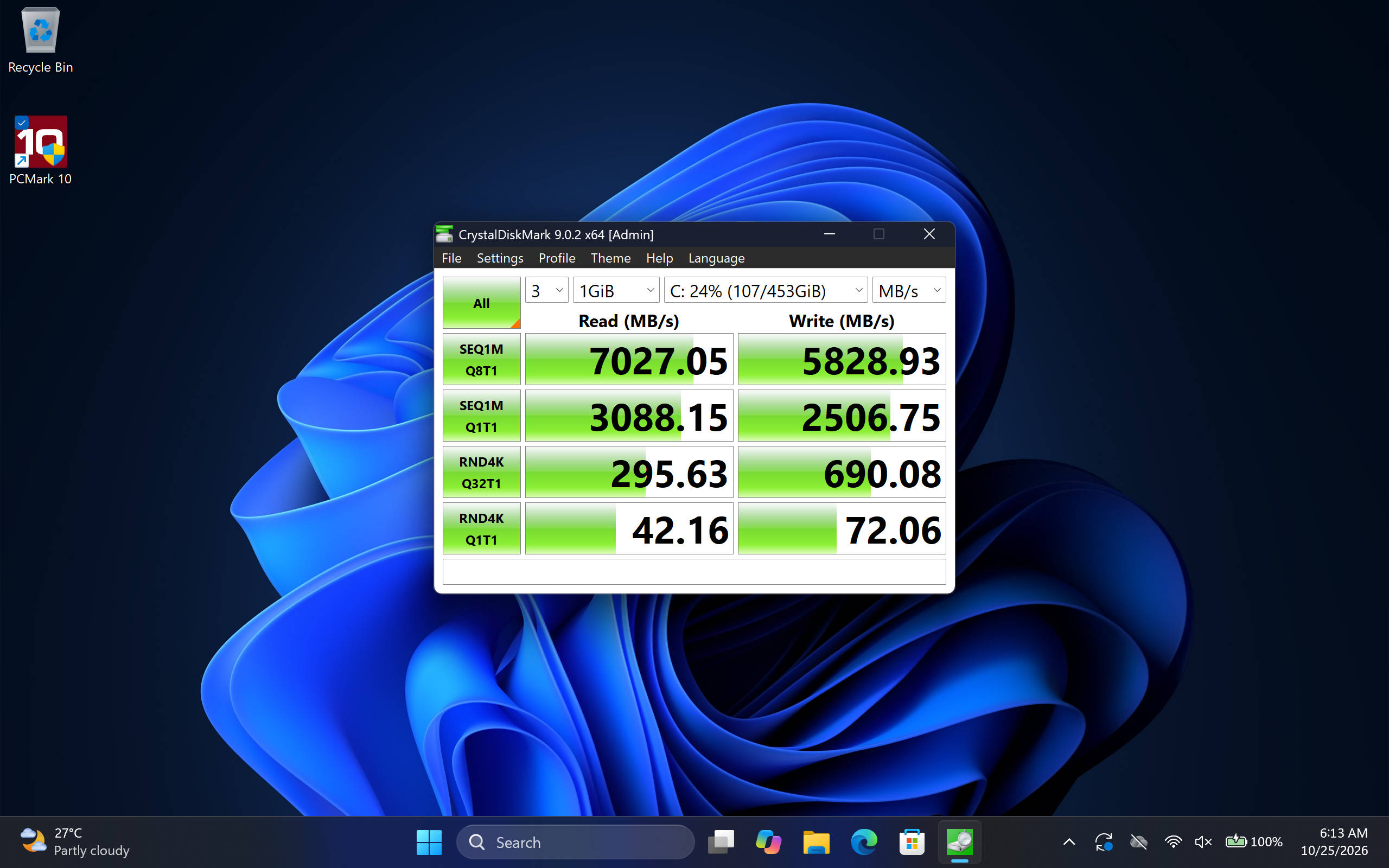
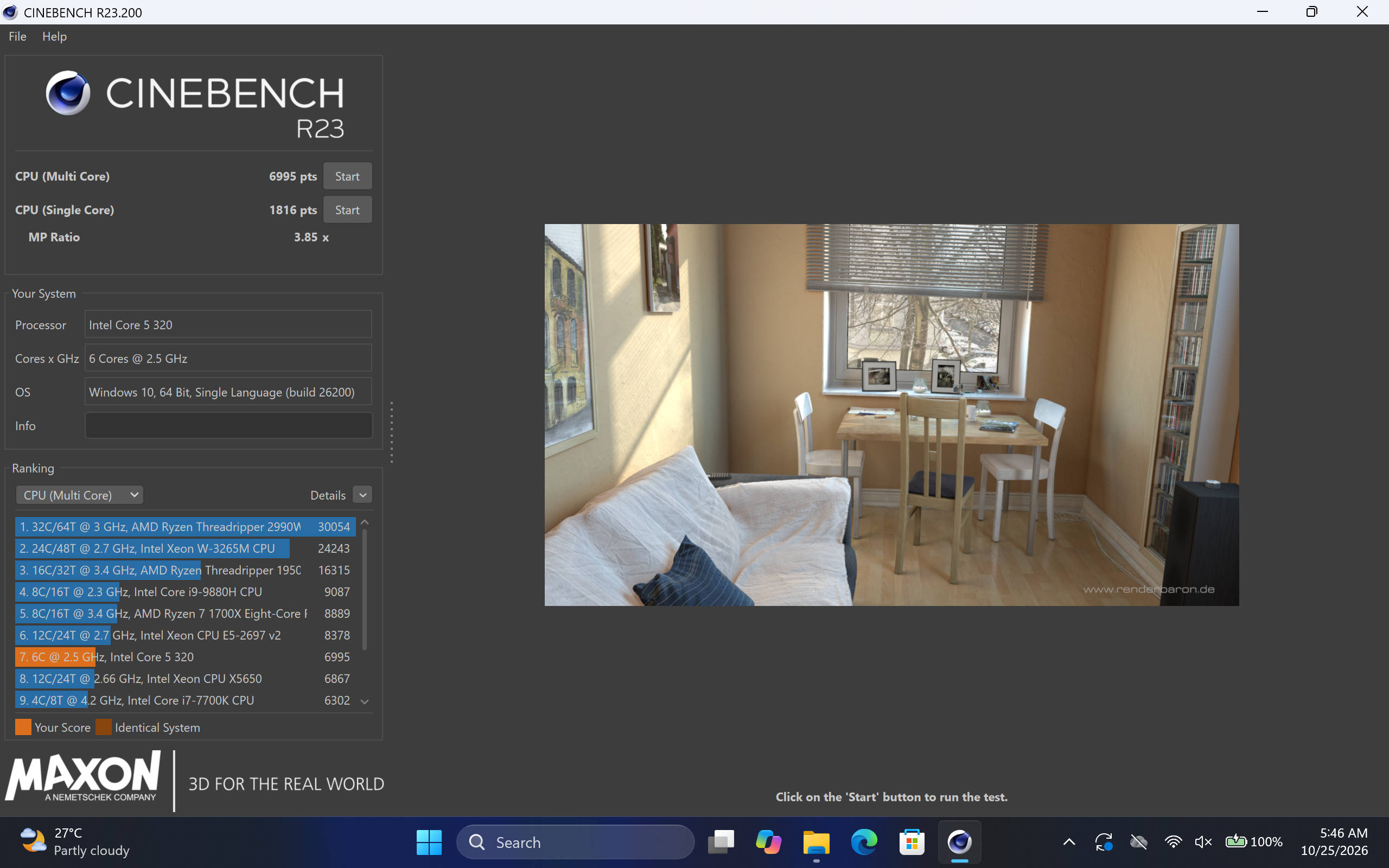
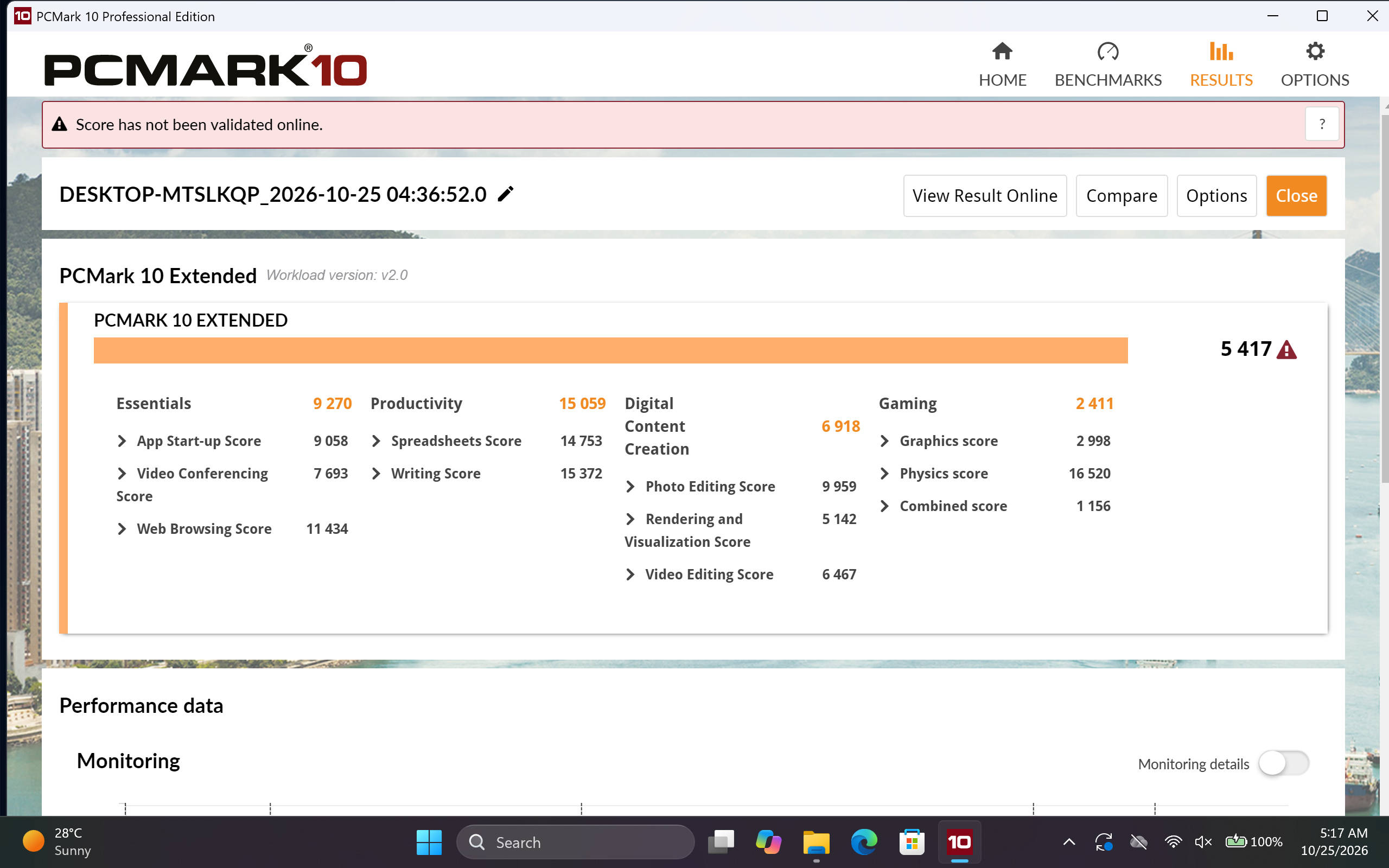
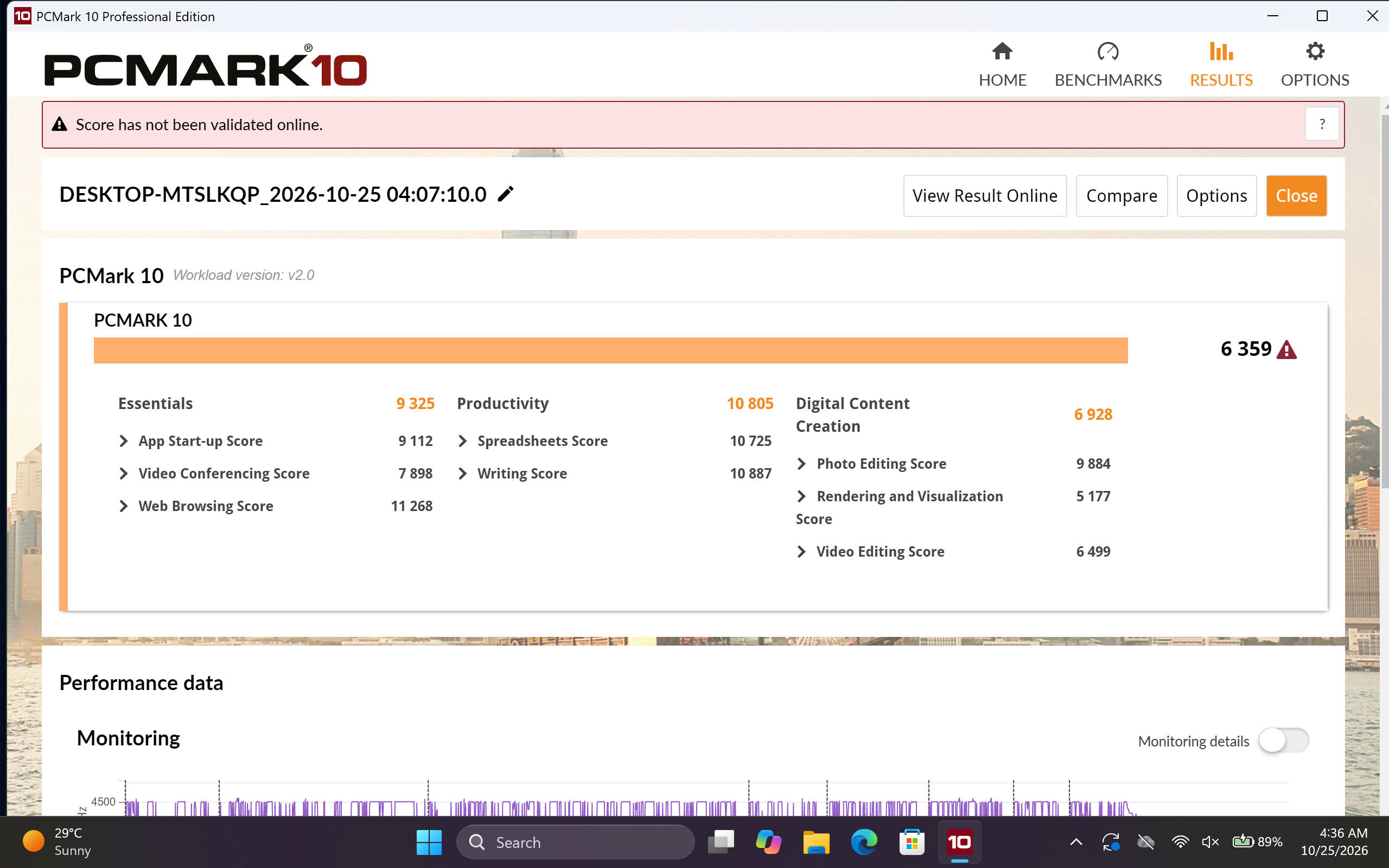


It’s worth pointing out that this isn’t necessarily a problem with the Core 5 320 itself. The processor is reasonably capable for its intended audience, and my benchmark results reflect that, indicating that the underlying hardware is capable enough for everyday productivity.
The graphics situation is another area worth discussing, although I didn’t push the integrated Intel Graphics particularly hard. Basic photo editing in Photoshop was perfectly manageable, but this isn’t a machine I’d recommend for demanding creative workloads or gaming. More interestingly, the laptop couldn’t even initiate my Cinebench 2026 and Cinebench R24 tests. The integrated graphics share system memory, and with Windows already consuming most of the available 8GB, there simply wasn’t enough headroom to get these tests running. The Geekbench graphics tests, however, completed successfully.
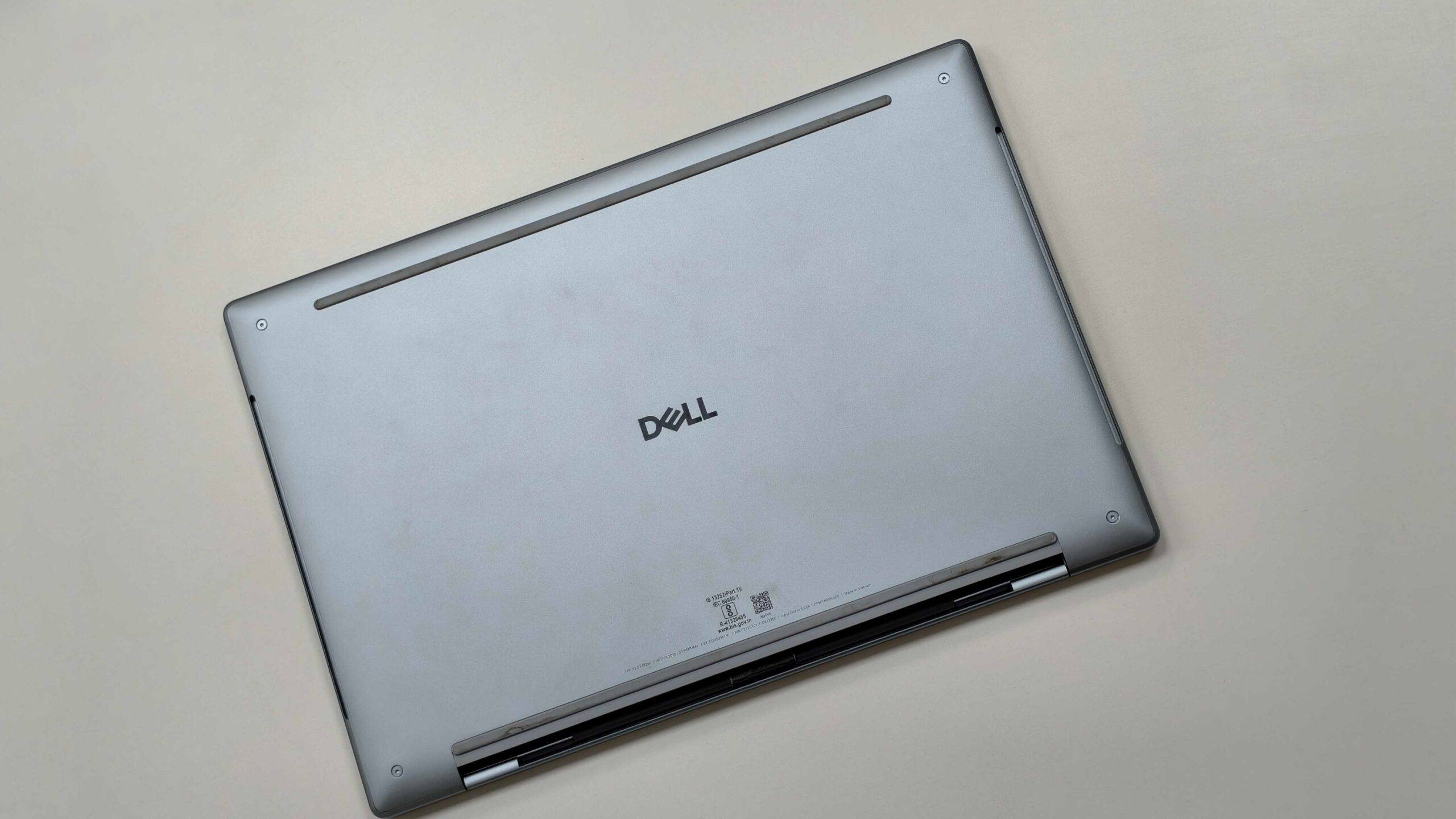
Thermal performance was surprisingly good. I didn’t encounter any uncomfortable heat during my three weeks of testing, and the fans remained relatively quiet. They were audible if I deliberately listened for them, but never became distracting during regular workloads. The laptop’s restrained thermal behaviour is certainly welcome, especially considering its compact dimensions.
Battery: An absolute marathon runner
Battery life is another area where the Dell XPS 13 genuinely impressed me. Its 52Wh battery managed to last well over 10 hours during regular browsing and office work, while mixed productivity workloads generally delivered around 9–10 hours. That’s excellent endurance for such a compact machine, especially considering that I was using it as my primary Windows laptop.
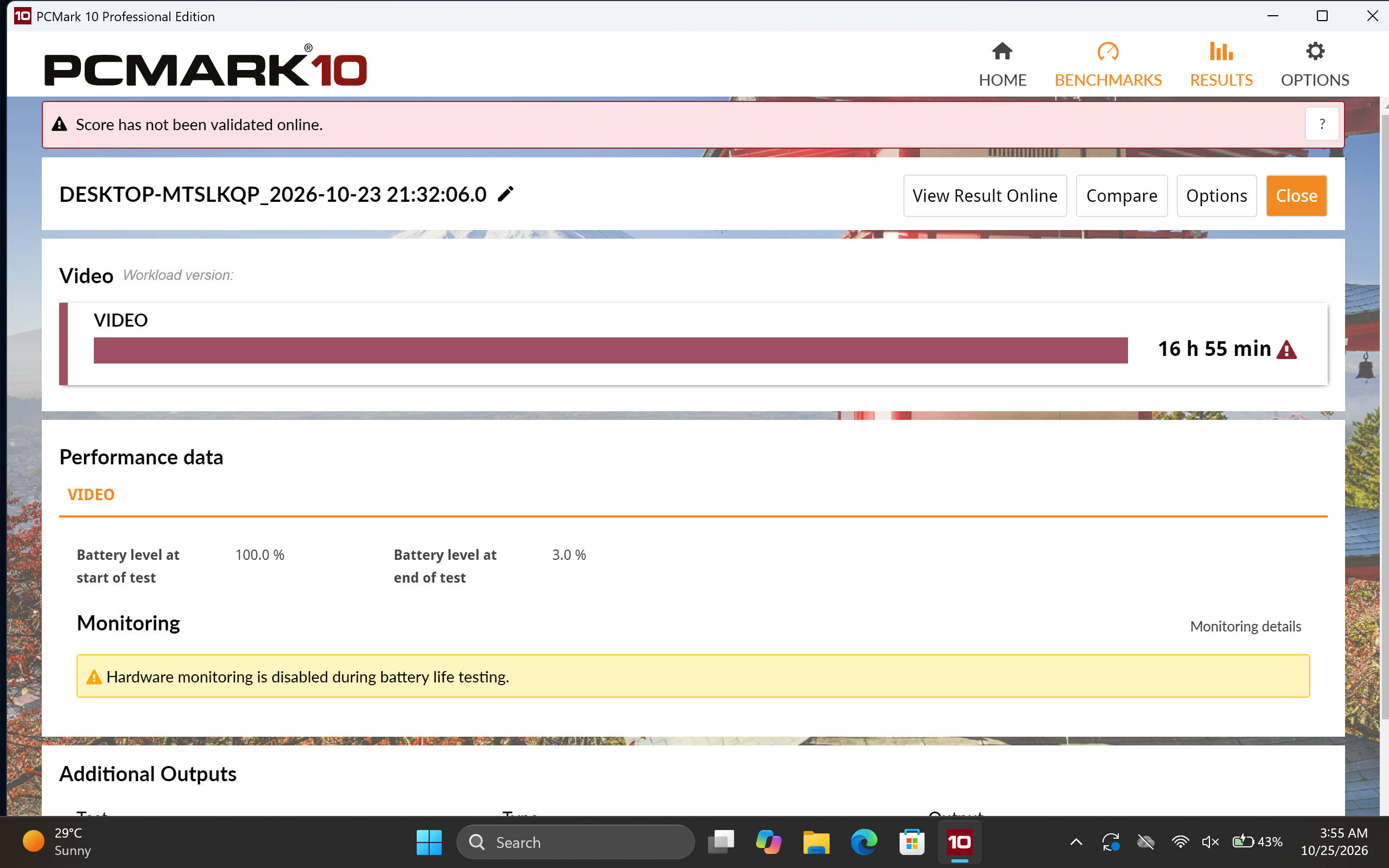
In our PCMark 10 battery video loop test, the XPS 13 lasted an impressive 16 hours and 55 minutes. That’s a particularly strong result and reinforces its suitability as a travel companion. While dedicated video playback isn’t necessarily representative of an entire working day, the result indicates that Dell has done a good job balancing performance and power consumption.
The bundled 65W USB-C charger deserves a special mention too. It’s wonderfully compact and portable, making it easy to carry alongside the laptop without adding unnecessary bulk to a travel bag. The combination of excellent battery endurance and a genuinely portable charger makes the XPS 13 particularly appealing for people who spend a lot of time away from their desks.
Verdict: A brilliant ultraportable, but get the 16GB variant
The Dell XPS 13 DX13260 gets plenty right, with its premium aluminium construction, gorgeous 120Hz touchscreen, excellent portability and impressive battery life. The Intel Core 5 320 is also capable enough for everyday productivity, making this a great option for students, office professionals and frequent travellers who value portability over outright performance.
However, the 8GB RAM configuration is a significant bottleneck, particularly with Windows 11, and makes multitasking frustrating. At Rs 79,990, I’d recommend spending a little extra on the 16GB variant if possible. The XPS 13 is a brilliant ultraportable, but it’s best suited to those who want decent performance in a premium, lightweight package rather than maximum performance for their money.
Editor’s Rating: 8.2 / 10
Pros:
- Premium aluminium construction
- Excellent 120Hz touchscreen
- Extremely lightweight and portable
- Outstanding battery endurance
Cons:
- Just 8GB non-upgradable RAM
- Limited connectivity options
- Struggles with heavy multitasking