Last month, we tested the Dell Pro 14 Essential, a no-frills business notebook that leaned heavily on practicality over aesthetics. That machine set the tone for what Dell’s more affordable, workhorse laptops aim to deliver, which includes reliable performance, a simple design, and just enough features to get everyday tasks done.
We are now taking a look at the company’s run-of-the-mill 15-inch offering, the Dell 15 (D15260), which has just debuted in India. On paper, this is more of a refresh than a reinvention, swapping last year’s Dell 15 (DC15250) internals for newer Intel Core Ultra 200 series processors while retaining much of the same chassis, display, and overall feature set. The question, then, is simple: do these internal upgrades meaningfully improve the experience, or is this just another iterative update in Dell’s long-running mainstream lineup?
Table of Contents
Design and build
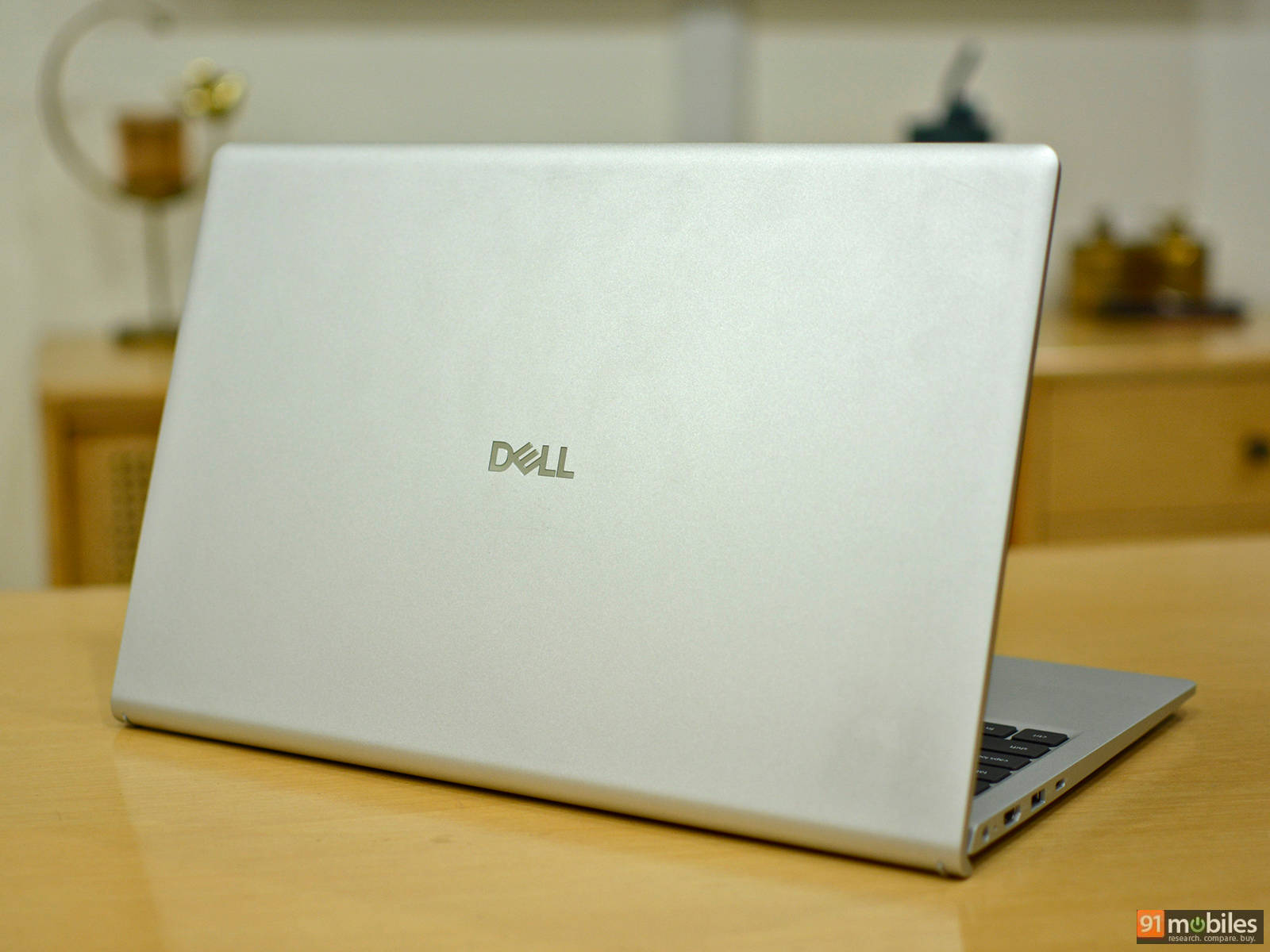
The Dell 15 keeps things simple and familiar, sticking to a design we’ve seen from the company’s budget Inspiron lineup for years. The entire chassis is made out of plastic, along with thick display bezels on the top and bottom, and a silver-black finish that doesn’t try too hard to stand out. The plastic chassis does show a bit of flex if you press down on the lid and keyboard deck, but it never feels outright cheap or fragile.
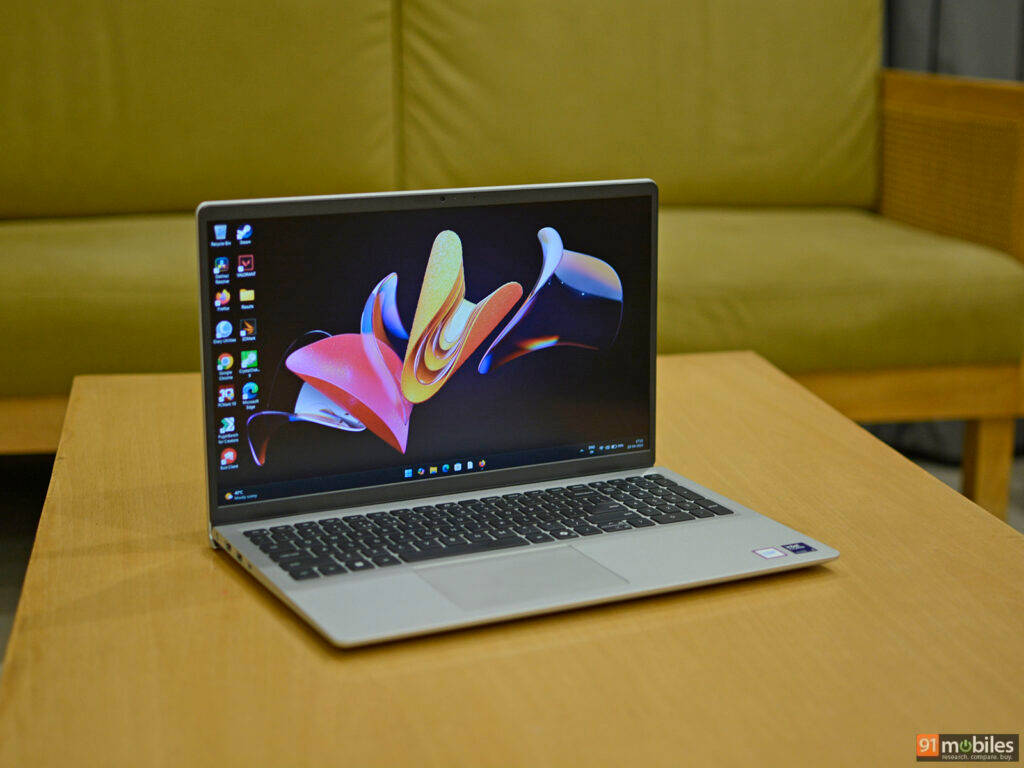
The laptop is large for a 15-inch notebook, especially when compared to modern 16-inch machines. One positive change is the reduced weight of 1.66 kg, which is noticeably lighter than last year’s model (1.9 kg). It’s still not the lightest option out there, but it should be easier to carry around. The depth remains the same at 0.75 inches at its thickest point, so slipping it into a backpack or sleeve shouldn’t be an issue.
The new Dell 15 is not particularly eye-catching and certainly not in the same league as something like the MacBook Neo. However, it doesn’t feel poorly put together either. This is very much a simple design that prioritises function over form.
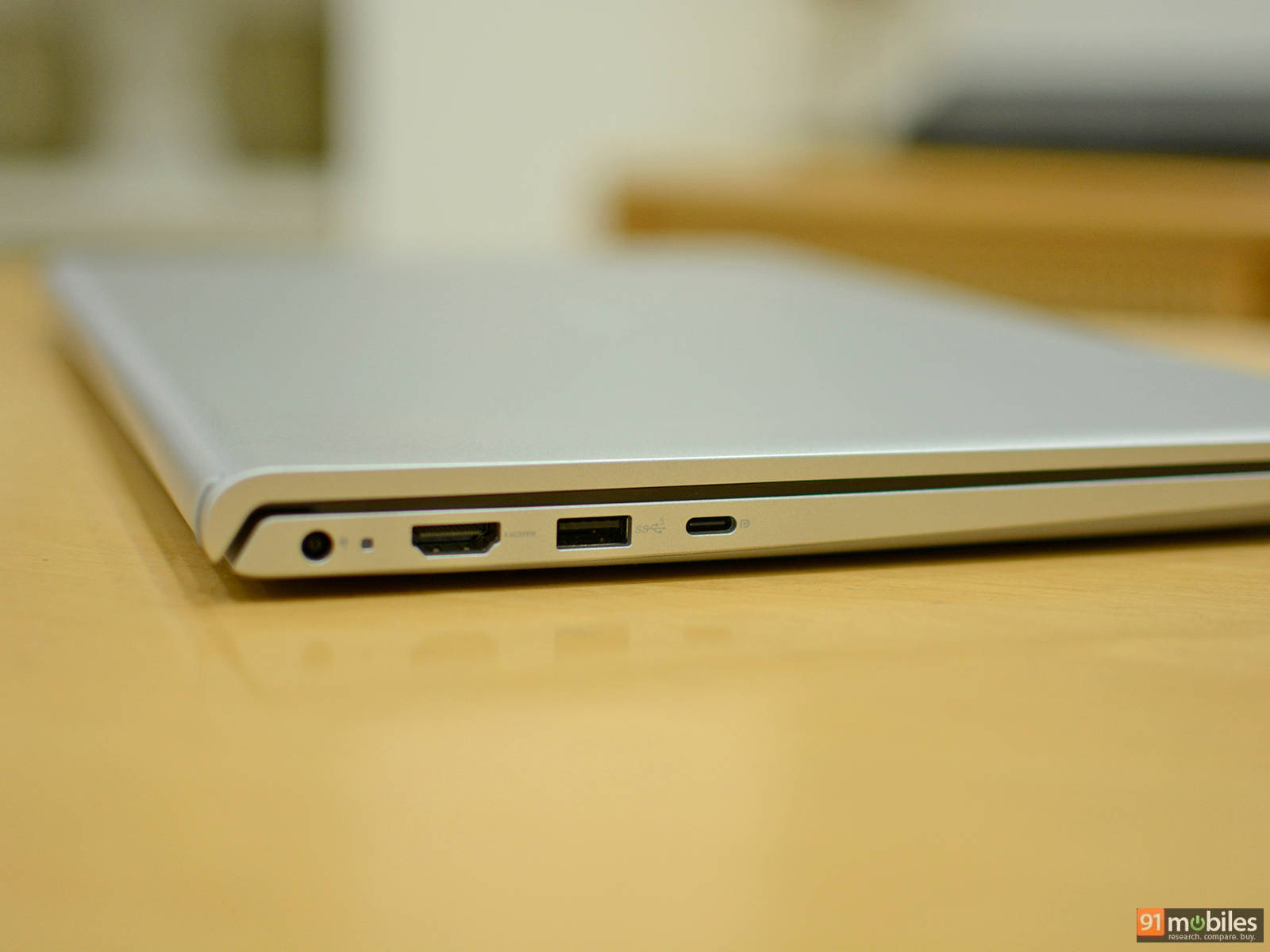
Port selection is fairly basic, too. On the right, you get a USB 2.0 Type-A port and a 3.5mm audio jack, while the left side houses the proprietary barrel charging port, a USB 3.2 Gen 1 Type-A port, a USB Type-C port, and an HDMI 1.4 output.
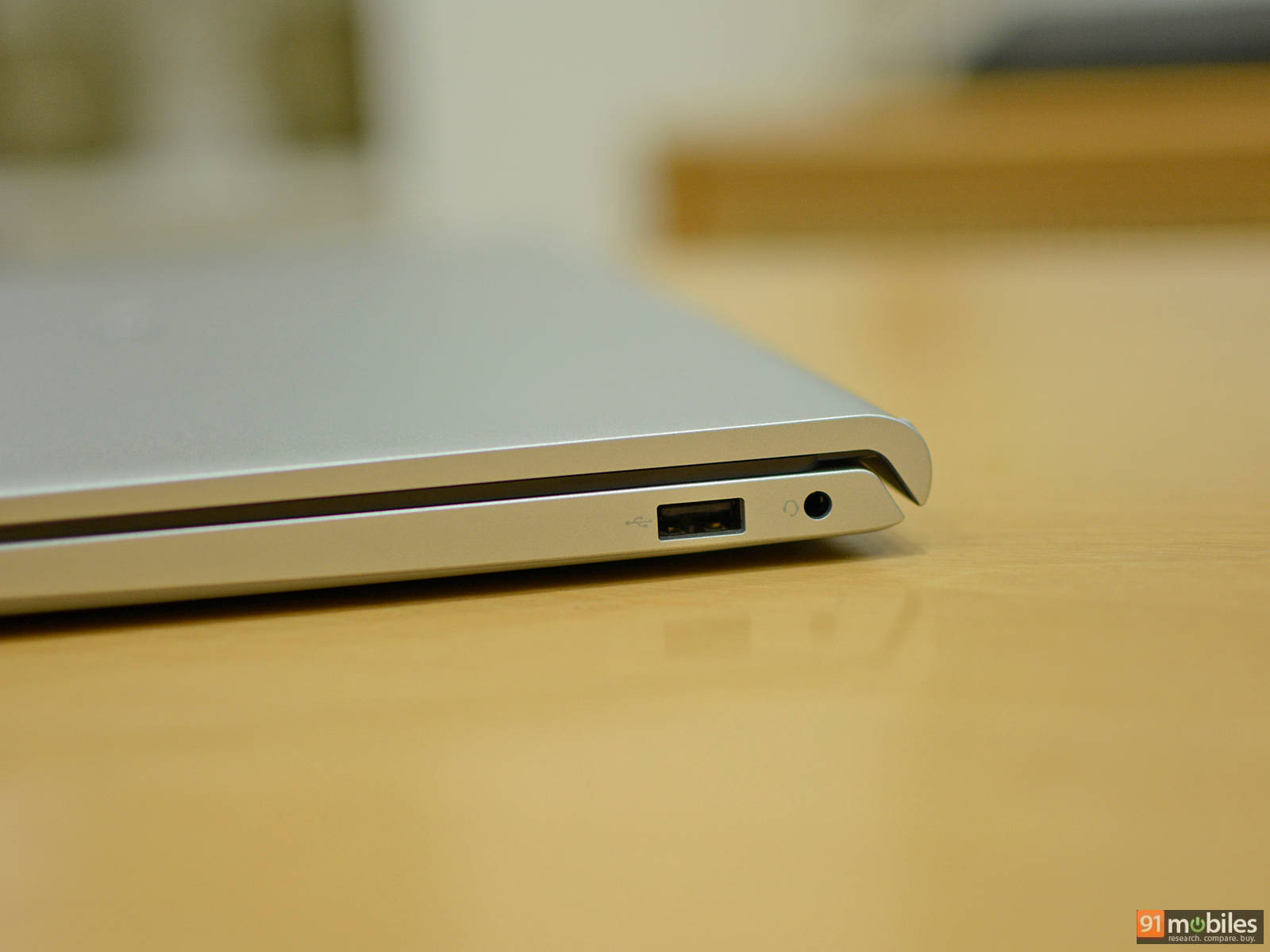
One noticeable omission is the SD card slot, but that’s unlikely to bother the target audience since this isn’t a laptop aimed at content creators. As for wireless connectivity, you’re getting a Wi-Fi 6 and Bluetooth 5.2 combo, which is standard for this segment and perfectly adequate for everyday use.
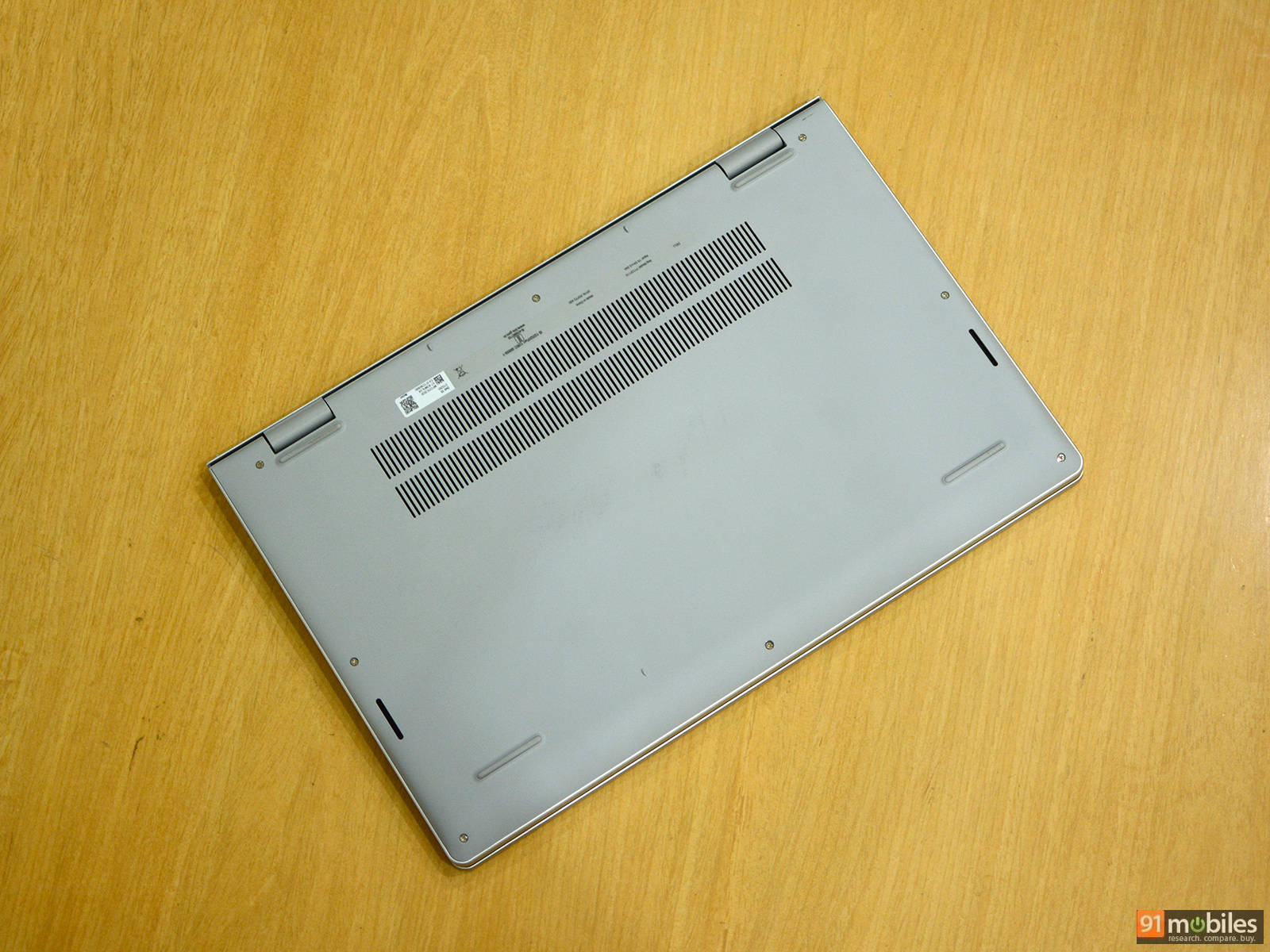
The bottom panel can be removed by undoing eight standard Philips head screws (two of which are captive). The internals reveal Dell has clearly cut some corners to keep the laptop affordable. There’s a single 16GB DDR5 SO-DIMM, which does give the option of adding more memory. However, this also means it is leaving out some performance in its current configuration, as dual-channel memory doubles the data bandwidth between the CPU and RAM. The wireless chip uses a standard M.2 socket, which makes it easy to swap, as well as the included Kioxia-branded 512GB SSD, which is surprisingly the 2230 form factor, fastened with a bracket meant for 2280 drives.
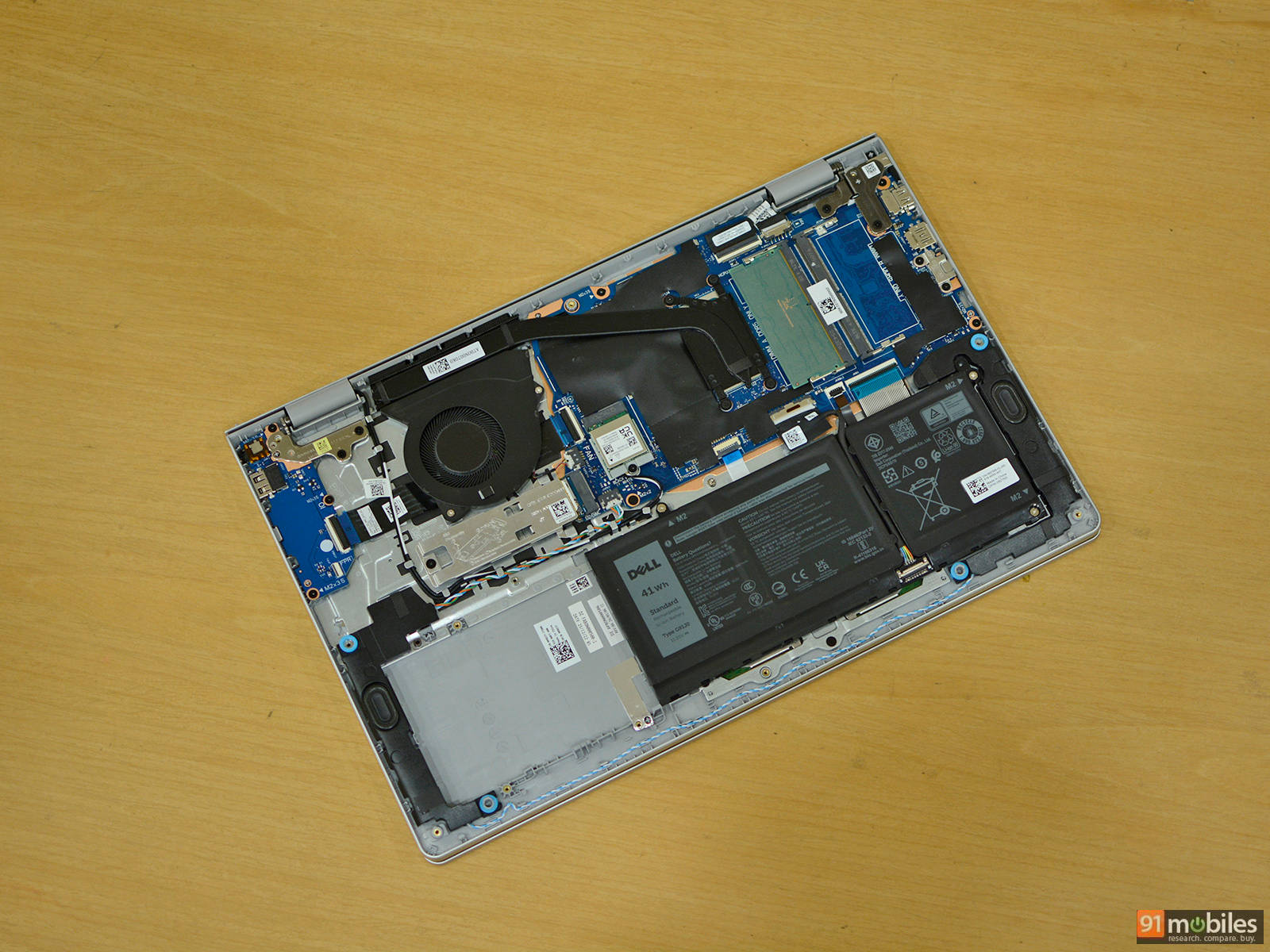
The CPU is cooled using a single fan and a heatsink connected to a single copper heatpipe. Notably, almost 40% of the battery compartment is unused, which is disappointing as Dell could have easily dropped a larger battery instead of the included 41Wh unit.
Display and audio
Dell has updated the 15.6-inch Full HD (1920 x 1080) IPS display on the new Dell 15, which now offers a slightly higher peak brightness of 300 nits. In practice, it feels brighter than the rated figure. The backlight is fairly uniform across the panel, and the matte finish does a good job of reducing reflections. However, the refresh rate has been downgraded from 120Hz to 60Hz.
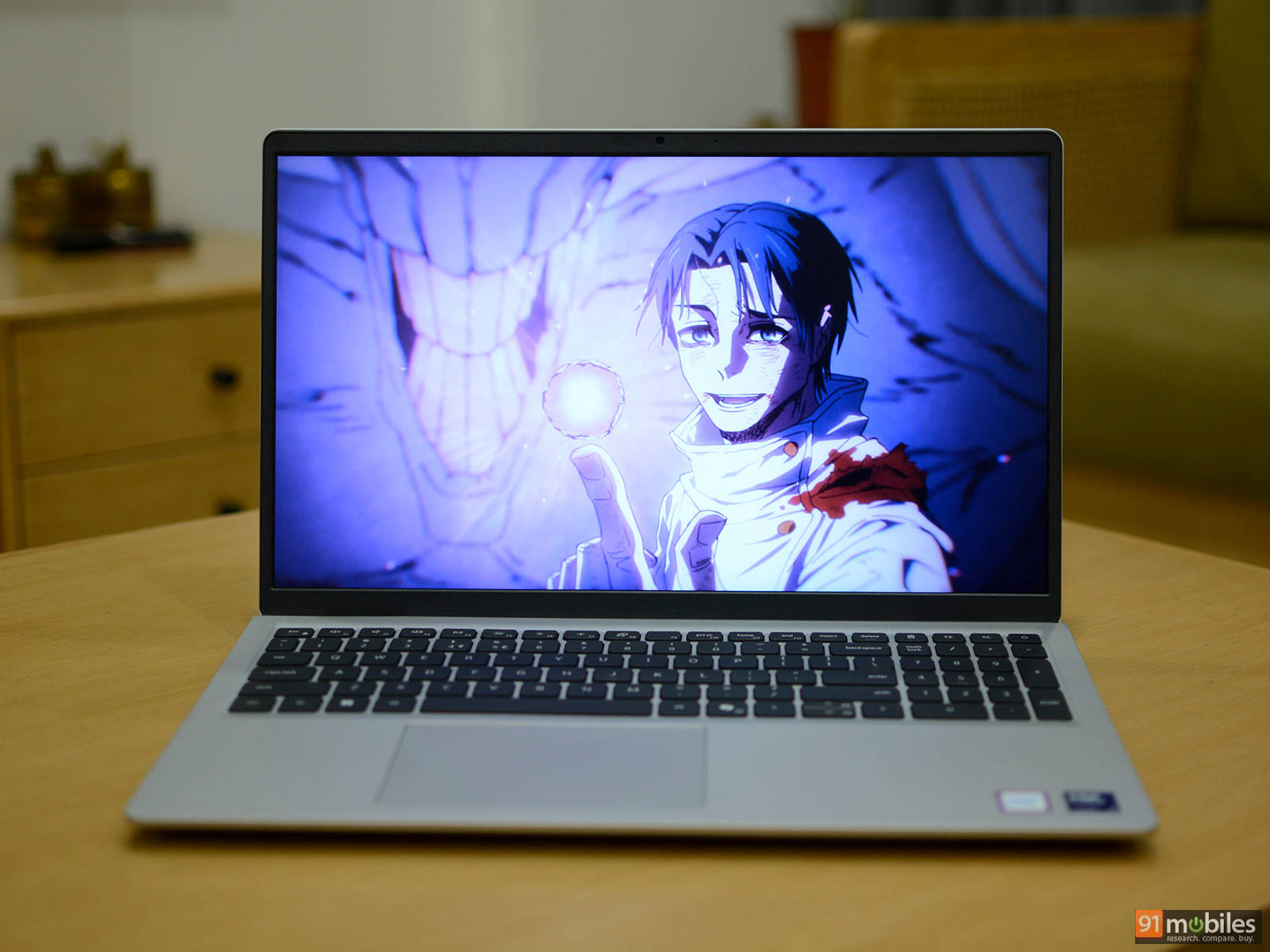
Overall, display quality is solid for this class. Dell has done a good job with calibration, delivering reasonably accurate colours without noticeable shifts or viewing angle issues. Watching content on YouTube and Netflix is a good experience, although the panel does struggle with HDR content.
The speakers are bottom-firing, with each rated at 2W. They can get fairly loud, but only when the laptop is placed on a hard surface. The sound lacks depth, with very little bass, but it’s still adequate for basic content consumption and video calls.
Keyboard and trackpad
The full-size keyboard on the Dell 15 includes a dedicated number pad, which is always a welcome addition for productivity tasks. It also features a backlight with two brightness levels, making it easy to use in low-light environments. In terms of typing experience, the keys feel a bit smaller than usual, so there’s a short adjustment period. That said, they offer soft and comfortable feedback that works well for longer typing sessions. It’s a perfectly serviceable keyboard, but nothing about it really stands out.
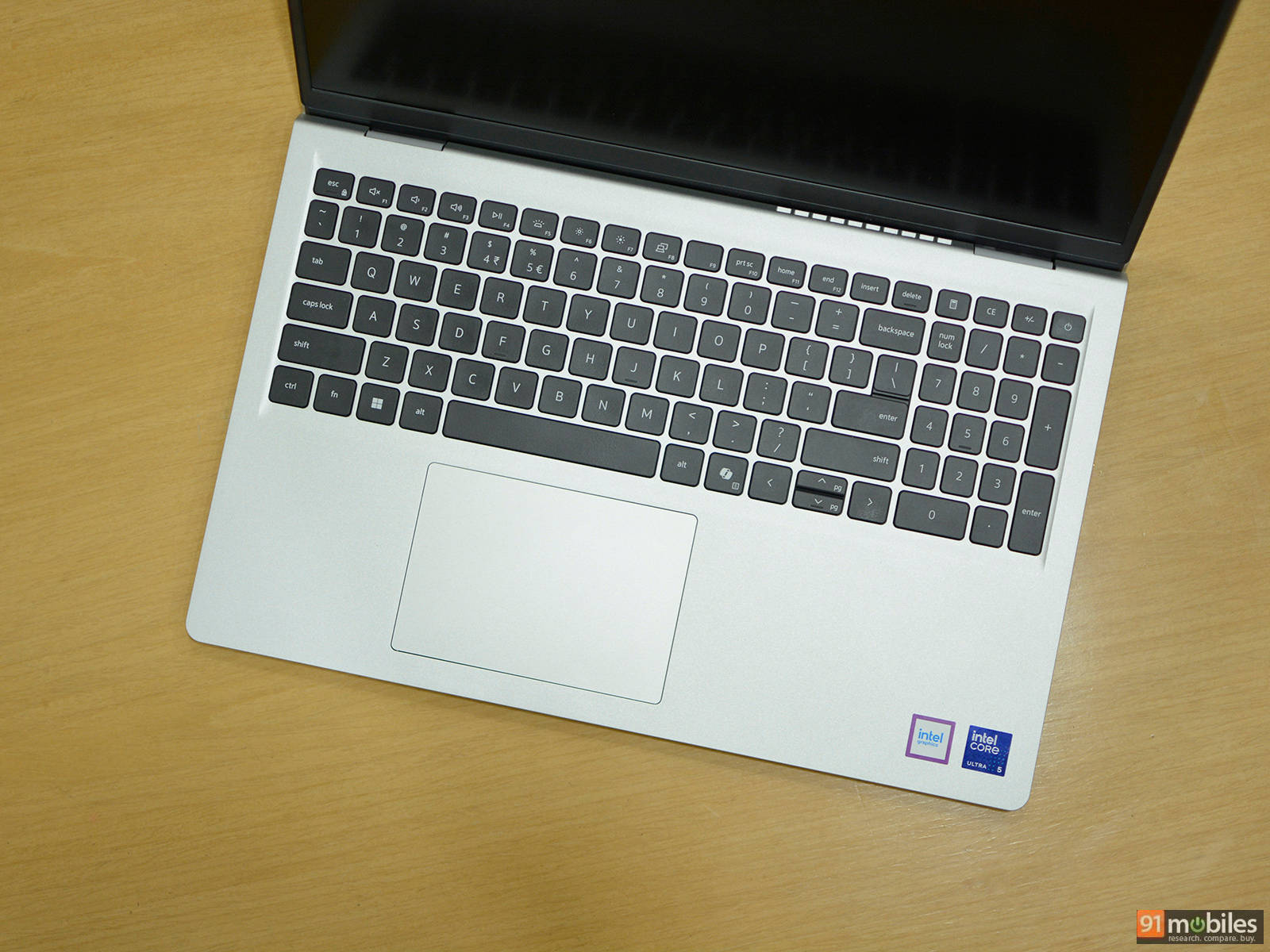
The trackpad is responsive and supports all standard Windows gestures without any issues. However, it isn’t particularly large, especially when you consider the overall size of the keyboard deck. Its slightly off-centre placement is also noticeable at first, though it doesn’t take long to get used to it in everyday use.
Performance
The Dell 15 is powered by Intel’s Core Ultra 5 225H processor, a midrange chip designed for thin-and-light laptops. It features a hybrid architecture with a mix of performance and efficiency cores, offering a total of 14 cores (4 performance, 8 efficiency, and 2 low-power efficiency cores) and 18 threads. Clock speeds go up to 4.9GHz on the performance cores, which gives it enough headroom for everyday workloads and some heavier multitasking.
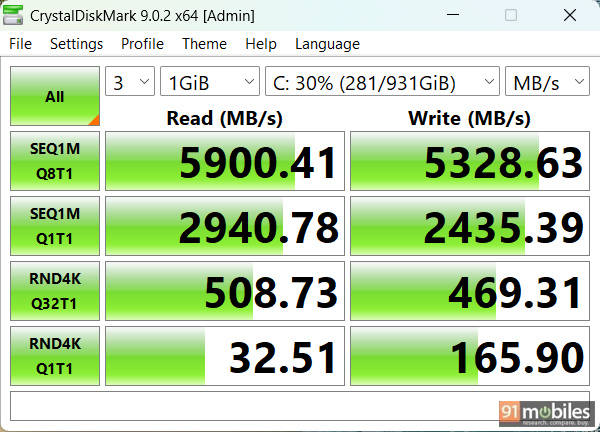
The laptop comes with 16GB of DDR5 memory running at 5600MT/s, but as mentioned earlier, it’s configured in single-channel mode. That does leave some performance on the table, particularly in memory-sensitive workloads. Storage is handled by a 512GB PCIe Gen 4 SSD. In CrystalDiskMark, it delivered sequential read and write speeds of 5900MB/s and 5328MB/s respectively, with solid random performance as well, which is more than enough for quick boot times and fast app launches.
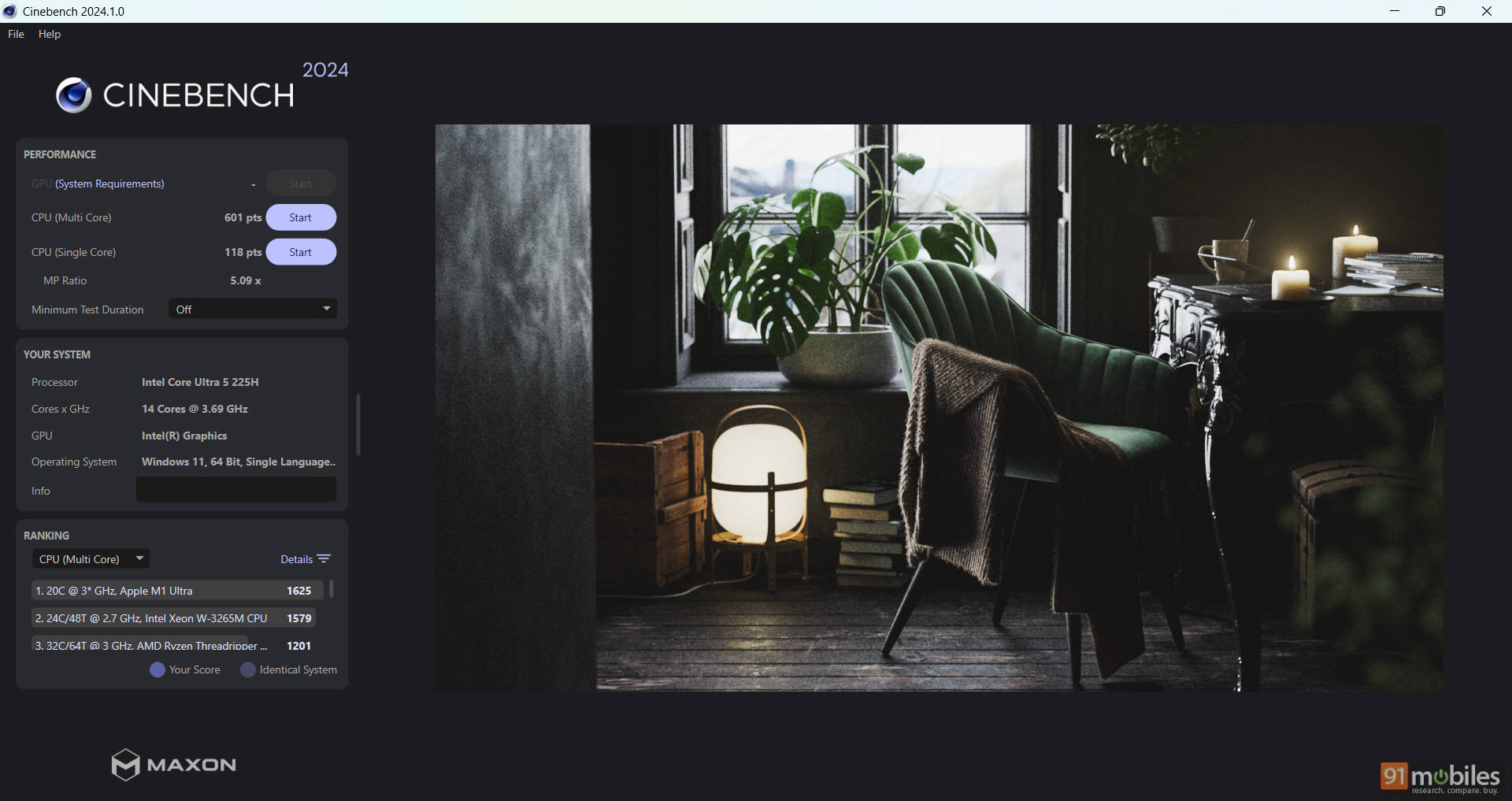
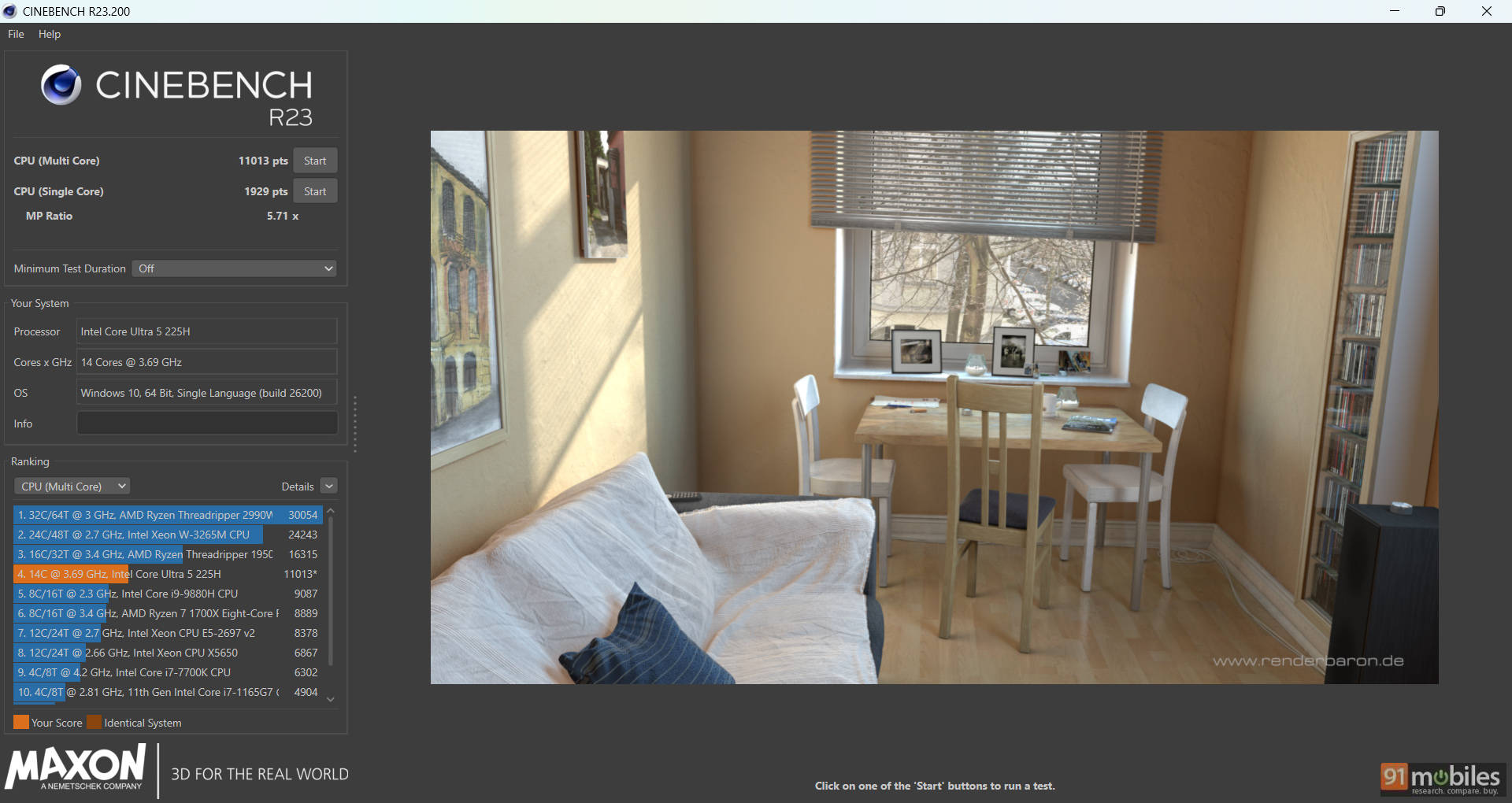
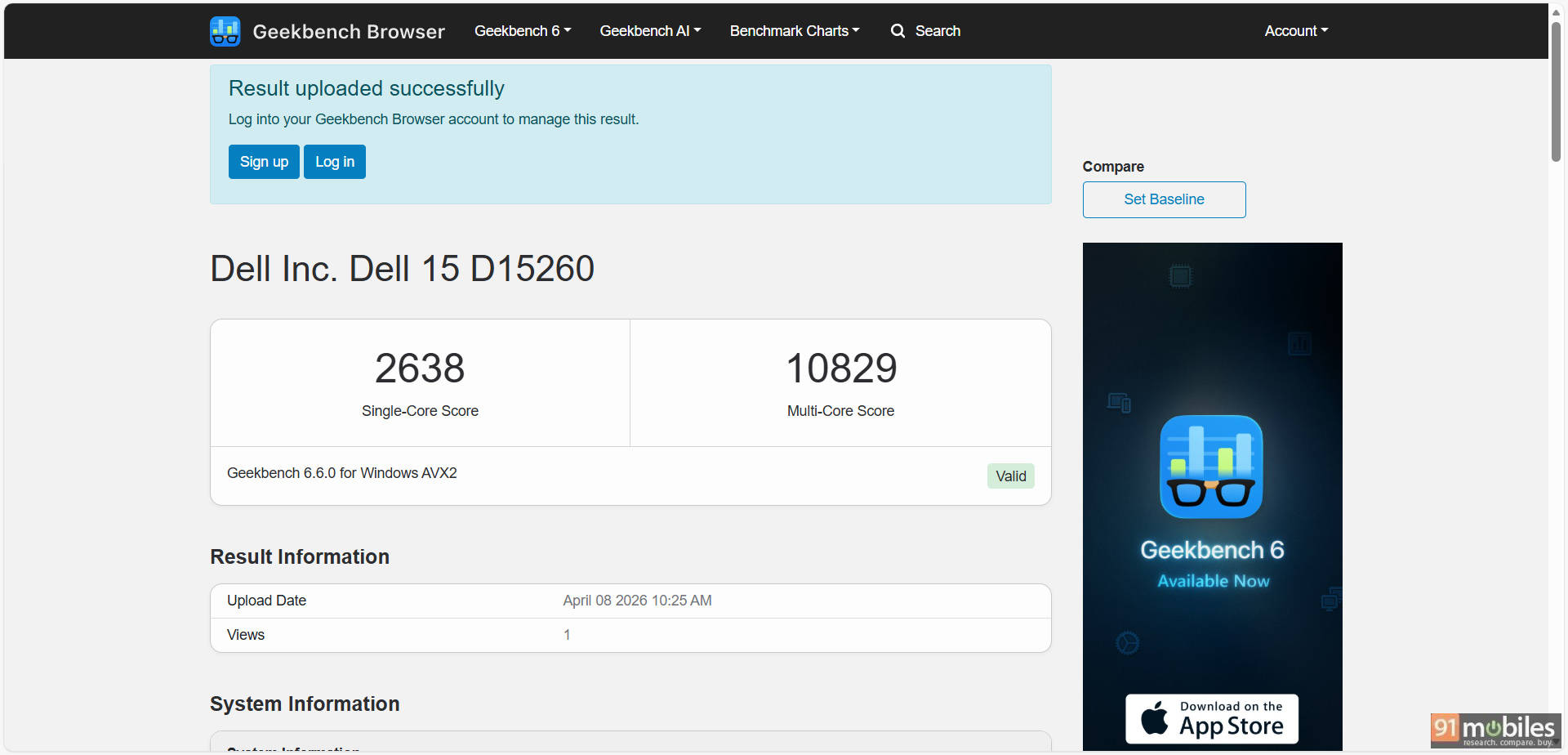
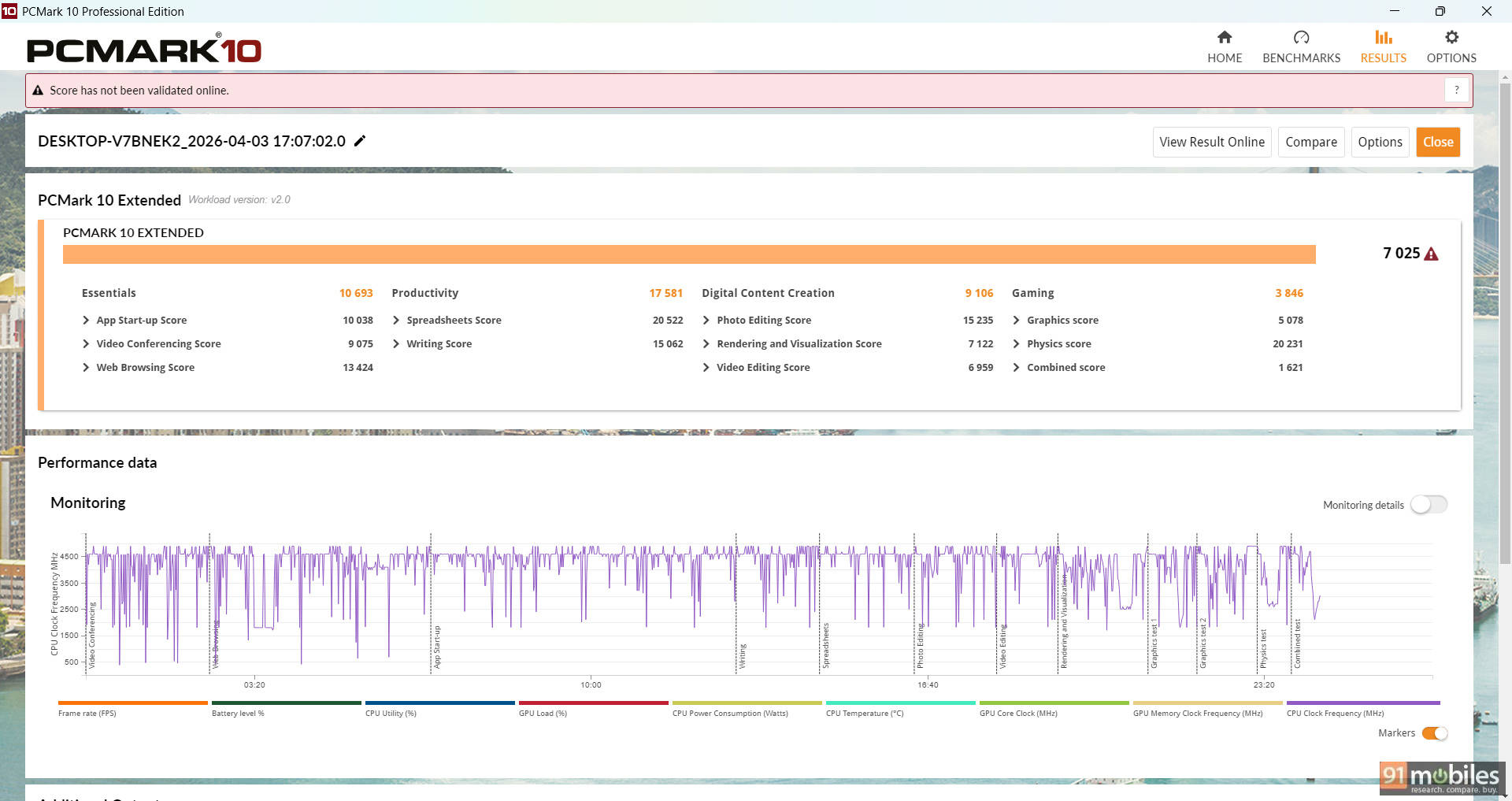
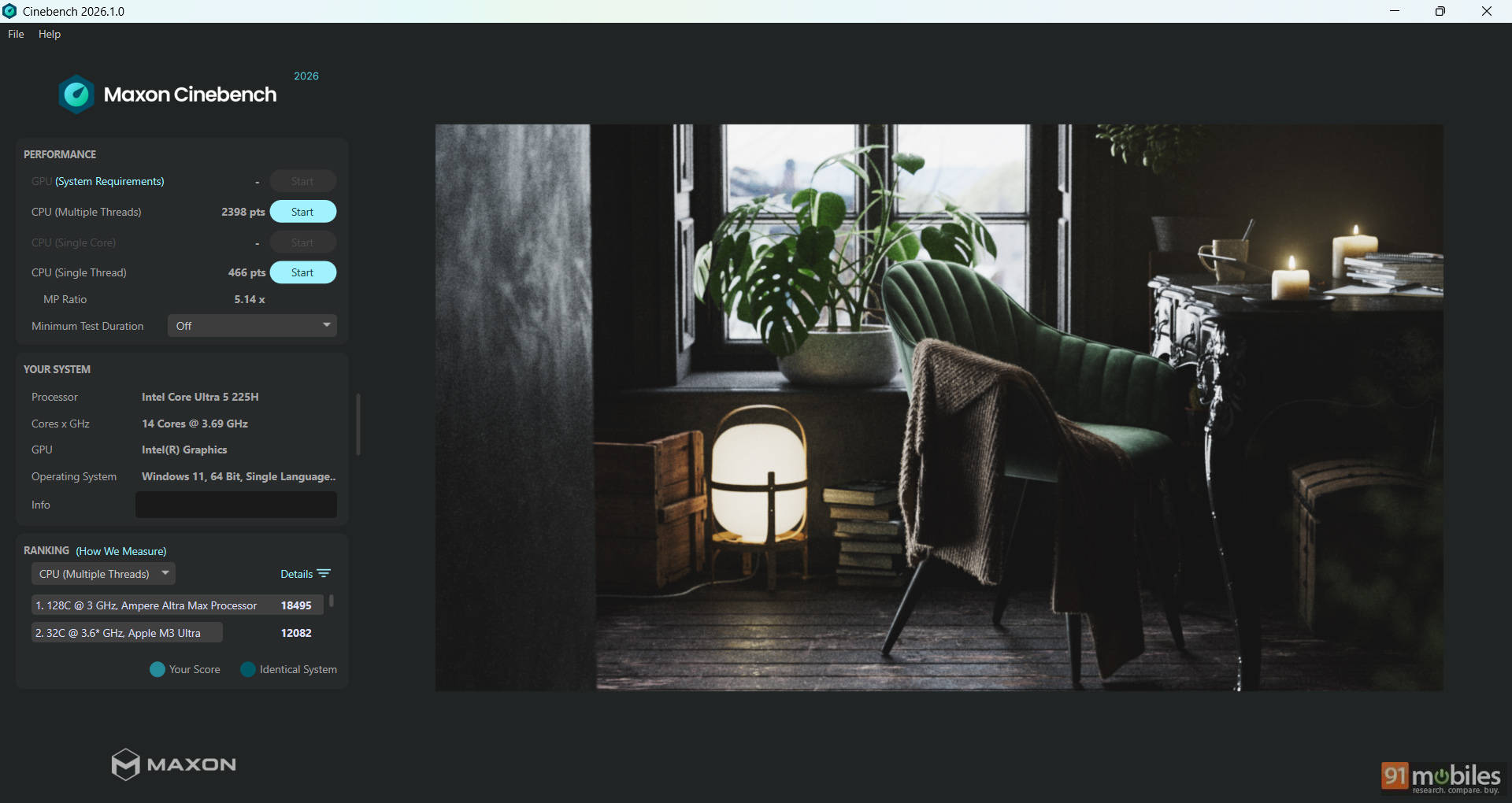


In synthetic benchmarks, the Core Ultra 5 225H puts in a respectable showing. It scored 2,398 in Cinebench 2026 multi-core and 466 in single-core, while Cinebench R23 results came in at 11,013 (multi-core) and 1,929 (single-core). Geekbench 6 scores were similarly strong, with 2,638 in single-core and 10,829 in multi-core tests. The numbers are at par with what we saw on the ASUS Vivobook 16 X1607CA-MB139WS, which also features the Intel Core Ultra 5 225H CPU and is priced similarly.
| Model Number | ASUS Vivobook 16 | Dell 15 |
| Cinebench R24 MT | 733 | 601 |
| Cinebench R24 ST | 115 | 118 |
| Cinebench R23 MT | 13297 | 11013 |
| Cinebench R23 ST | 1811 | 1929 |
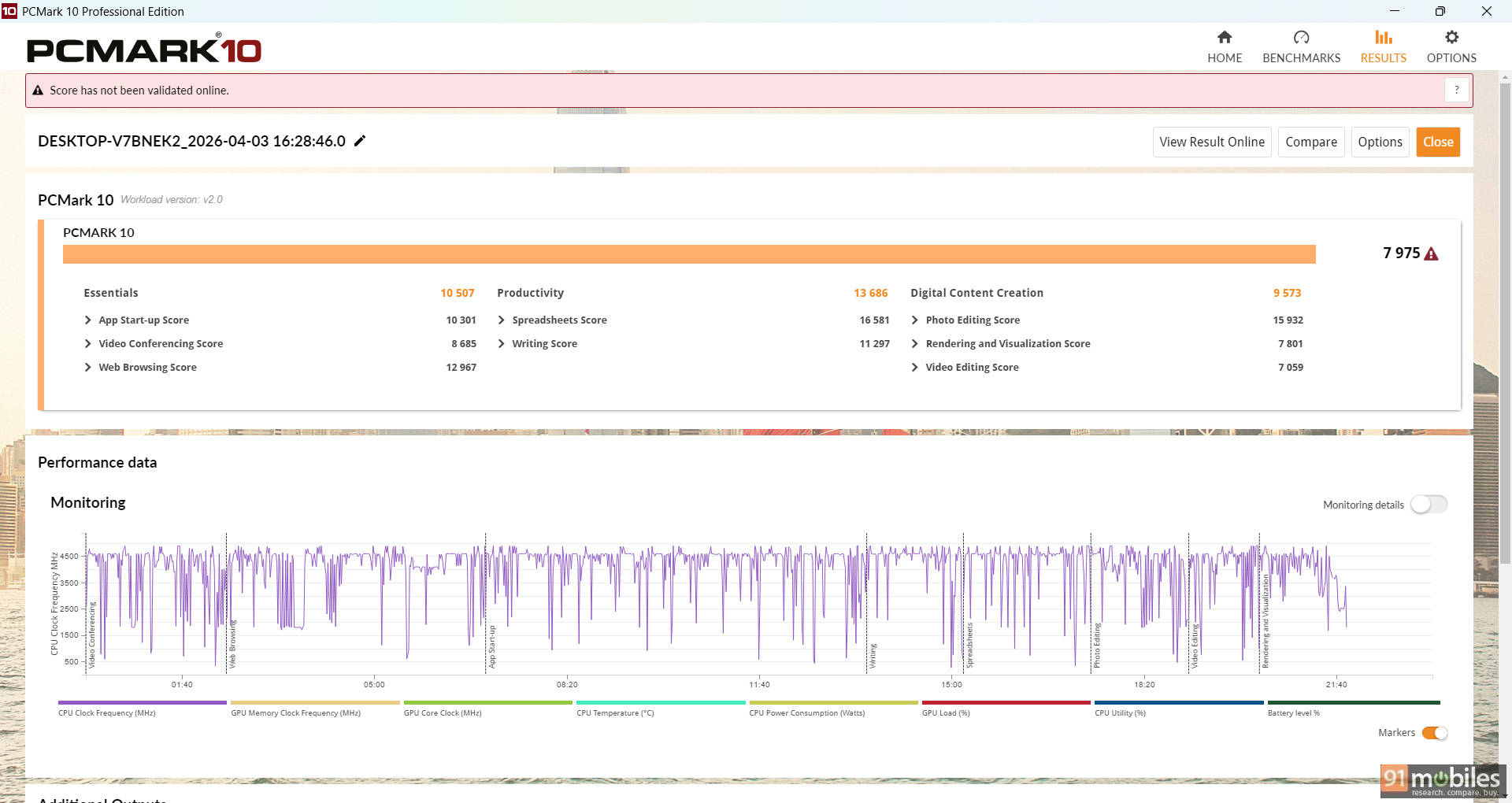
| PCMark 10 | 6966 | 7975 |
| PCMark 10 Extended | 6524 | 7025 |
| Geek Bench 6 ST | 2650 | 2638 |
| Geek Bench 6 MT | 11158 | 10829 |
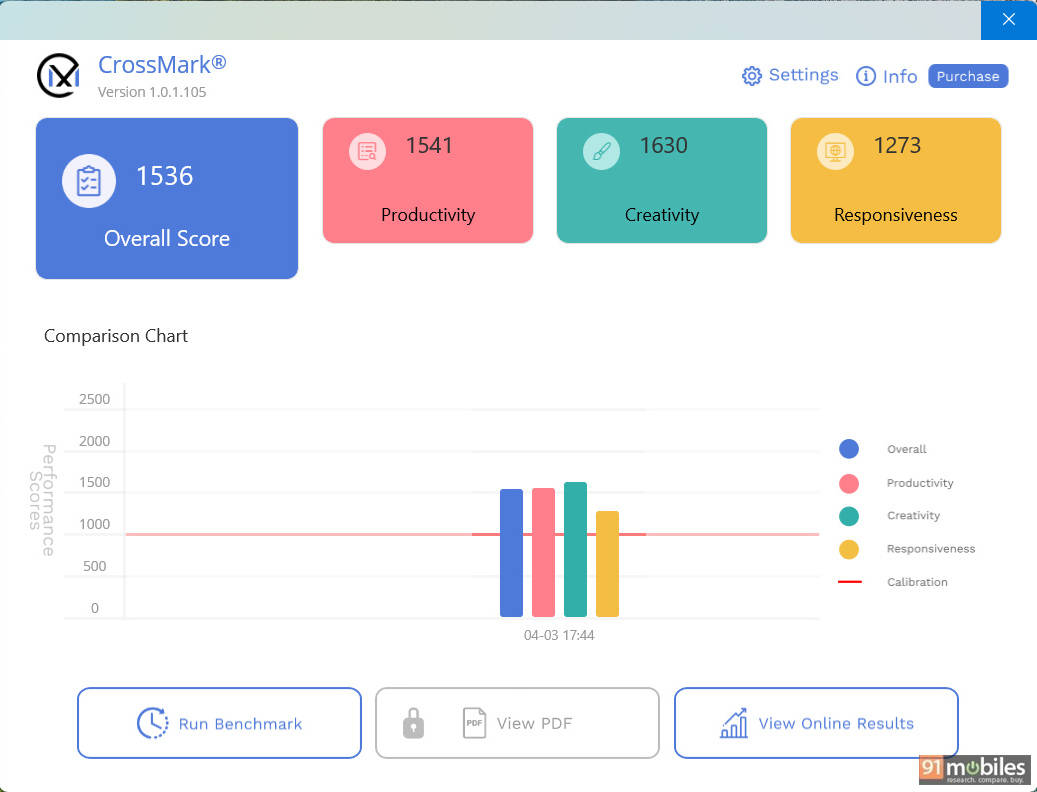
System-level benchmarks also paint a positive picture. The laptop scored 7,975 in PCMark 10 and 7,025 in the Extended test, indicating solid performance in everyday scenarios like office work, browsing, and media consumption. CrossMark returned an overall score of 1,536, which is in line with what you'd expect from this class of hardware.
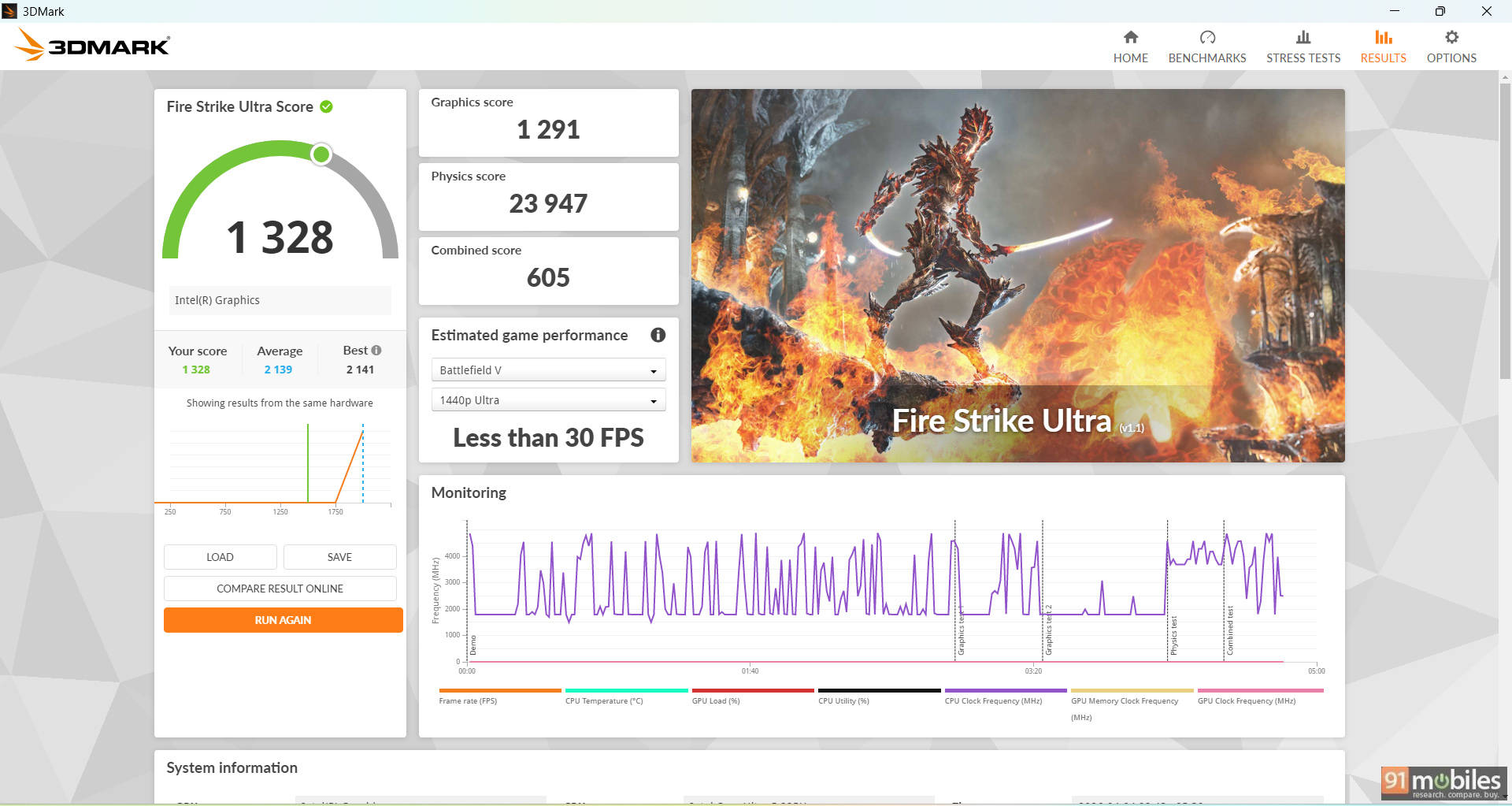
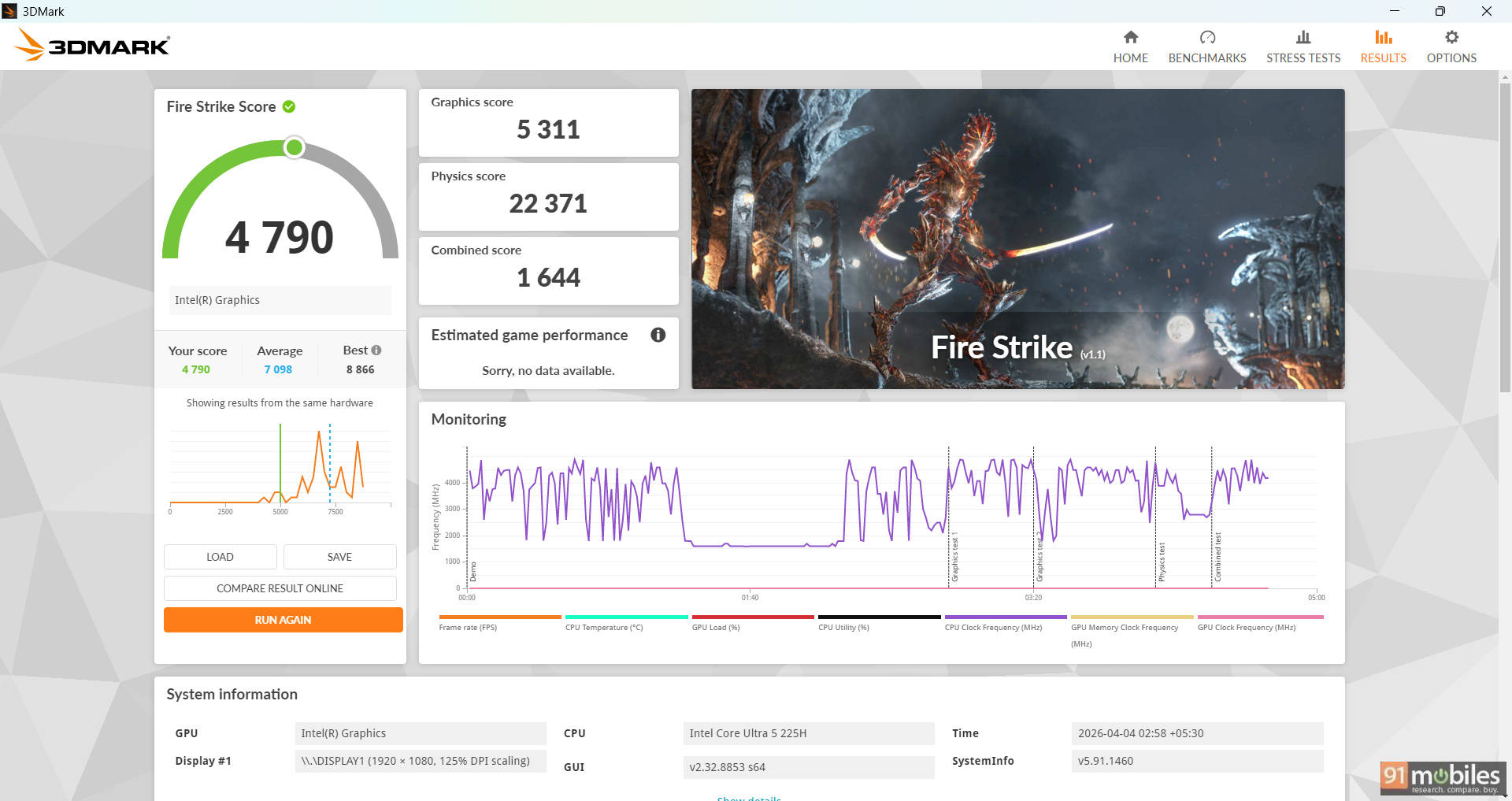
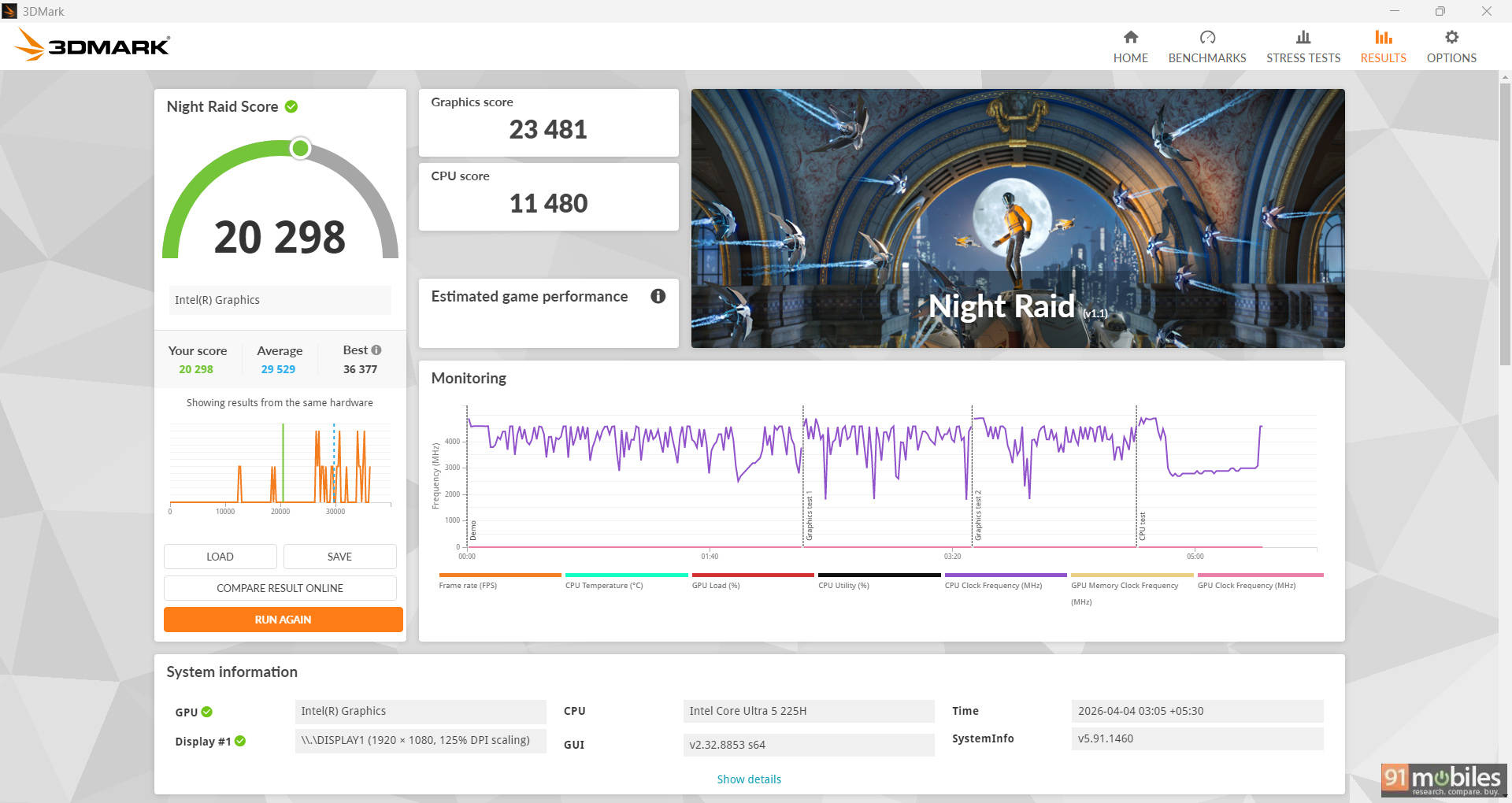
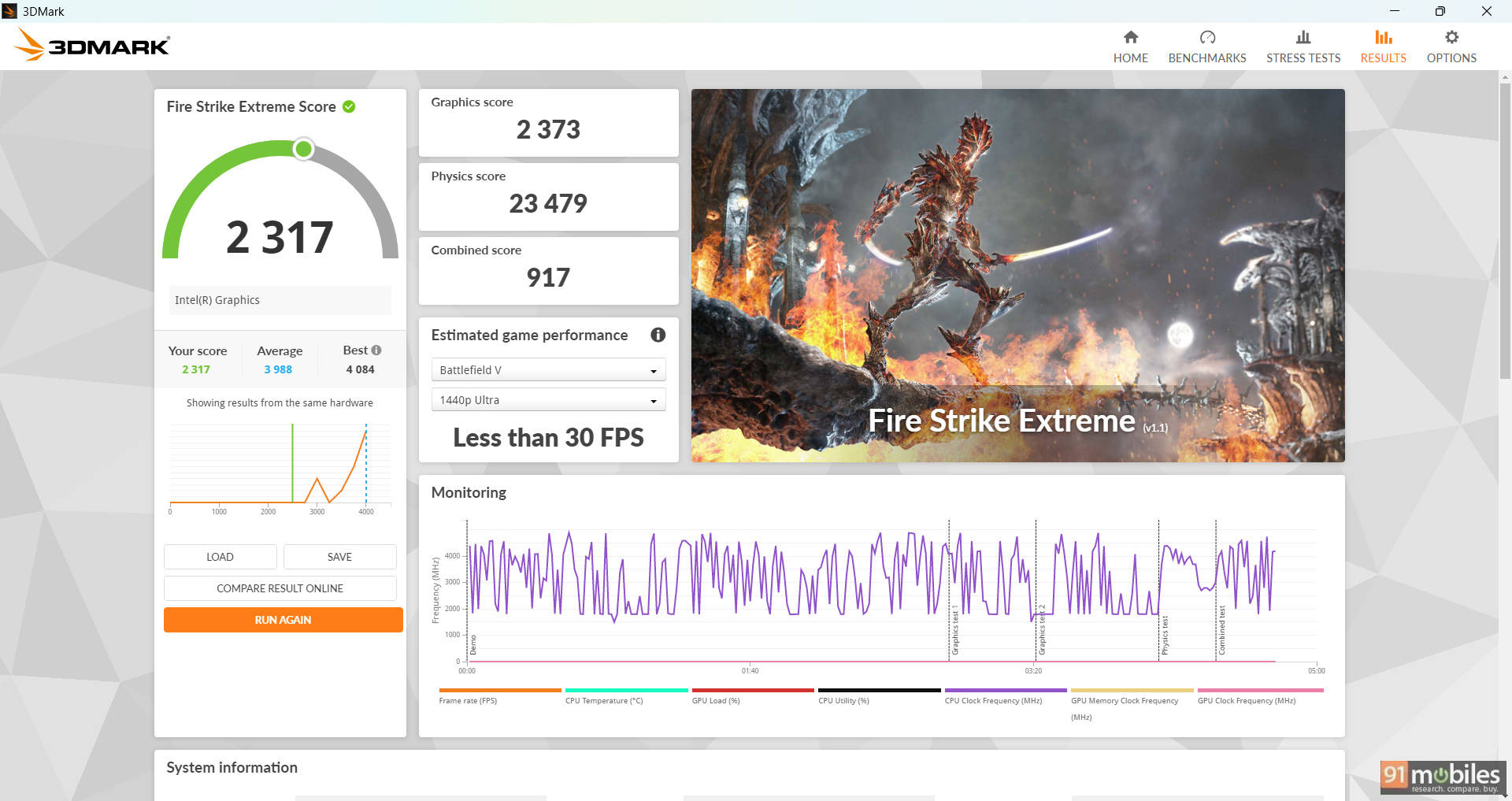
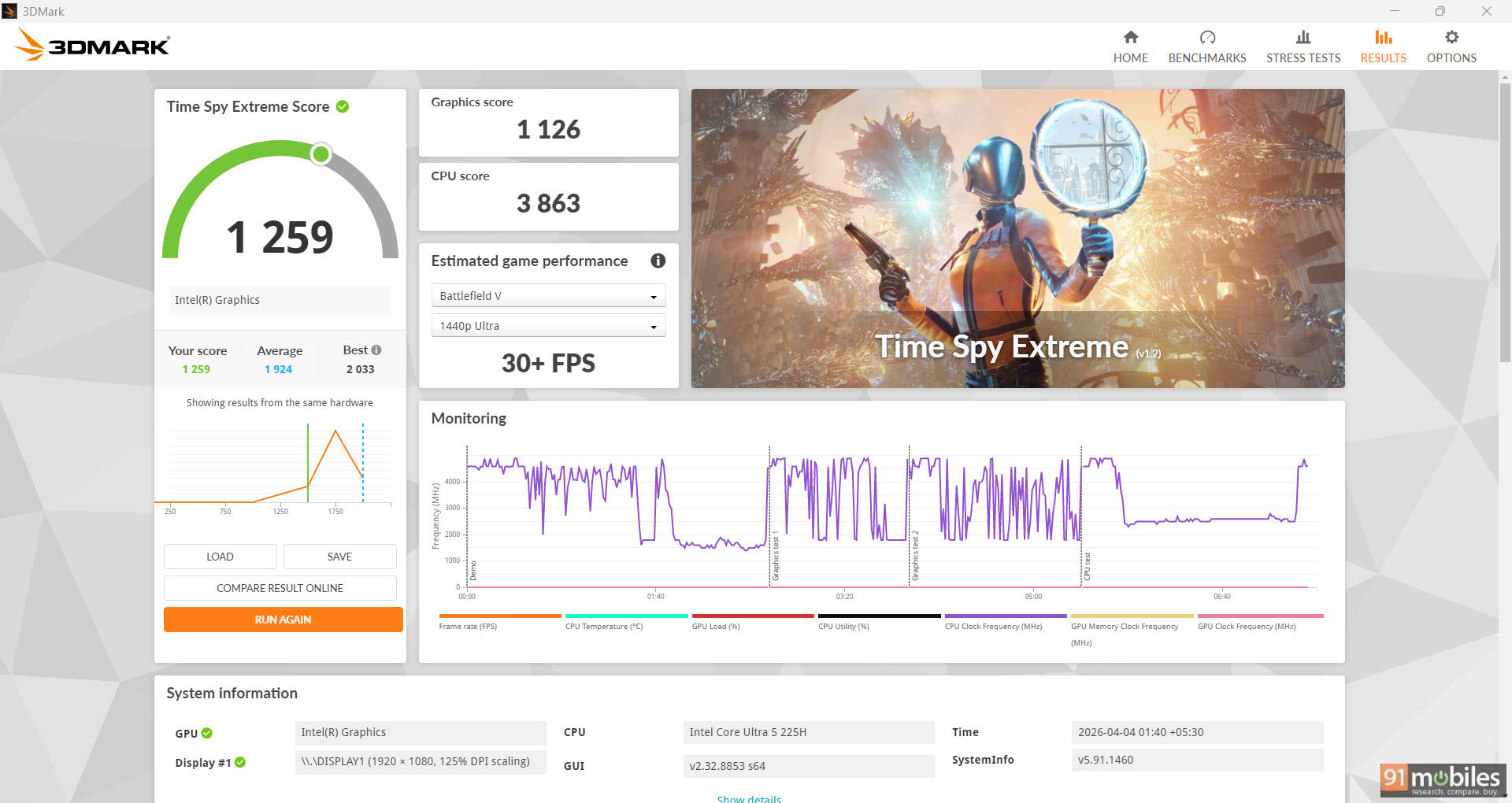
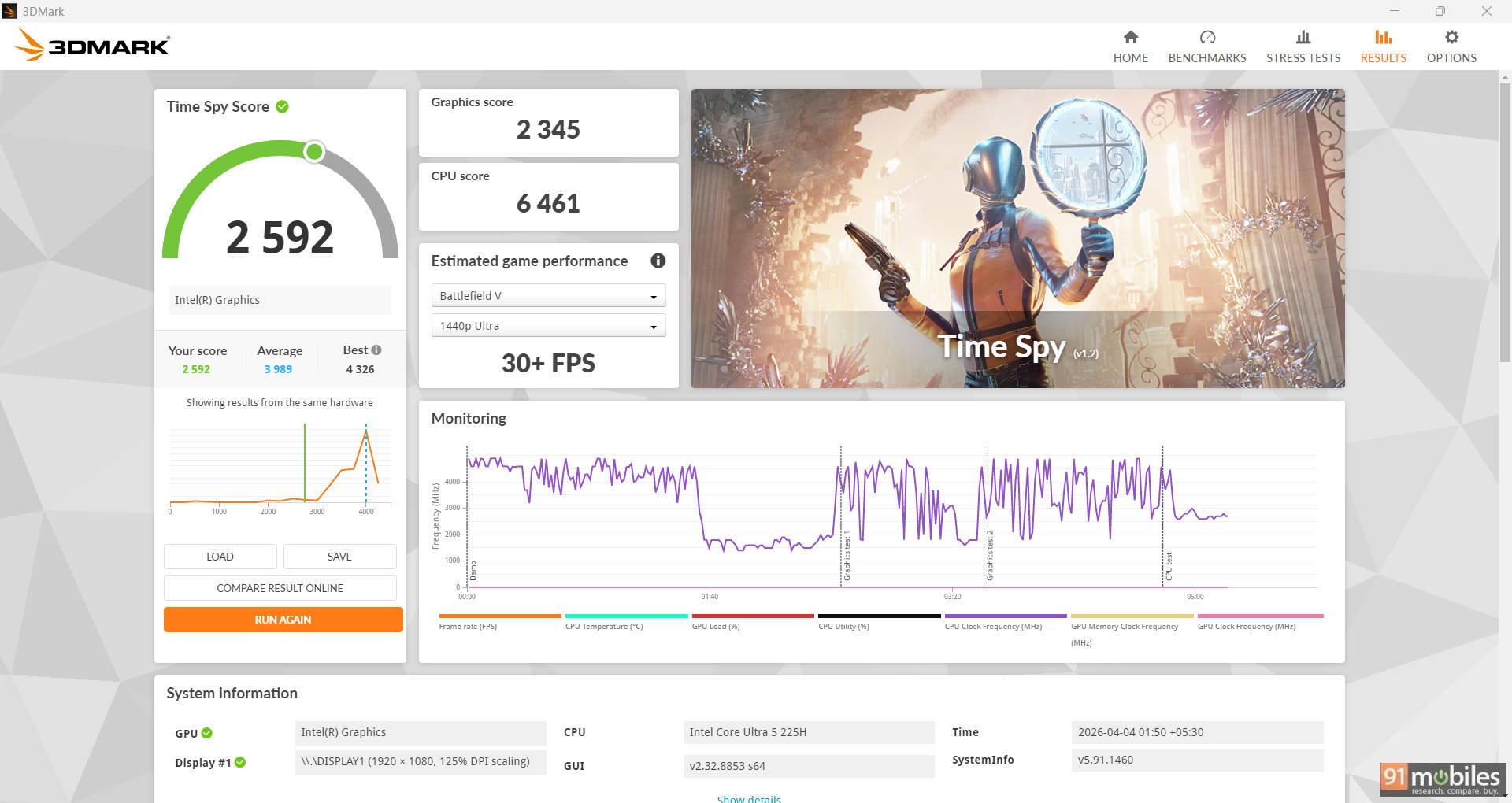
On the GPU side, the integrated Intel graphics deliver modest results. In 3DMark Time Spy, the system scored 2,592, while Fire Strike returned 4,790 in the standard test. More demanding tests like Time Spy Extreme and Fire Strike Ultra saw scores of 1,259 and 1,328, respectively. This isn't a gaming machine, and it shows in real-world use. Running GTA V at 1080p on high settings resulted in an average of 49 FPS, which is playable but far from ideal for a smooth experience in more demanding titles.
| Model Number | ASUS Vivobook 16 | Dell 15 |
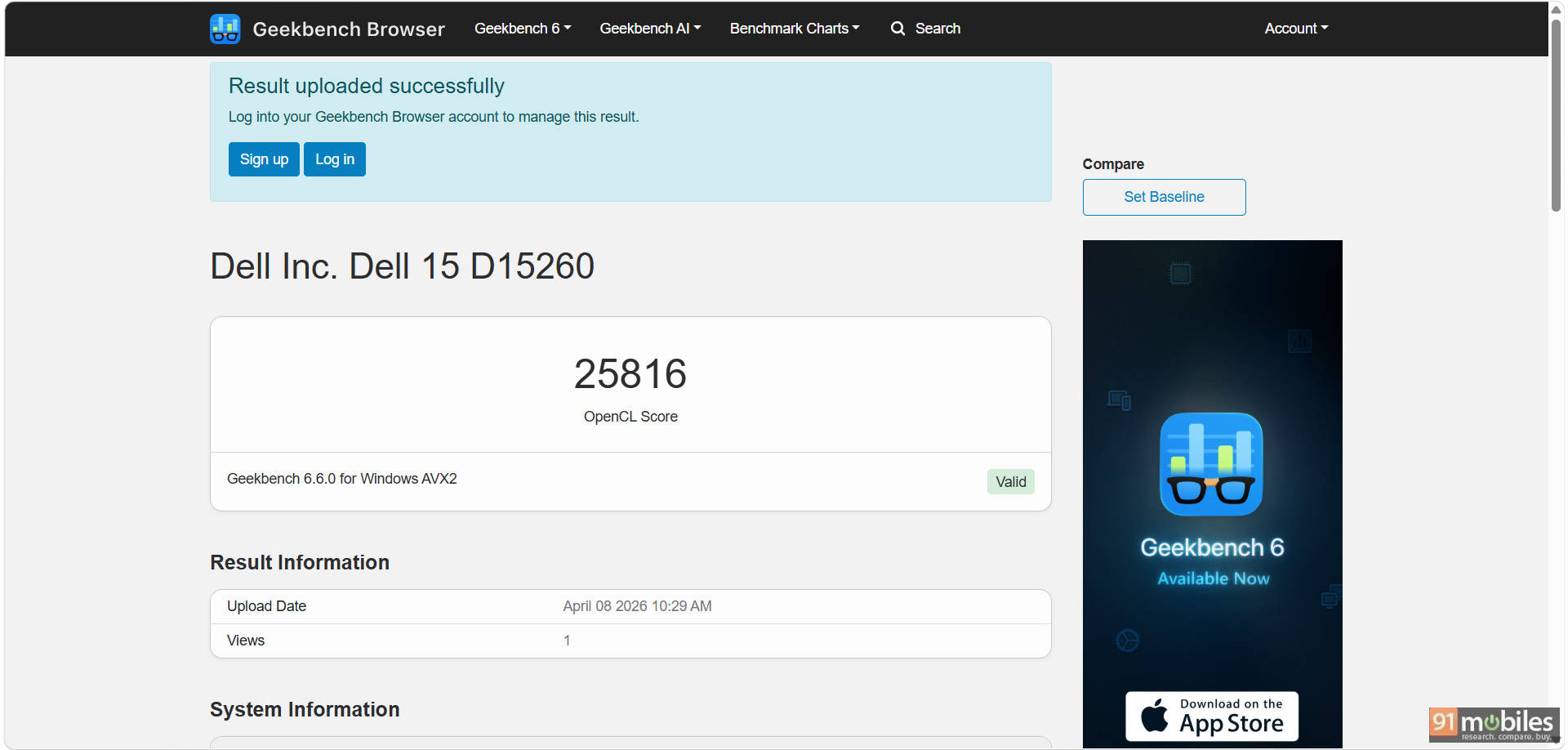
| Geek Bench OpenCL | 23677 | 25816 |
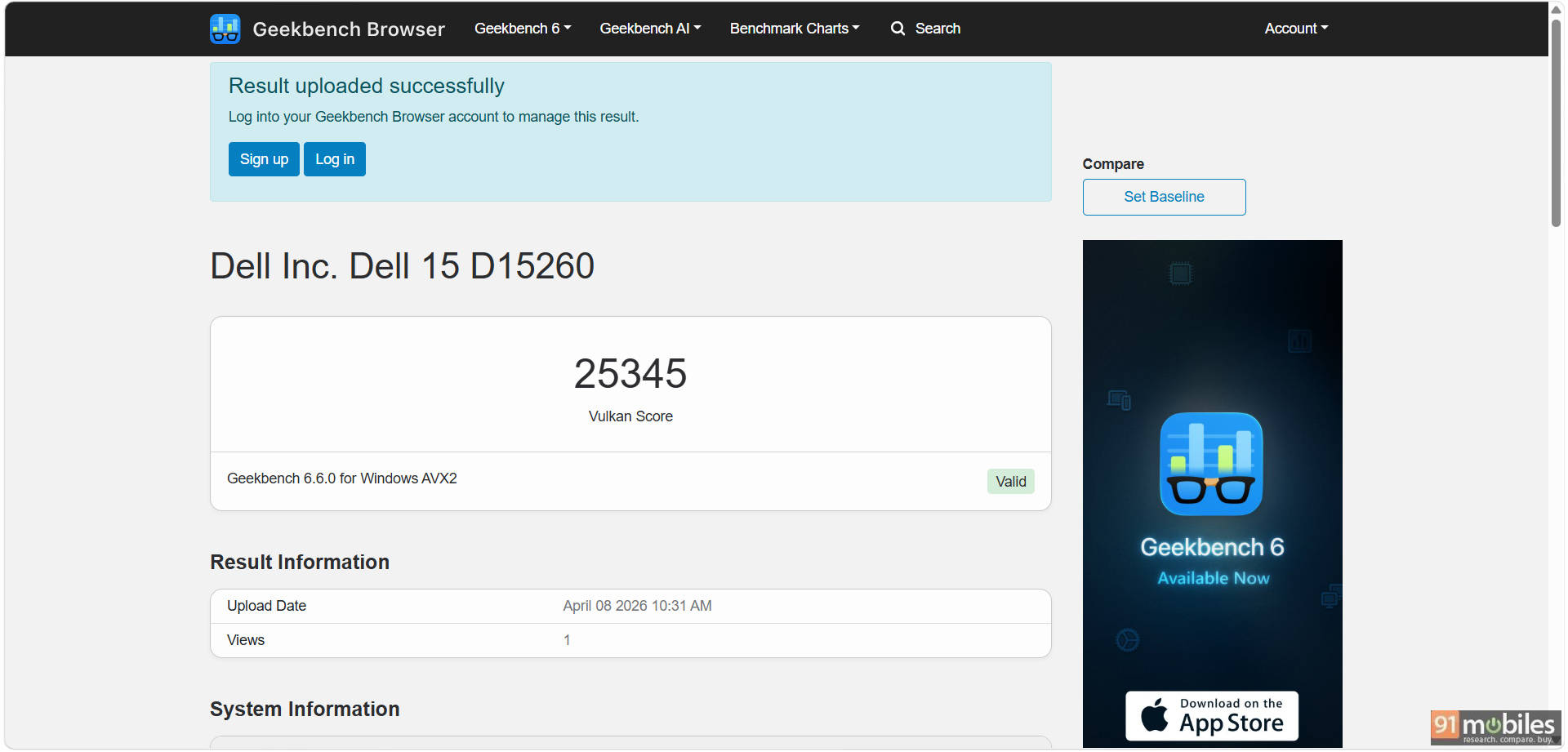
| Geek Bench Vulcan | 26818 | 25345 |
| 3DMark Time Spy Extreme | 1226 | 1259 |
| 3DMark Time Spy | 2639 | 2592 |
| 3DMark Fire Strike Ultra | 1509 | 1328 |
| 3DMark Fire Strike Extreme | 2698 | 2317 |
| 3DMark Fire Strike | 5290 | 4790 |
| 3DMark Night Raid | 21717 | 20298 |
| GTA 5 | 44 | 49 |
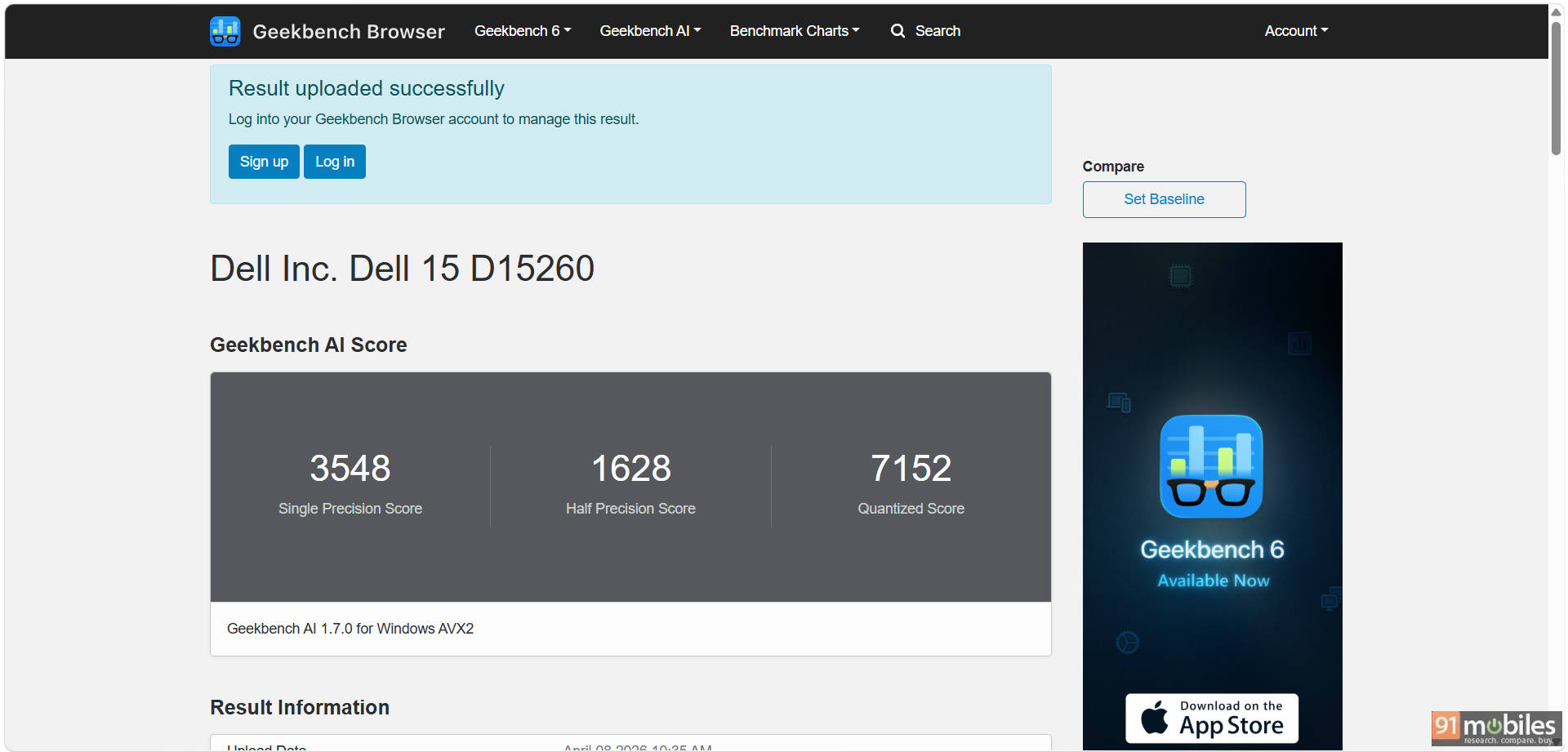
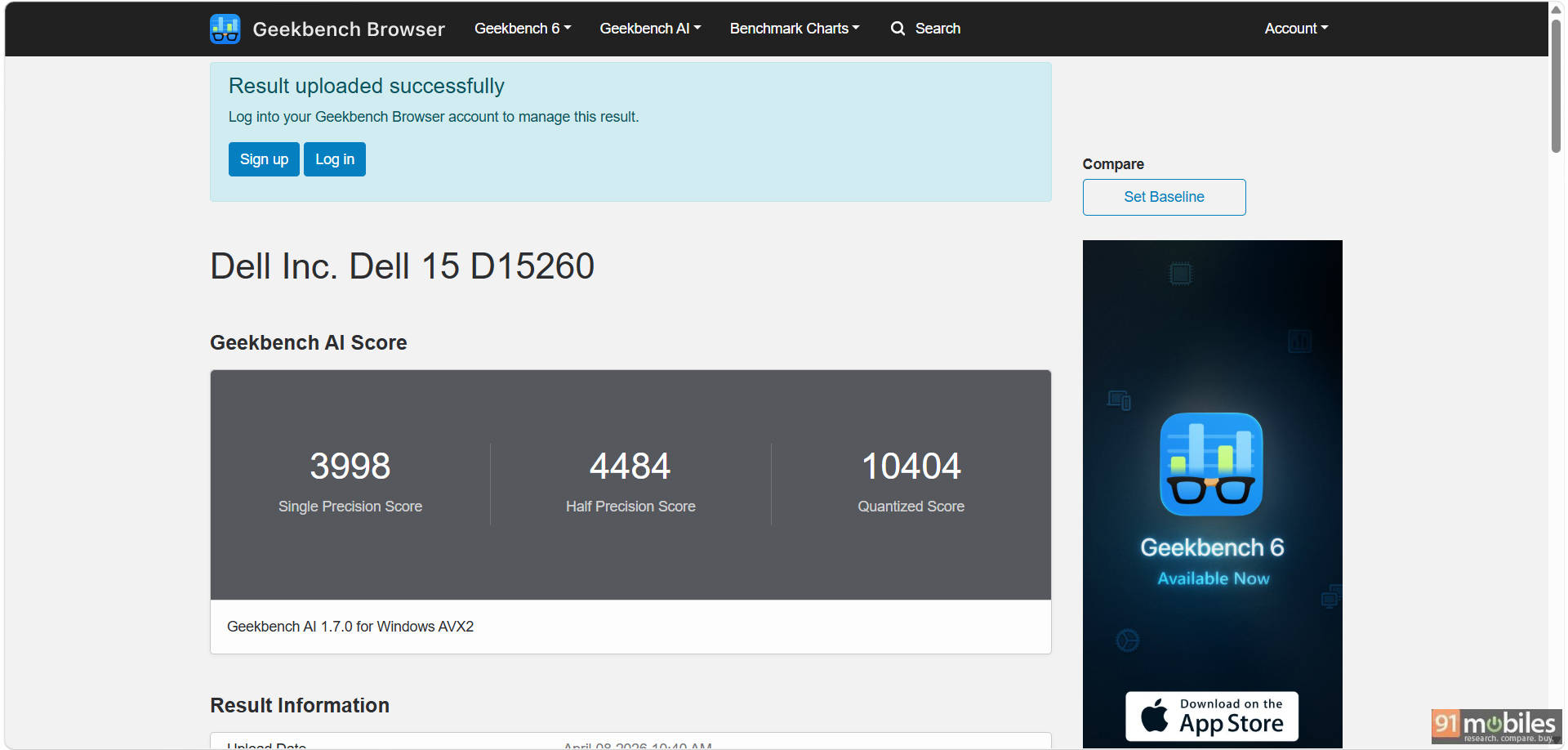
We also ran a series of AI-focused benchmarks using ONNX and OpenVINO, where the CPU delivered decent results for entry-level AI workloads. The quantized scores were notably higher, suggesting better performance in optimized scenarios, but this still isn't a machine aimed at heavy AI processing.
Overall, the Dell 15 offers reliable mid-range performance that aligns well with its positioning. It handles everyday tasks with ease and has enough power for occasional heavier workloads.
Battery
Battery life is one of the more obvious compromises on the Dell 15. It comes with a small 41Wh battery, which is on the lower side for a laptop of this size. As mentioned earlier in the design section, there's clearly unused space inside the chassis that could have accommodated a larger unit, making this feel like a missed opportunity. The included charger is rated at 65W and supports charging over USB Type-C, which adds a bit of convenience if you already carry a compatible Type-C charger for other devices.
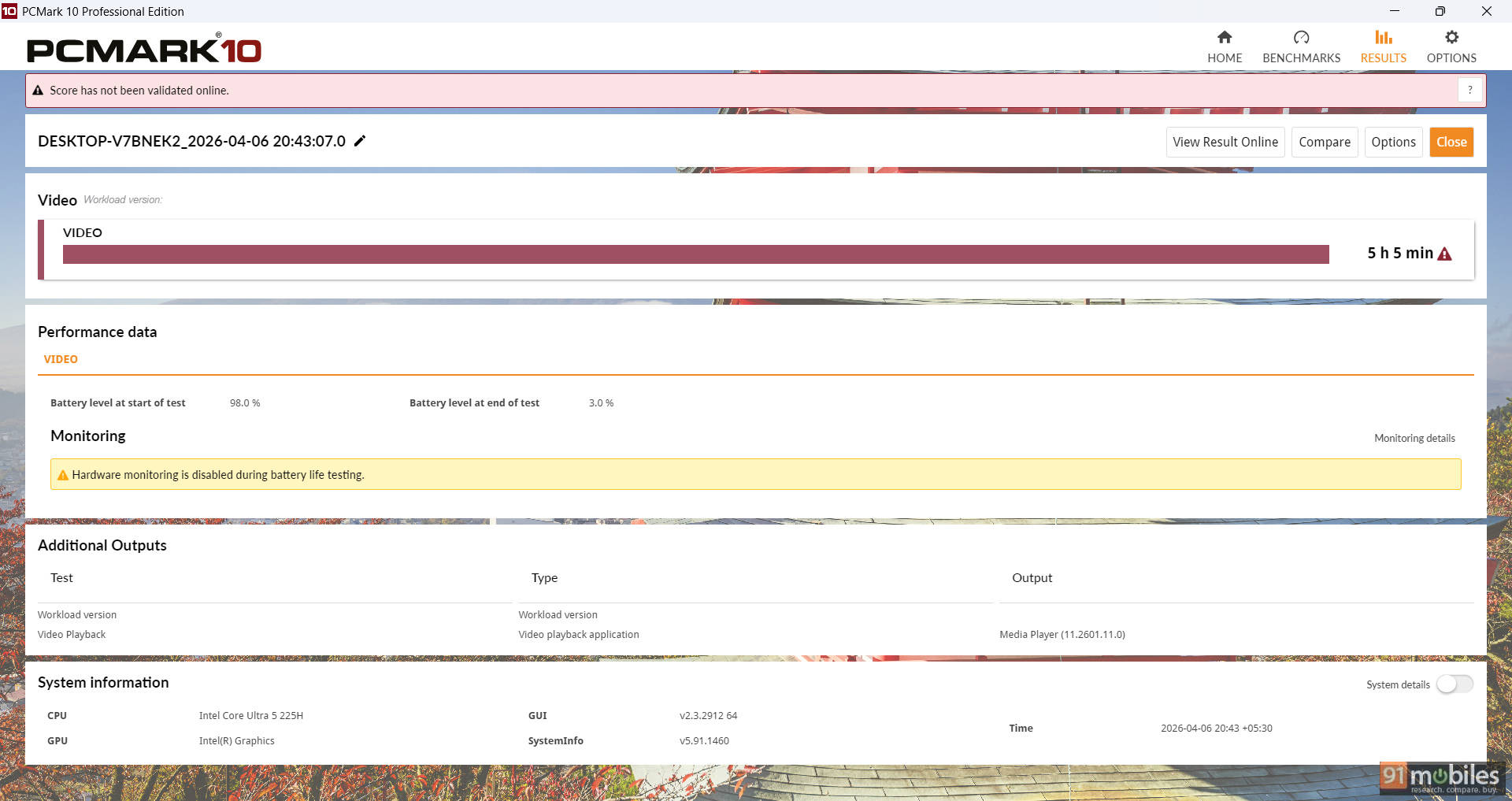
In the PCMark 10 Video battery test, the laptop lasted 5 hours and 5 minutes, which lines up closely with real-world usage. In day-to-day use, including browsing, document work, and some media consumption, the system managed around 4.5 to 5 hours on a single charge. That's enough for short sessions away from a charger, but it's not something you'd want to rely on for a full workday.
Final verdict
The Dell 15 (D15260) is a classic example of a laptop that focuses on getting the basics right without trying to do too much. Our unit comes at a price point of Rs 77,890. It delivers respectable everyday performance thanks to Intel's Core Ultra 5 processor, a good-quality display, and a practical feature set that covers most day-to-day needs.
That said, it's clear where compromises have been made. The design feels dated, the single-channel memory holds back some performance, and battery life is below what you'd expect from a modern laptop in this segment. This is a machine best suited for students, office users, and anyone looking for a reliable workhorse for tasks like browsing, document editing, video streaming, and light multitasking.
As for alternatives, the ASUS Vivobook 16 is a good option, offering a pretty similar package, but with a bigger display. Alternatively, for fans of stylish portability with performance, the Motobook 60 is also a good option, which comes with a stunning OLED panel. Even so, the Dell 15 justifies its position with its overall hardware package while still offering reliable after-sales service.
Editor's Rating: 7.5 / 10
Pros:
- Reliable performance
- Not too bulky
- Bright and consistent display
Cons:
- Battery life
- Single-channel memory
- Plastic chassis with dated design