


Review Summary
Expert Rating
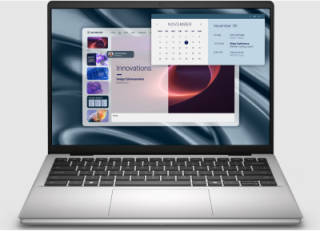
The Dell Pro Essential series was introduced in India late last year as part of the company’s updated lineup aimed at small and medium-sized businesses. Available in both 14-inch and 15-inch sizes with multiple configuration options, these laptops are designed to provide practical performance and durability while keeping costs relatively manageable for organizations.
The Pro 14 Essential, as the name suggests, is the smaller and more portable option, with a clear focus on mobility. It is available with a choice of Intel Core processors based on the Raptor Lake architecture, offering a balance between everyday productivity performance and power efficiency.
As a business-oriented device, the laptop also prioritizes reliability and straightforward usability rather than flashy design or cutting-edge features. Dell positions it as a dependable work machine for professionals who need a portable system for office tasks, remote work, and day-to-day productivity. In this review, we take a closer look at how the Pro 14 Essential performs in real-world use and whether it delivers the value businesses expect from an entry-level corporate laptop.
Table of Contents
Design and build
The laptop comes with clean aesthetics and a simple design, something that is expected from business notebooks.The chassis is mostly plastic, though the overall build quality of the Dell Pro 14 Essential feels surprisingly good for a laptop of its class. Dell also claims that it passed 17 MIL-STD-810H durability tests including extreme temperatures, altitude, sand and dust, vibration and shock. Additionally the matte Platinum Silver finish helps it look more premium and gives a subtle metal-like appearance.
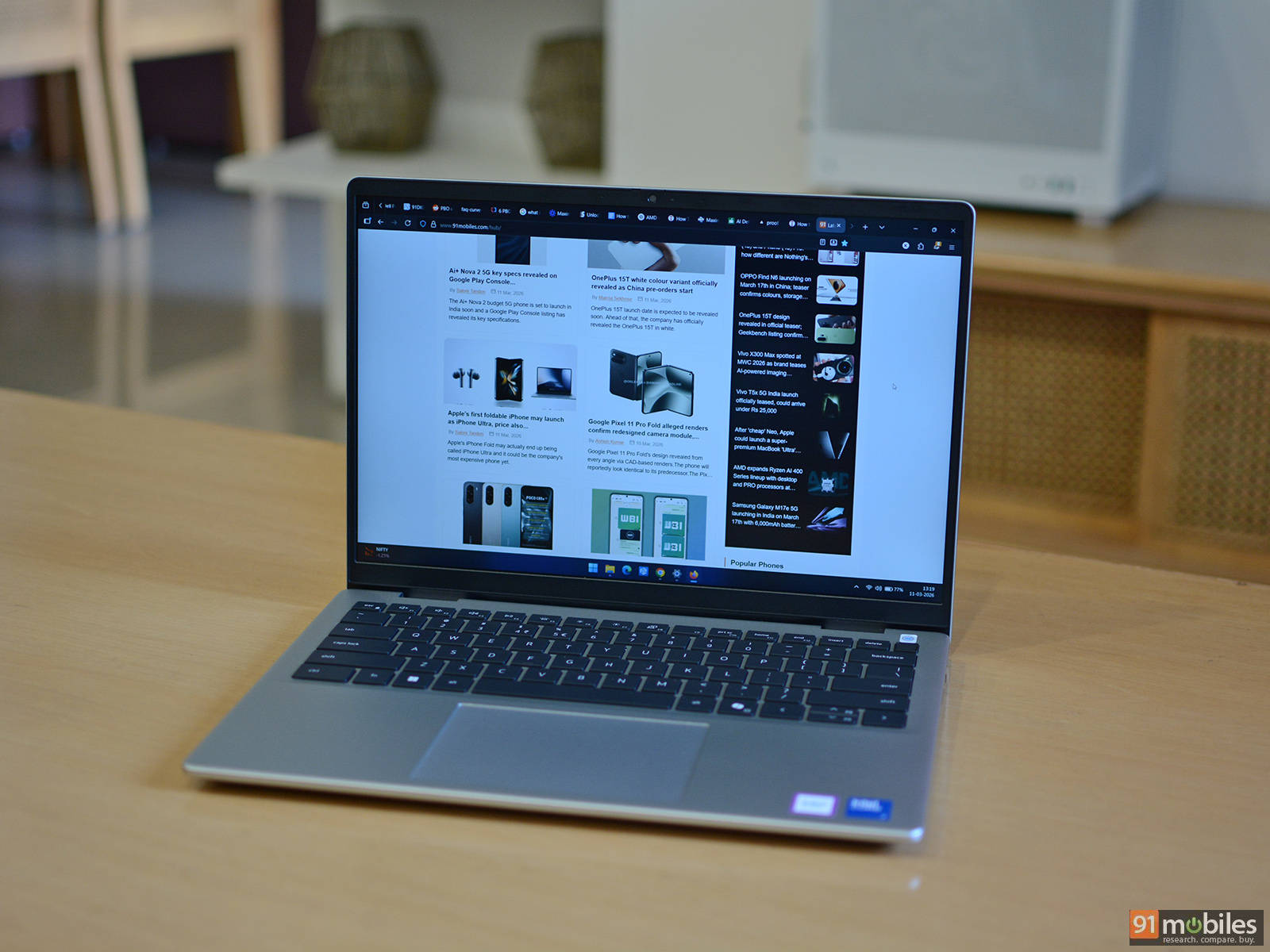
In terms of weight, it isn’t the lightest 14-inch notebook we’ve tested, but it’s still light enough to carry around without any issues. Dell says the laptop weighs around 1.5 kg, going up to 1.65 kg depending on the configuration. The hinge feels sturdy, and there’s no noticeable screen wobble which is nice to see. It also features rubber feet on the bottom to prevent it from sliding around on a desk, along with adequate intake and exhaust vents for airflow.
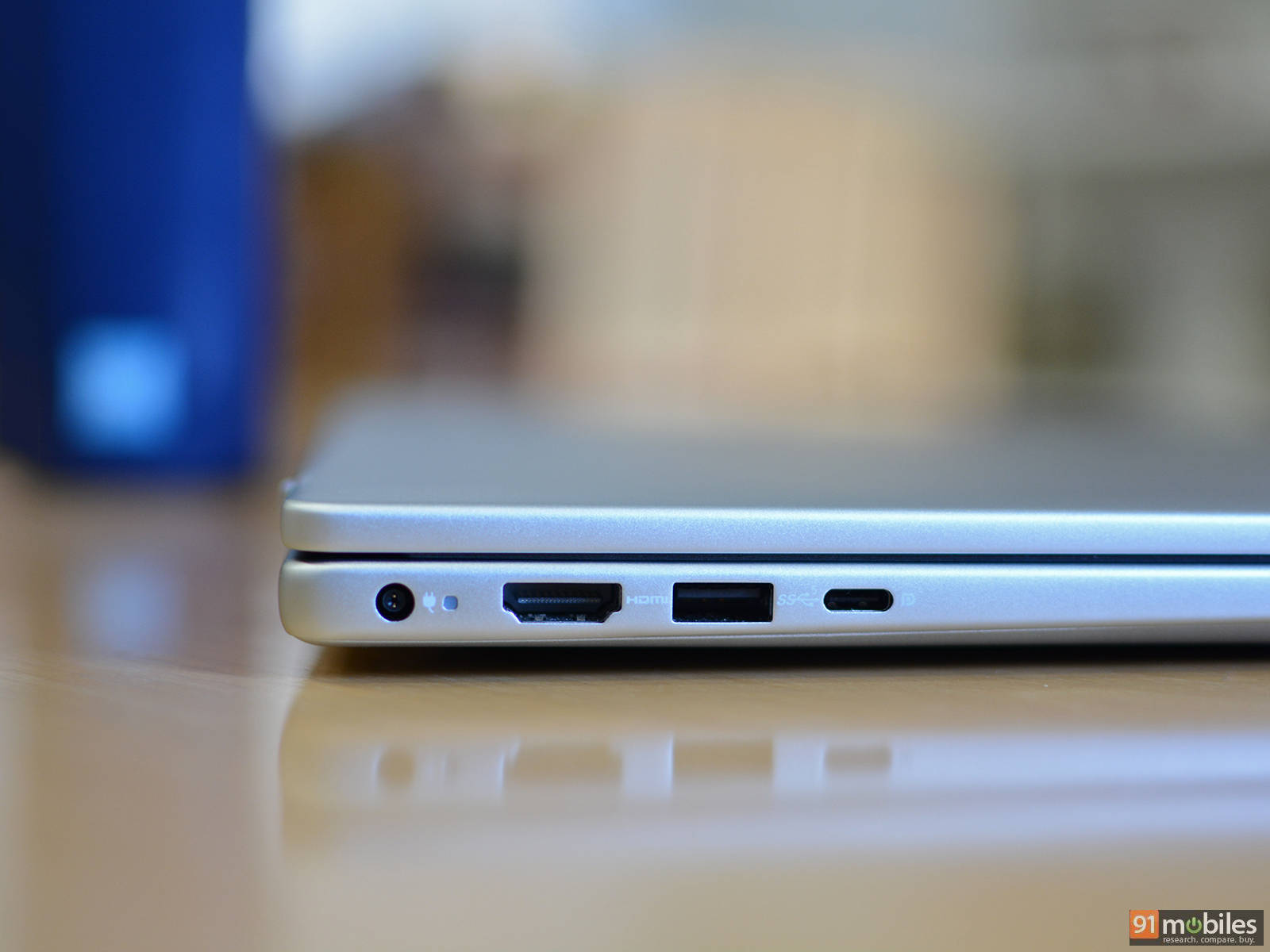
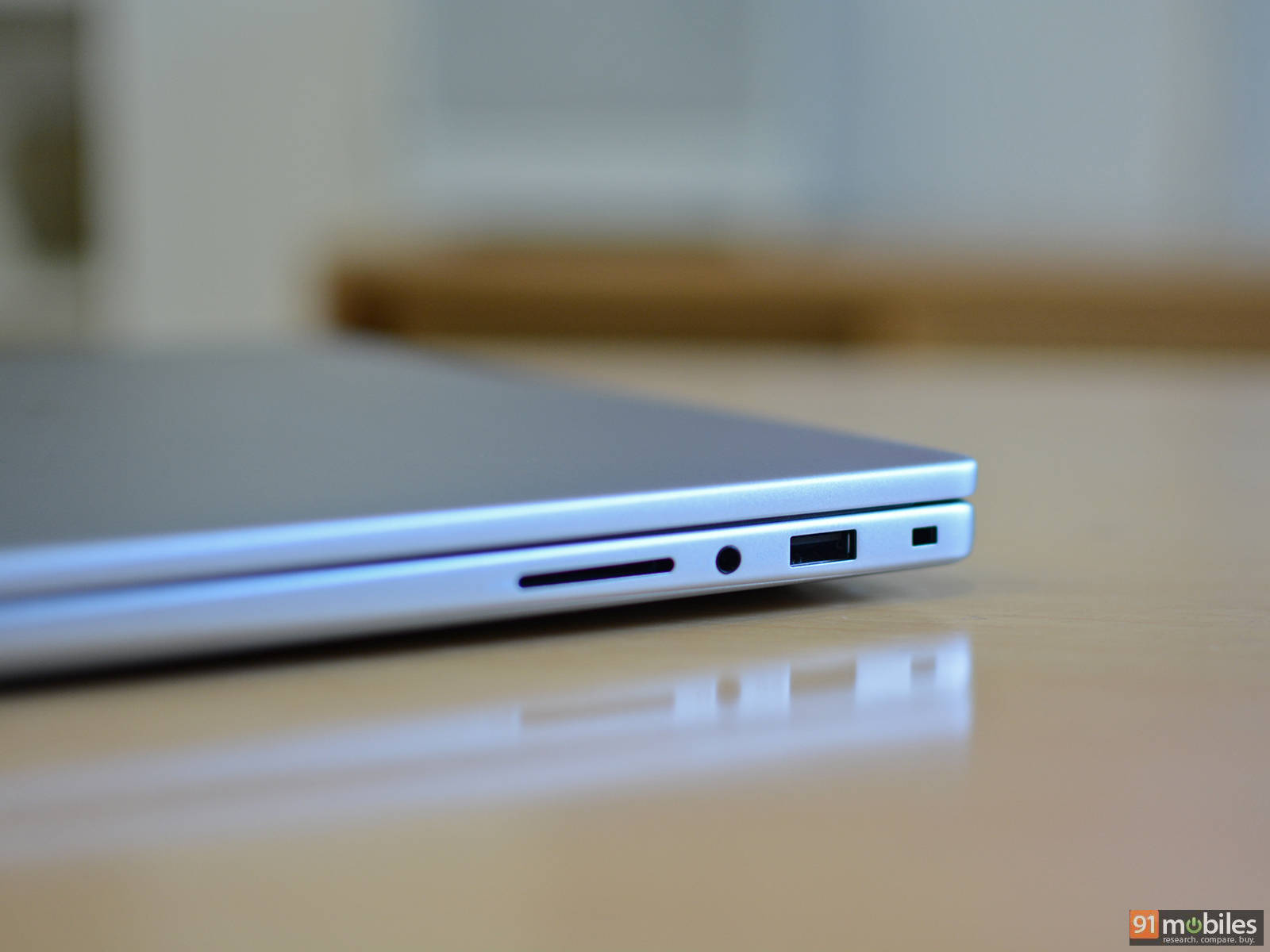
The I/O selection includes a round barrel power adapter port, an HDMI 1.4 port (limited to 1920×1080 at 60Hz), a USB 3.2 Gen 1 Type-A port (5 Gbps), and a USB 3.2 Gen 2 Type-C port (10 Gbps) with Power Delivery and DisplayPort support, all located on the left side. On the right side, you’ll find a Kensington lock slot, another USB 3.2 Gen 1 Type-A port (5 Gbps), a 3.5mm audio jack, and an SD card reader. Wireless connectivity is handled by the Realtek RTL8852BE chip, which supports Wi-Fi 6 (802.11ax) and Bluetooth 5.3.
Display and audio
The 14-inch IPS display comes with a FHD+ 1920×1200 resolution and a standard refresh rate of 60Hz. There is also the option of a higher-resolution 2.5K 2560×1600 display with a 120Hz refresh. We got the former which offers up to 300 nits of peak brightness and 100% coverage of the sRGB color space. It isn’t the best panel on paper, but as a daily driver the display feels adequate. It offers sufficient brightness for indoor usage and the matte finish helps with reflections to a certain extent.
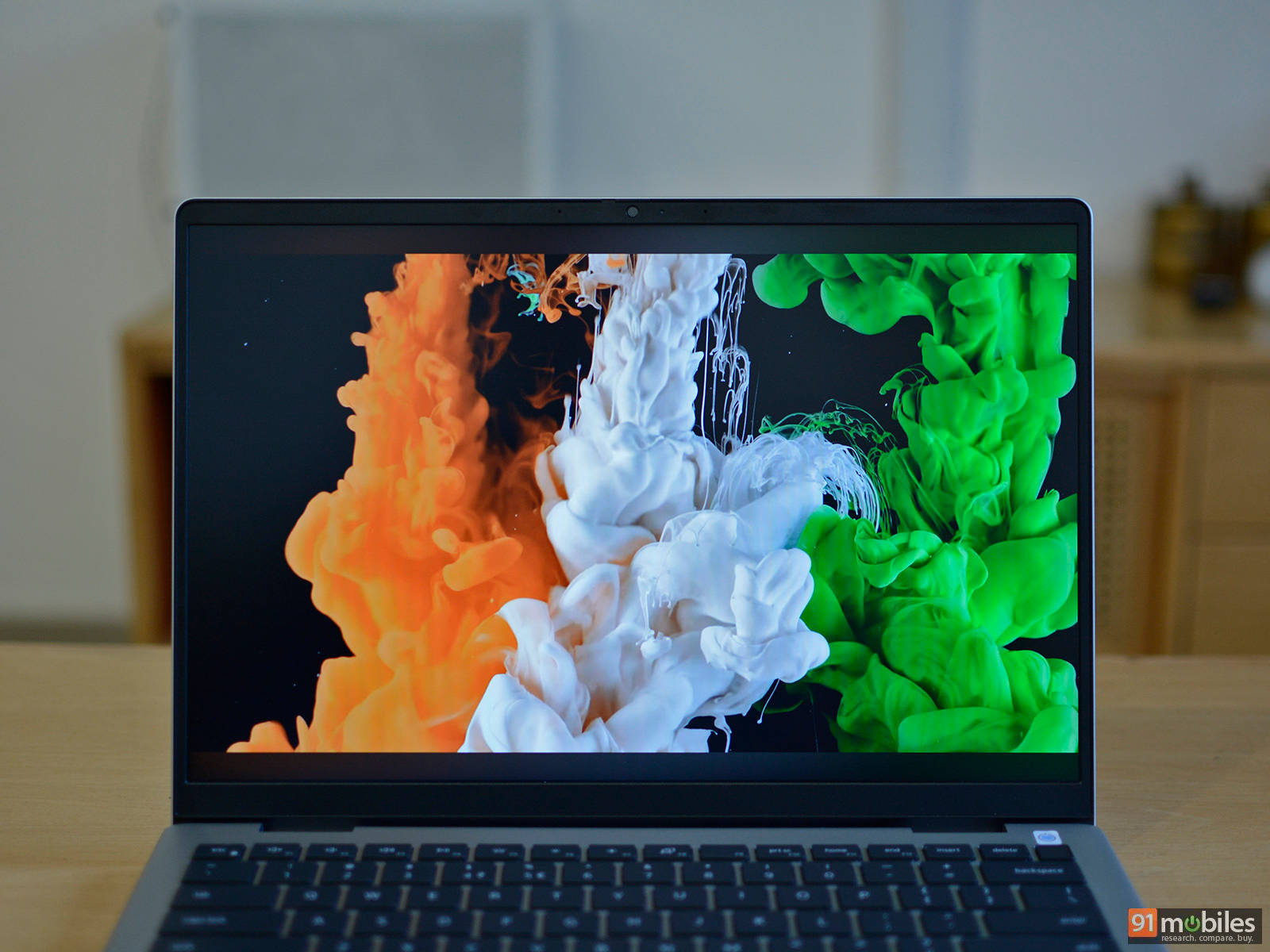
The display produces fairly neutral colors. It lacks the vibrancy and contrast of a premium panel, but the image still looks natural and easy on the eyes for everyday work. Text looks sharp especially when you are scrolling through web pages and feels fairly responsive. While it seems suitable for consuming media, we cannot fully recommend using it for professional photo or video editing purposes. Dell claims that the panel also comes with a wide viewing angle, although we weren’t convinced as the brightness tends to dip and there is a slight shift in colour.
There are two bottom firing speakers rated at 2W each which offer full and clear sound with subtle bass that doesn’t feel aggressive when listening to music. The speakers should also serve well for watching videos or movies, attending meetings, or taking audio calls.
Keyboard, touchpad and webcam
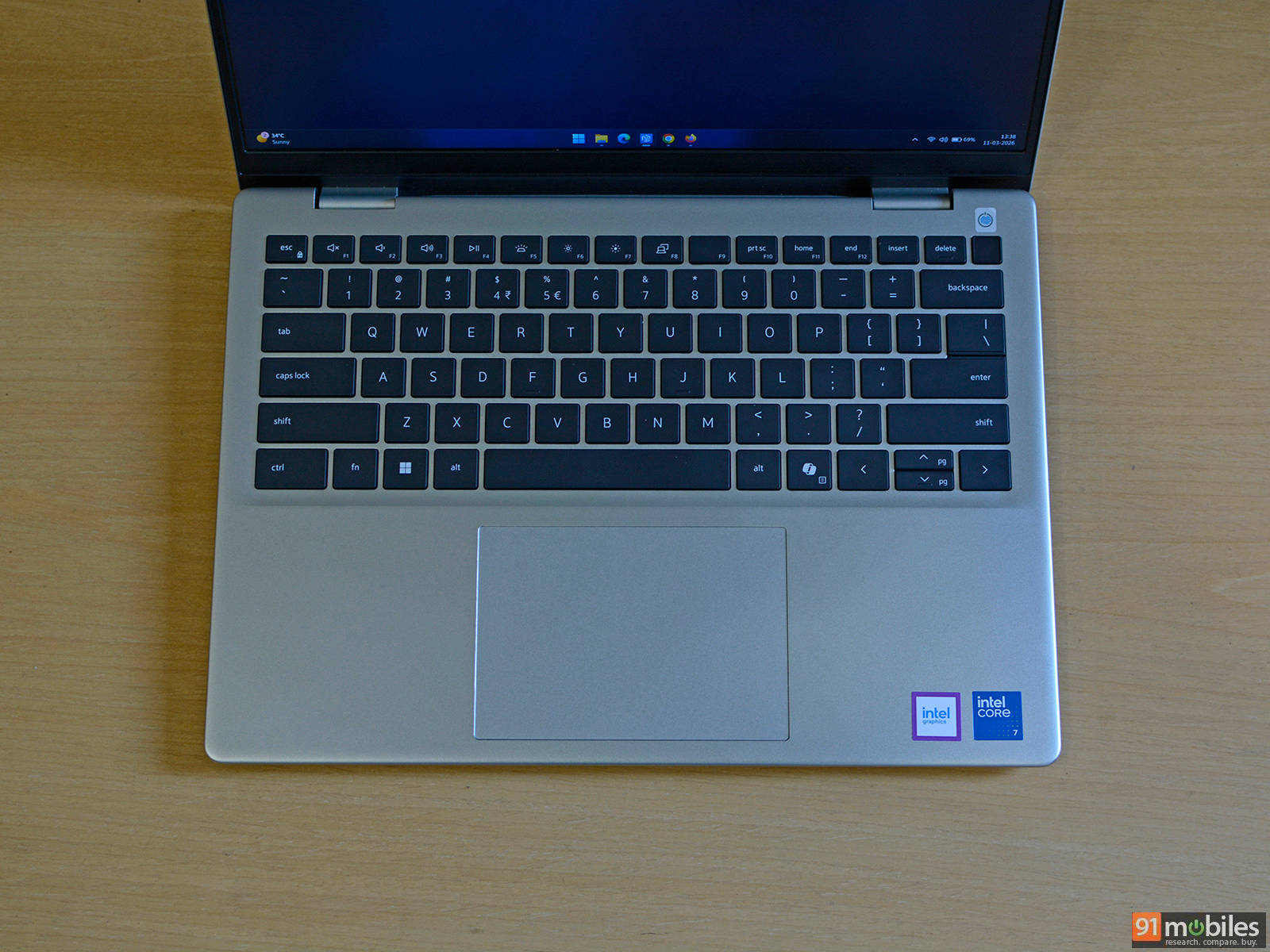
The keyboard comes with black chiclet style keycaps that offer a good amount of travel and are fairly quiet which makes them suitable for office environments. The keys are also backlit with two levels of brightness while the power button placed on the top right comes with a built-in fingerprint scanner with support for Windows Hello login. The fingerprint scanner is accurate and responsive apart from the one time it just refused to work.
The webcam on this particular model supports 1080p at 30FPS along with dual-array microphones and a discrete shutter for those who care about privacy. The quality is not up to the mark with a high amount of noise, unless you are sitting in a bright well-lit environment. Even so, the camera struggles to controlling the highlights with under-saturated colours.
Performance
As mentioned, Dell offers multiple hardware configurations and our unit came with the Intel Core 7 150U processor based on the Intel Raptor Lake architecture. While it isn’t a brand-new chip, it features a total of 10 cores, including two Performance or P-cores and eight Efficiency or E-cores, for a total of 12 threads. Targeting a low TDP of 15W the chip can boost up to 55W under load, with clock speeds reaching up to 5.4 GHz on the P-cores and 4.0 GHz on the E-cores. Essentially, it should offer enough juice for daily productivity as well as multitasking.
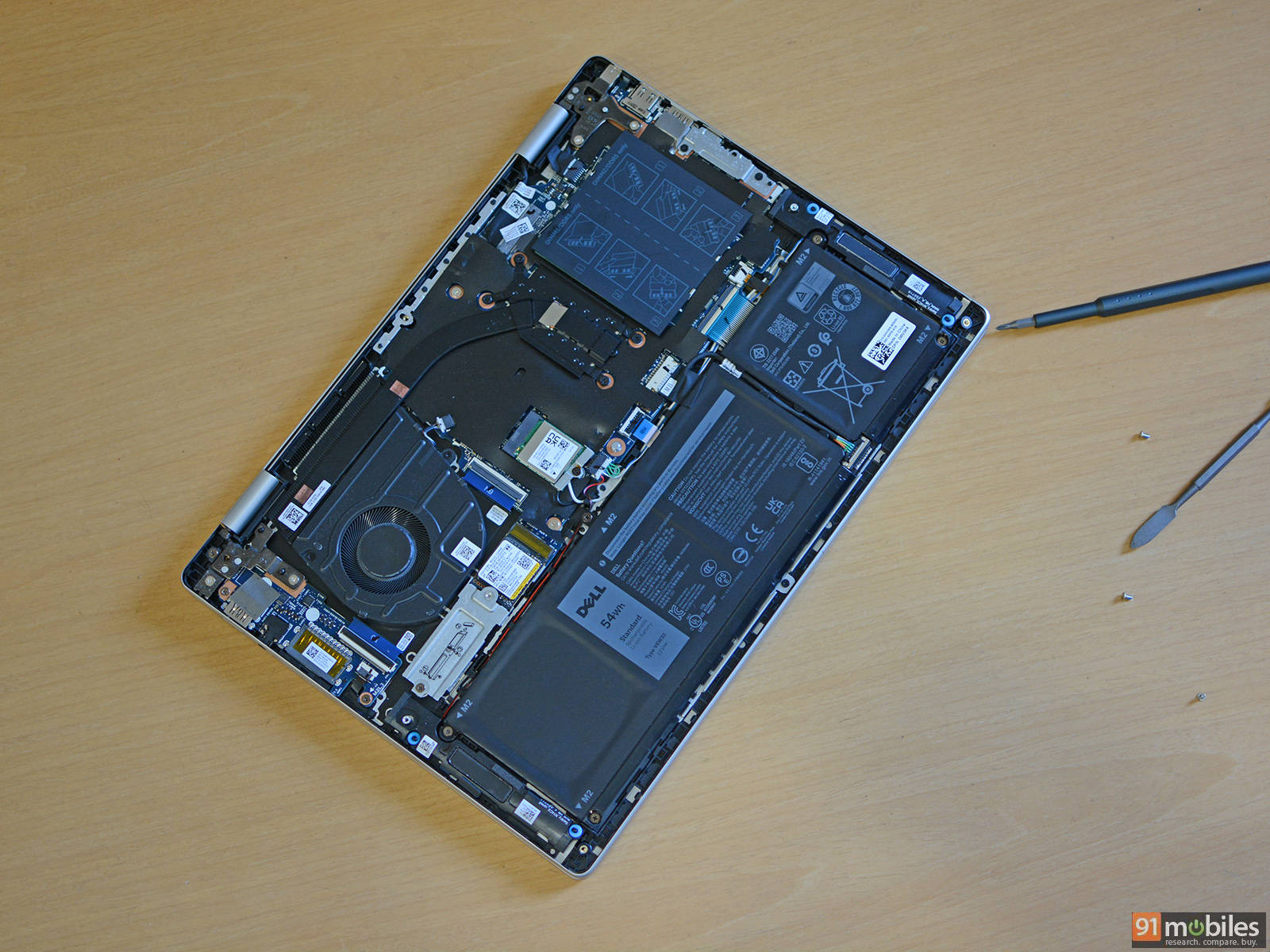
Since this is a productivity-focused notebook, there’s no dedicated GPU, thus it relies on standard integrated Intel UHD graphics. The processor is paired with 32GB of DDR5-5200 memory by SK hynix in a dual-channel configuration and a Micron 2500 1TB PCIe Gen 4 SSD. Props to Dell as one can upgrade the memory to up 64GB As per our testing using CrystalDiskMark, we found that the SSD can offer up to 6,200 Mbps of sequential read and 4,500 Mbps of sequential write speeds.
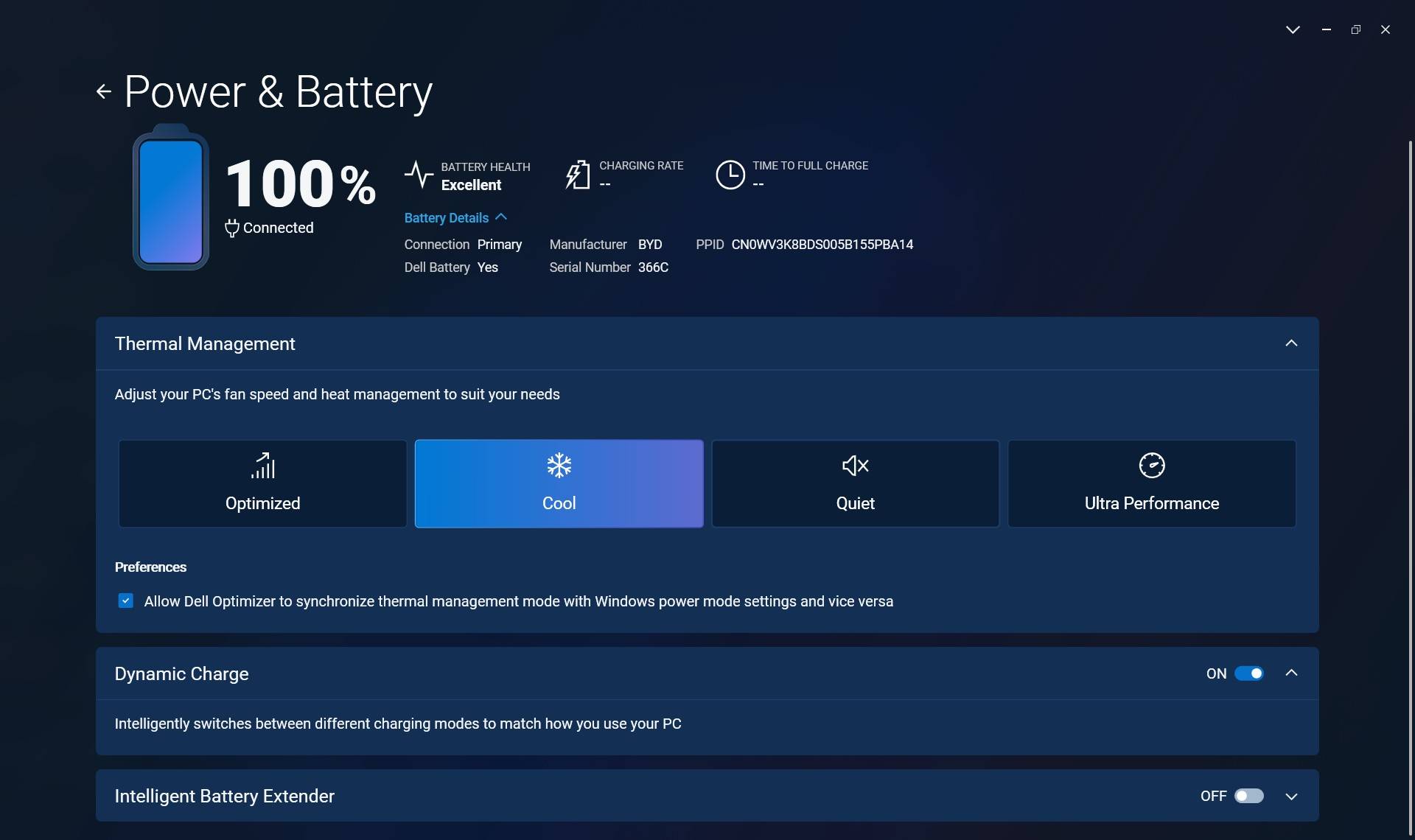
During our testing of the laptop, we were able to easily jump between 15-20 tabs across two browsers (Chrome and Firefox), smoothly edit RAW images in Adobe Photoshop, and enjoy some video streaming. The included Dell Optimizer software lets you keep a tab on the power, battery and thermal management. It also offers four custom power/thermal management modes to adjust the laptop’s fan speed and power delivery including Optimized, Cool, Quiet and Ultra Performance.
| Model Number | Dell Pro 14 (AMD Ryzen AI 7 Pro 350) | Dell Pro 14 Essential (Intel Core 7 150U) | Asus ZenBook A14 OLED | HP Elitebook 8 G1i (Intel Core Ultra 7 268V) |
| Cinebench R24 MT | 741 | 2033 | 443 | 636 |
| Cinebench R24 ST | 110 | 432 | 96 | 127 |
| Cinebench R23 MT | 13444 | 8589 | 4710 | 11134 |
| Cinebench R23 ST | 1862 | 1902 | 971 | 2029 |
| PCMark 10 | 6967 | 6480 | NA | 7456 |
| PCMark 10 Extended | 5833 | 6014 | NA | 7924 |
| Geek Bench 6 ST | 2674 | 2305 | 1580 | 2858 |
| Geek Bench 6 MT | 10678 | 9191 | 5033 | 10885 |
The Core 7 150U offers solid performance in both single and multi-threaded tasks and is pretty much at par with AMD’s Ryzen AI 7 Pro 350 as well as Intel’s Lunar Lake powered Core Ultra 7 268V.
Model Number | Dell Pro 14 | Dell Pro 14 Essential | Asus ZenBook A14 OLED | HP Elitebook 8 G1i |
Geek Bench OpenCL | 21941 | 15270 | 7325 | 31345 |
Geek Bench Vulcan | 24918 | 20572 | 10756 | 38511 |
3DMark Time Spy Extreme | 885 | 769 | NA | 2245 |
3DMark Time Spy | 1906 | 1631 | NA | 4773 |
3DMark Fire Strike Ultra | 1218 | 1292 | 908 | 2445 |
3DMark Fire Strike Extreme | 2119 | 2343 | 1745 | 4603 |
3DMark Fire Strike | 3809 | 4416 | 3608 | 9612 |
3DMark Night Raid | 15720 | 16323 | 16089 | 36884 |
Graphics performance is pretty decent, although in synthetic benchmarks, the Intel UHD falls behind the Radeon 860M and Intel’s own Arc 140V solution available on Lunar Lake laptops. The iGPU offers good performance for casual and light gaming, with around 57 FPS in GTA V at 1080P low settings and around 133 FPS in Valorant.
Battery and power
The laptop features a 54Wh battery unit along with a compact 65W wall charger with a round barrel plug. In our testing, the battery lasted 5 hours and 52 minutes in the PCMark 10 video loop test with screen brightness set to 80%. In terms of mixed usage, we were barely able to get 5 hours, which is quite low, especially if you want a reliable machine during your travels.
Verdict
The Dell Pro 14 Essential delivers exactly what it promises: a straightforward business laptop focused on practicality, reliability, and everyday productivity. It comes with a clean and durable design, a comfortable keyboard, decent speakers, and a configuration that can easily handle typical office workloads such as multitasking across browsers, document editing, and light creative work. The ability to upgrade memory and storage also adds a degree of future-proofing, which is always welcome in business machines that are expected to remain in service for several years.
Performance from the Intel Core 7 150U processor is solid for a productivity-focused system, offering enough power for daily office tasks while remaining efficient under normal workloads. The laptop also scores well in terms of serviceability and I/O selection, making it a practical option for professionals who value usability over flashy features. However, there are a few compromises to keep in mind. The display is adequate but not particularly vibrant, the webcam quality leaves room for improvement, and battery life is somewhat disappointing for a laptop meant to support mobility.
Dell has not disclosed the exact price of this specific configuration yet, but the Pro Essential lineup starts at Rs 31,999 in India, with the final price varying depending on the chosen processor, memory, storage, and display options. If priced competitively, the Dell Pro 14 Essential can be a sensible choice for businesses and professionals looking for a dependable work laptop, though those prioritizing longer battery life or a better display may want to explore alternatives in the same segment.
Editor’s Rating: 7 / 10
Pros
- Reliable productivity performance
- Minimal design with MIL-STD-810H tests certified
- Loud and crisp speakers
- Upgradable memory
Cons
- Poor webcam quality
- Battery life could have been better
- Can get hot under load