The Mi Band (review) from Xiaomi launched in 2015, cost a princely sum of Rs 999, and was the very first screenless tracker I used. Fast forward a decade later, and Whoop has become synonymous with the screenless tracker wave, a trend that’s not likely to fade away anytime soon. Google’s screenless contender comes in the form of the Fitbit Air, and if you’re on the hunt for a distraction-free fitness band, definitely deserves a spot on your wrist.
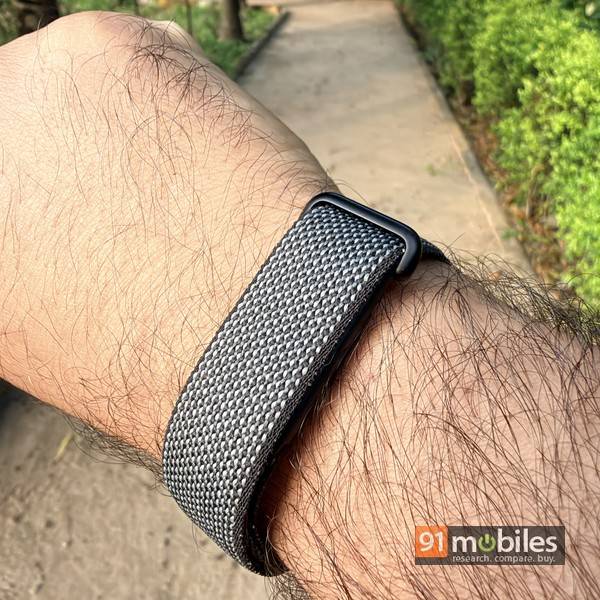
I’ve had my eyes on it ever since it landed in the US a few months ago, and Google has finally brought it to India, carrying a sticker price of Rs 13,999. Here’s why I think you should get one.
Table of Contents
Design and display
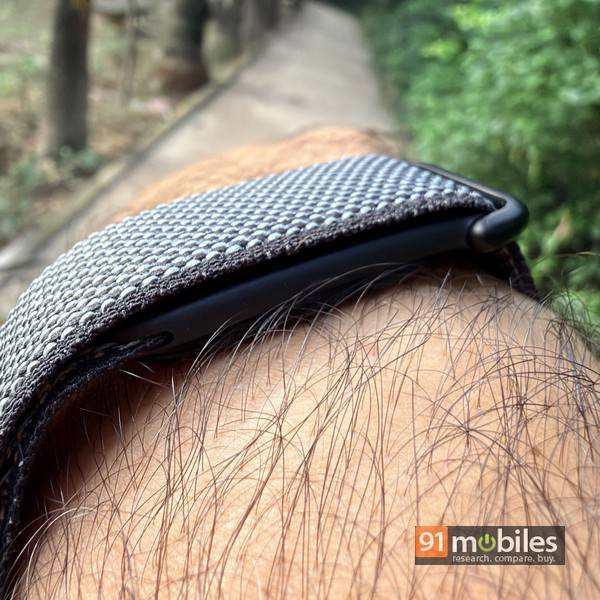
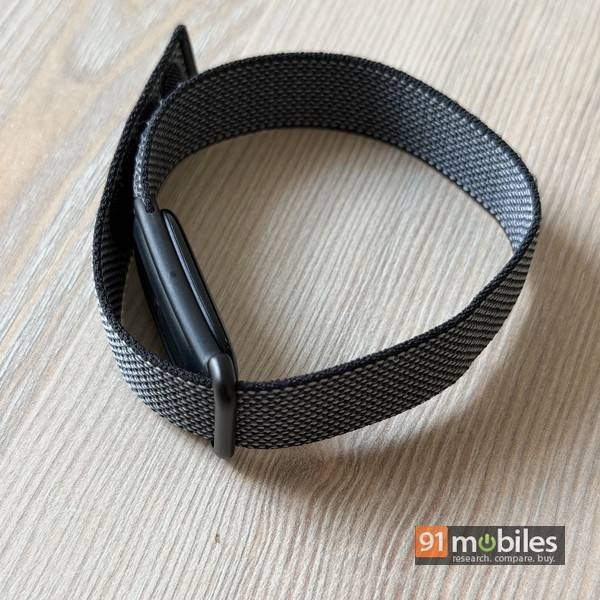
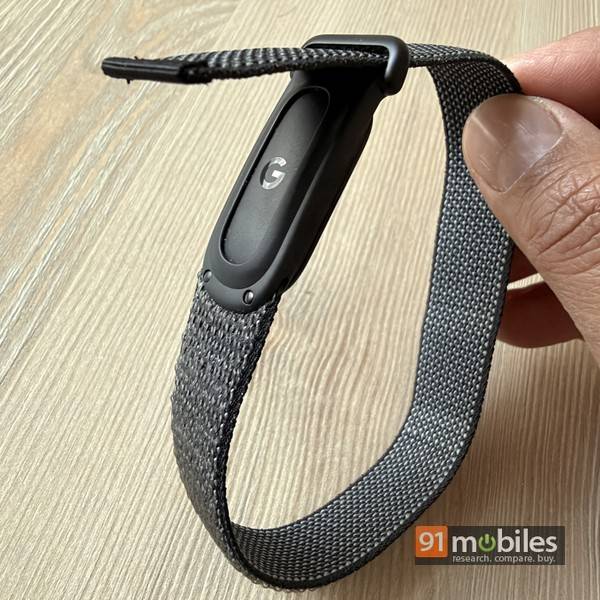
The subheading above is usually how we begin our reviews of wearables, but here’s the fun part — there’s no display here to talk about. That’s the whole point, really. Moving on to design, which, I feel, is one of the more crucial aspects here. In essence, the Fitbit Air is barely more than a slim fabric strap that wraps around your wrist. The default band that comes with the Fitbit Air is called the Performance Loop Band. 18mm wide, it weighs just about 12 grams, including the tracker.
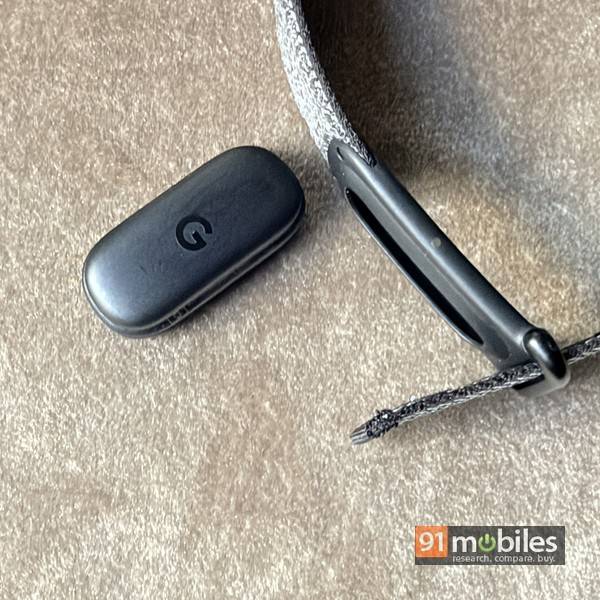
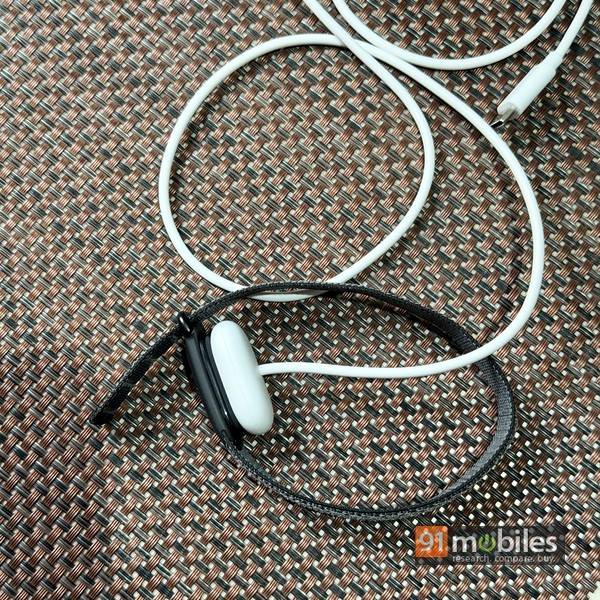
The band has a compartment which houses the removable tracking pod, which weighs 5.2 grams on its own. Believe me when I tell you this… the Fitbit Air is THE most comfortable fitness tracker I’ve ever tried, and I have tried quite a few. The Air is an apt moniker for this, since it’s easy to forget it’s on your wrist. Wearing it 24 x 7, while working out, going about my workday, and even while sleeping, isn’t an issue at all. In fact. I’d go so far as to say that for sleep tracking, I find the Fitbit Air more comfortable to wear than a ring. Also, since it’s so lightweight and comfortable, the Fitbit Air enables double wristing — allowing you to wear a smartwatch or a regular timepiece on your other wrist.
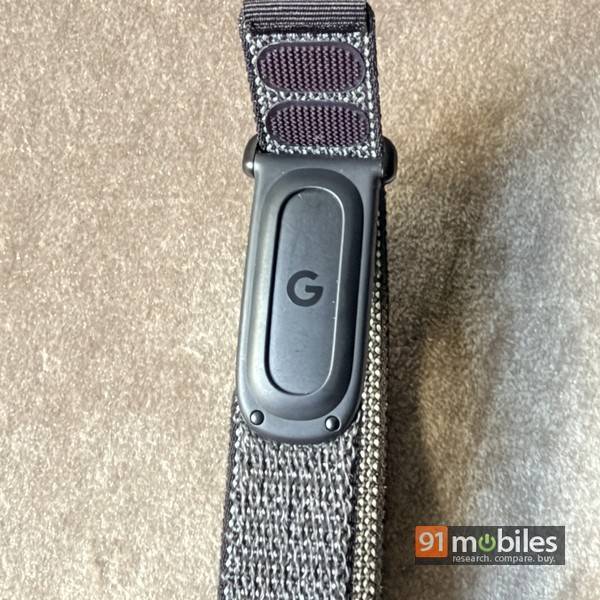
Available colours for the Fitbit Air include obsidian, berry, lavender and fog, and I opted for the one in obsidian, which is a fancy word for grey. It’s possibly the most subdued (read: boring) option of the lot, but in my opinion, also the most practical one. For one, it’s less likely to get soiled with daily use, and also, the subtle shade sort of blends in and goes with whatever I’m wearing, without standing out. Of course, you have the option to swap bands. Google sells the Performance Loop Band in the same colours (obsidian, berry, lavender and fog) for Rs 3,599 each. Now, this fabric band can get wet with sweat and while washing hands, etc., so the Active Band (which is made out of silicone) could be worth checking out. It’s available in the same colours, carries the same price tag, and also gives you the option of choosing between small and large sizes. Then there’s an Elevated Modern Band, available in Moonstone, Obsidian and Porcelain shades, priced at Rs 4,999 each. And finally, you can get the Metal Mesh Band in champagne gold or polished silver for Rs 6,999. A bunch of cheaper third-party bands are available online, though I can’t really vouch for their quality. If you do get a third-party band, make sure that the tracking pod fits tightly and there’s no risk of it falling off while wearing.
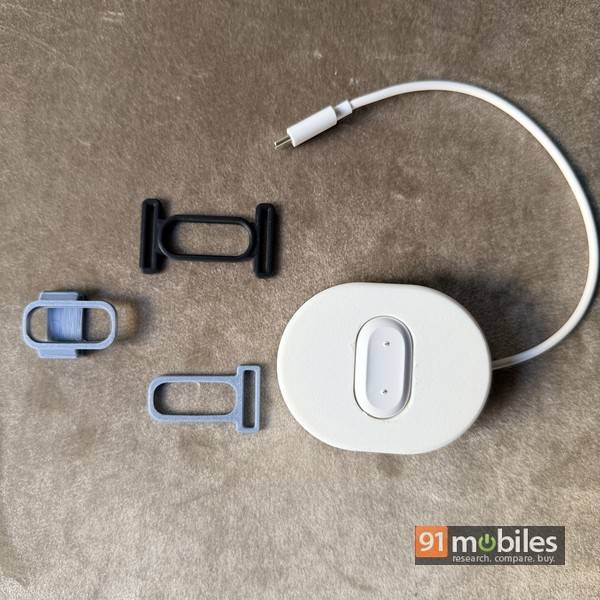
And just in case you have access to a 3D printer, you could print clips and adapters that let you attach the Fitbit Air’s tracking module to the base of a regular watch strap, allowing you to wear both the watch and the tracker as a combo. I did print a few, though I admit I haven’t gotten around to trying them out yet. I also printed a cable manager cum charging dock for the Fitbit Air’s charging cable, which turned out to be quite nice and useful.
Features
The Air is capable of tracking physical activity, including steps, workouts etc, health metrics like heart rate, HRV, SpO2, etc, and sleep. Here’s a list of its key features for quick reference. The noteworthy miss, as you can see, is that there’s no built-in GPS. The Fitbit Air relies on a paired smartphone for mapping your outdoor runs or rides.
- Continuous heart rate monitoring
- Heart rate variability (HRV)
- Overnight SpO2 and skin temperature
- Irregular heart rhythm notifications
- Sleep monitoring with sleep stages and sleep score
- Daily readiness score
- Automatic workout detection
- Connected GPS (not built-in)
App
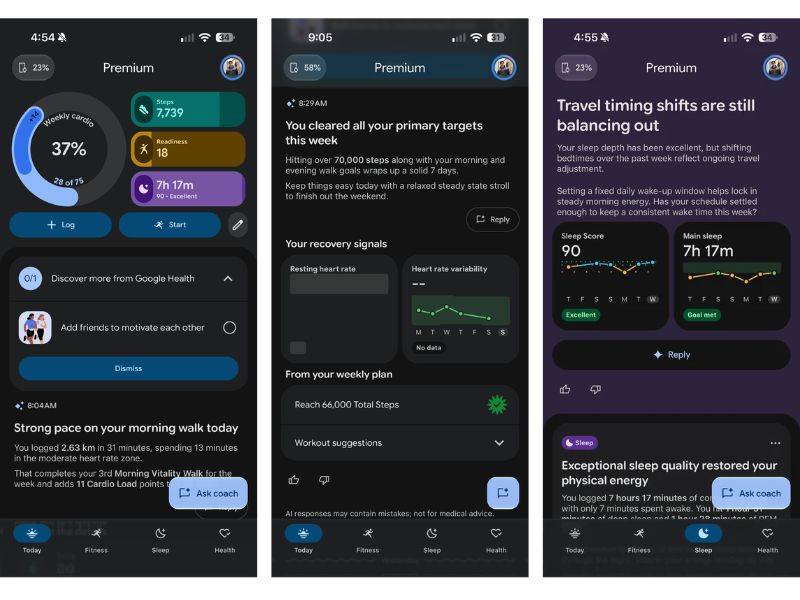
The Fitbit Air syncs with the Google Health app (formerly called Fitbit). Available on both Android and iOS, the app is a full-fledged health platform and quite comprehensive too. Google gave it a makeover a few months ago (at the time of rebranding), adding AI to it by the truckloads. Gemini powers the AI chops and, among other things, gives you access to an AI coach that guides you through your fitness journey. Now I won’t get into a lot of detail here. I wrote about my experience with Google Health when I tried it out with the Pixel Watch 4 a little while ago, and I’d urge you to go check it out.
For the Fitbit Air, Google reserves advanced metrics for the premium tier, but you can still track the essentials for free. The free tier covers basic tracking (steps, calories, Active Zone minutes), heart health (continuous heart rate, resting heart rate, AFib alerts), sleep (duration, sleep score, sleep stages), readiness score, HRV, SpO2, skin temp variations, and trends. If you pony up Rs 99 per month for the premium tier, you also get historical baseline comparison, long-term sleep profile analysis, personalised training and custom workouts, access to the full library of workouts, exportable wellness reports, and of course, the AI health coach I mentioned above.
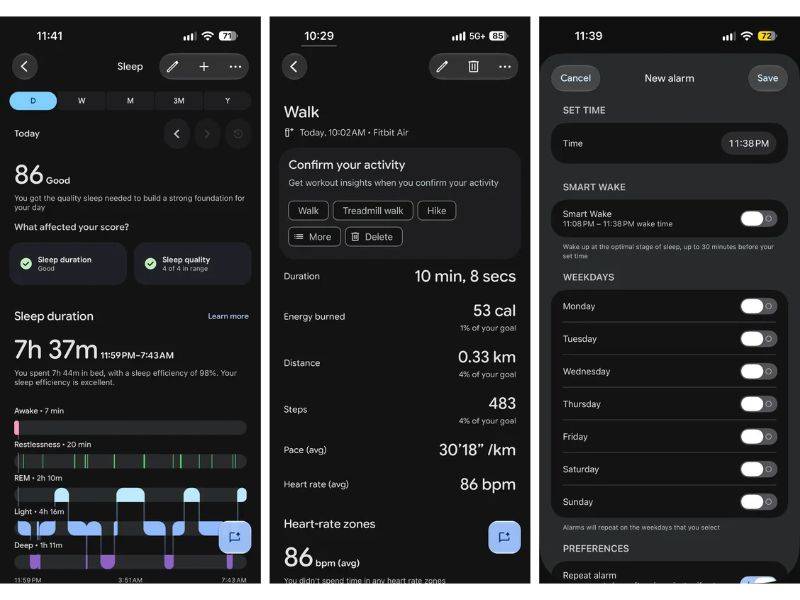
Also, when used along with the Fitbit Air, you can use the Google Air app to set alarms. The tracker vibrates on your wrist at the designated time, and you need to double tap it to make it stop. You can set up to eight alarms, and there’s a smart There’s also a setting to switch vibration intensity from low to high in the app, and another option to choose wrist preference and set it to dominant or non-dominant.
Performance and battery
As far as accuracy is concerned, the data captured with Fitbit Air seems quite on point. Metrics like step count, heart rate, and SpO2 seemed well within the margin of error and comparable to wearables like the Apple Watch Series 12 and Samsung Galaxy Watch Ultra2. Sleep tracking is excellent, and aspects like duration and sleep stage data look good. The trends data can be quite useful, and the Fitbit Air, along with Google Health app, makes for a compelling combination in that regard. The Air also offers auto workout detection, and it works well for the most part. I did, however, miss out on logging longish brisk walks for me a few times during my usage. I believe a new update, which is rolling out as I write this, should take care of this, apart from adding support for automatically detecting more workouts. Part of a suite of features marked under Health Guardian, the new update will also add blood pressure and insulin trends to the Fitbit Air’s portfolio.
I’ve said it before, but I have no qualms in repeating myself when I tell you that instead of obsessing over the numbers, I feel it’s more important to consider trends based on data collected over time, and use that to adjust your physical activity, sleep, etc to move closer to your own health and fitness goals. Most of us have different goals as far as our health is concerned, so focussing on the ones that matter is key. Data captured by wearables is indicative and can get affected by external factors… how snugly you’re wearing your band, or accumulation of sweat or grime on the sensors, for example.
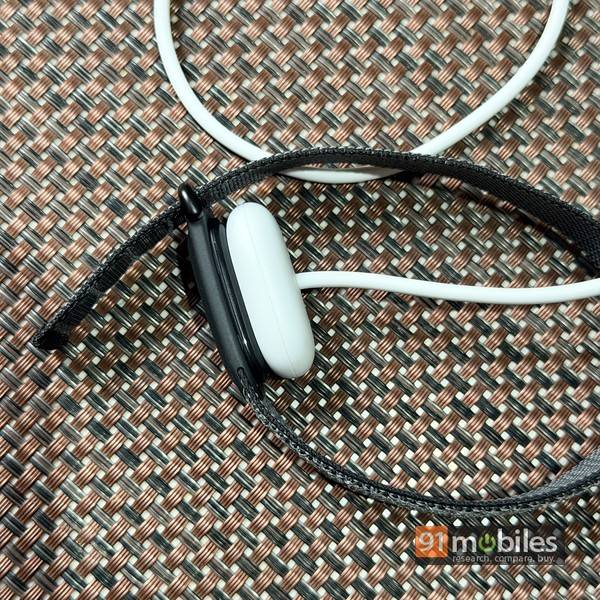
As far as battery life is concerned, Google claims the Fitbit Air should deliver 7 days’ worth, and I can verify it’s accurate. I’ve been charging it every Friday, so I’d say the battery life is about 6.5 days, to be precise. That’s pretty good, and means you can just charge it on a weekly basis, strap it on to your wrist and forget about it as it does its thing. A full charge takes about an hour and a half, and a 5-minute charge should give you about a day’s worth — useful in a pinch.
Verdict
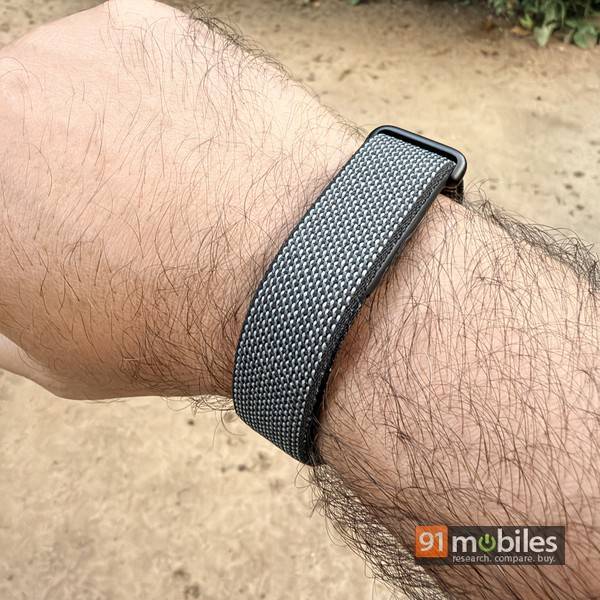
At Rs 13,999, the Fitbit Air is supposed to be an ‘affordable’ screenless fitness tracker. However, ‘affordable’ here is relative, since it’s priced much lower than its key rival, the Whoop. In the Indian context, the Fitbit Air also competes with affordable smartwatches that have similar features. The Air, however, stands out for its screenless, distraction-free nature, and more importantly, for how comfortable it is to wear. Not to mention the accurate tracking and the software experience it offers. Smart rings also promise similar distraction-free usage and comfort, though personally, I find the Fitbit Air more comfortable to wear. The Gabit Smart Ring is the one I’d recommend in the same price range as the Fitbit Air, in case you want to take that route. And when it comes to screenless bands, there are affordable options from the likes of Pebble, a similarly-priced one from Noise, and a more expensive one from Garmin that are in contention.
My recommendation: if the idea of a screenless fitness wearable appeals to you, go with the Google Fitbit Air. It shines in terms of the aspects that matter the most — tracking, app experience and comfort, so you can’t really go wrong with it. A no-brainer, really.
Editor’s rating: 9 / 10
Pros:
- Accurate tracking
- Comfortable to wear
- Solid battery life
- Gemini AI integration
Cons:
- No built-in GPS
- Auto workout detection can be improved