


Review Summary
Expert Rating
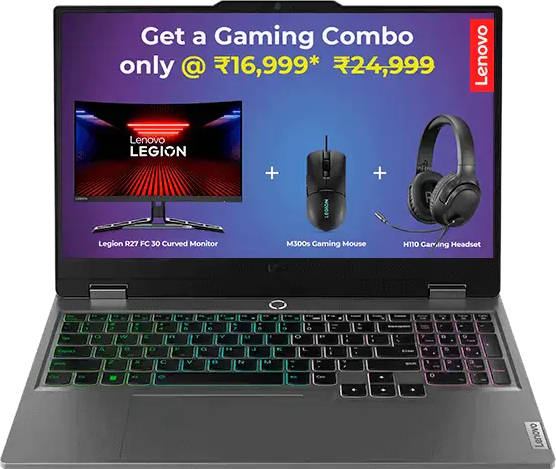
When you picture a gaming laptop, you probably imagine a bulky machine with aggressive RGB lighting and fans that sound like a jet engine. The Lenovo LOQ 15 series, however, is the complete opposite. Clad in a corporate grey shade with a matte finish, its design is extremely subtle. The only logos are discreetly placed, and aside from the four-zone RGB keyboard, there’s little to suggest this is a gaming machine until you turn it on.
While Lenovo may be subtle about its looks, the performance is anything but. In this review, I’ll be taking a close look at the Lenovo.com exclusive variant of the LOQ 15 83DV0127IN to see if its performance lives up to its promise and whether it’s worth the asking price.
Table of Contents
Clean, minimal aesthetics
As I mentioned, the Lenovo LOQ 15 doesn’t look like a typical gaming laptop. It features a simple Luna Grey colour scheme with a matte finish, giving it a look similar to a business-series machine. The build is made of good-quality plastic, but if older LOQs are anything to go by, the finish will start to fade around the area where your palms rest. While it may not look the part, you’ll feel its presence in your travel bag; it is quite hefty at 2.45 kg, and the 170W charger brings the total weight up to nearly 3 kg. This weight will likely become an issue if you have a longer commute.
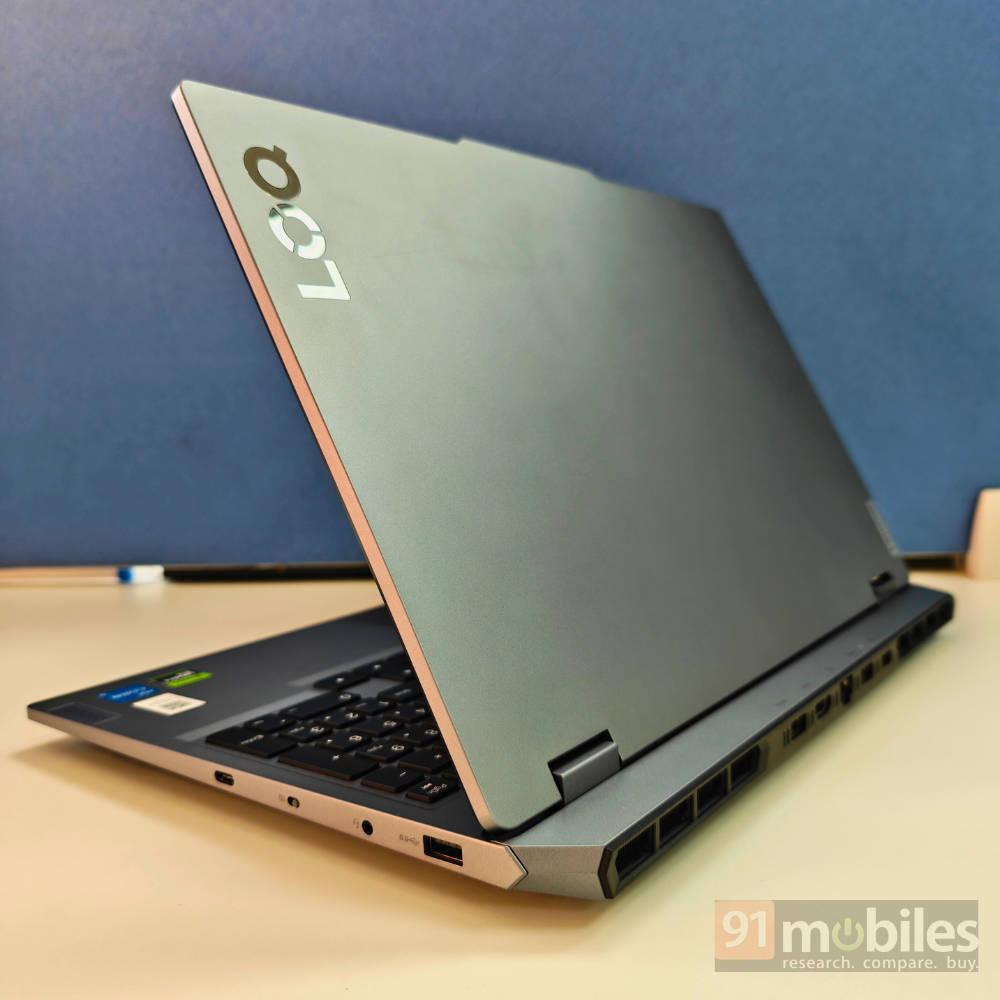
The lid has an extended lip, making it extremely easy to open the device with one hand, and the hinge can extend all the way to 180 degrees. I’m not entirely sure who uses their gaming laptop like that outside of a workstation setup, but the option is there. Raised rubber feet on the bottom panel keep the device stable, and while there’s a fair amount of screen wobble, it isn’t too distracting. The cooling system is well-designed, with rear-facing exhaust vents and ventilation holes on the bottom for air intake.
For I/O, you get two USB-A ports, an Ethernet jack, HDMI 2.1, and the charging port placed at the rear. The right side hosts another USB-A port, a USB-C port (with DisplayPort 1.4 and 140W Power Delivery), a headphone/mic combo jack, and a webcam shutter. Having most major ports at the rear is a thoughtful touch, and the markings on the top frame make them easy to access without having to turn the laptop.
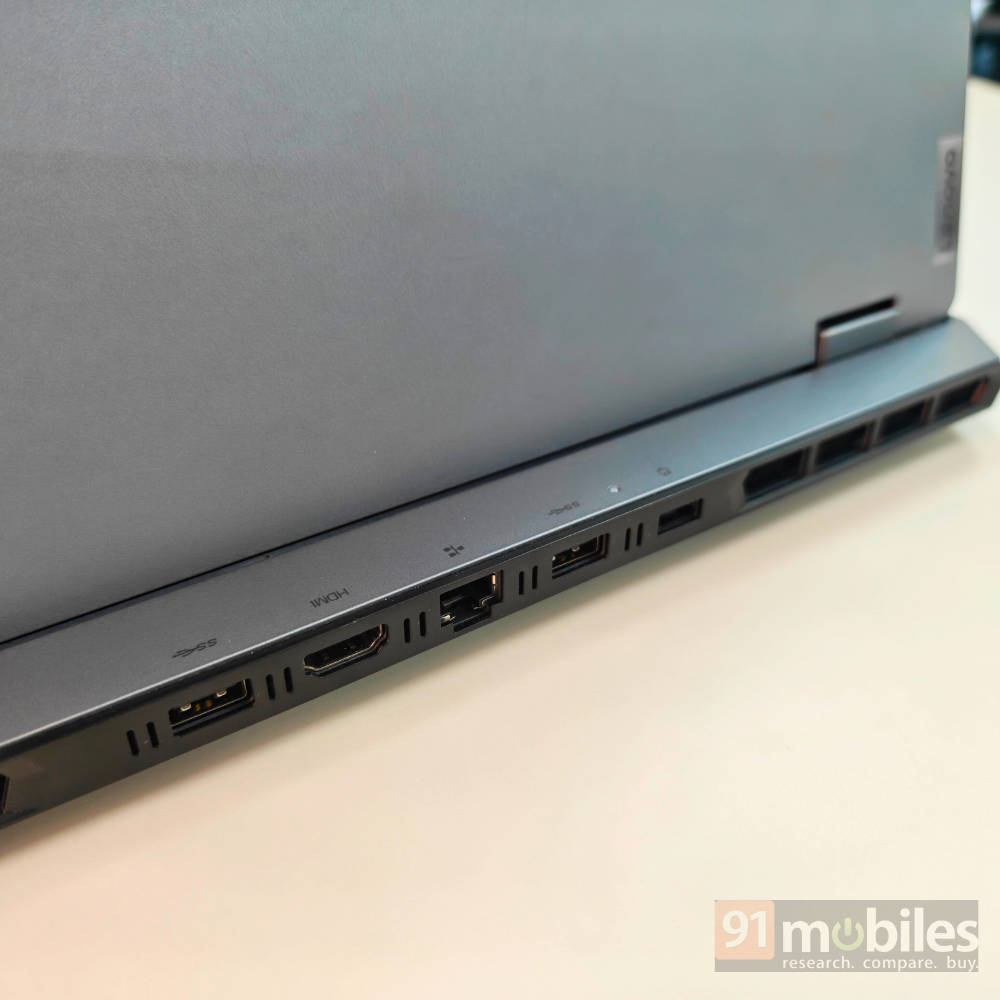
While the port selection is decent, the lack of a Thunderbolt 4 port does not make much sense in 2025. The single Type-C port is limited to 10 Gbps, which is less than a quarter of Thunderbolt 4’s speed. The left edge is also left entirely empty, which is a missed opportunity to add at least a USB-A port for left-handed mouse users.
Internals
Removing the bottom panel gives you access to the battery, the two SO-DIMM DDR5 RAM slots (tucked under a metal cover with thermal pads), two M.2 slots for SSD storage, and the Wi-Fi card. There’s a decent amount of upgradeability here, which is always great to see.
I honestly don’t think you’ll need to upgrade the 24GB of RAM anytime soon, as it gives you plenty of headway for pretty much any task you throw at it. It is also quite tricky to get a 12GB RAM stick that’s compatible with this machine, unlike 16GB or 8GB RAM configurations. If you want to bump up the storage, there’s an additional M.2 slot ready to go. Just be aware that it’s the bigger M.2280 size, so you’ll need to buy the correct drive for it.
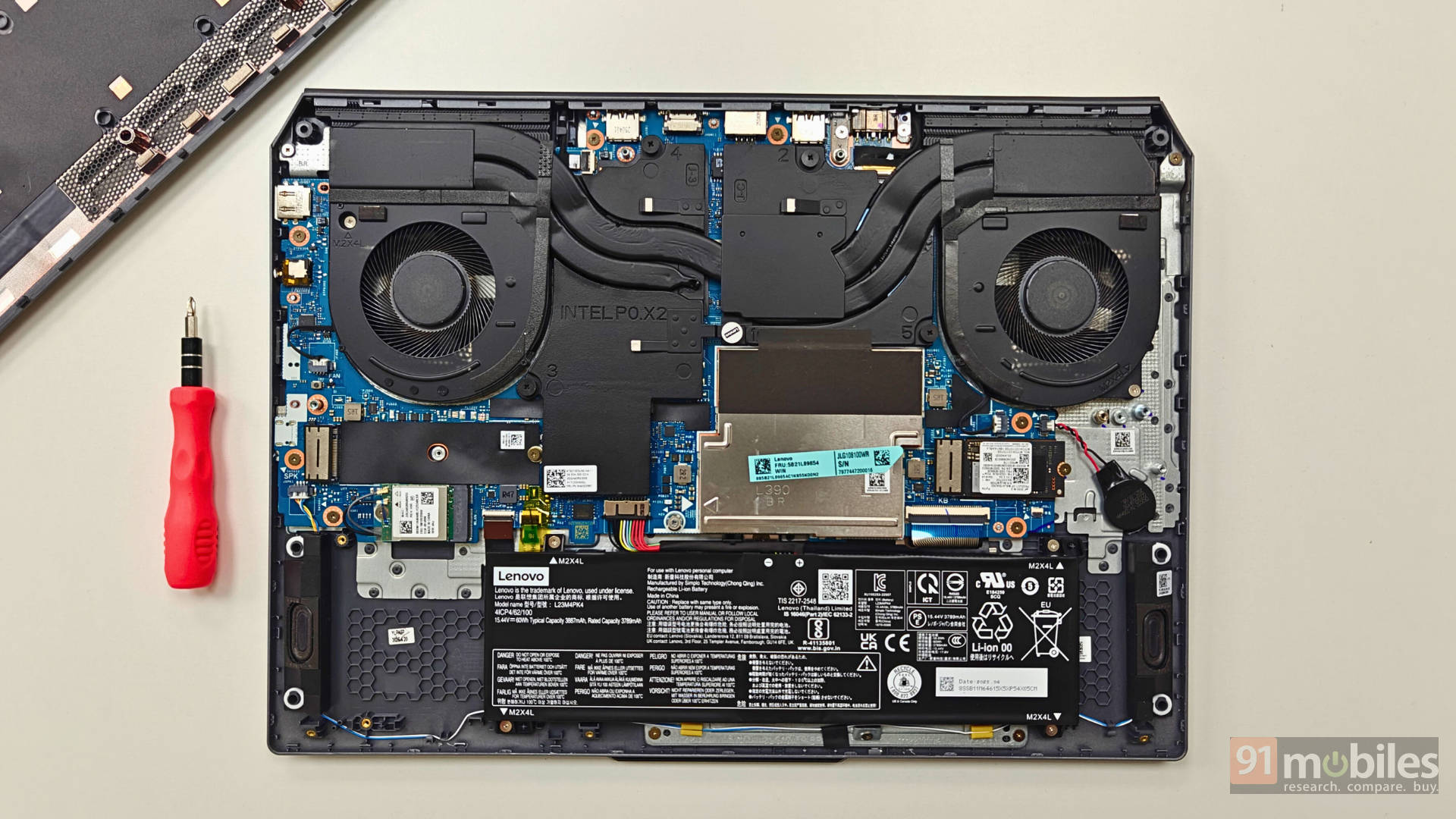
The Wi-Fi card is also seated in its own accessible slot, but it is soldered to the board. That makes it another possible upgrade down the line if you’re handy with electronics. There’s clearly enough room to fit a larger battery, like Lenovo’s 80Whr or 90Whr models. It seems the smaller battery was a deliberate choice for this configuration, which is a bit of a shame given the extra space.
A nice keyboard with RGB goodness
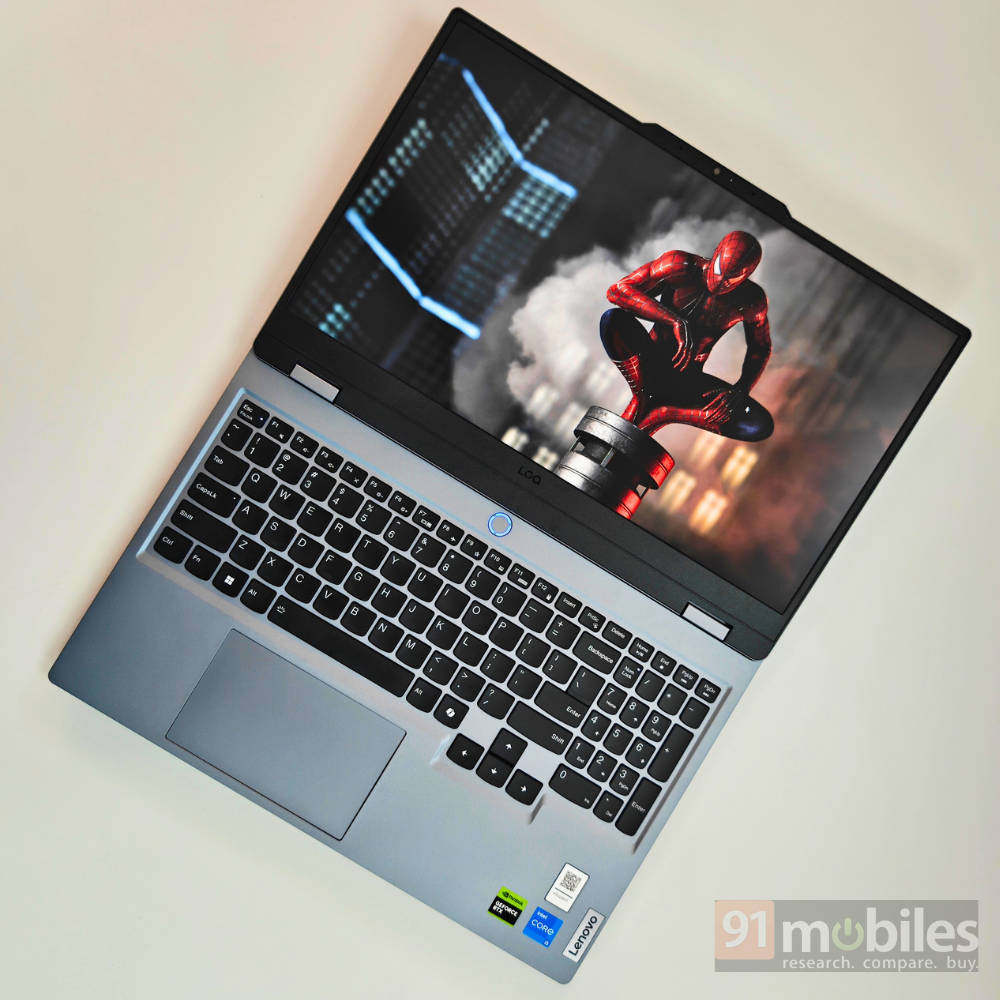
The most overtly “gamer” element of this laptop is its four-zone RGB backlit keyboard. Using the Lenovo Vantage software, you can set up to four style profiles, and the brightness is adjustable across two levels. You can also use the Fn+spacebar shortcut for the same. While the backlight isn’t very apparent in well-lit rooms, it looks great in the dark. Unfortunately, as a “4-zone” system, it doesn’t allow for per-key colour changes, only for the pre-defined zones.
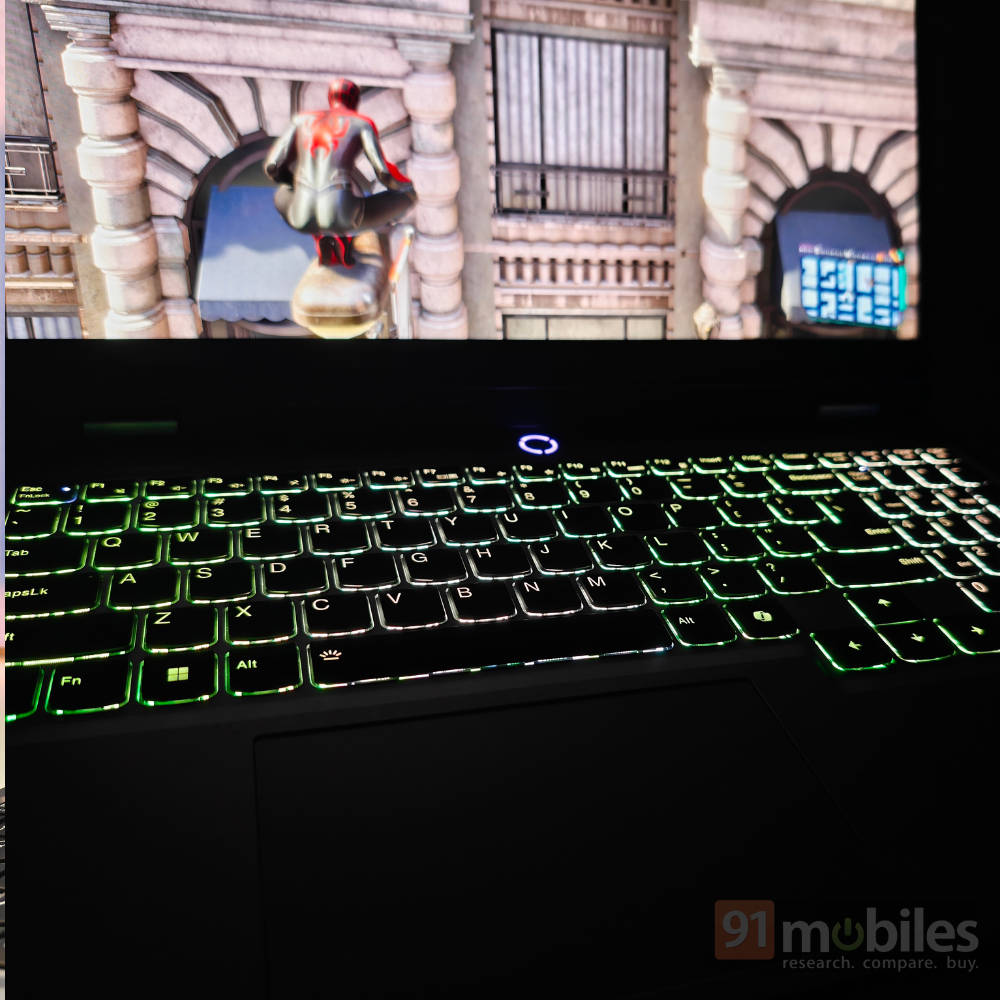
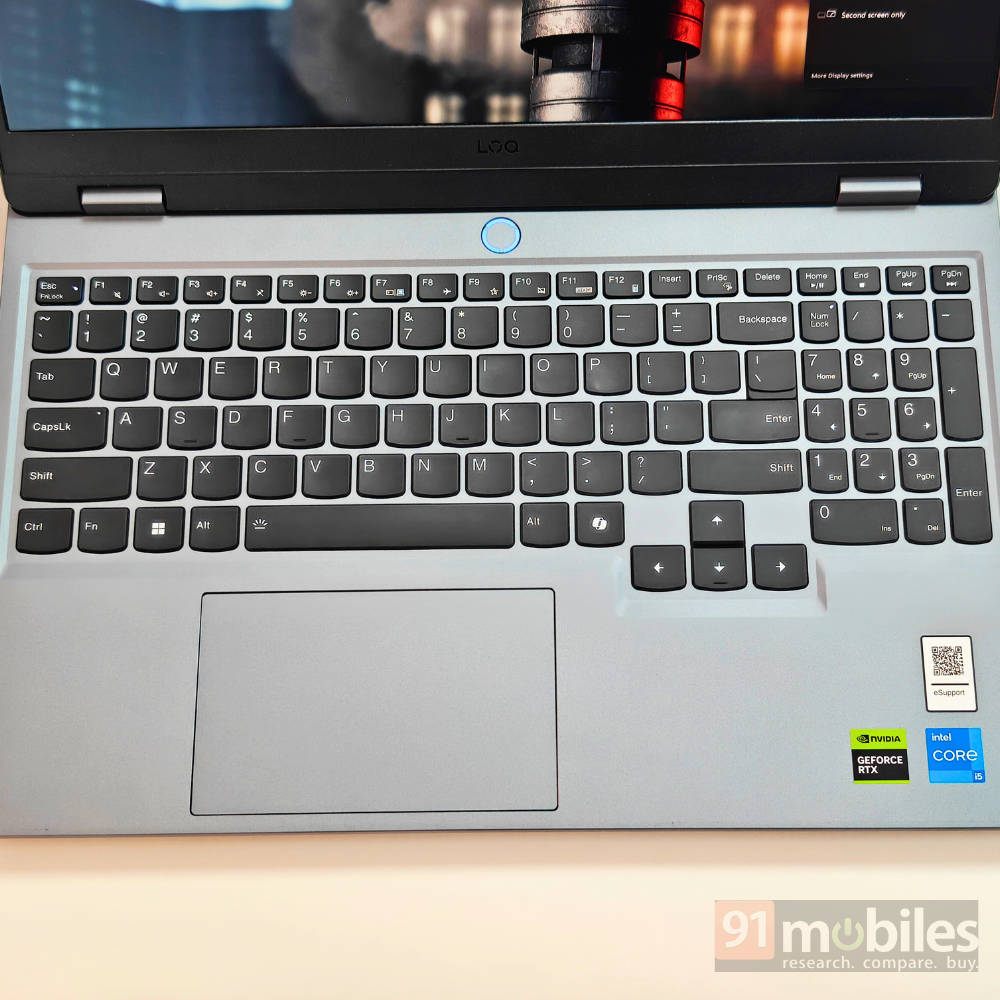
The keyboard itself is a pleasure to type on. It feels clicky and tactile, and the 1.5mm key travel helps prevent mistouches. It’s a full-sized layout, and I was happy to see properly sized arrow keys instead of the mushy, half-sized ones found on other laptops. The trackpad is also large and works well, supporting simple Windows gestures to adjust volume and brightness.
A great display hampered by its brightness
Lenovo’s LOQ series often features some of the best displays in the budget gaming segment, and this model is no exception. This model features a 15.6-inch IPS panel with an 1080p resolution, a 144Hz refresh rate, and a 100% sRGB colour gamut. This colour coverage alone makes the panel far more vivid than typical budget displays, which often only offer around 45% NTSC coverage. The 16:9 aspect ratio is sufficient for most uses, though a 16:10 option would have been ideal for productivity. But that would also mean wider black bars when watching content across Netflix and YouTube.

The panel’s biggest limitation is its peak brightness of 300 nits. In my experience, it works wonderfully indoors or in a dark room. However, in well-lit surroundings or outdoors, legibility drops off severely. While this brightness level is common in its price range, it’s a notable compromise on an otherwise great display. Oh, and its also NVIDIA G-Sync certified and comes with other NVIDIA technologies like Advanced Optimus.
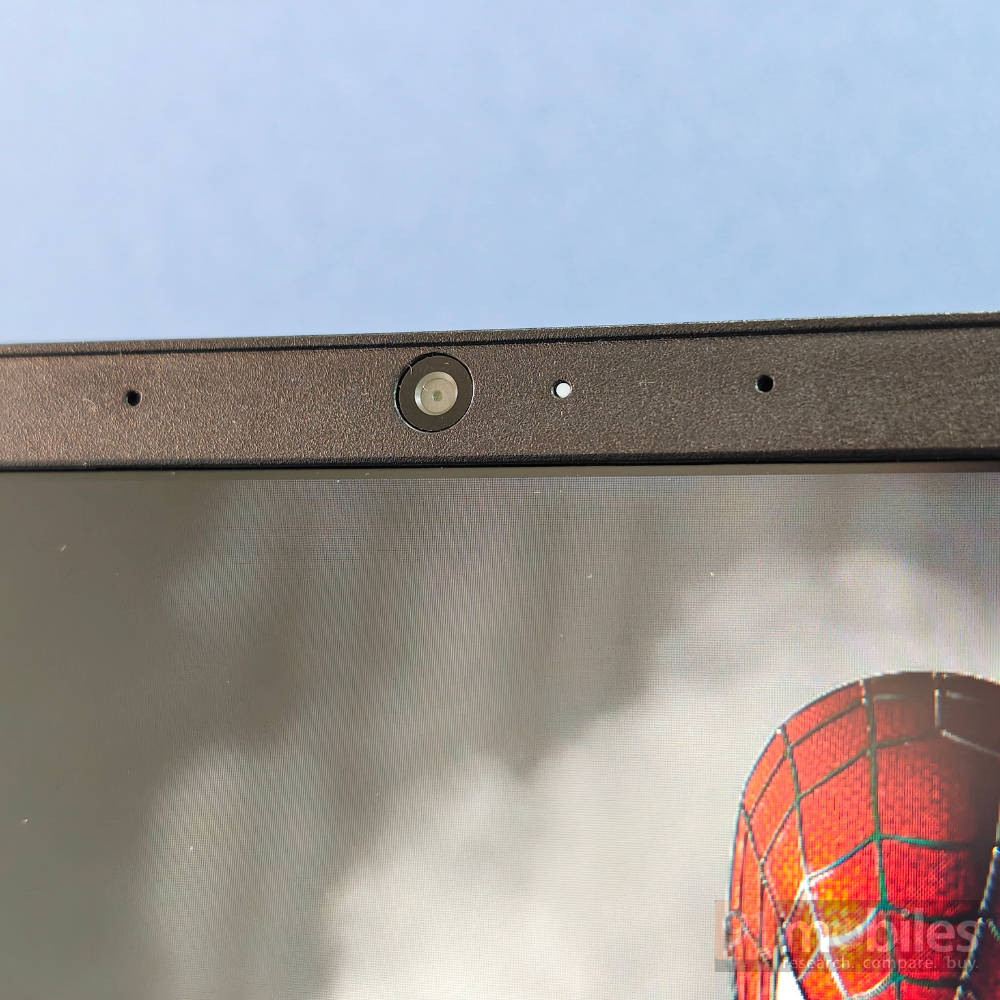
The webcam isn’t anything special, you’ve got a 1080p with an e-shutter that’s placed at the right edge. It is functional and will get you through video calls or online meetings with ease, but the picture quality isn’t great and comes out quite grainy.
What’s the performance like?
Now for the main event: how does the Lenovo LOQ actually perform? My review unit is powered by the Intel Core i5-13450HX, a 10-core, 16-thread Raptor Lake CPU with a boost clock of up to 4.6GHz. This is paired with 24GB of dual-channel DDR5 RAM and a 1TB PCIe Gen 4 SSD. For graphics, it relies on Nvidia’s RTX 4050 mobile GPU with 6GB of GDDR6 memory and a 95W TGP. There’s also a MUX switch in case you want to switch to the iGPU to preserve battery life.
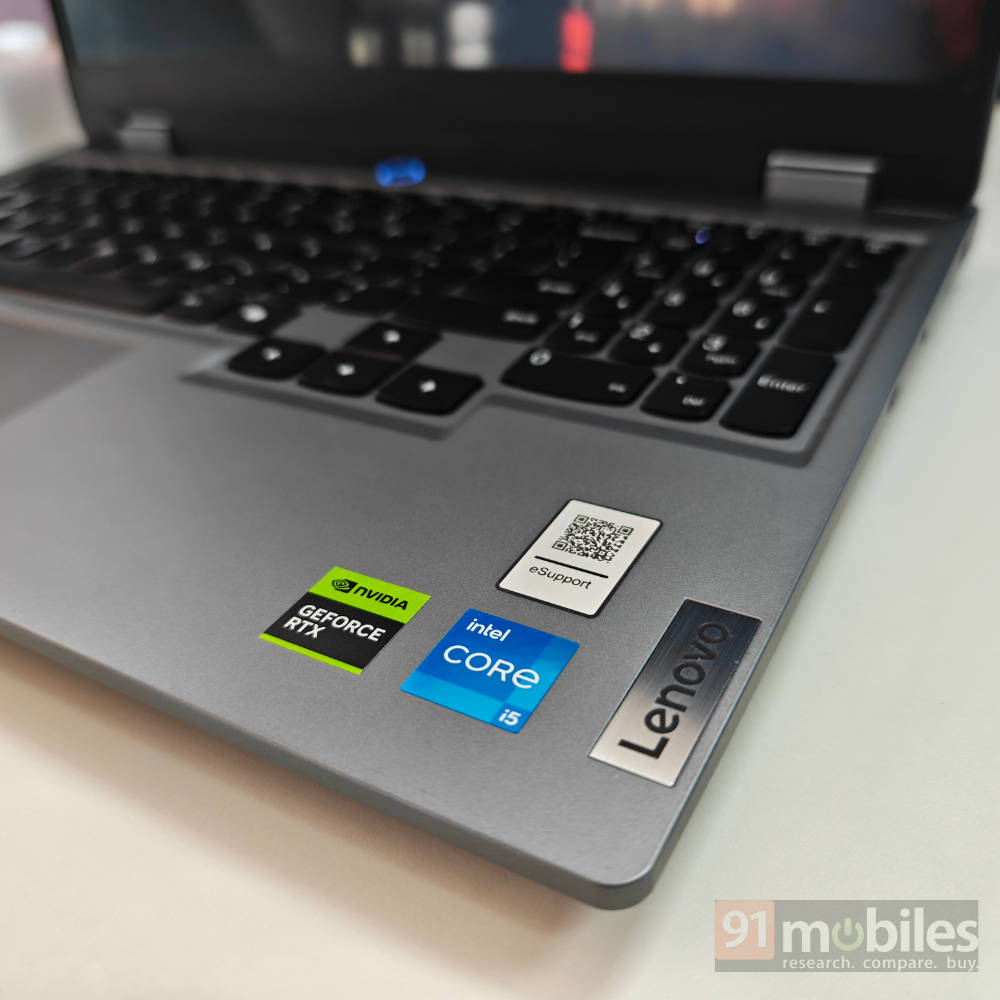
This combination makes for one of the higher-performing packages currently available under Rs 1 Lakh. It’s well-equipped for 1080p video editing, demanding workloads, and AAA gaming. This is a proper high-performance machine that will meet most of your needs. You can take a look at the benchmarks below:
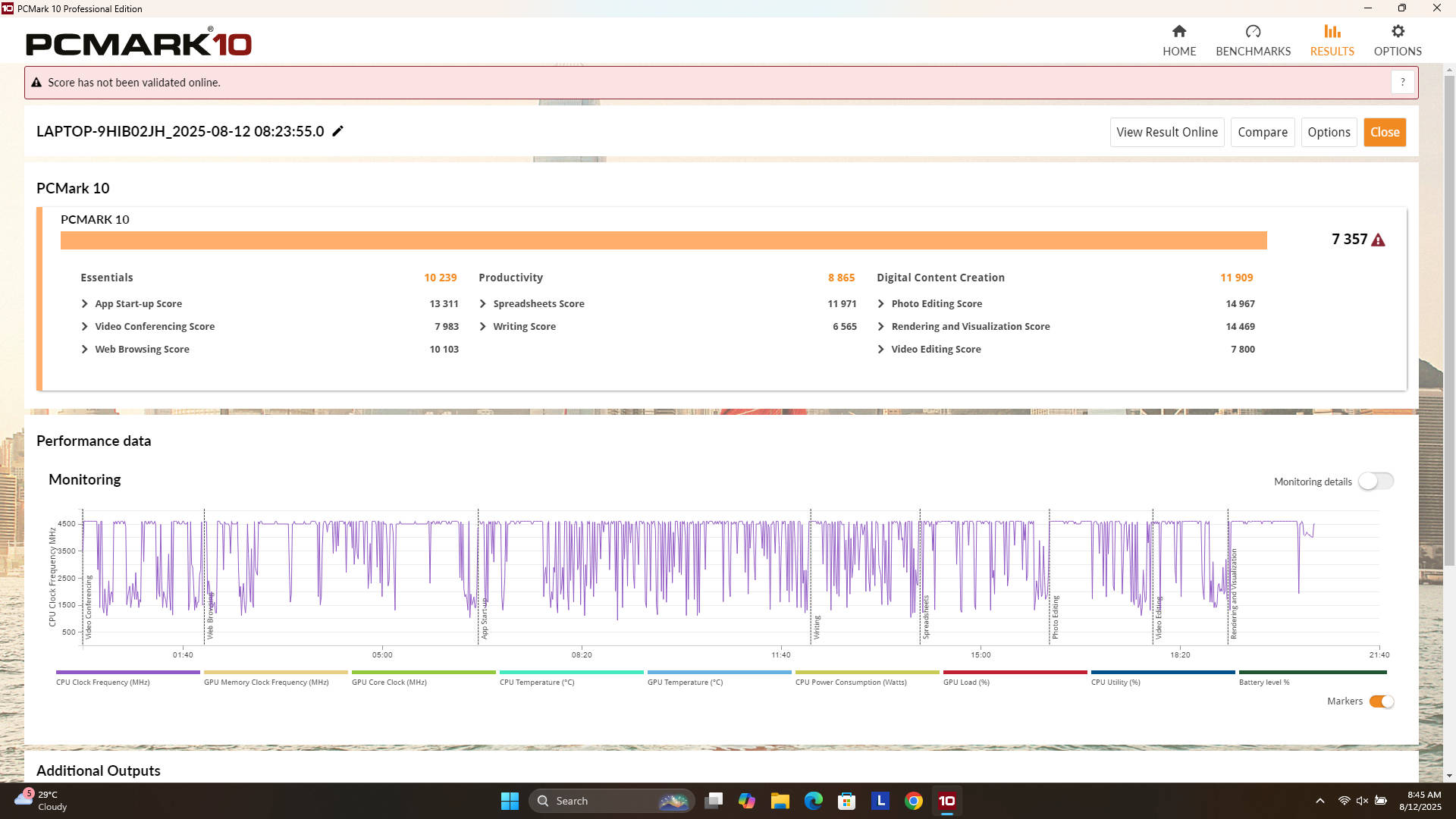
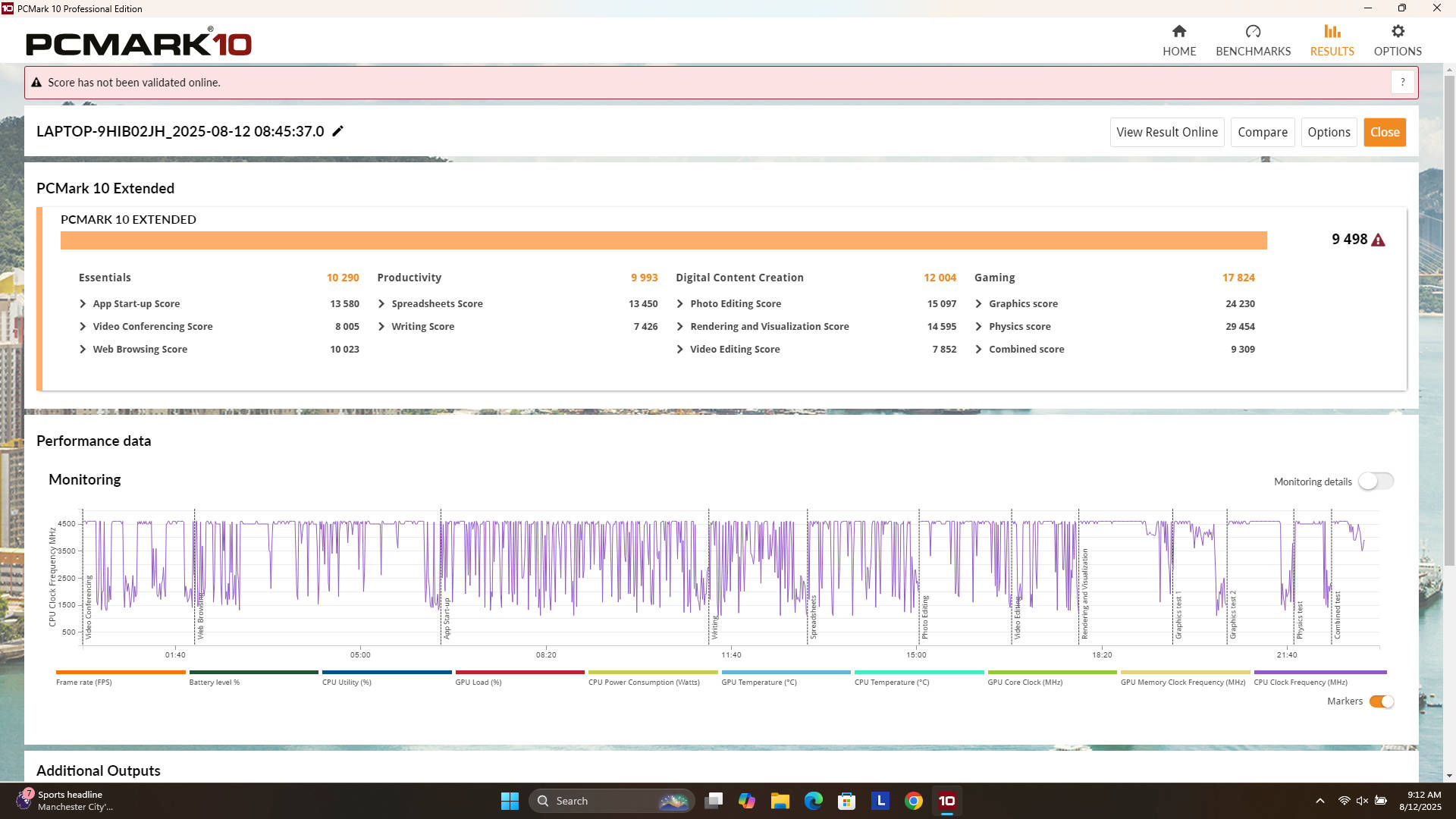
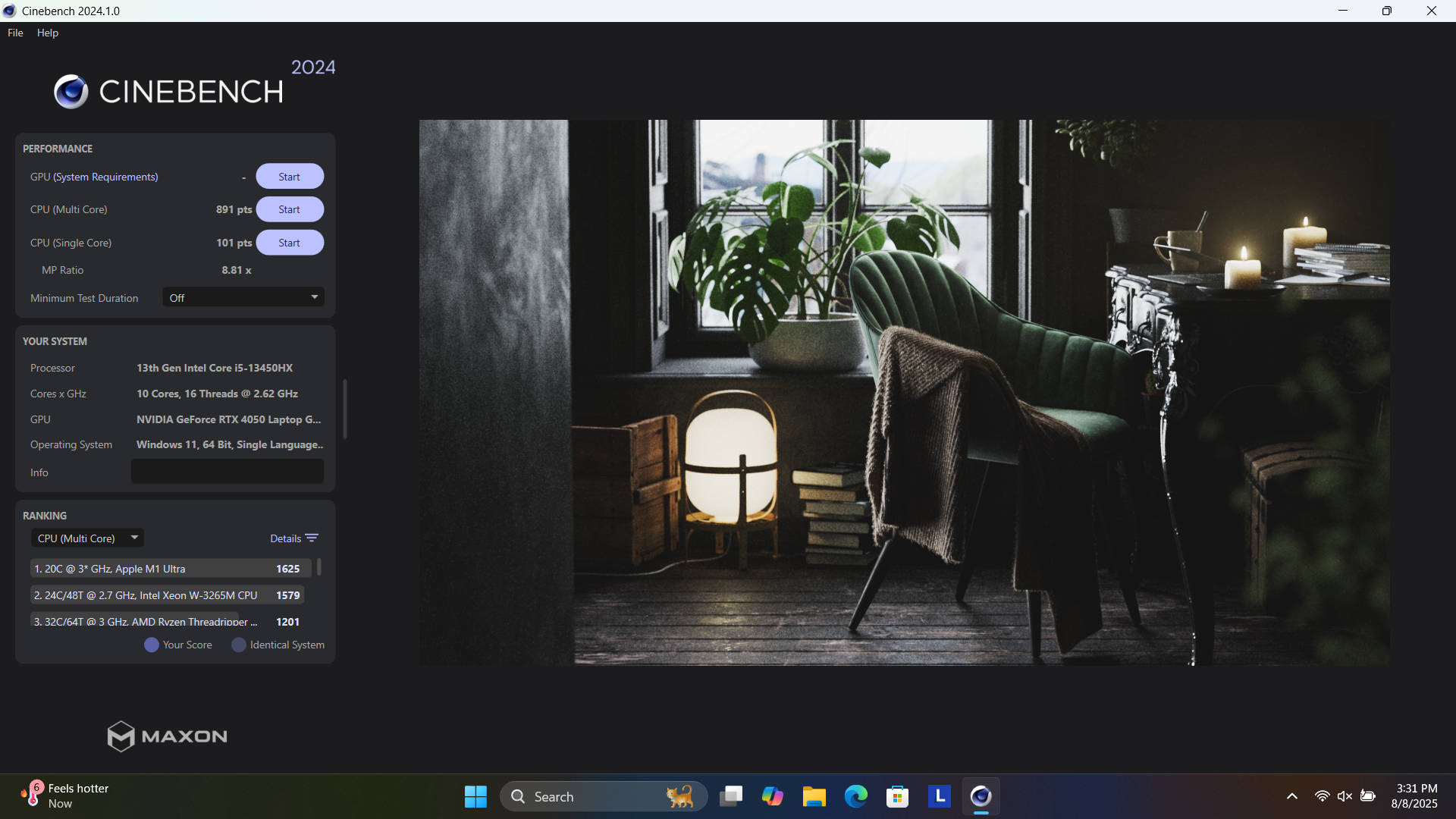
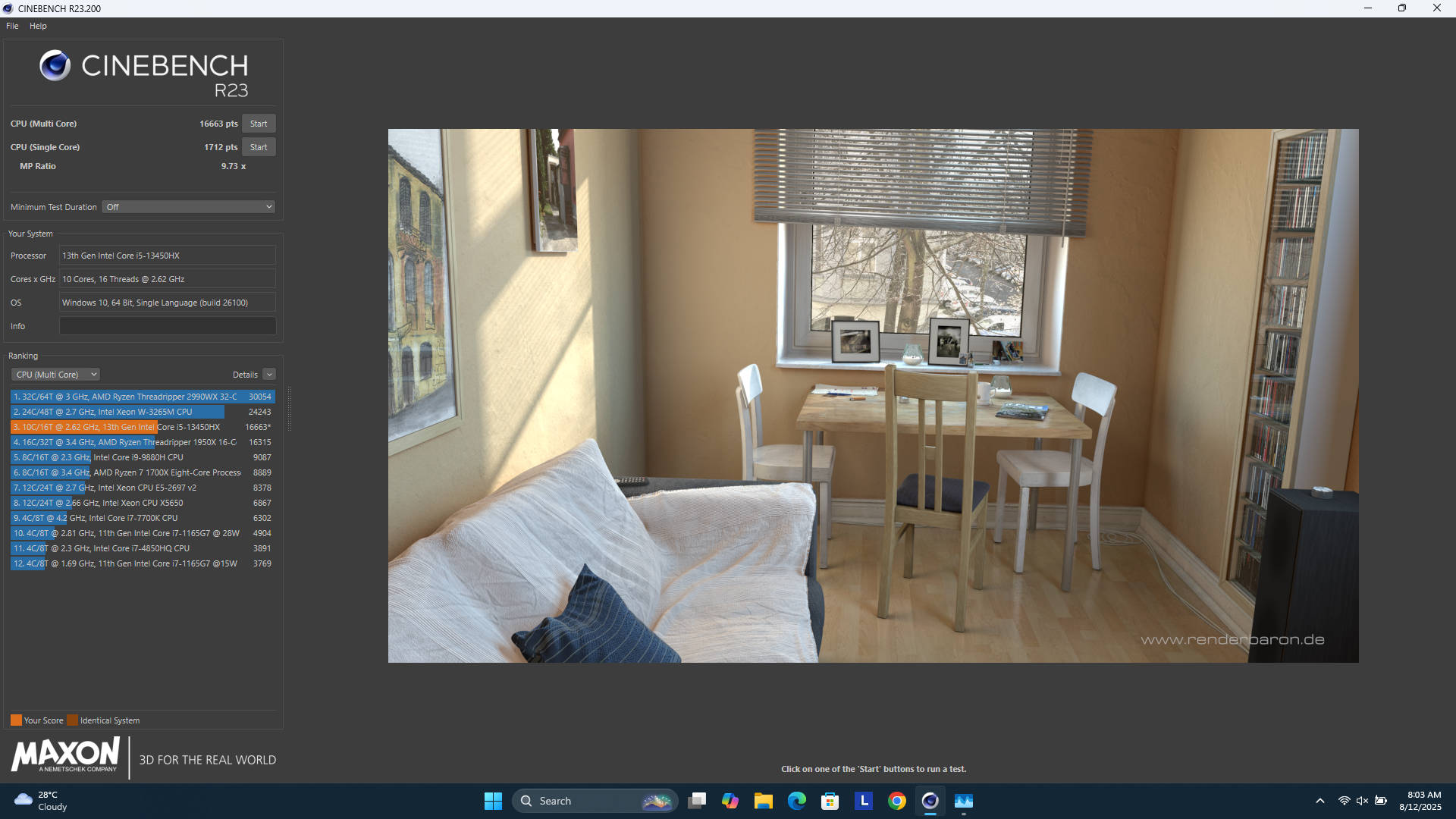
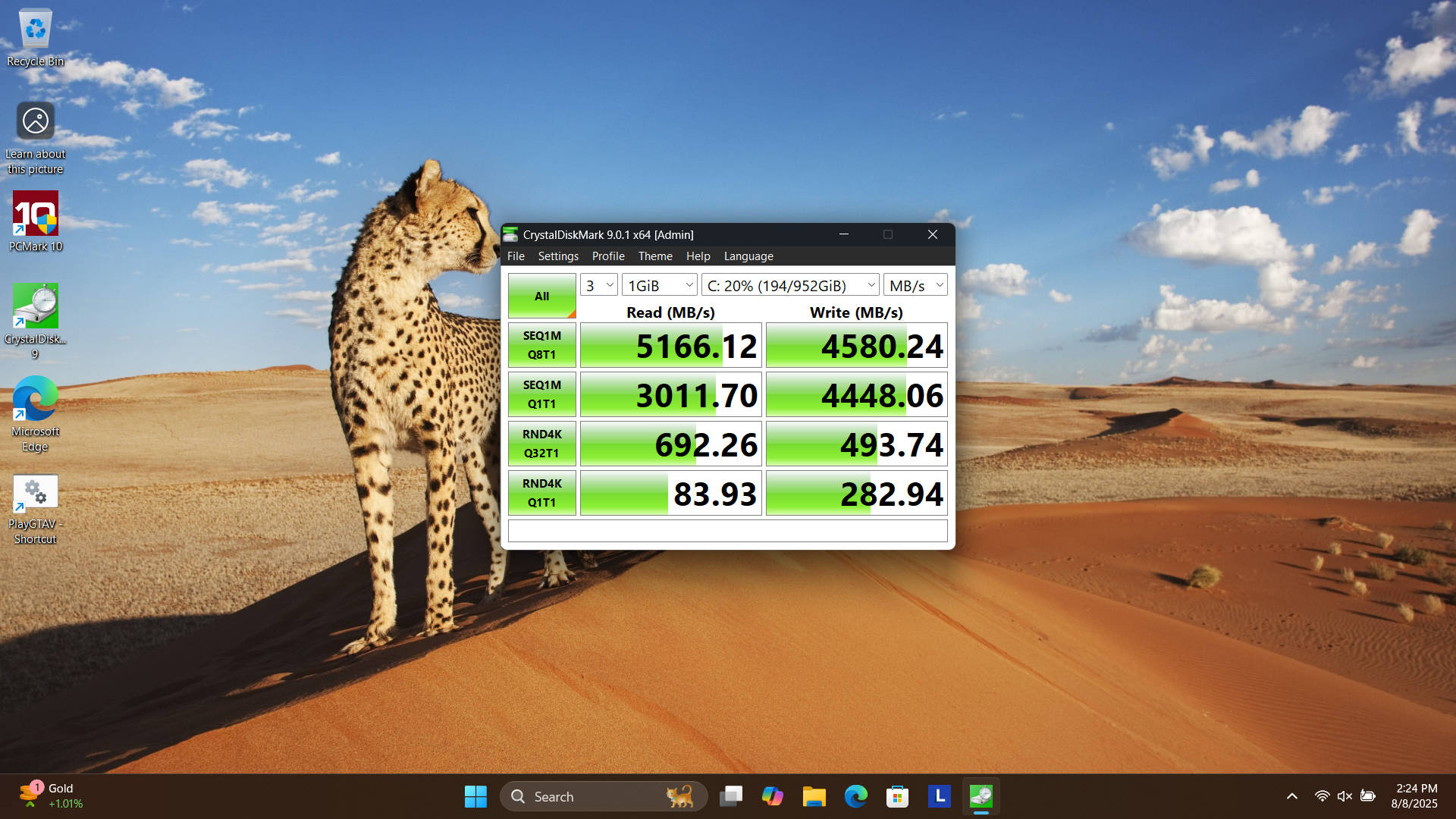
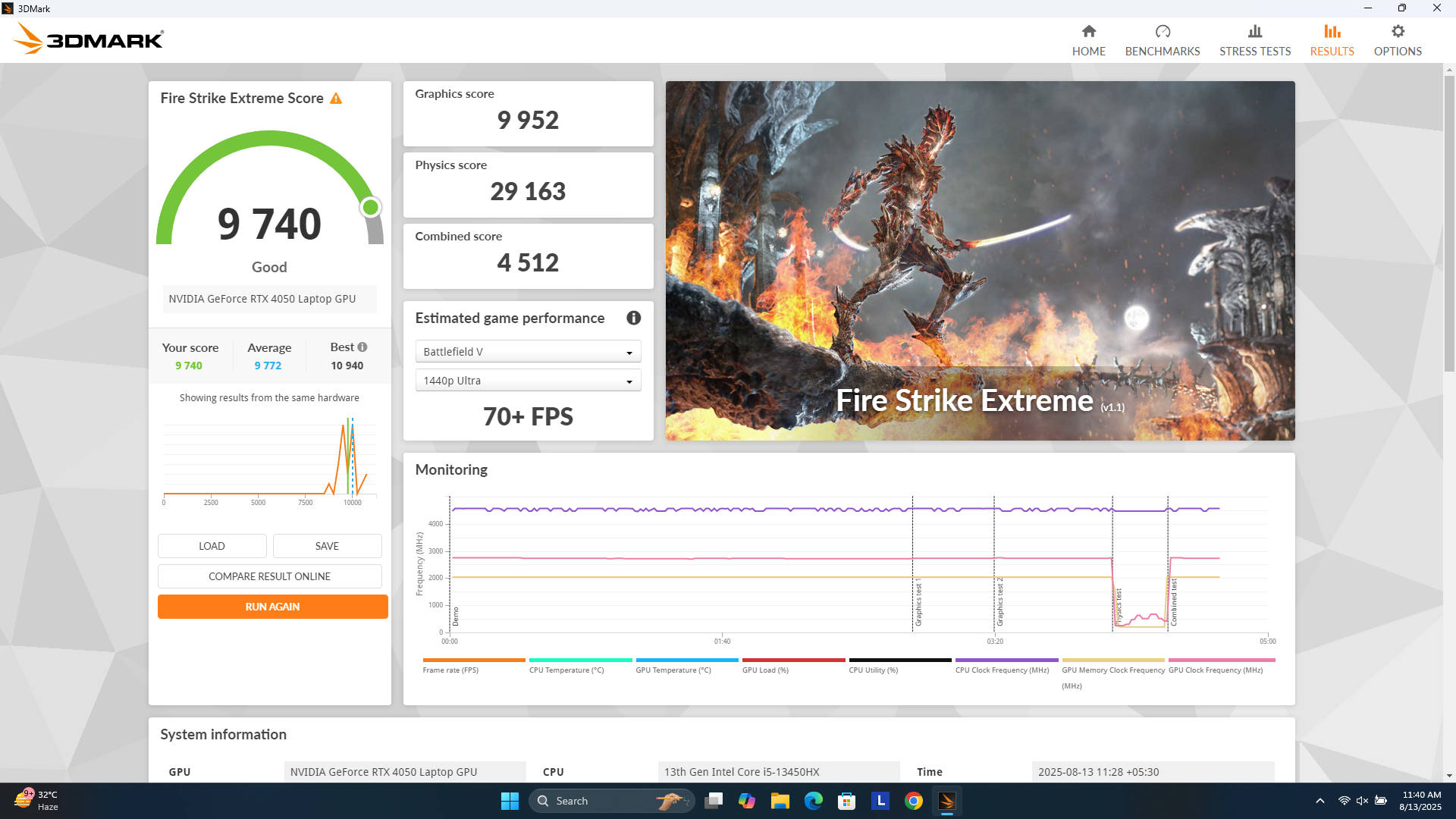
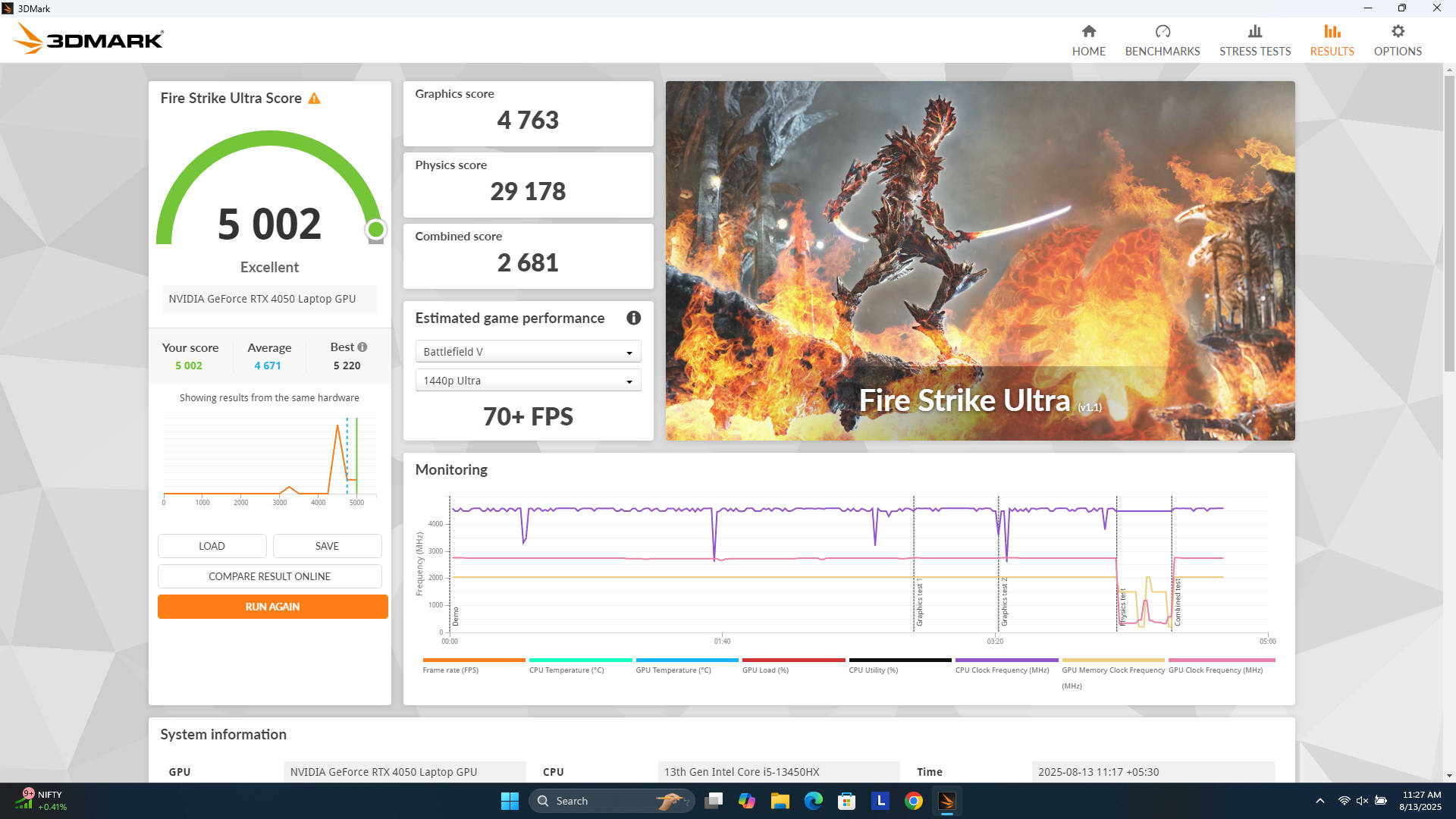
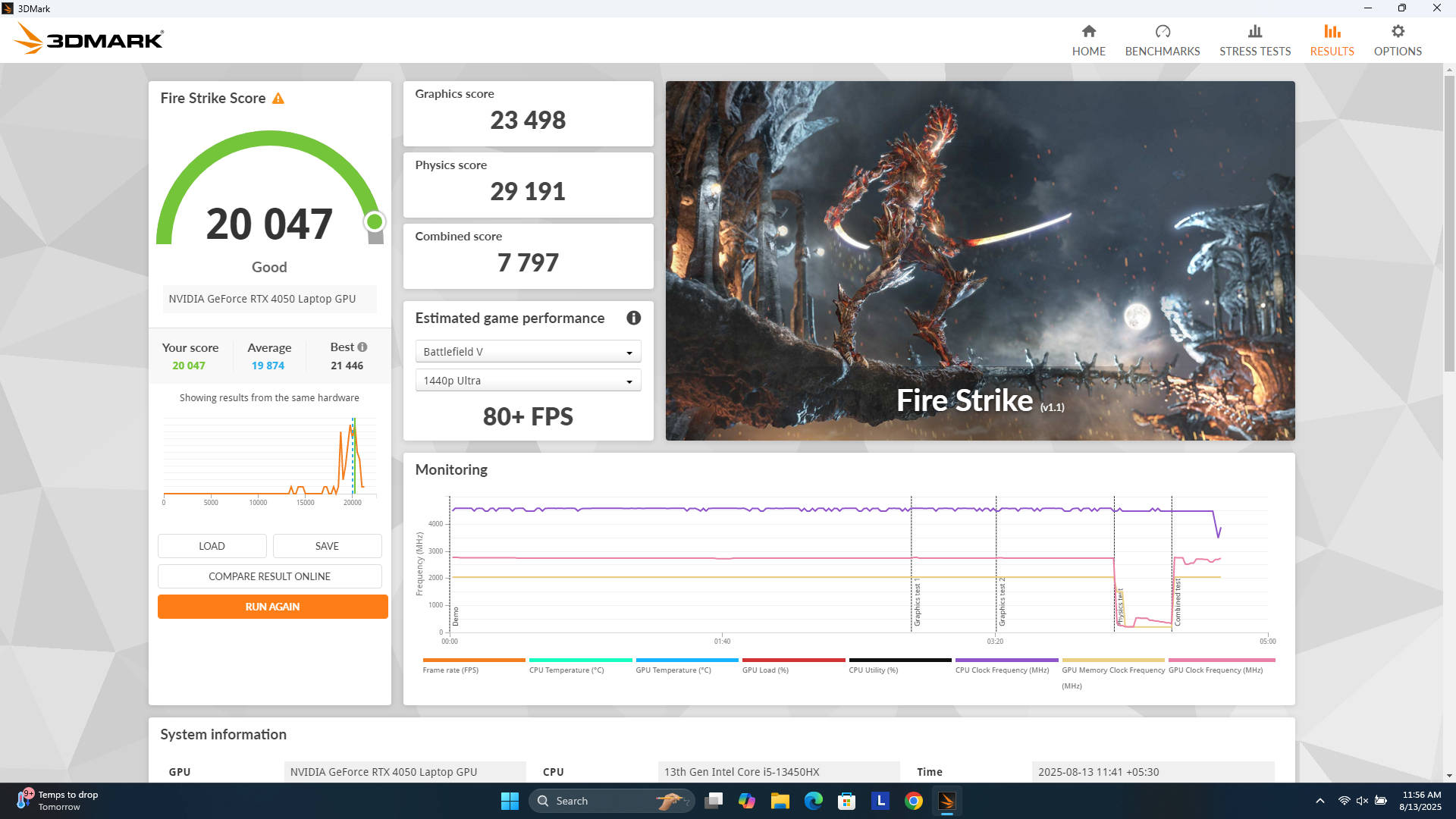
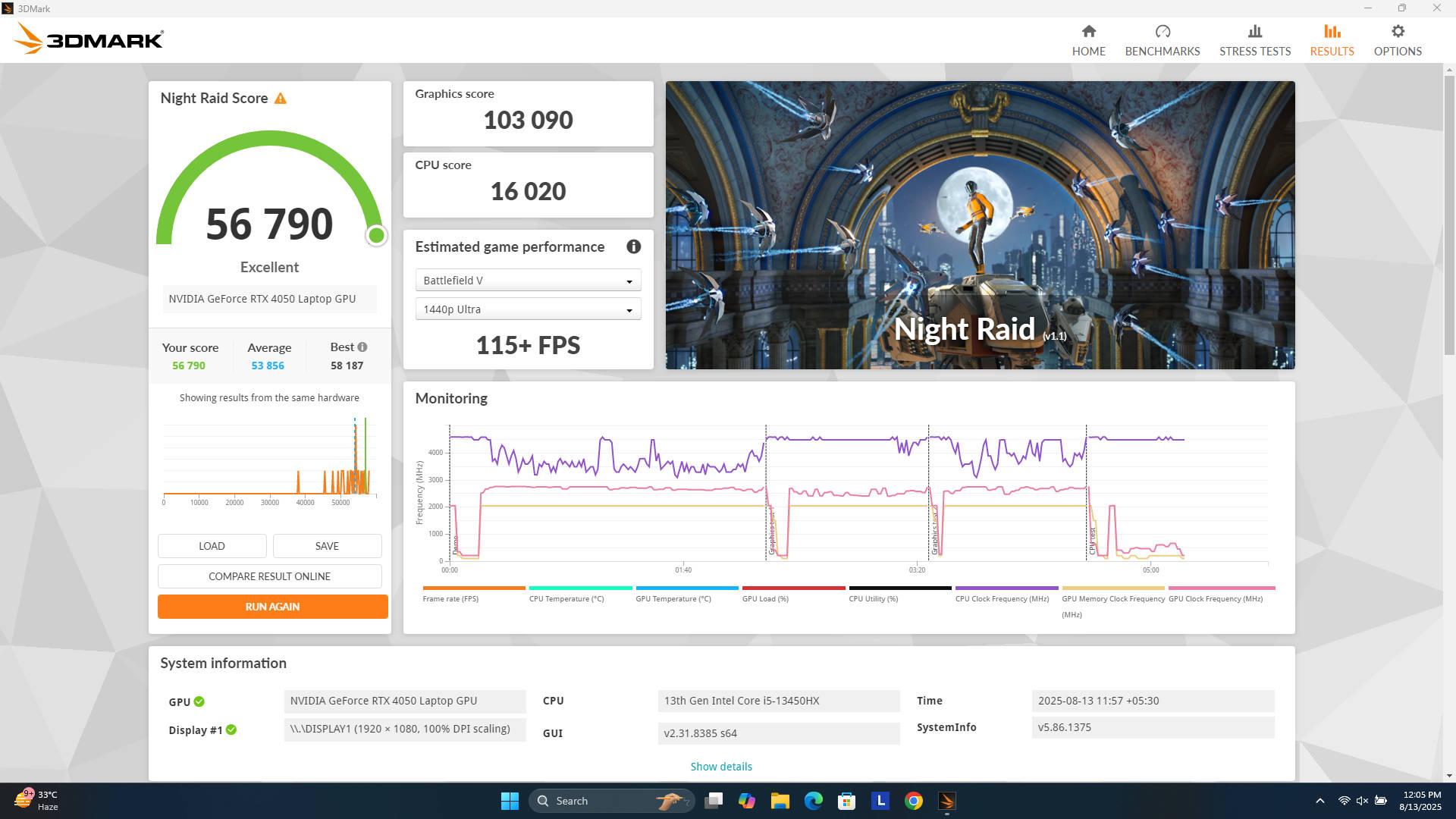
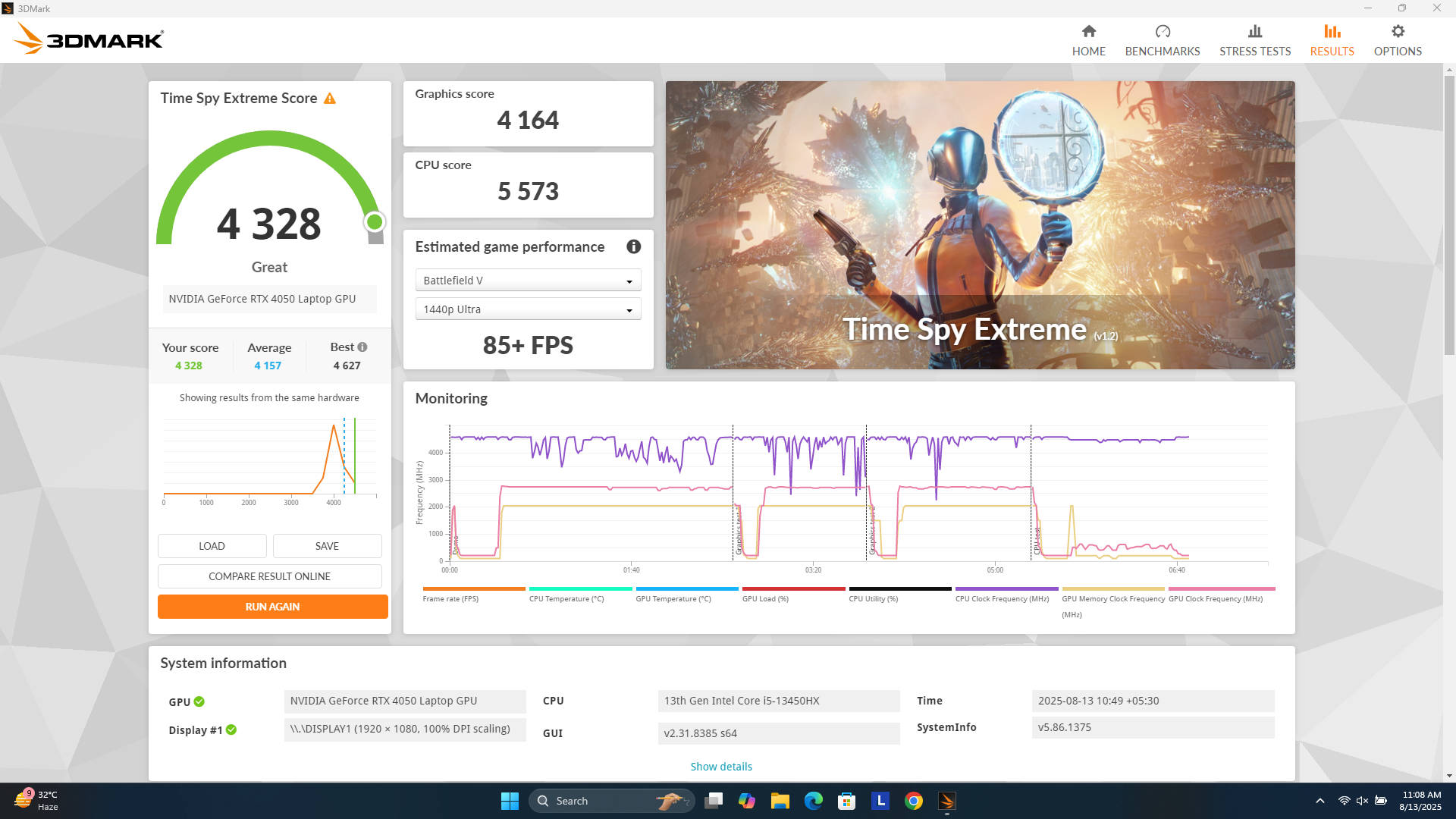
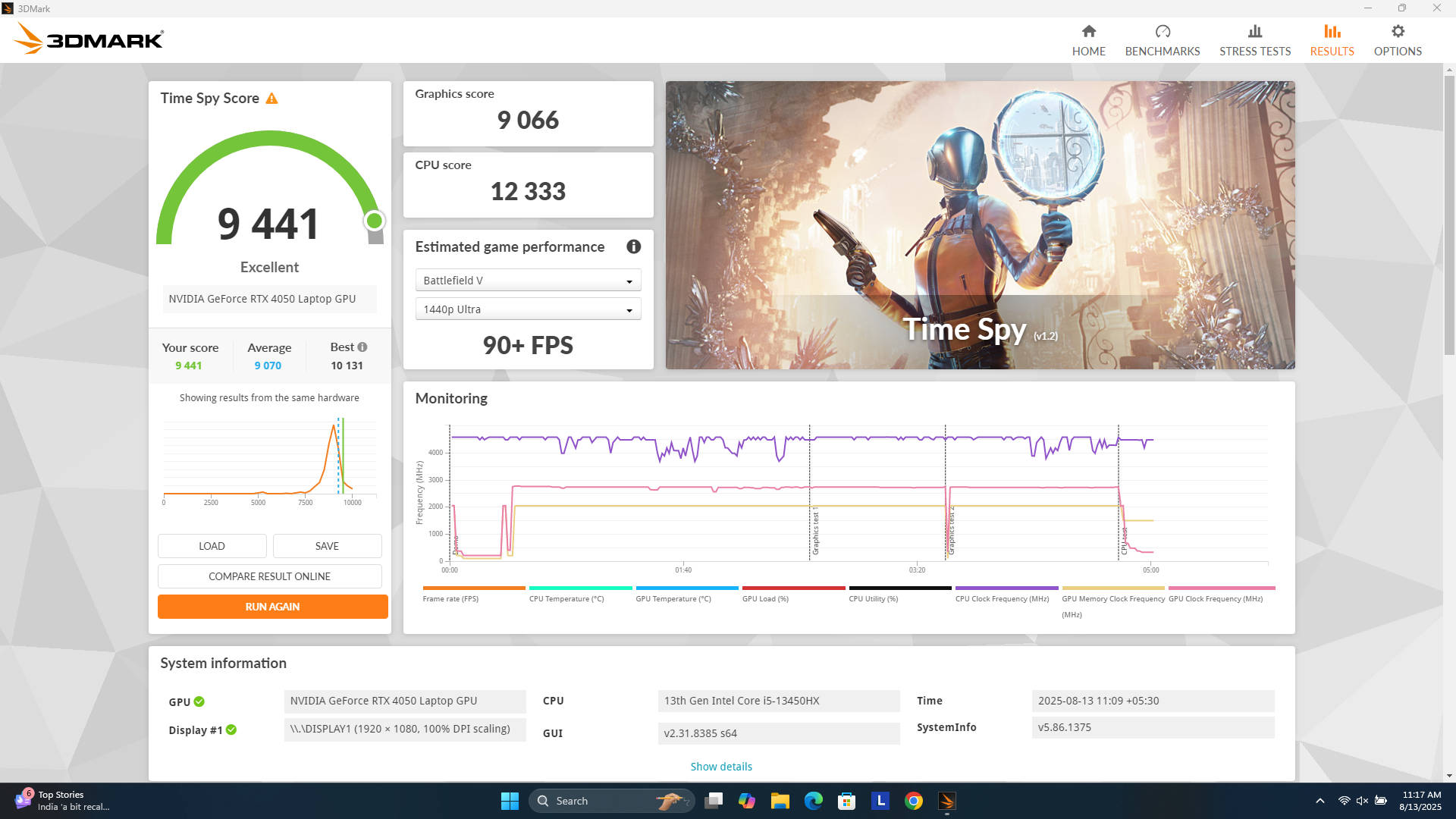
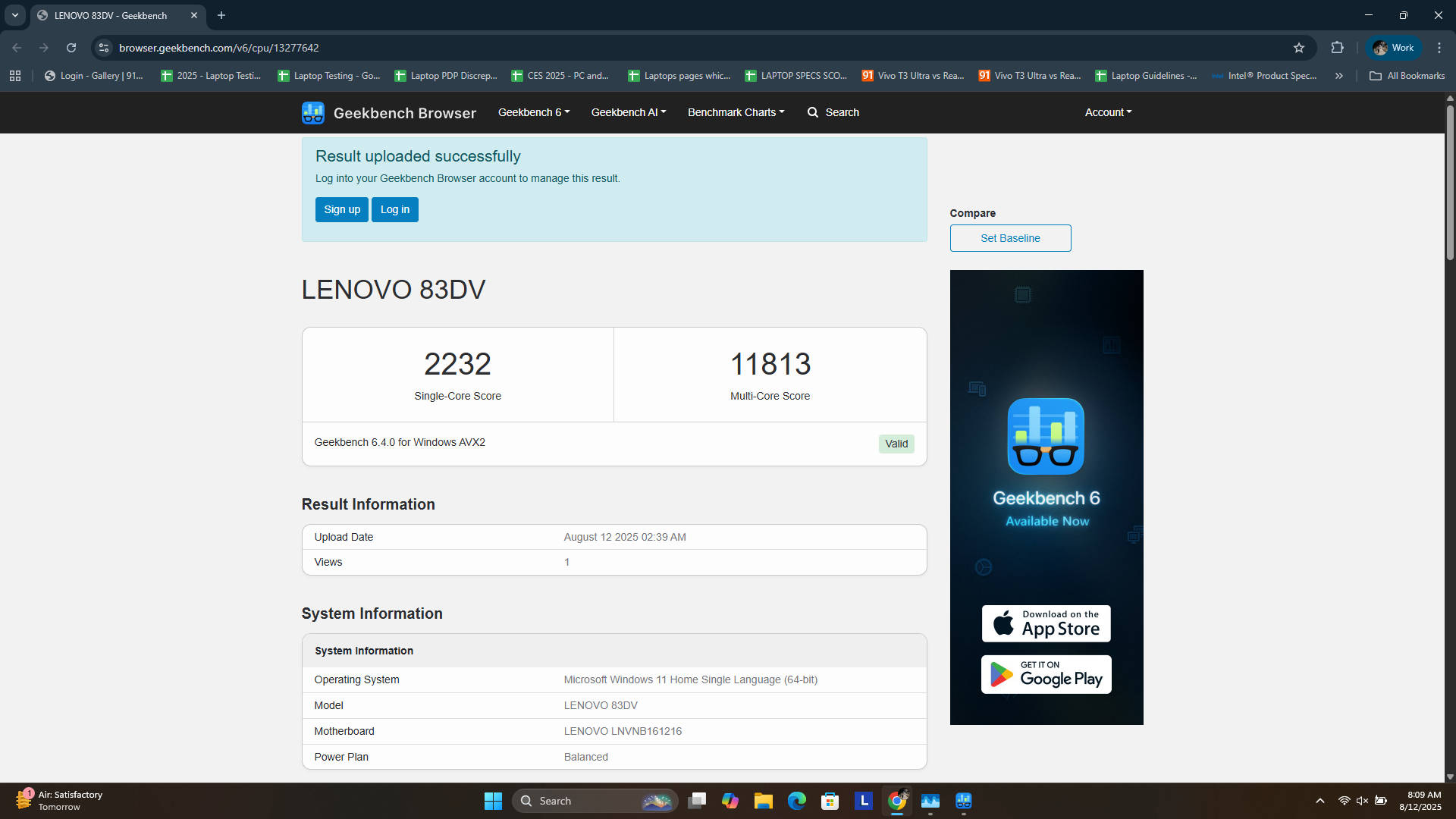
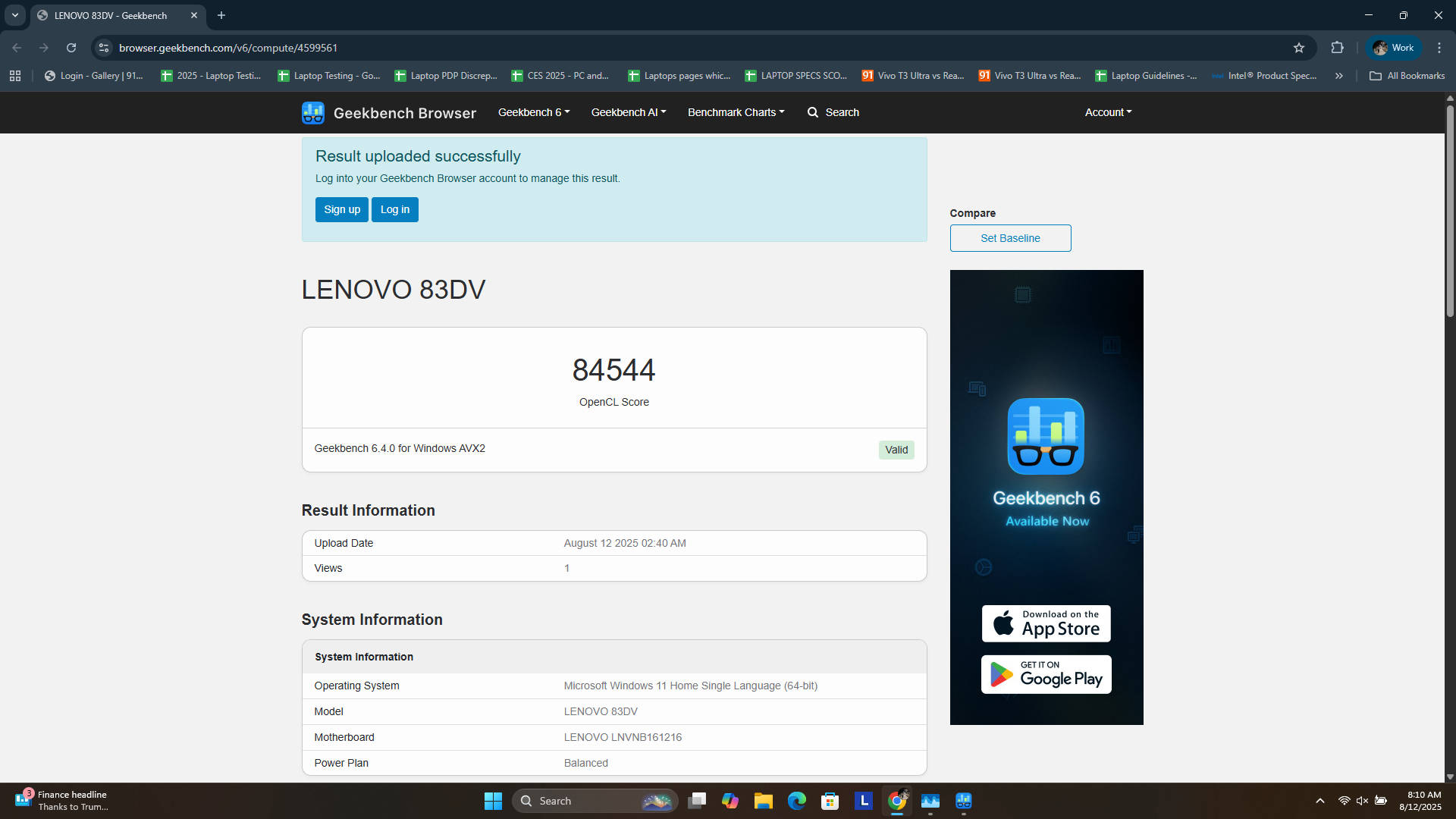
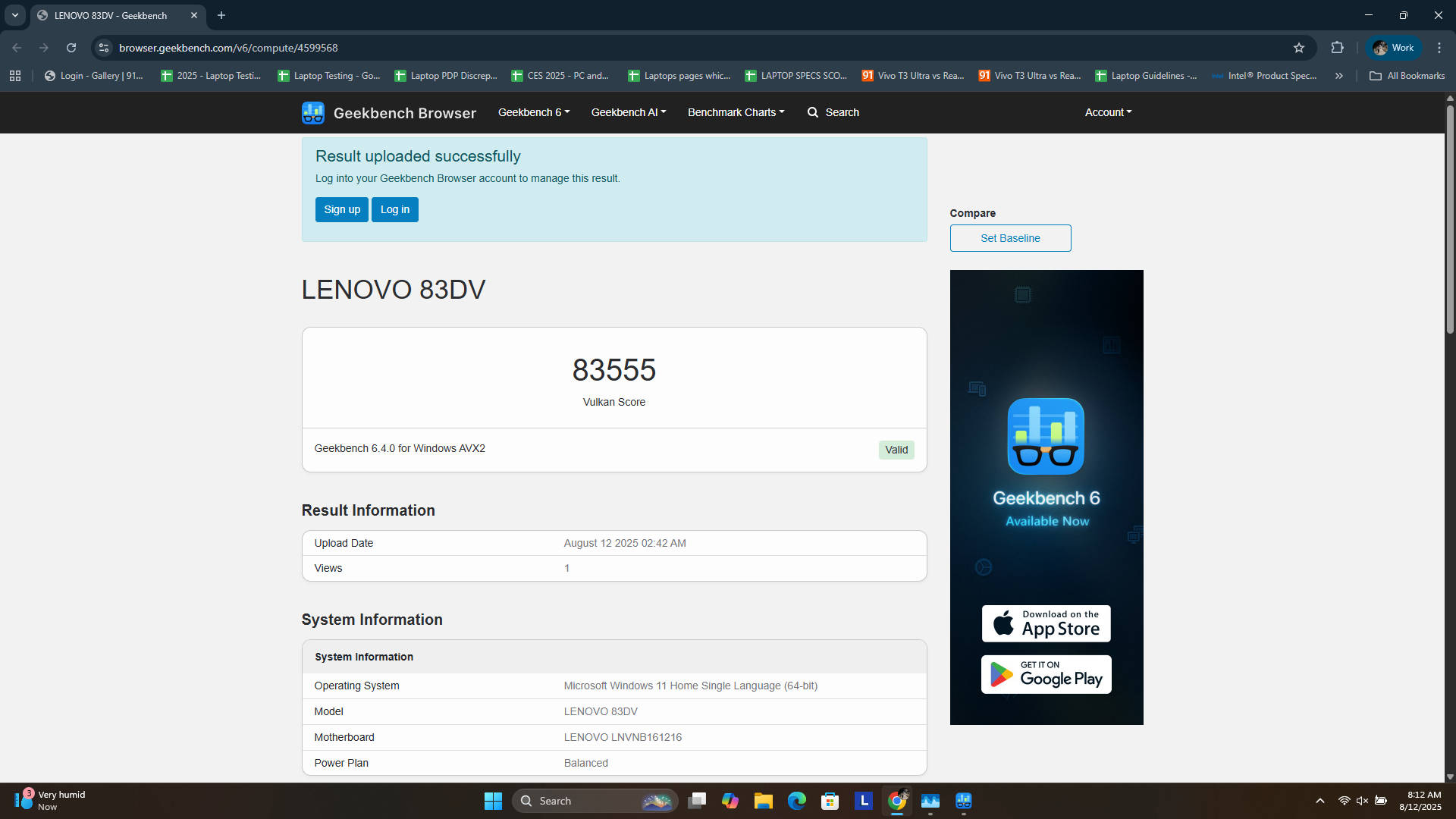
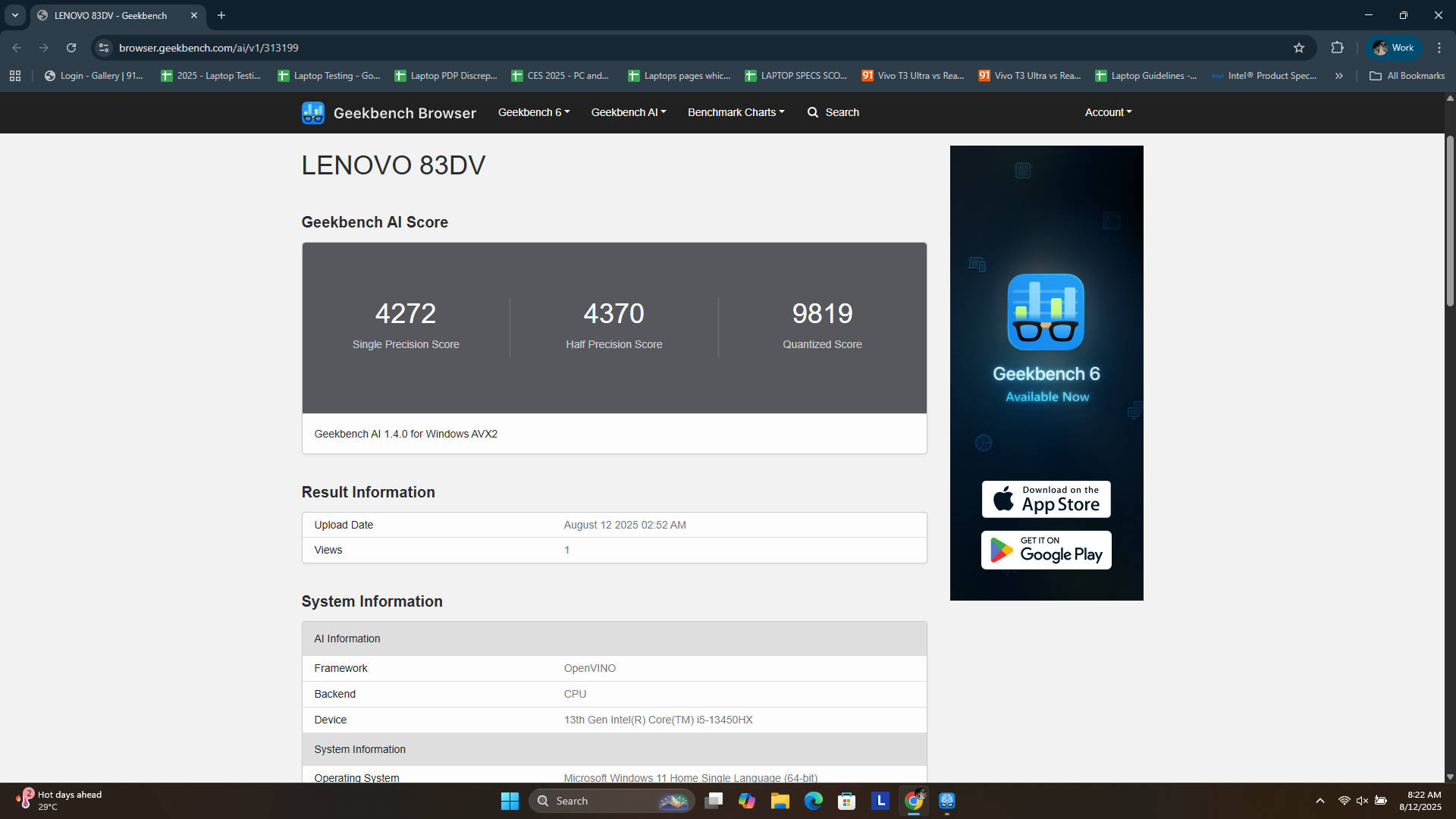


The CPU is particularly impressive, with a sustained power limit of 55W and the ability to boost up to 157W. During gaming and benchmarks, I saw it draw well over 100W, with typical gaming loads sitting at around 80W. The GPU consistently drew up to 90-95W during my testing sessions. The RTX 4050 provides more than enough power to handle modern AAA titles, and its performance can be further enhanced with features like DLSS and Frame Generation. With Frame Generation, you can boost gaming performance even more, though I personally don’t prefer it due to input lag, particularly in UE5 titles. It is worth noting that Frame Generation is also limited, and some advanced DLSS 4 features are restricted to the newer RTX 50-series GPUs.
Thermals and Customisation
All this power generates a significant amount of heat, which shouldn’t surprise anyone. Under heavy load, the CPU temperature can climb above 95 degrees Celsius, while the GPU reaches around 87-88 degrees Celsius. While these temperatures are a bit high, they are somewhat justified given the performance. Lenovo provides a good degree of control over the system’s performance via its Vantage software, with Quiet (blue), Balanced (white), Performance (red), and Custom (purple) modes.
Warning: You should only experiment with Custom Mode or Undervolting after thoroughly researching what each parameter does. Adjusting these parameters incorrectly can potentially damage internal components, so it is essential to follow reliable tutorials.
In Custom mode, you can fine-tune thermal and power limits. Enabling a CPU temperature limit will cause some thermal throttling, but I found it to be a worthwhile trade-off. In my experience, sacrificing about 10-15% of peak performance for a 10-degree drop in temperature is a reasonable compromise. You can also undervolt the CPU for even more thermal control.
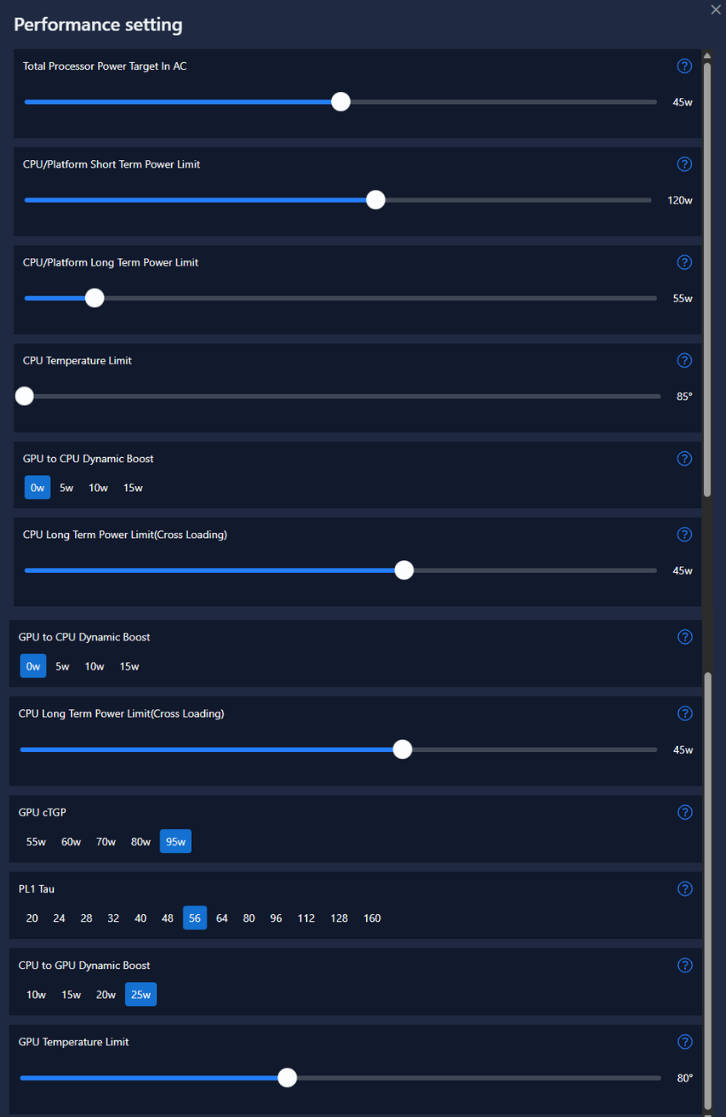
You can also undervolt the CPU for even more thermal control. For instance, with undervolting, I was able to bring down the CPU and GPU temperature at an average of 75 degrees and 70 degrees, respectively, without any significant loss of performance.
With Frame Generation, you can boost gaming performance even more. However, I personally don’t prefer it due to input lag, particularly in UE5 titles. Here are some titles we tested. These games are essentially on native resolution and with FG turned off.
| Games at 1080p | Average FPS | Graphic settings |
| GTA V | 147 | Ultra preset |
| Valorant | 349 | High preset |
| Cyberpunk 2077 | 67 | Ultra preset |
| Forza Horizon 5 | 56 | Extreme preset |
| Black Myth: Wukong | 33 | Cinematic (DLSS on) |
Battery and charging
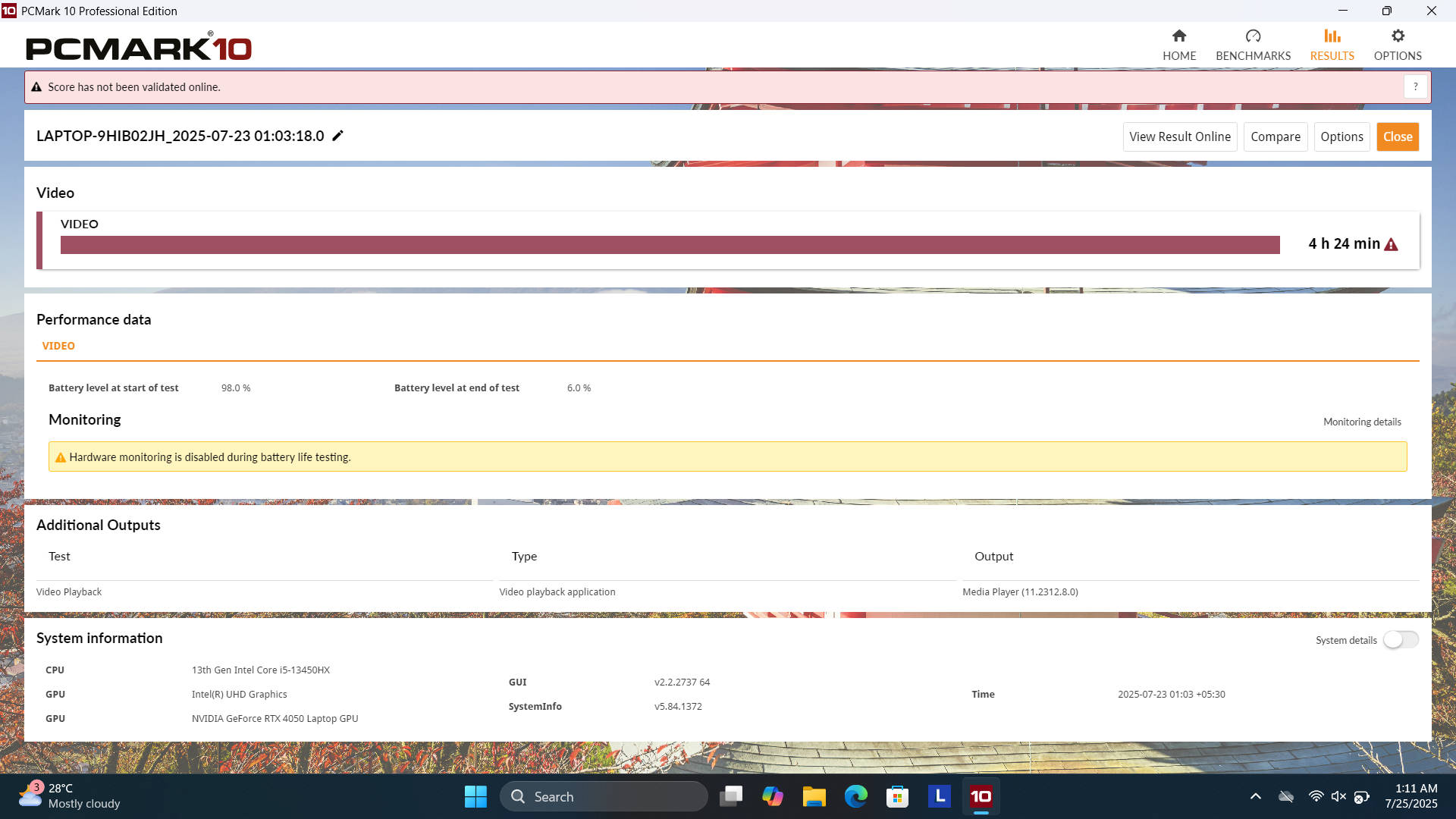
The LOQ 15 is equipped with a 60Wh battery, and its endurance is one of the laptop’s weaker points. In my testing, I managed to get about four hours of mixed usage on a single charge. The PCMark test also returned about 4.5 hours on a single charge. This is somewhat disappointing, especially given that there appears to be physical space inside the chassis for a larger battery unit. Of course, your mileage will vary depending on your usage and the selected performance mode. To maximise battery life, I recommend switching to the iGPU-only mode, reducing the screen’s refresh rate and brightness, and turning off the keyboard backlight.
When it comes to recharging, the bundled 170W power adapter supports what Lenovo calls ‘Super Rapid Charge Pro’. The company claims it can fully charge the battery in about 60 minutes, and my testing confirmed that the charging speeds were largely in line with this promise. For those concerned about long-term battery health, the Vantage software includes a ‘Conservation Mode’ that I personally keep enabled. This limits the charge to 80%, which helps to preserve the battery’s lifespan by reducing wear on the cells.
There is one odd quirk, however, in that the laptop loses charge while gaming. This is not a new issue with LOQ series devices. In conservation mode, my battery would drop from 80-75%, then start back up. It essentially hovers between that, which isn’t a problem.
Verdict
This specific Lenovo.com exclusive model of the LOQ 15 (83DV0127IN) currently retails for Rs 91,990. On paper, it’s a fantastic package, offering a powerful RTX 4050 GPU, an extremely capable CPU, and generous amounts of RAM and storage right out of the box. However, when compared to its immediate competitors, its value is a little complicated to justify.
At this price point, we now have RTX 5050 laptops like the Acer Nitro V 15 and MSI Katana 15. While the LOQ 15 offers a more muted design, a slightly better display, and 24GB of RAM out of the box, the RTX 5050 offers access to newer DLSS features and better performance. The biggest challenge for this laptop, however, is its own sibling. For just a few thousand more, at Rs 95,000, you can find a LOQ variant with a more powerful RTX 4060 and an AMD Ryzen 7 processor. That machine is superior in almost every way for core gaming performance, making it a no-brainer if gaming is your top priority.
This puts the LOQ 15 (83DV0127IN) in a tricky position. It is an excellent machine, but it is currently priced a little too high. If you have a pressing need for a gaming laptop now and this specific configuration matches all your requirements, it won’t disappoint. All that being said, with new RTX 50-series GPUs entering the market and the potential for sales, patience might be your best bet. If you can find this model during a sale for around the Rs 80,000 price point, it is an absolutely fantastic deal.
Editor’s Rating: 8/10
Pros:
- Powerful CPU & GPU
- 24GB DDR5 RAM onboard
- Great typing experience
- Good AAA gaming performance
Cons:
- Battery could be bigger
- No Thunderbolt 4 port
- Mediocre webcam